

Die 10 besten Serverüberwachungstools im Test 2026

Beste Serverüberwachungstools – Auswahlliste


Server zu verwalten, kann ganz schön mühsam sein, oder? Sie müssen Verfügbarkeit, Sicherheit und Leistung im Blick behalten, und dabei fühlt man sich schnell überfordert. Hier kommen Serverüberwachungstools ins Spiel, die wie ein zusätzliches Augenpaar für Ihr Netzwerk fungieren.
Ich beschäftige mich seit Jahren intensiv mit diesen Tools und möchte meine Erkenntnisse mit Ihnen teilen. Mein Ziel ist es, Ihnen einen klaren und unvoreingenommenen Überblick über die besten verfügbaren Optionen zu geben, damit Sie fundierte Entscheidungen treffen können.
In diesem Artikel finden Sie meine Top-Empfehlungen, die ich jeweils im Hinblick auf die wirklich wichtigen Aspekte überprüft habe. Ganz gleich, ob Sie etwas Einfaches oder eine etwas anspruchsvollere Lösung suchen – ich habe das Richtige für Sie. Sehen wir uns die Details an und finden Sie die passende Lösung für Ihr Team.
Warum Sie unseren Software-Empfehlungen vertrauen können
Unser Team testet und bewertet Software seit 2012. Als Tech-Führungskräfte wissen wir selbst, wie schwierig – und wichtig – es ist, die richtige Software auszuwählen.
Für diesen Leitfaden haben wir Tools mithilfe von praktischen Tests und unabhängiger Recherche bewertet und dabei unsere Bewertungskriterien angewendet.
Unsere Bewertungen spiegeln unser menschliches redaktionelles Urteilsvermögen wider, keine Verkaufsstrategie.
Zusammenfassung der besten Serverüberwachungstools
Diese Vergleichstabelle fasst die Preisdetails meiner Auswahl der besten Serverüberwachungstools zusammen, damit Sie die beste Lösung für Ihr Budget und Ihre geschäftlichen Anforderungen finden.
| Tool | Best For | Trial Info | Price | ||
|---|---|---|---|---|---|
| 1 | Am besten für Endpunktverwaltung und Patch-Compliance | 14-tägige kostenlose Testversion verfügbar | Preis auf Anfrage | Website | |
| 2 | Am besten geeignet für cloudbasierte Infrastrukturüberwachung | 14-tägige kostenlose Testphase + kostenloser Tarif verfügbar | Ab $15/Host/Monat (jährlich abgerechnet) | Website | |
| 3 | Am besten für Windows-, Linux- und virtuelle Server | 30-tägige kostenlose Testversion | Ab $179/Monat (jährlich abgerechnet) | Website | |
| 4 | Beste Open-Source-Lösung | Kostenloser Tarif verfügbar | Preis auf Anfrage | Website | |
| 5 | Am besten für KI-gestützte Anwendungsleistung | 15-tägige kostenlose Testversion | Ab $7/Monat | Website | |
| 6 | Am besten für agentenloses Windows-Server-Monitoring geeignet | 14-tägige kostenlose Testversion verfügbar | Preise auf Anfrage | Website | |
| 7 | Am besten geeignet für kontinuierliche Serverüberwachung | Kostenlose Demo verfügbar | Ab $245/25 Geräte | Website | |
| 8 | Am besten für großflächige Serverüberwachung geeignet | Kostenloser Tarif + 30-tägige kostenlose Testphase verfügbar | Ab $225/Monat (jährlich abgerechnet) | Website | |
| 9 | Am besten geeignet für umfangreiches Server-Metrik-Tracking | Kostenlose Demo + 30-tägige kostenlose Testphase verfügbar | Ab $9/Monat (jährlich abgerechnet) | Website | |
| 10 | Am besten geeignet für verteiltes Tracing und Fehlerbehebung | Kostenloser Tarif + gratis Demo verfügbar | Ab $26/Monat (jährliche Abrechnung) | Website |

Tests der besten Serverüberwachungstools
Nachfolgend finden Sie meine ausführlichen Zusammenfassungen der besten Serverüberwachungstools, die es in meine Auswahlliste geschafft haben. In meinen Tests erhalten Sie einen detaillierten Überblick über die wichtigsten Funktionen, Vor- & Nachteile, Integrationen und idealen Anwendungsfälle jedes Tools, damit Sie die beste Lösung für Ihre Anforderungen finden.

NinjaOne
Am besten für Endpunktverwaltung und Patch-Compliance
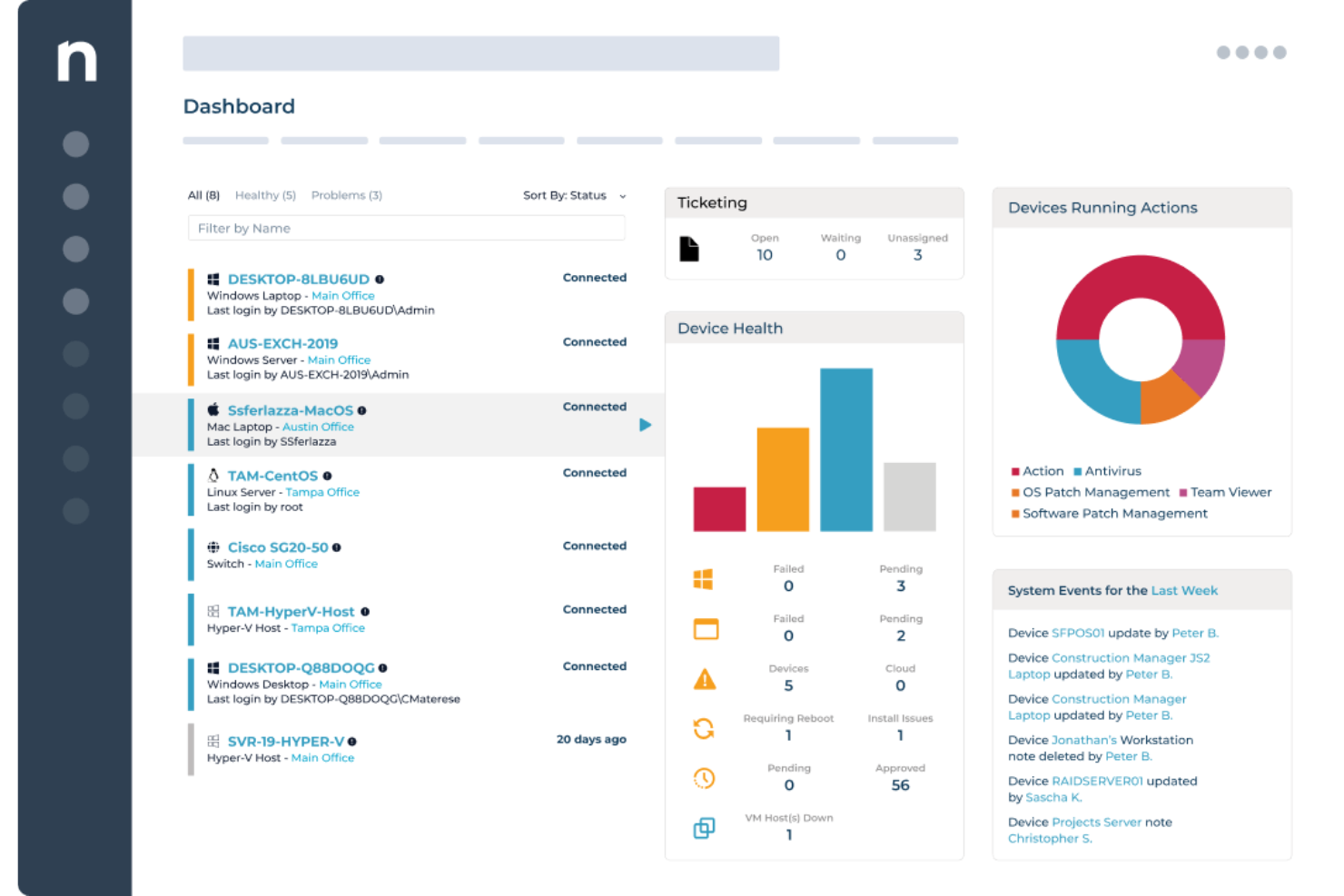
NinjaOne bietet IT-Teams und Managed Service Providern eine einheitliche Plattform zur Überwachung von Servern, zur Automatisierung von Patch-Prozessen und zur Verwaltung von Endpunkten in verteilten Umgebungen. Dadurch wird die Ausfallzeit reduziert und die Infrastrukturüberwachung vereinfacht.
Für wen ist NinjaOne am besten geeignet?
NinjaOne ist besonders geeignet für MSPs und interne IT-Teams, die eine große Anzahl von Servern und Endpunkten über mehrere Standorte oder Kundenumgebungen hinweg verwalten.
Warum ich NinjaOne ausgewählt habe
Ich habe NinjaOne ausgewählt, weil sein Patch-Management den gesamten Compliance-Lebenszyklus abdeckt und nicht nur die Bereitstellung. Die Patch Intelligence-Funktion analysiert Telemetrie- und Bereitstellungssignale, um instabile Updates automatisch zu kennzeichnen und riskante Patches zu pausieren, bevor sie die Umgebung beeinträchtigen. Sie können Patch-Richtlinien basierend auf der Geräte-Rolle definieren, sodass Server mit unterschiedlichen Workloads nach verschiedenen Zeitplänen – ganz ohne manuelles Eingreifen – gepatcht werden. Darüber hinaus bietet das Compliance-Reporting einen klaren, bedarfsgerechten Überblick darüber, was gepatcht wurde, was noch aussteht und wo Schwachstellen an jedem Endpunkt bestehen.
Wichtige Funktionen von NinjaOne
- Echtzeitüberwachung von Endpunkten: Überwachen Sie den Gerätezustand, die Konfigurationen und den Compliance-Status aller Endpunkte zentral über eine cloud-native Konsole.
- Automatisierte Endpunkt-Fehlerbehebung: Nutzen Sie bedingungsbasierte Skripte, um Endpunkt-Probleme automatisch – ohne manuellen Eingriff durch Techniker – zu erkennen und zu beheben.
- Software- und Betriebssystem-Bereitstellung: Rollen Sie Windows-Software, Updates und Konfigurationen mittels wiederholbarer, automatisierter Workflows auf Endpunkte aus.
- Hardware- und Software-Inventarisierung: Verschaffen Sie sich einen Echtzeit-Überblick über jedes Gerät in Ihrer Umgebung, inklusive Hardware-Spezifikationen, installierter Software und Garantie-Status.
NinjaOne Integrationen
NinjaOne bietet native Integrationen mit ConnectWise, Autotask, Zendesk, Webroot, Bitdefender, TeamViewer, Splashtop, Acronis und mit dem Microsoft-Ökosystem, einschließlich Microsoft 365 und Azure. Eine API für individuelle Integrationen steht zur Verfügung.
Pros and Cons
Pros:
- Umfassende API-Dokumentation
- Flexibles Reporting mit benutzerdefinierten Metriken
- Automatische Endpunkterkennung
Cons:
- Gelegentliche Verzögerungen bei der Bereitstellung von Patches
- Komplexes Einrichten von Benachrichtigungen für nicht standardisierte Ereignisse
New Product Updates from NinjaOne
NinjaOne Launches Browser Management
NinjaOne launches Browser Management with visibility into browser activity, extensions, AI usage, and policy controls. This extends endpoint management into the browser while giving IT teams more control over browser-based risk. For more information, visit NinjaOne’s official site.
Datadog
Am besten geeignet für cloudbasierte Infrastrukturüberwachung
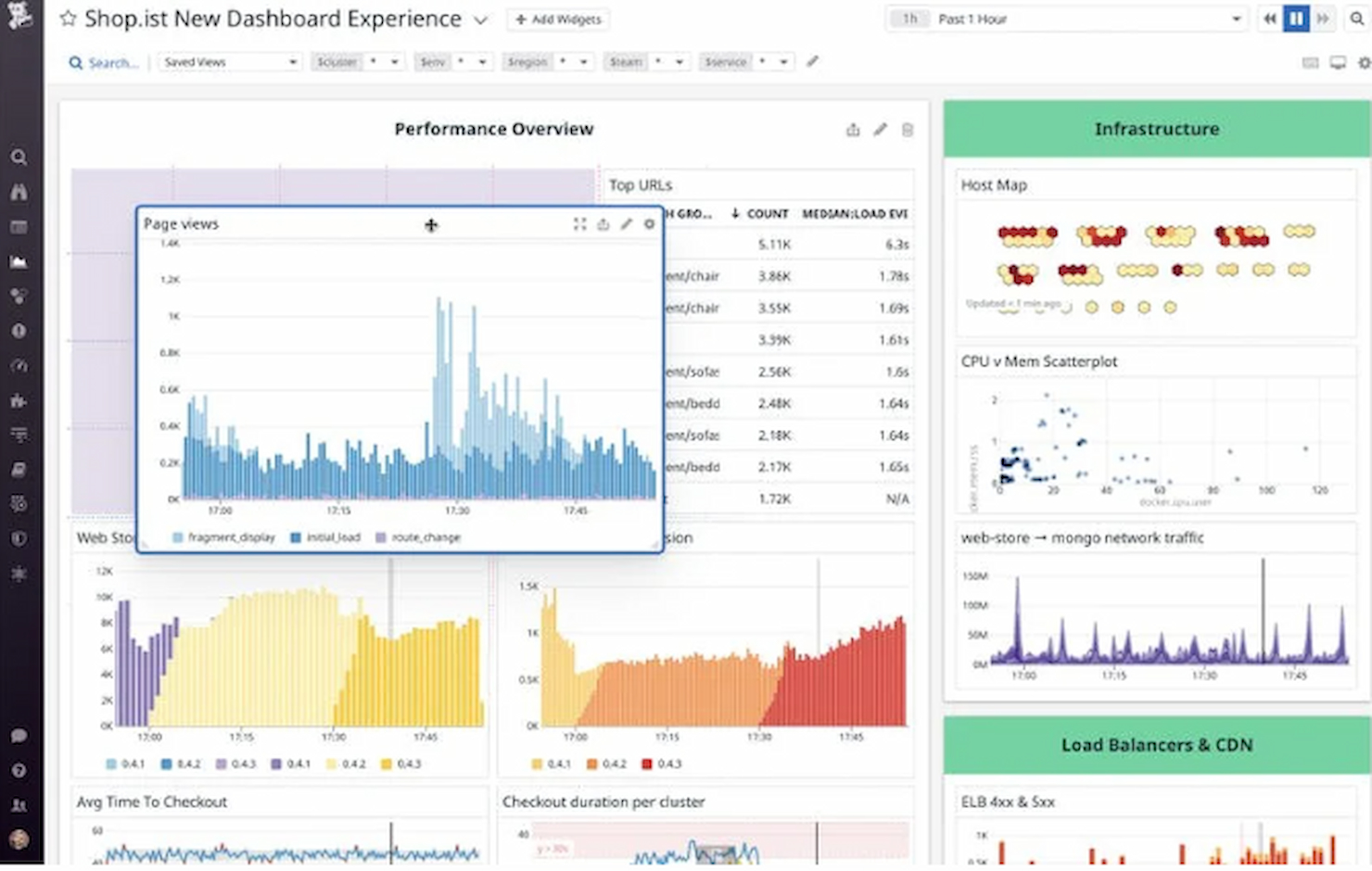
Datadog ist eine cloudbasierte Überwachungs- und Analyseplattform, die für IT- und DevOps-Teams entwickelt wurde. Sie bietet umfassendes Monitoring für Server, Datenbanken, Tools und Dienste, um sicherzustellen, dass Ihre Systeme effizient laufen.
Warum ich Datadog gewählt habe: Es ist speziell für das Monitoring in Cloud-Umgebungen ausgelegt und bietet Echtzeit-Transparenz über die Leistung Ihrer Infrastruktur. Die Dashboards sind anpassbar, sodass Sie sich auf die Metriken konzentrieren können, die für Ihr Team am wichtigsten sind. Automatisierte Warnmeldungen helfen Ihnen, Problemen proaktiv zu begegnen und eine schnelle Reaktion zu gewährleisten. Dank der Skalierbarkeit eignet sich Datadog besonders gut für wachsende Unternehmen, die ihre Infrastruktur zunehmend überwachen müssen.
Hervorstechende Funktionen & Integrationen:
Funktionen umfassen Echtzeit-Transparenz für eine effiziente Systemüberwachung, anpassbare Dashboards für gezielte Einblicke und automatisierte Warnmeldungen, um schnell auf Probleme zu reagieren.
Integrationen sind AWS, Azure, Google Cloud, Kubernetes, Docker, Slack, PagerDuty, Microsoft Teams, GitHub und Jira.
Pros and Cons
Pros:
- Speziell für Cloud-Umgebungen entwickelt
- Umfassendes Monitoring und Alerting
- Umfangreiche Integrationsliste
Cons:
- Einarbeitungszeit für fortgeschrittene Funktionen
- Zusätzliche Kosten für Extra-Features

Am besten für Windows-, Linux- und virtuelle Server
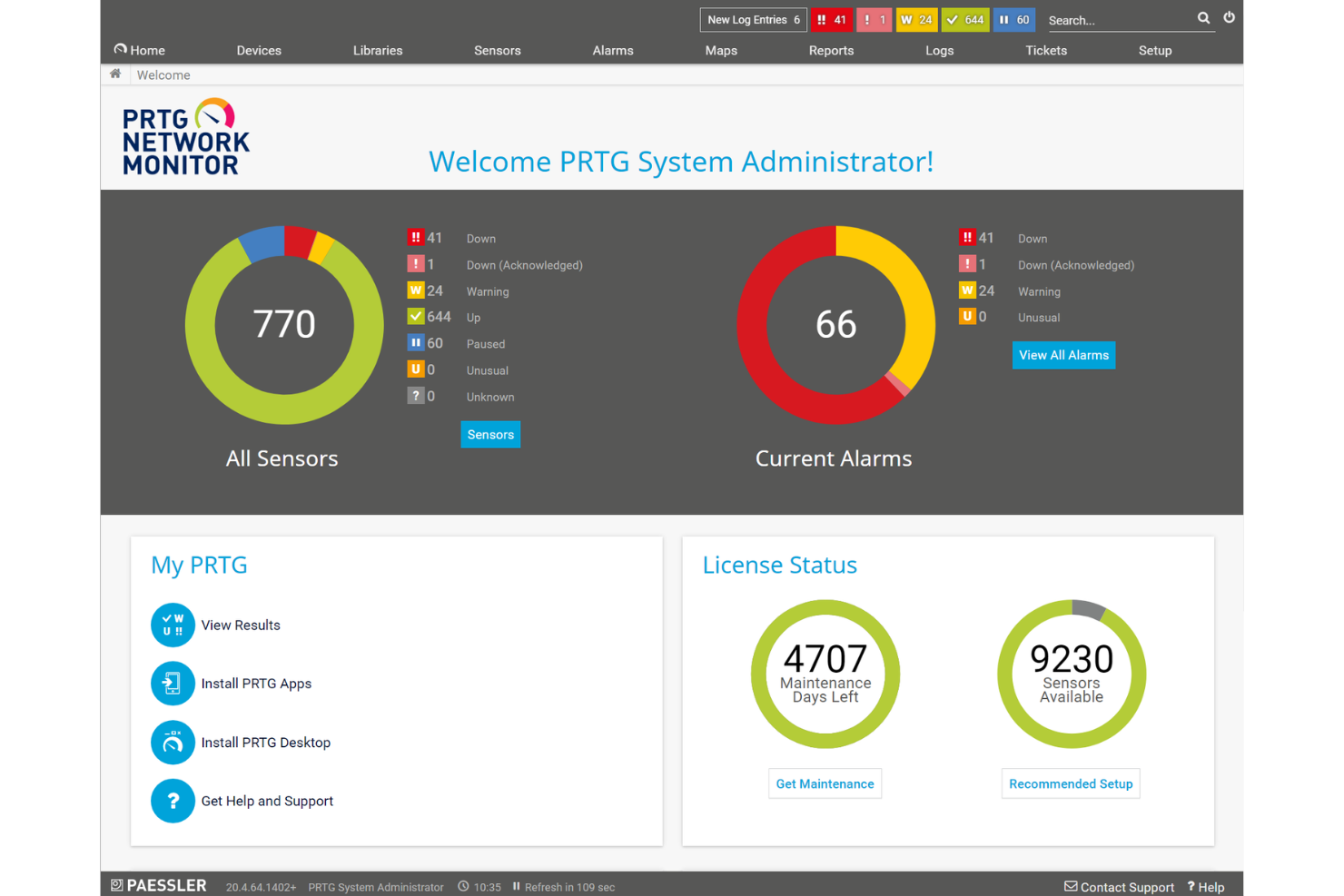
PRTG ist eine Überwachungsplattform, die für IT-Teams und Systemadministratoren entwickelt wurde, die Server, Netzwerke und Infrastrukturen mit anpassbaren Dashboards, automatisierten Benachrichtigungen und Unterstützung für eine Vielzahl von Protokollen reibungslos am Laufen halten müssen.
Für wen ist PRTG am besten geeignet?
PRTG eignet sich besonders für mittelgroße bis große IT-Teams, die komplexe, mehrgerätebasierte Umgebungen verwalten und eine zentrale Übersicht über Server, Netzwerke und Anwendungen benötigen.
Warum ich PRTG ausgewählt habe
Ich habe PRTG als eines der besten Tools für die Echtzeitüberwachung von Servern ausgewählt, weil die sensorbasierte Überwachung auf sehr detaillierte und unmittelbare Weise funktioniert. Jeder Sensor überwacht einen einzelnen Messwert—CPU-Auslastung, Speicherverbrauch, Festplattenplatz—und Sie können das Abfrageintervall für jeden Sensor individuell einstellen, sodass Sie Live-Daten mit der für Ihre Umgebung passenden Frequenz erhalten. PRTGs Benachrichtigungssystem geht über einfache Up/Down-Meldungen hinaus: Sie können Schwellwertauslöser einrichten, die bereits vor dem Erreichen eines kritischen Zustands einen Alarm auslösen, sodass mein Team zum Beispiel eine volle Festplatte oder einen plötzlichen Speicheranstieg erkennt, bevor eine Störung auftritt. Die KI-gestützte Anomalieerkennung erhöht durch automatische Anpassung der Basiswerte an Ihre Umgebung die Relevanz der Benachrichtigungen und reduziert Fehlalarme. PRTG überwacht Windows-, Linux- und virtualisierte Server parallel und nutzt jeweils das passende Protokoll (SNMP, WMI oder SSH), anstatt Sie auf eine einzige Erfassungsmethode festzulegen. Die automatische Erkennung scannt Ihre Umgebung und schlägt passende Sensoren vor, sodass ein gemischter Serverbestand nicht den Einsatz verschiedener Tools erfordert.
PRTG Hauptfunktionen
- Verteiltes Monitoring: Überwachen Sie mehrere externe Standorte von einem einzigen Dashboard aus mit Sonden, die über TLS-Verschlüsselung kommunizieren.
- Anpassbare Berichte: Erstellen und planen Sie Berichte mit individuellen Vorlagen, um den Infrastrukturstatus mit Stakeholdern zu teilen.
- Karten und Dashboards: Entwerfen Sie in Echtzeit Netzwerkübersichten mit Live-Statusinformationen mithilfe des Drag-and-Drop-Kartendesigners.
- Zugriff über mobile App: Überwachen Sie Ihre Umgebung auch unterwegs mit den nativen PRTG-Apps für iOS und Android.
PRTG Integrationen
PRTG bietet native Integrationen mit Amazon CloudWatch, VMware vSphere, Microsoft Azure, Google Cloud Platform, Cisco, Dell EMC, HPE, NetApp und verfügt über native Integrationen im gesamten Microsoft-Ökosystem, einschließlich Microsoft 365 und Azure. Eine API steht für eigene Integrationen zur Verfügung.
Pros and Cons
Pros:
- Skalierbar für unterschiedlich große Netzwerke
- Anpassbare Überwachung und Alarmierung
- Benutzerfreundliche visuelle Oberfläche
Cons:
- Hohe Kosten bei größeren Implementierungen
- Fortgeschrittene Funktionen können eine gewisse Einarbeitung erfordern
New Product Updates from Paessler PRTG
Paessler PRTG Improves Route Monitoring and Auto-Discovery
Paessler PRTG adds route-change alerts, faster traceroute processing, updated auto-discovery defaults, and a Proxmox template. This improves network monitoring and setup. For more information, visit Paessler’s official site.
 .
.
Icinga
Beste Open-Source-Lösung
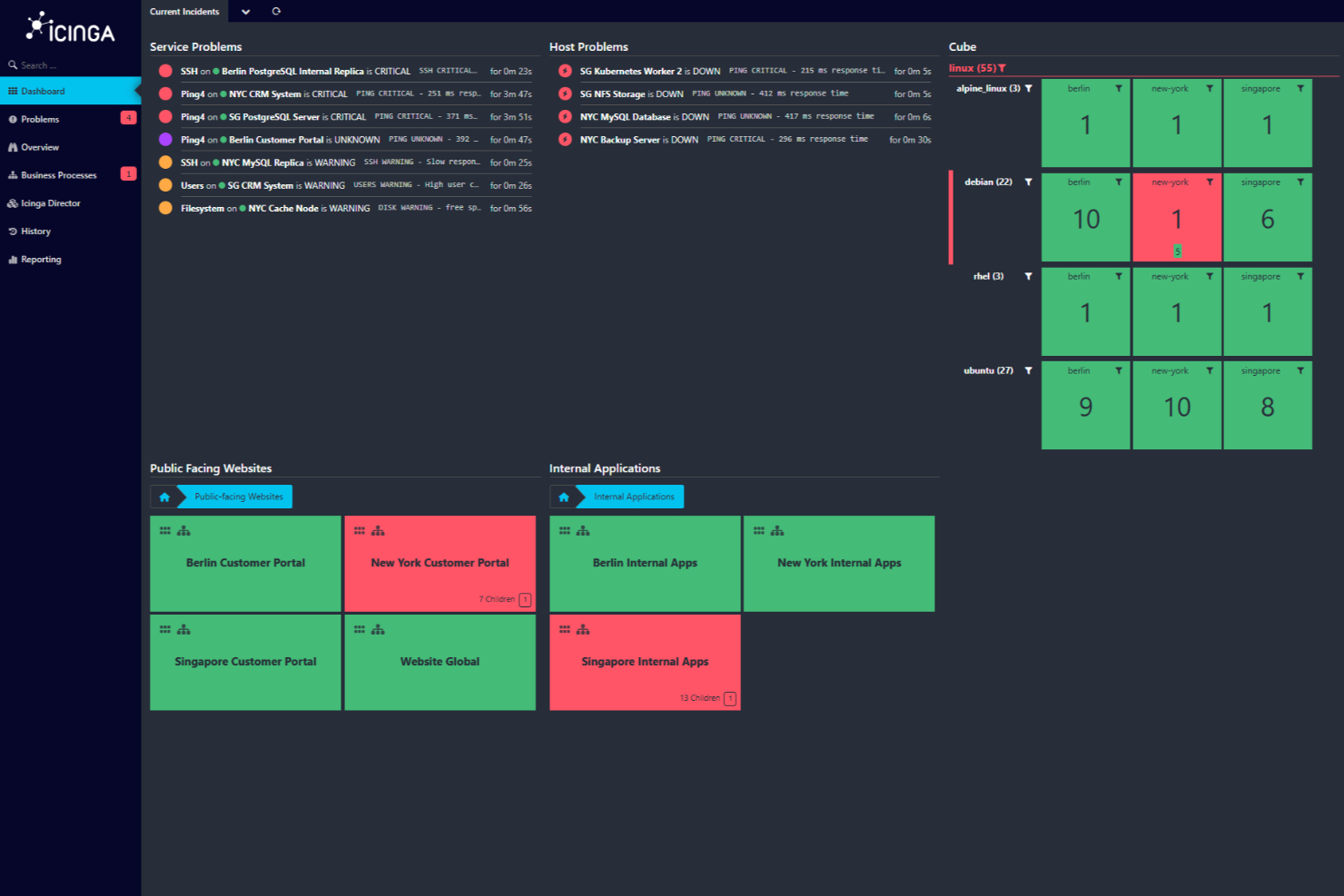
Icinga ist eine Open-Source-Überwachungslösung, die für komplexe IT-Umgebungen entwickelt wurde. Sie bietet eine Vielzahl von Produkten und Lösungen zur Überwachung von Servern, Netzwerken, Clouds und Anwendungen.
Warum ich Icinga gewählt habe: Ich habe Icinga gewählt, weil es von Haus aus umfangreiche Konnektivitätsprüfungen bietet. Es überwacht grundlegende Verbindungen wie Ping, SSH, TCP, UDP und RDP, sodass Sie sofort sehen, wenn ein Server nicht mehr erreichbar ist. Darüber hinaus kann es Systemressourcen wie CPU, Festplatte, Arbeitsspeicher, Serverlast, Betriebszeit, Protokolle, Updates, Anwendungszustand, Container und mehr mittels Agent oder SSH erfassen. Die Plattform bietet zudem Flexibilität bei Datenspeicherung und Visualisierung. Icinga kann seine Leistungsdaten in jede beliebige Zeitreihendatenbank übertragen – darunter Graphite, InfluxDB, OpenTSDB und weitere.
Hervorstechende Funktionen & Integrationen:
Funktionen umfassen automatisches Clustering für hohe Verfügbarkeit, bei dem der Icinga-Agent über TLS durch einen einzelnen, firewallfreundlichen Port zu Parent-Knoten oder Satelliten kommuniziert. Dadurch lässt sich die Überwachung einfach und ohne Firewall-Probleme auf verschiedene Zonen verteilen. Die Lösung unterstützt außerdem die Überwachung von SSL-Zertifikaten – einschließlich Scans und Benachrichtigungen bei Ablauf von Zertifikaten oder dem Erstellen benutzerdefinierter Trust Stores.
Integrationen gibt es unter anderem für Grafana, AWS, Azure, Puppet, Ansible, Chef, Terraform, Jira, PagerDuty, ServiceNow, BigPanda und Stackstorm.
Pros and Cons
Pros:
- Kostenlos nutzbar, keine Einrichtungsgebühren
- Skalierbar für kleine und große Umgebungen
- Hochgradig anpassbar für verschiedene IT-Infrastruktur-Bedürfnisse
Cons:
- Vereinzelt werden Performance-Probleme bei hoher Last gemeldet
- Einrichtung und Konfiguration erfordern Einarbeitung
New Product Updates from Icinga

Icinga Adds TOTP Two-Factor Authentication to Icinga Web
Icinga added time-based one-time password (TOTP) two-factor authentication to Icinga Web, helping organizations strengthen login security with an additional verification step. For more information, visit Icinga’s official site.
 .
.
Am besten für KI-gestützte Anwendungsleistung
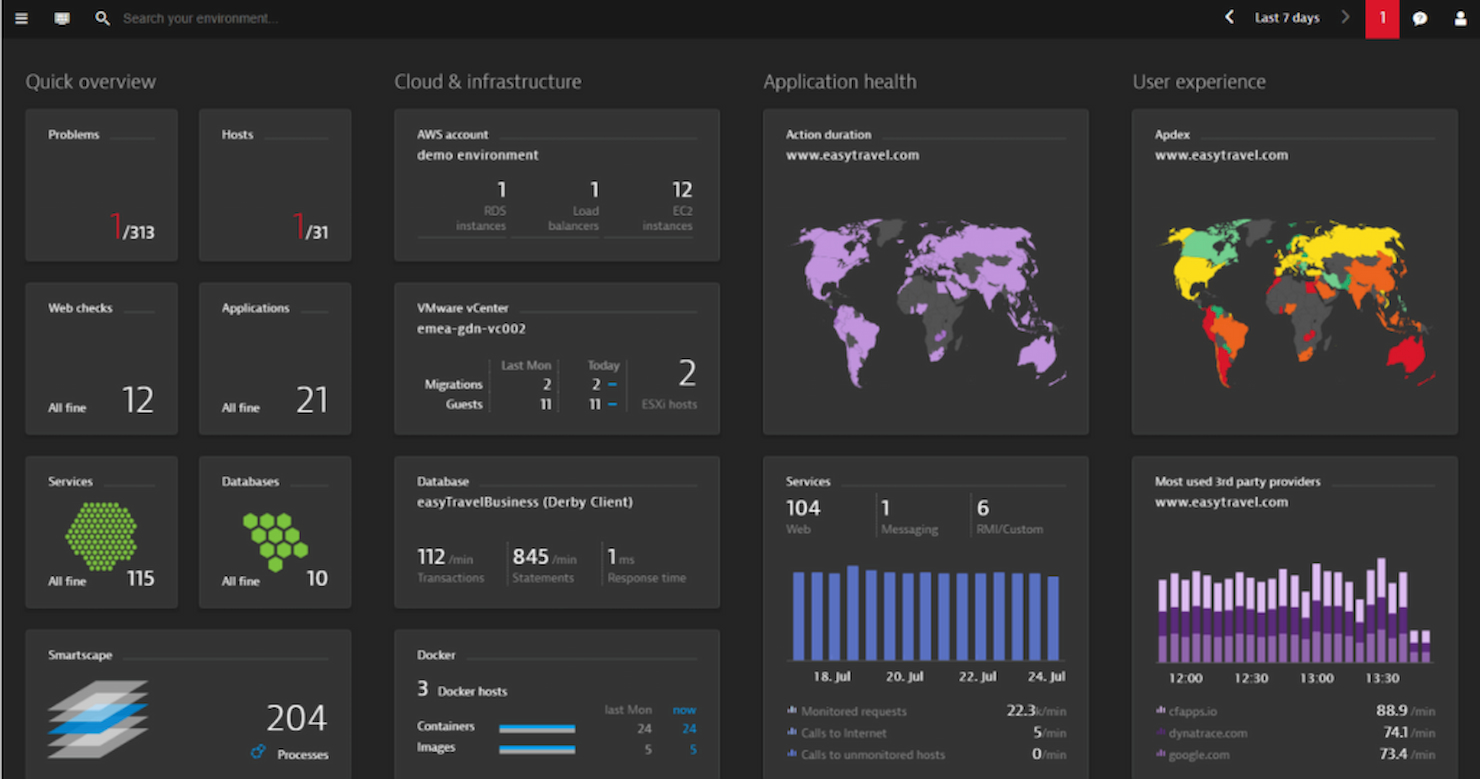
Dynatrace ist ein Server-Überwachungstool, das sich an IT-Teams in Unternehmen und DevOps-Fachleute richtet. Es bietet End-to-End-Transparenz für Anwendungen und Infrastruktur und unterstützt Unternehmen dabei, eine optimale Leistung aufrechtzuerhalten.
Warum ich Dynatrace gewählt habe: Es überzeugt durch KI-gestützte Einblicke und bietet eine automatische Ursachenanalyse, mit der Ihr Team Probleme schnell beheben kann. Die KI-Funktionen des Tools ermöglichen eine präzise Anomalieerkennung, sodass potenzielle Probleme frühzeitig erkannt werden. Mit dem umfassenden Full-Stack-Monitoring können Sie Anwendungen, Infrastruktur und Benutzererfahrung an einem Ort überwachen. Dynatrace bietet zudem eine Echtzeitanalyse der Daten, die schnelle und fundierte Entscheidungen ermöglicht.
Herausragende Funktionen & Integrationen:
Funktionen umfassen automatische Ursachenanalyse für eine schnelle Problemlösung, präzise Anomalieerkennung für die frühzeitige Erkennung von Problemen sowie umfassendes Full-Stack-Monitoring für vollständige Transparenz.
Integrationen umfassen AWS, Azure, Google Cloud, VMware, Kubernetes, Red Hat OpenShift, SAP, ServiceNow, Microsoft Teams und Slack.
Pros and Cons
Pros:
- Tiefgehende KI-gestützte Einblicke
- Umfassendes Anwendungsmonitoring
- Große Auswahl an Integrationen
Cons:
- Die Komplexität erfordert eine gezielte Schulung
- Die Einrichtung kann für Einsteiger herausfordernd sein

Auvik
Am besten für agentenloses Windows-Server-Monitoring geeignet
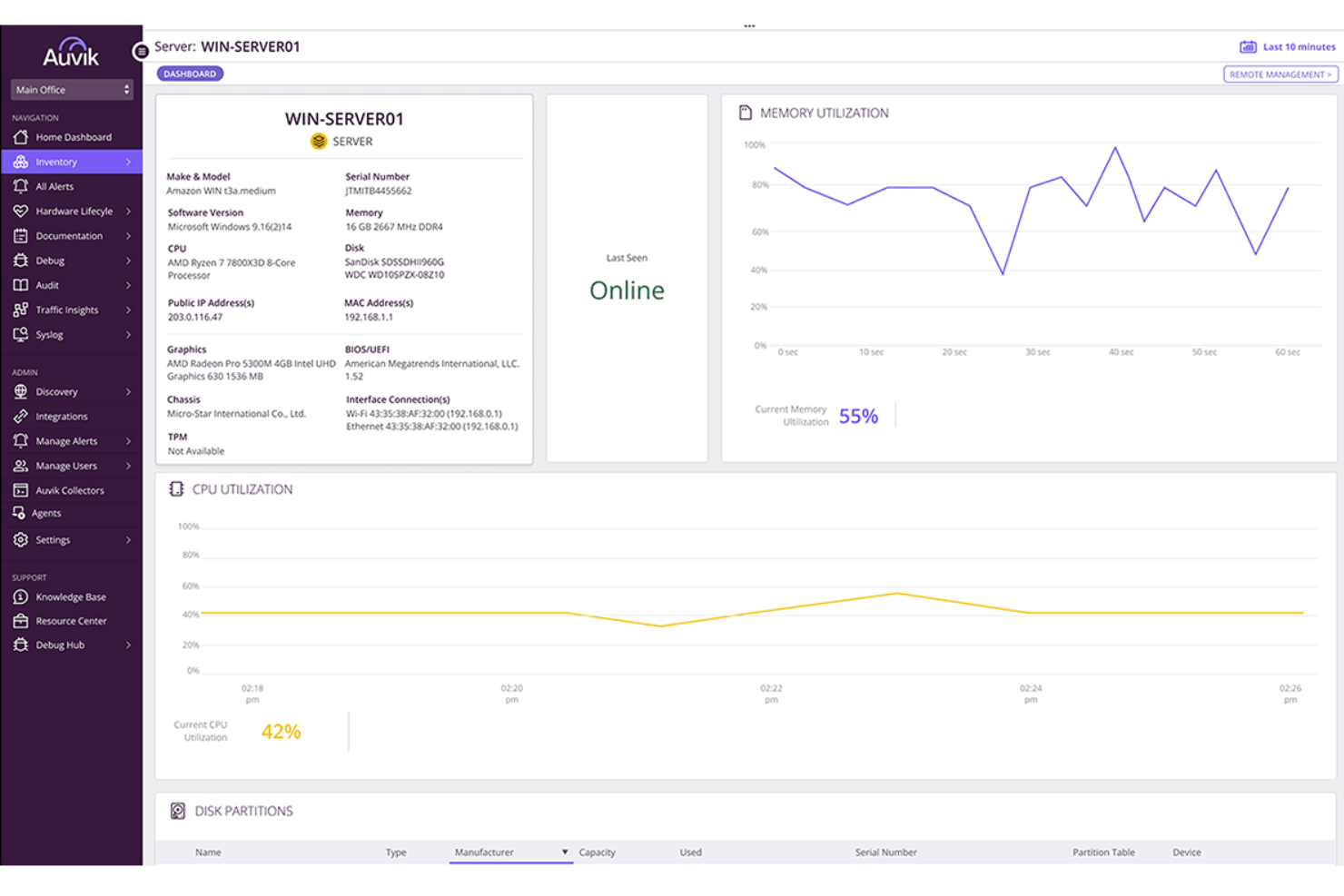
Auvik ist für IT-Teams und MSPs entwickelt, die zuverlässige, unkomplizierte Transparenz für Windows-Server benötigen, ohne Agenten zu installieren oder komplexe Setups zu verwalten. Es kartiert automatisch Ihre Umgebung, überwacht die Servergesundheit in Echtzeit und warnt Sie, bevor Leistungsprobleme Benutzer beeinträchtigen.
Warum ich Auvik ausgewählt habe
Ich habe mich für Auvik entschieden, weil seine agentenlose Erkennung und Überwachung es ermöglicht, die Windows-Server-Gesundheit sofort zu überwachen, ohne jede Maschine einzeln anfassen zu müssen. Sie beugen Ausfallzeiten mit Echtzeit-Benachrichtigungen für CPU-, Speicher- und Diensteschwellenwerte vor, sodass Ihr Team Zeit hat, zu reagieren, bevor die Leistung sinkt. Die Kapazitätsplanung wird dank Trenddaten und historischer Vergleichswerte einfacher, da sie helfen, erste Warnsignale von Ressourcenengpässen zu erkennen. Sie verbessern auch das Troubleshooting mit Netzwerk- und Server-Kontext auf einer einheitlichen Topologiekarte, was die Ursachenanalyse beschleunigt. Und da Auvik Konfigurations-Backups und -Wiederherstellung übernimmt, gewinnt Ihr Team eine zusätzliche Absicherung gegen Fehlkonfigurationen oder fehlgeschlagene Updates.
Auvik Hauptfunktionen
Basierend auf seinen Stärken im Echtzeitmonitoring helfen diese Funktionen Teams, stabile Serverumgebungen zu erhalten.
- Inventarverwaltung: Erfasst automatisch detaillierte Server- und Geräteinformationen zur Prüfung.
- Netzwerkverkehrsanalyse: Zeigt, welche Anwendungen und Endpunkte Ressourcen verbrauchen.
- Topologie-Visualisierung: Stellt Gerätebeziehungen dar, um eine schnellere Fehlersuche zu unterstützen.
- Bandbreitennutzungs-Tracking: Hebt Spitzen und Nutzungsmuster hervor, die die Serverleistung beeinflussen.
Auvik Integrationen
Integrationen umfassen ConnectWise, Kaseya, N-able, Cisco, Juniper, Meraki, HPE und Palo Alto Networks.
Pros and Cons
Pros:
- Automatisierte Konfigurations-Backups schützen vor fehlerhaften Änderungen
- Echtzeit-Benachrichtigungen helfen Teams, zu reagieren, bevor die Leistung nachlässt
- Agentenloses Monitoring ermöglicht einen schnellen Einstieg für Windows-Server
Cons:
- Erweiterte Funktionen können zusätzliche Einrichtung und Anpassung erfordern
- Begrenzte Unterstützung für Linux und andere Nicht-Windows-Server
New Product Updates from Auvik
Auvik Aurora Adds AI Alert Creation and Troubleshooting
Auvik Aurora adds AI-assisted alert creation and troubleshooting with natural-language prompts and guided investigation. This helps teams create alerts and diagnose issues faster. For more information, visit Auvik’s official site.
 .
.
Am besten geeignet für kontinuierliche Serverüberwachung
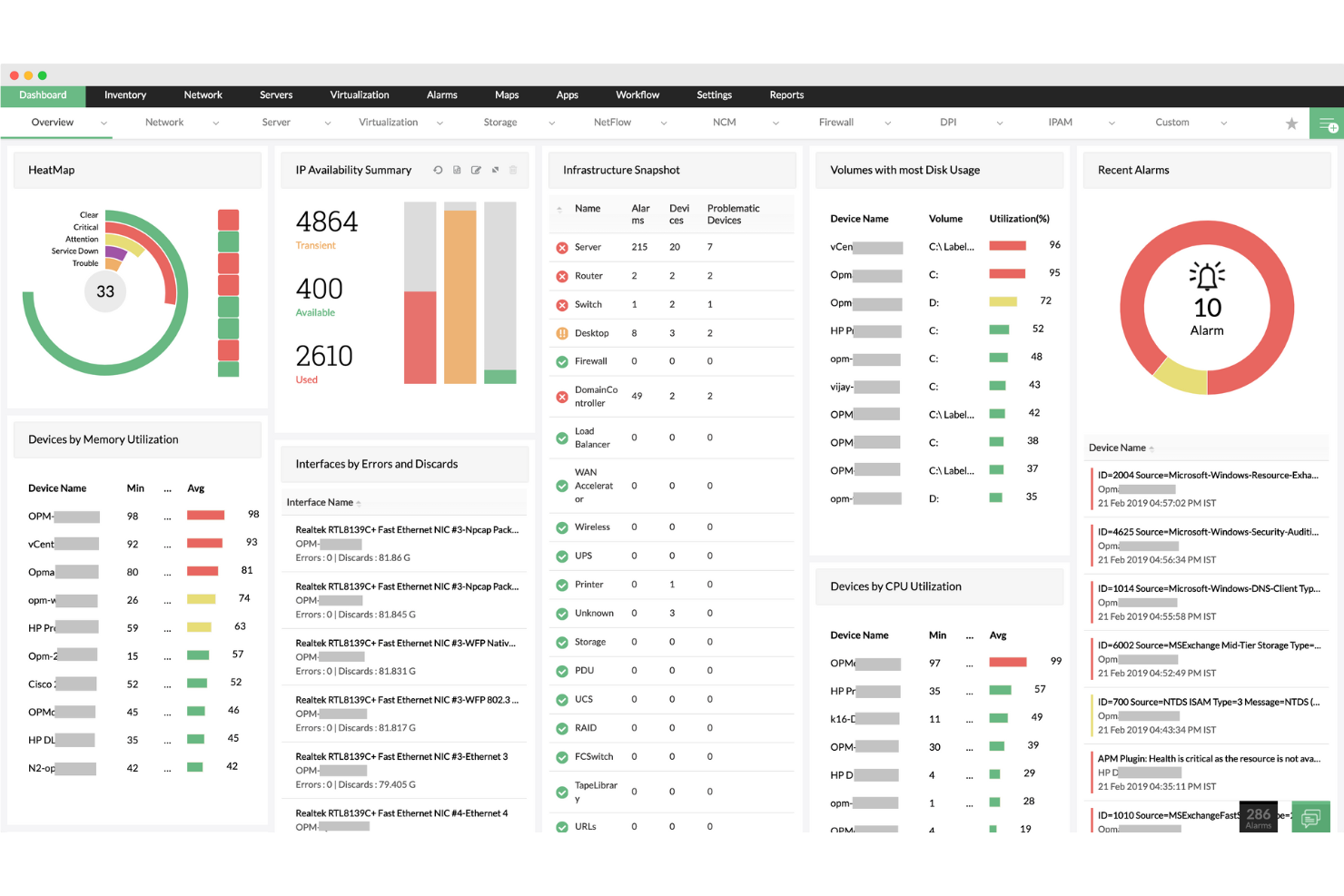
ManageEngine OpManager ist ein Server-Überwachungstool, das Ihnen hilft, Ihre Netzwerkteilnehmer und Server mit Echtzeitüberwachung, Alarmierung und Berichterstattung im Blick zu behalten, um potenzielle Probleme zu lösen, bevor sie Ihr Unternehmen beeinträchtigen. Cameron Rimington, Gründer und CEO von IronPDF, bemerkte: „Mit der Netzwerkkartierung können wir sehen, wie Daten über unsere Server und Stacks fließen. Sie zeigte sofort, wo Anfragen hängen blieben, und half uns so, gelegentliche Verlangsamungen ohne Rätselraten zu diagnostizieren.“
Warum ich ManageEngine OpManager ausgewählt habe: OpManager bietet eine kontinuierliche Überwachung der Serverleistung, Betriebszeit und Gesundheit, sodass Ihre Server durch ständige Abfragen über Protokolle wie ICMP, SNMP, WMI und TCP betriebsbereit bleiben. Mit dieser Echtzeitüberwachung können Sie schnell auf I/O-Anfragen reagieren und eine nahtlose Konnektivität für Endbenutzer gewährleisten. Zusätzlich überwacht OpManager Paketverlust und Antwortzeiten, um Latenzprobleme, die vom Server ausgehen, zu erkennen und zu beheben.
Herausragende Funktionen & Integrationen:
Funktionen umfassen Überwachung der Serververfügbarkeit, Dienst- und Prozessmanagement, anpassbare Dashboards, Echtzeit-Benachrichtigungen, Überwachung von Sicherheitsprotokollen, Einstellung von Leistungsschwellenwerten, automatisierte Workflows, Remote-Prozessdiagnostik, Nachverfolgung von Paketverlusten, Überwachung von Antwortzeiten, Hochverfügbarkeitsüberwachung und Unterstützung für benutzerdefinierte Dienste.
Integrationen umfassen ServiceDesk Plus, ServiceNow, Jira, Slack, Microsoft Teams, Analytics Plus, AlarmsOne, REST API und Webhook-Integrationen.
Pros and Cons
Pros:
- Umfassende Überwachungsfunktionen
- Echtzeit-Benachrichtigungen
- Skalierbarkeit für wachsende Netzwerke
Cons:
- Komplexe Ersteinrichtung
- Gelegentliche Update-Probleme
New Product Updates from ManageEngine OpManager

ManageEngine OpManager Adds NVIDIA GPU Monitoring
ManageEngine OpManager adds NVIDIA GPU monitoring for Linux servers, dedicated GPU dashboards, adaptive thresholds, and automated incident response to help teams track AI infrastructure performance, health, and resource usage. For more information, visit ManageEngine OpManager’s official site.
 .
.
Checkmk
Am besten für großflächige Serverüberwachung geeignet
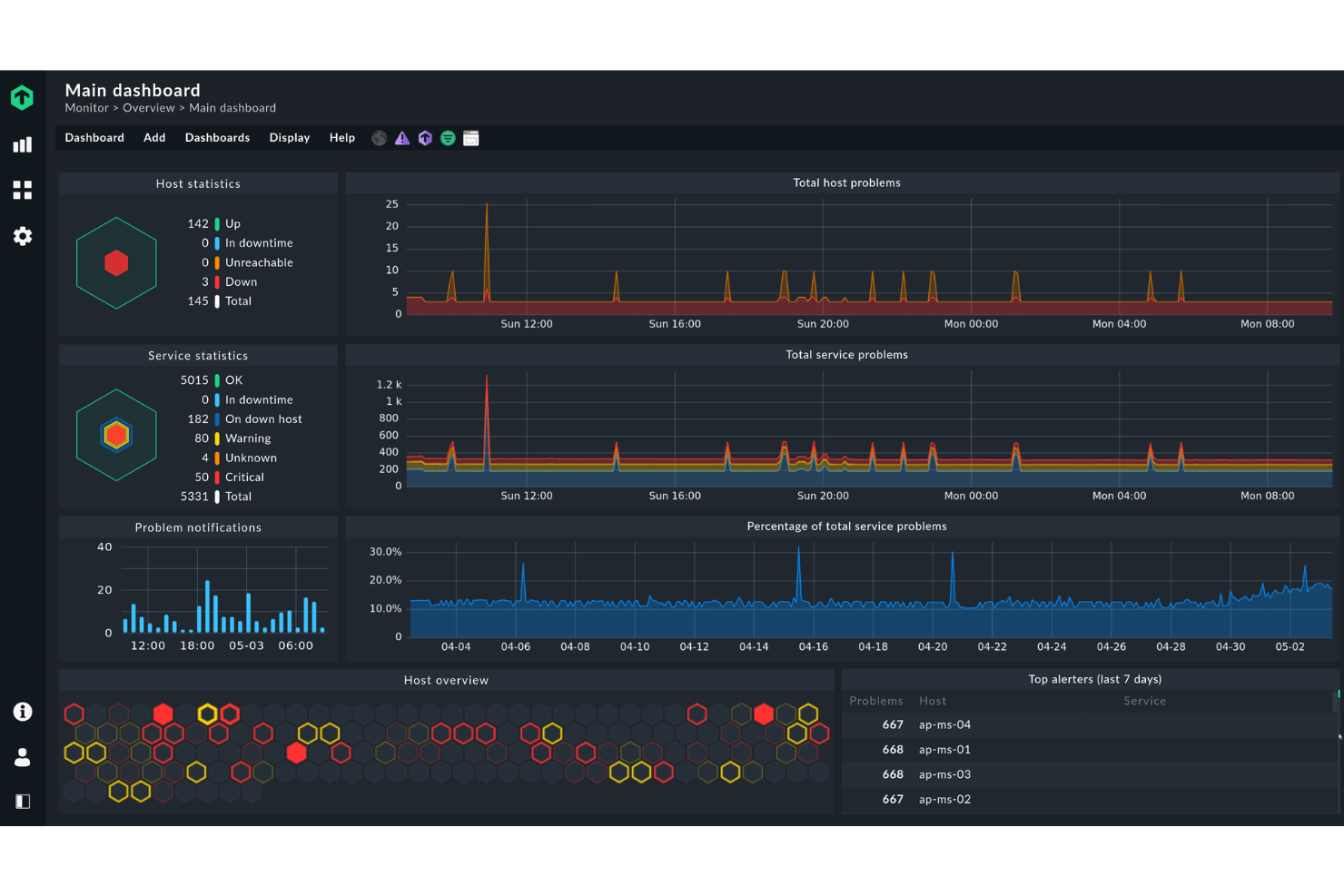
Checkmk ist ein Serverüberwachungstool, das für IT-Administratoren und Fachleute entwickelt wurde, die Echtzeitmetriken benötigen. Es verfolgt effizient verschiedene Infrastrukturelemente, um optimale Leistung und schnelle Problemlösung sicherzustellen.
Warum ich Checkmk ausgewählt habe: Es ist ideal für alle, die Echtzeitmetriken benötigen und bietet umfassende Dashboards, die sich innerhalb von Sekunden aktualisieren. Das Tool bietet leistungsstarke Visualisierungsmöglichkeiten, damit Ihr Team Probleme sofort erkennt. Außerdem verfügt es über ein flexibles Benachrichtigungssystem, mit dem Sie die Benachrichtigungen nach Ihren Bedürfnissen anpassen können. Die umfangreichen Überwachungsfähigkeiten von Checkmk decken alles ab – von Servern bis zu Anwendungen – und machen es dadurch zu einer vielseitigen Option.
Herausragende Funktionen & Integrationen:
Funktionen umfassen die automatische Erkennung von Netzwerkgeräten, anpassbare Dashboards für personalisierte Ansichten sowie ein leistungsstarkes Alarmsystem, das Ihr Team über kritische Probleme informiert hält.
Integrationen umfassen AWS, Azure, Docker, Kubernetes, VMware, Cisco, Dell, HP, Microsoft und SAP.
Pros and Cons
Pros:
- Skalierbare Überwachung
- Anpassbare Dashboards
- REST API für die Integration mit Drittanbieter-Tools
Cons:
- Komplexe Einrichtung
- Mögliche Lernkurve für Einsteiger
New Product Updates from Checkmk
Checkmk Adds Experimental MCP Server and OAuth 2.0 Support
Checkmk adds an experimental MCP server and built-in OAuth 2.0 authorization for commercial editions. These updates let AI agents query monitoring data with native authorization support. For more information, visit Checkmk’s official site.
 .
.
Site24x7
Am besten geeignet für umfangreiches Server-Metrik-Tracking
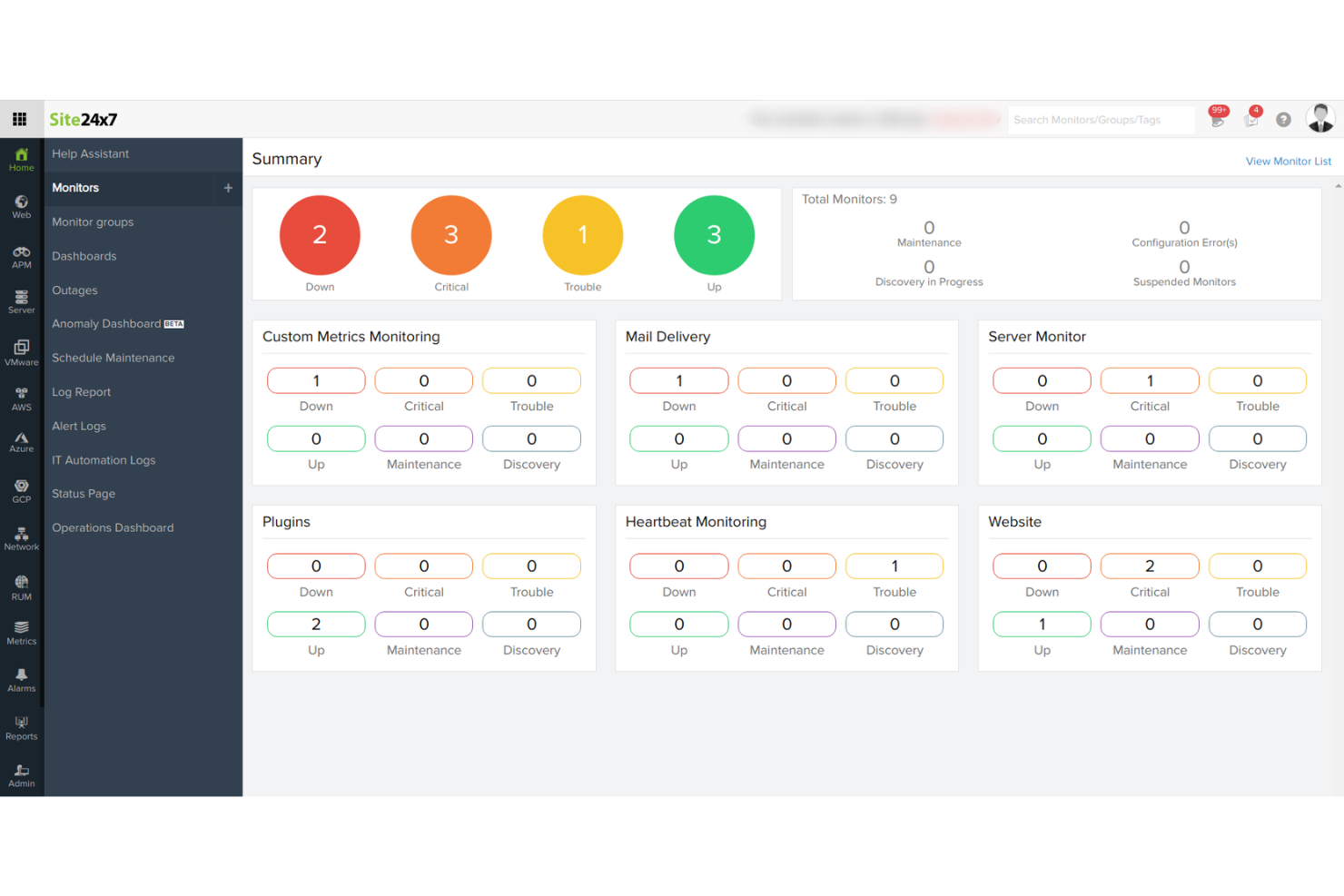
Site24x7 ist ein cloudbasiertes Server-Überwachungstool, das sich an IT-Betriebs- und DevOps-Teams richtet. Es bietet umfassendes Monitoring für Websites, Server, Anwendungen und Netzwerk-Infrastrukturen, um eine optimale Leistung und Verfügbarkeit sicherzustellen.
Warum ich Site24x7 ausgewählt habe: Es ist ideal für cloudbasiertes Monitoring und bietet Funktionen wie Echtzeit-Leistungsüberwachung und detaillierte Analysen, die Ihrem Team helfen, die Verfügbarkeit aufrechtzuerhalten. Dank der Bereitstellung über die Cloud können Sie von überall darauf zugreifen, was besonders für verteilte Teams praktisch ist. Automatisierte Benachrichtigungen informieren Sie über potenzielle Probleme, sodass Sie schnell reagieren können. Site24x7 bietet außerdem synthetisches Monitoring, mit dem Sie Benutzerinteraktionen simulieren und Probleme erkennen können, bevor sie reale Nutzer beeinträchtigen.
Herausragende Funktionen & Integrationen:
Funktionen beinhalten synthetisches Monitoring zur Simulation von Benutzerinteraktionen, detaillierte Analysen für Leistungseinblicke und Echtzeit-Leistungsüberwachung, um Probleme schnell zu erkennen.
Integrationen umfassen AWS, Azure, Google Cloud, Docker, Kubernetes, VMware, Slack, Microsoft Teams, PagerDuty und ServiceNow.
Pros and Cons
Pros:
- Umfassende Überwachungsmöglichkeiten
- Echtzeit-Benachrichtigungen und Warnungen
- Anpassbare Dashboards und Berichte
Cons:
- Komplexität bei der Ersteinrichtung in großen Umgebungen
- Eingeschränkte Anpassungsmöglichkeiten bei Warnmechanismen
New Product Updates from Site24x7
Site24x7 Adds Compliance Reports and Domain Squatting Detection
Site24x7’s Digital Risk Analyzer now offers domain compliance assessment and squatting detection to help you validate security posture, compare domains, and spot impersonation risks faster. For more information, visit Site24x7’s official site.
 .
.
Sentry
Am besten geeignet für verteiltes Tracing und Fehlerbehebung
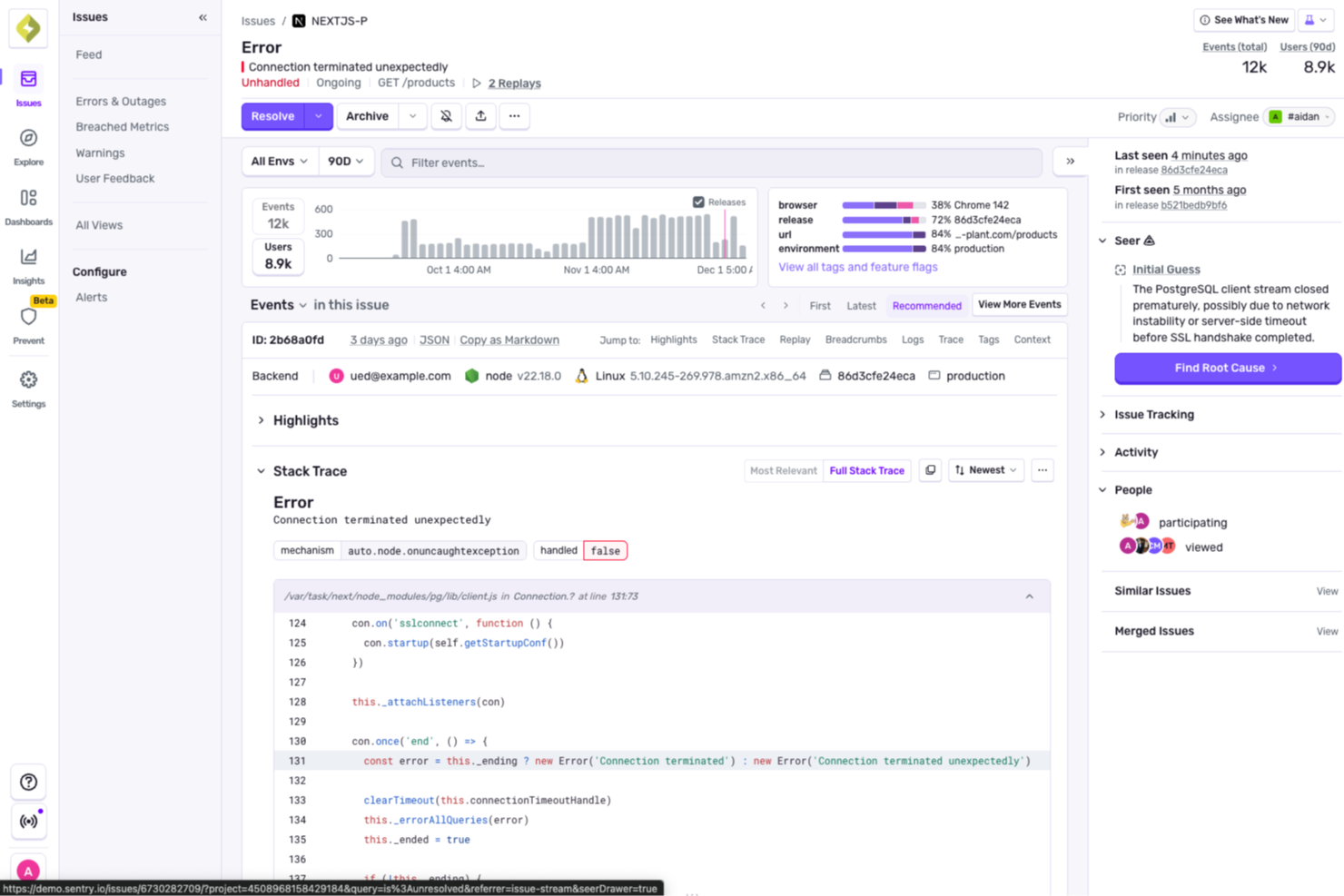
In einer Welt, in der Serverleistung entscheidend für reibungslose Abläufe ist, unterstützt Sentry Teams mit verteiltem Tracing und Fehlerbehebung neben den Kernfunktionen zur Überwachung. Sentry wurde entwickelt, um Web- und Mobile-Entwicklung, Gaming und E-Commerce zu bedienen und adressiert die Herausforderungen bei der Überwachung von Server-Gesundheit und Performance. Mit Tools wie Fehlerverfolgung, Sitzungswiedergabe und Uptime-Monitoring hilft es Teams, Probleme schneller zu finden und zu beheben, damit Anwendungen stabil und zuverlässig bleiben.
Warum ich Sentry ausgewählt habe
Ich habe Sentry wegen seines verteilten Tracings und der Fehlerbehebung ausgewählt, da diese Funktionen Teams dabei helfen, Serverprobleme dienstübergreifend nachzuverfolgen und Ursachen schneller zu finden. Die Fehlerverfolgung hebt Probleme in Echtzeit hervor und erleichtert es, Ausfälle zu beheben, bevor sie Benutzer betreffen. Die Sitzungswiedergabe zeigt, was während der Benutzerinteraktionen passiert ist, während das Uptime-Monitoring Teams alarmiert, wenn Dienste ausfallen, damit schnell reagiert werden kann.
Wichtige Funktionen von Sentry
Neben verteiltem Tracing und Fehlerbehebung bietet Sentry:
- Automatische Ursachenanalyse: Durch die Zuordnung von Vorfällen zu Releases und Codeänderungen hilft Sentry, die zugrundeliegenden Ursachen von Performance-Problemen schnell zu identifizieren.
- Integration mit Entwicklungs-Workflows: Lässt sich nahtlos mit beliebten Plattformen wie GitHub und Slack integrieren und fördert so effiziente Kommunikation und Zusammenarbeit.
- Sicherheit und Compliance: Hält branchenspezifische Standards zum Schutz von Nutzerdaten ein und sorgt dafür, dass Ihre Anwendungen sicher und konform bleiben.
Sentry-Integrationen
Integrationen umfassen GitHub, Slack, Jira, Bitbucket, GitLab, Trello, PagerDuty, Microsoft Teams, AWS Lambda und Datadog.
Pros and Cons
Pros:
- Effektive Frontend-Überwachung durch Sitzungswiedergabe
- Umfassendes Monitoring, inklusive Performance- und Crash-Berichtserstattung
- Starkes Fehler-Tracking mit Ausnahmenerfassung pro Nutzer
Cons:
- Komplexe Implementierung besonders für diverse Plattform-Stacks
- Geringere Abdeckung für Infrastrukturebene-Monitoring
New Product Updates from Sentry

Sentry Lets Seer Iterate on Pull Requests
Sentry lets Seer continue working on the pull requests it opens by responding to review feedback, fixing certain CI failures, and pushing follow-up commits. This keeps updates, discussion, and revision history in the same pull request. For more information, visit Sentry’s official site.
 .
.Weitere Serverüberwachungstools
Hier sind einige weitere Optionen für Serverüberwachungstools, die es nicht in meine Auswahlliste geschafft haben, aber dennoch einen Blick wert sind:
- Nagios
Am besten für umfassende Überwachung der IT-Infrastruktur
- LogicMonitor
Am besten geeignet für hybrides Infrastruktur-Monitoring
- AppDynamics
Am besten geeignet für die End-to-End-Verfolgung von Geschäftsprozessen
- New Relic
Am besten geeignet für Echtzeit-Analyse von Anwendungen
- Dotcom Monitor
Am besten für die Simulation realer Benutzerinteraktionen
- Sumo Logic
Gut geeignet für Protokollverwaltung und -analyse
- Atera
Ideal für integrierte RMM- und PSA-Lösungen
- Zabbix
Am besten geeignet für Skalierbarkeit bei großen Netzwerken
- WhatsUp Gold
Gut für Netzwerküberwachung und -visualisierung
- Netdata
Geeignet für die Echtzeit-Fehlerbehebung bei der Leistung
- Prometheus
Am besten für leistungsstarke Abfragefunktionen
- Sensu
Gut geeignet für flexible Überwachung über Plugins
- ManageEngine
Am besten für integriertes IT-Management


Wie ich Serverüberwachungstools bewerte
Serverüberwachungstools sind das, was einen Systemadministrator einem CPU-Peak um 3 Uhr morgens voraus sein lässt, einem NOC-Team hilft, kaskadierende Ausfälle über Hunderte von Knoten zu priorisieren, und SREs die Telemetriedaten liefert, die sie benötigen, um SLA-Zusagen einzuhalten. Wenn ich Tools in diesem Bereich bewerte, unterscheide ich zwischen den Mindestanforderungen, die jeder Kandidat erfüllen muss, um überhaupt auf die Liste zu kommen, und den Besonderheiten, die einzelne Tools für bestimmte Umgebungen und Teams auszeichnen.
Kernfunktionen (Grundvoraussetzungen für diese Liste)
Für Serverüberwachungstools teste und bewerte ich folgende Kernfunktionen:
- Echtzeit-Metriken: Ich prüfe, ob das Tool CPU, Speicher, Festplatten-I/O und Netzwerkdurchsatz mit einer Granularität bis auf Prozessebene unter Linux und Windows überwacht.
- Alarmierungs-Engine: Schwellenwertbasierte Alarme sind das Mindestmaß. Ich bewerte Eskalationsrichtlinien, Unterdrückung flatternder Alarme und Multikanal-Zustellung an Slack, PagerDuty oder E-Mail.
- Multi-OS-Unterstützung: Ihre Umgebung ist selten homogen. Ich achte auf native Unterstützung für Windows Server, wichtige Linux-Distributionen und idealerweise UNIX-Varianten.
- Auto-Erkennung: 200 Server manuell hinzuzufügen ist keine Option. Ich prüfe, ob das Tool ein Netzwerksegment scannen und neue Hosts automatisch überwachen kann.
- Dashboards & Visualisierung: Flottenweiter Statusüberblick, historische Trenddiagramme und anpassbare Layouts sind wichtig. Ich beurteile, wie schnell man vom Login zur Ursachenanalyse gelangt.
- Dienst- & Verfügbarkeitsprüfungen: Über das einfache Ping hinaus suche ich nach Prüfungen auf Port- und Dienstebene, die sicherstellen, dass Apache, MySQL oder Docker tatsächlich reagieren.
- Protokoll- & Ereigniskorrelation: Wenn eine Festplatte voll läuft und ein Dienst abstürzt, sollte das Tool diese Zusammenhänge erkennen. Ich bewerte, wie gut es verwandte Ereignisse über mehrere Server hinweg sichtbar macht.
Ein Tool muss die meisten dieser Funktionen bieten, um einen Platz auf der Liste zu bekommen. Anschließend schaue ich mir an, was die einzelnen Tools voneinander unterscheidet.
Herausragende Merkmale (Was die Kandidaten unterscheidet)
Ich achte auf native Cloud-Integration, die Metriken direkt aus AWS-, Azure- oder GCP-Konten zieht – das spart Stunden bei der Überwachung dynamischer Infrastrukturen. Einige herausragende Tools bieten eingebaute Anomalieerkennung und Prognosen, damit Teams Ressourcenspitzen erkennen, bevor sie zu Störungen führen. Ich prüfe außerdem die Bandbreite an Integrationen mit ITSM- und DevOps-Ökosystemen, da Benachrichtigungen, die direkt ins ServiceNow gelangen, oder die Möglichkeit, mit einem Webhook Remediations-Skripte auszulösen, einen großen Unterschied machen können.
Was für mich über die Features hinaus zählt
Das Bereitstellungsmodell ist hier sehr wichtig. Ich bewerte, ob ein Tool ausschließlich als SaaS, On-Premises oder beides angeboten wird, da Teams in regulierten Branchen oft vollständige Datenhoheit benötigen. Die Preisstruktur ist ein weiterer wichtiger Faktor: Kosten pro Host können bei großem Maßstab schnell ausufern, also prüfe ich, ob das Preismodell bei wachsender Serverlandschaft berechenbar bleibt. Außerdem betrachte ich, wie steil die Lernkurve ist, denn ein Tool, das Wochen an Konfigurationsdateibearbeitung erfordert, richtet sich an andere Käufer als eine Lösung mit geführten Einrichtungsassistenten und vordefinierten Monitoring-Vorlagen.
So wählen Sie Serverüberwachungstools aus
Bei langen Funktionslisten und komplexen Preisstrukturen verliert man leicht den Überblick. Damit Sie sich bei der Auswahl der für Sie passenden Software auf das Wesentliche konzentrieren können, finden Sie hier eine Checkliste mit Faktoren, die Sie berücksichtigen sollten:
| Faktor | Was Sie beachten sollten |
| Skalierbarkeit | Stellen Sie sicher, dass das Tool mit Ihrem Unternehmen wachsen kann. Suchen Sie nach Software zur Überwachung von Unternehmensumgebungen, die eine zunehmende Datenmenge und Nutzerzahl ohne Leistungseinbußen bewältigen kann – insbesondere, wenn Sie expandieren. |
| Integrationen | Prüfen Sie die Kompatibilität mit bestehenden Systemen. Das Tool sollte sich problemlos in Ihre aktuelle Softwareumgebung integrieren lassen, etwa in AWS, Azure oder Slack, um Zeit und Aufwand zu sparen. |
| Anpassbarkeit | Entscheiden Sie sich für Tools, mit denen Sie Dashboards und Berichte individuell anpassen können. So erhält Ihr Team genau die benötigten Erkenntnisse, ohne durch unnötige Informationen abgelenkt zu werden. |
| Benutzerfreundlichkeit | Bewerten Sie, wie intuitiv die Benutzeroberfläche ist. Ihr Team sollte sich mühelos darin zurechtfinden, wodurch die Einarbeitungszeit verkürzt und die Einführung beschleunigt wird. |
| Budget | Vergleichen Sie die Preispläne, damit sie zu Ihren finanziellen Möglichkeiten passen. Berücksichtigen Sie die Gesamtkosten einschließlich versteckter Gebühren oder notwendiger Zusatzfunktionen, um Budgetüberschreitungen zu vermeiden. |
| Sicherheitsvorkehrungen | Priorisieren Sie Tools mit umfassenden Sicherheitsmaßnahmen. Achten Sie auf Datenverschlüsselung, Zugriffskontrollen und die Einhaltung von Branchenstandards, um vertrauliche Informationen zu schützen. |
| Zuverlässigkeit | Achten Sie auf nachweisbare Verfügbarkeitsgarantien. Ein zuverlässiges Tool ermöglicht eine kontinuierliche Überwachung ohne häufige Ausfälle und sorgt so für reibungslose Abläufe. |
| Supportoptionen | Berücksichtigen Sie die Verfügbarkeit und Qualität des Kundensupports. Der Zugang zu einem rund um die Uhr verfügbaren Support, festen Ansprechpersonen und umfassenden Hilferessourcen ist entscheidend. |
Trends bei Serverüberwachungstools
Für meine Recherche habe ich unzählige Produktaktualisierungen, Pressemitteilungen und Versionsprotokolle verschiedener Anbieter von Serverüberwachungstools ausgewertet. Hier sind einige der sich abzeichnenden Trends, die ich im Auge behalte:
- KI-gestützte Erkenntnisse: Viele Tools nutzen inzwischen KI für prädiktive Analysen, mit denen sich Probleme vorhersehen lassen, bevor sie auftreten. Dieser Trend macht die Überwachung proaktiver, wobei Anbieter von Nagios-Alternativen wie Dynatrace KI für intelligentere Warnmeldungen und Diagnosen integrieren.
- Ganzheitliche Beobachtbarkeit: Nutzer wünschen sich Einblick in ihren gesamten Technologie-Stack, nicht nur in Server. Tools wie New Relic werden erweitert, um Erkenntnisse zu Anwendungen, Infrastruktur und Nutzererfahrungen an einem Ort bereitzustellen und so eine ganzheitliche Übersicht zu ermöglichen.
- Echtzeitdatenvisualisierung: Mit zunehmender Datenmenge wird die Visualisierung in Echtzeit immer wichtiger. Anbieter verbessern ihre Dashboards, um Live-Datenströme anzuzeigen, sodass Teams sofort auf Veränderungen in ihren Umgebungen reagieren können.
- Cloud-basierte Überwachung: Da immer mehr Unternehmen in die Cloud wechseln, entwickeln sich Überwachungstools weiter, um Cloud-native-Architekturen zu unterstützen. Lösungen wie Datadog bieten speziell für Cloud-Umgebungen entwickelte Funktionen und gewährleisten dadurch Kompatibilität und Effizienz.
- Verbesserte Sicherheitsüberwachung: Sicherheit wird zunehmend zu einem wichtigen Anliegen, und Tools bieten inzwischen fortschrittlichere Sicherheitsfunktionen. Überwachungslösungen integrieren Bedrohungserkennung und Compliance-Prüfungen, um Daten zu schützen und der Nachfrage der Nutzer nach sichereren Systemen gerecht zu werden.
Was sind Serverüberwachungstools?
Serverüberwachungstools verfolgen kontinuierlich den Zustand und die Leistung von Servern – CPU, Arbeitsspeicher, Festplatte, Ein-/Ausgabe, Prozesse, Dienste und Netzwerk –, damit IT- und DevOps-Teams Probleme frühzeitig erkennen, Vorfälle schneller beheben und SLOs in lokalen, Cloud- und hybriden Umgebungen einhalten können.
Echtzeitwarnungen, Leistungsmetriken und Datenvisualisierungsfunktionen unterstützen die proaktive Überwachung und eine schnelle Problemlösung – ähnlich wie Website-Überwachungstools Verfügbarkeit und Leistung verfolgen.
Funktionen von Serverüberwachungstools
Achten Sie bei der Auswahl von Serverüberwachungstools auf die folgenden wichtigen Funktionen:
- Überwachung in Echtzeit: Erhalten Sie sofortige Aktualisierungen zum Zustand und zur Leistung Ihres Servers. Mit der Echtzeitüberwachung erkennen Sie Probleme, sobald sie auftreten, und können eingreifen und sie beheben, bevor sie zu größeren Schwierigkeiten werden.
- Automatisierte Warnmeldungen: Erhalten Sie Benachrichtigungen per E-Mail, SMS oder über Dashboard-Warnungen, wenn Ihre Server festgelegte Schwellenwerte für CPU, Arbeitsspeicher, Speicherplatz oder andere Metriken erreichen. Sie müssen Ihre Server nicht mehr manuell überwachen; das System weist Sie darauf hin, wenn Maßnahmen erforderlich sind.
- Verfolgung der Ressourcennutzung: Überwachen Sie detaillierte Statistiken wie CPU-Auslastung, Speicherverbrauch, Festplattenaktivität und Netzwerkverkehr auf all Ihren Servern. Dies hilft Ihnen, fundiertere Entscheidungen über Upgrades, Skalierung oder Lastverteilung zu treffen.
- Historische Daten und Berichte: Greifen Sie auf Protokolle und Berichte zu, die die Serverleistung im Zeitverlauf verfolgen. Die Auswertung historischer Trends hilft Ihnen, wiederkehrende Probleme oder Zeiträume zu erkennen, in denen Sie möglicherweise zusätzliche Serverkapazität benötigen.
- Anpassbare Dashboards: Personalisieren Sie Ihr Überwachungsdashboard, um die für Sie wichtigsten Informationen anzuzeigen. Widgets mit Drag-and-Drop-Funktion ermöglichen die Visualisierung zentraler Metriken und bieten eine Übersicht auf einen Blick, die zu Ihrem Arbeitsablauf passt.
- Prozess- und Dienstüberwachung: Behalten Sie bestimmte Prozesse oder Dienste im Blick, die auf Ihren Servern ausgeführt werden. Sie erfahren sofort, wenn eine kritische Aufgabe nicht mehr funktioniert, und können schnell dafür sorgen, dass alles wieder reibungslos läuft.
- Unterstützung mehrerer Plattformen: Überwachen Sie Server unabhängig von ihrem Betriebssystem – ganz gleich, ob Windows, Linux oder macOS. Sie können gemischte Umgebungen verwalten, ohne zwischen Tools wechseln zu müssen.
- Integration mit Benachrichtigungssystemen: Verbinden Sie Ihr Überwachungstool mit Kollaborations-Apps wie Slack oder Ticketsystemen. Dadurch sparen Sie sich E-Mails, die zwischen Beteiligten hin- und hergehen, und Ihr Team kann schnell handeln, wenn etwas Aufmerksamkeit erfordert.
- Sicherheits- und Zugriffskontrollen: Legen Sie fest, wer Ihre Überwachungskonfigurationen sehen oder ändern darf. Leistungsfähige Sicherheitsfunktionen helfen Ihnen, unbefugte Änderungen zu verhindern und vertrauliche Serverinformationen zu schützen.
- Skalierbarkeit: Fügen Sie bei wachsendem Unternehmen problemlos neue Server und Dienste hinzu. So kann Ihre Überwachungslösung mit Ihren wachsenden Anforderungen Schritt halten, ohne dass etwas übersehen wird.
Gängige KI-Funktionen für Serverüberwachungstools
Moderne Serverüberwachungstools nutzen häufig künstliche Intelligenz, um die Leistung zu verbessern und die Verwaltung zu vereinfachen. Hier sind einige gängige KI-gestützte Funktionen, auf die Sie achten sollten:
- Anomalieerkennung: KI-Algorithmen identifizieren automatisch ungewöhnliche Muster oder Abweichungen bei der Serverleistung und helfen Ihnen, Probleme zu erkennen, bevor sie sich verschärfen.
- Prädiktive Analysen: Modelle des maschinellen Lernens prognostizieren potenzielle Serverausfälle oder Ressourcenengpässe, sodass Sie vorbeugende Maßnahmen ergreifen und Ausfallzeiten minimieren können.
- Automatisierte Ursachenanalyse: KI ermittelt schnell die Ursache von Leistungsproblemen und reduziert dadurch den für die Fehlerbehebung erforderlichen Zeit- und Arbeitsaufwand.
- Intelligente Benachrichtigungen: Intelligente Systeme minimieren Fehlalarme, indem sie das normale Verhalten Ihres Servers erlernen und Sie nur benachrichtigen, wenn tatsächlich Ihre Aufmerksamkeit erforderlich ist.
- Kapazitätsplanung: KI analysiert Nutzungstrends, um eine optimale Ressourcenzuweisung und Skalierungsstrategien zu empfehlen und so sicherzustellen, dass Ihre Server zukünftige Anforderungen bewältigen können.
- Automatisierte Selbstheilung: Einige Tools nutzen KI, um häufige Probleme wie das Neustarten von Diensten oder die Neuzuweisung von Ressourcen automatisch und ohne menschliches Eingreifen zu beheben.
- Adaptive Überwachungsschwellenwerte: KI passt Warnschwellenwerte dynamisch auf Grundlage historischer Daten und Nutzungsmuster an und hält Benachrichtigungen relevant, während sich Ihre Umgebung weiterentwickelt.
Vorteile
Die Implementierung von Tools zur Serverüberwachung bietet Ihrem Team und Ihrem Unternehmen zahlreiche Vorteile. Hier sind einige, auf die Sie sich freuen können:
- Proaktive Problemlösung: Echtzeitwarnungen und prädiktive Analysen ermöglichen es Ihrem Team, Probleme zu beheben, bevor sie sich verschärfen, und reduzieren so Ausfallzeiten.
- Verbesserte Leistung: Die Überwachung von Leistungskennzahlen trägt dazu bei, einen optimalen Serverbetrieb aufrechtzuerhalten und die Gesamteffizienz zu steigern.
- Fundierte Entscheidungsfindung: Anpassbare Dashboards und automatisierte Berichte liefern Erkenntnisse, die bei der Ausrichtung der strategischen Entscheidungen Ihres Teams helfen.
- Erhöhte Sicherheit: Funktionen zur Sicherheitsüberwachung erkennen Bedrohungen und gewährleisten die Einhaltung von Vorschriften, wodurch Ihre Daten vor potenziellen Sicherheitsverletzungen geschützt werden.
- Unterstützung der Skalierbarkeit: Auf Skalierbarkeit ausgelegte Tools wachsen mit Ihrem Unternehmen und bewältigen größere Datenmengen und Benutzerzahlen nahtlos.
- Umfassende Transparenz: Eine durchgängige Überwachung bietet Ihrem Team einen vollständigen Überblick über Ihre Infrastruktur und verbessert die Überwachungsmöglichkeiten.
Kosten und Preise
Bei der Auswahl von Tools zur Serverüberwachung ist ein Verständnis der verschiedenen verfügbaren Preismodelle und Tarife erforderlich. Die Kosten variieren je nach Funktionen, Teamgröße, Zusatzoptionen und weiteren Faktoren. Die folgende Tabelle fasst gängige Tarife, ihre durchschnittlichen Preise und typische enthaltene Funktionen von Lösungen zur Serverüberwachung zusammen:
Vergleichstabelle der Tarife für Tools zur Serverüberwachung
| Tariftyp | Durchschnittlicher Preis | Übliche Funktionen |
| Kostenloser Tarif | $0 | Grundlegende Überwachung, eingeschränkte Dashboards und Standardwarnungen. |
| Persönlicher Tarif | $5-$25/pro Benutzer/Monat | Leistungskennzahlen, anpassbare Dashboards und grundlegende Berichte. |
| Geschäftstarif | $30-$75/pro Benutzer/Monat | Erweiterte Analysen, Echtzeitwarnungen und Integrationsmöglichkeiten. |
| Unternehmenstarif | $100-$300/pro Benutzer/Monat | Durchgängige Überwachung, prädiktive Analysen und dedizierter Support. |
Häufig gestellte Fragen zu Serverüberwachungstools
Hier finden Sie Antworten auf häufige Fragen zu Serverüberwachungstools:
Warum ist die Bestandsverfolgung in der Cybersicherheit wichtig?
Die Bestandsverfolgung ist für die Cybersicherheit von entscheidender Bedeutung, da sie Ihnen hilft, jedes Gerät und jedes Software-Asset in Ihrer IT-Umgebung zu identifizieren, zu überwachen und zu verwalten. Mit einem vollständigen Bestand können Sie nicht autorisierte Geräte erkennen, Schwachstellen verfolgen und sicherstellen, dass die Software den Compliance-Anforderungen entspricht. Eine genaue Verfolgung trägt dazu bei, Datenschutzverletzungen zu reduzieren, indem Lücken in der Sicherheit oder im Patch-Management aufgezeigt werden, und verschafft Ihnen ein klares Bild für Audits und die Reaktion auf Vorfälle.
Wie kann eine Software zur Verwaltung des IT-Bestands bei Compliance-Audits helfen?
Software zur Verwaltung des IT-Bestands unterstützt Compliance-Audits, indem sie genaue Aufzeichnungen über alle Hardware- und Software-Assets führt. Sie können schnell Berichte erstellen, Asset-Historien nachverfolgen und Lizenzierungs- oder Konfigurationsdetails bei Bedarf nachweisen. Automatisierte Dokumentation und Änderungsprotokolle helfen Ihnen, auditbereit zu bleiben, den manuellen Papieraufwand zu reduzieren und regulatorische Prüfungen zu vereinfachen.
Auf welche Integrationen sollte ich bei Tools zur Verwaltung des IT-Bestands achten?
Achten Sie auf Tools zur Verwaltung des IT-Bestands, die sich in Ihre bestehenden Systeme integrieren lassen, etwa Helpdesk-Software, Datenbanken für das Konfigurationsmanagement (CMDBs), Anwendungsserver-Software und Lösungen zur Verwaltung von Endgeräten. Integrationen mit Sicherheitstools, Verzeichnisdiensten und Cloud-Anbietern optimieren Arbeitsabläufe und stellen sicher, dass Ihre Bestandsdaten in Ihrem gesamten IT-Stack aktuell bleiben. Serverüberwachungstools verfolgen kontinuierlich den Zustand und die Leistung von Servern—CPU, Arbeitsspeicher, Festplatte, I/O, Prozesse, Dienste und Netzwerk—, sodass IT- und DevOps-Teams Probleme frühzeitig erkennen, Vorfälle schneller beheben und SLOs aufrechterhalten können – in lokalen, Cloud- und hybriden Umgebungen.
Wie unterstützen diese Tools Remote- oder hybride Arbeitsumgebungen?
Die meisten modernen Plattformen zur Verwaltung des IT-Bestands bieten Cloud-Zugriff, die Installation von Remote-Agenten und eine Synchronisierung in Echtzeit. Sie können Geräte überall überwachen – unabhängig davon, ob sie sich zu Hause oder in verschiedenen Büros befinden –, Hardware verfolgen, die Remote-Mitarbeitern zugewiesen ist, und Aktualisierungen automatisieren. Dadurch reduzieren Sie blinde Flecken und können schneller auf Probleme reagieren, unabhängig davon, wo sich Ihr Team befindet.
Welche Funktionen helfen, den Verlust oder Diebstahl von Hardware zu reduzieren?
Viele Tools zur Verwaltung des IT-Bestands bieten Asset-Kennzeichnung, Geolokalisierung, Protokolle für die Ausgabe und Rückgabe sowie Warnmeldungen bei ungewöhnlichen Aktivitäten. Mit diesen Funktionen können Sie Gerätezuweisungen verfolgen, Bewegungen protokollieren und verlorene Hardware schneller wiederfinden. Außerdem können Sie automatische Erinnerungen für die Rückgabe oder Wartung von Geräten einrichten und so das Risiko von Verlust oder Diebstahl minimieren.
Wie funktioniert die automatisierte Asset-Erkennung auf modernen Plattformen zur Bestandsverwaltung?
Die automatisierte Asset-Erkennung durchsucht Ihr Netzwerk nach allen verbundenen Geräten und installierten Softwareprogrammen. Das System aktualisiert Ihren Bestand kontinuierlich, erkennt neue oder nicht autorisierte Assets und hilft Ihnen, eine genaue Asset-Datenbank zu pflegen. Dadurch sparen Sie Zeit, verbessern die Sicherheit und reduzieren manuelle Fehler bei der Bestandsverfolgung.
Was kommt als Nächstes?
Wenn Sie Software zur Serverüberwachung recherchieren, wenden Sie sich für kostenlose Empfehlungen an einen SoftwareSelect-Berater.
Füllen Sie ein Formular aus und vereinbaren Sie ein Gespräch, um die Besonderheiten Ihrer Anforderungen zu erläutern. Sie erhalten eine Auswahlliste von Software zur Prüfung sowie Unterstützung während des gesamten Kaufprozesses, einschließlich Preisverhandlungen.