


NinjaOne vs. ManageEngine: Expert Comparison For 2026

We review tools independently, and commissions help fund our testing. See our transparency policy, our methodology, or suggest a tool.
NinjaOne offers a straightforward IT management experience designed to streamline your operations.
ManageEngine provides a comprehensive suite that caters to diverse IT needs.
While both tools aim to enhance IT efficiency, they differ in their approach and specific offerings.
In this article, we'll compare the tools and their features, pros and cons, pricing, and more as you explore your options for IT Management Software.
NinjaOne
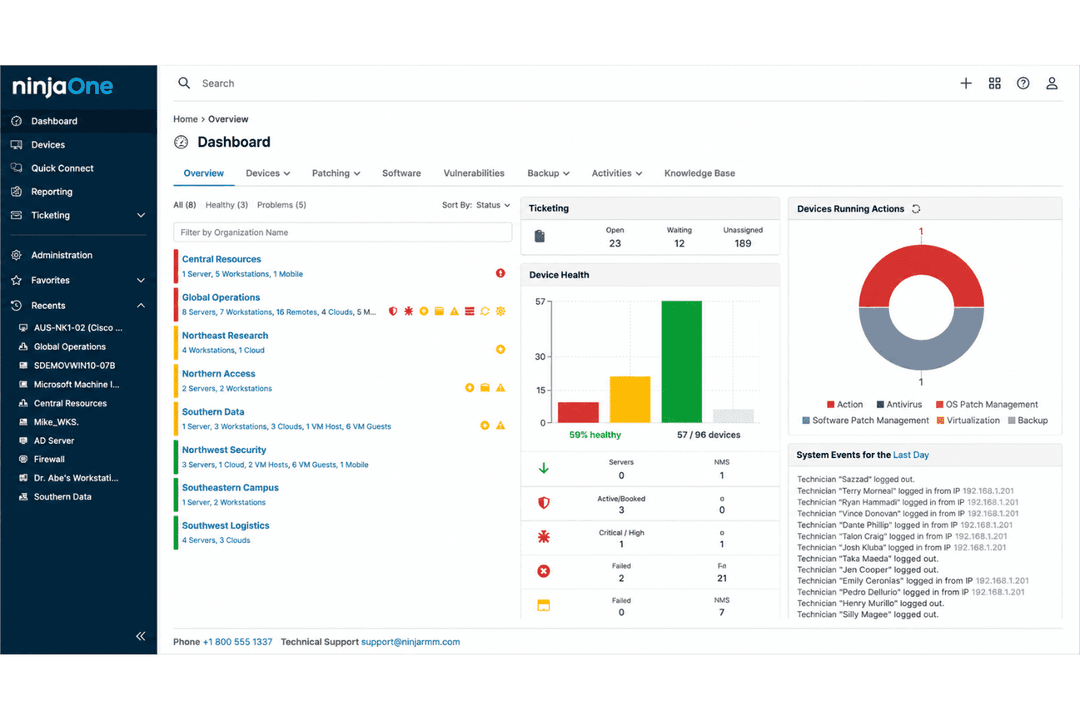
4.7/5
- Free trial available
- Pricing upon request
ManageEngine ServiceDesk Plus

4.2/5
- Free trial + free demo available
- Pricing upon request
Why Trust Our Software Recommendations
6,700+
Reviews
20
Industry experts
16+
Evaluation factors
14
Years
Our team has been testing and reviewing software since 2012. As tech leaders ourselves, we know how difficult—and important—it is to choose the right software.
For this guide, we evaluated tools using hands-on testing and independent research, scoring tools using our selection criteria.
Our reviews reflect our human editorial judgment, not a sales pitch.
Expert reviewers:
- Paulo Gardini MiguelTech Director
 Tim FisherVP of AI
 Gabriel RosasTech Lead & Software Architect
 Christhian GruhnTech Lead & Platform Architect

| NinjaOne | ManageEngine ServiceDesk Plus | |
|---|---|---|
| Free Trial | Free trial available | Free trial + free demo available |
| Pricing | Pricing upon request | Pricing upon request |
NinjaOne vs. ManageEngine Pricing & Hidden Cost
NinjaOne pricing typically follows a subscription-based model, with costs that can vary based on the number of devices managed and any added features you choose.
ManageEngine pricing, on the other hand, offers a flexible model that can include both subscription and perpetual licensing options, with potential additional costs for specific modules or premium support.
To select the tool with the right pricing for your needs, evaluate the specific features you require, consider future scalability, and request detailed cost breakdowns from vendors to avoid unexpected expenses.
With NinjaOne’s automation capabilities, you can efficiently manage routine maintenance tasks, making it ideal for IT teams handling multiple endpoints daily.
ManageEngine’s asset management feature is great for organizations needing detailed tracking of IT resources, offering a comprehensive view compared to NinjaOne’s streamlined approach.
Both tools provide valuable functions that cater to different aspects of IT management, ensuring you have the right support for your specific needs.
| NinjaOne | ManageEngine ServiceDesk Plus | |
|---|---|---|
| API | Yes | Yes |
| Calendar Management | Yes | No |
| Customer Management | Yes | Yes |
| Dashboard | Yes | Yes |
| Data Export | Yes | No |
| Data Import | Yes | No |
| Data Visualization | Yes | Yes |
| External Integrations | Yes | Yes |
| Multi-User | Yes | No |
| Notifications | Yes | Yes |
| Scheduling | Yes | Yes |
NinjaOne vs. ManageEngine Integrations
| Integration | NinjaOne | ManageEngine |
| Microsoft 365 | ✅ | ✅ |
| Google Workspace | ✅ | ✅ |
| Slack | ✅ | ✅ |
| Salesforce | ❌ | ✅ |
| Zendesk | ✅ | ❌ |
| QuickBooks | ✅ | ❌ |
| Freshdesk | ❌ | ✅ |
| ServiceNow | ❌ | ✅ |
| API | ✅ | ✅ |
| Zapier | ✅ | ✅ |
NinjaOne's integration with QuickBooks lets you streamline billing processes, which is invaluable for IT teams that need efficient financial management.
ManageEngine's integration with Salesforce is great for teams that rely heavily on CRM tools, offering seamless data syncing.
Both provide distinct integrations tailored to different operational needs.
NinjaOne vs. ManageEngine Security, Compliance & Reliability
| Factor | NinjaOne | ManageEngine |
| Data Encryption | NinjaOne encrypts data both in transit and at rest, ensuring robust data protection. | ManageEngine offers AES-256 encryption for data to secure sensitive information. |
| Regulatory Compliance | NinjaOne complies with GDPR and CCPA standards, providing peace of mind for data privacy. | ManageEngine aligns with GDPR and HIPAA, offering extensive compliance features. |
| System Reliability | NinjaOne ensures high uptime with redundant systems and regular maintenance checks. | ManageEngine provides 24/7 monitoring and automated alerts to maintain operational reliability. |
Both NinjaOne and ManageEngine offer strong security and compliance frameworks, though their approaches differ slightly.
To evaluate these tools, prioritize the specific regulatory requirements your organization must meet and assess how each solution's features align with those needs.
NinjaOne vs. ManageEngine Ease of Use
| Factor | NinjaOne | ManageEngine |
| User Interface | NinjaOne offers a clean and intuitive interface, making navigation straightforward for IT teams. | ManageEngine provides a more complex interface with a wide range of features accessible through detailed menus. |
| Onboarding Experience | NinjaOne simplifies onboarding with guided tutorials and easy-to-follow setup processes. | ManageEngine offers comprehensive documentation, but may require more time to get familiar with its extensive features. |
| Support Access | NinjaOne provides quick access to support via live chat and a responsive helpdesk. | ManageEngine offers extensive support options, including forums and a dedicated support portal. |
NinjaOne is easier to navigate, thanks to its intuitive design, but it might lack some of the advanced features that ManageEngine’s more complex interface provides. ManageEngine’s comprehensive feature set can be overwhelming initially, but it becomes easier to use as you get accustomed to its layout.
NinjaOne
- Deploys fast and delivers detailed endpoint visibility with no on-premise infrastructure to purchase, configure, and manage.
- Pulls patching, backup, remote access, and ticketing into one console.
- Automates patching with CVE and CVSS context, stability scoring, and dependable scripting.
- Built-in reporting is thin for client-facing work.
- Mobile device management is less robust than desktop support.
- The service desk and PSA are sized for SMB teams rather than enterprise ITSM or high-end MSP workflows.
ManageEngine ServiceDesk Plus
- Provides strong automation for ticket routing and workflows
- Includes built-in asset management and CMDB features
- Offers ITIL-aligned modules for incident and change management
- Occasional delays in customer support response times
- Some UI elements feel dated and inconsistent across modules
- Advanced reporting requires manual setup and customization
NinjaOne
- Managed Service ProvidersNinjaOne’s multi-tenant architecture and remote support streamline managing multiple client environments from a single dashboard.
- Small to Midsize BusinessesDevice-based pricing and easy deployment provide SMBs effective IT management without extra complexity.
- Healthcare IT DepartmentsPatch management and compliance reporting features help healthcare teams meet standards and secure sensitive data.
- Education InstitutionsRemote monitoring and access ease support for student and faculty devices across multiple sites.
- Hybrid Workforce SupportPolicy management, help desk, and remote access empower teams supporting remote and distributed users.
- Enterprise IT TeamsMulti-tenant architecture and automation scale to support large, distributed fleets and high endpoint volume.
ManageEngine ServiceDesk Plus
- Enterprises (500+ Employees)Handles high ticket volumes and complex workflows with modular scalability.
- Government AgenciesDelivers strong reporting and role-based access for regulatory requirements.
- IT DepartmentsAutomates ticketing, change management, and asset lifecycle processes.
- Healthcare ProvidersOffers HIPAA-ready features and granular incident tracking.
- Higher EducationSupports multi-campus environments with asset management and service catalogs.
- Financial ServicesMeets strict compliance needs with audit trails and access controls.
Who Should Use NinjaOne, and Who Should Use ManageEngine?
From my perspective, NinjaOne is most suitable for small to medium-sized businesses that need a straightforward, easy-to-use IT management solution without the complexities of larger systems. You can explore how it stacks up against NinjaOne vs. Atera for more insights.
In my opinion, ManageEngine is a better fit for larger enterprises or specialized industries that require a robust set of features and are willing to invest the time to navigate its extensive capabilities.
If your team values simplicity and quick setup, NinjaOne might be the way to go, but if you need a comprehensive tool with extensive customization, ManageEngine could be the right choice.
| NinjaOne | ManageEngine ServiceDesk Plus | |
|---|---|---|
| Automation | NinjaOne NinjaOne excels in automating routine maintenance tasks for efficiency. | ManageEngine ServiceDesk Plus ManageEngine provides extensive automation but requires more setup time. |
| Compliance | NinjaOne NinjaOne meets GDPR and CCPA standards for data privacy. | ManageEngine ServiceDesk Plus ManageEngine complies with GDPR and HIPAA, offering broader compliance features. |
| Integrations | NinjaOne NinjaOne integrates seamlessly with tools like QuickBooks and Zendesk. | ManageEngine ServiceDesk Plus ManageEngine integrates well with Salesforce and ServiceNow for CRM and ITSM. |
| Pricing | NinjaOne NinjaOne uses a subscription-based model that varies by device and features. | ManageEngine ServiceDesk Plus ManageEngine offers both subscription and perpetual licensing options. |
| User Interface | NinjaOne NinjaOne offers a clean, intuitive interface that's easy to navigate for your team. | ManageEngine ServiceDesk Plus ManageEngine has a more complex interface with detailed menus for advanced features. |
| Cloud-Based | Both platforms support cloud-based operations, making it easier for your team to manage IT tasks remotely. NinjaOne emphasizes ease of use, whereas ManageEngine offers more cloud integration options. |
|---|---|
| Customer Support | Both provide robust customer support options, including live chat and helpdesk services. NinjaOne is known for quick response times, whereas ManageEngine offers a wide range of support resources. |
| Device Management | Both NinjaOne and ManageEngine provide comprehensive device management, allowing you to monitor and control endpoints effectively. NinjaOne focuses on simplicity, while ManageEngine offers more detailed controls. |
| Reporting | Both platforms include reporting tools that help you analyze IT performance. NinjaOne offers easy-to-read reports, while ManageEngine provides more detailed analytics and customization options. |
| Security | Both offer strong security measures, such as encryption and access controls, to protect your data. NinjaOne is straightforward with its security setup, while ManageEngine offers more customizable security settings. |