
22 Beste Software Für Vorfallberichte 2026

Beste Incident Reporting Software: Shortlist
Hier ist meine Shortlist der besten Incident Reporting Software:


Meiner Erfahrung nach kann das richtige Tool eine stressige Situation in einen beherrschbaren Prozess verwandeln, Zeit sparen und Fehler reduzieren. Ich habe die besten Optionen für Sie geprüft und mich dabei auf das konzentriert, was für Technikexperten wie Sie wirklich zählt.
In diesem Artikel teile ich meine Top-Empfehlungen für Incident Reporting Software und hebe dabei deren wichtigsten Funktionen und Vorteile hervor. Sie finden objektive, sorgfältig recherchierte Bewertungen, die Ihnen helfen, eine fundierte Entscheidung zu treffen. Lassen Sie uns in die Lösungen eintauchen, die Ihren Incident-Management-Prozess reibungsloser und effektiver gestalten können.
Why Trust Our Software Reviews
Beste Incident Reporting Software: Zusammenfassung
Diese Vergleichstabelle fasst die Preisinformationen meiner besten Incident Reporting Software-Auswahl zusammen, damit Sie die passende Lösung für Ihr Budget und Ihre Unternehmensanforderungen finden.
| Tool | Best For | Trial Info | Price | ||
|---|---|---|---|---|---|
| 1 | Best for user-friendly incident handling | 14-day free trial available | From $19/user/month (billed annually) | Website | |
| 2 | Best for linking incidents and asset data | 14-day free trial | Pricing upon request | Website | |
| 3 | Best for incident documentation management | Free demo available | Pricing upon request | Website | |
| 4 | Best for integrated incident detection & ticketing | 30-day free trial + free demo available | From $149/technician/month (billed annually) | Website | |
| 5 | Best for automating response workflows | Free demo available | From $20/user/month | Website | |
| 6 | Best for real-time incident and threat detection | 30-day free trial + free demo | Pricing upon request | Website | |
| 7 | Best for automated remediation | Free trial + free demo available | Pricing upon request | Website | |
| 8 | Best for privacy incident management | Free demo available | Pricing upon request | Website | |
| 9 | Best for centralized help desk needs | 30-day free trial + free demo available | From $39/month | Website | |
| 10 | Best for structured incident workflows | Free demo available | Pricing upon request | Website |


-

Site24x7
Visit WebsiteThis is an aggregated rating for this tool including ratings from Crozdesk users and ratings from other sites.4.6 -
Docker
Visit WebsiteThis is an aggregated rating for this tool including ratings from Crozdesk users and ratings from other sites.4.6 -
Pulumi
Visit WebsiteThis is an aggregated rating for this tool including ratings from Crozdesk users and ratings from other sites.4.8





Beste Incident Reporting Software: Bewertungen
Nachfolgend finden Sie meine ausführlichen Zusammenfassungen der besten Incident Reporting Software, die es auf meine Shortlist geschafft haben. Meine Bewertungen bieten einen detaillierten Überblick über die wichtigsten Funktionen, Vor- & Nachteile, Integrationen und idealen Anwendungsfälle jedes Tools, damit Sie die beste Lösung für sich finden.

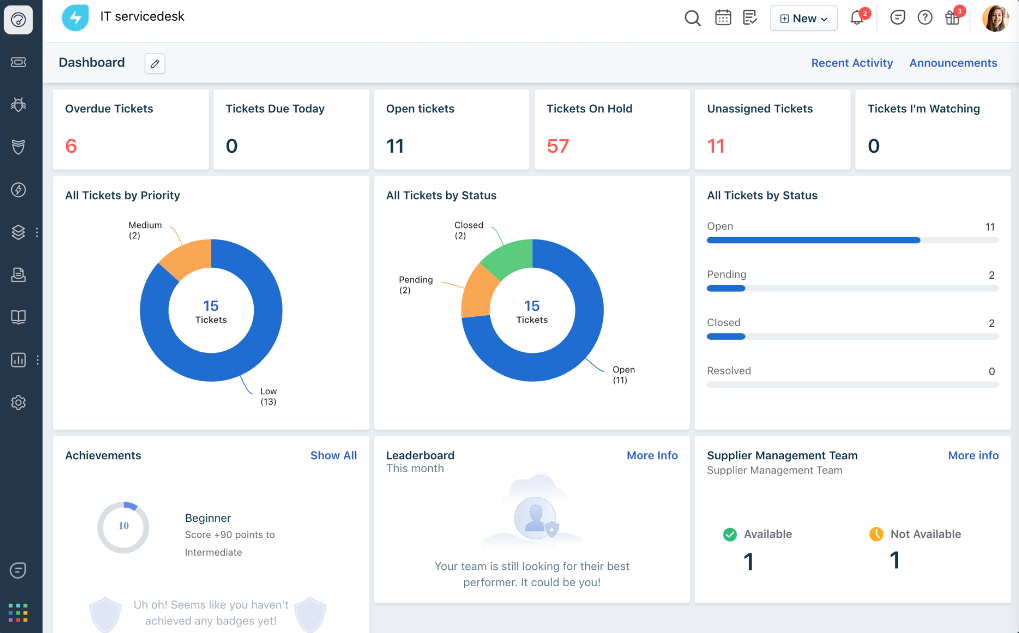
Freshservice, by Freshworks, is an IT service management tool tailored to streamline incident and service requests in organizations. Given its intuitive interface and user-centric design, it stands as a prime choice for teams that prioritize user-friendliness when managing and resolving incidents.
Why I Picked Freshservice: When determining the best tools for this list, Freshservice's reputation for being user-friendly made it an immediate consideration. What differentiates it from others is its intuitive design combined with robust capabilities, making the incident-handling process smoother.
Based on my evaluation, Freshservice shines for those organizations seeking a balance between capability and user-friendliness in their incident management tools.
Standout Features & Integrations:
Freshservice offers features like a smart ticketing system, knowledge base, and asset management. Their automation capabilities reduce manual efforts, making the incident resolution process more efficient.
For integrations, Freshservice supports a myriad of apps and platforms, including Slack, Zoom, and Microsoft Teams, ensuring that teams can connect their preferred tools without hassle.
Pros and Cons
Pros:
- Wide range of integration options supports varied organizational needs
- Robust automation capabilities reduce manual intervention
- Intuitive interface facilitates quicker adoption among teams
Cons:
- The need to navigate through multiple features can be overwhelming for some users
- Customization might require some technical expertise
- The tool’s depth might sometimes overshadow its simplicity for first-time users
New Product Updates from Freshservice

Freshservice Enhances Global Search and Dashboards With Task Support
Freshservice enhances Global Search and Dashboards by adding support for ticket, problem, change, and release tasks, along with custom task views. This update helps teams search, track, and report on tasks from one centralized interface. For more information, visit Freshservice's official site.

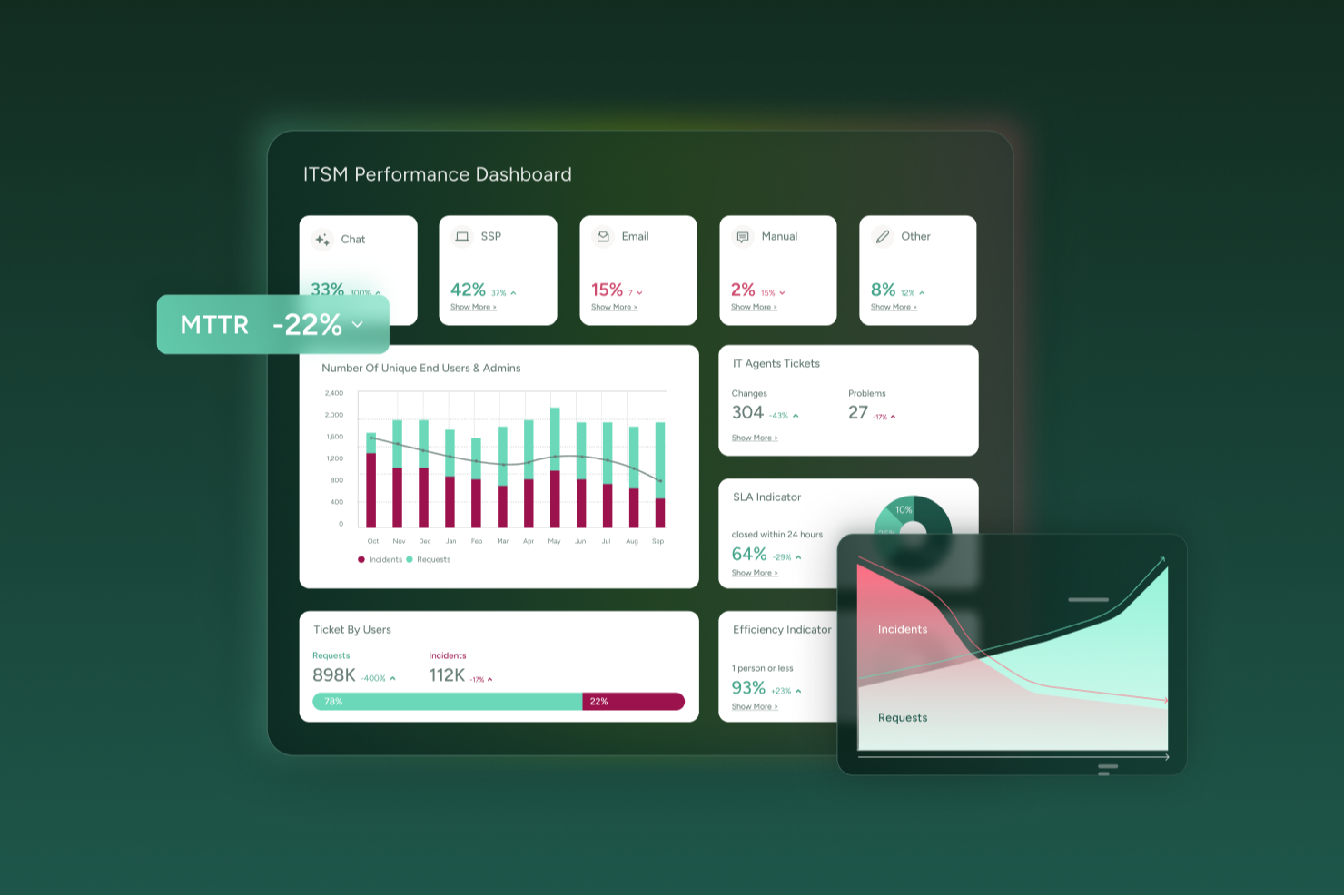
SysAid provides an incident reporting and IT service management platform designed for IT teams that want to manage issues proactively rather than reactively. If your team handles frequent support tickets, manages hardware or software assets, or delivers IT services across multiple departments, SysAid helps bring those processes into a single, more manageable system.
Why I Picked SysAid
I picked SysAid because its incident management capabilities are tightly integrated with AI-driven ticketing and automated workflows that reduce manual effort. SysAid’s AI supports ticket categorization, prioritization, and routing, helping your team spend less time on routine triage and more time resolving higher-impact issues. Incident records are also linked directly to asset and user data, so when a problem occurs, you have immediate context around the affected hardware, software, or user. This combination of automation and visibility can be especially helpful when fast, informed resolution is important.
SysAid Key Features
Aside from what I mentioned above, your team also benefits from features like:
- Self-Service: Lets end users submit tickets or search a knowledge base on their own, reducing the number of manual support requests.
- Workflow Automation: This feature allows you to automate repetitive processes, ensuring consistency and freeing up your team to focus on complex tasks.
- Change Management: SysAid provides tools to manage change processes, minimizing risk and ensuring smooth transitions within your IT environment.
- Reporting: Get built-in metrics (e.g., ticket volume, resolution times, SLA compliance) to monitor IT performance and identify trends over time.
SysAid Integrations
Integrations include Jira, Microsoft Teams, Slack, Active Directory, Azure AD, SCCM, VMware, Google Workspace, Okta, and Salesforce.
Pros and Cons
Pros:
- Workflow automation ensures process consistency.
- Self-service portal empowers users to report incidents directly.
- AI-driven automation reduces manual incident management tasks.
Cons:
- When features are not properly configured, automations and SLA workflows can become complex and confusing for agents.
- Mobile app experience lacks full functionality.
New Product Updates from SysAid

SysAid Adds Direct Knowledge Base Linking in Service Records
SysAid now allows linking knowledge base articles directly to service records, enhancing centralized access to information and speeding up issue resolution. For more information, visit SysAid's official site.
 .
.

Preparis is a cloud-based platform designed to help businesses prepare for and respond to emergencies, focusing on ensuring business continuity. It enables teams to centralize communication, manage risks, and execute response strategies efficiently.
Why I Picked Preparis: Preparis includes tools for organizing and storing critical documents related to incidents, ensuring important information is easily accessible during an emergency. Its reporting tools allow you to log and analyze incidents, helping you understand patterns and improve your response over time. These features are designed to give your team clear visibility into incidents, ensuring a coordinated and timely response that supports ongoing business operations.
The platform’s alerting system also ensures key personnel are notified the moment an issue arises, helping you respond faster.
Standout Features & Integrations:
Other features include customizable action plans for different types of incidents, so your team knows exactly what steps to take. Additionally, its incident manager lets you track, assign, and resolve IT incidents in one place. Integrations include systems like ADP and Okta.
Pros and Cons
Pros:
- Scalable for organizations of all sizes
- Real-time notification system
- Effective documentation for incident reports, plans, and audits
Cons:
- Could offer ticket management for IT incidents
- Limited customization options available


Atera is a unified IT management platform primarily built for IT teams and MSPs. It combines remote monitoring and management (RMM), help desk ticketing, and professional services automation (PSA). Its incident reporting features work within this larger system, helping you log, track, and address incidents as part of your ongoing IT operations.
Why I Picked Atera: I included Atera for its ability to turn system alerts into actionable tickets automatically. When the platform detects threshold breaches in performance or hardware health, it can create tickets and categorize them with AI-based tagging. This allows your team to act on incidents quickly, reducing the time it takes to assign issues to the right person. Its real-time monitoring paired with ticket automation gives smaller IT teams a way to centralize incident reporting without needing multiple tools.
Standout Features & Integrations:
Atera includes AI tools that can auto-summarize tickets and draft responses based on incident data. The platform also supports script generation for troubleshooting tasks, knowledge base article creation from resolved tickets, and full network discovery to identify assets that may be affected by incidents. You can access remote devices directly for investigation and apply patch management to minimize vulnerabilities that could lead to future incidents. Integrations include Microsoft Teams, Slack, ServiceNow, Okta, Azure Active Directory, WhatsApp Notifications, Google Workspace, Jira Software Cloud, Acronis Cyber Protect Cloud, Google Sheets, Gmail, ClickUp, Autopilot.
Pros and Cons
Pros:
- Built-in AI support for ticket management and troubleshooting
- Unified platform for RMM, PSA, and help desk
- Pay-per-technician pricing model
Cons:
- Limited customization of workflows
- Mobile app has fewer features than desktop version
New Product Updates from Atera

Atera Enhances IT Autopilot With Automation and File Support
Atera’s IT Autopilot gets three major boosts: you can now attach common files for deeper analysis, automate IT tasks with clear workflows, and choose how the system follows up when users go silent. These updates help streamline IT operations and improve resolution efficiency. For more information, visit Atera’s official site.


Rootly is an incident reporting and response platform designed to help teams detect, manage, and resolve incidents quickly. It centralizes communication, automates alerts, and facilitates collaboration across systems like Slack and Microsoft Teams. By covering the entire incident lifecycle—from detection through to AI-powered postmortems, Rootly helps organizations improve reliability and reduce resolution times.
Why I Picked Rootly: I picked Rootly because it brings AI to the heart of incident management. It automates response workflows in chat tools like Slack and Teams, so your team can take action without switching platforms. I also like its post-incident retrospective feature, which generates AI summaries and timelines automatically.
If you’re looking to enhance visibility and consistency in your incident process, Rootly offers a well-balanced blend of automation and collaboration.
Standout Features & Integrations:
Standout features include AI SRE tools that automate root cause analysis, post-incident retrospectives with AI-generated summaries, and MCP server integration that lets developers resolve incidents directly in their IDE. The on-call management system supports automated scheduling and escalation, while the status page keeps customers informed in real time.
Integrations include Slack, Microsoft Teams, Confluence, Jira, Terraform, Zoom, Datadog, Sentry, Notion, Zapier, Linear, and Google Meet.
Pros and Cons
Pros:
- Automated retrospectives with AI summaries
- Integrates with Slack and Teams
- AI-driven automation for incident response
Cons:
- Limited integration list publicly available
- Enterprise pricing requires custom quote

Best for real-time incident and threat detection

ManageEngine EventLog Analyzer is a comprehensive log management and IT compliance solution designed to enhance network security and streamline compliance with IT audit requirements.
Why I Picked ManageEngine EventLog Analyzer: I like the real-time security auditing and instant threat detection capabilities of EventLog Analyzer. The software continuously monitors the network for any suspicious activities and provides immediate alerts, enabling quick response to potential threats.
This real-time monitoring is complemented by comprehensive compliance management, which helps organizations adhere to various regulatory requirements such as PCI-DSS, HIPAA, and GDPR. The ability to generate detailed compliance reports not only simplifies the audit process but also ensures that the organization remains compliant with industry standards.
Standout Features & Integrations:
It also offers advanced threat analytics to enhance security by assessing threats from malicious URLs, IPs, and domains, utilizing third-party threat feeds to prioritize response actions. Additionally, the detailed reporting feature helps organizations comply with regulatory requirements and improve their security posture by generating comprehensive reports on log data. Integrations include Log360, ADAudit Plus, Firewall Analyzer, SharePoint Manager Plus, M365 Security Plus, Cloud Security Plus, and DataSecurity Plus.
Pros and Cons
Pros:
- In-depth auditing capabilities
- Extensive log management capabilities
- Supports real-time monitoring and alerting features
Cons:
- Some users find the initial setup to be complex
- The tool can be resource-intensive

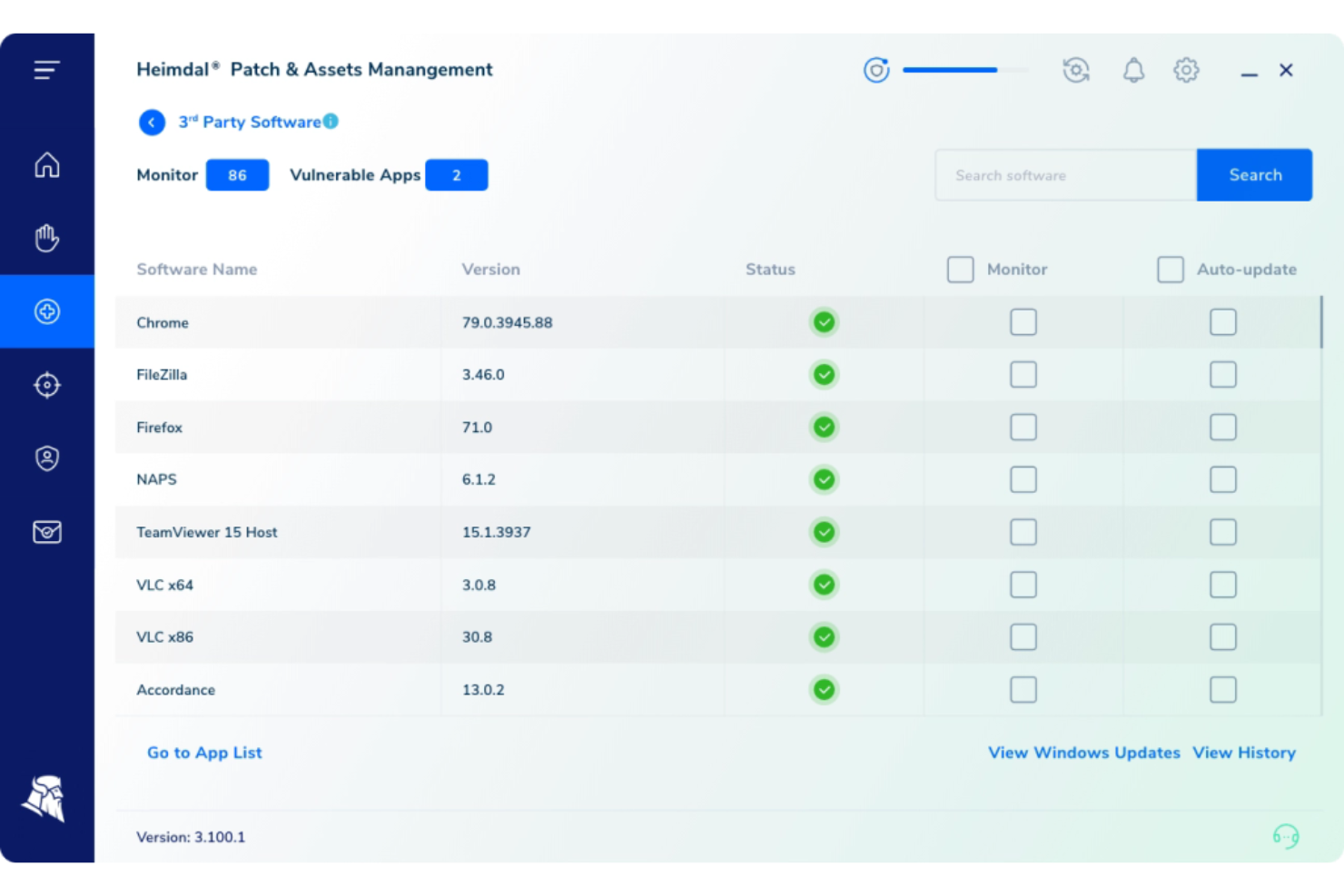
Heimdal caters to businesses seeking incident reporting software, particularly in industries like healthcare, education, and government. It offers automated incident response capabilities that enhance compliance and data governance. By integrating advanced threat detection and response features, Heimdal addresses the need for real-time alerts and continuous monitoring, helping organizations manage security incidents effectively.
Why I Picked Heimdal
I picked Heimdal for its standout automated incident response capabilities that directly tackle the challenges faced in incident reporting. With its Extended Detection and Response (XDR) platform, Heimdal provides real-time threat hunting and automated remediation, ensuring a quick and efficient reaction to security threats. Additionally, the integration with third-party applications streamlines incident management processes, making it a reliable choice for organizations looking to enhance their incident reporting mechanisms.
Heimdal Key Features
In addition to its automated incident response capabilities, Heimdal offers several other features beneficial for incident reporting:
- 24/7 Security Operations Center (SOC) Support: Your team receives round-the-clock assistance to monitor and respond to security incidents promptly.
- Threat Intelligence Integration: Heimdal provides actionable insights by correlating data with threat intelligence, empowering you to make informed decisions.
- Vulnerability Management: This feature helps you identify and address vulnerabilities within your infrastructure, reducing the risk of security breaches.
- Endpoint Detection and Response (EDR): You can monitor and analyze endpoint activities in real-time, ensuring quick identification and response to suspicious behaviour.
Heimdal Integrations
Native integrations are not currently listed by Heimdal; however, the platform supports API-based custom integrations.
Pros and Cons
Pros:
- Detailed asset and license visibility
- Strong vulnerability and threat detection
- Automates patching across endpoints
Cons:
- Interface requires onboarding time
- No native integrations available


OneTrust specializes in a platform that focuses on privacy, security, and third-party risk management. With its emphasis on privacy incident management, OneTrust ensures that organizations comply with global regulations while addressing potential privacy incidents proactively.
Why I Picked OneTrust: In the process of selecting tools, OneTrust caught my attention due to its distinct focus on privacy incident management. Compared to other contenders, OneTrust’s commitment to privacy compliance and its suite of tools tailored to this niche were impressive.
I believe OneTrust is best equipped for organizations that prioritize privacy incident management amidst the growing importance of data protection.
Standout Features & Integrations:
OneTrust provides an automated incident response workflow that aligns with various global regulations. Their risk assessment features further ensure that any potential privacy threats are addressed promptly. Integration-wise, OneTrust is compatible with popular enterprise tools such as Salesforce, Microsoft Teams, and Slack, enhancing its functionality in a diverse tech environment.
Pros and Cons
Pros:
- Comprehensive global compliance features ensure adherence to regulations
- Robust integrations with leading enterprise tools
- Tailored tools specifically for privacy incident management
Cons:
- Overhead costs could arise when aiming for full compliance across multiple regulations
- Configuration might demand technical knowledge for optimal setup
- The platform's diverse features might have a steep learning curve


SolarWinds Service Desk is a versatile platform designed to centralize all help desk operations, making it easier for businesses to handle IT service management. By consolidating diverse IT service processes into one unified platform, it aptly addresses the challenges of organizations looking for a centralized solution.
Why I Picked SolarWinds Service Desk: I selected SolarWinds Service Desk after observing the platform's capability to amalgamate various help desk operations easily. Amongst the myriad of tools I compared, this one distinctly offers a comprehensive central hub, which is pivotal for businesses wanting a unified point of control.
This centralization is the primary reason I deem it the best choice for those in search of centralized help desk solutions.
Standout Features & Integrations:
SolarWinds Service Desk presents an array of features such as incident management, asset discovery, and knowledge base creation. One of its notable attributes is the AI-driven suggestions that help agents resolve tickets faster. As for integrations, the platform connects well with software like Jira, Slack, and Microsoft Teams, facilitating cohesive IT operations across different applications.
Pros and Cons
Pros:
- Extensive integration capabilities with popular applications
- AI-driven suggestions aid in quicker ticket resolution
- Comprehensive central hub for help desk operations
Cons:
- Interface might require a learning period for some users
- Advanced features can be overwhelming for smaller teams
- Some users might find its setup process time-consuming


ServiceNow is a cloud-based platform that provides workflow automation, integrating IT operations into a unified system. It offers an organized and structured method of handling incident workflows, ensuring efficient response and resolution.
Why I Picked ServiceNow: Having compared several tools, ServiceNow was selected for its meticulous approach to structured workflows. Its capabilities in systemizing and automating incident management processes made it a clear standout. I determined that ServiceNow's structured incident workflows are exceptional, making it the go-to for organizations seeking a structured approach.
Standout Features & Integrations:
ServiceNow excels in its incident management capabilities, providing automatic routing, escalation, and notification. The platform also offers detailed reporting and performance analytics. Its integration capabilities are extensive, working effectively with tools such as Microsoft Teams, Slack, and various security and operations platforms.
Pros and Cons
Pros:
- Comprehensive reporting and analytics aid in performance measurement
- Integration-friendly with various other IT platforms and tools
- Robust automation capabilities streamline incident response
Cons:
- The comprehensive feature set might be overwhelming for smaller organizations
- Customization, though possible, may require technical expertise
- The platform can be perceived as intricate for newcomers
Weitere Incident Reporting Software
Hier sind weitere Incident Reporting Software-Optionen, die es nicht auf meine Shortlist geschafft haben, aber dennoch einen Blick wert sind:
- Jira Service Management
For IT team collaboration
- incident.io
For streamlined incident tracking
- xMatters
For focused incident response
- FireHydrant
For comprehensive incident orchestration
- LogicManager
For events and incidents integration
- ManageEngine ServiceDesk Plus
For ITIL incident alignment
- Zendesk
For customer-centered incident management
- NinjaOne
Good for remote IT operations management
- SysAid
Good for combined IT helpdesk solutions
- ClickUp
Good for flexible incident reporting templates


Auswahlkriterien für Incident Reporting Software
Bei der Auswahl der besten Incident Reporting Software für diese Liste habe ich gängige Käuferbedürfnisse und Schmerzpunkte wie Benutzerfreundlichkeit und Datenpräzision berücksichtigt. Zusätzlich habe ich folgendes Framework genutzt, um meine Bewertung strukturiert und fair zu gestalten:
Kernfunktionen (25 % der Gesamtbewertung)
Um in dieser Liste aufgenommen zu werden, musste jede Lösung folgende typische Anwendungsfälle abdecken:
- Vorfallverfolgung
- Alarme und Benachrichtigungen
- Berichtswesen und Analysen
- Compliance-Management
- Zugriffsverwaltung für Benutzer
Zusätzliche herausragende Funktionen (25 % der Gesamtbewertung)
Um die Auswahl weiter einzugrenzen, habe ich auch nach besonderen Funktionen gesucht, wie zum Beispiel:
- Anpassbare Dashboards
- Echtzeit-Collaboration-Tools
- Automatisierte Vorfallreaktionen
- Integration mit IoT-Geräten
- KI-gestützte Auswertungen
Benutzerfreundlichkeit (10 % der Gesamtbewertung)
Um die Bedienbarkeit der jeweiligen Systeme zu beurteilen, habe ich Folgendes betrachtet:
- Intuitives Oberflächendesign
- Einfache Navigation
- Minimale Einarbeitungszeit
- Anpassbare Benutzereinstellungen
- Barrierefreiheitsoptionen
Onboarding (10 % der Gesamtbewertung)
Um die Einarbeitung auf jeder Plattform zu beurteilen, habe ich folgende Kriterien berücksichtigt:
- Verfügbarkeit von Schulungsvideos
- Interaktive Produkttouren
- Zugang zu Webinaren
- Umfassende Vorlagen
- Reaktionsschnelle Chatbots
Kundensupport (10 % der Gesamtbewertung)
Um die Kundensupportleistungen jedes Softwareanbieters zu beurteilen, habe ich Folgendes berücksichtigt:
- Rund-um-die-Uhr-Support
- Mehrere Support-Kanäle
- Reaktionszeit
- Kompetente Support-Mitarbeitende
- Verfügbarkeit eines Help Centers
Preis-Leistungs-Verhältnis (10 % der Gesamtbewertung)
Um das Preis-Leistungs-Verhältnis jeder Plattform einzuschätzen, habe ich Folgendes bedacht:
- Wettbewerbsfähige Preisgestaltung
- Funktionsumfang im Verhältnis zu den Kosten
- Verfügbarkeit von kostenlosen Testversionen
- Flexible Preispläne
- Rabatte für Langzeitverträge
Kundenbewertungen (10 % der Gesamtbewertung)
Um einen Eindruck von der allgemeinen Kundenzufriedenheit zu erhalten, habe ich bei der Lektüre von Kundenrezensionen Folgendes berücksichtigt:
- Bewertungen zur Gesamtzufriedenheit
- Häufig gemeldete Probleme
- Rückmeldungen der Nutzer zu Funktionen
- Kundenbindung
- Entwicklung der Rückmeldungen über die Zeit
Wie man Incident-Reporting-Software auswählt
Es ist leicht, sich in langen Funktionslisten und komplexen Preisstrukturen zu verlieren. Damit Sie beim Auswahlprozess für Ihre individuelle Software den Überblick behalten, hier eine Checkliste mit Faktoren, die Sie im Hinterkopf behalten sollten:
| Faktor | Zu beachten |
|---|---|
| Skalierbarkeit | Kann die Software mit Ihrem Unternehmen wachsen? Berücksichtigen Sie die Anzahl der unterstützten Anwender und ob sie eine höhere Datenmenge bei Geschäftswachstum bewältigen kann. |
| Integrationen | Verbindet sie sich mit Ihren bestehenden Tools? Prüfen Sie die Kompatibilität mit aktuellen Systemen wie CRM, E-Mail und Kommunikationsplattformen. |
| Anpassbarkeit | Können Sie sie an Ihre Arbeitsabläufe anpassen? Suchen Sie nach Möglichkeiten, Dashboards, Berichte und Benutzereinstellungen individuell zu gestalten. |
| Benutzerfreundlichkeit | Ist die Anwendung für Ihr Team einfach zu erlernen? Bewerten Sie die Benutzeroberfläche und prüfen Sie, ob umfangreiche Schulungen nötig sind. |
| Implementierung und Onboarding | Wie lange dauert es, bis Sie einsatzbereit sind? Berücksichtigen Sie den Einrichtungsprozess, den verfügbaren Support und Trainingsressourcen für einen reibungslosen Übergang. |
| Kosten | Passt die Software in Ihr Budget? Vergleichen Sie Tarifmodelle, auch eventuelle versteckte Gebühren, und prüfen Sie, ob die Kosten mit dem gebotenen Wert im Einklang stehen. |
| Sicherheitsmaßnahmen | Sind Ihre Daten und Ihre Privatsphäre geschützt? Achten Sie auf Verschlüsselung, Einhaltung von Datenschutzbestimmungen sowie weitere Sicherheitsmaßnahmen. |
| Support-Verfügbarkeit | Bekommen Sie bei Bedarf Unterstützung? Prüfen Sie die Erreichbarkeit des Kundensupports inklusive Servicezeiten und Kanäle wie Telefon, E-Mail und Chat. |
Was ist Incident-Reporting-Software?
Incident-Reporting-Software ist ein Werkzeug zur Dokumentation und Verwaltung von Vorfällen wie IT-Ausfällen, Sicherheitsverletzungen oder anderen betrieblichen Störungen. IT-Fachleute, Sicherheitsteams und Compliance-Beauftragte setzen solche Tools ein, um Probleme schnell zu beheben und einen reibungslosen Betrieb zu gewährleisten. IT-Benachrichtigungssoftware, Datenprotokollierung und anpassbare Workflows unterstützen ein effizientes Incident-Management und die Auflösung von Vorfällen. Diese Tools bieten einen erheblichen Mehrwert, indem sie Ausfallzeiten minimieren und die Reaktionszeiten verbessern.
Funktionen
Achten Sie bei der Auswahl von Incident-Reporting-Software auf folgende Schlüsselfunktionen:
- Vorfallverfolgung: Protokolliert automatisch Vorfälle, sodass Teams alle Probleme vom Beginn bis zur Lösung im Blick behalten können.
- Automatisierte Benachrichtigungen: Benachrichtigt die richtigen Teammitglieder sofort und stellt so sicher, dass auf Vorfälle zeitnah reagiert wird.
- Anpassbare Workflows: Ermöglicht es Ihnen, Prozesse an die spezifischen Anforderungen Ihres Teams anzupassen und die Effizienz zu steigern.
- Datenprotokollierung: Führt ein umfassendes Protokoll aller Vorfälle, das für Audits und Compliance-Prüfungen nützlich ist.
- Echtzeit-Zusammenarbeit: Ermöglicht es Teams, in Echtzeit gemeinsam an Vorfällen zu arbeiten, was die Kommunikation und Problemlösung verbessert.
- Berichtswerkzeuge: Liefert Einblicke in Vorfalltrends und Teamleistungen, was zur kontinuierlichen Verbesserung beiträgt.
- Sicherheitsmaßnahmen: Schützt sensible Informationen durch Verschlüsselung und Einhaltung von Datenschutzstandards.
- Integrationsmöglichkeiten: Verbindet sich mit anderen Tools wie Slack und Jira, um Arbeitsabläufe zu optimieren und die Produktivität zu steigern.
- Benutzerfreundliche Oberfläche: Erleichtert die Navigation und verkürzt die Einarbeitungszeit für neue Nutzer.
- Compliance-Verfolgung: Hilft Ihrer Organisation, regulatorische Anforderungen durch Nachverfolgung compliance-relevanter Vorfälle einzuhalten.
Vorteile
Die Einführung einer Vorfallmeldesoftware bietet Ihnen und Ihrem Team zahlreiche Vorteile. Hier sind einige, auf die Sie sich freuen können:
- Verbesserte Reaktionszeiten: Automatisierte Benachrichtigungen und Echtzeit-Zusammenarbeit ermöglichen es Ihrem Team, schnell und effizient auf Vorfälle zu reagieren.
- Gesteigerte Datenqualität: Die Datenprotokollierung stellt sicher, dass alle Details von Vorfällen genau erfasst und für die Zukunft gespeichert werden.
- Besseres Compliance-Management: Die Compliance-Verfolgung hilft Ihrem Unternehmen, gesetzliche Vorgaben einzuhalten und Strafen zu vermeiden.
- Höhere Produktivität: Anpassbare Workflows und Integrationsmöglichkeiten ermöglichen es Ihrem Team, effektiver in bestehenden Abläufen zu arbeiten.
- Aussagekräftige Analysen: Berichtswerkzeuge bieten wertvolle Einblicke in Vorfalltrends und Teamleistungen und unterstützen so die Entscheidungsfindung.
- Erhöhte Sicherheit: Sicherheitsmaßnahmen schützen sensible Daten, sodass Ihr Team bei der Bearbeitung von Vorfällen beruhigt arbeiten kann.
- Benutzerfreundlichkeit: Eine benutzerfreundliche Oberfläche verringert die Einarbeitungszeit und erleichtert die Einführung der Software für Ihr Team.
Kosten & Preise
Die Auswahl einer Vorfallmeldesoftware erfordert ein Verständnis der verschiedenen Preisstrukturen und -modelle. Die Kosten variieren je nach Funktionsumfang, Teamgröße, Zusatzoptionen und mehr. Die folgende Tabelle gibt einen Überblick über übliche Tarife, Durchschnittspreise und typische Funktionen von Vorfallmeldesoftware:
Tarifvergleichstabelle für Vorfallmeldesoftware
| Tarifart | Durchschnittspreis | Übliche Funktionen |
|---|---|---|
| Gratis-Tarif | $0/user/month | Basis-Vorfallverfolgung, begrenzte Benachrichtigungen und Community-Support. |
| Persönlicher Tarif | $5-$25/user/month | Vorfallverfolgung, grundlegende Berichtswerkzeuge und E-Mail-Support. |
| Business-Tarif | $30-$60/user/month | Erweiterte Auswertung, anpassbare Workflows, Integrationen und Prioritätssupport. |
| Enterprise-Tarif | $70-$100/user/month | Voller Funktionszugriff, erweiterte Sicherheitsmaßnahmen, Compliance-Verfolgung und dedizierter Support. |
Häufig gestellte Fragen zur Incident Reporting Software
Hier finden Sie Antworten auf häufig gestellte Fragen zur Incident Reporting Software:
Was ist der Unterschied zwischen Incident Reporting und Incident Management?
Incident Reporting bezieht sich auf die Dokumentation von Vorfällen, sobald diese auftreten, während Incident Management den gesamten Prozess der Bearbeitung dieser Vorfälle von Anfang bis Ende umfasst. Das Reporting ist nur der erste Schritt im Managementprozess. Effektives Incident Management nutzt die aus den Berichten gewonnenen Daten, um Probleme schnell zu lösen und zukünftige Vorfälle zu verhindern. Sorgen Sie dafür, dass Ihr Team beide Aspekte versteht, um Störungen effektiv zu bewältigen.
Wie sicher ist Incident Reporting Software?
Ja, die meisten Incident Reporting Softwares werden mit Blick auf Sicherheit entwickelt. Viele Tools bieten Verschlüsselung, Zugriffskontrollen und die Einhaltung von Standards wie der DSGVO. Sie sollten jedoch immer die Sicherheitsfunktionen eines Tools überprüfen, bevor Sie es kaufen. Achten Sie auf Verschlüsselung, Zwei-Faktor-Authentifizierung und Compliance-Zertifikate, um sicherzustellen, dass Ihre Daten geschützt bleiben.
Kann Incident Reporting Software in bestehende Systeme integriert werden?
Ja, viele Incident Reporting Tools bieten Integrationsmöglichkeiten mit bestehenden Systemen wie Slack, Jira und Microsoft Teams. Integrationen helfen dabei, Abläufe zu optimieren, indem Ihre Incident Reporting Software mit anderen Tools verbunden wird, die Ihr Team verwendet. Überprüfen Sie vor der Auswahl eines Tools dessen Kompatibilität mit Ihren aktuellen Systemen, um eine nahtlose Integration zu gewährleisten.
Wie wähle ich die richtige Incident Reporting Software für mein Team aus?
Beginnen Sie mit einer Analyse der Bedürfnisse Ihres Teams und Ihrer bestehenden Arbeitsabläufe. Berücksichtigen Sie Faktoren wie Benutzerfreundlichkeit, Integrationsmöglichkeiten und Skalierbarkeit. Suchen Sie nach einer Software, die zu Ihrem Budget passt und die benötigten Funktionen bietet. Nutzen Sie gegebenenfalls auch kostenlose Testversionen oder Demos, um die Software vor einer Entscheidung auszuprobieren.
Wie geht es weiter:
Wenn Sie gerade dabei sind, Incident Reporting Software zu recherchieren, verbinden Sie sich mit einem SoftwareSelect-Berater für kostenlose Empfehlungen.
Sie füllen ein Formular aus und führen ein kurzes Gespräch, in dem auf Ihre spezifischen Anforderungen eingegangen wird. Anschließend erhalten Sie eine Shortlist geeigneter Softwarelösungen. Auf Wunsch unterstützen die Berater Sie auch während des gesamten Kaufprozesses, einschließlich Preisverhandlungen.