

SysAid Review 2026: Pros, Cons, Features, and Pricing
Looking for an AI-powered ITSM platform beyond basic ticketing? In my review, I'll break down how SysAid combines help desk, asset management, automation, and AI agents in one platform, making it a strong choice for growing IT teams.

We review tools independently, and commissions help fund our testing. See our transparency policy, our methodology, or suggest a tool.
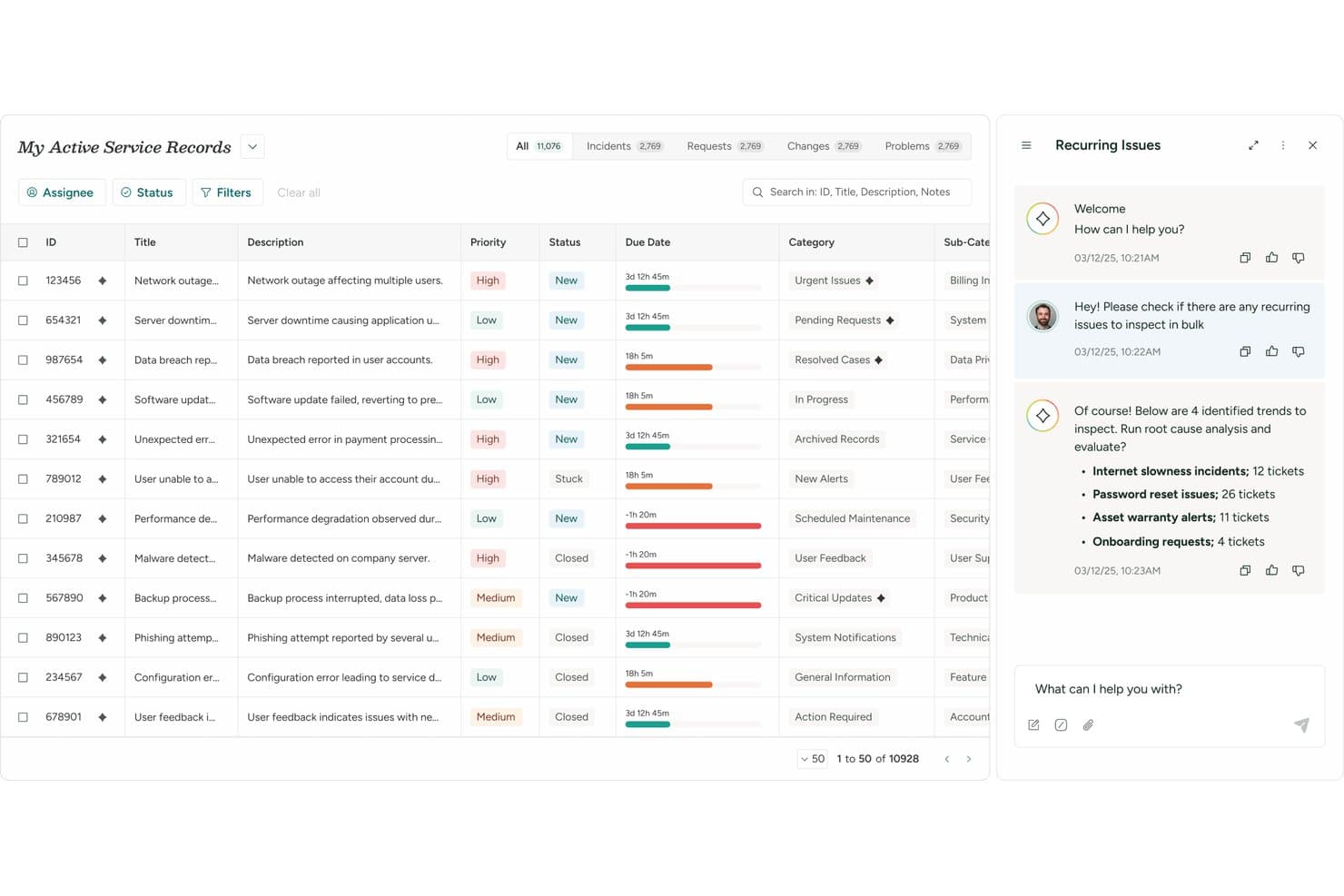
If your IT team is struggling with growing ticket volumes, repetitive requests, or disconnected service management tools, SysAid aims to solve those challenges in a single ITSM platform. It combines help desk functionality with IT asset management, workflow automation, self-service, and agentic AI designed to autonomously resolve incidents, fulfill requests, and reduce manual work across IT operations.
In this review, I'll walk you through SysAid's key features, ideal use cases, pros and cons, and pricing considerations to help you decide whether it's the right fit for your organization's IT service management needs.
SysAid Evaluation Summary
4.5/5
- From $89/agent/month
- Free trial available
Why Trust Our Software Recommendations
6,700+
Reviews
20
Industry experts
16+
Evaluation factors
14
Years
Our team has been testing and reviewing software since 2012. As tech leaders ourselves, we know how difficult—and important—it is to choose the right software.
For this guide, we evaluated tools using hands-on testing and independent research, scoring tools using our selection criteria.
Our reviews reflect our human editorial judgment, not a sales pitch.
Expert reviewers:
- Paulo Gardini MiguelTech Director
 Tim FisherVP of AI
 Gabriel RosasTech Lead & Software Architect
 Christhian GruhnTech Lead & Platform Architect

SysAid Overview
What grabs my attention most about SysAid is that it's one of the few ITSM platforms that makes AI an active participant in service delivery rather than simply a support tool. Beyond core ticket management, you get integrated asset management, license management, reporting, workflow design, and AI capabilities that are built directly into the platform rather than sold as separate add-ons. I like that it offers nearly 100 prebuilt AI agents, an AI Agent Builder, and extensive customization options that allow you to tailor workflows to your organization's processes.
SysAid generally appeals the most to enterprise IT departments looking to centralize service management and reduce ticket volumes through self-service and AI agents capable of handling routine requests autonomously.
Pros
- Agentic AI can autonomously resolve routine incidents and fulfill requests before they reach technicians.
- Highly configurable workflows adapt to your team's unique processes.
- Comprehensive ITSM and asset management in one platform.
Cons
- Better suited for larger IT teams than small businesses.
- Some interface areas are still transitioning to the modern experience.
- Broad configuration options require thoughtful setup and planning.
Is SysAid Right For Your Needs?
Who Would be a Good Fit for SysAid?
SysAid is best suited for enterprise organizations and mature IT teams that need advanced automation, built-in asset management, and highly configurable IT service management workflows. I find it particularly well-suited for organizations with complex support environments, large asset inventories, or a desire to leverage agentic AI to automate incident resolution, request fulfillment, and workflow execution at scale.
Industries such as manufacturing, government, healthcare, finance, and education can benefit from SysAid's combination of ITSM, asset management, compliance-focused capabilities, and AI-powered automation.
- Enterprise IT DepartmentsBuilt for large IT teams managing complex service operations, assets, and support workflows across departments.
- Government OrganizationsSupports structured workflows, service management, operational accountability, and consistent service delivery across agencies.
- Manufacturing CompaniesAsset visibility and automation support distributed operational environments, equipment tracking, and service efficiency.
- Education InstitutionsSelf-service and centralized support simplify campus-wide IT operations, request management, and user support.
- Healthcare ITAsset tracking and service management support regulated environments, compliance initiatives, and operational continuity.
- Organizations Focused on AI AdoptionBuilt-in AI agents can resolve incidents, fulfill requests, and automate repetitive service workflows with minimal human intervention.
Who Would be a Bad Fit for SysAid?
SysAid may not be the best fit for organizations that need a lightweight help desk or have limited IT support requirements. The platform is designed for mature IT teams that can take advantage of its automation, asset management, AI capabilities, and extensive configuration options. Therefore, smaller organizations or teams without dedicated IT resources may find the platform more powerful than their immediate needs require.
- Small IT TeamsAdvanced ITSM capabilities, automation tools, and asset management may exceed the needs of lean support teams.
- Organizations Without Dedicated IT StaffRequires ongoing administration, customization, and configuration, best suited for experienced IT professionals.
- Teams Seeking a Lightweight Help DeskThe feature-rich platform can feel excessive for organizations needing only basic ticket management functionality.
- Organizations With Fewer Than 20 IT AgentsSysAid usually services organizations with IT teams that have 20 or more agents, which is more in line with the platform's depth, breadth, and advanced capabilities.
- Rigid Out-of-the-Box Setup NeedsAdvanced configuration and customization options may require more planning than simple help desk tools, making SysAid less ideal if your organization prefers more rigid out-of-the-box setups.
- Organizations Focused Primarily on Non-IT ServicesWhile adaptable for HR, facilities, and other internal services, SysAid's deepest functionality and AI capabilities are built around IT support operations (internal or external).
Our Review Methodology
How We Test & Score Tools
We’ve spent years building, refining, and improving our software testing and scoring system. The rubric is designed to capture the nuances of software selection and what makes a tool effective, focusing on critical aspects of the decision-making process.
Below, you can see exactly how our testing and scoring works across seven criteria. It allows us to provide an unbiased evaluation of the software based on core functionality, standout features, ease of use, onboarding, customer support, integrations, customer reviews, and value for money.
Core Functionality (25% of final scoring)
The starting point of our evaluation is always the core functionality of the tool. Does it have the basic features and functions that a user would expect to see? Are any of those core features locked to higher-tiered pricing plans? At its core, we expect a tool to stand up against the baseline capabilities of its competitors.
Standout Features (25% of final scoring)
Next, we evaluate uncommon standout features that go above and beyond the core functionality typically found in tools of its kind. A high score reflects specialized or unique features that make the product faster, more efficient, or offer additional value to the user.
We also evaluate how easy it is to integrate with other tools typically found in the tech stack to expand the functionality and utility of the software. Tools offering plentiful native integrations, 3rd party connections, and API access to build custom integrations score best.
Ease of Use (10% of final scoring)
We consider how quick and easy it is to execute the tasks defined in the core functionality using the tool. High scoring software is well designed, intuitive to use, offers mobile apps, provides templates, and makes relatively complex tasks seem simple.
Onboarding (10% of final scoring)
We know how important rapid team adoption is for a new platform, so we evaluate how easy it is to learn and use a tool with minimal training. We evaluate how quickly a team member can get set up and start using the tool with no experience. High scoring solutions indicate little or no support is required.
Customer Support (10% of final scoring)
We review how quick and easy it is to get unstuck and find help by phone, live chat, or knowledge base. Tools and companies that provide real-time support score best, while chatbots score worst.
Customer Reviews (10% of final scoring)
Beyond our own testing and evaluation, we consider the net promoter score from current and past customers. We review their likelihood, given the option, to choose the tool again for the core functionality. A high scoring software reflects a high net promoter score from current or past customers.
Value for Money (10% of final scoring)
Lastly, in consideration of all the other criteria, we review the average price of entry level plans against the core features and consider the value of the other evaluation criteria. Software that delivers more, for less, will score higher.
Core Features
Incident Management
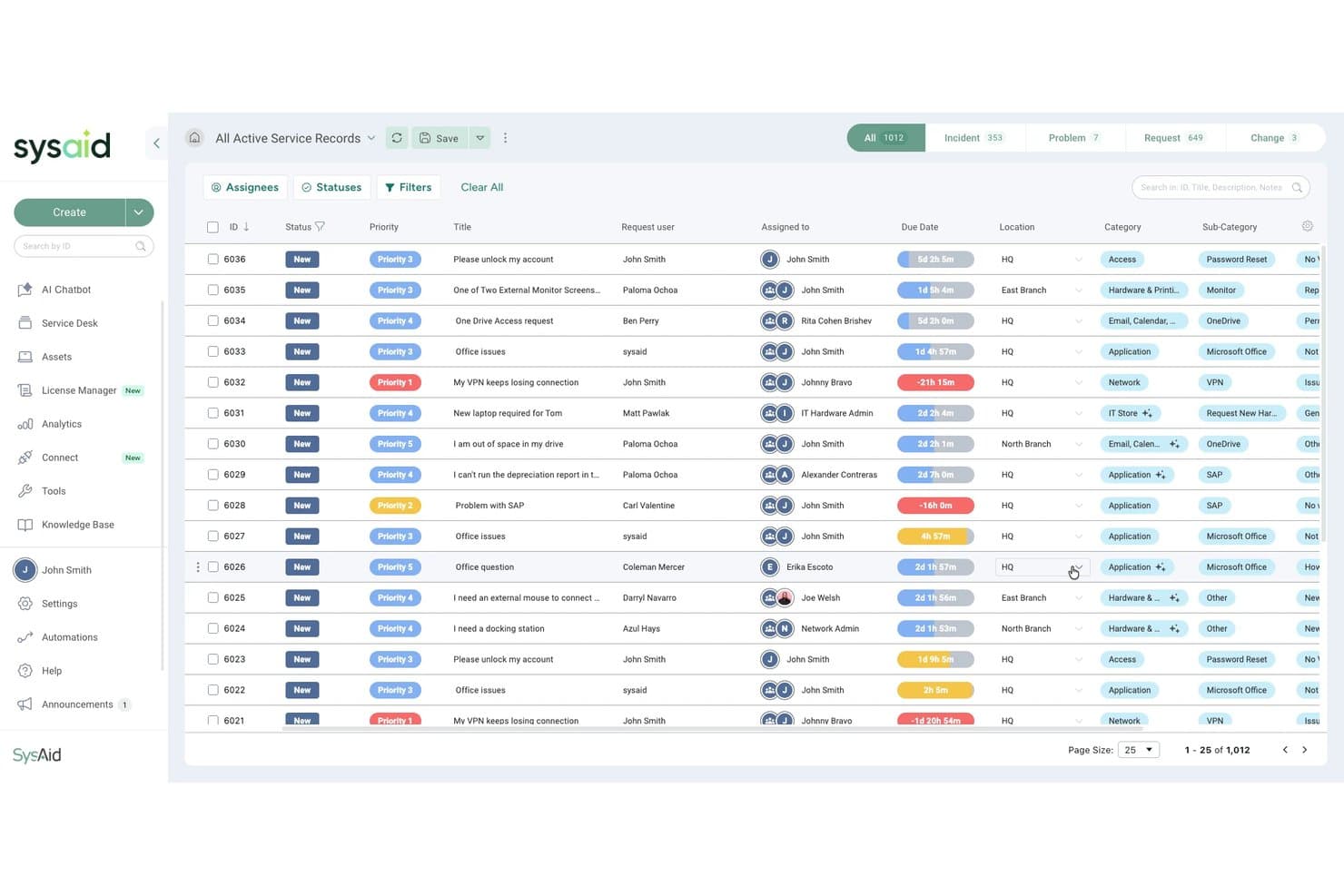
Centralizes ticket creation, assignment, and tracking for IT issues. Automated routing and escalation rules help teams resolve incidents faster.
IT Asset Management
Tracks hardware and software assets across your organization. Links assets to tickets for better context and lifecycle management.
Problem Management
Helps IT teams identify, investigate, and resolve the root causes of recurring incidents. By linking related issues and tracking known errors, it supports long-term service improvements and reduces repeat disruptions.
Workflow Designer
Lets you build custom workflows for ticket approvals, service fulfillment, and process automation. Visual drag-and-drop tools make it easier to automate IT operations without extensive development resources.
Knowledge Management
Provides a searchable portal for FAQs and solutions. Reduces repetitive tickets by empowering users with self-service resources.
Service Catalog Management
Allows users to request IT services from a structured catalog. Standardizes service delivery and improves request visibility.
Reporting & Analytics
Generates real-time dashboards and scheduled reports on ticket trends. Helps IT leaders monitor performance and identify bottlenecks.
Standout Features
SysAid Copilot and AI Agents
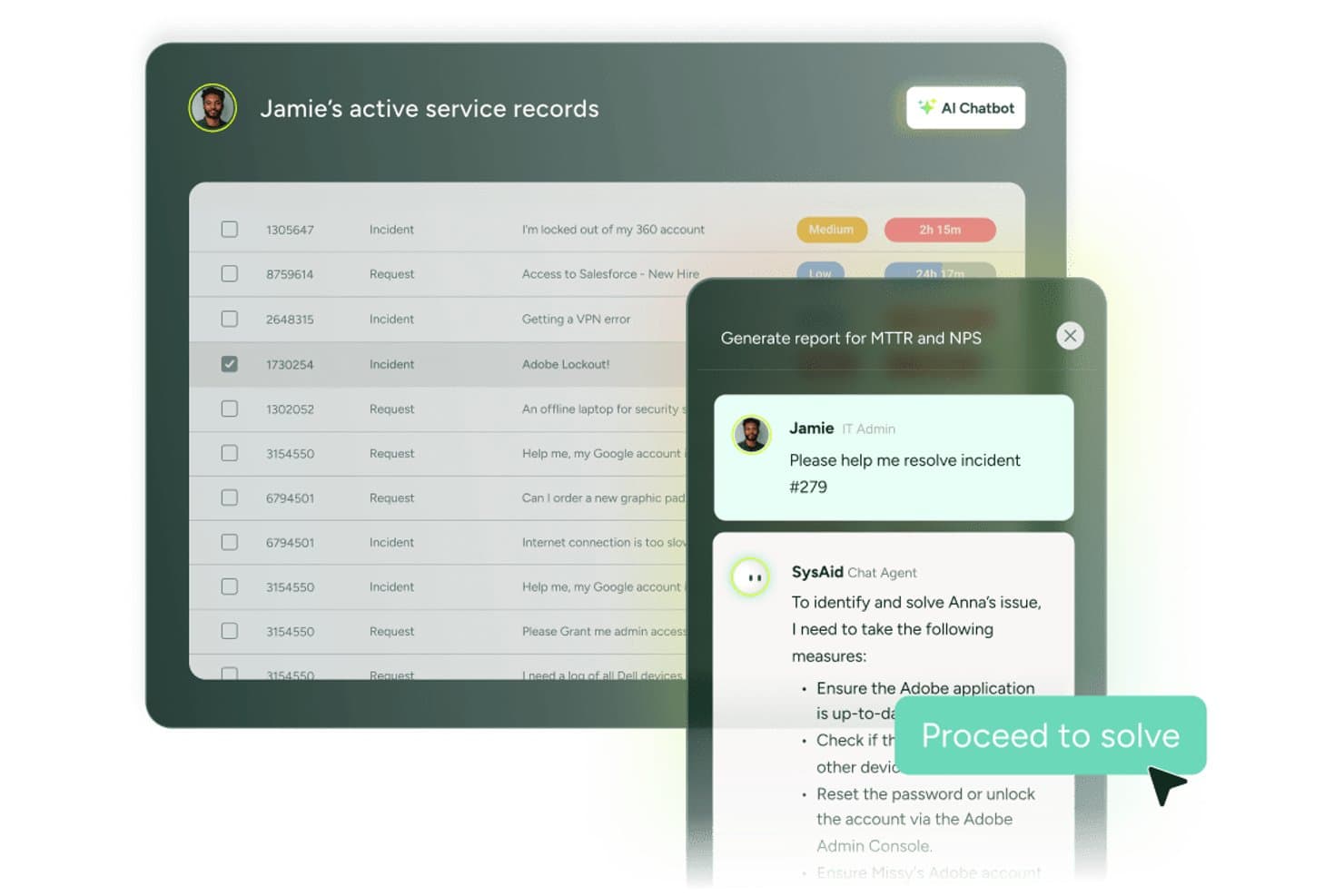
SysAid embeds AI directly into its platform through SysAid Copilot and a library of prebuilt AI agents. These tools are designed to move beyond technician assistance by autonomously resolving incidents, fulfilling requests, triggering workflows, and executing routine service management tasks. Rather than simply surfacing information, SysAid's AI agents are active participants in service delivery, operating within administrator-defined guardrails.
AI Agent Builder
SysAid's AI Agent Builder allows organizations to create and customize AI agents without extensive development resources. IT teams can tailor AI-driven workflows to organization-specific processes, automate routine service tasks, and extend automation beyond SysAid's prebuilt agent library using a no-code approach.
AI Governance and Traceability
SysAid includes governance controls designed to give organizations visibility into AI-driven actions and automated workflows. Administrators can define rules, monitor activity, and maintain traceability over actions performed by AI agents, helping support compliance, accountability, and enterprise AI adoption.
Ease of Use
SysAid balances a broad feature set with tools designed to simplify administration, including visual workflow builders, agentic AI capabilities, and configurable automation. New users may face a learning curve, particularly when setting up workflows, service catalogs, AI agents, and other advanced ITSM processes. However, much of that complexity stems from the platform's flexibility and depth rather than poor usability.
Once configured, SysAid can streamline day-to-day IT operations through automation, asset management, self-service capabilities, and AI agents designed to resolve routine incidents, fulfill requests, and execute workflows with minimal manual intervention. Full governance is built-in, making it easy for administrators to define rules, monitor AI-driven actions, and maintain visibility into automated processes.
Onboarding
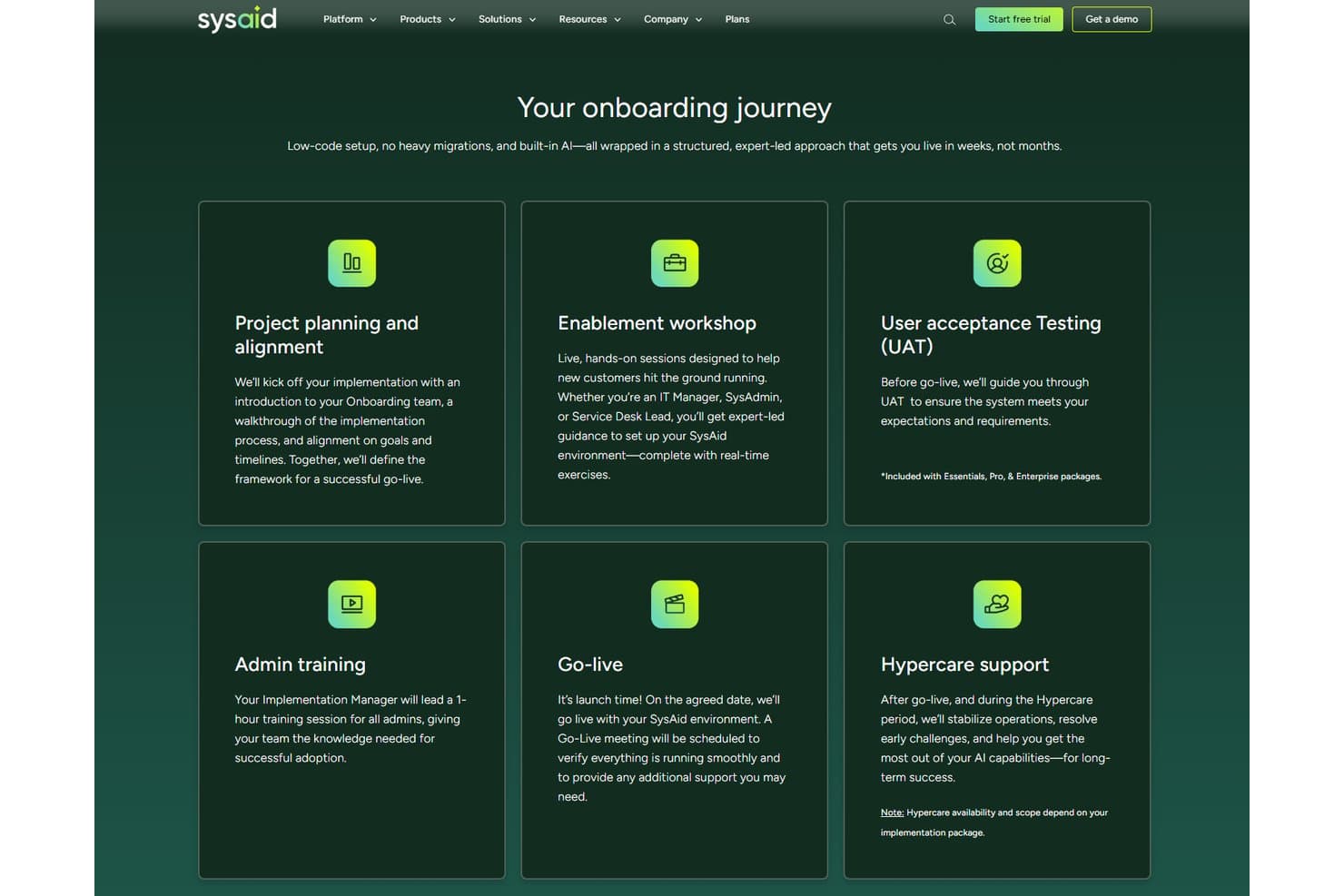
SysAid offers self-guided, guided, and dedicated onboarding options to help organizations get up and running quickly. Depending on your package, SysAid provides implementation support through expert-led workshops, admin training, user acceptance testing (UAT), dedicated project management, and post-launch hypercare services.
While organizations with complex workflows may require additional planning and customization, SysAid's structured onboarding process is designed to accelerate adoption and help teams realize value faster than many traditional ITSM platforms. AI-powered automation and natural language configuration tools can further simplify setup by allowing administrators to customize parts of the platform through conversational prompts.
Customer Support
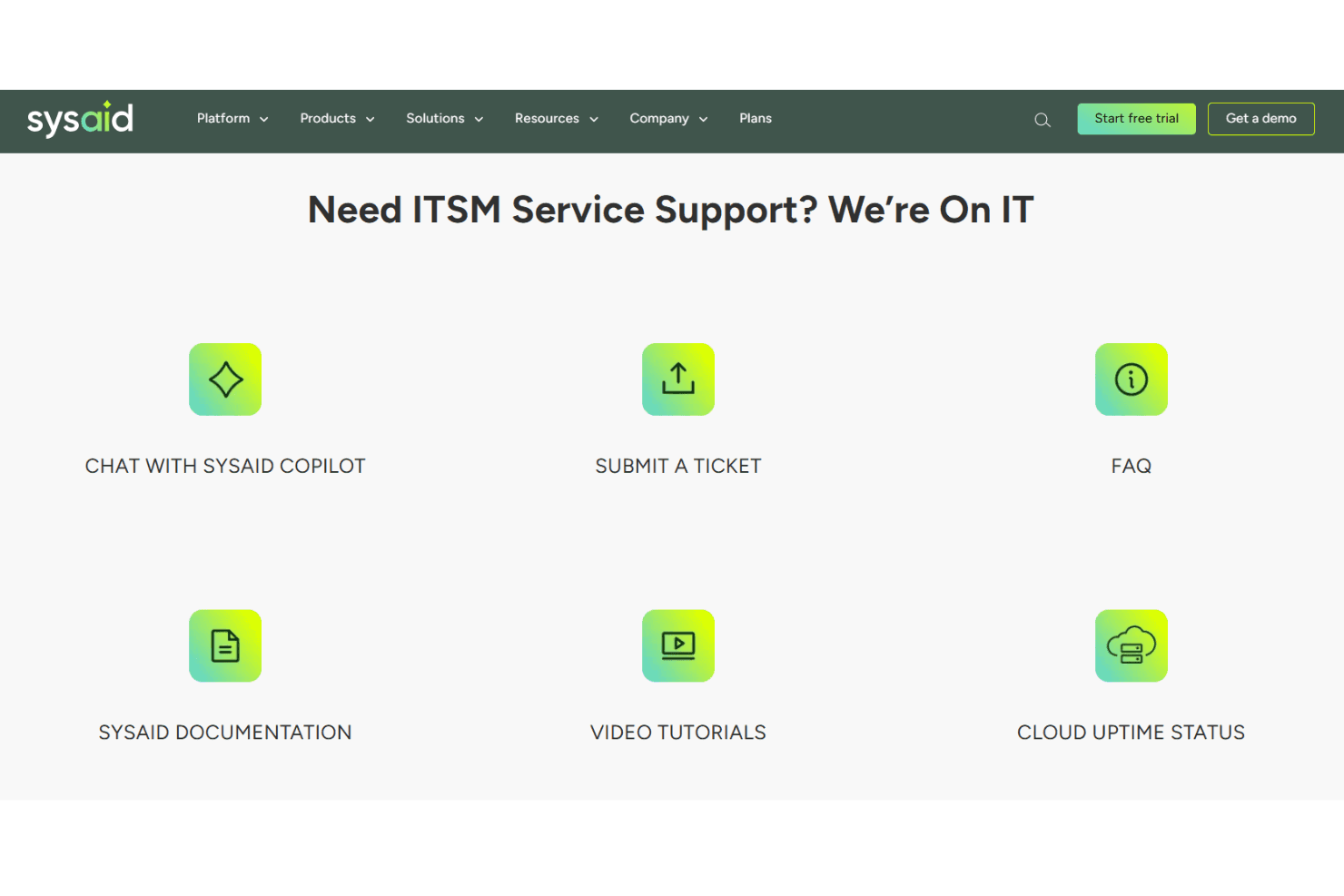
SysAid places a strong emphasis on customer support, offering assistance through multiple channels and backing customers with dedicated onboarding, implementation, and customer success teams. Support options include live chat, email, phone callbacks, WhatsApp support, and 24/7 assistance for priority-one issues. Depending on your plan and eligibility, you may also receive support from dedicated senior engineers and customer success managers.
Integrations
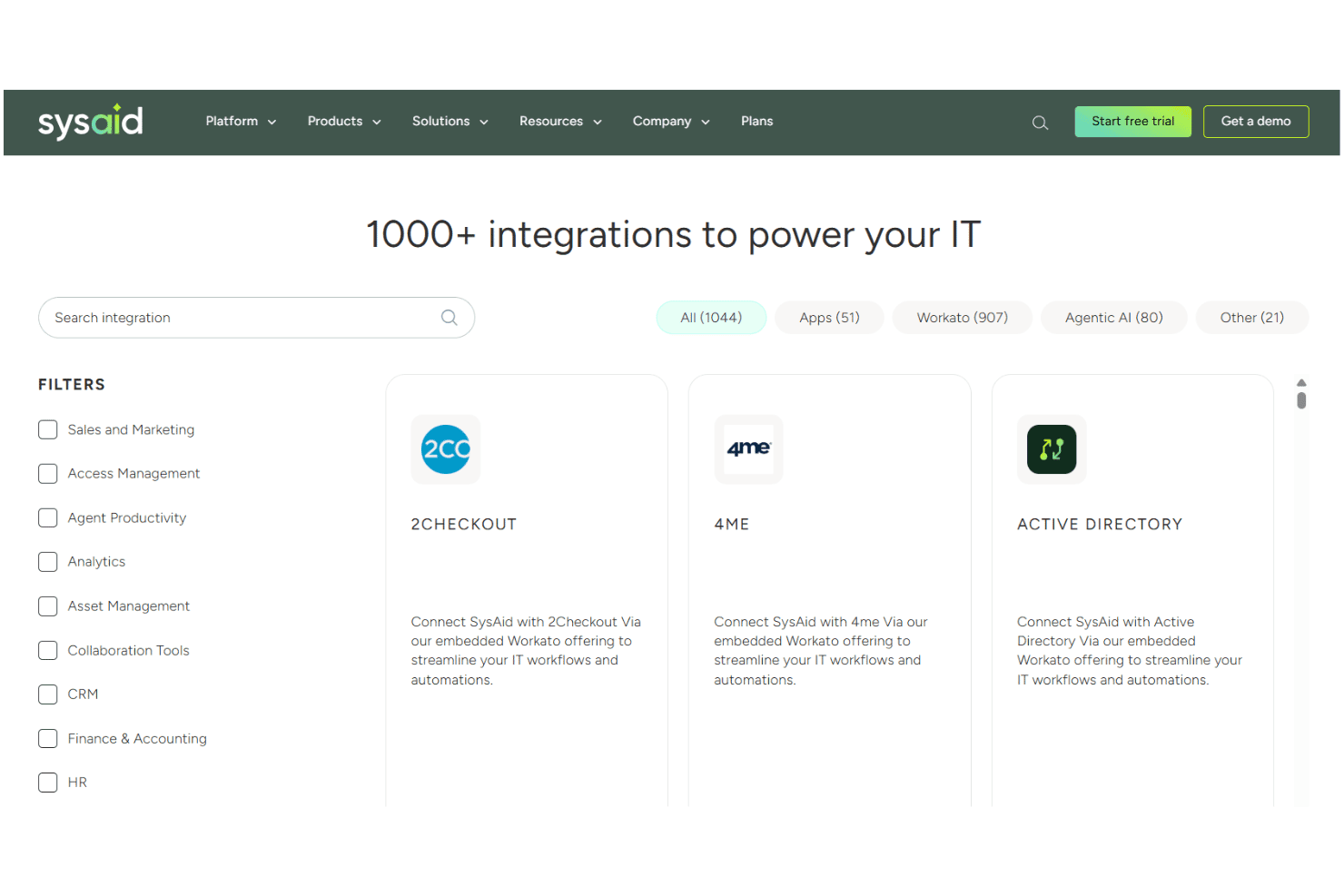
SysAid integrates with Asana, Azure DevOps, Google Workspace, Harvest, HubSpot, Salesforce, Jira, Lansweeper, Microsoft Dynamics, Okta, QuickBooks, Slack, and Trello, among others.
SysAid also offers a modern API and connects with third-party integration tools like Workato and Zapier for custom workflows.
Value for Money
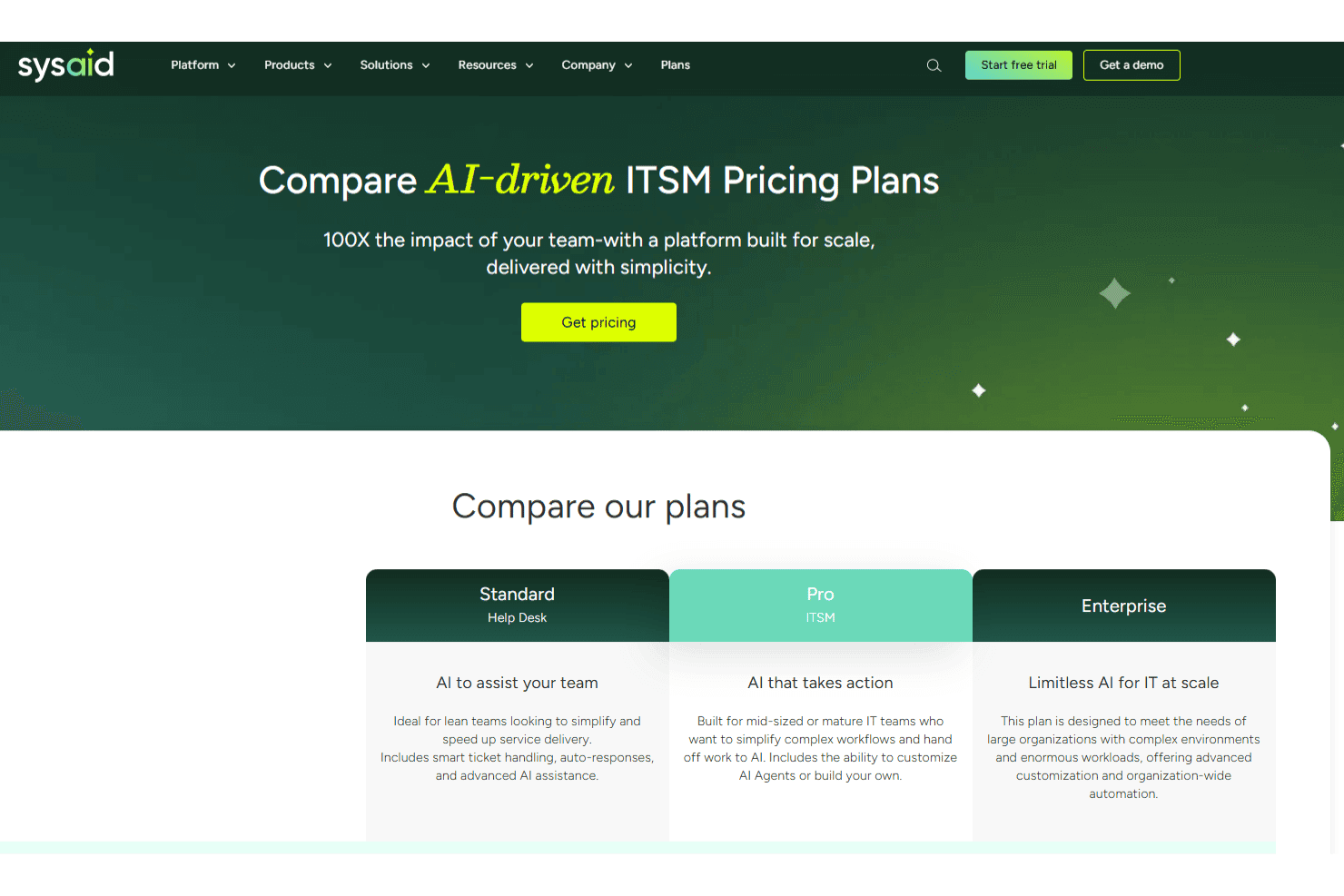
From a value perspective, SysAid bundles capabilities that many competitors charge extra for, including IT asset management, workflow automation, and agentic AI features. Pricing is customized based on factors such as your chosen package, number of users, and the assets you need to manage, helping organizations avoid paying for capabilities they don't require. SysAid also offers both cloud and on-premises deployment options, giving organizations flexibility based on their security and compliance requirements.
- Standard (Help Desk): Help desk-focused plan that includes incident management, asset management, self-service, automation, reporting, and AI-powered chatbot capabilities for end users and agents.
- Pro (ITSM): Full ITSM plan that adds change, problem, and request management, workflow automation, advanced reporting, compliance-focused capabilities, and enhanced support options.
- Enterprise: Advanced AI-driven ITSM plan that includes SysAid Agentic AI, nearly 100 prebuilt AI agents, AI Agent Builder, enterprise-grade support, and additional governance, traceability, and oversight capabilities designed to support enterprise AI adoption.
New Product Updates from SysAid
SysAid Adds Custom Fields for License Manager Contracts
SysAid lets system administrators create custom contract fields that appear across all contract forms in License Manager. The feature supports text, text area, number, date, and list fields for capturing additional contract information. Highlights include:
- Contract Custom Fields: Add organization-specific fields to contracts in License Manager.
- Multiple Field Types: Create Text, Text Area, Number, Date, and List fields.
- Account-Wide Availability: New fields appear on every contract form once created.
- Custom List Values: Define dropdown options for standardized contract data.
- Admin Controls: System administrators can create, rename, update, and delete contract fields.
Visit SysAid’s official site for more details.
 Opens new window
SysAid Adds Bulk Contract Import
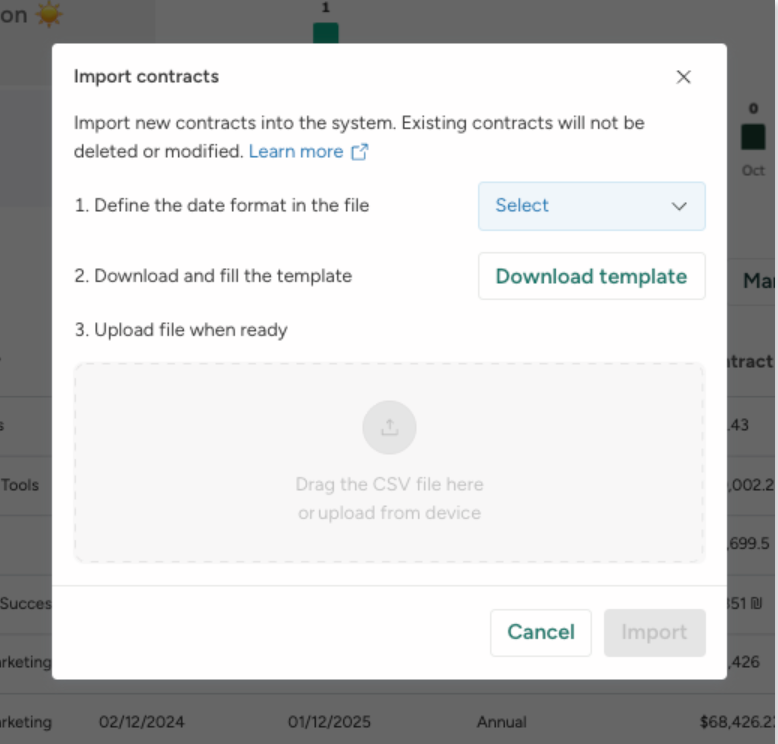
SysAid’s License Manager Essentials now supports bulk contract creation, reducing manual entry and helping admins onboard contract data more quickly and consistently. The new CSV-based workflow adds validation to catch issues before contracts are created. Highlights include:
- Bulk CSV Contract Uploads: Admins can import multiple contracts at once using a CSV template.
- Contract Validation: Uploaded contract entries can be validated before creation to reduce setup errors.
- Faster Contract Setup: Teams can activate and manage contracts more efficiently with less manual work.
Visit SysAid's official site for more details.
 Opens new window
SysAid Mobile App Adds AI Agents and CI Barcode Scanning
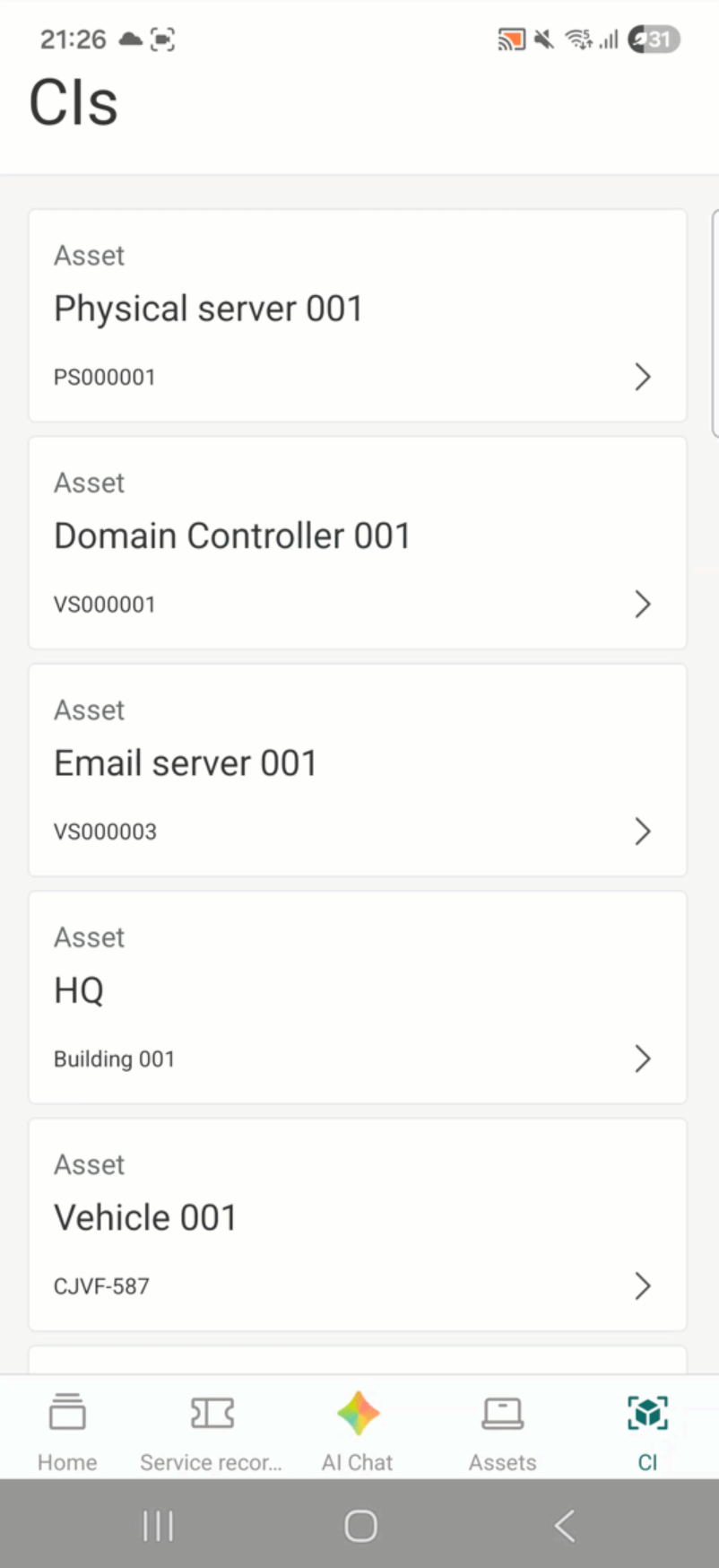
SysAid adds AI Agents, CI barcode scanning, and expanded asset management tools to its mobile app. The updates help IT teams handle service and asset management tasks more easily from mobile devices. Highlights include:
- CI Barcode Scanning: Teams can scan configuration items individually or in bulk directly from the mobile app.
- Mobile AI Agents: Users can access the same AI Agents available on SysAid desktop within the mobile app.
- Asset and CI Management: Teams can search, filter, and edit assets and configuration items directly from mobile.
Visit SysAid’s official site for more details.
 Opens new window
SysAid Adds AI Agent Center and License Manager Chatbot Insights
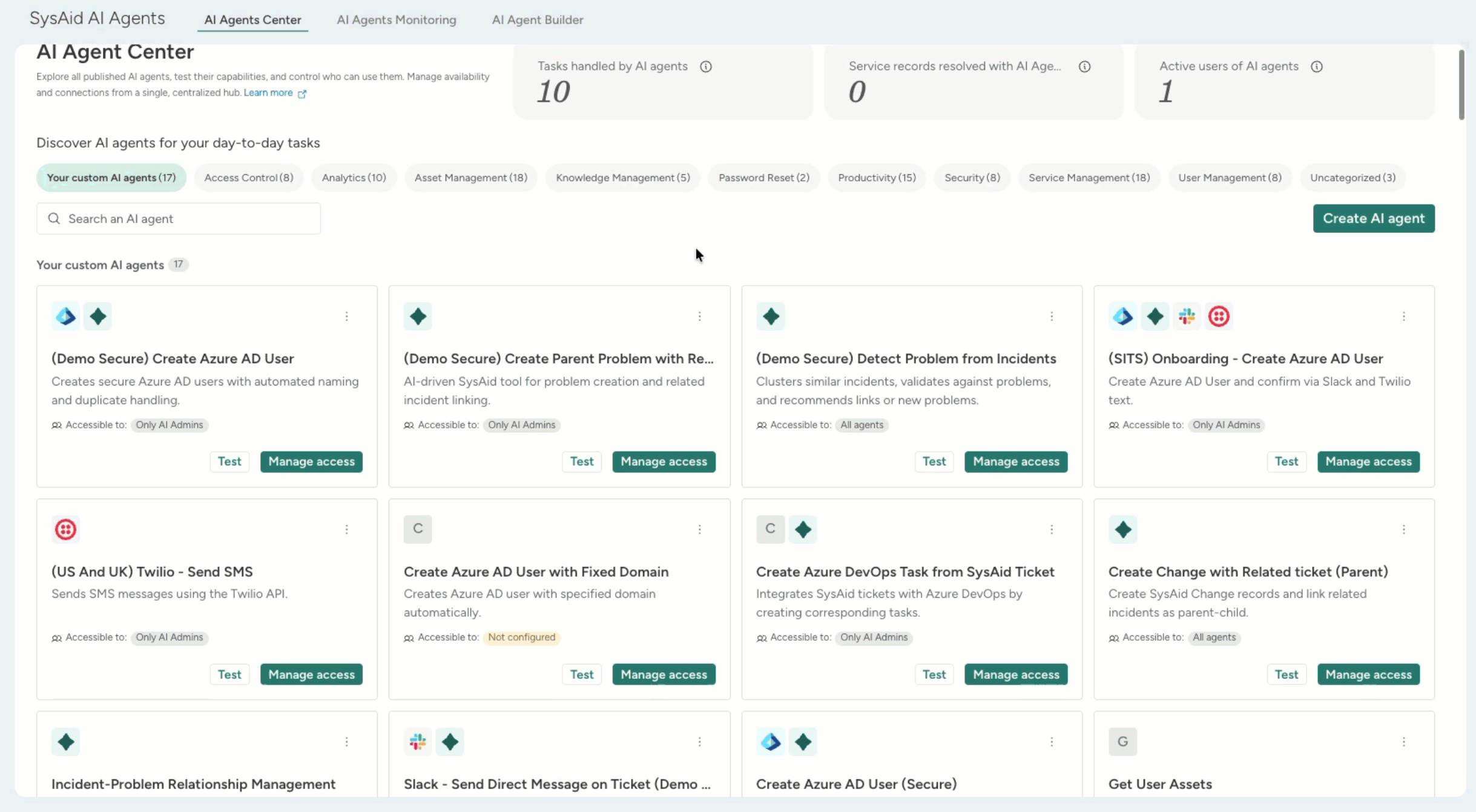
SysAid adds a centralized AI Agent Center and expands the AI Chatbot with License Manager insights and AI agents. These updates help IT teams manage AI-powered workflows and access software and contract information more efficiently. Highlights include:
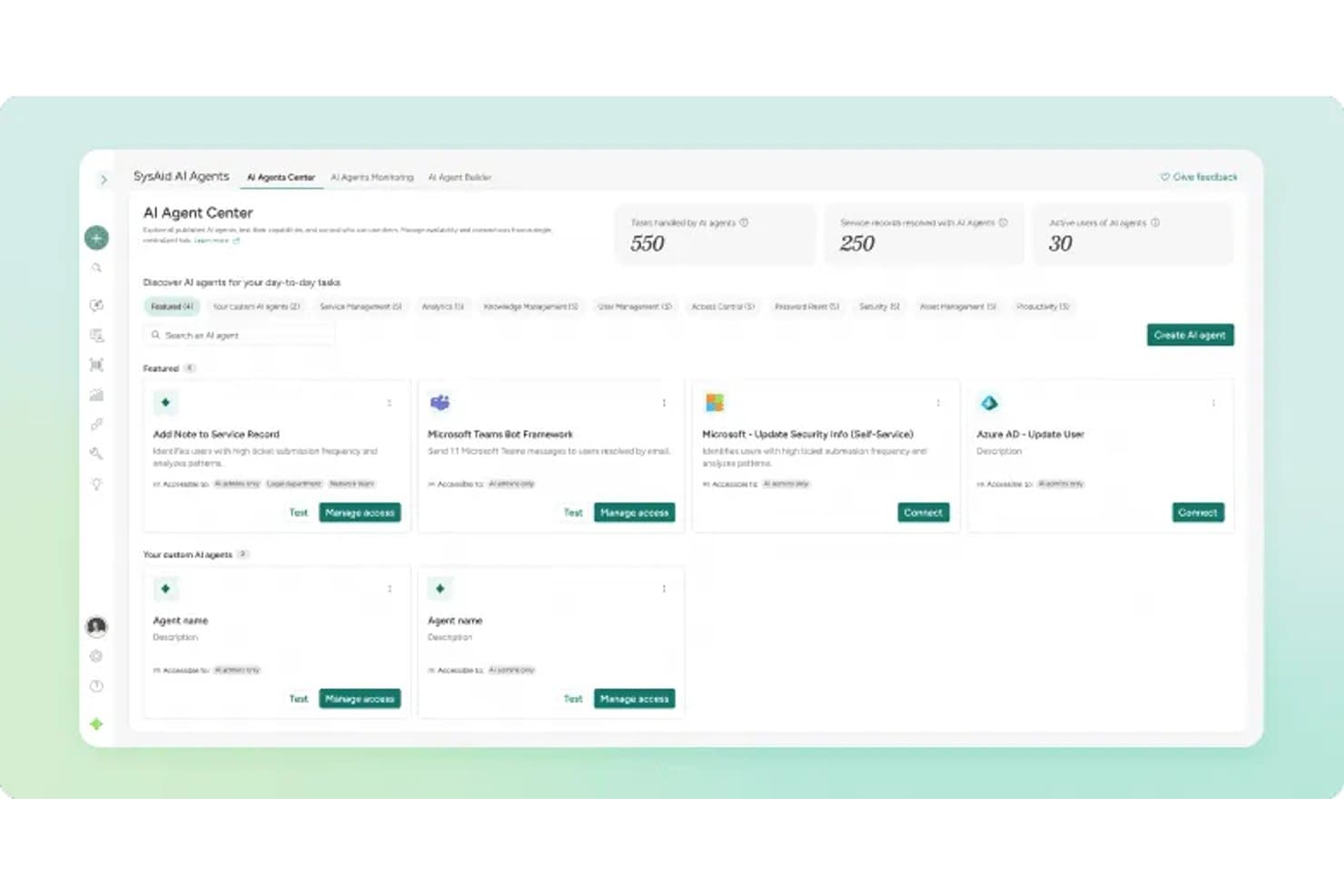
- AI Agent Center: Admins can manage, test, and monitor specialized AI agents across areas like security, asset management, and access control.
- License Manager AI Insights: The AI capabilities now extend into License Manager workflows, enabling teams to surface contract and SaaS intelligence while supporting broader automated asset and license management processes.
- Prebuilt AI Agents: Teams can use AI agents to analyze software usage, activity, and cost insights more quickly.
Visit SysAid’s official site for more details.
SysAid Specs
- 2-Factor Authentication: Yes
- Analytics: Yes
- Anti-Virus: No
- API: Yes
- Batch Permissions & Access: Yes
- Bug Tracking: No
- Call Integration: Yes
- Chat: Yes
- Contact Management: Yes
- CRM Integration: Yes
- Customer Management: Yes
- Data Export: Yes
- Data Import: Yes
- Email Integration: Yes
- Escalation Management: Yes
- External Integrations: Yes
- Incident Management: Yes
- Instant Chat Integration: No
- Knowledge Base: Yes
- Malware Protection: No
- Multi-User: Yes
- Notifications: Yes
- Organization Management: Yes
- Password & Access Management: Yes
- Project Management: Yes
- Real-time Alerts: Yes
- SAP Integration: Yes
- Self-service Portal: Yes
- Social Media Integration: No
- Support Forum: Yes
- Ticket Management: Yes
- Workflow Management: Yes
SysAid FAQs
SysAid Company Overview & History
SysAid Technologies, founded in 2002 by Israel Lifshitz, is headquartered in Tel Aviv, Israel. The company employs around 200-240 people and serves thousands of customers across six continents. SysAid is privately owned and focuses exclusively on IT service management solutions, with no major affiliated products or subsidiaries.
Notable clients include organizations in education, healthcare, manufacturing, and managed services, but specific high-profile names are not publicly listed. In 2024, SysAid reported annual revenue of approximately $20 million.
SysAid Major Milestones
- 2002: Founded by Israel Lifshitz in Tel Aviv, Israel.
- 2002: Initial release of the SysAid ITSM platform.
- 2024: Reached $20 million in annual revenue.
- 2025: Recognized in industry reports for innovation in AI-driven ITSM.
- 2026: Serves customers in over 140 countries with a workforce spanning six continents.