

10 SysAid Alternatives Picked for 2026

SysAid Alternatives Shortlist


A strong SysAid alternative delivers reliable IT service management, flexible workflow customization, and support for complex environments. If you’re searching for alternatives to SysAid, you’re likely looking for tools that can handle your ticketing, automation, and asset management needs—without sacrificing usability or scalability.
With so many ITSM platforms available, it’s tough to know which ones will actually fit your team’s requirements and integrate with your existing systems. This list will help you compare leading SysAid alternatives for 2026, so you can make an informed decision and keep your IT operations running smoothly.
What is SysAid?
SysAid is an IT service management (ITSM) software platform that helps organizations manage IT support requests, automate workflows, and track assets. It offers features like ticketing, self-service portals, and reporting to support IT teams in resolving incidents and maintaining service quality.
SysAid is used by IT departments to centralize support operations, improve response times, and ensure compliance with internal processes and industry standards.
Best Sysaid Alternatives Summary
This comparison chart summarizes pricing details for my top Sysaid alternative selections to help you find the best one for your budget and business needs.
| Tool | Best For | Trial Info | Price | ||
|---|---|---|---|---|---|
| 1 | Best for rapid cloud deployment | 14-day free trial + free demo available | From $19/agent/month (billed annually) | Website | |
| 2 | Best for integrated asset management | 30-day free trial + free demo available | From $39/month | Website | |
| 3 | Best for large-scale enterprise automation | Free demo available | Pricing upon request | Website | |
| 4 | Best for customizable workflow templates | Free trial + free demo available | Pricing upon request | Website | |
| 5 | Best for intuitive user interface design | 30-day free trial available | From $17/user/month | Website | |
| 6 | Best for multi-department service collaboration | 30-day free trial + free demo available | From $76/agent/month | Website | |
| 7 | Best for agile development teams | 7-day free trial + free plan available | From $20/month | Website | |
| 8 | Best for AI-driven incident resolution | Free trial + free demo available | Pricing upon request | Website | |
| 9 | Best for omnichannel support integration | Free trial + free demo available | From $19/agent/month (billed annually) | Website | |
| 10 | Best for proactive issue detection | Free demo available | Pricing upon request | Website |

Why Trust Our Software Reviews
We’ve been testing and reviewing software since 2023. As tech leaders ourselves, we know how critical and difficult it is to make the right decision when selecting software.
We invest in deep research to help our audience make better software purchasing decisions. We’ve tested more than 2,000 tools for different tech use cases and written over 1,000 comprehensive software reviews. Learn how we stay transparent & our software review methodology.
-

Freshservice
Visit WebsiteThis is an aggregated rating for this tool including ratings from Crozdesk users and ratings from other sites.4.6 -
Deel IT
Visit WebsiteThis is an aggregated rating for this tool including ratings from Crozdesk users and ratings from other sites.4.9 -
Cloudflare
Visit WebsiteThis is an aggregated rating for this tool including ratings from Crozdesk users and ratings from other sites.4.5



SysAid Alternatives Reviews
Below are my detailed summaries of the SysAid alternatives that made it onto my shortlist. My reviews offer a detailed look at the features, best use cases, and integrations of each platform to help you find the best one for your IT service management needs.

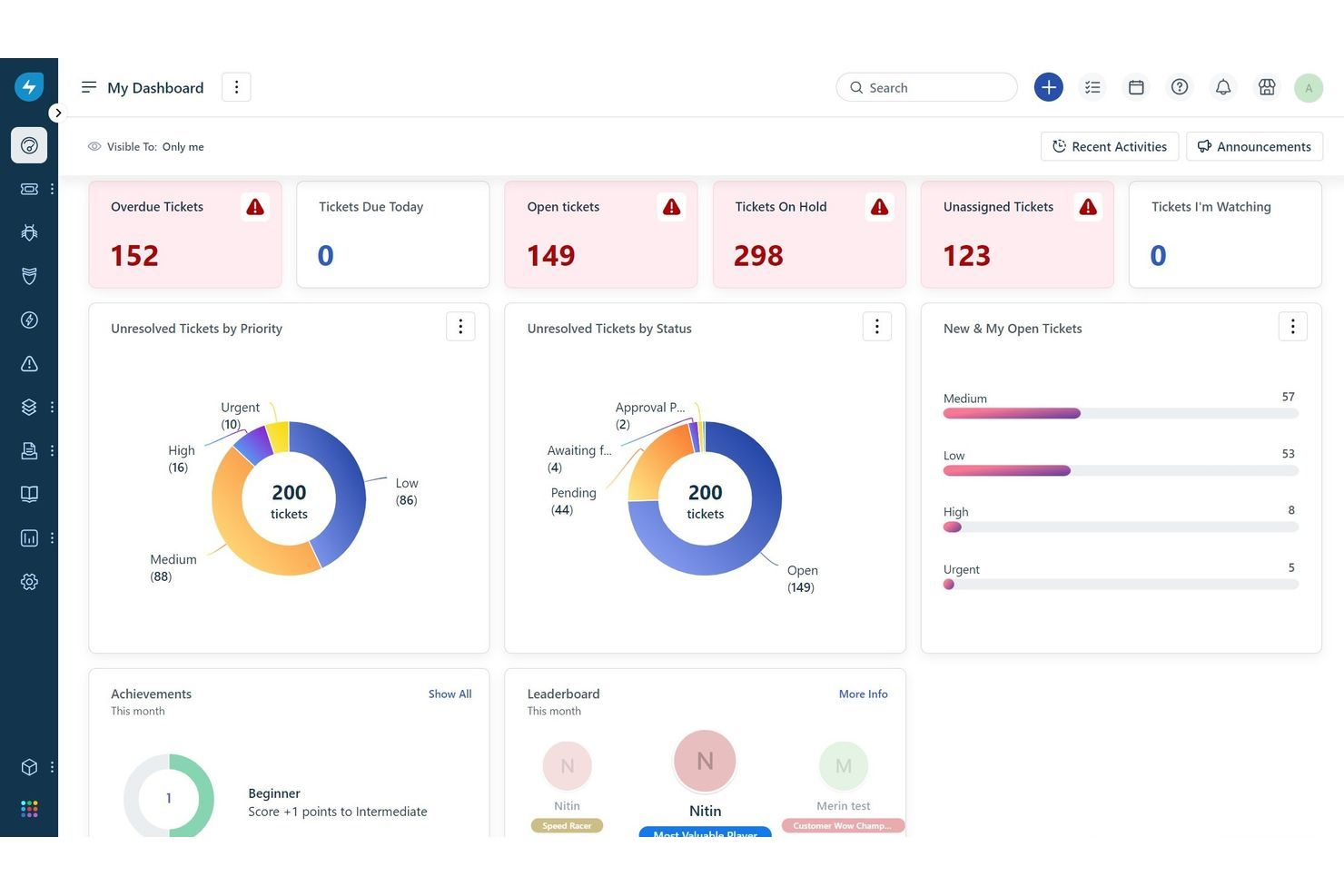
Freshservice stands out for IT teams that need to get up and running in the cloud quickly. It’s a strong fit for organizations looking to modernize their service desk with a cloud-based solution that avoids heavy infrastructure or complex setup. With its rapid deployment and intuitive interface, Freshservice helps you deliver IT support and manage assets with minimal delay compared to SysAid and other legacy tools.
Why Freshservice Is a Good SysAid Alternative
If you need to deploy IT service management software without waiting weeks for setup, Freshservice is worth considering. I picked it because its cloud-native design lets you launch service desks, asset management, and incident tracking almost immediately.
Features like automated ticket routing and pre-built ITIL workflows help you start managing requests and changes right away. For teams that want to avoid the delays and complexity of on-premises solutions like SysAid, Freshservice offers a much faster path to value.
Freshservice Key Features
Some other features that make Freshservice appealing include:
- Service Catalog: Users can request IT and business services from a centralized catalog.
- Change Management: Track, approve, and document changes with built-in workflows.
- Knowledge Base: Build and maintain a searchable repository of solutions and FAQs.
- Mobile App: Manage tickets, assets, and approvals from anywhere using the mobile app.
Freshservice Integrations
Integrations include Microsoft 365, Azure Active Directory, Jira, Slack, Google Workspace, Okta, Salesforce, ServiceNow, and more.
Pros and Cons
Pros:
- Automates ticket assignment
- Provides multi-department employee onboarding
- Built-in arcade for agent gamification
Cons:
- CSS knowledge required for portal branding
- Rigid default ticket status fields
New Product Updates from Freshservice
 Experience)
Freshservice Introduces a Reimagined IT Asset Management (ITAM) Experience
Freshservice introduces a reimagined IT Asset Management (ITAM) experience with continuous infrastructure discovery, dependency mapping, IPAM, and Software License Management. This update helps teams improve asset visibility and manage connected IT environments more effectively. For more information, visit Freshservice’s official site.

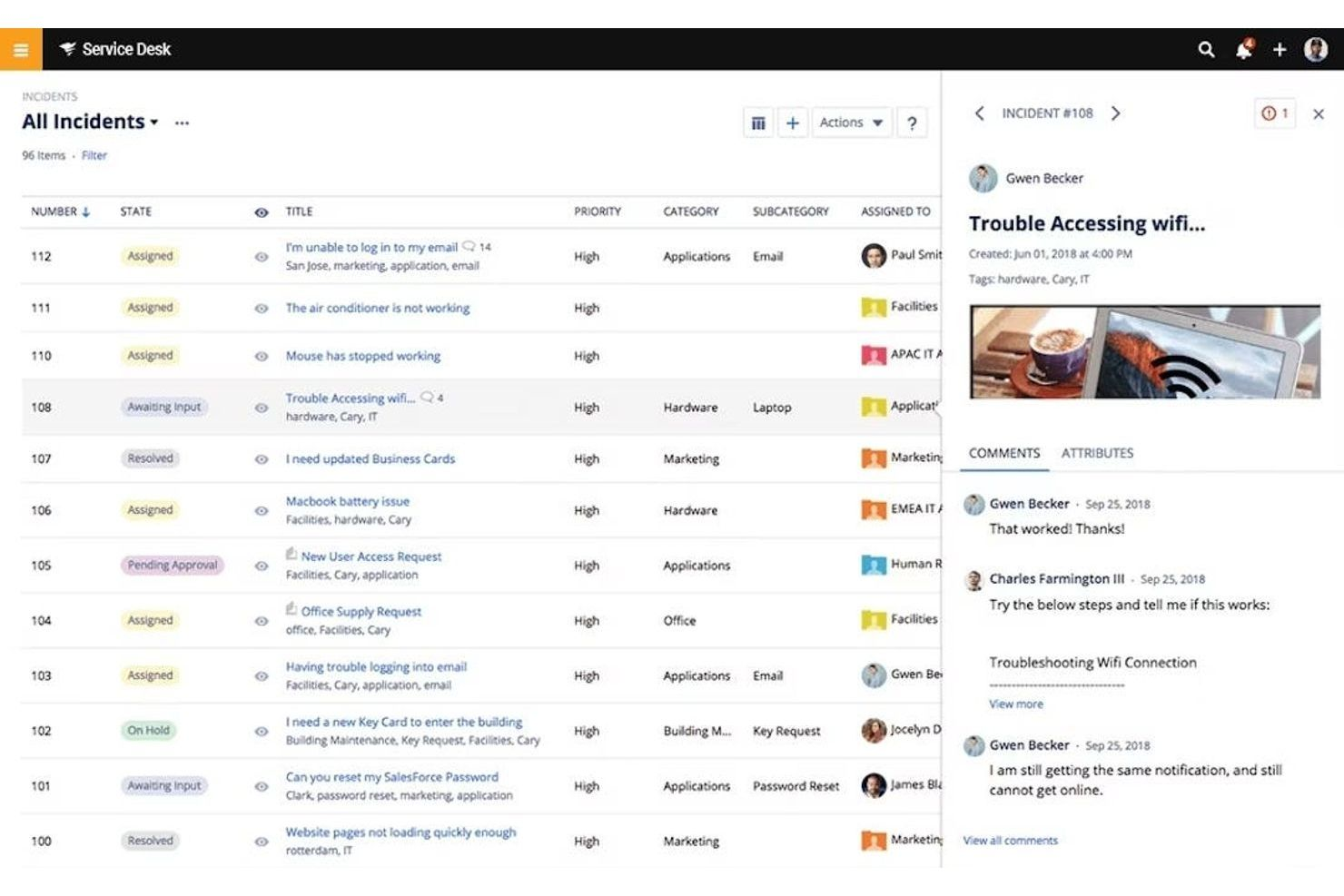
SolarWinds Service Desk brings asset management and service management together in one platform for IT teams that need tight control over hardware and software assets. The tool is a strong fit for organizations that want to track assets throughout their lifecycle while handling incidents, changes, and requests. Unlike SysAid, SolarWinds Service Desk offers native asset discovery and inventory features that help you connect devices, users, and tickets without extra add-ons.
Why SolarWinds Service Desk Is a Good SysAid Alternative
If asset management is a top priority for your IT team, SolarWinds Service Desk offers a more integrated approach than SysAid. I like that you can automatically discover, track, and manage hardware and software assets directly within the same platform you use for service requests. The tool links assets to incidents, changes, and users, so you always have context when resolving tickets.
For organizations that want to reduce manual asset tracking and improve visibility, SolarWinds Service Desk brings these capabilities together in a single system.
SolarWinds Service Desk Key Features
Some other features that make SolarWinds Service Desk appealing include:
- Service Catalog: Create and manage a menu of standardized service offerings for end users.
- Change Management: Track, approve, and document changes to IT systems with built-in workflows.
- Knowledge Base: Build a searchable library of articles to help agents and users resolve issues.
- Incident Management: Log, categorize, and prioritize incidents with automated ticket routing.
SolarWinds Service Desk Integrations
Integrations include Jira, Zendesk, Slack, Microsoft Teams, Zapier, TeamViewer, Dropbox, Microsoft Azure, and more.
Pros and Cons
Pros:
- Integrated risk detection for managed assets
- Automated hardware warranty data retrieval
- Automated hardware warranty data retrieval
Cons:
- Advanced API access requires Premier tier
- Per-device fees increase total ownership cost

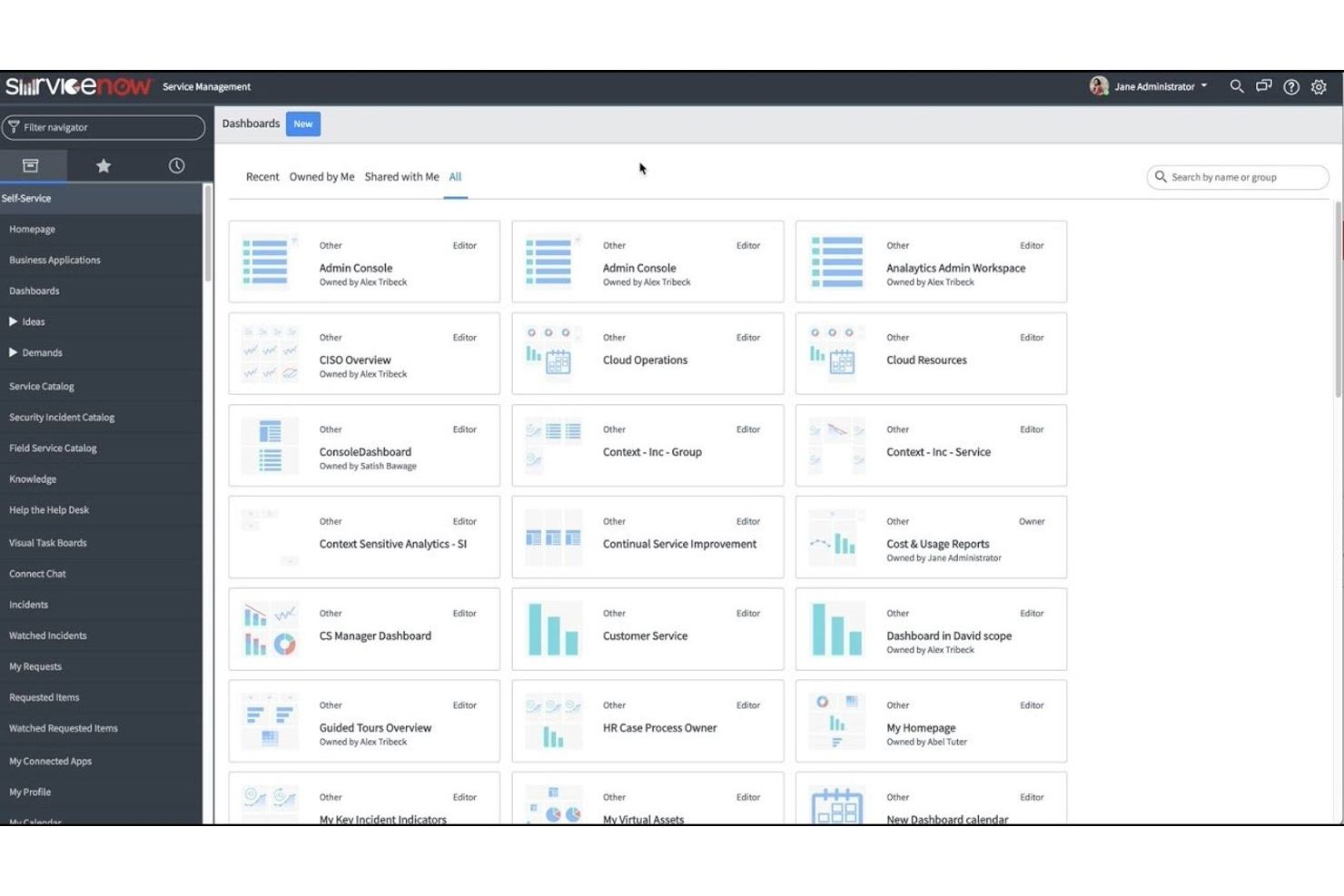
ServiceNow is designed for organizations that need to automate complex IT service management processes at scale. It appeals to large enterprises and IT teams managing high volumes of requests across multiple departments. If you’re looking for advanced workflow automation and deep integration capabilities beyond what SysAid offers, ServiceNow stands out.
Why ServiceNow Is a Good SysAid Alternative
When I look for a solution that can handle large-scale enterprise automation, ServiceNow stands out for its advanced orchestration and workflow automation capabilities. The platform lets you automate complex IT processes and notifications across departments, reducing manual intervention and improving consistency.
Its service catalog and incident management modules are built to support high-volume, multi-team environments. If your organization needs to standardize and automate ITSM at scale, ServiceNow offers the depth and flexibility SysAid may lack.
ServiceNow Key Features
Some other features in ServiceNow that IT teams may find useful include:
- Change Management: Track, approve, and document changes to IT systems with configurable workflows.
- Knowledge Base: Create and maintain a searchable repository of articles and solutions for both end users and support staff.
- Virtual Agent: Use AI-powered chatbots to handle routine IT support requests and provide instant answers.
- Service Level Management: Define, monitor, and report on service level agreements (SLAs) to ensure IT support meets business expectations.
ServiceNow Integrations
Integrations include Microsoft Teams, Slack, Salesforce, Box, Zoom, and Okta.
Pros and Cons
Pros:
- Provides a highly configurable service catalog
- Offers advanced automation
- Handles multi-department IT workflows
Cons:
- Pricing is not transparent
- Requires significant setup time

Best for customizable workflow templates
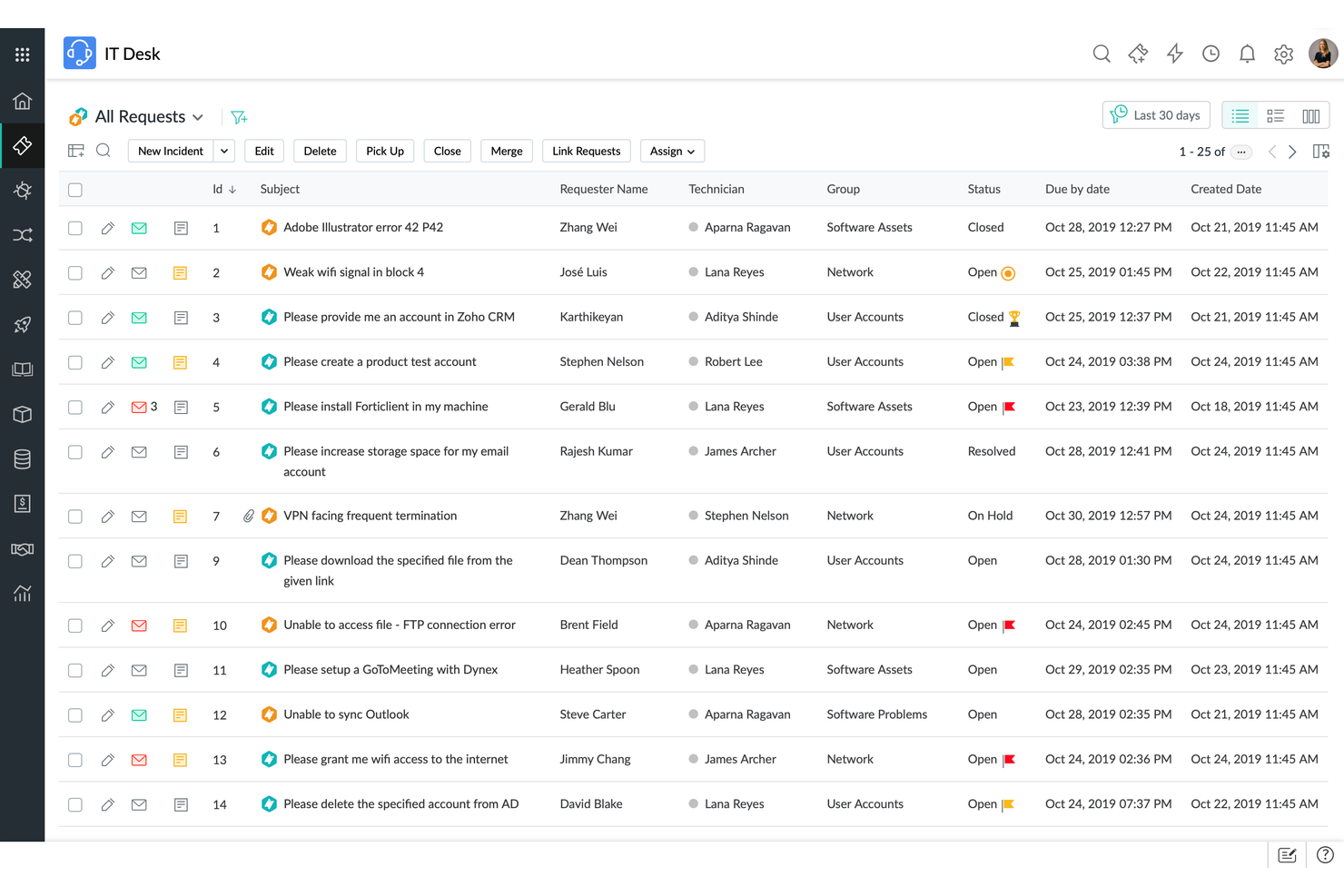
ManageEngine ServiceDesk Plus is a go-to option for IT teams looking for flexible process design. The platform is especially useful for organizations that need to tailor IT workflows to fit unique requirements. If you want more control over workflow templates than SysAid provides, ServiceDesk Plus offers extensive customization options.
Why ManageEngine ServiceDesk Plus Is a Good SysAid Alternative
For teams that need to design IT processes around their own requirements, ManageEngine ServiceDesk Plus offers a level of workflow customization that’s hard to match. I like that you can build and modify workflow templates for incident, service request, and change management without heavy scripting.
The visual workflow builder lets you map out steps, approvals, and automations to fit your organization’s structure. If you want more flexibility than SysAid provides for tailoring ITSM processes, ServiceDesk Plus is a strong choice.
ManageEngine ServiceDesk Plus Key Features
Some other features that stand out in ManageEngine ServiceDesk Plus include:
- Asset Management: Track hardware and software assets throughout their lifecycle with built-in inventory tools.
- Self-Service Portal: Allow end users to submit tickets, search knowledge articles, and check ticket status from a centralized portal.
- SLA Management: Set up and monitor service level agreements to ensure timely resolution of IT issues.
- CMDB (Configuration Management Database): Maintain a detailed database of IT assets and their relationships to support impact analysis and change planning.
ManageEngine ServiceDesk Plus Integrations
Integrations include Microsoft Outlook, Microsoft 365, Jira, Microsoft Teams, and more.
Pros and Cons
Pros:
- Self-service portal supports ticket submission
- Includes built-in inventory tracking tools
- Customizable workflow automation templates
Cons:
- Limited integration options
- Reporting customization is limited


InvGate Service Management is worth considering if you’re looking for IT service management software with a focus on usability. Its interface is designed for clarity and easy navigation, making it a strong fit for teams that want to reduce training time and user frustration. InvGate Service Management stands apart from SysAid by prioritizing ease of use and a visually intuitive experience for both agents and end users.
Why InvGate Service Management Is a Good SysAid Alternative
What sets InvGate Service Management apart is its focus on a visually clear and organized interface, which can make a real difference for IT teams handling high ticket volumes. I picked it because features like customizable dashboards and drag-and-drop workflow design help teams quickly adapt the platform to their processes.
The tool also offers a unified portal for both agents and end users, reducing confusion and streamlining communication. For organizations that want to minimize onboarding time and support requests related to navigation, InvGate Service Management offers a user experience that stands out from SysAid.
InvGate Service Management Key Features
Some other features that make InvGate Service Management appealing include:
- Incident Management: Track, categorize, and resolve IT incidents through a structured ticketing system.
- Knowledge Base: Build and maintain a searchable library of articles for both agents and end users.
- SLA Management: Set, monitor, and enforce service level agreements to ensure timely ticket resolution.
- Asset Management: Link IT assets to tickets and monitor asset status directly within the platform.
InvGate Service Management Integrations
Integrations include Microsoft Teams, Office 365, OpenAI, Google Workspace, Outlook, and Okta.
Pros and Cons
Pros:
- Integrated ITAM with automated warranty tracking
- Drag-and-drop visual process workflow designer
- User-friendly interface design
Cons:
- Lacks real-time refresh capabilities
- Complicated database schema architecture
New Product Updates from InvGate Service Management
InvGate Adds KB Article Creation and PDF Indexing for AI Search
InvGate Service Management adds KB article creation shortcuts and AI indexing for PDF attachments in KB articles. The updates help teams improve knowledge coverage and make more support content searchable through AI features. For more information, visit InvGate Service Management’s official site.
 .
.
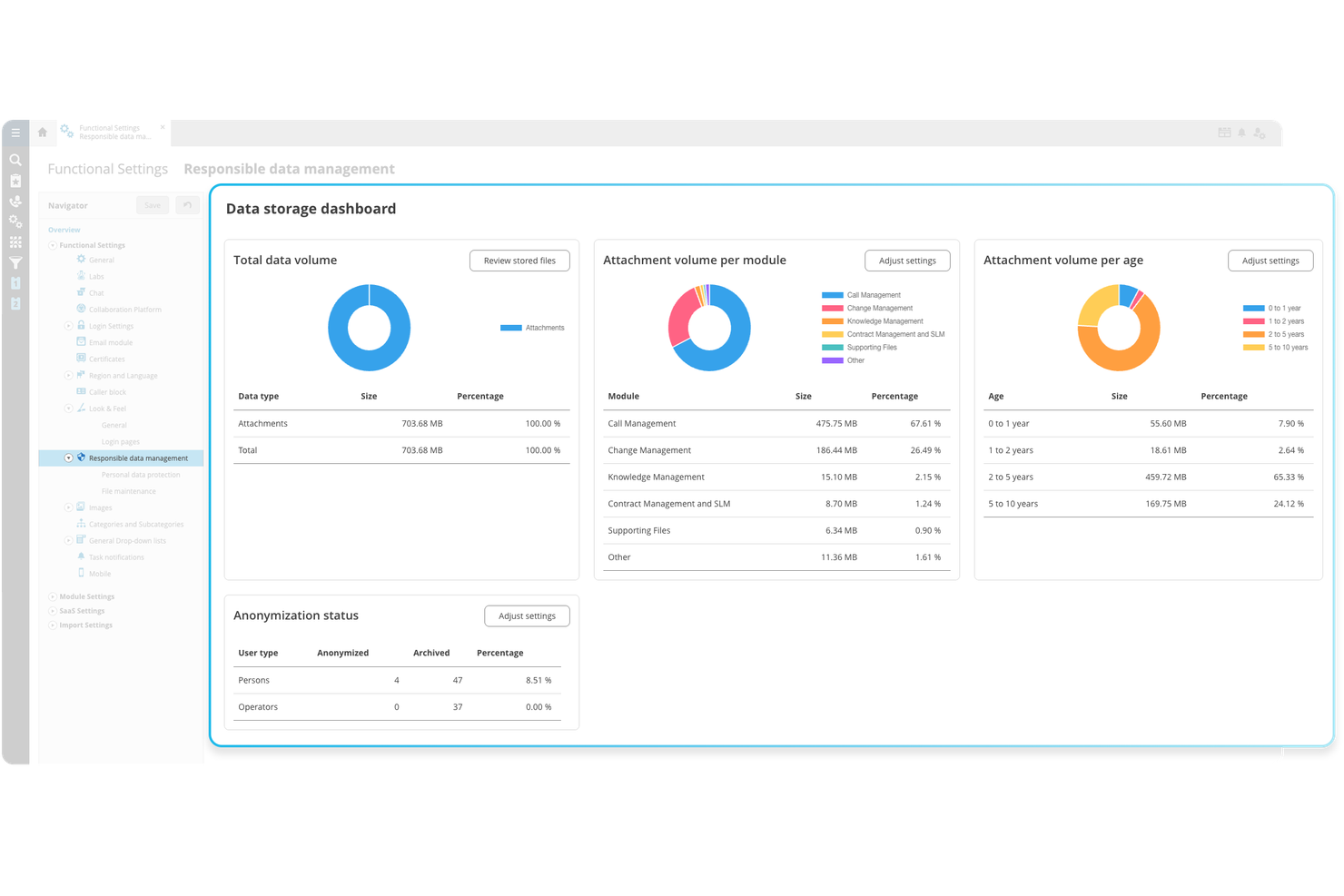
TOPdesk is worth a look if your organization needs to coordinate IT, facilities, and HR support from a single platform. The tool is designed for groups that want to break down silos and manage service requests across multiple departments. Unlike SysAid, TOPdesk emphasizes cross-team collaboration and shared workflows to deliver a unified service experience.
Why TOPdesk Is a Good SysAid Alternative
When you need to manage service delivery across IT, facilities, and HR, TOPdesk stands out for its multi-department collaboration capabilities. I appreciate how you can set up shared service desks, allowing different teams to handle requests from a single interface while keeping responsibilities clear.
The platform’s workflow engine supports cross-department ticket routing and escalation, so nothing falls through the cracks. If your organization wants to unify service management beyond just IT, TOPdesk offers features that SysAid doesn’t match.
TOPdesk Key Features
Some other features that make TOPdesk appealing include:
- Knowledge Base: Build and maintain a searchable library of articles for end users and agents.
- Change Management: Plan, track, and document changes to IT systems with approval workflows.
- Asset Management: Monitor hardware and software assets with integrated inventory tracking.
- Self-Service Portal: Let users submit requests, track progress, and find solutions independently.
TOPdesk Integrations
Integrations include Microsoft Entra ID, Docusign, Jira, Lansweeper, Bird, and more.
Pros and Cons
Pros:
- Includes approval and documentation workflows
- Built-in knowledge base for agents and users
- Allows detailed process automation and routing
Cons:
- Dated user interface
- Basic reporting and analytics options

Jira Service Management is designed for IT teams that work closely with software development and agile practices. It’s especially useful for organizations that need to connect service requests, incidents, and changes directly with development workflows. Unlike SysAid, Jira Service Management lets you link IT operations and development tasks in one place, making it easier to manage issues from report to resolution.
Why Jira Service Management Is a Good SysAid Alternative
For IT teams that follow agile methodologies or work closely with development, Jira Service Management offers a unique advantage over SysAid. I appreciate how you can connect service requests, incidents, and changes directly to development issues within the same platform.
Features like customizable workflows and real-time collaboration between IT and development teams help you resolve problems faster and keep projects moving. If your organization needs tight alignment between IT operations and software development, Jira Service Management is built for that purpose.
Jira Service Management Key Features
Some other features that make Jira Service Management appealing include:
- Self-Service Portal: End users can submit and track requests through a customizable portal.
- SLA Management: Set, monitor, and report on service level agreements for tickets.
- Asset and Configuration Management: Track IT assets and configuration items within the same platform.
- Automation Rules: Build custom automation for repetitive tasks and ticket handling.
Jira Service Management Integrations
Integrations include Slack, Microsoft Teams, Bitbucket Pipelines, Jenkins, CircleCI, and more.
Pros and Cons
Pros:
- Open DevOps toolchain integration capabilities
- Native link to Jira Software tasks
- Includes SLA management
Cons:
- Complex initial permissions and scheme configuration
- Knowledge base requires a separate license
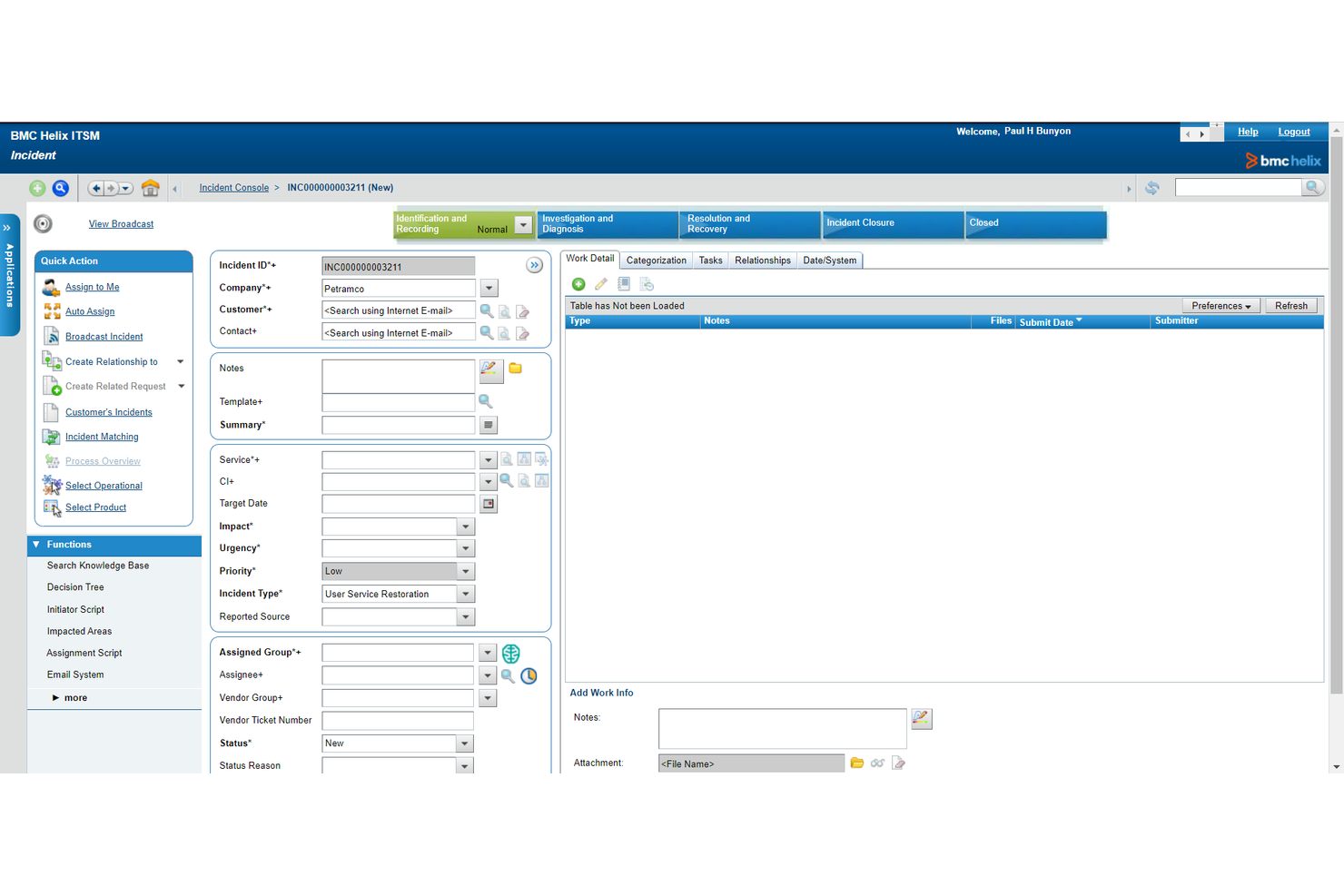
BMC Helix ITSM brings advanced AI capabilities to IT service management, making it a strong choice for organizations focused on automating incident resolution. It’s especially useful for large enterprises or IT teams that need to reduce manual intervention and accelerate response times. With features like predictive analytics and intelligent ticket routing, BMC Helix ITSM addresses complex service environments where traditional tools like SysAid may fall short.
Why BMC Helix ITSM Is a Good SysAid Alternative
For IT teams looking to automate and accelerate incident resolution, BMC Helix ITSM offers a distinct advantage with its AI-driven approach. I picked it because its embedded AI can predict, categorize, and even resolve incidents without manual intervention.
The tool’s intelligent ticket routing and predictive analytics help IT departments handle high volumes of requests with greater speed and accuracy. If you need to reduce downtime and free up your team from repetitive tasks, BMC Helix ITSM brings automation that SysAid doesn’t match.
BMC Helix ITSM Key Features
Some other features that make BMC Helix ITSM appealing include:
- Service Request Management: Users can submit, track, and manage service requests through a centralized portal.
- Change Management: Built-in workflows help teams plan, approve, and document changes across IT environments.
- Asset Management: Track hardware and software assets throughout their lifecycle with integrated asset tracking tools.
- Knowledge Management: Create and maintain a searchable knowledge base for faster issue resolution and self-service support.
BMC Helix ITSM Integrations
Integrations include Microsoft 365, Azure Active Directory, Okta, and more.
Pros and Cons
Pros:
- Deployment flexibility across on-premise/SaaS
- Industry-leading multi-cloud service brokering
- Native AIOps predictive incident correlation
Cons:
- Steep learning curve
- High technical barrier for customization


Zendesk is a popular choice for IT teams that need to manage support across multiple channels. The platform is a strong fit for organizations that want to unify email, chat, phone, and self-service into a single IT service management workflow. Unlike SysAid, Zendesk makes it easy to track and resolve tickets from any channel without switching tools.
Why Zendesk Is a Good SysAid Alternative
For IT teams that need to support users across multiple channels, Zendesk offers a unified approach that stands out from SysAid. I picked Zendesk because it lets you manage tickets from email, chat, phone, and social media all in one place, so nothing falls through the cracks.
Its built-in workflow automation helps route and prioritize requests no matter where they originate. If your organization values consistent, connected support experiences, Zendesk’s omnichannel capabilities are a strong fit.
Zendesk Key Features
Some other features that make Zendesk a strong option for IT service management include:
- Customizable Ticket Forms: Create tailored forms to capture the right information for different types of IT requests.
- Knowledge Base Management: Build and maintain a searchable library of articles and FAQs for end users.
- SLA Management: Set, track, and report on service level agreements to ensure timely resolution of tickets.
- Incident and Problem Management: Log, categorize, and track incidents and problems to support ITIL-aligned processes.
Zendesk Integrations
Integrations include Salesforce, Jira, Slack, and more.
Pros and Cons
Pros:
- Provides ITIL-aligned modules
- Supports various third-party applications
- Unified omnichannel agent workspace interface
Cons:
- Basic asset management features
- High per-agent cost for Enterprise features

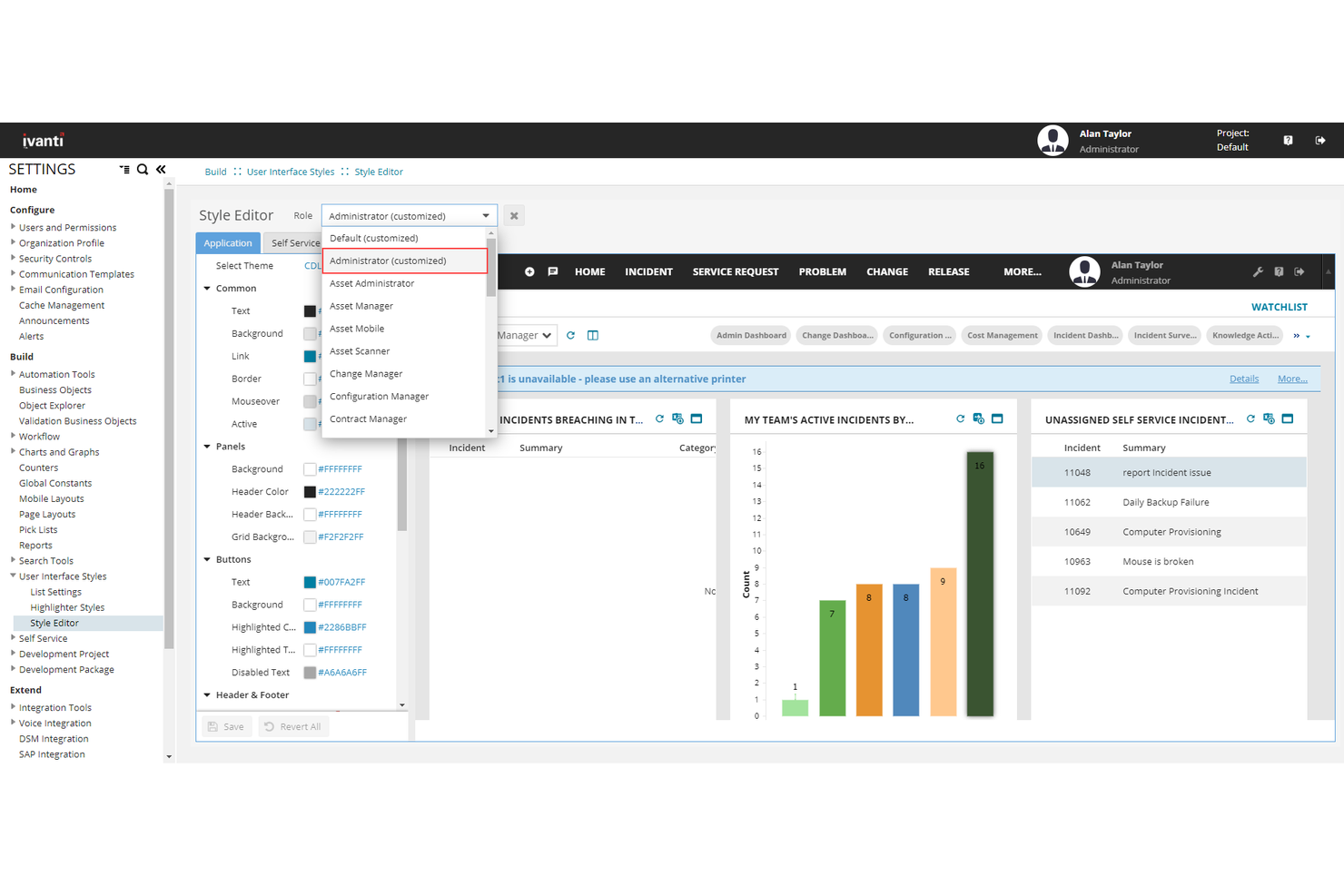
Ivanti Neurons for ITSM stands out for IT teams that want to catch and resolve issues before they disrupt business operations. Its proactive monitoring and automation features are especially useful for organizations with distributed IT infrastructure or remote workforces. If you’re looking for IT service management software that goes beyond reactive ticketing, Ivanti Neurons offers real-time detection and self-healing capabilities that SysAid and many others don’t provide.
Why Ivanti Neurons for ITSM Is a Good SysAid Alternative
Unlike many ITSM software, Ivanti Neurons for ITSM focuses on identifying and resolving issues before they impact users. I picked it because its proactive issue detection uses automation bots to monitor endpoints and trigger self-healing actions.
The platform’s real-time analytics and automated remediation help IT teams prevent incidents rather than just respond to them. For organizations that want to minimize downtime and reduce manual intervention, Ivanti Neurons offers a level of automation that SysAid doesn’t match.
Ivanti Neurons for ITSM Features
Some other features that make Ivanti Neurons for ITSM appealing include:
- Service Catalog: Users can request IT services and track fulfillment through a centralized portal.
- Change Management: Built-in workflows help teams plan, approve, and document IT changes.
- Knowledge Management: Maintain a searchable knowledge base to support self-service and faster resolution.
- Asset Discovery: Automatically identify and inventory devices across your network for better visibility.
Ivanti Neurons for ITSM Integrations
Integrations include Salesforce, Jira, Microsoft Teams, CrowdStrike Falcon, ServiceNow, and more.
Pros and Cons
Pros:
- Native unified endpoint and security management
- Automation bots can resolve common problems
- Proactive issue detection
Cons:
- Portal customization requires heavy coding
- Search functionality lacks consistent indexing accuracy
Other SysAid Alternatives
Here are some additional SysAid alternatives that didn’t make it onto my shortlist, but are still worth checking out:
- SymphonyAI IT Service Management
For advanced analytics capabilities
- OneDesk
For combined project and ticket management
- Intercom
For conversational support workflows
- ProProfs Help Desk
For simplified ticket routing
- HubSpot Service Hub
For integrated customer feedback tools
- SmartSuite
For customizable automation rules
- NinjaOne
For unified endpoint management
- Freshdesk
For collaborative team inboxes
- Zluri
For SaaS application governance
- Atera
For all-in-one remote monitoring
- Livechat
For real-time chat integrations


SysAid Alternatives Selection Criteria
When selecting the best SysAid alternatives to include in this list, I considered common buyer needs and pain points related to IT service management software products, like managing high ticket volumes and integrating support with project work. I also used the following framework to keep my evaluation structured and fair:
Core Functionality (25% of total score)
To be considered for inclusion in this list, each solution had to fulfill these common use cases:
- Logging and tracking IT support tickets
- Assigning and escalating incidents to team members
- Managing a knowledge base for self-service
- Monitoring service level agreements
- Reporting on ticket status and resolution times
Additional Standout Features (25% of total score)
To help further narrow down the competition, I also looked for unique features, such as:
- Built-in project management tools
- Automated workflow and routing rules
- Customizable intake forms and fields
- Integrated asset management capabilities
- Customer-facing web portals
Usability (10% of total score)
To get a sense of the usability of each system, I considered the following:
- Clean and intuitive user interface
- Logical navigation between modules
- Minimal clicks to complete common tasks
- Responsive design for different devices
- Clear labeling and helpful tooltips
Onboarding (10% of total score)
To evaluate the onboarding experience for each platform, I considered the following:
- Availability of step-by-step product tours
- Access to training videos and documentation
- Pre-built templates for common workflows
- Guided setup wizards for initial configuration
- Live chat or onboarding webinars
Customer Support (10% of total score)
To assess each software provider’s customer support services, I considered the following:
- 24/7 support availability
- Multiple support channels like chat, email, and phone
- Fast response times to inquiries
- Access to a searchable help center
- Community forums for peer support
Value For Money (10% of total score)
To evaluate the value for money of each platform, I considered the following:
- Transparent and predictable pricing structure
- Features included in base plans
- Flexibility to scale up or down
- Discounts for annual billing or volume
- No hidden fees or surprise charges
Customer Reviews (10% of total score)
To get a sense of overall customer satisfaction, I considered the following when reading customer reviews:
- Consistent positive feedback on reliability
- Reports of helpful and responsive support
- Comments on feature completeness
- User experiences with integrations
- Feedback on update frequency and improvements
Why Look For a SysAid Alternative?
While SysAid is a good choice of IT service management software, there are a number of reasons why some users seek out alternative solutions. You might be looking for a SysAid alternative because…
- You need more advanced project management features
- Integration options with other business tools are limited
- Asset management capabilities don’t meet your requirements
- The user interface feels outdated or cluttered
- You want more flexible automation or workflow customization
- Support for global teams or languages is lacking
If any of these sound like you, you’ve come to the right place. My list contains several IT service management software options that are better suited for teams facing these challenges with SysAid and looking for alternative solutions.
SysAid Key Features
Here are some of the key features of SysAid, to help you contrast and compare what alternative solutions offer:
- Incident and service request ticketing
- IT asset management and inventory tracking
- Automated workflow and escalation rules
- Self-service portal for end users
- Knowledge base management
- Change and problem management modules
- Customizable reporting and analytics
- Remote control and remote desktop tools
- Integration with email and directory services
- SLA management and monitoring
What’s Next:
If you're in the process of researching Sysaid alternatives, connect with a SoftwareSelect advisor for free recommendations.
You fill out a form and have a quick chat where they get into the specifics of your needs. Then you'll get a shortlist of software to review. They'll even support you through the entire buying process, including price negotiations.