

10 Best WhatsUp Gold Alternatives for 2026

Best WhatsUp Gold Alternative Shortlist
Here’s my shortlist of WhatsUp Gold alternatives:


A strong WhatsUp Gold alternative gives your team a reliable network monitoring solution with broad device compatibility and flexible alerting—without locking you into a single vendor’s ecosystem. If you’re searching for a replacement, you’re likely facing challenges with scalability, integration, or feature gaps as your IT infrastructure grows more complex. Many tools function as an all-in-one, often cloud-based monitoring solution that supports network performance monitoring, server monitoring, and visibility into every IP address and device across your network infrastructure. These platforms help IT operations teams improve network performance, simplify IT management, and gain end-to-end visibility through a centralized management platform. This list will help you compare the top WhatsUp Gold alternatives for 2026, so you can find a cost-effective solution that helps optimize your network management and keeps your systems running smoothly.
What Is WhatsUp Gold?
WhatsUp Gold is a network monitoring software and infrastructure monitoring tool that tracks the health, performance, and availability of networks, servers, and devices. IT teams use it to visualize network topology, set up alerts, and troubleshoot issues across physical, virtual, and cloud environments. Its dashboard and reporting features, including bandwidth monitoring, help you identify problems quickly and maintain uptime. WhatsUp Gold is often used in organizations that need centralized monitoring for multi-vendor IT environments.
Best WhatsUp Gold Alternatives Summary
This comparison chart summarizes pricing details for my top WhatsUp Gold alternative selections to help you find the best one for your budget and business needs.
| Tool | Best For | Trial Info | Price | ||
|---|---|---|---|---|---|
| 1 | Best for AI-driven anomaly detection | 15-day free trial | From $7/month | Website | |
| 2 | Best for real-time analytics dashboards | 14-day free trial + free plan available | From $15/host/month (billed annually) | Website | |
| 3 | Best for open-source extensibility | Free download available | Pricing upon request | Website | |
| 4 | Best for automatic network topology mapping | Free plan + free demo + 14-day free trial available | From $19,000/up to 300 servers/year | Website | |
| 5 | Best for advanced alerting customization | Free demo + 30-day free trial + free plan available | From $2,595/100 node license | Website | |
| 6 | Best for hybrid cloud infrastructure integration | Not available | Pricing upon request | Website | |
| 7 | Best for customizable sensor-based tracking | Free demo + 30-day free trial available | From $179/month (billed annually) | Website | |
| 8 | Best for fast agentless deployment | Free demo + 14-day free trial available | Pricing upon request | Website | |
| 9 | Best for unified cloud and on-premises visibility | 30-day free trial + free demo available | From $10/month (billed annually) | Website | |
| 10 | Best for multi-vendor device monitoring | Free demo available | From $245/25 devices | Website |
Why Trust Our Software Reviews
We’ve been testing and reviewing software since 2023. As tech leaders ourselves, we know how critical and difficult it is to make the right decision when selecting software.
We invest in deep research to help our audience make better software purchasing decisions. We’ve tested more than 2,000 tools for different tech use cases and written over 1,000 comprehensive software reviews. Learn how we stay transparent & our software review methodology.
-

Freshservice
Visit WebsiteThis is an aggregated rating for this tool including ratings from Crozdesk users and ratings from other sites.4.6 -
Deel IT
Visit Website -
Rippling IT
Visit WebsiteThis is an aggregated rating for this tool including ratings from Crozdesk users and ratings from other sites.4.8




Best WhatsUp Gold Alternatives Reviewed
Below are my detailed summaries of the best WhatsUp Gold alternatives that made it onto my shortlist. My reviews offer a detailed look at the features, capabilities, and integrations of each platform to help you find the best one for your infrastructure monitoring needs.

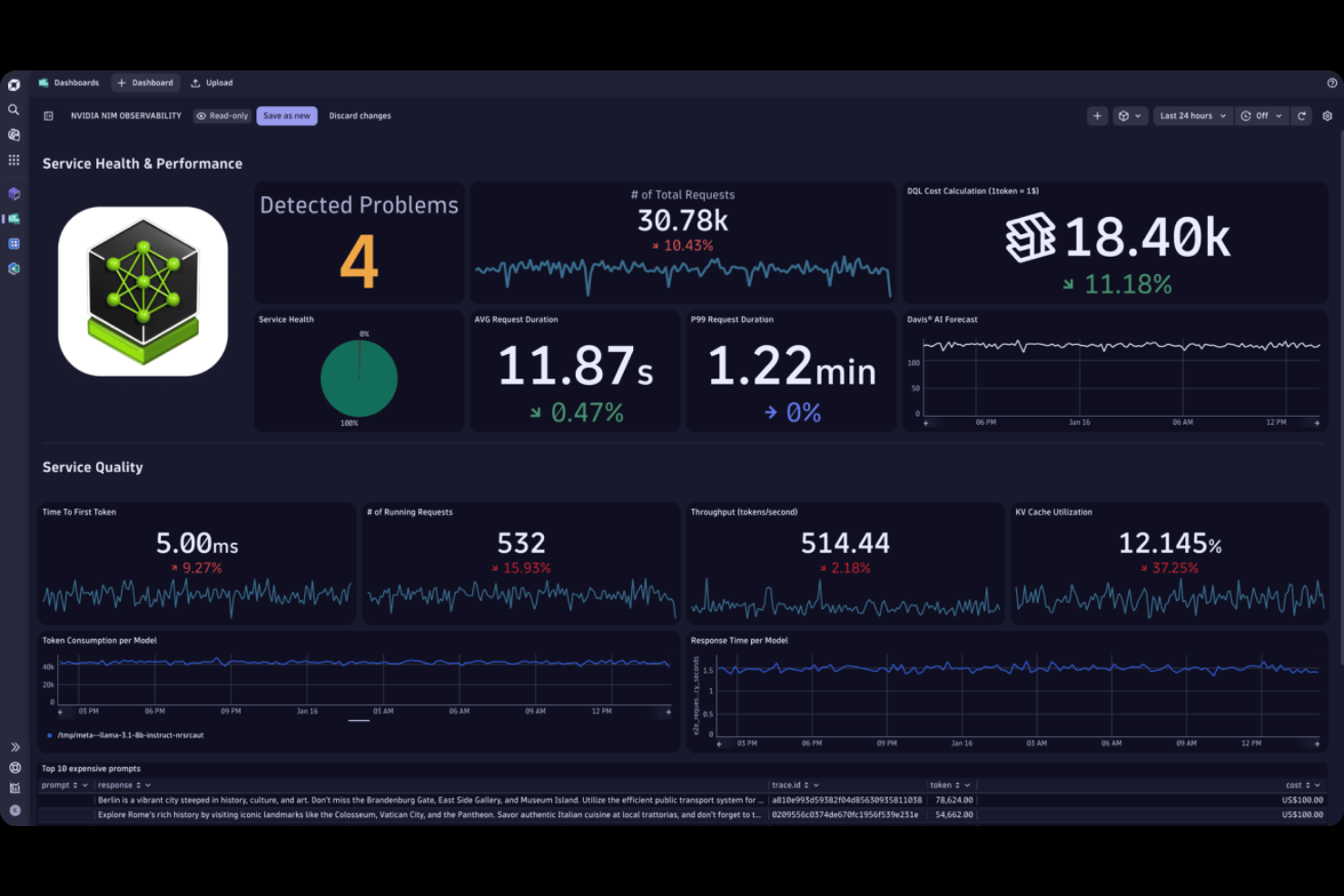
For IT teams that need proactive detection of infrastructure issues, Dynatrace offers advanced AI-driven monitoring and root cause analysis. This platform is especially useful for enterprises managing complex, distributed environments where rapid anomaly detection is essential. Unlike WhatsUp Gold, Dynatrace’s AI engine automatically correlates events and pinpoints problems before they impact users.
Why Dynatrace Is a Good WhatsUp Gold Alternative
What sets Dynatrace apart is its AI-driven anomaly detection, which goes far beyond traditional threshold-based monitoring. I picked Dynatrace because its Davis AI engine continuously analyzes metrics, logs, and traces to identify unusual patterns and potential issues in real time. The platform also provides automated root cause analysis, so your team can quickly pinpoint the source of incidents without manual investigation. This level of intelligent automation is a major upgrade from the manual alerting and troubleshooting found in WhatsUp Gold.
Dynatrace Key Features
Some other features that make Dynatrace valuable for infrastructure monitoring include:
- Full-stack observability: Monitor infrastructure, applications, and user experience from a single platform.
- Automatic dependency mapping: Visualize relationships between services, hosts, and processes in real time.
- Cloud-native monitoring: Track resources and workloads across AWS, Azure, Google Cloud, and Kubernetes environments.
- Custom dashboarding: Build and share tailored dashboards to highlight the metrics that matter most to your team.
Dynatrace Integrations
Integrations include AWS, GitHub, Google Cloud, Docker, Oracle, Azure, Opentelemetry, and more.
Pros and Cons
Pros:
- Full-stack observability across systems
- Automated root cause analysis speeds resolution
- AI anomaly detection reduces alert fatigue
Cons:
- Custom metrics can increase costs quickly
- Deployment requires enterprise-level planning
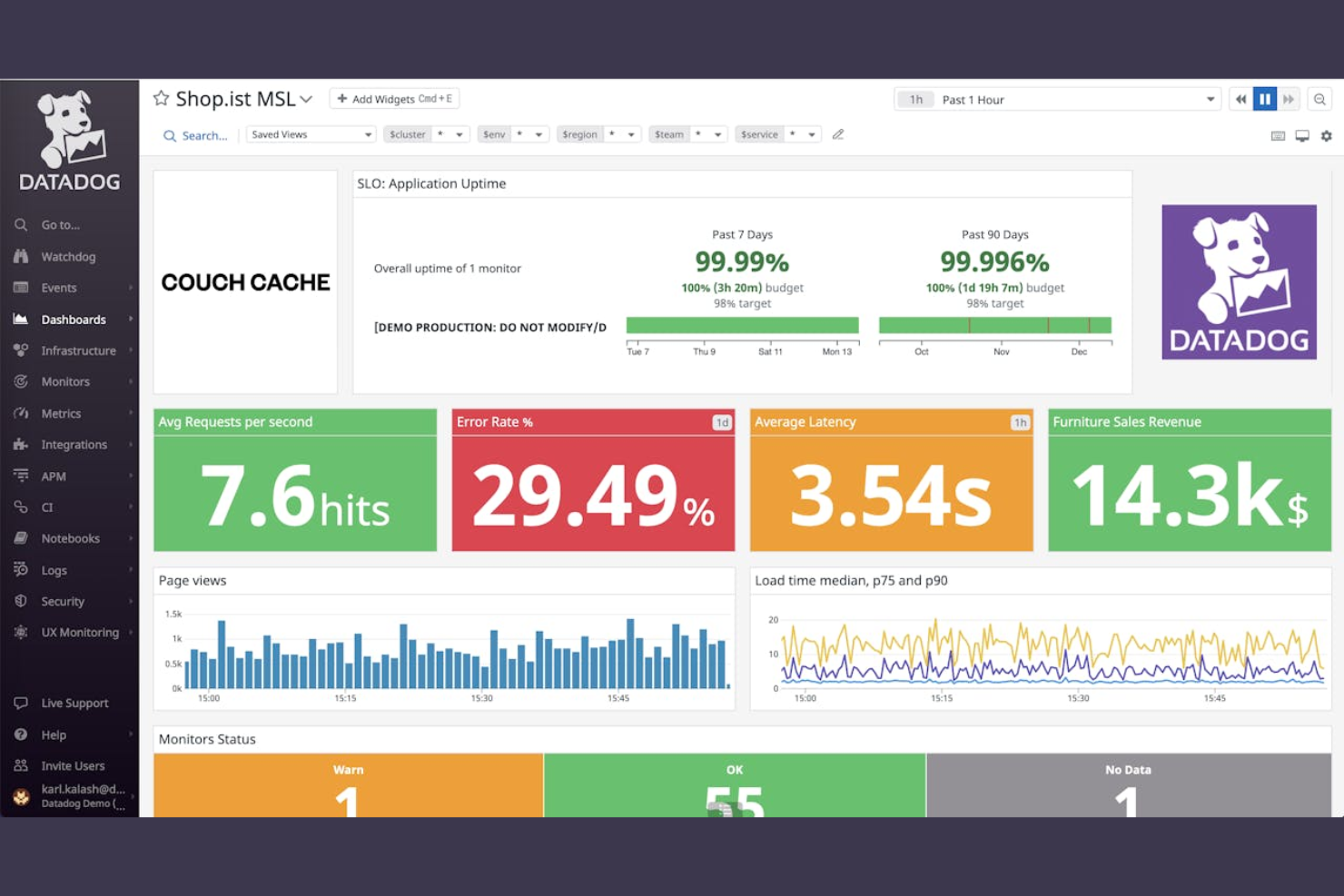
If you need real-time analytics dashboards for complex infrastructure, Datadog is built for you. This platform appeals to IT teams and DevOps professionals who want to visualize, correlate, and analyze data from cloud, on-premises, and hybrid environments. Datadog stands out from WhatsUp Gold by offering highly customizable dashboards that update instantly as your systems change.
Why Datadog Is a Good WhatsUp Gold Alternative
For teams that need to visualize infrastructure data in real time, Datadog offers analytics dashboards that go far beyond static monitoring. I picked Datadog because its dashboards let you build custom visualizations that update instantly as new data streams in from your systems. You can correlate metrics, logs, and traces on a single screen, making it easier to spot issues and trends as they happen. This level of real-time insight is a major advantage over WhatsUp Gold for organizations managing dynamic or large-scale environments.
Datadog Key Features
Some other features that make Datadog a strong option for infrastructure monitoring include:
- Synthetic monitoring: Simulate user interactions to test application and service availability from multiple locations.
- Infrastructure auto-discovery: Automatically detect and map new devices, services, and cloud resources as they come online.
- Role-based access control: Assign granular permissions to users and teams for secure data access and management.
- Incident management integration: Connect monitoring data directly to incident response workflows for faster resolution.
Datadog Integrations
Integrations include Airtable, WhyLabs, Microsoft Copilot, MongoDB Atlas, Snowflake, Nutanix, and more.
Pros and Cons
Pros:
- Synthetic monitoring for user interaction testing
- Supports hybrid, cloud, and on-prem monitoring
- Real-time dashboards with live data updates
Cons:
- Network monitoring is less detailed
- Pricing increases as host count grows

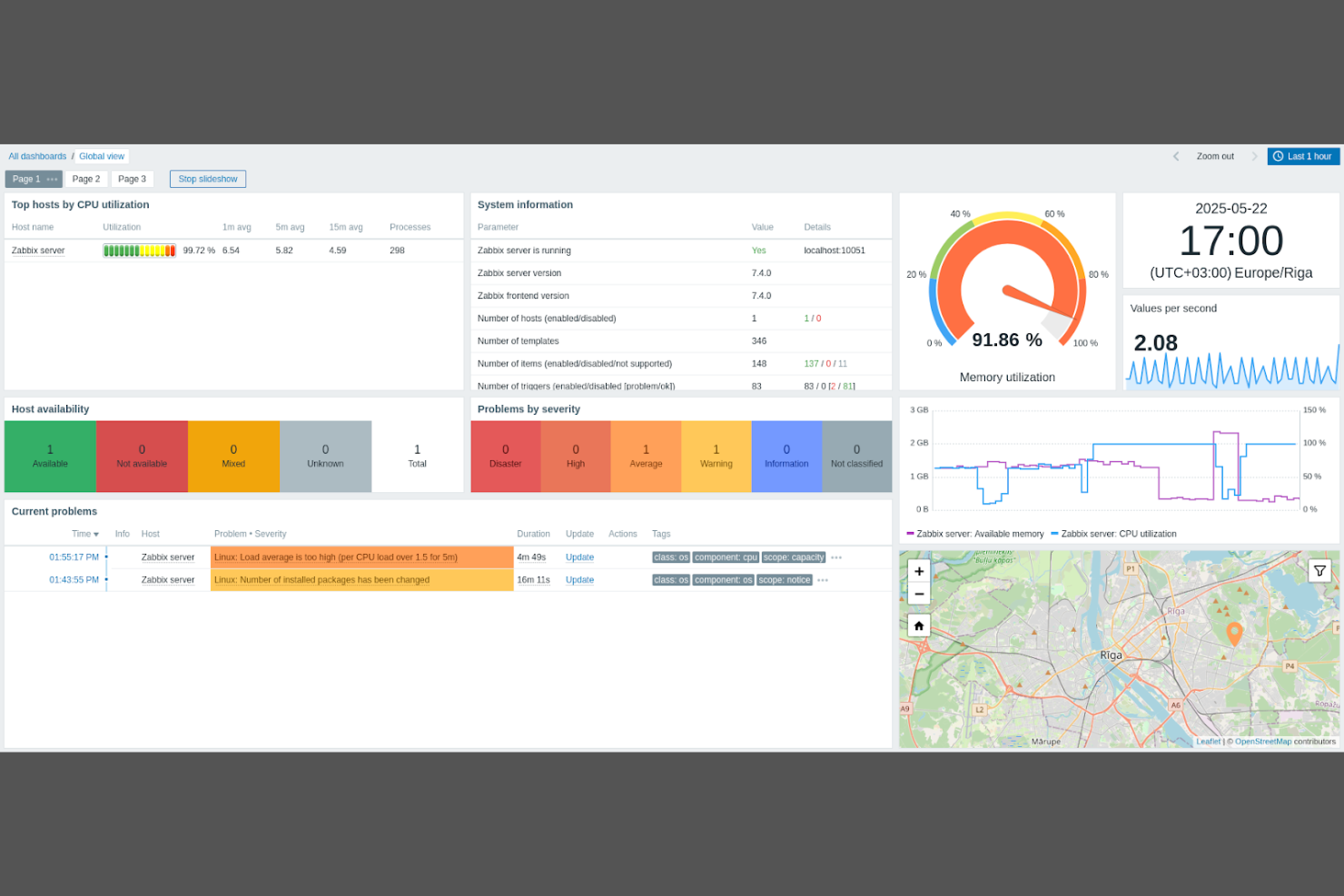
Open-source flexibility is at the core of Zabbix, making it a strong fit for IT teams that want to customize every aspect of their infrastructure monitoring. This platform is especially appealing to organizations with unique requirements or those operating in highly regulated environments. Zabbix stands apart from WhatsUp Gold by offering full access to its source code and a wide range of community-driven integrations.
Why Zabbix Is a Good WhatsUp Gold Alternative
If you want full control over your monitoring environment, Zabbix’s open-source extensibility is a major advantage. I picked Zabbix because you can modify its source code, build custom templates, and create your own monitoring scripts to fit any infrastructure. The platform also supports user-defined triggers and flexible notification methods, which lets you tailor alerting to your organization’s needs. This level of customization is hard to match with WhatsUp Gold or most proprietary tools.
Zabbix Key Features
Some other features that make Zabbix appealing for infrastructure monitoring include:
- Distributed monitoring: Monitor geographically dispersed environments from a single interface.
- Auto-discovery: Automatically detect new devices and services as they are added to your network.
- Customizable dashboards: Build visualizations tailored to your team’s monitoring priorities.
- Built-in reporting: Generate scheduled or on-demand reports on system health and performance.
Zabbix Integrations
Integrations include AWS, Discord, Docker, Faddom, FOCCO, GitHub, GitLab, Hyper-V, IBM, Google Cloud, Kubernetes, and more.
Pros and Cons
Pros:
- Community templates for device monitoring
- Auto-discovery for new devices
- Distributed monitoring for large environments
Cons:
- Interface feels dated
- Alerting requires manual tuning

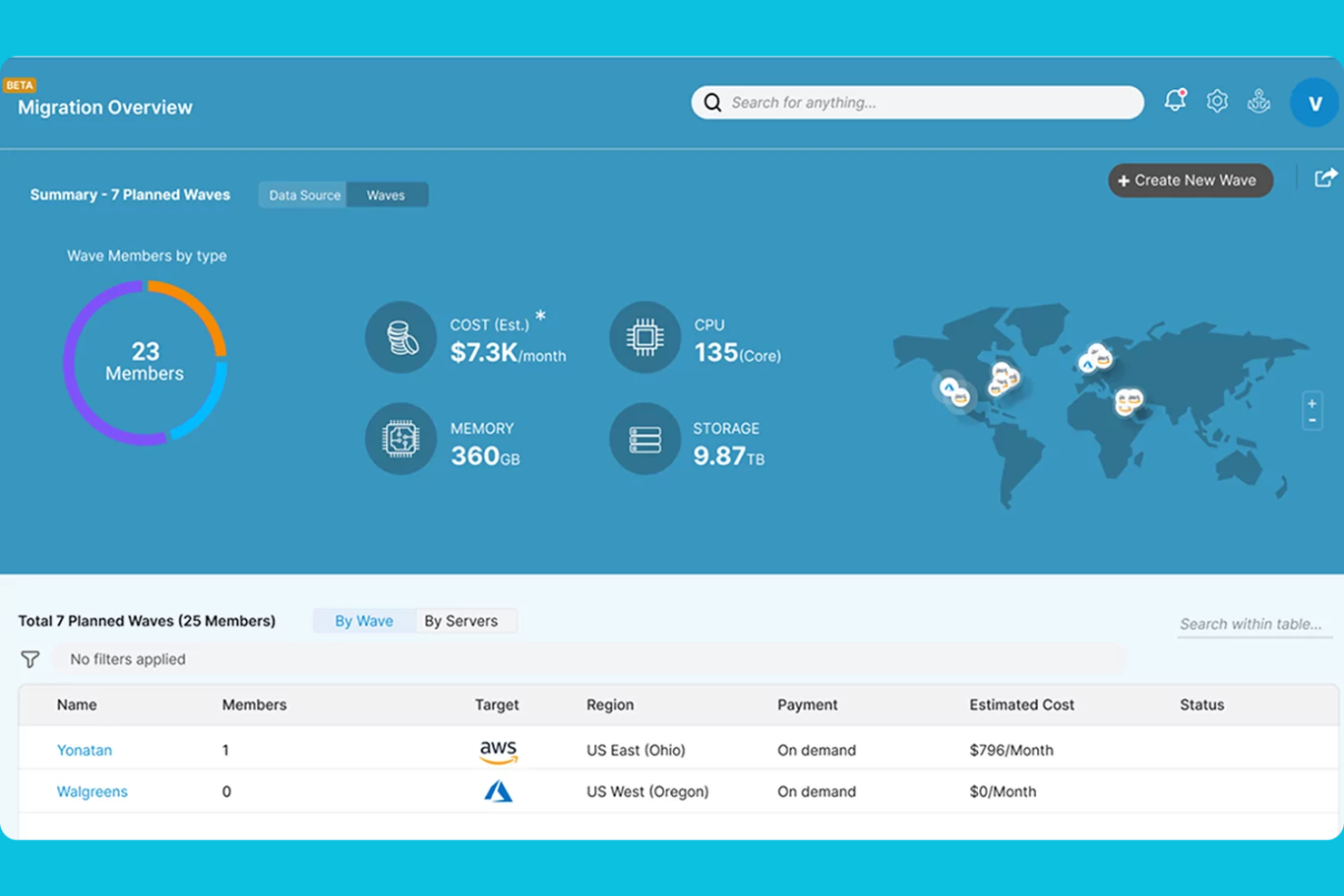
Mapping your network automatically can be a challenge, especially in dynamic or hybrid environments—Faddom is designed to address this. IT teams managing complex infrastructures will appreciate how Faddom discovers and visualizes network topology without manual input or agent installation. Unlike WhatsUp Gold, Faddom continuously updates its topology maps, helping you keep pace with changes and spot dependencies across on-premises and cloud assets.
Why Faddom Is a Good WhatsUp Gold Alternative
Faddom takes a different approach from WhatsUp Gold by focusing on automatic network topology mapping. I picked Faddom because it continuously scans your environment and generates real-time, interactive maps of all network connections and dependencies. The platform works without agents and covers both on-premises and cloud infrastructure, so you get a unified view of your entire network. This makes it much easier to track changes, troubleshoot issues, and understand how assets interact as your environment evolves.
Faddom Key Features
Some other features that make Faddom useful for infrastructure monitoring include:
- Change tracking: Monitor and log changes in network topology over time.
- Application dependency mapping: Visualize how applications interact with underlying infrastructure components.
- Customizable map views: Filter and adjust topology maps to focus on specific segments or assets.
- Exportable reports: Generate and share network and application maps in various formats for documentation or audits.
Faddom Integrations
Native integrations are not currently listed.
Pros and Cons
Pros:
- Visualizes dependencies across environments
- Agentless deployment with no installs
- Automatic discovery updates topology maps
Cons:
- No SNMP monitoring for network devices
- No built-in alerting or notifications

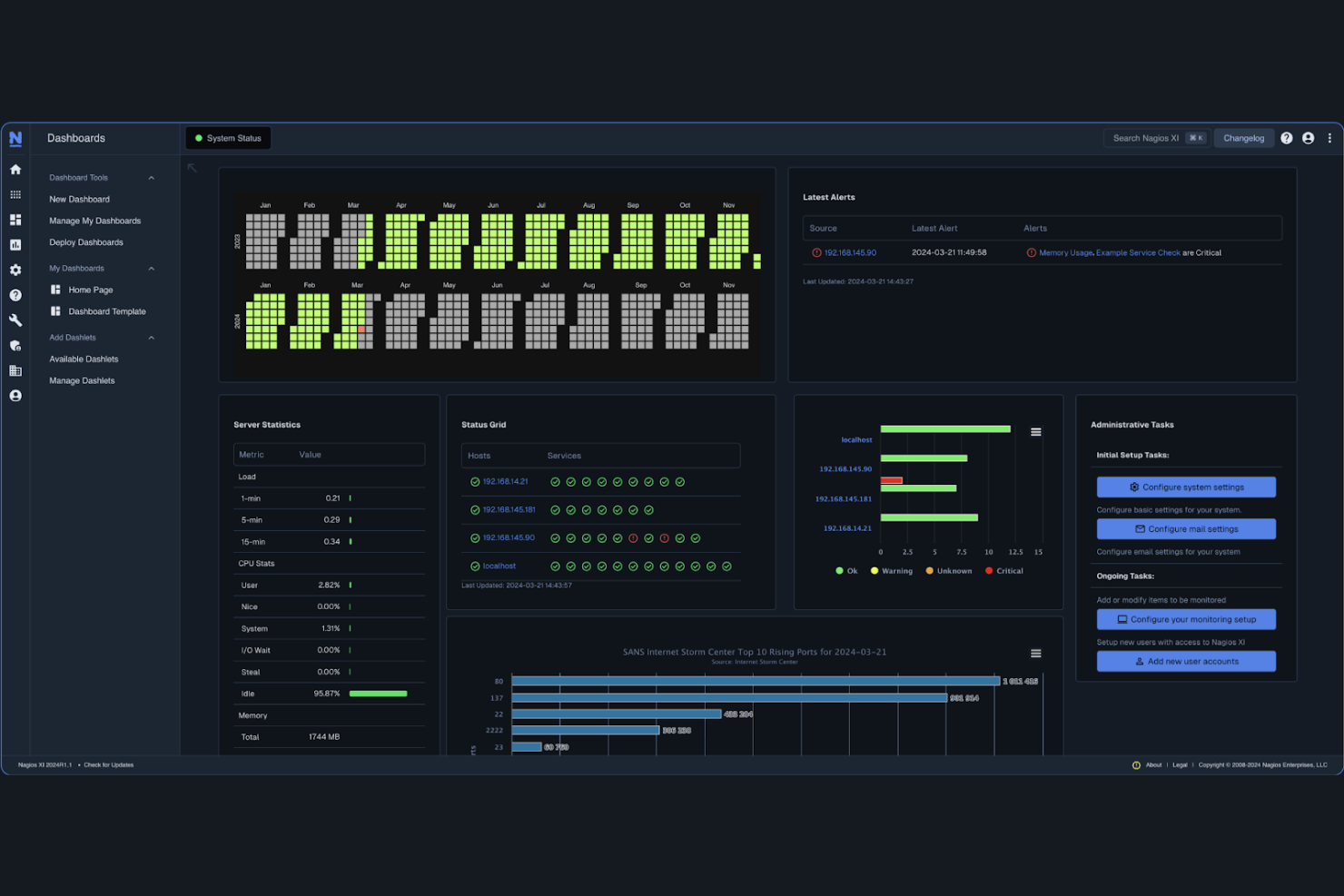
If your team needs granular control over alerting and notification workflows, Nagios XI offers a highly customizable monitoring platform. This tool is well-suited for IT specialists in regulated industries or large enterprises who need to tailor alerts to specific infrastructure events and escalation policies. Unlike WhatsUp Gold, Nagios XI lets you define complex alert conditions, notification methods, and escalation chains to match your organization’s unique requirements.
Why Nagios XI Is a Good WhatsUp Gold Alternative
Nagios XI stands out for its advanced alerting customization, which is a key need for many infrastructure monitoring teams. I picked Nagios XI because it lets you create highly specific alert conditions using custom thresholds, dependencies, and event handlers. The platform also supports detailed notification policies, so you can control who gets notified, when, and how, based on the type or severity of the incident. This level of flexibility is especially valuable if your environment requires tailored escalation paths or compliance-driven alerting workflows that go beyond what WhatsUp Gold offers.
Nagios XI Key Features
Some other features that make Nagios XI appealing for infrastructure monitoring include:
- Multi-tenant user access: Assign different permissions and views to individual users or teams.
- Performance graphing: Visualize historical and real-time performance data for monitored hosts and services.
- Configuration wizards: Use step-by-step tools to simplify the setup of new devices and services.
- Extensive plugin library: Extend monitoring capabilities with thousands of community and official plugins.
Nagios XI Integrations
Native integrations are not currently listed.
Pros and Cons
Pros:
- Multi-tenant access for team segmentation
- Large plugin ecosystem for diverse monitoring
- Granular alerting supports complex escalations
Cons:
- Limited cloud monitoring features
- Setup requires Linux knowledge

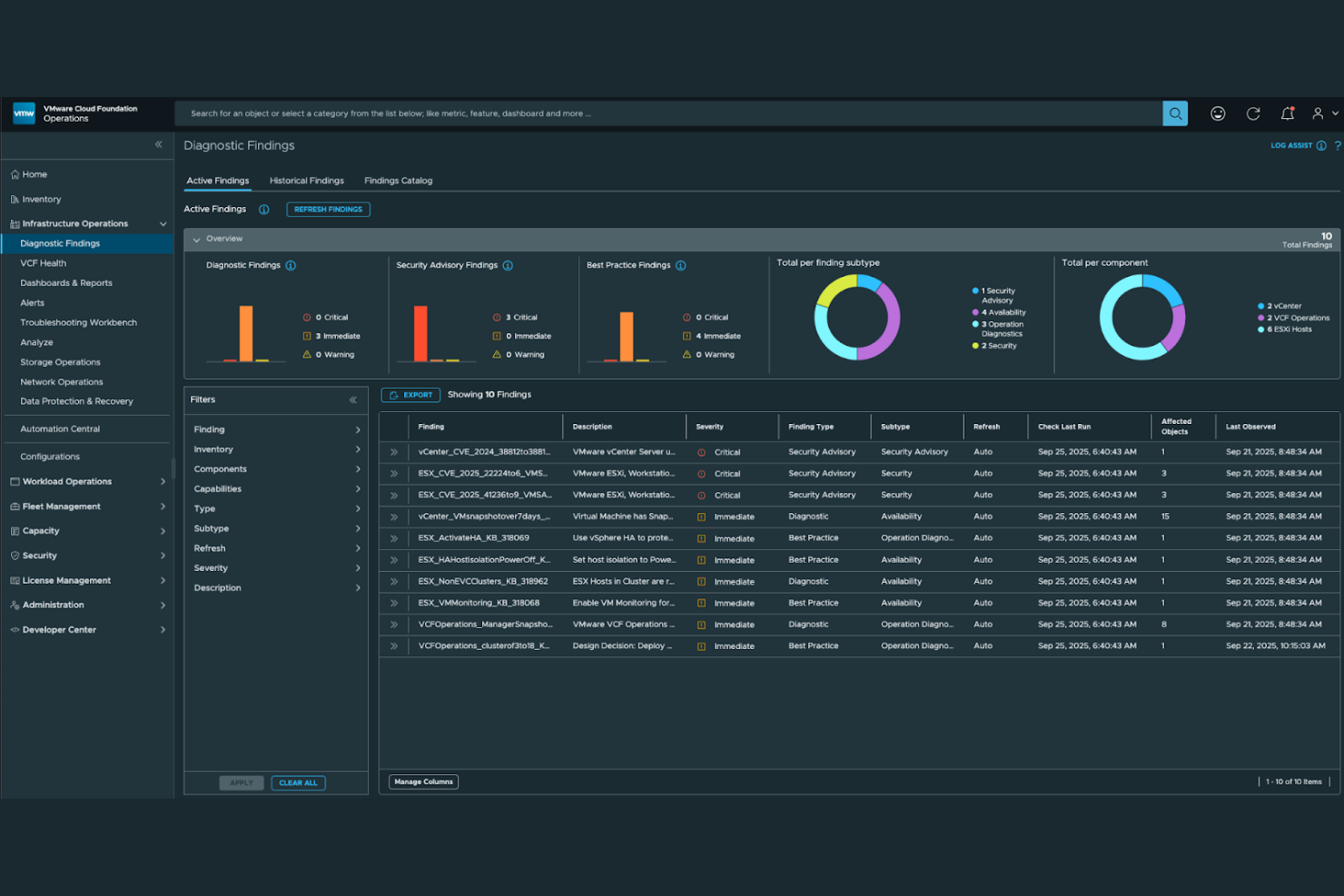
If your organization needs to unify management across private and public clouds, VMware Cloud Foundation offers a purpose-built solution. This platform is designed for IT teams in large enterprises or regulated industries that require consistent operations, security, and automation across hybrid environments. Unlike WhatsUp Gold, VMware Cloud Foundation integrates compute, storage, networking, and security into a single stack, making it easier to manage workloads and policies across multiple clouds.
Why VMware Cloud Foundation Is a Good WhatsUp Gold Alternative
VMware Cloud Foundation stands out for organizations that need deep hybrid cloud infrastructure integration. I picked it because it combines compute, storage, networking, and security management into a unified platform, which is something WhatsUp Gold doesn’t offer. With automated lifecycle management and policy-driven operations, you can maintain consistent governance and performance across both on-premises and public cloud environments. This approach is especially valuable for IT teams managing complex, regulated, or large-scale infrastructures that span multiple clouds.
VMware Cloud Foundation Key Features
Some other features that make VMware Cloud Foundation appealing for infrastructure monitoring include:
- Integrated Kubernetes support: Deploy and manage Kubernetes clusters natively within the platform.
- Automated patching: Schedule and apply updates across your infrastructure with minimal manual intervention.
- Role-based access control: Assign granular permissions to users and groups for enhanced security.
- Multi-site management: Monitor and manage multiple data centers or cloud locations from a single interface.
VMware Cloud Foundation Integrations
Native integrations are not currently listed.
Pros and Cons
Pros:
- Built-in security for compliance
- Automated lifecycle management for updates
- Centralized management for hybrid environments
Cons:
- Requires VMware expertise for upgrades
- Monitoring is less granular than dedicated tools

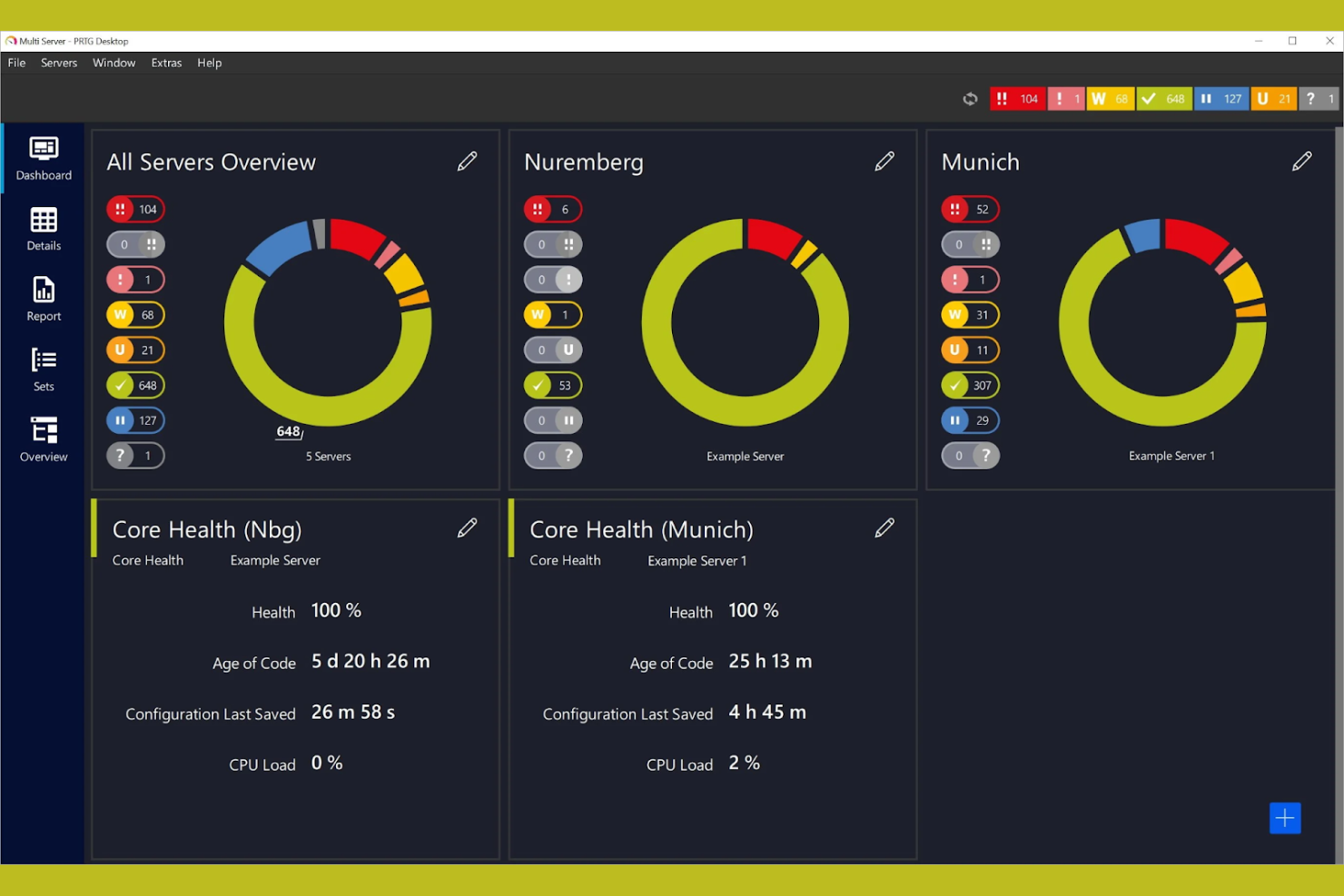
Paessler PRTG gives you granular control over your infrastructure monitoring with its sensor-based approach. This tool is a strong fit for IT teams that want to tailor monitoring to specific devices, services, or applications across complex environments. If you need flexibility to track exactly what matters most in your network, PRTG’s customizable sensors set it apart from more rigid solutions like WhatsUp Gold.
Why Paessler PRTG Is a Good WhatsUp Gold Alternative
Unlike more fixed monitoring platforms, Paessler PRTG lets you build exactly the monitoring setup you need with its sensor-based model. I like that you can assign sensors to track bandwidth, CPU load, application health, or even custom metrics, giving you fine-tuned visibility into your infrastructure. The ability to mix and match hundreds of sensor types means you can adapt PRTG to almost any environment or monitoring requirement. This flexibility makes it a strong alternative if you want more control than what’s available in WhatsUp Gold.
Paessler PRTG Key Features
Some other features that make Paessler PRTG appealing for infrastructure monitoring include:
- Auto-discovery: Scan your network to automatically detect and add devices for monitoring.
- Map editor: Create custom network maps to visualize device status and relationships.
- Multi-platform notifications: Receive alerts via email, SMS, push notifications, or custom scripts.
- Cluster failover solution: Set up high-availability monitoring with automatic failover between PRTG servers.
Paessler PRTG Integrations
Native integrations are not currently listed.
Pros and Cons
Pros:
- Auto-discovery for quick device onboarding
- Built-in map editor for topology visualization
- Sensor-based licensing for flexible monitoring
Cons:
- Custom sensors require scripting knowledge
- Sensor limits can restrict large environments

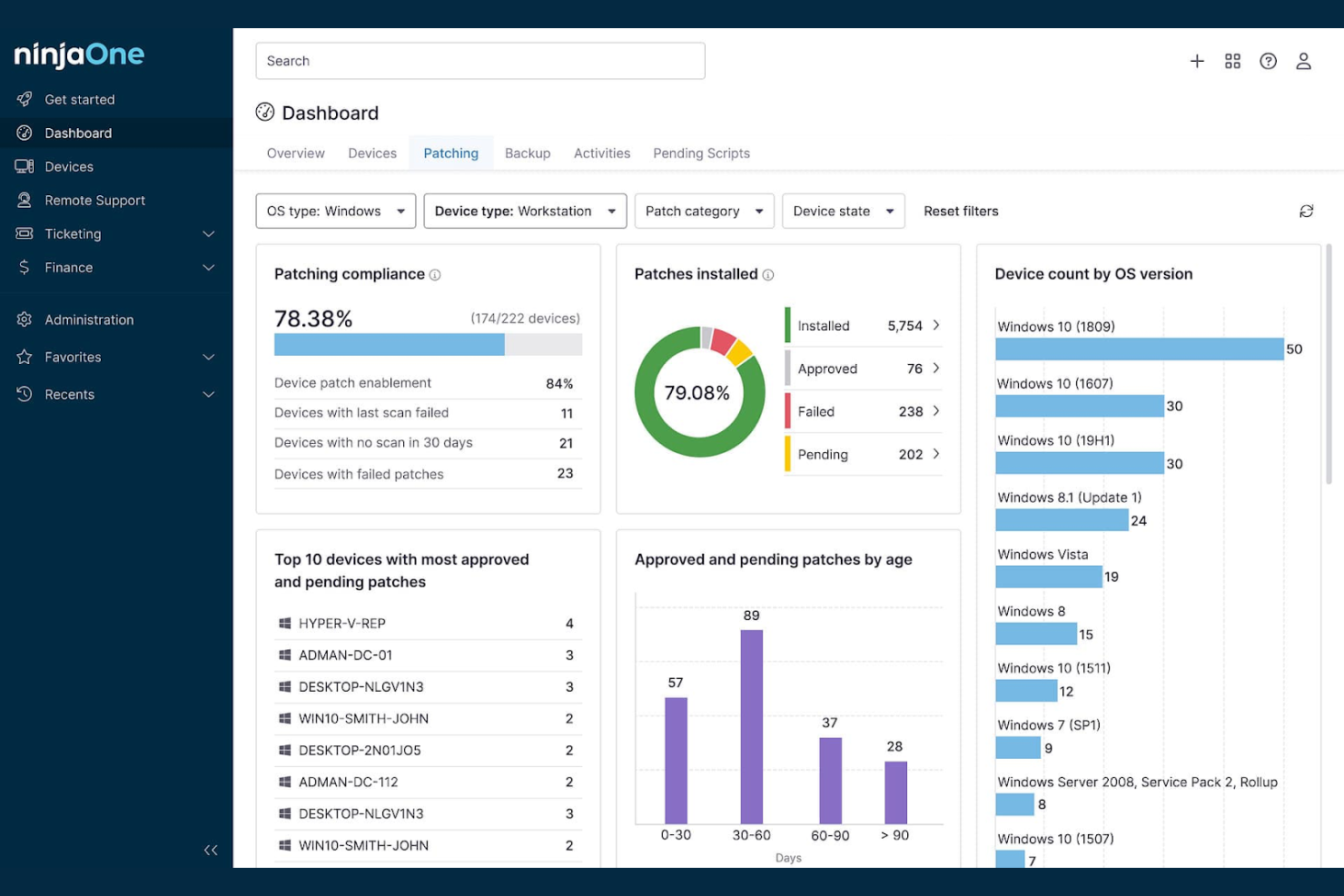
NinjaOne RMM offers agentless endpoint management designed for IT teams that need to deploy quickly across diverse environments. This platform is especially useful for managed service providers and internal IT departments looking to monitor and manage devices without installing software agents. If you want to reduce deployment time and overhead compared to WhatsUp Gold, NinjaOne RMM’s agentless approach is a key differentiator.
Why NinjaOne RMM Is a Good WhatsUp Gold Alternative
Unlike many traditional infrastructure monitoring tools, NinjaOne RMM is built for fast, agentless deployment across your endpoints. I picked it for teams that want to avoid the hassle of installing and maintaining agents on every device. With NinjaOne RMM, you can discover, monitor, and manage devices remotely without touching each endpoint, which is especially helpful for distributed or hybrid workforces. This approach makes it a strong alternative to WhatsUp Gold if you need to get up and running quickly with minimal disruption.
NinjaOne RMM Key Features
Some other features that make NinjaOne RMM a strong choice for infrastructure monitoring include:
- Automated patch management: Schedule and deploy operating system and third-party application updates across endpoints.
- Remote control and access: Connect to devices remotely for troubleshooting and support without user interruption.
- Custom scripting: Run scripts across multiple devices to automate routine maintenance and administrative tasks.
- Real-time alerting: Receive instant notifications for device health, performance issues, and security events.
NinjaOne RMM Integrations
Integrations include ServiceNow, CrowdStrike, SentinelOne, Microsoft Entra, Okta, PagerDuty, Duo, Slack, Zendesk, and more.
Pros and Cons
Pros:
- Remote control for troubleshooting
- Automated patching for OS and apps
- Agentless deployment for quick onboarding
Cons:
- MDM capabilities are less extensive
- Some features require sales activation

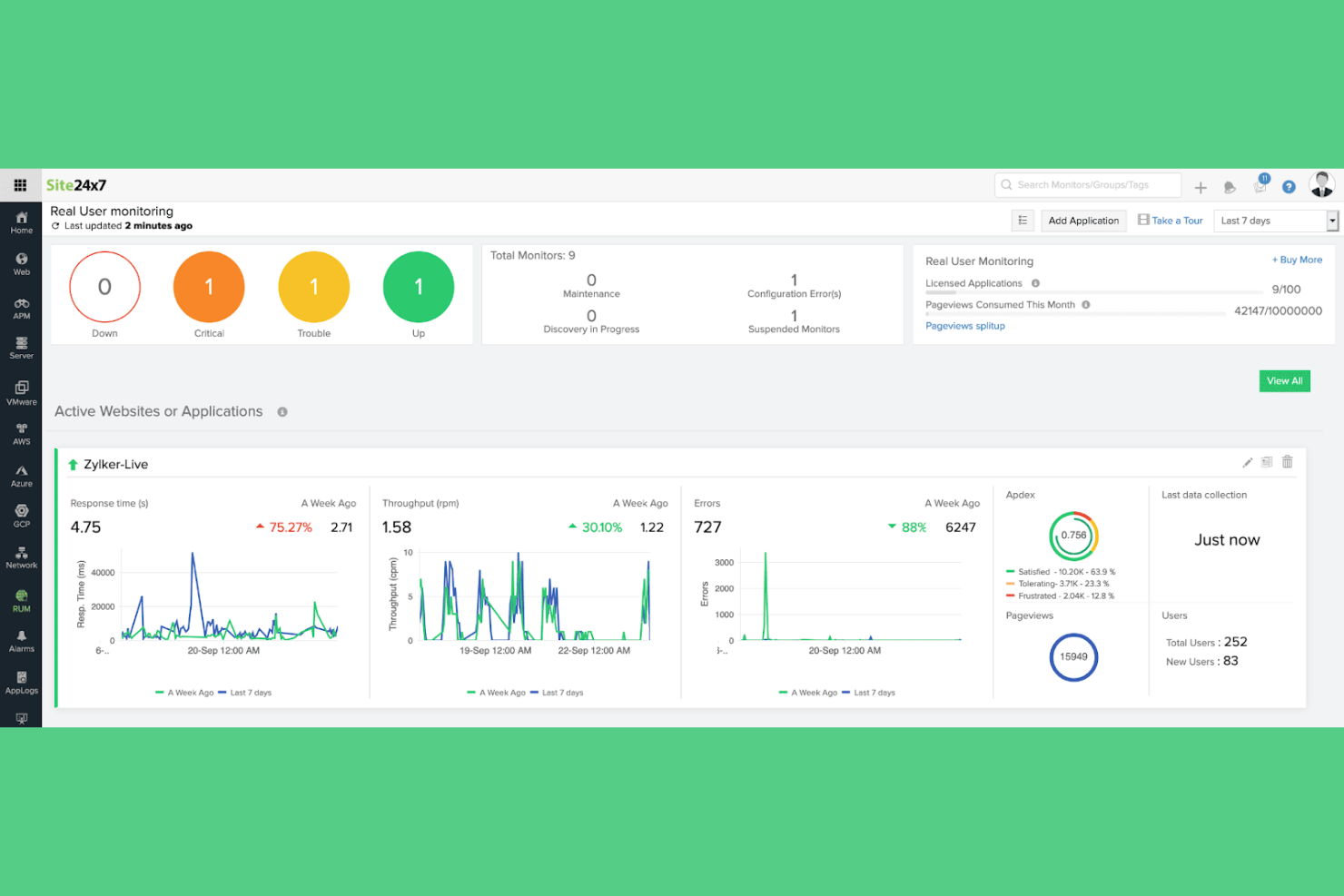
Site24x7 brings together monitoring for both cloud and on-premises infrastructure in a single platform. This tool is a strong choice for IT teams managing hybrid environments who need unified visibility across distributed assets. If you’re looking to monitor servers, networks, applications, and cloud services from one dashboard, Site24x7 offers a level of integration that’s hard to match with WhatsUp Gold.
Why Site24x7 Is a Good WhatsUp Gold Alternative
For teams that need unified visibility across both cloud and on-premises assets, Site24x7 stands out as a strong alternative. I appreciate how it lets you monitor servers, VMs, network devices, and public cloud resources from a single dashboard. The platform’s hybrid monitoring approach means you can track performance and availability for everything from AWS and Azure to on-site infrastructure without switching tools. This level of integration is especially useful if you’re managing a mix of environments that WhatsUp Gold doesn’t cover as smoothly.
Site24x7 Key Features
Some other features that make Site24x7 appealing for infrastructure monitoring include:
- Website monitoring: Track website uptime, response time, and performance from multiple global locations.
- Log management: Collect, search, and analyze logs from servers and applications in real time.
- Synthetic transaction monitoring: Simulate user interactions to test application workflows and identify issues.
- IT automation: Set up automated actions and remediation tasks based on monitoring alerts.
Site24x7 Integrations
Native integrations are not currently listed.
Pros and Cons
Pros:
- Log management across multiple sources
- Synthetic monitoring for user transactions
- Unified dashboard for cloud and on-prem
Cons:
- Alert noise requires careful tuning
- Limited network device support
New Product Updates from Site24x7

Site24x7 Enhances Network Monitoring With Device and Visibility Updates
Site24x7 introduces proactive hardware health monitoring, expanded device support, centralized network controls, and enhanced SD-WAN visualization to improve network monitoring and management. For more information, visit Site24x7’s official site.
 .
.
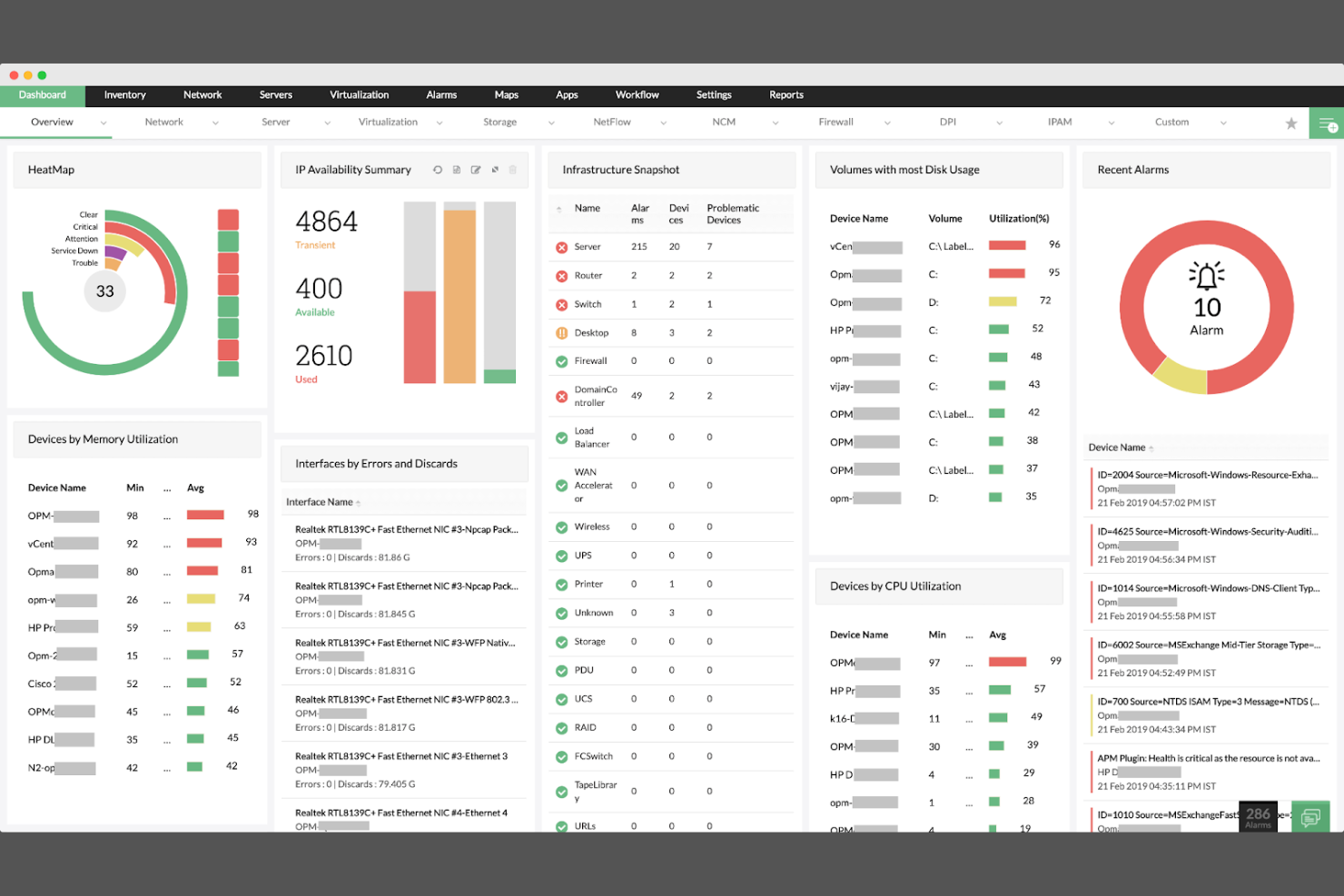
If you manage a diverse IT environment with hardware from multiple vendors, ManageEngine OPManager is designed for you. This platform supports deep monitoring across a wide range of devices, making it easier to unify network oversight without vendor lock-in. It’s a strong fit for IT teams in organizations that need granular visibility and control over complex, multi-vendor infrastructure.
Why ManageEngine OPManager Is a Good WhatsUp Gold Alternative
For teams that need to monitor equipment from many different vendors, ManageEngine OPManager stands out with its broad device compatibility. I picked it because it supports detailed monitoring for routers, switches, firewalls, servers, and storage devices from a wide range of manufacturers. Its auto-discovery and device classification features help you quickly map and organize your network, even as it grows or changes. This makes it a strong choice if you want to avoid vendor lock-in and maintain visibility across a mixed infrastructure.
ManageEngine OPManager Key Features
Some other features that make ManageEngine OPManager a strong infrastructure monitoring platform include:
- Customizable dashboards: Build visualizations that highlight the metrics and devices most important to your team.
- Workflow automation: Set up automated responses to common network events or outages to reduce manual intervention.
- Config backup and management: Schedule and manage device configuration backups directly from the platform.
- Performance forecasting: Use historical data to predict future network usage and potential bottlenecks.
ManageEngine OPManager Integrations
Integrations include ServiceNow, Jira, Slack, Microsoft Teams, Freshdesk, Splunk, Grafana, and more.
Pros and Cons
Pros:
- Built-in config backup and compliance tools
- Real-time network mapping and topology views
- Supports multi-vendor network monitoring
Cons:
- Advanced reporting may require extra modules
- Setup and device discovery can be time-consuming
New Product Updates from ManageEngine OpManager
ManageEngine OpManager Vendor Templates and NCM XML Import
ManageEngine OpManager introduces enhanced vendor template integration and device template import for the NCM module using XML files. This update helps teams improve device classification and speed up configuration workflows. For more information, visit ManageEngine OpManager’s official site.
 .
.Other WhatsUp Gold Alternatives
Here are some additional WhatsUp Gold alternatives that didn’t make it onto my shortlist, but are still worth checking out:
- Pulseway
For mobile-first remote monitoring
- New Relic
For full-stack observability in complex environments
- LogicMonitor
For hybrid infrastructure visibility
- ManageEngine NetFlow Analyzer
For granular network traffic analysis


WhatsUp Gold Alternatives Selection Criteria
When selecting the best WhatsUp Gold alternatives to include in this list, I considered common buyer needs and pain points related to infrastructure monitoring tool products, like monitoring hybrid environments and reducing downtime from system failures. I also used the following framework to keep my evaluation structured and fair:
Core Functionality (25% of total score)
To be considered for inclusion in this list, each solution had to fulfill these common use cases:
- Monitor server and network device health
- Track system performance metrics in real time
- Send alerts for outages or performance issues
- Generate historical reports on infrastructure status
- Support multi-vendor device compatibility
Additional Standout Features (25% of total score)
To help further narrow down the competition, I also looked for unique features, such as:
- Automated root cause analysis
- Native cloud service monitoring
- Integrated configuration management
- AI-driven anomaly detection
- Built-in compliance auditing
Usability (10% of total score)
To get a sense of the usability of each system, I considered the following:
- Simple and intuitive dashboard layout
- Customizable views and widgets
- Minimal clicks to access key functions
- Responsive web and mobile interfaces
- Clear navigation and labeling
Onboarding (10% of total score)
To evaluate the onboarding experience for each platform, I considered the following:
- Step-by-step setup wizards
- Availability of training videos and documentation
- Access to interactive product tours
- Pre-built monitoring templates
- Live chat or onboarding webinars
Customer Support (10% of total score)
To assess each software provider’s customer support services, I considered the following:
- 24/7 support availability
- Fast response times to tickets
- Access to a knowledge base or help center
- Community forums for peer support
- Dedicated account management
Value For Money (10% of total score)
To evaluate the value for money of each platform, I considered the following:
- Transparent and predictable pricing
- Flexible plans for different business sizes
- No hidden fees or surprise charges
- Features included at each pricing tier
- Free trial or demo availability
Customer Reviews (10% of total score)
To get a sense of overall customer satisfaction, I considered the following when reading customer reviews:
- Consistent positive feedback on reliability
- Reports of responsive customer support
- User comments on ease of deployment
- Feedback on integration capabilities
- Noted issues or limitations mentioned by multiple users
Why Look For a WhatsUp Gold Alternative?
While WhatsUp Gold is a good choice of an infrastructure monitoring tool, there are a number of reasons why some users seek out alternative solutions. You might be looking for a WhatsUp Gold alternative because…
- You need deeper hybrid or multi-cloud monitoring capabilities
- Your environment requires more advanced automation or orchestration
- You want native support for containerized workloads and Kubernetes
- Your team needs more granular role-based access controls
- You require integrations with specific third-party ITSM or DevOps tools
If any of these sound like you, you’ve come to the right place. My list contains several infrastructure monitoring tool options that are better suited for teams facing these challenges with WhatsUp Gold and looking for alternative solutions.
WhatsUp Gold Key Features
Here are some of the key features of WhatsUp Gold, to help you contrast and compare what alternative solutions offer:
- Network device discovery and mapping
- Real-time performance monitoring for servers and devices
- Customizable alerting and notification system
- Interactive network topology visualization
- Bandwidth usage and traffic analysis
- Application performance monitoring
- Wireless network monitoring and reporting
- Virtual infrastructure monitoring for VMware and Hyper-V
- REST API for custom integrations
- Configurable dashboard and reporting tools