

10 Browserling Alternatives for 2026

Browserling Alternative Shortlist
Here’s my shortlist of the top Browserling alternatives:


A strong Browserling alternative gives your team reliable web and cross-browser testing, real device access, and flexible automation options that fit your workflow. If you’re searching for Browserling alternatives, you’re likely facing challenges with browser compatibility, test coverage, or scaling your testing process.
The right tool can help you manage complex environments, automate repetitive tasks, and support a wider range of web browsers and devices. In this list, you’ll find trusted solutions that address these needs—so you can compare features, understand unique strengths, and choose the best fit for your testing requirements.
What Is Browserling?
Browserling is a web-based cross-browser testing platform that lets you interact with websites on real browsers hosted in the cloud. It provides instant access to multiple browser versions (Safari, Chrome etc.) and operating systems (Linux, Windows etc.), so you can test compatibility and functionality without maintaining your own test lab. Browserling is used by developers, QA teams, and IT specialists who need to verify how websites perform across different environments.
Best Browserling Alternatives Summary
This comparison chart summarizes pricing details for my top Browserling alternative selections to help you find the best one for your budget and business needs.
| Tool | Best For | Trial Info | Price | ||
|---|---|---|---|---|---|
| 1 | Best for real device cross-browser access | Free trial available | From $29/month (billed annually) | Website | |
| 2 | Best for large-scale cloud device coverage | 28-day free trial + free demo available | From $39/month (billed annually) | Website | |
| 3 | Best for email workflow testing in staging | 14-day free trial available | From $9/month (billed annually) | Website | |
| 4 | Best for enterprise-grade test automation suites | Free trial available | Pricing upon request | Website | |
| 5 | Best for AI-powered test maintenance | Free plan available | Pricing upon request | Website | |
| 6 | Best for automated visual regression testing | 14-day free trial + free demo available | From $109/month (billed annually) | Website | |
| 7 | Best for pixel-perfect website comparison | 14-day free trial available | From $67/month (billed annually) | Website | |
| 8 | Best for code-free end-to-end test creation | Free plan available | From $39/user/month (billed annually) | Website | |
| 9 | Best for containerized browser session management | Free trial available | From $20/user/month (billed annually) | Website | |
| 10 | Best for quick test setup without coding | 14-day free trial + free plan available | From $189/month (billed annually) | Website |
Why Trust Our Software Reviews
We’ve been testing and reviewing software since 2023. As tech leaders ourselves, we know how critical and difficult it is to make the right decision when selecting software.
We invest in deep research to help our audience make better software purchasing decisions. We’ve tested more than 2,000 tools for different tech use cases and written over 1,000 comprehensive software reviews. Learn how we stay transparent & our software review methodology.
-

Site24x7
Visit WebsiteThis is an aggregated rating for this tool including ratings from Crozdesk users and ratings from other sites.4.7 -
GitHub Actions
Visit WebsiteThis is an aggregated rating for this tool including ratings from Crozdesk users and ratings from other sites.4.8 -
Docker
Visit WebsiteThis is an aggregated rating for this tool including ratings from Crozdesk users and ratings from other sites.4.6





Browserling Alternatives Reviews
Below are my detailed summaries of the best Browserling alternatives that made it onto my shortlist. My reviews offer a detailed look at the features, best use cases, and integrations of each platform to help you find the best one for your needs.
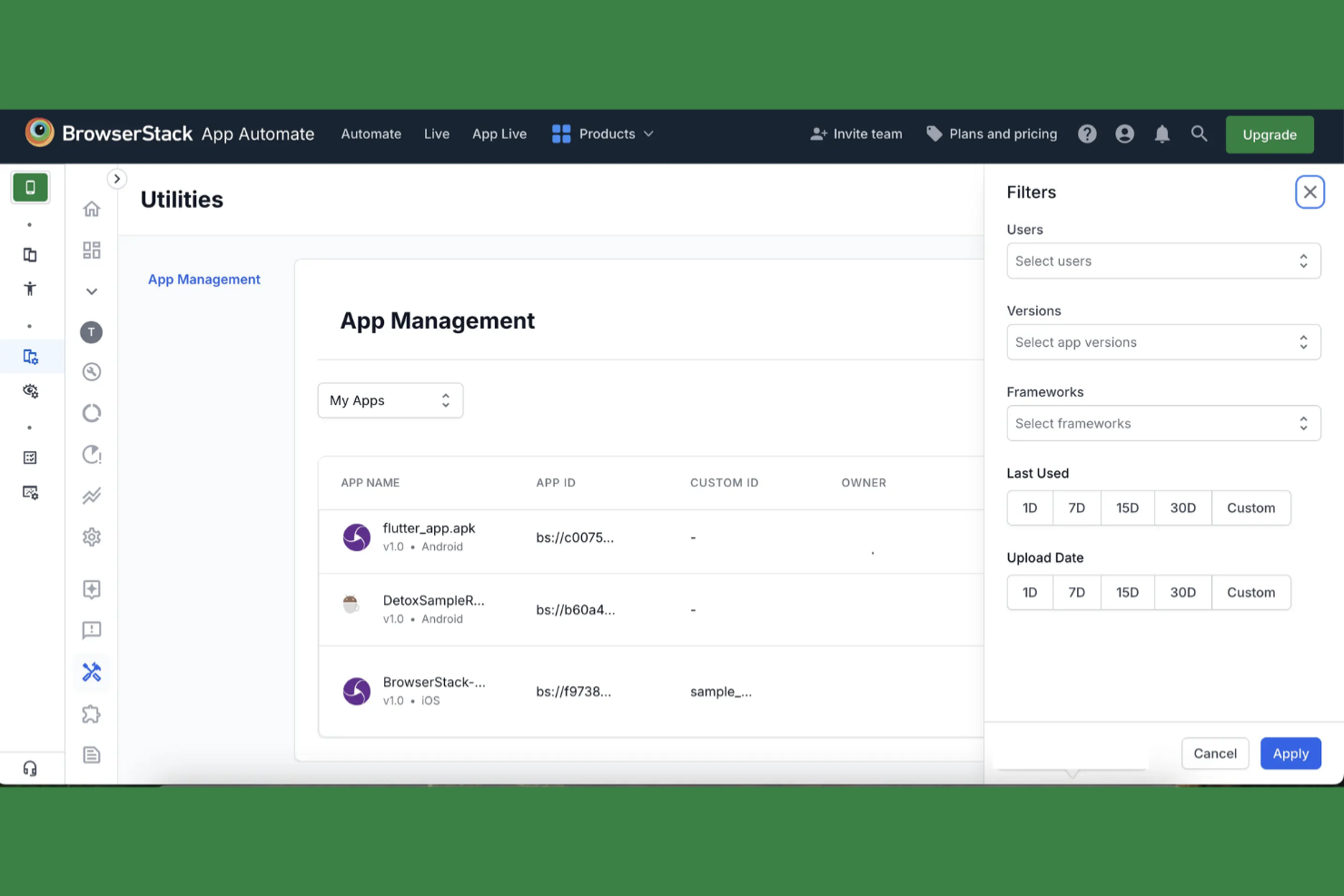
Teams looking for instant access to a wide range of real devices often turn to BrowserStack. This platform is especially useful for QA engineers, web developers, and agencies who need to test across multiple browsers and operating systems without maintaining their own device lab. Unlike Browserling, BrowserStack gives you live and automated testing on actual devices, helping you catch issues that only appear in real-world environments.
Why BrowserStack Is a Good Browserling Alternative
If you need to test your web apps on real devices instead of emulators, BrowserStack is a strong choice. I picked BrowserStack because it gives you instant access to a huge range of physical devices and browsers, so you can see exactly how your site performs in real-world conditions. You can run both live interactive tests and automated test scripts on these devices, which helps you catch device-specific bugs that Browserling might miss. This makes BrowserStack especially valuable for teams that need reliable, accurate cross-browser and cross-device testing.
BrowserStack Key Features
Some other features in BrowserStack that may be useful for web and cross-browser testing include:
- Geolocation Testing: Test how your website or app behaves for users in different countries and regions.
- Local Testing: Securely test development and staging environments that are not publicly accessible.
- Automated Screenshot Generation: Capture screenshots across multiple browsers and devices for quick visual checks.
- Responsive Design Testing: Preview and interact with your site on a wide range of screen sizes and resolutions.
Integrations
Integrations include Jira, GitHub, GitLab, Bitbucket, Slack, and Jenkins.
Pros and Cons
Pros:
- Simple, user-friendly setup
- Robust local testing tunnel
- Instant cross-browser access
Cons:
- Slow session startup times
- Lag during peak usage hours
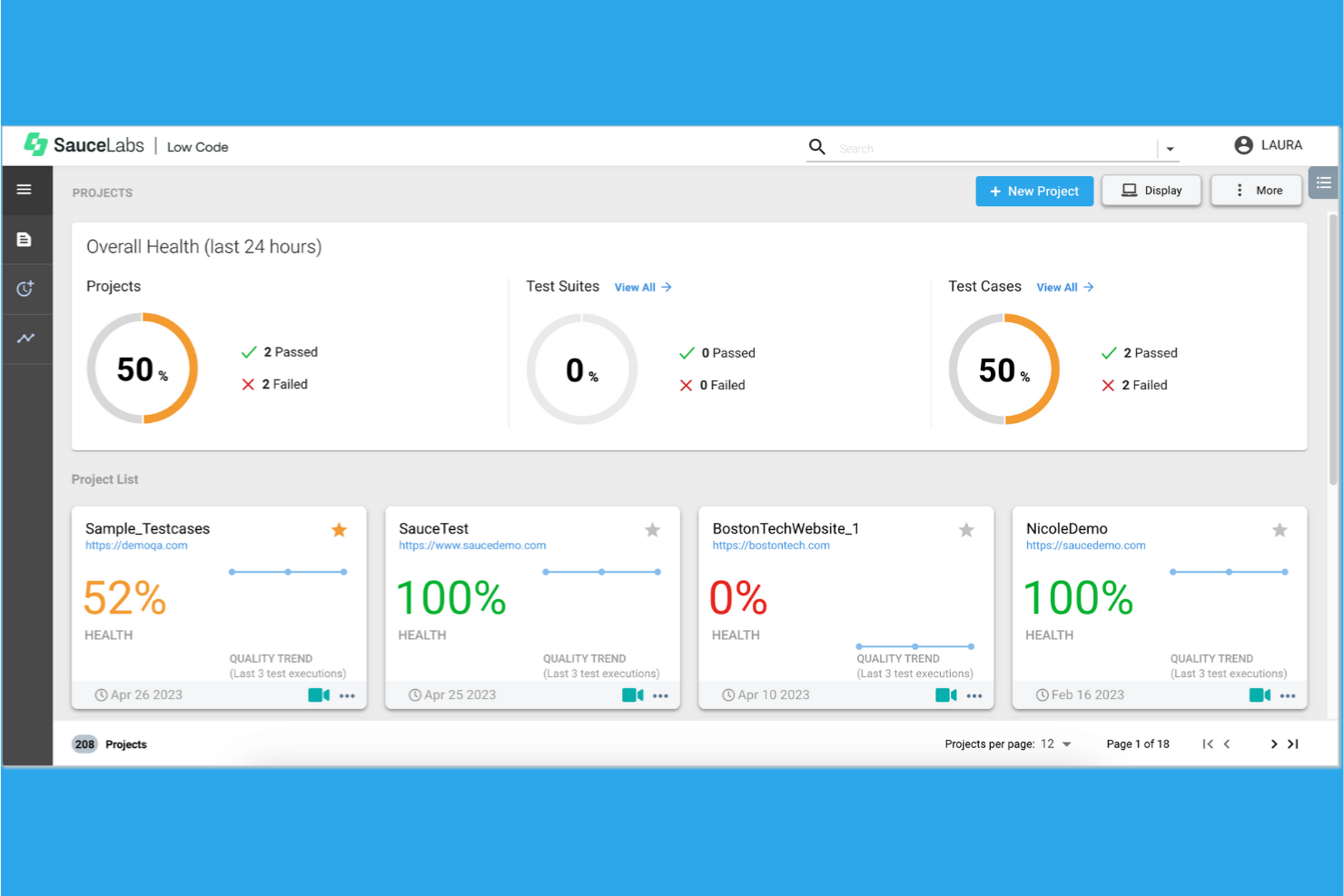
If your team needs to test web apps across a huge range of real devices and browsers, Sauce Labs is built for that scale. Enterprise QA teams, software vendors, and regulated industries often choose Sauce Labs for its extensive cloud-based device lab and comprehensive testing support. Unlike Browserling, Sauce Labs gives you access to thousands of device and OS combinations for both manual and automated testing.
Why Sauce Labs Is a Good Browserling Alternative
When you need to test across a massive variety of real devices and browsers, Sauce Labs is hard to match. I picked Sauce Labs because it offers access to thousands of cloud-hosted devices and operating systems, letting you replicate real-world user environments at scale. You can run both automated and manual testing on these devices, which is especially valuable for teams with complex compatibility requirements. This level of device coverage goes far beyond what Browserling provides, making Sauce Labs a strong choice for enterprise-grade testing needs.
Sauce Labs Key Features
Some other features in Sauce Labs that may be useful for web and cross-browser testing include:
- Session Recording and Playback: Capture and review video recordings of every test session for easier debugging and auditing.
- Network Throttling: Simulate different network conditions to test application performance under various connectivity scenarios.
- Automated Screenshot Capture: Automatically generate screenshots across multiple browsers and devices for quick visual validation.
- Comprehensive Analytics Dashboard: Access detailed analytics and test results in a centralized dashboard for tracking trends and issues.
Integrations
Integrations include Jira, Jenkins, GitHub, Bitbucket, Slack, Azure DevOps, and TestNG.
Pros and Cons
Pros:
- Thousands of real mobile devices
- Seamless CI/CD tool integration
- Massive parallel test execution
Cons:
- Slow virtual machine boot times
- High cost for smaller teams

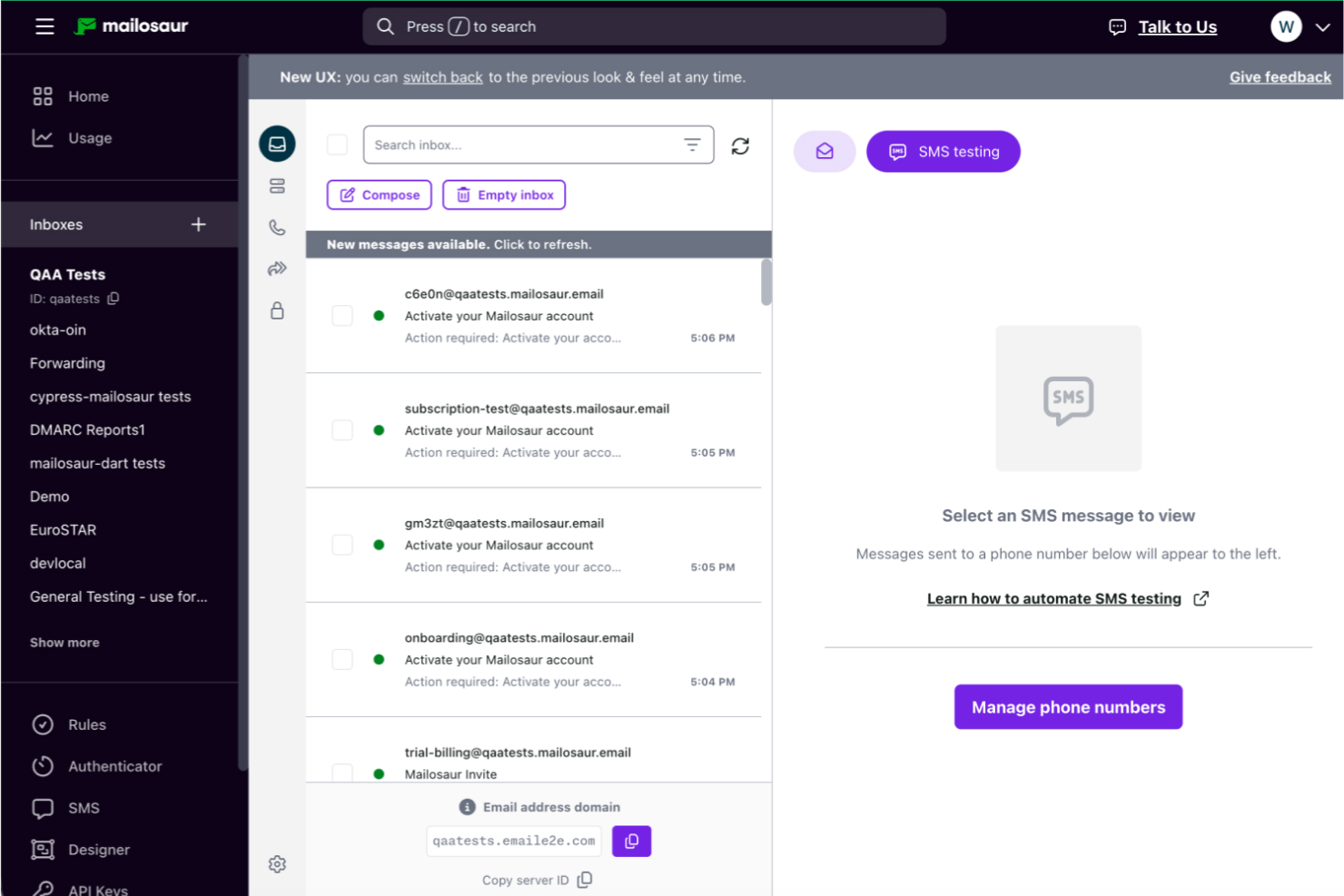
When you need to test email workflows in staging environments, Mailosaur gives you dedicated tools for capturing and inspecting test emails. This platform is especially useful for QA teams and developers who want to validate transactional emails, password resets, and multi-step email flows before going live. Unlike standard browser testing tools, Mailosaur focuses on email content, deliverability, and automation tools, helping you catch issues that browser-based solutions like Browserling can’t address.
Why Mailosaur Is a Good Browserling Alternative
Unlike Browserling, Mailosaur is purpose-built for testing email workflows in staging environments, which is essential for teams that need to validate email-based user journeys. You can capture, inspect, and automate the testing of transactional emails, password resets, and multi-step onboarding flows before they reach production.
I appreciate that Mailosaur lets you verify email content, attachments, and even links within emails, all in a controlled test environment. This makes it a strong choice if your web application relies heavily on email communication and you want to catch issues that browser-only testing tools can’t detect.
Mailosaur Key Features
Some other features in Mailosaur that may be useful for web and cross-browser testing include:
- SMS Message Testing: Capture and inspect SMS messages sent during automated tests.
- API Access: Interact with test emails and messages programmatically for custom workflows.
- Spam Analysis: Analyze emails for spam characteristics and deliverability issues.
- Attachment Handling: Retrieve and validate email attachments within your test scripts.
Integrations
Integrations include Cypress, Playwright, and Jenkins.
Pros and Cons
Pros:
- Excellent documentation and support
- Supports MFA and OTP verification
- Real-time message capture and API
Cons:
- Limited message retention periods
- Expensive for high-volume testing

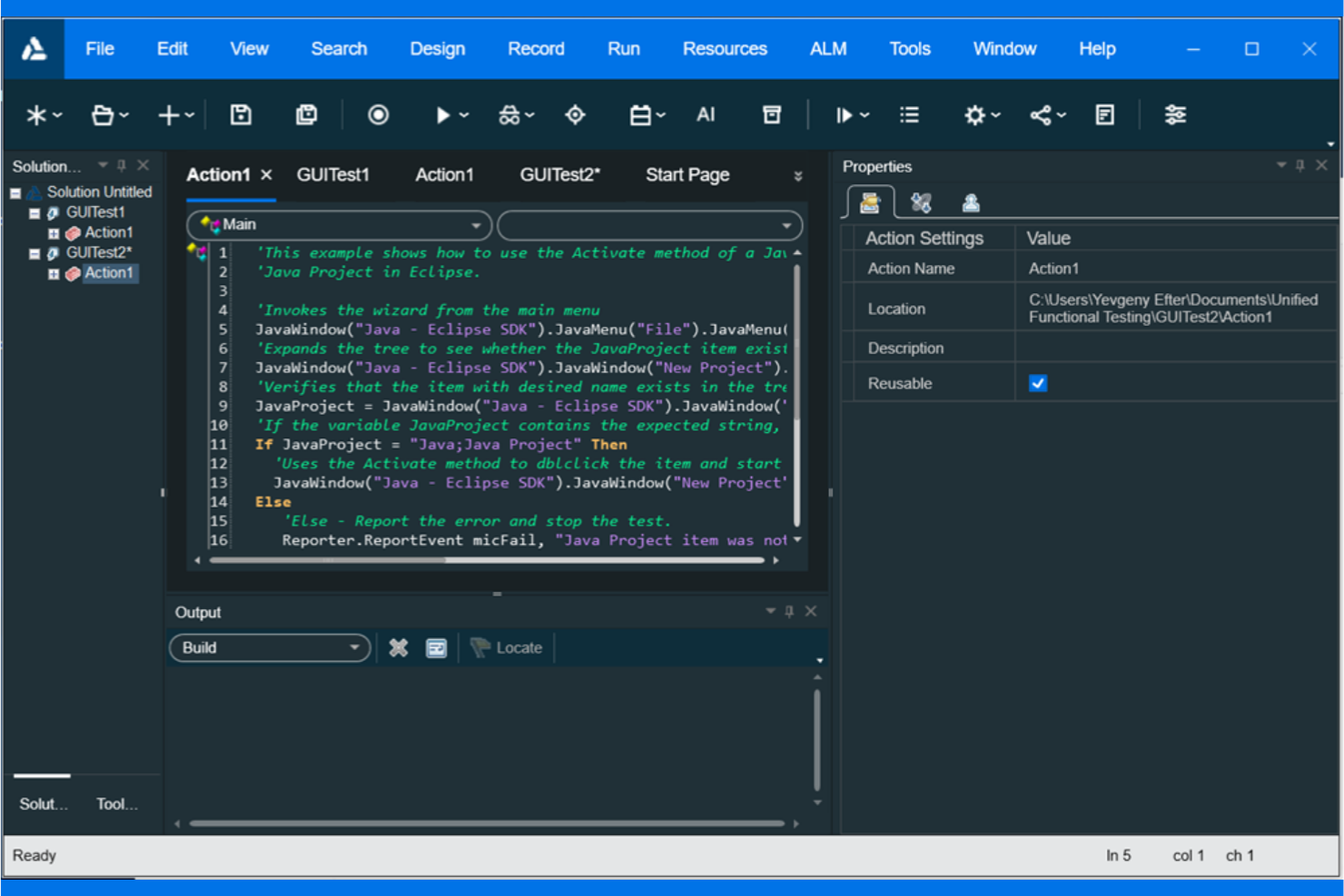
Large organizations looking for a unified test automation platform often turn to UFT One. This tool is built for enterprise QA teams and IT departments that need to automate complex, end-to-end testing across web, desktop, API, and mobile environments. UFT One stands out from Browserling by supporting advanced scripting, broad technology coverage, and integration with enterprise DevOps pipelines.
Why UFT One Is a Good Browserling Alternative
When you need a test automation suite that can handle enterprise-scale requirements, UFT One is a strong choice. I picked UFT One because it supports automated testing across web, desktop, API, and mobile platforms from a single interface. The tool offers advanced scripting with support for multiple languages, as well as built-in AI-driven capabilities for test creation and maintenance. For teams managing complex, large-scale testing environments, UFT One delivers the depth and flexibility that Browserling doesn’t provide.
UFT One Key Features
Some other features in UFT One that may be valuable for enterprise testing teams include:
- Object Repository Management: Store and manage reusable test objects for consistent automation across projects.
- Parallel Test Execution: Run multiple tests simultaneously to speed up validation cycles.
- Integration with ALM/QC: Connect directly with Micro Focus ALM and Quality Center for test management and reporting.
- Data-Driven Testing: Use external data sources to drive test scenarios and increase coverage.
Integrations
Integrations include Micro Focus ALM, Jenkins, Azure DevOps, and Jenkins X.
Pros and Cons
Pros:
- Native ALM integration
- Low-code keyword testing
- AI-driven object recognition
Cons:
- VBScript primary scripting
- Limited to Windows OS

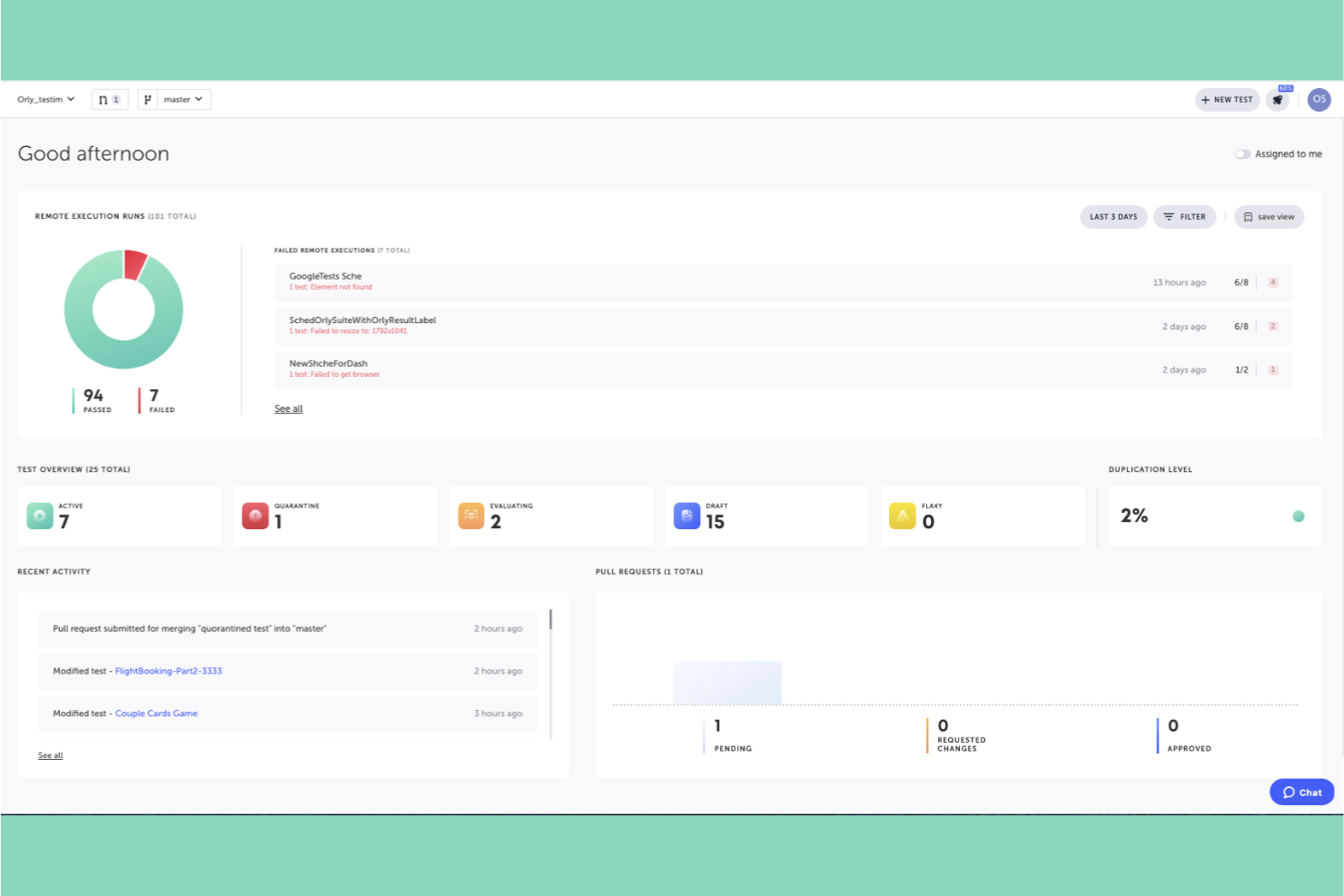
For teams struggling with flaky automated tests, Testim offers a different approach. This platform uses AI to help QA engineers and software developers maintain and scale their test suites with less manual effort. Unlike Browserling, Testim focuses on reducing test maintenance by automatically adapting to UI changes, making it a strong fit for fast-moving development environments.
Why Testim Is a Good Browserling Alternative
When you need to keep automated tests stable as your web app evolves, Testim stands out for its AI-powered test maintenance. I picked Testim because it uses machine learning to identify and adapt to UI changes, which helps reduce the time spent fixing broken tests. The platform also lets you create reusable test components, so you can update common flows in one place instead of editing multiple scripts. For teams dealing with frequent UI updates, Testim offers a smarter way to keep cross-browser tests reliable.
Testim Key Features
Some other features in Testim that may be valuable for web and cross-browser testing include:
- Codeless Test Creation: Build and edit tests using a visual editor without writing code.
- Parallel Test Execution: Run multiple tests simultaneously across different browsers and environments.
- Version Control Integration: Connect your test cases with Git for better collaboration and change tracking.
- Test Result Dashboards: View detailed reports and analytics on test runs and outcomes.
Integrations
Integrations include Jira, GitHub, Jenkins, CircleCI, LambdaTest, Azure DevOps, and Applitools.
Pros and Cons
Pros:
- Stable smart element locators
- Fast low-code test recording
- AI-powered self-healing tests
Cons:
- Difficult branch management
- Occasional stability downtime

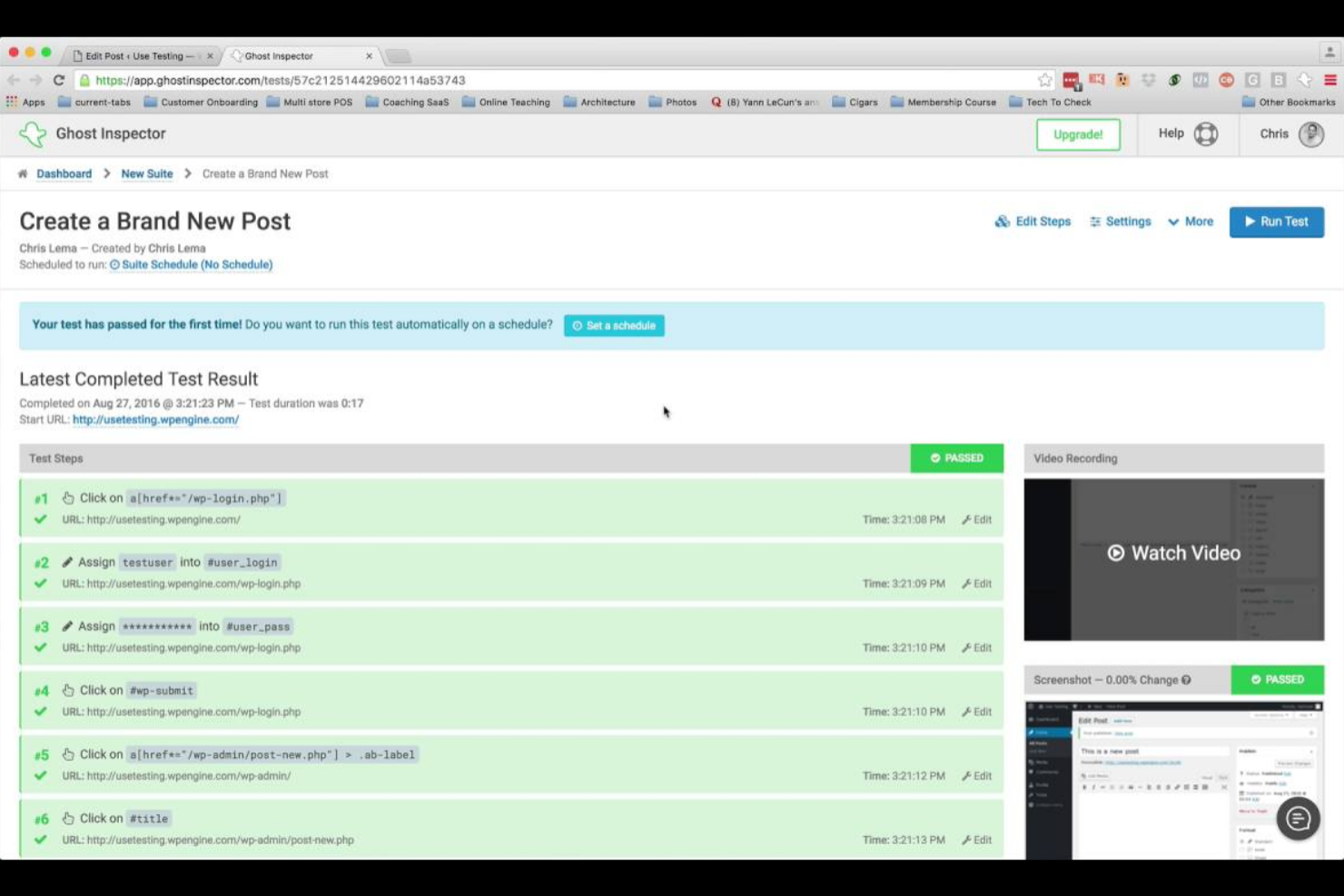
If you need to catch visual changes in your web applications before they reach production, Ghost Inspector is the testing solution built for you. This tool automates visual regression testing, making it a strong fit for QA teams and developers who want to spot UI issues early. Its ability to run browser-based tests and compare screenshots across deployments sets it apart from more basic cross-browser testing tools.
Why Ghost Inspector Is a Good Browserling Alternative
For teams focused on catching visual defects before they impact users, Ghost Inspector offers automated visual regression testing that goes beyond what Browserling provides. You can set up browser-based tests that automatically capture and compare screenshots across different builds, making it easy to spot unexpected UI changes. I like that Ghost Inspector also supports scheduling and running tests in the cloud, so you can monitor your web applications continuously. This makes it a strong choice if you need to ensure visual consistency across deployments, not just basic browser compatibility.
Ghost Inspector Key Features
Some other features in Ghost Inspector that may be useful for web and cross-browser testing include:
- Codeless Test Recorder: Record browser actions directly as test steps without writing code.
- Parallel Test Execution: Run multiple tests simultaneously across different browsers and environments.
- Slack and Email Notifications: Receive alerts about test results and failures through Slack or email.
- Version Control Integration: Connect with GitHub or Bitbucket to trigger tests automatically on code changes.
Integrations
Integrations include Slack, Jira, GitHub, GitLab, Bitbucket, CircleCI, Jenkins, Travis CI, and Azure DevOps.
Pros and Cons
Pros:
- Seamless CI/CD pipeline integration
- Built-in parallel test execution
- Automated visual regression checks
Cons:
- Limited advanced logic and loops
- Frequent breaks on dynamic sites

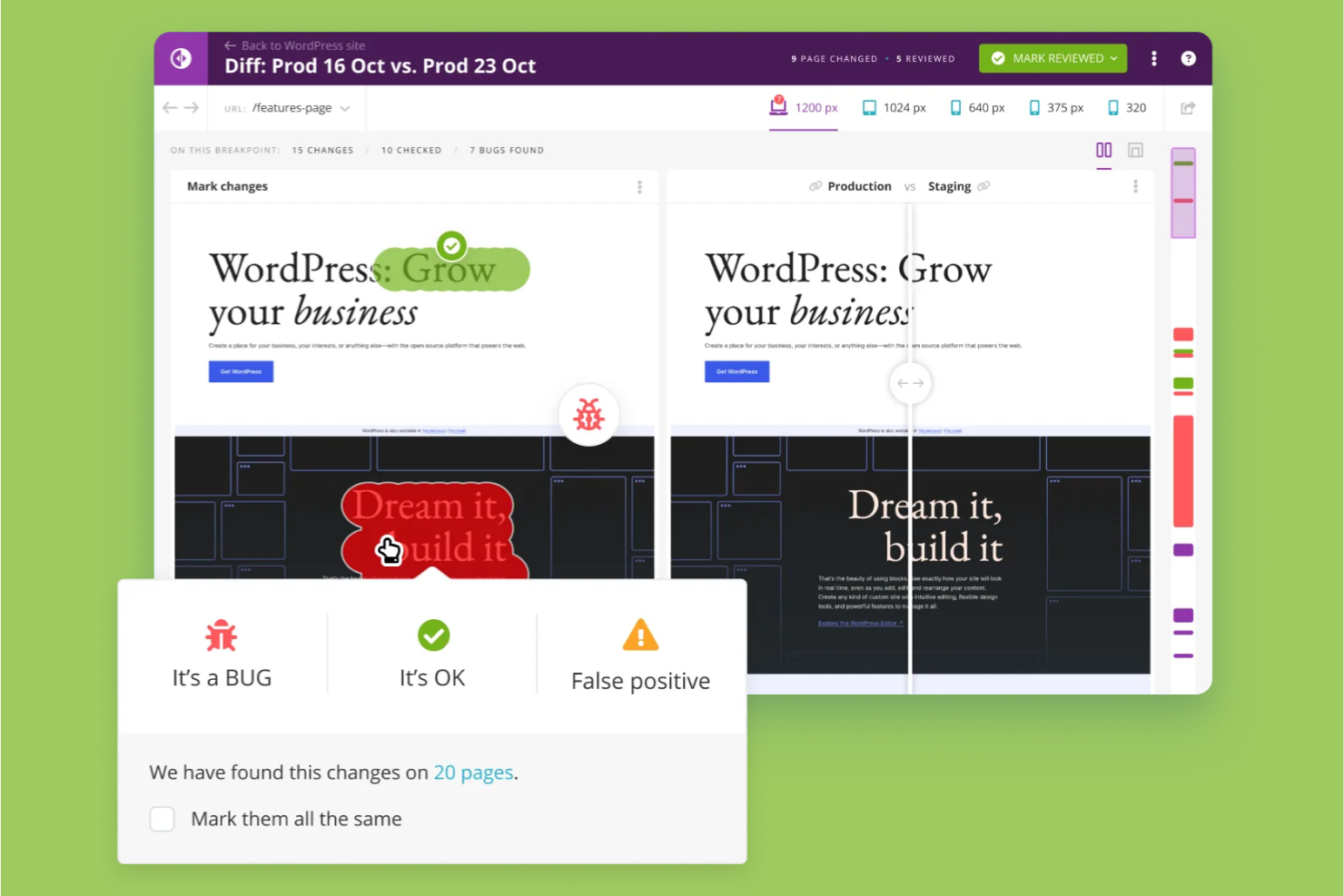
For teams that need to catch even the smallest visual changes between website versions, Diffy offers automated pixel-perfect comparison tools. This platform is especially useful for QA engineers, frontend developers, and agencies who want to ensure design consistency across deployments. Unlike Browserling, Diffy focuses on visual regression testing, helping you spot layout shifts and rendering issues that code-based tests might miss.
Why Diffy Is a Good Browserling Alternative
If you need to catch subtle visual differences between website versions, Diffy is built specifically for pixel-perfect website comparison. I picked Diffy because it automatically highlights even the smallest layout or rendering changes across browsers and devices, which is something Browserling doesn’t focus on. You can run side-by-side visual regression tests and receive clear visual reports that pinpoint exactly where changes have occurred. This makes Diffy a strong choice for teams that prioritize design accuracy and want to prevent unnoticed UI shifts during deployments.
Diffy Key Features
Some other features in Diffy that may be valuable for web and cross-browser testing include:
- Automated Screenshot Capture: Schedule and trigger screenshots of your web pages across multiple environments.
- Third-Party CI/CD Integration: Connect Diffy with your existing CI/CD pipelines for automated visual checks.
- Team Collaboration Tools: Assign, comment on, and track visual issues directly within the platform.
- Baseline Management: Store and manage baseline images to compare against future website versions.
Integrations
Integrations include DDEV, Lando, and GitHub.
Pros and Cons
Pros:
- Responsive human support
- CI/CD pipeline readiness
- CMS-friendly integration
Cons:
- No dedicated mobile app
- Expensive for small teams

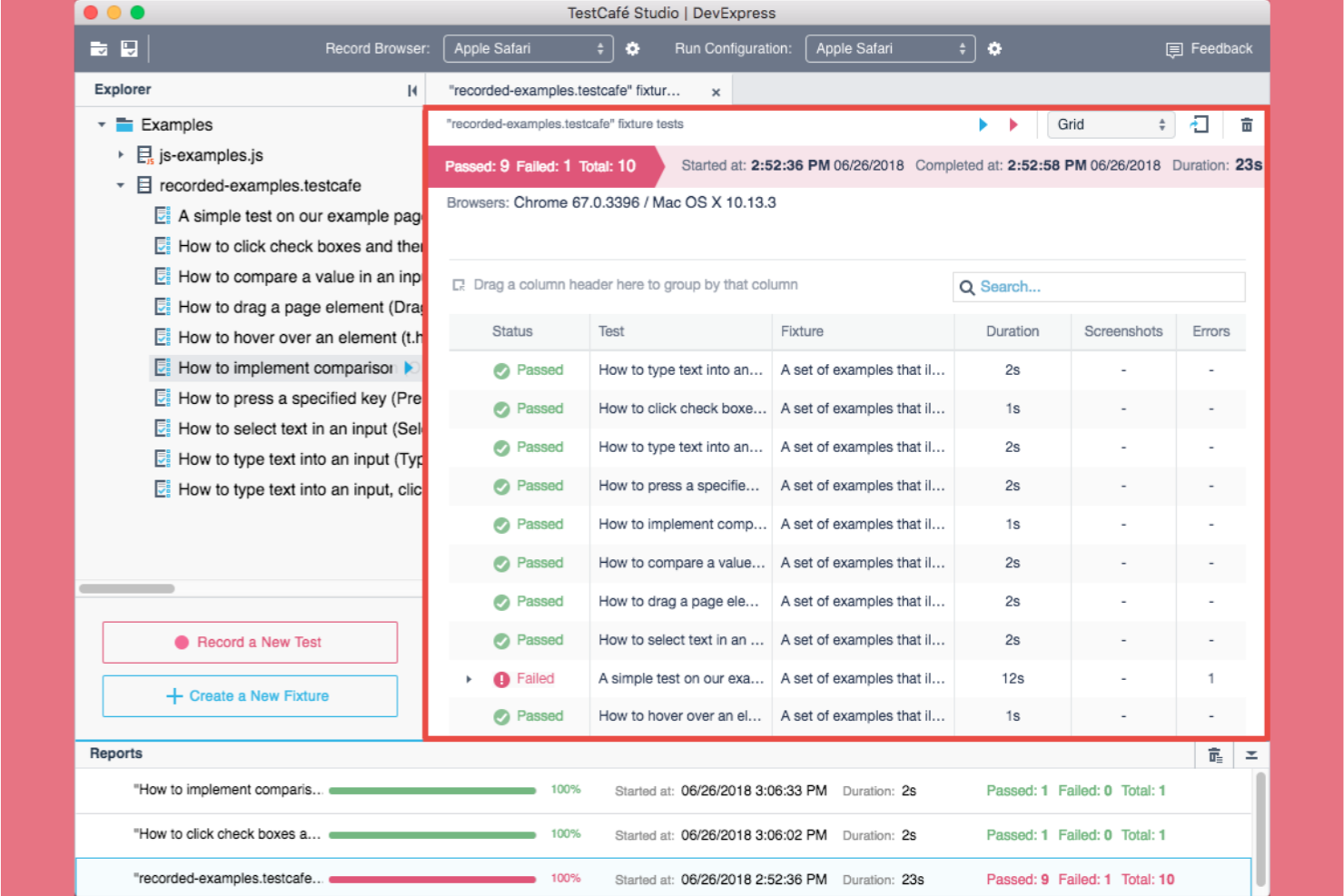
TestCafe stands out for teams that want to create end-to-end tests without writing code. This tool is a strong fit for QA specialists, product managers, and developers who need to automate browser testing but don’t want to manage complex scripting. Unlike Browserling, TestCafe offers a visual test recorder and editor, making it easier to build and maintain tests across browsers.
Why TestCafe Is a Good Browserling Alternative
For teams looking to automate browser testing without writing code, TestCafe offers a unique approach with its code-free end-to-end test creation. I picked TestCafe because its visual test recorder lets you build and edit tests through a point-and-click intuitive interface, which is something Browserling doesn’t provide. You can also run these tests across multiple browsers and devices, ensuring broad coverage without manual scripting. This makes TestCafe especially useful for teams that want to scale their testing efforts without deep programming expertise.
TestCafe Key Features
Some other features in TestCafe that may be valuable for web and cross-browser testing include:
- Parallel Test Execution: Run multiple tests at the same time across different browsers like Firefox, Internet Explorer, and Safari to speed up test cycles.
- Automatic Waiting Mechanism: TestCafe automatically waits for page elements to load before executing actions, reducing flakiness.
- Comprehensive Reporting: Generate detailed test reports in various formats, including HTML and JSON.
- Built-In Assertion Library: Use a wide range of built-in assertions to validate application behavior during tests.
Integrations
No native integrations included.
Pros and Cons
Pros:
- Automatic wait mechanism
- Built-in parallelization
- No WebDriver required
Cons:
- Manual debugging needed
- Smaller plugin ecosystem
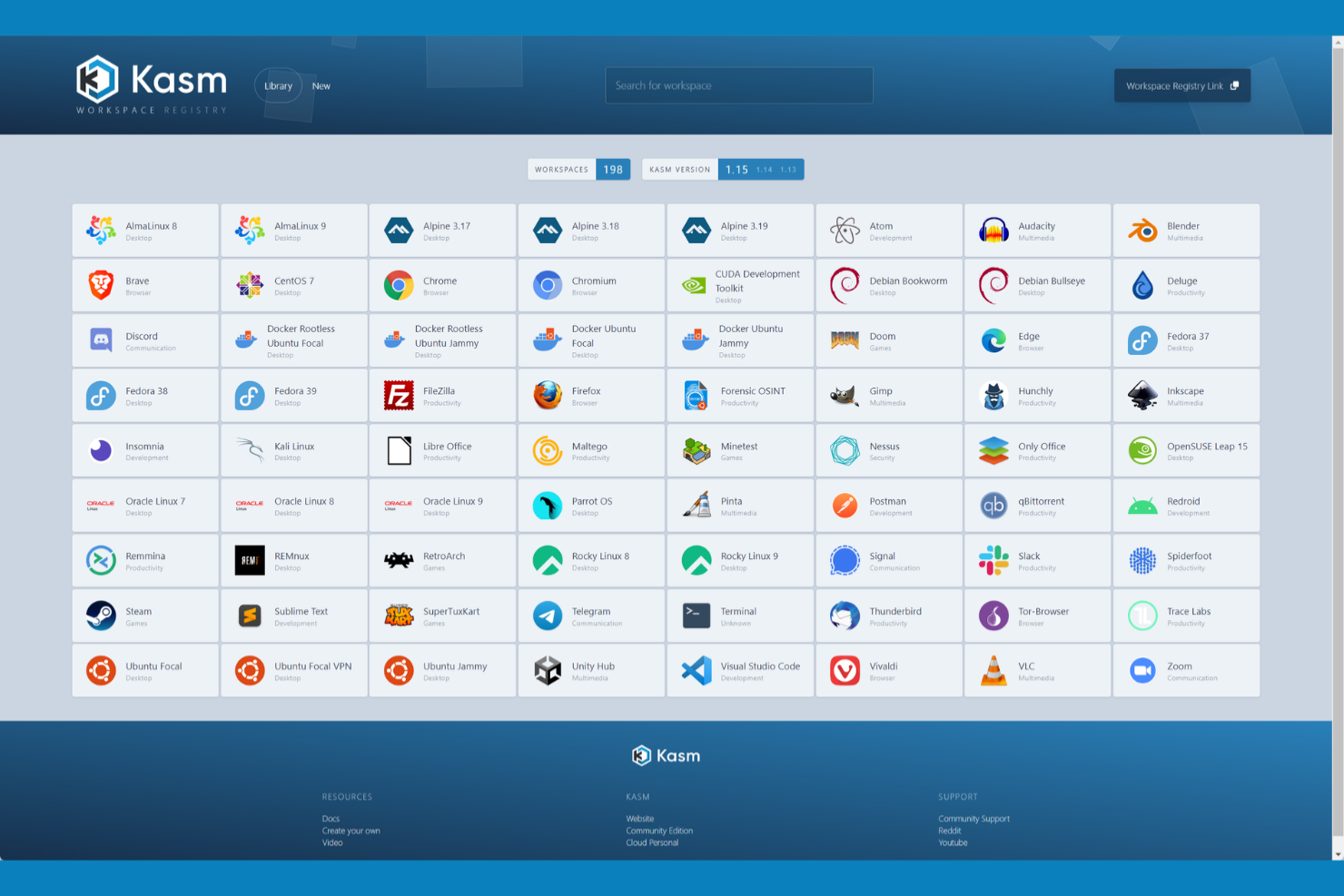
Kasm offers containerized browser session management designed for IT teams and security-focused organizations. It stands out by letting you deploy isolated browser environments on demand, which helps reduce risk and control access during web software testing. If you need to manage browser sessions at scale or require strict session isolation, Kasm provides a flexible alternative to traditional cross-browser testing tools.
Why Kasm Is a Good Browserling Alternative
Kasm stands out for its containerized browser session management, which is especially valuable if you need secure, isolated environments for web testing. Unlike Browserling, Kasm lets you spin up disposable browser sessions that are fully separated from your local system, reducing the risk of cross-contamination or data leakage. I appreciate how you can control session policies and automate session provisioning, making it easier to manage browser access for multiple users or projects. This approach is ideal for IT teams that prioritize security and need granular control over browser-based workflows.
Kasm Key Features
Some other features in Kasm that may interest teams looking for web and cross-browser testers include:
- Customizable Workspace Images: Choose from a library of pre-built browser images or create your own to match specific testing requirements.
- Session Recording: Record browser sessions for later review, audit, or troubleshooting.
- Role-Based Access Control: Assign permissions and manage user access to browser sessions based on roles within your organization.
- API Access: Integrate Kasm with your existing automation or CI/CD pipelines using a comprehensive API.
Integrations
Integrations include DigitalOcean, Kubevirt, and Terraform.
Pros and Cons
Pros:
- Rapid session deployment
- Browser-based access
- Secure container isolation
Cons:
- No native Windows support
- Latency on weak networks

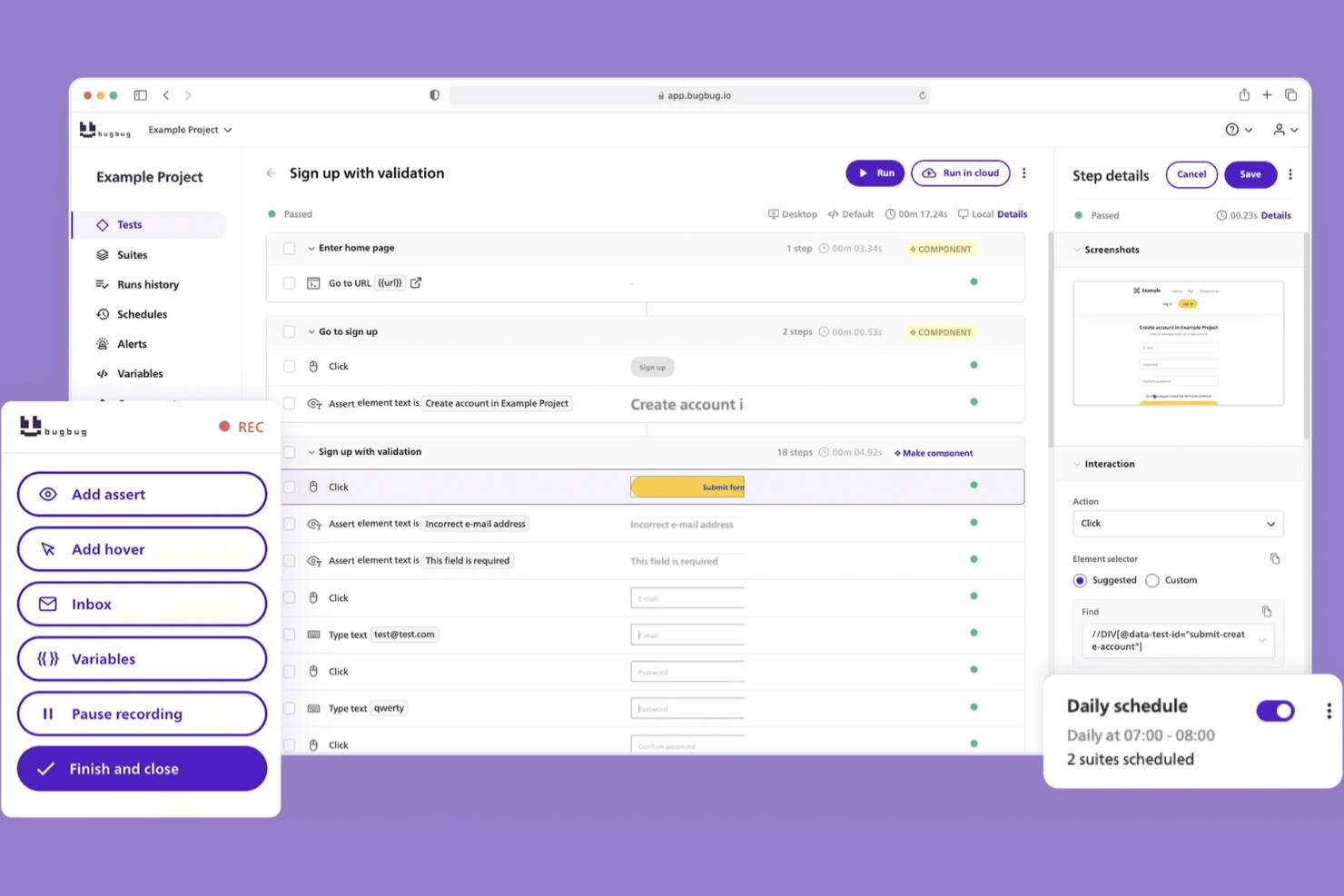
If you want to launch automated browser tests without writing code, BugBug is designed for you. This tool appeals to QA specialists, product teams, and startups that need fast, no-code test setup for web applications. Unlike Browserling, BugBug focuses on making test creation and scheduling simple, so you can validate changes quickly with minimal setup.
Why BugBug Is a Good Browserling Alternative
For teams that want to automate browser testing without writing scripts, BugBug offers a true no-code experience. I picked BugBug because you can record and play back tests directly in your browser, making it easy to set up and maintain test cases. The tool also supports scheduling automated test runs in the cloud, so you can validate web app changes on a regular basis. If you need to start testing quickly, BugBug removes the technical barriers that often slow teams down, thereby improving the user experience.
BugBug Key Features
Some other features in BugBug that may be useful for web and cross-browser testing include:
- Chrome Extension Recorder: Capture user actions directly in Chrome to build test scenarios.
- Test Step Editing: Modify, reorder, or delete individual steps within any test case.
- Local Test Execution: Run tests on your own machine before pushing them to the cloud.
- Email Notifications: Receive alerts about test results or failures directly in your inbox.
Integrations
Integrations include Google Chrome, Zapier, and n8n.
Pros and Cons
Pros:
- Intuitive "Edit & Rewind" feature
- Unlimited free local test runs
- No-code recording interface
Cons:
- Higher cost for cloud execution
- No Android or iOS mobile application support


Browserling Alternatives Selection Criteria
When selecting the best Browserling alternatives to include in this list, I considered common buyer needs and pain points related to Web and Cross-Browser Testing Software products, like the ability to automate cross-browser testing and support for multiple device environments. I also used the following framework to keep my evaluation structured and fair:
Core Functionality (25% of total score)
To be considered for inclusion in this list, each solution had to fulfill these common use cases:
- Run automated tests across multiple browsers
- Test web applications on different operating systems
- Capture and report test results
- Support manual and automated testing workflows
- Provide access to real device or virtual environments
Additional Standout Features (25% of total score)
To help further narrow down the competition, I also looked for unique features, such as:
- AI-powered test creation or maintenance
- Visual testing capabilities
- Integration with CI/CD pipelines
- Support for parallel test execution
- Advanced scripting language support
Usability (10% of total score)
To get a sense of the usability of each system, I considered the following:
- Intuitive user interface design
- Clear navigation and labeling of features
- Minimal steps to execute core tasks
- Customizable dashboards or views
- Accessibility of documentation within the platform
Onboarding (10% of total score)
To evaluate the onboarding experience for each platform, I considered the following:
- Availability of step-by-step product tours
- Access to training videos and tutorials
- Pre-built templates for common test scenarios
- In-app chatbots or guided help
- Live or recorded onboarding webinars
Customer Support (10% of total score)
To assess each software provider’s customer support services, I considered the following:
- Availability of live chat or phone support
- Responsiveness to support tickets
- Access to a searchable knowledge base
- Community forums or user groups
- Quality of technical documentation
Value For Money (10% of total score)
To evaluate the value for money of each platform, I considered the following:
- Transparent and flexible pricing plans
- Features included at each pricing tier
- Free trial or demo availability
- Cost compared to similar tools
- Discounts for annual or volume licensing
Customer Reviews (10% of total score)
To get a sense of overall customer satisfaction, I considered the following when reading customer reviews:
- Reported reliability and stability of the platform
- Quality of customer support experiences
- Frequency of updates and new features
- Ease of integration with existing workflows
- Overall satisfaction with test coverage and results
Why Look For A Browserling Alternative?
While Browserling is a good choice of Web and Cross-Browser Testing Software, there are a number of reasons why some users seek out alternative solutions. You might be looking for a Browserling alternative because…
- You need support for automated test scripting and advanced workflows
- Your team requires integration with enterprise DevOps pipelines
- You want access to a wider range of browsers and operating systems
- You need parallel test execution to speed up release cycles
- Your organization demands more detailed reporting and analytics
- You require on-premises deployment for compliance or security reasons
If any of these sound like you, you’ve come to the right place. My list contains several Web and Cross-Browser Testing Software options that are better suited for teams facing these challenges with Browserling and looking for alternative solutions.
Browserling Key Features
Here are some of the key features of Browserling, to help you contrast and compare what alternative solutions offer:
- Live interactive cross-browser testing in real browsers
- Access to multiple operating systems and browser versions
- Secure, disposable browser sessions for privacy
- Instant browser launch without installation or plugins
- Built-in screenshot capture for visual validation
- Responsive testing for different device screen sizes
- Session sharing via unique URLs for collaboration
- Bookmarklet for quick access to testing tools
- SSL encryption for secure connections
- API access for automated screenshot generation
What’s Next:
If you're in the process of researching a Browserling alternative, connect with a SoftwareSelect advisor for free recommendations.
You fill out a form and have a quick chat where they get into the specifics of your needs. Then you'll get a shortlist of software to review. They'll even support you through the entire buying process, including price negotiations.