

12 BrowserStack Alternatives for 2026

BrowserStack Alternatives Shortlist
Here’s my shortlist of BrowserStack alternatives:


A strong BrowserStack alternative offers reliable cross-browser and app testing, broad device coverage, and flexible automation options. If you’re searching for alternatives to BrowserStack, you’re likely looking for a testing tool that fits your team’s workflow, supports your preferred frameworks, and works across cross-platform environments. These tools help teams validate front-end functionality, perform end-to-end testing, and meet a variety of testing needs across browsers, devices, and operating systems. This list will help you compare leading platforms, understand their unique strengths, and choose the right solution for your testing environment.
What Is BrowserStack?
BrowserStack is a cloud-based platform for cross-browser and app testing on real devices and browsers. It enables teams to run manual and automated tests across multiple operating systems, browser versions, and mobile devices without maintaining their own device lab. As a software testing platform, BrowserStack is widely used by QA engineers, developers, and IT specialists to ensure web and mobile applications work consistently across different environments.
Best BrowserStack Alternatives Summary
This comparison chart summarizes pricing details for my top BrowserStack alternative selections to help you find the best one for your budget and business needs.
| Tool | Best For | Trial Info | Price | ||
|---|---|---|---|---|---|
| 1 | Best for live interactive browser testing | Free plan available + free demo | From $15/user/month (billed annually) | Website | |
| 2 | Best for performance monitoring across locations | Free demo available | From $39/month (billed annually) | Website | |
| 3 | Best for enterprise-grade test scalability | 28-day free trial + free demo available | From $39/month (billed annually) | Website | |
| 4 | Best for instant browser access without setup | Not available | From $9/month (billed annually) | Website | |
| 5 | Best for AI-driven mobile test automation | Free trial available | From $83/month | Website | |
| 6 | Best for parallel test execution | 14-day free trial + free demo available | From $20/month (billed annually) | Website | |
| 7 | Best for native integration with AWS services | Free plan available | Pricing upon request | Website | |
| 8 | Best for flexible test infrastructure options | 14-day free trial available | From $47/parallel/month (billed annually) | Website | |
| 9 | Best for integrated test automation workflows | 30-day free trial + free plan + free demo available | From $84/user/month (billed annually) | Website | |
| 10 | Best for advanced test analytics and reporting | 14-day free trial available | From $83/month | Website | |
| 11 | Best for on-premise device lab deployment | Free trial available | From $199/month/year (minimum of 4 seats) | Website | |
| 12 | Best for real device cloud access | Free trial + free demo available | From $15/month (billed annually) | Website |
Why Trust Our Software Reviews
We’ve been testing and reviewing software since 2023. As tech leaders ourselves, we know how critical and difficult it is to make the right decision when selecting software.
We invest in deep research to help our audience make better software purchasing decisions. We’ve tested more than 2,000 tools for different tech use cases and written over 1,000 comprehensive software reviews. Learn how we stay transparent & our software review methodology.
-

Site24x7
Visit WebsiteThis is an aggregated rating for this tool including ratings from Crozdesk users and ratings from other sites.4.6 -
GitHub Actions
Visit WebsiteThis is an aggregated rating for this tool including ratings from Crozdesk users and ratings from other sites.4.8 -
Docker
Visit WebsiteThis is an aggregated rating for this tool including ratings from Crozdesk users and ratings from other sites.4.6





BrowserStack Alternatives Reviews
Below are my detailed summaries of the best BrowserStack alternatives that made it onto my shortlist. My reviews offer a detailed look at the features, capabilities, and integrations of each platform to help you find the best one for your needs.

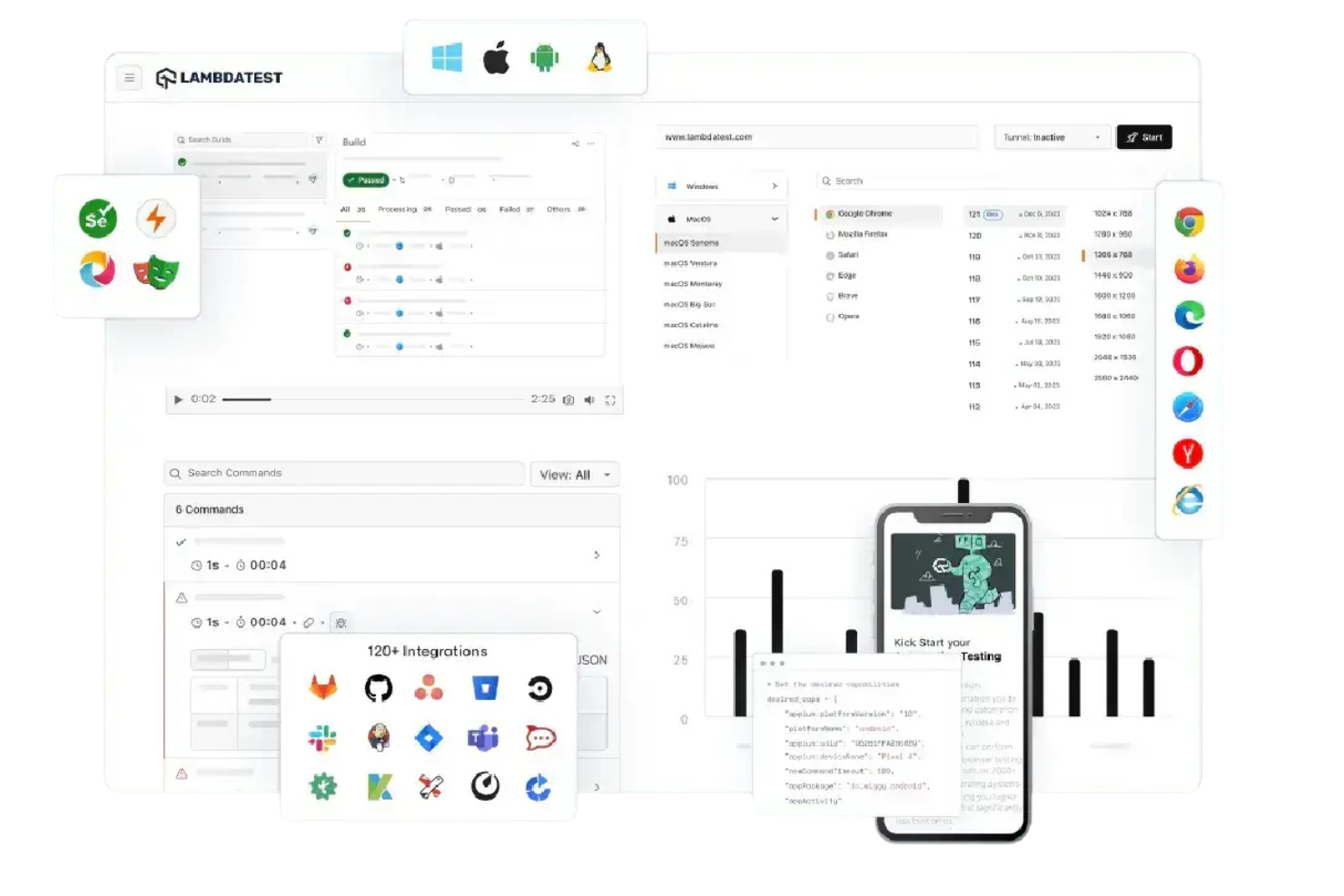
LambdaTest gives QA teams and developers access to live interactive browser testing on a wide range of real browsers and operating systems. It’s a strong fit for teams that need to quickly debug issues across multiple environments without maintaining their own device lab. LambdaTest stands out for its real-time testing capabilities and broad browser coverage, making it easier to catch compatibility issues early.
Why LambdaTest Is a Good BrowserStack Alternative
LamdbaTest stands out for its live interactive browser testing, which is especially useful for teams that need to debug and validate web applications in real time. I picked LambdaTest because it lets you instantly launch browsers and operating systems from the cloud, so you can see exactly how your site behaves across different environments. The platform also supports live debugging tools, including console logs and network capture, to help you quickly identify and resolve issues. This focus on real-time, hands-on testing makes LambdaTest a strong choice for anyone who needs immediate feedback during cross-browser QA.
LambdaTest Key Features
Some other LambdaTest features worth noting include:
- Automated Selenium Testing: Run automated test scripts across multiple browsers and devices using Selenium.
- Geolocation Testing: Simulate user experiences from different countries by selecting specific geolocations for your tests.
- Smart Visual UI Testing: Detect visual bugs and layout issues with automated screenshot comparison tools.
- Responsive Design Testing: Preview and test your web application’s appearance on various screen sizes and resolutions.
LambdaTest Integrations
Integrations include Jira, Slack, GitHub, GitLab, Bitbucket, Asana, Trello, Microsoft Teams, Jenkins, CircleCI, and more.
Pros and Cons
Pros:
- Integrates with major CI/CD and project tools
- Built-in geolocation and localization testing
- Supports both manual and automated testing
Cons:
- Mobile device coverage is less extensive
- Limited concurrency on lower-tier plans

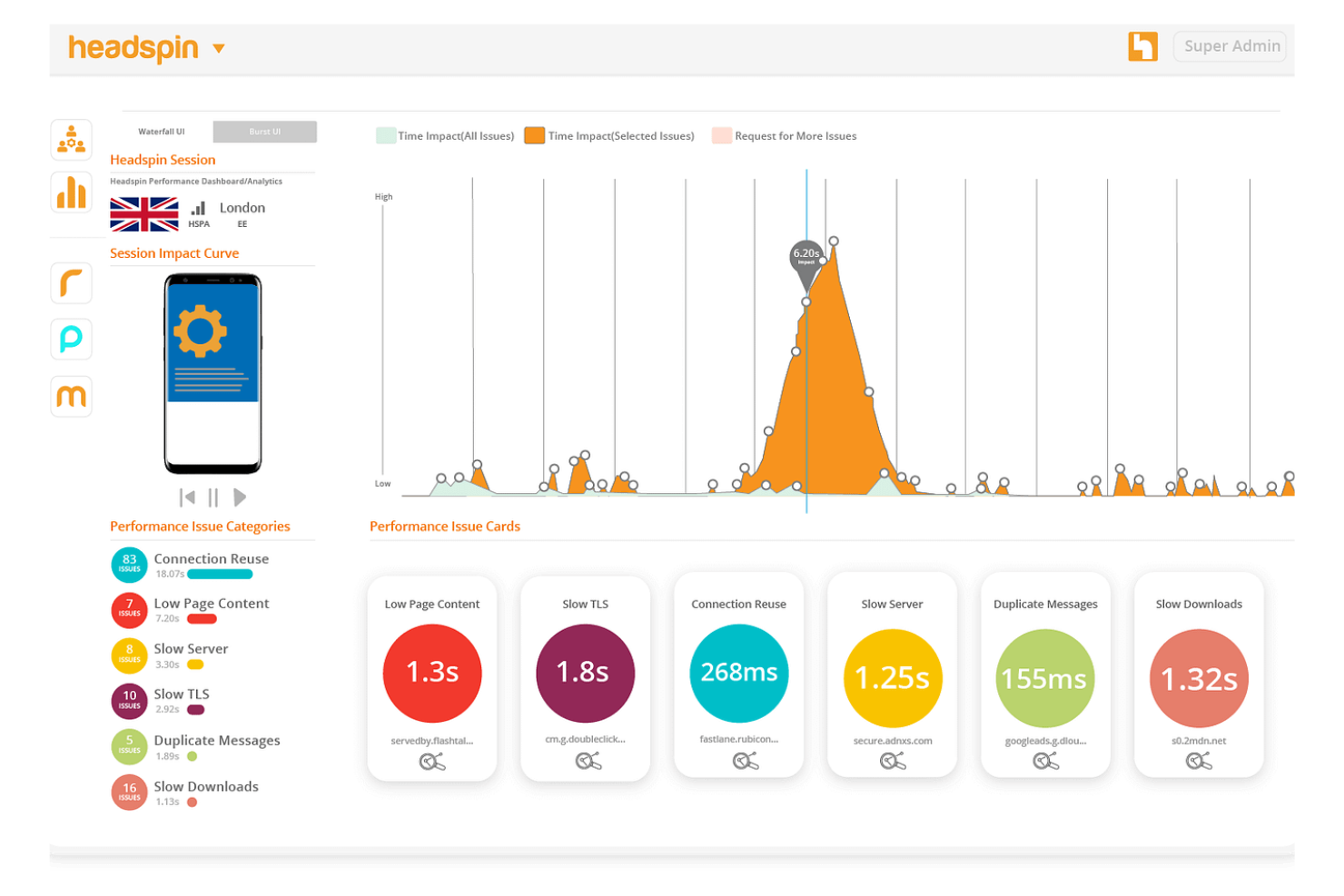
If you need to monitor app performance across multiple global locations, HeadSpin offers a unique approach. This platform is designed for QA teams and engineers who want to test real user experiences on devices in different regions. HeadSpin stands out by combining cross-browser and app testing with detailed performance analytics tied to specific geographic locations.
Why HeadSpin Is a Good BrowserStack Alternative
For teams that need to monitor app and browser performance in different regions, HeadSpin brings something unique to the table. I picked HeadSpin because it lets you test on real devices located in dozens of countries, so you can see exactly how your app performs for users around the world. The platform also provides detailed performance analytics, including network conditions and user experience metrics tied to specific locations. This makes HeadSpin a strong choice for businesses where global performance monitoring is a top priority.
HeadSpin Key Features
Some other features worth highlighting include:
- AI-Powered Issue Detection: Uses machine learning to automatically identify performance bottlenecks and anomalies during tests.
- Session Recording and Playback: Captures full test sessions for later review and debugging.
- Support for Automated and Manual Testing: Lets you run both scripted automation and live manual tests on real devices.
- API Testing Capabilities: Allows you to test and monitor API endpoints alongside app and browser tests.
HeadSpin Integrations
Integrations include Jenkins, GitHub, GitLab, Azure, Slack, Jira, Appium, Selenium, Playwright, and Tricentis Tosca.
Pros and Cons
Pros:
- Supports both API and UI test automation
- AI-driven performance issue detection tools
- Real device testing in multiple global locations
Cons:
- Occasional delays in device provisioning
- Device pool can be limited in some regions
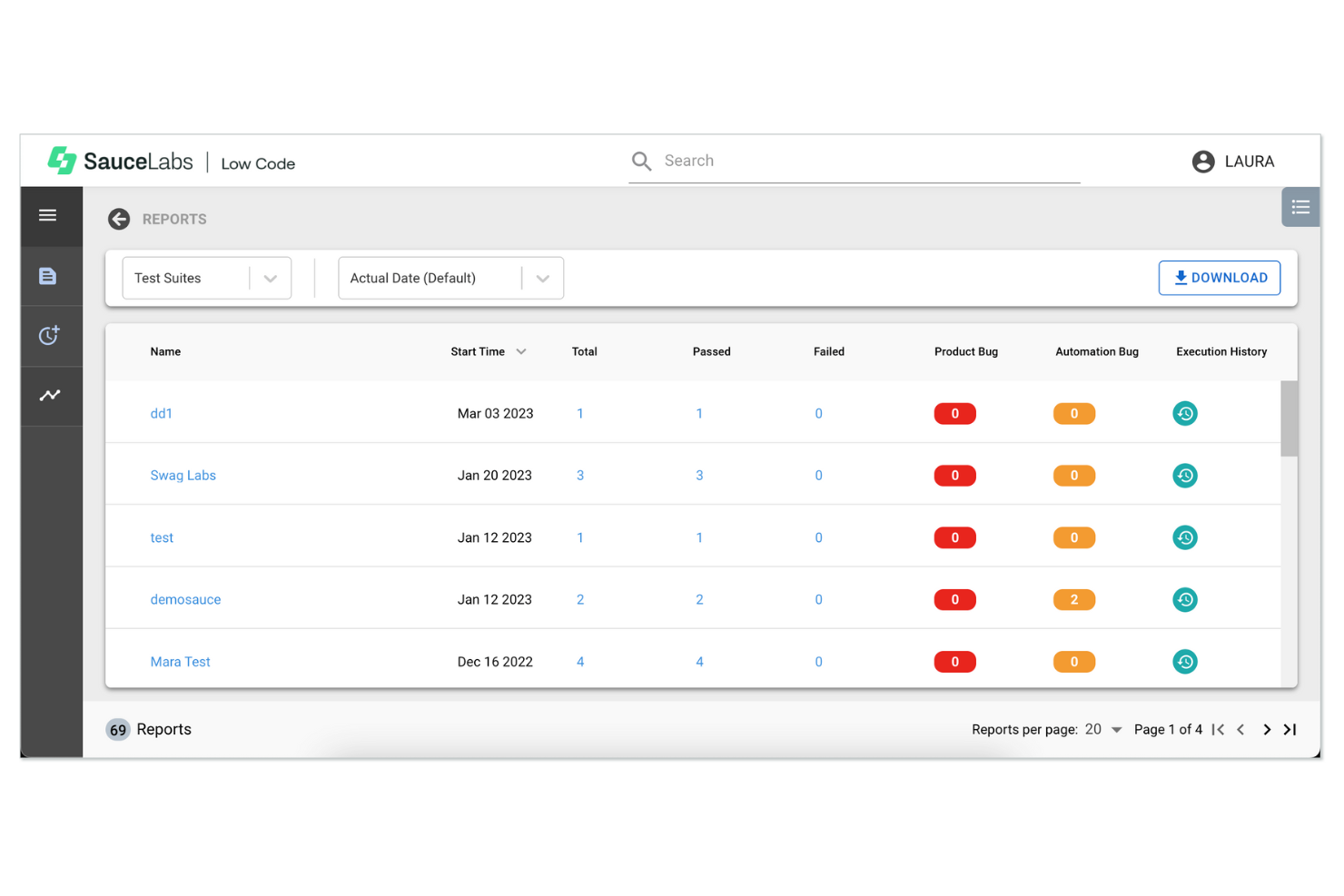
Sauce Labs is designed for organizations that need to scale automated testing across large, distributed teams and complex environments. Enterprise QA leaders and DevOps teams use Sauce Labs to manage high test volumes and parallel executions without bottlenecks. Its cloud-based infrastructure and advanced analytics set it apart for businesses prioritizing reliability and scalability in their cross-browser and mobile app testing.
Why Sauce Labs Is a Good BrowserStack Alternative
For teams that need to run large-scale automated tests, Sauce Labs offers enterprise-grade scalability that’s hard to match. I picked Sauce Labs because it supports high concurrency and parallel test execution, letting you run thousands of tests simultaneously across browsers and devices. The platform’s cloud infrastructure is built to handle demanding workloads, making it a strong fit for organizations with complex, distributed QA needs. Advanced analytics and debugging tools also help teams quickly identify and resolve issues at scale.
Sauce Labs Key Features
Some other Sauce Labs features worth highlighting include:
- Real Device Cloud: Access a wide range of real mobile devices for manual and automated testing.
- Visual Testing: Capture and compare screenshots to identify visual regressions across browsers and devices.
- API Testing: Run automated API tests alongside UI tests within the same platform.
- Single Sign-On (SSO): Integrate with enterprise identity providers for secure, centralized user management.
Sauce Labs Integrations
Integrations include Slack, GitHub, Bamboo, Travis CI, TeamCity, Jenkins, Microsoft Teams, Jira, CircleCI, and Bitbucket.
Pros and Cons
Pros:
- Visual testing for UI regression detection
- Advanced analytics and debugging tools
- Real device cloud for mobile testing
Cons:
- Occasional disconnects during long test runs
- Test session startup times can be slow

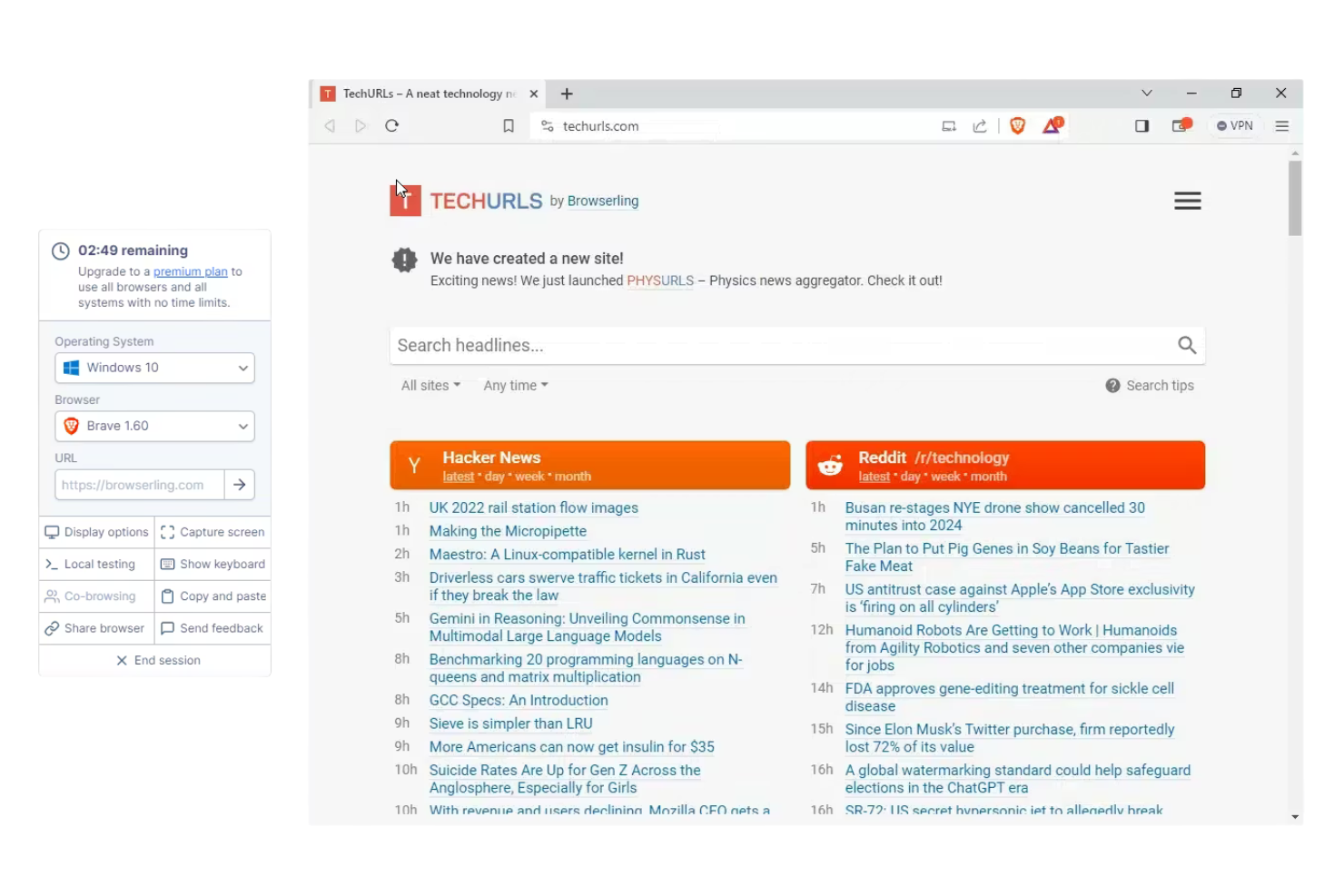
If you need instant browser access without any installation or setup, Browserling is a straightforward choice. This tool is especially useful for developers, QA testers, and support teams who want to quickly check websites across browsers in live, disposable sessions. Unlike BrowserStack and similar platforms, Browserling runs browsers in real time with no plugins or downloads required, making it ideal for fast, on-demand testing.
Why Browserling Is a Good BrowserStack Alternative
For teams that want to launch browser tests instantly, Browserling offers a unique approach with its no-setup, web-based sessions. I picked Browserling because you can access real browsers in seconds, directly from your browser, without installing any plugins or software. The platform provides disposable, isolated sessions that reset after each use, which is helpful for quick troubleshooting or one-off compatibility checks. This makes Browserling a practical choice for anyone who needs immediate, hassle-free browser access compared to BrowserStack’s more involved setup.
Browserling Key Features
Some other features worth noting include:
- Bookmarkable Live Sessions: Lets you save and share session URLs for repeatable testing scenarios.
- Screenshot Capture Tool: Allows you to take and download screenshots during live browser sessions.
- Secure Tunnels for Local Testing: Enables you to test local or firewalled websites through an encrypted tunnel.
- Browser Extension Support: Offers Chrome and Firefox extensions for launching tests directly from your browser toolbar.
Browserling Integrations
Native integrations are not currently listed.
Pros and Cons
Pros:
- Screenshot capture tool built into live sessions
- Supports secure tunnel testing for local sites
- No installation or plugins required for access
Cons:
- Limited selection of browser and OS versions
- No automated testing or scripting support
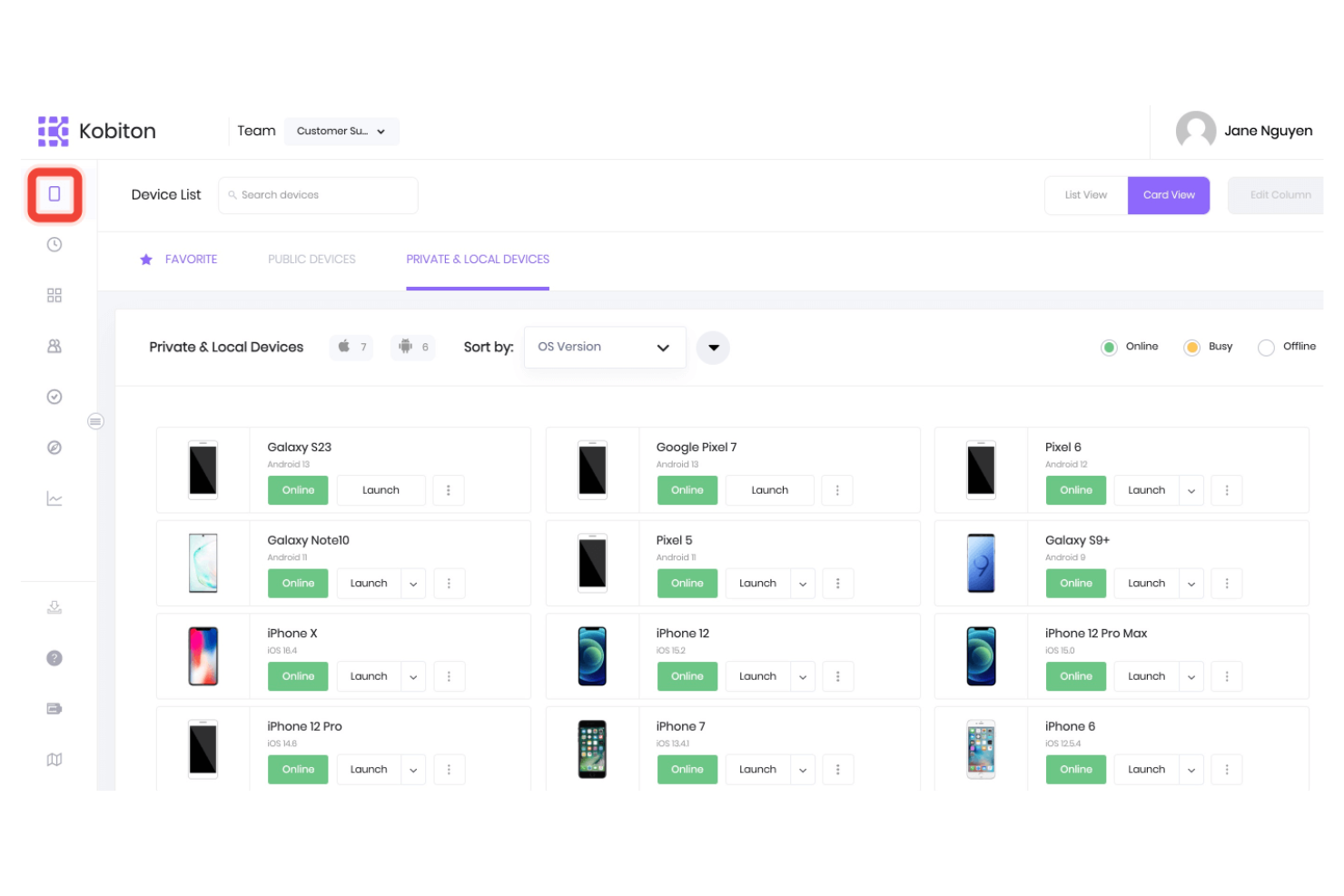
Kobiton offers AI-driven mobile test automation for teams focused on mobile app quality and speed. It’s a strong fit for QA engineers and mobile development teams who want to automate testing across real devices with minimal scripting. Unlike BrowserStack, Kobiton uses AI to generate, execute, and maintain test scripts, helping you keep up with rapid app changes and device fragmentation.
Why Kobiton Is a Good BrowserStack Alternative
Kobiton stands out for teams that want to automate mobile testing with the help of AI. I picked Kobiton because its AI-driven scriptless automation lets you create and maintain tests without heavy manual scripting, which is especially useful for fast-moving mobile projects. The platform also offers automatic test case generation and self-healing scripts that adapt to app changes. These features make Kobiton a strong choice if you need to keep mobile app testing efficient and resilient as your app evolves.
Kobiton Key Features
Some other features worth noting include:
- Real Device Cloud: Lets you test on a wide range of real iOS and Android devices hosted in the cloud.
- Session Exploration: Provides detailed session logs, screenshots, and video recordings for every test run.
- Device Lab Management: Allows you to manage and utilize your own on-premises devices alongside cloud devices.
- Integrations with CI/CD Tools: Connects with Jenkins, GitHub Actions, and other CI/CD platforms for automated test execution.
Kobiton Integrations
Integrations include Jenkins, GitHub Actions, Figma, Katalon, Jira Cloud, TestRail, CircleCI, Digital.ai, Buildkite, and Applitools.
Pros and Cons
Pros:
- Integrates with major CI/CD and test tools
- Real device cloud includes both Android and iOS
- AI auto-generates and maintains mobile test scripts
Cons:
- Occasional lag in real device responsiveness
- No support for desktop browser testing

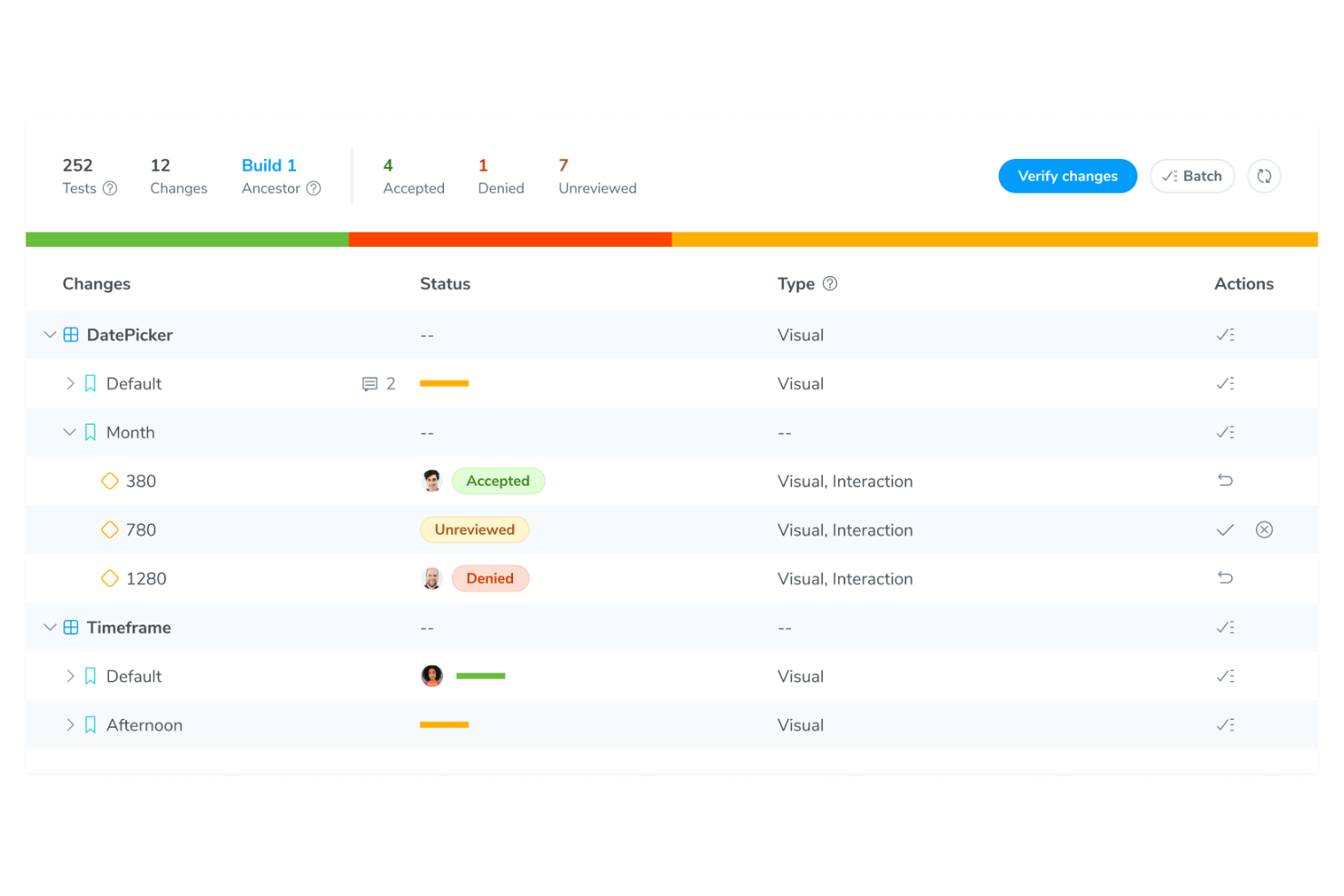
Teams looking to maximize test coverage in less time often turn to TestingBot for its parallel test execution capabilities. This platform is especially useful for QA engineers and software teams who need to run large test suites across multiple browsers and devices at once. By supporting high concurrency, TestingBot helps you accelerate release cycles in ways that many other platforms, including BrowserStack, may not match.
Why TestingBot Is a Good BrowserStack Alternative
If you need to run many tests at the same time, TestingBot is built for high-volume parallel execution. I picked TestingBot because it lets you execute hundreds of automated tests simultaneously across browsers and devices, which is ideal for teams with large regression suites or continuous integration pipelines. The platform’s concurrency controls and detailed reporting help you manage and monitor parallel runs without bottlenecks. This makes TestingBot a strong choice for organizations that want to speed up testing cycles beyond what BrowserStack typically allows.
TestingBot Key Features
Some other features that caught my attention include:
- Live Interactive Testing: Lets you manually test websites and apps on real browsers and devices in real time.
- Automated Visual Testing: Compares screenshots to detect visual regressions across different browsers.
- Headless Testing Support: Allows you to run tests in headless mode for faster execution and resource savings.
- Video and Log Capture: Records videos and logs of each test session for easier debugging and review.
TestingBot Integrations
Integrations include Selenium, Appium, Cypress, Slack, Jira, Jenkins, TeamCity, Bamboo, Azure DevOps, GitHub Actions, and more.
Pros and Cons
Pros:
- Provides automated visual regression testing
- Offers video and log capture for sessions
- Includes headless browser testing options
Cons:
- Limited support for legacy browser versions
- Fewer real mobile devices

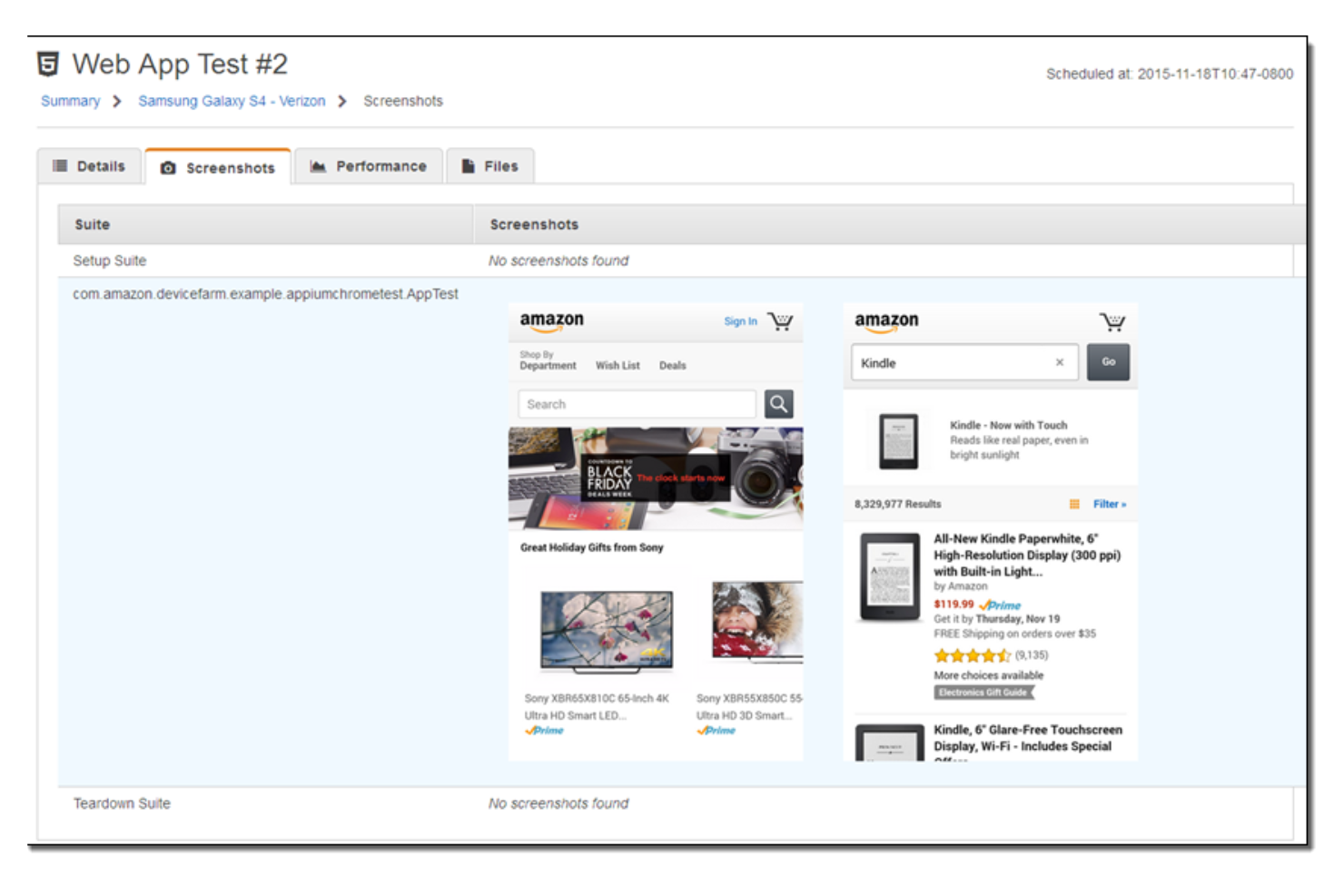
AWS Device Farm is designed for teams already using AWS who want to test mobile and web apps on real devices in the cloud. This platform appeals to developers and QA teams looking for deep integration with other AWS services, such as CI/CD pipelines and cloud storage. Unlike BrowserStack, AWS Device Farm lets you automate tests across a wide range of physical devices while keeping everything within your existing AWS environment.
Why AWS Device Farm Is a Good BrowserStack Alternative
If your team already relies on AWS, Device Farm stands out for its seamless integration with the broader AWS ecosystem. I picked AWS Device Farm because it lets you automate app and browser testing directly within your existing AWS workflows, including CI/CD pipelines and resource management. The platform supports running tests on a wide range of real devices, all managed through your AWS account. This approach is especially useful for organizations that want to centralize infrastructure and testing within a single cloud environment.
AWS Device Farm Key Features
Some other features worth highlighting include:
- Remote Access Sessions: Lets you interact with real devices in real time for manual testing and debugging.
- Device Pool Management: Allows you to organize and group devices for targeted test runs.
- Comprehensive Test Reporting: Provides detailed logs, screenshots, and video recordings for each test session.
- Support for Multiple Test Frameworks: Works with frameworks like Appium, Calabash, Espresso, and XCTest for flexible automation.
AWS Device Farm Integrations
Integrations include Jenkins, Android Studio, AWS CLI, AWS SDKs, and a native API for custom integrations.
Pros and Cons
Pros:
- Device pool management for targeted test runs
- Supports both mobile and web app testing
- Deep integration with AWS developer tools
Cons:
- No built-in team collaboration features
- No support for desktop browser automation

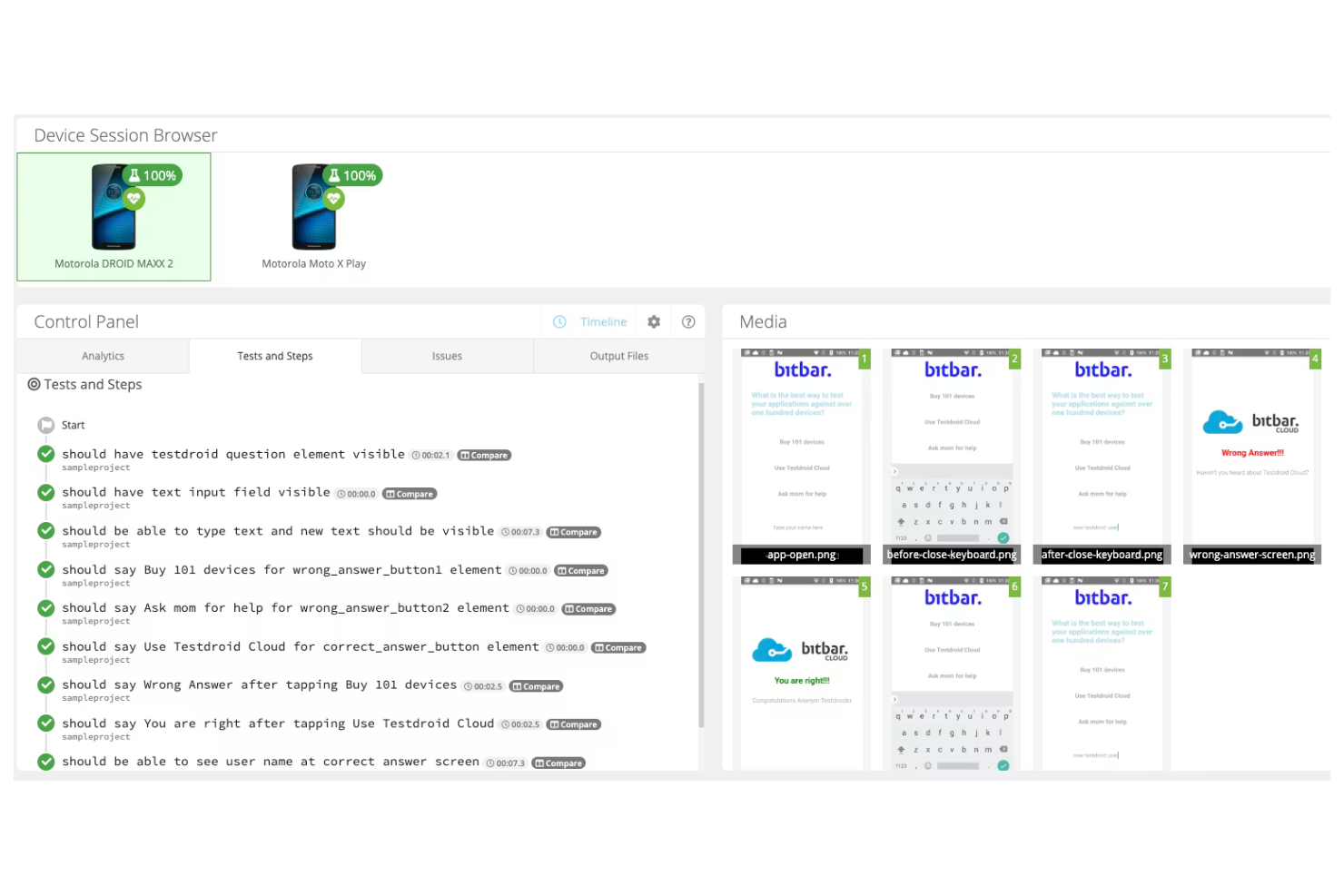
For teams that need control over their testing environment, BitBar offers flexible deployment options across public cloud, private cloud, or on-premises infrastructure. This platform is a strong fit for enterprises with strict security, compliance, or customization requirements. BitBar helps you tailor your app and cross-browser testing setup in ways that BrowserStack and similar platforms may not support.
Why BitBar Is a Good BrowserStack Alternative
Unlike most cloud-based testing platforms, BitBar gives you the option to deploy in the public cloud, private cloud, or fully on-premises. I picked BitBar because this flexibility is valuable for organizations with strict data residency, compliance, or security needs. You can manage your own device lab or use BitBar’s cloud devices, depending on your requirements. This level of infrastructure control makes BitBar a strong alternative for teams that can’t rely solely on public cloud solutions like BrowserStack.
BitBar Key Features
Some other features worth noting include:
- Real Device Cloud: Lets you access a wide range of real mobile devices for manual and automated testing.
- Parallel Test Execution: Allows you to run multiple tests at the same time across different devices and browsers.
- Support for Multiple Automation Frameworks: Works with Selenium, Appium, Espresso, XCUITest, and more.
- Live and Automated Testing Modes: Offers both interactive live testing and automated test execution options.
BitBar Integrations
Integrations include Selenium, Appium, Cypress, TestComplete, Jenkins, Slack, Python, Ruby, NodeJS, and XCUITest.
Pros and Cons
Pros:
- Parallel test execution increases test coverage
- Supports both manual and automated testing
- Device lab can be fully managed in-house
Cons:
- Limited built-in analytics for test results
- Reporting features are less advanced

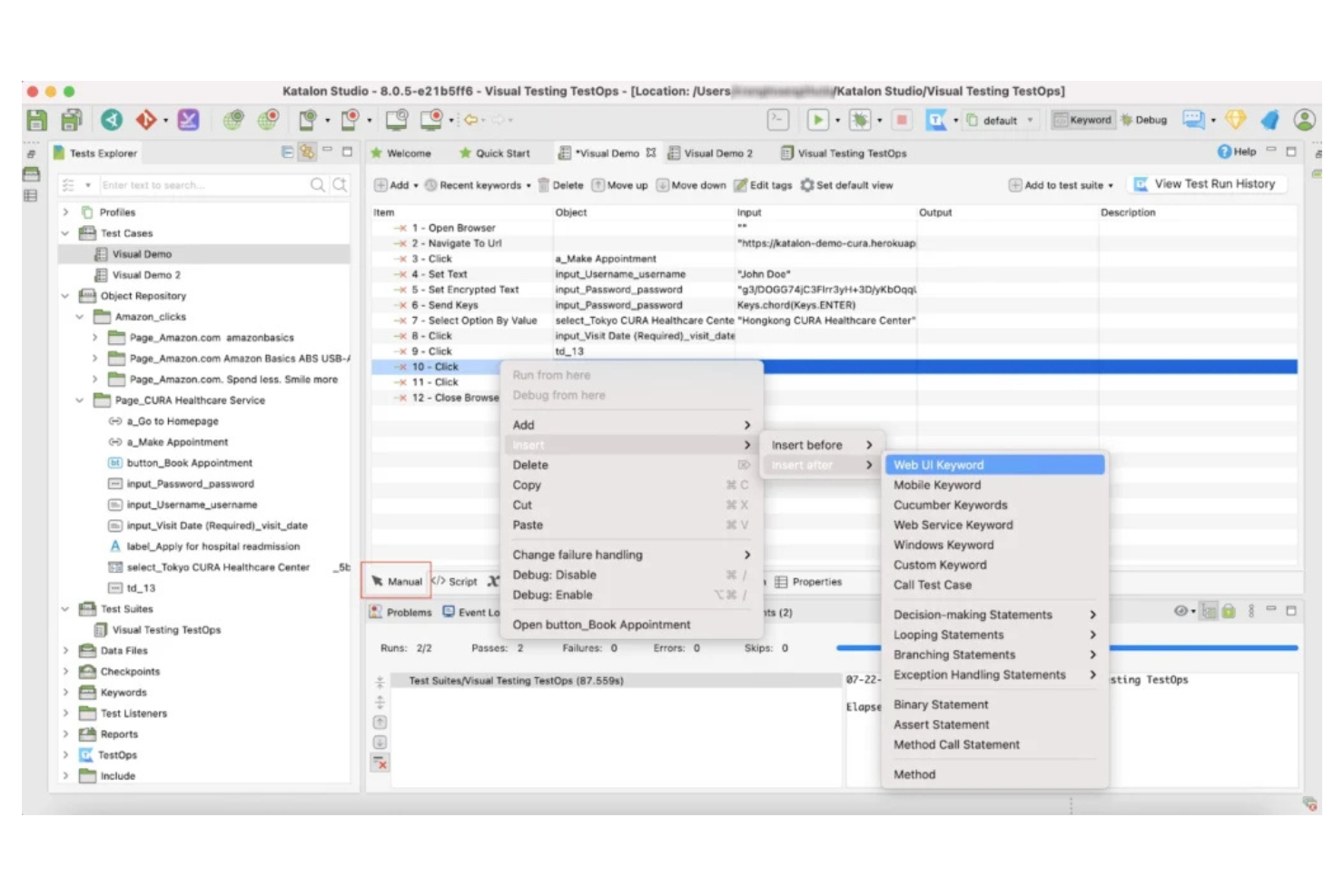
Katalon brings together test creation, execution, and reporting in a single platform designed for teams that want integrated automation across web, mobile, API, and desktop apps. QA engineers and software development teams who need to manage complex test workflows often choose Katalon for its built-in orchestration and analytics features. This unified approach helps teams reduce tool sprawl and maintain visibility across all stages of automated testing, which sets it apart from BrowserStack’s more modular offerings.
Why Katalon Is a Good BrowserStack Alternative
For teams that want a tightly integrated automation workflow, Katalon offers a unified platform that covers test creation, execution, and reporting in one place. I picked Katalon because it lets you orchestrate tests across web, mobile, API, and desktop environments without switching tools or managing separate frameworks. Its built-in analytics and test management features help you track results and coverage across all your projects. This makes Katalon a strong choice for organizations that need end-to-end visibility and control over their automated testing lifecycle.
Katalon Key Features
Some other Katalon features worth highlighting include:
- Smart Wait Technology: Automatically handles dynamic web elements and loading times during test execution.
- Self-Healing Tests: Detects and updates broken test objects to reduce maintenance.
- Parallel Test Execution: Runs multiple tests simultaneously across different environments.
- Built-In Recorder: Captures user actions for quick test script generation without manual coding.
Katalon Integrations
Integrations include Jira, Azure DevOps, GitHub, Jenkins, Slack, SauceLabs, TestRail, BrowserStack, LambdaTest, and Postman.
Pros and Cons
Pros:
- Supports API, web, mobile, and desktop testing
- Built-in recorder for scriptless test creation
- Self-healing tests reduce script maintenance
Cons:
- Fewer real device options for mobile testing
- Test execution speed can lag with large suites

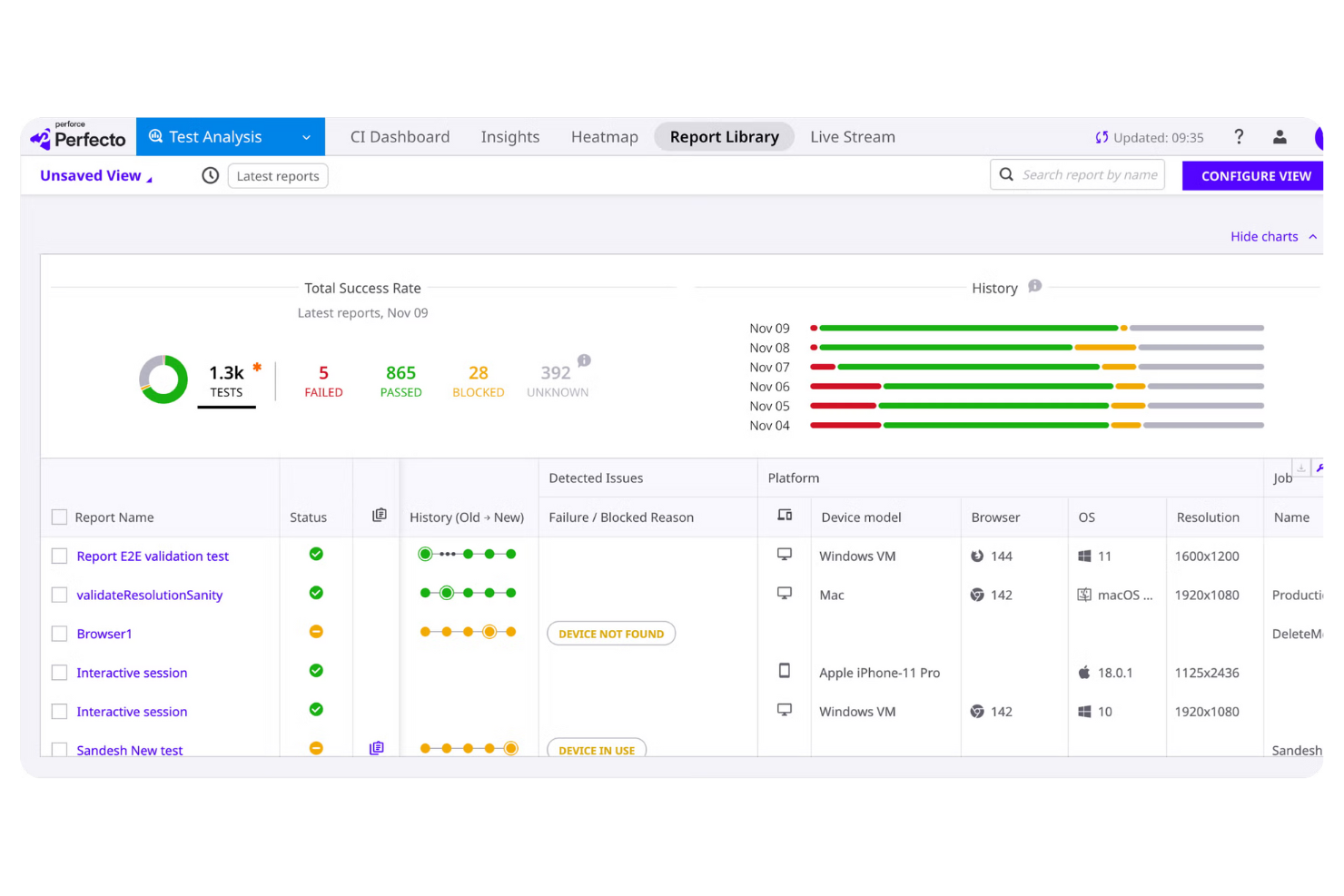
Perfecto is designed for QA teams and enterprises that need deep insights into their testing outcomes. It stands out with advanced test analytics and reporting features that help you pinpoint issues and trends across complex mobile and web environments. If you’re looking for more actionable data and visibility than what BrowserStack provides, Perfecto’s analytics-driven approach can help you optimize your testing process.
Why Perfecto Is a Good BrowserStack Alternative
If you need more than just device access, Perfecto’s advanced analytics and reporting set it apart from BrowserStack. I picked Perfecto because its Smart Reporting dashboard gives you granular visibility into test results, failure trends, and root cause analysis. The platform also offers heatmaps and customizable dashboards that help you visualize quality across browsers and devices. These analytics features make Perfecto a strong choice for teams that want to move beyond pass/fail results and drive continuous improvement in their testing process.
Perfecto Key Features
Some other features worth highlighting include:
- Cloud-Based Real Device Lab: Lets you test on a wide range of real mobile devices and browsers hosted in the cloud.
- Parallel Test Execution: Allows you to run multiple tests simultaneously across different environments.
- Scriptless Test Automation: Enables you to create automated tests without writing code.
- Seamless CI/CD Integrations: Connects with Jenkins, Bamboo, and other CI/CD tools for automated test workflows.
Perfecto Integrations
Integrations include Robot Framework, Cypress, Jest, Botium, Detox, XCUITest KIF, Selenium, Quantum, Espresso, and Appium.
Pros and Cons
Pros:
- Parallel test execution speeds up test cycles
- Real device lab covers wide device range
- Scriptless automation supports non-developers
Cons:
- UI navigation sometimes feels unintuitive
- Test session startup times can be slow
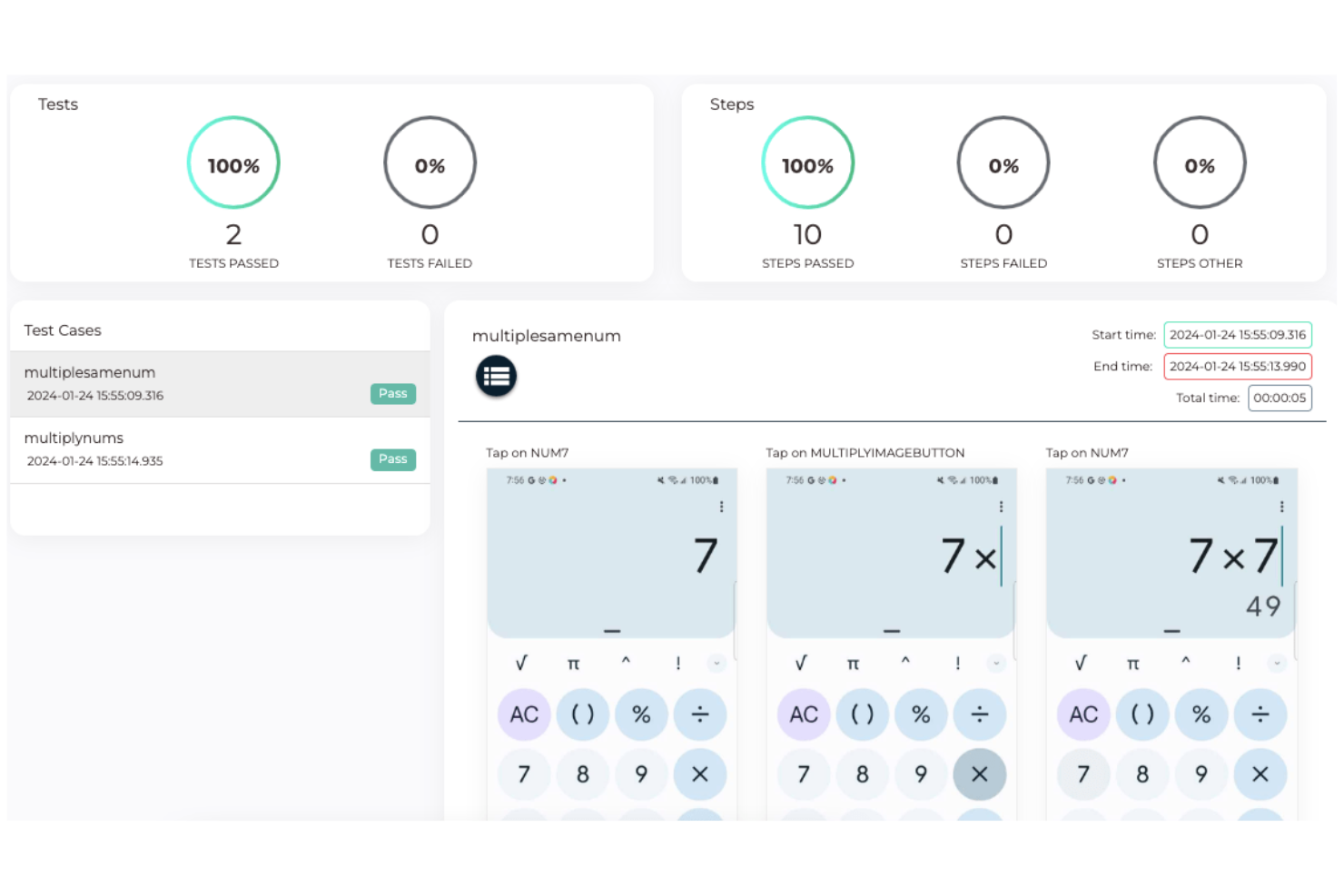
TestGrid is built for organizations that need full control over their testing environments with on-premise device lab deployment. IT teams in regulated industries or those with strict data residency requirements often choose TestGrid to keep all test data and devices within their own infrastructure. This approach helps businesses address security, compliance, and customization needs that cloud-based platforms like BrowserStack can’t always meet.
Why TestGrid Is a Good BrowserStack Alternative
Unlike most cloud-based testing platforms, TestGrid lets you deploy a device lab entirely on-premise, giving your team direct control over hardware and data. I picked TestGrid for organizations that need to meet strict security, compliance, or data residency requirements that BrowserStack’s cloud model can’t address. You can manage real devices within your own infrastructure and customize the environment to match your internal policies. This setup is especially valuable for businesses in finance, healthcare, or government that can’t risk sensitive data leaving their premises.
TestGrid Key Features
Some other TestGrid features worth noting include:
- No-Code Automation: Build and execute automated tests without writing code.
- Performance Testing: Simulate real-world load and monitor app performance metrics.
- AI-Based Test Case Generation: Automatically generate test cases using AI algorithms.
- Remote Device Access: Access and control devices remotely for manual or automated testing.
TestGrid Integrations
Integrations include Salesforce, Jira, SAP, Microsoft Dynamics, Zoho, NetSuite, ServiceNow, Selenium, Appium, Cypress, and JMeter.
Pros and Cons
Pros:
- Performance testing built into the platform
- No-code automation for non-developers
- AI-based test case generation included
Cons:
- Smaller device cloud than major competitors
- Initial setup requires significant IT involvement

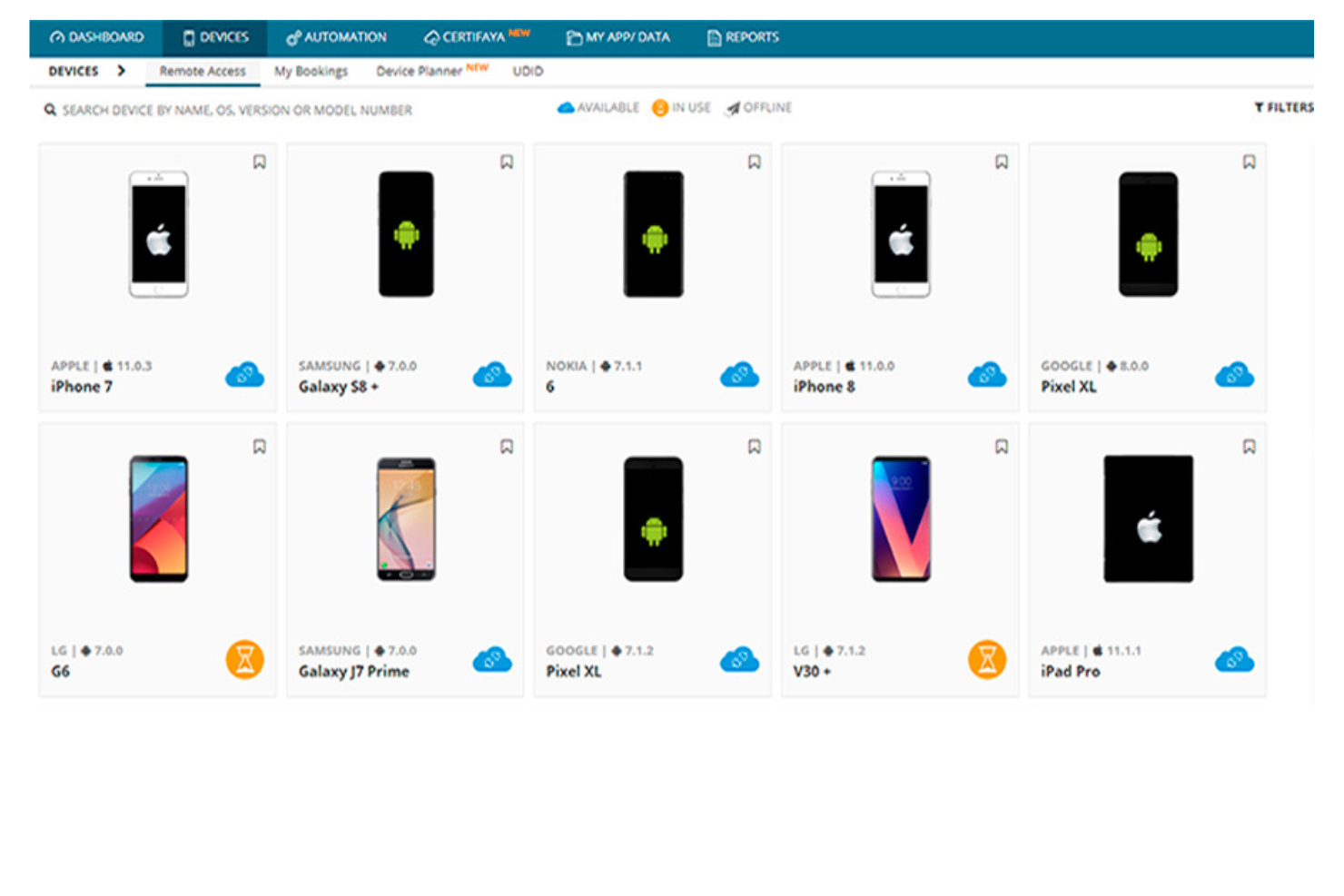
If you need direct access to a wide range of real mobile devices for testing, Pcloudy is built for that purpose. Mobile app developers and QA teams who want to validate apps on actual hardware—not just emulators—often turn to Pcloudy for its extensive real device cloud. This approach helps teams catch device-specific bugs and performance issues that other platforms, including BrowserStack, may miss with their more limited real device options.
Why Pcloudy Is a Good BrowserStack Alternative
Unlike many platforms that rely heavily on emulators, Pcloudy gives you direct access to a large pool of real mobile devices in the cloud. I picked Pcloudy because it lets you test on actual hardware, which is essential for uncovering device-specific bugs and performance issues. You can interact with devices remotely, install custom apps, and even simulate real-world network conditions. This makes Pcloudy a strong choice for teams that need reliable, real device testing beyond what BrowserStack typically offers.
Pcloudy Key Features
Some other features that stood out to me include:
- AI-Based Test Insights: Uses machine learning to identify patterns and anomalies in test results.
- Automated Screenshot Comparison: Captures and compares screenshots across devices to spot visual inconsistencies.
- Integration With Popular CI/CD Tools: Connects directly with Jenkins, Bamboo, and other CI/CD platforms for automated test execution.
- Remote Device Control: Lets you interact with devices in real time, including gestures, camera, and GPS simulation.
Pcloudy Integrations
Integrations include Appium, Jira, Android Studio, MS App Center, GitHub, Slack, TestComplete, Katalon Studio, Jenkins, and Bamboo.
Pros and Cons
Pros:
- Integration with Jenkins, Jira, and Appium
- AI-based insights for test result analysis
- Large pool of real Android and iOS devices
Cons:
- Occasional lag in device response times
- Limited browser testing
Other BrowserStack Alternatives
Here are some additional BrowserStack alternatives that didn’t make it onto my shortlist, but are still worth checking out:
- Datadog
For unified monitoring and test insights
- Reflect
For no-code browser test recording
- Functionize
For cloud-based intelligent test execution
- QA touch
For integrated test case management
- SmartBear ReadyAPI
For comprehensive API testing suites
- Tricentis
For load testing complex applications
- Appium
For open-source mobile test automation
- Applitools
For AI-powered visual regression testing
- Parasoft SOAtest
For API and web service test automation
- Worksoft
For SAP business process validation
- Autonoma
For codeless automation with natural language
- OpenText Functional Testing
For enterprise-grade functional test coverage
- Momentic
For autonomous test creation with AI


BrowserStack Alternatives Selection Criteria
When selecting the best BrowserStack alternatives to include in this list, I considered common buyer needs and pain points related to app and cross-browser testing platform products, like testing on real devices and ensuring accurate results across multiple browsers. I also used the following framework to keep my evaluation structured and fair:
Core Functionality (25% of total score)
To be considered for inclusion in this list, each solution had to fulfill these common use cases:
- Run automated browser tests
- Run manual browser tests
- Test on real devices and emulators
- Support multiple operating systems and browsers
- Provide detailed test reports
Additional Standout Features (25% of total score)
To help further narrow down the competition, I also looked for unique features, such as:
- AI-powered issue detection
- Geo-distributed device testing
- Network condition simulation
- Visual regression testing
- API testing alongside UI testing
Usability (10% of total score)
To get a sense of the usability of each system, I considered the following:
- Simple and intuitive user interface
- Easy navigation between features
- Clear test result visualization
- Minimal setup for new projects
- Responsive performance during test execution
Onboarding (10% of total score)
To evaluate the onboarding experience for each platform, I considered the following:
- Availability of training videos and tutorials
- Access to interactive product tours
- Pre-built templates for common test cases
- Helpful onboarding documentation
- Live chat or chatbot support during setup
Customer Support (10% of total score)
To assess each software provider’s customer support services, I considered the following:
- 24/7 support availability
- Fast response times to inquiries
- Access to a knowledge base or help center
- Availability of dedicated account managers
- Community forums for peer support
Value For Money (10% of total score)
To evaluate the value for money of each platform, I considered the following:
- Transparent and flexible pricing plans
- Features included at each pricing tier
- Free trial or demo availability
- Discounts for annual billing
- No hidden fees or surprise charges
Customer Reviews (10% of total score)
To get a sense of overall customer satisfaction, I considered the following when reading customer reviews:
- Positive feedback on reliability and uptime
- Praise for customer support quality
- Comments on ease of integration
- Reports of bugs or technical issues
- Overall satisfaction with feature set
Why Look For A BrowserStack Alternative?
While BrowserStack is a good choice of app and cross-browser testing platform, there are a number of reasons why some users seek out alternative solutions. You might be looking for a BrowserStack alternative because…
- Needing more granular performance monitoring by location
- Wanting access to a wider range of real devices
- Requiring advanced analytics or AI-driven insights
- Facing budget constraints with BrowserStack’s pricing tiers
- Experiencing limited support for legacy browsers or devices
- Needing deeper integration with specific CI/CD tools
If any of these sound like you, you’ve come to the right place. My list contains several apps and cross-browser testing platform options that are better suited for teams facing these challenges with BrowserStack and looking for alternative solutions.
BrowserStack Key Features
Here are some of the key features of BrowserStack, to help you contrast and compare what alternative solutions offer:
- Real device cloud for manual and automated testing
- Support for 3,000+ browsers and device combinations
- Live interactive cross-browser testing
- Automated Selenium, Cypress, and Playwright test execution
- Visual testing and screenshot comparison tools
- Geolocation testing for different regions
- Integration with popular CI/CD tools
- Local testing for staging and development environments
- Parallel test execution to speed up test cycles
- Comprehensive test reporting and debugging tools
What’s Next:
If you're in the process of researching BrowserStack alternatives, connect with a SoftwareSelect advisor for free recommendations.
You fill out a form and have a quick chat where they get into the specifics of your needs. Then you'll get a shortlist of software to review. They'll even support you through the entire buying process, including price negotiations.