
23 Best Auvik Alternatives Reviewed in 2026

Best Auvik Alternatives Shortlist
Here’s my shortlist of the best Auvik alternatives


Managing your network can be challenging, especially if your current tool isn’t meeting your needs. If Auvik’s features don’t align with your business goals or its pricing doesn’t fit your budget, you may be looking for an alternative that better suits your team.
I’ve spent time testing and reviewing various network management tools. In this listicle, I'll share my top picks for Auvik alternatives. You’ll find insights into features, usability, and specific benefits each tool offers.
This guide will provide you with clear, unbiased information so you can choose the best Auvik alternative for your needs. Use it to find the right fit for your team.
What is Auvik?
Auvik is a network management software that helps IT professionals monitor and manage network infrastructure. It's commonly used by network administrators and IT managers who need to oversee complex network environments efficiently.
Automated network mapping, real-time monitoring, and alerting capabilities help with identifying issues quickly and maintaining network performance. Overall, Auvik provides value by simplifying network management tasks and improving visibility across your network.
Best Auvik Alternatives Summary
This comparison chart summarizes pricing details for my top Auvik alternatives to help you find the best one for your budget and business needs.
| Tool | Best For | Trial Info | Price | ||
|---|---|---|---|---|---|
| 1 | Best for network performance | Free 30-day trial | From $7/node/month | Website | |
| 2 | Best for user-friendly analytics | Free 14-day trial | From $1.50/month/managed device | Website | |
| 3 | Best for hybrid observability | Free 15-day trial | From $16/hybrid unit/month | Website | |
| 4 | Best for security automation | Free demo available | Pricing upon request | Website | |
| 5 | Best for customizable alerts | Free 30-day trial + free plan available (up to 7 nodes) | From $2,495/100 node license | Website | |
| 6 | Best for cloud observability | 14-day free trial + free plan available | From $15/host/month (billed annually) | Website | |
| 7 | Best for open-source observability | Free plan + free demo + free 5-day trial available | From $50/month | Website | |
| 8 | Best for hybrid environments | Free trial + free demo available | Pricing upon request | Website | |
| 9 | Best for all-in-one monitoring | Free trial available | From $179/month (billed annually) | Website | |
| 10 | Best for distributed monitoring | Free trial + free demo available | From GBP €590/perpetual (billed annually) | Website |
Why Trust Our Software Reviews
-

Freshservice
Visit WebsiteThis is an aggregated rating for this tool including ratings from Crozdesk users and ratings from other sites.4.6 -
Deel IT
Visit Website -
Rippling IT
Visit WebsiteThis is an aggregated rating for this tool including ratings from Crozdesk users and ratings from other sites.4.8




Best Auvik Alternatives Reviews
Below are my detailed summaries of the best Auvik alternatives that made it onto my shortlist. My reviews offer a detailed look at the key features, pros and cons, integrations, and ideal use cases of each tool to help you find the best one for you.

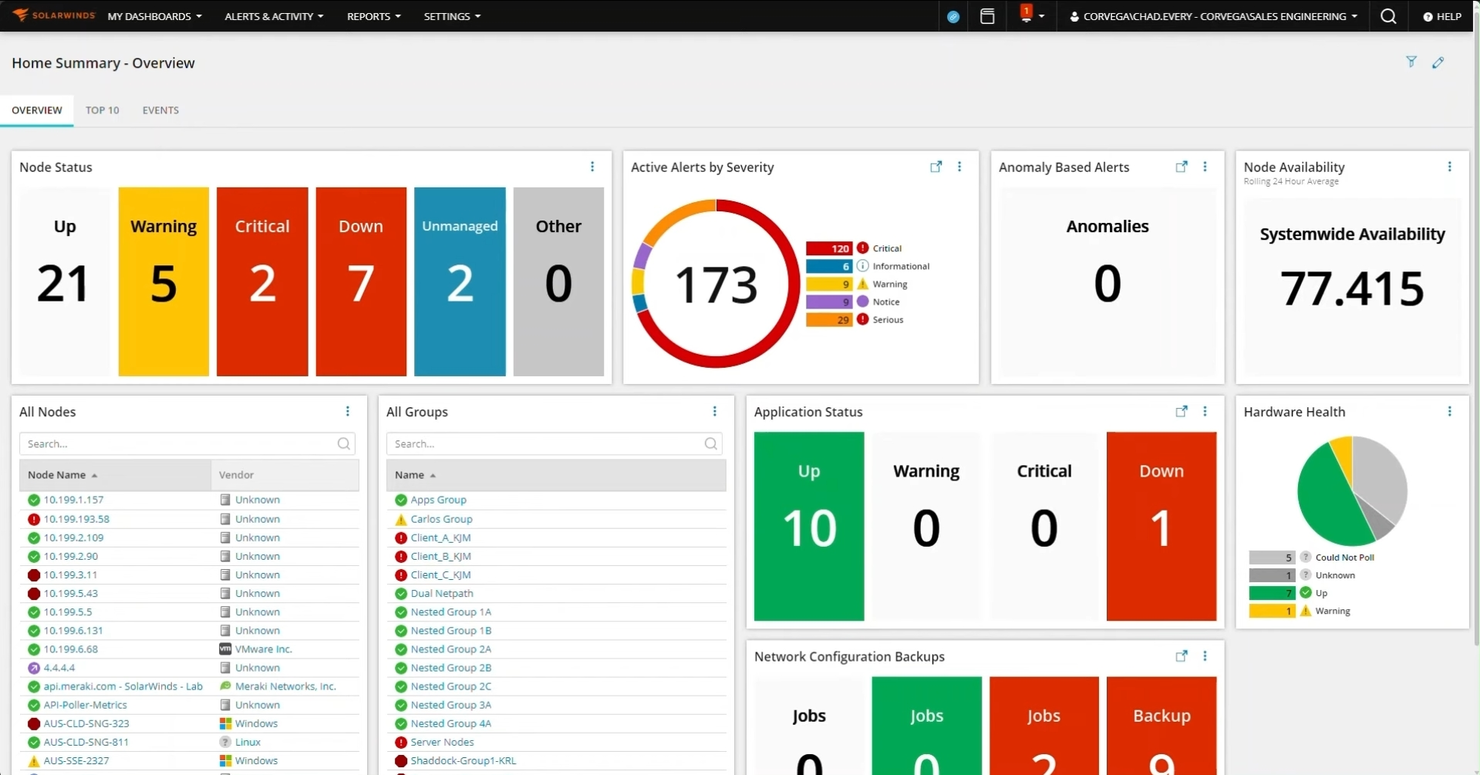
SolarWinds Network Performance Monitor (NPM) is a network monitoring solution designed for IT professionals and network administrators. It helps monitor network performance, spot bottlenecks, and generate alerts.
Why SolarWinds NPM is a good Auvik alternative: SolarWinds Network Performance Monitor provides advanced alerting and network path analysis. It offers insights into network traffic and performance, helping teams identify and resolve issues. Detailed network maps give a clear view of network health for efficient management and troubleshooting.
Standout features and integrations:
Features include intelligent alerts that notify your team of potential issues, customizable dashboards that offer tailored views, and NetPath analysis that provides detailed insights into network paths and performance.
Integrations include Cisco, Microsoft, VMware, Amazon Web Services, Google Cloud, Juniper Networks, Dell, HP, IBM, NetApp, and more.
Pros and Cons
Pros:
- Supports large-scale networks
- Advanced alerting system
- Excellent network performance insights
Cons:
- Can be costly as network size grows
- Resource-intensive for smaller networks

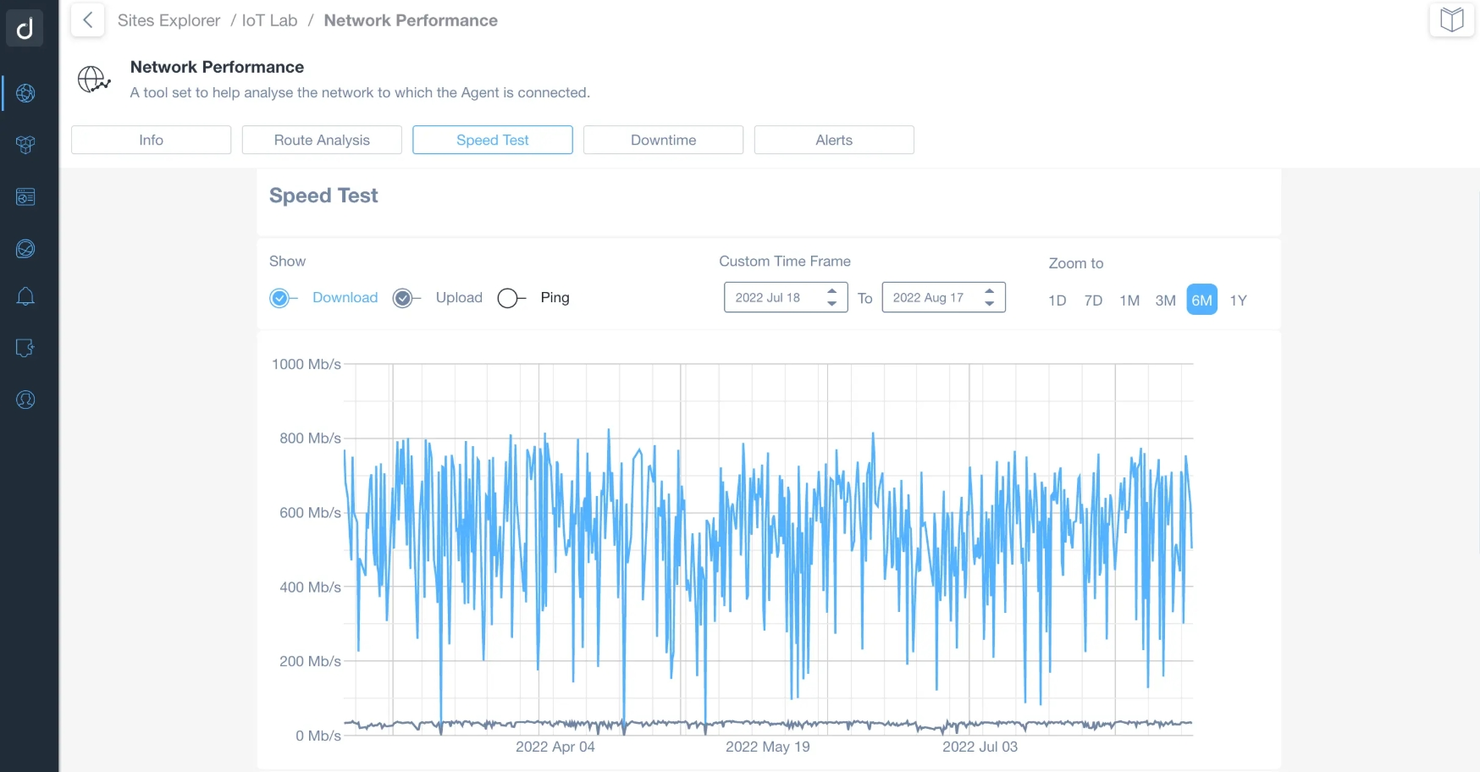
Domotz is a network monitoring and management software designed for IT professionals and managed service providers. It offers key functions like network monitoring, device tracking, and alert management.
Why Domotz is a good Auvik alternative: Domotz provides dashboards and reporting for monitoring network performance. Compared to Auvik, it focuses on simpler visualizations and alerts. Real-time device tracking keeps teams aware of network activity, helping them identify and address issues more efficiently.
Standout features and integrations:
Features include remote power management that allows you to control devices from afar, SNMP monitoring for real-time data collection, and network topology mapping that provides clear visual insights.
Integrations include Amazon, Sonos, Luxul, Pakedge, Ubiquiti, Crestron, Control4, and more.
Pros and Cons
Pros:
- Real-time device tracking
- Visual network mapping
- User-friendly interface
Cons:
- Not ideal for large enterprises
- Limited advanced features

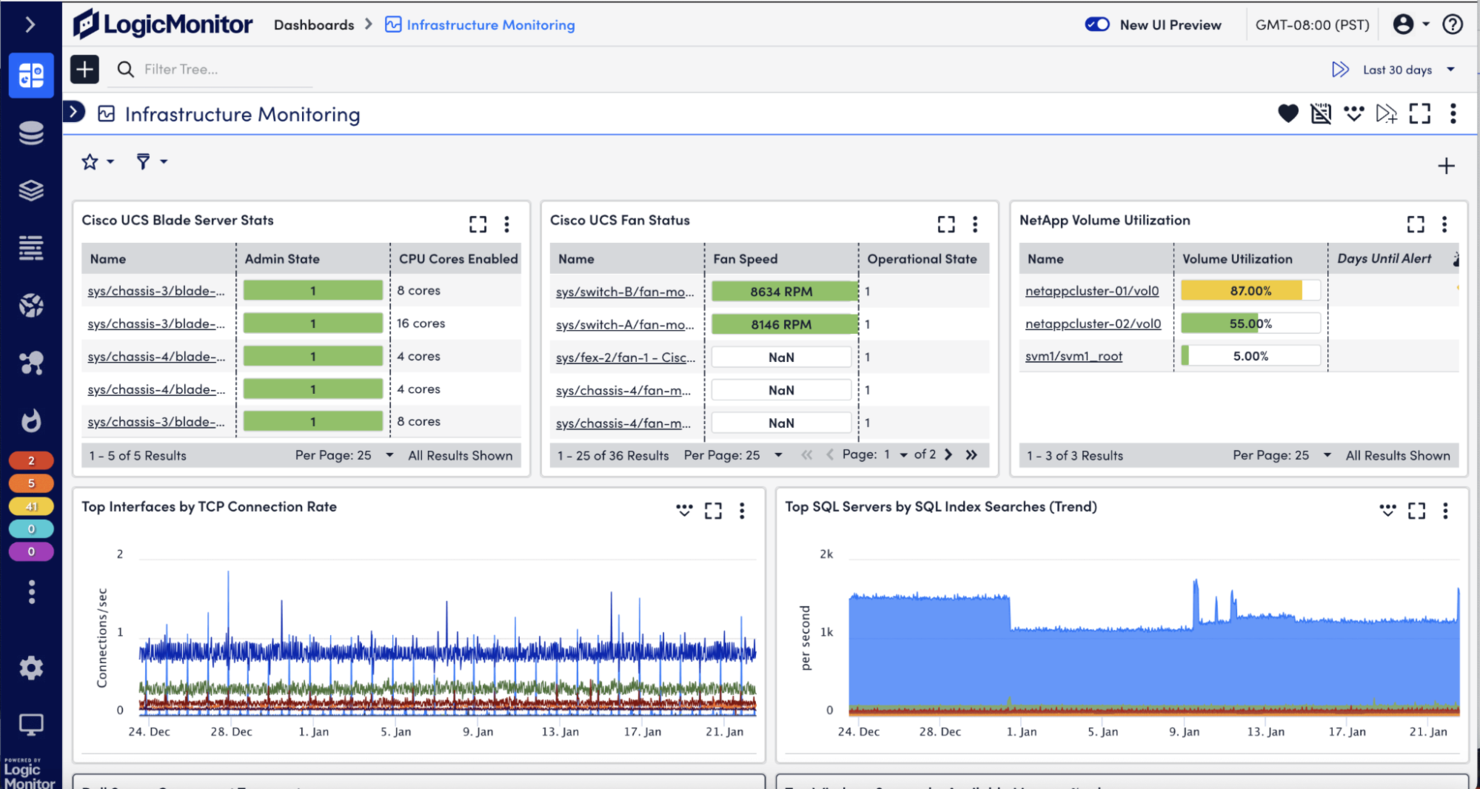
Logic Monitor is a cloud-based infrastructure monitoring platform designed for IT teams and service providers. It performs key business functions such as performance monitoring, resource optimization, and alert management.
Why Logic Monitor is a good Auvik alternative: LogicMonitor supports hybrid observability with automated discovery and predictive alerts for monitoring both on-premises and cloud environments. It provides visibility into hybrid infrastructure, making it suitable for organizations managing or transitioning to cloud-based systems.
Standout features and integrations:
Features include customizable dashboards that allow you to tailor views to your needs, anomaly detection that identifies unusual patterns and potential issues, and capacity planning tools that help optimize resource use.
Integrations include Amazon Web Services, Microsoft Azure, Google Cloud Platform, VMware, Cisco, Dell, HP, NetApp, ServiceNow, Slack, and more.
Pros and Cons
Pros:
- Deep insights into performance
- Proactive alerting system
- Strong hybrid infrastructure support
Cons:
- Overkill for teams that only need basic network monitoring
- Dashboard customization requires familiarity with the platform

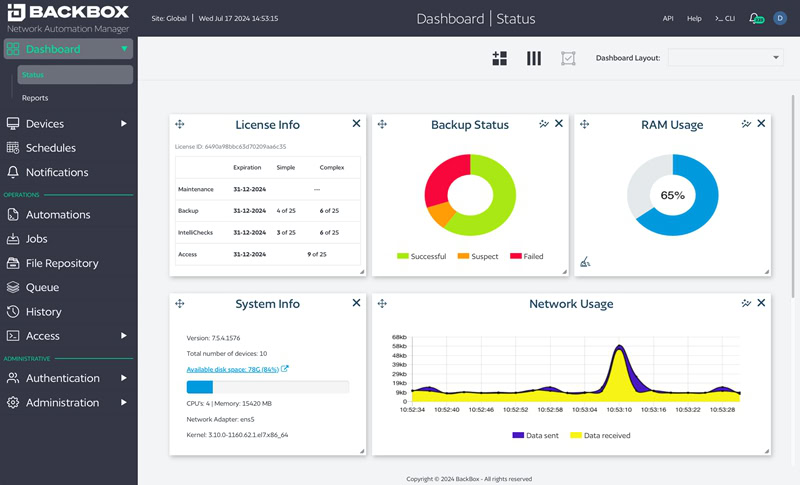
BackBox is a cyber resilience platform for network infrastructure, built to automate security, compliance, and lifecycle management. It's mainly used by MSPs, security professionals, IT teams, and compliance officers.
Why Backbox is a good Auvik alternative: BackBox excels in security automation, offering features like automated backup and recovery and compliance management. These capabilities help your team efficiently manage network security tasks. Unlike Auvik, BackBox focuses on automating security processes, which is ideal if you're prioritizing security in your network management. Its device lifecycle management further supports maintaining compliance and security standards effectively.
Standout features and integrations:
Features include configuration management that helps maintain network settings, vulnerability intelligence that keeps your team informed of potential threats, and Zero Trust implementation that enhances security protocols.
Integrations include Cisco, Palo Alto Networks, Juniper Networks, Fortinet, Check Point, F5 Networks, Dell, IBM, VMware, and more.
Pros and Cons
Pros:
- Efficient lifecycle management
- Supports over 180 vendors
- Strong security automation
Cons:
- Less focus on network performance monitoring
- Requires technical expertise

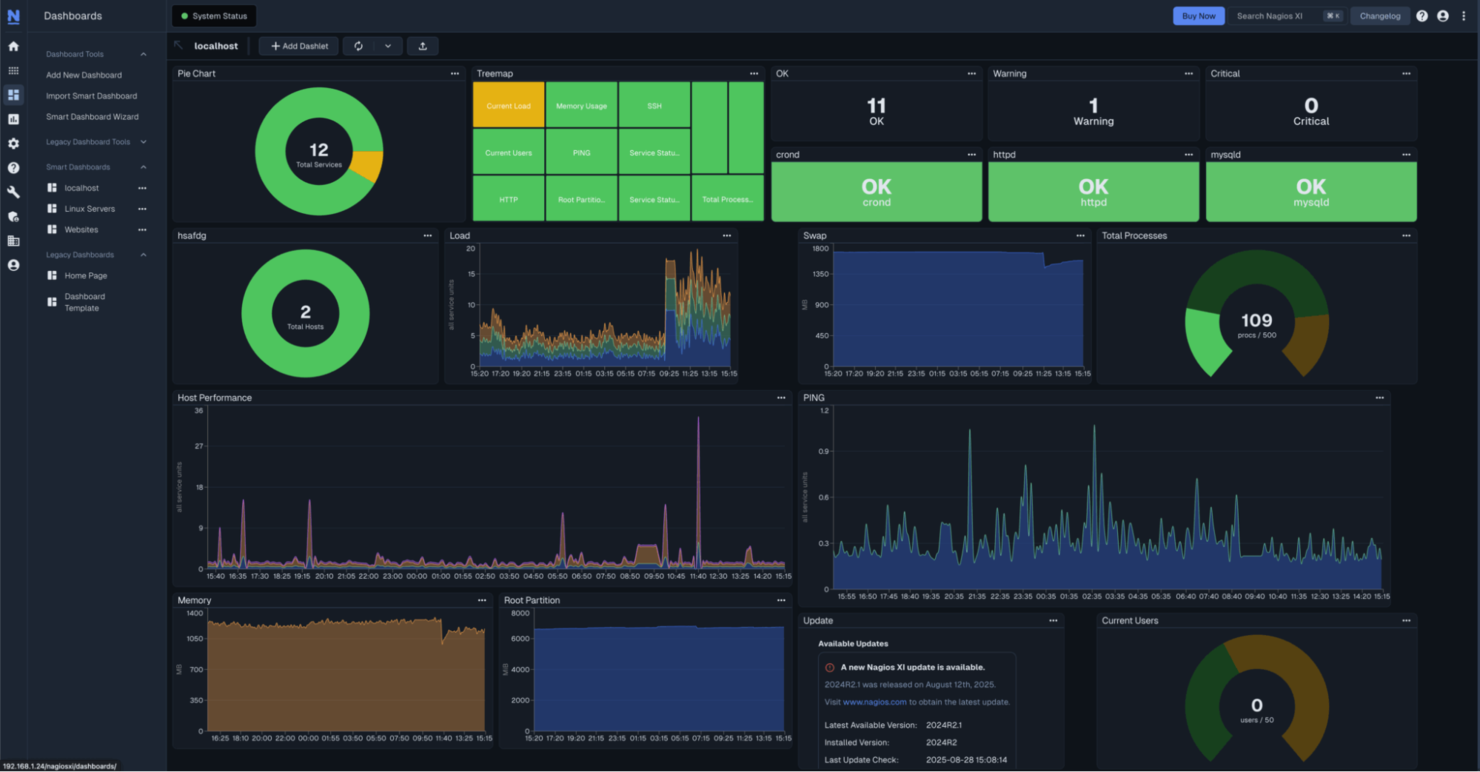
Nagios XI is a complete monitoring tool made for IT administrators and network managers. It performs key functions such as network monitoring, alerting, and performance tracking.
Why Nagios XI is a good Auvik alternative: Nagios XI offers highly customizable alerting, allowing your team to define specific conditions and thresholds. It supports monitoring across a wide range of devices and applications, giving you broad visibility into network and system performance.
Standout features and integrations:
Features include advanced reporting tools for in-depth insights into network performance, a user-friendly interface that simplifies navigation, and a plugin system that extends monitoring capabilities.
Integrations are not publicly listed.
Pros and Cons
Pros:
- Wide range of plugins
- Extensive device monitoring
- Highly customizable alerts
Cons:
- Limited native cloud monitoring
- Heavy manual configuration

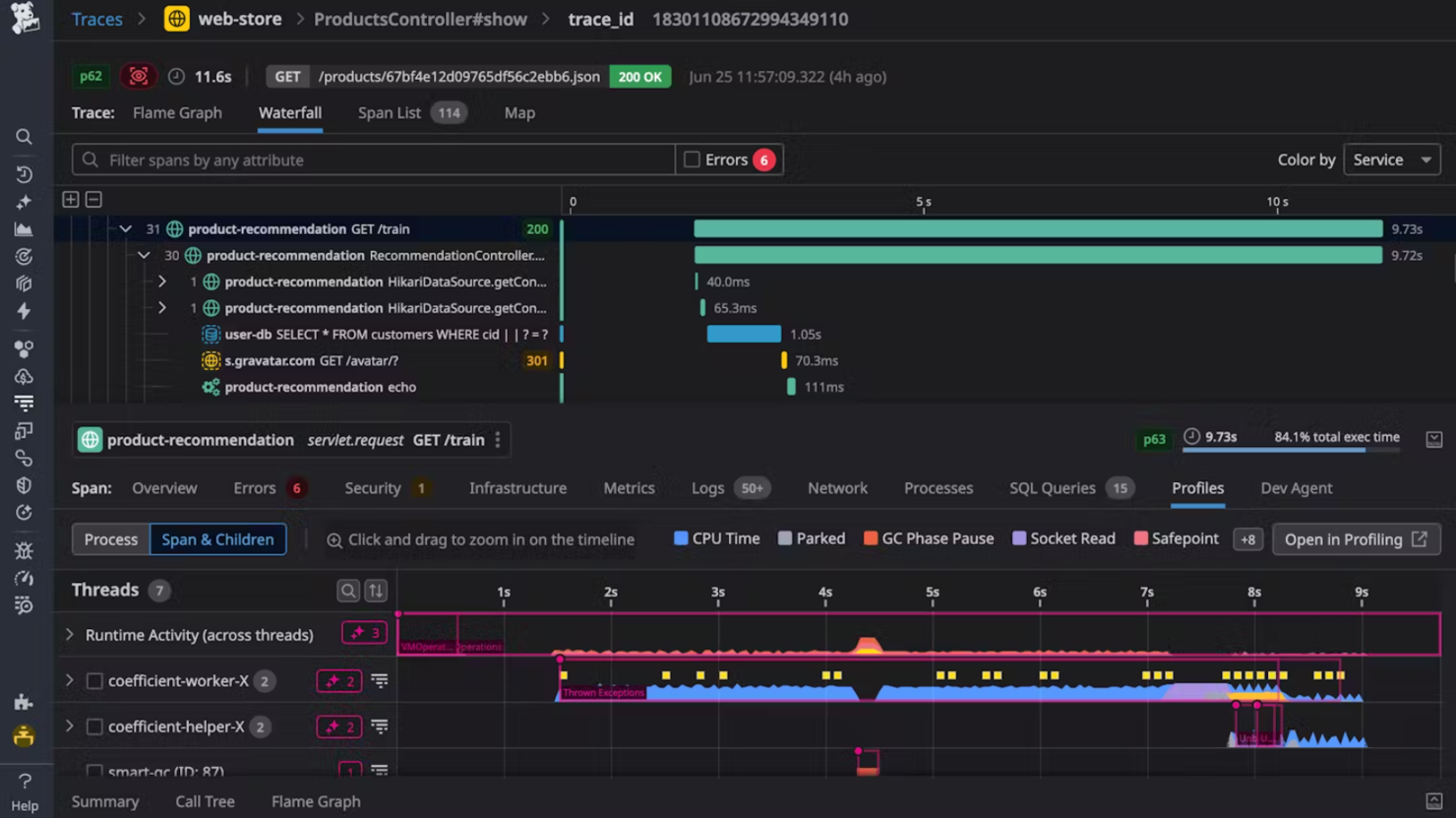
Datadog is a monitoring and security platform for cloud applications, tailored for developers, IT operations teams, and business users. It performs key functions like monitoring, security, and analytics for infrastructure and applications.
Why Datadog is a good Auvik alternative: Datadog focuses on cloud observability, with infrastructure monitoring, application performance monitoring, and log management. It is suited for teams managing cloud-based environments. Compared to Auvik, Datadog provides visibility into cloud applications, performance, and security.
Standout features and integrations:
Features include real-time alerts that notify your team of critical issues, customizable dashboards that provide tailored insights, and anomaly detection that identifies unusual patterns in your data.
Integrations include Amazon Web Services, Azure, Google Cloud Platform, Kubernetes, Slack, PagerDuty, Jira, Bitbucket, GitHub, Docker, and more.
Pros and Cons
Pros:
- Scalable for large environments
- Real-time monitoring
- Excellent cloud support
Cons:
- High data storage costs
- Complex setup process

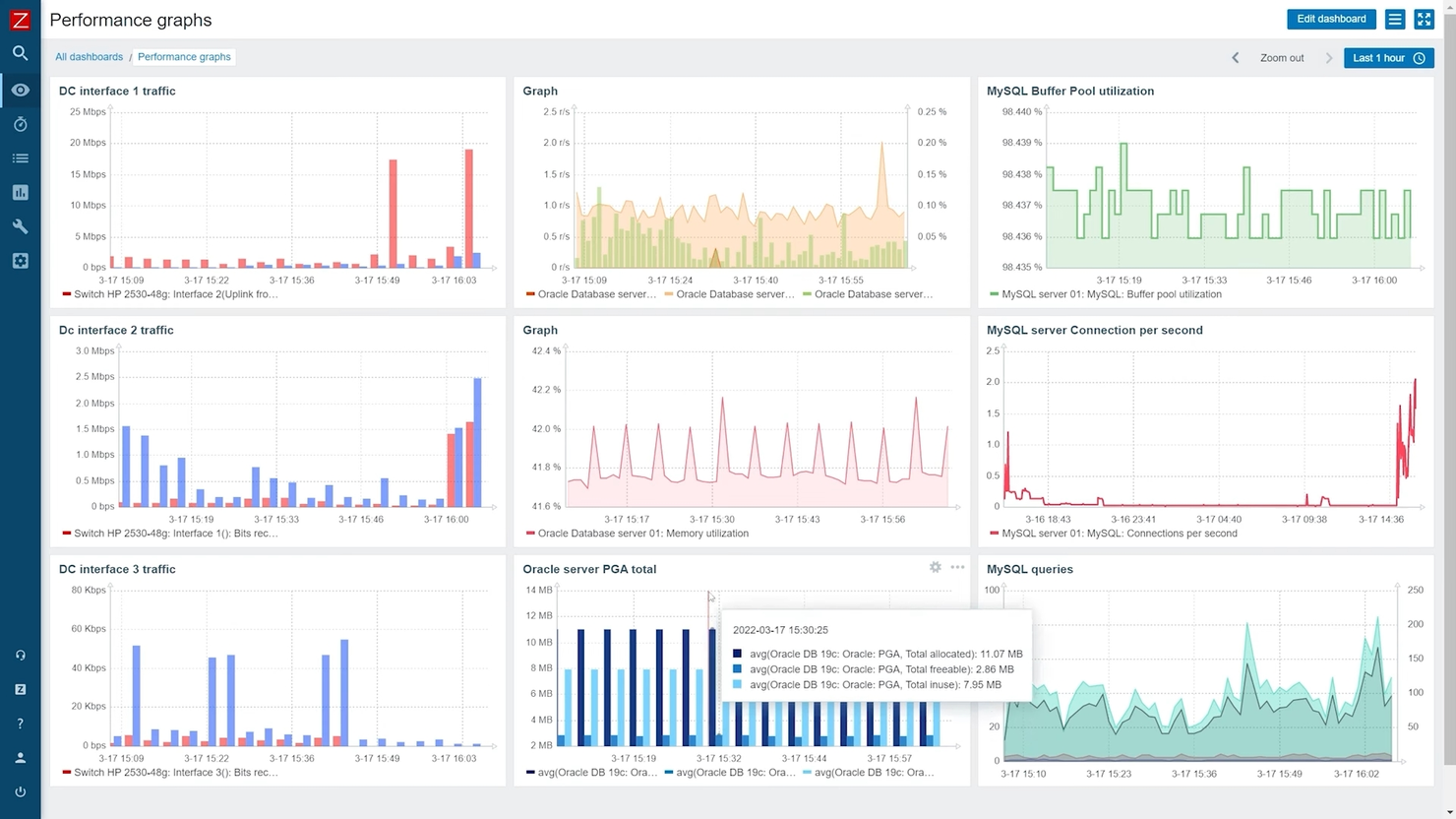
Zabbix is an open-source monitoring solution designed for IT administrators and network teams. It monitors network performance, tracks server health, and generates alerts.
Why Zabbix is a good Auvik alternative: Zabbix offers open-source observability, with real-time monitoring and customizable alerts. Unlike Auvik, it allows your team to tailor the monitoring to specific needs. Its ability to handle high volumes of data makes it ideal for large-scale environments. The customizable nature of Zabbix ensures that your team can adapt it to fit various network configurations.
Standout features and integrations:
Features include trend analysis that helps your team predict future issues, distributed monitoring that supports various locations, and advanced visualization tools that provide clear insights into network performance.
Integrations include VMware, Amazon Web Services, Microsoft Azure, Google Cloud, Cisco, Dell, HP, IBM, Oracle, NetApp, and more.
Pros and Cons
Pros:
- Customizable monitoring experience
- Handles high data volumes
- Open-source flexibility
Cons:
- Limited automation
- Unintuitive user interface and dashboards

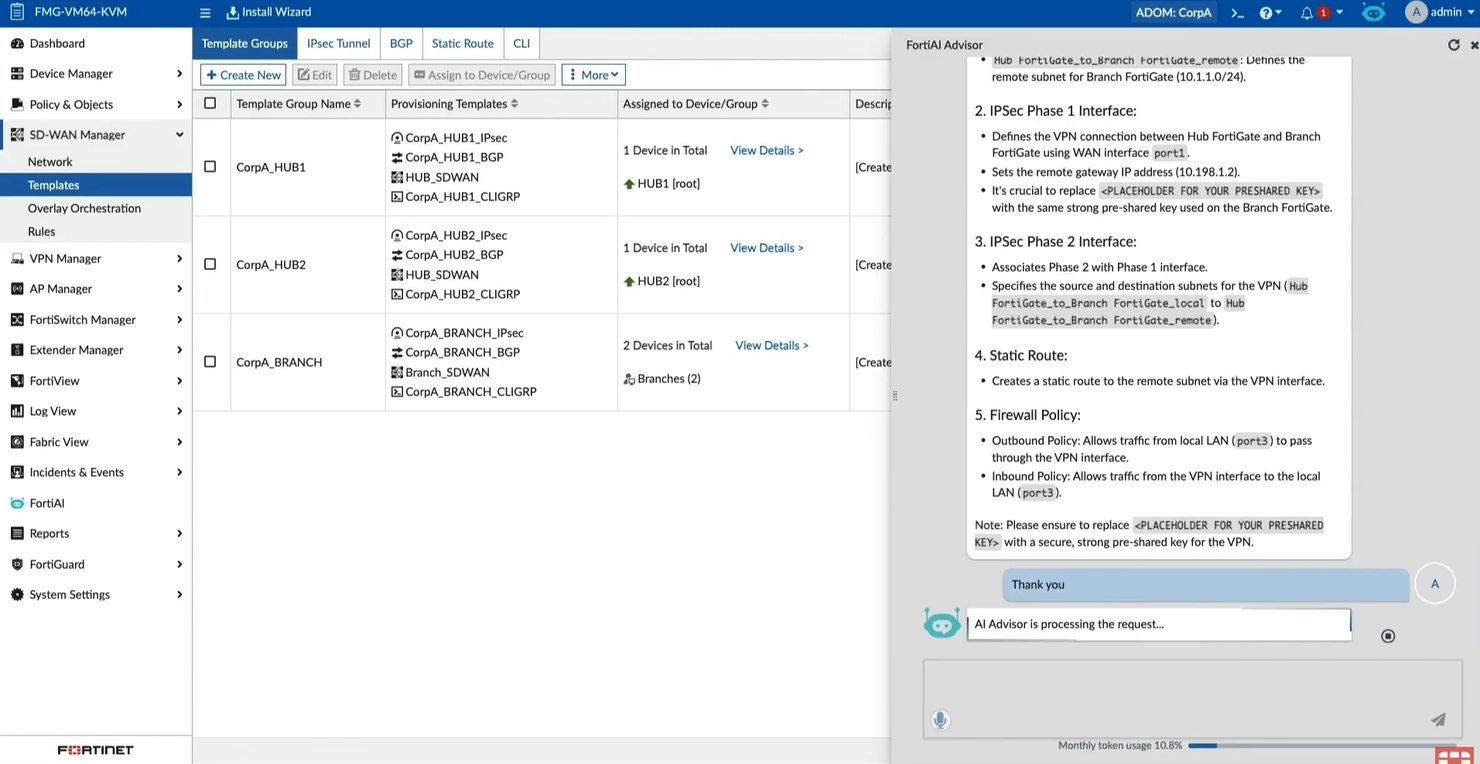
FortiManager by Fortinet is a centralized management solution for enterprise networks, used by network administrators and IT security teams. It provides key functions such as device management, network monitoring, and security policy management.
Why FortiManager by Fortinet is a good Auvik alternative: FortiManager is well-suited for hybrid environments, with features like centralized policy management and automated device configuration. These capabilities help your team ensure consistent security policies across both on-premises and cloud environments. Unlike Auvik, FortiManager focuses more on security management, making it a strong option to maintain a secure network infrastructure. Its automation tools also support your ability to manage complex network setups efficiently.
Standout features and integrations:
Features include advanced reporting that provides insights into network activities, role-based access control for secure management, and change management that tracks and controls network changes.
Integrations are not publicly listed.
Pros and Cons
Pros:
- Centralized policy management
- Supports hybrid environments
- Strong security management
Cons:
- Requires access to the Fortinet ecosystem
- Limited out-of-the-box usability

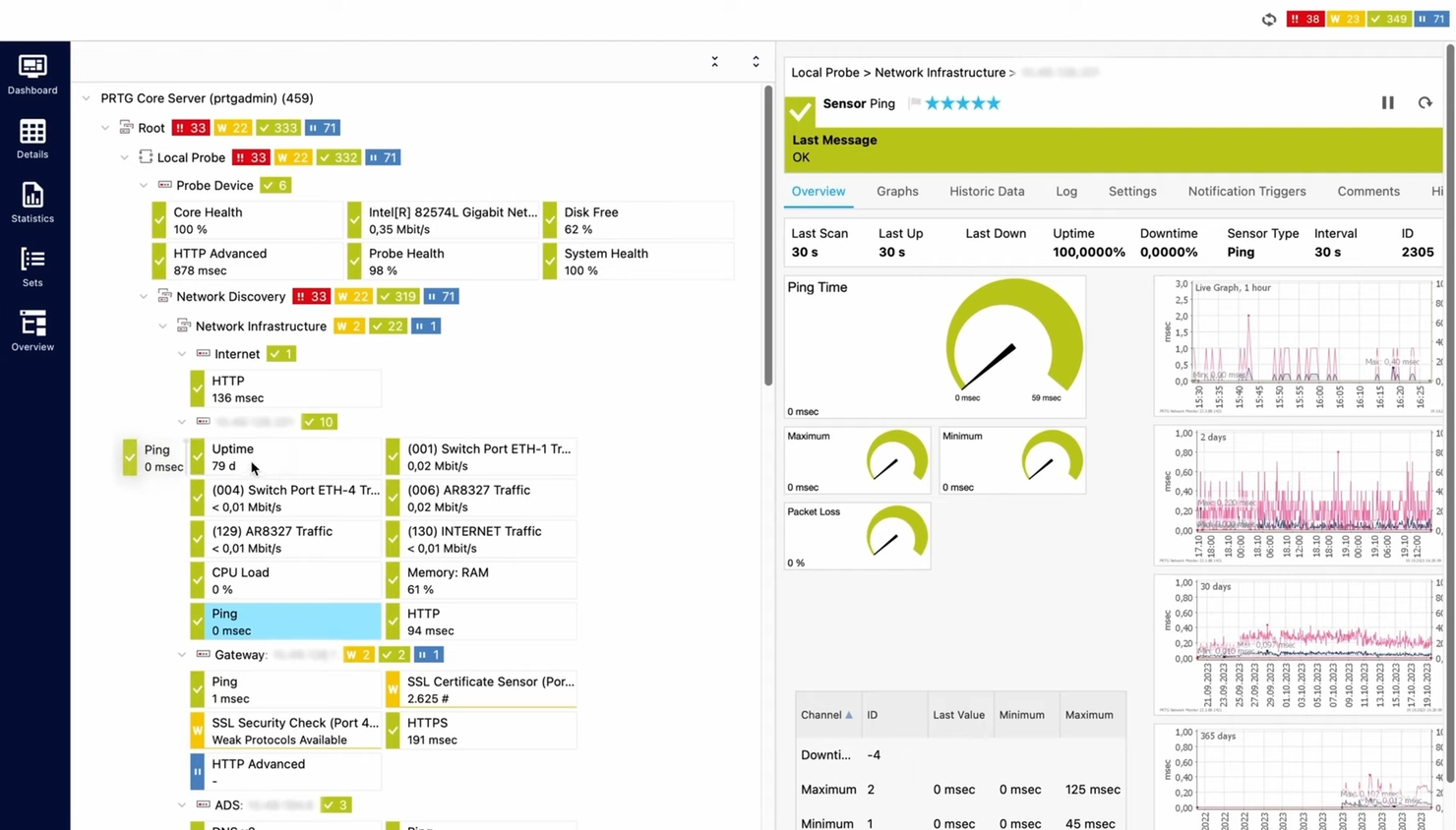
Paessler PRTG is a network monitoring tool for IT administrators and network managers. It monitors network performance, sends alerts when issues occur, and generates detailed reports.
Why Paessler PRTG is a good Auvik alternative: Paessler PRTG provides all-in-one monitoring with bandwidth monitoring, uptime monitoring, and traffic analysis. It allows teams to monitor multiple network metrics from a single platform. Compared to Auvik, Paessler PRTG offers customizable dashboards and maps for tailored monitoring views, helping teams identify and address network issues more efficiently.
Standout features and integrations:
Features include distributed monitoring for multiple locations, sensor-based monitoring for detailed data collection, and customizable alerts for critical issues.
Integrations include Amazon Web Services, VMware, Cisco, Dell, IBM, NetApp, and more.
Pros and Cons
Pros:
- Sensor-based data collection
- Customizable dashboards
- Complete monitoring capabilities
Cons:
- Licensing model can become costly as the number of sensors grows
- Limited scalability for large networks

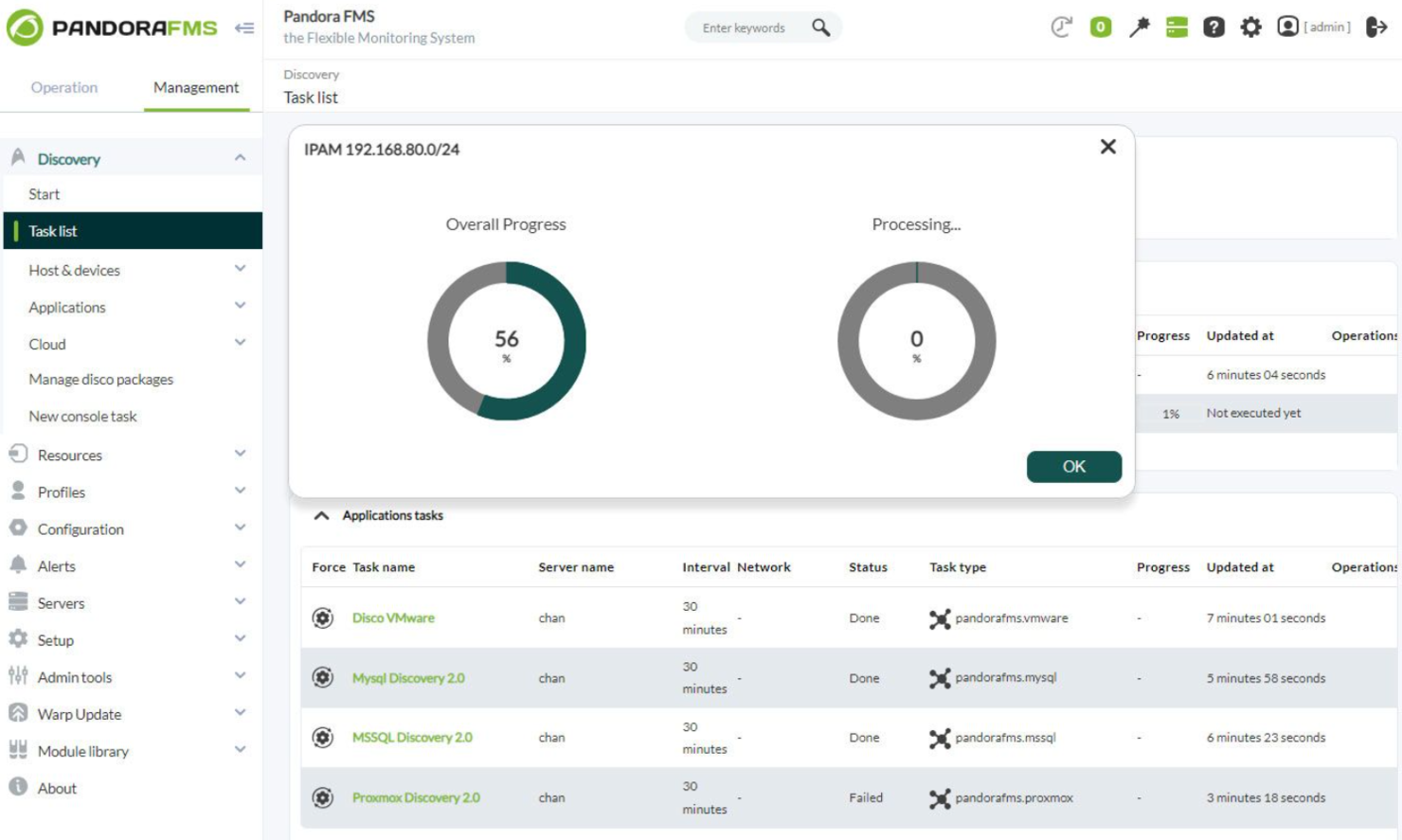
Pandora FMS is a flexible monitoring solution designed for IT administrators and network managers. It performs key functions such as monitoring network devices, applications, and servers across distributed environments.
Why Pandora FMS is a good Auvik alternative: Pandora FMS excels in distributed monitoring, offering capabilities like remote monitoring and customizable dashboards. These features help your team manage multiple sites from a single location. Unlike Auvik, Pandora FMS offers greater flexibility in setting up and managing your monitoring environment. Its adaptability to various network configurations makes it a solid choice for businesses with complex infrastructures.
Standout features and integrations:
Features include real-time monitoring for quick issue response, alerts for critical events, and reporting tools for network performance insights.
Integrations include Cisco, Microsoft, VMware, Amazon Web Services, Google Cloud, IBM, Oracle, Dell, HP, NetApp, and more.
Pros and Cons
Pros:
- Customizable dashboards
- Supports multiple sites
- Flexible monitoring setup
Cons:
- May require technical expertise
- Can be complex for beginners
Other Auvik Alternatives
Here are some additional Auvik alternatives that didn’t make it onto my shortlist, but are still worth checking out:
- Progress WhatsUp Gold
For hybrid cloud monitoring
- OpManager Plus
For IT operations management
- LinkEye
For AI-driven diagnostics
- Quantum Spark Security Management Portal
For security management
- NinjaOne
For endpoint management
- Atera
For all-in-one IT management
- ManageEngine OpManager
For real-time network monitoring
- LibreNMS
For open-source network monitoring
- Obkio
For continuous network performance
- Azure Virtual WAN
For global network management
- VM Cloud Foundation
For hybrid cloud infrastructure
- Open NMS
For scalable network monitoring
- FindIT Network Manager
For small business networks


Auvik Alternatives Selection Criteria
When selecting the best Auvik alternatives to include in this list, I considered common buyer needs, monitoring features, and pain points related to network management software products, such as scalability and ease of integration. I also used the following framework to keep my evaluation structured and fair:
Core Functionality (25% of total score)
To be considered for inclusion in this list, each solution had to fulfill these common use cases:
- Monitor network performance
- Detect and alert on issues
- Provide network mapping
- Offer bandwidth analysis
- Support device management
Additional Standout Features (25% of total score)
To help further narrow down the competition, I also looked for unique features, such as:
- AI-driven analytics
- Hybrid cloud services
- Customizable alert systems
- Multi-vendor support
- Advanced firewalls and security features
Usability (10% of total score)
To get a sense of the usability of each system, I considered the following:
- Intuitive user interface
- Easy navigation
- Low learning curve
- Customizable dashboards
- Efficient workflow integration
Onboarding (10% of total score)
To evaluate the onboarding experience for each platform, I considered the following:
- Availability of training videos
- Interactive product tours
- Access to templates
- Webinars for new users
- Responsive chatbots
Customer Support (10% of total score)
To assess each software provider’s customer support services, I considered the following:
- 24/7 support availability
- Access to a knowledge base
- Multi-channel support options
- Personalized assistance
- Fast response times
Value For Money (10% of total score)
To evaluate the value for money of each platform, I considered the following:
- Competitive pricing
- Flexible subscription models
- No hidden fees
- Free trial availability
- Features-to-price ratio
Customer Reviews (10% of total score)
To get a sense of overall end-user satisfaction, I considered the following when reading customer reviews:
- Overall satisfaction ratings
- Feedback on feature effectiveness
- Comments on ease of use
- Opinions on customer support
- Insights on reliability and uptime
Why Look for an Auvik Alternative?
While Auvik is a good choice for network management software, there are several reasons why some users seek out alternative solutions. Some reasons may include:
- Your team needs advanced security features
- You require support for larger networks
- You need more flexible pricing options
- Your business operates in a restricted region
- You want better integration with specific tools
If any of these sound like you, you’ve come to the right place. My list includes several network management software options that are better suited for teams facing these challenges with Auvik and looking for alternative solutions.
Features
Here are some of the key features of Auvik, to help you contrast and compare what these management platforms offer:
- Automated network discovery and mapping: Identifies and maps network devices in real-time, giving you a clear view of your network's layout.
- Ongoing inventory management: Regularly updates device changes to keep your network inventory current.
- Configuration management: Provides hourly backups and version control for device configurations, supporting compliance and simplifying recovery.
- Proactive monitoring and alerting: Offers more than 50 pre-configured alerts to detect and address issues early.
- Traffic analysis: Delivers metrics about bandwidth usage and application performance to optimize network efficiency.
- Network security: Provides real-time visibility and alerts for potential threats, helping you maintain network safety.
- Network documentation: Keeps records updated for audits and budgeting, simplifying management tasks.
- Distributed network management: Allows centralized management of networks across multiple sites for MSPs.
- Network automation: Facilitates discovery, documentation, and server monitoring to save your team time.
What’s Next:
If you're in the process of researching network management software, connect with a SoftwareSelect advisor for free recommendations.
You fill out a form and have a quick chat where they get into the specifics of your needs. Then you'll get a shortlist of software to review. They'll even support you through the entire buying process, including price negotiations.