
Red Hat OpenShift Review 2026: Pros, Cons, Features, and Pricing Explained
Red Hat OpenShift stands out for robust enterprise Kubernetes management, but its complexity and cost may outweigh benefits for smaller teams or simpler PaaS needs.

We review tools independently, and commissions help fund our testing. See our transparency policy, our methodology, or suggest a tool.
Red Hat OpenShift is a cloud PaaS built on Kubernetes for teams that need to deploy, manage, and scale containerized applications across hybrid and multi-cloud environments. I'd consider it if your organization needs enterprise-grade security policies, built-in CI/CD pipelines, and developer self-service on top of Kubernetes—without assembling those capabilities yourself. Compared to Google Kubernetes Engine, OpenShift gives you significantly more out of the box: integrated developer tooling, role-based access control, and enterprise support that GKE requires you to configure or source separately.
Red Hat OpenShift Evaluation Summary
4.5/5
- Pricing upon request
- Free demo available
Why Trust Our Software Recommendations
6,700+
Reviews
20
Industry experts
16+
Evaluation factors
14
Years
Our team has been testing and reviewing software since 2012. As tech leaders ourselves, we know how difficult—and important—it is to choose the right software.
For this guide, we evaluated tools using hands-on testing and independent research, scoring tools using our selection criteria.
Our reviews reflect our human editorial judgment, not a sales pitch.
Expert reviewers:
- Paulo Gardini MiguelTech Director
 Tim FisherVP of AI
 Gabriel RosasTech Lead & Software Architect
 Christhian GruhnTech Lead & Platform Architect

Red Hat OpenShift Overview
Red Hat OpenShift delivers advanced Kubernetes orchestration, strong security controls, and deep integration with enterprise tools, making it a top choice for organizations prioritizing compliance and scalability. Its pricing and learning curve can be steep compared to alternatives, but the platform’s automation, policy management, and responsive support justify the investment for large teams.
OpenShift excels in regulated industries and hybrid cloud environments, but smaller teams may find onboarding and customization demanding. If you’re judging PaaS options for complex, mission-critical workloads, OpenShift’s feature set and reliability set it apart.
Pros
- It offers seamless Kubernetes integration, making your container management more efficient.
- The platform provides robust security features, ensuring your applications are protected.
- Its developer-centric tools help your team innovate and deploy faster.
Cons
- The learning curve can be steep, requiring time for your team to master it.
- Some users find the platform's complexity overwhelming for smaller projects.
- Customization options may require more effort compared to other PaaS tools.
Is Red Hat OpenShift Right For Your Needs?
Who Would be a Good Fit for Red Hat OpenShift?
Red Hat OpenShift is best suited for organizations with complex infrastructure, strict compliance requirements, or large-scale containerized workloads. Teams in regulated industries, global enterprises, and those running hybrid or multi-cloud environments will benefit from its advanced security, policy automation, and unified Kubernetes management. OpenShift’s built-in CI/CD and automation tools also support DevOps and platform engineering teams that need to standardize deployments and enforce governance across distributed environments.
- Financial ServicesOpenShift’s security controls and audit features support regulatory compliance.
- Healthcare ProvidersHIPAA-ready architecture and policy management help protect sensitive data.
- Large EnterprisesCentralized management and scalability fit global, multi-team operations.
- DevOps TeamsIntegrated CI/CD pipelines and automation streamline application delivery.
- Government AgenciesSupports FIPS compliance and secure, on-premises deployments.
- Hybrid Cloud EnvironmentsUnified management across on-premises and public cloud infrastructure.
Who Would be a Bad Fit for Red Hat OpenShift?
Red Hat OpenShift is less suitable for small businesses, startups, or teams with limited IT resources. Its resource requirements, pricing, and operational complexity can outweigh the benefits for organizations with simple workloads or minimal compliance needs. Teams seeking lightweight, low-maintenance PaaS solutions may find OpenShift’s enterprise focus excessive for their goals.
- Small StartupsResource demands and costs exceed typical startup requirements.
- Non-Technical TeamsComplex setup and management require specialized IT expertise.
- Simple Web AppsOverhead is unnecessary for basic, single-service applications.
- Educational InstitutionsBudget constraints and simpler needs make lighter PaaS tools preferable.
- FreelancersSolo developers rarely need enterprise-grade orchestration or controls.
- Temporary ProjectsShort-term workloads don’t justify the investment in setup and management.
Our Review Methodology
How We Test & Score Tools
We’ve spent years building, refining, and improving our software testing and scoring system. The rubric is designed to capture the nuances of software selection and what makes a tool effective, focusing on critical aspects of the decision-making process.
Below, you can see exactly how our testing and scoring works across seven criteria. It allows us to provide an unbiased evaluation of the software based on core functionality, standout features, ease of use, onboarding, customer support, integrations, customer reviews, and value for money.
Core Functionality (25% of final scoring)
The starting point of our evaluation is always the core functionality of the tool. Does it have the basic features and functions that a user would expect to see? Are any of those core features locked to higher-tiered pricing plans? At its core, we expect a tool to stand up against the baseline capabilities of its competitors.
Standout Features (25% of final scoring)
Next, we evaluate uncommon standout features that go above and beyond the core functionality typically found in tools of its kind. A high score reflects specialized or unique features that make the product faster, more efficient, or offer additional value to the user.
We also evaluate how easy it is to integrate with other tools typically found in the tech stack to expand the functionality and utility of the software. Tools offering plentiful native integrations, 3rd party connections, and API access to build custom integrations score best.
Ease of Use (10% of final scoring)
We consider how quick and easy it is to execute the tasks defined in the core functionality using the tool. High scoring software is well designed, intuitive to use, offers mobile apps, provides templates, and makes relatively complex tasks seem simple.
Onboarding (10% of final scoring)
We know how important rapid team adoption is for a new platform, so we evaluate how easy it is to learn and use a tool with minimal training. We evaluate how quickly a team member can get set up and start using the tool with no experience. High scoring solutions indicate little or no support is required.
Customer Support (10% of final scoring)
We review how quick and easy it is to get unstuck and find help by phone, live chat, or knowledge base. Tools and companies that provide real-time support score best, while chatbots score worst.
Customer Reviews (10% of final scoring)
Beyond our own testing and evaluation, we consider the net promoter score from current and past customers. We review their likelihood, given the option, to choose the tool again for the core functionality. A high scoring software reflects a high net promoter score from current or past customers.
Value for Money (10% of final scoring)
Lastly, in consideration of all the other criteria, we review the average price of entry level plans against the core features and consider the value of the other evaluation criteria. Software that delivers more, for less, will score higher.
Core Features
Kubernetes Orchestration
Automates deployment, scaling, and management of containerized applications using Kubernetes. Users get consistent operations across hybrid and multi-cloud environments.
Integrated CI/CD Pipelines
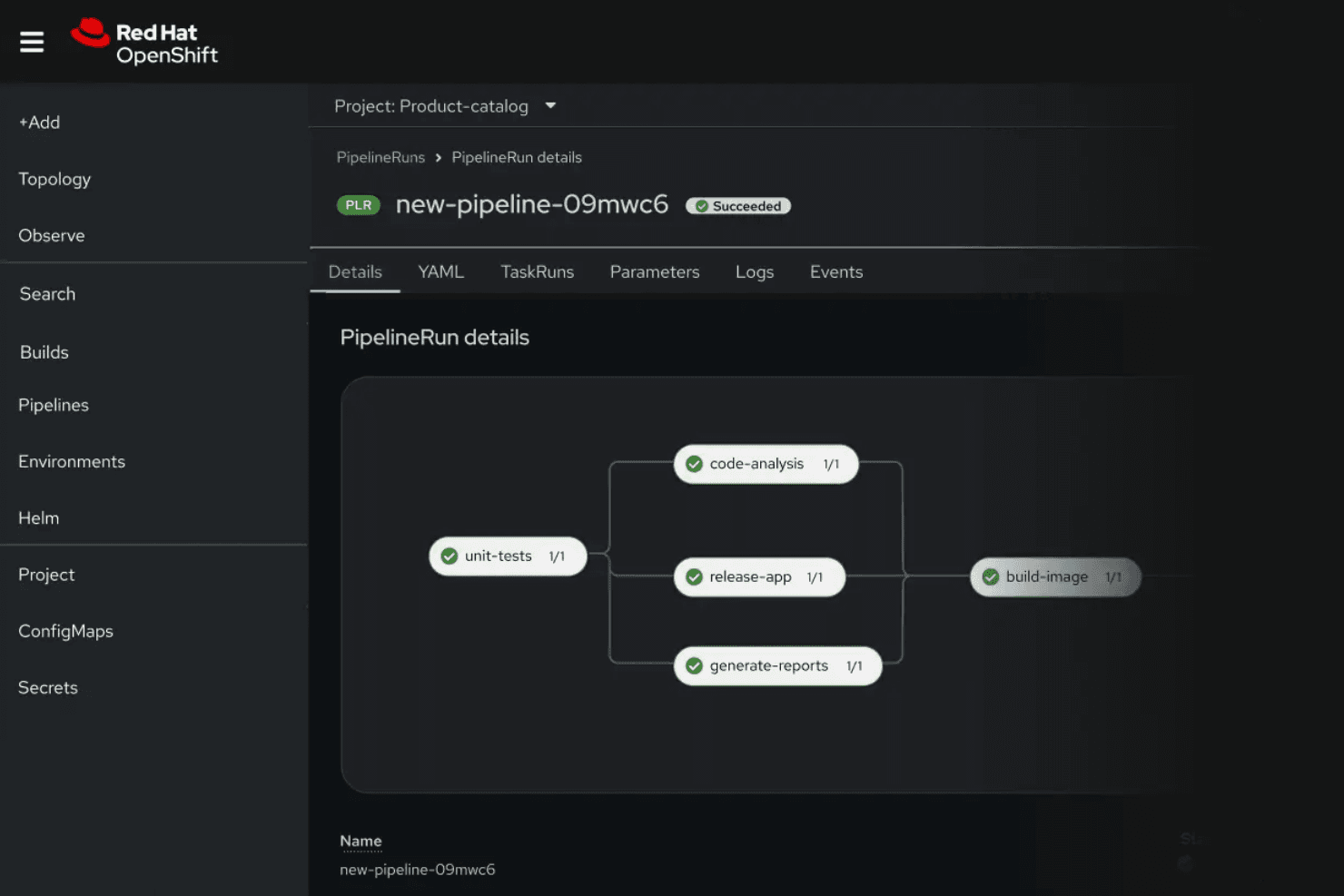
OpenShift Pipelines and GitOps enable automated build, test, and deployment workflows. This supports rapid, reliable application delivery.
Advanced Security Controls
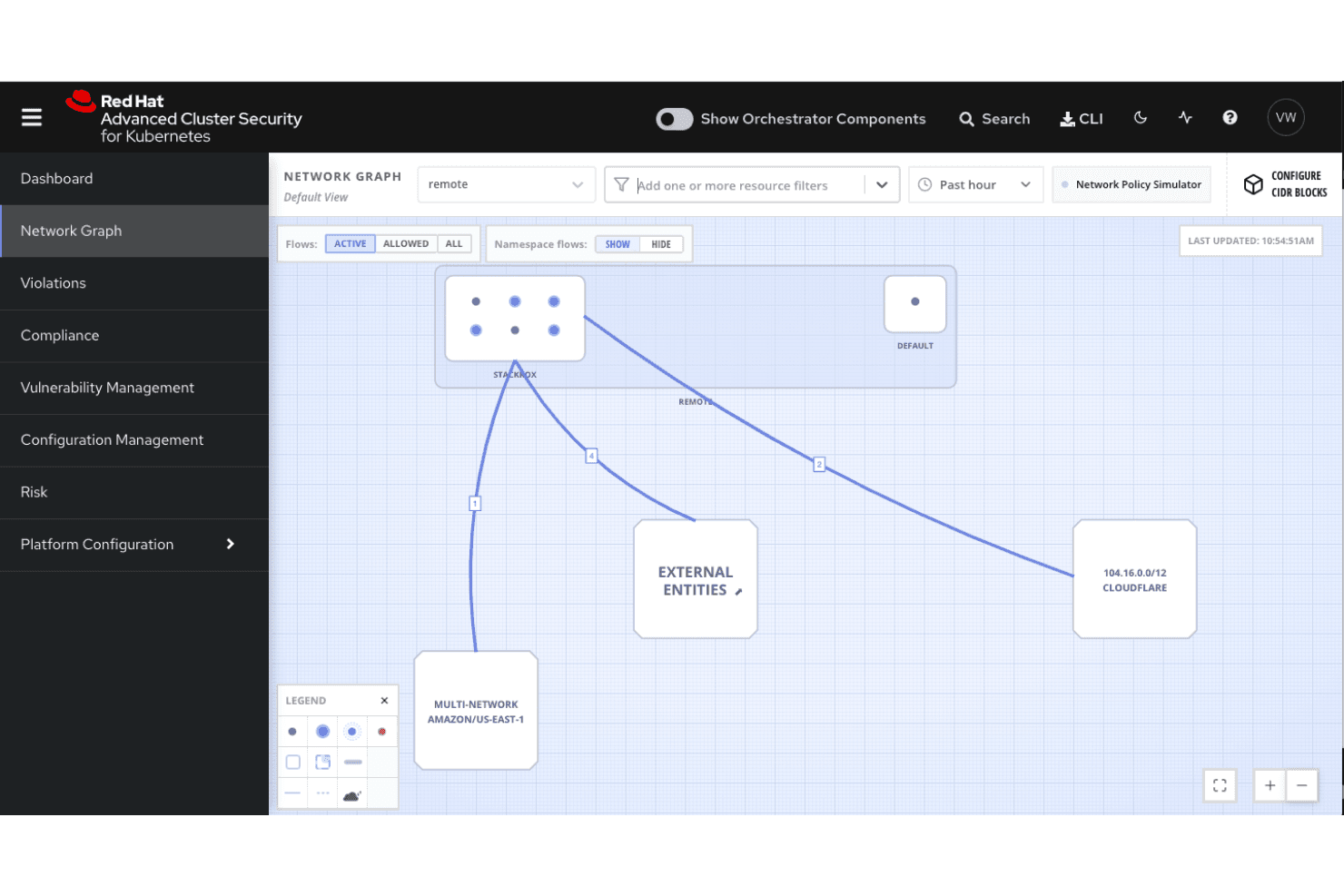
Built-in security features include policy enforcement, image scanning, and role-based access. These help organizations meet compliance and governance requirements.
Self-Service Developer Portal
Developers can access templates, tools, and resources to deploy and manage applications. This accelerates onboarding and reduces dependency on operations teams.
Multi-Cluster Management
Centralized dashboard allows users to manage multiple clusters across different infrastructures. This simplifies operations for large, distributed environments.
Automated Application Scaling
OpenShift automatically scales applications based on demand and resource usage. This ensures performance and cost efficiency for dynamic workloads.
Standout Features
Operator Framework
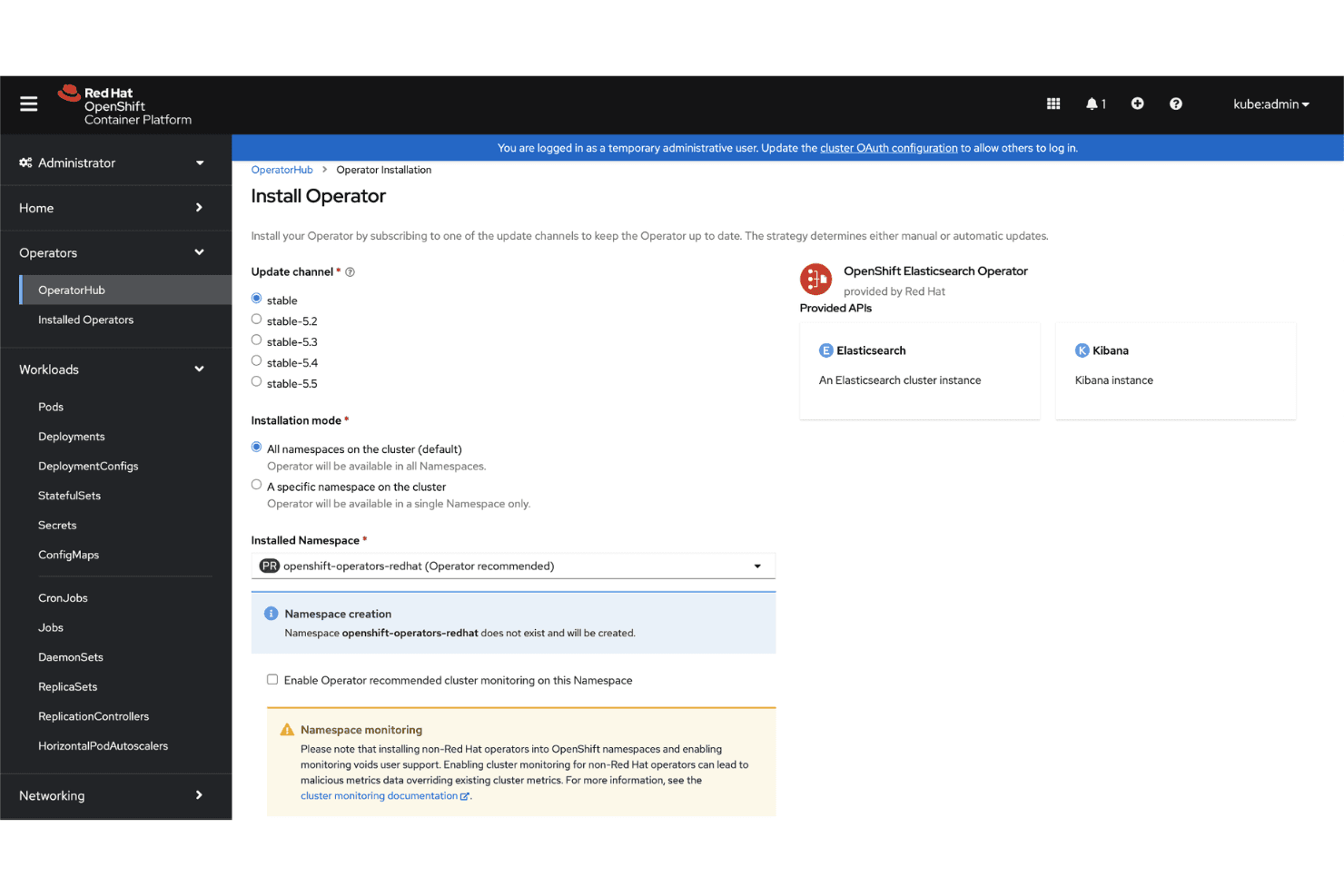
The Operator Framework lets users automate the management of complex, stateful applications on Kubernetes. It simplifies lifecycle tasks like upgrades, backups, and scaling for databases and middleware.
Source-to-Image (S2I) Builds
Source-to-Image (S2I) enables developers to build container images directly from source code with minimal configuration. This streamlines the process of deploying code changes and reduces manual container management.
Ease of Use
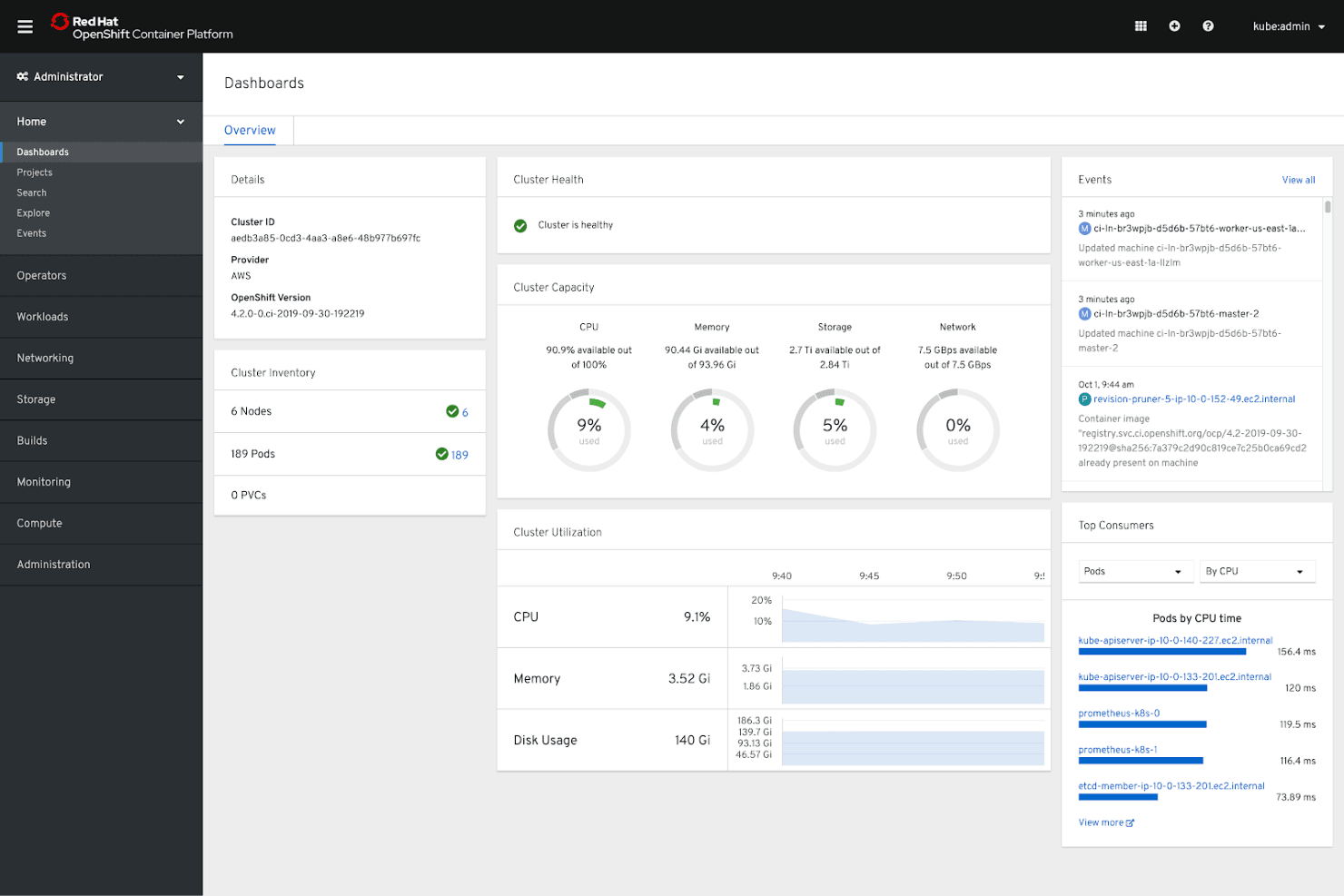
Red Hat OpenShift offers a polished web console and clear documentation, but its enterprise-grade features introduce complexity that can challenge new users. Many reviewers note that initial setup, cluster management, and troubleshooting require strong Kubernetes knowledge. While the self-service portal and automation tools help streamline workflows for experienced teams, smaller organizations or those without dedicated DevOps resources may find the platform less approachable than simpler PaaS options.
Onboarding
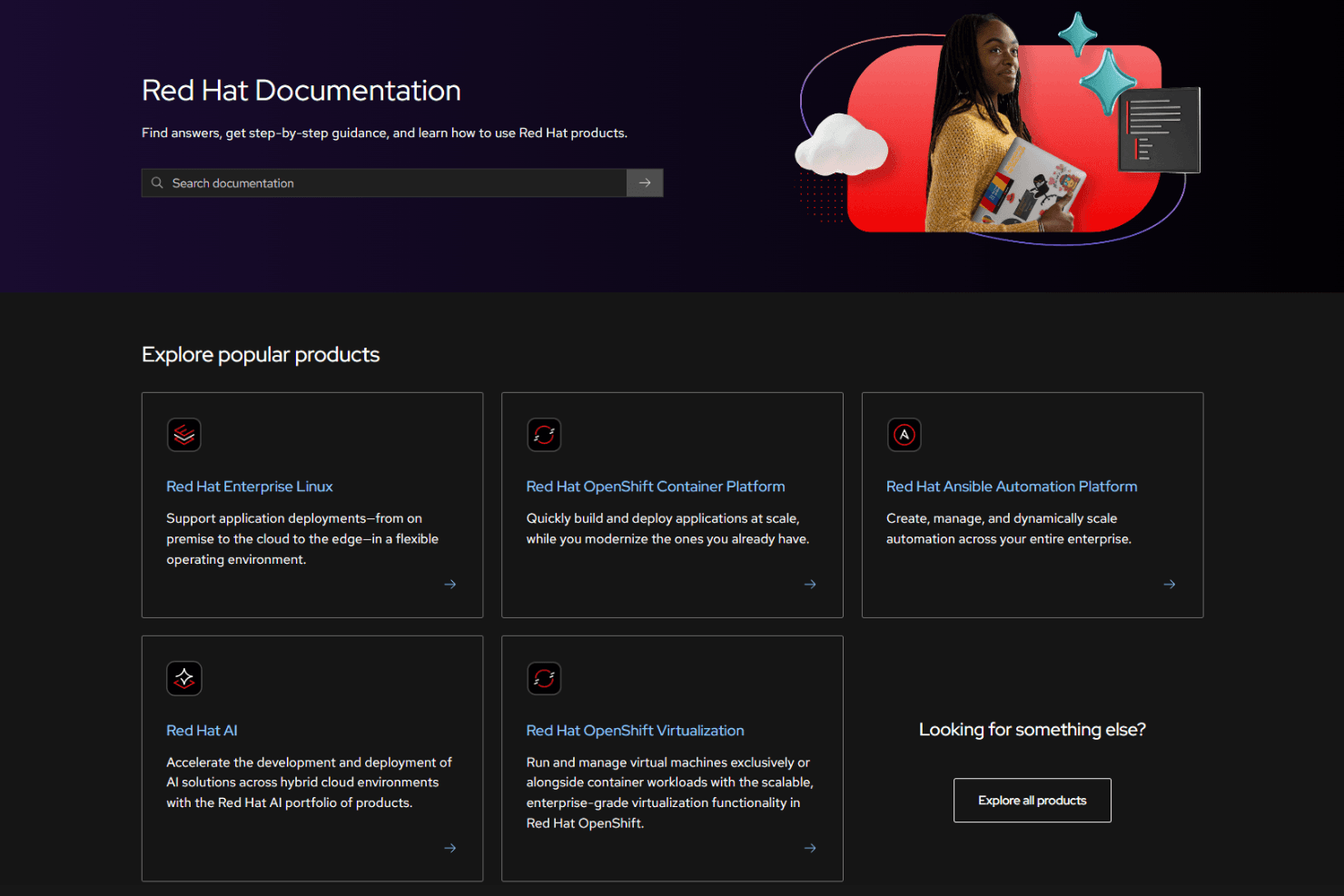
Red Hat OpenShift’s onboarding process is thorough but can feel overwhelming, especially for teams new to Kubernetes concepts. Users report that the guided tutorials, extensive documentation, and active community forums are valuable, but hands-on support is often needed for complex deployments. The platform’s certification programs and training resources help shorten the learning curve, yet reaching full productivity typically takes longer than with more lightweight PaaS solutions.
Customer Support
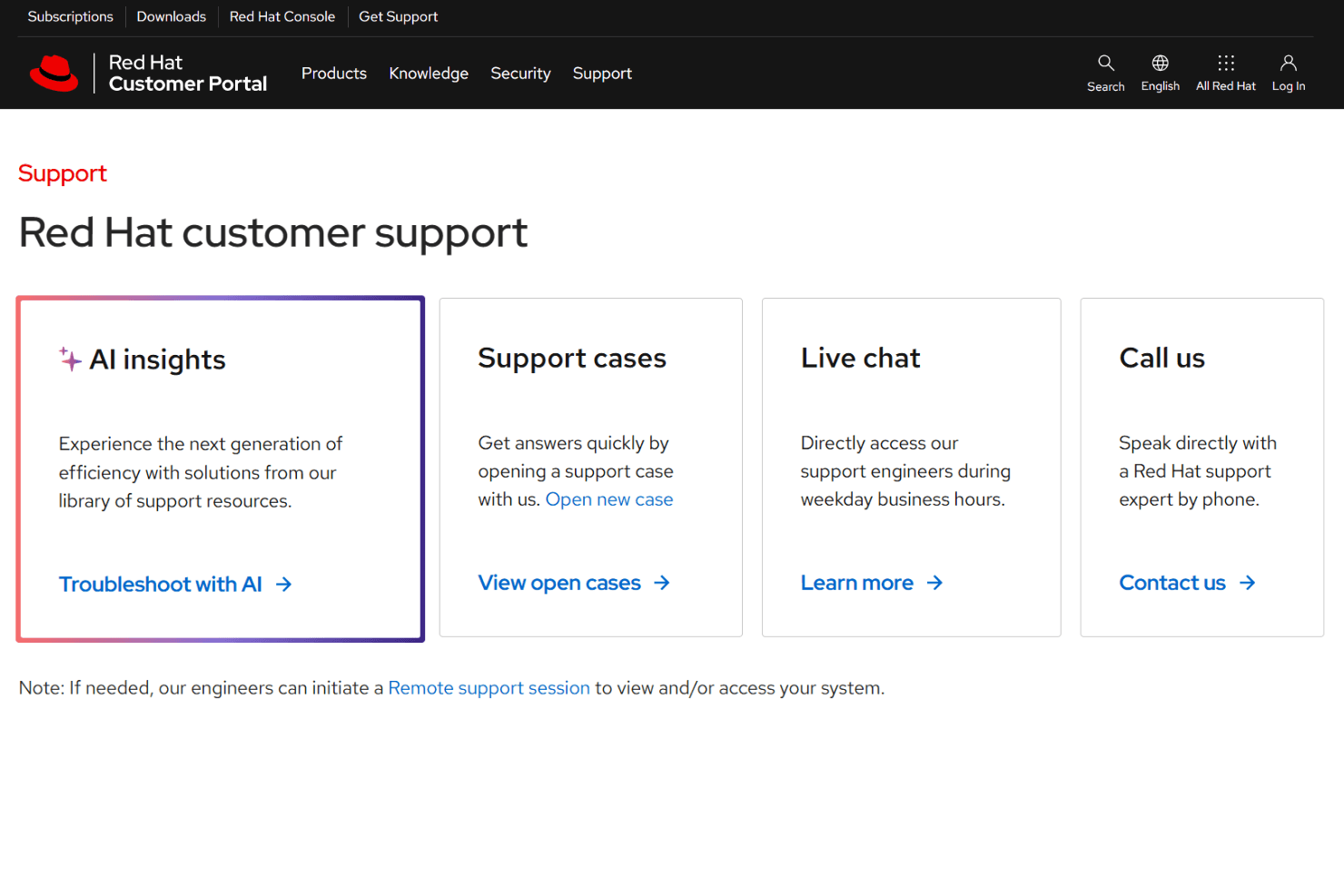
Red Hat OpenShift is recognized for its responsive, knowledgeable support team and a wide range of support channels, including 24/7 enterprise assistance, detailed documentation, and active user forums. Many users highlight the value of direct access to Red Hat engineers for troubleshooting complex issues. However, some note that resolution times can vary depending on ticket priority, and navigating support tiers may require persistence for non-critical requests.
Integrations
Red Hat OpenShift integrates with Red Hat Enterprise Linux, Red Hat Ansible Automation Platform, Red Hat Quay, OpenShift Service Mesh, OpenShift Serverless, OpenShift GitOps, OpenShift Pipelines, Red Hat Advanced Cluster Security for Kubernetes, Red Hat Advanced Cluster Management for Kubernetes, and HashiCorp Vault, among others.
Red Hat OpenShift also provides a comprehensive API and supports connections with a wide range of third-party integration tools and add-ons.
Value for Money
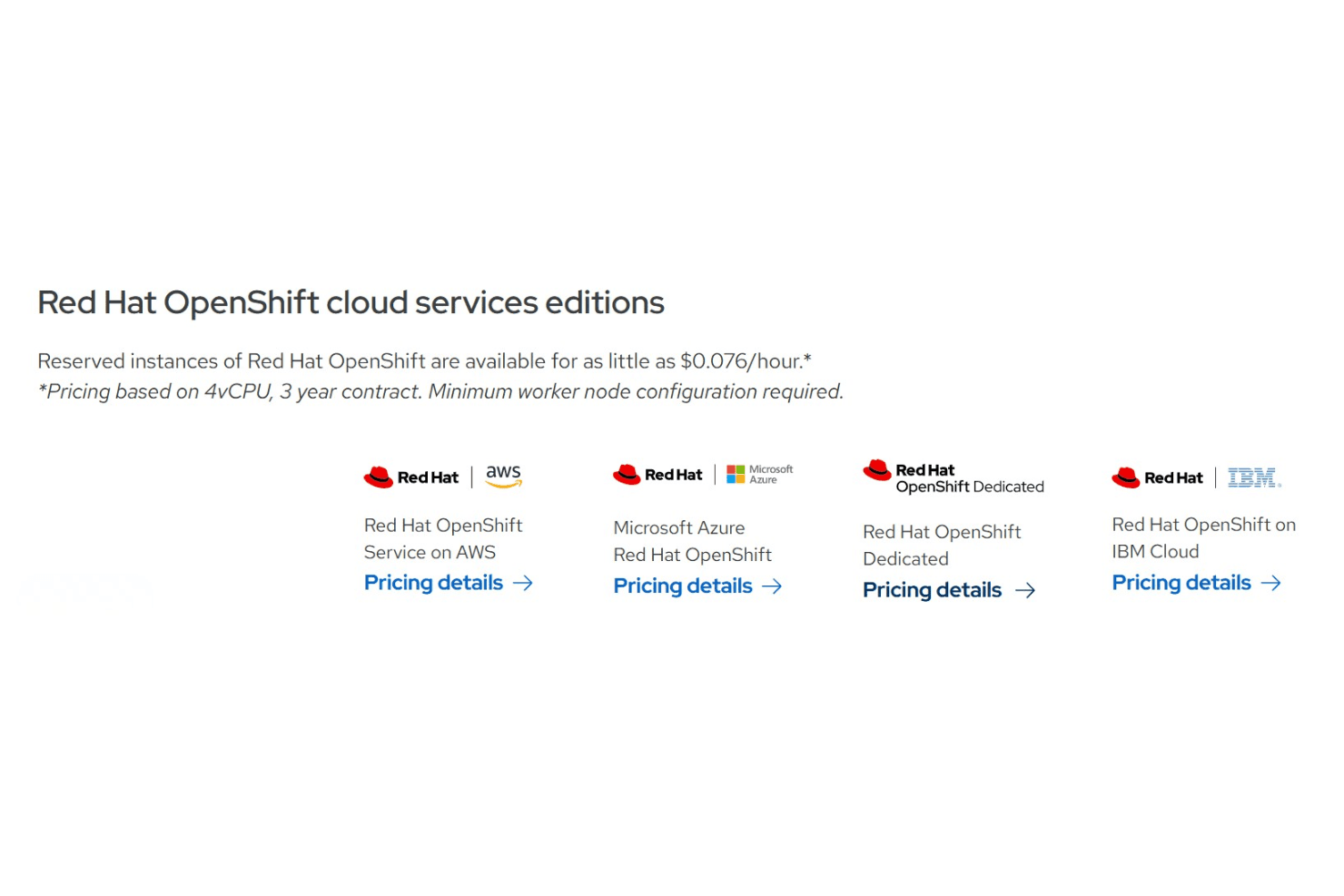
Red Hat OpenShift delivers strong enterprise value but comes at a premium tied to subscriptions and infrastructure. Users accept the cost due to bundled security, lifecycle tools, and SRE-backed support. Pricing scales with usage and commitments, and long-term contracts lower rates. Its layered editions justify cost by offering incremental platform capabilities and enterprise-grade control. Here are the plans:
Self-Managed
- Red Hat OpenShift Platform Plus: Full platform with added cluster management, security, storage, and registry services beyond Container Platform.
- Red Hat OpenShift Container Platform: Adds developer tools, pipelines, service mesh, and GitOps features.
- Red Hat OpenShift Kubernetes Engine: Enterprise Kubernetes runtime on Red Hat Enterprise Linux CoreOS.
- Red Hat OpenShift Virtualization Engine: Entry option focused on VM workloads with virtualization tools and admin console.
Cloud Service
- Red Hat OpenShift Service on AWS: Jointly managed with AWS, including infrastructure billing and SRE operations.
- Microsoft Azure Red Hat OpenShift: Co-managed service with integrated platform operations and support.
- Red Hat OpenShift Dedicated: Fully managed clusters operated by Red Hat with ongoing updates and monitoring.
- Red Hat OpenShift on IBM Cloud: Managed service with integrated infrastructure and Red Hat support.
Red Hat OpenShift Specs
- A/B Testing: No
- API: Yes
- Automated Testing: No
- Browser Compatibility Testing: No
- Bug Tracking: No
- Calendar Management: No
- CI/CD Integration: Yes
- Dashboard: Yes
- Data Export: Yes
- Data Import: Yes
- Data Visualization: Yes
- Developer Tools: Yes
- External Integrations: Yes
- History/Version Control: Yes
- Manual Testing: No
- Multi-User: Yes
- Notifications: Yes
- Performance Testing: No
- Regression Testing: No
- Scheduling: Yes
- Status Notifications: Yes
- Third-Party Plugins/Add-Ons: Yes
Red Hat OpenShift FAQs
Red Hat OpenShift Company Overview & History
Red Hat OpenShift is a leading Kubernetes-based application platform developed by Red Hat, Inc., a subsidiary of IBM. Headquartered in Raleigh, North Carolina, Red Hat employs around 19,000 people worldwide and is known for its open source software portfolio, including Red Hat Enterprise Linux and Ansible Automation Platform. The company is recognized for its collaborative work culture and has a strong presence in industries like financial services, telecommunications, and healthcare. Notable clients include Orange and Employers Insurance Group, and Red Hat reported revenues of $3.4 billion prior to its acquisition by IBM.
Red Hat OpenShift Major Milestones
- 1993: Red Hat, Inc. was founded in Raleigh, North Carolina.
- 2011: Red Hat OpenShift launched as a Platform as a Service (PaaS) offering.
- 2012: Red Hat surpasses $1 billion in annual revenue.
- 2019: IBM acquires Red Hat for $34 billion, making it an IBM subsidiary.
- 2025: Red Hat recognized as a leader in Gartner’s Magic Quadrant for Container Management and Cloud-native Application Platforms.