

14 Workato Alternatives Picked for 2026

Workato Alternatives Shortlist
Here’s my shortlist of Workato alternatives:


A strong Workato alternative offers reliable integration, flexible automation, and broad connectivity across your business systems. If you’re searching for options beyond Workato, you likely need a platform that can handle complex workflows, support both cloud and on-premises apps, and scale with your IT environment. This list will help you compare leading integration platforms, understand their unique strengths, and choose the right solution for your team’s technical and operational needs.
What Is Workato?
Workato is a cloud-based iPaaS and automation platform that connects applications, manages data flows, and automates business processes across cloud and on-premises systems. IT teams use this integration solution to build, deploy, and monitor workflows without heavy custom development. The platform supports robotic process automation (RPA), enabling organizations to deploy bots that handle repetitive tasks and automate workflows across multiple systems. Its automation toolset also helps teams streamline API integrations while maintaining scalability as automation needs grow.
Workato emphasizes a strong user experience with a user-friendly interface that allows both technical and non-technical users to create automations efficiently. The platform also supports enterprise-grade security and compliance standards such as SOC 2, GDPR, and HIPAA, making it suitable for organizations that require secure and scalable automation.
Best Workato Alternatives Summary
This comparison chart summarizes pricing details for my top Workato alternative selections to help you find the best one for your budget and business needs.
| Tool | Best For | Trial Info | Price | ||
|---|---|---|---|---|---|
| 1 | Best for visual workflow design | Free plan + free demo available | From $9/month (billed monthly) | Website | |
| 2 | Best for rapid cloud-to-cloud integrations | 30-day free trial available | From $99/month + usage fees | Website | |
| 3 | Best for large-scale data integration | Free demo available | Pricing upon request | Website | |
| 4 | Best for legacy system integration | 30-day free trial + free demo available | Pricing upon request | Website | |
| 5 | Best for automating simple workflows | Free plan available | From $19.99/month (billed annually) | Website | |
| 6 | Best for enterprise API management | Free trial available | Pricing upon request | Website | |
| 7 | Best for real-time data processing | Not available | Pricing upon request | Website | |
| 8 | Best for flexible low-code automation | Not available | Pricing upon request | Website | |
| 9 | Best for hybrid environment support | Free trial + free demo available | Pricing upon request | Website | |
| 10 | Best for AI-powered data pipelines | Free demo available | Pricing upon request | Website |
Why Trust Our Software Reviews
We’ve been testing and reviewing software since 2023. As tech leaders ourselves, we know how critical and difficult it is to make the right decision when selecting software.
We invest in deep research to help our audience make better software purchasing decisions. We’ve tested more than 2,000 tools for different tech use cases and written over 1,000 comprehensive software reviews. Learn how we stay transparent & our software review methodology.
-

Site24x7
Visit WebsiteThis is an aggregated rating for this tool including ratings from Crozdesk users and ratings from other sites.4.7 -
GitHub Actions
Visit WebsiteThis is an aggregated rating for this tool including ratings from Crozdesk users and ratings from other sites.4.8 -
Docker
Visit WebsiteThis is an aggregated rating for this tool including ratings from Crozdesk users and ratings from other sites.4.6





Workato Alternatives Reviews
Below are my detailed summaries of the Workato alternatives that made it onto my shortlist. My reviews offer a detailed look at the features, integrations, and best use cases of each platform to help you find the best one for your needs.

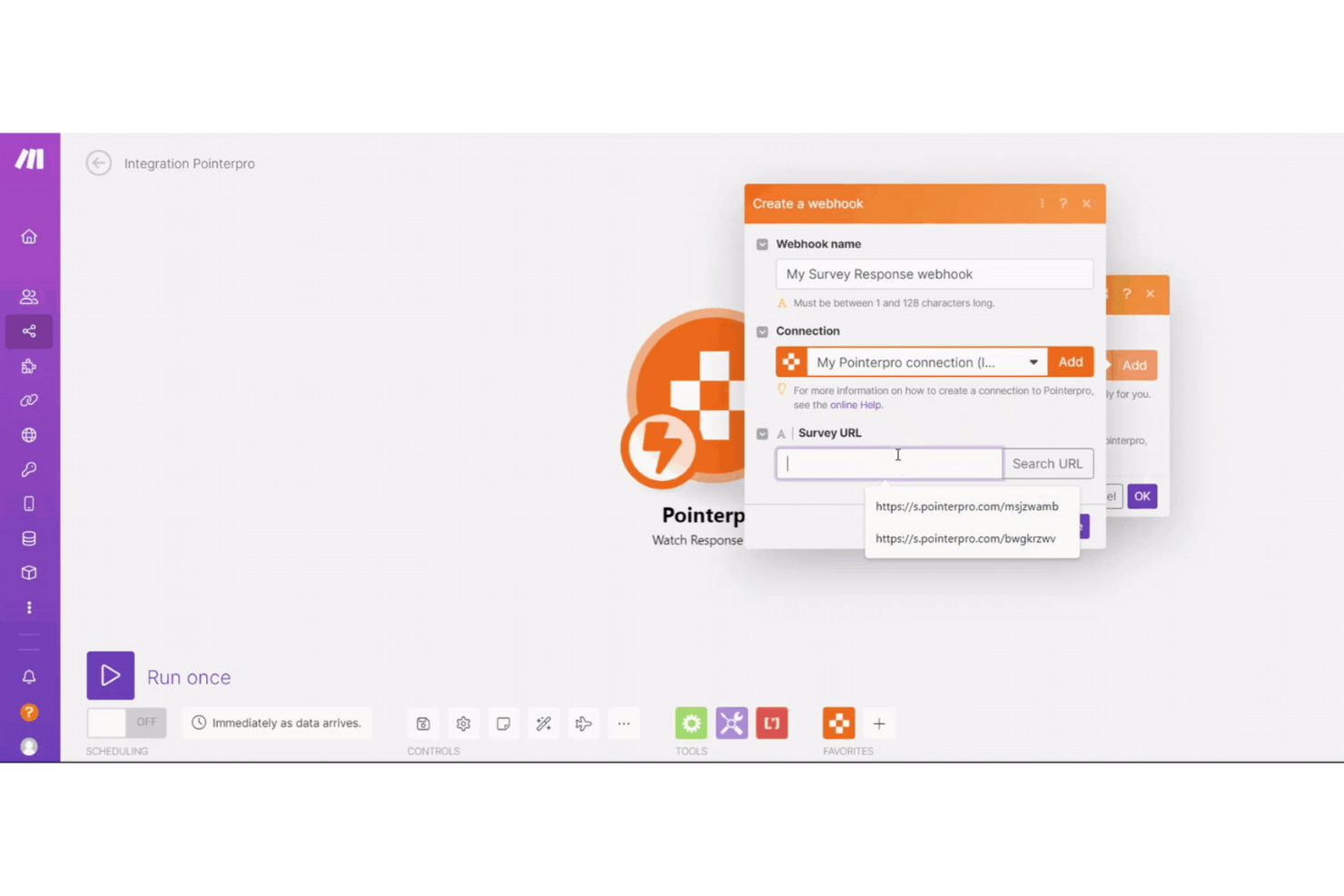
If you want to build and visualize complex automations without writing code, Make offers a unique approach. Its drag-and-drop interface appeals to IT specialists, operations teams, and anyone who needs to map out multi-step workflows visually. Make stands out from other integration platforms by letting you see and adjust every step of your process in a single, interactive canvas.
Why Make Is a Good Workato Alternative
Unlike most integration platforms, Make puts visual workflow design at the center of its automation builder. I picked Make because its drag-and-drop canvas lets you lay out, connect, and modify every step of your process in a single view.
You can add conditional logic, parallel branches, and error handling directly on the canvas, making it easy to manage even the most complex automations. This visual-first approach is especially useful for IT teams and business users who want to understand and adjust workflows without digging through code or nested menus.
Make Key Features
Some other features that set Make apart for integration projects include:
- Scenario Versioning: Track changes and roll back to previous versions of your workflows.
- Instant Triggers: Start automations immediately when an event occurs in a connected app.
- Built-In Data Manipulation Tools: Transform, filter, and aggregate data within your workflows without external scripts.
- Error Handling Modules: Add dedicated modules to catch and manage errors as part of your automation logic.
Make Integrations
Integrations include Google Sheets, Slack, Airtable, Shopify, Trello, Gmail, Dropbox, Microsoft 365, Facebook Pages, and Twitter.
Pros and Cons
Pros:
- Scenario versioning allows teams to track and manage automation changes
- Built-in data manipulation tools support advanced workflow logic
- Visual workflow canvas makes complex automation easier to understand
Cons:
- Some advanced configuration options are limited in certain connectors
- Error logs can be difficult for new users to interpret

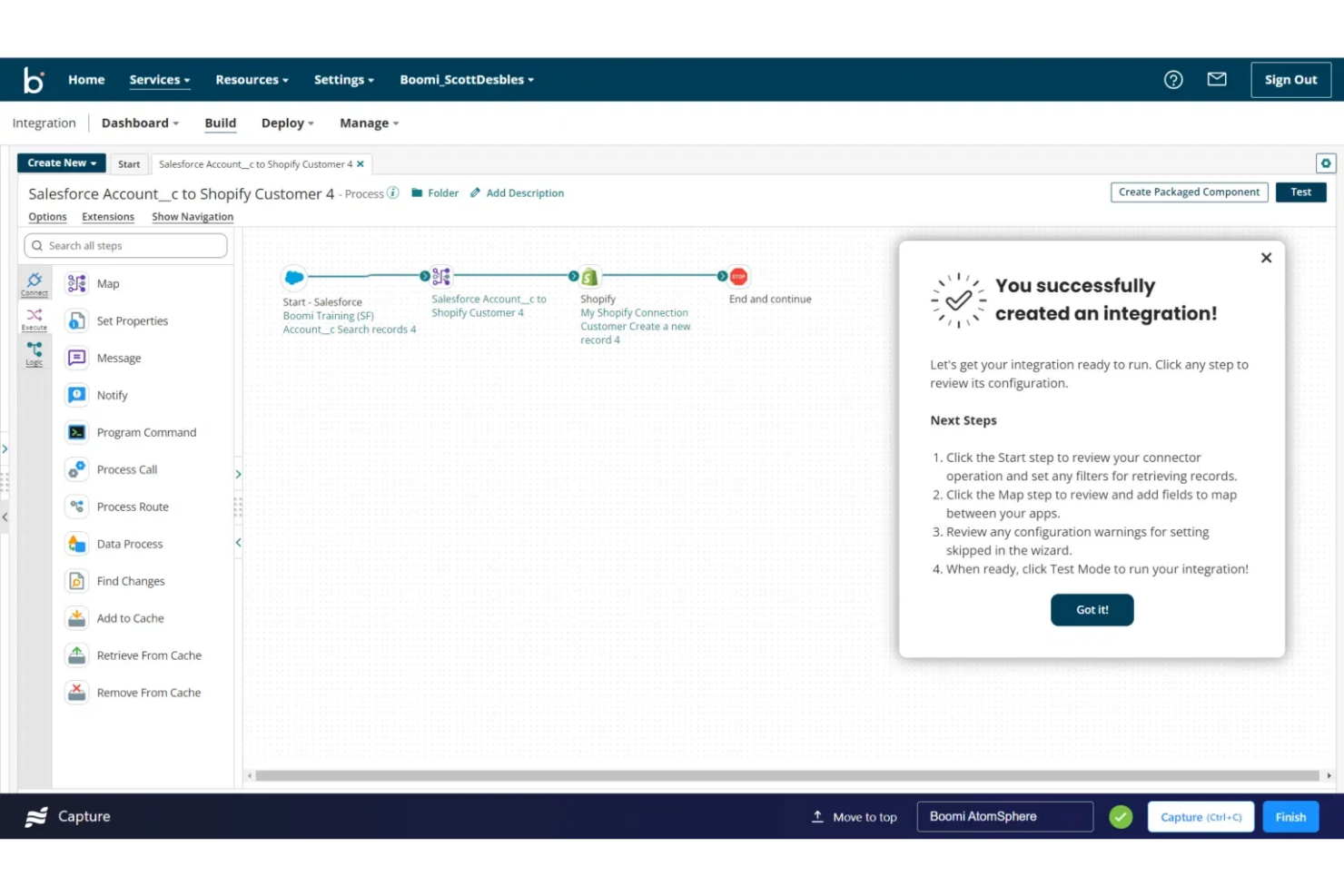
Boomi offers a cloud-native integration platform designed for IT teams that need to connect multiple cloud applications quickly. Its drag-and-drop interface and prebuilt connectors help businesses accelerate cloud-to-cloud integrations without heavy coding. Boomi is a strong fit for organizations prioritizing speed and flexibility in hybrid or multi-cloud environments.
Why Boomi Is a Good Workato Alternative
For teams focused on rapid cloud-to-cloud integrations, Boomi stands out with its cloud-native architecture and real-time data processing. I picked Boomi because its visual workflow builder and extensive library of prebuilt connectors let you quickly link cloud applications without custom development. The platform also supports automated error handling and monitoring, which helps IT teams maintain reliable integrations as environments scale. These features make Boomi a strong choice if you need to accelerate cloud adoption and keep systems connected.
Boomi Key Features
Some other features in Boomi that may interest IT teams include:
- API Management: Manage, monitor, and secure APIs across your connected applications from a single interface.
- Data Mapping Tools: Transform and map data between different formats using a visual drag-and-drop editor.
- Process Library: Access a library of reusable integration processes to speed up deployment and standardize workflows.
- B2B/EDI Integration: Support electronic data interchange (EDI) and trading partner management for B2B integrations.
Boomi Integrations
Integrations include Salesforce, SAP, Oracle NetSuite, ServiceNow, AWS, Slack, Workday, Stripe, Shopify, and Google Drive.
Pros and Cons
Pros:
- Built-in B2B/EDI integration capabilities
- Real-time monitoring and alerting tools
- Visual process builder for rapid deployment
Cons:
- User community resources are less active than peers
- Advanced features may require add-ons

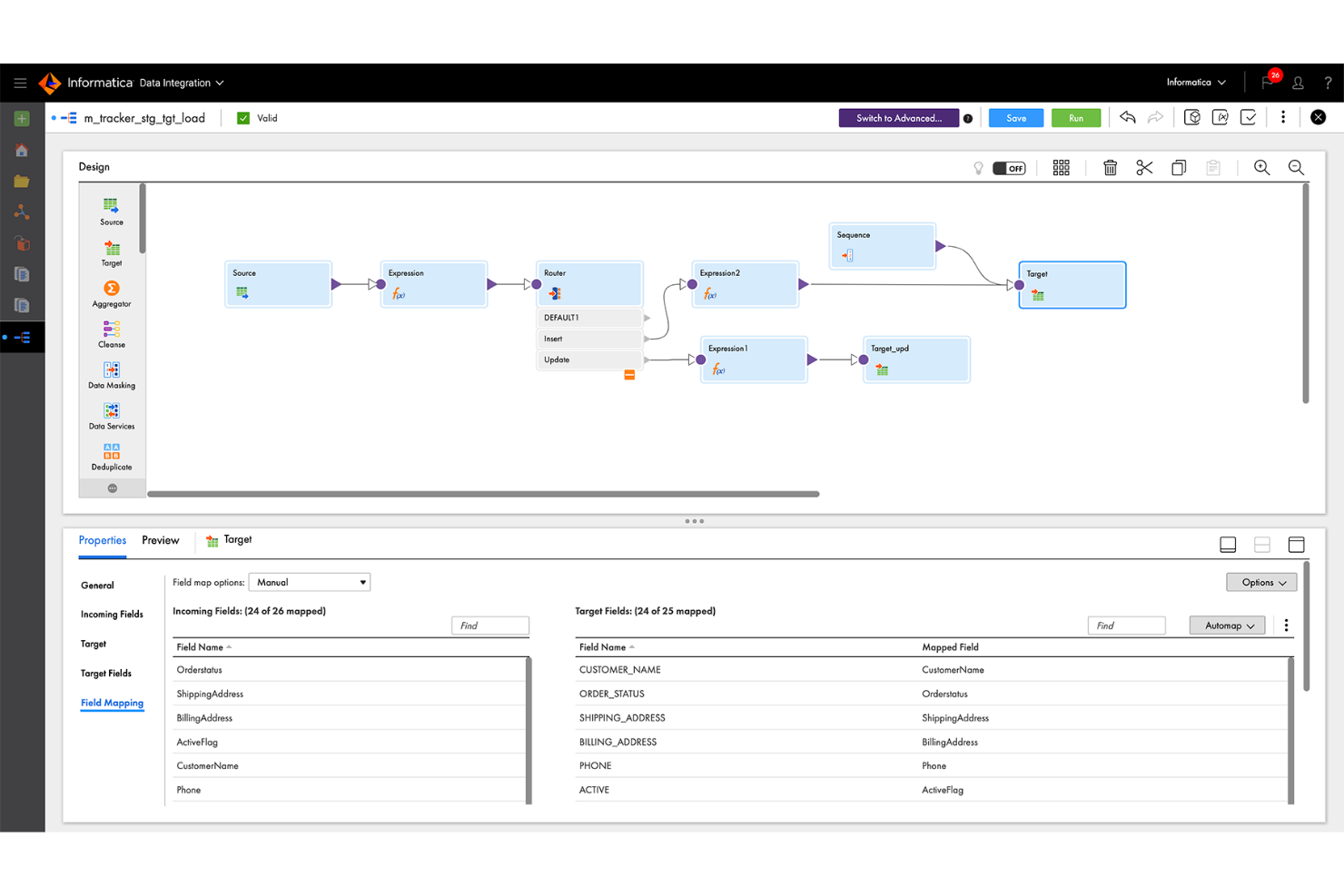
For organizations handling massive volumes of data across multiple sources, Informatica offers a platform built for large-scale data integration. Enterprise IT teams in sectors like healthcare, retail, and financial services use Informatica to unify, transform, and govern data at scale. Its focus on high-throughput processing and advanced data management capabilities distinguishes it from integration platforms that target smaller or less complex environments.
Why Informatica Is a Good Workato Alternative
When you need to integrate and manage data at enterprise scale, Informatica is purpose-built for large, complex environments. I picked Informatica because its high-throughput data pipelines and advanced transformation tools handle massive data volumes without sacrificing performance.
The platform’s metadata-driven architecture supports strong data governance and lineage tracking, which is essential for compliance and auditability. Informatica is a strong fit for organizations that need to orchestrate and control data flows across hundreds of systems and sources.
Informatica Key Features
Some other features that make Informatica valuable for integration projects include:
- AI-Powered Data Mapping: Automate complex data mapping tasks using built-in AI and machine learning capabilities.
- Data Masking and Privacy Controls: Protect sensitive information with configurable data masking and privacy features.
- Workflow Orchestration: Design and manage multi-step integration workflows with visual tools.
- Extensive Connectivity Library: Connect to a wide range of enterprise applications, databases, and cloud services.
Informatica Integrations
Integrations include Salesforce, Amazon Redshift, Microsoft Azure Synapse Analytics, Snowflake, Google BigQuery, SAP, Oracle, Workday, NetSuite, and ServiceNow.
Pros and Cons
Pros:
- AI-driven data mapping reduces manual configuration effort
- Advanced data quality tools improve accuracy in automated pipeline
- Handles very large data workloads for enterprise automation projects
Cons:
- Upgrades can temporarily disrupt active workflows
- Interface may feel dated for some modern users

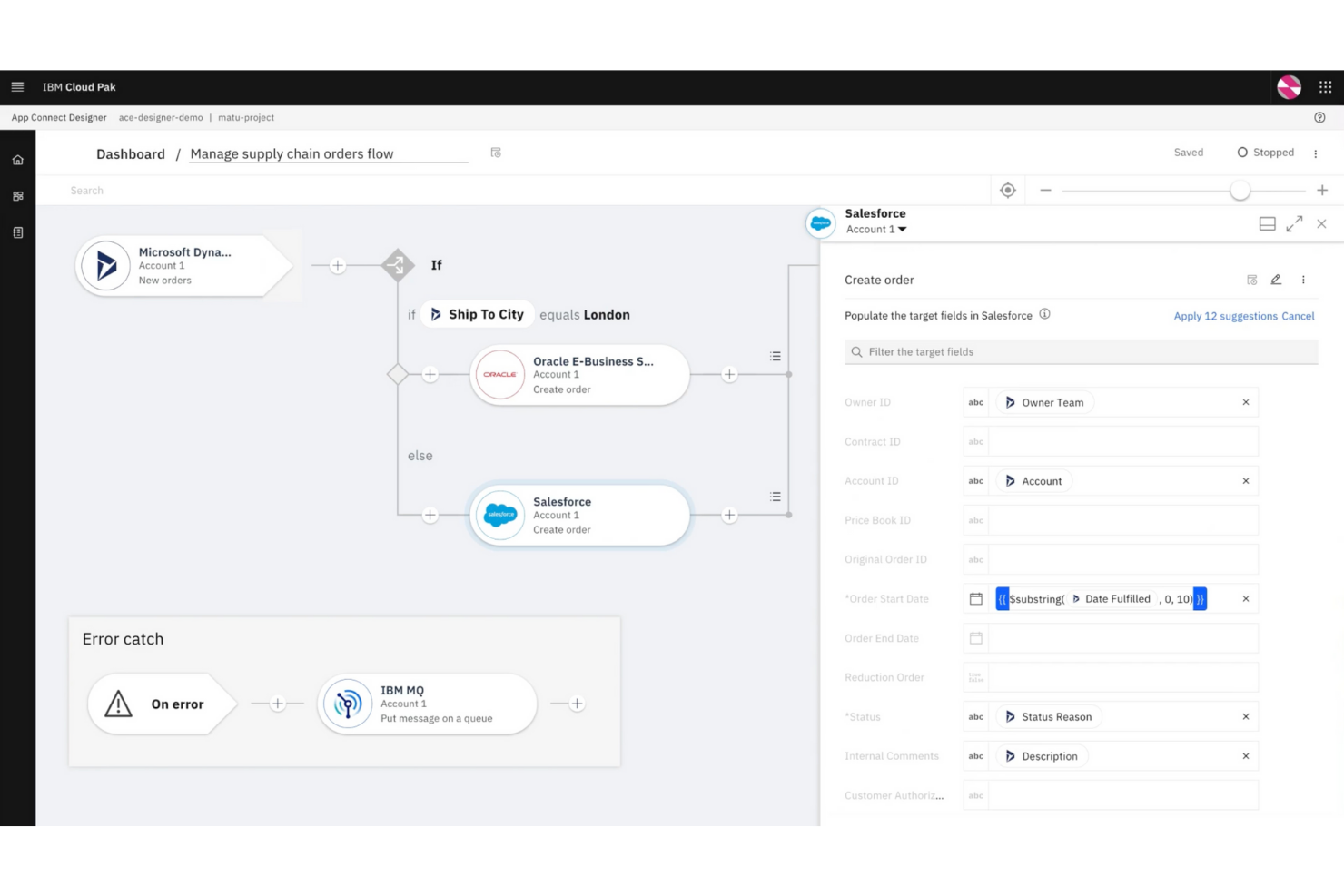
Organizations with complex legacy systems often turn to IBM App Connect for its deep support of mainframe and on-premises integrations. IT teams in finance, healthcare, and manufacturing use it to bridge older infrastructure with modern cloud applications. Its ability to handle legacy protocols and data formats sets it apart from Workato and other integration platforms.
Why IBM App Connect Is a Good Workato Alternative
If your business relies on legacy systems, IBM App Connect offers integration capabilities that Workato doesn’t match. I picked IBM App Connect because it supports mainframe, midrange, and on-premises applications using protocols like IBM MQ and CICS. The platform also handles complex data transformations and mapping between legacy formats and modern APIs. This makes it a strong fit for organizations that need to modernize without replacing critical legacy infrastructure.
IBM App Connect Key Features
Some other features that make IBM App Connect useful for integration projects include:
- AI-powered Flow Creation: Automatically generate integration flows using natural language prompts.
- Prebuilt Connectors Library: Access a wide range of connectors for cloud and SaaS applications.
- API Management Tools: Design, deploy, and manage APIs directly within the platform.
- Role-Based Access Control: Set granular permissions for users and teams managing integrations.
IBM App Connect Integrations
Integrations include Salesforce, SAP, Microsoft Teams, Slack, ServiceNow, IBM MQ, Google Sheets, Shopify, Mailchimp, and monday.com.
Pros and Cons
Pros:
- Granular role-based permissions improve governance and control
- AI-assisted flow creation speeds up automation development
- Strong support for legacy systems and enterprise automation
Cons:
- Advanced configurations may lack detailed documentation
- Interface performance may slow with large automation projects

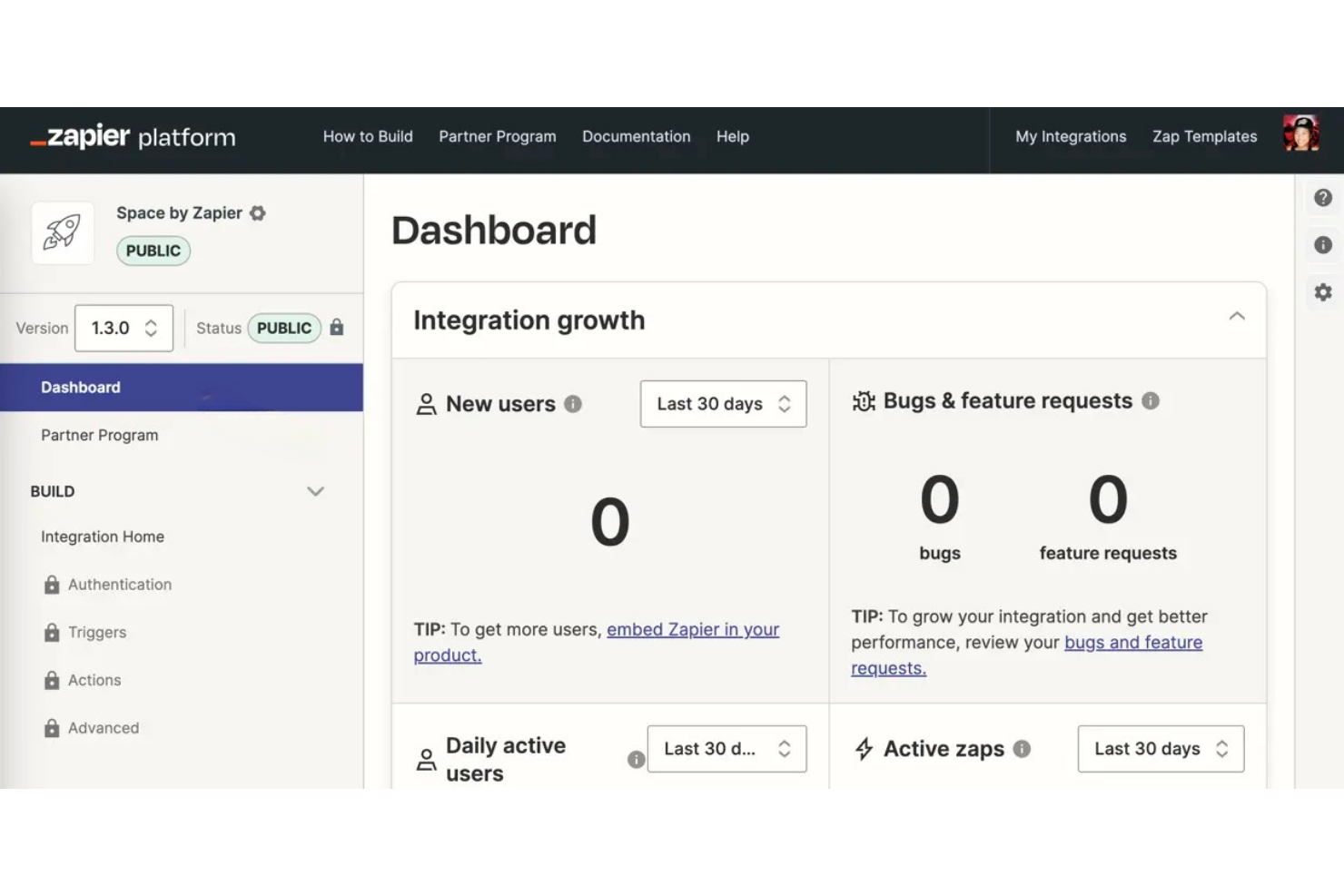
Zapier is a go-to choice for teams that want to automate simple, repetitive workflows without writing code. Its ease of use and low learning curve make it a popular tool among small businesses, marketing teams, and solo professionals, who use Zapier to connect popular apps and trigger actions based on events.
If you need to quickly link tools like Gmail, Slack, and Google Sheets, Zapier stands out for its ease of setup for non-technical users and wide app coverage compared to more complex integration platforms, especially for teams with straightforward automation needs.
Why Zapier Is a Good Workato Alternative
For automating simple workflows, Zapier offers a straightforward approach that appeals to teams who want to move quickly. I picked Zapier because its visual editor lets you build workflows and multi-step automations using a drag-and-drop interface, so you don’t need technical expertise.
The platform also includes conditional logic and scheduling, which helps automate routine tasks across a wide range of apps through customizable zaps. These features make Zapier a strong fit for users who want to automate repetitive processes without the complexity of enterprise integration tools.
Zapier Key Features
Some other Zapier features that may interest integration platform buyers include:
- App Directory: Connect with thousands of popular SaaS tools and services directly from Zapier’s library.
- Shared Folders: Organize and manage automations collaboratively with team members.
- Version History: Track changes and restore previous versions of your workflows.
- Error Handling Tools: Set up notifications and automatic retries when automations fail.
Zapier Integrations
Integrations include Google Sheets, Gmail, Slack, Google Calendar, Google Drive, Notion, HubSpot, Google Forms, Facebook Lead Ads, and Mailchimp.
Pros and Cons
Pros:
- Built-in B2B and EDI capabilities support complex business process automation
- Real-time monitoring and alerting improves reliability of automated workflows
- Visual process builder enables fast automation development
Cons:
- User community and learning resources less active than similar platforms
- API management capabilities less advanced than some competitors

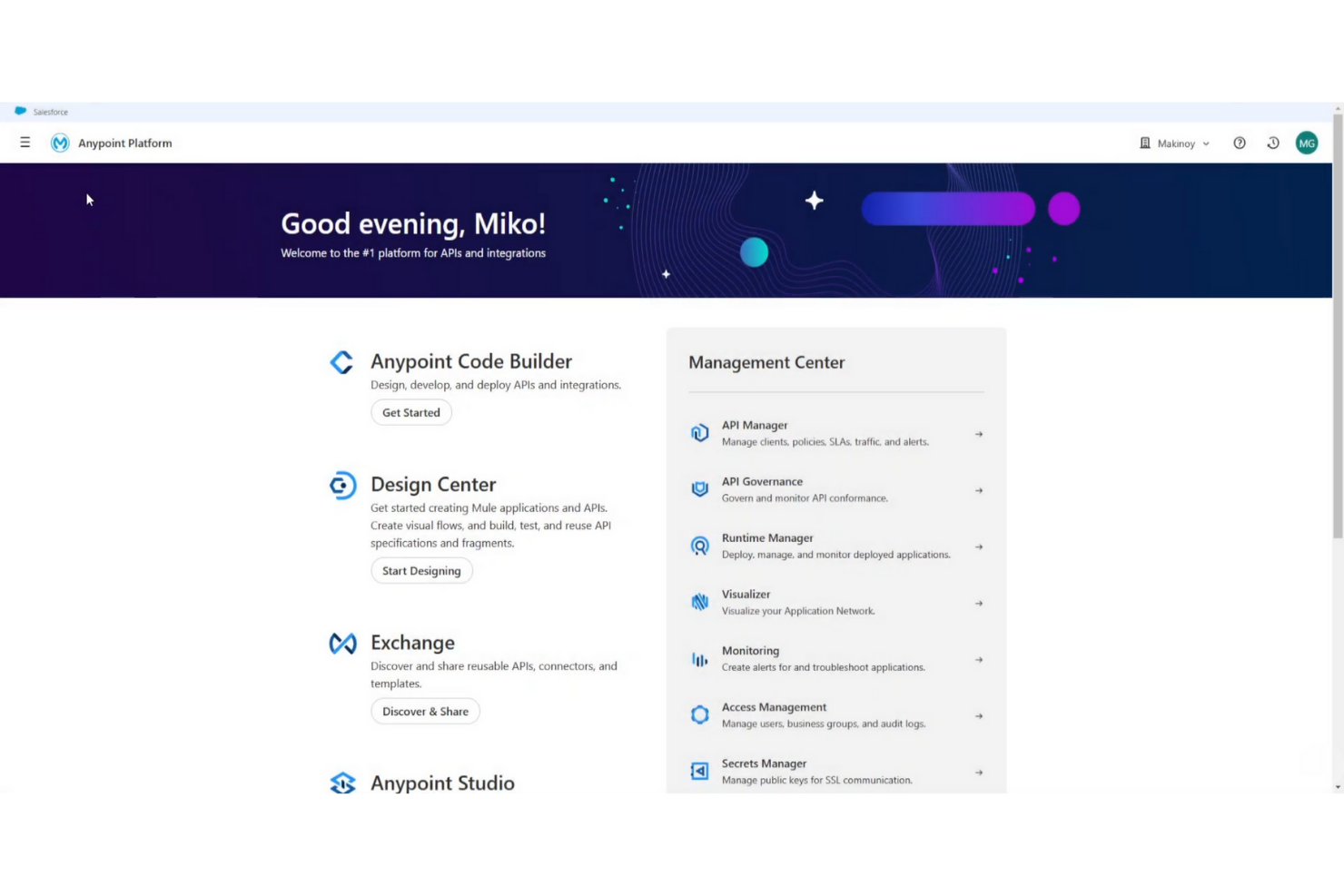
MuleSoft is built for organizations that need advanced API management and integration across complex enterprise environments. Large IT teams and regulated industries often choose MuleSoft for its strong governance, security, and lifecycle management features. If your business needs to centralize, secure, and scale API connections, MuleSoft offers controls and visibility that go beyond most integration platforms.
Why MuleSoft Is a Good Workato Alternative
When enterprise API management is your top priority, MuleSoft offers capabilities that go far beyond basic integration. I picked MuleSoft because its API gateway and policy management tools give IT teams granular control over security, access, and traffic. The platform also supports full API lifecycle management, including design, testing, deployment, and monitoring from a single environment. These features make MuleSoft a strong fit for organizations that need to govern and scale APIs across large, distributed systems.
MuleSoft Key Features
Some other MuleSoft features that may interest IT teams include:
- Reusable Integration Templates: Access a library of prebuilt templates for common integration scenarios.
- Anypoint Exchange: Share and discover APIs, connectors, and assets within a centralized marketplace.
- DataWeave Transformation Engine: Transform and map data between formats using a powerful scripting language.
- Role-Based Access Controls: Assign granular permissions to users and teams for enhanced security management.
MuleSoft Integrations
Integrations include Salesforce, SAP, ServiceNow, Workday, AWS, Microsoft Azure, Google Cloud Platform, Oracle, Slack, and NetSuite.
Pros and Cons
Pros:
- Built-in DataWeave scripting for data transformation
- Full API lifecycle management in one platform
- Advanced API gateway with policy enforcement
Cons:
- High resource requirements for enterprise features
- Documentation can be fragmented across products
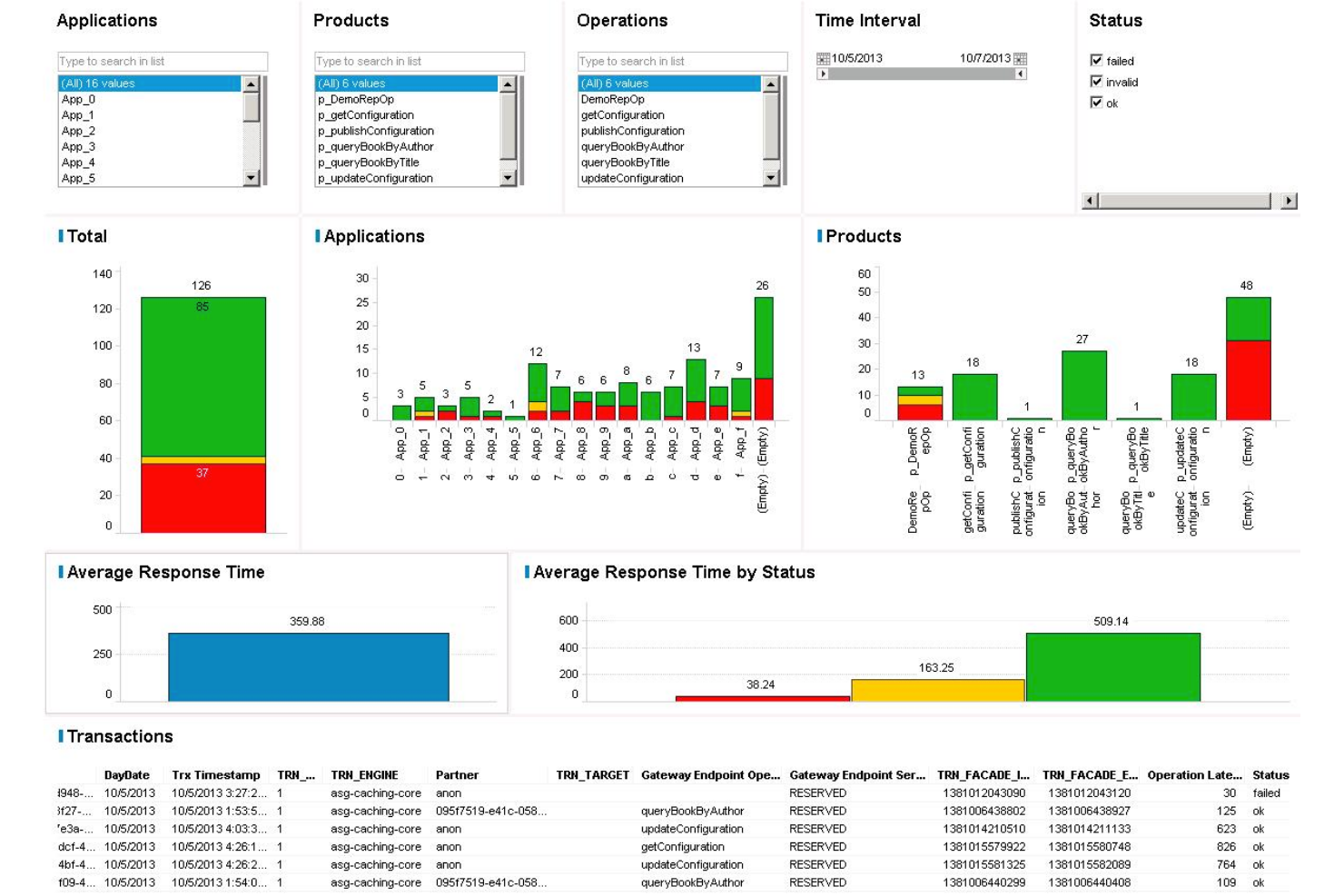
TIBCO stands out for organizations that need to process and act on data in real time. IT teams in industries like finance, manufacturing, and logistics use TIBCO to integrate systems and enable instant decision-making across complex environments. Its event-driven architecture and streaming analytics set it apart from other integration platforms that focus mainly on batch or scheduled data movement.
Why TIBCO Is a Good Workato Alternative
If your business needs to process data as it arrives, TIBCO is built for real-time data processing at scale. I picked TIBCO because its event-driven architecture supports streaming analytics and instant data integration, which is essential for industries where timing is critical. The platform’s support for complex event processing lets you automate responses to business events as they happen. This makes TIBCO a strong choice for teams that can’t afford delays in data movement or decision-making.
TIBCO Key Features
Some other features that make TIBCO appealing for integration projects include:
- Pre-Built Integration Templates: Access a library of templates for common integration scenarios.
- API Management Tools: Design, deploy, and monitor APIs from a unified interface.
- Data Quality and Governance Controls: Apply validation, cleansing, and governance policies to integrated data.
- Cloud and On-Premises Deployment Options: Choose between cloud, on-premises, or hybrid deployment to fit your infrastructure needs.
TIBCO Integrations
Integrations include Salesforce, SAP, Oracle, Microsoft Dynamics 365, ServiceNow, Amazon Web Services, Google Cloud Platform, Snowflake, Tableau, and Splunk.
Pros and Cons
Pros:
- Flexible deployment options support varied infrastructure strategies
- Strong data governance controls support regulated environments
- Real-time event processing enables immediate automated responses
Cons:
- Documentation can be fragmented across product components
- Setup can be complex in large multi-environment deployments

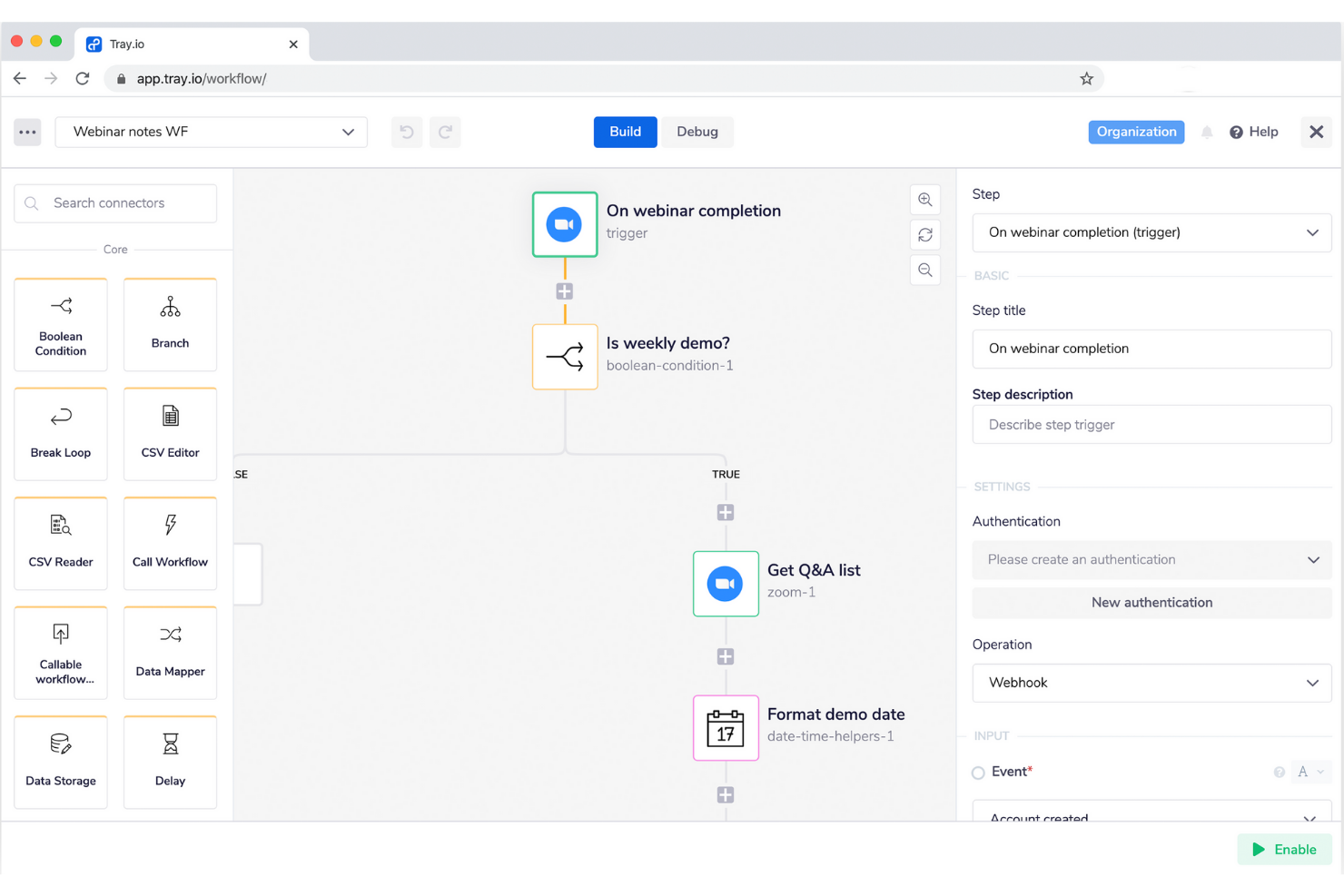
If you need a low-code integration platform that adapts to complex, custom workflows, Tray.io is worth a look. IT teams, operations leads, and SaaS-heavy businesses often turn to Tray.io for its flexible automation builder and support for advanced branching logic. Unlike many integration platforms, Tray.io lets you design highly tailored automations that go beyond simple data syncs or prebuilt templates.
Why Tray.io Is a Good Workato Alternative
For teams that need more flexibility in building automations, Tray.io stands out with its low-code workflow editor and advanced logic controls. I picked Tray.io because it lets you design multi-step workflows with branching, looping, and conditional logic that go far beyond basic integrations.
Tray.io also supports custom scripting within workflows, which appeals to IT specialists who want to fine-tune automation behavior. These capabilities make Tray.io a strong choice for organizations that need to automate complex, non-standard processes across multiple systems.
Tray.io Key Features
Some other features that make Tray.io appealing for integration projects include:
- Connector Library: Access hundreds of prebuilt connectors for popular SaaS applications and databases.
- Reusable Workflow Templates: Start automations quickly with a library of customizable workflow templates.
- Real-Time Monitoring Dashboard: Track workflow executions and view logs in real time from a centralized dashboard.
- Granular Permissions Management: Assign user roles and control access to specific workflows and integrations.
Tray.io Integrations
Integrations include Salesforce, NetSuite, HubSpot, Jira, Slack, Workday, Zendesk, Google Drive, Microsoft Teams, and Snowflake.
Pros and Cons
Pros:
- Real-time monitoring improves visibility into automation performance
- Reusable workflow templates speed up automation deployment
- Flexible low-code automation builder for complex workflows
Cons:
- Documentation can be limited for complex automation scenarios
- Advanced workflow configuration may require technical expertise

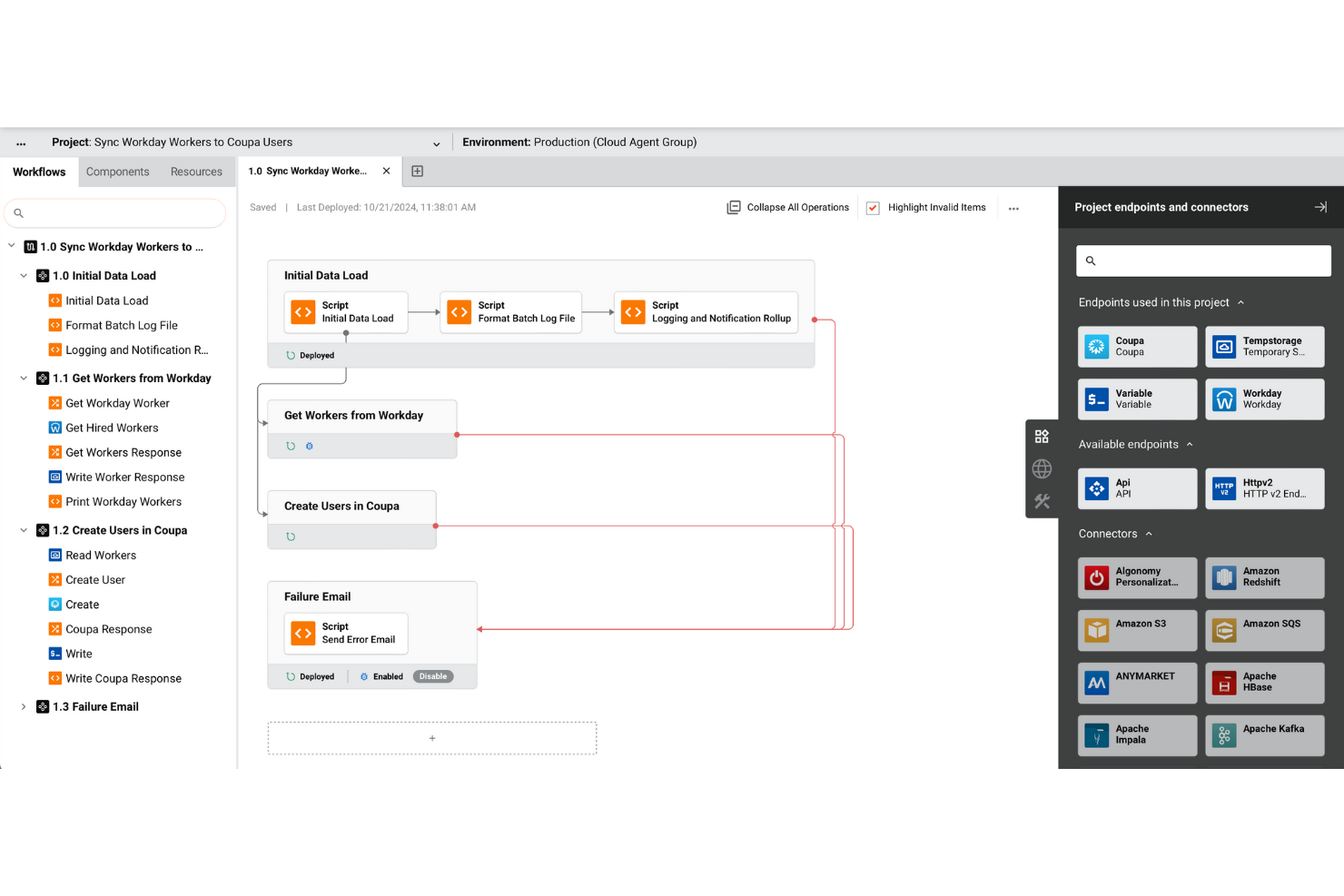
Jitterbit is designed for organizations that need to connect both cloud and on-premises systems without sacrificing control or flexibility. IT teams managing hybrid environments can use Jitterbit to unify data and automate workflows across legacy and modern applications. Its focus on hybrid support and broad connector coverage makes it a strong choice for businesses with complex, mixed-architecture needs.
Why Jitterbit Is a Good Workato Alternative
For teams that need to bridge both on-premises and cloud systems, Jitterbit offers hybrid environment support that’s hard to match. I picked Jitterbit because its Harmony platform lets you design, deploy, and manage integrations across mixed infrastructures from a single interface.
The tool’s support for real-time data synchronization and event-driven workflows is especially useful for organizations with legacy systems that still play a central role. This hybrid focus makes Jitterbit a strong alternative for businesses that can’t move everything to the cloud.
Jitterbit Key Features
Some other features that make Jitterbit appealing for integration projects include:
- API Creation and Management: Build, publish, and manage APIs directly from the platform.
- Pre-Built Connector Library: Access a wide range of connectors for popular enterprise applications and databases.
- Visual Workflow Designer: Design integration workflows using a drag-and-drop interface.
- Automated Error Handling: Configure automated responses and notifications for integration failures.
Jitterbit Integrations
Integrations include Salesforce, NetSuite, SAP, Shopify, Microsoft Dynamics 365, Workday, BigCommerce, BMC Helix, ShipStation, and Sage.
Pros and Cons
Pros:
- Automated error handling improves reliability of integration workflows
- Visual workflow designer simplifies automation development
- Supports automation across both cloud and on-premises environments
Cons:
- Documentation consistency varies across platform modules
- Performance can slow when processing large data volumes

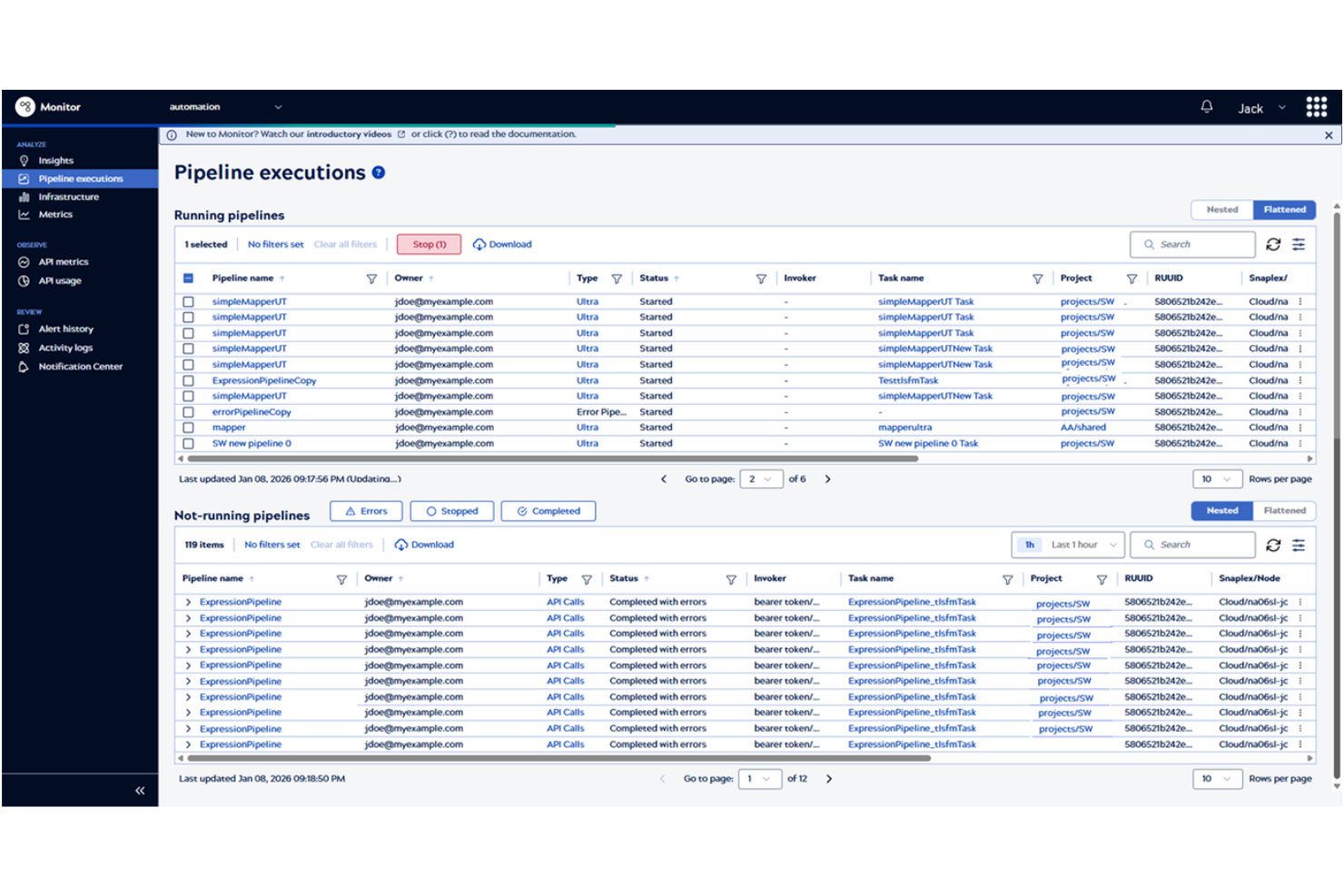
For teams looking to automate and optimize complex data workflows, SnapLogic brings AI-powered intelligence to integration. Its platform is designed for IT specialists and data engineers who need to build, manage, and scale data pipelines across cloud and on-premises systems. SnapLogic stands out by using AI to recommend pipeline steps and automate repetitive integration tasks, helping you move data faster and with fewer manual errors.
Why SnapLogic Is a Good Workato Alternative
If you need to build and manage data pipelines with AI-driven support, SnapLogic offers a distinct advantage over other integration platforms. I picked SnapLogic because its platform uses AI to suggest pipeline components and automate repetitive mapping tasks, which can save significant time for IT and data teams.
The tool’s visual pipeline designer also helps you orchestrate complex data flows across cloud, on-premises, and hybrid environments. This AI-powered approach is especially valuable for organizations handling large-scale data integration and transformation projects.
SnapLogic Key Features
Some other features that make SnapLogic appealing for integration projects include:
- Pre-Built Snaps Library: Access hundreds of connectors for popular enterprise applications and data sources.
- Pipeline Monitoring Dashboard: Track pipeline performance and view real-time analytics from a centralized dashboard.
- Role-Based Access Controls: Assign permissions and manage user access at a granular level.
- Built-In Data Quality Tools: Validate, cleanse, and enrich data as it moves through your pipelines.
SnapLogic Integrations
Integrations include Salesforce, Workday, SAP, Microsoft Dynamics 365, ServiceNow, Snowflake, Amazon Redshift, Google BigQuery, Slack, and Shopify.
Pros and Cons
Pros:
- Built-in data validation tools improve data quality in automation pipelines
- Real-time monitoring with analytics improves workflow oversight
- AI-assisted pipeline creation reduces manual work in automation design
Cons:
- Initial onboarding may require vendor guidance for some teams
- Complex error handling for large automation pipelines
Other Workato Alternatives
Here are some additional Workato options that didn’t make it onto my shortlist, but are still worth checking out:
- AWS AppFlow
With native AWS service connections
- Celigo
For ecommerce system connectivity
- Qlik
For real-time data replication
- Azure Integration Services
For Microsoft ecosystem compatibility


Workato Alternatives Selection Criteria
When selecting the best Workato alternatives to include in this list, I considered common buyer needs and pain points related to integration platform products, like connecting legacy systems with cloud apps and automating complex workflows across multiple tools. I also used the following framework to keep my evaluation structured and fair:
Core Functionality (25% of total score)
To be considered for inclusion in this list, each solution had to fulfill these common use cases:
- Connect cloud and on-premises applications
- Automate multi-step workflows
- Transform and map data between systems
- Monitor and manage integration flows
- Support scheduled and event-driven triggers
Additional Standout Features (25% of total score)
To help further narrow down the competition, I also looked for unique features, such as:
- AI-powered flow creation
- Built-in API management
- Prebuilt industry-specific connectors
- Real-time data synchronization
- Role-based access controls
Usability (10% of total score)
To get a sense of the usability of each system, I considered the following:
- Clear and intuitive interface design
- Visual workflow builders
- Minimal technical setup required
- Accessible documentation and tooltips
- Customizable dashboards and views
Onboarding (10% of total score)
To evaluate the onboarding experience for each platform, I considered the following:
- Step-by-step product tours
- Availability of training videos and webinars
- Prebuilt workflow templates
- In-app chatbots for guidance
- Migration support and onboarding specialists
Customer Support (10% of total score)
To assess each software provider’s customer support services, I considered the following:
- 24/7 support availability
- Multiple support channels
- Access to a knowledge base
- Fast response times
- Dedicated account managers
Value For Money (10% of total score)
To evaluate the value for money of each platform, I considered the following:
- Transparent pricing structure
- Flexible subscription options
- Free trial or demo availability
- Features included at each price tier
- Cost compared to similar tools
Customer Reviews (10% of total score)
To get a sense of overall customer satisfaction, I considered the following when reading customer reviews:
- Reported reliability and uptime
- Quality of customer support
- Ease of integration setup
- Frequency of product updates
- Overall user satisfaction ratings
Why Look For a Workato Alternative?
While Workato is a good choice of integration platform, there are a number of reasons why some users seek out alternative solutions. You might be looking for a Workato alternative because…
- You need deeper support for legacy systems
- Your workflows require advanced data transformation
- You want more flexible pricing or licensing
- Your organization has strict on-premises requirements
- You need integrations not available in Workato
- You require support in regions where Workato is limited
If any of these sound like you, you’ve come to the right place. My list contains several integration platform options that are better suited for teams facing these challenges with Workato and looking for alternative solutions.
Workato Key Features
Here are some of the key features of Workato, to help you contrast and compare what alternative solutions offer:
- Visual workflow builder for designing integrations and automation workflows
- Hundreds of prebuilt connectors to support application integrations across business systems
- Advanced data mapping tools for transforming information between applications
- Support for scheduled, event-driven, and real-time automation triggers
- Built-in monitoring and error management for integration workflows
- Role-based access controls supporting enterprise-grade security requirements
- API management capabilities that help streamline API integrations
- Version control for managing workflow changes and automation updates
- Collaboration tools that improve team-based automation development
- Embedded automation capabilities that allow organizations to build automation directly into their products