

14 Best Netdata Alternatives for 2026

Netdata Alternatives Shortlist


A strong Netdata alternative offers real-time application monitoring, flexible integrations, and clear visualizations for complex environments. If you’re searching for Netdata alternatives, you likely need a scalable monitoring system that supports modern observability practices and can grow with your infrastructure. Many teams look for all-in-one platforms that provide comprehensive monitoring, advanced features, and seamless integrations while remaining cost-effective and easy to deploy. This list compares leading options for 2026, helping you evaluate features, ease of use, and monitoring capabilities so you can choose a user-friendly solution that fits your team’s infrastructure and operational needs.
What Is Netdata?
Netdata is an open-source application monitoring tool that provides real-time insights into system performance, resource usage, and application health. It collects metrics from servers, containers, and applications, displaying them through interactive dashboards. Netdata is used by IT specialists and operations teams to detect anomalies, troubleshoot issues, and maintain reliable infrastructure. Its lightweight design and extensive integrations make it suitable for monitoring both modern and legacy environments.
Best Netdata Alternatives Summary
This comparison chart summarizes pricing details for my top Netdata alternative selections to help you find the best one for your budget and business needs.
| Tool | Best For | Trial Info | Price | ||
|---|---|---|---|---|---|
| 1 | Best for frontend and backend correlation | 14-day free trial + free demo available | From $49/host/month (billed annually) | Website | |
| 2 | Best for AI-powered anomaly detection | Free demo + 15-day free trial available | From $7/host/month | Website | |
| 3 | Best for multi-cloud infrastructure visibility | 14-day free trial available | From $15/host/month (billed annually) | Website | |
| 4 | Best for enterprise-scale transaction monitoring | Free trial available | Pricing upon request | Website | |
| 5 | Best with real-time distributed tracing | Free trial + free demo available | Pricing upon request | Website | |
| 6 | Best with open-source data integrations | 7-day free trial + free plan available | From $99/month | Website | |
| 7 | Best for time-series metric collection | Free to use | No licensing cost | Website | |
| 8 | Best for native AWS resource monitoring | Free trial available | Pricing upon request | Website | |
| 9 | Best for advanced dashboard visualizations | Free plan available | From $19/month | Website | |
| 10 | Best for hybrid environment support | 30-day free trial available | From $7/node/month | Website |
Why Trust Our Software Reviews
We’ve been testing and reviewing software since 2023. As tech leaders ourselves, we know how critical and difficult it is to make the right decision when selecting software.
We invest in deep research to help our audience make better software purchasing decisions. We’ve tested more than 2,000 tools for different tech use cases and written over 1,000 comprehensive software reviews. Learn how we stay transparent & our software review methodology.
-

TestDevLab
Visit Website -
Site24x7
Visit WebsiteThis is an aggregated rating for this tool including ratings from Crozdesk users and ratings from other sites.4.7 -
GitHub Actions
Visit WebsiteThis is an aggregated rating for this tool including ratings from Crozdesk users and ratings from other sites.4.8



Netdata Alternatives Reviews
Below are my detailed summaries of the best Netdata alternatives that made it onto my shortlist. My reviews offer a detailed look at the features, integrations, and best use cases of each monitoring platform to help you find the best one for your needs.

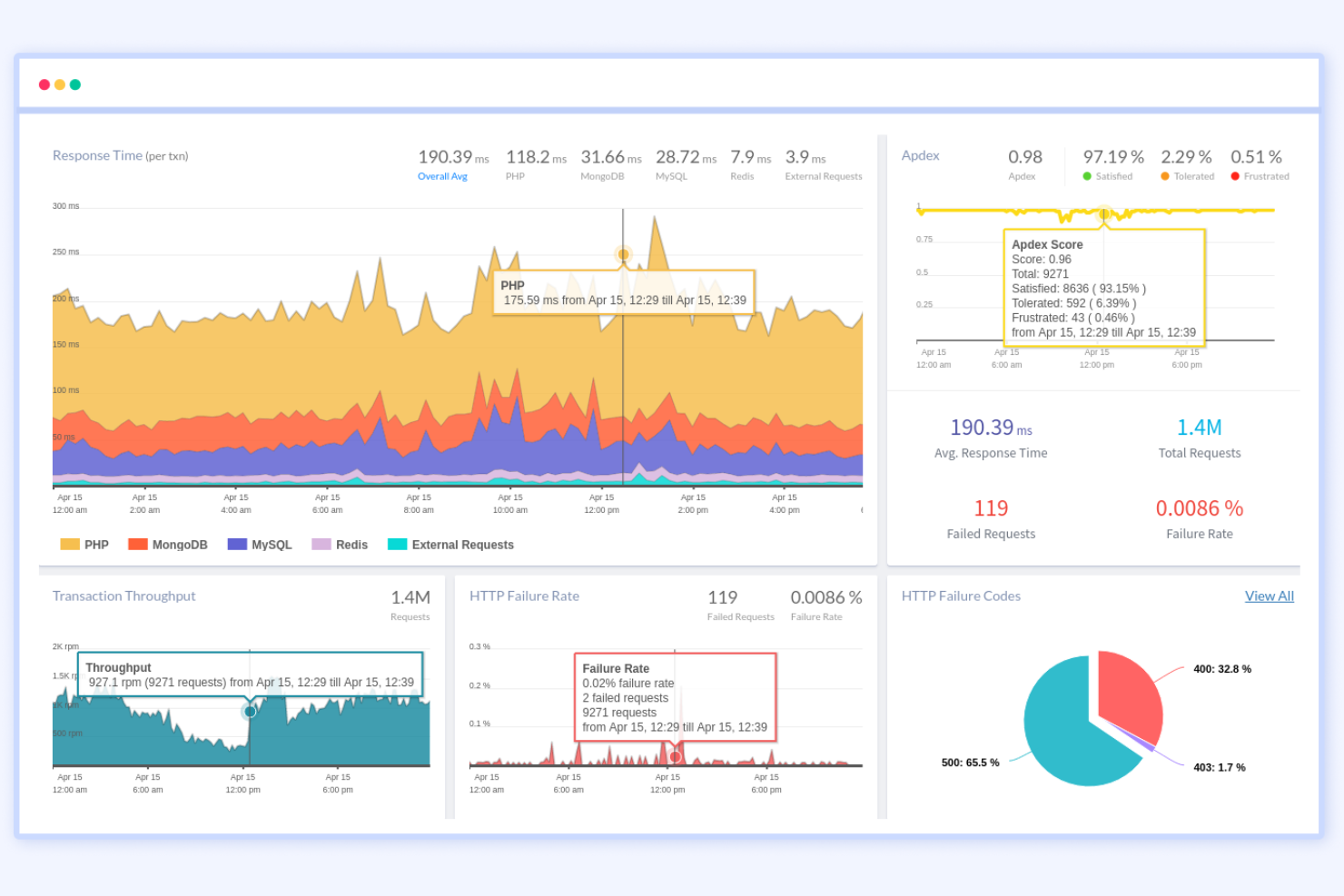
If you need to trace issues across both frontend and backend systems, Atatus is built for that level of visibility. This tool appeals to IT teams and developers who want to correlate user experience problems with backend performance data in real time. Unlike Netdata, Atatus connects browser, API, and server monitoring so you can pinpoint exactly where problems start and how they impact users.
Why Atatus Is a Good Netdata Alternative
Unlike Netdata, Atatus gives you a unified view of both frontend and backend performance, making it easier to trace issues across the entire stack. You can monitor browser errors, API calls, and server metrics in one place, which helps teams quickly connect user experience problems to backend causes. I appreciate how Atatus visualizes the full transaction path, so you can see exactly where bottlenecks or failures occur. This level of correlation is especially useful for IT teams and developers who need to resolve complex, cross-system incidents.
Atatus Key Features
Some other features in Atatus help teams cover a broad range of monitoring and troubleshooting needs:
- Real User Monitoring (RUM): Tracks actual user sessions and performance metrics from browsers.
- Log Management: Collects, searches, and analyzes logs from multiple sources in a unified dashboard.
- Custom Dashboards: Lets you build personalized views with widgets for metrics that matter most to your team.
- Alerting and Notifications: Sends alerts via channels like Slack, PagerDuty, and email when thresholds are breached.
Atatus Integrations
Integrations include Slack, Jira, Asana, PagerDuty, OpsGenie, VictorOps, BigPanda, Flowdock, HipChat, Campfire, and more.
Pros and Cons
Pros:
- Custom dashboards for team-specific metrics
- Supports alerting to multiple incident tools
- Built-in log management and search
Cons:
- Lacks open-source community plugins
- No on-premises deployment option

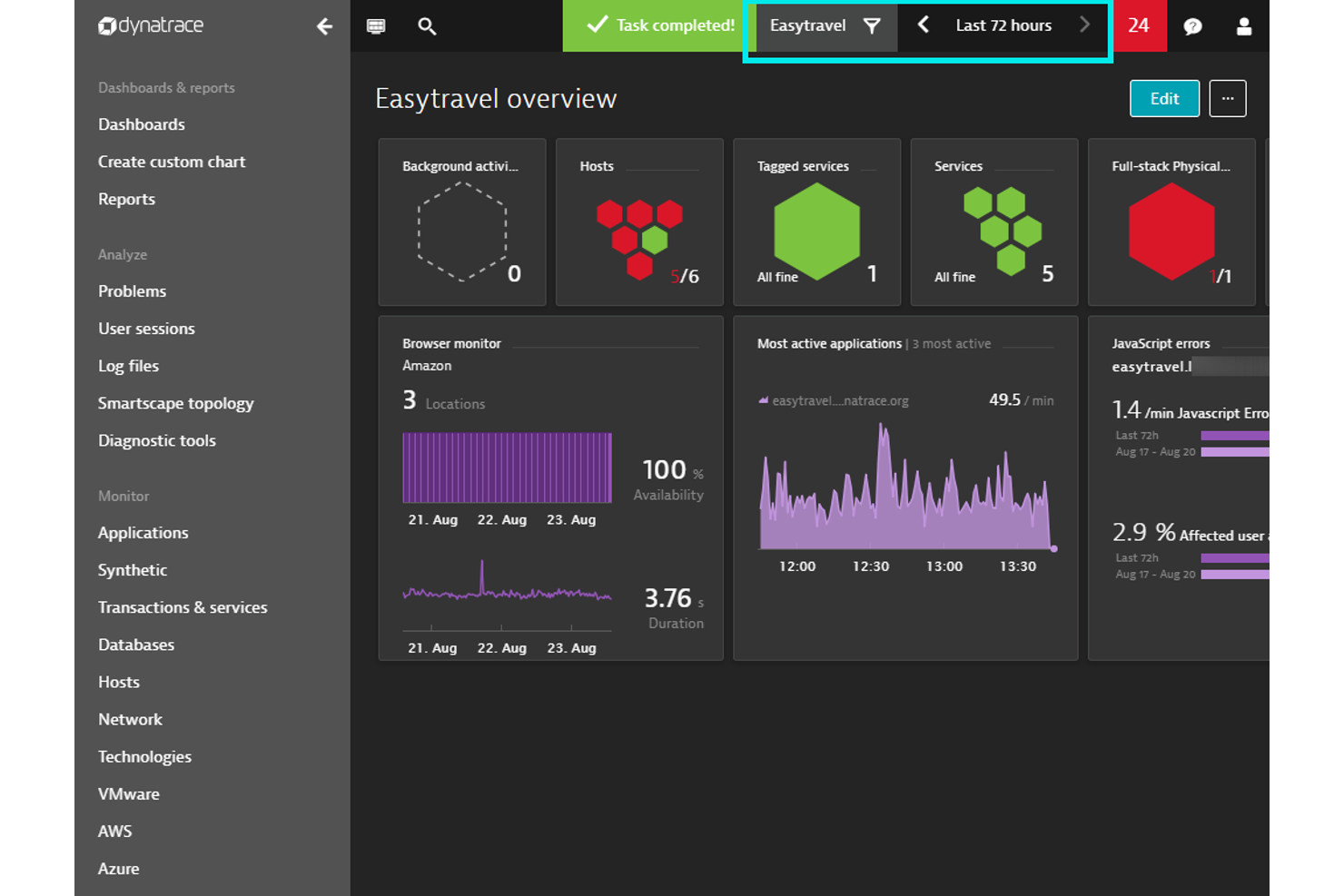
When you need automated anomaly detection at scale, Dynatrace brings AI-powered insights to application monitoring. It’s especially useful for IT operations teams and enterprises managing complex, dynamic environments. Unlike Netdata, Dynatrace uses its Davis AI engine to automatically surface root causes and reduce alert fatigue in large, distributed systems. The platform also offers a flexible pricing model that scales based on usage and monitoring requirements.
Why Dynatrace Is a Good Netdata Alternative
If you’re looking for application monitoring that goes beyond basic metrics, Dynatrace’s AI-powered anomaly detection stands out. Its Davis AI engine continuously analyzes telemetry data to identify unusual patterns and surface root causes without manual intervention. I like that Dynatrace automatically correlates events across infrastructure, applications, and user experience, which helps teams respond faster to incidents. This level of automated insight is especially valuable for organizations managing large, dynamic, or cloud-native environments.
Dynatrace Key Features
Some other features in Dynatrace help teams manage complex environments:
- Full-Stack Monitoring: Monitor infrastructure, applications, and user experience from a single platform.
- Smartscape Topology Mapping: Visualize dependencies and relationships across services, hosts, and processes in real time.
- Synthetic Monitoring: Simulate user interactions to test application availability and performance.
- Log Analytics: Search, filter, and analyze log data alongside metrics and traces.
Dynatrace Integrations
Integrations include AWS, Azure, Google Cloud, Kubernetes, ServiceNow, PagerDuty, Slack, Jenkins, Prometheus, GitHub, and more.
Pros and Cons
Pros:
- Unified monitoring for cloud and on-premises systems
- Real-time dependency mapping across environments
- AI-driven root cause analysis for incidents
Cons:
- Alerting can be noisy without fine-tuning
- High resource usage on monitored hosts
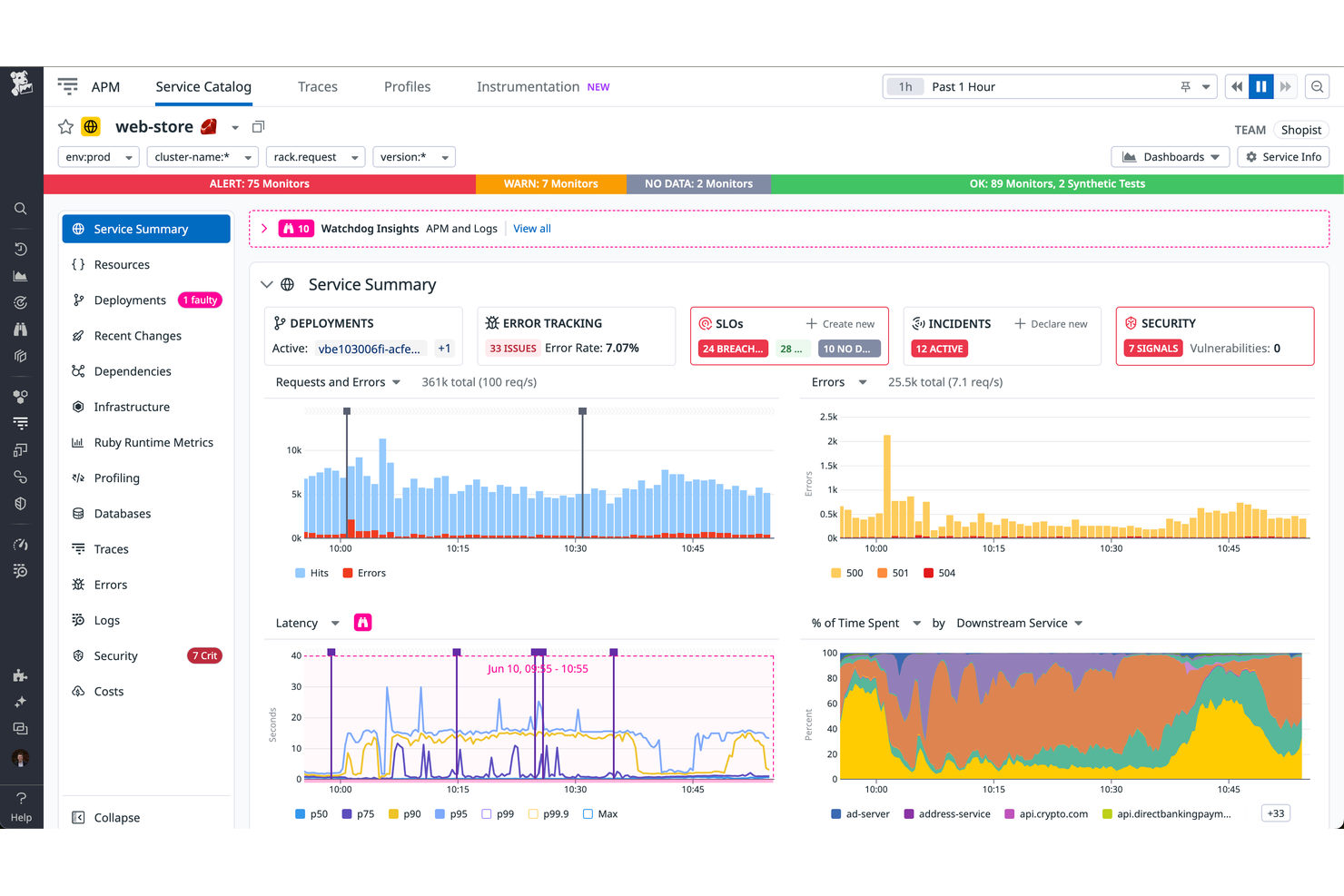
Datadog helps teams monitor infrastructure performance and system metrics in real time across infrastructure, applications, services, and network devices like routers. Datadog stands out from Netdata with its deep integrations, customizable dashboards, and support for monitoring configuration changes (config management) and distributed systems at scale.
Why Datadog Is a Good Netdata Alternative
When I look for a monitoring tool that excels in multi-cloud infrastructure visibility, Datadog stands out. Its unified dashboard lets you monitor resources across AWS, Azure, Google Cloud, and on-premises systems in one place. The platform’s auto-discovery and tagging features make it easy to track assets as your environment grows or changes. For teams managing hybrid or distributed infrastructure, Datadog offers a level of visibility and control that goes beyond what Netdata provides.
Datadog Key Features
Some other features in Datadog make it a flexible choice for application monitoring:
- Real-Time Log Management: Collect, search, and analyze logs from multiple sources to quickly identify issues and trends.
- APM (Application Performance Monitoring): Trace requests across distributed systems and pinpoint bottlenecks in application code.
- Synthetic Monitoring: Simulate user interactions and monitor application endpoints to ensure uptime and performance.
- Security Monitoring: Detect threats and misconfigurations in real time by correlating security signals with infrastructure and application data.
Datadog Integrations
Integrations include AWS, Azure, Google Cloud, Kubernetes, Docker, Slack, PagerDuty, GitHub, Jira, ServiceNow, and more.
Pros and Cons
Pros:
- Integrates with major DevOps and IT tools
- Includes built-in security monitoring features
- Provides customizable, real-time dashboards
Cons:
- Requires agent installation on every monitored host
- Retention for logs is limited on lower tiers

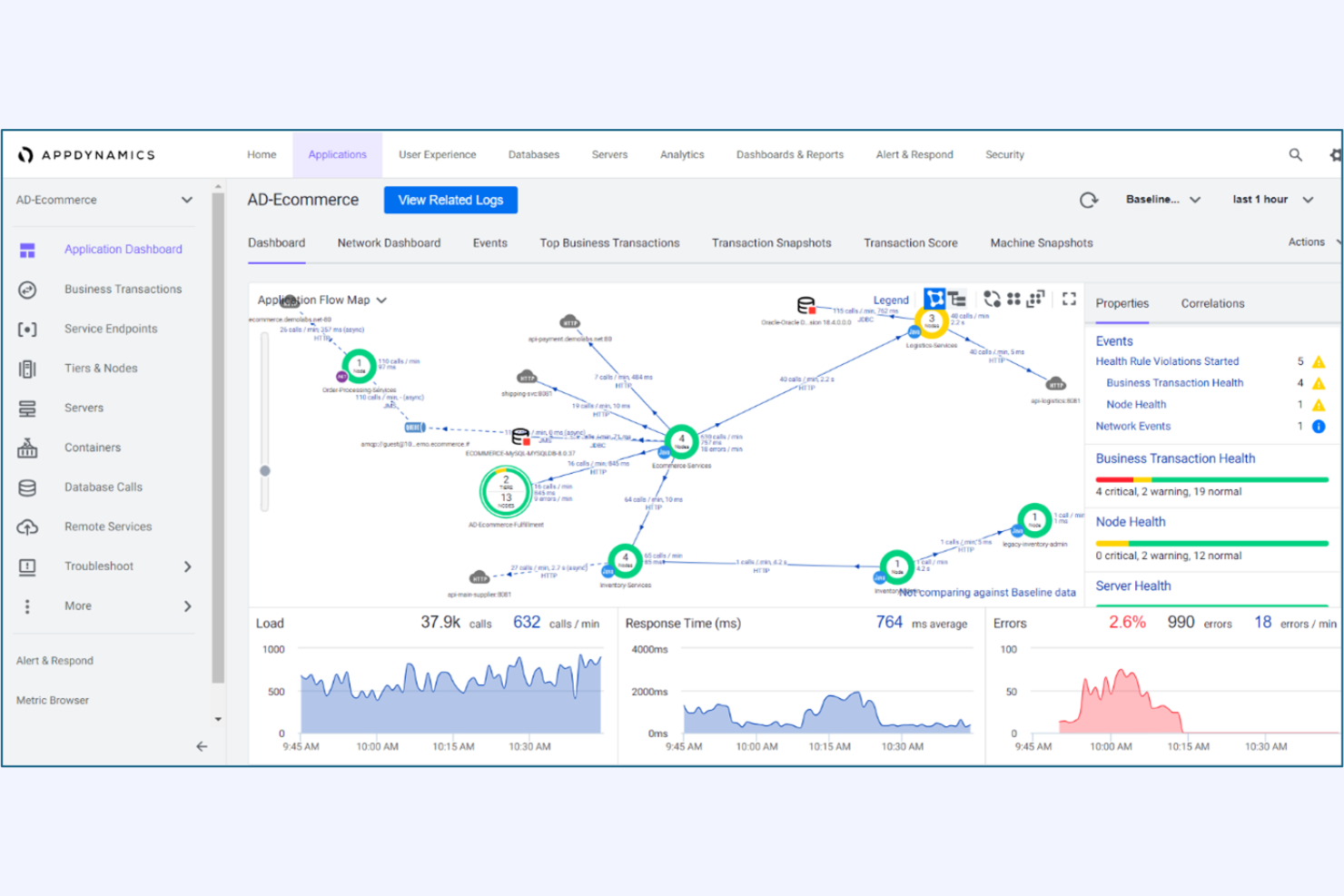
For organizations that need deep visibility into business-critical transactions, AppDynamics delivers enterprise-scale monitoring and analytics. It’s a strong fit for IT teams in large enterprises that need to trace complex, distributed transactions across multiple services. Unlike Netdata, AppDynamics provides end-to-end transaction tracing and business impact analysis to help teams quickly pinpoint and resolve performance bottlenecks.
Why AppDynamics Is a Good Netdata Alternative
AppDynamics is purpose-built for monitoring complex, enterprise-scale transactions that span multiple applications and services. Its transaction tracing feature lets you follow every step of a business process, from user interaction to backend systems, which is something Netdata doesn’t offer at this depth. I appreciate how AppDynamics correlates application performance with business metrics, so IT teams can prioritize issues that impact revenue or customer experience. This makes it a strong choice for organizations that need to connect technical monitoring with business outcomes.
AppDynamics Key Features
Some other features in AppDynamics help teams manage and optimize their environments:
- Dynamic Baseline Alerting: Automatically establishes performance baselines and triggers alerts when metrics deviate from normal patterns.
- Code-Level Diagnostics: Provides detailed insights into code execution to help identify slow methods and problematic database calls.
- Custom Dashboards: Lets users build tailored visualizations for specific teams, applications, or business units.
- Cloud-Native Monitoring: Supports monitoring for Kubernetes, AWS, Azure, and other cloud platforms.
AppDynamics Integrations
Integrations include Splunk Platform, Splunk Observability Cloud, Splunk IT Service Intelligence, ThousandEyes, SAP Solutions, Log Observer Connect, and more.
Pros and Cons
Pros:
- Dynamic baselining for anomaly detection
- Code-level diagnostics for application issues
- Business impact correlation for incidents
Cons:
- Custom metric retention is restricted by plan
- Limited support for open-source exporters

If you need deep, real-time visibility into distributed applications, New Relic is built for that challenge. It’s a strong fit for IT teams and site reliability engineers who want to trace requests across microservices and cloud-native environments. Unlike Netdata, New Relic specializes in end-to-end distributed tracing and granular transaction analysis for complex, modern stacks.
Why New Relic Is a Good Netdata Alternative
For teams that need to follow every request in real time across distributed systems, New Relic offers a level of tracing that Netdata doesn’t match. Its distributed tracing feature lets you visualize and analyze transactions as they move through microservices, APIs, and serverless functions. I appreciate how New Relic’s trace data links directly to logs and metrics, making it easier to pinpoint the root cause of performance issues. This focus on real-time, end-to-end visibility is especially valuable for modern, cloud-native environments.
New Relic Key Features
Some other features in New Relic help round out its monitoring capabilities:
- Infrastructure Monitoring: Track the health and performance of servers, containers, and cloud resources in real time.
- Synthetics Monitoring: Run automated, simulated user tests to monitor application uptime and endpoint responsiveness.
- Custom Dashboards: Build and share visualizations using a wide range of metrics and data sources.
- Alerting and Incident Management: Set up flexible alert policies and integrate with incident response tools to manage issues as they arise.
New Relic Integrations
Integrations include AWS, Azure, Google Cloud, Kubernetes, Docker, Jenkins, PagerDuty, Slack, ServiceNow, Prometheus, and more.
Pros and Cons
Pros:
- Automated synthetic monitoring for API endpoints
- Granular transaction analysis for cloud-native apps
- Real-time distributed tracing across microservices
Cons:
- High cardinality metrics can increase costs
- Data retention limits on lower-tier plans

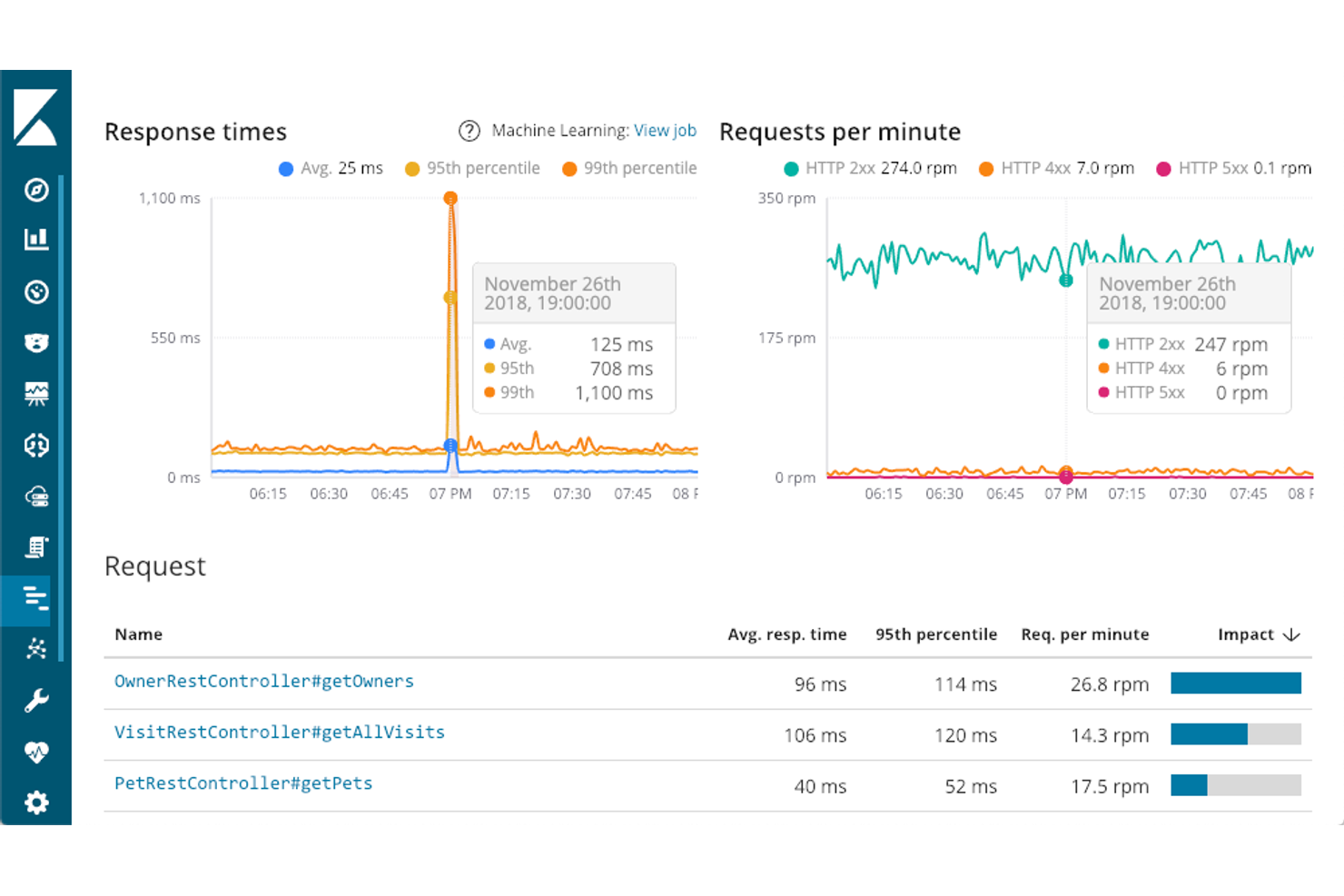
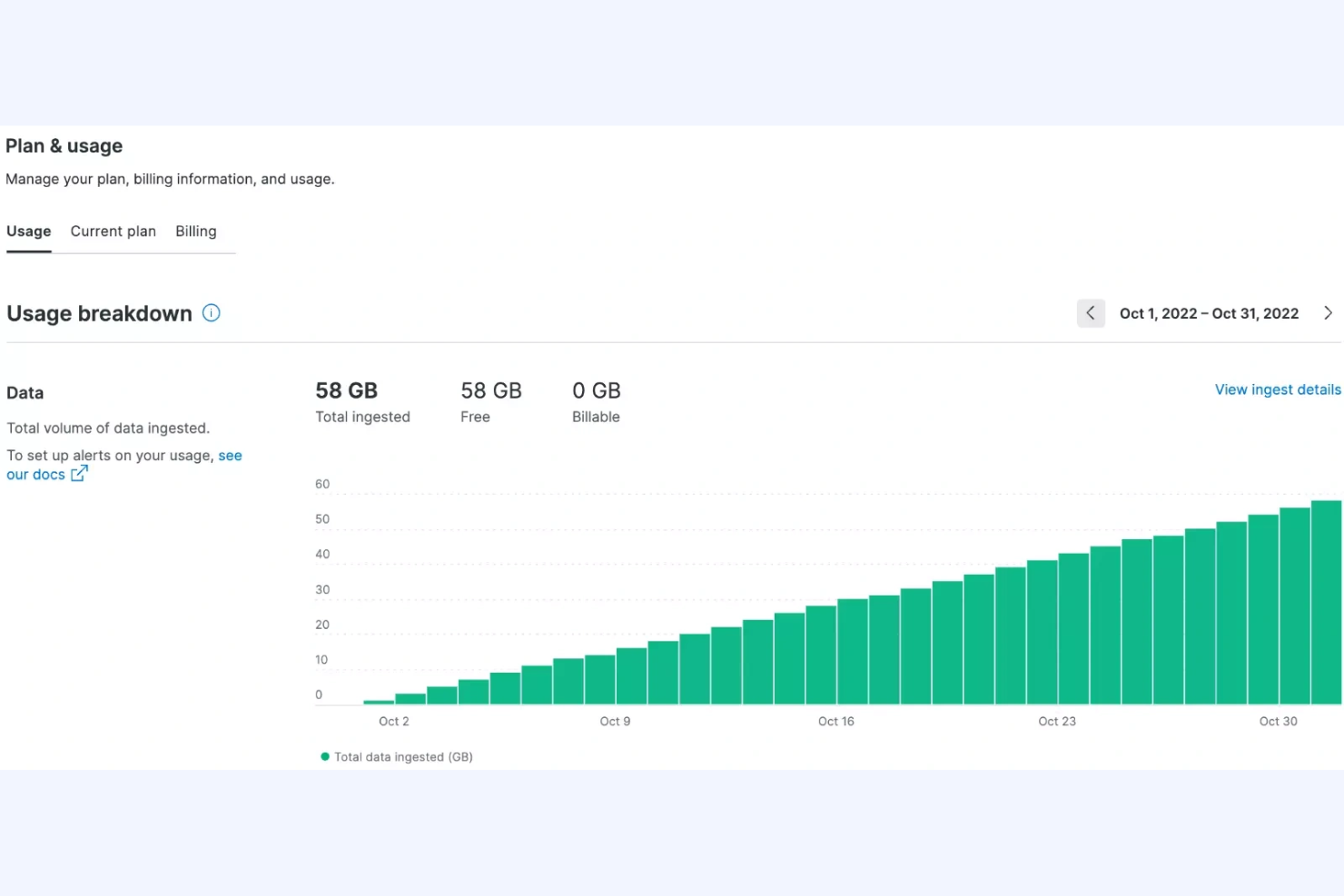
For teams that want to unify application monitoring with open-source data sources, Elastic Observability offers a flexible approach. This tool is a strong fit for IT specialists and DevOps teams who need to ingest, analyze, and correlate data from a wide range of open-source and custom sources. Unlike Netdata, Elastic Observability integrates deeply with the Elastic Stack, making it easier to combine logs, metrics, and traces from diverse environments.
Why Elastic Observability Is a Good Netdata Alternative
If you need to bring together data from open-source tools and custom sources, Elastic Observability stands out for its flexibility. I picked Elastic Observability because it lets you ingest and correlate logs, metrics, and traces from nearly any source using the Elastic Stack. You can use open-source agents and integrations to monitor everything from cloud-native apps to legacy systems. This approach is especially useful for IT teams who want to build a unified observability platform tailored to their environment.
Elastic Observability Key Features
Some other features in Elastic Observability help teams manage and analyze application performance at scale:
- Distributed Tracing: Visualizes end-to-end request flows across microservices and infrastructure.
- Service Maps: Automatically generate interactive maps of service dependencies and health.
- Anomaly Detection: Uses machine learning to identify unusual patterns in application performance.
- Custom Dashboards: Lets you build and share dashboards tailored to your team’s monitoring needs.
Elastic Observability APM Integrations
Integrations include Amazon CloudWatch, Azure Monitor, Google Cloud, Kubernetes, Prometheus, Jaeger, OpenTelemetry, PagerDuty, ServiceNow, Slack, and more.
Pros and Cons
Pros:
- Built-in machine learning for anomaly detection
- Offers distributed tracing for microservices
- Supports open-source agent and data ingestion
Cons:
- Steeper resource usage than lightweight agents
- Requires separate infrastructure for self-hosting

Prometheus is purpose-built for teams that need to collect and query time-series metrics at scale. It’s especially popular with IT specialists and SREs who want a flexible, open-source solution for monitoring infrastructure and applications. Unlike Netdata, Prometheus offers a powerful query language and native support for multidimensional data, making it a strong choice for environments with complex metric requirements.
Why Prometheus Is a Good Netdata Alternative
For teams focused on collecting and analyzing time-series metrics, Prometheus offers a specialized approach that sets it apart from Netdata. I picked Prometheus because it uses a pull-based model for scraping metrics, which gives you fine-grained control over what data you collect and when. Its PromQL query language lets you slice, aggregate, and visualize metrics with a high degree of flexibility. This makes Prometheus especially useful for IT specialists who need to monitor complex, dynamic environments and want to build custom dashboards or alerting rules.
Prometheus Key Features
Some other features in Prometheus help teams manage and extend their monitoring setup:
- Alertmanager Integration: Routes alerts based on custom rules and supports silencing and inhibition.
- Service Discovery: Automatically detects targets in dynamic environments like Kubernetes or cloud platforms.
- Data Retention Configuration: Lets you control how long metrics are stored locally.
- Exporter Ecosystem: Offers a wide range of exporters for collecting metrics from third-party systems and services.
Prometheus Integrations
Integrations include Kubernetes, Docker, Grafana, Alertmanager, Etcd, Consul, RabbitMQ, MySQL, Apache, HAProxy, and more.
Pros and Cons
Pros:
- Large exporter ecosystem for third-party systems
- Pull-based model supports dynamic environments
- PromQL enables advanced metric querying
Cons:
- Requires external tools for dashboarding
- Lacks real-time, per-second visualization

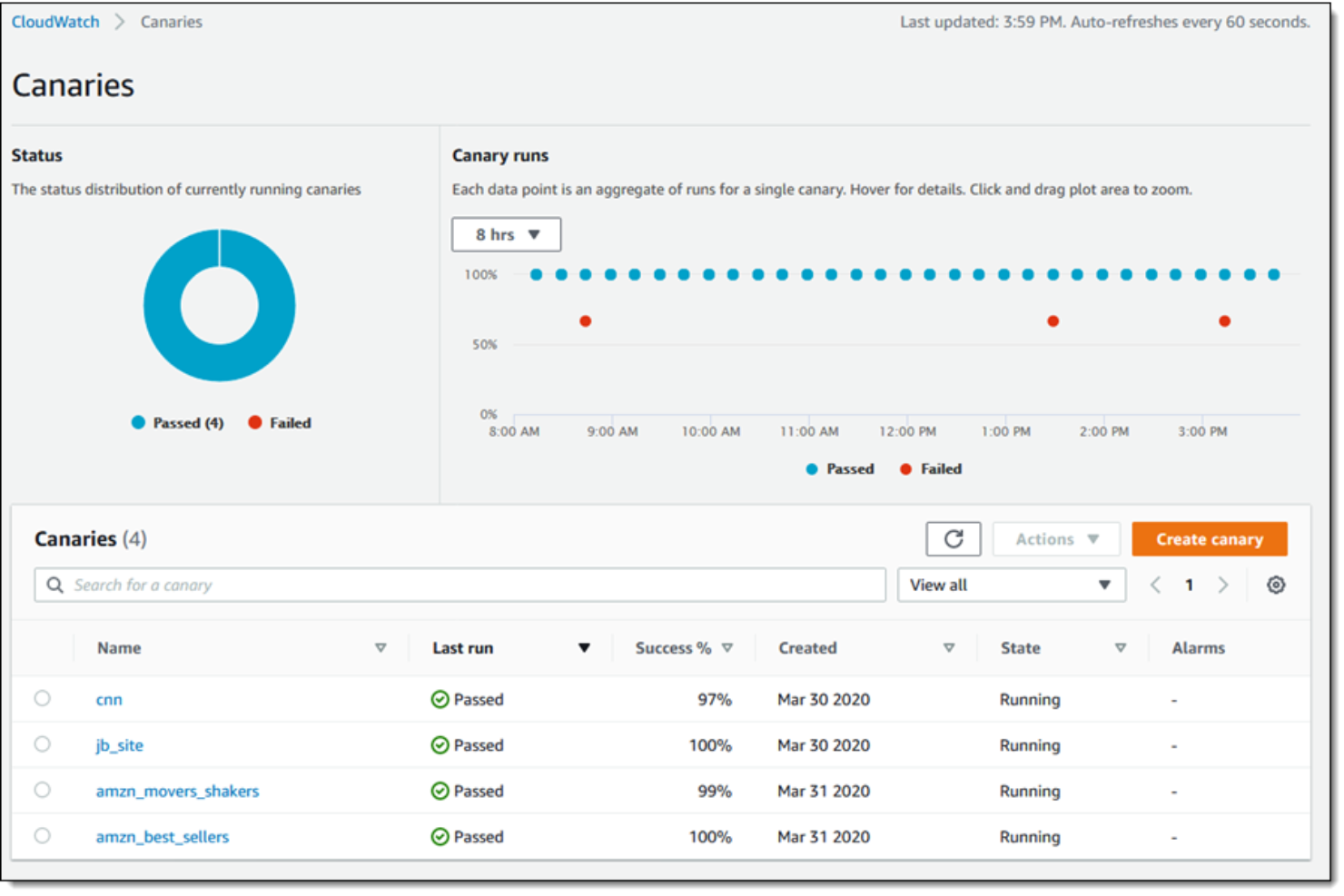
AWS CloudWatch is purpose-built for teams running workloads on AWS who need deep, native visibility into their cloud resources. It’s especially useful for IT specialists and cloud engineers who want to monitor, log, and automate responses across EC2, Lambda, RDS, and other AWS services. Unlike Netdata, CloudWatch offers direct integration with AWS infrastructure, making it easier to track resource health and performance without extra configuration.
Why AWS CloudWatch Is a Good Netdata Alternative
For teams managing AWS infrastructure, CloudWatch offers native monitoring that’s tightly integrated with AWS services. I picked CloudWatch because it automatically collects metrics and logs from EC2, Lambda, RDS, and other AWS resources without extra setup. Its unified dashboard lets you visualize resource health, set up alarms, and automate actions based on real-time data. This direct connection to AWS services makes CloudWatch a strong alternative to Netdata for cloud-focused environments.
AWS CloudWatch Key Features
Some other features in AWS CloudWatch help teams manage and analyze their AWS environments more thoroughly:
- Custom Metrics: Lets you publish and monitor your own application or business metrics alongside AWS resource data.
- Log Insights: Provides a query engine for searching and analyzing log data in real time.
- Anomaly Detection: Uses machine learning to automatically detect unusual metric patterns.
- Dashboard Sharing: Allows you to share interactive dashboards with other AWS users or teams.
AWS CloudWatch Integrations
Integrations include Amazon EC2, Amazon RDS, AWS Lambda, Amazon S3, Amazon ECS, Amazon EKS, Amazon DynamoDB, Amazon SNS, Amazon SQS, Amazon Kinesis, and more.
Pros and Cons
Pros:
- Supports anomaly detection using machine learning
- Automated metric and log collection for AWS resources
- Native integration with all AWS services
Cons:
- Custom metrics can increase monthly costs
- Limited visibility into non-AWS infrastructure

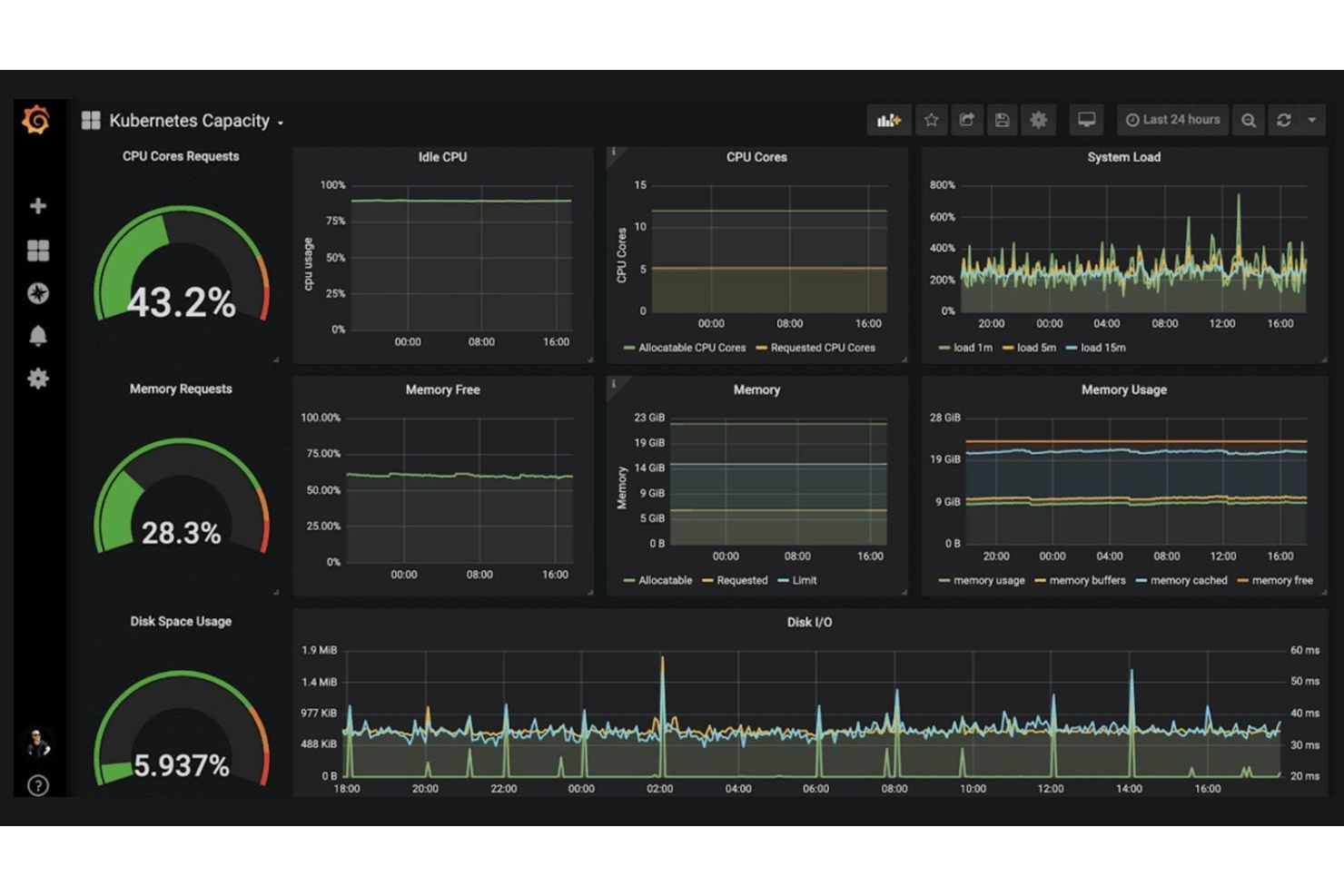
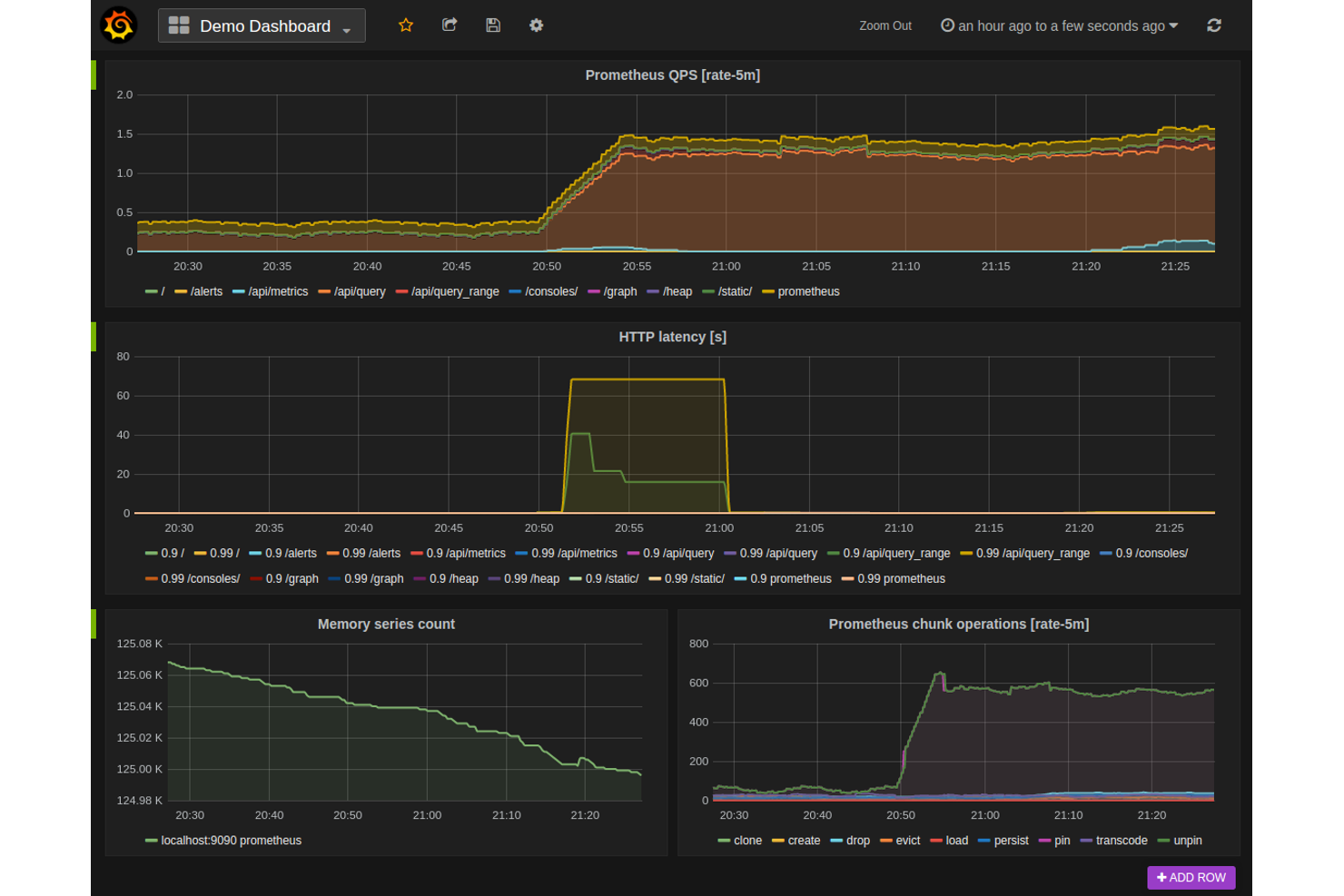
Grafana Cloud stands out for teams that need advanced, customizable dashboard visualizations across multiple data sources. It’s a strong fit for IT specialists, DevOps engineers, and analysts who want to unify metrics, logs, and traces in one place. Unlike Netdata, Grafana Cloud lets you build highly tailored dashboards that pull from a wide range of monitoring and observability tools.
Why Grafana Cloud Is a Good Netdata Alternative
If you need advanced dashboard visualizations that go beyond what Netdata offers, Grafana Cloud is a strong choice. I picked Grafana Cloud because it lets you create highly customizable dashboards that combine data from multiple sources, including metrics, logs, and traces. Its panel editor supports a wide range of visualization types, from time-series graphs to heatmaps and geomaps. This flexibility helps IT teams and engineers build monitoring views that match their unique infrastructure and application needs.
Grafana Cloud Key Features
Some other features in Grafana Cloud help teams extend their monitoring and visualization capabilities:
- Alerting Engine: Supports multi-channel notifications and custom alert rules.
- User Access Controls: Lets you manage permissions and roles for different team members.
- Plugin Marketplace: Offers a wide range of plugins for data sources and visualizations.
- Snapshot Sharing: Allows you to share dashboard states with others for collaboration or troubleshooting.
Grafana Cloud Integrations
Integrations include Prometheus, Loki, Tempo, Mimir, Graphite, InfluxDB, Elasticsearch, MySQL, AWS CloudWatch, Zabbix, and more.
Pros and Cons
Pros:
- Integrates natively with major cloud monitoring tools
- Enables sharing dashboards with snapshot links
- Provides extensive plugin marketplace for extensions
Cons:
- Limited historical data retention without paid plans
- No built-in process or system-level monitoring

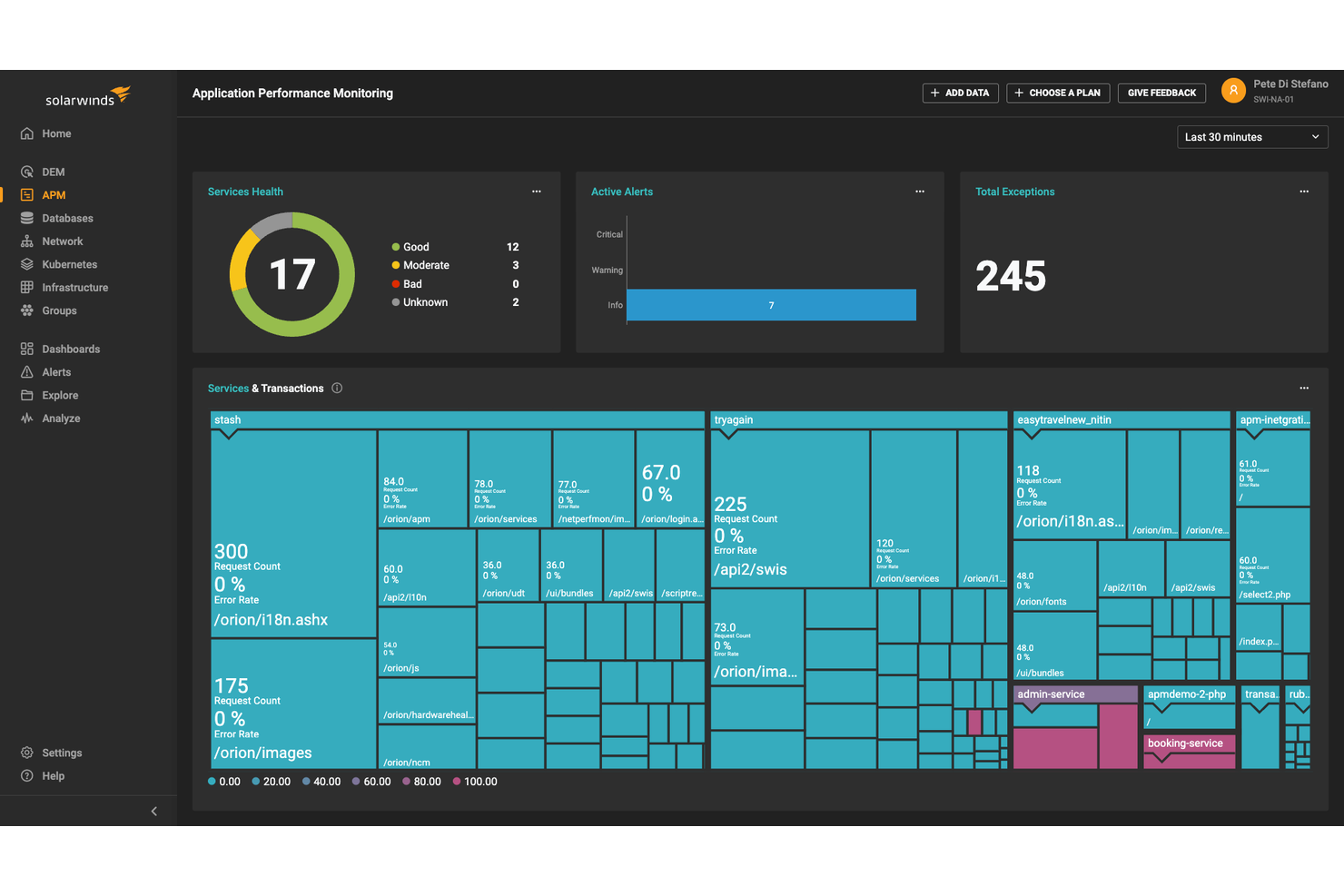
IT teams managing both on-premises and cloud infrastructure will find SolarWinds Observability SaaS designed for hybrid environment visibility. The platform appeals to organizations that need unified monitoring across servers, containers, and cloud services without juggling multiple tools. Unlike Netdata, AppOptics offers integrated infrastructure and application monitoring with support for distributed tracing in mixed environments.
Why SolarWinds Observability SaaS Is a Good Netdata Alternative
For organizations running both cloud and on-premises systems, SolarWinds Observability SaaS stands out for its hybrid environment support. The tool provides unified monitoring for servers, containers, and cloud-native services, which is something Netdata doesn’t handle natively across mixed environments. I like that AppOptics includes distributed tracing and infrastructure monitoring in a single platform, making it easier to track performance across your entire stack. This approach helps IT teams maintain visibility and troubleshoot issues no matter where their workloads run.
SolarWinds Observability SaaS Key Features
Some other features in AppOptics help teams get more from their monitoring setup:
- Custom Metrics Support: Collects and visualizes custom application and business metrics alongside standard telemetry.
- Pre-Built Integrations Library: Offers a wide range of out-of-the-box integrations for popular databases, web servers, and messaging systems.
- Live Code Profiling: Provides real-time code-level insights to help identify performance bottlenecks in production.
- Alerting and Notification Rules: Lets users set up flexible alerting policies and route notifications to email, Slack, or other channels.
SolarWinds Observability SaaS Integrations
Integrations include AWS, Azure, Cisco, Slack, Java, MySQL, MongoDB, PostgreSQL, Amazon Aurora, Redis, and more.
Pros and Cons
Pros:
- Provides customizable dashboards and visualizations
- Includes pre-built integrations for major databases
- Offers live code profiling for applications
Cons:
- Lacks built-in log management features
- No on-premises-only deployment option
Other Netdata alternatives
Here are some additional Netdata alternatives that didn’t make it onto my shortlist, but are still worth checking out:
- Sentry
For error tracking in code deployments
- ManageEngine Applications Manager
For customizable alerting workflows
- Instana
For automatic root cause analysis
- Riverbed
For network performance insights


Netdata Alternatives Selection Criteria
When selecting the best Netdata alternatives to include in this list, I considered common buyer needs and pain points related to application monitoring tool products, like monitoring distributed cloud environments and reducing alert fatigue. I also used the following framework to keep my evaluation structured and fair:
Core Functionality (25% of total score)
To be considered for inclusion in this list, each solution had to fulfill these common use cases:
- Monitor application and infrastructure health
- Collect and visualize real-time metrics
- Generate and manage alerts
- Store and search log data
- Support integrations with popular platforms
Additional Standout Features (25% of total score)
To help further narrow down the competition, I also looked for unique features, such as:
- Automated root cause analysis
- AI-driven anomaly detection
- Distributed tracing capabilities
- Custom metric creation and dashboards
- Built-in incident response workflows
Usability (10% of total score)
To get a sense of the usability of each system, I considered the following:
- Simple and intuitive dashboard navigation
- Clear data visualization options
- Logical alert configuration process
- Responsive and accessible interface
- Minimal setup steps for core features
Onboarding (10% of total score)
To evaluate the onboarding experience for each platform, I considered the following:
- Availability of step-by-step setup guides
- Access to training videos and documentation
- Interactive product tours or walkthroughs
- Pre-built templates for common use cases
- Support for data migration from other tools
Customer Support (10% of total score)
To assess each software provider’s customer support services, I considered the following:
- Multiple support channels including chat and email
- Fast response times for technical issues
- Access to a knowledge base or help center
- Availability of community forums or user groups
- Option for dedicated account management
Value For Money (10% of total score)
To evaluate the value for money of each platform, I considered the following:
- Transparent and predictable pricing structure
- Flexible plans for different team sizes
- Features included in entry-level plans
- Cost of scaling with additional data or users
- Free trial or free plan availability
Customer Reviews (10% of total score)
To get a sense of overall customer satisfaction, I considered the following when reading customer reviews:
- Consistency of positive feedback across platforms
- Reports of reliability and uptime
- Feedback on support and onboarding experiences
- User comments on feature usefulness
- Frequency of updates and improvements
Why Look For a Netdata Alternative?
While Netdata is a good choice of application monitoring tool, there are a number of reasons why some users seek out alternative solutions. You might be looking for a Netdata alternative because…
- You need deeper integration with AWS or other cloud platforms
- You want built-in support for distributed tracing
- You require advanced anomaly detection using AI
- You need centralized monitoring across hybrid or multi-cloud environments
- You want longer log retention without extra configuration
- You need enterprise-grade access controls and compliance features
If any of these sound like you, you’ve come to the right place. My list contains several application monitoring tool options that are better suited for teams facing these challenges with Netdata and looking for alternative solutions.
Netdata Key Features
Here are some of the key features of Netdata, to help you contrast and compare what alternative solutions offer:
- Real-time monitoring of system and application metrics
- Interactive dashboards with customizable visualizations
- Automatic detection of hundreds of metrics and services
- Lightweight agent for minimal resource consumption
- Health monitoring with pre-configured alarms
- Streaming and long-term storage of metrics
- Distributed data collection from multiple nodes
- API access for custom integrations
- Per-second granularity for high-resolution data
- Open-source architecture with active community support