

10 Lansweeper Alternatives for 2026

10 Lansweeper Alternative Shortlist


A strong Lansweeper alternative gives you reliable IT asset discovery, inventory management, and operations tools that fit your environment and workflows. If you’re searching for alternatives to Lansweeper, you’re likely looking for solutions that handle complex asset inventories, support compliance, and integrate with your existing IT management stack—without adding unnecessary overhead or risk.
This list will help you compare the top Lansweeper alternatives for 2026, so you can find the right platform to manage your IT assets, automate routine tasks, and keep your infrastructure secure and organized.
What Is Lansweeper?
Lansweeper is an IT asset management platform that automatically discovers, inventories, and tracks hardware and software across your network. It helps IT teams maintain visibility into assets, monitor changes, and support compliance efforts. Lansweeper also offers integrations with other IT operations tools, making it easier to centralize asset data and management tasks. This platform is widely used by organizations that need accurate, up-to-date asset information to manage their IT infrastructure with security and operational efficiency.
Lansweeper Alternatives Summary
| Tool | Best For | Trial Info | Price | ||
|---|---|---|---|---|---|
| 1 | Best for rapid service desk deployment | 14-day free trial + free demo available | From $19/agent/month (billed annually) | Website | |
| 2 | Best for hybrid infrastructure mapping | Free demo available | Pricing upon request | Website | |
| 3 | Best for network device monitoring | 30-day free trial + free demo available | From $7/node/month | Website | |
| 4 | Best for integrated IT operations suites | 30-day free trial + free demo available | From $104/month | Website | |
| 5 | Best for automated software deployment | 14-day free trial + free demo available | From $12/device/year (billed annually) | Website | |
| 6 | Best for open-source asset tracking | Free plan + free demo available | From $39.99/month (Hosted version) | Website | |
| 7 | Best for SaaS application discovery | Free demo available | Pricing upon request | Website | |
| 8 | Best for unified endpoint management | Free trial + free demo available | Pricing upon request | Website | |
| 9 | Best for customizable workflow automation | 14-day free trial | Pricing upon request | Website | |
| 10 | Best for intuitive self-service portals | 30-day free trial available | From $17/agent/month (billed annually) | Website |


Why Trust Our Software Reviews
We’ve been testing and reviewing software since 2023. As tech leaders ourselves, we know how critical and difficult it is to make the right decision when selecting software.
We invest in deep research to help our audience make better software purchasing decisions. We’ve tested more than 2,000 tools for different tech use cases and written over 1,000 comprehensive software reviews. Learn how we stay transparent & our software review methodology.
-

Freshservice
Visit WebsiteThis is an aggregated rating for this tool including ratings from Crozdesk users and ratings from other sites.4.6 -
Deel IT
Visit WebsiteThis is an aggregated rating for this tool including ratings from Crozdesk users and ratings from other sites.4.9 -
Rippling IT
Visit WebsiteThis is an aggregated rating for this tool including ratings from Crozdesk users and ratings from other sites.4.8



Lansweeper Alternatives Reviews
Below are my detailed summaries of the best Lansweeper alternatives that made it onto my shortlist. My reviews offer a detailed look at the features, integrations, and best use cases of each platform to help you find the best one for your IT environment.

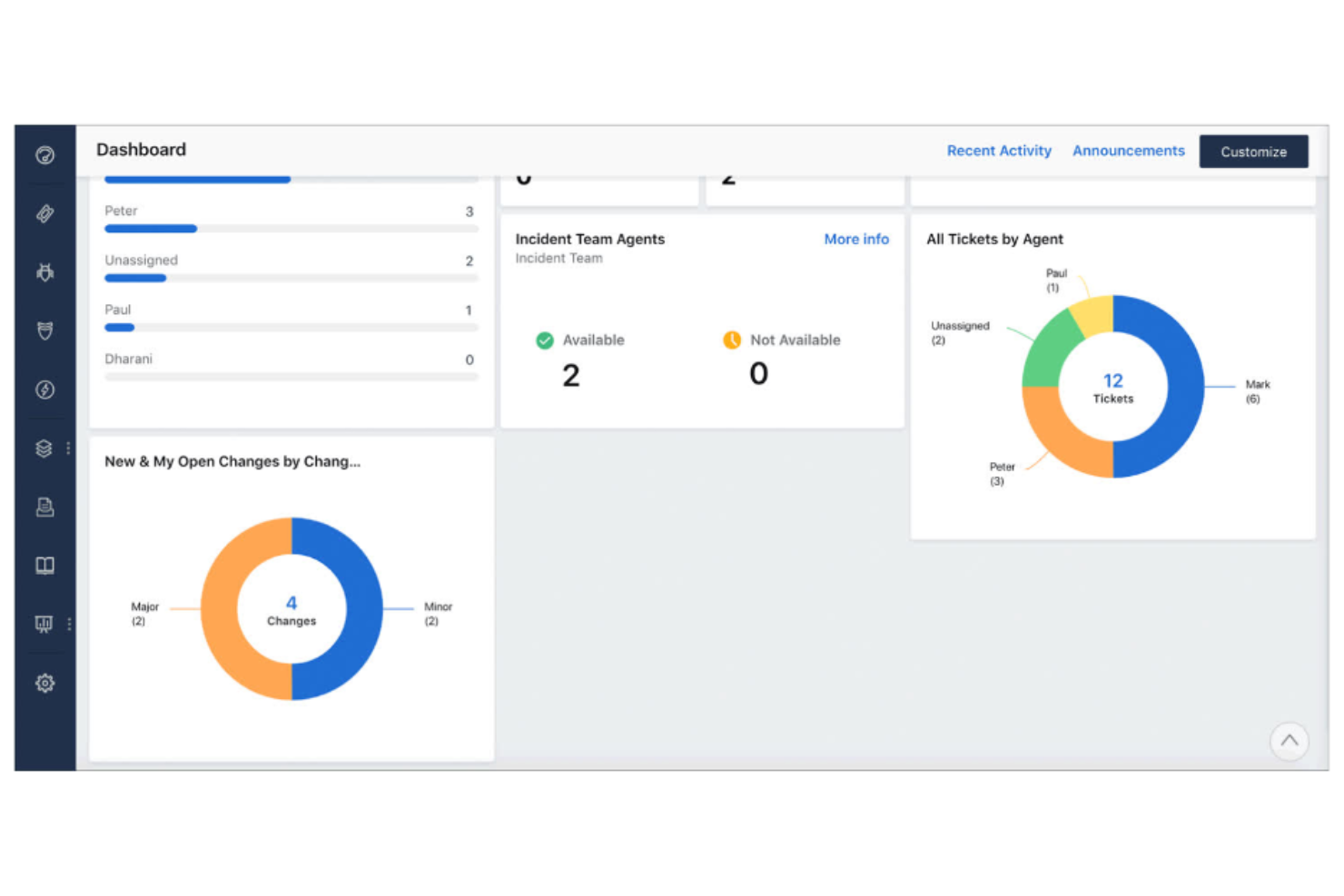
Freshservice is designed for IT teams that need to deploy a service desk quickly without heavy setup or customization. It stands out from Lansweeper by providing a user-friendly way to combine IT asset management with built-in incident, problem, and change management features. This platform is a strong fit for organizations that want a unified solution for tracking assets and managing IT service requests in one place.
Why Freshservice Is a Good Lansweeper Alternative
Freshservice stands out for teams that need to get a service desk up and running with minimal delay. I picked it as a Lansweeper alternative because it combines asset management with incident and change management in a single platform. The built-in service catalog and workflow automation features help IT professionals handle requests and changes without juggling multiple tools. This makes Freshservice especially useful for organizations that want to gain asset visibility by centralizing both asset tracking and IT support operations.
Freshservice Key Features
Some other features in Freshservice that are useful for IT asset management and operations include:
- Discovery Agent: Automatically scans your network to identify and inventory connected devices and software with maximum ease of use.
- Contract Management: Tracks vendor contracts, renewal dates, and compliance requirements within the platform.
- CMDB (Configuration Management Database): Maps relationships between assets, services, and users for better impact analysis.
- Mobile App: Allows IT staff to manage tickets, assets, and approvals from anywhere using iOS or Android devices.
Freshservice Integrations
Integrations include Jira, Slack, Microsoft Teams, Zoom, Salesforce, AWS, and Okta. Freshservice also offers an open API for custom integrations.
Pros and Cons
Pros:
- Automated asset discovery for cloud and on-premises
- Offers multi-department service provider portals
- Includes full ITIL process adherence
Cons:
- Restrictive customization of asset fields
- Heavy system resource requirements
New Product Updates from Freshservice

Freshservice Adds Email and Mailbox Audit Logs
Freshservice now adds audit logs for Email Settings and Mailboxes, letting admins track actions, changes, and timestamps across workspaces for better visibility and control. For more information, visit Freshservice's official site.
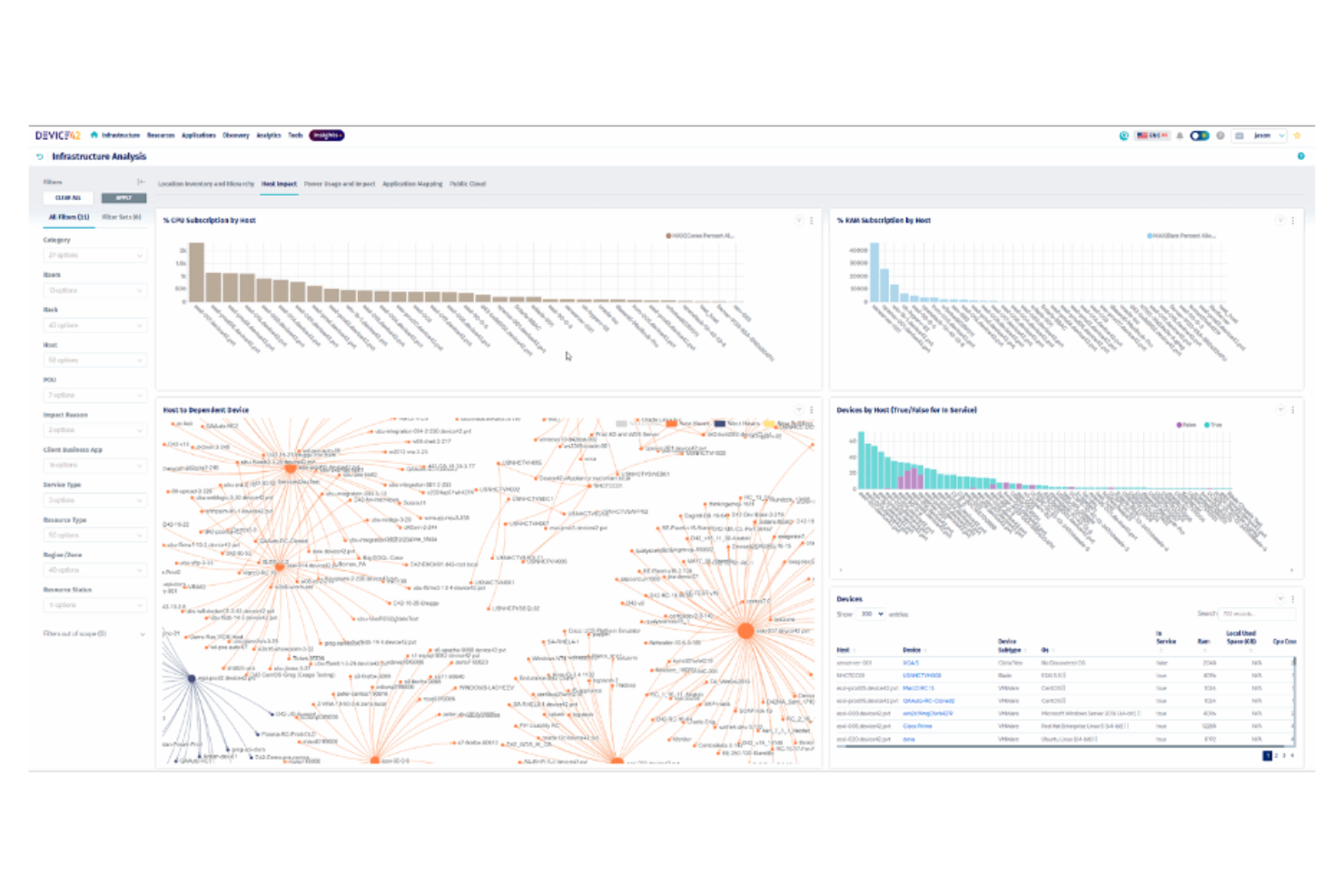
Mapping complex hybrid environments is where Device42 excels, making it a strong fit for IT teams managing both on-premises and cloud infrastructure. The platform is designed for organizations that need deep visibility into physical, virtual, and cloud assets, as well as their interdependencies. Unlike Lansweeper, Device42 specializes in automated discovery and relationship mapping across diverse environments, helping you keep pace with dynamic infrastructure changes.
Why Device42 Is a Good Lansweeper Alternative
If you need to map assets across both on-premises and cloud environments, Device42 is built for that complexity. I picked Device42 because it automatically discovers and visualizes hybrid infrastructure, including servers, network devices, and cloud resources. The platform’s relationship mapping shows how assets connect and depend on each other, which is essential for troubleshooting and planning. For IT teams managing dynamic, mixed environments, Device42 offers visibility that goes beyond what Lansweeper provides.
Device42 Key Features
Some other features in Device42 that are valuable for IT asset management and operations include:
- Software License Management: Tracks software installations and license usage across your environment.
- Password Management: Stores and manages credentials for devices and applications securely.
- Data Center Visualization: Provides rack and floor plan views for physical infrastructure layout.
- Change Tracking: Logs configuration changes and asset updates for audit and compliance purposes.
Device42 Integrations
Integrations include ServiceNow, AWS, Cisco, SolarWinds, Splunk, Ansible, Puppet, and more.
Pros and Cons
Pros:
- Supports rack and floor plan management
- Offers infrastructure relationship mapping
- Features automated hybrid infrastructure discovery
Cons:
- Outdated user interface design
- Limited integrations with ITSM and monitoring tools

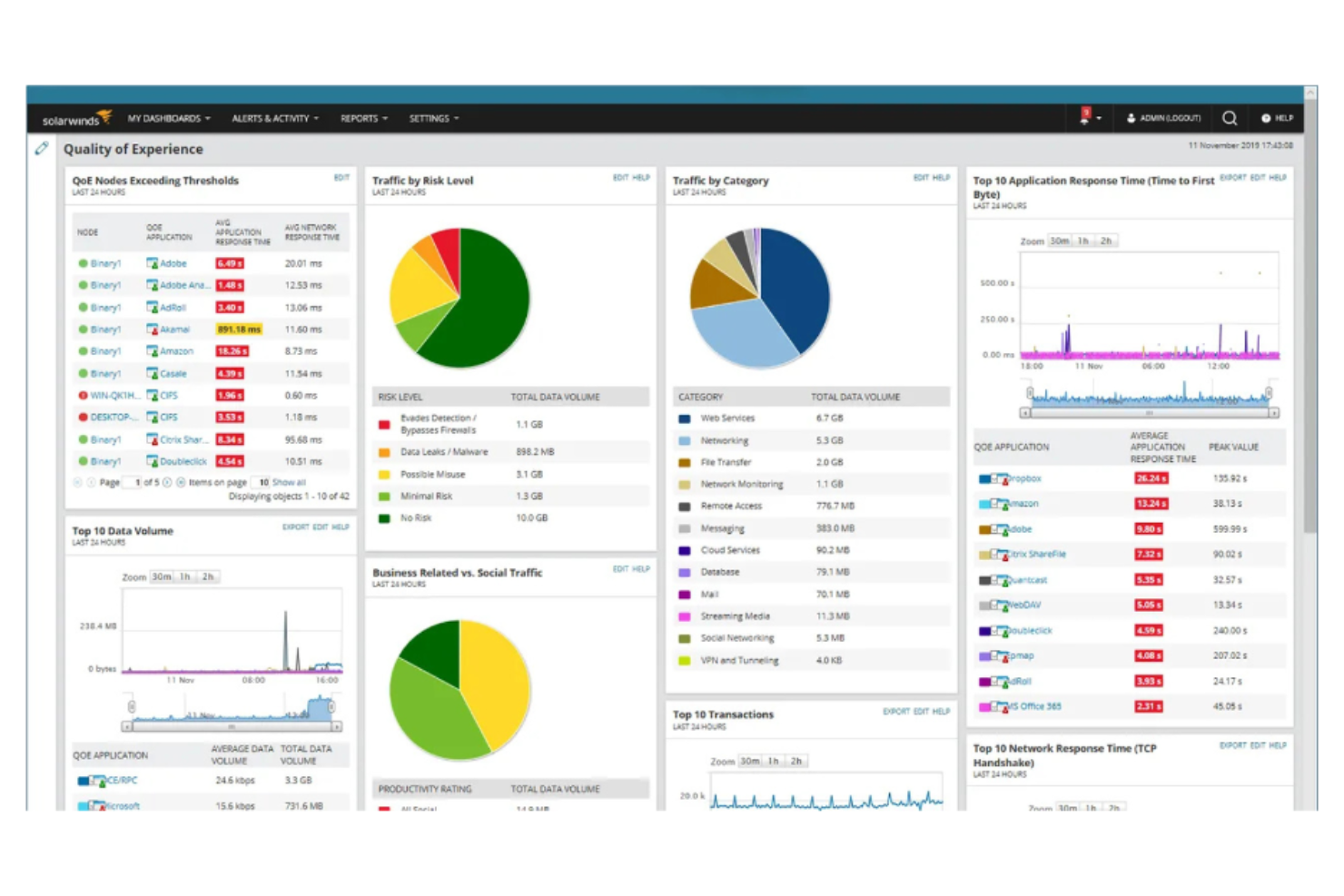
For IT teams focused on monitoring network devices at scale, SolarWinds offers specialized tools that go beyond basic asset tracking. The platform is well-suited for organizations that need real-time visibility into switches, routers, firewalls, and other network hardware. Unlike Lansweeper, SolarWinds provides advanced network performance monitoring and alerting, helping you quickly identify and resolve connectivity issues.
Why SolarWinds Is a Good Lansweeper Alternative
When network device monitoring is your top priority, SolarWinds offers capabilities that set it apart from Lansweeper. I picked SolarWinds because it provides deep visibility into network hardware, with features like real-time device status, bandwidth usage tracking, and automated alerting for outages or performance issues. The platform’s network topology mapping helps you visualize device relationships and pinpoint trouble spots quickly. For IT teams managing complex networks, SolarWinds delivers monitoring depth that goes beyond standard asset inventory.
SolarWinds Key Features
Some other features in SolarWinds that are valuable for IT asset management and operations include:
- Configuration Management: Automates device configuration backups and change tracking across network hardware.
- IP Address Management: Centralizes tracking and allocation of IP addresses within your network.
- NetFlow Traffic Analysis: Monitors and analyzes network traffic patterns for bandwidth and security insights.
- Patch Management: Schedules and deploys software updates to servers and workstations.
SolarWinds Integrations
Integrations include Cisco, Amazon Web Services (AWS), Microsoft Teams, Slack, PagerDuty, and more.
Pros and Cons
Pros:
- Includes multi-vendor SNMP device support
- Offers cross-stack data correlation dashboards
- Features hop-by-hop NetPath analysis
Cons:
- Limited reporting features
- Complex pricing and licensing structure

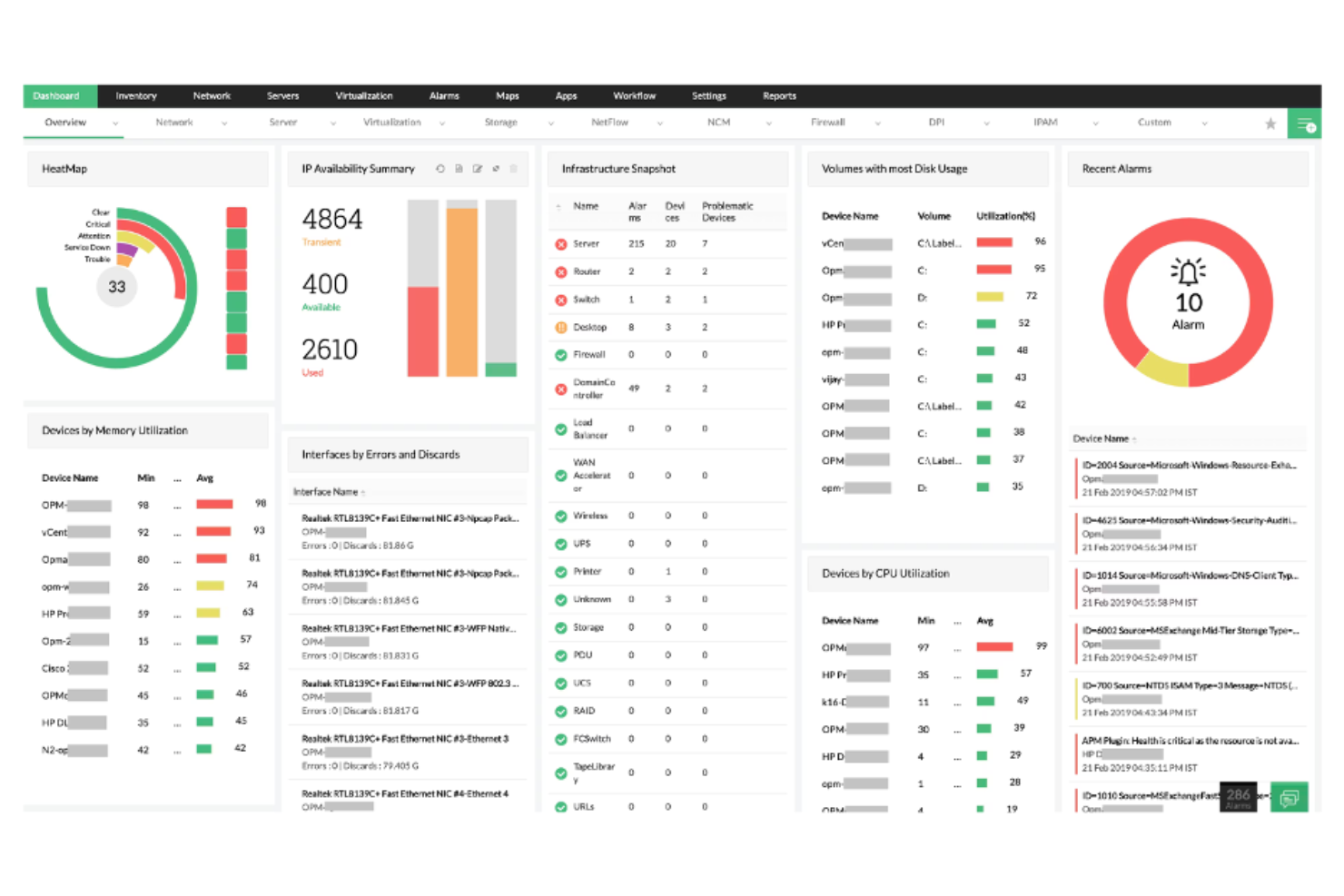
If you’re looking for an IT asset management and operations tool that brings multiple IT functions together, ManageEngine is worth considering. The platform is designed for IT teams that want unified control over assets, service desks, endpoint management, and network monitoring from a single suite. Unlike Lansweeper, ManageEngine stands out for its integrated approach, letting you manage everything from user requests to device compliance in one place.
Why ManageEngine Is a Good Lansweeper Alternative
For IT teams that want a single platform to handle multiple IT operations, ManageEngine offers a level of integration that Lansweeper doesn’t match. I picked ManageEngine because it combines asset management, service desk, endpoint management, and network monitoring in one suite, reducing the need to juggle separate tools. The platform’s unified dashboard lets you track assets, manage incidents, and enforce compliance policies without switching contexts. If you’re looking for a solution that centralizes IT operations and asset oversight, ManageEngine brings these capabilities together in a way that’s hard to find elsewhere.
ManageEngine Key Features
Some other features in ManageEngine that are useful for IT asset management and operations include:
- Software License Management: Tracks software usage and helps ensure compliance with licensing agreements.
- Remote Control Tools: Allows IT staff to access and troubleshoot endpoints directly from the platform.
- Automated Patch Deployment: Schedules and applies security patches across devices to reduce vulnerabilities.
- Customizable Reporting: Generates detailed reports on assets, compliance, and IT operations for audits and analysis.
ManageEngine Integrations
Integrations include Microsoft Active Directory, Jira, Slack, AWS, Google Workspace, and more.
Pros and Cons
Pros:
- Offers flexible hybrid deployment options
- Features automated multi-OS patch management
- Includes an integrated 90-product IT suite
Cons:
- Support response times vary by product lines
- Some modules require separate licensing

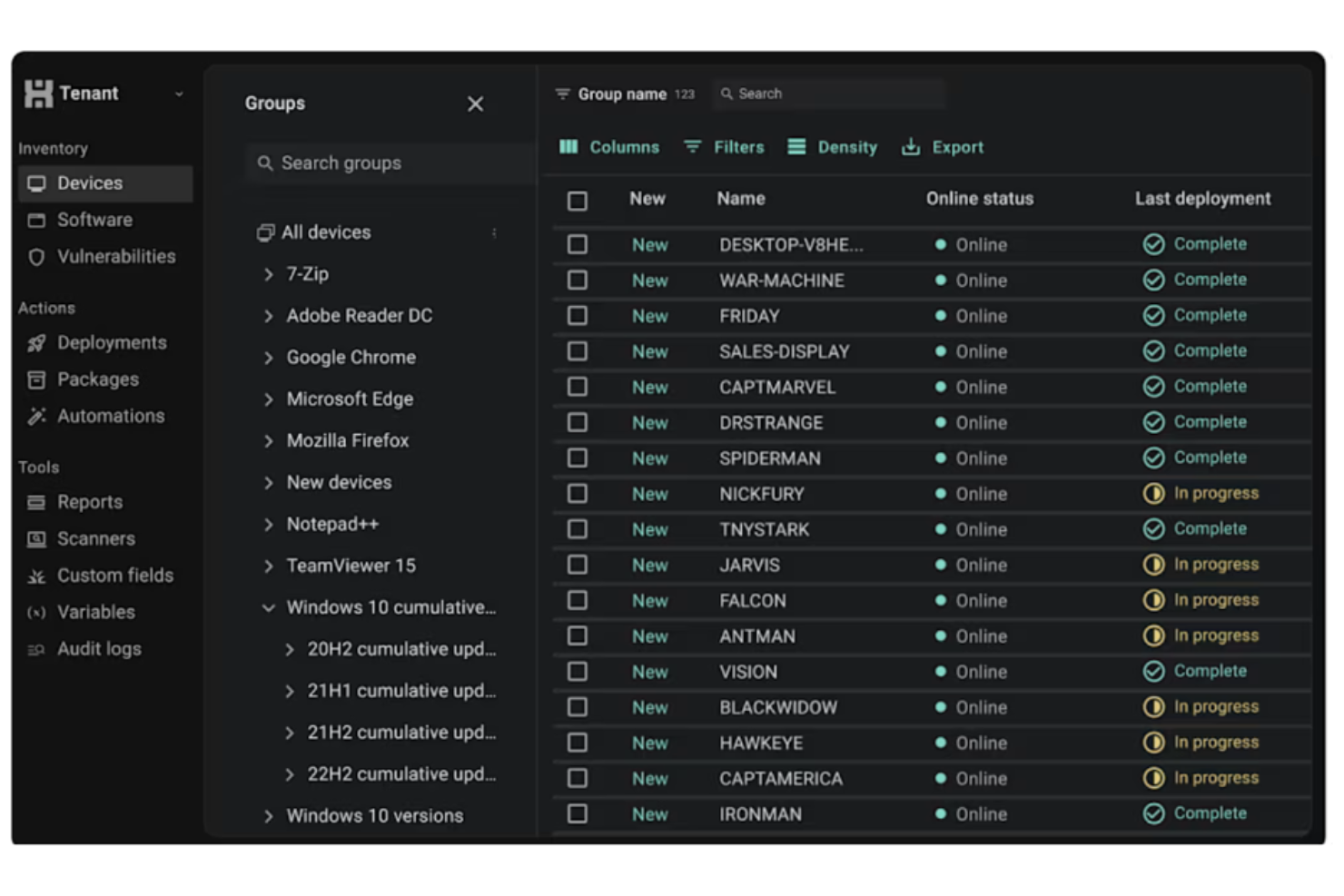
If you need to automate software deployment across Windows environments, PDQ is purpose-built for that task. It’s a strong fit for IT teams in education, healthcare, and mid-sized businesses that want to push updates and patches without manual intervention. Unlike Lansweeper, PDQ specializes in rapid, unattended deployments and detailed package management, helping you keep endpoints up to date with less hands-on effort.
Why PDQ Is a Good Lansweeper Alternative
For IT teams focused on automating software deployment, PDQ offers a level of control and speed that sets it apart from Lansweeper. I picked PDQ because it lets you schedule, deploy, and update software packages across all Windows endpoints with minimal manual input. The tool’s pre-built package library and customizable deployment schedules help you keep systems patched and compliant. If your main challenge is managing software rollouts at scale, PDQ’s automation features make it a strong alternative.
PDQ Key Features
Some other features in PDQ that are useful for IT asset management and operations include:
- Inventory Scanning: Collects detailed hardware and software information from all Windows devices on your network.
- Custom Scripting Support: Allows you to run PowerShell, VBScript, or batch scripts as part of deployment or inventory tasks.
- Role-Based Access Control: Lets you assign permissions and roles to different team members for secure management.
- Remote Wake and Reboot: Enables you to wake up or reboot machines remotely without user intervention.
PDQ Integrations
Integrations include Entra ID and Freshworks.
Pros and Cons
Pros:
- Offers automated third-party software patching
- Includes an extensive pre-built package library
- Features agentless Windows workstation inventory
Cons:
- No native mobile workforce support
- Requires active directory dependency

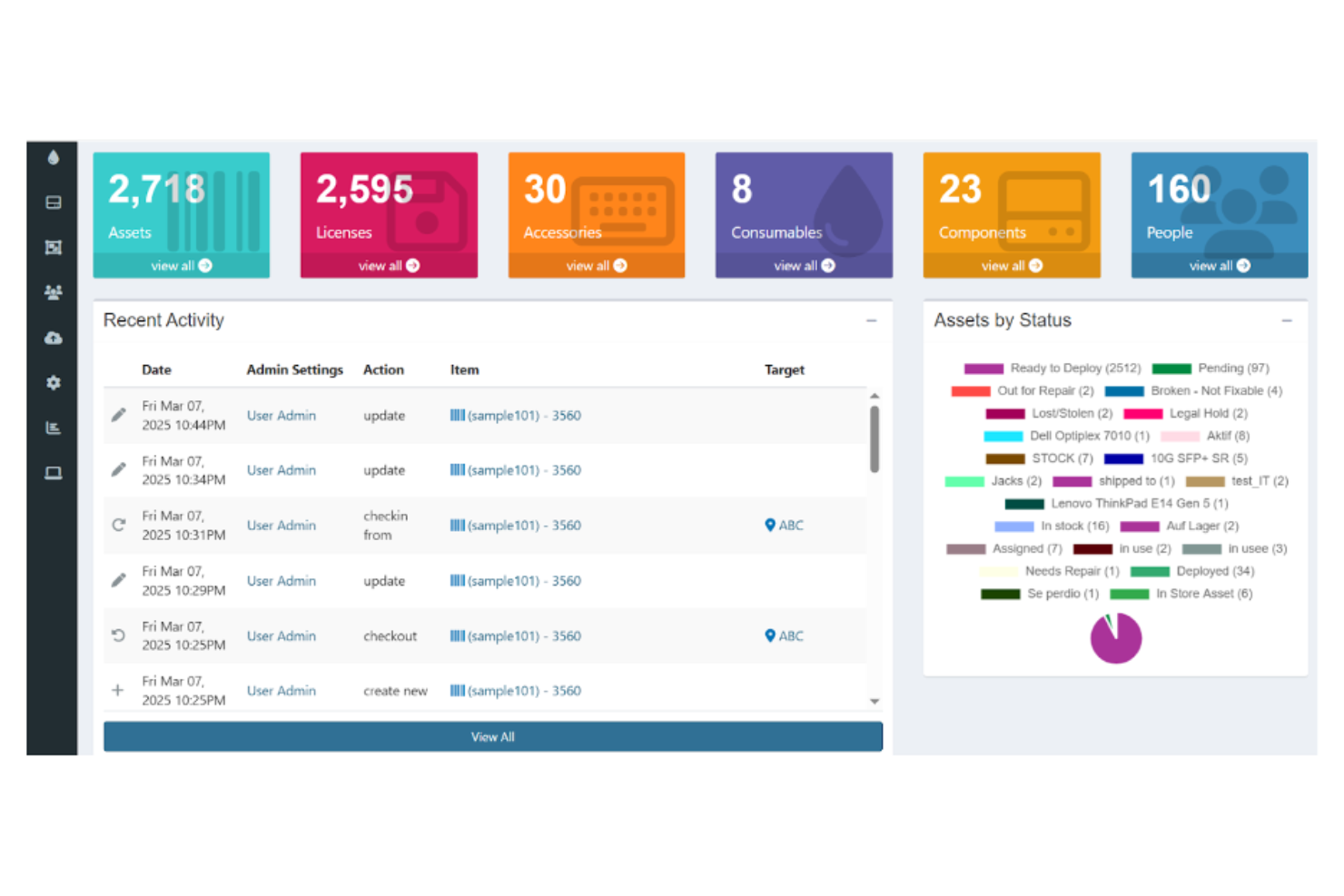
If you’re looking for an open-source approach to asset tracking, Snipe-IT gives you full control over your IT inventory. It’s a strong choice for IT teams in education, nonprofits, and small to mid-sized businesses that want to self-host and customize their asset management. Unlike Lansweeper, Snipe-IT stands out for its transparency, flexibility, and community-driven development model.
Why Snipe-IT Is a Good Lansweeper Alternative
For IT teams that want open-source flexibility, Snipe-IT offers a level of transparency and customization that’s hard to match. I picked Snipe-IT because it lets you self-host your asset management system and tailor it to your organization’s needs. The tool supports detailed asset tracking, user assignment, and audit logs, all within a web-based interface. If you need a solution you can adapt and control, Snipe-IT is a strong alternative to Lansweeper.
Snipe-IT Key Features
Some other features in Snipe-IT that are useful for IT asset management and operations include:
- Barcode Generation and Scanning: Lets you create and scan barcodes for quick asset identification and updates.
- Email Notifications: Sends automated alerts for asset check-ins, checkouts, and expiring warranties.
- Custom Fields: Allows you to add organization-specific data fields to asset records.
- API Access: Provides a REST API for integrating asset data with other systems or automating workflows.
Snipe-IT Integrations
Snipe-IT offers an API for custom integrations.
Pros and Cons
Pros:
- Offers unlimited asset and user tracking
- Features built-in QR code label generator
- Includes open-source REST API access
Cons:
- Complex manual self-hosting setup
- Doesn’t support automated device inventory

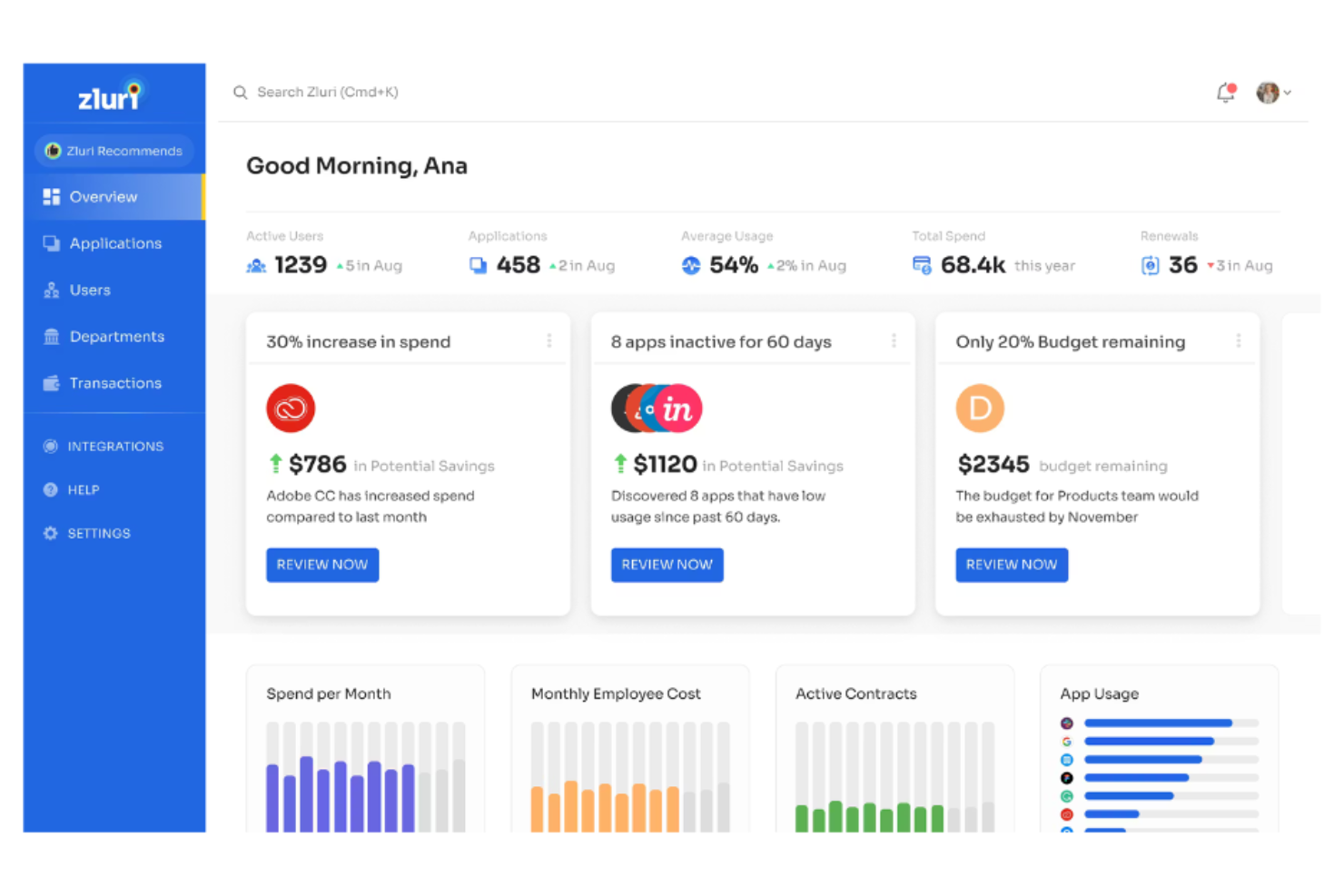
For IT teams struggling to get visibility into their SaaS environment, Zluri offers a focused approach to SaaS application discovery and management. It’s especially useful for organizations that need to identify, monitor, and control cloud-based software usage across departments. Unlike Lansweeper, Zluri zeroes in on SaaS spend, access, and compliance, helping you reduce shadow IT and optimize your software stack.
Why Zluri Is a Good Lansweeper Alternative
When your main concern is discovering and managing SaaS applications, Zluri offers a level of visibility that Lansweeper doesn’t match. I picked Zluri because it automatically detects all SaaS tools in use across your organization, even those not formally approved by IT. The platform also provides detailed usage analytics and spend tracking, so you can identify redundant subscriptions and control costs. This focus on SaaS discovery and optimization makes Zluri a strong choice for businesses prioritizing cloud software governance.
Zluri Key Features
Some other features in Zluri that are valuable for IT asset management and operations include:
- Automated User Provisioning and Deprovisioning: Manages user access to SaaS applications throughout the employee lifecycle.
- Vendor Management Dashboard: Centralizes contract details, renewal dates, and vendor contacts for all SaaS providers.
- Security and Compliance Monitoring: Flags risky applications and tracks compliance with internal and external policies.
- Custom Workflow Automation: Lets you build automated processes for onboarding, offboarding, and app approval requests.
Zluri Integrations
Integrations include Google Workspace, Slack, Microsoft 365, Okta, Jira, Salesforce, and more.
Pros and Cons
Pros:
- Includes granular application usage insights
- Automated user onboarding and offboarding
- Features automated SaaS renewal alerts
Cons:
- Inability to label workflow steps
- Occasional application misidentification errors

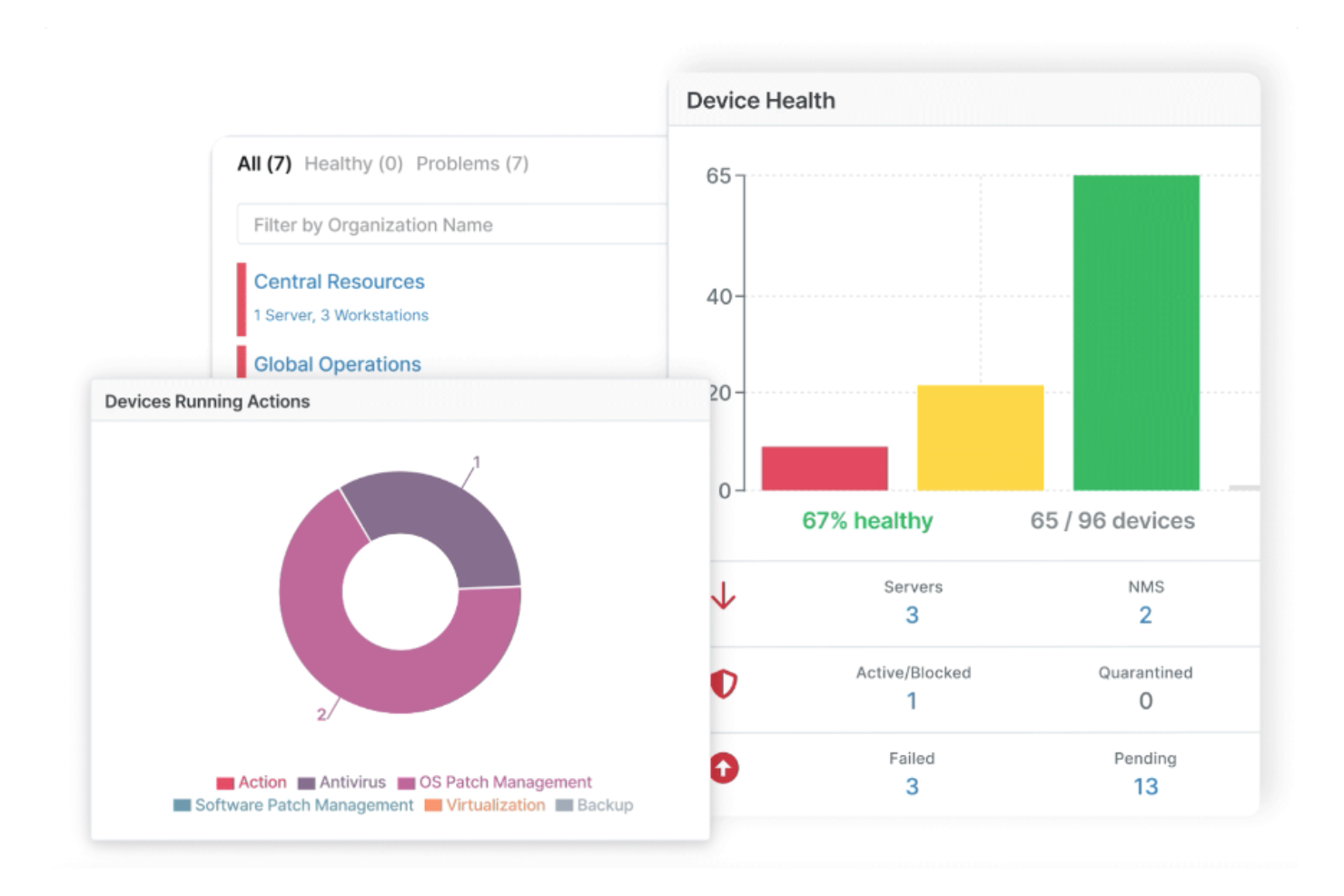
NinjaOne brings together endpoint management, real-time monitoring, and automation in a single cloud-based platform. It’s a strong fit for IT teams that need to manage diverse device fleets across multiple locations without juggling separate tools. Unlike Lansweeper, NinjaOne emphasizes unified visibility and control over Windows, macOS, and Linux endpoints from one dashboard.
Why NinjaOne Is a Good Lansweeper Alternative
For IT teams that want full visibility and a single platform to manage all endpoints, NinjaOne offers unified endpoint management that goes beyond what Lansweeper provides. I picked it because you can monitor, patch, and remotely control Windows, macOS, and Linux devices from one dashboard. The platform also lets you automate software deployment and run scripts across your entire device fleet. This approach helps centralize IT operations and reduces the need for multiple point solutions.
NinjaOne Key Features
Some other features in NinjaOne that are valuable for IT asset management and operations include:
- Automated Device Discovery: Uses RMM capabilities to scan networks and inventory all connected devices.
- Backup Management: Schedules and manages backups for endpoints directly from the platform.
- Ticketing System Integration: Connects with help desk tools to manage incident response.
- Custom Alerting: Lets you set up notifications for specific device or network events.
NinjaOne Integrations
Integrations include Microsoft 365, ConnectWise, Slack, ServiceNow, Jira, Zendesk, PagerDuty, and more.
Pros and Cons
Pros:
- Offers real-time endpoint health visibility
- Includes one-click remote access tools
- Centralizes multi-platform patch management
Cons:
- Annual billing requirement
- Limited custom reporting flexibility
New Product Updates from NinjaOne
NinjaOne Launches Integrated Remote Access
NinjaOne has expanded its automated management platform by introducing NinjaOne Remote, a secure remote access solution for multiple operating systems. For more information, visit NinjaOne's official site.

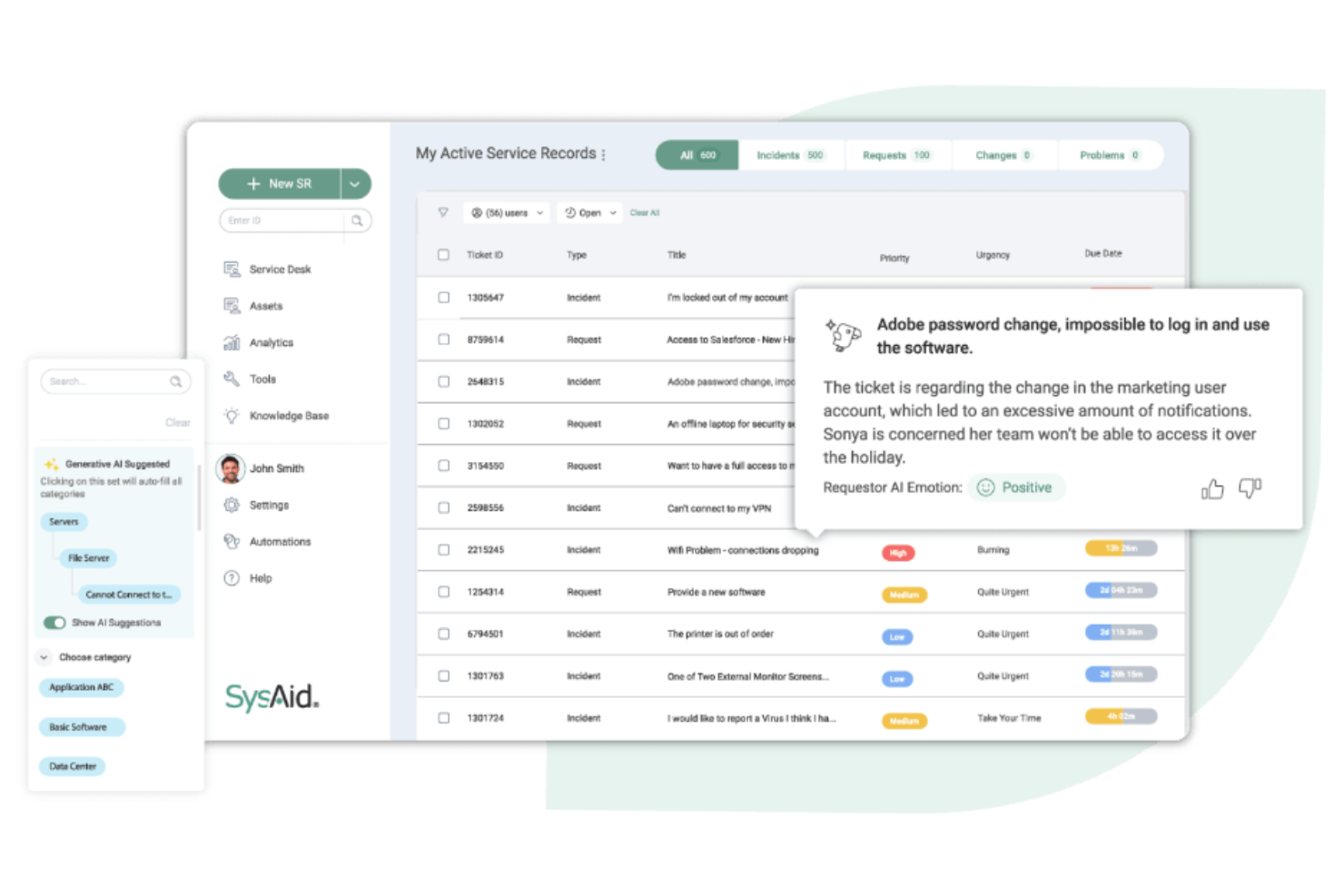
SysAid gives IT departments a platform built for deep workflow customization and automation. It’s a strong choice for organizations that want to tailor service desk processes, automate repetitive tasks, and adapt to unique operational needs. Unlike Lansweeper, SysAid lets you design and automate complex workflows across asset management, ticketing, and IT operations from a single interface.
Why SysAid Is a Good Lansweeper Alternative
SysAid stands out for IT teams that need to build and automate workflows tailored to their unique processes. I picked it as a Lansweeper alternative because its workflow designer lets you automate ticket routing, approvals, and escalations based on custom rules. The platform also supports automated asset lifecycle management, so you can trigger actions as assets move through different stages. This level of customization is especially valuable for organizations with complex or evolving IT operations.
SysAid Key Features
Some other features in SysAid that are useful for IT asset management and operations include:
- Remote Control Tools: Enable IT staff to access and troubleshoot user devices directly from the platform.
- Self-Service Portal: Lets end users submit tickets, track requests, and access knowledge base articles.
- Patch Management: Schedules and deploys software updates across managed devices.
- Reporting and Analytics: Provides customizable dashboards and reports for tracking network discovery results and asset status.
SysAid Integrations
Integrations include Microsoft Teams, Slack, Jira, Salesforce, Dropbox, and more. SysAid also offers an API for custom integrations.
Pros and Cons
Pros:
- Offers guided AI suggestion prompts
- Features native automated dependency mapping
- Includes automated application discovery tools
Cons:
- Slow performance with large datasets
- Limited out-of-the-box integrations
New Product Updates from SysAid

SysAid Adds Bulk Contract Import
SysAid added bulk contract import to License Manager Essentials, letting admins upload a CSV template, validate entries, and create multiple contracts at once. For more information, visit SysAid's official site.

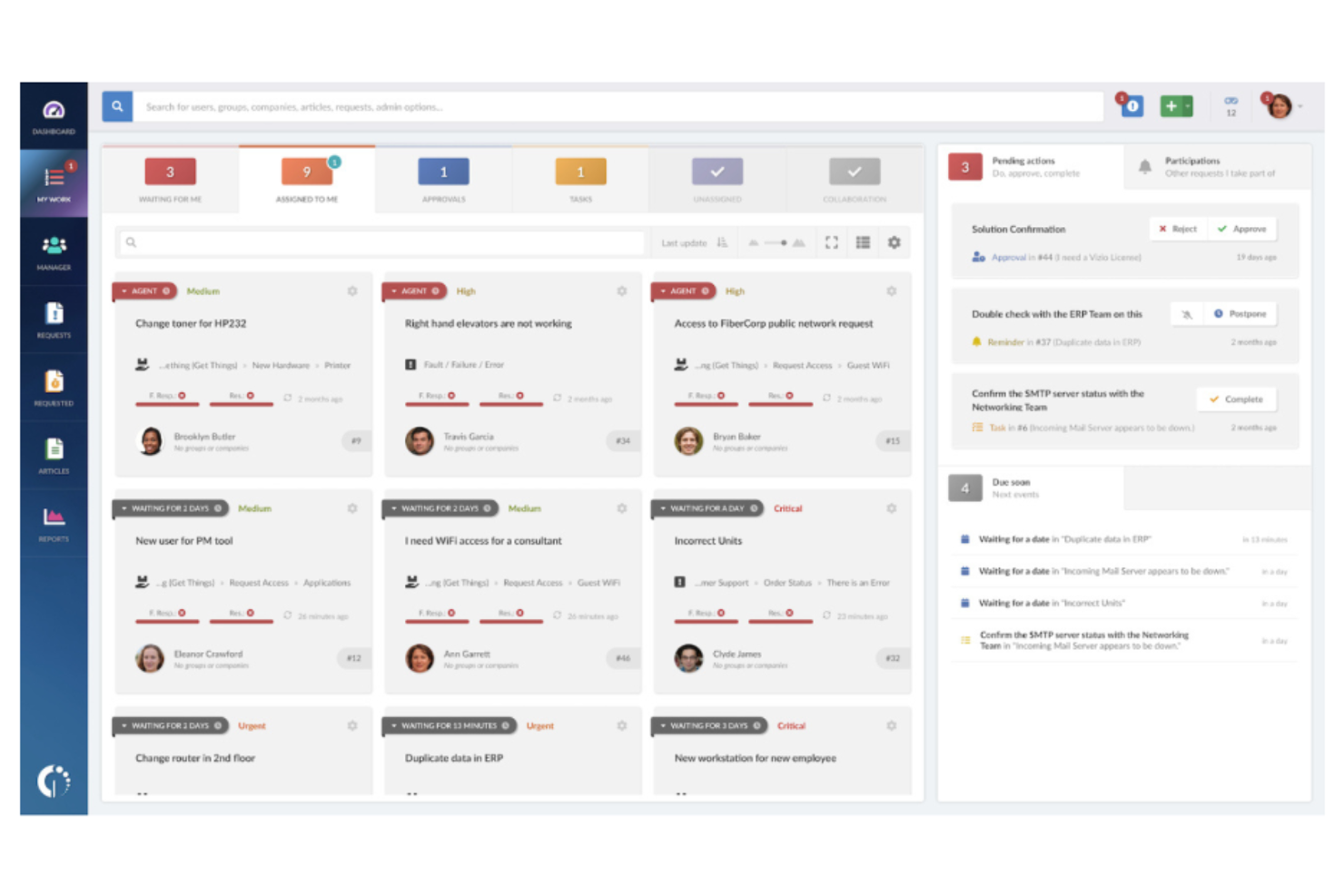
InvGate Service Desk stands out for organizations that want to empower users with a modern, intuitive self-service portal. It’s designed for IT teams that need to manage ticketing, automate workflows, and make knowledge resources easily accessible. Unlike Lansweeper, InvGate puts a strong emphasis on user experience and self-resolution, helping reduce ticket volume and improve satisfaction.
Why InvGate Is a Good Lansweeper Alternative
If you’re looking for an IT service management tool that prioritizes user empowerment, InvGate’s self-service portal is a strong alternative to Lansweeper. I picked InvGate because it lets you build customizable knowledge bases and service catalogs that help users resolve issues on their own. The platform also supports automated ticket routing and approval workflows, which can reduce manual intervention for IT teams. This focus on self-service and automation makes InvGate especially useful for organizations aiming to lower ticket volume and improve user satisfaction.
InvGate Key Features
Some other features in InvGate that are valuable for IT asset management and operations include:
- Asset Inventory Management: Tracks hardware and software assets across your organization in real time.
- Change Management Module: Provides structured workflows for managing IT changes and approvals.
- SLA Management: Lets you define, monitor, and enforce service level agreements for support requests.
- Reporting and Analytics: Offers customizable dashboards and reports to track service desk performance and trends.
InvGate Integrations
Integrations include Microsoft Teams, Jira, Google Workspace, Okta, and more.
Pros and Cons
Pros:
- Offers quick deployment timelines
- Includes unified ITSM and ITAM capabilities
- Features a no-code visual workflow builder
Cons:
- Basic asset discovery features
- Limited native third-party integrations
Other Lansweeper Alternatives
Here are some additional Lansweeper alternative options that didn’t make it onto my shortlist, but are still worth checking out:
- ServiceNow
For enterprise workflow integration
- Atera
For all-in-one remote monitoring
- Certero
For advanced software license management


Lansweeper Alternatives Selection Criteria
When selecting the best Lansweeper alternatives to include in this list, I considered common buyer needs and pain points related to IT asset management and operations tool products, like managing complex hybrid IT environments and automating asset discovery. I also used the following framework to keep my evaluation structured and fair:
Core Functionality (25% of total score)
To be considered for inclusion in this list, each solution had to fulfill these common use cases:
- Discover and inventory IT assets
- Track hardware and the software inventory
- Monitor device health and status
- Generate compliance and audit reports
- Manage asset assignments and ownership
Additional Standout Features (25% of total score)
To help further narrow down the competition, I also looked for a unique feature set, such as:
- Automated patch management
- Built-in remote troubleshooting tools
- Advanced software license tracking
- Customizable workflow automation
- Integrated network monitoring
Usability (10% of total score)
To get a sense of the usability of each system, I considered the following:
- Clear and intuitive dashboard layout
- Logical navigation between modules
- Minimal clicks to complete common tasks
- Responsive interface performance
- Accessibility for different user roles
Onboarding (10% of total score)
To evaluate the onboarding experience for each platform, I considered the following:
- Availability of step-by-step setup guides
- Access to training videos and documentation
- Shorter learning curve
- Pre-built templates for asset import
- Live chat or onboarding webinars
Customer Support (10% of total score)
To assess each software provider’s customer support services, I considered the following:
- 24/7 support availability
- Multiple support channels offered
- Access to a searchable knowledge base
- Timeliness of support responses
- Quality of technical troubleshooting
Value For Money (10% of total score)
To evaluate the value for money of each platform, I considered the following:
- Transparent and predictable pricing
- Flexible plans for different business sizes
- Features included in base pricing
- Cost of add-ons or extra modules
- Free trial or demo availability
Customer Reviews (10% of total score)
To get a sense of overall customer satisfaction, I considered the following when reading customer reviews:
- Consistency of positive feedback
- Frequency of reported technical issues
- Quality of vendor communication
- Real-world examples of use cases
- Trends in recent review sentiment
Why Look For a Lansweeper Alternative?
While Lansweeper is a good choice of IT asset management and operations tool, there are a number of reasons why some users seek out alternative solutions. You might be looking for a Lansweeper alternative because…
- You need deeper integration with service desk or ticketing systems
- You want built-in remote troubleshooting and endpoint management tools
- You require more advanced software license management features
- You need support for complex hybrid or multi-cloud environments
- You want more flexible pricing or modular licensing options
If any of these sound like you, you’ve come to the right place. My list contains several asset management software options that are better suited for teams facing these challenges with Lansweeper and looking for alternative solutions.
Lansweeper Key Features
Here are some of the key features of Lansweeper, to help you contrast and compare what alternative solutions offer:
- Automated network and device discovery
- Centralized IT asset inventory management
- Hardware and software lifecycle tracking
- Customizable reporting and dashboard views
- Vulnerability and risk assessment tools
- Integration with Active Directory and SCCM
- Software license compliance monitoring
- Audit trail and change history tracking
- Role-based access controls for user management
What’s Next:
If you're in the process of researching lansweeper alternative, connect with a SoftwareSelect advisor for free recommendations.
You fill out a form and have a quick chat where they get into the specifics of your needs. Then you'll get a shortlist of software to review. They'll even support you through the entire buying process, including price negotiations.