

Los 10 Mejores Software de Seguimiento de Incidencias de 2026 Explicados

Mejor Software de Seguimiento de Incidencias - Lista Corta


El software de seguimiento de incidencias ayuda a los equipos a registrar, priorizar y resolver errores, tareas y comentarios sin perder de vista lo importante.
Muchos equipos buscan una nueva herramienta cuando su sistema actual ralentiza el trabajo—por ejemplo, cuando se pierden informes, las prioridades no están claras o las herramientas no se integran entre sí. Estas brechas conducen a confusión, retrasos y una comunicación innecesaria entre desarrolladores, QA y otros equipos.
He trabajado con equipos de producto e ingeniería para evaluar herramientas de seguimiento de incidencias que realmente apoyan el trabajo diario en lugar de obstaculizarlo. Esta guía se basa en esa experiencia y se centra en ayudarte a encontrar una herramienta que se adapte a la forma en que trabaja tu equipo, no solo a cómo dice el proveedor que debe funcionar.
Por qué confiar en nuestras recomendaciones de software
Nuestro equipo lleva probando y evaluando software desde 2012. Como líderes tecnológicos, sabemos lo difícil —y lo importante— que es elegir el software adecuado.
Para esta guía, evaluamos las herramientas mediante pruebas prácticas e investigación independiente, puntuando las herramientas según nuestros criterios de selección.
Nuestras reseñas reflejan nuestro criterio editorial humano, no un discurso de ventas.
Revisores expertos:
Resumen del Mejor Software de Seguimiento de Incidencias
Esta tabla comparativa resume los detalles de precios de mis selecciones principales de software de seguimiento de incidencias para ayudarte a encontrar el que mejor se adapte a tu presupuesto y las necesidades de tu negocio.
| Tool | Best For | Trial Info | Price | ||
|---|---|---|---|---|---|
| 1 | Mejor para control de versiones y colaboración | No | $4/usuario/mes | Website | |
| 2 | Ideal para la gestión de servicios de TI a nivel empresarial | No | Precio a consultar | Website | |
| 3 | La mejor para gestionar equipos y proyectos remotos | No | $99/mes para usuarios y proyectos ilimitados | Website | |
| 4 | La mejor opción para el seguimiento y soporte de incidencias enfocado en el cliente | No | $15/usuario/mes (facturado anualmente) | Website | |
| 5 | Ideal para visualizar tareas de proyectos de manera flexible, tipo tablero | No | $10/usuario/mes (facturado anualmente) | Website | |
| 6 | El mejor para necesidades completas de plataforma DevOps | No | $4/usuario/mes (cobrado anualmente) | Website | |
| 7 | La mejor para la gestión de flujos de trabajo y la colaboración en equipo | No | $10.99/user/month (billed annually) | Website | |
| 8 | Mejor para el seguimiento sencillo de incidencias en un entorno simple y fácil de usar | No | Gratis | Website | |
| 9 | Mejor para el seguimiento de errores de código abierto | No | Gratis | Website | |
| 10 | Ideal para una gestión de proyectos robusta y el seguimiento de incidencias | No | $7/usuario/mes | Website |
Reseñas del Mejor Software de Seguimiento de Incidencias
A continuación tienes mis resúmenes detallados de los mejores programas de seguimiento de incidencias que entraron en mi lista corta. Mis reseñas ofrecen una visión detallada de sus principales características, pros y contras, integraciones y casos de uso ideales para que encuentres el que más te convenga.

GitHub
Mejor para control de versiones y colaboración
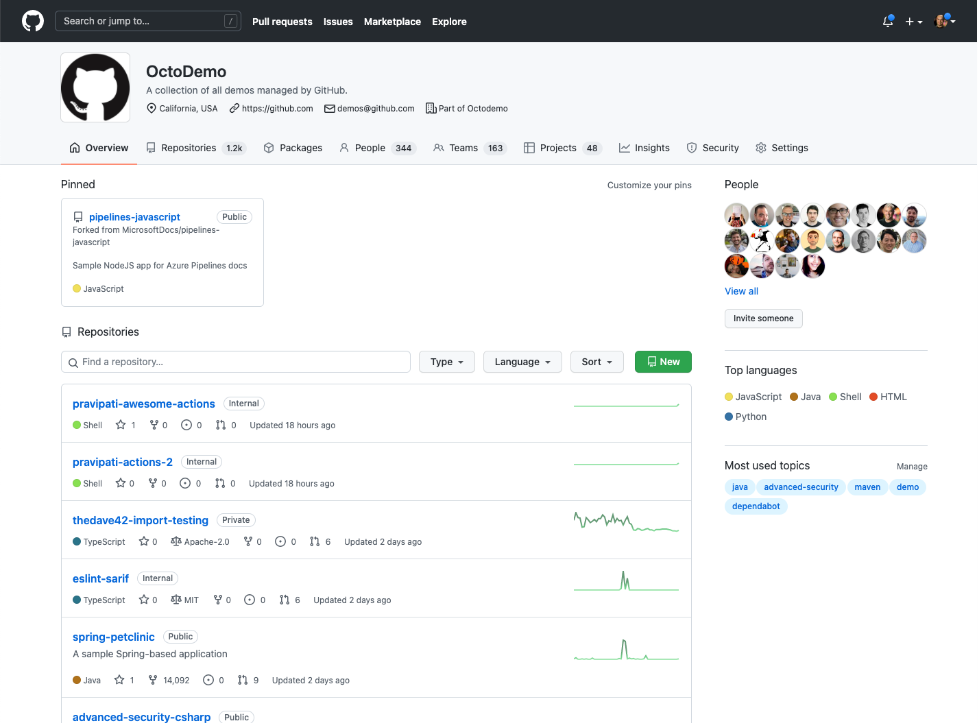
GitHub es una herramienta revolucionaria para equipos que requieren un control de versiones superior y una colaboración eficiente. Como servicio de alojamiento de repositorios, ofrece una plataforma para que los desarrolladores trabajen juntos, revisen código y gestionen cambios.
Por qué elegí GitHub: En mi proceso de selección, GitHub destacó debido a su amplia adopción entre la comunidad de desarrolladores y sus impresionantes capacidades para el control de versiones. Fomenta un entorno colaborativo donde el código no solo se almacena, sino que también se comparte y discute. Por ello, lo considero como el 'Mejor para control de versiones y colaboración' gracias a sus características inigualables a la hora de favorecer la cooperación en equipo y mantener la consistencia de versiones.
Características destacadas e integraciones:
Las características principales de GitHub incluyen las solicitudes de extracción (pull requests), donde los cambios pueden ser revisados antes de fusionarse, y GitHub Actions, que permite flujos de trabajo automatizados. GitHub también ofrece un robusto seguimiento de incidencias que se integra con la propia base de código. Entre las integraciones clave destacan Slack para la comunicación del equipo, Jira para la gestión de tareas y Jenkins para integración continua y entrega continua (CI/CD).
Pros and Cons
Pros:
- Capacidades superiores de control de versiones
- Herramientas integradas de colaboración y revisión
- Integraciones extensas con otros programas
Cons:
- Puede ser complejo para principiantes
- Los repositorios privados requieren un plan de pago
- Las funciones más avanzadas pueden requerir alojamiento propio

Ideal para la gestión de servicios de TI a nivel empresarial
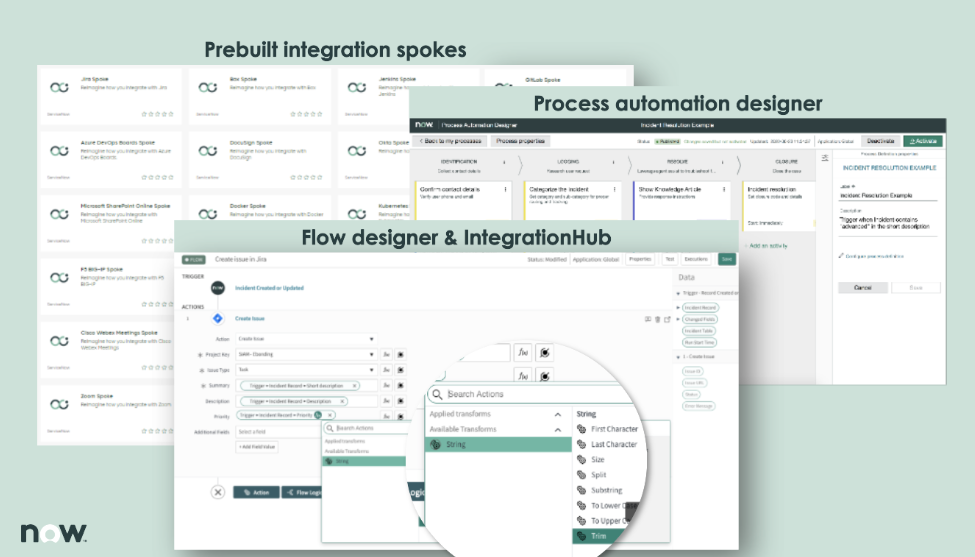
ServiceNow es una plataforma integral de gestión de servicios de TI diseñada para agilizar la prestación y gestión de los servicios de TI. Ofrece soluciones que definen, estructuran, gestionan y automatizan servicios para operaciones empresariales, convirtiéndose en una herramienta ideal para grandes organizaciones que necesitan potentes capacidades de gestión de servicios de TI.
Por qué elegí ServiceNow: Elegí ServiceNow para esta lista debido a su enfoque sólido e integral en la gestión de servicios de TI. Lo que diferencia a ServiceNow es su potente conjunto de aplicaciones capaces de gestionar prácticamente todos los aspectos de los servicios de TI a nivel empresarial, desde la gestión de incidentes y problemas hasta la gestión empresarial de TI. En mi opinión, ServiceNow se presenta como la mejor opción para organizaciones que requieren funciones avanzadas de gestión de servicios de TI.
Características destacadas e integraciones:
Las características de ServiceNow van más allá de las capacidades habituales de gestión de servicios de TI. Incluye gestión de incidentes, problemas, cambios y conocimientos, así como un agente virtual impulsado por IA para interacciones automáticas con los clientes. También dispone de un catálogo de servicios para facilitar la gestión de solicitudes. ServiceNow ofrece integraciones con diversos sistemas y plataformas, incluidos Active Directory, LDAP, SCCM y más, lo que permite a las organizaciones ampliar su infraestructura de TI actual.
Pros and Cons
Pros:
- Amplio conjunto de capacidades de gestión de servicios de TI
- Permite la automatización de procesos
- Alto nivel de personalización
Cons:
- Curva de aprendizaje pronunciada para nuevos usuarios
- La personalización puede requerir experiencia avanzada en TI
- Falta de transparencia en precios

Basecamp
La mejor para gestionar equipos y proyectos remotos

Basecamp es una herramienta de gestión de proyectos y colaboración diseñada para mejorar la organización y la productividad tanto de equipos pequeños como grandes. Conocida por su diseño limpio e interfaz intuitiva, destaca en la gestión de equipos y proyectos remotos gracias a sus completas características que facilitan la comunicación, la delegación de tareas y el seguimiento del progreso.
Por qué elegí Basecamp: En mi proceso de selección, determiné que Basecamp sobresale por su sólido conjunto de funcionalidades junto a un diseño simple y fácil de usar. La herramienta es especialmente eficaz para la gestión de equipos remotos y la coordinación de proyectos, ya que sus foros de discusión, listas de tareas y funciones de programación fomentan la comunicación eficaz y la distribución de tareas. Por lo tanto, considero a Basecamp como la mejor opción para gestionar equipos y proyectos a distancia.
Características destacadas e integraciones:
Las principales funciones de Basecamp incluyen listas de tareas para la gestión de trabajos, tableros de mensajes para discusiones de equipo, almacenamiento de documentos y archivos, y una herramienta de programación para fechas límite y citas. Además, su función de check-ins automáticos solicita actualizaciones a los miembros del equipo, promoviendo la responsabilidad y la transparencia. Basecamp se integra con varias otras herramientas, como Google Calendar, Outlook, Slack y Zapier, lo que aumenta su versatilidad.
Pros and Cons
Pros:
- Ofrece un modelo de precio fijo sin tarifas por usuario
- Permite usuarios y proyectos ilimitados
- Ofrece una variedad de funciones que facilitan la colaboración de equipos remotos
Cons:
- Carece de algunas funciones avanzadas de gestión de proyectos presentes en herramientas especializadas
- La interfaz, aunque fácil de usar, puede requerir cierto tiempo para navegarla eficazmente
- Opciones limitadas de personalización comparado con otras herramientas del mercado

La mejor opción para el seguimiento y soporte de incidencias enfocado en el cliente

Freshdesk es un software de atención al cliente que equipa a las empresas con las herramientas necesarias para gestionar las interacciones con los clientes y agilizar su proceso de seguimiento de incidencias. Al unificar las conversaciones con los clientes en un solo lugar y simplificar el soporte al cliente, se gana la reputación de ser la plataforma de referencia para el seguimiento de incidencias y el soporte enfocados en el cliente.
Por qué elegí Freshdesk: Al considerar Freshdesk, la decisión fue sencilla debido a su sólido enfoque en la experiencia del cliente. Destacó en el proceso de selección gracias a su potente conjunto de funcionalidades que priorizan la participación del cliente. Así, lo seleccioné como la opción óptima para organizaciones que requieren una plataforma con un fuerte enfoque en el seguimiento y soporte de incidencias centrado en el cliente.
Funciones destacadas e integraciones:
Entre las funciones destacadas de Freshdesk se encuentran el despacho automatizado de tickets, herramientas de colaboración en equipo y soporte multicanal a través de correo electrónico, teléfono, redes sociales y sitios web. Además, sus capacidades de soporte impulsadas por IA permiten respuestas rápidas y precisas a las consultas de los clientes. En cuanto a integraciones, Freshdesk destaca por su conectividad con numerosas aplicaciones de terceros como Slack, Google Workspace, Mailchimp y más, proporcionando una experiencia de soporte más completa y eficiente.
Pros and Cons
Pros:
- Ofrece soporte multicanal
- Se integra con numerosas aplicaciones de terceros
- Gestión de tickets robusta y automatizada
Cons:
- Las funciones de IA podrían ser más sofisticadas
- Algunos usuarios pueden encontrar la interfaz menos intuitiva
- Las funciones de nivel superior pueden resultar caras para pequeñas empresas


Trello es una herramienta de gestión de proyectos basada en la web que utiliza el concepto de tableros, que representan proyectos, y tarjetas, que representan tareas. El enfoque visual y fácil de usar de Trello para organizar el trabajo lo convierte en una opción destacada para equipos que prefieren una manera flexible y tipo tablero para gestionar sus tareas y proyectos.
Por qué elegí Trello: Al seleccionar las herramientas para esta lista, me decidí por Trello debido a su enfoque visual único para la gestión de tareas y proyectos. Trello se diferencia por su sistema de tableros y tarjetas, permitiendo a los equipos ver el progreso de su trabajo de un vistazo. Por lo tanto, creo que Trello es ideal para quienes prefieren un método flexible y visual para gestionar proyectos y tareas.
Características destacadas e integraciones:
Las características clave de Trello incluyen tableros, listas y tarjetas personalizables, funcionalidad de arrastrar y soltar, y la capacidad de añadir listas de verificación, etiquetas y fechas de vencimiento a las tarjetas. Estas funciones facilitan una gestión intuitiva y flexible de las tareas. Trello también se integra bien con muchas herramientas que los equipos suelen usar, como Slack, Google Drive y Dropbox, para permitir un flujo de trabajo más conectado y eficiente.
Pros and Cons
Pros:
- Interfaz de usuario altamente visual e intuitiva
- Gestión de tareas flexible y personalizable
- Capacidades de integración robustas
Cons:
- Carece de funciones avanzadas de gestión de proyectos que se encuentran en herramientas más especializadas
- Puede volverse desordenado en proyectos de gran escala
- Costos aumentados para acceder a funciones premium

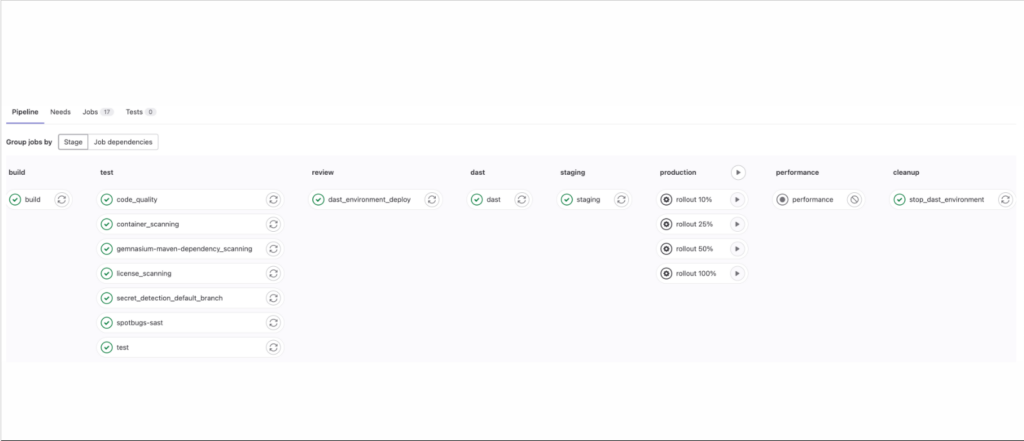
GitLab ofrece una suite totalmente integrada para la gestión del ciclo de vida del software, abarcando desde la planificación de proyectos y la gestión del código fuente hasta CI/CD y monitoreo. Si buscas una plataforma DevOps completa, GitLab proporciona un enfoque holístico para el desarrollo de software.
Por qué elegí GitLab: Elegí GitLab por su amplio conjunto de herramientas integradas para administrar todo el ciclo de vida DevOps. El aspecto diferenciador de GitLab radica en su enfoque integral para el desarrollo de software, razón por la cual es 'El mejor para necesidades completas de plataforma DevOps.' Con GitLab, tienes todo bajo un mismo techo—gestión de código fuente, CI/CD, seguridad y más—eliminando la necesidad de integrar sistemas dispares.
Funciones destacadas e integraciones:
GitLab está repleto de funciones que cubren cada etapa del ciclo de vida DevOps. Entre ellas se incluyen CI/CD integrado, Auto DevOps (autoconfiguración), integración con Kubernetes y completas herramientas de seguridad. Como plataforma todo en uno, GitLab se integra bien con varias otras herramientas, como Jira, Slack y Jenkins, permitiéndote ampliar aún más sus capacidades.
Pros and Cons
Pros:
- Cobertura completa del ciclo de vida DevOps en una sola plataforma
- Precio asequible para el conjunto de funciones
- Herramientas de seguridad avanzadas
Cons:
- Curva de aprendizaje debido a su naturaleza integral
- La interfaz puede resultar abrumadora para principiantes
- Soporte al cliente limitado en los niveles de menor precio

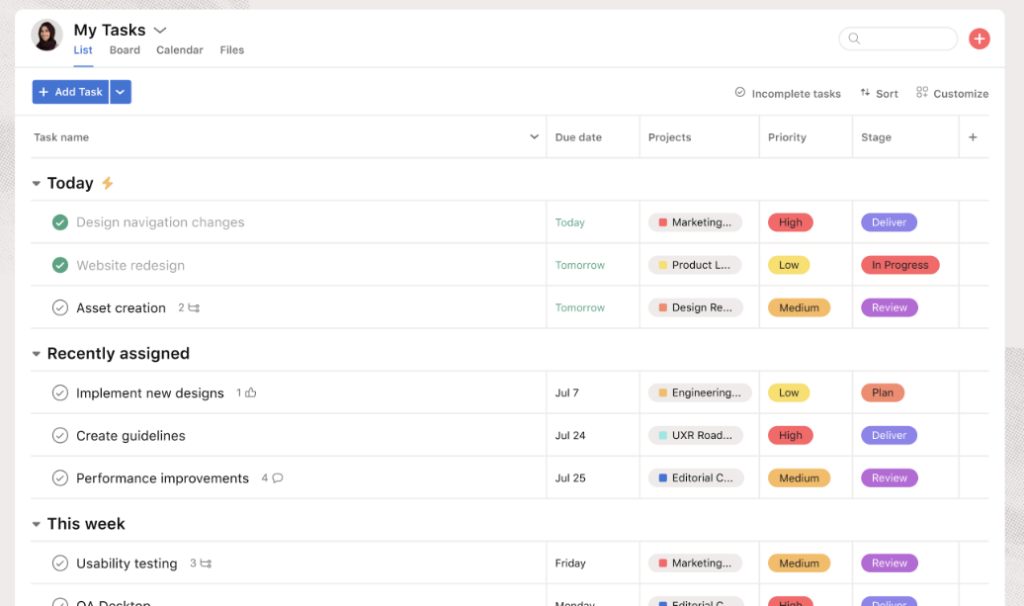
Asana es una herramienta de gestión de proyectos altamente flexible diseñada para ayudar a los equipos a organizar, hacer seguimiento y gestionar su trabajo. Fomenta la colaboración en equipo y es una excelente opción para optimizar flujos de trabajo en diversas funciones y proyectos.
Por qué elegí Asana: Elegí Asana por su flexibilidad e interfaz intuitiva, lo que la distingue de otras herramientas de gestión de proyectos. Con Asana, la gestión de flujos de trabajo y la promoción de la colaboración en equipo es un proceso optimizado. Considero que Asana es 'La mejor para la gestión de flujos de trabajo y la colaboración en equipo' debido a su capacidad para adaptarse a varios estilos de proyecto, ya sean simples listas de tareas o flujos de trabajo complejos.
Funciones destacadas e integraciones:
Las características más destacadas de Asana incluyen plantillas personalizables para diferentes tipos de proyectos, vistas de cronograma para la planificación y herramientas avanzadas de búsqueda e informes. Además, Asana ofrece sólidas capacidades de integración y se sincroniza fácilmente con herramientas populares como Slack, Google Drive y Microsoft Teams para mejorar aún más sus capacidades colaborativas.
Pros and Cons
Pros:
- Flexible y personalizable para adaptarse a varios tipos de proyectos
- Sólida integración con otras herramientas de colaboración populares
- Herramientas avanzadas de búsqueda e informes
Cons:
- La versión gratuita es bastante limitada en cuanto a funcionalidades
- Puede resultar abrumador para los usuarios principiantes debido a la cantidad de funciones
- Costo elevado para equipos pequeños con presupuesto limitado

MantisBT
Mejor para el seguimiento sencillo de incidencias en un entorno simple y fácil de usar
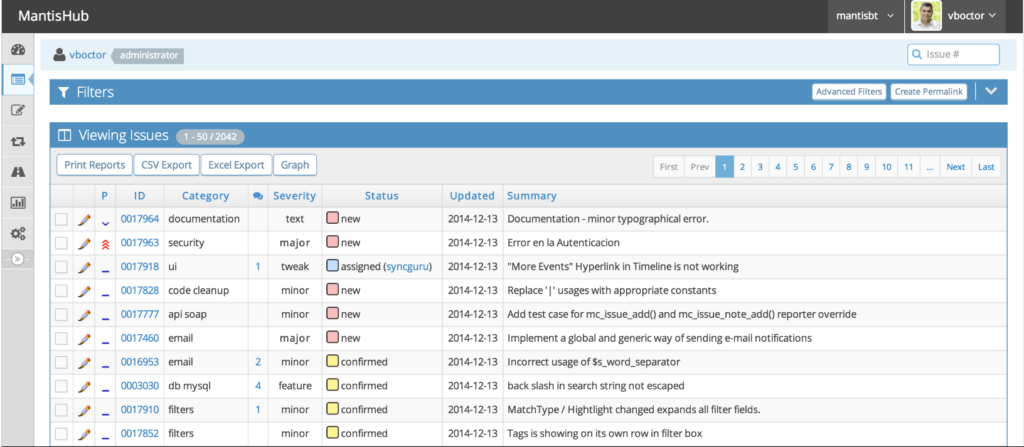
MantisBT es un rastreador de incidencias de código abierto que proporciona una interfaz clara y sencilla para que los equipos de proyecto gestionen y sigan errores y problemas de software. Con MantisBT, la facilidad de uso no compromete la funcionalidad integral, lo que lo hace ideal para equipos que valoran la simplicidad en la gestión de su flujo de trabajo.
Por qué elegí MantisBT: Elegí MantisBT por su combinación de sencillez y potentes características. Hace que el seguimiento de problemas sea menos abrumador, especialmente para equipos que pueden ser nuevos en este proceso. Es el entorno fácil de usar lo que destaca, lo que me llevó a determinar que MantisBT es la mejor herramienta para un seguimiento sencillo de incidencias.
Características destacadas e integraciones:
Las características destacadas de MantisBT incluyen campos personalizados, notificaciones por correo electrónico y un sistema de informes fácil de usar. También admite múltiples proyectos dentro de una sola instancia. MantisBT dispone de un sistema de complementos que permite la integración con otras herramientas como Slack, EmailReporting e Integración con Control de Versiones, aumentando su funcionalidad y facilidad de uso.
Pros and Cons
Pros:
- Interfaz sencilla y fácil de usar
- Código abierto y gratuito
- Capacidad para gestionar múltiples proyectos simultáneamente
Cons:
- Carece de las funciones avanzadas que se encuentran en otros rastreadores de incidencias
- La interfaz, aunque fácil de usar, puede parecer desactualizada
- Capacidades de integración limitadas en comparación con otras herramientas


Bugzilla es una solución probada y comprobada para quienes buscan un seguimiento de errores de código abierto y confiable. Como herramienta gratuita y de código abierto, ofrece capacidades esenciales de seguimiento de incidencias para equipos de todos los tamaños.
Por qué elegí Bugzilla: Elegí Bugzilla por su reconocida reputación en la comunidad de código abierto y sus sólidas capacidades para el seguimiento de errores. Su naturaleza de código abierto significa que es continuamente actualizado por una comunidad de desarrolladores, lo que garantiza que evolucione conforme a las necesidades de sus usuarios. Sin duda, es la 'Mejor para el seguimiento de errores de código abierto' gracias a su accesibilidad y a un conjunto de funciones que compite bien con muchas opciones de pago.
Funciones destacadas e integraciones:
Bugzilla ofrece potentes capacidades de búsqueda avanzada, detección automática de errores duplicados y seguimiento de tiempo, lo que la convierte en una solución completa para la gestión de errores. Las integraciones pueden variar debido a su naturaleza de código abierto, pero Bugzilla puede configurarse para funcionar con diversos sistemas mediante la personalización, incluyendo sistemas de correo electrónico y otras herramientas de gestión de proyectos.
Pros and Cons
Pros:
- Funcionalidades completas de seguimiento de errores
- Rentable (de código abierto y gratuito)
- Flexibilidad gracias a su naturaleza de código abierto
Cons:
- Puede requerir conocimientos técnicos para la configuración y personalización
- La interfaz de usuario no es tan moderna como la de algunas alternativas
- Soporte menos estructurado en comparación con soluciones comerciales

Jira
Ideal para una gestión de proyectos robusta y el seguimiento de incidencias
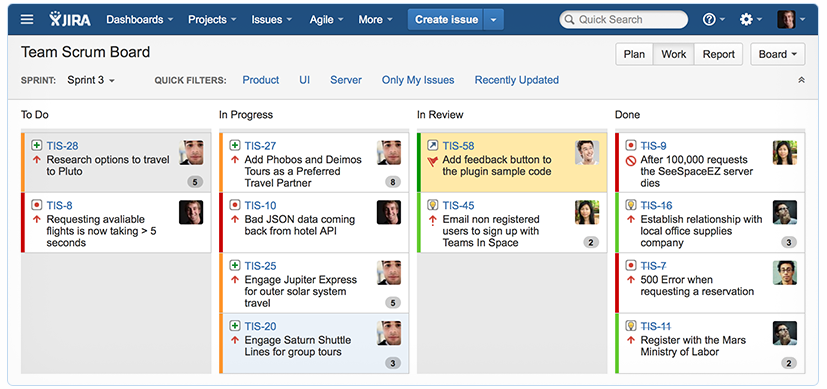
Jira es una potencia en el ámbito de la gestión de proyectos y el seguimiento de incidencias. Conocido por sus características robustas y versatilidad, sirve como una solución integral para gestionar y monitorear errores en todos tus proyectos.
Por qué elegí Jira: Al momento de escoger una herramienta con sólida reputación y capacidades integrales, Jira fue un candidato indiscutible. Es la elección de muchos desarrolladores y gestores de proyectos por una razón: ofrece una combinación de flujos de trabajo personalizables y un seguimiento detallado de errores que es difícil superar. Por ello, creo firmemente que es el 'Mejor para una gestión de proyectos robusta y el seguimiento de incidencias'.
Características destacadas e integraciones:
Jira destaca por sus flujos de trabajo personalizables y sus potentes capacidades de generación de informes, lo que permite a los equipos mantenerse al tanto de sus tareas e incidencias con eficacia. Sus tableros Kanban y Scrum ofrecen una vista visual del progreso del proyecto, facilitando la colaboración efectiva entre equipos. En cuanto a integraciones, Jira es compatible con una gran variedad de otras herramientas como Confluence para documentación, Bitbucket para repositorios de código y Trello para gestión visual de tareas.
Pros and Cons
Pros:
- Seguimiento de errores detallado y personalizable
- Ricas integraciones con otros softwares
- Soporte tanto para metodologías Scrum como Kanban
Cons:
- Curva de aprendizaje pronunciada para usuarios nuevos
- Puede ser excesivo para proyectos pequeños
- La interfaz puede parecer recargada debido a la gran cantidad de funciones
Otro Software de Seguimiento de Incidencias Destacado
A continuación se muestra una lista de software de seguimiento de incidencias adicional que he preseleccionado pero que no llegaron al top 10. Vale la pena echarles un vistazo.


Cómo evalúo el software de seguimiento de incidencias
Evalúo estas herramientas en dos capas: la funcionalidad básica que toda opción debe tener—gestión de tickets, integraciones para desarrollo, automatización de flujos de trabajo—y los diferenciadores que destacan a las mejores.
Funcionalidad básica (Imprescindibles para esta lista)
Cuando selecciono herramientas para mi lista, califico cada una en una escala del 0 (no ofrece la funcionalidad) al 5 (destaca en esta área) para cada función básica que se enumera a continuación. Luego calculo la puntuación total de la herramienta en porcentaje. Cada herramienta necesita lograr una puntuación mínima total del 75% para ser considerada en la selección.
- Gestión de tickets de incidencia: Busco campos configurables para los tickets como gravedad, prioridad, tipo de incidencia y responsable. También la capacidad de vincular incidencias relacionadas, crear sub-tareas y editar masivamente la pizarra de pendientes.
- Flujo de trabajo y seguimiento de estado: Cada herramienta debe permitir crear flujos de trabajo personalizados por proyecto o tipo de incidencia, de modo que un informe de error y una solicitud de funcionalidad sigan caminos de resolución diferentes.
- Búsqueda, filtrado y vistas de pendientes: Evalúo qué tan rápido puede el equipo analizar una cola creciente; generadores avanzados de consultas, filtros guardados y múltiples tipos de vistas (Kanban, lista, tablero de sprints) son factores clave.
- Integraciones para herramientas de desarrollo: Es importante conectar incidencias con pull requests, compilaciones y despliegues, así que reviso que haya integraciones nativas con plataformas como GitHub, GitLab, Bitbucket y herramientas populares de CI/CD.
- Colaboración y notificaciones: Los equipos necesitan comentarios organizados, @menciones, archivos adjuntos y configuración granular de alertas para que los ingenieros de guardia reciban avisos sin saturar los buzones de todos.
- Informes y analítica: Reviso si los tableros proporcionan información sobre el tiempo de resolución, tendencias del backlog, cumplimiento SLA y rendimiento del equipo, y si se pueden personalizar o exportar esos informes.
Una vez tengo una lista de herramientas que cumplen estos criterios, considero qué distingue a cada plataforma.
Factores diferenciadores (Qué distingue a los proveedores)
Así comparo y contrasto diferentes proveedores:
Funciones destacadas
Las reglas de automatización son un gran diferenciador: analizo si una herramienta puede asignar automáticamente incidencias entrantes según componente o etiqueta, activar escalados cuando los tickets permanecen sin resolver, o mover incidencias entre etapas sin acción manual. La gestión de SLA es importante para equipos de soporte y DevOps que necesitan alertas ante incumplimientos y temporizadores de escalado vinculados a niveles de prioridad. También evalúo funciones de triaje basadas en IA como la detección de duplicados y la categorización inteligente, que ahorran horas de clasificación manual en proyectos de gran volumen.
Más allá de las funciones
Las certificaciones de seguridad y cumplimiento son factores clave en mi evaluación; los equipos que gestionan incidencias de producción o errores reportados por clientes necesitan garantías como SOC 2 o ISO 27001, además de SSO y controles de acceso por roles. La flexibilidad de implementación también cuenta. Algunas organizaciones requieren opciones autogestionadas o de alojamiento individual para cumplir con requisitos de residencia de datos. También compruebo la transparencia de los precios, especialmente si el proveedor ofrece una versión gratuita para equipos pequeños y costos predecibles por usuario a medida que crece la plantilla.
Cómo Elegir un Software de Seguimiento de Incidencias
Es fácil perderse en largas listas de funciones y estructuras de precios complejas. Para ayudarte a mantenerte enfocado durante tu proceso único de selección de software, aquí tienes una lista de factores que debes tener en cuenta:
| Factor | Qué tener en cuenta |
|---|---|
| Escalabilidad | ¿Puede la herramienta crecer con tu equipo? Considera los límites de usuarios, la capacidad de datos y cómo gestiona una mayor carga de trabajo a medida que tus proyectos se expanden. |
| Personalización | ¿Puedes adaptarla a tu flujo de trabajo? Busca opciones para ajustar campos, flujos de trabajo e informes de forma que se adapten a los procesos de tu equipo. |
| Integraciones | ¿Funciona con tus herramientas actuales? Comprueba la compatibilidad con tus sistemas existentes como Slack, GitHub o clientes de correo electrónico. |
| Facilidad de uso | ¿Es fácil de usar para tu equipo? Ten en cuenta la curva de aprendizaje y si tu equipo puede adaptarse rápidamente a la interfaz sin una formación extensa. |
| Implementación y puesta en marcha | ¿Qué tan rápido puedes comenzar a utilizarla? Evalúa el tiempo y los recursos necesarios para configurarla y entrenar a tu equipo eficazmente. |
| Costo | ¿Encaja con tu presupuesto? Compara los planes de precios, cargos ocultos y costos a largo plazo respecto a tus limitaciones presupuestarias. |
| Garantías de seguridad | ¿Tus datos están protegidos? Busca cifrado, controles de acceso y cumplimiento con los estándares del sector para asegurar la seguridad de los datos. |
¿Qué es el Software de Seguimiento de Incidencias?
El software de seguimiento de incidencias es una herramienta que ayuda a los equipos a registrar, organizar y gestionar errores, tareas y solicitudes en un solo lugar. Es utilizado por desarrolladores, equipos de control de calidad, personal de soporte y gestores de proyectos para mantener el trabajo visible y bajo control.
Funciones como la creación de tickets, etiquetado de prioridades y seguimiento del progreso ayudan a reducir la confusión, cumplir los plazos y asegurarse de que nada pase desapercibido. Estas herramientas permiten que los equipos estén alineados y respondan más rápido a las incidencias.
Características
Al seleccionar un software de seguimiento de incidencias, debes prestar atención a las siguientes características clave:
- Seguimiento de incidencias: Permite registrar, seguir y gestionar incidencias de manera eficiente, garantizando que nada pase desapercibido.
- Asignación de tareas: Facilita la asignación de tareas a los miembros del equipo, ayudando a distribuir la carga de trabajo de forma efectiva.
- Establecimiento de prioridades: Permite definir niveles de prioridad para las incidencias, asegurando que los problemas críticos se atiendan primero.
- Capacidades de integración: Ofrece compatibilidad con herramientas existentes como Slack o GitHub, mejorando la continuidad del flujo de trabajo.
- Flujos de trabajo personalizables: Permite adaptar los procesos a las necesidades específicas de tu equipo, aumentando la productividad.
- Herramientas de reporte: Proporciona informes detallados sobre el estado de las incidencias y el rendimiento del equipo, facilitando la toma de decisiones basada en datos.
- Interfaz fácil de usar: Garantiza facilidad de uso, reduciendo la curva de aprendizaje para los nuevos usuarios.
- Notificaciones automáticas: Mantiene a los miembros del equipo informados con actualizaciones y cambios, mejorando la comunicación.
- Medidas de seguridad: Protege los datos mediante cifrado y controles de acceso, manteniendo la confidencialidad.
- Disponibilidad de aplicación móvil: Permite a los usuarios gestionar incidencias en cualquier lugar, asegurando flexibilidad y accesibilidad.
Beneficios
Implementar un software de seguimiento de incidencias aporta varios beneficios para tu equipo y tu empresa. Aquí tienes algunos de los que puedes disfrutar:
- Mejor organización: Reúne todas las incidencias y tareas en un solo lugar, facilitando su gestión y priorización.
- Comunicación mejorada: Las notificaciones automáticas y la asignación de tareas ayudan a mantener a todo el mundo en sintonía.
- Mayor eficiencia: Los flujos de trabajo personalizables y la asignación de prioridades permiten al equipo centrarse en lo más importante.
- Mejor toma de decisiones: Las herramientas de reporte ofrecen información sobre el rendimiento del equipo y las tendencias de incidencias, apoyando elecciones fundamentadas.
- Flexibilidad y accesibilidad: La disponibilidad de aplicaciones móviles garantiza que los miembros del equipo puedan gestionar incidencias desde cualquier lugar.
- Seguridad de datos: Medidas de seguridad como el cifrado protegen la información sensible, lo que fomenta la confianza dentro del equipo.
- Escalabilidad: La capacidad de crecer junto con tu equipo asegura la utilidad a largo plazo a medida que tus proyectos se amplían.
Costos y Precios
Seleccionar un software de seguimiento de incidencias requiere comprender los diferentes modelos de precios y planes disponibles. Los costos varían según las características, tamaño del equipo, complementos y más.
La siguiente tabla resume los planes más comunes, sus precios medios y las funciones típicas incluidas en soluciones de software de seguimiento de incidencias:
Tabla Comparativa de Planes para Software de Seguimiento de Incidencias
| Tipo de Plan | Precio Medio | Características Comunes |
|---|---|---|
| Plan Gratuito | $0 | Seguimiento básico de incidencias, asignación de tareas e integraciones limitadas. |
| Plan Personal | $5-$15/user/month | Seguimiento de incidencias, asignación de tareas, establecimiento de prioridades y herramientas básicas de reporte. |
| Plan Empresarial | $20-$40/user/month | Reportes avanzados, flujos de trabajo personalizables, integraciones y acceso desde aplicación móvil. |
| Plan Corporativo | $50-$100/user/month | Todos los servicios incluidos, con medidas de seguridad, soporte personalizado y opciones de escalabilidad. |
Preguntas frecuentes sobre el software de seguimiento de incidencias
Aquí tienes algunas respuestas a preguntas comunes sobre el software de seguimiento de incidencias:
¿Cuál es el propósito principal del software de seguimiento de incidencias?
El objetivo principal del software de seguimiento de incidencias es ayudarte a gestionar y resolver incidencias de manera eficiente. Permite hacer seguimiento de errores, asignar tareas y monitorear el progreso, asegurando que tu equipo se mantenga organizado y nada se pase por alto. Esta herramienta resulta especialmente útil para equipos de desarrollo que trabajan en proyectos complejos.
¿Puede el software de seguimiento de incidencias ser utilizado por equipos no técnicos?
Sí, el software de seguimiento de incidencias puede ser utilizado por equipos no técnicos. Aunque es popular entre desarrolladores, cualquier equipo que gestione tareas, plazos o proyectos puede beneficiarse. Por ejemplo, los equipos de marketing pueden usarlo para hacer seguimiento de tareas de campañas, mientras que los equipos de RR. HH. podrían gestionar los procesos de reclutamiento.
¿Cómo elijo el software de seguimiento de incidencias adecuado para mi equipo?
Para elegir el software adecuado, considera las necesidades específicas de tu equipo, el presupuesto y las herramientas que ya utilizas. Busca un software que se integre bien con tus sistemas actuales y que ofrezca las funciones que necesitas. Probar varias opciones con versiones de prueba puede ayudarte a tomar una decisión informada.
¿Es posible la migración de datos con el software de seguimiento de incidencias?
Sí, la mayoría de los software de seguimiento de incidencias permiten la migración de datos. Esta función es crucial si vas a cambiar desde otra herramienta. Verifica si el software permite importar datos desde tu sistema actual y considera solicitar ayuda al proveedor para garantizar una transición sin problemas.
¿Qué sigue?
Si estás investigando software de seguimiento de incidencias, conéctate con un asesor de SoftwareSelect para obtener recomendaciones gratuitas.
Rellenas un formulario y tienes una charla rápida donde profundizan en las necesidades específicas que tienes. Después recibirás una lista reducida de software para revisar. Incluso te acompañarán durante todo el proceso de compra, incluyendo negociaciones de precio.