

Is GitHub not meeting your team's needs? You might encounter limitations with collaboration features, seek stronger security controls, or seek pricing models that better align with your budget. These challenges drive many development teams to explore alternatives that support their specific workflows.
After thoroughly evaluating the current landscape of code repository platforms, I've compiled a selection of GitHub alternatives that excel in different areas. This comparison will highlight how each platform addresses specific pain points and offers unique advantages that GitHub may lack.
From enhanced compliance features to improved CI/CD integration and customizable workflows, you'll discover which alternative best matches your priorities and potentially streamlines your development process in ways GitHub cannot.
What Is GitHub?
GitHub is a developer tool platform for version control and collaboration. It's widely used by software developers, project managers, and tech professionals to manage and track code changes.
Features like repositories, pull requests, and issue tracking help organize projects, collaborate efficiently, and maintain code integrity. GitHub provides a platform for your team to collaborate on projects, ensuring code quality and transparency.
GitHub Alternatives Comparison Table
This comparison table summarizes pricing details for my top GitHub alternative selections:
| Tool | Best For | Trial Info | Price | ||
|---|---|---|---|---|---|
| 1 | Best for multi-VCS support | Free plan + 30-day trial + demo available | From $75/user/year (billed annually) | Website | |
| 2 | Best for enterprise cloud hosting | 14-day free trial + free demo available | From $12.50/user/month | Website | |
| 3 | Best for lightweight self-hosting | Not available | Pricing upon request | Website | |
| 4 | Best for privacy-focused hosting | Free plan available | Pricing upon request | Website | |
| 5 | Best for Java-based deployments | Not available | Pricing upon request | Website | |
| 6 | Best for open-source collaboration | Not available | Pricing upon request | Website | |
| 7 | Best for easy repository management | Free plan + 30-day trial available | From $19/user/month (billed annually) | Website | |
| 8 | Best for community-driven projects | Not available | Pricing upon request | Website | |
| 9 | Best for Fedora integration | Not available | Pricing upon request | Website | |
| 10 | Best for comprehensive project management | Free trial available | From $20/user/month | Website |


Why Trust Our Software Recommendations
6,700+
Reviews
20
Industry experts
16+
Evaluation factors
14
Years
Our team has been testing and reviewing software since 2012. As tech leaders ourselves, we know how difficult—and important—it is to choose the right software.
For this guide, we evaluated tools using hands-on testing and independent research, scoring tools using our selection criteria.
Our reviews reflect our human editorial judgment, not a sales pitch.
Expert reviewers:
- Paulo Gardini MiguelTech Director
 Tim FisherVP of AI
 Gabriel RosasTech Lead & Software Architect
 Christhian GruhnTech Lead & Platform Architect

Best GitHub Alternatives Reviews
Below are my detailed summaries of the best GitHub alternatives that made it onto my shortlist. My reviews offer a detailed look at each tool’s key features, pros and cons, integrations, and ideal use cases to help you find the best one for you.
 Best for multi-VCS support
- Free plan + 30-day trial + demo available
- From $75/user/year (billed annually)
Visit WebsiteCustomer Rating:4.8/5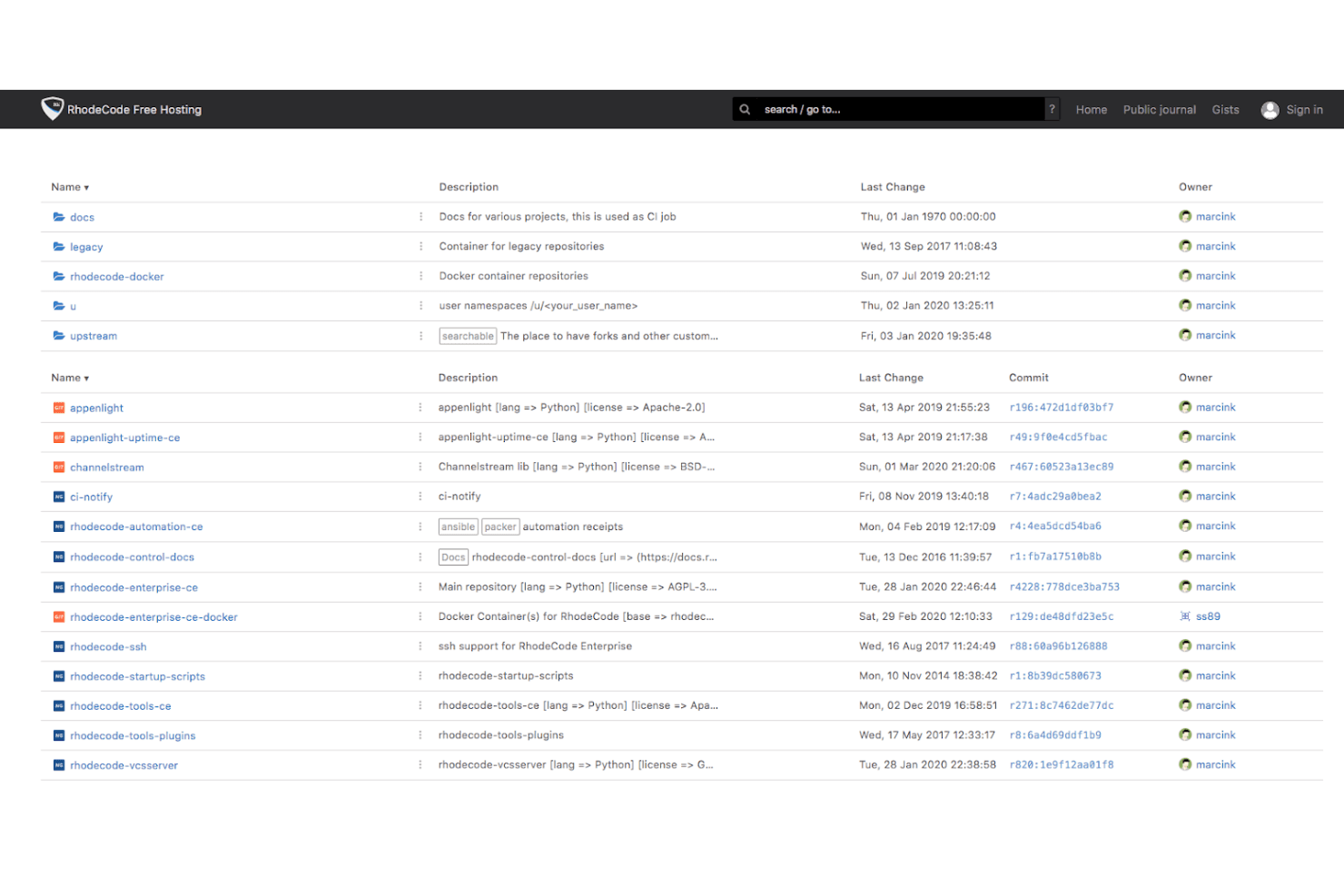
RhodeCode lets users browse and manage repositories from a central dashboard. RhodeCode is a self-hosted repository management platform that lets teams manage Git, Mercurial, and Subversion in one place—making it a strong fit for organizations with mixed VCS environments or strict data control requirements.
Who Is RhodeCode Best For?
RhodeCode is a strong fit for engineering teams managing a mix of Git, SVN, and Mercurial repositories who need strict data control and self-hosted deployment.
Why I Picked RhodeCode
I picked RhodeCode because it's the only platform I've found that lets you manage Git, SVN, and Mercurial repositories under one permission model and review queue. That matters most when your team is mid-migration from SVN to Git: you don't have to cut over all at once, you can run both side by side and move repositories on your own timeline. I also appreciate the path-based reviewer rules, which automatically assign the right reviewers based on which files a changeset touches.
RhodeCode Key Features
- Fine-grained permission management: Set access rules at the global, group, repository, user, and path levels, with explicit denies that take precedence over other permissions.
- Air-gapped installation: Deploy RhodeCode in fully offline environments using an offline image bundle, with no outbound connections made by the application.
- Full-text code search: Search across repositories, commits, comments, snippets, and gists using an incremental whole-instance index filtered by each user's permissions.
- Jenkins and Bamboo CI integration: Trigger CI builds on pull-request events and surface build results directly on the pull request within RhodeCode.
RhodeCode Integrations
RhodeCode offers native integrations with Jira, Redmine, Jenkins, Bamboo, and Slack, plus generic webhooks for CI and notifications. Its REST API, server-side hooks, and rcextensions support custom integrations.
Pros and Cons
Pros:
- Self-hosting keeps source data under your control
- Fine-grained permissions govern repository access
- Review Git, SVN, and Mercurial together
Cons:
- Large workloads may expose performance lag
- No native pipelines or issue management
Learn more about RhodeCode: Best for enterprise cloud hosting
- 14-day free trial + free demo available
- From $12.50/user/month
Visit WebsiteCustomer Rating:4.2/5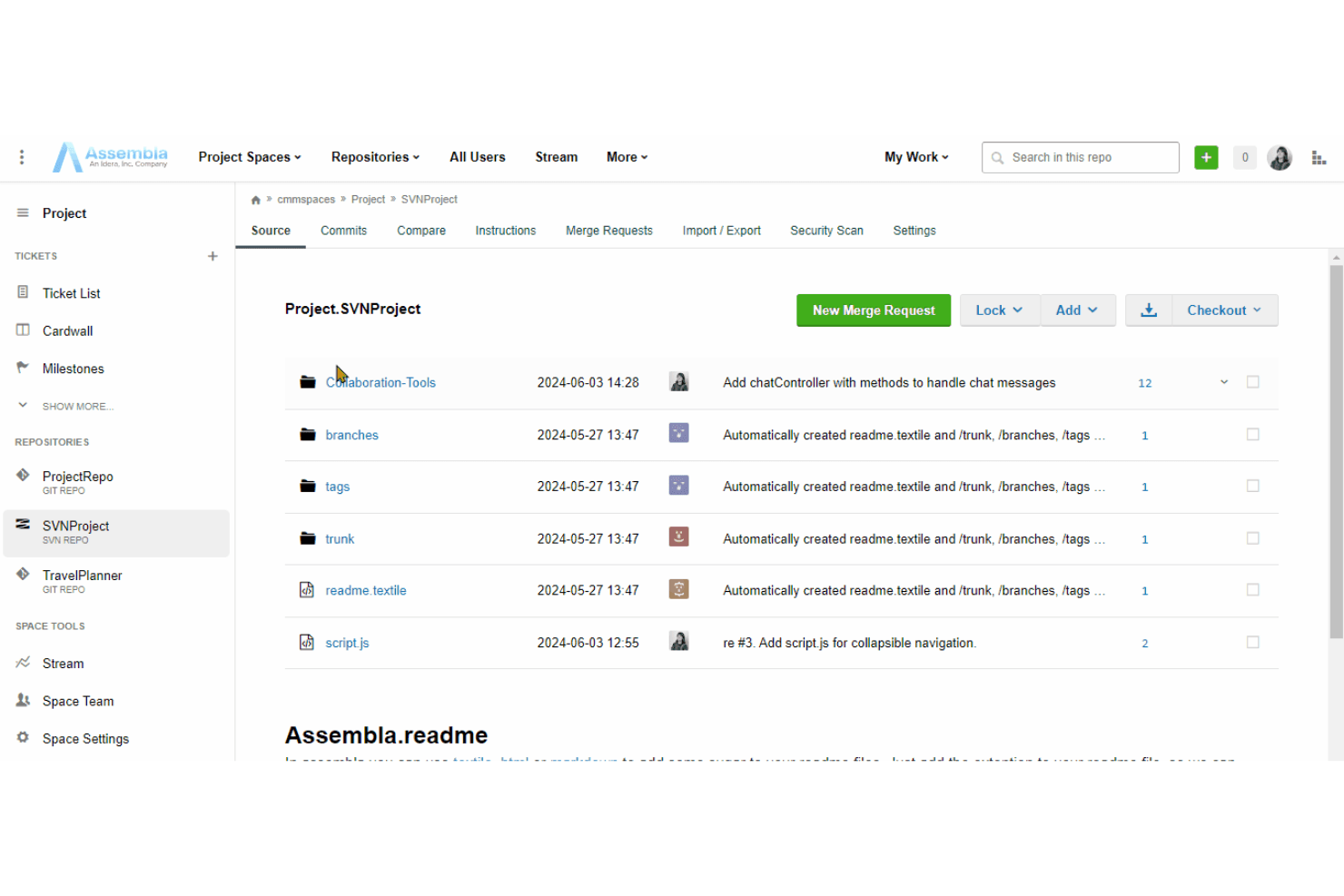
Assembla lets users browse SVN repository files and commit history. Assembla is a managed Git and SVN hosting platform that connects source code, merge requests, tickets, and project boards in one place—making it a strong fit for development teams that need tight traceability between code and work without managing their own infrastructure.
Who Is Assembla Best For?
Assembla is a strong fit for enterprise development teams that need managed Git hosting with strict data residency controls and built-in project tracking.
Why I Picked Assembla
I picked Assembla as one of the best because it's purpose-built for enterprise teams that need managed Git hosting with serious data residency controls. I appreciate that you can lock your EU deployments to Frankfurt, choose US (Ohio) or APAC (Mumbai) regions, and get a dedicated single-tenant environment on the Custom Cloud plan. Assembla also pairs that hosting with commit-linked tickets and branch protection, so code traceability is built into the workflow from the start.
Assembla Key Features
- Merge request workflows: Create merge requests with inline comments, threaded replies, votes, and configurable reviewer and approval requirements before code reaches the main branch.
- Server-side Git hooks: Install hooks directly from repository settings to reject commits missing ticket references, block empty commits, or trigger automated tests on merge requests.
- Secret scanning: Every commit is automatically scanned for hardcoded secrets, API keys, and passwords across all Git repositories.
- Ticket-linked commits: Link commits and merge requests directly to tickets, and update ticket status from your IDE or terminal without switching tools.
Assembla Integrations
Assembla lists integrations with GitHub, Jenkins, Slack, Travis CI, Zapier, and TestRail. It also provides an API and third-party webhooks for custom workflows.
Pros and Cons
Pros:
- Merge requests include configurable approval gates
- Regional hosting supports data-residency needs
- Code commits stay tied to project tickets
Cons:
- Cross-project reporting and long-range planning fall short
- Repository browsing and diffs can feel slow
Learn more about Assembla:
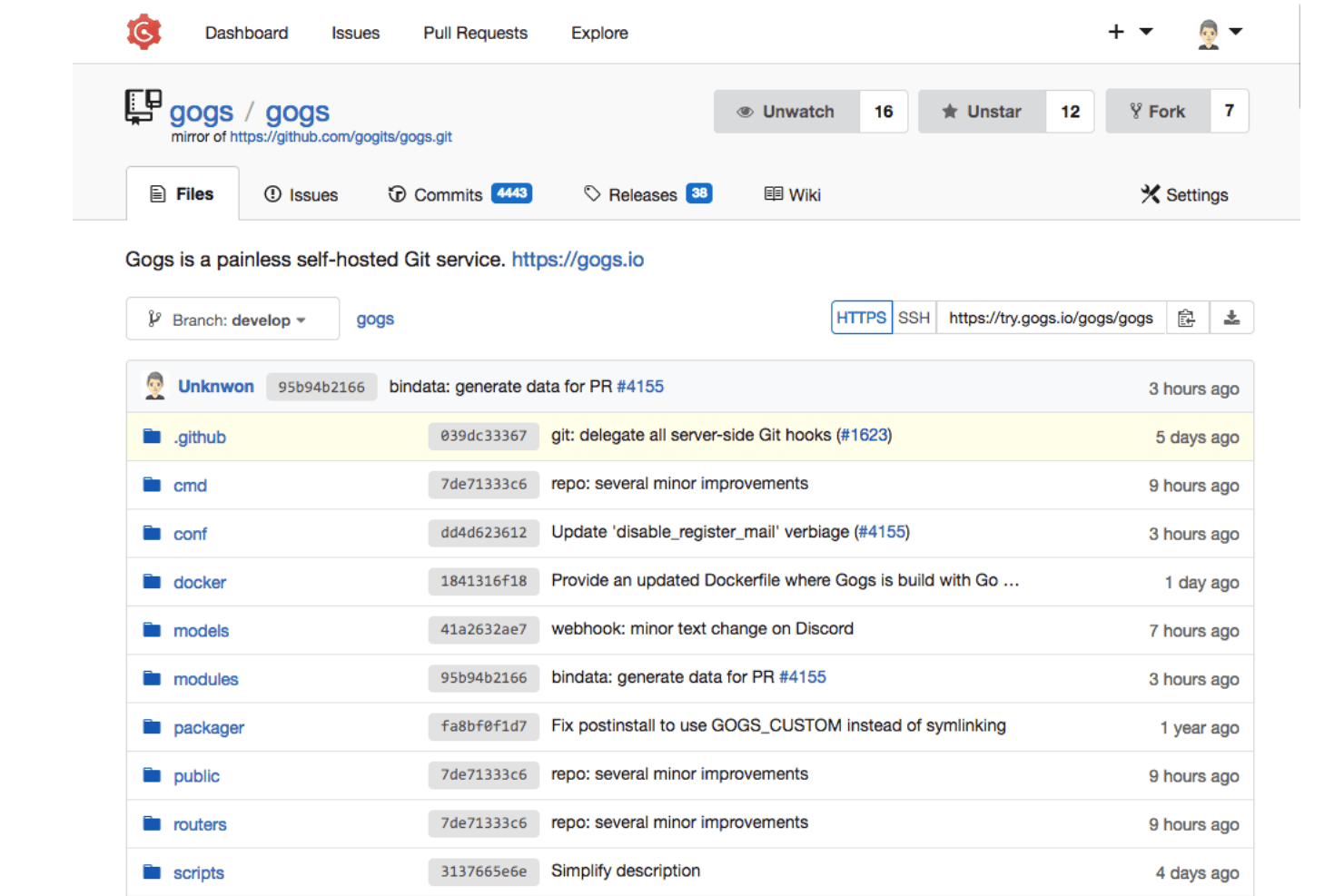
Gogs displays repository files, commits, and branches in one view. Gogs is an open-source, self-hosted Git service built for teams and maintainers who want full control over their source code without the overhead of a large platform.
Who Is Gogs Best For?
Gogs suits open source maintainers and small development teams who want a simple, self-hosted Git service that runs on minimal hardware.
Why I Picked Gogs
I've included Gogs in my top picks because it's the leanest self-hosted Git option I've found, running on as little as 64 MiB of RAM and a quarter of a vCPU. That means you can spin it up on a Raspberry Pi or a bare-metal server without breaking a sweat. I appreciate that it ships as a single binary for Linux, macOS, Windows, and ARM, so deployment is straightforward and doesn't require a heavy stack underneath it.
Gogs Key Features
- Repository mirroring: Mirror external repositories into your Gogs instance and queue sync updates through the API.
- Webhook notifications: Send HTTP POST payloads to external services on repository events, with Slack-compatible and Discord-compatible payload formats supported.
- External authentication support: Connect LDAP, SMTP, PAM, or HTTP-header authentication sources through the admin panel for centralized user management.
- Git LFS support: Store large file contents separately from repository data using Git LFS over HTTP or HTTPS with local filesystem storage.
Gogs Integrations
Gogs connects to LDAP, SMTP, PAM, and reverse proxies through external authentication, and sends repository webhooks in Slack- and Discord-compatible formats. Its REST API supports custom integrations and external CI/CD workflows.
Pros and Cons
Pros:
- Tracks issues with labels and milestones
- Deploys as a cross-platform binary
- Runs on minimal hardware
Cons:
- No built-in CI/CD pipelines
- No documented structured code reviews
Learn more about Gogs:
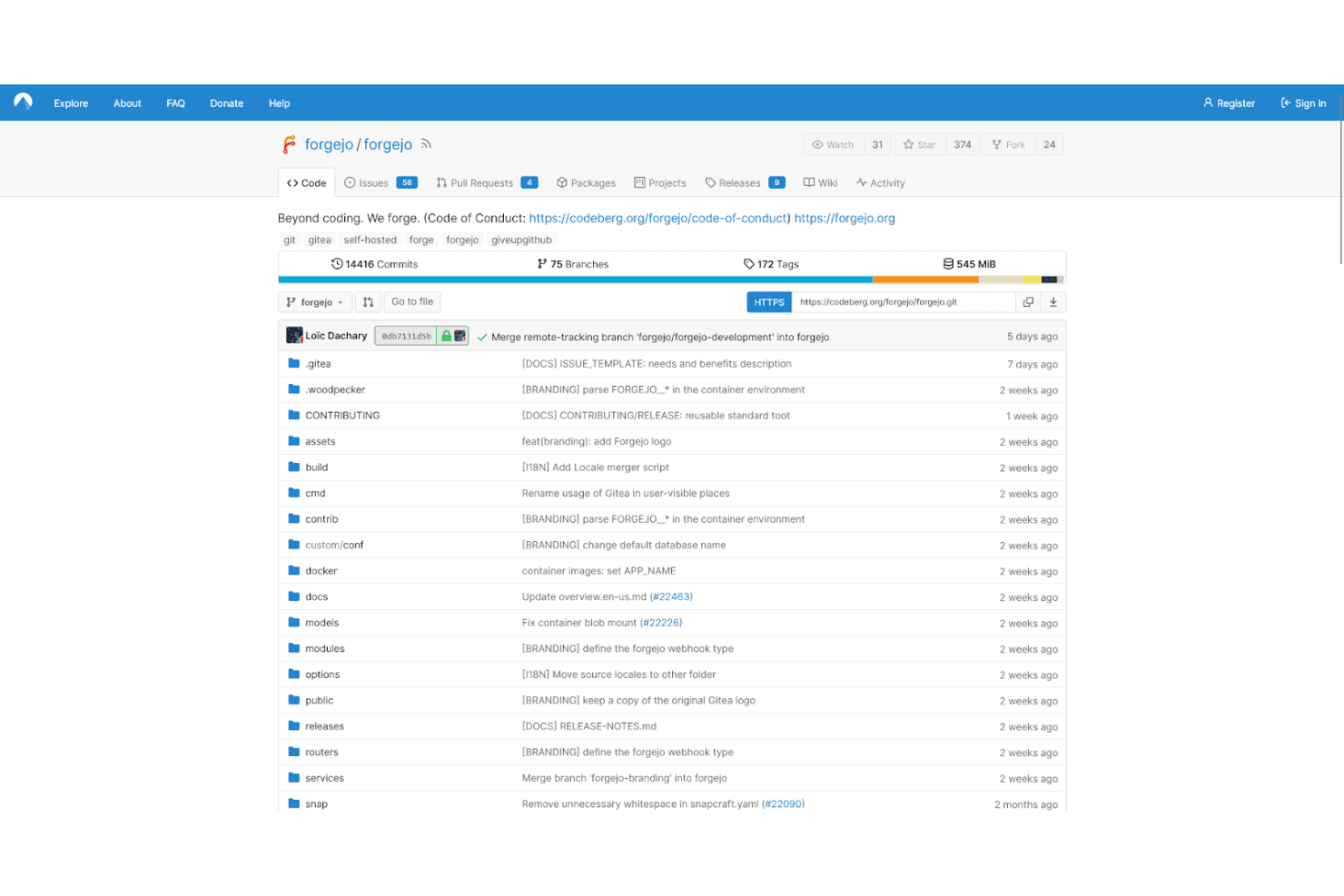
Codeberg hosts the Forgejo repository with commits, branches, and tags. Codeberg is a non-profit Git hosting platform built for free and open-source projects, offering repository hosting, issue tracking, CI/CD, and static site publishing for teams and maintainers who want community-driven infrastructure over commercial alternatives.
Who Is Codeberg Best For?
Codeberg is a strong fit for open-source maintainers and contributors who prioritize data privacy and want a non-profit, community-run alternative to commercial Git hosting platforms.
Why I Picked Codeberg
I've included Codeberg in my top picks because it's the clearest privacy-first option on this list, run by a non-profit (Codeberg e.V.) that hosts everything on its own hardware in Berlin, never sells user data, and doesn't track users or use third-party cookies. I appreciate that it's built specifically for free and open-source projects, which keeps the platform aligned with that community rather than commercial priorities. Its repository migration tool pulls in issues, labels, milestones, and wikis from GitHub, GitLab, and Gitea, so moving an existing project over is less painful than you'd expect.
Codeberg Key Features
- Fork and pull-request workflow: Contributors fork a repository and submit pull requests that maintainers or owners can review and merge.
- Role-based repository permissions: Four access levels—Read, Write, Administrator, and Owner—with configurable team permissions per repository unit, including issues, wiki, and releases.
- Two-factor authentication (2FA): Supports TOTP and WebAuthn security keys for account protection, with a scratch token for account recovery.
- Codeberg Pages: Hosts static websites directly from Git repositories, with support for custom domains and build workflows via Forgejo Actions.
Codeberg Integrations
Codeberg offers a native Forgejo Actions integration for building and deploying Codeberg Pages. It also provides a Forgejo REST API documented with Swagger/OpenAPI v2 for custom integrations.
Pros and Cons
Pros:
- Everyday Git workflows suit smaller projects
- Migration preserves issues and milestones
- Privacy-first, European nonprofit hosting
Cons:
- Private repositories face narrow eligibility limits
- Hosted CI requires volunteer approval
Learn more about Codeberg:
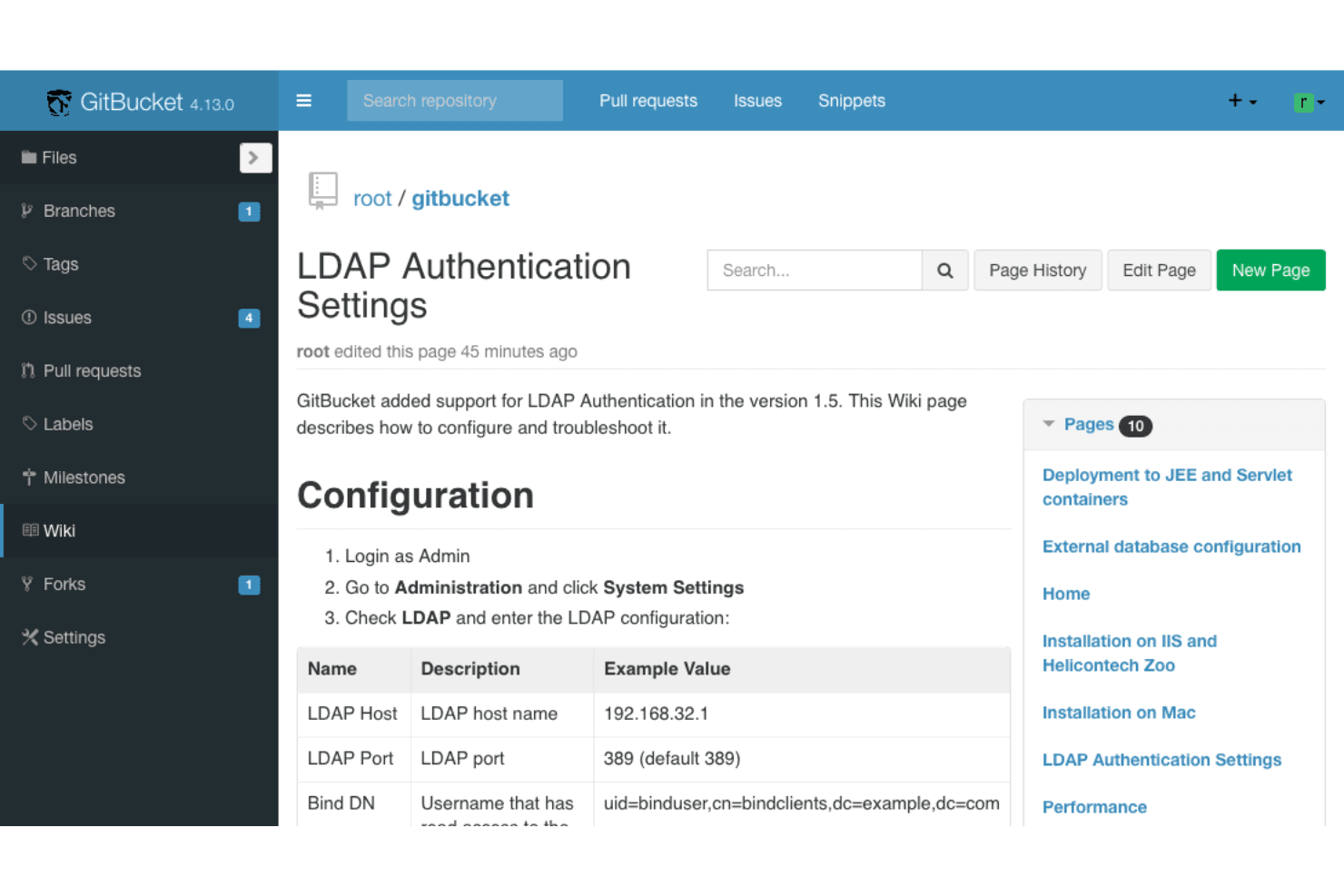
GitBucket supports LDAP authentication configuration via its wiki docs. GitBucket is an open-source, self-hosted Git platform built on the JVM that gives small teams a familiar GitHub-like interface for repository hosting, issue tracking, and pull requests—without relying on a third-party service.
Who Is GitBucket Best For?
GitBucket is a strong fit for small development teams already running JVM-based infrastructure who want a self-hosted, GitHub-like platform without the overhead of a commercial license.
Why I Picked GitBucket
I picked GitBucket as one of the best because it's purpose-built for teams running JVM infrastructure who want GitHub-like repository management without a cloud dependency. It runs as a standard Java application, so deploying it on an existing internal server is straightforward. I also appreciate the role-based access controls at the repository level, including guest, developer, and admin roles with LDAP and OpenID Connect support, which fits neatly into enterprise-grade identity setups your team likely already has in place.
GitBucket Key Features
- Plugin system: Extend GitBucket's functionality by dropping plugin JAR files into your
GITBUCKET_HOME/pluginsdirectory—no server restart required. - OpenID Connect sign-in: Authenticate users through external identity providers like Google Identity Provider or Keycloak using OpenID Connect.
- GitHub API-compatible web API: GitBucket's API follows GitHub API conventions, making it easier to connect existing tools and scripts without rewriting integrations.
- Repository wiki: Each repository includes a built-in wiki for documenting projects, processes, or codebases alongside the source code.
GitBucket Integrations
GitBucket supports LDAP integration and OpenID Connect sign-in with Google Identity Provider and Keycloak. Its GitHub API-compatible Web API supports custom integrations, while Jenkins and Slack integration details aren’t documented.
Pros and Cons
Pros:
- Apache-licensed platform supports plugin extensions
- GitHub-like repositories, issues, and wikis
- Self-hosted Java deployment suits JVM infrastructure
Cons:
- Pull-request reviews lack approval gates
- No native CI/CD pipeline automation
Learn more about GitBucket:- Plugin system: Extend GitBucket's functionality by dropping plugin JAR files into your

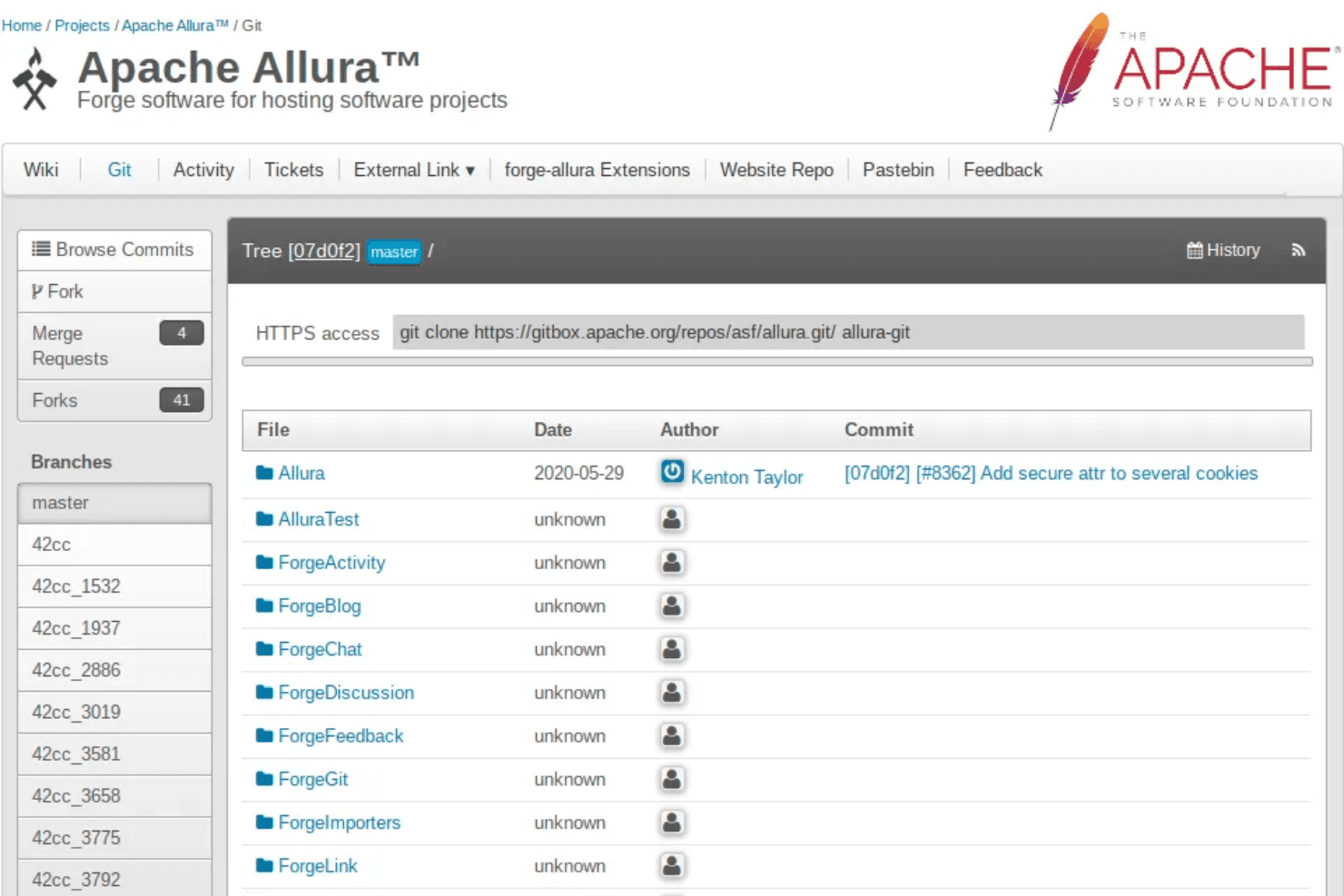
Apache Allura lets users browse Git repositories with branch and commit history. Apache Allura is an open-source software forge built for teams that want full control over their project hosting, letting you self-host Git repositories, wikis, bug trackers, and discussions under one roof.
Who Is Apache Allura Best For?
Apache Allura suits open-source maintainers who want a self-hosted forge they can extend and fully control without licensing costs.
Why I Picked Apache Allura
I've included Apache Allura in my top picks because it's one of the few self-hosted forges built specifically around open-source collaboration. I like that a single Allura project can span multiple Git repositories, with a ticket tracker, wiki, and discussion boards all living under one roof. Commit messages that reference tickets using shortlinks (like
[#151]) keep code and issues connected automatically. Its plugin architecture also lets you extend the platform by adding custom tools without touching the core.Apache Allura Key Features
- Role-based access control: Assign Admin, Developer, and Member roles to project groups, with configurable read, create, update, and admin permissions per tool.
- Multi-VCS support: Host Git, Mercurial, and SVN repositories within a single project, with forking supported for Git and Mercurial repos.
- REST API: Interact with Allura projects programmatically, including scripts for copying wiki content between instances.
- Plugin architecture: Extend the platform by building and installing custom tools without modifying the core codebase.
Apache Allura Integrations
Apache Allura doesn't have any native integrations. It provides a REST API for custom integrations, including scripts that copy wiki content between Allura instances.
Pros and Cons
Pros:
- Commit shortlinks connect tickets to code
- Plugin architecture supports custom project tools
- Project-wide model spans multiple repositories
Cons:
- Git hosting requires separate service setup
- No documented pull-request review workflow
Learn more about Apache Allura: Best for easy repository management
- Free plan + 30-day trial available
- From $19/user/month (billed annually)
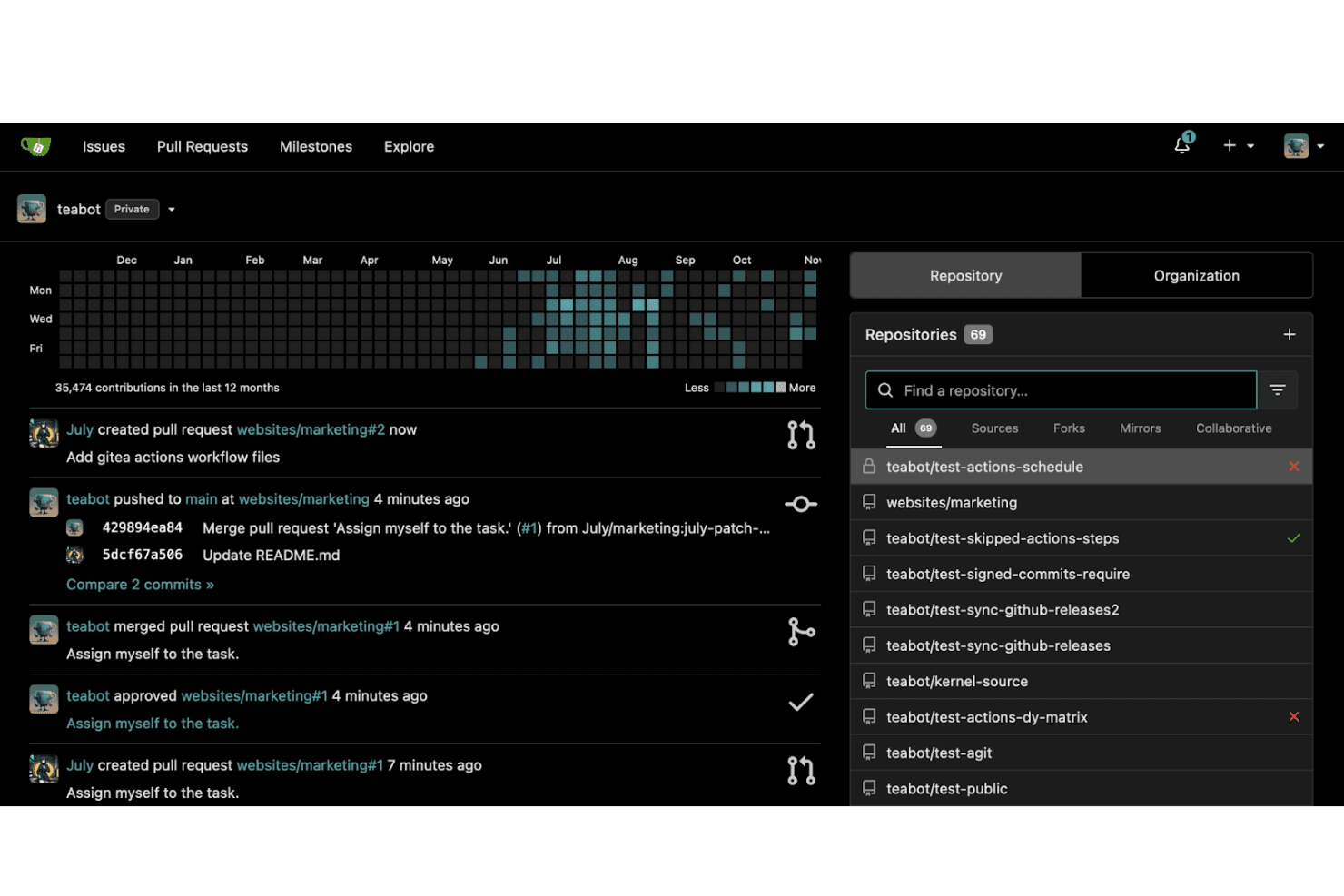
Gitea tracks contributions and activity across repositories on a user dashboard. Gitea is a lightweight, open-source Git hosting platform that gives development teams and open source maintainers full control over their code through self-hosted repository management, code review workflows, CI/CD automation, and an integrated package registry.
Who Is Gitea Best For?
Gitea is a strong fit for development teams and open source maintainers who want full control over their code without relying on a third-party-hosted platform.
Why I Picked Gitea
I've included Gitea in my top picks because it makes repository management genuinely simple, even when you're running it entirely on your own infrastructure. I like how unit-based permissions let me set granular Read, Write, or Admin access across code, pull requests, issues, packages, and Actions separately, so I'm not forced into one-size-fits-all roles. Protected branch rules that require approvals and passing status checks before any merge mean my team catches problems before they hit main, without relying on a third-party platform to enforce it.
Gitea Key Features
- Gitea Actions CI/CD: A built-in automation layer that runs YAML-configured workflows to build, test, and deploy code, with GitHub Actions compatibility so you can reuse existing workflows.
- Integrated package registry: Supports over 20 package types—including npm, PyPI, Maven, NuGet, and Cargo—hosted directly alongside your repositories.
- OCI-compliant container registry: Hosts Docker images and Helm Charts within your Gitea instance using your own domain and an owner/image path structure.
- Repository mirroring: Syncs branches, tags, and commits to or from external sources, with both periodic automatic and on-demand manual synchronization for pull and push mirrors.
Gitea Integrations
Gitea integrates with Jenkins and Drone through webhooks and its API, which is documented with OpenAPI for custom integrations.
Pros and Cons
Pros:
- Branch rules require approvals and status checks
- GitHub Actions workflows can reuse runners
- Lightweight hosting suits modest hardware
Cons:
- Project boards lack advanced planning depth
- Self-hosting leaves updates and backups to you
Learn more about Gitea:
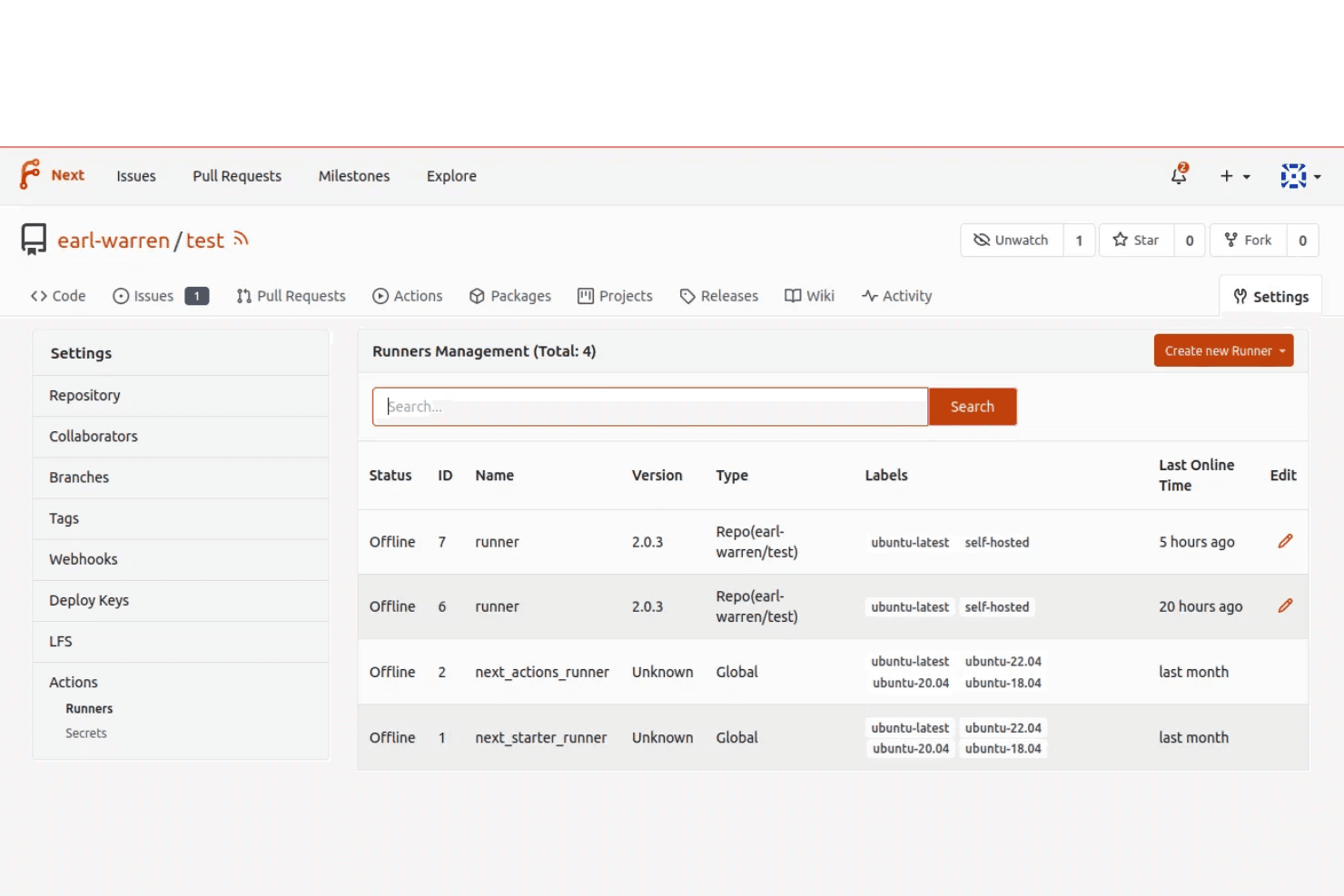
Forgejo lets users manage and monitor CI/CD runners within a repository. Forgejo is a self-hosted, Free Software forge that lets teams and open-source maintainers host Git repositories, run CI/CD pipelines, and track issues on their own infrastructure—without depending on a proprietary platform.
Who Is Forgejo Best For?
Forgejo is a strong fit for open-source maintainers and self-hosting teams who want full control over their infrastructure without depending on proprietary platforms.
Why I Picked Forgejo
I've included Forgejo in my top picks because it's the only forge on this list governed by a democratic nonprofit (Codeberg e.V.), which makes it a natural fit for community-driven projects that need infrastructure they can actually trust. I love that it runs on minimal hardware, so a small open-source maintainer can spin up a full self-hosted instance without a beefy server. The built-in package registry supports Go, npm, PyPI, Helm, and more, all scoped to users or organizations rather than individual repos.
Forgejo Key Features
- Pull request reviews: Assign reviewers, request changes, and comment on individual changed lines within pull requests, with automated review requests supported via
CODEOWNERSrules. - Branch protection rules: Restrict force-pushing or require a minimum number of pull request approvals before a branch can be merged, using glob-pattern-based rules.
- Repository mirroring: Set up pull mirrors from external repositories or push mirrors to remote destinations, syncing branches, tags, and commits across platforms.
- Kanban project boards: Organize issues and pull requests on kanban-style boards scoped to repositories or organizations, giving teams a visual way to track work in progress.
Forgejo Integrations
Native integrations are not clearly documented. Forgejo provides a Swagger/OpenAPI v2 API for custom integrations and supports CI/CD workflows through Forgejo Actions.
Pros and Cons
Pros:
- Familiar CI workflows ease migration
- Lightweight self-hosting reduces infrastructure demands
- Community governance suits open-source projects
Cons:
- Runner isolation needs careful administrator configuration
- Workflow compatibility gaps affect complex pipelines
Learn more about Forgejo:- Pull request reviews: Assign reviewers, request changes, and comment on individual changed lines within pull requests, with automated review requests supported via

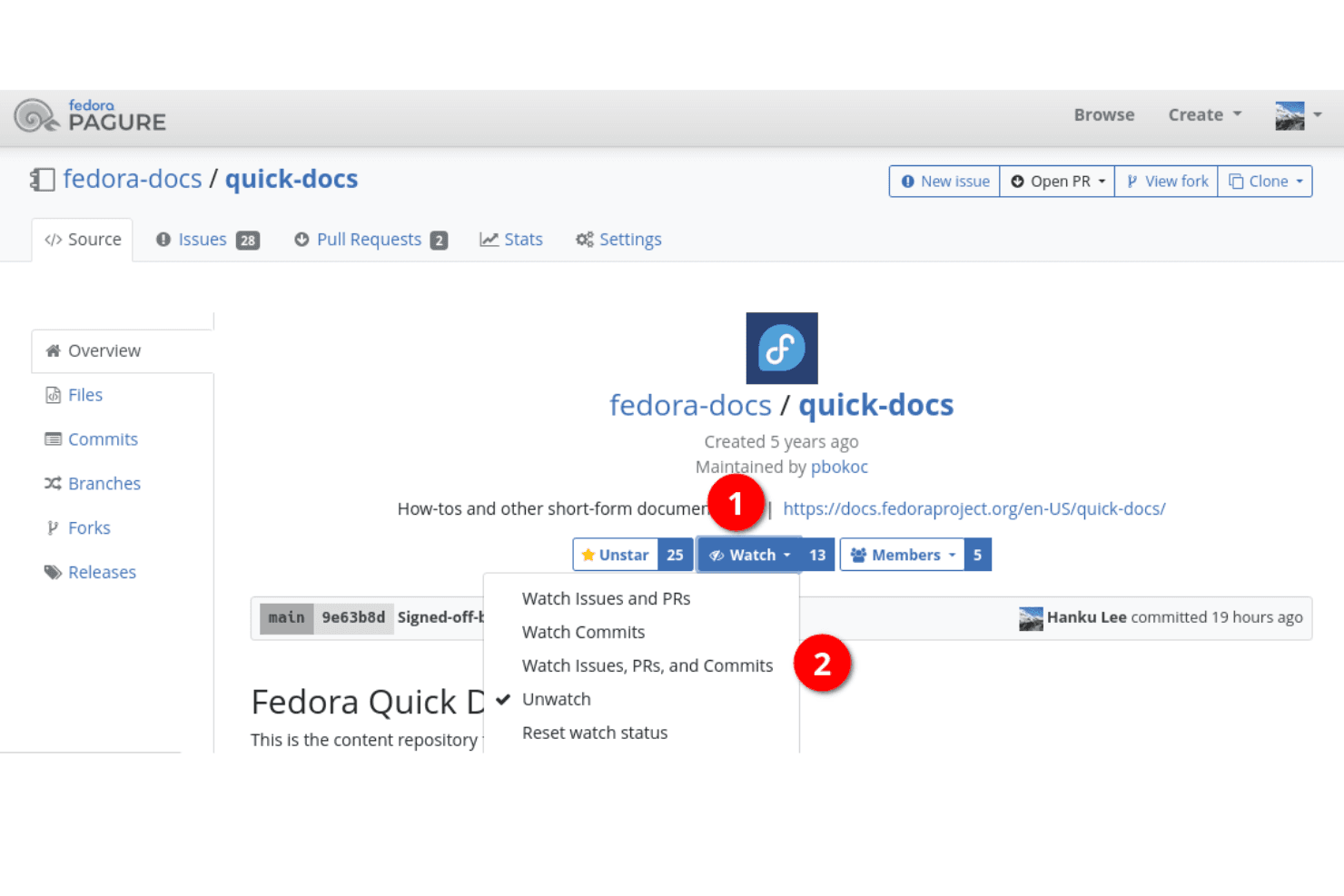
Pagure lets users watch repository activity with granular notification settings. Pagure is a Python-based, open-source Git forge built for teams that want to self-host their code, issue tracking, and documentation—particularly those already working within the Fedora ecosystem.
Who Is Pagure Best For?
Pagure is a strong fit for open-source maintainers and teams already embedded in the Fedora ecosystem who want to self-host a lightweight Git forge with built-in issue tracking.
Why I Picked Pagure
I've included Pagure in my top picks because it's the native forge of the Fedora Project, making it a natural fit for teams already working within that ecosystem. I appreciate how it stores issue and pull-request metadata directly in Git repositories, which keeps your project data portable and easy to sync across Pagure instances. The fine-grained project ACLs also give maintainers precise control over what each user or group can access, add, or modify within a repository.
Pagure Key Features
- Git repository hosting: Pagure provides a Git-centered forge for hosting project source code alongside project documentation in a single place.
- Project ticketing system: Teams can report bugs and request enhancements through a built-in issue tracker tied directly to each repository.
- REST API: Pagure exposes a REST API that lets external tools set CI status on commits and pull requests and configure webhooks through the project configuration endpoint.
- Outbound repository mirroring: A mirroring hook lets you push a project's Git repository to other locations automatically, with Pagure generating an SSH key pair for each activated mirror.
Pagure Integrations
Pagure has documented integrations with Zuul and builds.sr.ht for CI workflows and status updates. It also provides a REST API and webhooks for custom connections; native integration count isn’t documented.
Pros and Cons
Pros:
- Strong fit for Fedora projects
- Fine-grained project access controls
- Git-stored issue metadata travels with repositories
Cons:
- Pull request reviews need improvement
- Hosted service is a read-only archive
Learn more about Pagure: Best for comprehensive project management
- Free trial available
- From $20/user/month
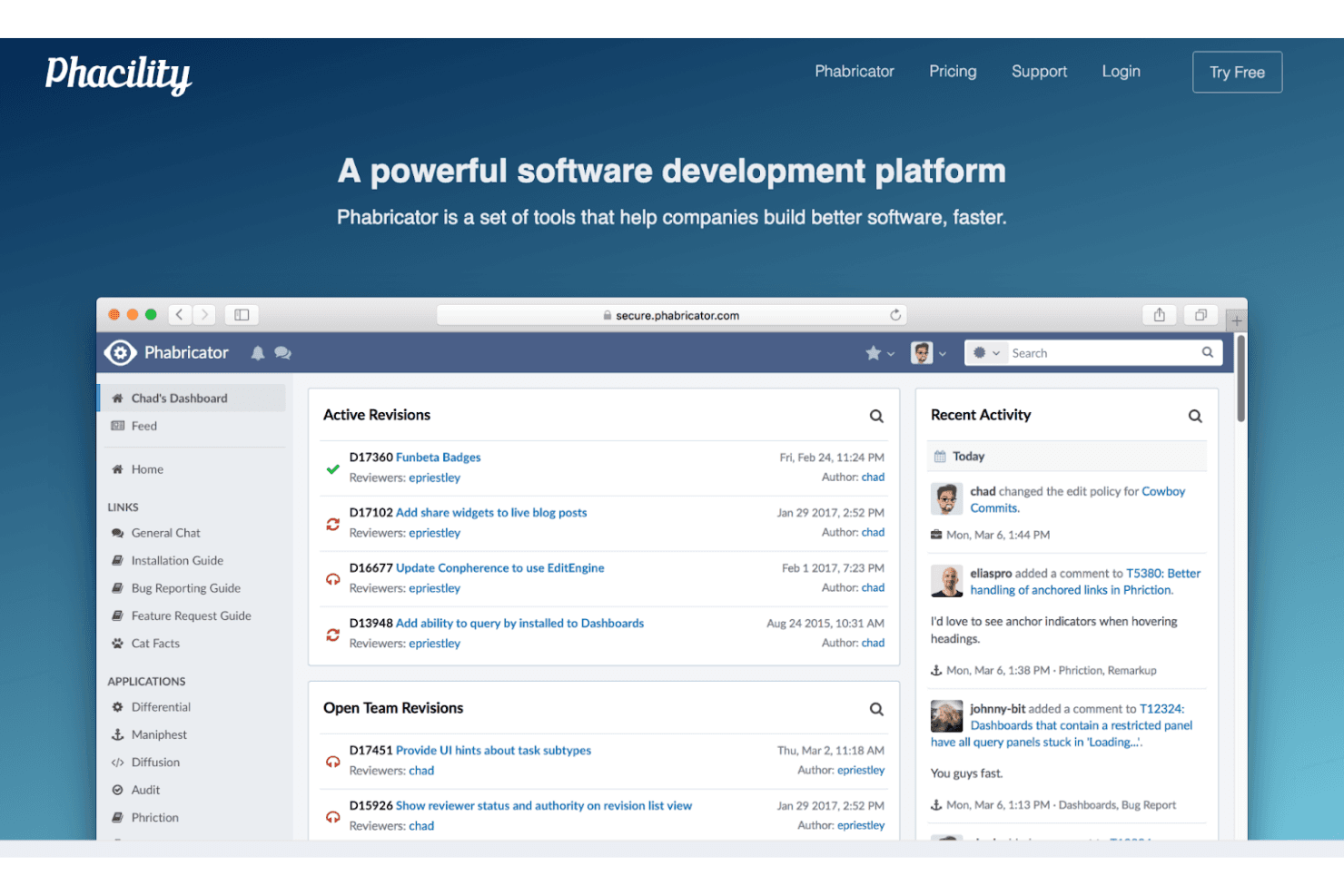
Phabricator centralizes code reviews and team activity in one dashboard. Phabricator is an all-in-one development platform that bundles Git hosting, pre-commit code review, issue tracking, and project management for software teams that want to consolidate their toolchain into a single self-hosted environment.
Who Is Phabricator Best For?
Phabricator suits self-hosting software development teams that want code review, issue tracking, and repository management in a single platform without paying for multiple tools.
Why I Picked Phabricator
I picked Phabricator as one of the best because its project management depth genuinely sets it apart from most GitHub alternatives. Maniphest lets you link tasks directly to Differential code reviews and commits, so your bug reports and feature requests stay connected to the exact changes that address them. Add Project workboards with milestone tracking, Kanban columns, and story points, and you get a level of project visibility that most code-hosting tools can't match natively.
Phabricator Key Features
- Differential code review: Submit changes for asynchronous, pre-commit review with side-by-side diffs, inline comments, and approval gating before code reaches the repository.
- Herald automation rules: Define conditional rules that automatically assign reviewers, CC team members, or trigger audits based on file paths, authors, or revision content.
- Phriction wiki: Create and maintain team documentation with version history, rollback support, and access policies tied to your projects.
- Conduit HTTP API: Query and edit objects across Phabricator—revisions, tasks, files, and projects—via a JSON API for scripting and third-party integrations.
Phabricator Integrations
Phabricator has three documented native integrations: Git, Mercurial, and Subversion (SVN). Its Conduit HTTP JSON API supports custom integrations.
Pros and Cons
Pros:
- Project workboards track milestones and Kanban-style sprints
- Tasks link directly to revisions and commits
- Reviewers praise context-rich diffs and staged comments
Cons:
- Pre-commit patch reviews differ from pull requests
- Inactive development leaves fixes and features uncertain
Learn more about Phabricator:
Other GitHub Alternatives
Here are some additional GitHub alternatives that didn’t make it onto my shortlist, but are still worth checking out:
- 11GitBlitBest for simple Git server setup
- 12Plastic SCMBest for game development
- 13BitbucketBest for Jira software integration
- 14GitLabBest for integrated DevOps lifecycle
- 15SourceForgeBest for open-source software distribution
- 16AWS CodeCommitBest for AWS cloud integration
- 17Perforce Helix CoreBest for large-scale enterprise projects
- 18Azure ReposBest for Microsoft ecosystem compatibility
- 19LaunchpadBest for Ubuntu and Debian projects
- 20GiteeBest for Chinese market accessibility
How I Evaluate GitHub Alternatives
I split every evaluation into baseline must-haves—Git hosting, PR workflows, CI/CD—and differentiators like self-hosting, security scanning, and pricing transparency.
Core Functionality (Table Stakes For This List)
When I'm selecting tools for my list, I rank each one on a scale from 0 (does not offer the functionality) to 5 (excels in this area) for each core functionality listed below. Then, I calculate the tool's total score into a percentage. Each tool needs to achieve a minimum total score of 75% to be considered for inclusion.
- Git Repository Hosting: I check whether the platform supports cloud-hosted, self-managed, or both deployment models, along with large file storage and monorepo support.
- Code Collaboration & Review: Pull or merge request workflows, inline commenting, required approvers, and draft PRs all factor into how well a platform handles team code review.
- Issue & Project Tracking: I evaluate whether built-in boards, milestones, and labels are mature enough to manage sprint cycles without needing a separate tool like Jira.
- CI/CD Pipeline Support: Each platform gets evaluated on its native pipeline capabilities—things like matrix builds, reusable workflows, and self-hosted runner options.
- Access Control & Permissions: Role-based access at the repo and branch level matters, and I look for SSO, audit logging, and SCIM provisioning for enterprise-scale teams.
- Extensibility & APIs: REST or GraphQL APIs, webhooks, CLI tools, and an integration marketplace show how well the platform fits into a broader DevOps toolchain.
Once I have a list of tools that meet this criteria, I consider what sets each platform apart.
Differentiating Factors (What Sets Vendors Apart)
Here's how I compare and contrast different vendors:
Standout Features
Built-in security scanning is a big differentiator. Platforms like GitLab embed SAST, dependency scanning, and secret detection directly into pipelines, which saves teams from stitching together separate tools. I also evaluate whether a platform includes a native package and container registry, since consolidating artifact storage alongside source code simplifies the DevOps toolchain. For teams in regulated environments, self-hosting options matter—I check whether the platform supports on-premise or air-gapped deployments that give full control over where code lives.
Beyond Features
Pricing transparency matters when you're comparing platforms across free, team, and enterprise tiers. I look at whether the vendor clearly separates what's available in each plan—some platforms gate CI/CD minutes or advanced security features behind higher tiers, which can catch teams off guard. Compliance certifications like SOC 2 and ISO 27001 are worth checking early, especially if your organization operates in a regulated industry. I also consider community maturity—active contributor bases, well-maintained documentation, and healthy plugin ecosystems signal long-term viability.
Why Look For A GitHub Alternative?
While GitHub is a good choice of Developer Tools, some users seek alternative solutions. You might be looking for a GitHub alternative because:
- You need better privacy controls
- Your team requires self-hosting options
- You want more advanced project management features
- You need support for large binary files
- Your team prefers a different interface
- You require integration with specific tools
If any of these sound like you, you’ve come to the right place. My list contains several Git alternative options better suited for teams facing these challenges with GitHub and looking for different solutions.
GitHub Key Features
Here are some of the key features of GitHub to help you contrast and compare what alternative solutions offer:
- GitHub Copilot: AI-driven code suggestions enhance your coding efficiency.
- Security Tools: Identify and fix vulnerabilities in your code with ease.
- Actions: Automate workflows for building, testing, and deploying software.
- Codespaces: Access instant cloud-based development environments.
- Issues: Track and manage project tasks and bugs efficiently.
- Code Review: Facilitate code changes and merge processes seamlessly.
- Pull Requests: Manage contributions with notifications and access controls.
- Protected Branches: Enforce merge restrictions for better governance.
- APIs and Webhooks: Integrate and automate workflows with external applications.
- GitHub Packages: Host and manage your software packages securely.