

10 mejores servicios PaaS en 2026

10 Lista de los mejores servicios PaaS


Las soluciones de Plataforma como servicio (PaaS) ayudan a los equipos de desarrollo a crear e implementar aplicaciones sin tener que gestionar la infraestructura subyacente.
Muchos equipos recurren a PaaS cuando dedican demasiado tiempo a configurar servidores, escalar recursos o gestionar canalizaciones de implementación en lugar de escribir código. La plataforma adecuada puede simplificar el flujo de trabajo, acelerar los lanzamientos y permitir que el equipo se concentre en el producto en lugar de en la configuración.
He trabajado con equipos de ingeniería que evaluaban proveedores de PaaS para respaldar todo tipo de proyectos, desde prototipos iniciales hasta aplicaciones en rápido crecimiento. Esta guía se basa en esas experiencias y se centra en lo que realmente hace útil a una plataforma en entornos de desarrollo reales.
Por qué confiar en nuestras recomendaciones de software
Nuestro equipo lleva probando y evaluando software desde 2012. Como líderes tecnológicos, sabemos lo difícil —y lo importante— que es elegir el software adecuado.
Para esta guía, evaluamos las herramientas mediante pruebas prácticas e investigación independiente, puntuando las herramientas según nuestros criterios de selección.
Nuestras reseñas reflejan nuestro criterio editorial humano, no un discurso de ventas.
Revisores expertos:
Resumen de los mejores servicios PaaS
| Service | Best For | Trial Info | Price | ||
|---|---|---|---|---|---|
| 1 | Ideal para empresas que utilizan Salesforce para CRM | Edición gratuita disponible | A partir de $5/mes + Modelo de pago por uso | Website | |
| 2 | Ideal para plataforma Kubernetes | Prueba gratuita de 30 días | A partir de $0.076/hora | Website | |
| 3 | Mejor para aplicaciones empresariales de alta gama | Prueba gratuita disponible para siempre | Desde $54/mes | Website | |
| 4 | Ideal para aplicaciones basadas en Windows | Crédito de $200 por los primeros 30 días tras registrarse | Paga según el uso | Website | |
| 5 | Ideal para la integración con otros servicios de Google Cloud | Oferta de prueba gratuita de 90 días, $300 de crédito | Desde $0.06 por hora por instancia | Website | |
| 6 | Mejor para el despliegue de aplicaciones en AWS | Prueba gratuita de 14 días | Desde $50/mes | Website | |
| 7 | Mejor opción para trabajar en una variedad de lenguajes de programación | Varias opciones de prueba disponibles | Paga solo por lo que usas | Website | |
| 8 | Mejor plataforma fácil de usar para despliegue rápido | $200 de crédito para una prueba gratuita de 60 días | Desde $4/1 vCPU/mes | Website | |
| 9 | Mejor para tareas de computación de alto rendimiento | 10+ servicios siempre gratuitos + $300 en créditos gratuitos para una prueba de 30 días | Desde $54/4 vCPUs/mes | Website | |
| 10 | Mejor para aplicaciones Drupal | La prueba gratuita depende del producto que elijas + Demostración gratuita y recorrido disponible | Desde $148/usuario/mes | Website |
Análisis de los mejores servicios PaaS
Esta es mi opinión sobre los 10 mejores servicios PaaS, basada en sus características destacadas, ventajas y planes de precios.
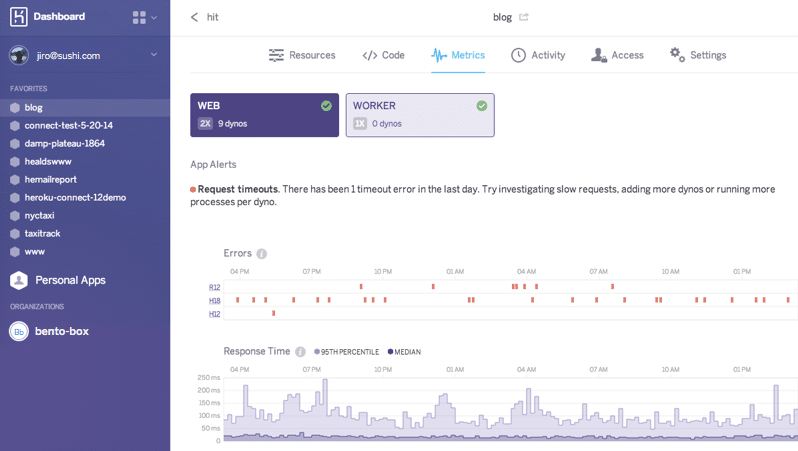
Heroku ofrece servicios de datos totalmente gestionados que se encargan de la configuración, orquestación, conmutación por error, balanceo de carga y seguridad.
Por qué elegí Heroku: Recomiendo Heroku para desarrolladores que deseen una solución sencilla para crear, mantener y distribuir aplicaciones web, especialmente si utilizan datos de Salesforce. Sin embargo, también pueden escalar sus aplicaciones, y Heroku se adapta a los cambios en la infraestructura—su escalabilidad abarca desde simples tareas de hobby hasta aplicaciones empresariales complejas.
Características destacadas e integraciones de Heroku:
Características que quiero recomendar aquí son PostgreSQL como servicio que permite el cifrado en reposo y la bifurcación de bases de datos; medición de métricas de la app como rendimiento, carga de CPU y tiempos de respuesta; build packs que te permiten personalizar tu stack; y los “dynos”, que son contenedores gestionados en los que puedes ejecutar y monitorizar tus aplicaciones de forma continua.
Integraciones incluyen más de 200 complementos, incluyendo Rollbar para responder a errores, Logtail para consultar registros y CloudRail para integrar Interfaces de Programación de Aplicaciones (APIs).
Pros and Cons
Pros:
- Controles de acceso detallados
- SLAs con buena capacidad de respuesta
- Puede ejecutar aplicaciones en varios lenguajes
Cons:
- Las aplicaciones con grandes volúmenes de datos pueden enfrentar problemas de rendimiento
- Falta de personalización


OpenShift es la solución PaaS de computación en la nube de Red Hat que viene en varios formatos: OpenShift Container Platform proporciona una plataforma Kubernetes para clientes que desean implementar aplicaciones en contenedores; OpenShift Dedicated ofrece acceso listo para usar a clústeres de alta disponibilidad alojados en Amazon Web Services y Google Cloud; y Red Hat en Microsoft Azure proporciona un entorno Kubernetes de nivel empresarial en un ecosistema de Microsoft.
Por qué elegí OpenShift: Si buscas una solución PaaS totalmente compatible con Kubernetes, OpenShift puede ser una buena opción. Durante mi evaluación, descubrí que, dado que OpenShift aprovecha las funciones de Kubernetes para la orquestación de contenedores, el escalado automático y el registro integrado para almacenar y gestionar imágenes de contenedores, es fácil para los desarrolladores crear e implementar aplicaciones en contenedores usando Kubernetes.
Características destacadas e integraciones de OpenShift:
Las características que hicieron que recomendara OpenShift incluyen los pipelines integrados de Jenkins que ayudan a automatizar el proceso de entrega de software, un ciclo de retroalimentación más rápido para los desarrolladores; capacidades de edge computing que permiten utilizar servicios de aplicaciones incluso en ubicaciones remotas y realizar análisis en tiempo real; y entornos de ejecución y bibliotecas que ayudan a los desarrolladores a lanzar aplicaciones rápidamente.
Las integraciones incluyen la integración nativa de Red Hat, donde puedes conectar datos y aplicaciones con soluciones como APIcast, Istio Adapter, Camel K, AMQ Streams, AMQ Broker, Debezium y Service Registry.
Pros and Cons
Pros:
- Interfaz de usuario sencilla
- Seguridad avanzada con escáner integrado
- Detección de amenazas en tiempo de ejecución y perfilado de riesgos
Cons:
- Configuración complicada
- Puede ser costoso para implementaciones pequeñas
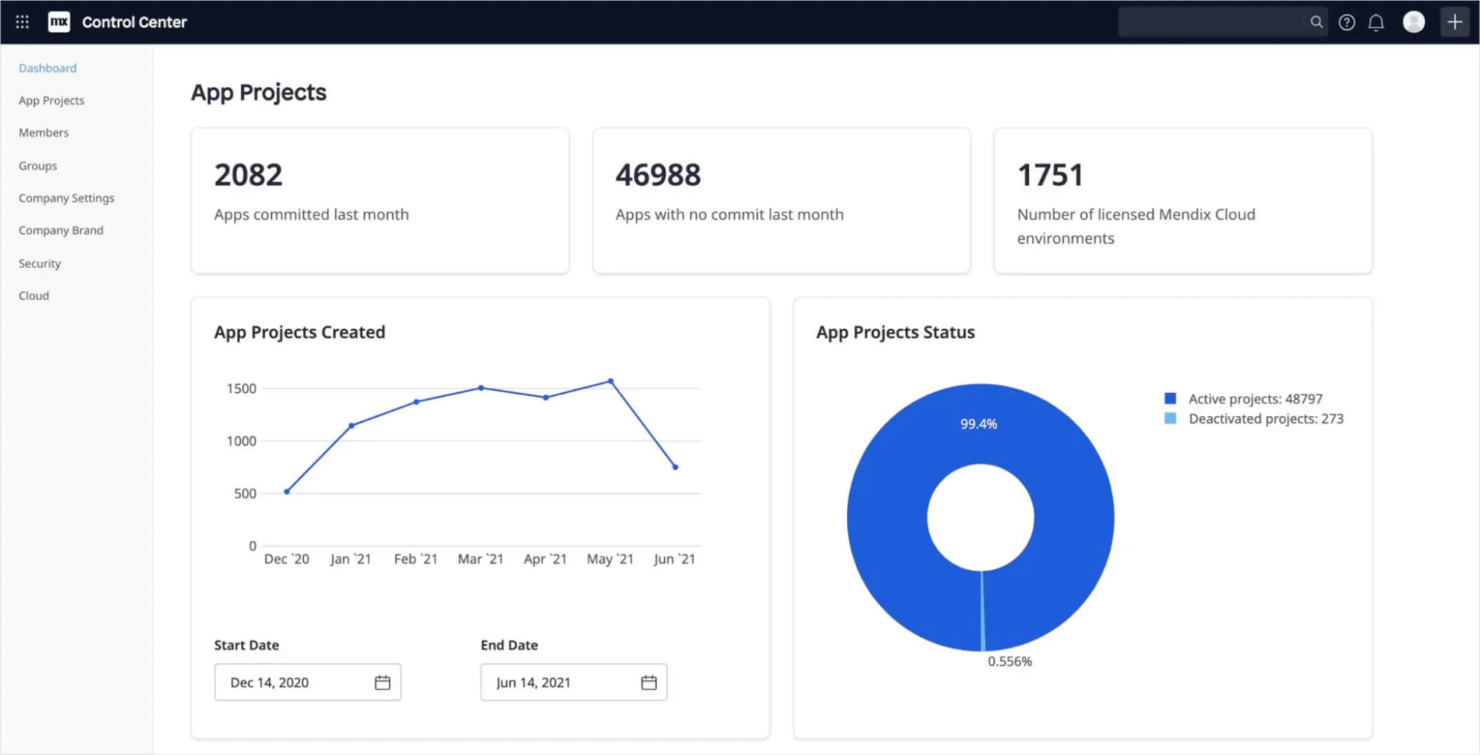
Mendix es una solución PaaS de low-code que está especialmente indicada para empresas, gracias a una serie de herramientas que facilitan el trabajo de desarrollo, como las herramientas de colaboración para que los desarrolladores creen aplicaciones en tiempo real y funciones de creación rápida de prototipos que permiten lanzar aplicaciones más rápidamente.
Por qué elegí Mendix: Una razón convincente para elegir Mendix es que permite a los desarrolladores arrastrar y soltar componentes sobre un modelo visual de aplicación en lugar de escribir código para construir y desplegar aplicaciones. También ofrece funcionalidad de diseño responsivo, donde las aplicaciones creadas en Mendix se optimizan automáticamente para todo tipo de dispositivos.
Características y conexiones destacadas de Mendix:
Características que quiero resaltar son sus modelos de aprendizaje automático preconstruidos que se pueden integrar fácilmente en las aplicaciones, widgets personalizados para ampliar la funcionalidad de las aplicaciones Mendix y capacidades offline que permiten a los usuarios seguir trabajando incluso cuando pierden la conexión.
Conexiones de Mendix incluyen SAP y Salesforce (nativas), y cuenta con otras herramientas como servicios REST, servicios web, mapeos, OData, kit de conectores y data hub para gestionar tus integraciones.
Pros and Cons
Pros:
- Gobernanza de datos y cumplimiento
- Seguridad incorporada
- Monitoreo en tiempo real para identificar y resolver problemas
Cons:
- Necesidad de documentación y soporte comunitario más sólido
- Estilizar páginas o formularios puede ser difícil

Microsoft Azure es una plataforma de computación en la nube que te permite crear, implementar y administrar aplicaciones y servicios a través de más de 200 centros de datos en más de 60 regiones. Se integra con todos los servicios de Microsoft, por lo que los usuarios que desarrollan aplicaciones de Microsoft pueden gestionar su pila tecnológica en un solo lugar. También observé que Azure ofrece una amplia gama de servicios en la nube, que incluyen computación, almacenamiento, redes y bases de datos.
Por qué elegí Microsoft Azure: Elegí Azure porque cuenta con capacidades híbridas, locales, multinube y de borde, y los desarrolladores pueden trabajar con los frameworks y lenguajes de código abierto que prefieran. También me impresiona que Azure cubre tantas áreas de servicio, como IA, aprendizaje automático, blockchain, DevOps, Internet de las cosas, realidad mixta y móvil.
Características y integraciones destacadas de Microsoft Azure:
Características que, en mi opinión, diferencian a Azure de otros proveedores PaaS incluyen escalado automático, grupos elásticos para ajustar recursos, aprovisionamiento de máquinas virtuales para Red Hat, Ubuntu y otras distribuciones de Linux, así como inicio de sesión único y autenticación multifactor.
Integraciones incluyen servicios de Microsoft como Dynamics 365 y Power BI (nativos), servicios de terceros como GitHub, y más de 600 conectores y flujos de trabajo listos para usar para conectar aplicaciones SaaS.
Pros and Cons
Pros:
- Acuerdo de nivel de servicio (SLA) de tiempo de actividad
- Soporte integrado para Git
- Equipo técnico de apoyo
Cons:
- Costoso para organizaciones de pequeña escala
- Documentación técnica desactualizada

Ideal para la integración con otros servicios de Google Cloud
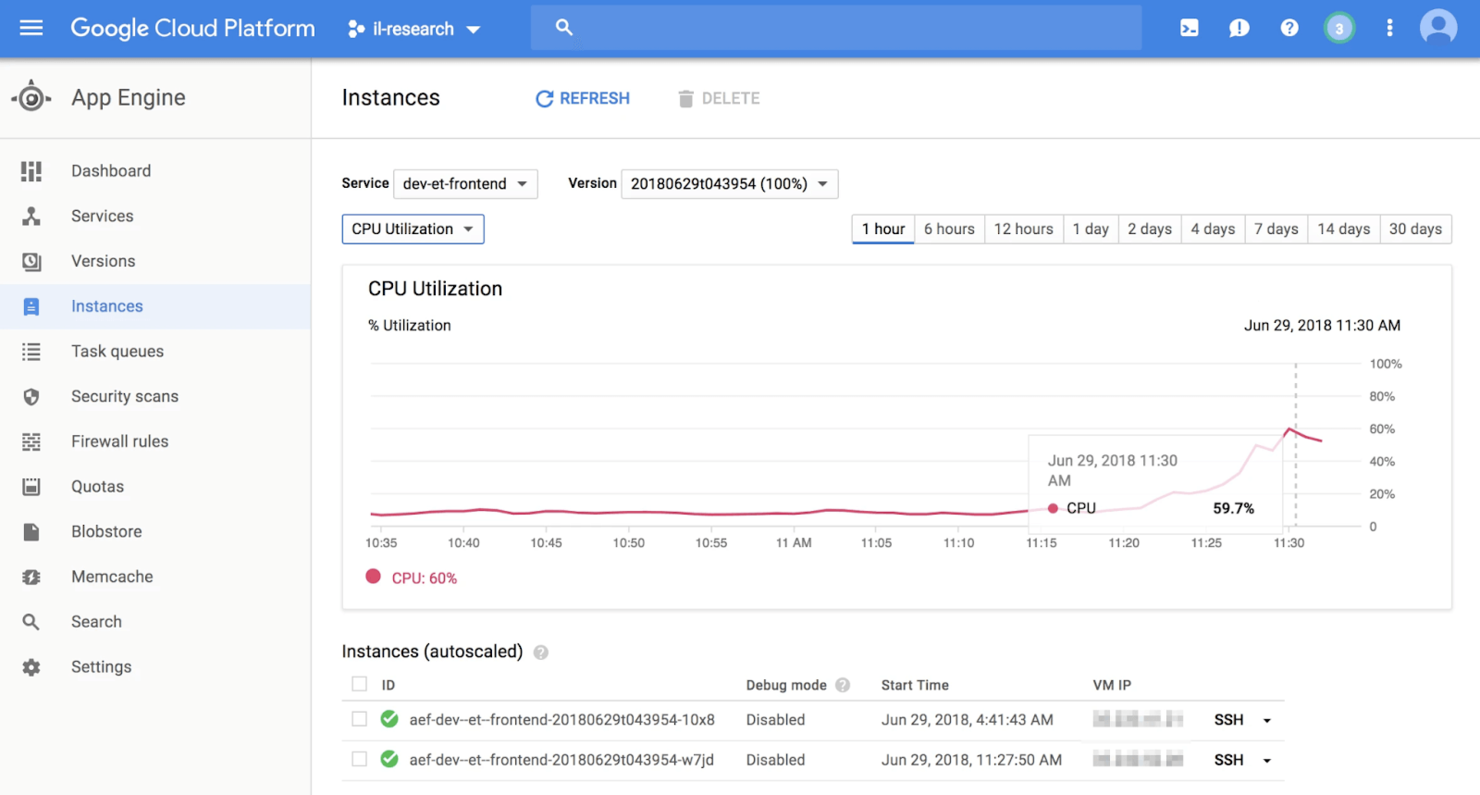
Google App Engine (GAE) es una tecnología de computación en la nube para crear y alojar aplicaciones web seguras y escalables. Lo clasifiqué en una posición alta porque ofrece una plataforma serverless completamente gestionada donde los equipos de desarrollo pueden centrarse en escribir su código sin preocuparse por gestionar la infraestructura subyacente.
Por qué elegí Google App Engine: GAE me impresionó por su facilidad de integración con servicios de Google como BigQuery y DataStore, lo que facilita a los desarrolladores construir y gestionar servicios desde un solo lugar si ya utilizan servicios de Google.
También aprecié que GAE admite muchos lenguajes de programación, como Python, Ruby, C# y JavaScript. Además, los desarrolladores pueden importar frameworks y bibliotecas a través de contenedores docker, que son paquetes ejecutables independientes y livianos con código, bibliotecas y herramientas del sistema que pueden moverse fácilmente entre diferentes entornos. También puedes valorar que el servicio proporciona kits de desarrollo de software (SDKs) para que puedas construir y probar tus aplicaciones antes de lanzarlas.
Funciones e integraciones destacadas de Google App Engine:
Funciones que considero útiles si buscas integraciones basadas en Google son que GAE incluye compatibilidad con algunos de los lenguajes más populares como Go, Python o PHP, una potente seguridad de aplicaciones con certificados SSL/TLS en tu dominio personalizado, funcionalidades de diagnóstico que rastrean el estado y el rendimiento de la app, y Cloud Debugger y Error Reporting para identificar y corregir errores.
Las integraciones vienen preconstruidas para los servicios de Google Cloud Platform, como Cloud SQL, Cloud Storage y Cloud Datastore, y están disponibles de forma nativa para plataformas populares de desarrollo como Bitbucket y GitHub.
Pros and Cons
Pros:
- Mantenimiento mínimo del servidor
- Puede añadir o quitar instancias según sea necesario
- Se pueden crear tareas programadas y factores de cola de tareas
Cons:
- Dependencia de runtimes personalizados para lenguajes no soportados
- La documentación y los tutoriales son insuficientes

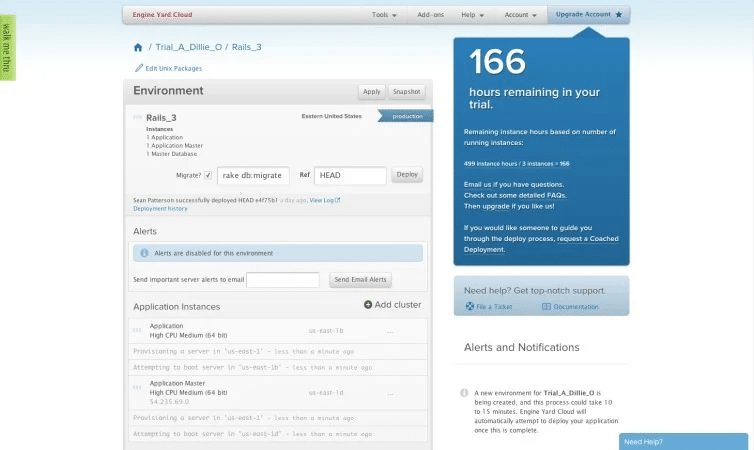
Dado que Engine Yard cuenta con más de una década de experiencia en AWS y Ruby, puede ser la plataforma ideal para empresas que buscan aprovechar al máximo el potencial de AWS mientras minimizan la complejidad de su infraestructura. También es una excelente opción para empresas que necesitan cumplir con normativas de la industria como HIPAA, PCI DSS y SOC 2, así como para equipos que requieren soporte para múltiples proveedores de nube.
Por qué elegí Engine Yard: Una razón poderosa por la que incluyo Engine Yard en esta lista es porque garantiza la máxima seguridad al proporcionar a cada cliente una cuenta AWS dedicada y un conjunto de Nubes Privadas Virtuales (VPC) alojadas dentro de un clúster privado de Kubernetes totalmente configurado. Esta configuración protege todos los datos de los clientes al eliminar riesgos de seguridad asociados con conexiones a internet públicas.
Características e integraciones destacadas de Engine Yard:
Características que diferencian a Engine Yard incluyen notificaciones automáticas de fallos o anomalías en la aplicación, y soporte para Ruby, Java, Python, PHP y Java. También valoré que no necesitas implementar hooks—solo con usar el enlace al repositorio GIT es suficiente.
Integraciones nativas que incluyen Amazon VPC, New Relic para monitorización del rendimiento, Github y PostgreSQL.
Pros and Cons
Pros:
- Implementación sencilla
- Soporte 24/7
- Soporte para multi-nube
Cons:
- Personalización limitada
- La personalización de estilos es difícil sin conocimientos de CSS


AWS Elastic Beanstalk es el proveedor de servicios PaaS de Amazon, que aprovecha servicios de AWS como Amazon S3 y Amazon Elastic Cloud Compute (EC2), y que soporta tanto aplicaciones web como de procesamiento (worker).
Por qué elegí AWS Elastic Beanstalk: La característica principal que hizo que Elastic Beanstalk se destacara para mí es su flexibilidad. Encontré fácil desplegar y escalar aplicaciones web gracias al soporte para servidores populares como IIS, Apache y Nginx, y a la flexibilidad de trabajar con muchos lenguajes de programación, como Python, .NET, Java, PHP, Ruby y Go. Además, tienes la libertad de desplegar tu código desde varias opciones como Visual Studio, la Consola de Administración de AWS y Eclipse.
Características e integraciones destacadas de AWS Elastic Beanstalk:
Características que me gustan en Beanstalk incluyen balanceo de carga automático, aprovisionamiento de capacidad, monitoreo de salud con más de 40 atributos clave y métricas de rendimiento de uso de CPU y latencia.
Integraciones preconstruidas para todos los servicios de Amazon, como Amazon RDS, que ayuda a gestionar bases de datos relacionales, Amazon S3 para almacenamiento y copia de seguridad, AWS VPC para redes aisladas y AWS Identity and Access Management para establecer controles de acceso.
Pros and Cons
Pros:
- Interfaz de usuario intuitiva
- Seguridad robusta con autenticación multifactor y SSL/TLS
- Cumplimiento de ISO, PCI, SOC 1, SOC 2 y SOC 3
Cons:
- La documentación y los tutoriales están dispersos
- Las personalizaciones pueden ser complicadas

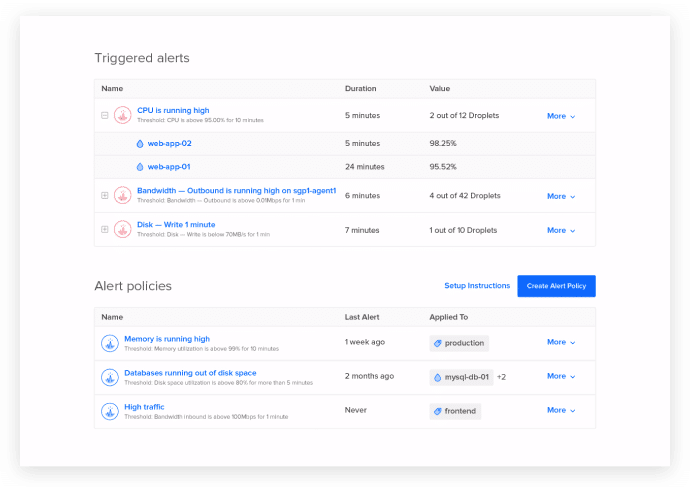
Con DigitalOcean, los desarrolladores pueden aprovisionar pilas de aplicaciones, implementar código y monitorear el rendimiento de las aplicaciones. La interfaz de usuario intuitiva de DigitalOcean, su robusta API y su amplia documentación la convierten en una de las opciones principales para los desarrolladores que desean lanzar aplicaciones rápidamente.
Por qué elegí DigitalOcean: Enseguida aprecié la facilidad de uso de DigitalOcean, gracias a una excelente interfaz de usuario. DigitalOcean también es popular por una función llamada 'Droplets', que son máquinas virtuales basadas en Linux que puedes configurar en segundos. Son altamente escalables y cuentan con Acuerdos de Nivel de Servicio (SLA) del 99.99% y alta disponibilidad. También puedes configurar alertas desde el panel de control para saber cómo está funcionando la aplicación.
Características destacadas e integraciones de DigitalOcean:
Características que considero útiles para las empresas son los clústeres Kubernetes gestionados, la instalación rápida de herramientas CMS, el soporte para varios frameworks, lenguajes y bases de datos de codificación del lado del servidor como MySQL y Redis.
Integraciones son nativas para las herramientas más utilizadas por los equipos DevOps, como Chef, Ansible, Puppet, Rancher, SaltStack y Slack. También cuenta con conexión con Zapier para más de 300+ aplicaciones.
Pros and Cons
Pros:
- Potentes herramientas de seguridad
- Capacidades de redes virtuales
- Funciones de copias de seguridad y snapshots
Cons:
- Respuesta lenta del soporte al cliente
- Regiones limitadas para centros de datos


Oracle Cloud Infrastructure (OCI) ofrece servicios en la nube que te permiten crear y ejecutar diversas aplicaciones y servicios en un entorno de cómputo de alto rendimiento con una capacidad de almacenamiento segura.
Por qué elegí Oracle Cloud Infrastructure: OCI destaca para mí porque no solo ofrece los servicios estándar en la nube como migración y almacenamiento, sino que también incluye una amplia variedad de capacidades como análisis, bases de datos, lagos de datos, IA, inteligencia empresarial y nubes gubernamentales compatibles con FEDRAMP. Además, proporciona alta disponibilidad de datos que reduce las fallas y los tiempos de inactividad.
Características y conexiones destacadas de OCI:
Las características que considero que hacen que OCI sea relevante son el cómputo tanto en bare metal como en máquinas virtuales, auditorías de vulnerabilidad para identificar vulnerabilidades y exposiciones comunes (CVE) y procesos automatizados de repositorio y canalizaciones CI/CD para optimizar el desarrollo de aplicaciones.
Las integraciones están disponibles de forma nativa para la mayoría de las herramientas populares, incluyendo Grafana para métricas, Slack para comunicación, GitLab para canalizaciones y Terraform para desplegar infraestructura como código.
Pros and Cons
Pros:
- Virtualización de red aislada para autoservicio
- Buen soporte al cliente
- Fácil de comenzar
Cons:
- Configuraciones complicadas
- Más caro en comparación con otros proveedores

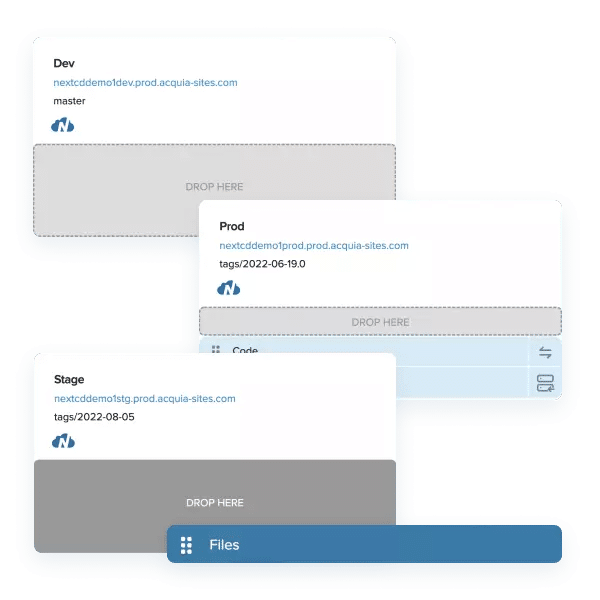
Acquia Cloud Platform viene con un conjunto de herramientas optimizadas para el CMS Drupal. Esto facilita a los desarrolladores, constructores de sitios y editores de contenido la creación y gestión de sitios Drupal.
Por qué elegí Acquia: Me gusta cómo Acquia Cloud Platform es una solución integral para alojar aplicaciones web que prioriza la fiabilidad, la escalabilidad, la seguridad y la experiencia del usuario, con integración DevOps, monitoreo de aplicaciones, copias de seguridad, gestión de flujos de trabajo y control de acceso al sitio.
Características y integraciones destacadas de Acquia:
Las características que recomiendo son su Red de Entrega de Contenido (CDN) que te permite ofrecer una entrega de contenido de alta velocidad a usuarios en diferentes regiones y un balanceador de carga global que distribuye el tráfico en varias regiones para mantener un rendimiento óptimo. También incluye una función de fábrica de sitios que permite gestionar varios sitios para diferentes idiomas, marcas, regiones o campañas, lo cual puede facilitar el trabajo de los desarrolladores de Drupal.
Las integraciones incluyen muchas opciones nativas como LiveRamp, Facebook, Salesforce, Zendesk, Shopify, SAP, MailChimp, Eventbrite, Adobe Analytics e Informatica, además de APIs de plataforma para integraciones personalizadas.
Pros and Cons
Pros:
- Servicios de recuperación ante desastres
- Soporte y servicios de formación de expertos específicamente para Drupal
- Cumple con PCI, HIPAA y SOC 1&2
Cons:
- La estructura multi-sitio puede ser difícil de gestionar
- Más caro en comparación con otras soluciones con características similares
Otros servicios PaaS
Estos son algunos proveedores más que no llegaron a la lista principal de servicios PaaS; sin embargo, si necesitas algunas herramientas adicionales para considerar, échales un vistazo.
- Heirloom Computing
Mejor para empresas que necesitan migrar a arquitecturas modernas
- Python Anywhere
Ideal para empresas que desean alojar sitios web con código Python
- Scalingo
Ideal para implementar desarrollos desde bibliotecas de GitLab y GitHub


Más análisis de herramientas de DevOps
- Plataformas de desarrollo en la nube
- Proveedores de IaaS
- Plataformas de desarrollo de bajo código
- Plataformas de desarrollo de aplicaciones móviles
¿Qué son los servicios PaaS?
Los servicios PaaS son plataformas en la nube que permiten a los desarrolladores crear, ejecutar y gestionar aplicaciones sin ocuparse de la configuración de servidores ni de la infraestructura. Los utilizan ingenieros de software, equipos de DevOps y desarrolladores de productos que quieren centrarse en escribir código y lanzar funcionalidades más rápido. Las herramientas integradas para la implementación, el escalado y la supervisión ayudan a acelerar el desarrollo, gestionar los cambios en el tráfico y reducir la configuración manual. Estos servicios ofrecen a los equipos una forma más sencilla de crear y entregar aplicaciones sin quedarse atrapados gestionando sistemas de backend.
Criterios de selección de los servicios PaaS
A continuación, se ofrece un breve resumen de los principales criterios de selección y evaluación que utilicé para elaborar mi lista.
Funcionalidades principales
En lo que respecta a los servicios PaaS, estas son las funcionalidades principales que deberían ofrecer para incluirse en mi lista:
- Servicios PaaS estándar, como implementación rápida, almacenamiento y funciones de copia de seguridad
- Facilidad de uso para que los desarrolladores no tengan que dedicar tiempo a familiarizarse con la plataforma
- Capacidades de integración con herramientas y marcos de trabajo existentes y populares para mejorar la usabilidad de la plataforma
- Integraciones prediseñadas para desarrollar e implementar aplicaciones de forma rápida y rentable
Características principales
Estas son las características principales que he evaluado para esta lista:
- Funciones sin servidor completamente gestionadas para que el proveedor de PaaS se encargue de todo tipo de trabajo manual y de la gestión de la infraestructura
- Funciones de seguridad como la autenticación multifactor y el cumplimiento de las normativas informáticas habituales
- Funciones de equilibrio de carga y escalabilidad para que la plataforma PaaS pueda ampliarse según sus requisitos, garantizando que no se produzcan cuellos de botella a medida que su aplicación crece y funciona de forma óptima
Usabilidad
Los servicios PaaS deben contar con una interfaz de usuario sencilla y despejada para que los desarrolladores puedan centrarse en su trabajo principal: escribir código. Por eso presté especial atención a seleccionar soluciones que ofrecieran una interfaz intuitiva y que también incluyeran documentación eficaz en su sitio web.
Preguntas frecuentes
¿Todavía tiene alguna pregunta? Estas son las respuestas a algunas de las preguntas más habituales.
¿Cuáles son los beneficios de PaaS?
¿Cuál es la diferencia entre SaaS y PaaS?
¿Cuáles son los tres tipos de PaaS?
¿Qué sigue?
La elección de la mejor solución PaaS depende de factores como el modelo de implementación, la compatibilidad con lenguajes, la escalabilidad, el precio, la integración, la fiabilidad y la seguridad. Teniendo en cuenta estos criterios, puede tomar una decisión informada que se ajuste a los requisitos y al presupuesto de su organización.
Para obtener más información y recursos valiosos para directores de tecnología y otros ejecutivos tecnológicos, suscríbase al boletín de The CTO Club .

