

Microsoft Azure Review 2026: Pros, Cons, Features, and Pricing
Microsoft Azure stands out for its deep integration with Microsoft products and global reach, making it ideal for enterprises, but its complexity may challenge smaller teams seeking simplicity.

We review tools independently, and commissions help fund our testing. See our transparency policy, our methodology, or suggest a tool.
Microsoft Azure is a cloud-based IaaS provider for organizations that need scalable compute, networking, and storage without managing physical hardware. If your environment already runs on Windows Server, Active Directory, or Microsoft 365, Azure is worth a serious look. Its native integrations with those tools give it a clear advantage over AWS for hybrid and enterprise setups where Microsoft workloads are central.
Microsoft Azure Evaluation Summary

4.3/5
- From $0.008/vCPU/hour
- Free plan available + 30-day free trial
Why Trust Our Software Recommendations
6,700+
Reviews
20
Industry experts
16+
Evaluation factors
14
Years
Our team has been testing and reviewing software since 2012. As tech leaders ourselves, we know how difficult—and important—it is to choose the right software.
For this guide, we evaluated tools using hands-on testing and independent research, scoring tools using our selection criteria.
Our reviews reflect our human editorial judgment, not a sales pitch.
Expert reviewers:
- Paulo Gardini MiguelTech Director
 Tim FisherVP of AI
 Gabriel RosasTech Lead & Software Architect
 Christhian GruhnTech Lead & Platform Architect

Microsoft Azure Overview
When judging Microsoft Azure as an IaaS provider, its integration with Microsoft products, extensive global infrastructure, and wide feature set make it a top choice for enterprises and hybrid cloud environments. Azure’s flexible pricing and strong compliance support stand out, though its interface and onboarding can feel complex for smaller teams.
If you’re selecting a platform for large-scale workloads, regulated industries, or deep Microsoft integration—like running Windows Server VMs or Active Directory—Azure often outperforms alternatives.
Pros
- Flexible VM, storage, and networking configuration options.
- Broad global data center coverage for compliance needs.
- Deep integration with Microsoft enterprise products and services.
Cons
- Support response times may lag for lower-tier plans.
- Portal interface can be inconsistent across services.
- Pricing structure is complex and hard to predict.
Is Microsoft Azure Right For Your Needs?
Who Would be a Good Fit for Microsoft Azure?
Microsoft Azure is best suited for organizations that need enterprise-grade infrastructure, global reach, and strong compliance capabilities. Its deep integration with Microsoft products, flexible VM and storage options, and extensive security features make it a strong choice for regulated industries, large enterprises, and teams running hybrid or Windows-heavy environments.
Azure’s broad service catalog and global data centers also support multinational operations and complex IT requirements.
- Hybrid Cloud EnvironmentsSeamless on-premises integration with Azure Arc and ExpressRoute supports hybrid strategies.
- DevOps TeamsIntegrated CI/CD pipelines and automation tools streamline infrastructure management.
- Government AgenciesAzure Government offers isolated infrastructure and compliance for public sector needs.
- Healthcare OrganizationsHIPAA-ready services and global data residency options support sensitive workloads.
- Financial ServicesBuilt-in compliance certifications and security features meet strict regulatory demands.
- Large EnterprisesAzure’s scalability and advanced management tools support complex, multi-region deployments.
Who Would be a Bad Fit for Microsoft Azure?
Azure may not be ideal for smaller businesses, teams with limited IT resources, or those prioritizing simplicity and cost transparency. Its complex pricing, advanced configuration options, and sometimes inconsistent portal experience can create barriers for organizations without dedicated cloud expertise or those with straightforward infrastructure needs.
- Educational InstitutionsLimited free tier and complex management may not fit academic budgets or skills.
- Linux-Only EnvironmentsAzure’s Windows-centric features may not fully align with Linux-first teams.
- Cost-Sensitive SMBsUnpredictable billing and extra charges can strain tight budgets.
- Short-Term ProjectsLong setup times and minimum commitments may not suit temporary workloads.
- Non-Technical DepartmentsAdvanced configuration and monitoring tools require IT expertise to manage.
- Small StartupsComplex pricing and management overhead can overwhelm lean teams.
Our Review Methodology
How We Test & Score Tools
We’ve spent years building, refining, and improving our software testing and scoring system. The rubric is designed to capture the nuances of software selection and what makes a tool effective, focusing on critical aspects of the decision-making process.
Below, you can see exactly how our testing and scoring works across seven criteria. It allows us to provide an unbiased evaluation of the software based on core functionality, standout features, ease of use, onboarding, customer support, integrations, customer reviews, and value for money.
Core Functionality (25% of final scoring)
The starting point of our evaluation is always the core functionality of the tool. Does it have the basic features and functions that a user would expect to see? Are any of those core features locked to higher-tiered pricing plans? At its core, we expect a tool to stand up against the baseline capabilities of its competitors.
Standout Features (25% of final scoring)
Next, we evaluate uncommon standout features that go above and beyond the core functionality typically found in tools of its kind. A high score reflects specialized or unique features that make the product faster, more efficient, or offer additional value to the user.
We also evaluate how easy it is to integrate with other tools typically found in the tech stack to expand the functionality and utility of the software. Tools offering plentiful native integrations, 3rd party connections, and API access to build custom integrations score best.
Ease of Use (10% of final scoring)
We consider how quick and easy it is to execute the tasks defined in the core functionality using the tool. High scoring software is well designed, intuitive to use, offers mobile apps, provides templates, and makes relatively complex tasks seem simple.
Onboarding (10% of final scoring)
We know how important rapid team adoption is for a new platform, so we evaluate how easy it is to learn and use a tool with minimal training. We evaluate how quickly a team member can get set up and start using the tool with no experience. High scoring solutions indicate little or no support is required.
Customer Support (10% of final scoring)
We review how quick and easy it is to get unstuck and find help by phone, live chat, or knowledge base. Tools and companies that provide real-time support score best, while chatbots score worst.
Customer Reviews (10% of final scoring)
Beyond our own testing and evaluation, we consider the net promoter score from current and past customers. We review their likelihood, given the option, to choose the tool again for the core functionality. A high scoring software reflects a high net promoter score from current or past customers.
Value for Money (10% of final scoring)
Lastly, in consideration of all the other criteria, we review the average price of entry level plans against the core features and consider the value of the other evaluation criteria. Software that delivers more, for less, will score higher.
Core Features
Virtual Machines
Provision Windows or Linux VMs with custom CPU, memory, and storage configurations. Scale resources up or down on demand for any workload.
Azure Blob Storage
Store unstructured data like backups, media, and logs with high durability. Access data globally with tiered storage options for cost control.
Virtual Network
Create isolated, secure networks with subnets, firewalls, and VPN gateways. Connect on-premises and cloud resources for hybrid deployments.
Azure Load Balancer
Distribute incoming traffic across multiple VMs to ensure high availability. Automatically reroute traffic during failures for resilient applications.
Azure Backup
Automate backup and recovery for VMs, databases, and files. Centralize management and monitor backup health from the Azure portal.
Role-Based Access Control (RBAC)
Assign granular permissions to users, groups, and applications. Enforce least-privilege access across all Azure resources.

Standout Features
Azure Arc
Azure Arc extends Azure management and security to on-premises, multi-cloud, and edge environments. This lets you manage resources outside Azure with a single control plane, supporting true hybrid and multi-cloud strategies.
Azure Policy
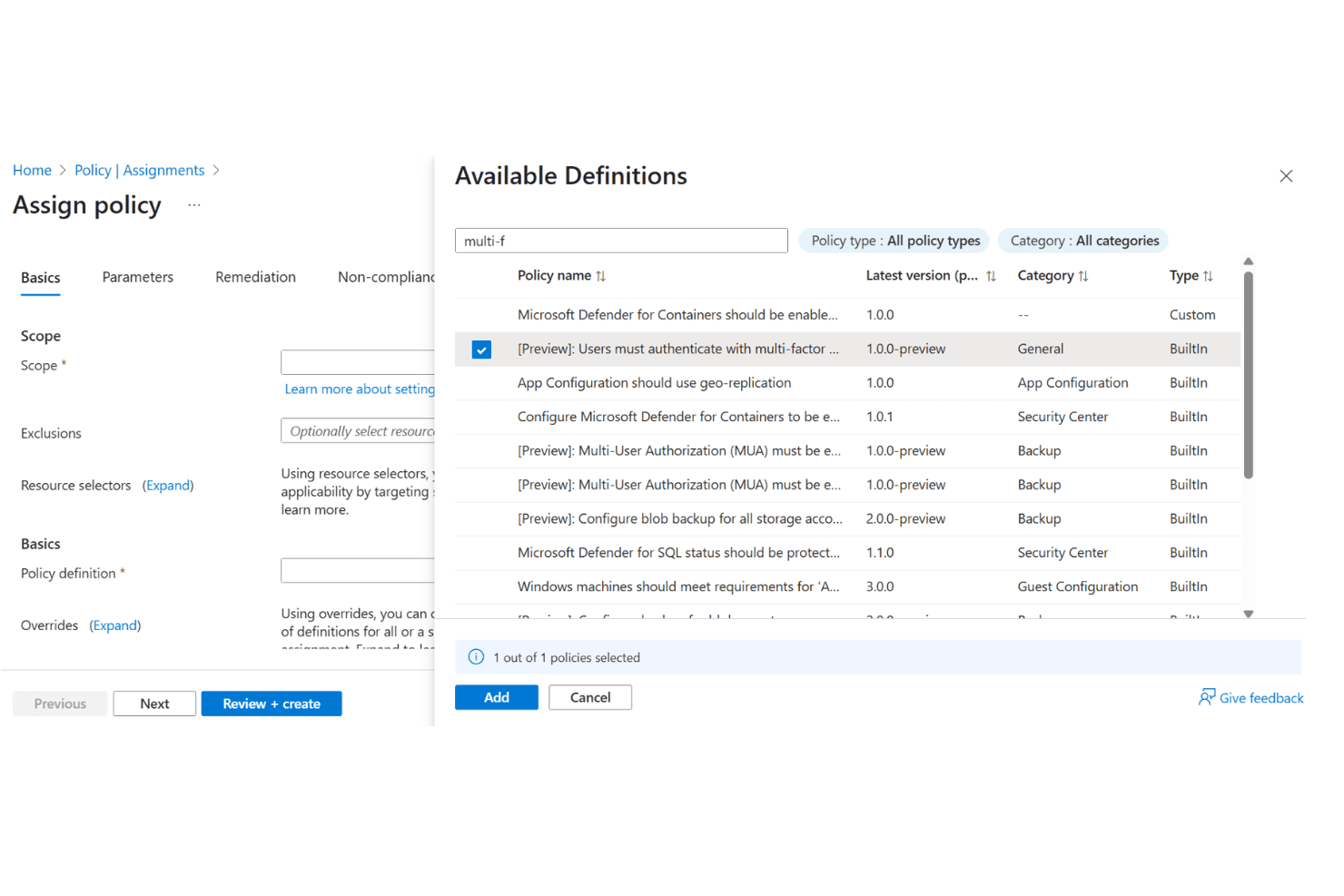
Azure Policy enables you to define and enforce governance rules across all resources. You can automatically audit, remediate, and ensure compliance with organizational or regulatory standards at scale.
Ease of Use
Microsoft Azure offers a feature-rich portal with extensive documentation, but its interface can feel overwhelming due to the sheer number of services and configuration options. Many users report that initial setup and navigation require a learning period, especially for teams without prior cloud experience.
However, once familiar, the platform’s automation tools, templates, and centralized management features provide strong control and flexibility for complex infrastructure needs.

Onboarding
Microsoft Azure’s onboarding process is thorough but can be time-consuming, especially for users new to cloud infrastructure. The platform provides extensive tutorials, documentation, and guided setup wizards, which help reduce confusion but don’t always simplify complex configurations. Many users appreciate the Azure Learning Paths and community forums, yet some find that hands-on support is less accessible on lower-tier plans.
Overall, onboarding is resource-rich but may require patience to reach full proficiency.
Customer Support
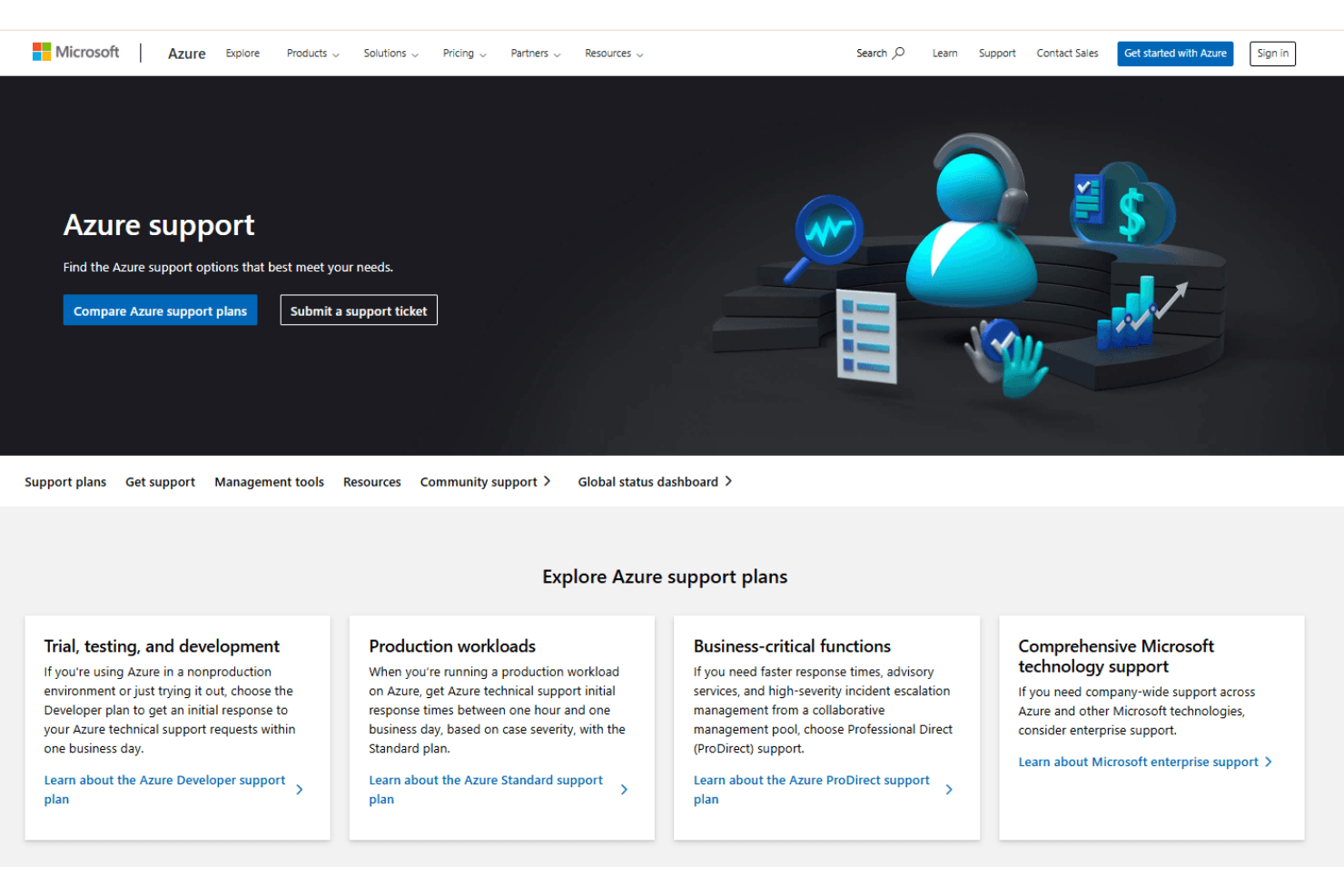
Microsoft Azure offers multiple support tiers, including ticketing, live chat, and a vast knowledge base, but user reviews often mention slow response times on basic plans. While enterprise customers report more responsive, knowledgeable assistance, smaller teams sometimes struggle to get timely help for urgent issues.
The documentation and community forums are extensive, yet direct support quality can vary depending on your subscription level and the complexity of your problem.
Integrations
Microsoft Azure integrates with Microsoft 365, Dynamics 365, GitHub, SAP, Oracle Database, Salesforce, ServiceNow, Red Hat, VMware, and Citrix, among others.
Azure also offers a comprehensive API and supports connections with third-party integration tools.

Value for Money
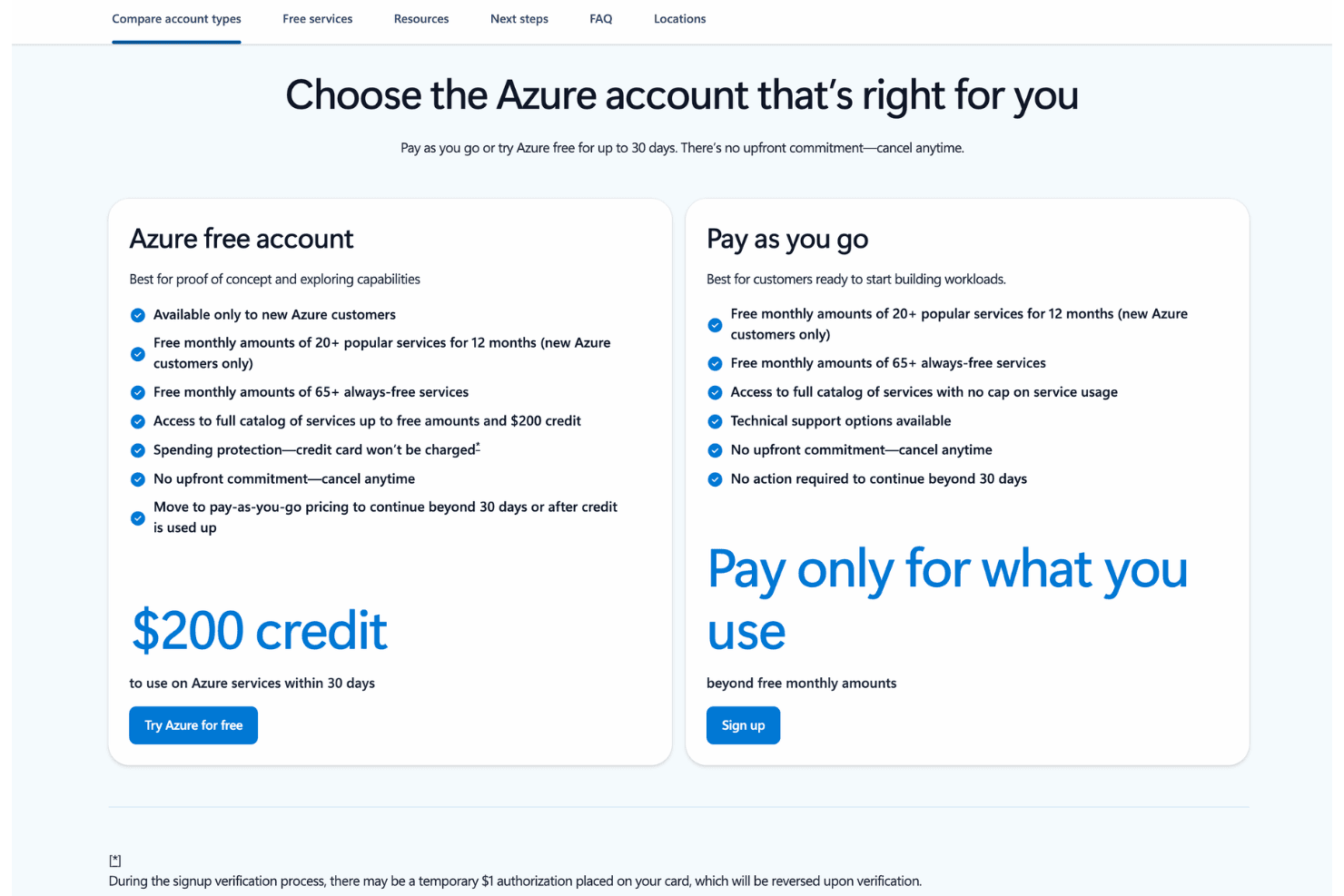
Microsoft Azure offers a flexible pricing model designed to support teams at different stages, from initial exploration to full-scale deployment. It combines a free account with limited credits and ongoing free service tiers, alongside a pay-as-you-go option that scales based on actual usage. This structure allows teams to test capabilities, build workloads, and expand usage without upfront commitment. Plans include:
- Free Account: Includes $200 credit for 30 days with access to Azure services, plus free monthly usage for select services for 12 months and a range of always-free tools.
- Pay-as-you-go: Provides full access to Azure services with usage-based pricing, allowing teams to scale without upfront commitment.
- Free & Flexible Usage: Combines limited free access with scalable pricing, letting users explore, build, and continue usage based on their needs.
Microsoft Azure Specs
- API: Yes
- Bug Tracking: No
- CI/CD Integration: Yes
- Cloud Deployment: Yes
- Code Review: No
- Code Transformation: No
- Collaboration Support: No
- Data Export: Yes
- Data Import: Yes
- Developer Tools: Yes
- External Integrations: Yes
- Git Integration: No
- History/Version Control: Yes
- IDE Plugins: No
- Local Deployment: No
- Multi-User: Yes
- Notifications: Yes
- Project Management: Yes
- Release Management: Yes
- Static Analysis: Yes
- Task Scheduling/Tracking: Yes
- Testing: No
Microsoft Azure FAQs
Microsoft Azure Company Overview & History
Microsoft Azure is the cloud computing platform and infrastructure service from Microsoft Corporation, headquartered in Redmond, Washington. Azure launched in 2010 and has grown to become one of the world’s largest cloud platforms, serving enterprises, governments, and startups globally.
Microsoft employs over 220,000 people worldwide and owns a broad portfolio of products, including Microsoft 365, Dynamics 365, GitHub, and LinkedIn. Notable Azure clients include the Premier League, Nasdaq, Dentsu, Ecolab, and Apollo Hospitals.
In 2025, Azure’s annual revenue surpassed $75 billion, reflecting its significant role in Microsoft’s overall financial performance.
Microsoft Azure Major Milestones
- 2008: Announced as Windows Azure at the Professional Developers Conference.
- 2010: Official public launch of Azure cloud services.
- 2014: Rebranded from Windows Azure to Microsoft Azure.
- 2023: Azure annual revenue exceeds $75 billion for the first time.
- 2024: Recognized as a Leader in Gartner’s Magic Quadrant for Strategic Cloud Platform Services.
- 2026: Continues to expand global infrastructure and AI capabilities, serving high-profile clients across industries.