

There are seemingly countless web automation tools available, so figuring out which is best for you is tough. You want to automate actions within a web browser or web application but need to figure out which tool is the best fit. I've got you! In this post I make things simple, leveraging my experience using dozens of different web automation software to bring you this shortlist of the best web automation tools.
Why Trust Our Software Recommendations
6,700+
Reviews
20
Industry experts
16+
Evaluation factors
14
Years
Our team has been testing and reviewing software since 2012. As tech leaders ourselves, we know how difficult—and important—it is to choose the right software.
For this guide, we evaluated tools using hands-on testing and independent research, scoring tools using our selection criteria.
Our reviews reflect our human editorial judgment, not a sales pitch.
Expert reviewers:
- Paulo Gardini MiguelTech Director
 Tim FisherVP of AI
 Gabriel RosasTech Lead & Software Architect
 Christhian GruhnTech Lead & Platform Architect

Best Web Automation Tools Summary
This comparison chart summarizes pricing details for my top web automation tools selections to help you find the best one for your budget and business needs.
| Tool | Best For | Trial Info | Price | ||
|---|---|---|---|---|---|
| 1 | Best with autonomous test generation for every PR | 30-day free trial | Pricing upon request | Website | |
| 2 | Best for packaged app automation for enterprise QA | 14-day free trial | Pricing upon request | Website | |
| 3 | Best for codeless test automation | Free trial available | From $199/month/year (minimum of 4 seats) | Website | |
| 4 | Best for unified test management | From $29/user/month (min 3 seats) | Website | ||
| 5 | Best for end-to-end tests for web applications | 14-day free trial + free plan available | From $99/month (billed annually) | Website | |
| 6 | Best end-to-end testing solution with in-house QA experts for support | Free demo available | From 1¢/AI credit | Website | |
| 7 | Best for automated visual testing | Free trial available | From $29/user/month (billed annually) | Website | |
| 8 | Best for using AI to perform speedy automated UI testing | Free trial available + free demo | Pricing upon request | Website | |
| 9 | Best for AI-driven test maintenance | 14-day free trial + free demo available | Pricing upon request | Website | |
| 10 | Best for self healing tests | 14-day free trial + free demo | From $175/month | Website |


Best Web Automation Tool Reviews
Below are my detailed summaries of the best web automation tools that made it onto my shortlist. My reviews offer a detailed look at the key features, pros & cons, integrations, and ideal use cases of each tool to help you find the best one for you.
 Best with autonomous test generation for every PR
- 30-day free trial
- Pricing upon request

Checksum.ai visualizes automated web test performance with real-time reporting on pass rates, bugs, and tests requiring review. Checksum is an AI-powered web automation tool designed for end-to-end testing, autonomous test generation, and seamless integration with CI/CD workflows.
Who Is Checksum Best For?
Checksum suits engineering teams and QA specialists at tech companies who need automated web testing integrated with their development workflows.
Why I Picked Checksum
I picked Checksum as one of the best because it automatically generates end-to-end tests for every pull request, which means my team never has to write or update tests manually. I like how it uses AI to analyze code changes and instantly create relevant test cases. In practice, that means we catch regressions early and keep our test coverage up to date without extra effort.
Checksum Key Features
- Visual test editor: Build and modify test flows using a drag-and-drop interface.
- CI/CD pipeline integration: Connects directly with your existing CI/CD tools for automated test execution.
- AI-powered debugging: Identifies and explains test failures with actionable insights.
- Role-based access control: Manage permissions and access for different team members.
Checksum Integrations
Checksum offers 15+ native integrations, including GitHub, GitLab, Slack, Microsoft Teams, Discord, Google Chat, Playwright, Cypress, Jenkins, and CircleCI. It also provides webhooks, supports authentication via GitHub, Google, and Microsoft OAuth, and has an API for custom integrations.
Pros and Cons
Pros:
- AI-powered debugging pinpoints test failures quickly
- Visual test editor supports complex workflows
- SOC 2 and ISO 27001 certified for compliance
Cons:
- Lacks native integration with Salesforce
- Limited browser support compared to some rivals
Learn more about Checksum: Best for packaged app automation for enterprise QA
- 14-day free trial
- Pricing upon request
Visit WebsiteCustomer Rating:4.8/5This rating combines scores from multiple user review sites to reflect overall customer sentiment about the product.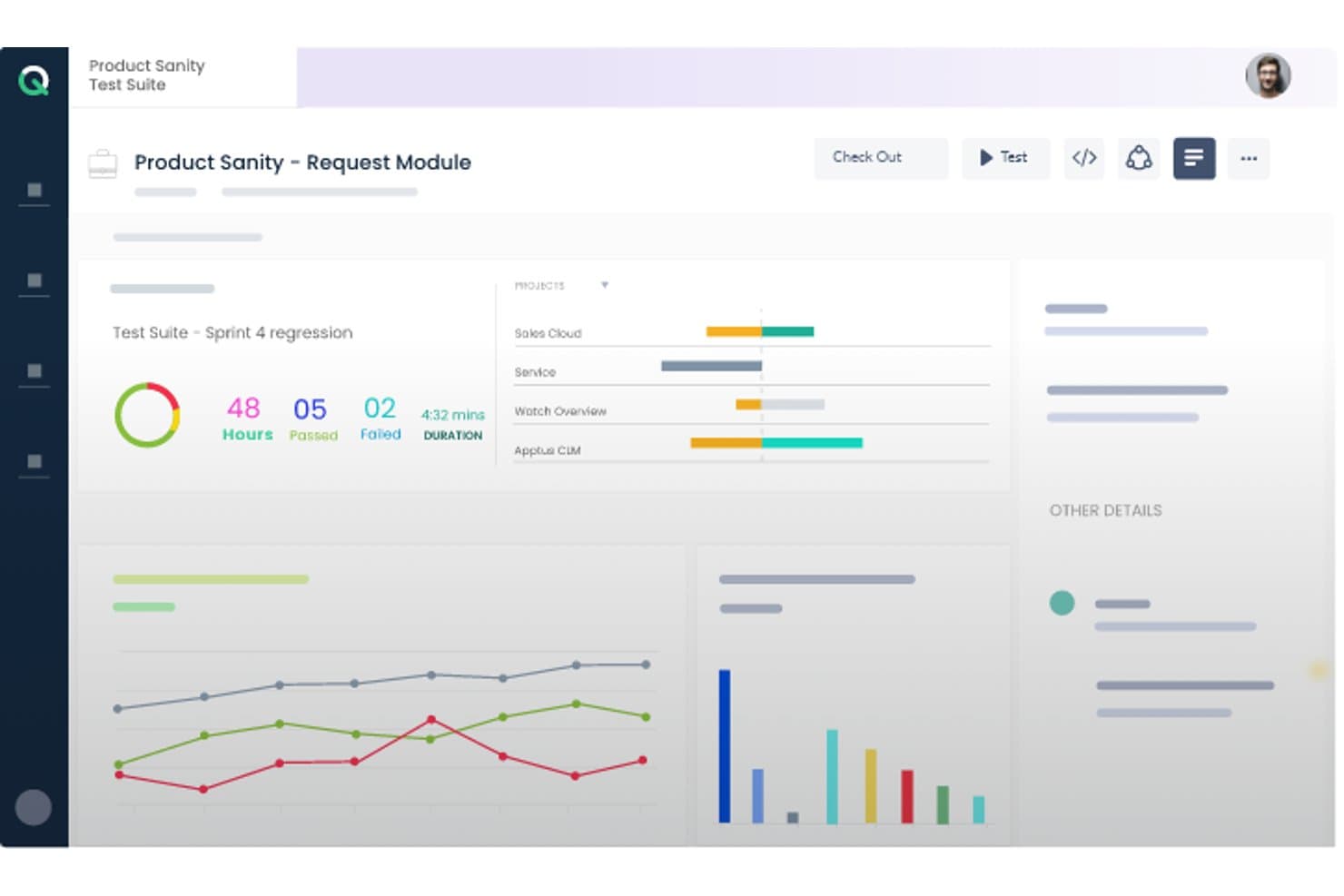
ACCELQ offers a test suite dashboard displaying sprint regression results with pass/fail metrics, project progress bars, and performance charts. ACCELQ is a cloud-native, codeless test automation platform that covers web, API, mobile, desktop, and packaged app testing in a unified environment, with built-in support for ERP systems like Salesforce, SAP, Workday, and ServiceNow.
Who Is ACCELQ Best For?
ACCELQ suits enterprise QA teams managing test automation across complex packaged app environments like Salesforce, SAP, Oracle, or Workday.
Why I Picked ACCELQ
I've included ACCELQ in my top picks because of how it handles packaged app testing out of the box. Its ACCELQ LIVE product ships with pre-built, codeless test assets for Salesforce, SAP, Workday, and ServiceNow, so my team isn't building automation from scratch when validating complex ERP workflows. I also like the locator-free identification engine, which pairs with self-healing automation to keep tests stable even as packaged app interfaces shift between release cycles.
ACCELQ Key Features
- Unified test management: Manage manual, web, API, mobile, desktop, and mainframe tests in a single platform.
- Cloud and on-premise execution: Run automation tests on cloud-hosted agents or deploy on your own infrastructure.
- Multi-level branching and version control: Organize test assets with robust branching, merging, and history tracking capabilities.
- Integrated Slack and Teams notifications: Automatically share test execution alerts and updates in team collaboration channels.
ACCELQ Integrations
ACCELQ offers native integrations with Jenkins, Jira, ClickUp, Bamboo, TeamCity, Slack, and Microsoft Teams, and provides an API for custom integrations.
Pros and Cons
Pros:
- Covers web, mobile, API, mainframe, and desktop
- Locator-free test design improves test stability
- Unique prebuilt automation for packaged ERP apps
Cons:
- Reporting features less advanced than some competitors
- Limited scripting flexibility for code-first users
Learn more about ACCELQ: Best for codeless test automation
- Free trial available
- From $199/month/year (minimum of 4 seats)
Visit WebsiteCustomer Rating:4.9/5This rating combines scores from multiple user review sites to reflect overall customer sentiment about the product.
TestGrid automation dashboard showing test case results, including total successes, failures, and stops, with a performance trend graph over time. TestGrid is a versatile testing platform that brings a suite of tools to help you automate your web and mobile app testing. Designed to cater to a wide range of industries, it provides features that ensure your software is delivered efficiently.
I picked TestGrid because of its codeless automation feature that allows you to automate your tests without needing to write any code. This is particularly beneficial for teams that may not have extensive coding expertise. Another compelling reason is its real device testing capability, which ensures that your applications are tested on actual devices, reducing the chances of unexpected bugs when your software goes live. The platform supports cross-browser testing, allowing you to verify that your web applications work consistently across different browsers.
TestGrid's performance testing feature is another reason it stands out. It enables you to test the performance of your applications under various conditions, helping you identify potential bottlenecks before they affect your users. Additionally, the platform supports IoT testing, which is crucial if your application interacts with IoT devices. This ensures that your software performs well in the increasingly connected world we live in.
Features include automated visual testing, which helps you ensure that your application's user interface looks and behaves as expected across different devices and screen sizes. The platform also offers AI-powered testing assistance through CoTester, facilitating the generation and execution of tests. Furthermore, TestGrid provides performance testing capabilities, enabling you to simulate various load conditions to identify and rectify potential performance issues before they impact users.
Integrations include Jira, Slack, Microsoft Teams, Selenium IDE, Katalon, Ranorex, Tosca, WebDriverIO, TestComplete, Jenkins, CircleCI, and Azure Pipelines.
Learn more about TestGrid: Best for unified test management
- From $29/user/month (min 3 seats)
Visit WebsiteCustomer Rating:4.8/5This rating combines scores from multiple user review sites to reflect overall customer sentiment about the product.
Testomat.io visualizes test results with clear pass/fail/skip metrics and drill-down execution details for each test case. Testomat.io is a test management system that brings together automated and manual testing in one place. It’s designed to help you manage test planning, execution tracking, and reporting in a unified way.
I picked Testomat.io because it lets you import automated tests from your codebase and sync them with manual tests in one central workspace. That means your web automation efforts and manual quality checks live together, making it easier for your team to manage both without toggling between systems.
Also, Testomat.io gives you real‑time reporting with screenshots, videos, and analytics right as tests run. You can see flaky or slowest tests, rerun failures, and monitor test‑run trends—all of which help your web automation stay reliable and focused on fixing actual issues.
Integrations include Playwright, Cypress.io, Webdriver.io, Cucumber, Jest, Codeception, TestCafe, Protractor, CodeceptJS, Mocha, Jira, and Slack.
Learn more about testomat.io: Best for end-to-end tests for web applications
- 14-day free trial + free plan available
- From $99/month (billed annually)
Visit WebsiteCustomer Rating:4.8/5This rating combines scores from multiple user review sites to reflect overall customer sentiment about the product.
BugBug lets you monitor key features of your web app by scheduling low-code automated tests. BugBug is an intuitive web automation tool that is designed to be easy to figure out without any preexisting programming knowledge. This test automation solution is used by companies like Brand24, Sellizer, Weglot, and many more.
BugBug bills themselves as being for startups, and their generous freemium plan indeed makes them an appropriate low-cost option for agile teams. They also have a scalable subscription model with custom enterprise pricing for larger companies.
Key features include the ability to create tests right within your browser without any coding; running tests either in your web browser or the cloud; the option to fix tests without re-recording; scheduling daily automated tests; and integration with your CI/CD pipelines.
BugBug integrates with GitHub, Jenkins, Travis CI, GitLab, BitBucket, and hundreds more options using Zapier (a paid plan may be required).
BugBug is free forever if you don’t use cloud features. You can run an unlimited number of tests in your own browser. Only schedule monitoring and CI/CD integration require a subscription, which starts at $99/month.
Learn more about BugBug: Best end-to-end testing solution with in-house QA experts for support
- Free demo available
- From 1¢/AI credit
Visit WebsiteCustomer Rating:4.9/5This rating combines scores from multiple user review sites to reflect overall customer sentiment about the product.
QA Wolf offers fully managed end-to-end test coverage. QA Wolf is an end-to-end testing automation solution that comes with an expert team of QA engineers to write, run, and repeat all your critical tests. More than a tool, it is a service that takes the burden of in-house QA work off your shoulders. They are currently used by companies like Gumroad, MainStreet, Mailchimp, Replay, and Padlet.
QA Wolf works with you to build end-to-end tests that will take you to 80% coverage in under four months. During that time, you get full visibility over the progress as they build out your testing plan using Playwrite under the hood. The best part for me? The code they develop is yours, so you can take your code anywhere, even if that means away from QA Wolf.
Key features include end-to-end test coverage, a comprehensive test plan strategy, failure triaging and test maintenance, high-quality bug reports, fast parallel test run infrastructure, and an easy-to-use app for real-time status updates.
QA Wolf integrates with tools like Stripe, Salesforce, email providers, Auth0, SMS, Github, and even more options through their flexible API.
You can schedule a demo to find out more about pricing.
Learn more about QA Wolf: Best for automated visual testing
- Free trial available
- From $29/user/month (billed annually)
Visit WebsiteCustomer Rating:4.5/5This rating combines scores from multiple user review sites to reflect overall customer sentiment about the product.
BrowserStack’s visual testing tool can handle asset discovery, screenshot rendering, and visual change detection. BrowserStack’s cloud platform allows QA teams to conduct comprehensive web and mobile testing. QAs can also verify the cross-browser compatibility of applications to deliver a unified end-user experience. With tests for functionality, performance, and visual appeal, BrowserStack helps developers send bug-free products to market faster.
Percy is BrowserStack’s automated visual testing product that development teams can integrate into their existing CI/CD pipeline. Visual testing allows QAs to catch visual regressions before they reach end-users. Percy makes this process easier with its ability to capture screenshots, make pixel-by-pixel comparisons to your UI’s baseline, and notify you of defects.
BrowserStack supports integrations with automation frameworks like Appium and Espresso. Software teams can also connect to popular CI/CD tools like Jenkins and Bamboo.
BrowserStack offers a variety of products with different pricing structures. New users can also sign up for a free trial.
Learn more about BrowserStack: Best for using AI to perform speedy automated UI testing
- Free trial available + free demo
- Pricing upon request
Visit WebsiteCustomer Rating:4.5/5This rating combines scores from multiple user review sites to reflect overall customer sentiment about the product.
Testim users can capture screen recordings and tag failures to analyze test patterns. Testim is an end-to-end automation tool for web application testing. Designed for agile teams, Testim enables QAs to scale automation projects and write stable tests faster with the help of AI and machine learning.
Users can author tests in minutes with the help of Testim’s AI-based Smart Locators. These dynamic locators allow QAs to use multiple attributes to identify page elements, reducing the likelihood of a test breaking if an attribute changes.
Testim is fully customizable, making it easy for development teams to connect to CI tools like Jenkins and CircleCi. Tests can also run on any Selenium compatible grid.
Users have access to a free Community plan and Essential and Professional subscriptions. Custom pricing is available upon request.
Learn more about Tricentis Testim: Best for AI-driven test maintenance
- 14-day free trial + free demo available
- Pricing upon request
Visit WebsiteCustomer Rating:4.8/5This rating combines scores from multiple user review sites to reflect overall customer sentiment about the product.
Reflect offers a no-code test automation interface for creating tests. Reflect is a web automation tool designed to make automated testing more accessible and efficient. It uses Generative AI to simplify the process, allowing you to create end-to-end tests without needing to write code.
One of the reasons I chose Reflect is its capability to adapt tests automatically with its AI engine. This means you don't have to worry about maintaining your tests when your application changes. Reflect also supports different testing types like visual, API, and data-driven testing, which helps in covering various aspects of your web application comprehensively.
I also like the way Reflect integrates into your existing workflow. With its support for CI/CD and issue tracking tools, you can easily incorporate it into your development pipeline.
Some integrations include Slack, Jira, Linear, Azure DevOps, Bitbucket, CircleCI, GitHub, Jenkins, and Codefresh.
Learn more about Reflect: 10Best for self healing tests
Endtest
- 14-day free trial + free demo
- From $175/month
Visit WebsiteCustomer Rating:4.7/5This rating combines scores from multiple user review sites to reflect overall customer sentiment about the product.
Endtest offers a comprehensive test automation feature that empowers users to create, execute, and manage automated tests with ease. Endtest is a cloud-based web automation tool that streamlines the software testing process by offering a codeless environment for creating, executing, and managing tests. With its intuitive interface and extensive range of features, Endtest enables users to effortlessly create and run automated tests across web, mobile, and desktop applications.
There are a few standout features that I think really set Endtest apart. The first is the codeless test creation. You can create complex tests without writing a single line of code, which is a huge time-saver. Endtest also provides the capability to record video during test execution, allowing users to visually capture the entire testing process for analysis and documentation purposes.
Endtest's self-healing tests are an advanced automation feature that proactively identifies and resolves issues during test execution. These tests exhibit autonomous anomaly detection and automatic corrective actions, ensuring uninterrupted test flow without human intervention.
Integrations include Jenkins, GitLab, SauceLabs, BrowserStack, Bamboo, Heroku, Bitbucket, TravisCI, CircleCI, TeamCity, Azure DevOps, and other similar apps.
Endtest costs from $175/month (1-5 parallel tests).
Learn more about Endtest:
Other Web Automation Tools
Here are some additional web automation tools options that didn’t make it onto my shortlist, but are still worth checking out:
- 11testRigorBest for writing stable automated test cases in plain English
- 12Katalon StudioBest specialized IDE interface
- 13New RelicBest for data-driven Engineers
- 14AutifyBest AI-driven test automation built on Playwright
- 15MablBest automation tool for end-to-end API tests
- 16KobitonRun tests on hundreds of real devices in the cloud
- 17CucumberBest web testing tool for technical and business user collaboration
- 18Test CollabBest for automatic browser execution
- 19Parasoft SOAtestBest for automating API security testing using a built-in web app scanner
- 20IBM Rational Functional Tester (RFT)Best for automating functional, regression, and GUI testing
- 21SmartBear ReadyAPIBest entry point for API load and security tests
- 22AppiumBest open-source test automation framework for mobile apps
- 23Micro Focus Unified Functional Testing (UFT)Best for cross-browser coverage and cloud-based deployment
- 24Telerik Test StudioBest web automation testing tool that integrates into QA workflows
- 25OwlityBest for autonomous test generation
How I Evaluate Web Automation Tools
I split every evaluation into baseline criteria a tool must clear and differentiators that separate a solid pick from the right pick for your team.
Core Functionality (Table Stakes For This List)
When I'm selecting tools for my list, I rank each one on a scale from 0 (does not offer the functionality) to 5 (excels in this area) for each core functionality listed below. I then calculate the tool's total score into a percentage, using 75% as a benchmark to help assess its overall fit for the list.
- Browser Automation Engine: I check whether a tool can drive Chrome, Firefox, Edge, and Safari with full DOM interaction, JavaScript execution, and shadow DOM access.
- Element Identification & Selectors: Reliable selectors make or break long-lived automations, so I evaluate CSS, XPath, image-based, and self-healing locator support across page redesigns.
- Workflow Building: I look for flexible authoring options—visual designers for business users, scripting SDKs for developers, and recorders that output clean, editable code.
- Scheduling & Headless Execution: Tools need to run unattended on a schedule, in headless mode, and ideally in parallel so teams can trigger regression suites from a CI pipeline overnight.
- Data Handling & Integrations: I evaluate how each tool reads and writes CSV, JSON, and database records, plus whether it connects to apps like Slack, Jira, or cloud storage via APIs.
- Error Handling & Reporting: Detailed logs, failure screenshots, retry logic, and run dashboards are what I look for to judge how quickly your team can diagnose a broken workflow.
Once I have a list of tools that meet the criteria, I consider what sets each platform apart.
Differentiating Factors (What Sets Vendors Apart)
Here's how I compare and contrast different vendors:
Standout Features
AI-powered self-healing is the first thing I evaluate because a single UI redesign can break hundreds of selectors overnight. Tools like Selenium or Playwright leave that repair work to you, while platforms such as Testim and mabl re-map locators automatically. I also check for a cloud browser and device grid, since maintaining local infrastructure for parallel cross-browser runs is a time sink most teams underestimate. Native CI/CD plugins matter just as much—I look for out-of-the-box connectors to Jenkins, GitHub Actions, or GitLab CI so automation fits directly into deployment pipelines without custom glue scripts.
Beyond Features
I look at total cost of ownership first, since open-source options like Selenium and Playwright carry zero license fees but demand infrastructure and maintenance budgets that rival commercial platforms. Skill requirements matter just as much—code-first tools need SDETs fluent in Python or JavaScript, while low-code platforms let business analysts own their own automations. I also check each vendor's native connector library for tools like Jira, ServiceNow, and Datadog, because custom integration work quietly burns sprint cycles.
How to Choose Web Automation Tool
It’s easy to get bogged down in long feature lists and complex pricing structures. To help you stay focused as you work through your unique software selection process, here’s a checklist of factors to keep in mind:
| Factor | What to Consider |
|---|---|
| FactorScalability | What to ConsiderCan the tool handle your growth? Check if it supports increasing workloads without performance issues. Look for user reviews and case studies as proof. |
| FactorIntegrations | What to ConsiderEnsure it connects with your existing apps. Verify compatibility with your tech stack to avoid workflow disruptions. |
| FactorCustomizability | What to ConsiderDoes it allow tailoring to fit your processes? Look for options to modify workflows and dashboards to suit your team's needs. |
| FactorEase of use | What to ConsiderIs it user-friendly? Assess the learning curve and interface design. A tool that's easy for your team to adopt will save time and reduce frustration. |
| FactorImplementation and onboarding | What to ConsiderConsider the setup time and resources needed. Quick-start guides, training materials, and support can make onboarding smoother for your team. |
| FactorCost | What to ConsiderCompare pricing plans and features. Determine if it fits within your budget without extra hidden costs. Look for value rather than just low prices. |
| FactorSecurity safeguards | What to ConsiderCheck for data protection measures. Ensure it complies with industry standards to keep your information safe. |
| FactorSupport availability | What to ConsiderEvaluate the support options. Is 24/7 help available? Consider response times and access to knowledgeable staff when issues arise. |
Trends In Web Automation Tools
Web automation tools have emerged as pivotal assets in enhancing testing efficiency, reliability, and coverage. A review of recent product updates, press releases, and release logs from leading tools offers valuable insights into the current trends and future directions of web automation technologies:
Trends in Web Automation Tools and Technology
- Increased Emphasis on AI and Machine Learning: AI-based testing automation tools improve test creation, maintenance, and analysis, making tests smarter and more adaptive to changes in the web application.
- Evidence: Enhanced capabilities for automatically generating and optimizing test cases based on user interactions and application changes.
- Shift Towards Codeless Automation: The rise of codeless automation features allows users with limited coding skills to create and execute tests, democratizing testing and expanding its reach within organizations.
- Evidence: Introduction of intuitive, drag-and-drop interfaces and pre-built templates for test creation.
- Advanced Integration with DevOps and CI/CD Pipelines: Seamless integration with CI/CD tools has become more sophisticated, enabling automated tests to run as part of the continuous integration and delivery process.
- Evidence: Plugins and APIs that connect web automation tools directly with CI/CD pipelines, facilitating real-time testing and feedback.
Rapidly Evolving Features
- Real-time Collaboration and Reporting: Tools now offer features that support real-time collaboration among team members and provide instant access to test results and analytics.
- Evidence: Shared dashboards, live updates, and integrated communication tools that streamline team collaboration and decision-making.
- Enhanced Cross-Browser and Cross-Platform Testing: The ability to test across multiple browsers and platforms simultaneously has seen significant improvements, ensuring comprehensive test coverage.
- Evidence: Cloud-based testing environments offering access to a vast array of browser and OS combinations.
Novel and Unusual Functionality
- Testing in Virtual and Augmented Reality Environments: Some tools are beginning to support testing for VR and AR web applications, addressing the unique challenges of these emerging technologies.
- Evidence: Simulated environments for VR and AR applications enabling testers to interact with and test 3D interfaces.
Most Important and In Demand Features
- Scalability and Flexibility: The demand for tools that can scale with the project and offer flexible testing options continues to grow, accommodating projects of all sizes.
- Evidence: Cloud-based solutions that allow teams to scale their testing efforts up or down based on current needs.
Features Becoming Less Important
- Manual Test Script Creation: As automation and AI capabilities advance, the need for manually writing test scripts is diminishing, with teams preferring automated or codeless options.
- Evidence: A shift towards AI-generated scripts and the reduction of manual scripting work.
For QA software testers, staying informed about these trends is crucial for leveraging the latest technologies to streamline testing processes, enhance software quality, and meet the fast-paced demands of modern software delivery. The future of web automation lies in harnessing AI, embracing codeless automation, and enhancing transparency through automated reporting tools, marking a significant shift in how testing is approached and executed.
What are Web Automation Tools?
Web automation tools are software that automate tasks and processes within web browsers or web applications. They perform actions like navigating through websites, clicking buttons, filling out forms, and extracting data. These tools are used in various scenarios, including automated testing of web applications, web scraping, and repetitive tasks automation.
Features
When selecting web automation tools, keep an eye out for the following key features:
- Task scheduling: Automates repetitive tasks at set intervals, freeing up time for more important work.
- Data extraction: Collects and processes data from websites, making analysis quicker and more accurate.
- App integration: Connects with existing applications to enhance workflow efficiency and reduce manual input.
- Customizable workflows: Allows users to tailor processes to fit specific business needs, ensuring better alignment with goals.
- User-friendly interface: Simplifies navigation and reduces the learning curve, making it accessible for all team members.
- Security safeguards: Protects data with industry-standard security measures, ensuring information remains safe.
- Scalability: Supports growing workloads, accommodating business expansion without performance issues.
- Training and support: Offers resources like guides and live support to ease onboarding and help users maximize tool benefits.
Benefits
Implementing web automation tools provides several benefits for your team and your business. Here are a few you can look forward to:
- Time savings: Automating repetitive tasks reduces the time spent on manual work, allowing your team to focus on strategic activities.
- Increased accuracy: Data extraction and processing reduce human error, leading to more reliable outcomes.
- Enhanced productivity: App integration and customizable workflows improve efficiency by creating smoother processes.
- Scalability: The ability to handle growing workloads ensures your tools grow with your business without hiccups.
- Improved security: Security safeguards protect sensitive information, giving you peace of mind.
- Better decision-making: Training and support resources help your team make informed choices on maximizing tool usage.
- Cost efficiency: Reducing manual labor and errors can lead to significant cost savings over time.
Costs & Pricing
Selecting web automation tools requires an understanding of the various pricing models and plans available. Costs vary based on features, team size, add-ons, and more. The table below summarizes common plans, their average prices, and typical features included in web automation tools solutions:
Plan Comparison Table for Web Automation Tools
| Plan Type | Average Price | Common Features |
|---|---|---|
| Plan TypeFree Plan | Average Price$0 | Common FeaturesBasic task automation, limited app integrations, and community support. |
| Plan TypePersonal Plan | Average Price$5-$25/user/month | Common FeaturesTask scheduling, data extraction, multiple app integrations, and basic reporting. |
| Plan TypeBusiness Plan | Average Price$30-$75/user/month | Common FeaturesAdvanced workflow customization, enhanced security features, priority support, and detailed analytics. |
| Plan TypeEnterprise Plan | Average Price$100+/user/month | Common FeaturesUnlimited integrations, dedicated account management, compliance support, and custom onboarding solutions. |
Web Automation Tools FAQs
Here are some answers to common questions about web automation tools:
How do I choose between code-based and codeless web automation tools?
You should think about your team’s technical skills, the complexity of your application, and how much control versus convenience you want. Code-based tools give you more flexibility and fine control (especially for edge cases), while codeless tools speed up onboarding and let non-developers contribute. Also consider how each tool handles maintenance, versioning, debugging, and integrations with your existing infrastructure.
How do web automation tools scale when your app has many microservices or third-party embeds?
You’ll want tools that allow parallel execution, distributed test runners, and isolation of dependencies (e.g. mocking or stubbing services). Also they should support context switching (e.g. switching domains or iframes). Use environment tagging so you can run subsets of tests (smoke, regression) and avoid full suites every time.
What risks or limitations should I expect even with a good web automation tool?
Automation can’t catch everything — user experience issues or visual glitches might slip through. Tests may become brittle over time as your app evolves. Also, tools may not fully support obscure browser behaviors or edge cases. And finally, some automation tools may impose licensing, scaling, or vendor lock-in constraints. Make sure you budget for ongoing investment.
What metrics should I track to evaluate a web automation tool in practice?
Look at failure rate (how often tests flake or break), maintenance overhead (hours per month spent fixing scripts), execution speed (time per test run), coverage (percentage of critical paths automated), and integration success (how smoothly it works with your CI/CD, reporting, and alerting systems). Also measure “time to onboard a new user/tester” as a usability metric.
What’s Next:
If you're in the process of researching web automation tools, connect with a SoftwareSelect advisor for free recommendations.
You fill out a form and have a quick chat where they get into the specifics of your needs. Then you'll get a shortlist of software to review. They'll even support you through the entire buying process, including price negotiations.