

10 CrowdStrike Alternatives in 2026

CrowdStrike Alternatives Shortlist
Here’s my shortlist of CrowdStrike alternatives:


The strongest CrowdStrike alternatives combine advanced threat detection, real-time response, and flexible deployment to protect your endpoints and data. If you’re searching for CrowdStrike alternatives, you likely need cybersecurity tools that match or exceed CrowdStrike’s capabilities—without sacrificing usability, integration, or cost control.
With new threats and compliance demands emerging constantly, choosing the right solution is essential for keeping your systems secure and your business running. This list will help you compare leading CrowdStrike competitors so you can confidently select the best fit for your organization’s security needs.
What is CrowdStrike?
CrowdStrike is a cybersecurity platform that provides endpoint protection, threat intelligence, and incident response through cloud-native technology. It uses AI and behavioral analytics to detect, prevent, and respond to cyber threats across devices and networks.
Security teams rely on CrowdStrike Falcon to safeguard endpoints, monitor activity, and automate threat mitigation, making it a popular choice for organizations seeking advanced, scalable protection against evolving cyber risks.
Best CrowdStrike Alternatives Summary
This comparison chart summarizes pricing details for my top CrowdStrike alternative selections to help you find the best one for your budget and business needs.
| Tool | Best For | Trial Info | Price | ||
|---|---|---|---|---|---|
| 1 | Best for easy-to-use protection | 14-day free trial + free demo available | From $49.99/year | Website | |
| 2 | Best for autonomous endpoint response | Free demo available | From $179.99/endpoint (billed annually) | Website | |
| 3 | Best for consumer privacy protection | 30-day free trial | From $119.99/year (billed annually) | Website | |
| 4 | Best for AI-native malware protection | 30-day free trial | From $211/year | Website | |
| 5 | Best for AI-powered endpoint threat prevention | 30-day free trial available | Pricing upon request | Website | |
| 6 | Best for machine learning-driven security | Free trial available | Pricing upon request | Website | |
| 7 | Best for behavior analytics for active threats | Free demo available | Pricing upon request | Website | |
| 8 | Best for managed detection for small teams | Free trial available | Pricing upon request | Website | |
| 9 | Best for endpoint threat defense | Free trial available | From $247.5/year | Website | |
| 10 | Best for unified XDR across attack surface | 30-day free trial + expert consultation available | Pricing upon request | Website |
Why Trust Our Software Reviews
We’ve been testing and reviewing software since 2023. As tech leaders ourselves, we know how critical and difficult it is to make the right decision when selecting software.
We invest in deep research to help our audience make better software purchasing decisions. We’ve tested more than 2,000 tools for different tech use cases and written over 1,000 comprehensive software reviews. Learn how we stay transparent & our software review methodology.
-

Deel IT
Visit WebsiteThis is an aggregated rating for this tool including ratings from Crozdesk users and ratings from other sites.4.9 -
Freshservice
Visit WebsiteThis is an aggregated rating for this tool including ratings from Crozdesk users and ratings from other sites.4.6 -
Rippling IT
Visit WebsiteThis is an aggregated rating for this tool including ratings from Crozdesk users and ratings from other sites.4.8



CrowdStrike Alternatives Reviews
Below are my detailed summaries of the CrowdStrike alternatives that made it onto my shortlist. My reviews offer a detailed look at the features, best use cases, and capabilities of each cybersecurity platform to help you find the best one for you.

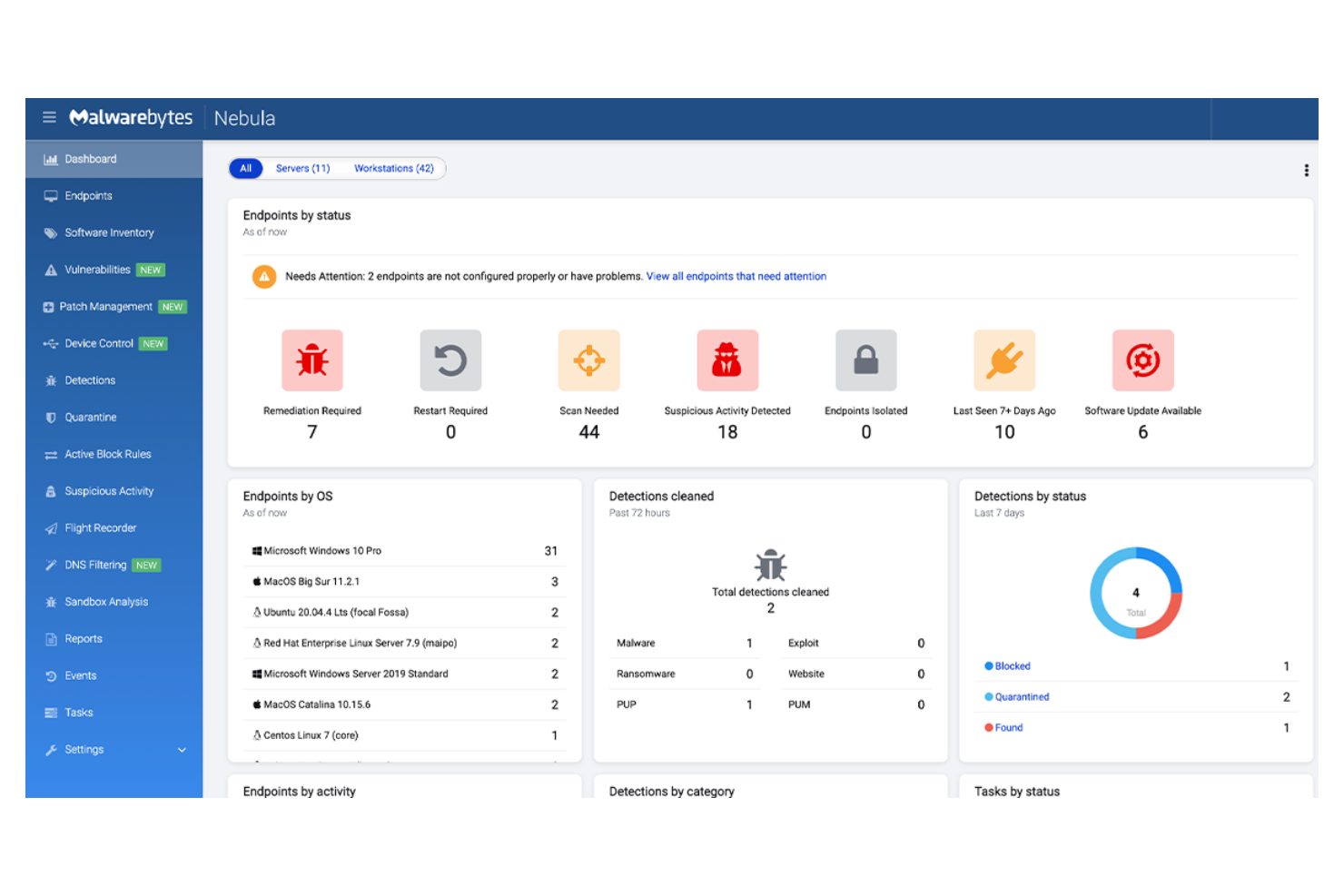
Malwarebytes offers endpoint security designed for organizations that want straightforward protection without complex setup or management. It appeals to IT teams in small businesses and mid-sized companies that need to quickly deploy anti-malware and ransomware defense. The platform helps address threats like phishing, zero-day exploits, and unwanted programs with minimal configuration required.
Who Is Malwarebytes Best For?
Malwarebytes is a good fit for small to mid-sized businesses that want easy-to-use endpoint protection without the need for advanced configuration.
Why Malwarebytes Is a Good CrowdStrike Alternative
I picked Malwarebytes as a CrowdStrike alternative because it delivers straightforward endpoint protection that doesn’t require specialized security expertise. The platform’s cloud-based management console lets IT teams deploy, monitor, and remediate threats across devices with just a few clicks.
I also appreciate its layered defense against malware, ransomware, and phishing, which helps reduce the risk of infection from common attack vectors. For organizations that want reliable protection without the overhead of complex security tools, Malwarebytes offers a practical solution.
Malwarebytes Key Features
Some other features in Malwarebytes that may interest IT and security teams include:
- Granular policy management: Set custom security policies for different user groups or device types from the cloud console.
- Scheduled scanning: Automate malware scans on endpoints at specific times to minimize disruption.
- Threat reporting dashboard: View real-time threat activity, detection trends, and endpoint status in a centralized dashboard.
- Quarantine management: Isolate and manage suspicious files or programs directly from the admin interface.
Malwarebytes Integrations
Integrations include Syncro, SuperOps, ConnectWise Asio, ConnectWise Automate, ConnectWise Manage, Kaseya VSA, Kaseya BMS, Datto RMM, Datto Autotask, and Atera.
Pros and Cons
Pros:
- Supports remote management
- Ransomware rollback restores encrypted files
- Fast deployment with minimal system impact
Cons:
- Limited threat hunting and forensics tools
- Fewer compliance reporting options

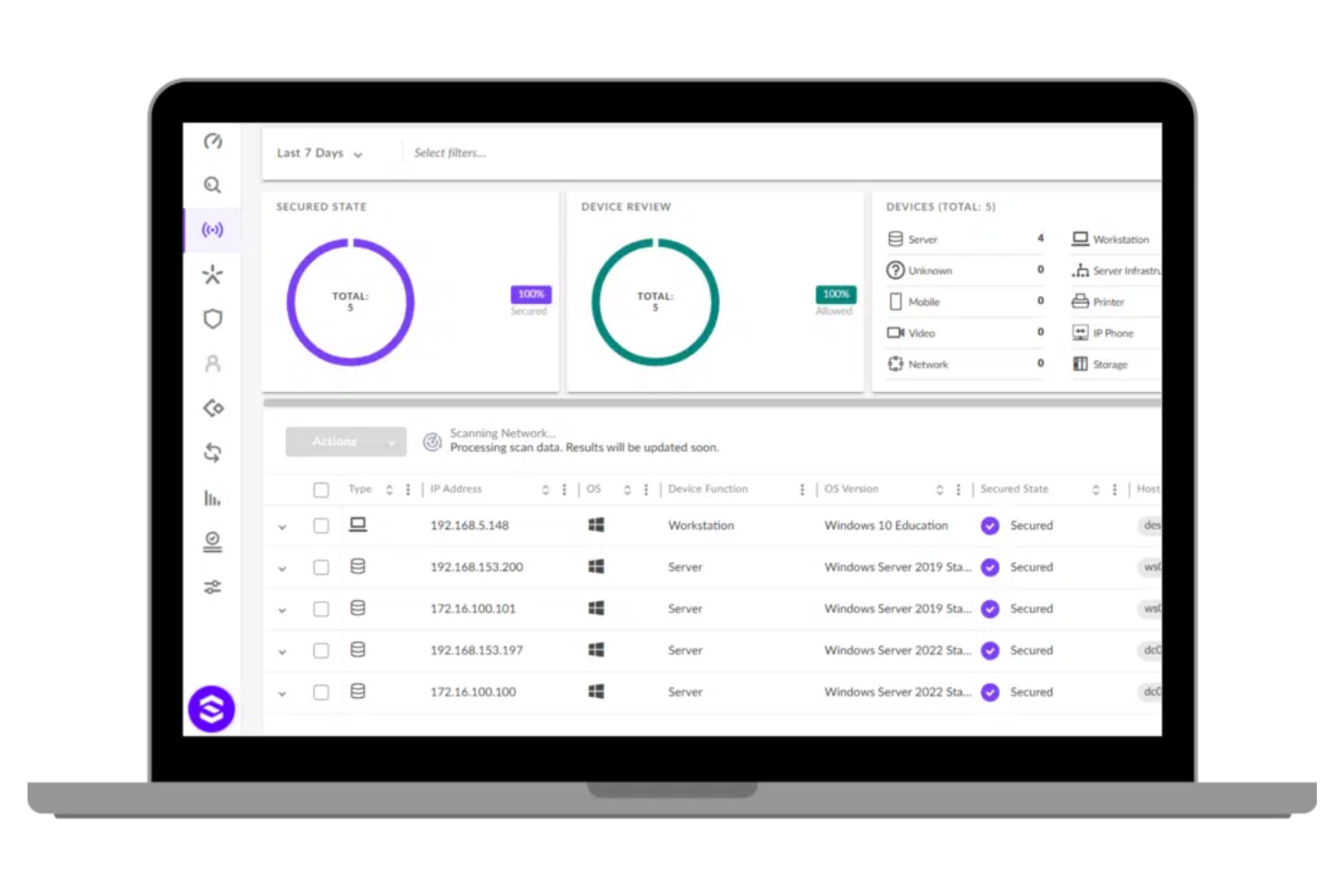
SentinelOne offers a next-gen cybersecurity platform designed for organizations that need advanced, automated endpoint protection. It appeals to IT teams in industries where rapid threat detection and response are essential for minimizing risk. SentinelOne stands out for its focus on AI-driven automation and real-time visibility, helping businesses address sophisticated attacks without manual intervention.
Who Is SentinelOne Best For?
SentinelOne is a strong choice for IT and security teams in mid-sized to large enterprises that need autonomous endpoint response to quickly contain and remediate threats.
Why SentinelOne Is a Good CrowdStrike Alternative
SentinelOne stands out for its autonomous endpoint response, which is especially valuable for organizations that need to contain threats without waiting for manual intervention. I picked SentinelOne because its AI-powered agent can detect, analyze, and remediate attacks directly on the endpoint, even when offline.
SentinelOne Singularity platform’s rollback feature lets you reverse unauthorized changes caused by ransomware or malware. SentinelOne also provides real-time behavioral monitoring, so you can identify and stop suspicious activity as it happens.
SentinelOne Key Features
Some other features I found useful in SentinelOne include:
- Cloud-based management console: Manage policies, monitor endpoints, and respond to incidents from a single web interface.
- Device control: Restrict or allow access to USB and peripheral devices to prevent unauthorized data transfers.
- Threat hunting tools: Use built-in search and investigation capabilities to proactively identify threats across your environment.
- Automated policy enforcement: Apply security policies automatically based on device type, user role, or network location.
SentinelOne Integrations
Integrations include Splunk, Netskope, Mimecast, AWS Security Hub, Amazon CloudWatch, ThreatConnect, Amazon Security Lake, and more.
Pros and Cons
Pros:
- Real-time behavioral monitoring on endpoints
- AI-driven detection with minimal manual input
- Automated rollback for malware attacks
Cons:
- Limited visibility into network-level threats
- No built-in vulnerability management tools

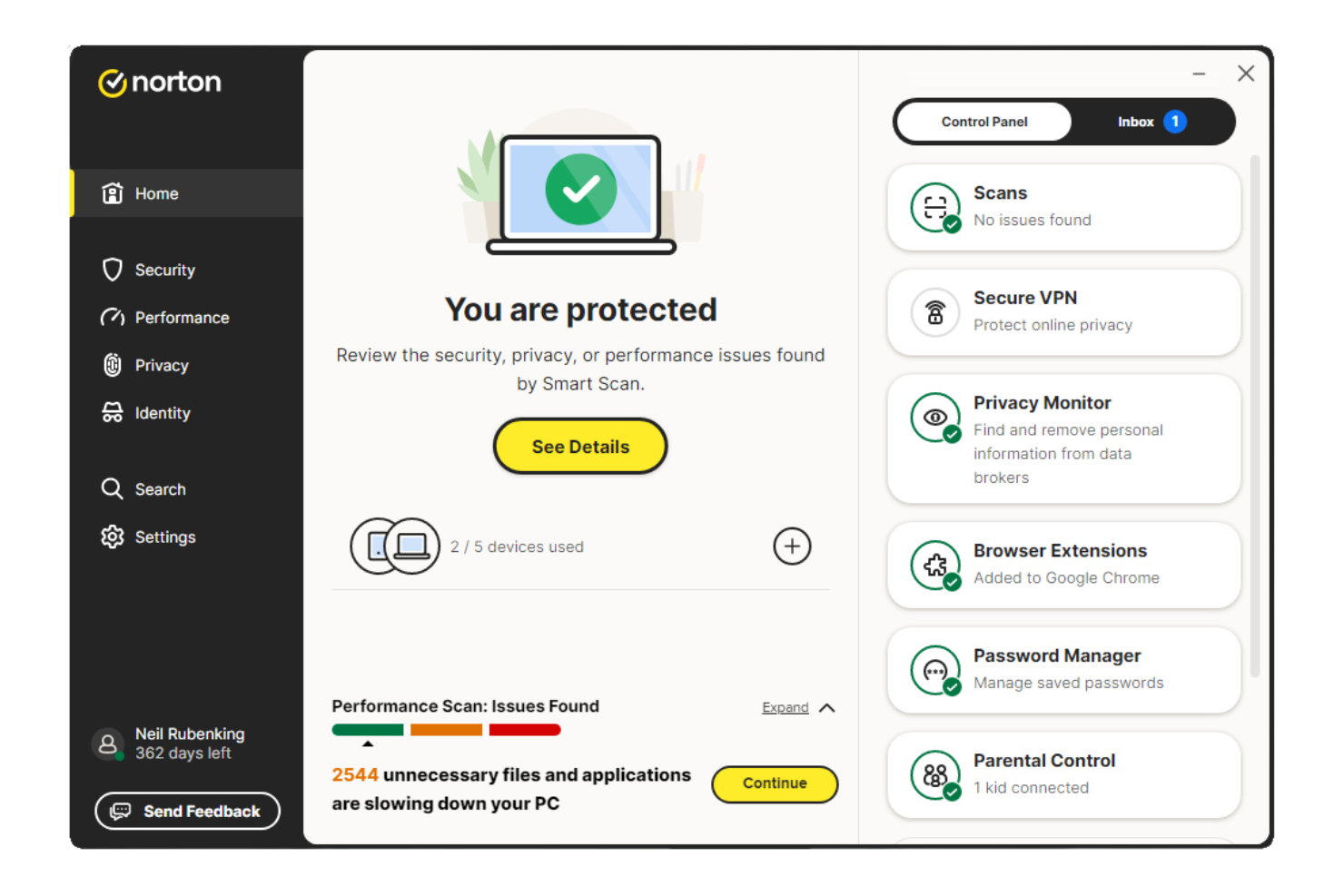
Norton offers endpoint security designed for small companies that need straightforward protection across multiple devices. It appeals to business owners and IT leads who want to safeguard sensitive data and customer information without managing complex security infrastructure. The tool addresses risks like malware, phishing, and device loss that can disrupt operations or compromise privacy.
Who Is Norton Best For?
Norton is a strong fit for small companies that need to prioritize consumer privacy protection across employee devices and customer data.
Why Norton Is a Good CrowdStrike Alternative
What makes Norton a compelling CrowdStrike alternative is its strong focus on consumer privacy protection for small organizations. I picked it for teams that need device-level security features like secure VPN, dark web monitoring, and identity theft protection, which go beyond standard malware defense.
These features help businesses safeguard both employee and customer data from privacy breaches and online threats. For companies handling sensitive information, Norton offers a privacy-centric approach that stands apart from more enterprise-focused solutions.
Norton Key Features
Some other features I found in Norton include:
- Device Security Dashboard: Lets you monitor and manage protection status for all registered devices from a single interface.
- Automatic Software Updates: Keeps operating systems and applications up to date to reduce vulnerabilities.
- Remote Device Lock: Allows you to lock lost or stolen devices remotely to prevent unauthorized access.
- Web Protection: Blocks access to malicious websites and phishing attempts in real time.
Norton Integrations
Native integrations are not currently listed.
Pros and Cons
Pros:
- Provides identity theft protection services
- Offers remote device lock and wipe
- Includes dark web monitoring for credentials
Cons:
- Lacks centralized incident response tools
- No advanced threat hunting capabilities

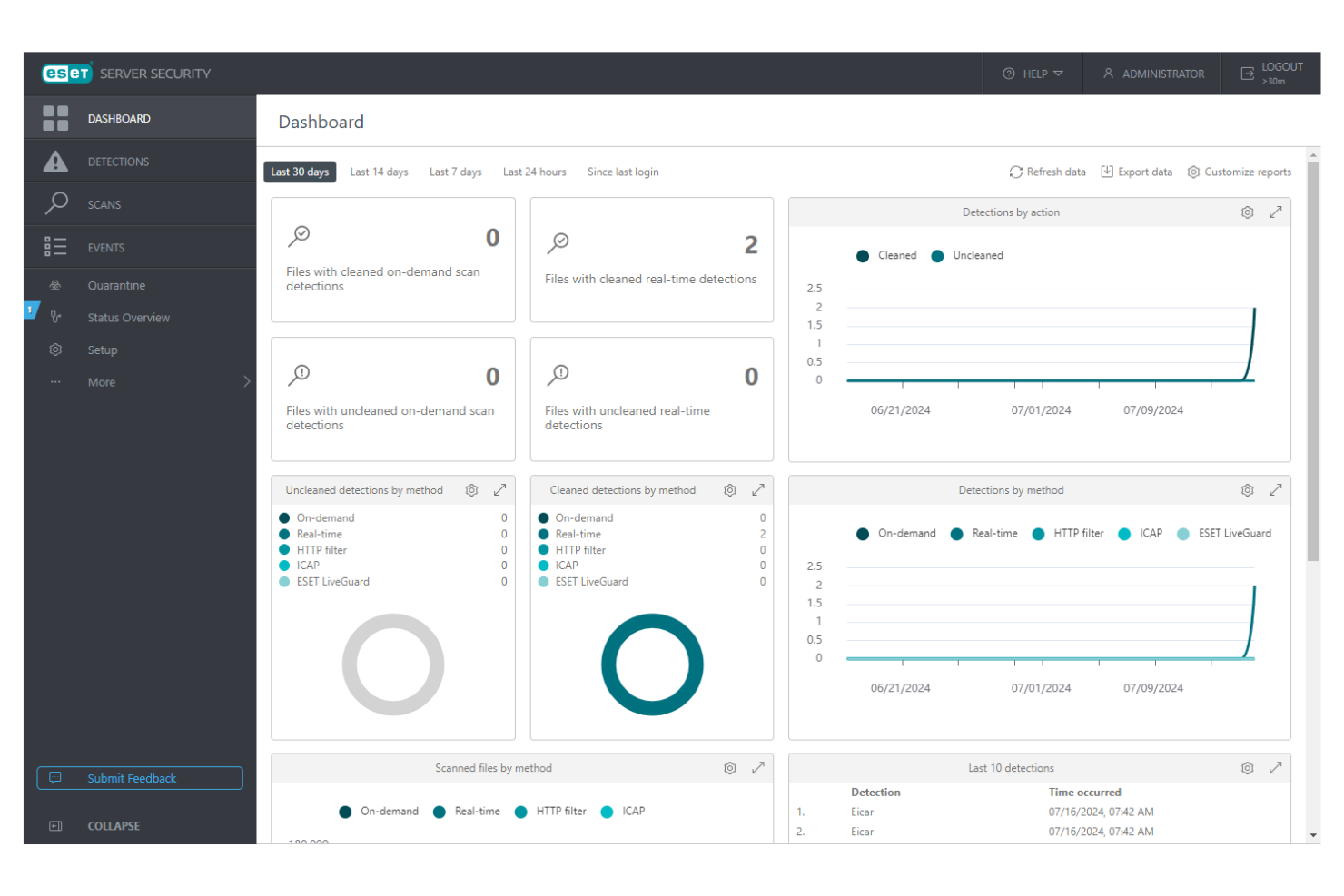
ESET offers endpoint security designed for organizations that need advanced malware detection and prevention. It appeals to IT teams in sectors where persistent threats and targeted attacks are a concern. The platform helps address challenges like fileless malware, lateral movement, and maintaining compliance across distributed environments.
Who Is ESET Best For?
ESET is a strong fit for mid-sized businesses and enterprises that want AI-native malware protection to defend against advanced and targeted threats.
Why ESET Is a Good CrowdStrike Alternative
ESET stands out as a CrowdStrike alternative because of its AI-native approach to malware protection. I picked ESET for its use of machine learning and neural networks to identify and block both known and unknown threats in real time.
The platform also offers cloud security and advanced memory scanning to help detect fileless attacks that traditional tools miss. This makes ESET especially appealing for organizations that need proactive, adaptive defenses against evolving malware techniques.
ESET Key Features
Some other features in ESET that may interest security teams include:
- Cloud-Based Management Console: Lets you manage endpoints, policies, and incidents from a single web interface.
- Device Control: Allows you to set rules for USBs and other external devices to prevent unauthorized data transfers.
- Network Attack Protection: Detects and blocks network-level threats before they reach endpoints.
- Remote Deployment: Supports cost-effective remote installation and updates of endpoint agents across distributed environments.
ESET Integrations
Integrations include Microsoft 365, Google Workspace, IBM Exchange, ESET Inspect, ESET MDR Service, ESET Full Disk Encryption, ESET Cloud App Protection, ESET Mail Server Security, ESET Vulnerability & Patch Management, and ESET Multi-Factor Authentication.
Pros and Cons
Pros:
- Minimal system resource usage
- Multilayered ransomware protection
- Supports on-premises deployment
Cons:
- No native API access
- Complex policy configuration

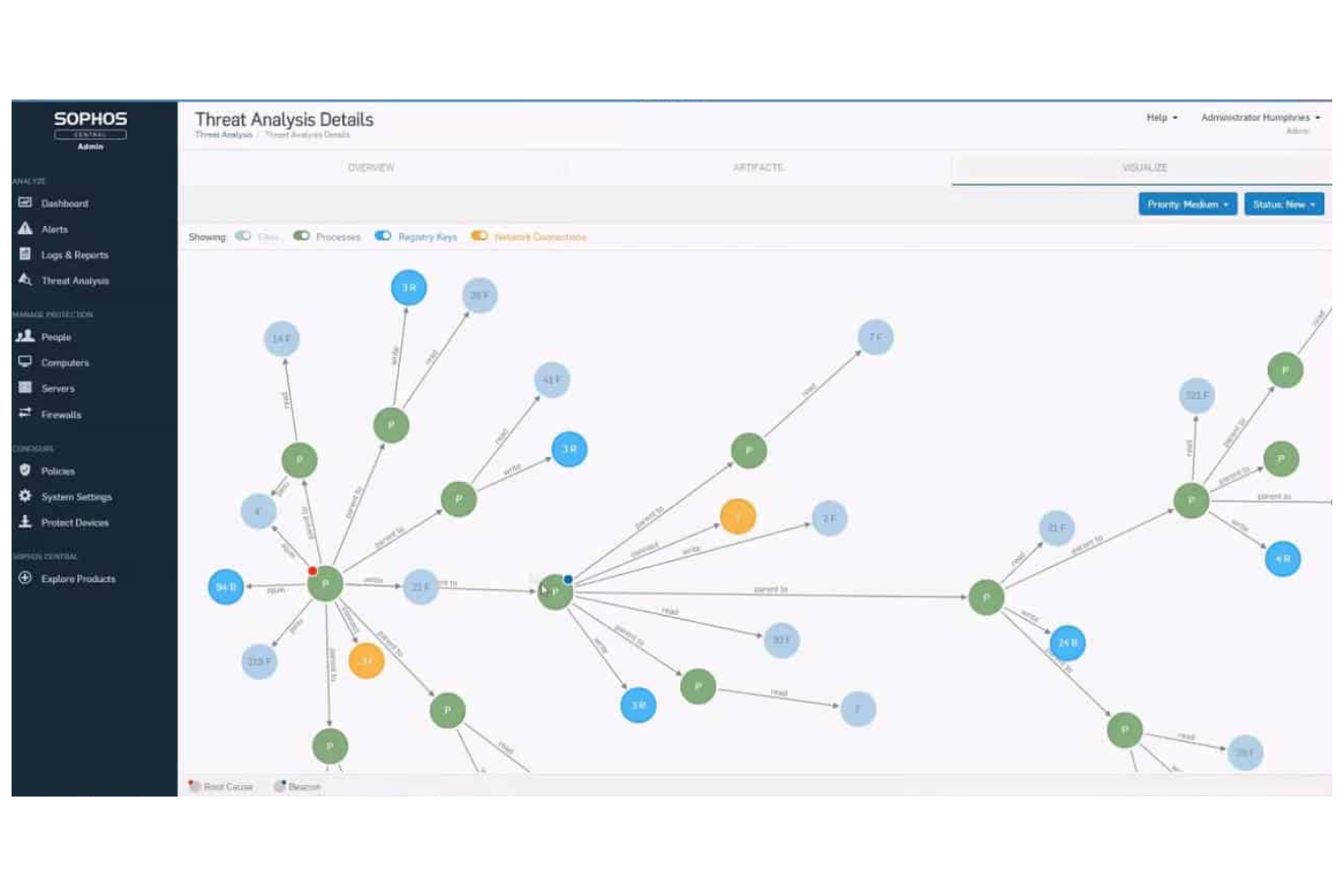
Sophos Endpoint (previously Sophos Intercept X) is an endpoint security solution designed for organizations that need advanced protection against evolving cyber threats. It appeals to IT teams in sectors where layered defense and proactive threat prevention are priorities. Sophos Endpoint addresses challenges like ransomware, fileless attacks, and exploit techniques that often bypass traditional antivirus tools.
Who Is Sophos Endpoint Best For?
Sophos Endpoint is a strong fit for IT and security teams in mid-sized businesses and enterprises that need AI-powered endpoint threat prevention to defend against advanced attacks.
Why Sophos Endpoint Is a Good CrowdStrike Alternative
What sets Sophos Endpoint apart is its use of deep learning AI to detect and block both known and unknown threats at the endpoint. I picked it as a CrowdStrike alternative because its machine learning models analyze file attributes and behaviors in real time, stopping ransomware and zero-day attacks before they can execute.
The tool also includes exploit prevention, which targets techniques attackers use to bypass traditional defenses. This focus on proactive, AI-driven threat prevention makes Sophos Endpoint a strong choice for organizations that want to stay ahead of emerging threats.
Sophos Endpoint Key Features
Some other features I found in Sophos Endpoint that are worth noting include:
- Synchronized Security: Shares threat intelligence between endpoints and firewalls for coordinated defense.
- Root Cause Analysis: Visualizes attack chains to help IT teams investigate and remediate incidents.
- Managed Threat Response: Provides access to a 24/7 team of threat hunters and response experts.
- Application Control: Allows administrators to block or allow specific applications on endpoints.
Sophos Endpoint Integrations
Integrations include Microsoft 365, ServiceNow, Splunk, Palo Alto Networks, AWS, Okta, Fortinet, Cisco, Google Workspace, and Azure Active Directory.
Pros and Cons
Pros:
- 24/7 managed threat response option
- Detailed root cause analysis for incidents
- Deep learning AI blocks unknown malware
Cons:
- Limited Linux endpoint support
- Pricing transparency is lacking

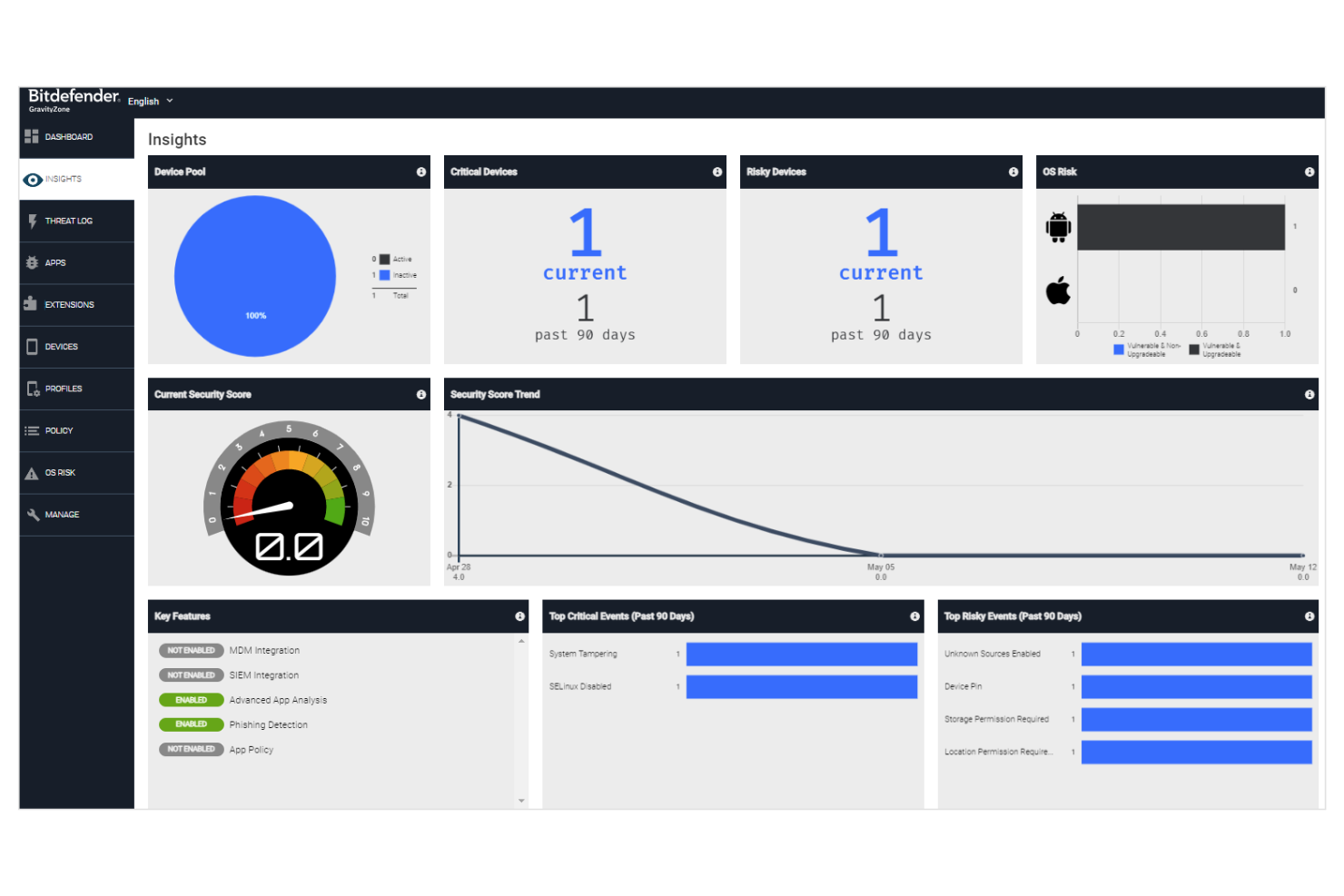
Bitdefender offers endpoint security designed for organizations that need advanced threat prevention and detection. It appeals to IT and security teams in regulated industries or distributed environments looking for layered protection beyond basic antivirus. The platform helps address challenges like zero-day attacks, ransomware, and managing security across multiple device types.
Who Is Bitdefender Best For?
Bitdefender is a strong choice for mid-sized to large organizations that want machine learning-driven security to protect endpoints against evolving threats.
Why Bitdefender Is a Good CrowdStrike Alternative
I picked Bitdefender as a CrowdStrike alternative because of its strong focus on machine learning-driven security. The platform uses advanced algorithms to detect and block both known and unknown threats in real time, which is especially valuable for organizations facing sophisticated attacks.
I appreciate that Bitdefender combines behavioral analytics with cloud-based threat intelligence to adapt quickly to new malware variants. Its layered approach to cybersecurity solutions and endpoint protection makes it a compelling option for teams that want proactive, AI-powered defenses.
Bitdefender Key Features
Some other features in Bitdefender that may interest security teams include:
- Network Attack Defense: Monitors and blocks suspicious network-level activity before it reaches endpoints.
- Device Control: Lets you manage and restrict access to USBs and other external devices across your environment.
- Sandbox Analyzer: Submits suspicious files to a cloud sandbox for deep analysis and verdicts.
- Patch Management: Automates detection and deployment of security patches for operating systems and applications.
Bitdefender Integrations
Integrations include Splunk, IBM QRadar, ServiceNow, Microsoft Azure, VMware, Citrix, ConnectWise, AWS, Palo Alto Networks, and Fortinet.
Pros and Cons
Pros:
- Device control for USB and peripheral lockdown
- Centralizes multi-platform management
- Machine learning detects zero-day threats
Cons:
- Occasional false positives in threat detection
- Cloud console can be slow at times

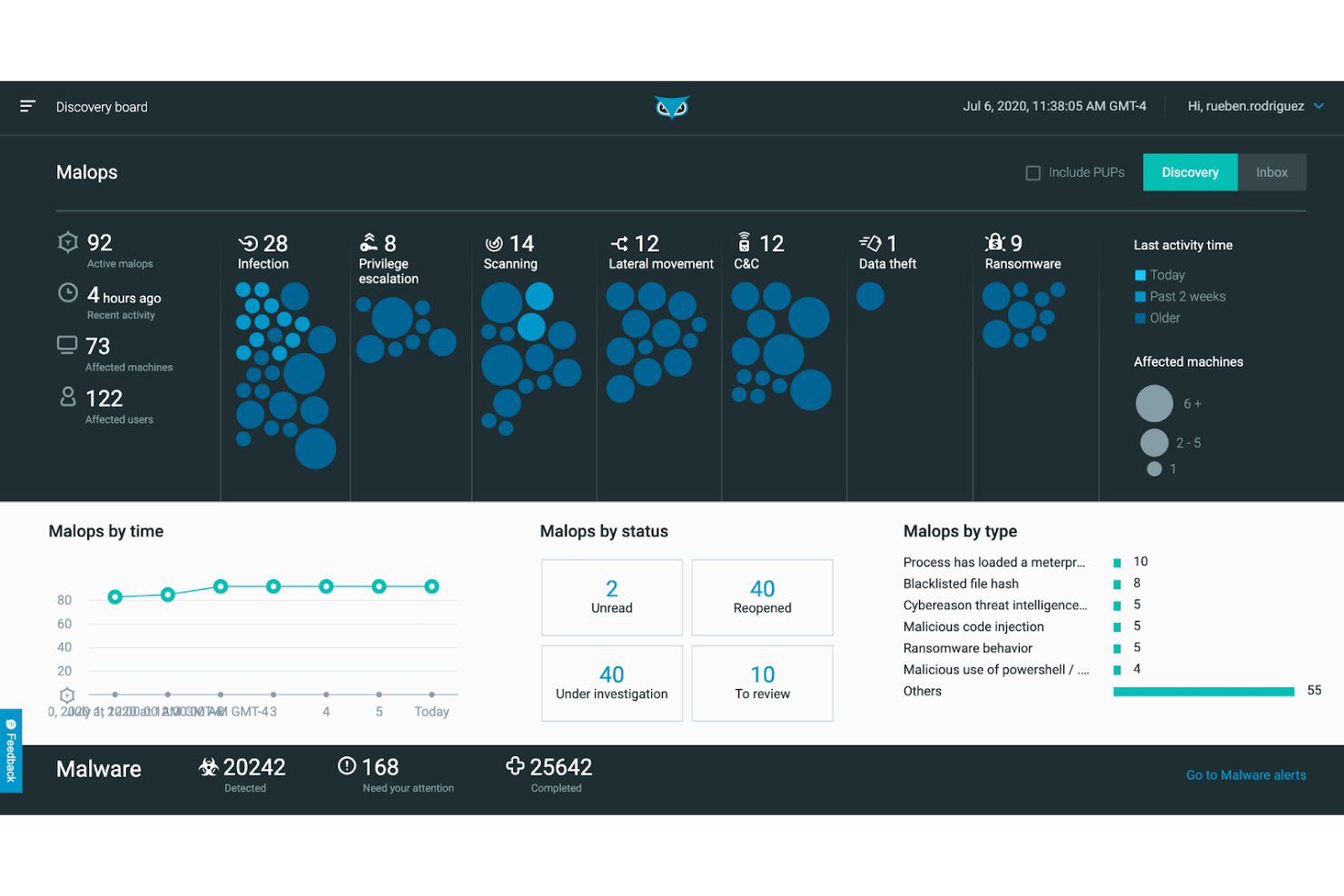
Cybereason is an endpoint protection platform designed for organizations that need advanced threat detection and response. It appeals to IT and security teams looking to identify and stop complex attacks across their environment. The tool helps address challenges like lateral movement, persistent threats, and rapid incident response.
Who Is Cybereason Best For?
Cybereason is a strong fit for mid-sized to large enterprises that need advanced behavior analytics to detect and respond to active threats across complex environments.
Why Cybereason Is a Good CrowdStrike Alternative
What sets Cybereason apart as a CrowdStrike alternative is its deep focus on behavior analytics for detecting active threats. I picked it for teams that need to identify suspicious patterns and lateral movement in real time, not just block known malware.
Cybereason’s MalOp (Malicious Operation) visualizations help security teams quickly understand the full scope of an attack as it unfolds. Its automated response capabilities also allow you to contain threats directly from the platform, reducing the time attackers have to do damage.
Cybereason Key Features
Some other features I found in Cybereason that may interest security teams include:
- Ransomware Protection: Detects and blocks ransomware attacks before data encryption occurs.
- Fileless Malware Detection: Identifies threats that operate in memory without leaving traditional file traces.
- Threat Intelligence Integration: Enriches alerts with global threat intelligence for better context.
- Automated Remediation: Executes predefined actions to isolate or clean infected endpoints without manual intervention.
Cybereason Integrations
Integrations include Okta, Slack, Google Cloud, Netskope, Zscaler, Mimecast, Proofpoint, Fortinet, Palo Alto Networks, and Splunk.
Pros and Cons
Pros:
- Integrates with major SIEM and SOAR tools
- Detects fileless and in-memory threats
- Visualizes attack chains with MalOp dashboard
Cons:
- Limited mobile device management options
- Can generate high alert volumes

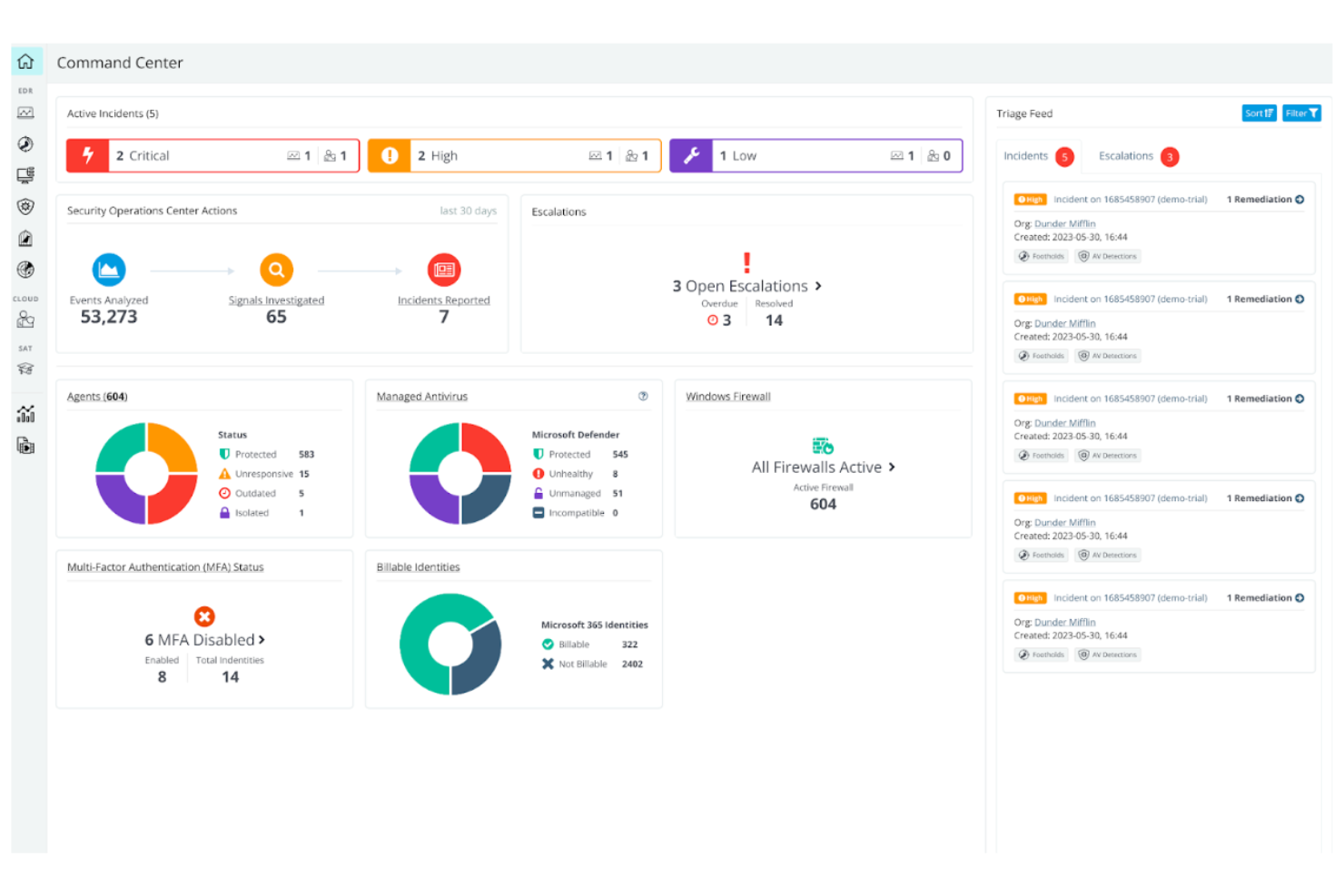
Huntress offers a managed endpoint protection solution designed for IT teams that want expert oversight. It appeals to small businesses and MSPs that need help identifying and responding to persistent threats across endpoints. The platform helps address gaps in traditional antivirus by focusing on hands-on threat analysis and guided remediation.
Who Is Huntress Best For?
Huntress is a strong fit for small IT teams and MSPs that want managed detection and response without the overhead of building a dedicated security operations center.
Why Huntress Is a Good CrowdStrike Alternative
Unlike many security platforms that expect in-house expertise, Huntress delivers managed detection and response tailored for small teams that need outside support. I picked Huntress because it combines automated threat detection with a team of security analysts who investigate incidents and provide clear, actionable remediation steps.
The platform’s managed service for persistent foothold detection helps address threats that traditional protection might miss. For organizations that want expert-driven security without building a full SOC, Huntress offers a practical and focused alternative.
Huntress Key Features
Some other Huntress features that may interest IT and security teams include:
- Ransomware Canaries: Deploys decoy files on endpoints to detect ransomware activity early.
- External Recon: Monitors exposed services and ports to identify potential attack surfaces.
- Incident Reporting: Provides detailed incident reports with timelines and technical context for each security event.
- Automated Threat Containment: Isolates compromised endpoints from the network to prevent lateral movement.
Huntress Integrations
Integrations include Syncro, Kaseya BMS, HaloPSA, ConnectWise Manage, Autotask, ninjaOne, N-Able, Datto RMM, ConnectWise Automate, and Microsoft 365.
Pros and Cons
Pros:
- Clear, actionable remediation guidance
- Persistent foothold detection beyond standard AV
- Human-led threat analysis for every alert
Cons:
- No mobile device protection
- Lacks built-in firewall management

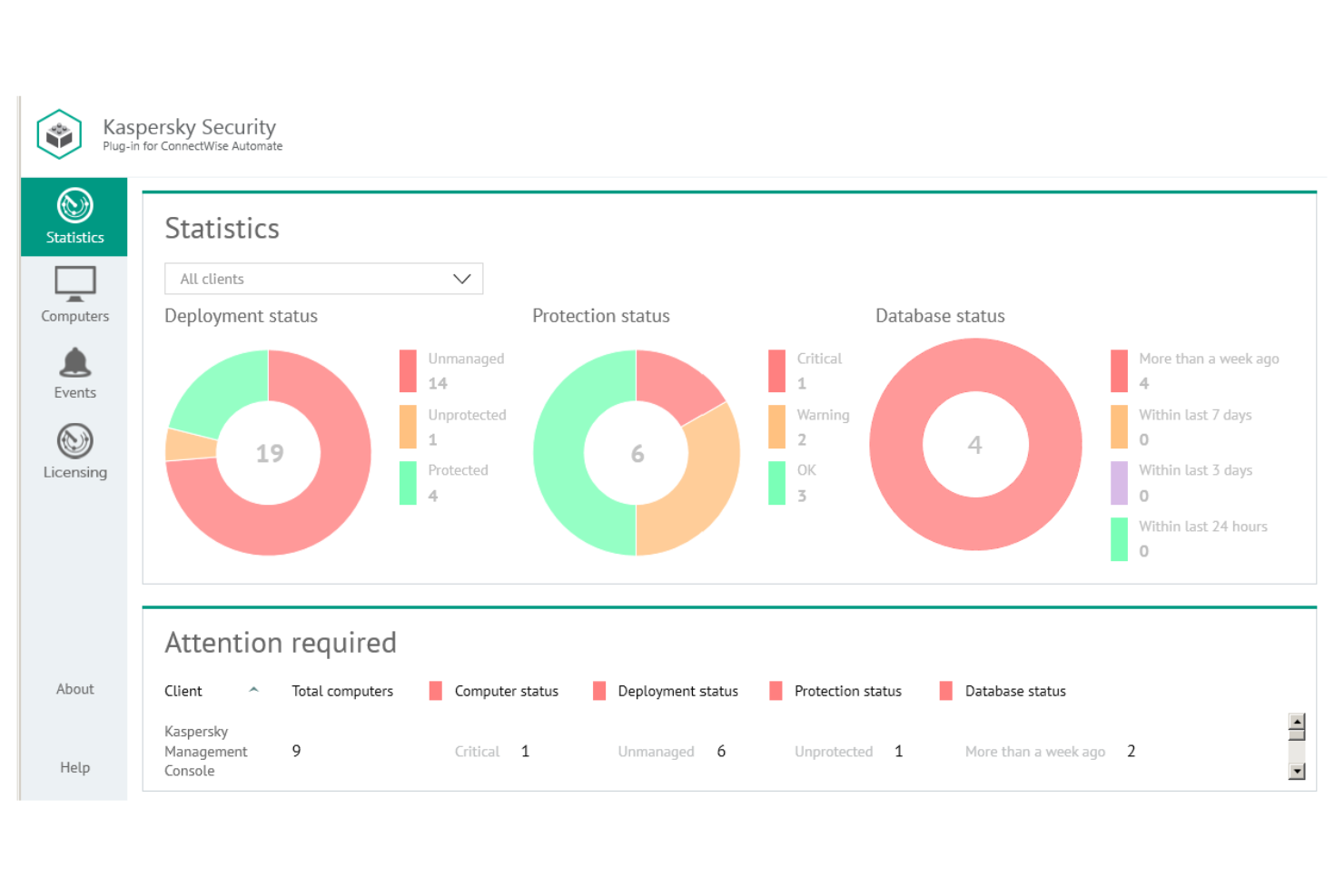
Kaspersky Next offers endpoint security designed for organizations that need layered protection against evolving cyber attacks. It appeals to IT teams in regulated industries and businesses with distributed workforces. The platform helps address challenges like targeted attacks, ransomware, and maintaining compliance across multiple endpoints.
Who Is Kaspersky Next Best For?
Kaspersky is a strong choice for mid-sized to large organizations that need advanced endpoint threat defense across diverse device fleets.
Why Kaspersky Next Is a Good CrowdStrike Alternative
Kaspersky Next stands out for its layered approach to endpoint threat defense, making it a strong alternative to CrowdStrike. I picked Kaspersky Next because it combines behavior-based detection with real-time threat intelligence to block ransomware, fileless attacks, and advanced persistent threats. The platform also offers granular policy controls and automated response tools, which help IT teams contain incidents quickly.
These capabilities make Kaspersky Next especially appealing for organizations that need to secure a wide range of endpoints against sophisticated threats.
Kaspersky Next Key Features
Some other features in Kaspersky Next that may interest security teams include:
- Web Control: Lets you set rules for website categories and block access to risky or non-compliant sites.
- Application Control: Allows you to define which applications can run on endpoints, reducing exposure to unauthorized software.
- Device Control: Enables granular management of USBs to support data loss prevention and prevent data leaks.
- Centralized Management Console: Provides a unified dashboard for monitoring, policy management, and incident response across all protected endpoints.
Kaspersky Next Integrations
Kaspersky Next does not publicly list native integrations on its website, but an API is available for custom integrations.
Pros and Cons
Pros:
- Advanced multilayered malware detection
- Automated remediation and rollback
- Supports air-gapped network environments
Cons:
- High resource usage during scans
- Restricted in some government jurisdictions

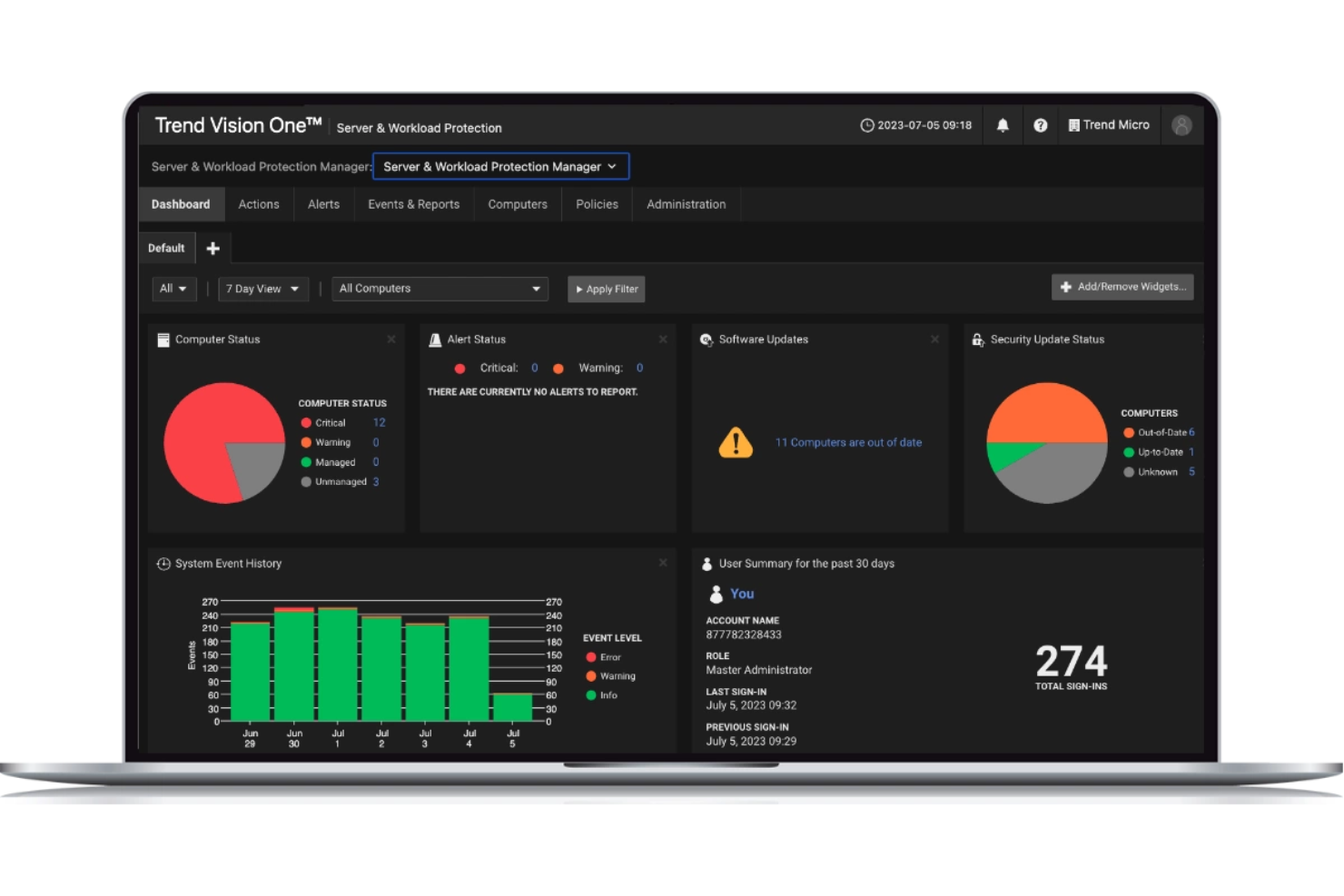
TrendAI Vision One offers extended detection and response (XDR) for organizations that need visibility across endpoints, email, cloud workloads, and networks. It’s designed for security teams that want to unify threat detection and investigation in one platform. This tool helps address the challenge of correlating threats across multiple environments without relying on separate point solutions.
Who Is TrendAI Vision One Best For?
Trend Micro Vision One is a strong choice for mid-sized to large enterprises that need unified XDR to monitor and respond across endpoints, cloud, email, and network layers.
Why TrendAI Vision One Is a Good CrowdStrike Alternative
I picked TrendAI Vision One because it delivers unified XDR that covers endpoints, email, cloud workloads, and network traffic in a single platform. Unlike solutions that focus only on endpoint protection, Vision One correlates data from multiple sources to help security teams detect and investigate threats across the entire attack surface.
Its native integrations and cross-layer detection capabilities make it easier to identify complex attacks that span different environments. For organizations that want a holistic approach to threat detection and response, Vision One offers a strong alternative to CrowdStrike.
TrendAI Vision One Key Features
Some other features I found valuable in TrendAI Vision One include:
- Risk Insights Dashboard: Provides a centralized view of risk levels across users, devices, and applications.
- Automated Playbooks: Lets you set up automated response actions for common threat scenarios.
- Sandbox Analysis: Analyzes suspicious files and URLs in an isolated environment to detect advanced threats.
- Third-Party Security Integration: Connects with other security tools to enhance detection and response workflows.
TrendAI Vision One Integrations
Integrations include ServiceNow, Splunk, IBM QRadar, Palo Alto Networks, Okta, AWS Security Hub, Azure Sentinel, Fortinet, Cisco, and Microsoft 365.
Pros and Cons
Pros:
- Risk insights dashboard for prioritized actions
- Automated playbooks for incident response
- Correlates threats across endpoints and cloud
Cons:
- Advanced features require add-on licenses
- Fewer threat intelligence feeds than peers
Other CrowdStrike Alternatives
Here are some additional CrowdStrike alternatives that didn’t make it onto my shortlist, but are still worth checking out:
- Heimdal
For DNS security plus patching
- Carbon Black
For granular policy customization
- Cortex XDR
For cross-domain data correlation
- Fortinet
For network security convergence
- Microsoft Defender for Endpoint
For native Windows integration
- Symantec (Broadcom)
For hybrid and legacy infrastructures


CrowdStrike Alternatives Selection Criteria
When selecting the best CrowdStrike alternatives to include in this list, I considered common buyer needs and pain points related to cybersecurity tool products, like reducing attack surface and automating threat response. I also used the following framework to keep my evaluation structured and fair:
Core Functionality (25% of total score)
To be considered for inclusion in this list, each solution had to fulfill these common use cases:
- Detect and block malware
- Prevent phishing attacks
- Monitor endpoint activity
- Provide incident response tools
- Offer centralized security management
Additional Standout Features (25% of total score)
To help further narrow down the competition, I also looked for unique features, such as:
- Automated patch management
- DNS-layer threat protection
- Privilege access management
- Integrated threat intelligence feeds
- Advanced threat hunting capabilities
Usability (10% of total score)
To get a sense of the usability of each system, I considered the following:
- Clear and intuitive dashboard design
- Logical navigation between modules
- Minimal clicks to complete key tasks
- Customizable alerting and reporting
- Accessibility for different user roles
Onboarding (10% of total score)
To evaluate the onboarding experience for each platform, I considered the following:
- Availability of training videos and documentation
- Guided product tours or interactive walkthroughs
- Access to onboarding webinars or workshops
- Migration support for existing data and systems
- Responsive onboarding support team
Customer Support (10% of total score)
To assess each software provider’s customer support services, I considered the following:
- 24/7 support availability
- Multiple support channels like chat, email, and phone
- Access to a knowledge base or help center
- Fast response times to critical issues
- Availability of dedicated account managers
Value For Money (10% of total score)
To evaluate the value for money of each platform, I considered the following:
- Transparent and predictable pricing structure
- Flexible plans for different business sizes
- Features included at each pricing tier
- No hidden fees or surprise charges
- Free trial or demo availability
Customer Reviews (10% of total score)
To get a sense of overall customer satisfaction, I considered the following when reading customer reviews:
- Consistency of positive feedback across platforms
- Reports of reliable threat detection
- Feedback on ease of deployment and use
- Comments on support responsiveness
- Noted limitations or recurring complaints
Why Look For a CrowdStrike Alternative?
While CrowdStrike is a good choice of cybersecurity tool, there are a number of reasons why some users seek out alternative solutions. You might be looking for a CrowdStrike alternative because…
- You need integrated patch management and DNS security
- Your organization requires on-premises deployment options
- You want more flexible pricing for smaller teams
- You need support for Linux or non-standard endpoints
- Your business operates in regions with limited CrowdStrike coverage
- You prefer a tool with more granular privilege management
If any of these sound like you, you’ve come to the right place. My list contains several cybersecurity tool options that are better suited for teams facing these challenges with CrowdStrike and looking for alternative solutions.
CrowdStrike Key Features
Here are some of the key features of CrowdStrike, to help you contrast and compare what alternative solutions offer:
- Endpoint detection and response (EDR): Continuously monitors endpoints for suspicious activity and provides real-time alerts and forensic data to help teams investigate and respond to threats quickly.
- Threat intelligence feeds: Delivers up-to-date information on emerging threats, attacker tactics, and indicators of compromise, helping organizations stay ahead of evolving cyber risks.
- Cloud-native architecture: Deploys and manages security operations from the cloud, allowing for rapid scaling, centralized management, and minimal on-premises infrastructure.
- Malware prevention: Uses machine learning and behavioral analysis to detect and block known and unknown malware before it can execute on endpoints.
- Managed threat hunting: Provides access to a team of security experts who proactively search for hidden threats and help organizations respond to advanced attacks.
- Vulnerability management: Identifies risks that are frequently highlighted in MITRE ATT&CK evaluations, giving security teams actionable insights to remediate vulnerabilities.
- Device control: Enables granular control over USB and peripheral device usage to prevent data exfiltration and unauthorized access.
- Firewall management: Offers policy-based firewall controls that can be managed centrally to enforce network segmentation and block malicious traffic.
- Incident response automation: Automates common response actions, such as isolating compromised devices or blocking malicious processes, to reduce response times and limit damage.
Reporting and analytics: Provides customizable dashboards mapped to MITRE tactics to show security events and compliance status to stakeholders.