

10 Best Configuration Management Tools in DevOps Reviewed in 2026

Configuration Management Tools in DevOps Shortlist


Configuration management tools in DevOps help your team automate, track, and control changes across IT infrastructure, ensuring systems stay consistent and secure as environments grow. If you’re searching for the right tool, you’re likely balancing the need for reliability, compliance, and speed—while managing complex, interconnected systems. This list gives you a clear, up-to-date comparison of the top configuration management tools for 2026, so you can confidently choose solutions that fit your automation, policy, and infrastructure needs.
Why Trust Our Software Recommendations
Our team has been testing and reviewing software since 2012. As tech leaders ourselves, we know how difficult—and important—it is to choose the right software.
For this guide, we evaluated tools using hands-on testing and independent research, scoring tools using our selection criteria.
Our reviews reflect our human editorial judgment, not a sales pitch.
Expert reviewers:
Best Configuration Management Tools in DevOps Summary
This comparison chart summarizes pricing details for my top configuration management tools in devops selections to help you find the best one for your budget and business needs.
| Tool | Best For | Trial Info | Price | ||
|---|---|---|---|---|---|
| 1 | Best for Git-centric infrastructure management | Free trial available | From $20,000/year (billed annually) | Website | |
| 2 | Best for IT asset discovery and mapping | Free trial + free demo available | Pricing upon request | Website | |
| 3 | Best for agentless automation at scale | Free trial available | Pricing upon request | Website | |
| 4 | Best for multi-language infrastructure scripting | 14-day free trial | From $40/month | Website | |
| 5 | Best for policy-driven workflow automation | Free trial + free demo available | From $59/node/month (billed annually) | Website | |
| 6 | Best for managing hybrid infrastructure | Free demo available | Pricing upon request | Website | |
| 7 | Best for native AWS resource tracking | Free demo available | Pricing upon request | Website | |
| 8 | Best for network device configuration backups | Free demo available | From $7/node/month | Website | |
| 9 | Best for service discovery and key-value storage | Free demo available | From $3.40/user/month | Website | |
| 10 | Best for open-source infrastructure as code | Free plan available | Free plan available | Website |
Configuration Management Tools in DevOps Reviews
Below are my detailed summaries of configuration management tools in DevOps that made it onto my shortlist. My reviews offer a detailed look at the features, best use cases, and integrations of each tool to help you find the best one for your team.

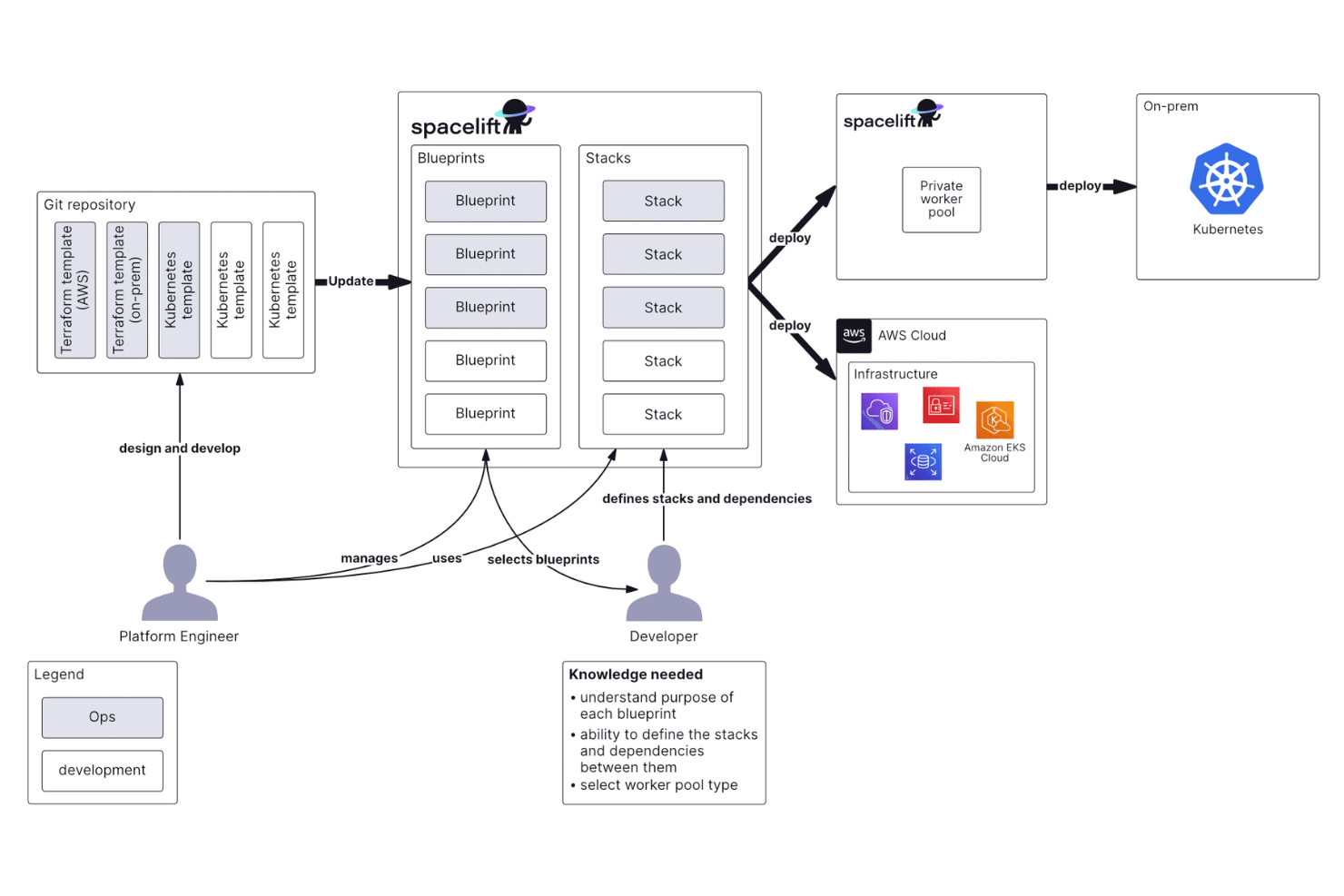
Spacelift is an infrastructure orchestration platform that manages IaC pipelines across Terraform, OpenTofu, Pulumi, Ansible, Kubernetes, and other tools, with Git-driven workflows, policy-as-code controls, and built-in drift detection.
Who is Spacelift Best For?
Spacelift suits platform engineering and DevOps teams at mid-to-large organizations managing complex, multi-tool infrastructure at scale.
Why I Picked Spacelift
Spacelift earns its spot on my shortlist because of how tightly it ties infrastructure management to Git. Every stack is linked to a specific repository branch, and commits to the tracked branch automatically trigger deployment runs, while pushes to any other branch trigger proposed runs for preview. I particularly like the push policy layer, which lets you write OPA-based rules that precisely control which file changes in a repo actually trigger a stack run. For teams working with monorepos, the project root and project globs settings give you surgical control over which paths map to which stacks, all without leaving your Git workflow.
Spacelift Key Features
- Drift detection: Spacelift runs scheduled checks to identify when live infrastructure no longer matches the state defined in your configuration files, and can automatically remediate detected drift.
- Contexts: Create reusable configuration blocks of environment variables, mounted files, and hooks that you can attach to multiple stacks at once.
- Stack dependencies: Define explicit dependency relationships between stacks so that a change in one infrastructure layer triggers dependent stacks in the correct order.
- Ansible stack support: Run Ansible playbooks alongside IaC tools within the same pipeline, with a dedicated Configuration Management View for monitoring task execution across stacks.
Spacelift Integrations
Spacelift offers native integrations with IaC tools like Terraform, OpenTofu, Pulumi, CloudFormation, Ansible, and Kubernetes, plus native cloud provider integrations with AWS, Azure, and GCP. It also integrates with GitHub, GitLab, Bitbucket, Azure DevOps, Slack, Microsoft Teams, Datadog, ServiceNow, and Infracost. A GraphQL API is available for custom integrations, but Zapier support remains unclear.
Pros and Cons
Pros:
- Pull request previews show plans before merging
- Drift detection catches discrepancies early
- OPA-based policy engine gates infrastructure changes
Cons:
- OPA policy error messages lack clarity
- Adding new configuration items can be difficult
Device42
Best for IT asset discovery and mapping
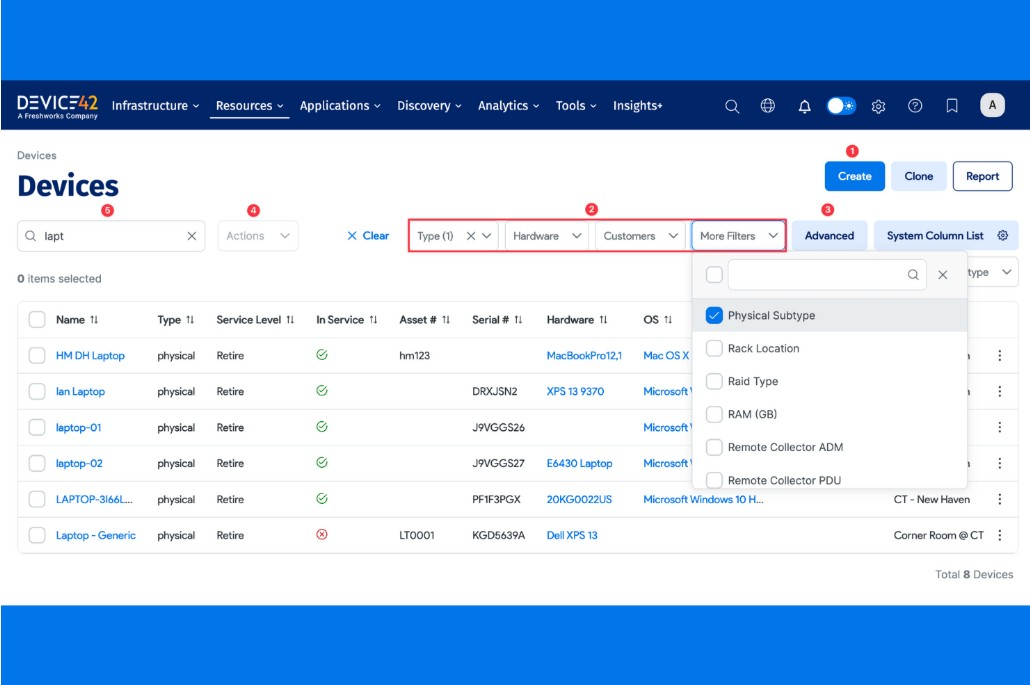
Device42 stands out for teams that need deep visibility into their IT assets and infrastructure. It’s designed for IT operations, infrastructure managers, and devops professionals who want automated discovery and detailed mapping of hardware, software, and network dependencies. With Device42, you can address challenges around asset sprawl, undocumented changes, and complex dependency tracking across hybrid environments.
Why I Picked Device42
When it comes to IT asset discovery and mapping, Device42 offers a level of automation and detail that’s hard to match. I picked Device42 because it automatically scans your environment to identify hardware, software, and network components, then maps their relationships in real time. Its dependency mapping helps devops teams visualize how assets interact, which is essential for impact analysis and change management. The platform’s ability to track assets across hybrid and multi-cloud environments makes it especially valuable for organizations with complex, distributed infrastructure.
Device42 Key Features
Some other features that make Device42 valuable for devops teams include:
- IP Address Management: Manage and track IP addresses, subnets, and allocations across your network.
- Software License Management: Monitor software usage and license compliance across all discovered assets.
- Password and Secret Storage: Store and manage credentials securely within the platform.
- Audit Trail and Change Tracking: Maintain a detailed log of changes and user actions for compliance and troubleshooting.
Integrations
Integrations include SaltStack, Chef, Cherwell, Confluence, and CyberArk.
Pros and Cons
Pros:
- Unified view of cloud and on-prem assets
- Automated application dependency mapping
- Agentless discovery across the stack
Cons:
- Resource-intensive initial configuration
- High cost for small to mid-sized teams

Ansible
Best for agentless automation at scale
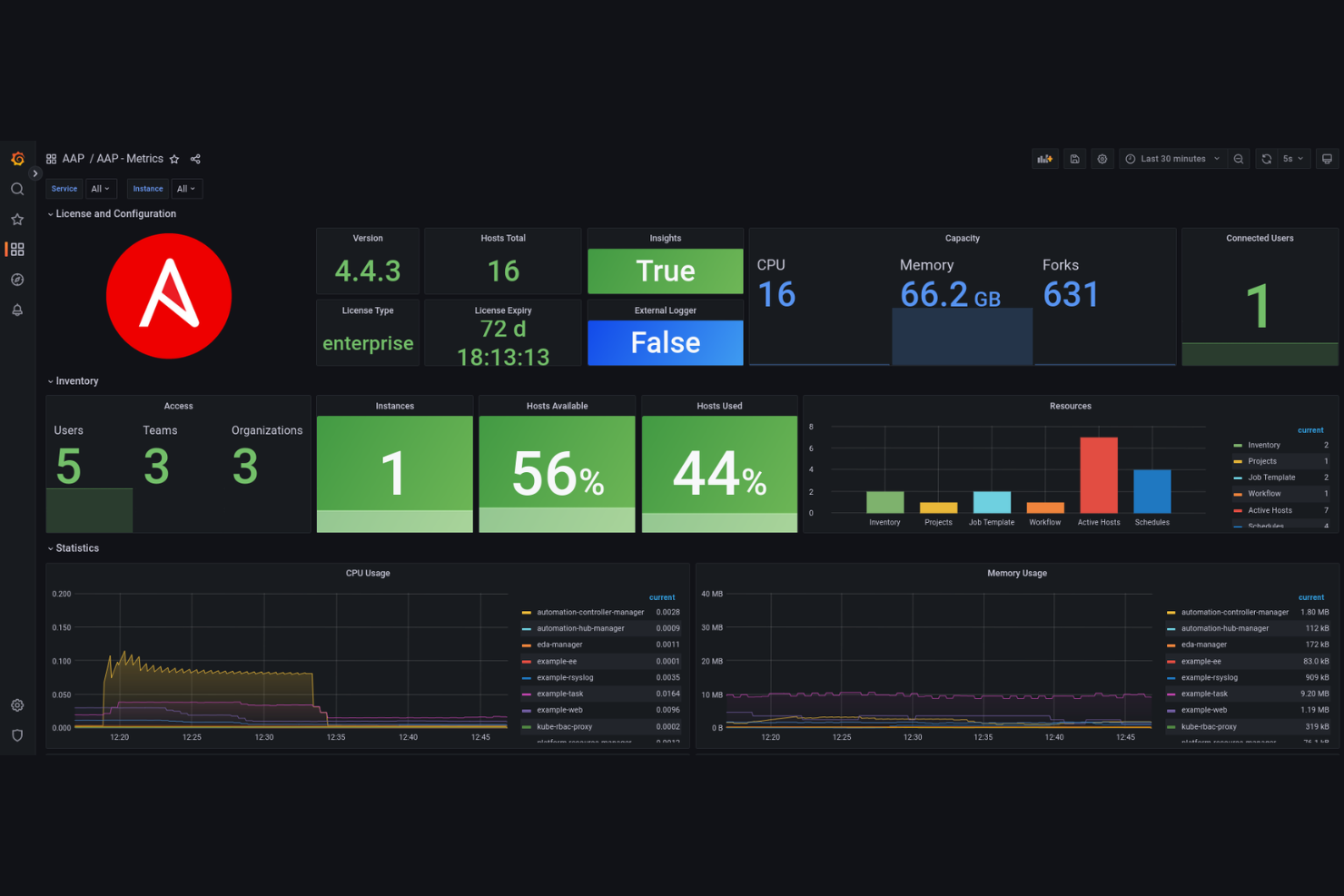
Ansible offers agentless automation for teams managing large-scale, complex infrastructure. It’s a strong fit for IT specialists who want to automate configuration, deployment, and orchestration without installing agents on every node. If you need a tool that simplifies multi-environment management and reduces manual intervention and human error, Ansible stands out for its straightforward, YAML-based approach.
Why I Picked Ansible
I chose Ansible because its agentless architecture is especially valuable for teams managing diverse and distributed environments. With Ansible, you can automate configuration and deployment tasks over SSH or WinRM, so there’s no need to install or maintain agents on every system. I appreciate how its playbook model uses simple YAML files, making it easy to define and version infrastructure as code. This approach helps IT teams scale automation quickly while minimizing operational overhead and security risks tied to agent management.
Ansible Key Features
Some other features of Ansible that are especially useful for configuration management in DevOps include:
- Role-Based Access Control: Manage permissions and access to playbooks, inventories, and credentials for different users and teams.
- Dynamic Inventory Support: Automatically pull inventory data from cloud providers and external sources to keep your environment lists up to date.
- Ansible Galaxy Integration: Access and share pre-built roles and collections from the Ansible Galaxy community repository.
- Automated Remediation: Detect configuration drift and trigger automated corrective actions to maintain system consistency.
Integrations
Integrations include VMware, Cisco, and Juniper Networks.
Pros and Cons
Pros:
- Easy to learn for Python developers
- Vast library of community-built modules
- Idempotent: ensures consistent state
Cons:
- SSH overhead can cause execution lag
- Limited native support for Microsoft Windows

Pulumi
Best for multi-language infrastructure scripting
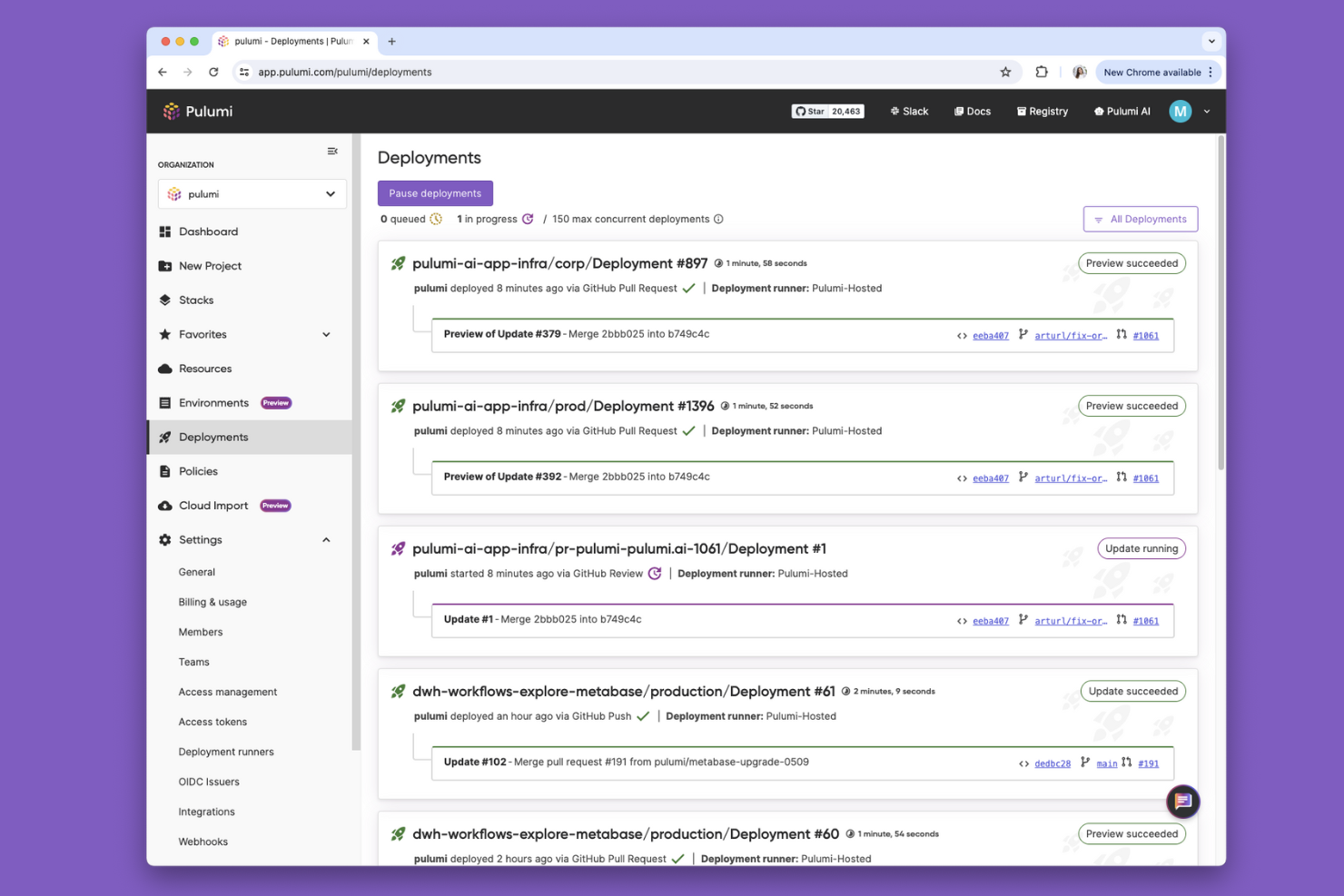
Pulumi gives devops teams the flexibility to define infrastructure using familiar programming languages like Python, TypeScript, Go, and C#. This approach is especially useful for organizations with strong software engineering practices that want to unify application and infrastructure code. Pulumi helps teams manage complex cloud resources while leveraging existing language tooling, testing frameworks, and code reuse patterns.
Why I Picked Pulumi
What sets Pulumi apart is its support for multiple programming languages when defining infrastructure. This multi-language capability means you can use Python, TypeScript, Go, or C# to write infrastructure code, which is especially valuable for teams that want to align infrastructure management with their existing development workflows. I like that Pulumi lets you leverage familiar language features such as loops, conditionals, and package management, making complex infrastructure logic more maintainable. This approach helps devops teams bridge the gap between application and infrastructure code, supporting more advanced automation and collaboration.
Pulumi Key Features
Some other features that make Pulumi a strong choice for devops teams include:
- State Backends: Store and manage infrastructure state in the Pulumi Cloud, AWS S3, Azure Blob Storage, or other supported backends.
- Policy as Code: Define and enforce compliance policies using code to govern infrastructure deployments.
- Secrets Management: Securely manage sensitive data like API keys and passwords within your infrastructure code.
- Resource Dependency Graph: Automatically track and visualize resource dependencies to ensure correct provisioning order.
Pros and Cons
Pros:
- Built-in secret encryption by default
- Native unit and continuous integration testing
- Reuse existing code and library logic
Cons:
- Imperative code can get over-complicated
- State management usually requires SaaS
Chef
Best for policy-driven workflow automation
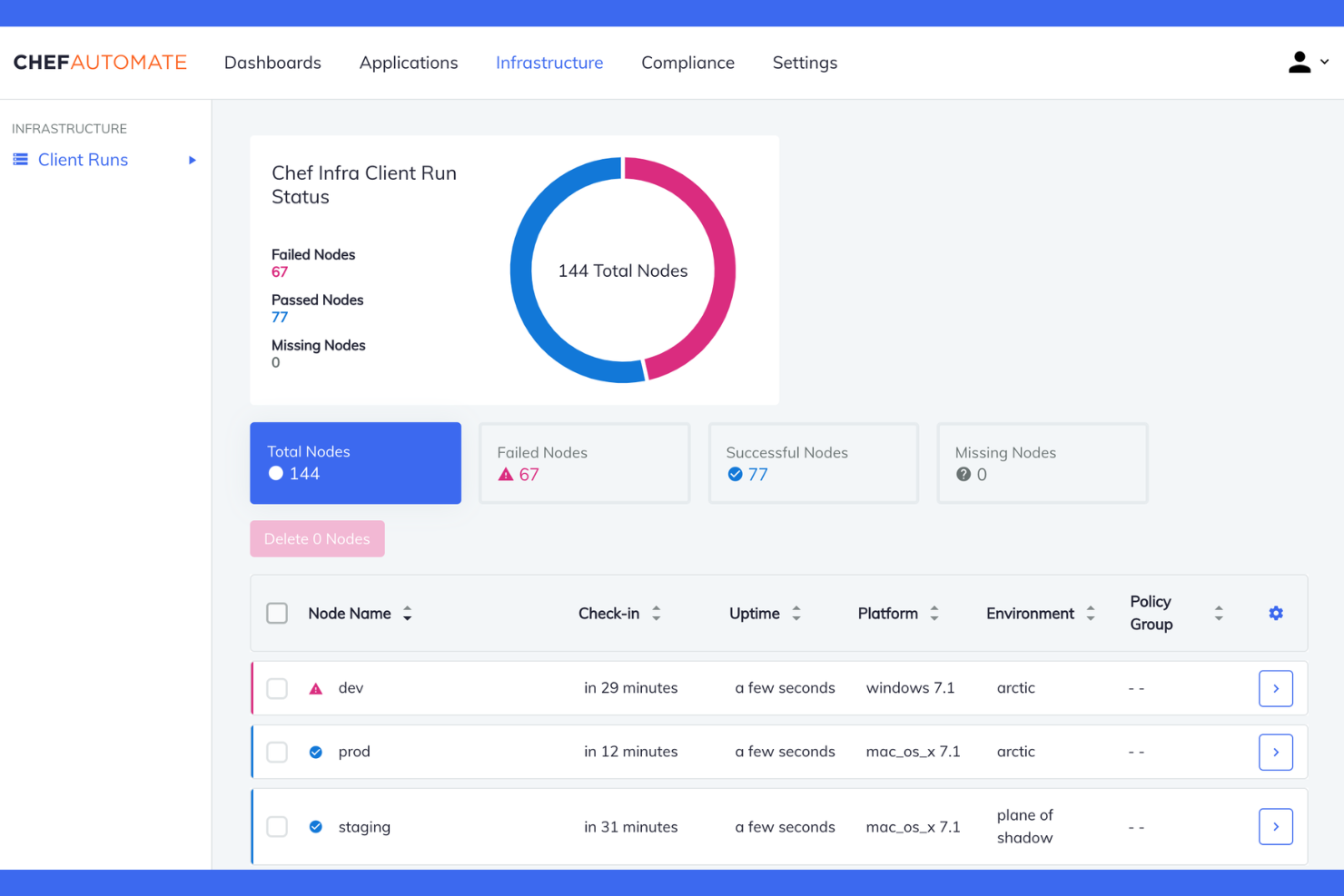
Chef stands out for teams that want to automate infrastructure and application deployment workflows using policy-driven code. It’s a strong fit for organizations with strict compliance needs or those managing complex, multi-cloud environments with large workloads. If you need to define, test, and enforce infrastructure policies as code, Chef offers a flexible framework that helps you keep everything consistent and auditable.
Why I Picked Chef
For teams that need to automate workflows with strict policy enforcement, Chef offers a policy-driven approach that stands out in the configuration management space. Chef lets you define infrastructure, security, and compliance policies as code, so you can version, test, and audit changes just like application code. I like that Chef’s InSpec framework allows you to continuously validate compliance across your environments. Its ability to automate remediation based on policy violations also helps reduce manual intervention and keeps systems aligned with organizational standards.
Chef Key Features
Some other features that make Chef a strong choice for configuration management in DevOps include:
- Chef Supermarket: Access a community-driven repository of reusable cookbooks for common automation tasks.
- Test Kitchen: Run automated tests for infrastructure code in isolated environments before deployment.
- Role-Based Access Control (RBAC): Manage user permissions and access to resources within Chef.
- Automated Dependency Management: Handle cookbook dependencies and versioning to ensure reliable deployments.
Integrations
Integrations include Splunk, Terraform, Jenkins, and Docker.
Pros and Cons
Pros:
- Handles very large-scale infrastructure
- Strong "Policyfile" for immutable setups
- Robust "Test Kitchen" for pre-deploy tests
Cons:
- Client-server setup is resource heavy
- Slower execution vs agentless tools
Puppet
Best for managing hybrid infrastructure
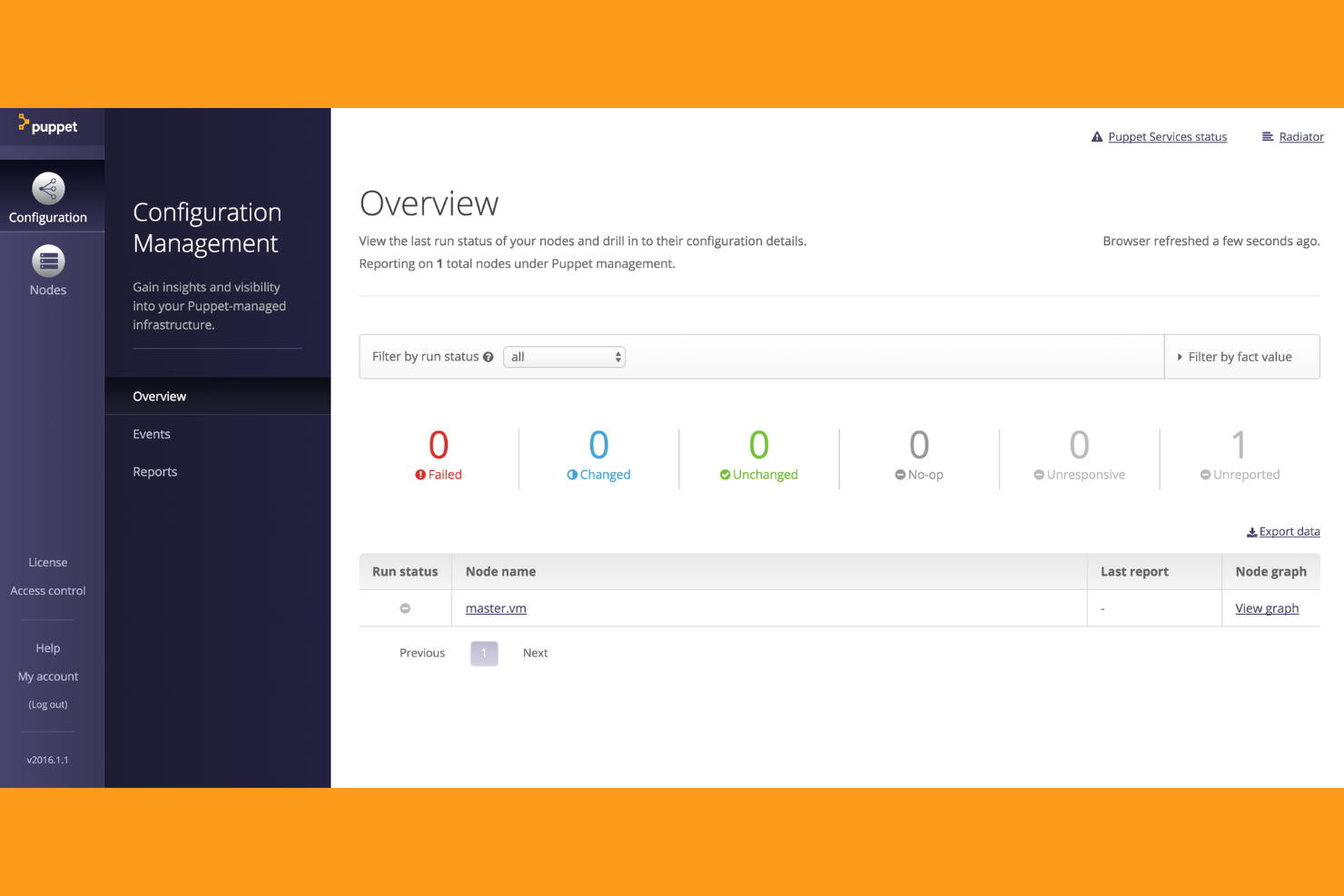
Puppet is designed for organizations that need to manage both on-premises and cloud infrastructure from a single platform. It appeals to IT teams handling complex, hybrid environments who want to enforce consistent configurations and automate compliance. If you’re looking for a tool that supports policy-as-code and detailed reporting across mixed environments, Puppet brings strong capabilities to the table.
Why I Picked Puppet
Managing hybrid infrastructure is a challenge for many IT teams, and Puppet addresses this with a unified approach to system configuration management. Puppet’s model-driven automation lets you define desired states for both cloud and on-premises resources, so you can enforce consistency across your entire environment. I appreciate how Puppet’s policy-as-code framework optimizes compliance and audit requirements, which is especially important in regulated industries. Its reporting and visualization tools also help teams track changes and spot configuration drift in real time.
Puppet Key Features
In addition to its strengths in hybrid infrastructure management, Puppet offers several other features that support configuration management in DevOps:
- Puppet Forge: Access a large repository of pre-built modules for common infrastructure tasks and integrations.
- Node Classification: Group and manage nodes based on environment, function, or custom criteria for targeted configuration.
- Event Inspector: Visualize and analyze configuration events and changes across your infrastructure.
- Task Automation: Run ad-hoc tasks and scripts on demand without writing full manifests.
Integrations
Native integrations include New Relic, Kubernetes, VMware, HashiCorp, CyberArk and Ansible.
Pros and Cons
Pros:
- Built-in drift detection and correction
- Strong at managing large enterprise scale
- Model-driven for clear desired state
Cons:
- Certificate management can be tedious
- Requires agent installation on every node

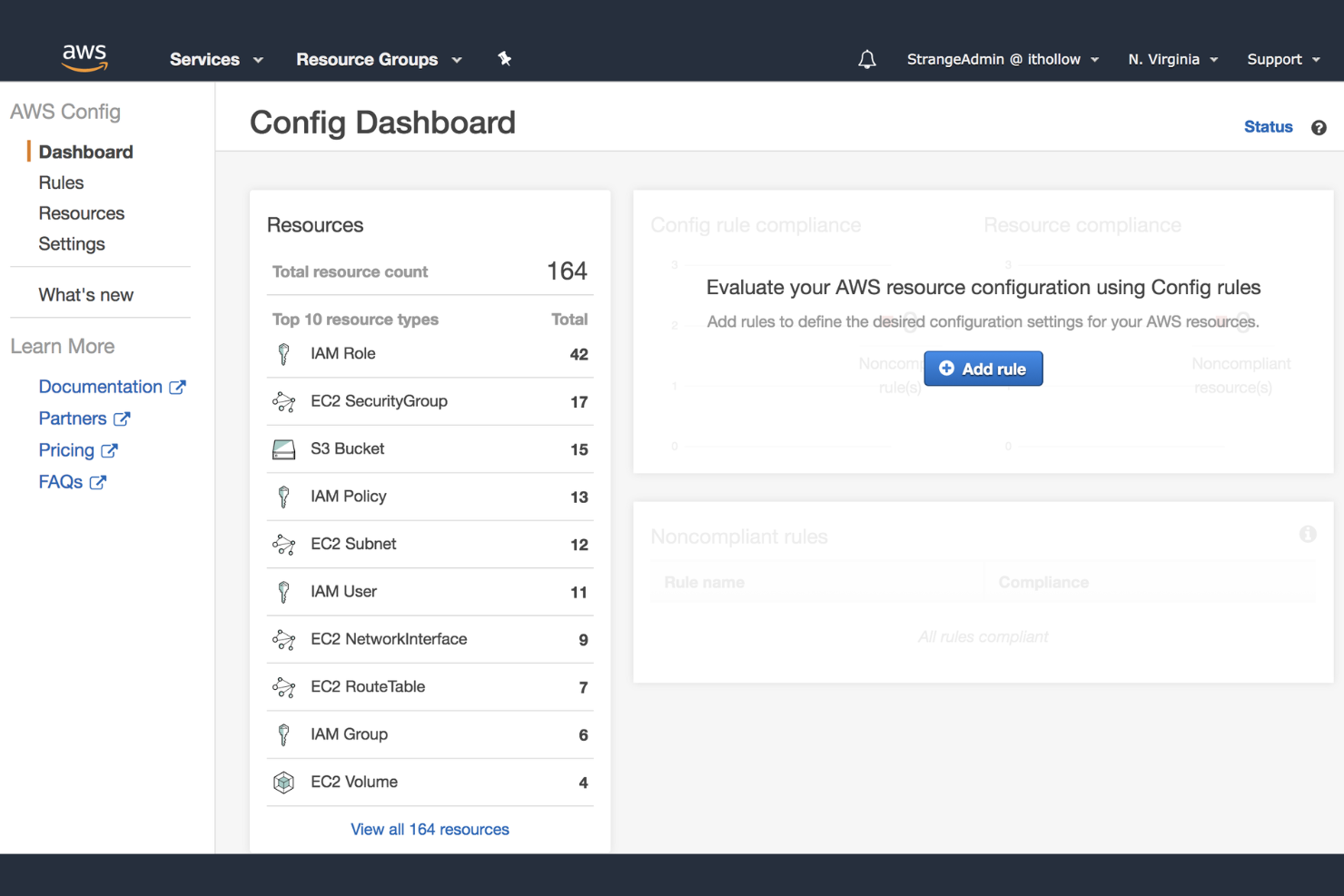
If your team manages infrastructure on AWS, AWS Config offers a native way to track and audit resource configurations across your cloud environment. This tool is especially useful for organizations that need to maintain compliance, monitor changes, and troubleshoot configuration issues within AWS. AWS Config appeals to devops professionals who want deep visibility and automated governance for their AWS resources.
Why I Picked AWS Config
For teams that rely on AWS infrastructure, having a native tool for resource tracking is a major advantage. AWS Config continuously records and evaluates the configuration of AWS resources, making it easy to detect changes and maintain compliance. I picked AWS Config because it provides detailed configuration history and snapshot capabilities, which are essential for troubleshooting and auditing in devops environments. Its ability to automatically assess resource configurations against custom rules helps organizations enforce governance without extra overhead.
AWS Config Key Features
Some other features that make AWS Config useful for devops teams include:
- Resource Relationship Tracking: Visualize and analyze relationships between AWS resources in your environment.
- Multi-Account, Multi-Region Aggregation: Aggregate configuration and compliance data across multiple AWS accounts and regions.
- Integration With AWS CloudTrail: Correlate configuration changes with API activity for deeper auditing.
- Automated Remediation With AWS Systems Manager: Trigger automated remediation actions when non-compliant resources are detected.
Integrations
Integrations include AWS CloudTrail, AWS Systems Manager, AWS Lambda, AWS Security Hub, AWS Organizations, and AWS Service Catalog.
Pros and Cons
Pros:
- Auto-remediate drift with Lambda triggers
- Managed rules for security best practices
- Records resource change history for audits
Cons:
- Real-time tracking has occasional lag
- UI can be confusing for new developers

Best for network device configuration backups
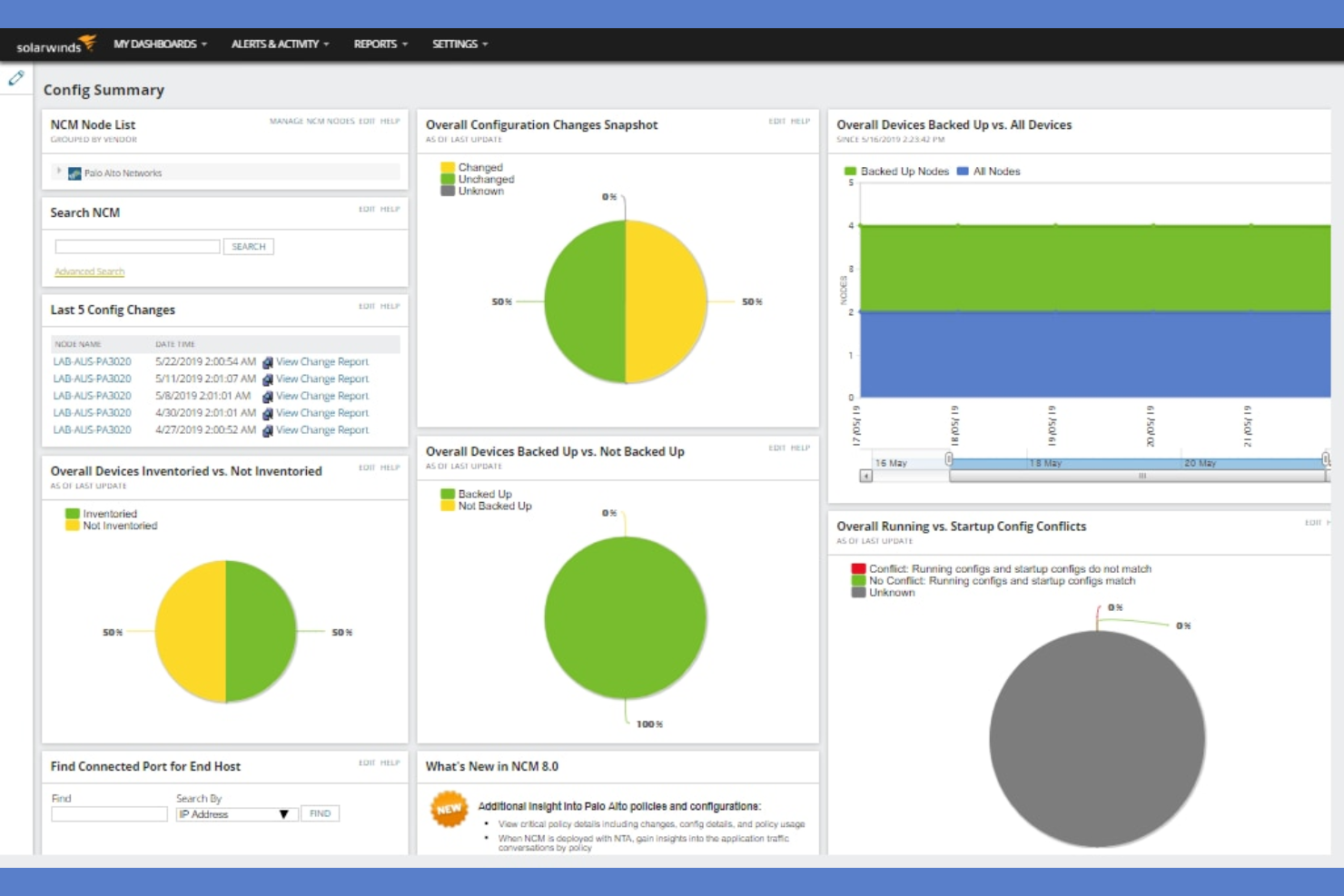
SolarWinds Network Configuration Manager is purpose-built for IT teams managing large fleets of network devices. It’s especially useful for network engineers and devops professionals who need automated, reliable backups and version control for device configurations. The tool addresses risks around misconfigurations, compliance gaps, and manual backup processes in complex network environments.
Why I Picked SolarWinds Network Configuration Manager
For teams that need reliable network device configuration backups, SolarWinds Network Configuration Manager offers specialized automation and control. I picked this tool because it schedules and executes regular backups across routers, switches, and firewalls, reducing the risk of data loss from misconfigurations or device failures. Its configuration versioning lets you track changes and quickly roll back to previous states when needed. The platform also includes compliance auditing, which helps devops teams maintain standards and spot unauthorized changes in real time.
SolarWinds Network Configuration Manager Key Features
Some other features that make SolarWinds Network Configuration Manager useful for devops teams include:
- Network Device Inventory: Automatically discovers and catalogs all network devices in your environment.
- Role-Based Access Control: Assigns granular permissions to users based on their responsibilities.
- Firmware Vulnerability Detection: Identifies outdated firmware and known vulnerabilities on network devices.
- Customizable Alerts and Notifications: Sends real-time alerts for configuration changes, policy violations, or device issues.
Integrations
Integrations include SolarWinds Engineer's Toolset, SolarWinds Log Analyzer, and Cisco Smart Net Total Care.
Pros and Cons
Pros:
- Strong IPAM and DCIM core features
- Unified view of cloud and on-prem assets
- Automated application dependency mapping
Cons:
- Resource-intensive initial configuration
- High cost for small to mid-sized teams

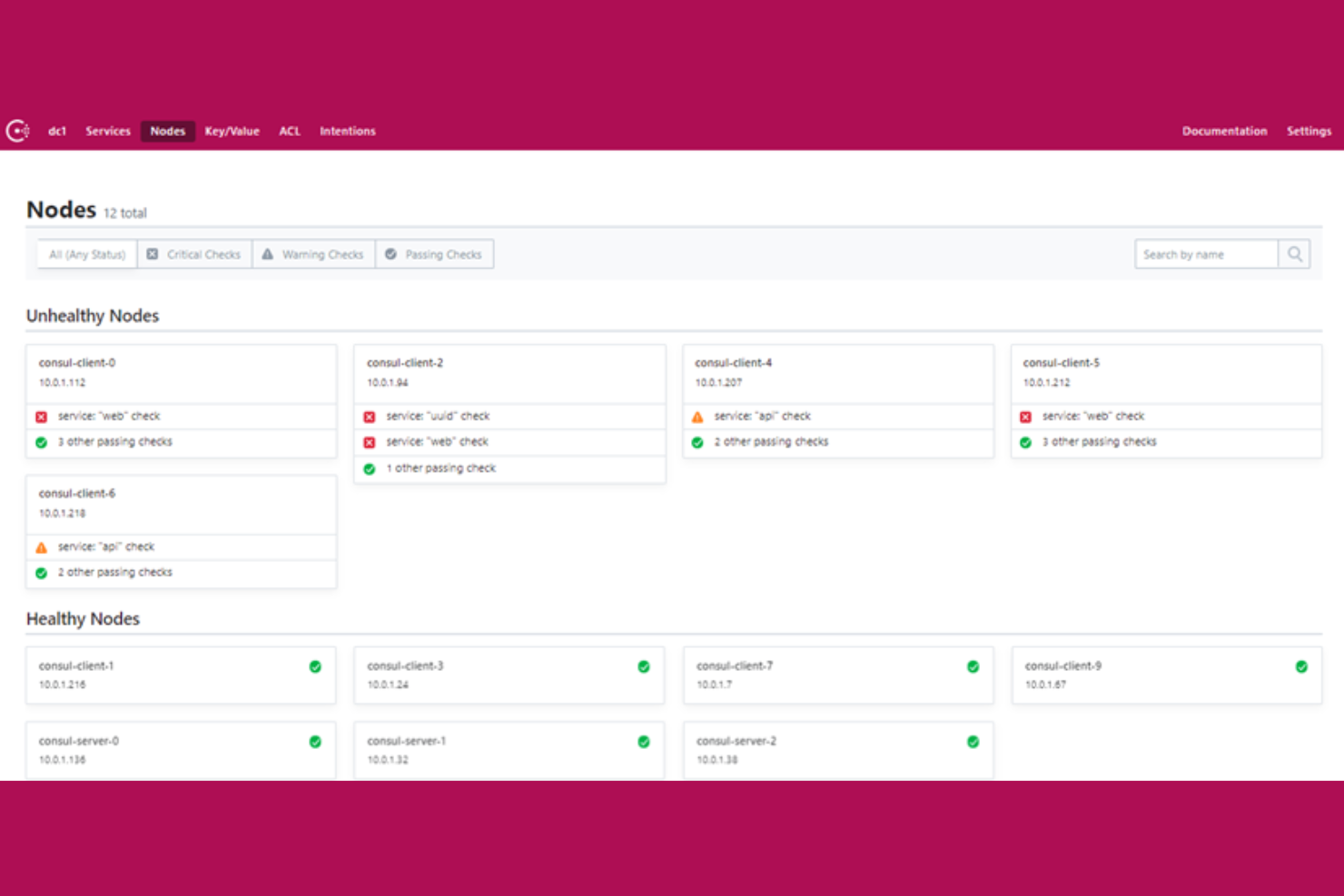
Consul stands out for teams that need dynamic service discovery and distributed key-value storage in modern infrastructure. It’s a strong fit for devops engineers and platform teams managing microservices, multi-cloud, or hybrid environments. The tool addresses challenges around service registration, health checking, and secure service-to-service communication at scale.
Why I Picked Consul
What drew me to Consul is its strong focus on service discovery and distributed key-value storage, which are essential for dynamic infrastructure. Consul automatically registers services and tracks their health, making it easier for devops teams to manage microservices and scale environments without manual intervention. Its built-in key-value store lets you centrally manage configuration data and feature flags across distributed systems. I appreciate how Consul’s service mesh capabilities also enable secure, encrypted communication between services, which is a growing requirement in modern architectures.
Consul Key Features
Some other features that make Consul valuable for devops teams include:
- Multi-Datacenter Support: Enables service discovery and configuration management across geographically distributed environments.
- Access Control Lists (ACLs): Provides fine-grained security policies for controlling access to services and data.
- DNS and HTTP APIs: Allows integration with existing infrastructure and automation tools through standard interfaces.
- Automated Service Failover: Detects service failures and reroutes traffic to healthy instances without manual intervention.
Integrations
Integrations include Kubernetes, Nomad, Terraform, and Vault.
Pros and Cons
Pros:
- Native multi-datacenter support
- Built-in service discovery & health
- Real-time dynamic config updates
Cons:
- Performance lag at massive scale
- High operational overhead for clusters

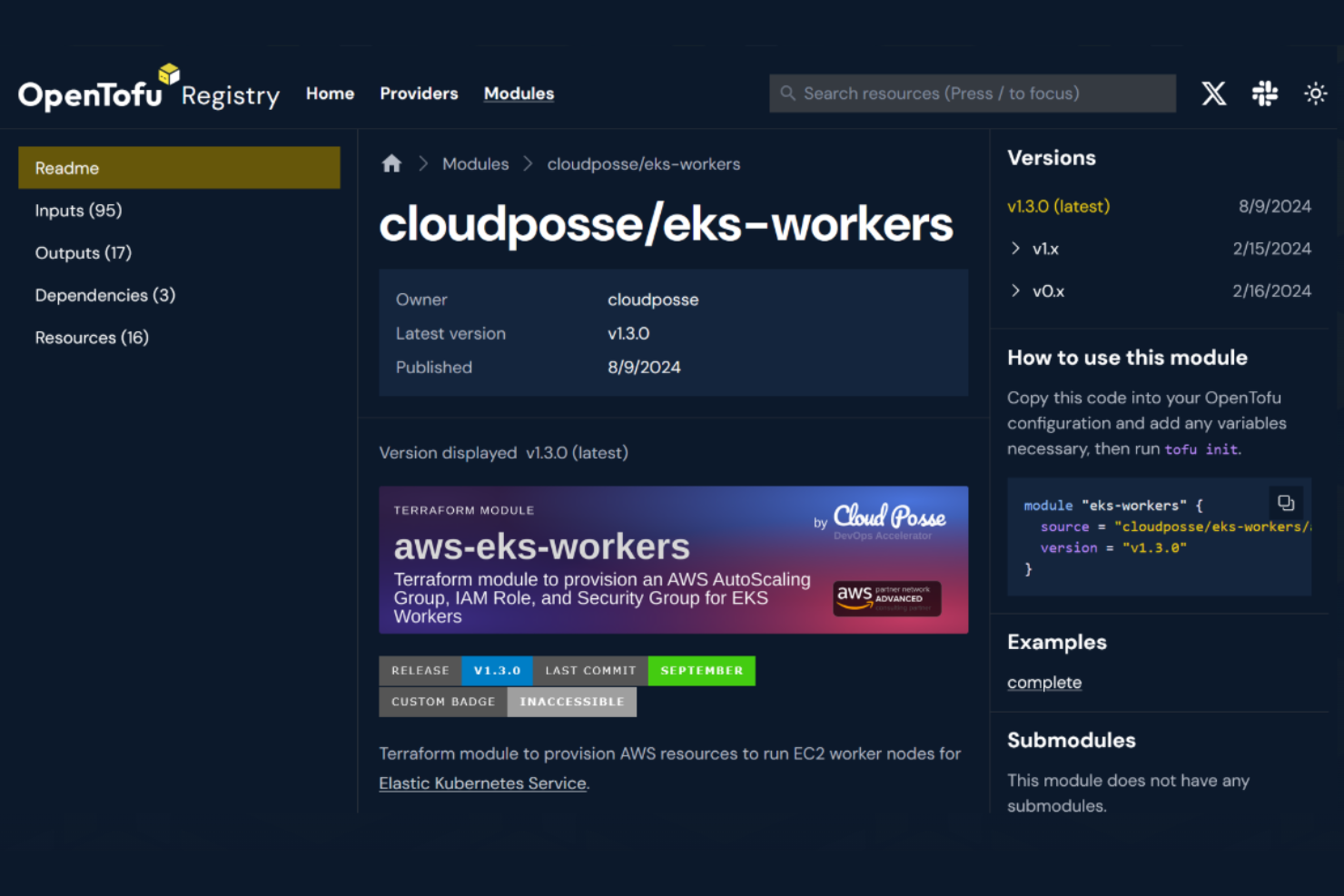
OpenTofu offers a fully open-source approach to infrastructure as code, making it a strong fit for teams that want transparency and community-driven development. It’s especially useful for IT specialists and devops engineers who need to automate infrastructure provisioning without vendor lock-in. OpenTofu helps organizations maintain control over their codebase and workflows while supporting complex, multi-cloud environments.
Why I Picked OpenTofu
OpenTofu stands out for devops teams that want a truly open-source infrastructure as code solution. Its codebase is community-governed, so you can audit, modify, and contribute to the tool without restrictions. I appreciate that OpenTofu supports declarative configuration files and modules, which help standardize infrastructure across different environments. The project’s commitment to open standards also makes it a reliable choice for organizations that want to avoid vendor lock-in and maintain long-term flexibility.
OpenTofu Key Features
Some other features that make OpenTofu appealing for infrastructure as code include:
- State Management: Track and manage infrastructure state files to ensure consistency across deployments.
- Provider Ecosystem: Access a wide range of providers for different cloud platforms and services.
- Plan and Apply Workflow: Preview infrastructure changes before applying them to reduce risk.
- Module Registry Support: Reuse and share configuration modules through a public or private registry.
Integrations
Integrations include PagerDuty, GitHub, ServiceNow, Slack, HashiCorp Vault, and HashiCorp Consul.
Pros and Cons
Pros:
- Native state file encryption at rest
- Drop-in replacement for Terraform 1.5
- Truly open source under MPL 2.0 license
Cons:
- Divergence from Terraform over time
- Lack of official enterprise support
Other Configuration Management Tools in Devops
Here are some additional configuration management tools in devops options that didn’t make it onto my shortlist, but are still worth checking out:
- CFengine
For lightweight, high-speed deployments
- Rudder
For real-time compliance reporting
- SaltProject
For event-driven orchestration
- Netwrix Auditor
For tracking unauthorized infrastructure changes
- ServiceNow
For integrating IT operations with workflow automation
- Vagrant
For creating reproducible development environments
- Terragrunt
For managing Terraform codebases at scale
- ManageEngine Configuration Manager
For multi-vendor network device support
- Checkov
For automated infrastructure code security scanning


How I Evaluate Configuration Management Tools in DevOps
I split my evaluation into two layers: the baseline every tool must hit to manage drift and enforce state at scale, and the differentiators that separate good tools from great ones.
Core Functionality (Table Stakes For This List)
When I'm selecting tools for my list, I rank each one on a scale from 0 (does not offer the functionality) to 5 (excels in this area) for each core functionality listed below. Then, I calculate the tool's total score into a percentage. Each tool needs to achieve a minimum total score of 65% to be considered for inclusion.
- Infrastructure as Code: I look at how each tool handles declarative definitions—whether you can write reusable modules, templatize configs, and version them in Git the same way you would application code.
- Automated Configuration Enforcement: Each tool should apply and maintain desired state on its own, not just push configs once. I check whether it can auto-remediate a drifted package version or service state.
- Multi-Node Orchestration: Managing five servers is easy. I evaluate how well a tool handles parallel runs across hundreds or thousands of nodes without choking on convergence times.
- Drift Detection & Remediation: When someone manually tweaks a firewall rule in production, the tool should catch it. I look for continuous detection, alerting, and clear audit trails of what changed and when.
- Cross-Platform & Cloud Support: Real environments mix Linux, Windows, and multiple cloud providers. I check for native modules across AWS, Azure, and GCP alongside broad OS coverage.
- CI/CD & DevOps Toolchain Integration: Configuration management lives inside a larger pipeline. I evaluate native hooks into tools like Jenkins, GitLab CI, GitHub Actions, and observability platforms.
Once I have a list of tools that meet this criteria, I consider what sets each platform apart.
Differentiating Factors (What Sets Vendors Apart)
Here's how I compare and contrast different vendors:
Standout Features
Policy-as-code support is a big one for me—tools that let you embed compliance checks (CIS benchmarks, internal security policies) directly into configuration runs save teams from treating audits as a separate process. I also evaluate GitOps workflow support, where Git acts as the single source of truth and changes reconcile automatically. Secrets management integration matters too. Injecting credentials from a vault at runtime beats hardcoding them in playbooks every time.
Beyond Features
Ecosystem and community strength matter a lot—a tool with an active module registry (like Ansible Galaxy or Puppet Forge) means your team spends less time writing configs from scratch. I also consider the deployment model closely: whether a tool runs agentless over SSH or requires agents on every node changes your security posture and maintenance burden significantly. Learning curve and talent availability round out my evaluation. A tool your team can't hire for or onboard quickly creates long-term operational risk regardless of its technical capabilities.
How to Choose Configuration Management Tools in Devops
It’s easy to get bogged down in long feature lists and complex pricing structures. To help you stay focused as you work through your unique software selection process, here’s a checklist of factors to keep in mind:
| Factor | What to Consider |
|---|---|
| Scalability | Will the tool handle your current and projected infrastructure size? Consider node limits, agent overhead, and multi-region support. |
| Integrations | Does it connect natively with your CI/CD, cloud providers, and monitoring tools? Check for gaps that could require custom work. |
| Customizability | Can you adapt workflows, templates, and policies to your organization’s standards? Beware of rigid tools that limit process alignment. |
| Ease of use | How steep is the learning curve for your team? Evaluate the UI, documentation, and whether non-experts can manage day-to-day tasks. |
| Implementation and onboarding | What resources and time are needed to deploy and migrate? Look for migration tools, training, and support for phased rollouts. |
| Cost | Are pricing tiers transparent and predictable as you scale? Watch for hidden costs in add-ons, support, or usage-based fees. |
| Security safeguards | Does the tool support role-based access, audit logging, and encryption? Ensure it meets your organization’s security policies. |
| Support availability | What support channels and SLAs are offered? Consider if you need 24/7 help, dedicated contacts, or community forums for troubleshooting. |
What Are Configuration Management Tools in Devops?
Configuration management tools in devops are software solutions that automate the deployment, maintenance, and tracking of infrastructure and application settings across environments. These tools help teams manage changes, enforce consistency, and reduce manual errors by treating configuration as code. They play a key role in supporting scalable, repeatable, and auditable infrastructure operations for modern IT environments.
Features
When selecting configuration management tools in devops, keep an eye out for the following key features:
- Infrastructure as code: Lets you define and manage infrastructure configurations using version-controlled, human-readable files, making changes auditable and repeatable.
- Automated deployment: Enables the automatic rollout of configuration changes across servers and environments, reducing manual intervention and risk of errors.
- Change tracking and auditing: Records every configuration change, providing a clear history for troubleshooting, compliance, and rollback purposes.
- Version control integration: Connects with source control systems to manage configuration files, track revisions, and support collaborative workflows.
- Role-based access control: Restricts who can view, edit, or deploy configurations, helping enforce security and compliance policies.
- Configuration drift detection: Monitors systems for deviations from the intended state and alerts or remediates when unauthorized changes occur.
- Templating and parameterization: Allows you to create reusable configuration templates with variables, supporting consistent deployments across different environments.
- Secret management: Safely stores and injects sensitive data like passwords or API keys into configurations without exposing them in plain text.
- Multi-environment support: Manages configurations for development, testing, staging, and production environments from a single platform.
- Integration with monitoring tools: Connects with monitoring and alerting systems to trigger actions or rollbacks based on system health or performance events.
Benefits
Implementing configuration management tools in devops provides several benefits for your team and your business. Here are a few you can look forward to:
- Consistent environments: Automated deployment and drift detection ensure all systems remain aligned with defined configurations across every environment.
- Faster change delivery: Infrastructure as code and automated workflows reduce manual steps, speeding up the rollout of updates and new features.
- Improved security: Role-based access control and secret management help protect sensitive data and restrict unauthorized changes.
- Simplified troubleshooting: Change tracking and auditing provide a clear history of configuration changes, making it easier to identify and resolve issues.
- Easier compliance: Auditing, version control, and access controls support regulatory requirements by documenting changes and enforcing policies.
- Reduced operational risk: Automated rollbacks and drift detection minimize downtime and prevent configuration errors from impacting production.
- Scalability: Multi-environment and templating features make it practical to manage large, complex infrastructures as your organization grows.
Costs & Pricing
Selecting configuration management tools in devops requires an understanding of the various pricing models and plans available. Costs vary based on features, team size, add-ons, and more. The table below summarizes common plans, their average prices, and typical features included in configuration management tools in devops solutions:
Plan Comparison Table for Configuration Management Tools in Devops
| Plan Type | Average Price | Common Features |
|---|---|---|
| Free Plan | $0 | Basic configuration management, limited nodes, community support, and open-source integrations. |
| Personal Plan | $5-$25/user/month | Single user access, version control integration, basic automation, and limited support. |
| Business Plan | $20-$60/user/month | Multi-user collaboration, role-based access control, audit logs, and standard support. |
| Enterprise Plan | $60-$150/user/month | Advanced security, compliance features, premium support, custom integrations, and scalability options. |
Configuration Management Tools in Devops FAQs
Here are some answers to common questions about configuration management tools in devops:
How do configuration management tools in devops help prevent configuration drift?
Configuration management tools in devops help prevent configuration drift by continuously monitoring systems for unauthorized changes and automatically enforcing the desired state. This ensures that all environments remain consistent with the defined configurations, reducing the risk of errors and unexpected behavior.
Can configuration management tools in devops integrate with existing CI/CD pipelines?
Yes, most configuration management tools in devops integrate with popular CI/CD platforms. This allows you to automate configuration updates as part of your deployment workflows, ensuring that infrastructure and application settings are always up to date.
What security features should I look for in configuration management tools in devops?
Look for features like role-based access control, audit logging, encrypted secret management, and support for compliance standards. These capabilities help protect sensitive data, restrict unauthorized changes, and provide traceability for all configuration activities.
How do configuration management tools in devops support multi-cloud or hybrid environments?
Many configuration management tools in devops offer support for managing resources across multiple cloud providers and on-premises systems. They provide unified workflows, templates, and integrations that let you apply consistent configurations regardless of where your infrastructure runs.
What are the typical challenges when implementing configuration management tools in devops?
Common challenges include migrating existing configurations, training teams on new workflows while removing repetitive tasks, integrating with legacy systems, and managing the complexity of large-scale deployments. Planning for phased rollouts and investing in onboarding resources can help address these issues.
What’s Next:
If you're in the process of researching configuration management tools in devops, connect with a SoftwareSelect advisor for free recommendations.
You fill out a form and have a quick chat where they get into the specifics of your needs. Then you'll get a shortlist of software to review. They'll even support you through the entire buying process, including price negotiations.