

The 10 Best Cloud Platform as a Service of 2026

10 Best Cloud Platform as a Service Shortlist


Managing your infrastructure efficiently is crucial. You're likely facing challenges like scaling your operations or cutting IT costs. That's where cloud platforms as a service come in. They offer solutions that can make your work easier and your team more productive.
I've spent time testing and reviewing these platforms. My goal is to give you an honest, detailed look at the best options out there. You'll find insights into features, pricing, and what sets each platform apart.
In my experience, choosing the right cloud platform can transform how you manage your projects. Let's dive into what each of these top picks can offer your team.
Why Trust Our Software Recommendations
Our team has been testing and reviewing software since 2012. As tech leaders ourselves, we know how difficult—and important—it is to choose the right software.
For this guide, we evaluated tools using hands-on testing and independent research, scoring tools using our selection criteria.
Our reviews reflect our human editorial judgment, not a sales pitch.
Best Cloud Platform as a Service Summary
This comparison chart summarizes pricing details for my top cloud PaaS selections to help you find the best one for your budget and business needs.
| Tool | Best For | Trial Info | Price | ||
|---|---|---|---|---|---|
| 1 | Best for tailored hybrid cloud solutions | Not available | Pricing upon request | Website | |
| 2 | Best for containerized cloud applications development | Free trial available | From $0.076/hour | Website | |
| 3 | Best cloud-delivered customer relationship management | 30-day free trial | From $325/user/month (billed annually) | Website | |
| 4 | Best for Microsoft enterprise tool users | Free plan available + 30-day free trial | From $0.008/vCPU/hour | Website | |
| 5 | Best flexibility for businesses of all sizes | 30-day free trial available | From $4/month | Website | |
| 6 | Best for its range of features | Free plan available | Pricing upon request | Website | |
| 7 | Best for simple cloud deployment | There’s a 60-day free trial | Simple, bolt-on pricing based on usage and requirements | Website | |
| 8 | Best for reliable agile application development | Free plan + free trial available | Pricing upon request | Website | |
| 9 | Best for building scalable gaming infrastructure | Free trial available | From $4.2/month | Website | |
| 10 | Best for big data analytics | 90-day free trial | Pricing on request | Website |
Best Cloud Platform as a Service Reviews
Below are my detailed summaries of the best cloud platform as a service that made it onto my shortlist. My reviews offer a detailed look at the key features, pros & cons, integrations, and ideal use cases of each tool to help you find the best one for you.
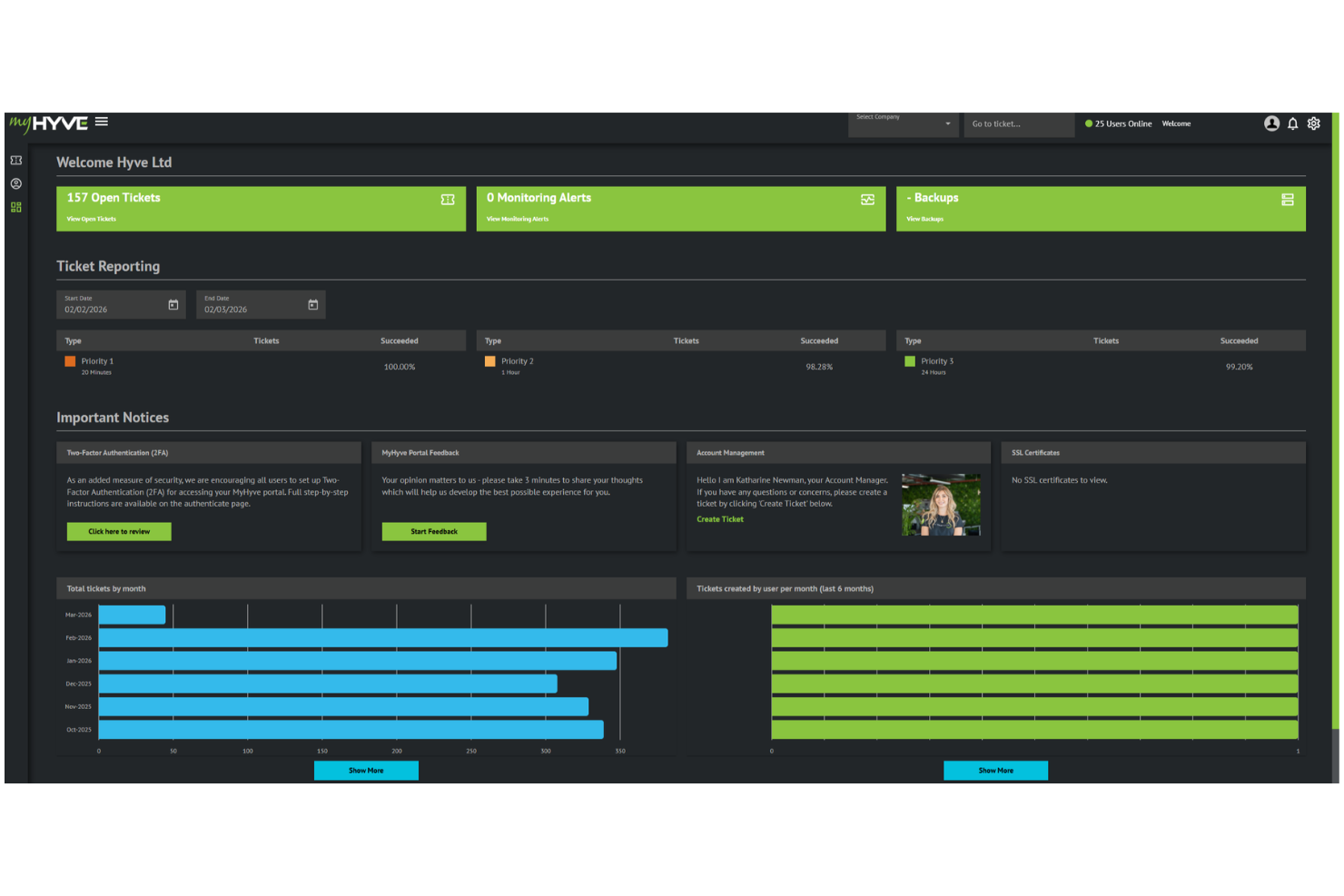
Hyve Managed Hosting delivers managed cloud infrastructure designed for organizations that need flexibility and control over their IT environment. It’s a strong option for teams running complex or regulated workloads that require custom architecture, high availability, and strict compliance controls. With a hands-on approach to support and infrastructure management, Hyve helps businesses operate cloud environments without taking on the full burden of internal DevOps.
Who Is Hyve Managed Hosting Best For?
Hyve Managed Hosting is a good fit for mid-sized to large organizations in regulated industries that require customizable, secure, and fully managed cloud infrastructure.
Why I Picked Hyve Managed Hosting
I picked Hyve Managed Hosting for its ability to support highly customized cloud environments, particularly through hybrid and multi-cloud configurations. It gives teams the flexibility to design infrastructure around specific performance, compliance, and data residency needs, while relying on Hyve’s managed services to handle ongoing optimization and support. This makes it a practical choice for organizations that need more control than standard cloud platforms offer, but don’t want to manage that complexity entirely in-house.
Hyve Managed Hosting Key Features
Some other features that make Hyve Managed Hosting a strong option for cloud platform as a service include:
- 24/7 technical support: Access to expert engineers around the clock for troubleshooting and proactive monitoring.
- Enterprise-grade security: Built-in DDoS protection, firewalls, and regular vulnerability assessments to safeguard your infrastructure.
- Disaster recovery solutions: Automated backup and failover options to minimize downtime and data loss.
- Compliance management: Support for meeting standards like ISO 27001, PCI DSS, and GDPR with dedicated compliance resources.
Hyve Managed Hosting Integrations
Native integrations are not currently listed.
Pros and Cons
Pros:
- Proactive monitoring and managed security services
- Custom hybrid and private cloud deployments
- ISO 27001 and PCI DSS certified infrastructure
Cons:
- Smaller global data center footprint than hyperscalers
- No free trial or free tier available

Best for containerized cloud applications development

Red Hat OpenShift is a comprehensive cloud-native platform for building, deploying, and managing applications. The platform uses Kubernetes-native architectures and incorporates powerful middleware to ensure you meet the demands of your rapidly-evolving workflows.
Why I picked Red Hat OpenShift Cloud: The selling point for me was how OpenShift simplifies container orchestration and provides you with a full collection of tools for building, deploying, and managing containerized applications – a great option if your development team wants to embrace a modern DevOps culture.
Red Hat OpenShift Standout Features & Integrations
Features include workload scalability, open-source standards for compatibility and avoiding vendor lock-in, container portability, automated installation and upgrades, support for edge architectures, and multicluster management. Integrated APIs and REST endpoints for quick integration with existing DevOps processes.
Integrations include cloud-native applications like AI/ML, databases and data analytics, Java (Quarkus) SAP, and Spring on Kubernetes. It supports additional integrations of public clouds or self-managed business applications.
Pros and Cons
Pros:
- Automated installation and upgrades
- Portable container system
- Scalability and flexibility
Cons:
- Not great for remote environments
- Poor compatibility with Windows

Best cloud-delivered customer relationship management

Although Salesforce is not a traditional Cloud PaaS, it facilitates cloud-delivery of many common business tools for customer engagement, operations, and data analytics, making it a great alternative for businesses that want customizable cloud-based CRM features without having to build them from scratch.
Why I picked Salesforce Cloud: I liked that it's compatible with numerous programming languages, allowing you to use it for a broad range of content, including custom business app development. I found it was an excellent cloud-based platform for CRM tools, so you can manage your sales processes, customer data, and marketing campaigns.
Salesforce Cloud Standout Features & Integrations
Features include sales management and workflow automation. Custom reports and analytics provide actionable insights for data-driven decisions. Business management features include lead management, email integration, and sales collaboration.
Integrations include the native AppExchange market and extensive API library with a wide range of third-party Zapier integrations and add-ons like Slack, Jotform Enterprise, Google Workspace, Flair.hr, Outfunnel, Calendly, Linkedin, Dropbox, Docusign, monday.com, Hubspot, and Mailchimp.
Pros and Cons
Pros:
- Strong customer support
- Extensive integration options
- Robust CRM features
Cons:
- Complex customization requirements
- A bit pricey compared to peers
Best for Microsoft enterprise tool users

Microsoft Azure benefits from its dominance in the enterprise market and is a great cloud option if your company already heavily invests in Microsoft technologies. It offers a comprehensive set of enterprise-level tools and services that easily integrate into the Microsoft ecosystem.
Why I picked Microsoft Azure Cloud: I selected Azure because it plays nicely with Microsoft Windows and related tools like Office and Active Directory, which are predominant tools for many major businesses. Azure offers a great selection of cloud-native services for nearly any user, but I think Azure Cloud can be an especially good choice for anyone who’d benefit from easy integration into existing Windows-based architectures.
Microsoft Azure Cloud Standout Features & Integrations
Features include 40+ solutions like hybrid cloud hosting, app development environments, container-based microservices, data analysis, security and governance controls, and SQL databases. However, for me, its extensive documentation and integration with other Microsoft products are the main selling points.
Integrations include native Azure functions, API Management, and Microsoft services like Office 365 and Active Directory. Data integrations are delivered via features such as Azure Event Grid for building data pipelines and Azure Data Factory for cloud-native ETL. Additionally, through Zapier, you can integrate Azure web apps with more than 5,000 apps.
Pros and Cons
Pros:
- Hybrid cloud support
- Strong enterprise-level support
- Excellent integration with Microsoft software
Cons:
- Complex pricing structure
- Learning curves for non-Microsoft environments

Kamatera
Best flexibility for businesses of all sizes

Kamatera delivers fast, reliable, and scalable cloud solutions with a global presence. Offering 24 data centers worldwide, flexible configurations, and 24/7 technical support, they empower businesses of all sizes to grow with cost-effective and high-performance infrastructure.
Why I picked Kamatera: I like its customizable cloud servers. You can configure servers to match your specific requirements, selecting the desired amount of CPU power, RAM, storage, and even the preferred data center location. This level of customization allows your team to optimize resources effectively, ensuring that your applications run smoothly without unnecessary overhead.
AWS Standout Features & Integrations
Features include Kamatera's virtual private cloud offering. This service lets you set up an isolated, private cloud environment, enhancing security and control over your data. It also offers cloud firewalls that safeguard your servers against threats by monitoring and controlling incoming and outgoing network traffic. Load balancers are available to distribute workloads evenly across servers, preventing any single server from becoming a bottleneck.
Integrations are offered through Kamatera's API.
Pros and Cons
Pros:
- Fast and reliable VPS hosting services
- Tailored server setups to meet specific business needs
- Scalable cloud infrastructure
Cons:
- Advanced knowledge needed for server setup
- Limited data centers in Asia and Africa


AWS is the pioneer and most mature provider of PaaS and is known for its extensive service portfolio. It has a large user community and a dominant market position, making it a popular choice for many businesses.
Why I picked Amazon Web Services: I selected AWS because it offers the broadest suite of services, including their Elastic Compute Cloud, virtual private servers, S3 storage buckets. I especially liked Amazon Cloud’s scalability features, which meet growing data requirements without compromising performance. It also offers flexible solutions for auxiliary tasks like building organizational charts and maintaining device registries.
AWS Standout Features & Integrations
Features include over 200 services related to cloud hosting and infrastructure technology, including data warehousing and data migration, relational or NoSQL databases, mobile messaging and media services, compliance and governance tools, and more. Modules work well together as a platform, and offer impressive levels of built-in flexibility and scalability.
Integrations include Amazon API Gateway, which allows you to create, publish, monitor, and secure APIs for serverless workloads and web applications. You also get pre-built AWS AppSync for flexible API creation, Amazon EventBridge for event-driven architecture and messaging capabilities, and Amazon MQ and no-code API for automating data flow between SaaS apps and AWSs.
Pros and Cons
Pros:
- Comprehensive community support
- Strong focus on scalability and performance
- Extensive service portfolio
Cons:
- Potential cost concerns
- Service complexity for beginners


DigitalOcean offers a scalable and simple-to-use cloud deployment and application management environment. DigitalOcean offers a wide selection of compatible operating systems to choose from, and great customization options setting up a Virtual Private Server (VPS).
Why I picked the Digital Ocean Cloud Platform: I chose DigitalOcean for its easy scalability, as well as its reputation as a reliable and affordable cloud infrastructure provider. I found the platform also offered an easy-to-use interface, excellent customer support, and a straightforward setup process.
Digital Ocean Cloud Standout Features & Integrations
Features include flexible droplet sizes, SSD storage for improved performance, a global network of data centers, and seamless scalability to meet varying application demands.
Integrations include popular third-party integrations such as Ansible, GitHub, GitLab, CHEF, Puppet, Mesosphere, RANCHER, and SaltStack. I liked DigitalOcean’s “doctl” command-line for interfacing with the API, especially for integrating containerized applications using Terraform and Kubernetes.
Pros and Cons
Pros:
- Strong support from a robust community of developers
- Straightforward setup process
- Affordable pricing plans
Cons:
- Not great as an email marketing server
- Expensive back-up process


IBM Cloud's Apache OpenWhisk enables agile application development by fostering an open ecosystem that facilitates collaboration and code execution assistance from external contributors. Additionally, it operates on a scalable platform, accommodating the needs of growing businesses, as well as a wide range of smart development capabilities that ensure data safety.
Why I picked IBM Cloud: The key selling points for me are the established infrastructure security, regulation compliance, and governance controls that ensure data safety and privacy. With the ever-changing landscape of compliance regulations, IBM Cloud empowers enterprises to stay ahead by moving faster and effectively aligning with evolving compliance requirements.
IBM Cloud Standout Features and Integrations
Features include API, activity management dashboard, customization, business analysis, virtual networks and servers, activity tracking, application management, approval workflow, and audit management, but the great attraction for me is its reliability and strong security features.
Integrations include IBM's new QRadar security suite, log insights, extended detection response (XDR), QRadar security orchestration and automation (SOAR), Security information event management (SIEM), containerized native middleware, and normal app software services.
Pros and Cons
Pros:
- Optimized performance
- High-speed data management
- Powerful security toolset
Cons:
- Complex pricing structure
- Limited regional availability


Tencent Cloud is a robust PaaS provider known for its significant investments in technologies like artificial intelligence (AI), cloud computing, and big data analytics. They would be a good fit if you’re interested in frequent new, innovative offerings.
Why I picked Tencent Cloud: I liked that Tencent Cloud provides a secure, reliable and high-performance cloud computing solution, including microservice and serverless architecture offerings. However, what interests me most about the service is their customized solutions for online gaming, including performance-optimized data storage and worldwide access nodes to avoid in-game latency.
Tencent Cloud Standout Features & Integrations
Features include 70+ compute, storage, support for AI-driven apps, media services, robust security measures, cloud object storage, cloud monitoring, web application firewall, and push notification and push email services. MMO-ready game architectures can be delivered on global infrastructure of 2,800 CDN nodes with 200 Tbps reserved bandwidth.
Integrations include standard APIs, third-party integrators, and a wide range of enterprise applications. Tencent’s API gateway includes monitoring and lifecycle management, and they provide an SDK compatible with multiple programming languages.
Pros and Cons
Pros:
- Competitive pricing structures
- Extensive product range, gaming solutions
- Advanced AI capabilities
Cons:
- Slow upload and download speed
- Language challenge


Google Cloud offers a flexible environment for developing, testing, and running applications. It includes a rich set of APIs, data storage options, and integration capabilities, as well as excellent data processing and analysis features. You also get advanced AI services, such as text and image recognition.
Why I picked Google Cloud: I like that Google Cloud offers a strong suite of services, and you can trust the platform for its maturity and unique offerings in big data and AI. This is great for forward-thinking projects, like integrating generative AI into your web apps or applying machine learning to your data science project.
Google Cloud Standout Features & Integrations
Features include access controls and management, activity monitoring, app management, audit management, backup and recovery, and more. But for me, the most outstanding features are data analytics, machine learning, and AI frameworks like TensorFlow, serverless Kubernetes service, and multi-cloud functionality.
Integrations include native options like SAP, App Engine, BigQuery, Cloud CDN, Compute Engine, Cloud SQL, and Dataflow. Also, Google Cloud supports open-source technologies and frameworks for flexible integration with enterprise apps like Salesforce, databases like MySQL, and event-based systems like Cloud Pub/Sub.
Pros and Cons
Pros:
- Kubernetes cluster expertise
- Big data and AI capabilities
- Scalability
Cons:
- Complex pricing structure
- Steep learning curve
Other Cloud PaaS
Here are some additional cloud platform as a service options that didn’t make it onto my shortlist, but are still worth checking out:
- VMware
For virtualization
- Alibaba Cloud
Cloud platform in Asia
- Oracle Cloud
For comprehensive application development
- Rackspace Cloud
For managed cloud services
- OVHcloud
For dedicated server and customizable hosting infrastructure
- Cloudways
Simple-to-use cloud hosting solution


How I Evaluate Cloud Platform as a Service
When teams need to deploy apps without managing infrastructure, I split my evaluation into core PaaS requirements every vendor must clear and the differentiators that set the best platforms apart.
Core Functionality (Table Stakes For This List)
When I'm selecting tools for my list, I rank each one on a scale from 0 (does not offer the functionality) to 5 (excels in this area) for each core functionality listed below. Then, I calculate the tool's total score into a percentage. Each tool needs to achieve a minimum total score of 75% to be considered for inclusion.
- Managed Runtime Environments: I check which languages and frameworks each platform supports natively, like running a Python Django app or a Node.js microservice without configuring the underlying OS.
- Automated Scaling & Load Balancing: Traffic spikes during product launches or seasonal peaks can break apps, so I evaluate how each platform handles auto-scaling triggers and distributes load.
- Application Deployment Workflows: I look for Git-based push-to-deploy flows, CI/CD pipeline support, and container orchestration options that let teams ship code in minutes rather than hours.
- Integrated Middleware & Databases: Managed add-ons like SQL databases, Redis caching, or message queues should be available as one-click provisions rather than requiring separate infrastructure setup.
- Multi-Environment & Multi-Region Hosting: Dev, staging, and production environments across multiple regions matter when your users span different geographies and your team needs environment parity.
- Monitoring & Application Logging: Built-in APM dashboards, log aggregation, and alerting help teams catch a memory leak or a failing endpoint before users file support tickets.
Once I have a list of tools that meet this criteria, I consider what sets each platform apart.
Differentiating Factors (What Sets Vendors Apart)
Here's how I compare and contrast different vendors:
Standout Features
Serverless function support is a major differentiator. I look for platforms where teams can run event-driven workloads like webhook handlers or scheduled jobs alongside their main apps without spinning up dedicated instances. DevSecOps tooling matters too—built-in vulnerability scanning and secrets management in the deployment pipeline saves teams from bolting on separate security tools. I also evaluate each platform's marketplace and ecosystem, since access to community buildpacks and third-party add-ons can cut weeks off a project's setup time.
Beyond Features
Vendor lock-in is one of the first things I evaluate. Platforms that support Kubernetes-based workloads and open standards like Terraform make it far easier to migrate apps between providers if your needs change. Compliance certifications also carry real weight—if your team handles health data or payment processing, I check for HIPAA and PCI DSS compliance rather than assuming coverage. Pricing transparency matters just as much, since an unpredictable bill after a traffic spike can erode any savings the platform promised.
How to Choose Cloud Platform as a Service
It’s easy to get bogged down in long feature lists and complex pricing structures. To help you stay focused as you work through your unique software selection process, here’s a checklist of factors to keep in mind:
| Factor | What to Consider |
|---|---|
| Scalability | Can the platform grow with your business? Look for options that handle increased workloads without extra costs. Consider future growth to avoid costly migrations later. |
| Integrations | Does it connect with your current tools? Check for compatibility with existing software to avoid disruptions in your workflow. |
| Customizability | Can you tailor the platform to your needs? Look for flexible options that allow specific adjustments to fit your team’s workflows. |
| Ease of use | Is the interface intuitive? Evaluate user feedback on navigation and design to ensure your team can adopt it quickly. |
| Implementation and onboarding | How long until your team is up and running? Consider training resources and support to minimize downtime during transition. |
| Cost | Does the pricing fit your budget? Compare subscription plans and hidden fees to ensure affordability without sacrificing essential features. |
| Security safeguards | Are there robust security measures? Ensure data protection with encryption, compliance certifications, and regular updates to prevent breaches. |
| Compliance requirements | Does it meet industry standards? Ensure the platform complies with relevant regulations like GDPR or HIPAA to avoid legal issues. |
What Is A Cloud Platform as a Service?
Platform as a Service (PaaS) is a cloud computing offering that gives users a scalable platform to build, deploy, and manage applications without the hassle and cost of owning the hardware and software infrastructure directly. PaaS provides all of the underlying technology you’ll need to create unique web-based applications, including servers, operating systems, middleware, storage, and more.
With PaaS, you can achieve faster development cycles, and since PaaS runs within secure cloud integration platforms, your data is safe during development and runtime.
Features
When selecting a cloud platform as a service, keep an eye out for the following key features:
- Scalability: Automatically adjust resources to handle varying workloads, ensuring your applications run efficiently without manual intervention.
- Customizability: Tailor the platform to meet specific business needs, allowing for personalized application development.
- User-friendly interface: Simplify navigation and reduce learning curves, making it easier for teams to adopt and use the platform.
- Security measures: Protect data with encryption and compliance with industry standards, safeguarding against unauthorized access.
- Real-time analytics: Provide insights into application performance and user behavior, helping teams make informed decisions.
- API management: Enable efficient interaction between different software systems, enhancing functionality and data exchange.
- Integration capabilities: Seamlessly connect with existing SaaS integration platforms to maintain a smooth workflow and data consistency.
- Multi-cloud support: Facilitate deployment across various cloud environments, offering flexibility and redundancy.
- Developer tools: Equip teams with essential tools for coding, testing, and deploying applications, speeding up development cycles.
- Training resources: Offer tutorials, webinars, and documentation to help users quickly learn and maximize platform benefits.
Benefits
Implementing cloud platform as a service provides several benefits for your team and your business, including enhanced security through cloud workload protection platforms. Here are a few you can look forward to:
- Reduced costs: Lower infrastructure expenses by using scalable resources that adjust to your needs without upfront investments.
- Faster development: Accelerate application creation and deployment with built-in developer tools and pre-configured environments.
- Enhanced collaboration: Improve teamwork with integration capabilities that allow different systems and teams to work together efficiently.
- Flexibility: Customize the platform to fit specific business requirements, ensuring it adapts to changing demands.
- Improved security: Protect your data with comprehensive security measures, including encryption and compliance with industry standards.
- Increased agility: Quickly respond to market changes and user feedback through real-time analytics and adaptable resources.
- Simplified management: Manage applications and infrastructure with user-friendly interfaces and automated processes, reducing the need for extensive IT support.
Costs & Pricing
Selecting a cloud platform as a service requires an understanding of the various pricing models and plans available. Costs vary based on features, team size, add-ons, and more. The table below summarizes common plans, their average prices, and typical features included in cloud platform as a service solutions:
Plan Comparison Table for Cloud Platform as a Service
| Plan Type | Average Price | Common Features |
|---|---|---|
| Free Plan | $0 | Basic application hosting, limited storage, and community support. |
| Personal Plan | $5-$25/user/month | Application hosting, basic analytics, integrations, and email support. |
| Business Plan | $30-$100/user/month | Advanced analytics, custom integrations, enhanced security, and priority support. |
| Enterprise Plan | $100+/user/month | Unlimited scalability, dedicated account management, compliance features, and 24/7 support. |
Cloud Platform as a Service FAQs
Here are some answers to common questions about cloud platform as a service:
How do I decide between on-premise and cloud-based security?
What are the advantages of PaaS?
How do I know if the cloud is right for my business?
What are the differences between PaaS, IaaS, and SaaS?
What’s Next:
If you're in the process of researching cloud platform as a service, connect with a SoftwareSelect advisor for free recommendations.
You fill out a form and have a quick chat where they get into the specifics of your needs. Then you'll get a shortlist of software to review. They'll even support you through the entire buying process, including price negotiations.