

Die 10 besten Protokollverwaltungssoftwares des Jahres 2026 entschlüsselt

10 Beste Software zur Protokollverwaltung – Vorauswahl


Die Navigation durch das Labyrinth aus Protokollen kann eine entmutigende Aufgabe sein, nicht wahr? Software zur Protokollverwaltung dient Ihnen als Karte und wandelt riesige Datenmengen in übersichtliche Erkenntnisse um und organisiert sie. Mit diesem Tool können Sie Probleme schnell lokalisieren, die Sicherheit verbessern und die Systemleistung steigern. Wenn Sie es leid sind, endlose Protokolle zu durchforsten oder wichtige Details zu übersehen, ist diese Software Ihre Lösung für mehr Klarheit und Effizienz.
Warum Sie unseren Software-Empfehlungen vertrauen können
Unser Team testet und bewertet Software seit 2012. Als Tech-Führungskräfte wissen wir selbst, wie schwierig – und wichtig – es ist, die richtige Software auszuwählen.
Für diesen Leitfaden haben wir Tools mithilfe von praktischen Tests und unabhängiger Recherche bewertet und dabei unsere Bewertungskriterien angewendet.
Unsere Bewertungen spiegeln unser menschliches redaktionelles Urteilsvermögen wider, keine Verkaufsstrategie.
Zusammenfassung der besten Software zur Protokollverwaltung
| Tool | Best For | Trial Info | Price | ||
|---|---|---|---|---|---|
| 1 | Am besten für kontextbezogene Protokoll- und Trace-Analyse | Gratis-Tarif + kostenlose Demo verfügbar | Ab $26/Monat (jährlich abgerechnet) | Website | |
| 2 | Am besten für langfristige Datenspeicherung und Compliance | Kostenlose Demo verfügbar | Ab $0,09/GB/Monat | Website | |
| 3 | Am besten für die Hochgeschwindigkeitsverarbeitung von Protokollen | 30-tägige kostenlose Testversion + kostenlose Demo | Preise auf Anfrage | Website | |
| 4 | Am besten geeignet für Echtzeitdaten-Insights | 30-tägige kostenlose Testphase | Ab $15/Nutzer/Monat (jährlich abgerechnet) | Website | |
| 5 | Am besten geeignet für integrierte Überwachungslösungen | Not available | Ab $15/Nutzer/Monat (jährliche Abrechnung) | Website | |
| 6 | Am besten geeignet für cloudbasierte Protokoll-Zentralisierung | Ab $9/Nutzer/Monat (jährlich abgerechnet) | Website | ||
| 7 | Am besten für großangelegte Datenanalysen | 14-tägige kostenlose Testversion + kostenlose Demo verfügbar | Ab $150/Nutzer/Monat (jährlich abgerechnet) | Website | |
| 8 | Am besten geeignet für skalierbare Suche und Visualisierung | Kostenlose Testphase + kostenlose Demo verfügbar | Ab $16/Nutzer/Monat (jährliche Abrechnung) | Website | |
| 9 | Am besten geeignet für sicherheitsorientierte Log-Analysen | Kostenlose Testversion + kostenlose Demo verfügbar | Ab $25/Nutzer/Monat (jährliche Abrechnung) | Website | |
| 10 | Am besten geeignet für die Analyse von Firewall-Regeln | Kostenlose Demo verfügbar | Ab $33/Benutzer/Monat | Website |
Bewertungen der besten Software zur Protokollverwaltung

Sentry
Am besten für kontextbezogene Protokoll- und Trace-Analyse
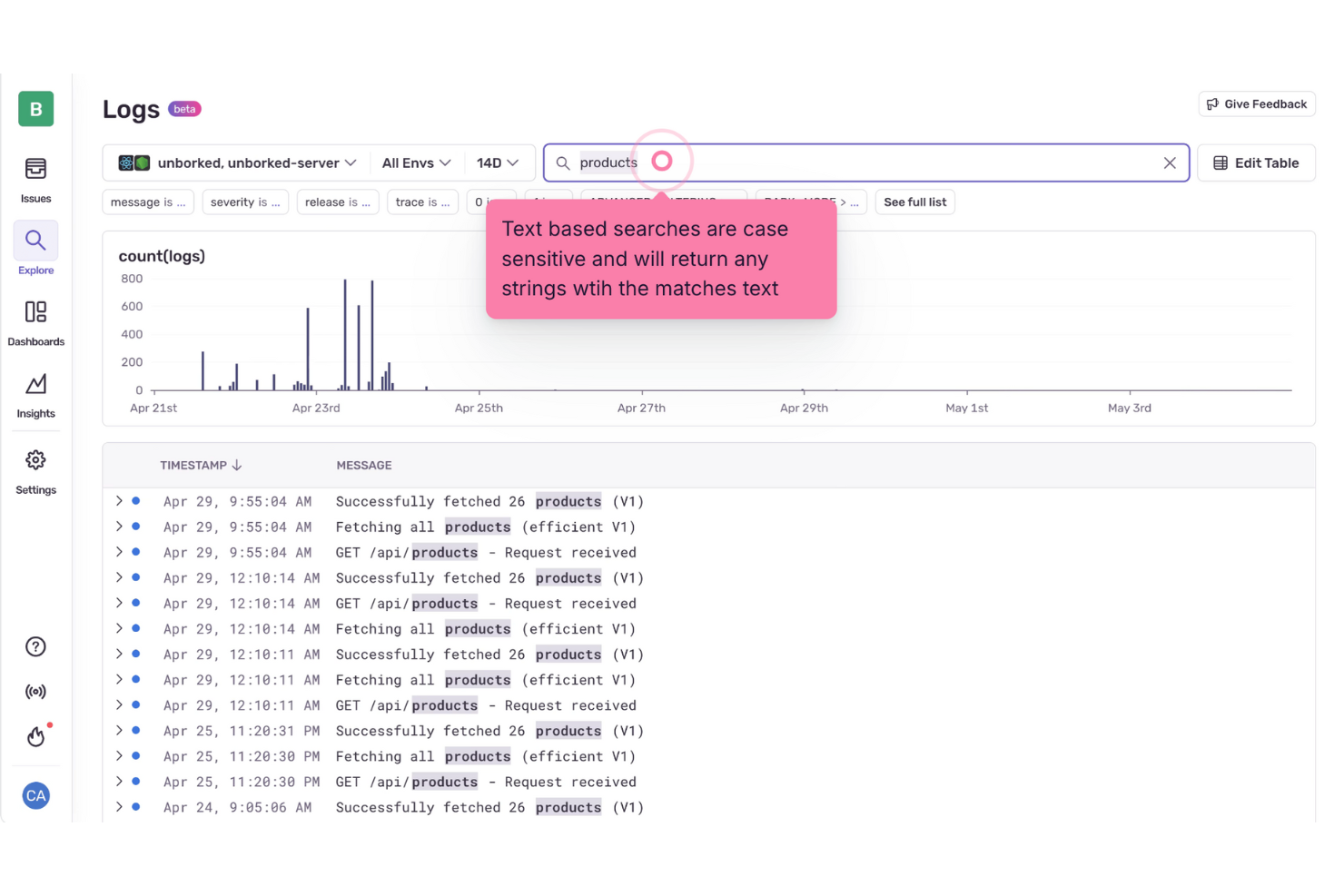
Sentry richtet sich an Entwickler und IT-Fachleute, die ihre Protokollverwaltungsprozesse optimieren möchten. Durch die Integration von Protokollen mit Fehlerüberwachung und Performance-Traces bietet Sentry eine umfassende Plattform zur Analyse des Applikationsverhaltens. Dieses Tool ist besonders für Branchen attraktiv, in denen die Echtzeit-Fehlerbehebung und -lösung entscheidend ist, wie beispielsweise in der Softwareentwicklung und im IT-Betrieb. Sentry löst die Herausforderung, stille Fehler und Wiederholungsschleifen zu erkennen und zu beheben, sodass Ihr Team die Performance und Zuverlässigkeit der Anwendung aufrechterhalten kann.
Warum ich Sentry gewählt habe
Ich habe Sentry aufgrund seiner einzigartigen Fähigkeit ausgewählt, strukturierte Protokolle mit Traces und Fehlern zu verbinden und so einen ganzheitlichen Überblick über die Anwendungsperformance zu ermöglichen. Diese Funktion erlaubt es Ihnen, Wiederholungsschleifen und stille Fehler zu identifizieren, die möglicherweise keine Ausnahmen auslösen, und liefert wertvollen Kontext für die Fehlerbehebung. Mit den erweiterten Suchfunktionen können Sie Protokolle nach Nachrichteninhalt oder Attributen effizient durchsuchen, um Probleme leichter zu finden. Diese Funktionen entsprechen genau den Anforderungen von Teams, die ihre Protokollverwaltung und Fehlerbehebung verbessern möchten.
Wichtige Funktionen von Sentry
Neben den trace-verbundenen Protokollen bietet Sentry:
- Strukturiertes Logging: Ihr Team kann strukturierte Protokolle neben Anwendungsfehlern senden, anzeigen und abfragen.
- Protokollbasierte Benachrichtigungen: Mit Protokollmustern können Sie gezielt Benachrichtigungen einrichten, um Probleme frühzeitig zu erkennen.
- Dashboard-Widgets: Bietet visuelle Dashboards für Trendanalysen, die Ihnen Einblicke in Protokolldaten über den Zeitverlauf geben.
- Echtzeit-Log-Streaming: Unterstützt das Live-Tailing von Logs, sodass Sie Protokolle in Echtzeit überwachen können, während Jobs ausgeführt werden oder fehlschlagen.
Sentry-Integrationen
Zu den Integrationen gehören Slack, GitHub, GitLab, Jira, Bitbucket, PagerDuty, Microsoft Teams, Trello, Datadog und AWS Lambda.
Pros and Cons
Pros:
- Verteiltes Tracing zeigt Performance-Einblicke auf Transaktionsebene
- Fortschrittliche Fehlergruppierung hilft bei der Priorisierung und schnellen Problemlösung
- Bietet Echtzeit-Fehlerverfolgung für Web-, Mobile- und Backend-Anwendungen
Cons:
- Begrenzte Benachrichtigungen und Anwendungs-Insights in den niedrigeren Tarifen
- Nicht alle Integrationen sind nativ verfügbar, einige erfordern Drittanbieter-APIs
New Product Updates from Sentry

Sentry Lets Seer Iterate on Pull Requests
Sentry lets Seer continue working on the pull requests it opens by responding to review feedback, fixing certain CI failures, and pushing follow-up commits. This keeps updates, discussion, and revision history in the same pull request. For more information, visit Sentry’s official site.
 .
.
Am besten für langfristige Datenspeicherung und Compliance
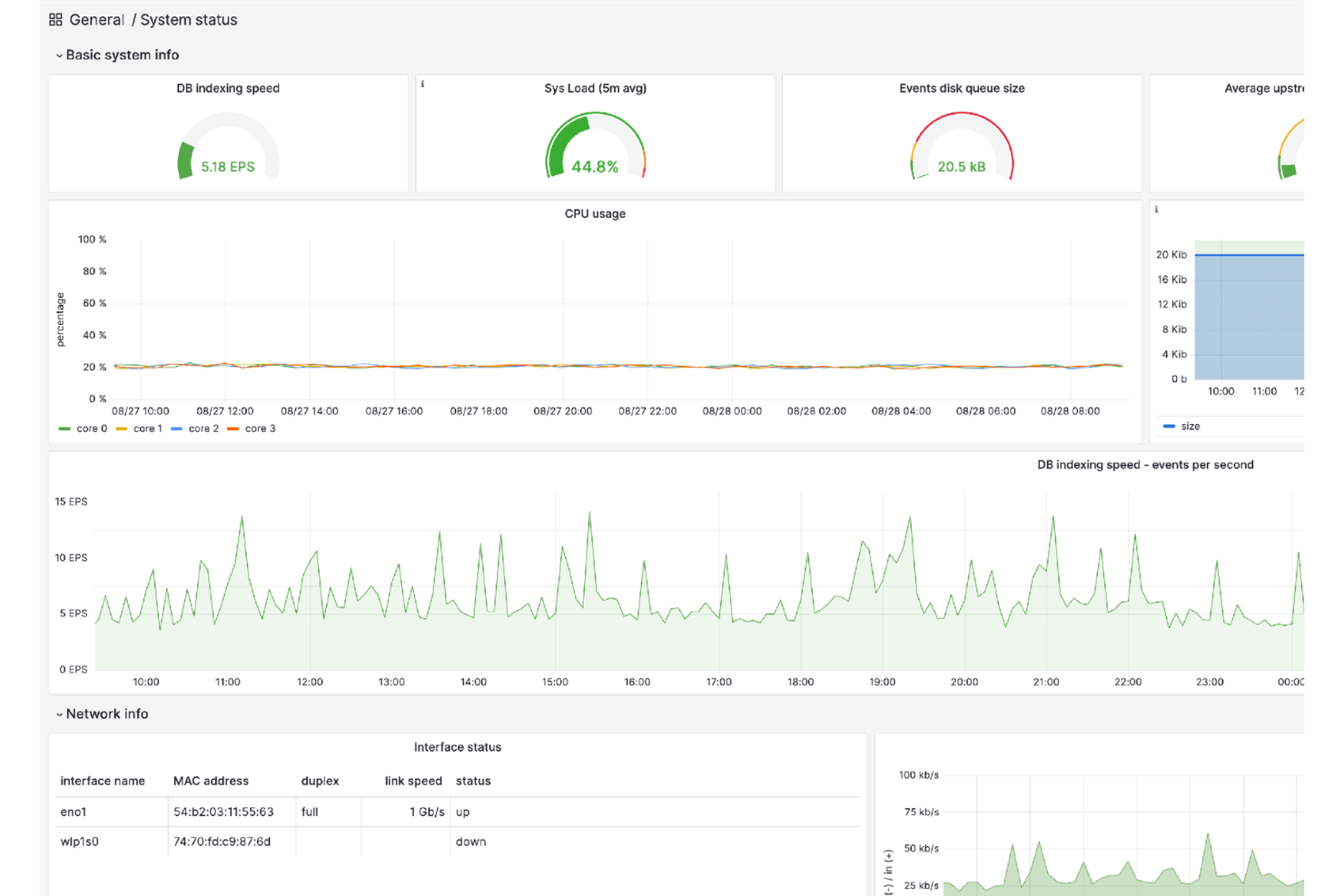
Logmanager ist eine Log-Management-Plattform, die IT-Teams dabei unterstützt, Protokolle aus verschiedenen Quellen zu aggregieren und langfristig zu speichern, um Compliance-Anforderungen zu erfüllen. Konsistente Daten-Normalisierung stellt sicher, dass Protokolldaten in einer einheitlichen Visualisierungsansicht dargestellt werden, sodass Nutzer die benötigten Informationen auf leicht zugängliche Weise erhalten.
Warum ich Logmanager gewählt habe: Es ermöglicht Ihrem Team, Protokolldaten jeglichen Umfangs zu speichern, zu durchsuchen und zu analysieren, und vereinheitlicht Logs aus Ihrer gesamten IT-Infrastruktur. Dieser umfassende Ansatz liefert Kontext für Fehlerbehebung, Infrastrukturüberwachung und Sicherheitsanalysen und stellt sicher, dass Ihre Systeme robust und sicher bleiben.
Hervorstechende Funktionen & Integrationen:
Mit nativer Unterstützung für über 140 Log-Quellen ist das Hinzufügen neuer Quellen schnell und unkompliziert. Zudem bietet es verwertbare Einblicke über vordefinierte Dashboards und Compliance-Bereitschaft, was Ihrem Unternehmen hilft, Prüfungs- und Berichtspflichten für Standards wie DSGVO, NIS2 und ISO 27001 zu erfüllen. Einige Integrationen umfassen Apache Tomcat, Aruba Networks, CheckPoint Firewall, Cisco-Geräte, DELL iDRAC, ESET Remote Administrator, Fortinet-Produkte, IBM AIX Syslog, Microsoft-Produkte und MySQL.
Pros and Cons
Pros:
- Skalierbar und zuverlässig, passt sich wachsenden Datenanforderungen an
- Schnelle Such- und Filterfunktionen
- Umfassende Übersicht über den Status der IT-Infrastruktur mit anpassbaren Dashboards
Cons:
- Die Preisgestaltung könnte für kleinere Unternehmen hoch sein
- Anpassungen können in manchen Anwendungsfällen komplex sein

Am besten für die Hochgeschwindigkeitsverarbeitung von Protokollen
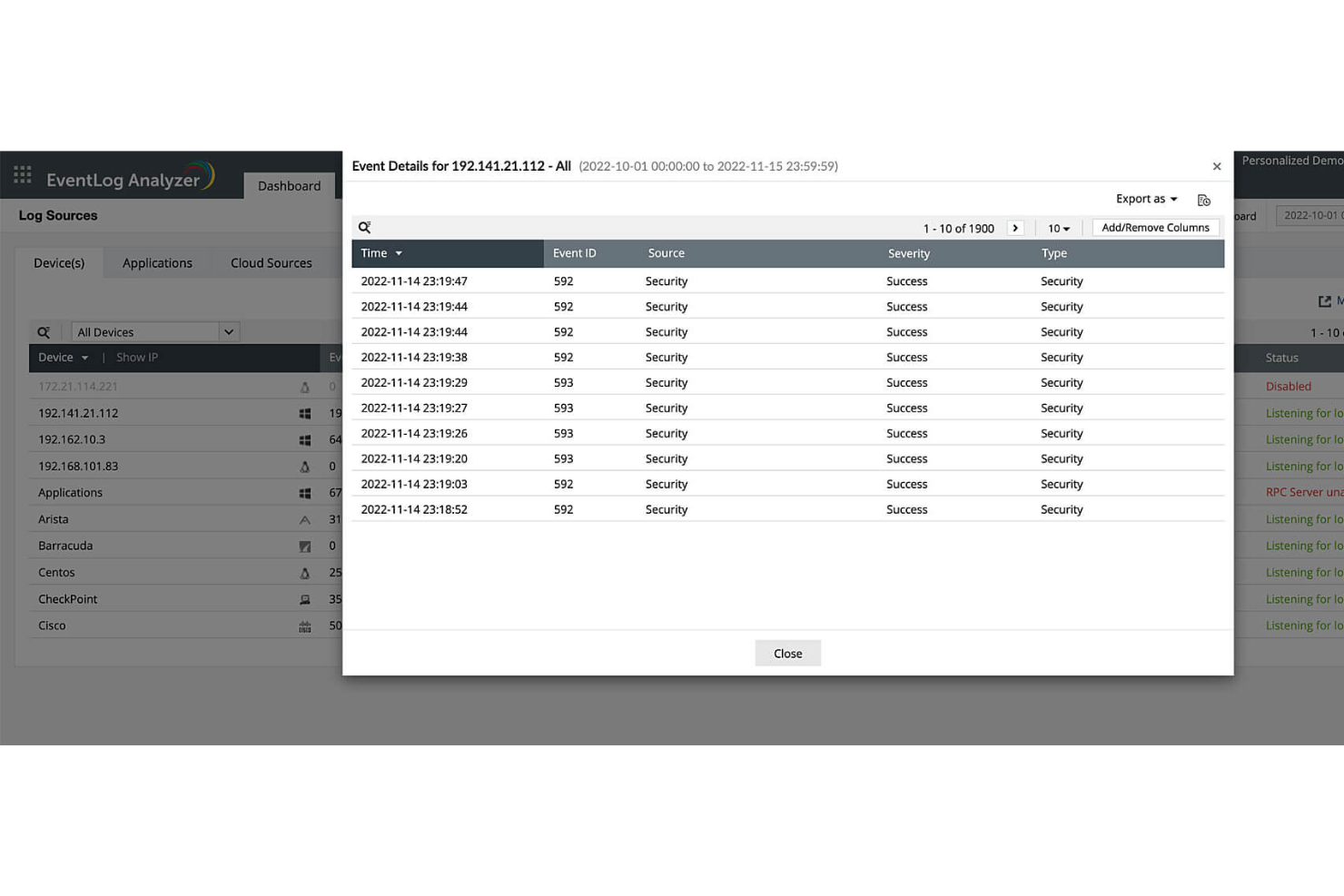
ManageEngine EventLog Analyzer ist eine umfassende Lösung für Log-Management und IT-Compliance, die darauf ausgelegt ist, die Netzwerksicherheit zu erhöhen und die Einhaltung von IT-Prüfungsanforderungen zu erleichtern. Dieses Tool unterstützt sowohl Windows- als auch Linux-Betriebssysteme und bietet Echtzeit-Überwachung von Protokollen, Auditing sowie detaillierte Reporting-Funktionen.
Warum ich ManageEngine EventLog Analyzer ausgewählt habe: Mir gefällt, dass EventLog Analyzer eine Hochgeschwindigkeitsverarbeitung von Protokollen bietet. Dies stellt sicher, dass große Mengen an Protokolldaten effizient verarbeitet werden, was für die Echtzeitüberwachung und schnelle Reaktion auf Vorfälle entscheidend ist. Die Software unterstützt zudem eine Vielzahl von Protokollquellen, darunter Windows- und Unix-Ereignisprotokolle, Syslogs und Anwendungsprotokolle, was sie zu einer vielseitigen Lösung für unterschiedlichste IT-Umgebungen macht.
Herausragende Funktionen & Integrationen:
Ein weiteres bemerkenswertes Merkmal ist die Fähigkeit zur Sicherheitsprüfung in Echtzeit. EventLog Analyzer ermöglicht die kontinuierliche Überwachung von Active Directory und Windows-Servern, sodass Unternehmen Änderungen verfolgen und unbefugte Zugriffsversuche zeitnah erkennen können. Zudem bietet das Tool fortschrittliche Bedrohungserkennung. Die Lösung lässt sich in Log360, ADAudit Plus, Firewall Analyzer, SharePoint Manager Plus, M365 Security Plus, Cloud Security Plus, DataSecurity Plus, FileAnalysis, OpManager Plus und NetFlow Analyzer integrieren.
Pros and Cons
Pros:
- Umfangreiche Möglichkeiten beim Log-Management
- Umfassende Prüfungsfunktionen
- Detaillierte und anpassbare Reportingoptionen
Cons:
- Eingeschränkte Funktionalität auf Mobilgeräten
- Einige Nutzer empfinden die Ersteinrichtung als komplex

Am besten geeignet für Echtzeitdaten-Insights
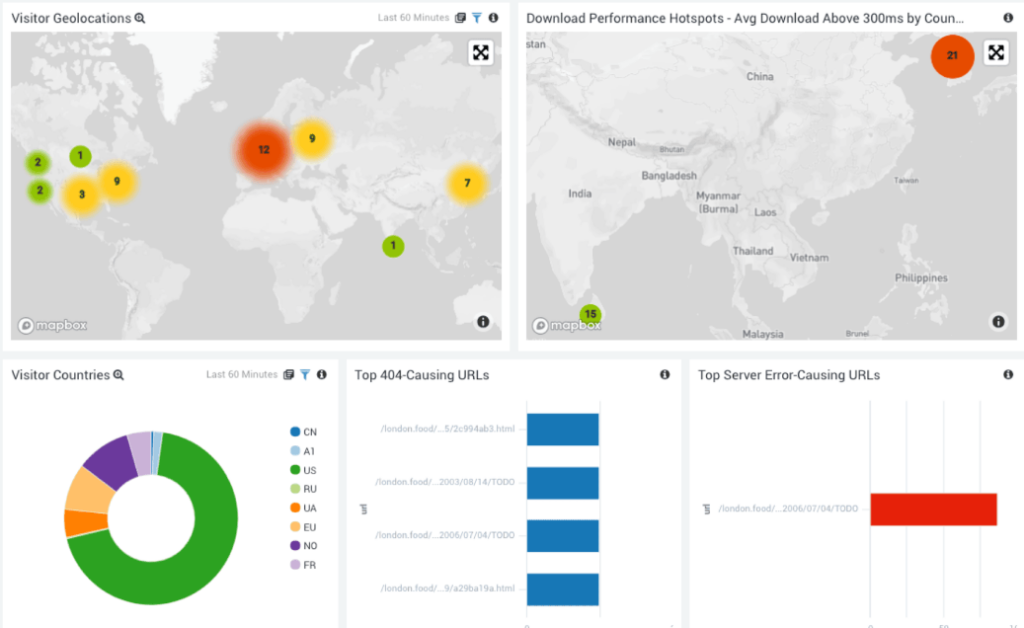
In der sich wandelnden Landschaft des Log-Managements präsentiert sich Sumo Logic als SaaS-Plattform, die darauf ausgerichtet ist, umsetzbare Erkenntnisse aus Echtzeitdaten zu liefern. Dank ihrer Fähigkeit, riesige Datenströme schnell zu verarbeiten und zu analysieren, ist sie für alle unverzichtbar, die keine Verzögerungen beim Verständnis ihrer Daten hinnehmen können.
Warum ich Sumo Logic ausgewählt habe: Ich habe Sumo Logic gewählt, nachdem ich seine Stärken evaluiert und es mit mehreren anderen Tools auf dem Markt verglichen habe. Ein Aspekt, der meine Entscheidung besonders beeinflusst hat, sind die fortschrittlichen Parsing-Fähigkeiten, die eine präzise und schnelle Datenanalyse ermöglichen. Das Versprechen von Echtzeit-Einblicken ist bei Sumo Logic nicht nur Rhetorik; es wird tatsächlich eingelöst und macht die Lösung ideal für alle, die Wert auf unmittelbare Dateninterpretationen legen.
Hauptmerkmale & Integrationen:
Zu den zahlreichen Funktionen stechen insbesondere die Aufbewahrungsrichtlinien von Sumo Logic hervor, die es Nutzern ermöglichen, effizient zu steuern, wie lange ihre Daten entsprechend ihrer individuellen Anforderungen gespeichert werden. Zusätzlich sorgt die SIEM-Funktion für eine zuverlässige Sicherheitsüberwachung und Bedrohungserkennung. Was die Integration betrifft, so verbindet sich Sumo Logic mit einer Vielzahl von Drittanbieter-Tools und steigert so den Nutzen in unterschiedlichsten Infrastrukturen.
Pros and Cons
Pros:
- Fortschrittliche Parsing-Funktionen für tiefgehende Datenanalysen
- Flexible Aufbewahrungsrichtlinien erfüllen unterschiedliche Speicheranforderungen
- Umfassende SIEM-Funktionen für erhöhte Sicherheit
Cons:
- Etwas komplexe Ersteinrichtung für Anfänger
- Preisgestaltung könnte für kleinere Unternehmen hoch ausfallen
- Das SaaS-Modell passt eventuell nicht zu Unternehmen mit strikten Anforderungen an die Datenresidenz

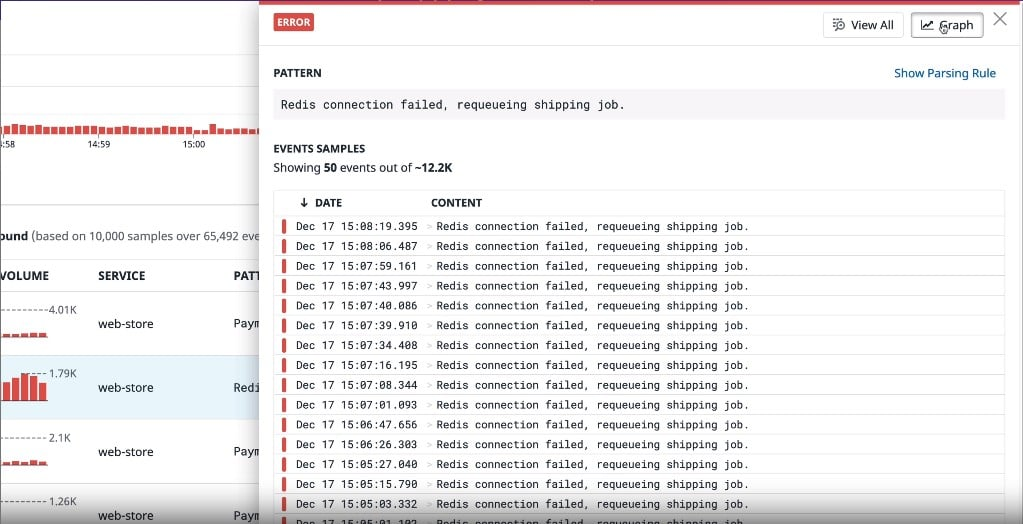
Datadog Log Management ist darauf ausgelegt, Ereignisprotokolle aus verschiedenen Infrastrukturen zu erfassen, zu organisieren und zu visualisieren. Mit dem Schwerpunkt auf integrierten Überwachungslösungen bietet dieses Tool Unternehmen klare und ganzheitliche Einblicke und festigt so seine Position als beste Wahl für umfassendes Monitoring.
Warum ich mich für Datadog Log Management entschieden habe: Bei der Auswahl der effektivsten Tools für integriertes Monitoring tauchte Datadog Log Management in meinen Vergleichen immer wieder als Spitzenreiter auf. Der Grund, warum ich mich zu dieser Plattform hingezogen fühlte, ist ihre einzigartige Kombination aus Ereignisprotokoll-Funktionen und umfangreichen Integrationsmöglichkeiten. Aufgrund seines Designs und seiner Leistungsfähigkeit ist klar, dass Datadog besonders für diejenigen geeignet ist, die integrierte Überwachungslösungen suchen.
Herausragende Funktionen & Integrationen:
Datadog überzeugt durch die effiziente Aufnahme einer Vielzahl von Protokolldaten, sodass keine wichtige Information verloren geht. Seine Fähigkeiten in der Ereignisprotokollierung, insbesondere für Linux-Systeme, sind erstklassig und bieten Klarheit und Detailtiefe. Was die Integration betrifft, arbeitet Datadog mit zahlreichen Plattformen zusammen, von Cloud-Anbietern bis hin zu Server-Infrastrukturen, was seinen Nutzen in unterschiedlichen IT-Landschaften weiter erhöht.
Pros and Cons
Pros:
- Starke Ereignisprotokoll-Funktionen, besonders für Linux-Umgebungen
- Effiziente Aufnahme verschiedener Protokolldaten
- Breite Integrationsmöglichkeiten mit anderen IT-Plattformen
Cons:
- Die Ersteinrichtung kann für manche Benutzer komplex sein
- Die Benutzeroberfläche kann für Einsteiger überwältigend sein
- Die Kosten können für kleinere Unternehmen zu hoch sein

Loggly
Am besten geeignet für cloudbasierte Protokoll-Zentralisierung
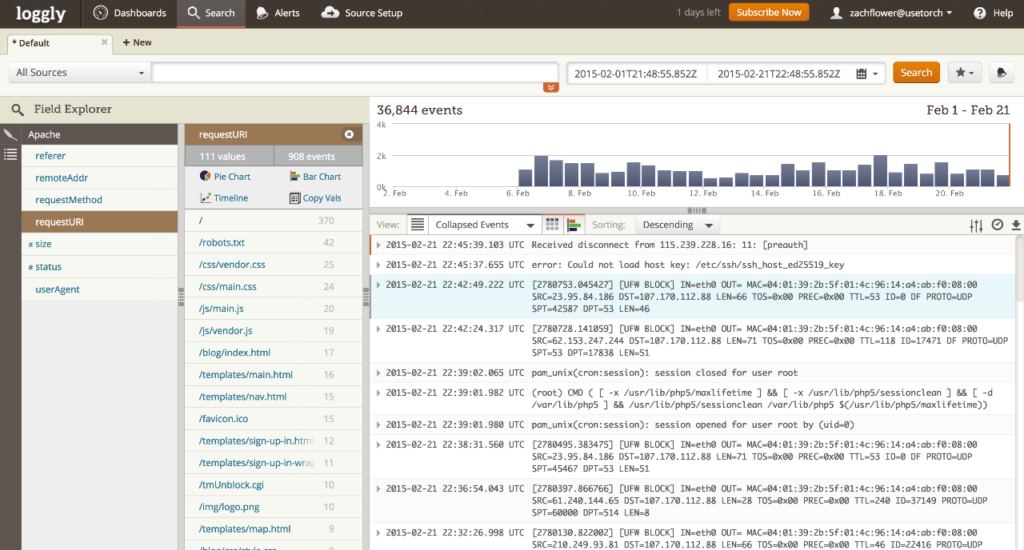
Während der digitale Bereich immer weiter wächst, erweist sich Loggly als Leitstern für alle, die ihre Protokolldateien in der Cloud zentralisieren möchten. Die Plattform bietet eine einheitliche Lösung zur Verwaltung und Überwachung von Logs und richtet sich besonders an diejenigen, die eine Zentralisierung ohne die Einschränkungen von lokalen On-Premise-Lösungen suchen.
Warum ich Loggly ausgewählt habe: Bei der Auswahl der richtigen Werkzeuge für diese Liste stand Loggly deutlich im Vordergrund. Nach Bewertung seiner Funktionalität gegenüber einer Vielzahl von Optionen kam ich zu dem Schluss, dass der cloudbasierte Ansatz eine unvergleichliche Flexibilität bietet. Diese ausgeprägte Cloud-Ausrichtung in Kombination mit den leistungsfähigen Funktionen hat mich überzeugt, dass es die beste Lösung für alle ist, die eine Protokoll-Zentralisierung in der Cloud anstreben.
Hervorstechende Funktionen & Integrationen:
Loggly beeindruckt mit seinen dynamischen Indexierungsfunktionen, die eine schnelle und präzise Protokollsuche ermöglichen. Durch den souveränen Umgang mit verschiedensten Formaten stellt Loggly sicher, dass Nutzer weder durch den Typ noch durch die Herkunft der Log-Dateien eingeschränkt sind. Außerdem sorgen die vielfältigen Integrationen von Loggly, die von Alarmierungstools bis hin zu Visualisierungsplattformen reichen, für einen zusätzlichen Mehrwert bei unterschiedlichen betrieblichen Anforderungen.
Pros and Cons
Pros:
- Leistungsfähige Indexierungsfunktionen für schnelle Protokollsuche
- Anpassungsfähig an verschiedene Log-Formate
- Umfangreiche Auswahl an Drittanbieter-Integrationen
Cons:
- Benutzeroberfläche kann für Einsteiger einschüchternd sein
- Nicht so funktionsreich wie manche andere Premium-Optionen
- Es fehlen bestimmte fortschrittliche Analysewerkzeuge

Splunk
Am besten für großangelegte Datenanalysen
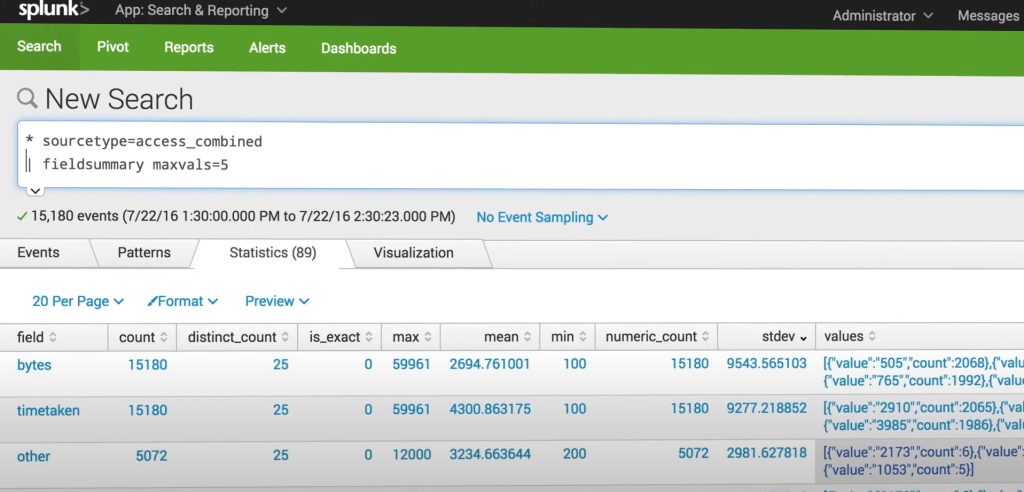
Splunk ist eine herausragende Lösung im Bereich der Protokollverwaltung und hat das Ziel, Maschinendaten in verwertbare Erkenntnisse zu verwandeln. Für diejenigen, die in einem unüberschaubaren Datenmeer untergehen, ist Splunk wie ein Leuchtturm, der den Weg zur sinnvollen Interpretation weist.
Warum ich Splunk gewählt habe: Bei der Zusammenstellung dieser Liste habe ich festgestellt, dass Splunks Marktführerschaft kein Zufall ist. Nach dem Vergleich verschiedener Plattformen bin ich der Ansicht, dass Splunk eine der leistungsstärksten Umgebungen für die Analyse großer Datenmengen bietet. Seine Besonderheit liegt in der Fähigkeit, großangelegte Datenanalysen zu bewältigen und dabei wertvolle Einsichten zu liefern, die vielen anderen Plattformen entgehen könnten. Genau diese Eigenschaft macht Splunk meiner Meinung nach zur besten Wahl für alle, die eine tiefgehende Datenanalyse im großen Stil benötigen.
Herausragende Funktionen & Integrationen:
Splunks Stärke liegt in seinen fortschrittlichen Suchfunktionen, die präzises Troubleshooting und gezielte Datenextraktion ermöglichen. Die Techniken zur Datenaggregation durchsuchen effizient riesige Datenmengen und präsentieren den Nutzern nur die relevantesten Informationen. Das umfangreiche Ökosystem von Splunk umfasst zahlreiche Apps und Integrationen und macht es dadurch sehr anpassungsfähig an unterschiedliche Anforderungen in Unternehmen.
Pros and Cons
Pros:
- Hervorragende Fähigkeiten zur Datenanalyse
- Umfassendes App-Ökosystem für vielfältige Anforderungen
- Leistungsstarke Techniken zur Datenaggregation
Cons:
- Steilere Lernkurve für Einsteiger
- Höherer Preis im Vergleich zu einigen Mitbewerbern
- Für kleinere Unternehmen möglicherweise zu umfangreich

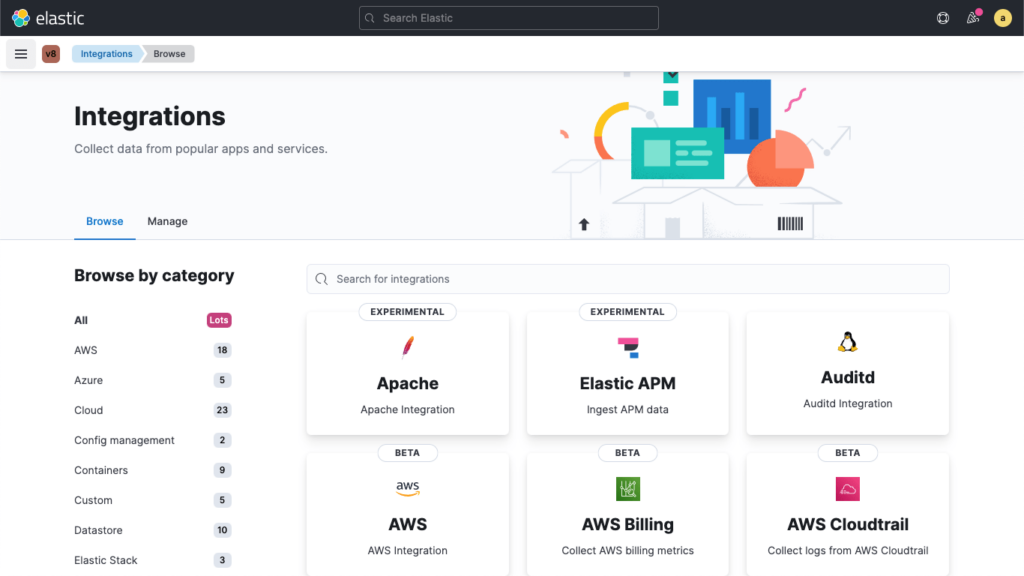
Elastic steht als Sinnbild für Effizienz im überfüllten Bereich des Log-Managements. Entwickelt für alle, die sowohl leistungsstarke Suchfunktionen als auch Visualisierungen auf höchstem Niveau verlangen, bietet die Architektur von Elastic die Skalierbarkeit, die für wachsende Unternehmen und komplexe Projekte entscheidend ist.
Warum ich Elastic ausgewählt habe: Bei der Auswahl der Tools für diesen Leitfaden war Elastic eine natürliche Wahl. Es lag nicht nur an seiner Popularität, sondern im Vergleich mit Mitbewerbern fand ich die Balance zwischen Suchstärke und Visualisierungsmöglichkeiten wirklich bemerkenswert. Gerade dieses Gleichgewicht, zusammen mit der inhärenten Skalierbarkeit, ließ mich zu dem Schluss kommen, dass Elastic besonders für jene geeignet ist, die skalierbare Suche und leistungsstarke Visualisierung in ihren Abläufen priorisieren.
Herausragende Funktionen & Integrationen:
Im Kern ist Elastic mit robusten Analysetools ausgestattet, die das Eintauchen in Daten zu einem intuitiveren Prozess machen. Das Monitoring der Anwendungsleistung stellt sicher, dass DevOps-Teams möglichen Problemen immer einen Schritt voraus sind. Die API-Integrationen, die Elastic bietet, stärken die Gesamtfunktionalität und ermöglichen es den Nutzern, verschiedene Plattformen und Tools nahtlos zu verbinden.
Pros and Cons
Pros:
- Umfassende Analysetools für tiefgehende Einblicke
- Effektives Monitoring der Anwendungsleistung
- Vielseitige API-Integrationen, die die Funktionalität erweitern
Cons:
- Könnte für kleinere Projekte überkompliziert sein
- Die Ersteinrichtung kann herausfordernd sein
- Preisniveau kann für kleinere Teams abschreckend sein

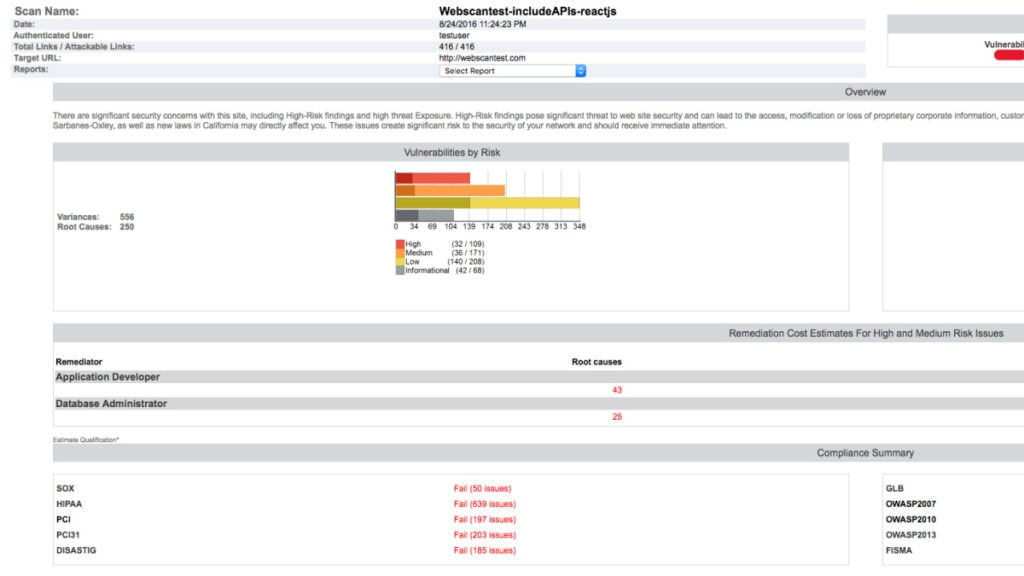
Rapid7 ist auf die Bereitstellung von Log-Analytics-Lösungen mit Schwerpunkt auf Sicherheit spezialisiert. Die Plattform integriert fortschrittliche Log-Analyse-Techniken mit dem Fokus auf das Erkennen, Verstehen und Reagieren auf Sicherheitsbedrohungen. Mit diesem Sicherheitsfokus erweist sich Rapid7 als unverzichtbares Werkzeug für Unternehmen, die den Schutz ihrer Daten priorisieren.
Warum ich Rapid7 gewählt habe: In der Vielzahl von Log-Analyse-Tools war die Wahl von Rapid7 eine Entscheidung, die durch den unvergleichlichen Fokus auf Sicherheit motiviert wurde. Nach sorgfältigem Vergleich und Analyse beurteilte ich, dass die Plattform von Rapid7 eine einzigartige Kombination aus Log-Analysemöglichkeiten und Sicherheits-Insights bietet. Dieser Mix macht Rapid7 zweifellos zur besten Wahl für sicherheitsorientierte Log-Analysen.
Hervorstechende Funktionen & Integrationen:
Eines der Markenzeichen von Rapid7 ist seine ausgefeilte Abfragesprache, die IT-Profis ermöglicht, tief in ihre Logs einzutauchen und aussagekräftige Erkenntnisse zu gewinnen. Darüber hinaus sorgt die Fähigkeit der Plattform, Echtzeit-Benachrichtigungen bereitzustellen, dafür, dass jegliches anomale Verhalten umgehend erkannt wird. Bei den Integrationen harmoniert Rapid7 optimal mit mehreren Security-Plattformen und Bedrohungsdatenbanken und stärkt so seine Abwehrfähigkeiten.
Pros and Cons
Pros:
- Leistungsstarke Abfragesprache für detaillierte Log-Analyse
- Echtzeit-Benachrichtigungen zur sofortigen Bedrohungserkennung
- Starke Integration mit führenden Sicherheitsplattformen
Cons:
- Die Benutzeroberfläche kann für Neueinsteiger herausfordernd sein
- Fortschrittliche Funktionen erfordern eine steile Lernkurve
- Integrationen benötigen ggf. Feintuning für optimale Leistung

Am besten geeignet für die Analyse von Firewall-Regeln
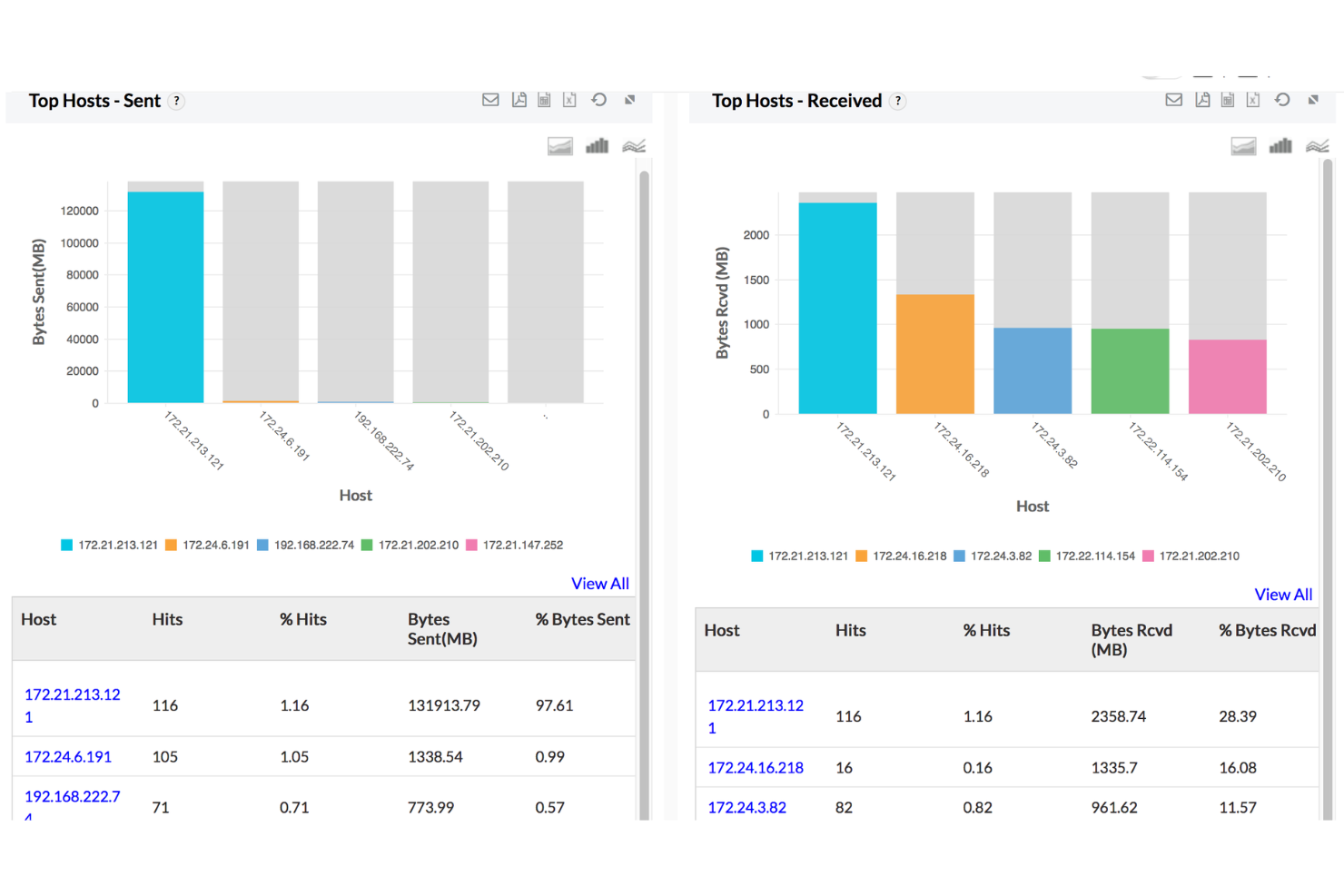
ManageEngine Firewall Analyzer ist ein auf Firewalls fokussiertes Log-Management-Tool, das IT-Teams dabei unterstützt, Konfigurationsänderungen zu überwachen, Netzwerkverkehr zu verfolgen und Sicherheitsereignisse über mehrere Anbieter hinweg zu analysieren. Es sammelt und analysiert Protokolle von einer Vielzahl von Firewalls, sodass Sie das Verkehrsverhalten visualisieren, die Einhaltung von Richtlinien durchsetzen und verdächtige Aktivitäten über ein zentrales Dashboard untersuchen können.
Warum ich ManageEngine Firewall Analyzer ausgewählt habe: Ich habe dieses Tool aufgenommen, weil es Ihnen eine präzise Sicht darauf gibt, wie Firewall-Regeln funktionieren – und an welchen Stellen sie möglicherweise fehlkonfiguriert sind. Das ist hilfreich, wenn Sie unnötige Zugriffe reduzieren, Sicherheitsrichtlinien verschärfen oder veraltete Regelwerke bereinigen möchten. Außerdem unterstützt es die Compliance-Verfolgung mit integrierten Vorlagen für regulatorische Standards und überwacht Änderungen an Firewall-Konfigurationen, was Sie dabei unterstützt, unbefugte Änderungen oder Prüfungsdefizite zu erkennen.
Hervorstechende Funktionen & Integrationen:
Das Tool bietet Echtzeitüberwachung für VPN-Nutzung, Bandbreitenspitzen und Benutzeraktivitäten. Sie können forensische Log-Suchen durchführen, um die Quelle von Sicherheitsvorfällen zu ermitteln, und automatisierte Warnmeldungen für Verkehrsabweichungen oder Regelverstöße einstellen. Es unterstützt Integrationen mit einer Reihe anderer ManageEngine-Tools, darunter OpManager, Log360, Endpoint Central und M365 Security Plus, sowie die Kompatibilität mit führenden Firewall-Anbietern wie Cisco, Fortinet, Palo Alto und CheckPoint.
Pros and Cons
Pros:
- Echtzeitüberwachung hilft, ungewöhnliche Verkehrsmuster zu identifizieren
- VPN-Überwachung und Bandbreitenmanagement
- Bietet detaillierte Einblicke in den Firewall-Verkehr und die Benutzeraktivität
Cons:
- Langsamere Bereitstellung von Patches für Drittanbieter-Software-Schwachstellen
- Benötigt regelmäßige Updates und Wartung
Weitere bemerkenswerte Software zur Protokollverwaltung
Im Folgenden finden Sie eine Liste zusätzlicher Software zur Protokollverwaltung, die ich in die engere Auswahl genommen habe, die es aber nicht unter die besten 12 geschafft hat. Es lohnt sich auf jeden Fall, sie sich anzusehen.
- ManageEngine
Am besten für umfassendes IT-Management
- Graylog
Am besten für Open-Source-Log-Management
- Logz.io
Am besten für KI-gesteuerte Log-Analyse
- Papertrail
Am besten geeignet für unkompliziertes Log-Tailing und einfache Suche
- Syslog-ng
Am besten geeignet für vielseitiges Log-Routing und -Filtern
- Dataset
Am besten geeignet für die Speicherung strukturierter Daten


Weitere Bewertungen von Software zur Protokollverwaltung
Wie ich Log-Management-Software bewerte
Ich bewerte in zwei Ebenen: grundlegende Anforderungen, die jedes Log-Management-Tool erfüllen muss, und Unterscheidungsmerkmale – wie ML-basierte Anomalieerkennung oder OpenTelemetry-Unterstützung –, die die besten Lösungen hervorheben.
Kernfunktionalität (Grundvoraussetzungen für diese Liste)
Wenn ich Tools für meine Liste auswähle, bewerte ich jedes auf einer Skala von 0 (bietet die Funktion nicht) bis 5 (überzeugt in diesem Bereich) für jede der unten aufgeführten Kernfunktionen. Anschließend berechne ich die Gesamtpunktzahl des Tools als Prozentsatz. Jedes Tool muss eine Mindestgesamtpunktzahl von 75% erreichen, um in die engere Auswahl zu kommen.
- Log-Sammlung & -Erfassung: Ich prüfe, wie viele Quelltypen jedes Tool standardmäßig unterstützt – Server, Container, Cloud-Dienste, Netzwerkgeräte – und ob sowohl agentenbasierte als auch agentenlose Optionen angeboten werden.
- Zentrale Aggregation & Speicherung: Jedes Tool sollte Logs in einem einheitlichen, indizierten Repository konsolidieren und konfigurierbare Aufbewahrungsrichtlinien bieten, mit denen Sie zwischen Hot-, Warm- und Cold-Storage unterschieden können.
- Such- & Abfragefunktionen: Ich bewerte, wie schnell ein Tool Ergebnisse über große Datensätze hinweg liefert und ob eine eigene Abfragesprache zum Filtern, Aggregieren und Korrelieren von Log-Einträgen angeboten wird.
- Echtzeit-Monitoring & Alarmierung: Ich suche nach konfigurierbaren Alarmierungsregeln, die über statische Schwellenwerte hinausgehen – ereignisbasierte Auslöser, mehrstufige Bedingungen und Integrationen mit Tools wie PagerDuty oder Slack.
- Parsing & Strukturierung: Das Tool sollte gängige Log-Formate wie JSON, Syslog und Apache automatisch erkennen und strukturierte Felder extrahieren können, ohne dass Sie für jede neue Quelle Regex schreiben müssen.
- Dashboards & Visualisierung: Ich bewerte, ob Sie benutzerdefinierte Dashboards erstellen können, die betriebliche Trends auf einen Blick zeigen – etwa Anstiege der Fehlerquote, Latenz-Muster oder das Aufnahmevolumen im Zeitverlauf.
Wenn ich eine Liste von Tools habe, die diese Kriterien erfüllen, prüfe ich, was jede Plattform besonders macht.
Unterscheidungsmerkmale (Was die Anbieter unterscheidet)
So vergleiche und bewerte ich verschiedene Anbieter:
Herausragende Funktionen
KI-/ML-gestützte Analysen können Anomalien aufdecken, die manuelle Schwellenwertregeln übersehen würden – wie etwa einen schleichenden Speicherverlust, der sich über ein Kubernetes-Cluster ausbreitet. Ich bewerte auch, ob ein Tool Logs nativ mit Metriken und Traces korreliert, was die Zeit für Plattformwechsel bei Vorfällen deutlich reduziert. Möglichkeiten zur Kostenoptimierung sind ebenso wichtig: Tools, die Filterung bei der Erfassung, Sampling und Index-Tiering bieten, verschaffen Ihnen echte Kontrolle über ausufernde Log-Volumina.
Über die Funktionen hinaus
Preistransparenz spielt hier eine große Rolle – einige Tools berechnen nach Erfassungsvolumen, andere nach Aufbewahrung oder Nutzeranzahl; überraschende Mehrkosten bei Vorfallsspitzen können das Budget schnell sprengen. Ich prüfe auch die Integrationsunterstützung, insbesondere für OpenTelemetry, Fluentd und Fluent Bit, da offene Standards verhindern, dass Sie in einem einzigen Anbieterkosmos gefangen werden. Für Teams in regulierten Branchen achte ich auf Zertifizierungen wie SOC 2, HIPAA und ISO 27001, sowie auf RBAC und vom Kunden verwaltete Verschlüsselungsschlüssel.
So wählen Sie Software zur Protokollverwaltung aus
Bei langen Funktionslisten und komplexen Preisstrukturen verliert man leicht den Überblick. Damit Sie sich bei der individuellen Auswahl Ihrer Software auf das Wesentliche konzentrieren können, finden Sie hier eine Checkliste mit Faktoren, die Sie berücksichtigen sollten:
| Faktor | Was ist zu beachten? |
|---|---|
| Skalierbarkeit | Kann die Software mit Ihrem Datenbedarf wachsen? Berücksichtigen Sie zukünftige Datenmengen und prüfen Sie, ob das Tool ein erhöhtes Volumen ohne Leistungseinbußen verarbeiten kann. |
| Integrationen | Kann die Software mit Ihren vorhandenen Tools verbunden werden? Stellen Sie die Kompatibilität mit Ihrem Technologie-Stack sicher, um Datensilos zu vermeiden und Arbeitsabläufe zu optimieren. |
| Anpassbarkeit | Können Sie das Tool an Ihre Prozesse anpassen? Achten Sie auf anpassbare Dashboards und Berichte, die den spezifischen Anforderungen Ihres Teams entsprechen. |
| Benutzerfreundlichkeit | Ist die Benutzeroberfläche für Ihr Team intuitiv? Vermeiden Sie Tools mit einer steilen Lernkurve, um eine schnelle Einführung und effizientes Arbeiten zu gewährleisten. |
| Implementierung und Einführung | Wie lange dauert die Inbetriebnahme? Berücksichtigen Sie den für Einrichtung und Schulung erforderlichen Zeit- und Ressourcenaufwand und achten Sie auf Tools mit umfassender Unterstützung bei der Einführung. |
| Kosten | Sind die Preise transparent und liegen sie innerhalb Ihres Budgets? Vergleichen Sie Abonnementoptionen und versteckte Gebühren, um ein Tool mit einem guten Preis-Leistungs-Verhältnis zu finden. |
| Sicherheitsvorkehrungen | Erfüllt die Software Ihre Sicherheitsstandards? Stellen Sie sicher, dass das Tool Verschlüsselung, Zugriffskontrollen und die Einhaltung relevanter Datenschutzbestimmungen bietet. |
| Verfügbarkeit des Supports | Ist Hilfe schnell verfügbar? Prüfen Sie, ob Supportoptionen rund um die Uhr und ein reaktionsschneller Service angeboten werden, damit Sie bei Bedarf Unterstützung erhalten. |
Was ist Software zur Protokollverwaltung?
Protokollverwaltungssoftware ist ein spezialisiertes Tool zum Sammeln, Zentralisieren, Analysieren und Visualisieren von Protokolldaten. IT-, Sicherheits- und Betriebsexperten nutzen sie, um Rohprotokolle in aussagekräftige Dashboards und Kennzahlen umzuwandeln. Über die Analyse hinaus unterstützen diese Protokollüberwachungstools bei der Archivierung historischer Daten und stellen sicher, dass Benutzer frühere Protokolle überprüfen und Muster oder Anomalien erkennen können, die für Systemzustand, Sicherheit und Leistungsoptimierung relevant sind. Für umfassende Optionen sollten Sie Alternativen zu Sumo Logic in Betracht ziehen, die leistungsfähige Archivierungsfunktionen bieten.
Funktionen
Bei der Auswahl von Protokollverwaltungssoftware sollten Sie auf die folgenden wichtigen Funktionen achten:
- Überwachung in Echtzeit: Verfolgt Protokolldaten, sobald sie erstellt werden, um Probleme schnell zu erkennen und zu beheben.
- Warnmeldungen: Benachrichtigt Benutzer über Anomalien oder potenzielle Bedrohungen, um rechtzeitige Maßnahmen sicherzustellen.
- Protokollaggregation: Sammelt Daten aus mehreren Quellen für eine umfassende Übersicht über die Systemleistung.
- Suche und Filterung: Ermöglicht Benutzern, bestimmte Protokolleinträge einfach zu finden, und unterstützt so die Fehlerbehebung und Analyse.
- Anpassbare Dashboards: Ermöglicht Benutzern, ihre Oberfläche so anzupassen, dass relevante Daten und Kennzahlen angezeigt werden.
- Integrationsfunktionen: Verbindet sich mit vorhandenen Tools und Systemen, um die Effizienz von Arbeitsabläufen zu steigern.
- Sicherheitsfunktionen: Bietet Verschlüsselung und Zugriffskontrollen zum Schutz vertraulicher Daten.
- Skalierbarkeit: Unterstützt wachsende Datenanforderungen ohne Leistungseinbußen.
- Benutzerfreundliche Oberfläche: Gewährleistet eine einfache Nutzung durch intuitive Navigation und eine kurze Einarbeitungszeit.
- Unterstützung bei der Einführung: Bietet Ressourcen wie Schulungsvideos und interaktive Rundgänge für eine reibungslose Implementierung.
Vorteile
Die Implementierung von Protokollverwaltungssoftware bietet Ihrem Team und Ihrem Unternehmen mehrere Vorteile. Hier sind einige, auf die Sie sich freuen können:
- Verbesserte Fehlerbehebung: Erkennen und beheben Sie Probleme schnell mithilfe von Überwachung in Echtzeit und Warnmeldungen.
- Erhöhte Sicherheit: Schützen Sie vertrauliche Daten mit Sicherheitsfunktionen wie Verschlüsselung und Zugriffskontrollen.
- Höhere Effizienz: Sparen Sie Zeit mit Such- und Filterfunktionen, die Ihnen helfen, Protokolleinträge einfach zu finden.
- Bessere Entscheidungsfindung: Gewinnen Sie Erkenntnisse aus aggregierten Daten, um fundierte betriebliche Entscheidungen zu treffen.
- Anpassbare Erkenntnisse: Passen Sie Dashboards an, um die für Ihr Team wichtigsten Kennzahlen anzuzeigen.
- Skalierbarkeit: Bewältigen Sie wachsende Datenanforderungen, ohne Leistung oder Geschwindigkeit zu beeinträchtigen.
- Nahtlose Integration: Verbinden Sie sich mit vorhandenen Systemen, um einen einheitlichen Arbeitsablauf zu schaffen und die Produktivität zu steigern.
Kosten & Preise
Die Auswahl von Protokollverwaltungssoftware erfordert ein Verständnis der verschiedenen verfügbaren Preismodelle und Tarife. Die Kosten variieren je nach Funktionen, Teamgröße, Zusatzoptionen und weiteren Faktoren. Die folgende Tabelle fasst gängige Tarife, ihre durchschnittlichen Preise und die typischerweise in Lösungen zur Protokollverwaltung enthaltenen Funktionen zusammen:
Vergleichstabelle der Tarife für Protokollverwaltungssoftware
| Tariftyp | Durchschnittlicher Preis | Übliche Funktionen |
|---|---|---|
| Kostenloser Tarif | $0 | Grundlegende Protokollerfassung, begrenzte Datenaufbewahrung und Community-Support. |
| Persönlicher Tarif | $5-$25/user/month | Überwachung in Echtzeit, grundlegende Warnmeldungen und begrenzte Integrationen. |
| Geschäftstarif | $30-$100/user/month | Erweiterte Suche und Filterung, anpassbare Dashboards und verbesserte Sicherheit. |
| Unternehmenstarif | $100+/user/month | Umfassende Integrationsfunktionen, bevorzugter Support und weitreichende Skalierbarkeit. |
Häufigste Fragen zur Software für Protokollverwaltung (FAQ)
Ist es möglich, Dashboards in Software für Protokollverwaltung anzupassen?
Viele Lösungen für die Protokollverwaltung bieten anpassbare Dashboards, in denen Sie die Benutzeroberfläche so gestalten können, dass relevante Daten und Messwerte angezeigt werden. Dies hilft Ihnen, sich auf wichtige Leistungsindikatoren zu konzentrieren und die Überwachung zu optimieren. Prüfen Sie, ob die Software die Erstellung von Dashboards ermöglicht, die den spezifischen Anforderungen Ihres Teams entsprechen.
Welche Software für Protokollverwaltung ist die günstigste und welche die teuerste?
Die günstigste Software umfasst häufig Open-Source-Lösungen oder Basisversionen kommerzieller Tools, während die teuersten Lösungen auf große Unternehmen mit umfangreichen Funktionen und Optionen für die Skalierbarkeit ausgerichtet sind. Es ist wichtig zu beachten, dass Open-Source-Optionen wie der Elastic Stack zwar kostenlos genutzt werden können, beim Skalieren oder bei der Nutzung zusätzlicher Funktionen jedoch Kosten entstehen können.
Wie benutzerfreundlich sind diese Tools?
Die meisten modernen Systeme für die Protokollverwaltung legen Wert auf Benutzerfreundlichkeit. Sie verfügen typischerweise über intuitive Dashboards, Funktionen zum Ziehen und Ablegen sowie übersichtliche Visualisierungstools. Dies ist entscheidend, da ein kompliziertes System eine effiziente Protokollanalyse behindern könnte.
Unterstützen diese Systeme Umgebungen wie Kubernetes oder bestimmte Plattformen wie Microsoft?
Absolut. Die meisten erstklassigen Lösungen für die Protokollverwaltung unterstützen verschiedenste Umgebungen, von Kubernetes-Clustern bis hin zu bestimmten Plattformen wie dem Windows-Ereignissystem von Microsoft. Integrationsmöglichkeiten sind ein Kennzeichen eines effektiven Tools für die Protokollverwaltung.
Was kommt als Nächstes:
Wenn Sie gerade Software für die Protokollverwaltung recherchieren, wenden Sie sich kostenlos an einen SoftwareSelect-Berater für Empfehlungen.
Sie füllen ein Formular aus und führen ein kurzes Gespräch, in dem die Einzelheiten Ihrer Anforderungen besprochen werden. Anschließend erhalten Sie eine Auswahlliste von Software, die Sie prüfen können. Sie werden sogar während des gesamten Kaufprozesses unterstützt, einschließlich der Preisverhandlungen.