
Splunk Review 2026: Pros, Cons, Features, and Pricing
Splunk stands out for its powerful real-time data analysis and flexible integrations, but its steep learning curve and pricing may limit accessibility for smaller teams.

We review tools independently, and commissions help fund our testing. See our transparency policy, our methodology, or suggest a tool.
Splunk is a big data analytics software built for IT and security teams that need to search, monitor, and analyze machine-generated data across distributed environments. I'd consider it most seriously if your team is dealing with high volumes of log data and needs real-time visibility into system health and security events. Compared to the ELK Stack, Splunk delivers a more polished experience out of the box—you get stronger search functionality and a usable UI without spending weeks on custom configuration before you see meaningful results.
Splunk Evaluation Summary
4.3/5
- Pricing upon request
- 60-day free trial
Why Trust Our Software Recommendations
6,700+
Reviews
20
Industry experts
16+
Evaluation factors
14
Years
Our team has been testing and reviewing software since 2012. As tech leaders ourselves, we know how difficult—and important—it is to choose the right software.
For this guide, we evaluated tools using hands-on testing and independent research, scoring tools using our selection criteria.
Our reviews reflect our human editorial judgment, not a sales pitch.
Expert reviewers:
- Paulo Gardini MiguelTech Director
 Tim FisherVP of AI
 Gabriel RosasTech Lead & Software Architect
 Christhian GruhnTech Lead & Platform Architect

Splunk Overview
When judging big data analytics software, Splunk stands out for its real-time search, customizable dashboards, and broad integration options. Its pricing can be high, and onboarding may require significant time, but the depth of functionality and responsive support set it apart. The interface is dense but highly configurable, making it ideal for large enterprises or teams with complex data needs.
If you’re selecting a platform for security monitoring or operational intelligence, Splunk’s scalability and automation features make it a strong choice, especially where rapid incident response and detailed log analysis are priorities.
Pros
- You can analyze data in real time, which helps your team make quicker decisions.
- Splunk's dashboard is highly customizable, letting you tailor it to your specific needs.
- The software handles large volumes of data efficiently, supporting your complex data needs.
Cons
- The learning curve can be steep, so your team might need time to get comfortable.
- Some users find the search language challenging, which might slow down your analysis.
- You might encounter occasional performance issues with very large datasets.
Is Splunk Right For Your Needs?
Who Would be a Good Fit for Splunk?
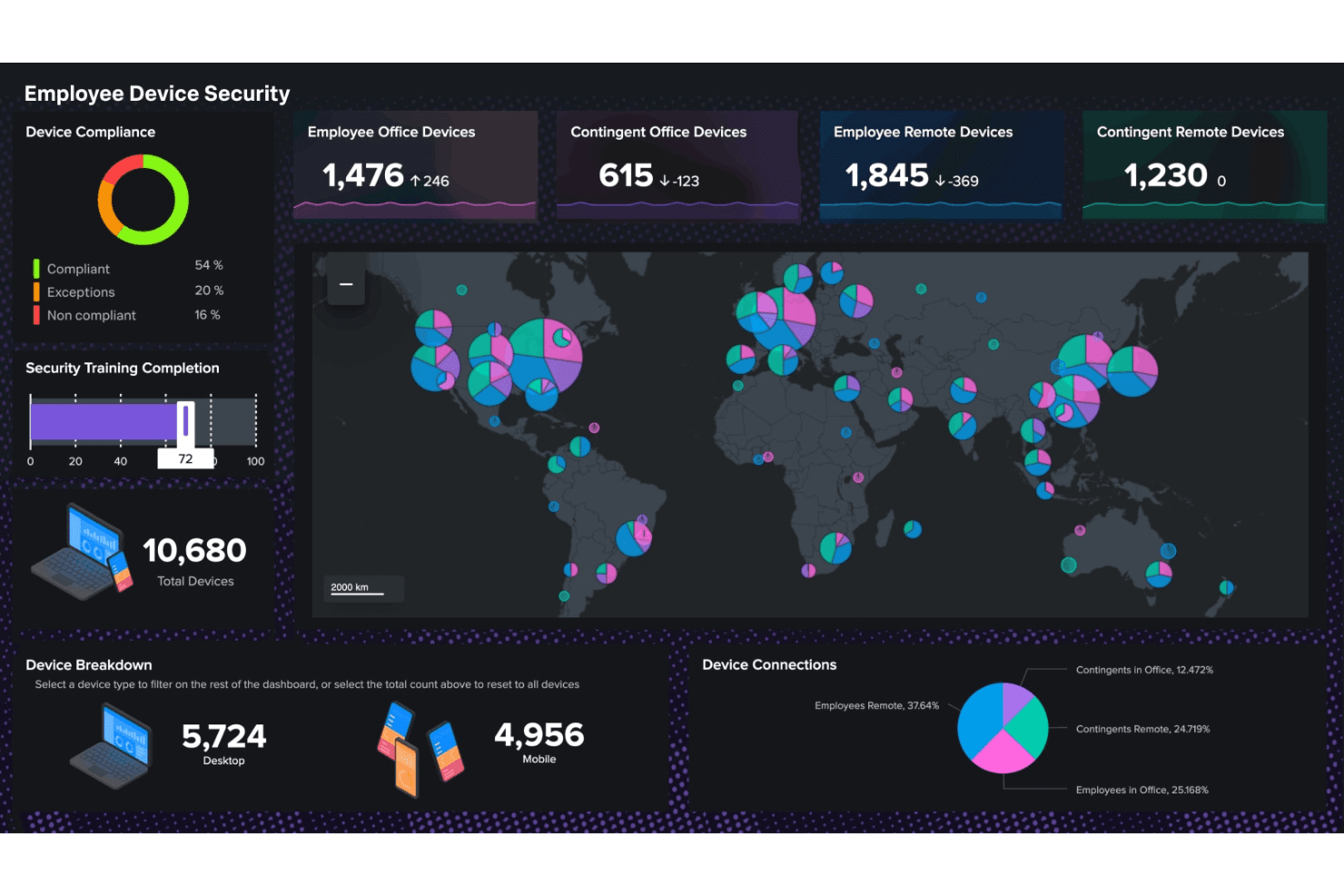
Splunk is ideal for IT departments and security teams in industries like finance and healthcare, where real-time data analysis is crucial. If your work involves managing large data volumes and you need quick insights, Splunk’s customizable dashboards and efficient data handling can help. Companies with complex data environments and a need for tailored analytics will benefit from Splunk’s robust feature set.
- IT SecuritySplunk helps your team detect and respond to security threats quickly with its real-time data analysis capabilities.
- Healthcare AnalyticsIt supports your healthcare team by processing large datasets efficiently, enabling better patient care through data-driven insights.
- Finance DepartmentsYour finance team can benefit from Splunk’s ability to analyze complex financial data quickly and accurately.
- Retail AnalyticsSplunk helps your retail business understand customer behavior with its customizable dashboards and real-time insights.
- TelecommunicationsYour telecom company can manage vast amounts of data and improve service delivery using Splunk’s powerful analytics tools.
- Government AgenciesSplunk supports your agency’s mission by providing real-time data analysis to enhance decision-making and operational efficiency.
Who Would be a Bad Fit for Splunk?
Small businesses or startups with limited data needs might not find Splunk suitable due to its complexity and resource requirements. If your team lacks technical expertise or if your data volume isn’t substantial, Splunk’s advanced features could overwhelm rather than assist. Companies needing simple, straightforward analytics without the need for real-time data might not benefit from Splunk’s robust capabilities.
- Small StartupsYour startup might not need Splunk if you have minimal data and lack the resources for complex data analysis.
- Non-Technical TeamsSplunk’s learning curve can be steep, making it less ideal for teams without technical expertise.
- Simple Reporting NeedsIf you only need basic data insights, Splunk’s advanced features might be more than you require.
- Budget-Conscious FirmsYour cost-sensitive business might find Splunk’s resource demands and complexity outweighing its benefits.
- Non-Profit OrganizationsIf your non-profit has limited data and technical resources, Splunk might not be the best fit.
- Educational InstitutionsSchools with basic data needs and limited IT support may find Splunk’s complexity unnecessary.
Our Review Methodology
How We Test & Score Tools
We’ve spent years building, refining, and improving our software testing and scoring system. The rubric is designed to capture the nuances of software selection and what makes a tool effective, focusing on critical aspects of the decision-making process.
Below, you can see exactly how our testing and scoring works across seven criteria. It allows us to provide an unbiased evaluation of the software based on core functionality, standout features, ease of use, onboarding, customer support, integrations, customer reviews, and value for money.
Core Functionality (25% of final scoring)
The starting point of our evaluation is always the core functionality of the tool. Does it have the basic features and functions that a user would expect to see? Are any of those core features locked to higher-tiered pricing plans? At its core, we expect a tool to stand up against the baseline capabilities of its competitors.
Standout Features (25% of final scoring)
Next, we evaluate uncommon standout features that go above and beyond the core functionality typically found in tools of its kind. A high score reflects specialized or unique features that make the product faster, more efficient, or offer additional value to the user.
We also evaluate how easy it is to integrate with other tools typically found in the tech stack to expand the functionality and utility of the software. Tools offering plentiful native integrations, 3rd party connections, and API access to build custom integrations score best.
Ease of Use (10% of final scoring)
We consider how quick and easy it is to execute the tasks defined in the core functionality using the tool. High scoring software is well designed, intuitive to use, offers mobile apps, provides templates, and makes relatively complex tasks seem simple.
Onboarding (10% of final scoring)
We know how important rapid team adoption is for a new platform, so we evaluate how easy it is to learn and use a tool with minimal training. We evaluate how quickly a team member can get set up and start using the tool with no experience. High scoring solutions indicate little or no support is required.
Customer Support (10% of final scoring)
We review how quick and easy it is to get unstuck and find help by phone, live chat, or knowledge base. Tools and companies that provide real-time support score best, while chatbots score worst.
Customer Reviews (10% of final scoring)
Beyond our own testing and evaluation, we consider the net promoter score from current and past customers. We review their likelihood, given the option, to choose the tool again for the core functionality. A high scoring software reflects a high net promoter score from current or past customers.
Value for Money (10% of final scoring)
Lastly, in consideration of all the other criteria, we review the average price of entry level plans against the core features and consider the value of the other evaluation criteria. Software that delivers more, for less, will score higher.
Core Features
Real-Time Data Analysis
Splunk processes data as it comes in, allowing your team to make timely decisions based on the most current information.
Customizable Dashboards
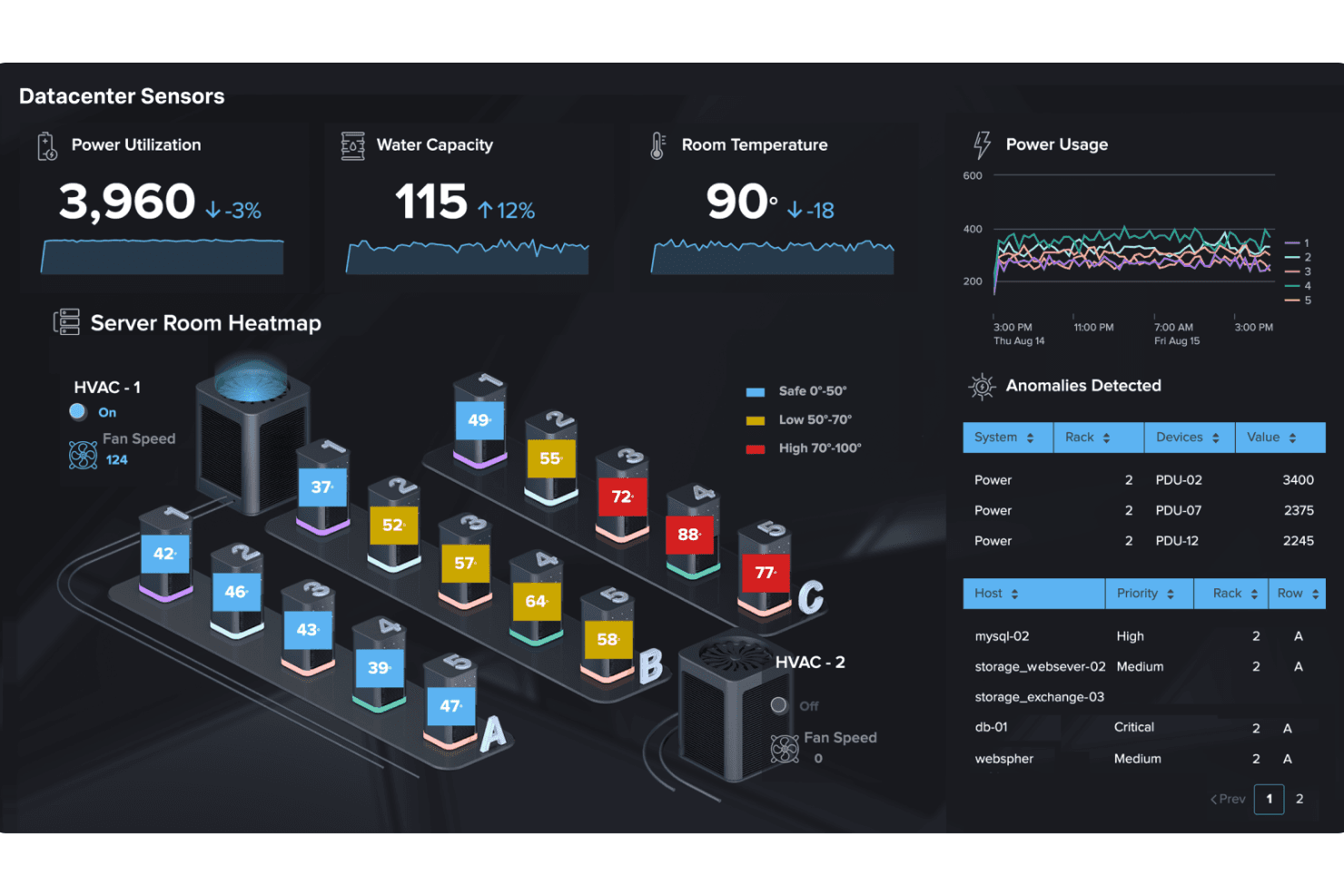
You can tailor dashboards to your specific needs, making data visualization more meaningful and actionable for your team.
Search Processing Language (SPL)
This feature lets you query and manipulate data with precision, helping you find exactly what you need quickly.
Alerts and Notifications
Splunk sends alerts based on predefined criteria, so your team can respond promptly to critical issues.
Data Indexing
It organizes and indexes large volumes of data efficiently, ensuring you can access and analyze information without delay.
Scalability
Splunk grows with your business, handling increasing data loads without compromising performance.
Standout Features
Advanced Machine Learning
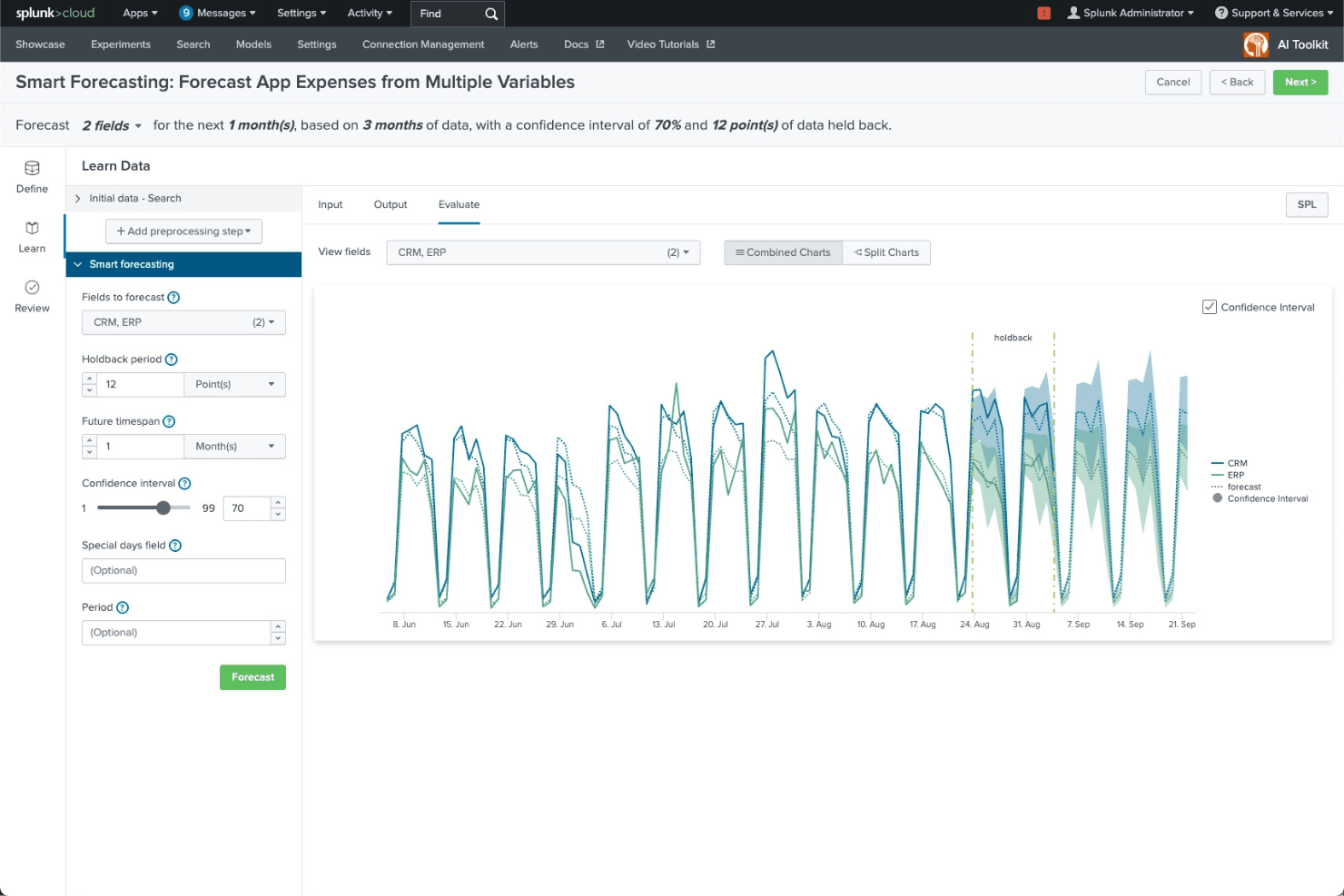
Splunk's machine learning tools help your team predict trends and automate routine tasks, adding a layer of intelligence to your data analysis.
Security Information and Event Management (SIEM)
This feature enhances your security operations by detecting and responding to threats in real time, keeping your data and systems safe.
Ease of Use
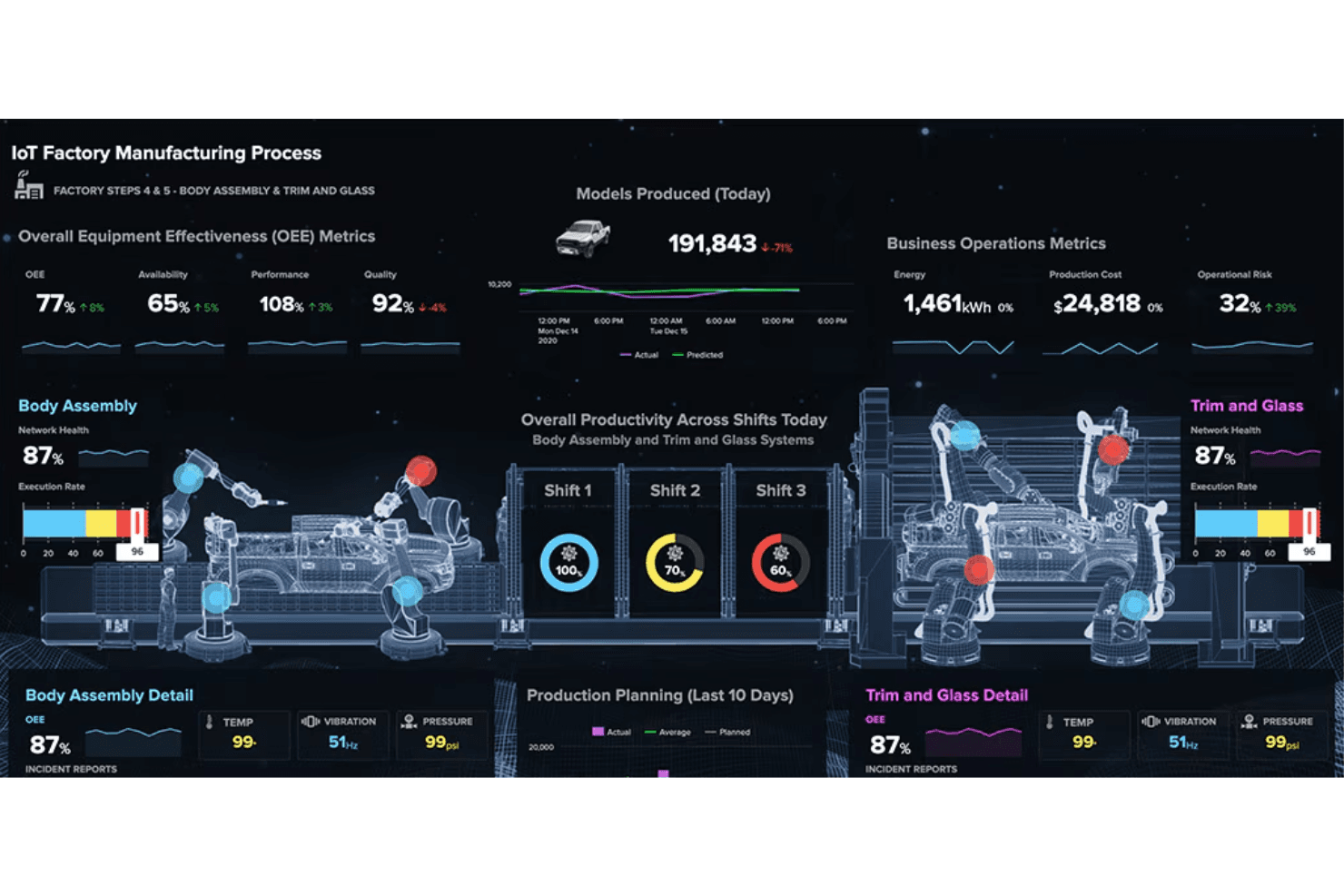
Splunk’s interface is dense and can feel overwhelming for new users, especially those without a technical background. While its search language and dashboard tools are powerful, they require training and experience to use effectively. Many users note that once configured, Splunk offers fast access to insights and flexible customization, but the initial setup and ongoing management demand significant expertise. This makes Splunk best suited for teams with dedicated technical resources.
Onboarding
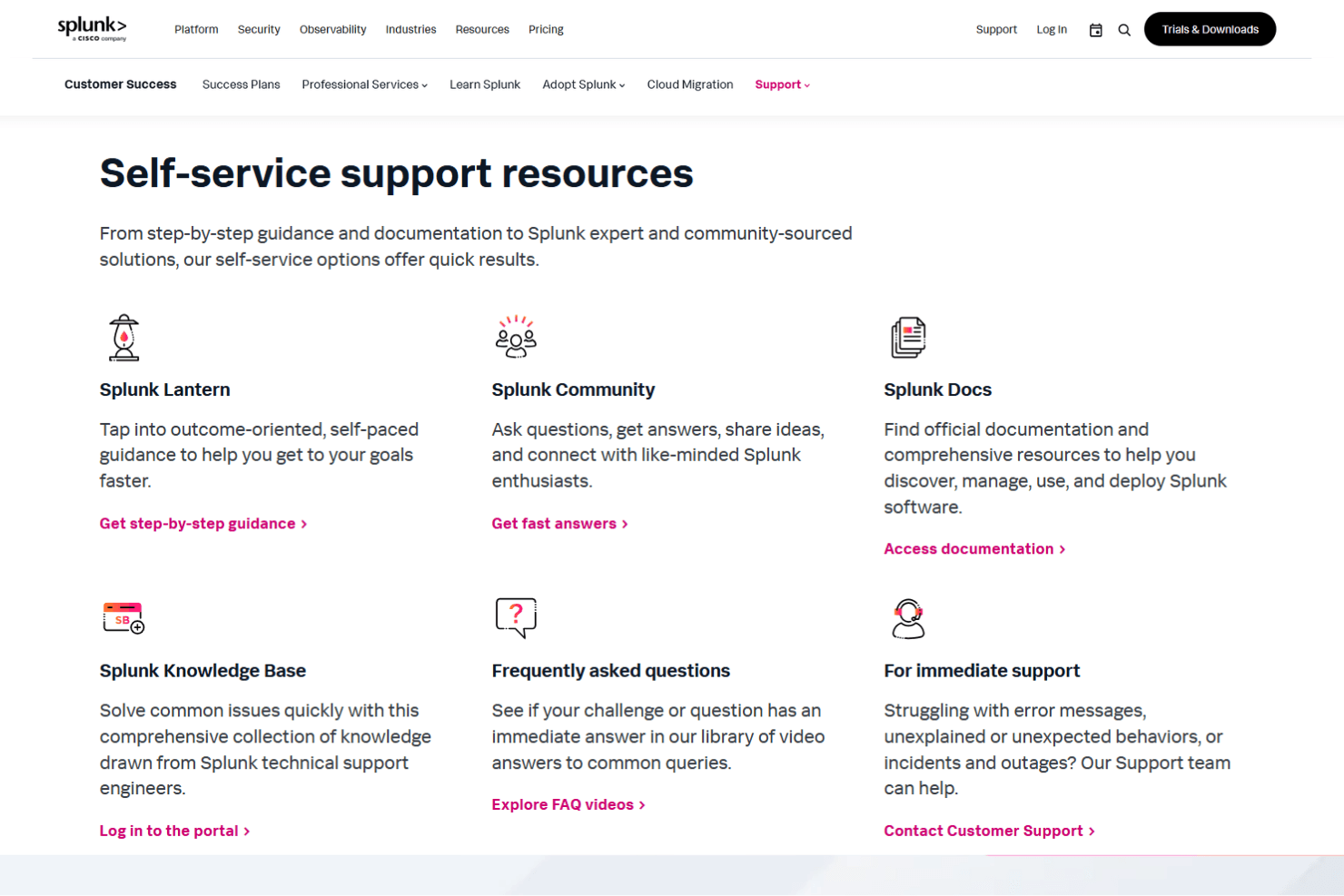
Splunk’s onboarding process is thorough but can be time-consuming, with many users citing a steep initial learning curve. The platform offers extensive documentation, online training, and an active community forum, which help new users get started. However, configuring data sources and building initial dashboards often requires hands-on support or professional services. This means organizations should plan for a longer ramp-up period before realizing full value from the platform.
Customer Support
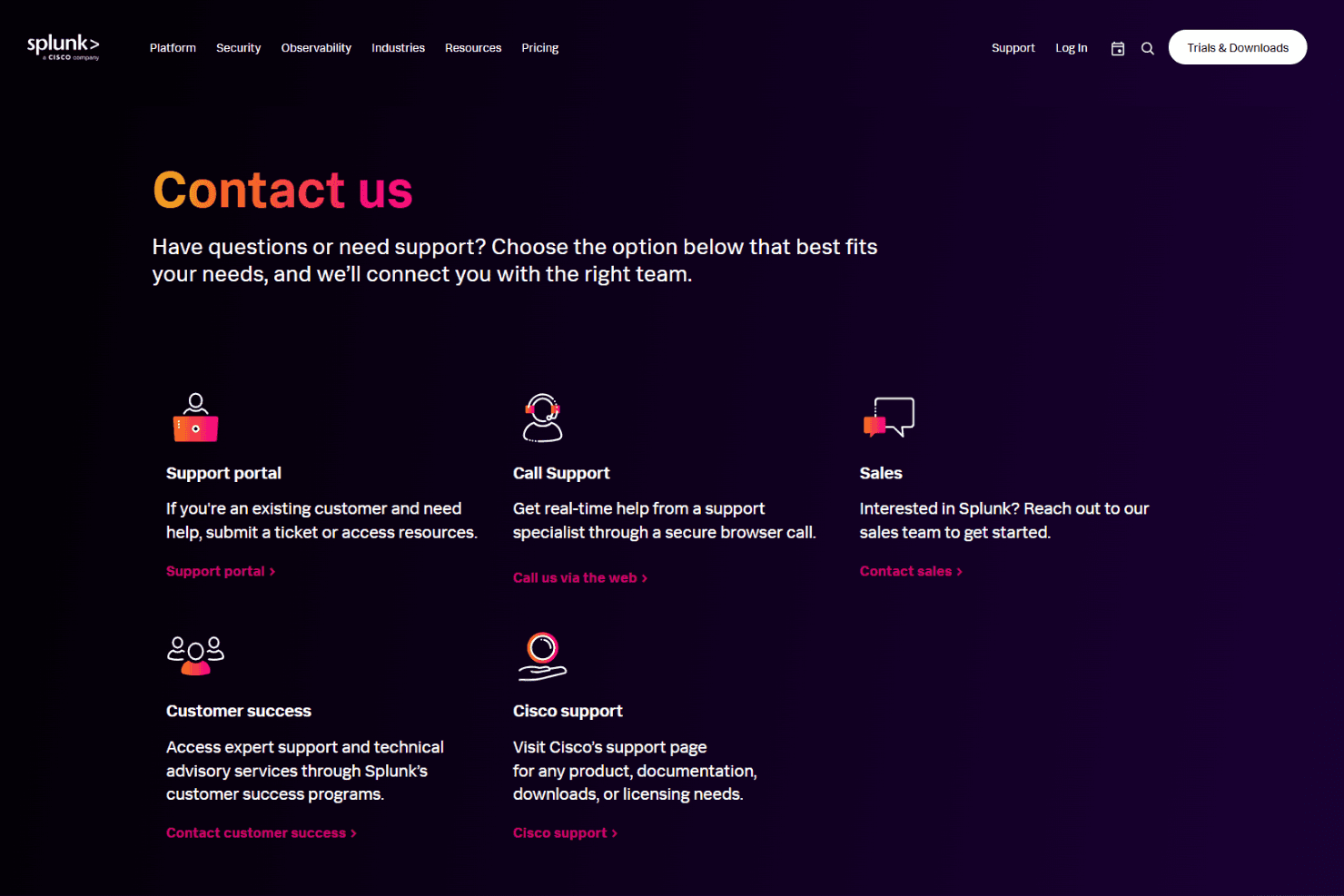
Splunk offers responsive customer support with multiple channels, including live chat, phone, and a detailed knowledge base. Users often highlight the expertise of support staff and the value of the active user community for troubleshooting complex issues. Premium support tiers provide faster response times and dedicated assistance, which is especially helpful for enterprise deployments. However, some users mention that resolving highly technical problems can still take time, depending on the complexity of the environment.
Integrations
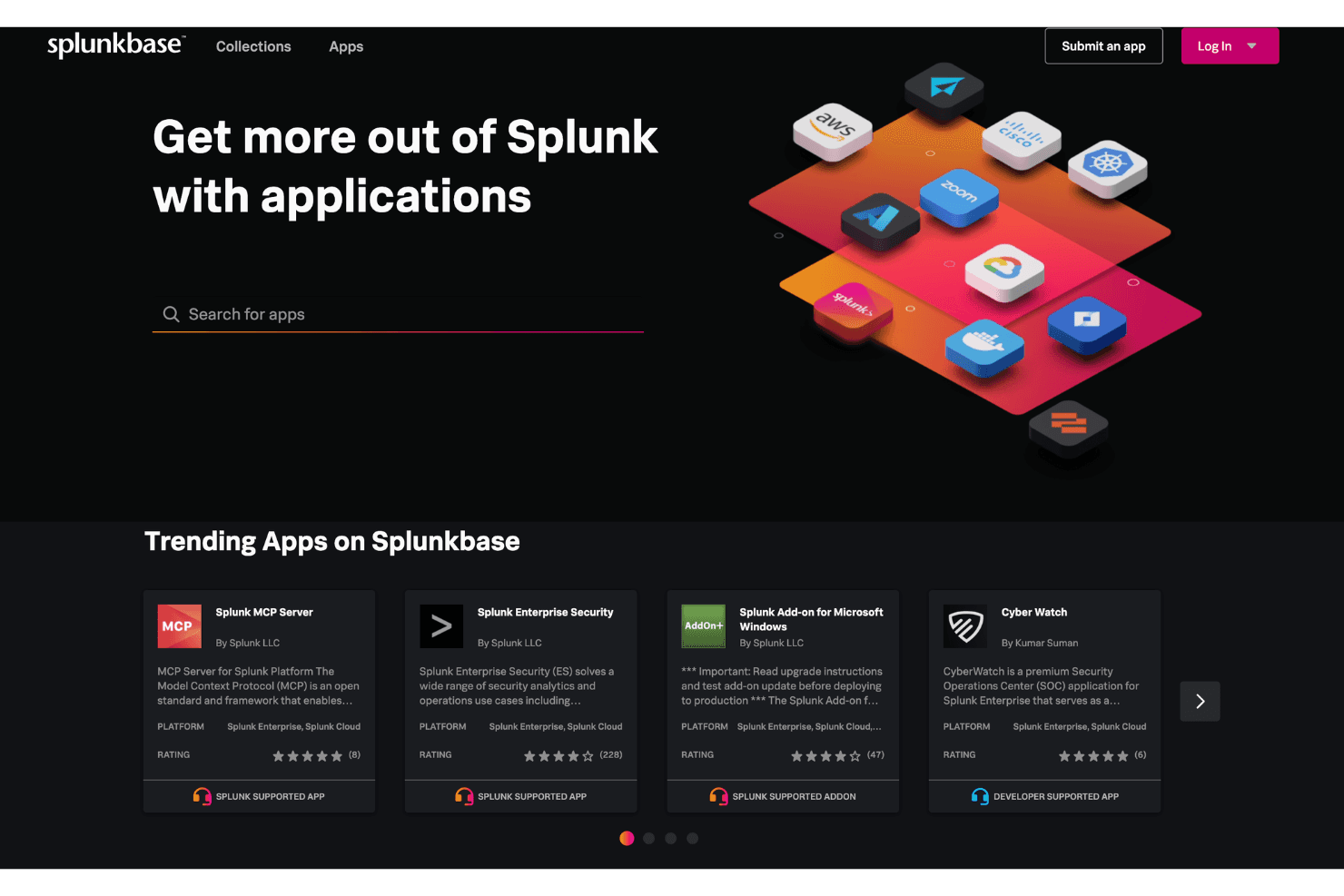
Splunk integrates with Amazon Web Services (AWS), Microsoft Windows, Google Cloud Platform, Microsoft Cloud Services, Unix and Linux, Salesforce, Okta Identity Cloud, ServiceNow, Cisco ASA, and Jira, among others.
Splunk also offers a robust API and supports connections with third-party integration tools for custom workflows and data ingestion.
Value for Money
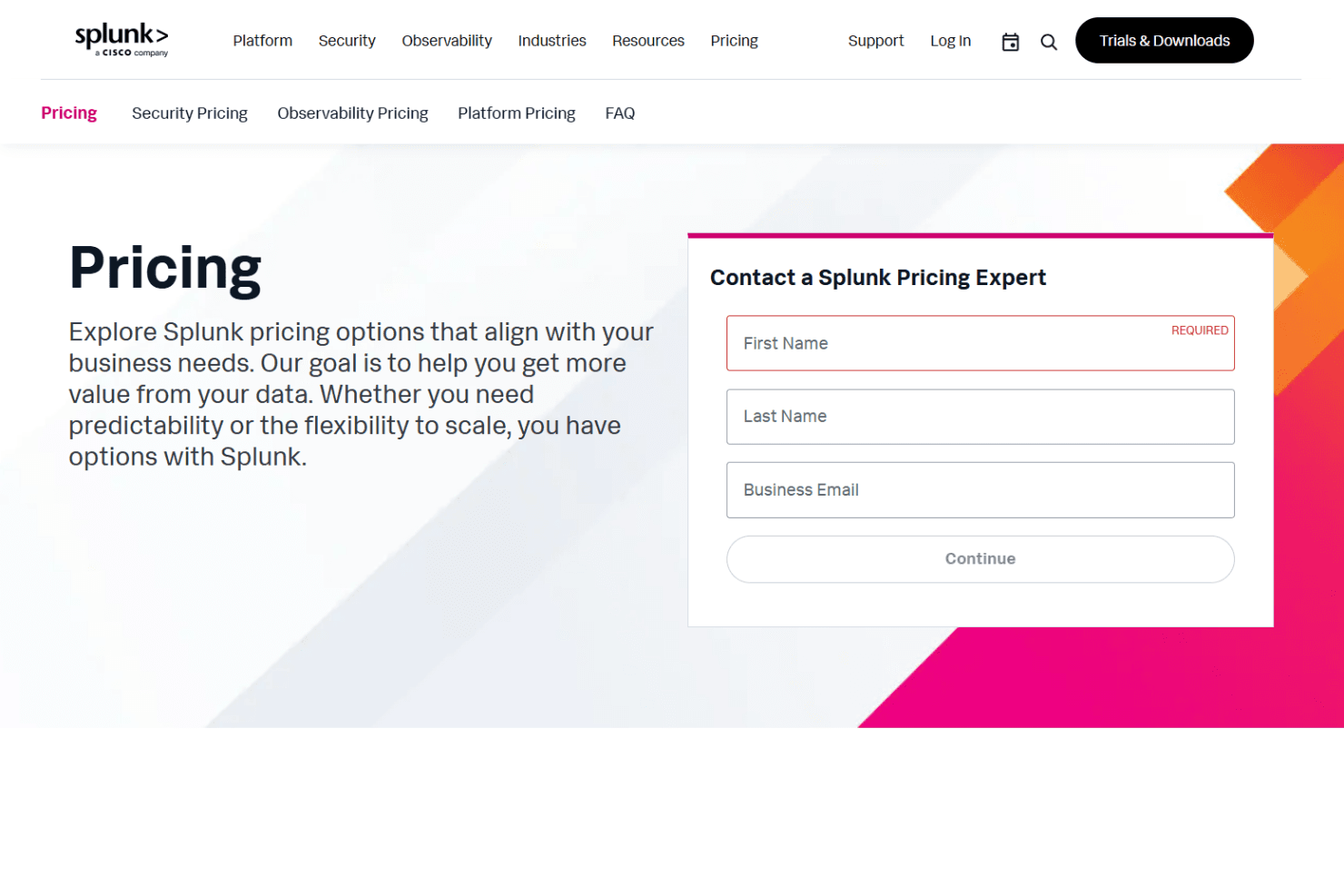
Splunk is widely recognized for its advanced capabilities, but many users find its pricing steep, especially as data volumes grow. The platform’s flexible plans suit large enterprises best, while smaller organizations may struggle to justify the cost without significant data analytics needs or technical resources.
- Ingest Pricing: Pay based on GB/day of data indexed, with unlimited searches after ingestion.
- Workload Pricing: Pay based on compute capacity (SVCs/vCPUs) used for search and analytics.
- Entity Pricing: Pricing based on the number of hosts or entities monitored in observability.
- Activity-based pricing: Cost tied to activities like metrics, traces, sessions, or uptime requests.
Splunk Specs
- AI Integration: No
- API: Yes
- Automated Testing: No
- Browser Compatibility Testing: No
- Bug Tracking: No
- Code Review: No
- Custom Reports: No
- Data Export: Yes
- Data Import: Yes
- Developer Tools: No
- External Integrations: Yes
- Malware Protection: No
- Multi-User: Yes
- Notifications: Yes
- Performance Testing: No
- Process Reporting: Yes
- Static Analysis: No
- Status Notifications: Yes
- Workflow Management: Yes
Splunk FAQs
Splunk Company Overview & History
Splunk, founded in 2003, is a leader in security and observability software, helping organizations gain real-time insights from machine data. The company is headquartered in San Francisco, California, and is now a subsidiary of Cisco, following a $28 billion acquisition in 2023. Splunk is known for its innovative, mission-driven culture and is trusted by major organizations such as Siemens, Hyatt, AAA, and Progressive. With a workforce of passionate problem-solvers, Splunk continues to expand its impact through strategic acquisitions and a vibrant global community.
Splunk Major Milestones
- 2003: Splunk was founded as a log file indexing and search tool.
- 2004: First version of Splunk released.
- 2015: Expanded into security and observability solutions.
- 2023: Acquired by Cisco for $28 billion, becoming a Cisco subsidiary.
- 2024: Reported annual recurring revenue (ARR) of 1 million in ARR.