

Elastic Review: Pros, Cons, Features and Pricing
Elastic excels with its scalable search capabilities, making it a top choice for data-driven teams needing robust analysis in the DataOps landscape.

We review tools independently, and commissions help fund our testing. See our transparency policy, our methodology, or suggest a tool.
Elastic is a DataOps tool built around search, log management, and real-time analytics across infrastructure, application, and security data. I'd primarily consider it if your team needs to query and monitor high-volume data without locking into a proprietary platform. Compared to Splunk, Elastic gives you more flexibility over your data pipeline and lower licensing costs at scale. That tradeoff matters most when ingestion volumes are high and your team has the technical depth to manage the stack.
Elastic Evaluation Summary
0/5
- From $0.07/GB data ingested
- Free trial + free demo available
Why Trust Our Software Recommendations
6,700+
Reviews
20
Industry experts
16+
Evaluation factors
14
Years
Our team has been testing and reviewing software since 2012. As tech leaders ourselves, we know how difficult—and important—it is to choose the right software.
For this guide, we evaluated tools using hands-on testing and independent research, scoring tools using our selection criteria.
Our reviews reflect our human editorial judgment, not a sales pitch.
Expert reviewers:
- Paulo Gardini MiguelTech Director
 Tim FisherVP of AI
 Gabriel RosasTech Lead & Software Architect
 Christhian GruhnTech Lead & Platform Architect

Elastic Overview
In my opinion, Elastic is a solid choice for teams looking for scalable data management solutions. It shines with its powerful search capabilities and flexibility across different environments, making it a strong contender against other DataOps tools. However, some users might find the onboarding process a bit challenging. It's best suited for data-intensive industries like finance or healthcare, where handling large datasets is crucial. If you're evaluating DataOps tools, Elastic should be on your shortlist due to its comprehensive feature set and competitive pricing.
Pros
- Handles large volumes of data with scalable search capabilities.
- Fits well across on-premise and cloud environments.
- Near real-time observability with sub-second query latency.
- Rich AI and ML capabilities.
Cons
- The onboarding process may be a bit complex.
- Steep learning curve requiring expertise in Query DSL and cluster operations.
- High resource demand for RAM and CPU.
- Customer support response times could be improved.
Is Elastic Right For Your Needs?
Who Would be a Good Fit for Elastic?
Elastic is well-suited for data-intensive industries like finance, healthcare, and e-commerce, where handling large datasets is crucial. If your team needs scalable search capabilities and flexibility in data management, Elastic is a strong option. It’s particularly beneficial for businesses that require robust data analysis tools to make informed decisions quickly. Elastic's functionalities allow you to process and search through vast amounts of data efficiently, making it a valuable tool for data engineering and operations teams aiming to enhance their data handling capabilities.
- Finance TeamsElastic is ideal for finance teams needing to analyze large datasets for insights and forecasting.
- E-commerce BusinessesProvides superior, relevance-scored full-text search (handling synonyms, misspellings, and AI-powered vector search) crucial for product discovery and improving customer support portals.
- Healthcare ProvidersHealthcare providers benefit from Elastic's ability to handle vast amounts of patient data securely and effectively.
- Large EnterprisesElastic's scalable architecture makes it a good fit for large enterprises with extensive data operations.
- Data Engineering DepartmentsData engineering departments can leverage Elastic for its powerful data processing and search capabilities.
- Analytics TeamsAnalytics teams will find Elastic valuable for its ability to provide deep insights through robust data analysis features. The security analytics team use it for high-speed security incident and event management (SIEM), applying AI/ML to detect anomalies and behavioral deviations within massive security datasets.
Who Would be a Bad Fit for Elastic?
Elastic is often not the best fit for small businesses or early-stage teams with limited data workloads, since its distributed architecture and open-source codebase require meaningful engineering investment. Organizations without in-house expertise may find the onboarding, cluster tuning, and mapping configuration too complex, especially compared to managed tools like Splunk that offer faster time-to-value. Elastic’s slower support response times can also be a challenge for teams needing immediate assistance. In such cases, simpler monitoring or search platforms with more guided workflows and quicker support are typically a better operational fit.
- Small StartupsSmall startups may find Elastic's robust features excessive for their limited data needs. The operational complexity of managing a distributed cluster, even in the cloud, is overkill and too costly for simple data storage or search requirements.
- Non-Technical TeamsThe required expertise in sharding, mapping, and JVM tuning mandates specialized DevOps or Data Engineering expertise. It is not an out-of-the-box solution for non-technical users.
- Retail ShopsRetail shops with minimal data operations could find Elastic's capabilities more than they need.
- Artisanal BusinessesArtisanal businesses typically don't require the extensive data analysis features Elastic offers.
- Local Service ProvidersAs a document database, it does not support ACID transactions or complex SQL-style joins, making it fundamentally unsuitable as the primary data store for relational or transactional applications.
- Solo EntrepreneursSolo entrepreneurs could find Elastic's setup and management too complex for their simple data tasks.
Our Review Methodology
How We Test & Score Tools
We’ve spent years building, refining, and improving our software testing and scoring system. The rubric is designed to capture the nuances of software selection and what makes a tool effective, focusing on critical aspects of the decision-making process.
Below, you can see exactly how our testing and scoring works across seven criteria. It allows us to provide an unbiased evaluation of the software based on core functionality, standout features, ease of use, onboarding, customer support, integrations, customer reviews, and value for money.
Core Functionality (25% of final scoring)
The starting point of our evaluation is always the core functionality of the tool. Does it have the basic features and functions that a user would expect to see? Are any of those core features locked to higher-tiered pricing plans? At its core, we expect a tool to stand up against the baseline capabilities of its competitors.
Standout Features (25% of final scoring)
Next, we evaluate uncommon standout features that go above and beyond the core functionality typically found in tools of its kind. A high score reflects specialized or unique features that make the product faster, more efficient, or offer additional value to the user.
We also evaluate how easy it is to integrate with other tools typically found in the tech stack to expand the functionality and utility of the software. Tools offering plentiful native integrations, 3rd party connections, and API access to build custom integrations score best.
Ease of Use (10% of final scoring)
We consider how quick and easy it is to execute the tasks defined in the core functionality using the tool. High scoring software is well designed, intuitive to use, offers mobile apps, provides templates, and makes relatively complex tasks seem simple.
Onboarding (10% of final scoring)
We know how important rapid team adoption is for a new platform, so we evaluate how easy it is to learn and use a tool with minimal training. We evaluate how quickly a team member can get set up and start using the tool with no experience. High scoring solutions indicate little or no support is required.
Customer Support (10% of final scoring)
We review how quick and easy it is to get unstuck and find help by phone, live chat, or knowledge base. Tools and companies that provide real-time support score best, while chatbots score worst.
Customer Reviews (10% of final scoring)
Beyond our own testing and evaluation, we consider the net promoter score from current and past customers. We review their likelihood, given the option, to choose the tool again for the core functionality. A high scoring software reflects a high net promoter score from current or past customers.
Value for Money (10% of final scoring)
Lastly, in consideration of all the other criteria, we review the average price of entry level plans against the core features and consider the value of the other evaluation criteria. Software that delivers more, for less, will score higher.
Core Features
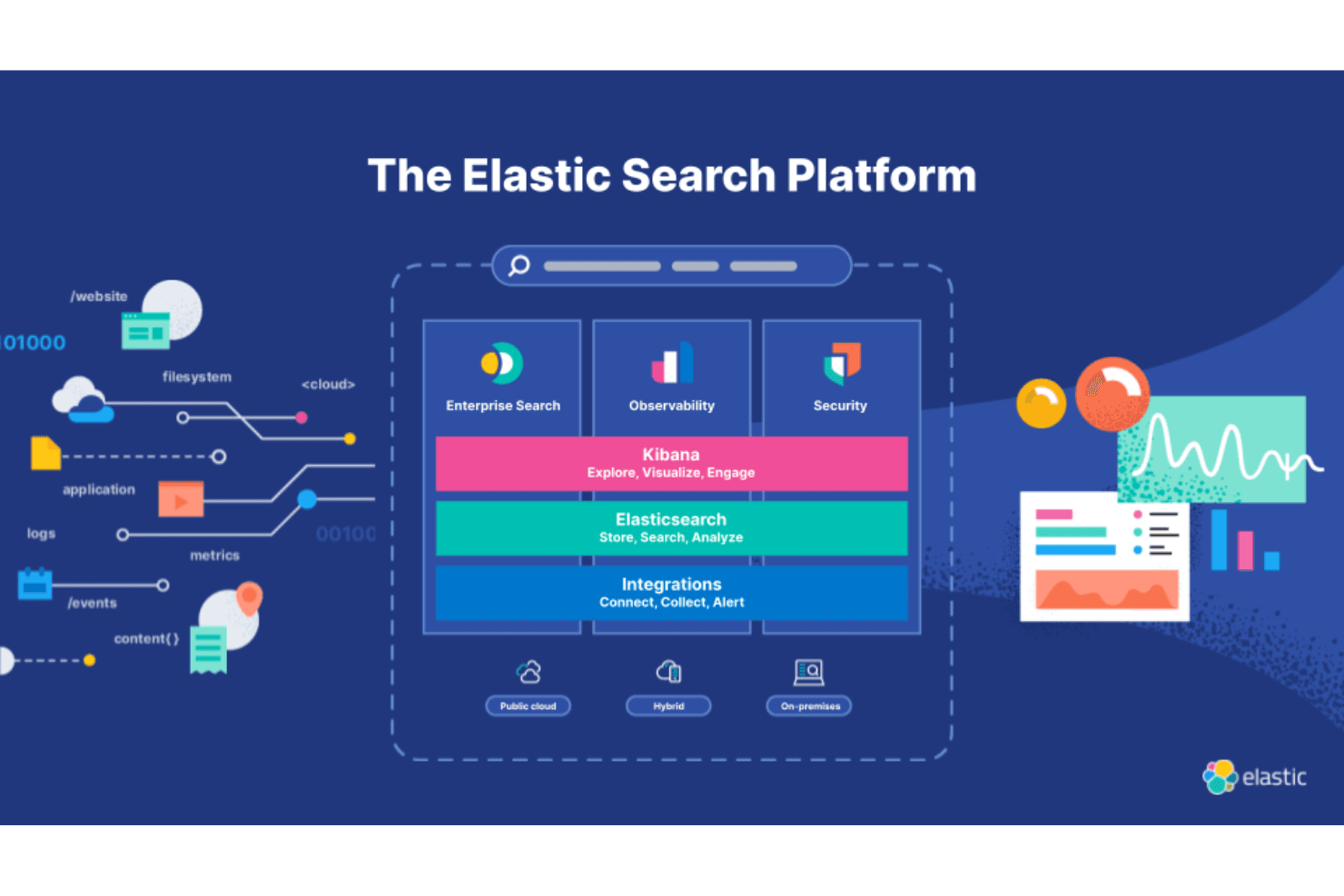
Scalable Search Capabilities: Enables semantic search and superior relevance scoring by combining traditional BM25 text search with vector embeddings from its integrated vector database.
Flexible Data Management: You can manage data across various environments, whether on-premise or in the cloud, giving your team the flexibility it needs. Elastic adapts to different setups, ensuring smooth operations.
Powerful Data Analysis: Your team can perform deep analyses of data to make informed decisions. Elastic's tools offer detailed insights that are crucial for strategic planning.
Real-Time Data Processing: With Elastic, you process data as it comes in, which is essential for time-sensitive operations. This feature ensures that your data is always up-to-date.
Security Features: Provides advanced security features necessary for large organizations, including role-based access control (RBAC), SSO, and audit logging (often requiring a proprietary license).
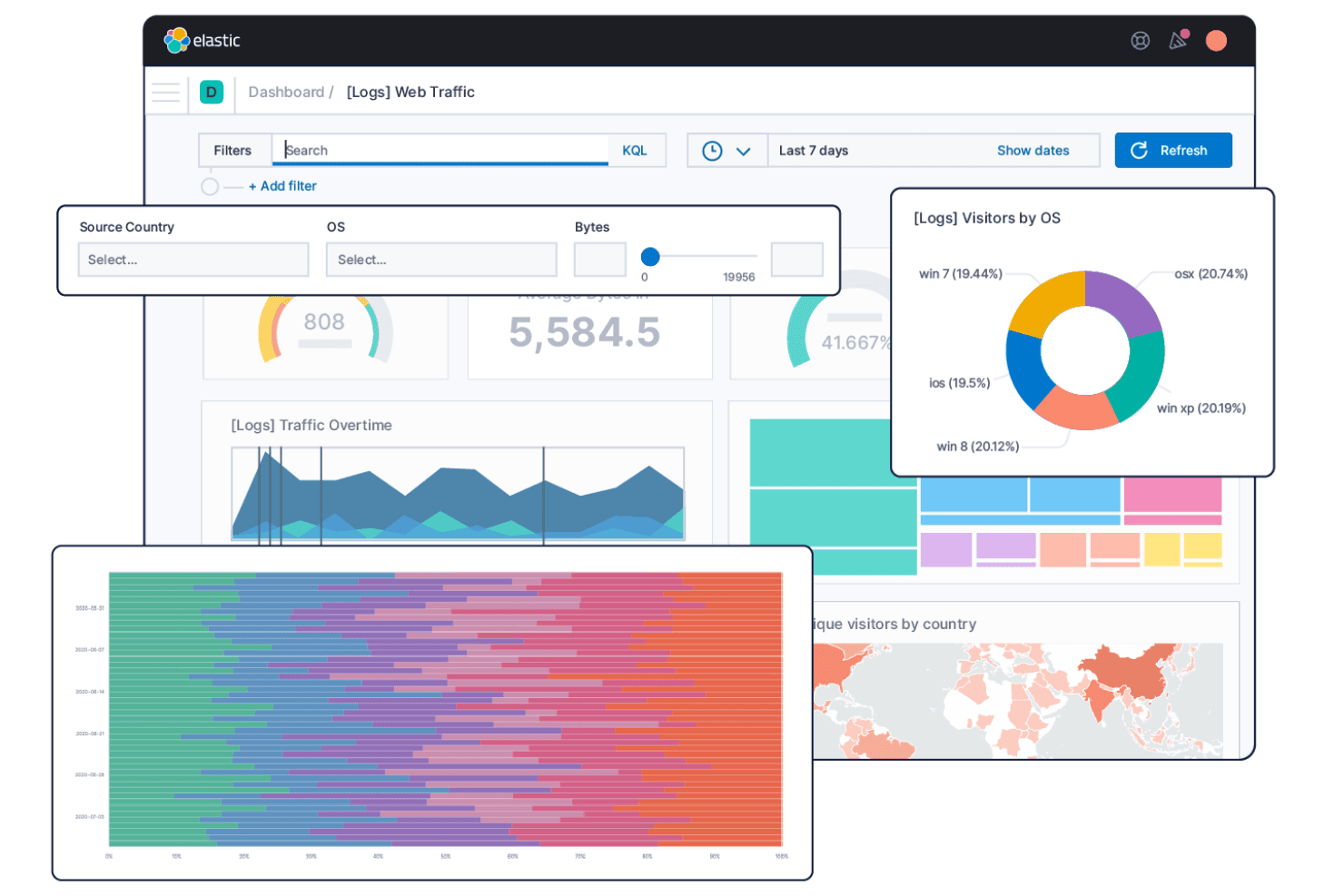
Customizable Dashboards: Leverages Kibana to provide a feature-rich, customizable interface for building dashboards. This feature helps in presenting data clearly and effectively.
Standout Features
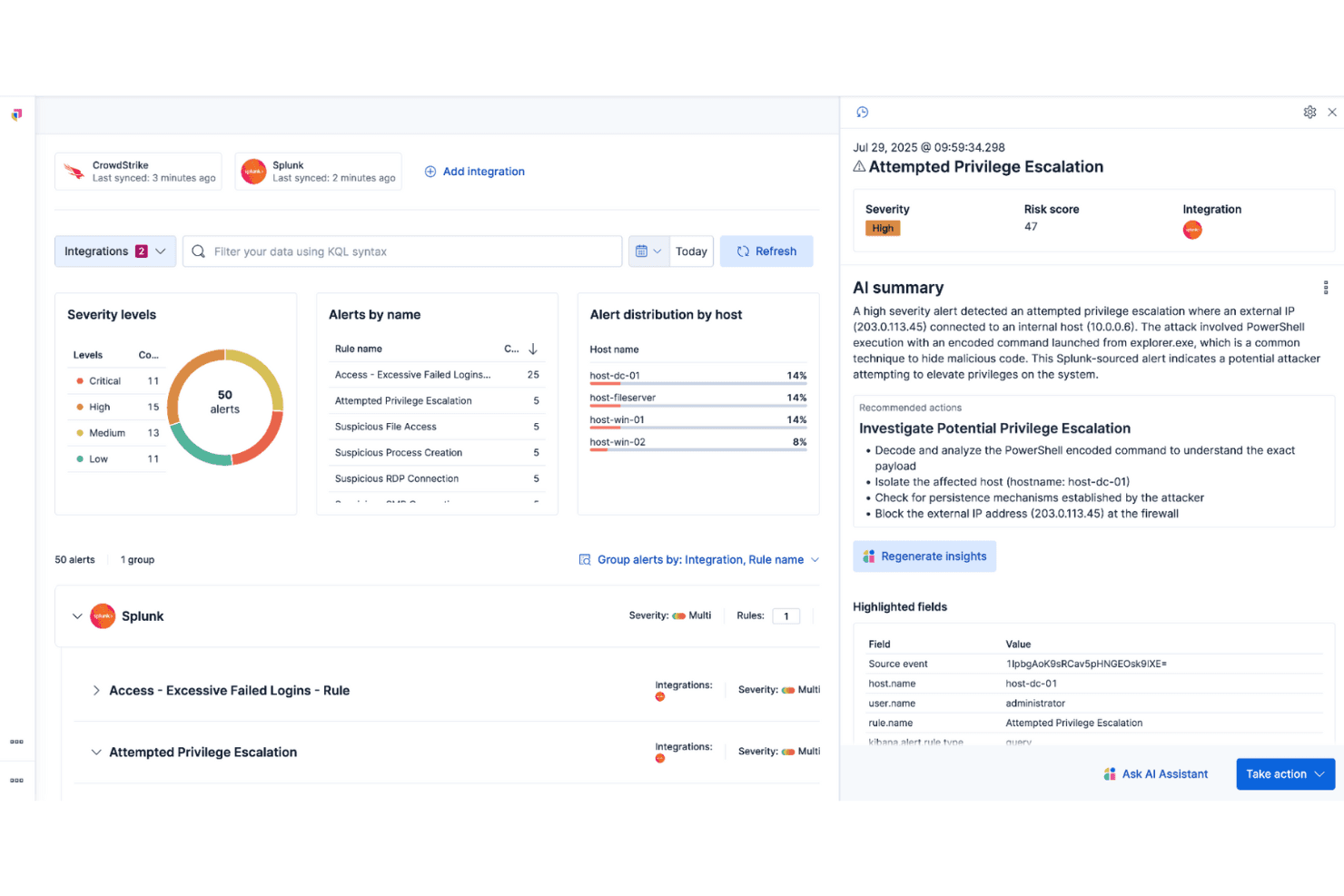
Native Anomaly Detection and Forecasting (Paid): Utilizes proprietary machine learning features for automated anomaly detection, log rate spike explanations (AIOps), and forecasting of time-series data trends, reducing manual triage time.
High-Speed Geospatial and Vector Search Engine: Supports Geo-point and Geo-shape data types with specialized spatial indexing. It enables faster complex queries like "find all resources within this polygon.
Index Lifecycle Management (ILM): Provides automated tools (available in paid tiers) to manage data retention, movement across hot/warm/cold storage tiers, and deletion. This is essential for managing the cost and performance of massive, ever-growing logs and time-series data.
Ease of Use
Elastic’s usability varies by user role. Kibana is mature and intuitive for software engineers, analysts and security teams, but the operational learning curve is steep for administrators who must configure mapping schemas, JVM heap settings, and cluster parameters. Many users report that the initial setup feels complex and the UI can be confusing compared to managed search or observability platforms.
Onboarding
Onboarding requires substantial technical expertise, as the primary challenge is building a stable cluster topology rather than simply indexing data. Achieving a production-ready environment takes longer than expected because teams must carefully tune JVM settings, plan shard allocation, and manage memory at the node level. While Elastic provides extensive documentation, it still assumes a strong foundational understanding of distributed systems, DevOps practices, and SRE workflows.

Customer Support
Customer support quality depends on the license tier. Paid Elastic Stack users receive access to trained support software development engineers, while free distribution users rely on the Elastic Community forums without guaranteed response times. The most common complaint, even among paying customers, is that resolving complex cluster issues often requires multiple iterations and can take considerable time.

Integrations
Elastic integrates with AWS, Azure, Google Cloud, Active Directory, Jira, Microsoft 365, Docker, Kubernetes, Apache, and PostgreSQL.
Elastic also offers an API and connects with third-party integration tools for expanded functionality.
.png&w=3840&q=75)
Value for Money
Elastic's pricing provides flexibility with options to suit different needs, whether you prefer hosted, serverless, or self-managed models. The plans cater to various operational and scalability requirements, balancing cost with the extensive features offered. A free 14-day trial is available, allowing your team to explore Elastic's capabilities before committing to a purchase.
Hosted: Offers control over hardware with resource-based pricing.
Serverless: Automatically scales based on usage with usage-based pricing.
Self-managed: Provides complete control over deployment with license-based pricing.

Elastic Specs
- A/B Testing: No
- API: Yes
- Collaboration Support: Yes
- Custom Data Forms: No
- Dashboard: Yes
- Dashboards: No
- Data Export: Yes
- Data Import: Yes
- Developer Tools: Yes
- External Integrations: Yes
- Feedback Management: No
- Gantt Charts: No
- Google Apps Integration: No
- Multi-User: Yes
- Notifications: Yes
- Prioritization: No
- Product Catalog: No
- Release Management: No
- Reports: Yes
- Resource Management: No
- Review Monitoring: No
- Roadmapping: No
- Scheduling: Yes
- Task Scheduling/Tracking: No
Elastic FAQs
Elastic Company Overview & History
Elastic.co is an industry-leading distributed search and analytics engine headquartered in Amsterdam in 2012 and regional offices in Mountain View, California and San Francisco.The company is known for the Elastic Stack, which includes Elasticsearch, Kibana, Beats, and Logstash. Elastic is a publicly traded company on the New York Stock Exchange under the symbol ESTC. It serves major clients across various industries, and is highly regarded for its open-source contributions and innovative work culture.
Elastic Major Milestones
- 2012: Founded in Amsterdam by Shay Banon.
- 2015: Released the Elastic Stack, enhancing its product offerings.
- 2015: Acquires Found which later becomes the basis for ElasticSearch
- 2017: Acquires Opbeat for Elastic APM
- 2018: Went public on the New York Stock Exchange under the symbol ESTC.
- 2019: Acquired endpoint security company Endgame.
- 2020: Reached over $500 million in annual revenue.
- 2021: Introduced new AI capabilities to its search and analytics platform.
- 2024: Launched Elastic Cloud Serverless