

Imperva WAF Review: Pros, Cons, Features, and Pricing
Imperva WAF excels in security features, making it a top choice for protecting your web applications from threats in the cloud or on-premises.

We review tools independently, and commissions help fund our testing. See our transparency policy, our methodology, or suggest a tool.
Imperva WAF is a web application firewall software built for security teams that need to protect web applications and APIs from threats like SQL injection, cross-site scripting, and DDoS attacks. I'd consider it if you're running a complex, high-traffic environment where you need more granular rule customization and deeper attack analytics than AWS WAF offers out of the box—without spending hours writing and maintaining custom rules from scratch.
Imperva WAF Evaluation Summary
4.6/5
- Pricing upon request
Why Trust Our Software Recommendations
6,700+
Reviews
20
Industry experts
16+
Evaluation factors
14
Years
Our team has been testing and reviewing software since 2012. As tech leaders ourselves, we know how difficult—and important—it is to choose the right software.
For this guide, we evaluated tools using hands-on testing and independent research, scoring tools using our selection criteria.
Our reviews reflect our human editorial judgment, not a sales pitch.
Expert reviewers:
- Paulo Gardini MiguelTech Director
 Tim FisherVP of AI
 Gabriel RosasTech Lead & Software Architect
 Christhian GruhnTech Lead & Platform Architect

Imperva WAF Overview
In my opinion, Imperva WAF offers a solid set of features and caters well to enterprises that need strong security measures to protect against evolving threats. It's particularly effective for tech firms and financial institutions. While it excels in security and ease of integration, its onboarding could be more intuitive. Compared to its competitors, such as Cloudflare, it stands out in providing comprehensive security features but may fall short in user-friendliness for smaller teams. If your team values advanced security and is willing to invest time in learning the platform, Imperva WAF should be on your shortlist.
Pros
- It offers strong security features that protect your web applications from threats.
- You can rely on its near-zero false positive rate and prevention capabilities.
- Your team will benefit from its reliable and responsive customer support.
Cons
- The user interface may feel complex for new users in your team.
- You might find the initial setup process to be time-consuming.
- It can be challenging to navigate for smaller teams unfamiliar with WAF software.
Is Imperva WAF Right For Your Needs?
Who Would be a Good Fit for Imperva WAF?
Imperva WAF is suitable for tech companies and financial institutions that need strong web application security. Your IT department will appreciate its advanced protection against security threats and reliable customer support. If your team handles sensitive data or faces frequent cyber threats, Imperva WAF's robust security features will be beneficial. As a cloud WAF, its implementation is quick and simple. Imperva offers a CDN, which provides global content caching and delivery, load balancing and failover, and DDOS protection and is often bundled with its WAF, making it ideal for environments where security is paramount, such as online banking or e-commerce platforms.
- Financial InstitutionsImperva WAF provides excellent protection against cyber threats, such as SQL injection, cross-site scripting, and the OWASP top 10, securing your sensitive financial data.
- Tech CompaniesYour tech team will benefit from its advanced threat detection and prevention capabilities.
- E-commerce PlatformsIt's great for protecting customer data and ensuring secure online transactions.
- Healthcare OrganizationsYou can count on it for safeguarding patient information and meeting compliance standards.
- Large EnterprisesIts comprehensive security features are ideal for managing complex IT environments.
- Government AgenciesImperva WAF offers the security needed to protect your critical infrastructure from cyber threats.
Who Would be a Bad Fit for Imperva WAF?
Imperva WAF might not suit small businesses or startups with limited IT resources. Its complex user interface and time-consuming setup can be overwhelming for teams without dedicated IT staff. If your team lacks the expertise to manage sophisticated security tools or if your business doesn't face significant cyber threats, you might find Imperva WAF's capabilities excessive for your needs.
- Small BusinessesThe complexity of Imperva WAF can be daunting for teams without technical expertise.
- StartupsYour startup might find it challenging to justify the time and resources needed for setup.
- Non-tech IndustriesIndustries with minimal online presence might not need the advanced features Imperva WAF offers.
- FreelancersAs a freelancer, you likely won't have the resources or need for such a robust solution.
- Local RetailersIf your business doesn't heavily rely on online transactions, Imperva WAF may be unnecessary.
- Educational InstitutionsSchools with limited budgets may find more cost-effective solutions for their basic security needs.
Our Review Methodology
How We Test & Score Tools
We’ve spent years building, refining, and improving our software testing and scoring system. The rubric is designed to capture the nuances of software selection and what makes a tool effective, focusing on critical aspects of the decision-making process.
Below, you can see exactly how our testing and scoring works across seven criteria. It allows us to provide an unbiased evaluation of the software based on core functionality, standout features, ease of use, onboarding, customer support, integrations, customer reviews, and value for money.
Core Functionality (25% of final scoring)
The starting point of our evaluation is always the core functionality of the tool. Does it have the basic features and functions that a user would expect to see? Are any of those core features locked to higher-tiered pricing plans? At its core, we expect a tool to stand up against the baseline capabilities of its competitors.
Standout Features (25% of final scoring)
Next, we evaluate uncommon standout features that go above and beyond the core functionality typically found in tools of its kind. A high score reflects specialized or unique features that make the product faster, more efficient, or offer additional value to the user.
We also evaluate how easy it is to integrate with other tools typically found in the tech stack to expand the functionality and utility of the software. Tools offering plentiful native integrations, 3rd party connections, and API access to build custom integrations score best.
Ease of Use (10% of final scoring)
We consider how quick and easy it is to execute the tasks defined in the core functionality using the tool. High scoring software is well designed, intuitive to use, offers mobile apps, provides templates, and makes relatively complex tasks seem simple.
Onboarding (10% of final scoring)
We know how important rapid team adoption is for a new platform, so we evaluate how easy it is to learn and use a tool with minimal training. We evaluate how quickly a team member can get set up and start using the tool with no experience. High scoring solutions indicate little or no support is required.
Customer Support (10% of final scoring)
We review how quick and easy it is to get unstuck and find help by phone, live chat, or knowledge base. Tools and companies that provide real-time support score best, while chatbots score worst.
Customer Reviews (10% of final scoring)
Beyond our own testing and evaluation, we consider the net promoter score from current and past customers. We review their likelihood, given the option, to choose the tool again for the core functionality. A high scoring software reflects a high net promoter score from current or past customers.
Value for Money (10% of final scoring)
Lastly, in consideration of all the other criteria, we review the average price of entry level plans against the core features and consider the value of the other evaluation criteria. Software that delivers more, for less, will score higher.
Core Features
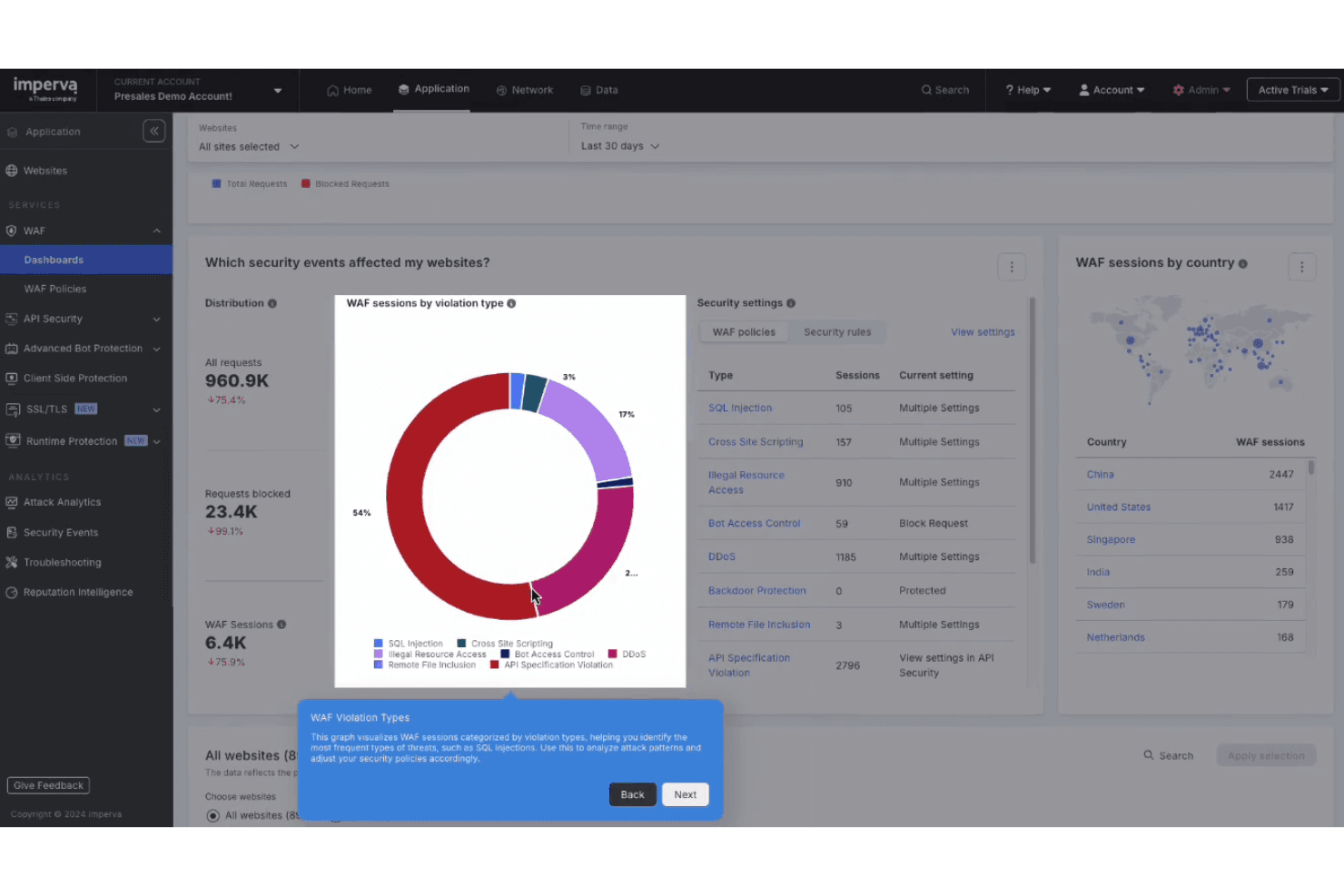
Threat Detection: Imperva WAF uses advanced algorithms to identify and block threats in real time. This keeps your applications safe from cyberattacks.
Access Control: You can manage who accesses your applications with customizable risk mitigation policies. This helps ensure only authorized users reach sensitive data.
Application Monitoring: Imperva WAF provides continuous monitoring of your web applications. It alerts your team to any suspicious activity immediately.
DDoS Protection: Protect your applications from DDoS attacks by integrating Imperva's targeted DDoS defense strategies. This keeps your services running smoothly even under threat.
Bot Protection: Imperva Advanced Bot Detection can be bundled with Imperva WAF to identify and block malicious bots that can harm your applications. This helps you reduce the downtime malicious bots can cause.
SSL Support: Your team can secure data in transit with Imperva's SSL encryption. This protects sensitive information from being intercepted.
Ease of Use
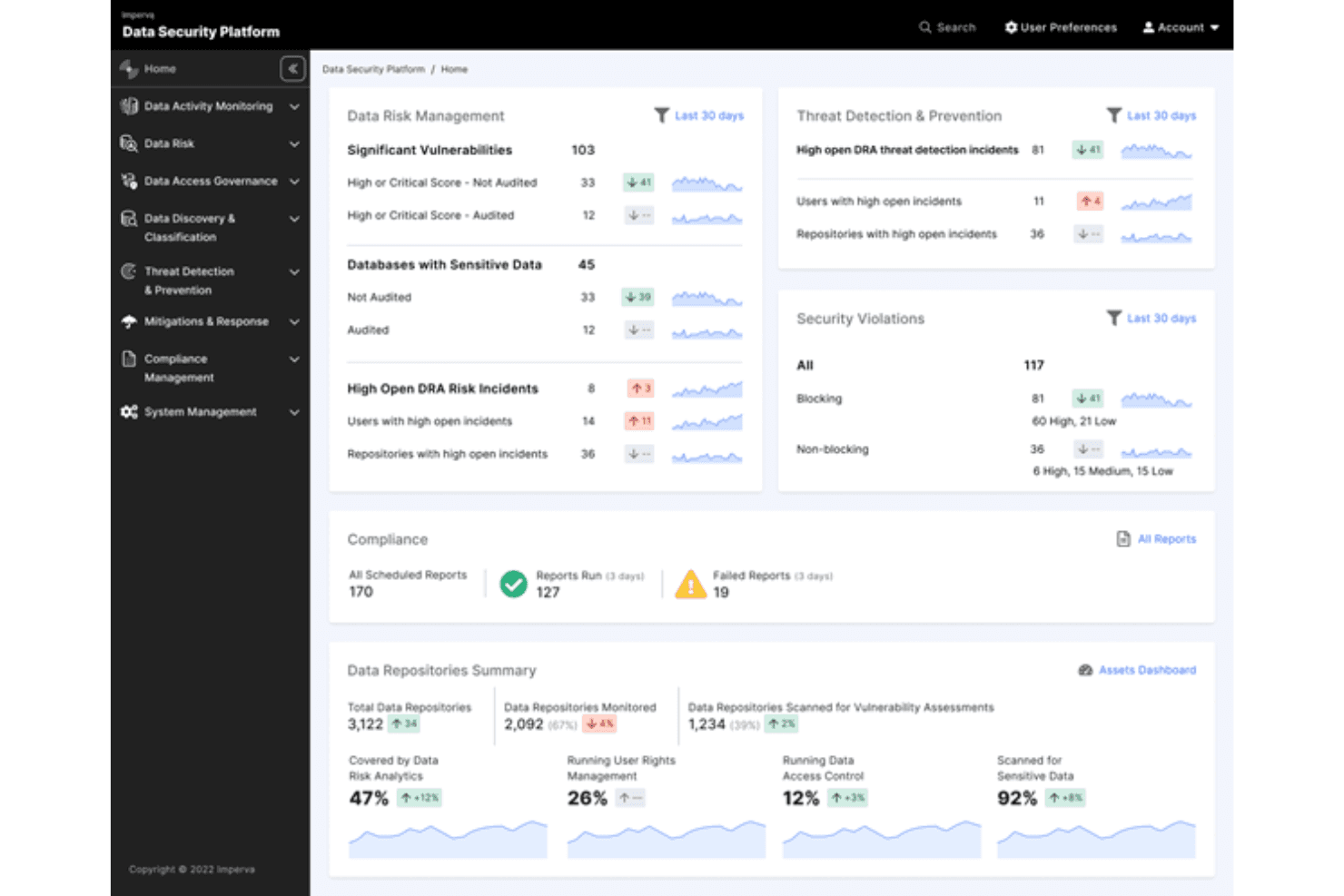
Imperva WAF's user interface can feel complex, especially for teams new to web application firewalls. It offers powerful security features, but your team may need time to learn how to use all its capabilities. Compared to other solutions, it requires more effort to navigate and set up. However, once familiar, you'll find it effective in managing threats and securing applications. Its detailed analytics and customizable rules provide flexibility but expect an initial learning curve.
Integrations
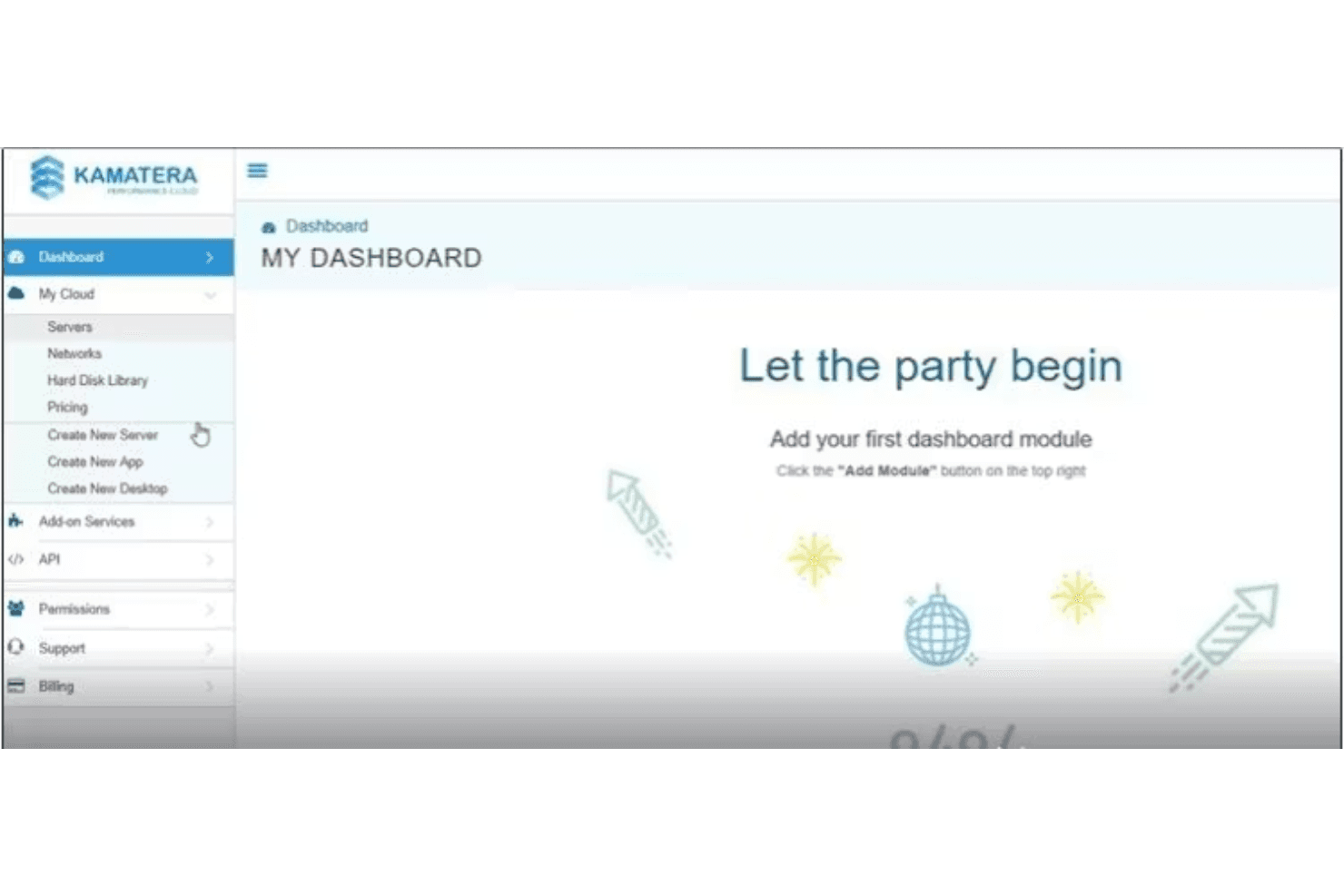
Imperva WAF integrates with SIEM tools, including Splunk APM, ArcSight, and Microsoft Sentinel, SOAR platforms such as Cortex XSOAR, and DevOps tools, including a Terraform module.
Imperva WAF also has on-premises and SaaS APIs and connects with third-party integration tools, allowing you to manage your specific accounts and services via an API.
Imperva WAF Specs
- 2-Factor Authentication: Yes
- Access Management: Yes
- Anti-Virus: Yes
- API: Yes
- Audit Trail: Yes
- Bug Tracking: Yes
- Calendar Management: Yes
- Customer Management: Yes
- Dashboard: Yes
- Data Export: Yes
- Data Import: Yes
- Data Visualization: Yes
- Email Integration: Yes
- External Integrations: Yes
- File Sharing: Yes
- File Transfer: Yes
- Firewall: Yes
- Google Apps Integration: Yes
- Inventory Tracking: Yes
- Malware Protection: Yes
- Multi-User: Yes
- Network Device Performance Monitoring: Yes
- Network Traffic Monitoring: Yes
- Network Visualization: Yes
- Notifications: Yes
- Project Management: Yes
- Remote Access: Yes
- Risk Assessment: Yes
- SAP Integration: Yes
- Scheduling: Yes
- Software Integration: Yes
- Third-Party Plugins/Add-Ons: Yes
- Ticket Management: Yes


