

10 Best Trello Alternatives for 2026

Trello Alternative Shortlist


A strong Trello alternative offers flexible boards, intuitive task management, and collaboration features that fit your team’s workflow. If you’re searching for a project management tool that goes beyond Trello’s capabilities or addresses its limitations, you’re not alone. Many IT specialists and teams need more customization, advanced reporting, or integration options to keep complex projects on track. In this list, you’ll find carefully selected Trello alternatives for 2026, each with unique features to help you manage tasks, automate processes, and support your business as it grows. Use this guide to compare your options and find the right fit for your team’s needs.
What Is Trello?
Trello is a user-friendly project management software that uses boards, lists, and cards to help teams organize tasks and workflows visually. It’s popular for its simple drag-and-drop interface and flexible structure, making it easy to track progress and assign work. Trello supports real-time collaboration through comments, attachments, and integrations with other apps, making it a common choice for teams managing projects, tasks, or ongoing work.
Best Trello Alternatives Summary
This comparison chart summarizes pricing details for my top Trello alternative selections to help you find the best one for your budget and business needs.
| Tool | Best For | Trial Info | Price | ||
|---|---|---|---|---|---|
| 1 | Best with advanced project budgeting tools | 15-day free trial + free plan + free demo available | From $4/user/month (billed annually) | Website | |
| 2 | Best for an all-in-one workspace | Free plan available | From $10/user/month (billed annually) | Website | |
| 3 | Best for visual task boards | Free trial available | From $10/user/month (billed annually) | Website | |
| 4 | Best for flexible, database-style project management | Free plan available | From $20/user/month (billed annually) | Website | |
| 5 | Best for simple kanban boards | Free plan + free demo available | From $3.99/seat/month (billed annually) | Website | |
| 6 | Best for agile boards and issue tracking | 7-day free trial | From $7.91/user/month | Website | |
| 7 | Best for project management with time tracking | 30-day free trial + free demo available | From $9.99/user/month (billed annually) | Website | |
| 8 | Best for lean kanban boards with built-in time tracking | 14-day free trial + free plan available | From $5/user/month | Website | |
| 9 | Best for customizable task management | Free trial + free plan + free demo available | From $7/user/month (billed annually) | Website | |
| 10 | Best for advanced workflow automation | Free plan available | From $10/user/month (billed annually) | Website |
Why Trust Our Software Reviews
We’ve been testing and reviewing software since 2023. As tech leaders ourselves, we know how critical and difficult it is to make the right decision when selecting software.
We invest in deep research to help our audience make better software purchasing decisions. We’ve tested more than 2,000 tools for different tech use cases and written over 1,000 comprehensive software reviews. Learn how we stay transparent & our software review methodology.
-

Reftab
Visit WebsiteThis is an aggregated rating for this tool including ratings from Crozdesk users and ratings from other sites.4.7 -
Freshservice
Visit WebsiteThis is an aggregated rating for this tool including ratings from Crozdesk users and ratings from other sites.4.6 -
Deel IT
Visit WebsiteThis is an aggregated rating for this tool including ratings from Crozdesk users and ratings from other sites.4.9





Trello Alternatives Reviews
Below are my detailed summaries of the Trello alternatives that made it onto my shortlist. My reviews offer a detailed look at the features, integrations, and best use cases of each platform to help you find the best one for your team.

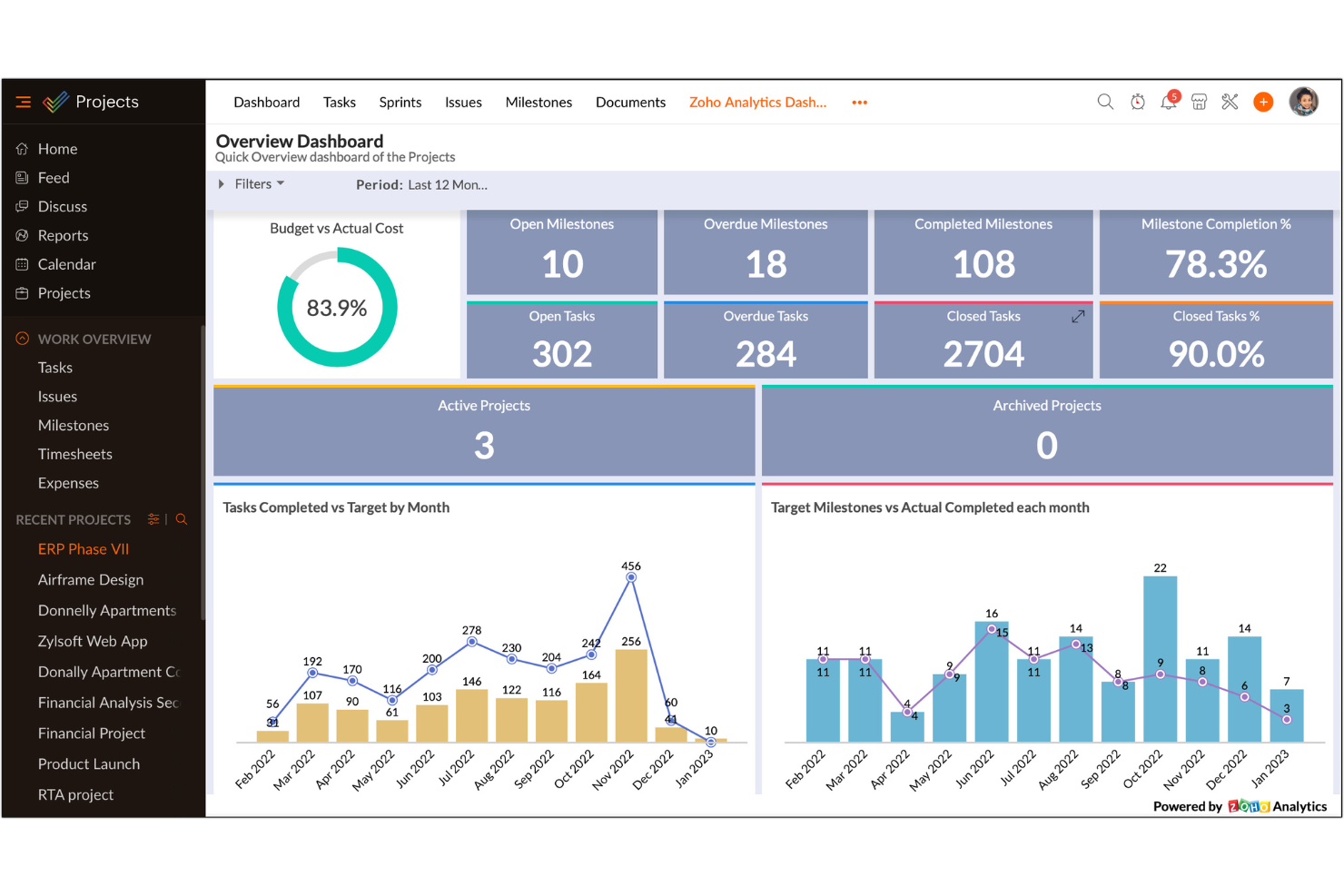
Zoho Projects provides IT teams and project managers with a structured platform for tracking tasks, managing resources, and collaborating on complex initiatives. If you need more automation, reporting, and financial oversight than Trello offers, Zoho Projects delivers greater control and customization.
Who Is Zoho Projects Best For?
Project managers and finance teams at midsize businesses that need detailed visibility into project budgets and costs.
Why Zoho Projects Is a Good trello alternative
I picked Zoho Projects because it includes advanced budgeting tools that Trello does not provide. My team can set cost estimates, track actual expenses, and monitor budget performance in real time. Managing financial data alongside tasks keeps everything aligned and prevents cost overruns. For teams that need more than basic boards, this added financial control makes a clear difference.
Zoho Projects Key Features
- Blueprint workflow automation: Build custom workflows to automate processes and approvals.
- Resource utilization charts: Visualize workloads and allocate team capacity efficiently.
- Issue tracking module: Log and resolve bugs or project issues within structured workflows.
- Document management: Store and collaborate on project files in one place.
Zoho Projects Integrations
Zoho Projects integrates with Zoho CRM, Zoho Desk, Zoho Analytics, Google Drive, Google Calendar, Microsoft Teams, Slack, GitHub, GitLab, Dropbox, and Zapier. An API is available for custom integrations.
Pros and Cons
Pros:
- Resource utilization and workload charts
- Custom workflow automation with blueprint builder
- Advanced project budgeting and cost controls
Cons:
- Interface can feel cluttered for new users
- Mobile app lacks full desktop functionality
New Product Updates from Zoho Projects

Zoho Projects Adds User Custom Fields and Layouts
Zoho Projects adds user custom fields to capture more user details and tailor the invite form, plus quicker access to the Users module via left navigation. For more information, visit Zoho Projects' official site.
 .
.
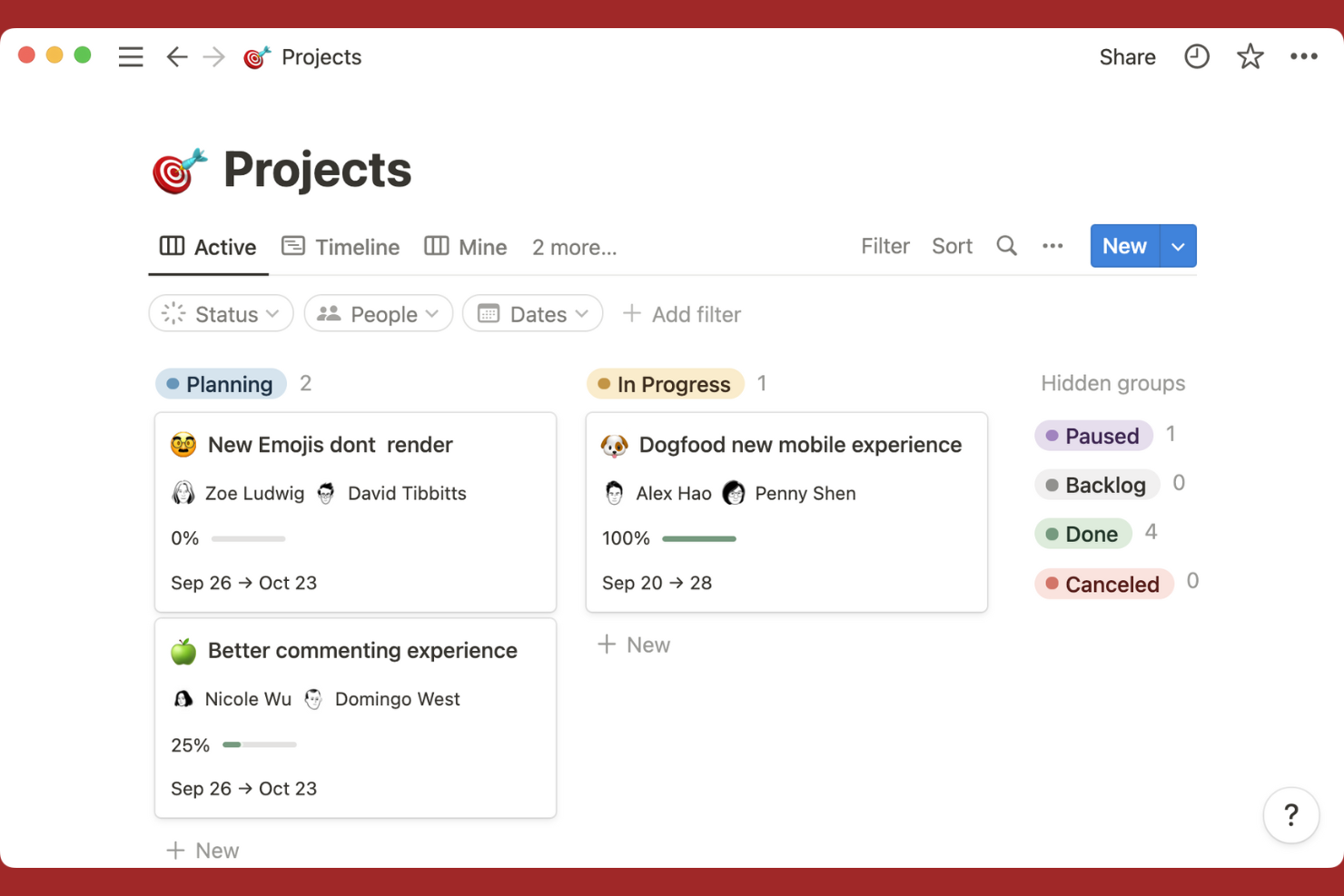
Notion stands out for teams that want to combine project management with flexible documentation and database features. It’s especially useful for IT specialists, product teams, and knowledge workers who need to organize tasks, notes, and wikis in one place. Unlike Trello, Notion lets you build custom databases, link project docs to tasks, and create tailored workflows that go beyond simple boards.
Why Notion Is a Good Trello Alternative
If you want a project management tool that also handles documentation and databases, Notion is worth considering. Its all-in-one workspace lets you manage tasks, build custom databases, and keep project notes or wikis together in one place. I appreciate how you can link tasks to docs, create filtered views, and design pages that fit your team’s workflow. This flexibility makes Notion a strong alternative to Trello for teams that need more than just boards.
Notion Key Features
Some other features in Notion can help your team organize and manage projects more efficiently:
- Kanban Board View: Visualize tasks and projects using a drag-and-drop board layout.
- Template Gallery: Access a library of pre-built templates for project management, meeting notes, and more.
- Permissions and Sharing: Set granular access controls for pages, databases, and workspaces.
- Version History: Track changes and restore previous versions of any page or database.
Notion Integrations
Integrations include Dropbox, Box, ClickUp, Canva, Datadog, Google Workspace, GitHub, Jira, Lucidchart, Miro, Mixpanel, and more.
Pros and Cons
Pros:
- Rich text supports detailed descriptions
- Multiple views support varied workflows
- Linked pages keep documentation accessible
Cons:
- Permissions confusing for multi-team use
- Task dependencies need workarounds
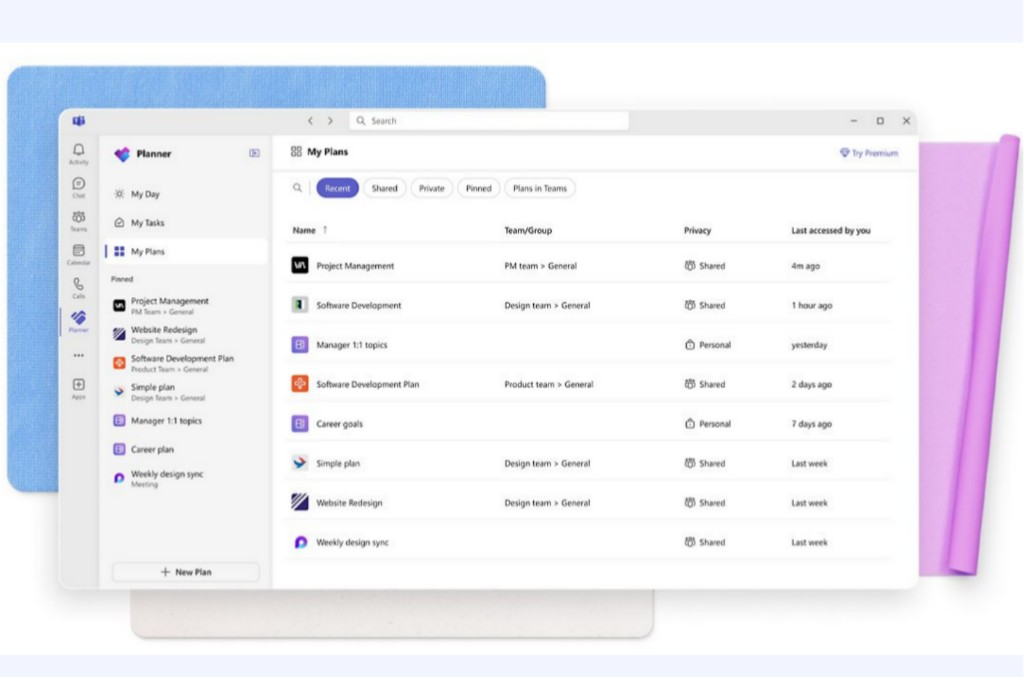
If your organization already relies on Microsoft 365, Microsoft Planner offers a task management solution that fits right into your existing workflow. It’s especially useful for IT teams, project leads, and departments that want to coordinate tasks without leaving the Microsoft ecosystem. Unlike Trello, Planner connects natively with Microsoft Teams, Outlook, and OneDrive, making it easier to manage projects alongside your other business tools.
Why Microsoft Planner Is a Good Trello Alternative
For teams already using Microsoft 365, Planner stands out by offering native task management that’s fully integrated with the rest of the Microsoft suite. You can create and assign tasks directly from Microsoft Teams, link files from OneDrive, and view project progress within Outlook. I appreciate how Planner keeps all project information within the same environment your team already uses for communication and file sharing. This makes it a strong Trello alternative for organizations that want to centralize project management without adding another standalone tool.
Microsoft Planner Key Features
Some other features in Microsoft Planner can help your team organize and track work more efficiently:
- Bucket Organization: Group tasks into customizable buckets to match your workflow.
- Due Date Reminders: Set deadlines and receive automatic reminders for upcoming tasks.
- Progress Tracking: Visualize task status with simple charts and progress bars.
- Attachment Support: Add files and documents directly to tasks for easy reference.
Microsoft Planner Integrations
Integrations include Microsoft Teams, Microsoft Outlook, Microsoft Loop, and more.
Pros and Cons
Pros:
- Simple charts track project progress
- Supports OneDrive and SharePoint attachments
- Integrates with Teams for in-chat tasks
Cons:
- Limited board customization options
- No built-in time tracking tools

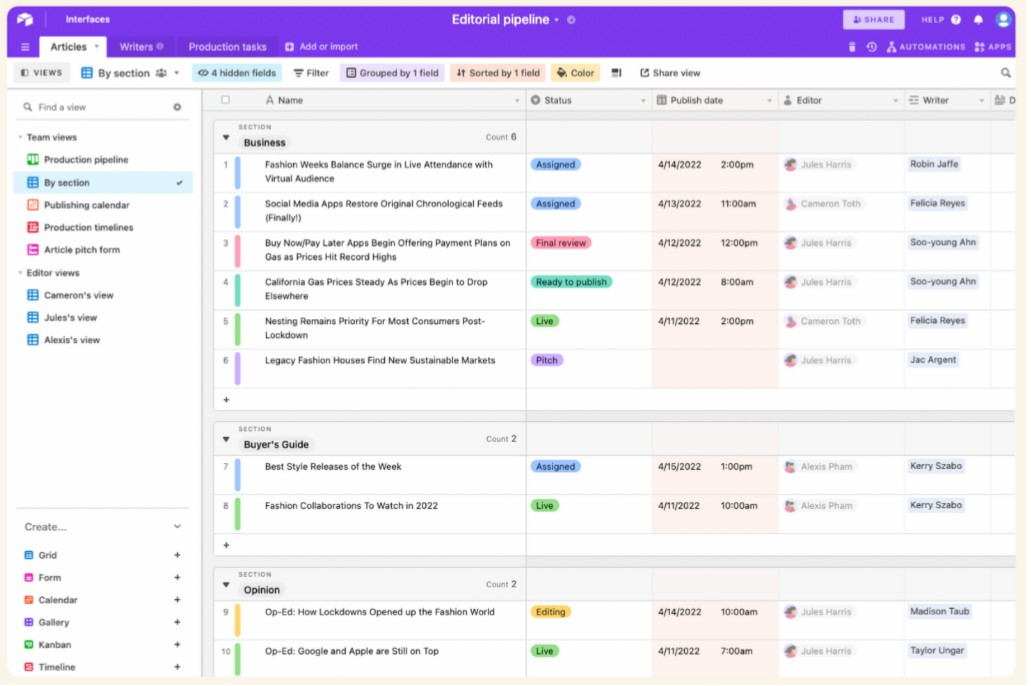
Airtable combines the structure of a database with the familiarity of a spreadsheet, making it a strong choice for teams that need to organize complex projects or workflows. It’s especially useful for marketing teams, product managers, and operations leads who want to customize views and fields to fit their exact process. Unlike Trello, Airtable lets you build relational databases and switch between grid, calendar, kanban, and gallery views for deeper project visibility.
Why Airtable Is a Good Trello Alternative
For teams that need more than a simple kanban board, Airtable offers flexible database-style project management with customizable views. You can create tables with custom fields, link records across tables, and design workflows that match your team’s unique needs. I appreciate how Airtable lets you switch between grid, kanban, calendar, and gallery views, so you can visualize your projects in different ways. This flexibility makes it a strong Trello alternative for anyone managing complex or data-heavy projects.
Airtable Key Features
Some other features in Airtable can help your team manage projects and data more effectively:
- Automations: Set up custom triggers and actions to automate repetitive tasks within your workflows.
- Form View: Collect information from stakeholders or clients directly into your base using customizable forms.
- Permission Controls: Assign different access levels to collaborators to manage who can view or edit specific data.
- Revision History: Track changes to records and restore previous versions if needed.
Airtable Integrations
Integrations include Box, Google Drive, GitHub, Salesforce, Snowflake, Slack, WordPress, Zendesk, and more.
Pros and Cons
Pros:
- Permissions allow granular collaborator access
- Built-in automations reduce recurring tasks
- Multiple views switch between kanban and grid
Cons:
- Gantt charts only on paid plans
- Large bases slow performance noticeably

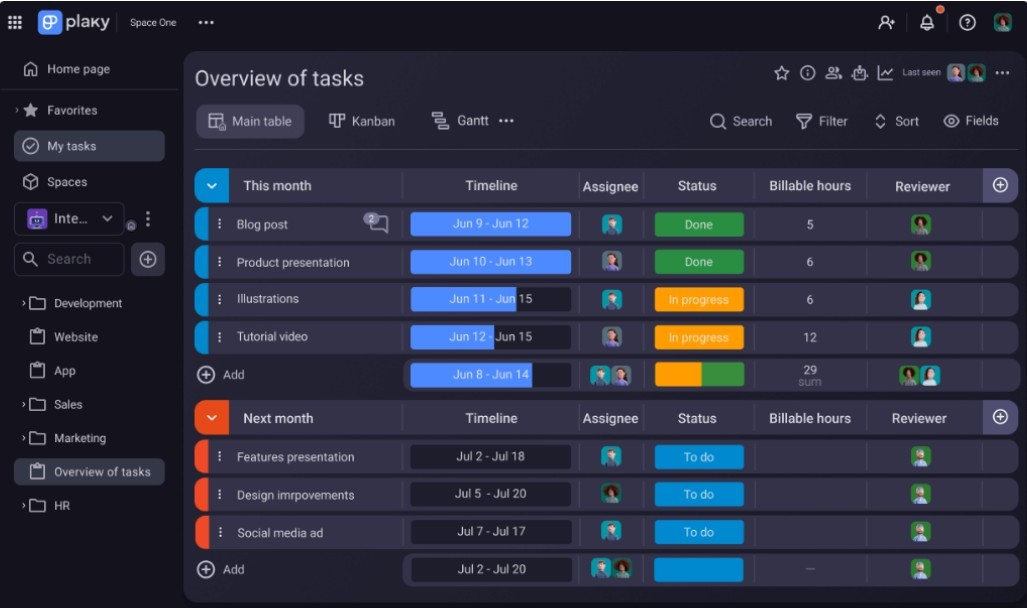
Plaky gives teams a way to manage projects with unlimited users and tasks at no cost. It’s a strong fit for startups, small businesses, and organizations that need to collaborate without worrying about user or board limits. Unlike Trello, Plaky’s free plan removes common restrictions, making it easier for growing teams to organize work without hitting paywalls.
Why Plaky Is a Good Trello Alternative
What sets Plaky apart is its commitment to offering free project boards with unlimited users and tasks. This means your team can add as many members and projects as needed without worrying about hitting usage caps. I like that Plaky’s free plan includes core project management features, such as customizable boards and task tracking, that other tools often reserve for paid tiers. For teams that want to avoid the limitations of Trello’s free plan, Plaky provides a more flexible option for growing collaboration needs.
Plaky Key Features
Some other features in Plaky can help teams organize and manage their work more effectively:
- Custom Field Types: Add dropdowns, dates, text, and numbers to tailor boards to your workflow.
- Role-Based Permissions: Control who can view, edit, or manage boards and tasks.
- Activity Log: Track all changes and updates made to tasks and boards.
- Task Comments: Collaborate directly on tasks with threaded discussions.
Plaky Integrations
Integrations include Clockify, Pumble, and more.
Pros and Cons
Pros:
- Task comments enable direct collaboration
- Activity logs track board changes
- Role-based permissions manage team access
Cons:
- Mobile app less feature-rich than web
- No built-in recurring task automation

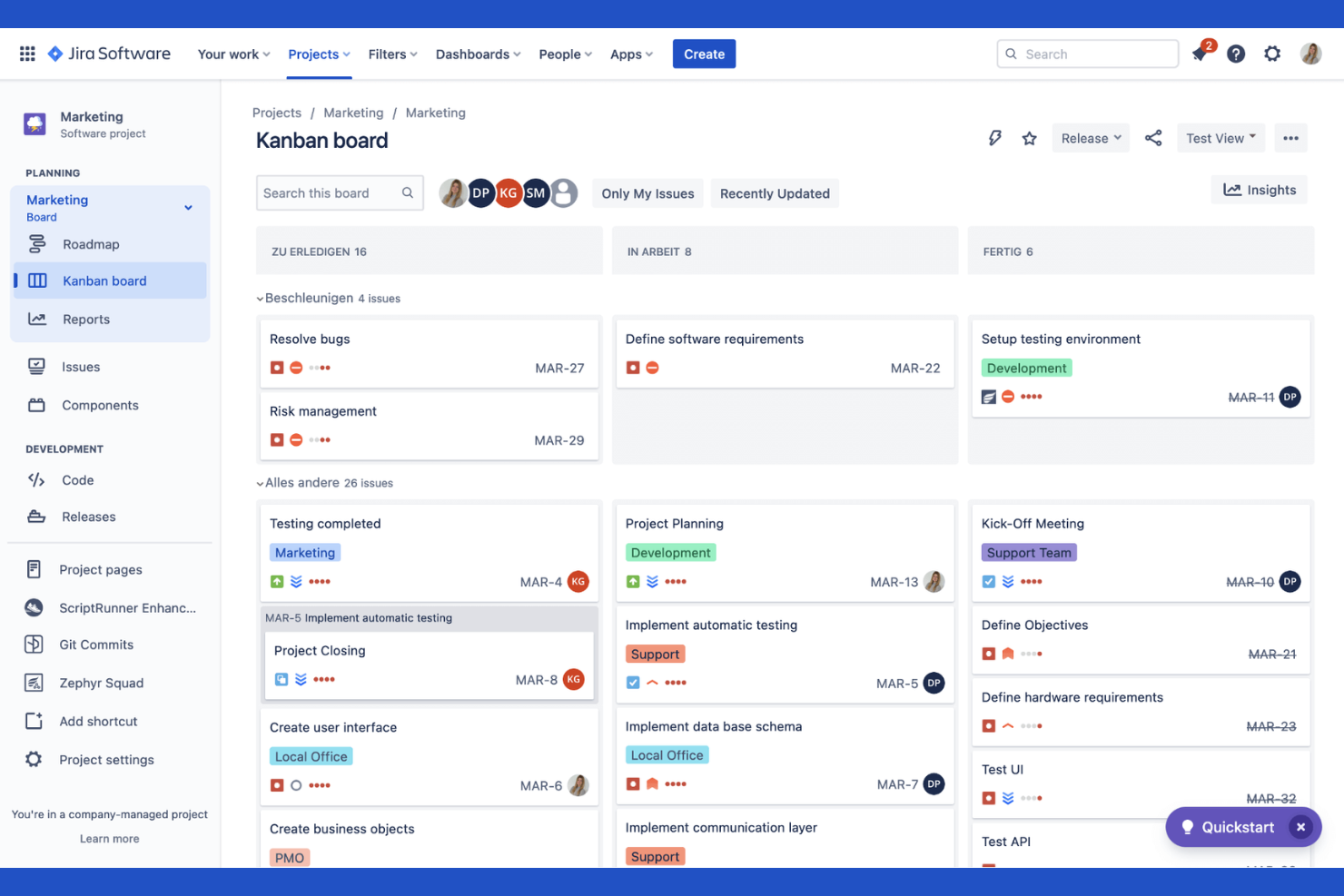
Jira is purpose-built for technical teams that need advanced issue tracking and workflow automation. Software development, IT, and engineering teams use Jira to manage complex projects, track bugs, and automate repetitive processes. Unlike Trello, Jira offers granular permissions, custom workflows, and deep reporting designed for technical project management.
Why Jira Is a Good Trello Alternative
When you need more than simple boards and lists, Jira delivers advanced issue tracking and workflow automation that Trello can’t match. You can create custom workflows for different project types, automate repetitive actions, and set up detailed issue types for bugs, tasks, and user stories. I appreciate how Jira’s granular permissions let you control who can view or edit specific projects and issues. These features make Jira a strong fit for technical teams managing complex projects with strict process requirements.
Jira Key Features
Some other features in Jira can help your team manage projects at scale:
- Agile Boards: Use Scrum and Kanban boards to organize and prioritize work visually.
- Advanced Reporting: Access built-in and custom reports to track project progress and team performance.
- Roadmaps: Build and share project roadmaps to align teams on long-term goals.
- Release Management: Plan, track, and manage software releases within your projects.
Jira Integrations
Integrations include GitLab, Confluence, Microsoft Teams, Figma, and more.
Pros and Cons
Pros:
- Roadmap features support long-term planning
- Detailed permissions control project access
- Automation rules reduce manual tasks
Cons:
- Bulk editing less intuitive than alternatives
- Reporting requires configuration for depth

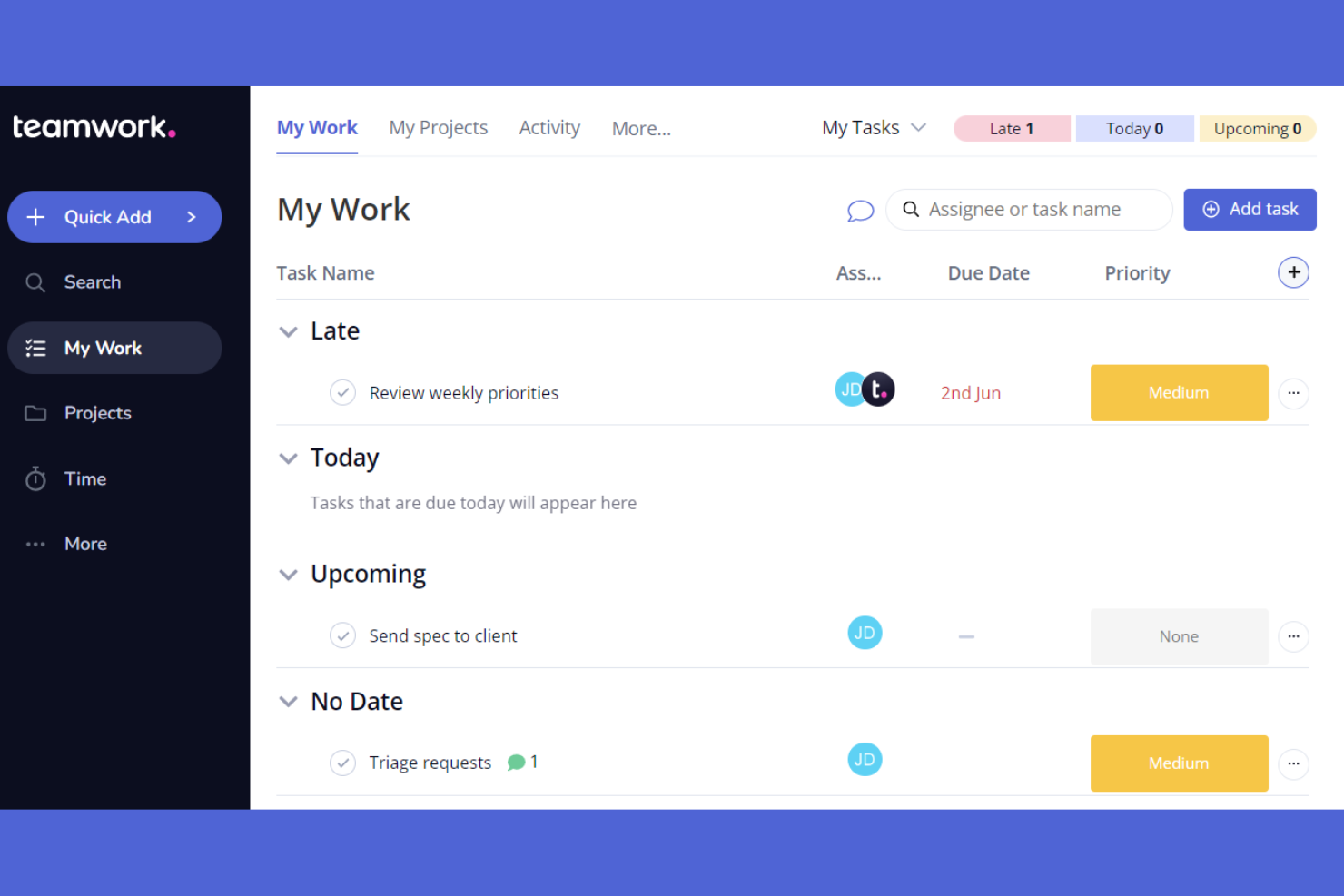
Designed for client-facing teams, Teamwork.com brings project management together with built-in time tracking and billing features. Agencies, consultancies, and service providers can manage projects, track billable hours, and handle client communications in one place. Unlike Trello, Teamwork.com offers advanced resource management and invoicing tools tailored for businesses that work directly with clients.
Why Teamwork.com Is a Good Trello Alternative
For teams that need more than just task boards, Teamwork.com stands out with its built-in time tracking and client management features. You can log billable hours directly within projects, generate invoices, and keep all client communications organized in one place. I like that Teamwork.com also includes resource scheduling, so you can assign work based on team capacity and deadlines. These features make it a strong choice for agencies and service providers who need project management that goes beyond what Trello offers.
Teamwork.com Key Features
Some other features in Teamwork.com can help your team manage projects more effectively:
- Gantt Chart View: Visualize project timelines and task dependencies with interactive Gantt charts.
- Task Templates: Create reusable templates for common project types or workflows.
- File Management: Upload, organize, and share project files directly within each workspace.
- Project Milestones: Set and track key milestones to monitor project progress and deadlines.
Teamwork.com Integrations
Integrations include Slack, ChatGPT, BugHerd, Xero, HubSpot, and more.
Pros and Cons
Pros:
- Templates standardize recurring workflows
- Gantt view shows timelines and dependencies
- Built-in time tracking logs billable hours
Cons:
- Guest permissions less granular than competitors
- Automation limited versus Trello alternatives
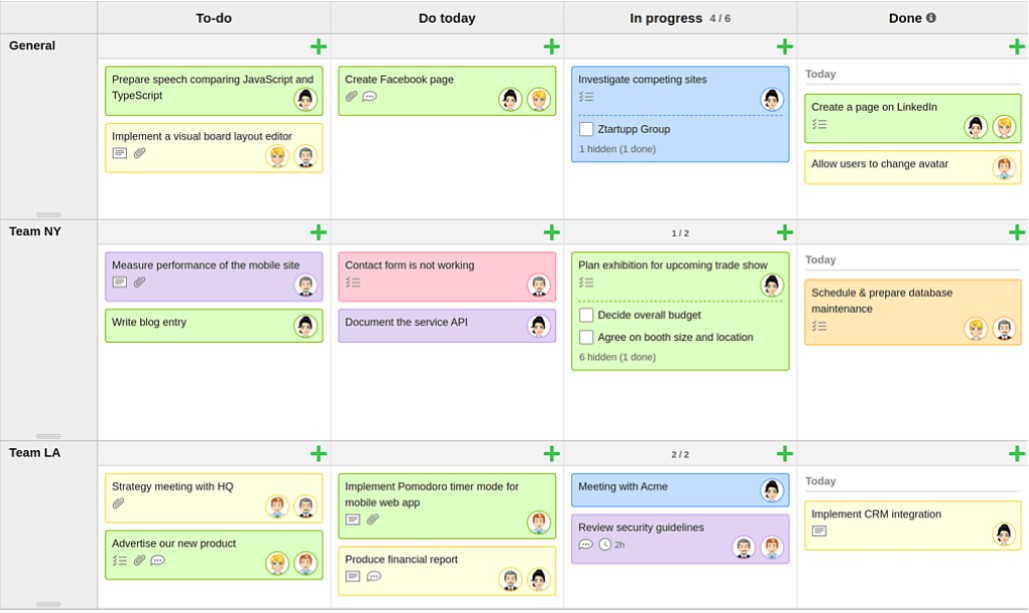
KanbanFlow stands out as a Kanban tool for teams that want built-in time tracking and Pomodoro support alongside visual task management. It’s a strong fit for consultants, freelancers, and small businesses that need to monitor how time is spent on each task. With its clear Kanban view, KanbanFlow lets you track work sessions and interruptions directly from your board, making it easier to manage productivity and deadlines compared to Trello.
Why KanbanFlow Is a Good Trello Alternative
If you’re looking for a project management tool with built-in time tracking, KanbanFlow offers features that Trello doesn’t. You can track time spent on each task directly from your board and use the Pomodoro timer to break work into focused intervals. I like that KanbanFlow also lets you log interruptions and analyze productivity patterns over time. These features make it a strong choice for teams and individuals who want to manage both tasks and time in one place.
KanbanFlow Key Features
Some other features in KanbanFlow can help your team organize and manage work more efficiently:
- Swimlanes: Group tasks by project, priority, or team for better board organization.
- Subtasks: Break larger tasks into smaller, manageable steps within a card.
- File Attachments: Add documents and images directly to tasks for easy reference.
- Task Filtering: Use filters to quickly find tasks by user, label, or due date.
KanbanFlow Integrations
Integrations include Microsoft Excel, Outlook, Google Calendar, and more.
Pros and Cons
Pros:
- Task filtering finds assignments quickly
- Subtasks break down complex tasks
- Swimlanes organize boards by priority
Cons:
- Free plan restricts attachment size
- Automation limited versus Trello
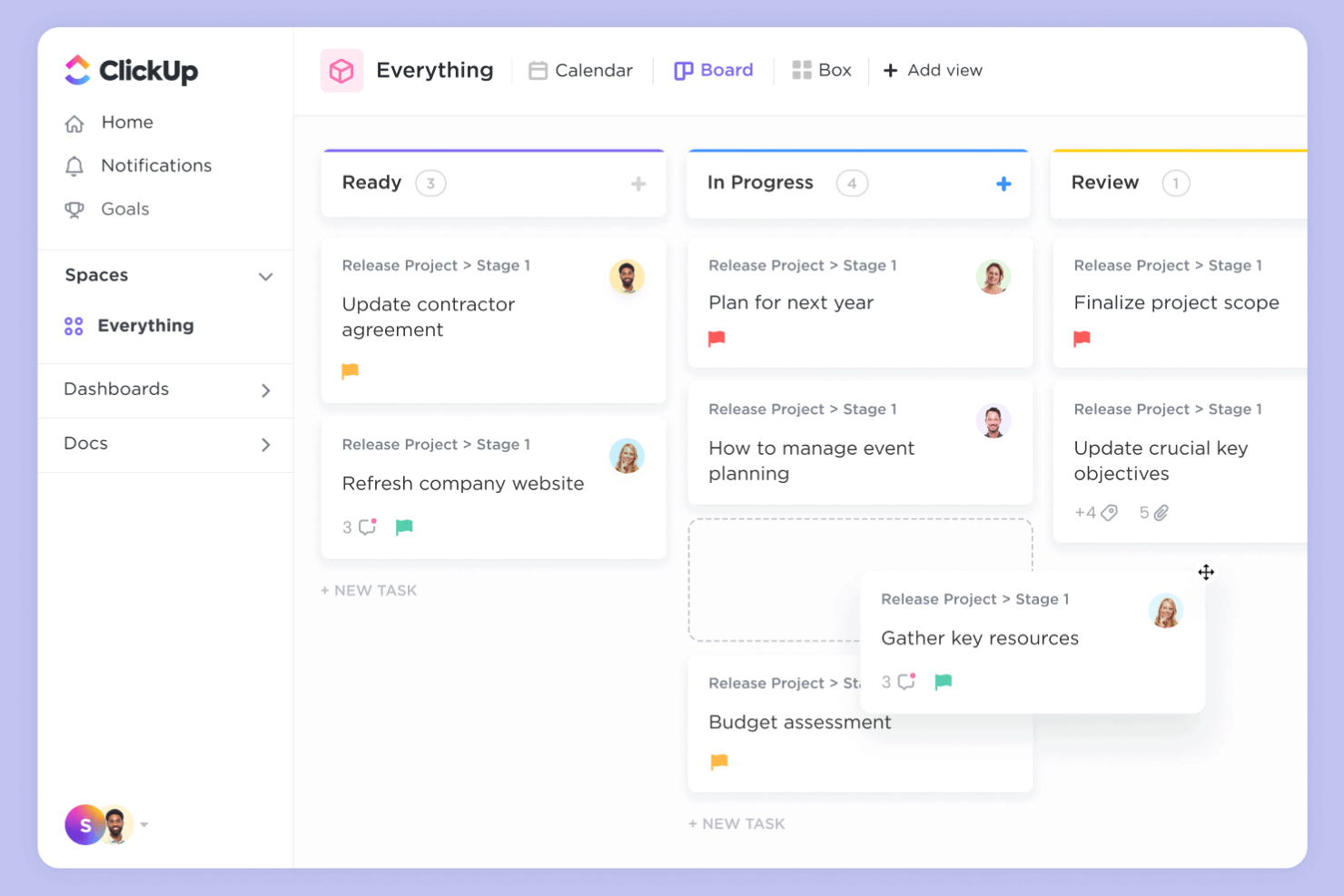
ClickUp gives teams a flexible way to manage projects with highly customizable task views and workflow options. It’s a strong fit for IT specialists and cross-functional teams who need to adapt project spaces to different processes or departments. Unlike Trello, ClickUp lets you build custom fields, automate recurring tasks, and switch between list, board, Gantt, and calendar views for deeper project control. It also includes built-in collaboration tools, CRM capabilities, API access, and optional add-ons for extended functionality. While its depth of features may come with a learning curve, it offers powerful flexibility for growing teams.
Why ClickUp Is a Good Trello Alternative
ClickUp offers a level of customization that goes far beyond what Trello provides. You can create custom task statuses, fields, and workflow automations to match the way your team actually works. I like that ClickUp lets you switch between board, list, Gantt, and calendar views, so you’re not locked into a single way of visualizing your projects. This flexibility makes it easier to manage complex projects or adapt to different team preferences.
ClickUp Key Features
Some other features in ClickUp can help your team manage projects more effectively:
- Docs and Wikis: Create and organize internal documentation directly within your workspace.
- Goal Tracking: Set, track, and update progress on team or project goals.
- Time Tracking: Log time spent on tasks with built-in timers and manual entries.
- Workload View: Visualize team capacity and task assignments to help balance workloads.
ClickUp Integrations
Integrations include Slack, GitHub, Zapier, GitLab, Webhooks, HubSpot, Google Drive, Harvest, Dropbox, OneDrive, Outlook, and more.
Pros and Cons
Pros:
- Docs and wikis enable knowledge sharing
- Built-in time tracking monitors billable hours
- Custom fields handle complex workflows
Cons:
- Notifications generate excessive alerts
- Interface feels cluttered for small teams
New Product Updates from ClickUp

ClickUp Adds Google Drive Automations and Advanced Workload Planning
ClickUp adds Google Drive automations to create folders/Docs and alert teams on new Drive files, plus deeper Workload capacity breakdowns and pre-assigning invited users to Teams. For more information, visit ClickUp's official site.
 .
.
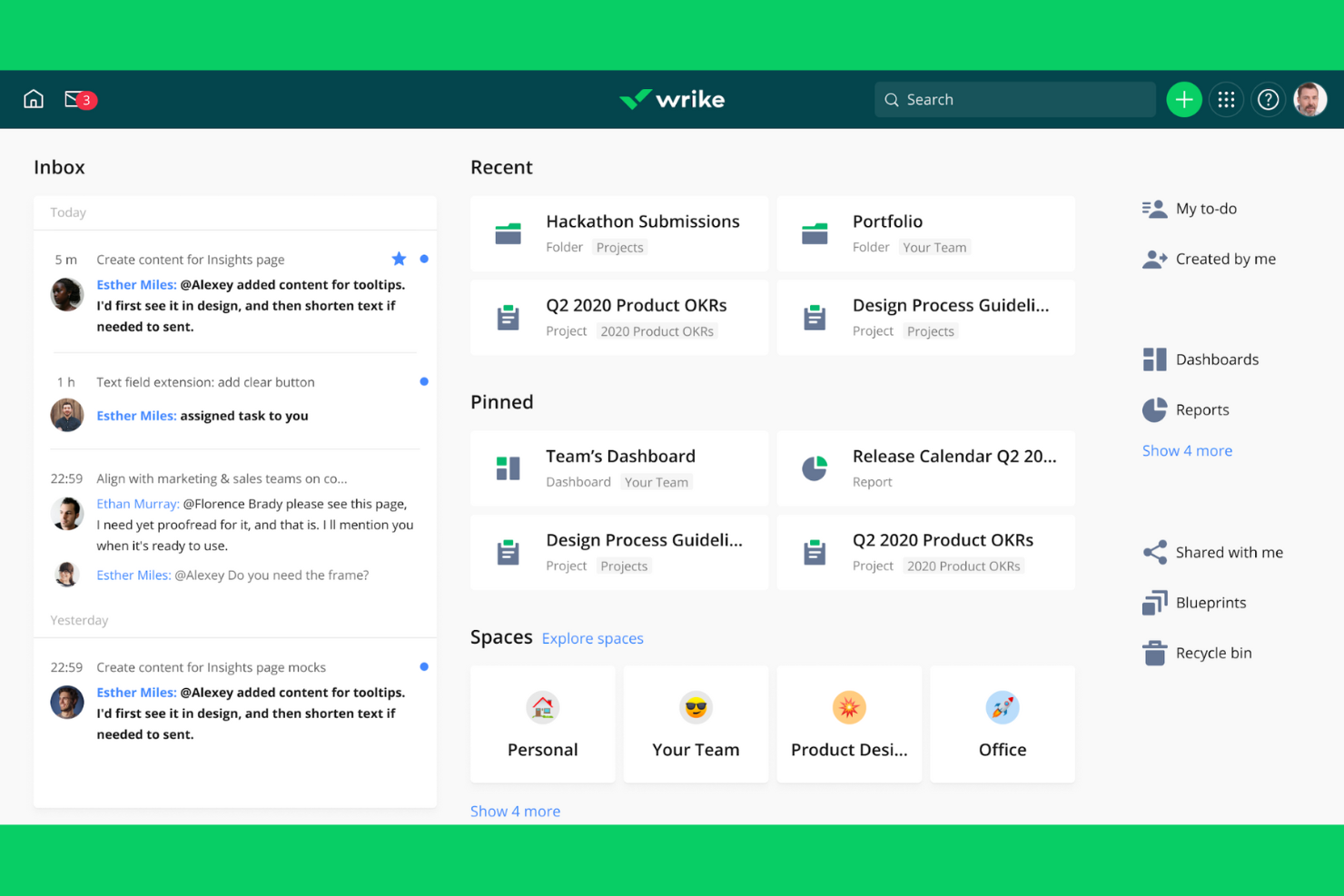
Wrike is designed for teams that need advanced workflow automation and detailed project tracking. IT specialists and project leads managing complex, multi-step projects will find its customizable dashboards and automation tools especially useful. Wrike stands out from Trello by offering granular permission controls, built-in time tracking for resource management, and structured support for different project management methodology approaches. It also includes a free version for smaller teams, making it a strong alternative to basic to-do list tools while still supporting more advanced workflows.
Why Wrike Is a Good Trello Alternative
Wrike stands out for teams that need more than basic boards and cards. Its advanced workflow automation lets you set up custom triggers and actions, so repetitive project steps happen automatically. I picked Wrike because its project templates help standardize processes across teams, making it easier to manage complex or recurring work. The ability to create detailed task dependencies and visualize them in Gantt charts also gives you more control over project timelines than Trello offers.
Wrike Key Features
Some other features in Wrike can help your team manage projects more efficiently:
- Request Forms: Create custom intake forms to standardize how new work requests are submitted and tracked.
- Document Proofing: Review, comment on, and approve files directly within tasks to keep feedback organized.
- Workload Charts: Visualize team capacity and reassign tasks to balance workloads across your team.
- Custom Fields: Add specific data points to tasks and projects so you can track exactly what matters to your workflow.
Wrike Integrations
Integrations include Zoom, Microsoft Teams, monday.com, Slack, Okta, GitHub, Outlook, Salesforce, Adobe, Dropbox, and more.
Pros and Cons
Pros:
- Request forms streamline work intake
- Customizable dashboards tailor project views
- Built-in time tracking monitors hours
Cons:
- Reporting lacks depth versus analytics tools
- Advanced features require significant setup
New Product Updates from Wrike

Wrike Adds Branding and Short Links for Request Forms
Wrike has added form branding and shorter public links to improve how teams create and share Request Forms. These updates allow users to customize forms with logos and themes, remove Wrike branding, and create cleaner links for external requests. For more information, visit Wrike’s official site.
 .
.Other Trello Alternatives
Here are some additional Trello alternatives that didn’t make it onto my shortlist, but are still worth checking out:
- GoodDay
For unified work management
- MeisterTask
For visual project boards with built-in automation
- Freedcamp
For unlimited projects and storage
- Kanbanchi
For project management within the Google Workspace ecosystem
- Taiga
For agile teams using Scrum and Kanban frameworks


Trello Alternatives Selection Criteria
When selecting the best Trello alternatives to include in this list, I considered common buyer needs and pain points related to project management tool products, like managing multiple projects across teams, avoiding user or board limits, and evaluating self-hosted or open source alternatives for greater control and flexibility. I also used the following framework to keep my evaluation structured and fair:
Core Functionality (25% of total score)
To be considered for inclusion in this list, each solution had to fulfill these common use cases:
- Create and manage project boards
- Assign and track tasks
- Set deadlines and due dates
- Organize tasks by status or priority
- Collaborate with team members
Additional Standout Features (25% of total score)
To help further narrow down the competition, I also looked for unique features, such as:
- Custom field creation for tasks and boards
- Built-in workflow automation
- Role-based access controls
- Advanced reporting and analytics
- Native integrations with other business tools
Usability (10% of total score)
To get a sense of the usability of each system, I considered the following:
- Simple and intuitive user interface
- Minimal clicks to complete common actions
- Clear navigation and labeling
- Responsive design for web and mobile
- Customizable views and layouts
Onboarding (10% of total score)
To evaluate the onboarding experience for each platform, I considered the following:
- Availability of step-by-step product tours
- Access to pre-built templates for quick setup
- Training videos and documentation
- In-app chatbots or guided help
- Webinars or live onboarding sessions
Customer Support (10% of total score)
To assess each software provider’s customer support services, I considered the following:
- Multiple support channels like chat, email, and phone
- Fast response times to inquiries
- Access to a searchable help center
- Availability of community forums
- Proactive support and onboarding assistance
Value For Money (10% of total score)
To evaluate the value for money of each platform, I considered the following:
- Transparent and flexible pricing plans
- Features included in the free plan
- Cost per user compared to competitors
- Discounts for annual billing or nonprofits
- No hidden fees or surprise charges
Customer Reviews (10% of total score)
To get a sense of overall customer satisfaction, I considered the following when reading customer reviews:
- Positive feedback on reliability and uptime
- Comments on feature usefulness and limitations
- Reports of customer support experiences
- User sentiment about pricing and value
- Suggestions for improvement or missing features
Why Look For a Trello Alternative?
While Trello is a good choice of project management tool, there are a number of reasons why some users seek out alternative solutions. You might be looking for a Trello alternative because…
- You need unlimited users or boards without extra cost
- You want built-in workflow automation features
- You require advanced reporting or analytics tools
- You need native integrations with other business software
- You want more granular permission controls for team members
If any of these sound like you, you’ve come to the right place. My list contains several project management tool options that are better suited for teams facing these challenges with Trello and looking for alternative solutions.
Trello Key Features
Here are some of the key features of Trello, to help you contrast and compare what alternative solutions offer:
- Kanban-style boards for visual task management
- Drag-and-drop cards to organize tasks and workflows
- Customizable lists and labels for sorting and filtering
- Task assignments and due dates for team coordination
- Built-in checklists for tracking subtasks
- Card comments and attachments for team collaboration
- Power-Ups to add extra functionality like calendars or voting
- Automation with Butler for recurring actions
- Activity feed to track changes and updates
- Mobile apps for iOS and Android devices