

10 Best Postman Alternatives Reviewed in 2026

Best Postman Alternatives Shortlist


If you're looking for an alternative to Postman, you're not alone. Your team may need a tool that's better suited for specific API testing requirements or your unique ecosystem, and you may be seeking features that Postman doesn't offer.
In my experience, tech experts often need flexibility, ease of integration, or a solution they can tailor to their workflow. I've independently tested and reviewed various API platforms to help you find the right fit.
In this article, I'll share unbiased insights into the best Postman alternatives, highlighting their unique features and benefits. You'll get a clear picture of which tool can best meet your team's needs.
What Is Postman?
Postman is an API platform that simplifies the process of building, testing, and managing APIs. It's widely used by developers, testers, and IT professionals who need an efficient way to work with APIs. Collaboration tools, automated testing, and version control features help teams improve their workflow and ensure reliable API performance. Overall, Postman offers a user-friendly environment for managing API projects effectively.
Best Postman Alternatives Summary
This comparison chart summarizes pricing details for my top Postman alternative picks to help you find the best one for your budget and business needs.
| Tool | Best For | Trial Info | Price | ||
|---|---|---|---|---|---|
| 1 | Best for OpenAPI design | Free plan + 14-day free trial available | From $44/month (billed annually) | Website | |
| 2 | Best for API marketplace access | Free plan available | From $10/month | Website | |
| 3 | Best for open-source API management | Free demo + free plan available | From $24/month | Website | |
| 4 | Best for automated API testing | 14-day free trial + free demo + free plan available | From $9/user/month (billed annually) | Website | |
| 5 | Best for HTTP request interception | Free plan available | From $15/user/month (billed annually) | Website | |
| 6 | Best for team collaboration | 14-day free trial + free plan available | From $6/user/month (billed annually) | Website | |
| 7 | Best for VS Code integration | 14-day free trial + free plan available | From $3/user/month (billed annually) | Website | |
| 8 | Best for AI-enabled API documentation | Free trial available | $19/user/month (billed annually) | Website | |
| 9 | Best for API design integration | Free plan available | From $10/user/month (billed annually) | Website | |
| 10 | Best for command-line use | Free plan available | Pricing not publicly listed | Website |
Why Trust Our Software Reviews
We’ve been testing and reviewing software since 2023. As tech leaders ourselves, we know how critical and difficult it is to make the right decision when selecting software.
We invest in deep research to help our audience make better software purchasing decisions. We’ve tested more than 2,000 tools for different tech use cases and written over 1,000 comprehensive software reviews. Learn how we stay transparent & our software review methodology.
-

Site24x7
Visit WebsiteThis is an aggregated rating for this tool including ratings from Crozdesk users and ratings from other sites.4.7 -
GitHub Actions
Visit WebsiteThis is an aggregated rating for this tool including ratings from Crozdesk users and ratings from other sites.4.8 -
Docker
Visit WebsiteThis is an aggregated rating for this tool including ratings from Crozdesk users and ratings from other sites.4.6





Best Postman Alternatives Reviews
Below are my detailed summaries of the best Postman alternatives that made it onto my shortlist. My reviews offer a detailed look at the key features, pros and cons, integrations, and ideal use cases of each tool to help you find the best one for you.

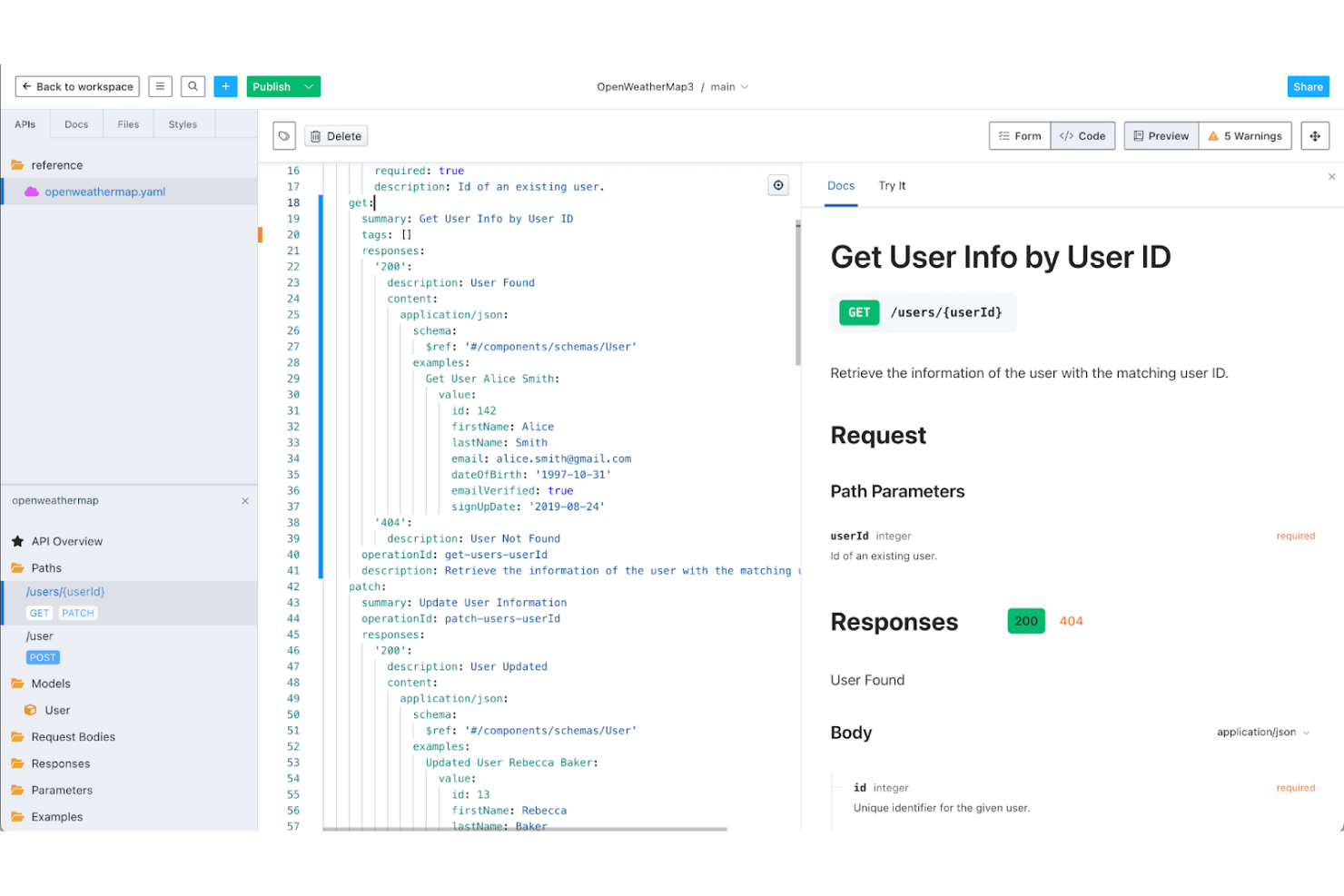
Stoplight is an API design platform that caters to developers and API designers who need tools for designing, documenting, and managing APIs. It helps teams create consistent and well-documented APIs using the OpenAPI specification.
Why it's a good Postman alternative: Stoplight's emphasis on OpenAPI design sets it apart, offering features that allow your team to create standardized APIs. You can leverage its visual API editor to simplify the design process, ensuring consistency across your APIs. The tool's collaborative environment supports team efforts in API creation and management. This makes it an ideal choice for teams focused on OpenAPI standards and collaboration in API design.
Standout Features and Integrations:
Features include a visual API editor that organizes the design process. The tool's documentation features help you create clear and interactive API documentation. You can also use the mock server feature to simulate API responses for testing purposes.
Integrations include GitHub, GitLab, Azure DevOps, Bitbucket, and more.
Pros and Cons
Pros:
- Mock server feature
- Collaborative environment
- Visual API design tools
Cons:
- Focused mainly on design
- Self-hosted Git support is top-tier only

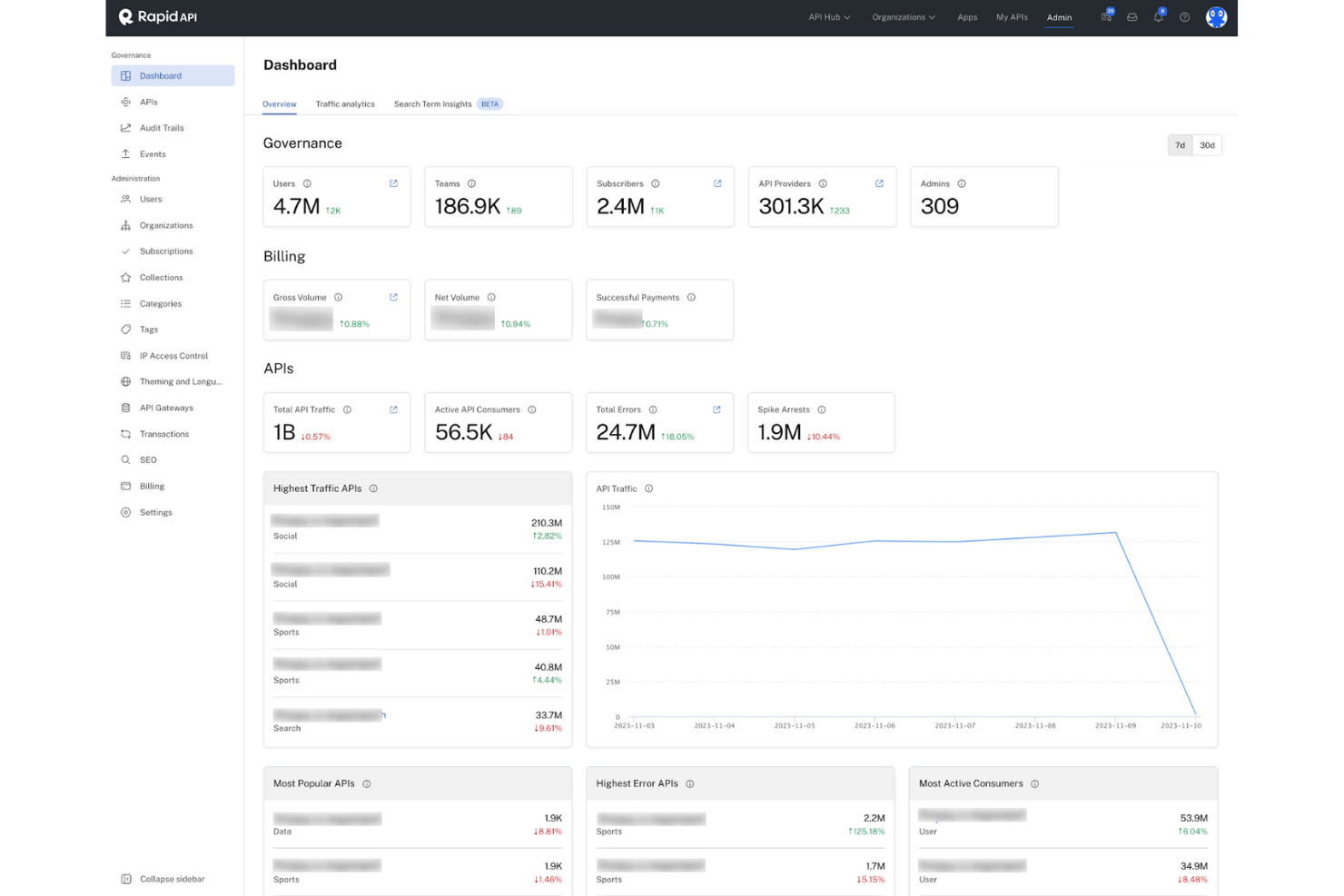
RapidAPI is a platform that connects developers with thousands of APIs, allowing them to find, test, and connect to APIs in a single place. It's primarily used by developers and businesses looking to simplify API integration and management.
Why it's a good Postman alternative: RapidAPI’s marketplace access offers a one-stop shop for API discovery. You can explore a vast library of APIs, simplifying the task of finding the right API for your project. This feature is ideal for teams needing quick and easy access to a wide range of APIs.
Standout Features and Integrations:
Features include a unified API dashboard that helps your team manage multiple APIs from one place. The analytics feature provides insights into API usage, helping you make data-driven decisions. You can also use the API testing feature to try out APIs directly in your browser and ensure your APIs are functioning as expected.
Integrations include GitHub Actions, Jenkins, and more.
Pros and Cons
Pros:
- Unified API dashboard
- Easy API testing
- Large API marketplace
Cons:
- Pricing clarity varies
- Inconsistent API quality

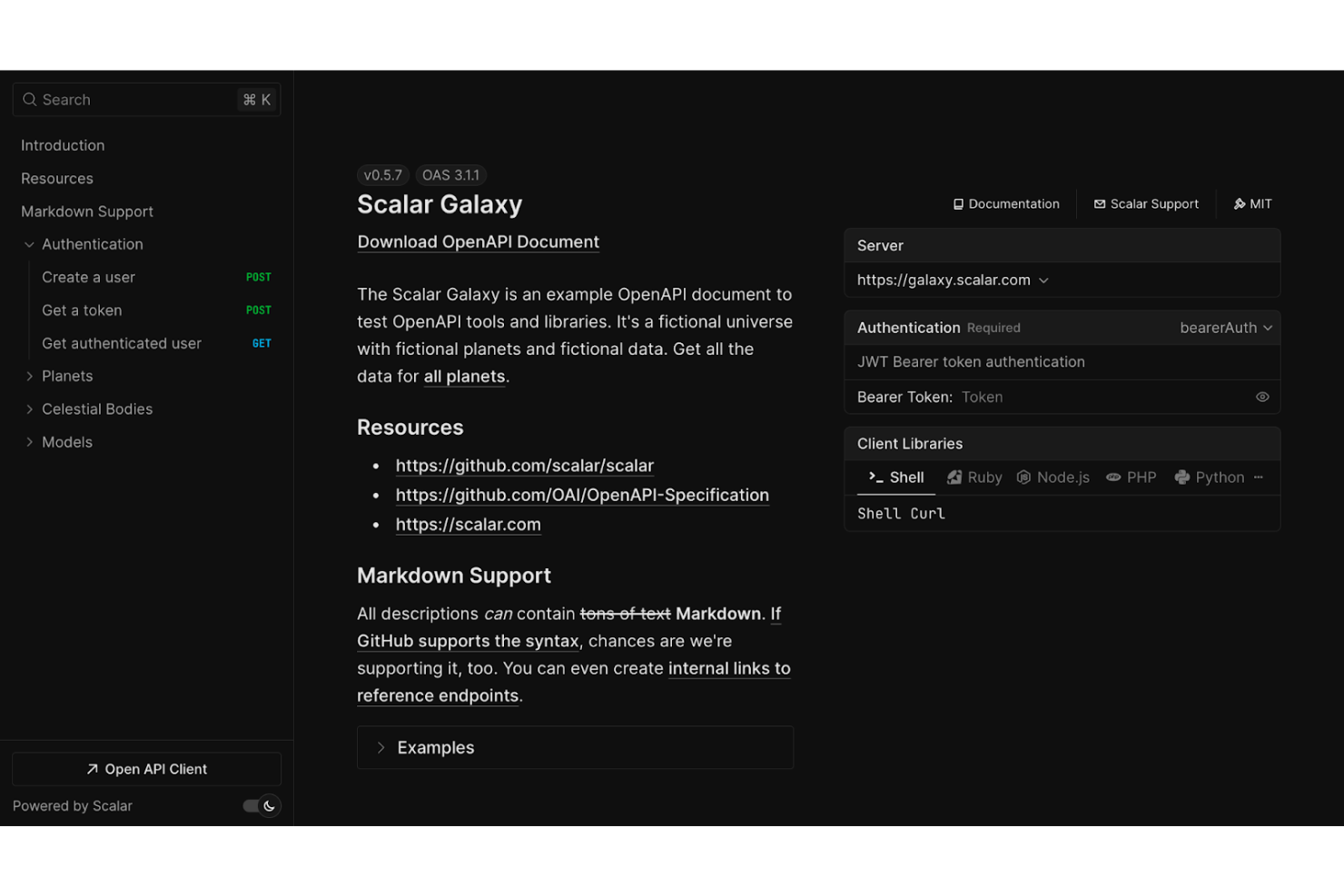
Scalar is a modern API management platform designed for developers and organizations looking to manage APIs efficiently using the OpenAPI standard. It provides tools for creating developer documentation, generating SDKs, and managing API versions.
Why it's a good Postman alternative: Scalar offers open-source API management with a focus on OpenAPI standards, which helps your team maintain consistent and well-documented APIs. You can manage API versions and generate type-safe client libraries, simplifying the developer experience. The platform's emphasis on community collaboration and open standards makes it a suitable choice for those looking for a flexible and integrative API management solution. Its support for CI/CD workflows further simplifies continuous integration processes for your team.
Standout Features and Integrations:
Features include strong API documentation capabilities that ensure your APIs are organized and accessible. The platform allows for convenient version management, which helps your team keep track of API changes. You can also generate SDKs in various programming languages to simplify the development process.
Integrations include GitHub, Docker, and more.
Pros and Cons
Pros:
- Type-safe client libraries
- Community collaboration
- Open-source platform
Cons:
- Requires OpenAPI knowledge
- Limited advanced analytics
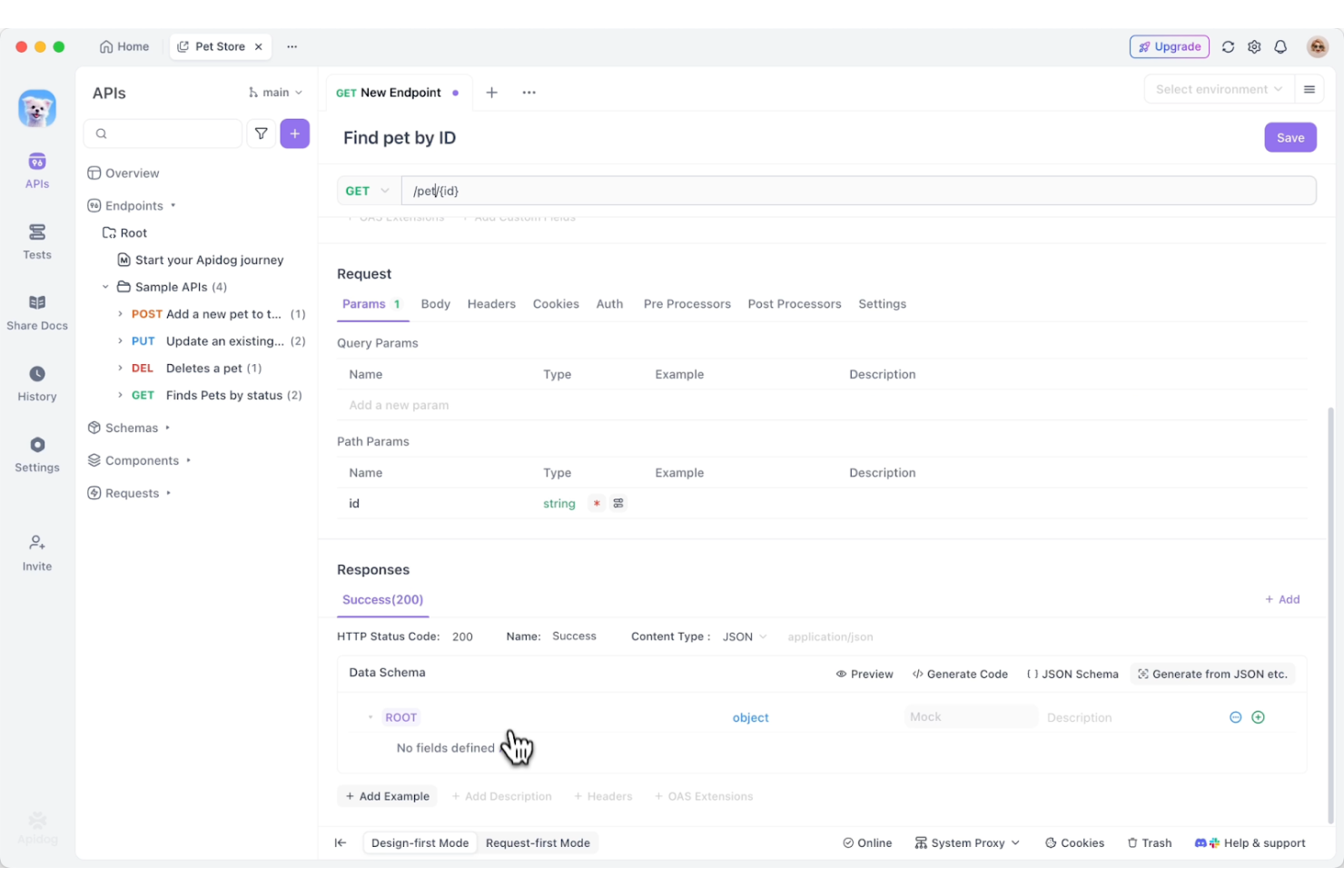
Apidog is an API management tool designed for developers and testers who need a reliable solution for designing, testing, and documenting APIs. It helps teams automate API testing and manage their API development process.
Why it's a good Postman alternative: Apidog excels in automated API testing, offering features that focus on testing efficiency. The tool provides a visual interface for designing APIs, which simplifies the process for your team. Its focus on automation makes it a strong choice for teams looking to improve their API testing workflows.
Standout Features and Integrations:
Features include a visual API design interface that helps you conveniently create and manage APIs. The tool's testing automation reduces manual testing efforts and facilitates accuracy. Additionally, real-time collaboration features enable your team to work together on API projects without hassle.
Integrations include GitHub, GitLab, AWS Secrets Manager, and more.
Pros and Cons
Pros:
- Reduces manual testing
- Supports frontend–backend collaboration
- Visual design interface
Cons:
- Limited analytics features
- Less suited for large organizations without add-ons

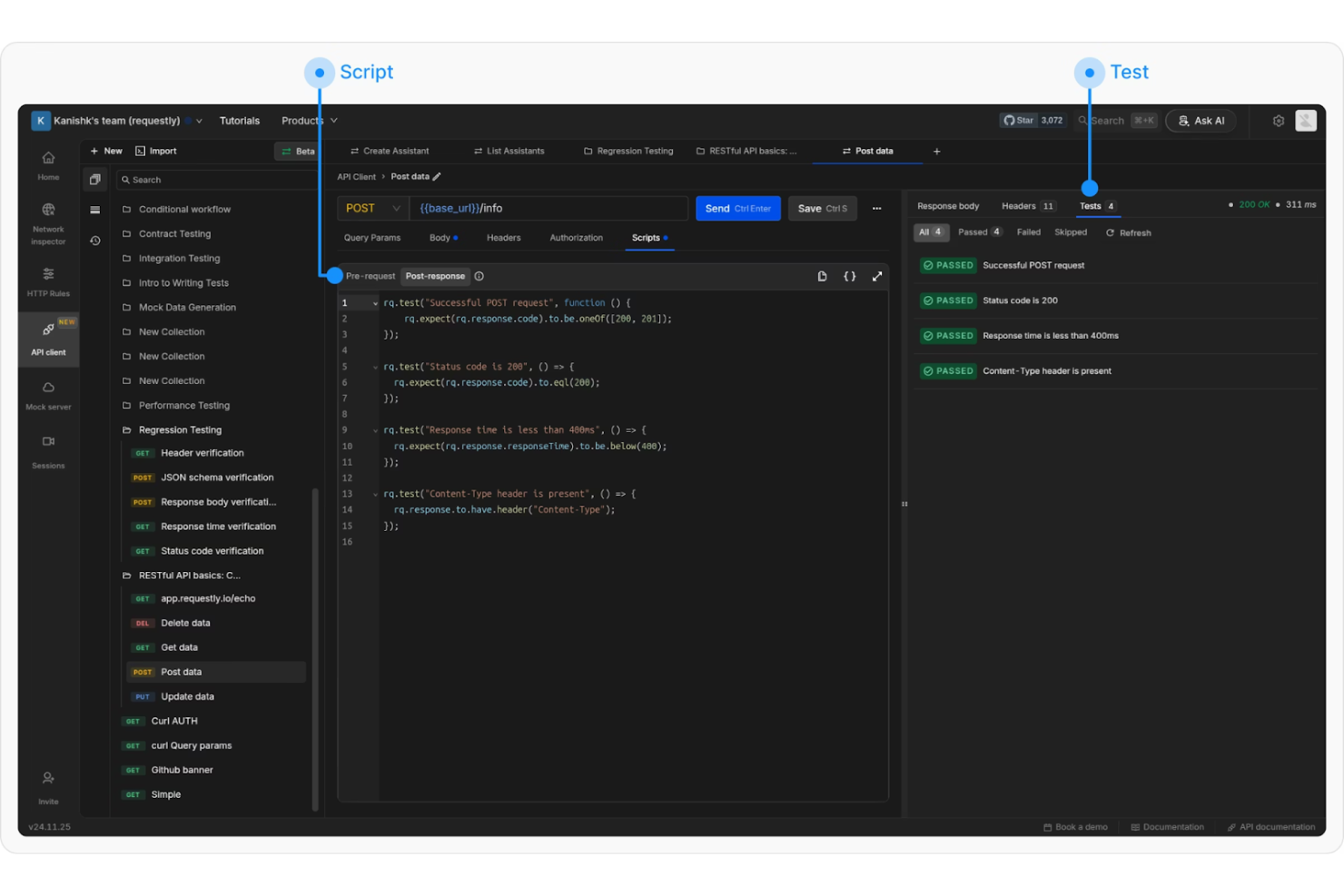
Requestly is a tool designed for developers and testers who need to intercept and modify network requests. It helps teams manage API requests and responses effectively, smoothing out their testing and debugging processes.
Why it's a good Postman alternative: Requestly's ability to intercept HTTP requests makes it unique. You can modify requests and responses in real time to aid in testing and debugging. The tool allows your team to simulate different network conditions, providing flexibility in testing. Its focus on request interception makes it a valuable tool for teams needing precise control over their API interactions.
Standout Features and Integrations:
Features include a user-friendly interface that simplifies request modification. The tool's ability to mock APIs allows you to test without relying on live data. You can also use the redirect feature to reroute requests, which is helpful for testing different endpoints.
Integrations include Selenium, Playwright, Puppeteer, and more.
Pros and Cons
Pros:
- Desktop app for Windows
- Simulates network conditions
- Real-time request modification and rerouting
Cons:
- Limited customization options
- Advanced features require a paid tier

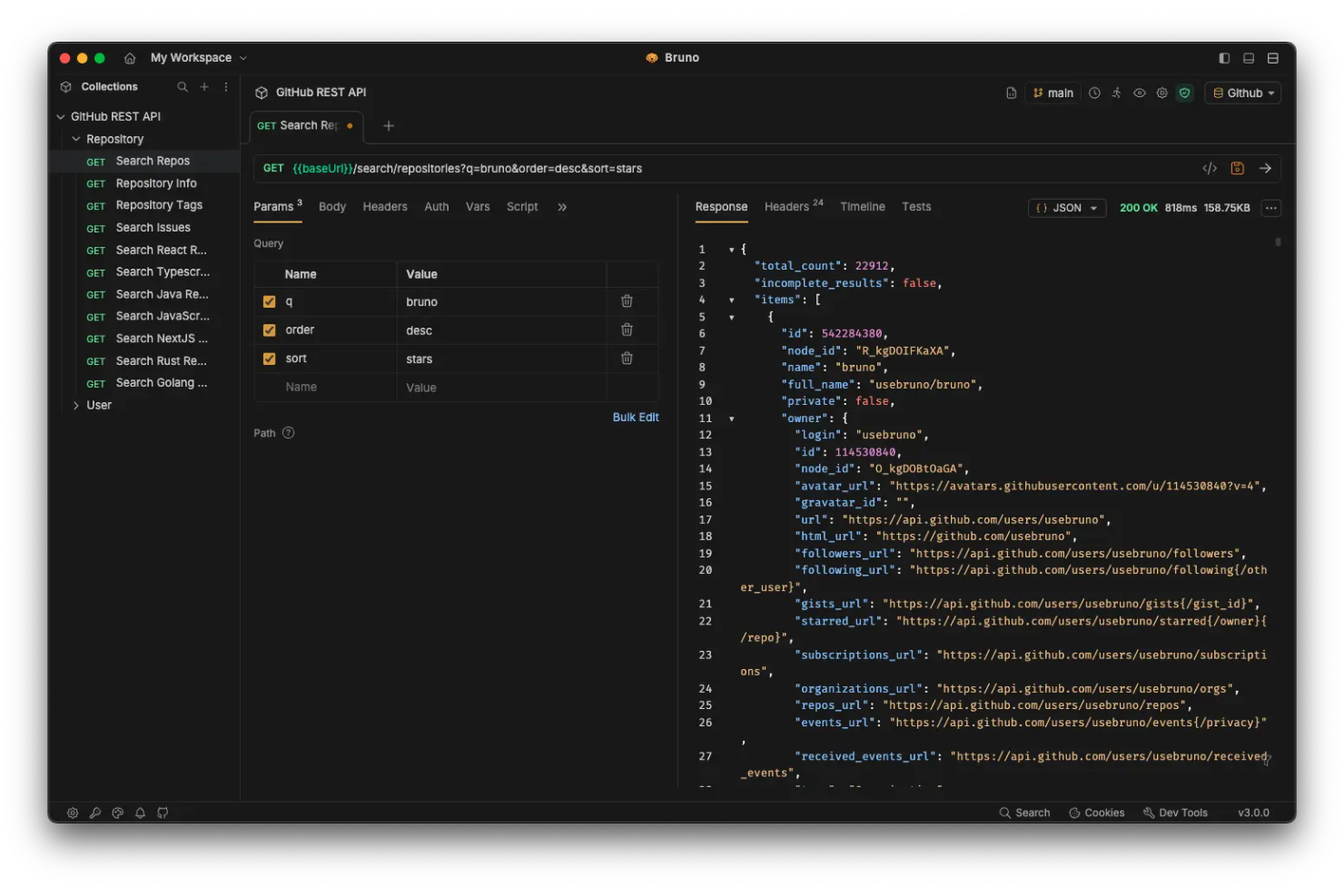
Bruno is an open-source API client designed for developers. It's widely used by teams in search of efficient API testing and version control without syncing to the cloud.
Why it's a good Postman alternative: Bruno's Git-native architecture makes it a standout choice for team collaboration. You can manage API collections like code, which strengthens version control and simplifies teamwork.
Standout Features and Integrations:
Features include local data storage that facilitates privacy by keeping data on your local machine. This feature is especially beneficial for teams seeking more control over their API management process. Enterprise-grade permissions simplify security management for your team.
Integrations include GitHub, GitLab, Bitbucket, Azure DevOps, and more.
Pros and Cons
Pros:
- Strong community support
- Privacy-focused design
- Fast and lightweight
Cons:
- Fewer built-in templates
- Requires Git knowledge

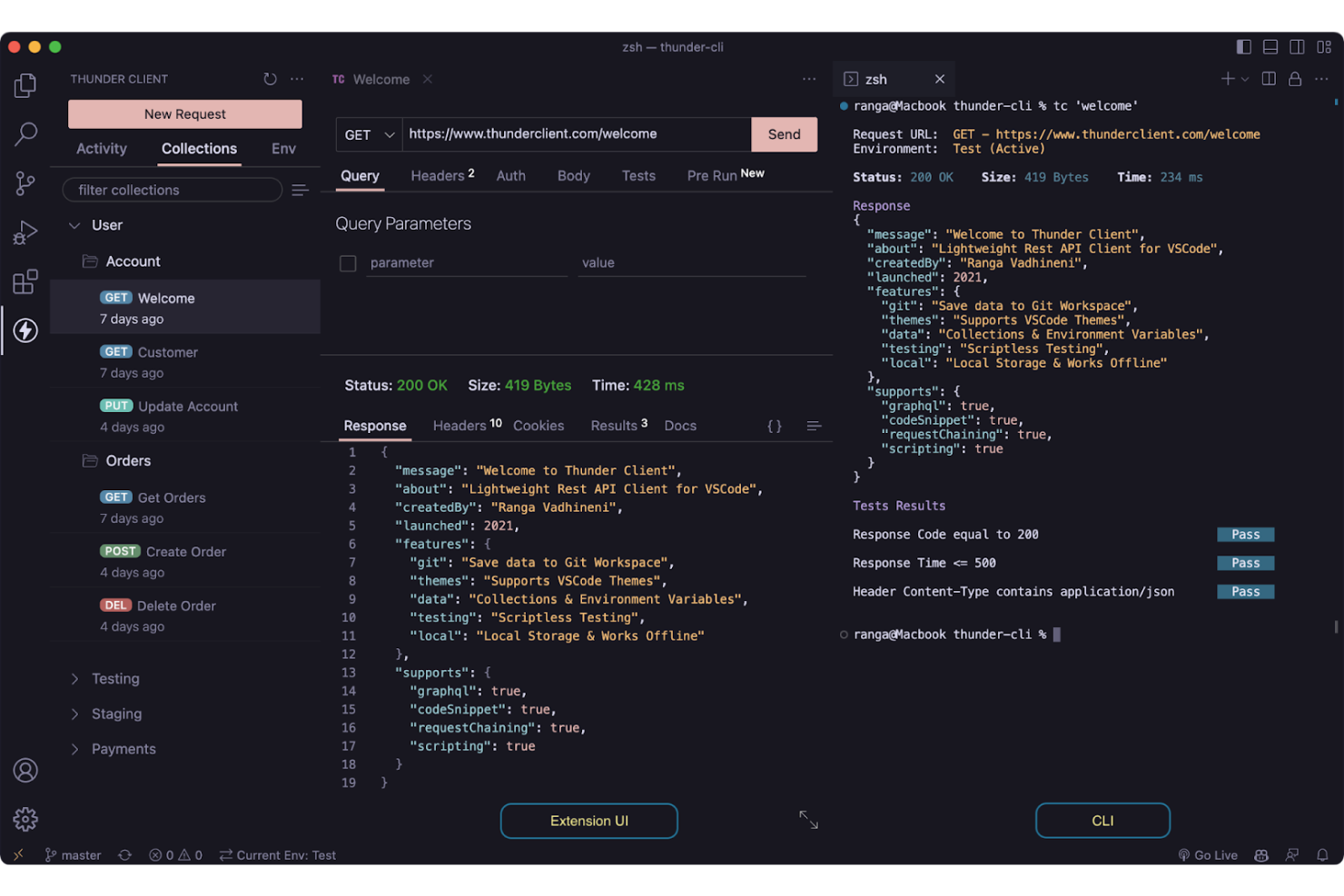
Thunder Client is an extension for Visual Studio Code (VS Code) designed for developers who need a lightweight and efficient API testing tool. It's tailored for users working within the VS Code environment who need quick access to API functionalities.
Why it's a good Postman alternative: Thunder Client's integration with VS Code offers a smooth experience for developers working within the code editor. You can test APIs directly without switching applications, which improves efficiency. The tool's lightweight design ensures it doesn't slow down your workflow. This makes it an excellent choice for teams using VS Code as their primary development environment, whether on Windows, macOS, or Linux.
Standout Features and Integrations:
Features include a simple and intuitive interface with an advanced CLI that lets you quickly set up and run API tests. The ability to save requests allows your team to reuse them while scripting. You can also use environment variables to manage different environments effectively.
Integrations include VS Code, GitHub, and more.
Pros and Cons
Pros:
- Uses environment variables
- Lightweight tool
- Complete VS Code integration
Cons:
- Local tokens can be risky
- No standalone application

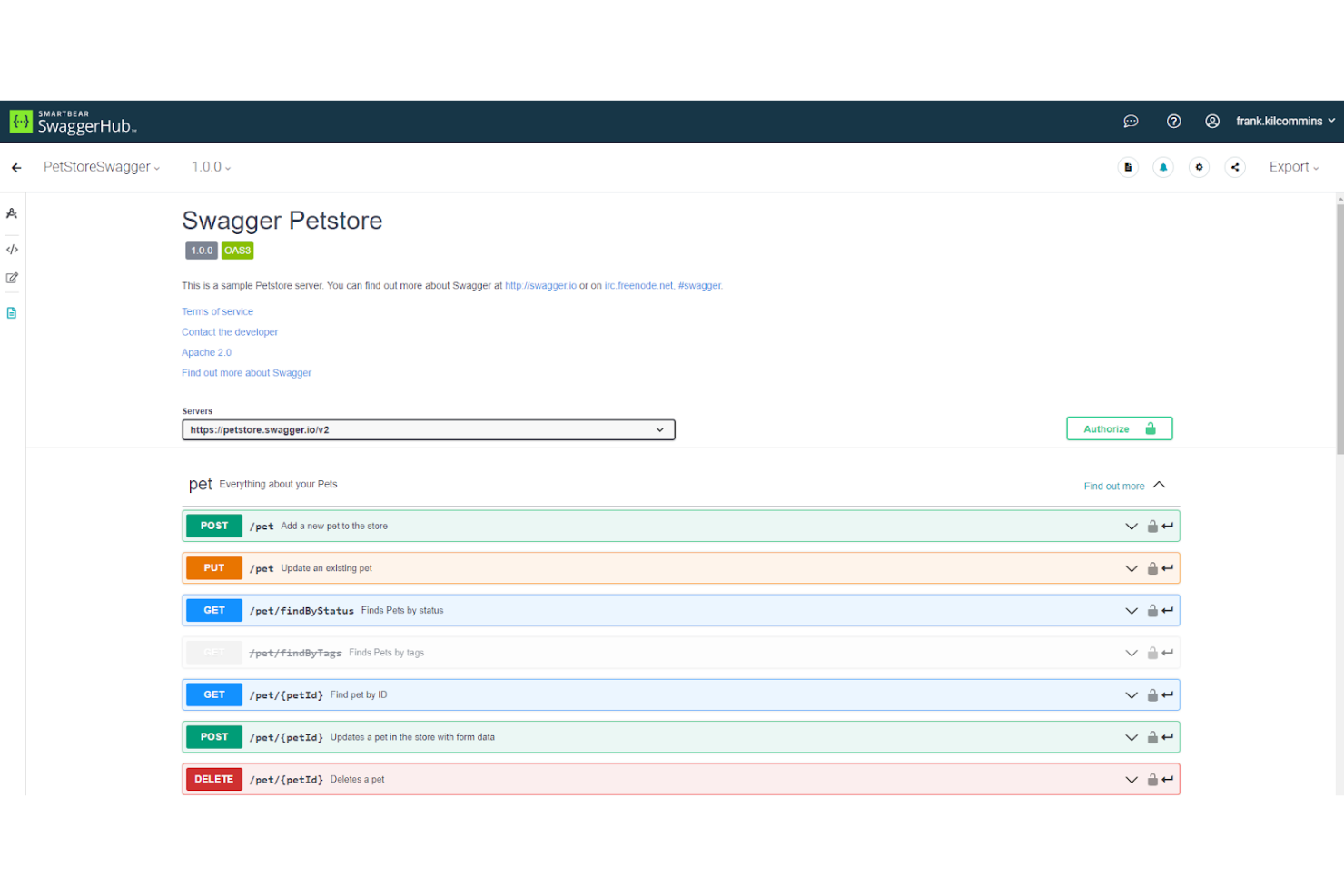
Swagger is a suite of tools that helps developers design, build, document, and consume REST web services. It's primarily used by developers and API architects who need to create and maintain clear and interactive API documentation.
Why it's a good Postman alternative: Swagger provides a strong focus on API documentation, offering features that help your team create interactive and thorough API documentation. The tool supports OpenAPI specifications, which ensure compatibility and consistency across your APIs. With Swagger, you can auto-generate documentation from your existing APIs, saving time and effort. This focus on documentation makes it an ideal choice for teams in search of detailed and accessible API documentation.
Standout Features and Integrations:
Features include a user-friendly editor that lets you design APIs with ease. The tool's mock server feature allows you to simulate API responses, which is useful for testing. You can also use code generation to produce client libraries in multiple programming languages, speeding up development.
Integrations include GitHub, AWS, Microsoft Azure, Google Cloud, Docker, Heroku, Jira, and more.
Pros and Cons
Pros:
- Auto-generates documentation
- Supports OpenAPI specifications
- Framework-agnostic tool
Cons:
- Automated documentation may still require significant manual oversight
- The documentation interface may feel cluttered


Insomnia is an AI-native API client that caters to developers and IT professionals. It helps users manage API requests and responses efficiently, making it a valuable tool for API development and testing.
Why it's a good Postman alternative: Insomnia's API design integration sets it apart from Postman. Its advanced API request capabilities feature multiple environment setups. The tool's intuitive interface and focus on user experience make it easy for your team to create and manage API requests. Insomnia also provides strong support for API design, which is ideal for teams looking to integrate design and testing.
Standout Features and Integrations:
Features include a user-friendly workspace system, the ability to import and export API requests, and support for GraphQL and WebSockets. Your team can also benefit from environment variables, which simplify testing across different environments. The tool's focus on design helps your team create and manage APIs efficiently, and there is a dedicated plugin hub.
Integrations include GitHub, GitLab, AWS, 1Password, Gibberish, and more.
Pros and Cons
Pros:
- Open-source code
- Intuitive user interface
- Easy API design integration
Cons:
- Fewer collaboration features
- Limited documentation

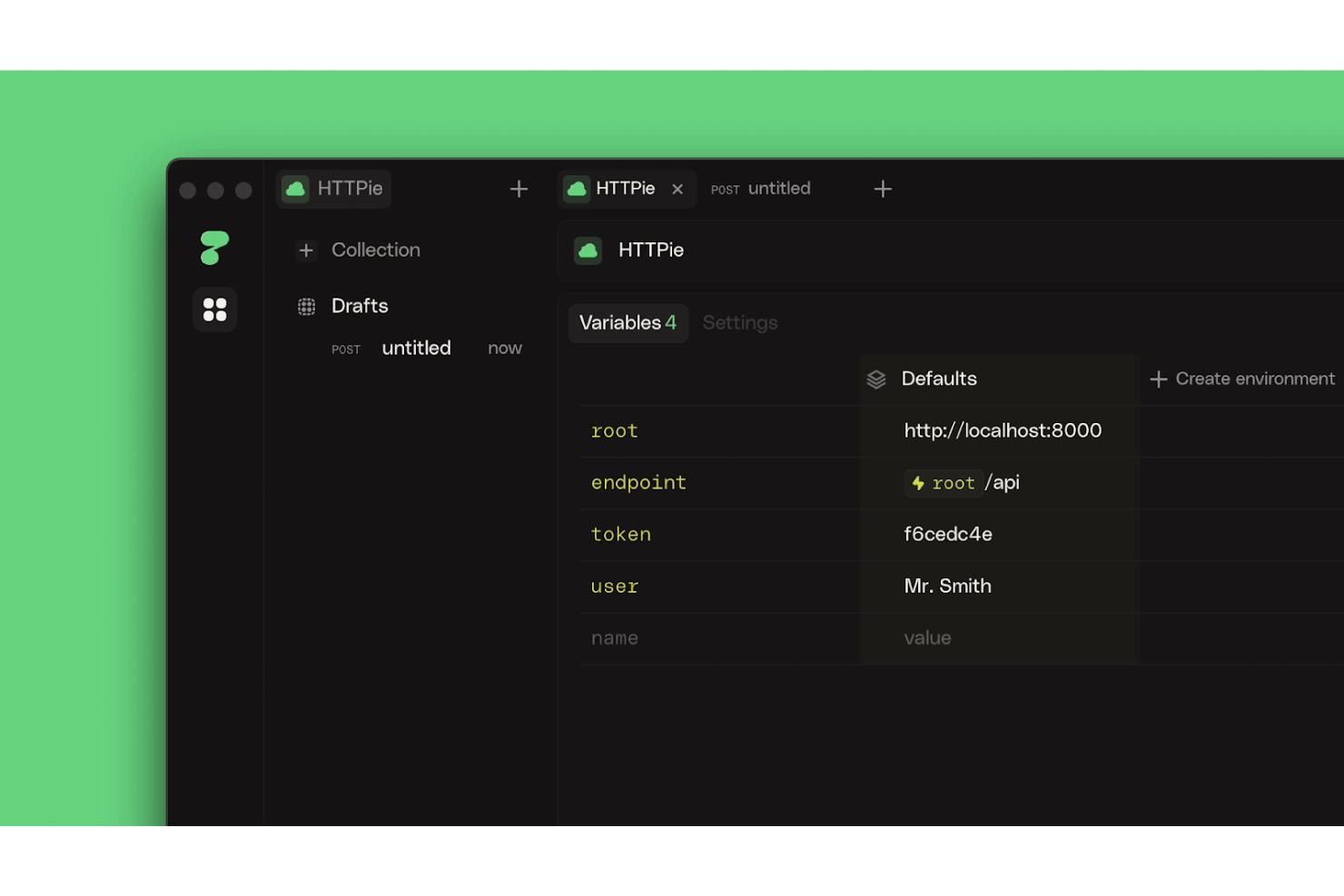
HTTPie is a command-line tool and HTTP client designed for users who need a simple and intuitive way to interact with web-based services. It's mainly used by developers and IT professionals for testing APIs and managing HTTP requests efficiently.
Why it's a good Postman alternative: HTTPie's CLI offers a unique experience for those comfortable with terminal environments. Its human-friendly syntax makes it easier for you to read and write requests.
Standout Features and Integrations:
Features include syntax highlighting to help you quickly identify elements in your requests. The tool's ability to format and highlight JSON responses improves readability and simplifies debugging. This makes it an ideal choice for teams who prefer working in a command-line setting. You can also save and reuse common API requests for efficiency.
Integrations include GitHub, GitLab, AWS, and more.
Pros and Cons
Pros:
- JSON formatting
- Human-friendly syntax
- Intuitive CLI
Cons:
- No native mobile support
- Limited graphical interface
Other Postman Alternatives
Here are some additional Postman alternatives that didn’t make it onto my shortlist but are still worth checking out:
- SmartBear
For end-to-end testing
- Testsigma
For AI-led automated continuous testing
- Sauce Labs
For AI-driven cross-browser testing
- Mabl
For AI-driven testing insights
- BlazeMeter
For performance testing
- Parasoft
For compliance testing
- Apache JMeter
For open-source load testing
- Hoppscotch
For lightweight API requests
- Cursor
For real-time, AI-led API collaboration
- Test Mace
For scriptless API testing


Postman Alternatives Selection Criteria
When selecting the best Postman alternatives to include in this list, I considered common buyer needs and pain points related to API platform products, such as scalability and ease of integration. I also used the following framework to keep my evaluation structured and fair:
Core Functionality (25% of total score)
To be considered for inclusion in this list, each solution had to fulfill these common use cases:
- Send and receive HTTP requests
- Support for REST and SOAP protocols
- API testing and debugging
- Environment variable management
- Collaboration tools for team use
Additional Standout Features (25% of total score)
To help further narrow down the competition, I also looked for unique features, such as:
- GraphQL support
- API marketplace access
- Automated testing capabilities
- Real-time request modification
- Visual API design tools
Usability (10% of total score)
To get a sense of the usability of each system, I considered the following:
- Intuitive user interface
- Ease of navigation
- Customizable dashboards
- Accessibility of features
- Learning curve
Onboarding (10% of total score)
To evaluate the onboarding experience for each platform, I considered the following:
- Availability of training videos
- Interactive product tours
- Pre-built templates
- Access to webinars
- Supportive chatbots
Customer Support (10% of total score)
To assess each software provider’s customer support services, I considered the following:
- Availability of live chat
- Response times
- Quality of support documentation
- Access to community forums
- Availability of phone support
Value for Money (10% of total score)
To evaluate the value for money of each platform, I considered the following:
- Pricing transparency
- Range of pricing plans
- Features included in free plans
- Cost relative to features
- Discounts for annual billing
Customer Reviews (10% of total score)
To get a sense of overall customer satisfaction, I considered the following when reading customer reviews:
- Consistency of positive feedback
- Commonly reported issues
- Frequency of updates
- User recommendations
- Overall satisfaction ratings
Why Look for a Postman Alternative?
While Postman is a good choice of API platform, there are a number of reasons why some users seek out alternative solutions. You might be looking for a Postman alternative because…
- You need a REST client with better integration with specific tools
- Your team requires more advanced testing features
- You’re looking for a more budget-friendly option
- You need support for GraphQL or other protocols
- Your team prefers a tool with a simpler interface
If any of these sound like you, you’ve come to the right place. My list contains several API platform options that are better suited for teams facing these challenges with Postman and looking for alternative solutions.
Postman Key Features
Here are some of Postman's key features to help you contrast and compare what alternative solutions offer:
- API testing: Allows your team to create and run automated tests for your APIs.
- Collaboration tools: Let your team share collections and workspaces for better teamwork.
- Environment management: Helps you manage different environments and variables efficiently.
- Mock servers: Enable you to simulate API responses without needing a backend.
- Monitoring: Allows you to schedule and automate API tests to ensure uptime and reliability.
- Collection runner: Lets you run multiple API requests together in a collection for thorough testing.
- Postman Echo: Provides a tool to test API requests and responses in real time.
- Postman API: Offers programmatic access to your Postman data, enabling automation.
- Postman Visualizer: Transforms API data into visual formats, helping your team interpret results.
- Security features: Ensure your API data is protected with encryption and secure storage.
What’s Next:
If you're in the process of researching an API platform, connect with a SoftwareSelect advisor for free recommendations.
You fill out a form and have a quick chat where they get into the specifics of your needs. Then you'll get a shortlist of software to review. They'll even support you through the entire buying process, including price negotiations.