

10 Best PfSense Alternatives for 2026

PfSense Alternative Shortlist
Here’s my shortlist of pfSense alternatives:


A strong pfSense alternative delivers reliable open-source firewall and router software with flexible configuration, active security updates, and broad hardware compatibility. If you’re searching for a pfSense alternative, you likely need a solution that matches or exceeds pfSense’s balance of security, customization, and community support—without sacrificing stability or scalability. This list will help you compare the top open-source firewall and router platforms in 2026, so you can confidently choose the right fit for your network’s demands and your team’s operational needs.
What Is PfSense?
pfSense is an open-source firewall and router software platform designed for network security and is closely associated with FreeBSD, traffic management, and VPN connectivity. It runs on standard hardware and offers features like stateful packet inspection, intrusion detection, and customizable rules. IT teams use pfSense to protect networks, manage bandwidth, and support secure remote access. It can also be deployed as a virtual appliance and managed through a web UI. While its extensive configuration options may present a learning curve for beginners, its flexibility, active community, and frequent updates make it a popular choice for home use, small businesses, and enterprise environments.
Why Trust Our Software Reviews
We’ve been testing and reviewing software since 2023. As tech leaders ourselves, we know how critical and difficult it is to make the right decision when selecting software.
We invest in deep research to help our audience make better software purchasing decisions. We’ve tested more than 2,000 tools for different tech use cases and written over 1,000 comprehensive software reviews. Learn how we stay transparent & our software review methodology.
Best pfSense Alternatives Summary
This comparison chart summarizes pricing details for my top pfSense alternative selections to help you find the best one for your budget and business needs.
| Tool | Best For | Trial Info | Price | ||
|---|---|---|---|---|---|
| 1 | Best for centralized cloud management | Free trial available | From $40/user/month (+ one-time hardware cost) | Website | |
| 2 | Best for scalable web application filtering | No | From $5/user/month + $1 per million web requests | Website | |
| 3 | Best for application-aware security | Free trials available | From $20/user/month (billed annually) | Website | |
| 4 | Best for deep packet inspection | Free plan available | Pricing upon request | Website | |
| 5 | Best for cloud networking integration | Not available | Pricing upon request. | Website | |
| 6 | Best for advanced network automation | Free plan available | Pricing upon request | Website | |
| 7 | Best for modular add-on capabilities | Free plan available | From $5/user/month (billed annually) | Website | |
| 8 | Best with frequent security updates | Free plan available | Pricing upon request | Website | |
| 9 | Best for dynamic WAN path selection | Free demo available | Pricing upon request | Website | |
| 10 | Best for hardware compatibility options | Free-forever plan available | Free to use | Website |
-

Deel IT
Visit WebsiteThis is an aggregated rating for this tool including ratings from Crozdesk users and ratings from other sites.4.9 -
Freshservice
Visit WebsiteThis is an aggregated rating for this tool including ratings from Crozdesk users and ratings from other sites.4.6 -
Rippling IT
Visit WebsiteThis is an aggregated rating for this tool including ratings from Crozdesk users and ratings from other sites.4.8



PfSense Alternative Reviews
Below are my detailed summaries of the pfSense alternatives that made it onto my shortlist. My reviews offer a detailed look at the features, best use cases, and capabilities of each software platform to help you find the best one for your network.

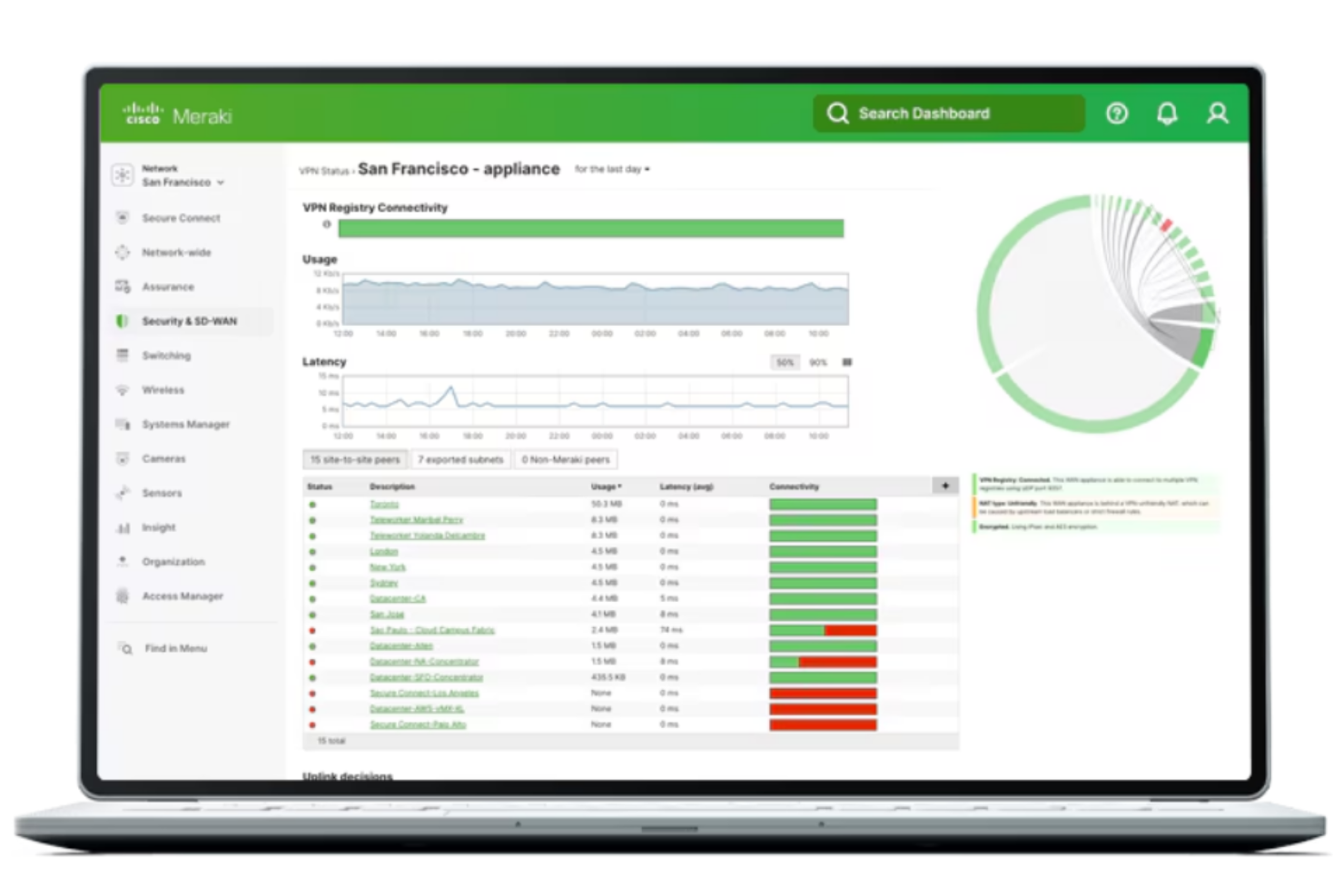
Cisco Meraki offers a commercial firewall and SD-WAN platform designed for organizations that want to manage network security and connectivity from a single cloud dashboard. It’s a strong fit for IT teams in distributed businesses or those supporting multiple branch locations. If you’re looking for a pfSense alternative with built-in automation and centralized oversight, Meraki addresses many of the challenges of scaling and securing complex networks.
Who Is Cisco Meraki Best For?
Cisco Meraki is a good fit for IT teams in multi-site organizations that need centralized, cloud-based network management.
Why Cisco Meraki Is a Good pfSense Alternative
What sets Cisco Meraki apart from open-source options like pfSense is its centralized cloud management, which lets you control all your network devices from a single dashboard. I picked Meraki because it allows you to push configuration changes, monitor security events, and troubleshoot issues across multiple sites without needing to manage each device individually. The platform also supports automated firmware updates and policy enforcement, reducing manual overhead for IT teams. If you want a pfSense alternative that simplifies oversight and scales easily as your network grows, Meraki’s cloud-first approach is a strong fit.
Cisco Meraki Key Features
Some other features worth noting for teams considering Cisco Meraki as a pfSense alternative:
- Layer 7 Application Visibility: Lets you identify and control traffic by application, user, or device for granular policy enforcement.
- Integrated Threat Intelligence: Uses Cisco’s global threat database to block malicious sites and detect emerging threats in real time.
- Site-to-Site VPN Automation: Automatically establishes secure VPN tunnels between locations with minimal manual configuration.
- Role-Based Administration: Allows you to assign different access levels and permissions to IT staff for secure, delegated management.
Cisco Meraki Integrations
Native integrations are not currently listed.
Pros and Cons
Pros:
- Built-in IPS detects threats
- Layer 7 visibility monitors traffic
- Automated updates reduce maintenance
Cons:
- Advanced features require Meraki hardware
- Subscription pricing higher than pfSense

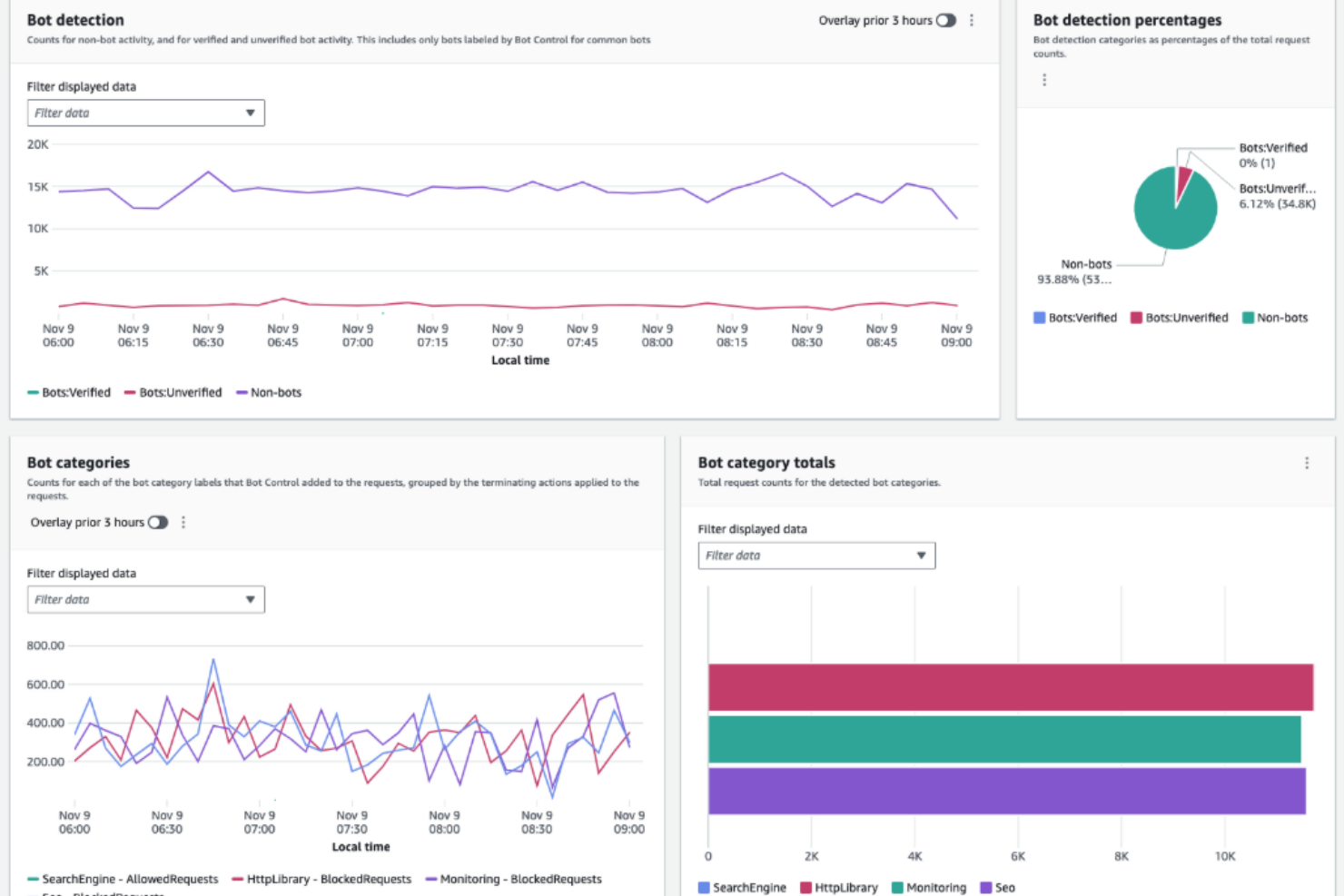
AWS WAF is a managed web application firewall designed for teams running workloads on AWS or hybrid cloud environments. It appeals to IT specialists who need granular, programmable filtering for HTTP and HTTPS traffic without managing hardware or open-source stacks. If you want to protect web applications from common exploits and automate rule deployment at scale, AWS WAF addresses these needs directly.
Who Is AWS WAF Best For?
AWS WAF is a good fit for cloud-focused IT teams that need scalable, programmable web application protection within AWS environments.
Why AWS WAF Is a Good pfSense Alternative
Unlike pfSense, AWS WAF is built for teams that need to filter and protect web applications at scale across cloud environments. I picked AWS WAF because it lets you define and deploy custom rules globally, so you can respond to new threats without touching physical appliances. Its managed infrastructure automatically scales with your traffic, which is especially useful for organizations with fluctuating or unpredictable workloads. If you want a firewall solution that’s tightly integrated with AWS services and designed for high-traffic web applications, AWS WAF is a strong alternative.
AWS WAF Key Features
Some other AWS WAF features worth noting for teams considering it as a pfSense alternative:
- Managed Rule Groups: Access pre-configured rule sets maintained by AWS and trusted security vendors to address common threats.
- Bot Control: Detect and manage traffic from bots using advanced detection techniques and customizable responses.
- Real-Time Metrics and Logging: Monitor web traffic and rule matches with detailed CloudWatch metrics and full request logging.
- IP Reputation Lists: Block or allow traffic based on IP reputation data to help prevent unwanted or malicious requests.
AWS WAF Integrations
Integrations include Amazon CloudFront, AWS Application Load Balancer, AWS API Gateway, AWS App Runner, AWS Lambda, Amazon Route 53, and more.
Pros and Cons
Pros:
- Managed rules provide threat protection
- Native integration with AWS services
- Scales automatically for high traffic
Cons:
- Costs rise with high request volumes
- Protects only AWS-hosted resources

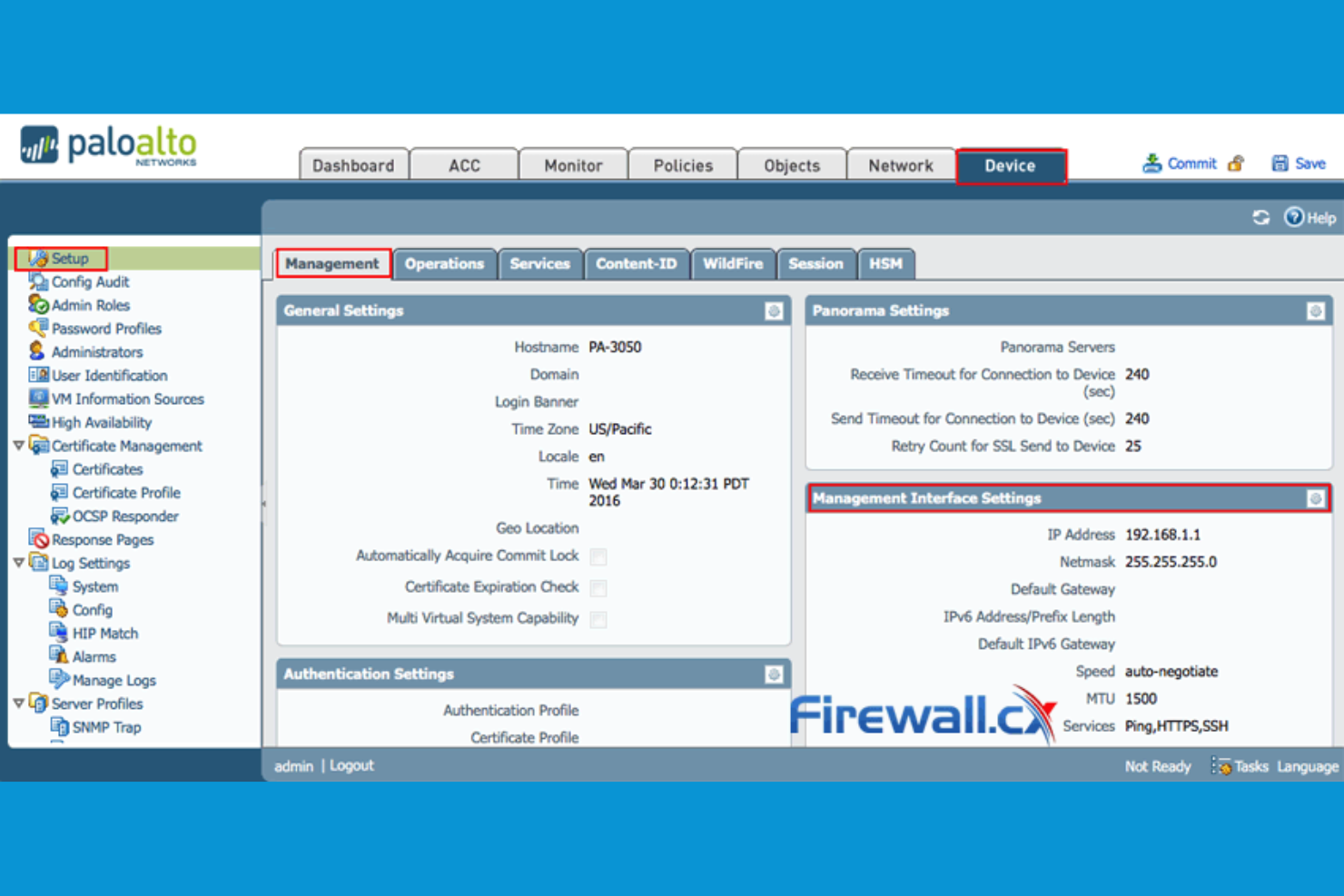
Palo Alto Networks offers a commercial firewall platform designed for organizations that need advanced network visibility and control. It’s a strong choice for IT teams in regulated industries or enterprises with complex application environments. If you’re looking for deeper inspection and policy enforcement than most open-source firewall tools provide, Palo Alto Networks is worth considering.
Who Is Palo Alto Networks Best For?
Palo Alto Networks is a good fit for large enterprises and organizations in regulated industries that require granular application-level security controls.
Why Palo Alto Networks Is a Good pfSense Alternative
When you need application-aware security that goes beyond traditional firewall rules, Palo Alto Networks stands out as a strong alternative to pfSense. I picked Palo Alto Networks because its firewalls can identify, control, and inspect traffic based on specific applications, not just ports or protocols. This level of visibility helps IT teams enforce policies for cloud apps, encrypted traffic, and evasive threats that open-source solutions often miss. For organizations that need to manage risk at the application layer, Palo Alto Networks’ deep inspection and policy controls offer a significant advantage.
Palo Alto Networks Key Features
Some other features I also found valuable for teams comparing firewall solutions include:
- Threat Prevention: Blocks known malware, exploits, and command-and-control traffic using real-time threat intelligence.
- User-ID Technology: Maps network activity to individual users for more precise policy enforcement and auditing.
- GlobalProtect VPN: Provides secure remote access for users with integrated endpoint security checks.
- Centralized Management: Lets you manage multiple firewalls and security policies from a single, unified interface.
Palo Alto Networks Integrations
Native integrations are not currently listed.
Pros and Cons
Pros:
- Automated response through security orchestration
- Integrated threat intelligence
- Application-level traffic identification
Cons:
- Higher cost than most open-source firewalls
- No open-source code or community plugins

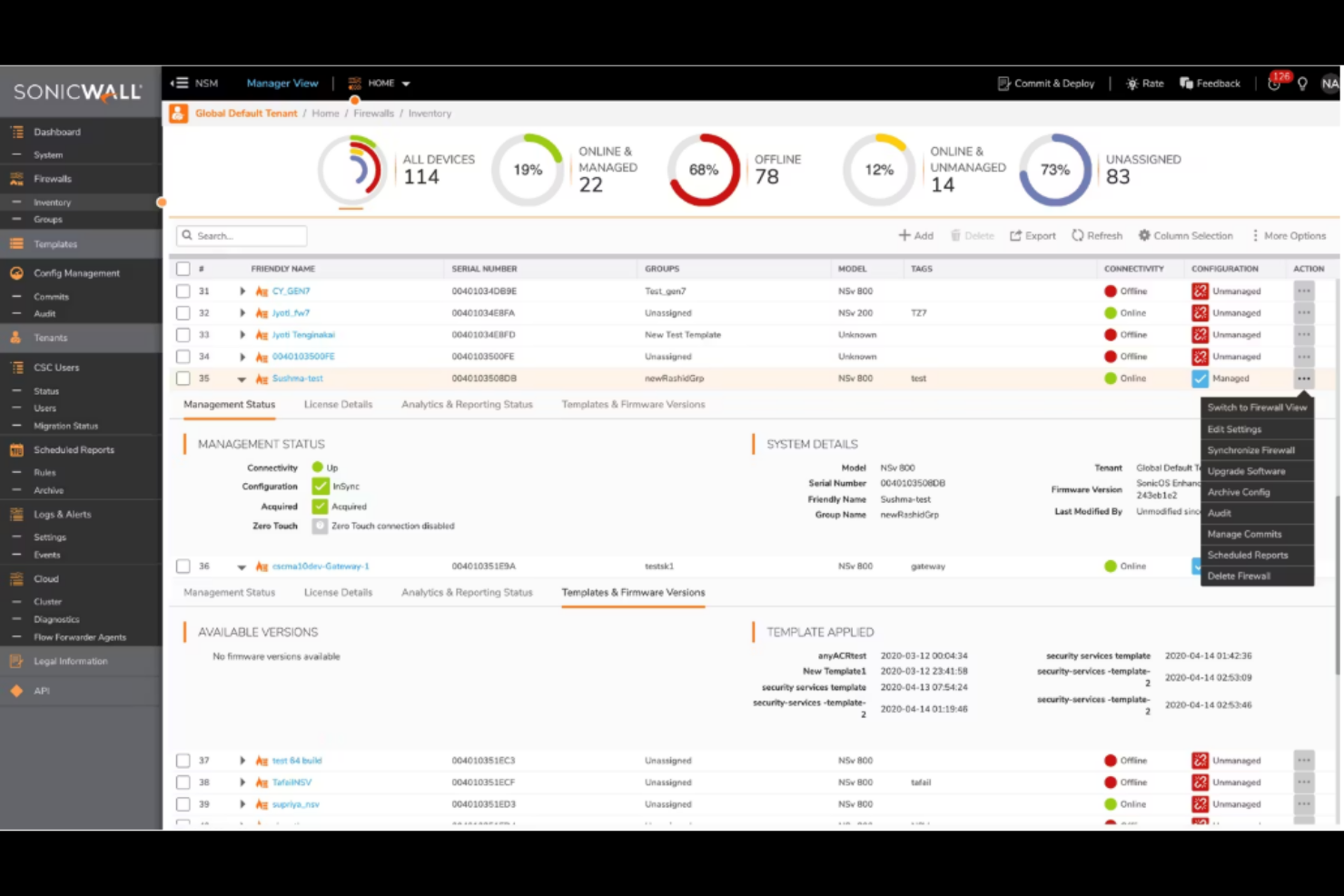
SonicWall offers a suite of hardware and virtual firewalls designed for organizations that need advanced network security beyond what most open-source solutions provide. It appeals to IT teams in mid-sized businesses and enterprises that require centralized management and strong threat prevention. If you’re looking for a pfSense alternative with enterprise-grade features and dedicated support, SonicWall addresses those needs directly.
Who Is SonicWall Best For?
SonicWall is a strong fit for IT teams in mid-sized to large organizations that need centralized, enterprise-grade network security management.
Why SonicWall Is a Good pfSense Alternative
When I’m looking for a pfSense alternative that excels at deep packet inspection, SonicWall stands out for its advanced threat detection capabilities. Its firewalls use real-time traffic analysis to identify and block sophisticated attacks that can slip past traditional filtering. I also appreciate the built-in intrusion prevention and application control features, which let you enforce granular security policies across your network. For teams that need more than basic packet filtering, SonicWall’s focus on deep inspection and threat intelligence makes it a compelling choice.
SonicWall Key Features
Some other SonicWall features that are worth noting include:
- Centralized Management Console: Manage multiple firewalls and security appliances from a single, unified dashboard.
- SSL/TLS Decryption: Inspect encrypted traffic to detect threats hidden within SSL/TLS sessions.
- Content Filtering Service: Block access to unwanted or harmful websites using customizable filtering policies.
- High Availability Support: Deploy active/passive or active/active failover configurations to minimize downtime and maintain network continuity.
SonicWall Integrations
Native integrations are not currently listed.
Pros and Cons
Pros:
- Regular firmware updates patch vulnerabilities
- SSL/TLS decryption inspects traffic
- Centralized console manages multiple sites
Cons:
- Config changes may require device reboot
- Advanced security requires subscription fees

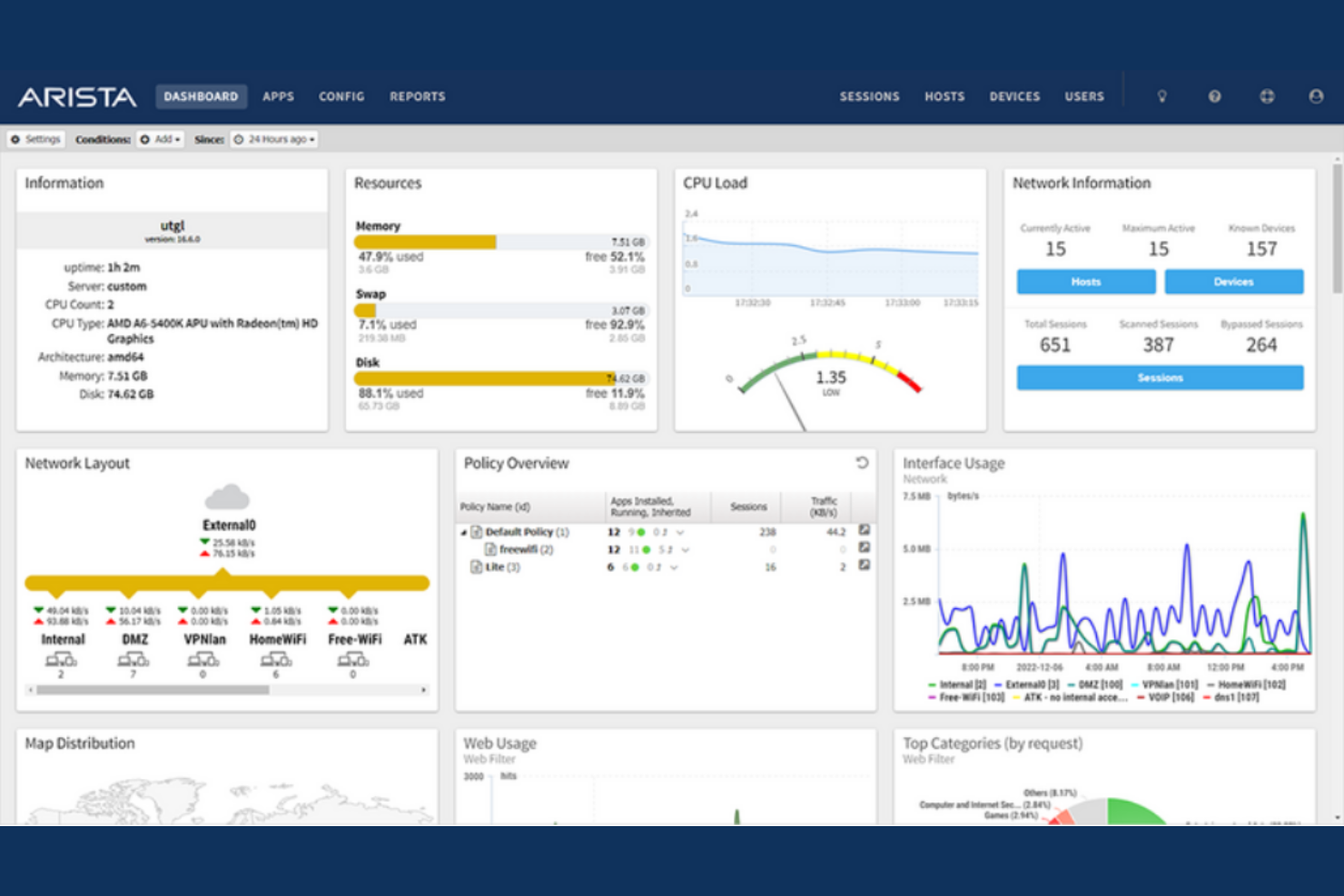
Arista offers network operating systems and hardware designed for organizations managing large-scale, distributed, or hybrid cloud environments. It appeals to IT teams in enterprises and service providers who need advanced programmability, automation, and integration with public cloud platforms. If you’re seeking a pfSense alternative that supports complex, multi-cloud networking and automation, Arista provides a feature set tailored to these needs. Arista also offers Arista NG Firewall, formerly known as Untangle, following its acquisition and rebranding of the Untangle software platform. This firewall solution brings unified threat management and network security features to organizations that need flexible protection across cloud and on-premise environments.
Who Is Arista Best For?
Arista is a good fit for enterprise IT teams and service providers managing complex, multi-cloud or hybrid cloud network infrastructures.
Why Arista Is a Good pfSense Alternative
When you need deep cloud networking integration, Arista stands out as a strong pfSense alternative. I picked Arista because its EOS platform is built for smooth interoperability with major public cloud providers, supporting hybrid and multi-cloud deployments. Features like CloudVision give you centralized network visibility and automation across on-premises and cloud environments. For IT teams prioritizing cloud-native workflows and large-scale programmability, Arista offers capabilities that go far beyond traditional open-source firewall and router solutions.
Arista Key Features
Some other features that set Arista apart for firewall and routing use cases include:
- Advanced Layer 2/3 Switching: Delivers high-performance packet forwarding and granular traffic segmentation for complex enterprise networks.
- Extensive Access Control Lists (ACLs): Enable detailed traffic filtering and policy enforcement at both the port and protocol level.
- VXLAN Support: Facilitates scalable network virtualization and segmentation across data centers and cloud environments.
- Integrated Telemetry and Analytics: Provides real-time network monitoring and diagnostics through built-in telemetry tools.
Arista Integrations
Native integrations are not currently listed.
Pros and Cons
Pros:
- VXLAN support for large segmentation
- Integrated firewall on switching hardware
- EOS automation supports programmability
Cons:
- Requires specialized networking expertise
- Hardware and licensing costs are higher

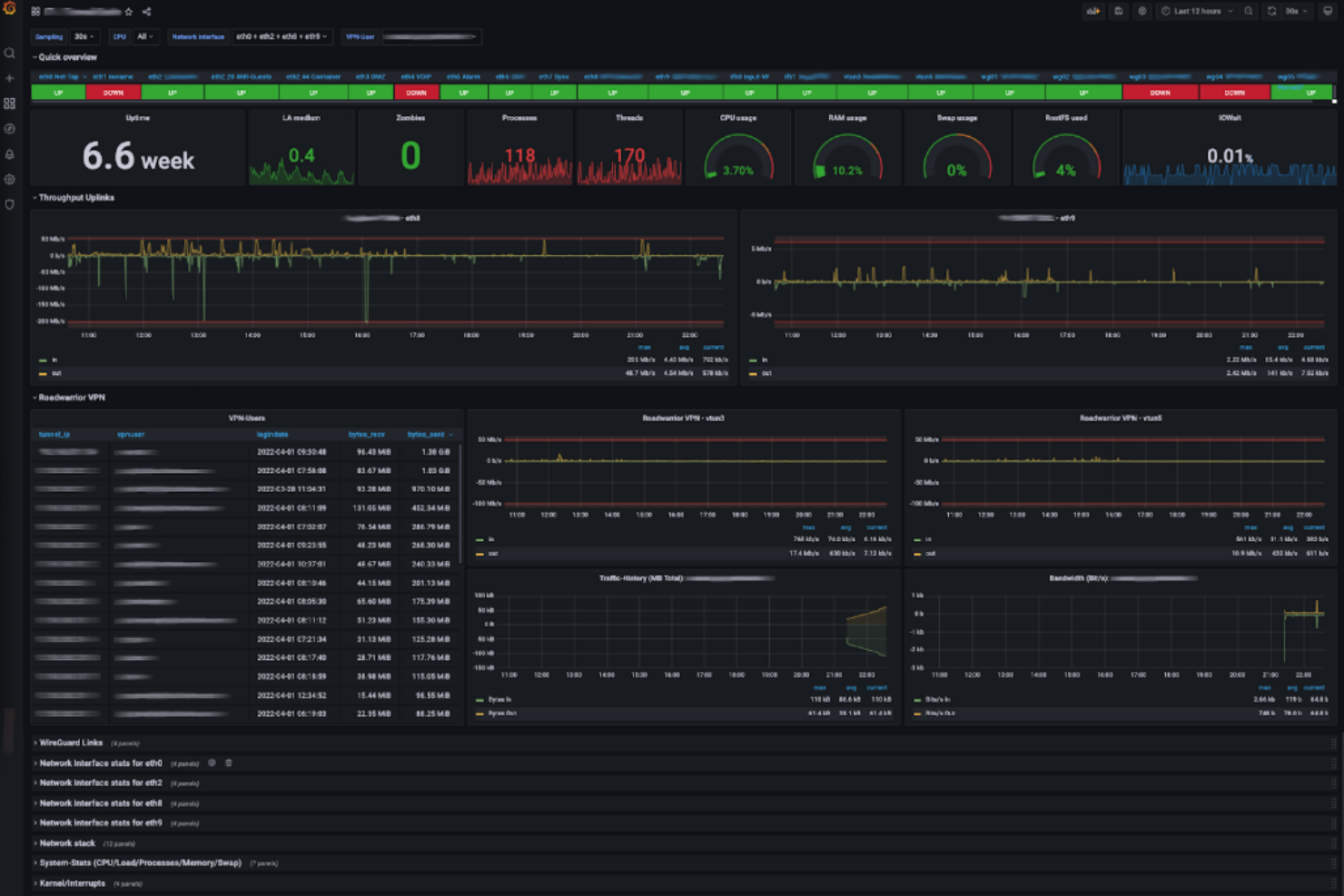
VyOS is a Linux-based open-source network operating system designed for professionals who need advanced routing, firewall, and VPN capabilities. It appeals to IT teams in service providers, data centers, and enterprises that require flexible, scriptable network management. VyOS stands out for its CLI-driven configuration and ability to run on a wide range of hardware and virtual platforms, making it a strong choice for complex, multi-site environments.
Who Is VyOS Best For?
VyOS is a strong fit for network engineers and IT teams in service providers, data centers, and large enterprises that need advanced, scriptable network automation.
Why VyOS Is a Good pfSense Alternative
I picked VyOS as a pfSense alternative because of its advanced network automation capabilities. VyOS offers a fully scriptable command-line interface, which lets you automate complex network configurations and deployments across multiple sites. Its support for configuration versioning and integration with automation tools like Ansible makes it especially appealing for teams managing large or dynamic environments. If you need open-source firewall and router software that fits into automated workflows, VyOS is a strong choice.
VyOS Key Features
Some other features that set VyOS apart include:
- Zone-based firewall: Define granular security policies using zones to segment and control network traffic.
- Dynamic routing protocols: Support for OSPF, BGP, RIP, and more for complex routing scenarios.
- IPsec and OpenVPN support: Built-in VPN capabilities for secure site-to-site and remote access connections.
- Extensive hardware and virtualization compatibility: Deploy VyOS on physical servers, virtual machines, or cloud platforms like AWS and Azure.
VyOS Integrations
Native integrations are not currently listed.
Pros and Cons
Pros:
- Runs on virtual and physical hardware
- Rolling releases deliver frequent features
- Supports advanced routing protocols
Cons:
- Documentation fragmented with few examples
- Commercial support requires paid subscription

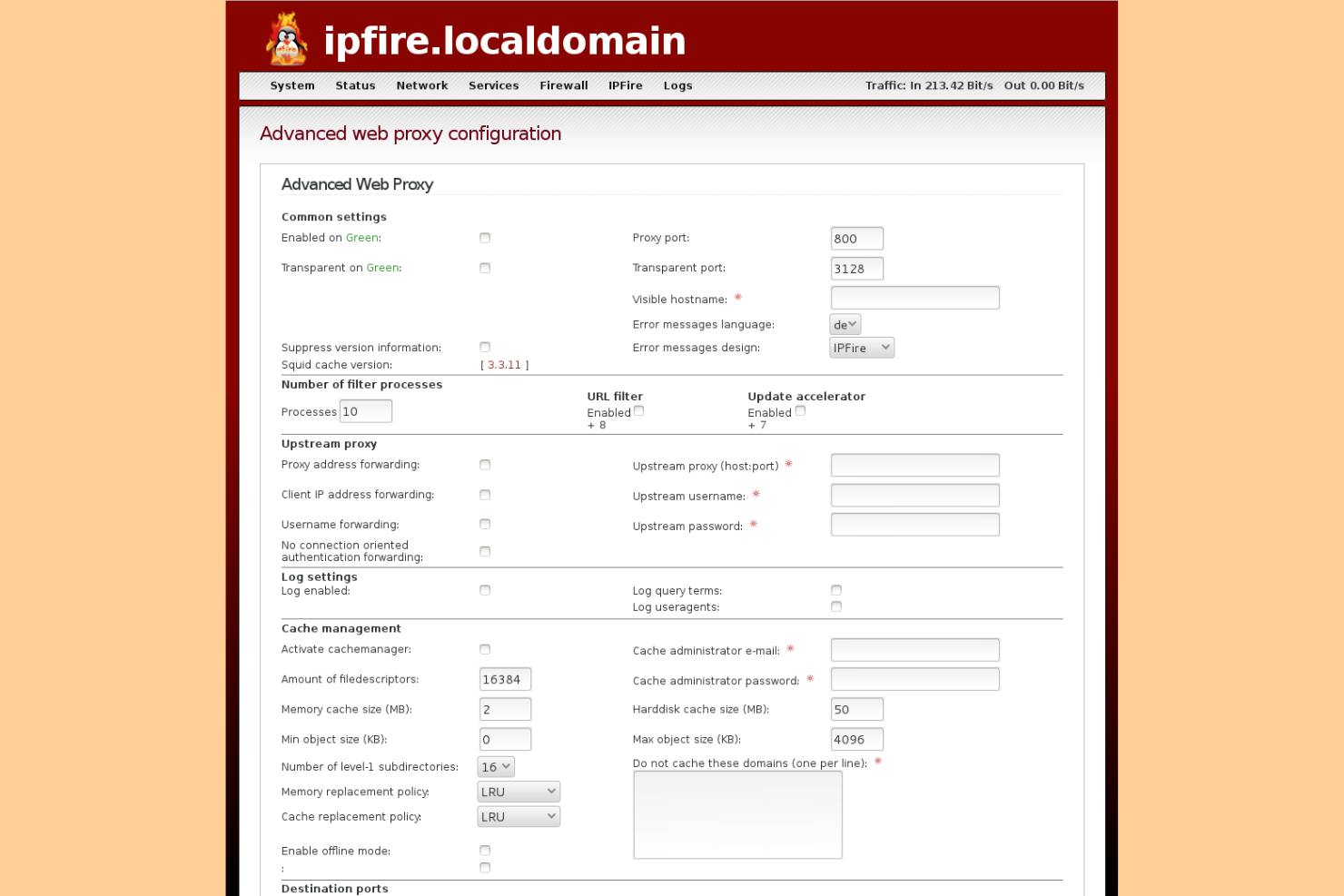
IPFire is an open-source firewall and router platform designed for IT teams who want flexibility in building secure network environments. It appeals to organizations that need granular control over network functions and prefer a system that can be tailored with a wide range of add-ons. If you’re looking for a customizable alternative to pfSense, IPFire offers a modular approach that supports diverse infrastructure needs.
Who Is IPFire Best For?
IPFire is a good fit for IT administrators in small to mid-sized organizations that need a customizable, open-source firewall with modular add-on support.
Why IPFire Is a Good pfSense Alternative
What sets IPFire apart from other open-source firewall solutions is its modular add-on capabilities. I picked IPFire because it lets you extend core firewall and routing functions with a wide range of installable add-ons, so you can tailor the system to your network’s needs. Features like the Pakfire package manager and support for specialized modules—such as intrusion detection, proxy, and VPN—make it easy to build a custom security stack. This flexibility is especially valuable for teams that want to adapt their firewall to evolving infrastructure requirements.
IPFire Key Features
Some other features that make IPFire appealing for open-source firewall deployments include:
- GeoIP Blocking: Lets you restrict or allow traffic based on geographic location for added security control.
- Advanced QoS Management: Enables you to prioritize network traffic and manage bandwidth allocation across different services.
- Thorough Logging and Monitoring: Provides detailed logs and real-time monitoring tools to help you track network activity and troubleshoot issues.
- Multi-WAN Support: Allows you to configure multiple internet connections for load balancing and failover.
IPFire Integrations
Native integrations are not currently listed.
Pros and Cons
Pros:
- Active open-source community and documentation
- GeoIP blocking for country-based filtering
- Modular add-ons expand core firewall functions
Cons:
- No built-in high availability clustering
- Fewer reporting and analytics tools than pfSense

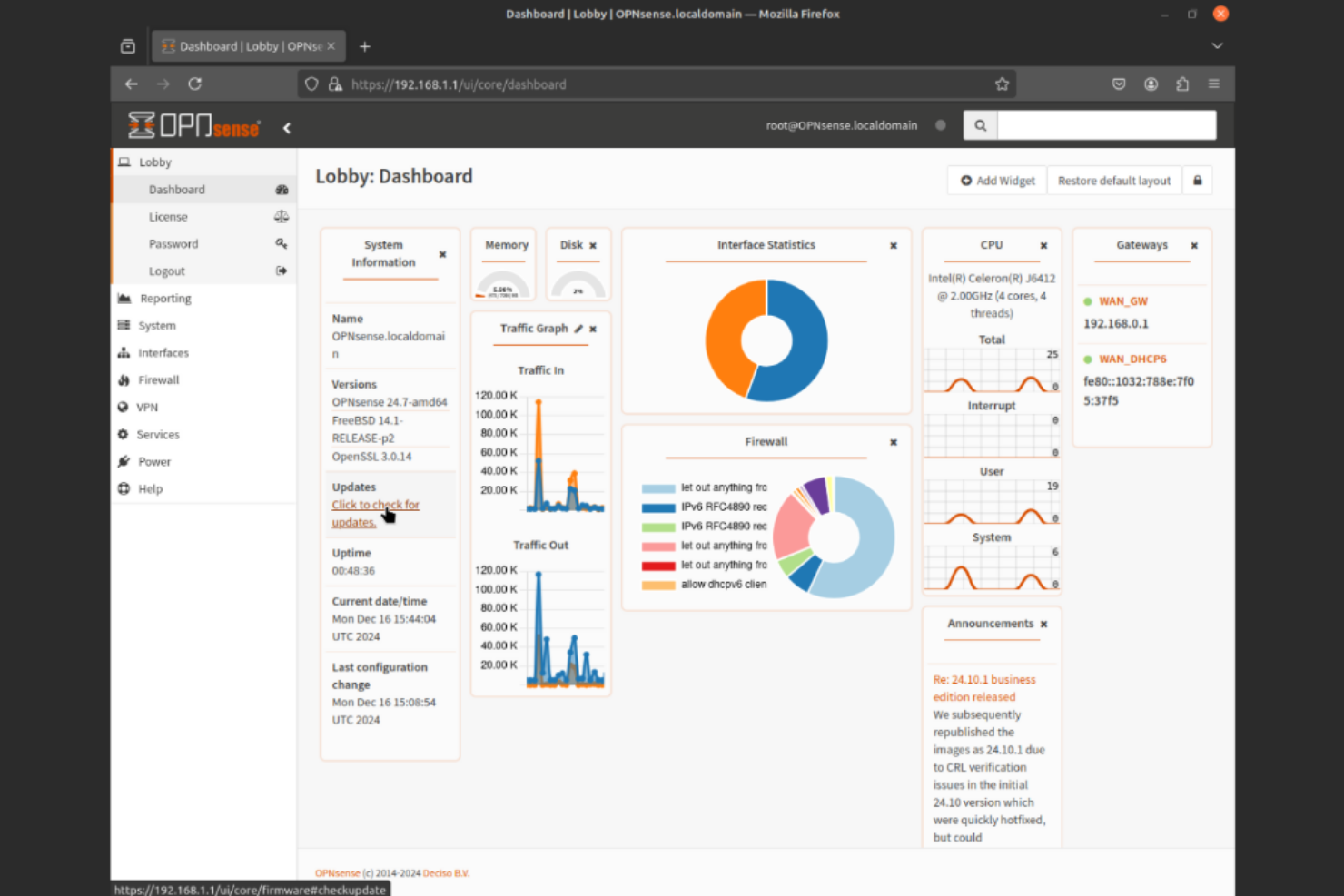
OPNsense is an open-source firewall and routing platform designed for IT teams who need advanced security and network management. It stands out for its modern, user-friendly interface and modular plugin system, making it easy to tailor to complex environments. Organizations looking for a transparent, community-driven alternative to pfSense often turn to OPNsense for its flexibility and active development. It can also be used to secure a home network while still offering enterprise-grade capabilities.
Who Is OPNsense Best For?
OPNsense is a strong choice for IT administrators in midsize businesses and enterprises that require customizable, open-source network security solutions.
Why OPNsense Is a Good pfSense Alternative
One reason I picked OPNsense as a pfSense alternative is its commitment to frequent security updates. The project maintains a regular release schedule, ensuring that vulnerabilities are patched quickly and new threats are addressed as they emerge. OPNsense also offers a built-in intrusion detection and prevention system (IDS/IPS) that benefits from these timely updates. For IT teams prioritizing up-to-date protection in their open-source firewall and router software, OPNsense stands out as a reliable option.
OPNsense Key Features
Some other features I found useful in OPNsense include:
- Traffic Shaping: Manage bandwidth allocation and prioritize network traffic using flexible traffic shaping rules.
- Two-Factor Authentication: Add an extra layer of security for user logins with built-in two-factor authentication support.
- High Availability (CARP): Ensure network uptime by configuring failover between multiple OPNsense devices.
- VPN Support: Set up secure remote access with integrated support for OpenVPN, IPsec, and WireGuard protocols.
OPNsense Integrations
Native integrations are not currently listed.
Pros and Cons
Pros:
- High availability with CARP failover
- Suricata IDS/IPS detects threats
- Frequent updates add features and patches
Cons:
- Smaller community than pfSense
- Documentation fragmented across forums

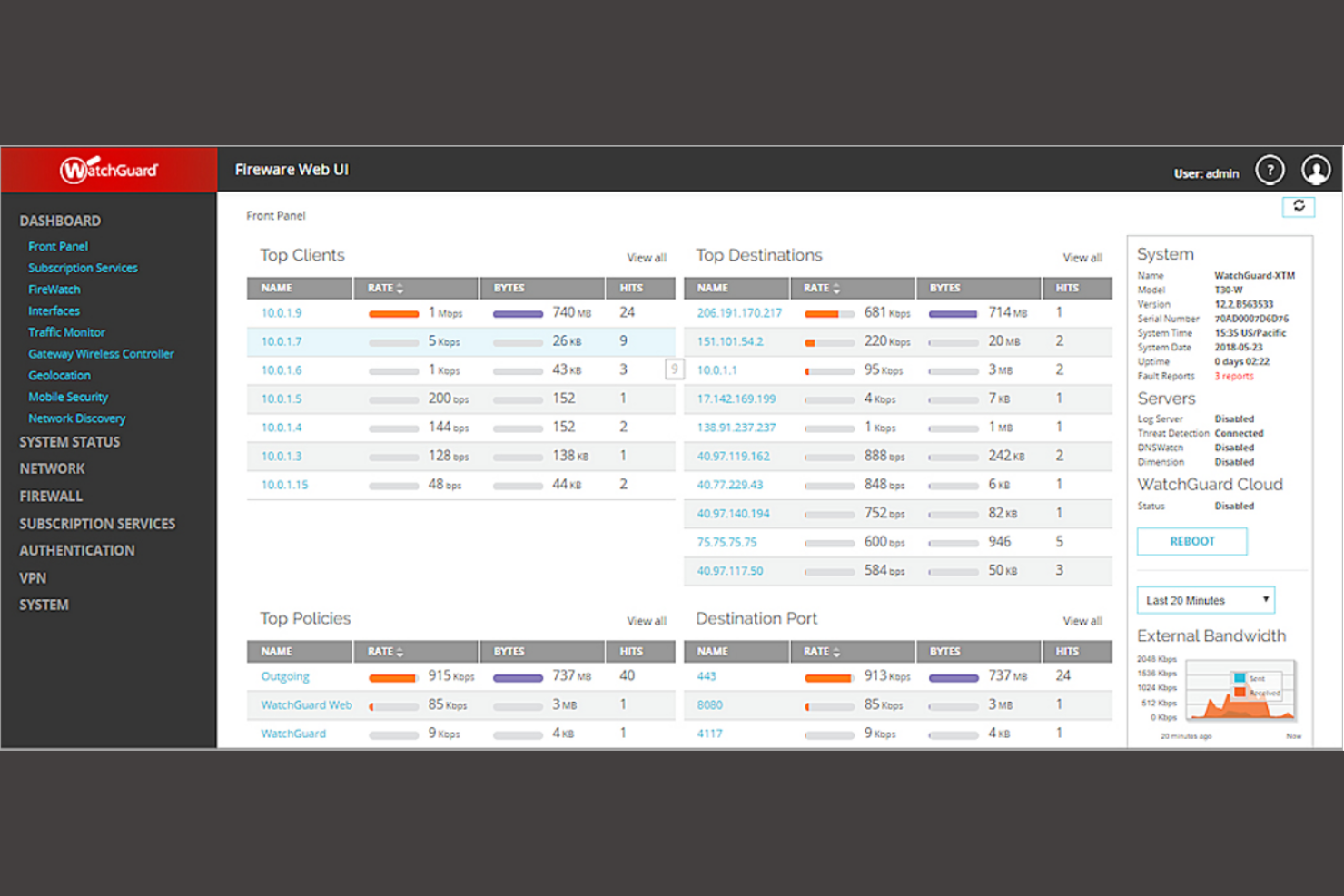
WatchGuard SD-WAN is a commercial network security solution designed for organizations that need more advanced WAN management than most open-source firewall tools provide. It appeals to IT teams in distributed businesses or branch-heavy environments looking for centralized control and automated traffic routing. If you’re seeking a pfSense alternative with built-in SD-WAN capabilities, WatchGuard SD-WAN addresses complex connectivity and reliability challenges.
Who Is WatchGuard SD-WAN Best For?
WatchGuard SD-WAN is a good fit for IT teams in multi-site businesses or organizations that require centralized WAN management and automated traffic optimization.
Why WatchGuard SD-WAN Is a Good pfSense Alternative
When you need dynamic WAN path selection, WatchGuard SD-WAN stands out from open-source firewall options like pfSense. I picked it because it automatically monitors WAN link performance and reroutes traffic in real time to maintain optimal connectivity. The solution also lets you set granular policies for application-based routing, which is valuable for organizations with multiple internet connections or branch locations. These advanced SD-WAN features make WatchGuard a strong choice if you’re looking for more intelligent WAN management than pfSense typically offers.
WatchGuard SD-WAN Key Features
Some other features worth noting for teams comparing firewall and router solutions:
- Unified Threat Management: Combines firewall, intrusion prevention, antivirus, and web filtering in a single platform.
- Cloud-Based Management: Lets you configure, monitor, and update devices remotely through a centralized cloud console.
- Zero-Touch Deployment: Allows new appliances to be set up and configured automatically without on-site IT intervention.
- Multi-Factor Authentication Integration: Supports MFA for secure access to network resources and administrative interfaces.
WatchGuard SD-WAN Integrations
Native integrations are not currently listed.
Pros and Cons
Pros:
- Application-aware routing controls traffic
- Multi-WAN enables redundancy and aggregation
- Built-in threat detection improves security
Cons:
- Advanced features need WatchGuard appliances
- Hardware requirements limit deployment flexibility

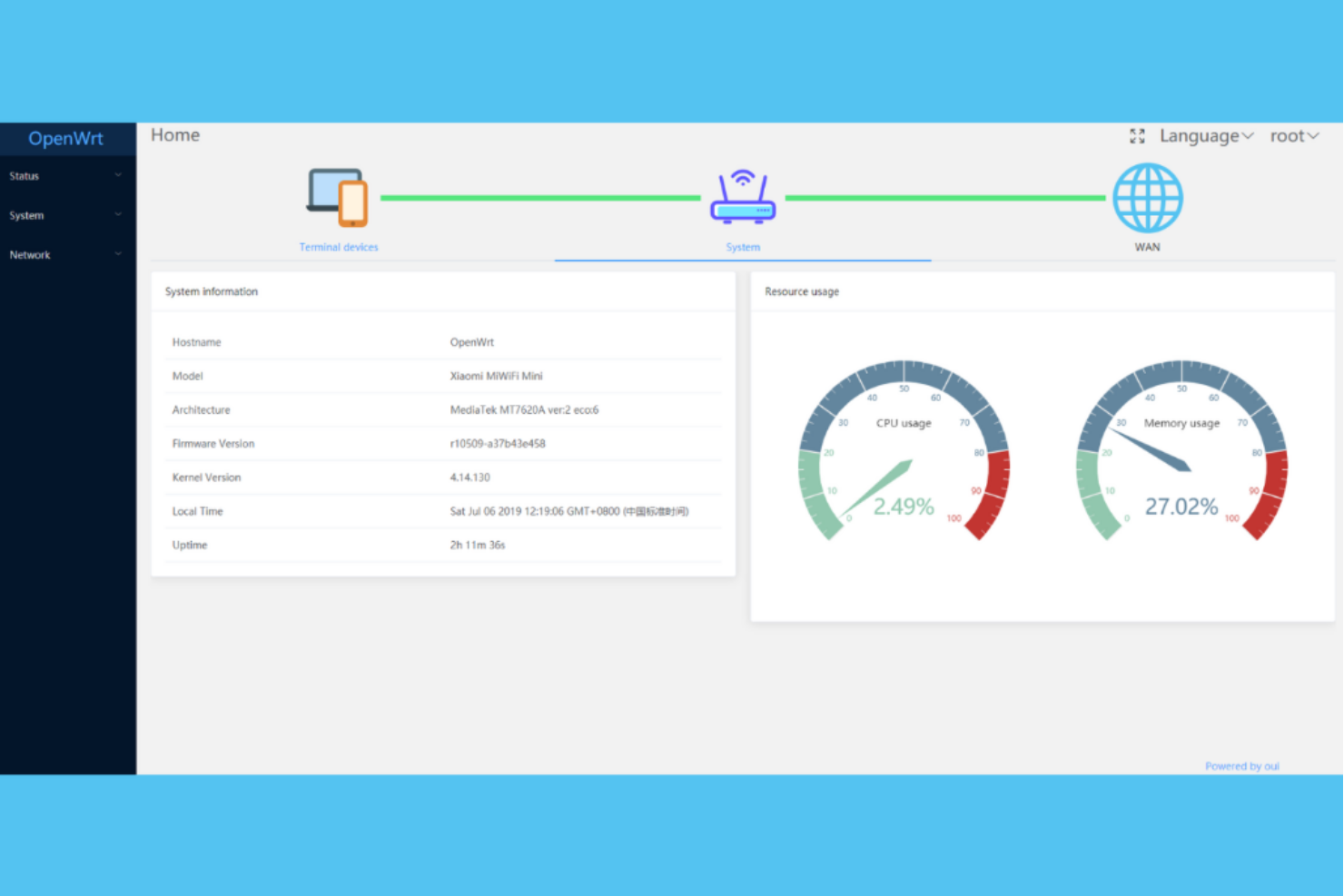
OpenWrt is an open-source Linux-based operating system built for networking devices and routers. It appeals to IT professionals and network enthusiasts who want deep customization and control over their network infrastructure. If you need a flexible platform that supports a wide range of hardware and advanced networking features, OpenWrt offers options that go beyond most standard router firmware.
Who Is OpenWrt Best For?
OpenWrt is a strong fit for network administrators and IT teams in organizations that need extensive hardware support and advanced customization for routers and embedded devices.
Why OpenWrt Is a Good pfSense Alternative
When hardware compatibility is a top priority, OpenWrt stands out as a strong pfSense alternative. I picked OpenWrt because it supports an exceptionally wide range of routers and embedded devices, making it easy to repurpose existing hardware or deploy on specialized equipment. Its modular package system lets you tailor features to your device’s capabilities, so you’re not limited by default configurations. For teams managing diverse or legacy hardware, OpenWrt’s flexibility and broad device support are hard to match.
OpenWrt Key Features
Some other features that make OpenWrt a strong choice for open-source firewall and router software include:
- Extensive package repository: Access thousands of installable packages to add advanced networking, security, and monitoring capabilities.
- Custom firewall configuration: Use iptables and nftables for granular firewall rule management and traffic filtering.
- QoS and traffic shaping: Manage bandwidth allocation and prioritize network traffic with built-in quality of service tools.
- Active community support: Get help, updates, and new features from a large, engaged open-source community.
OpenWrt Integrations
Native integrations are not currently listed.
Pros and Cons
Pros:
- Built-in QoS and traffic shaping
- LuCI interface supports remote configuration
- Package manager installs network tools
Cons:
- Firmware upgrades need manual intervention
- Some VPN clients require manual setup
Other pfSense Alternatives
Here are some additional pfSense alternative options that didn’t make it onto my shortlist, but are still worth checking out:
- Shorewall
For flexible firewall policy design
- GlassWire
For real-time network visualization
- ManageEngine Firewall Analyzer
For multi-vendor firewall log analysis
- Cisco Secure Firewall
With advanced threat intelligence integration
- Proxmox
With integrated virtualization firewall management
- Fortinet Next Generation Firewall (NGFW)
For deep packet inspection capabilities
- ZeroTrusted.ai
For automated zero trust policy enforcement
- ClearOS
For simplified web-based administration
- Endian
For unified network security management
- Debian
For customizable firewall configurations


pfSense Alternative Selection Criteria
When selecting the best pfSense alternative to include in this list, I considered common buyer needs and pain points related to open-source firewall and router software products, like needing granular network control and support for modular add-ons. I also used the following framework to keep my evaluation structured and fair:
Core Functionality (25% of total score)
To be considered for inclusion in this list, each solution had to fulfill these common use cases:
- Secure network perimeter with firewall rules
- Route traffic between multiple networks
- Support VPN connections for remote access
- Provide intrusion detection and prevention
- Offer logging and monitoring of network activity
Additional Standout Features (25% of total score)
To help further narrow down the competition, I also looked for unique features, such as:
- Modular add-on or plugin architecture
- GeoIP-based filtering and blocking
- Multi-WAN failover and load balancing
- Advanced traffic shaping and QoS
- Integration with external authentication systems
Usability (10% of total score)
To get a sense of the usability of each system, I considered the following:
- Intuitive web-based management interface
- Logical organization of settings and menus
- Clear documentation and tooltips
- Responsive interface performance
- Accessibility for both new and advanced users
Onboarding (10% of total score)
To evaluate the onboarding experience for each platform, I considered the following:
- Step-by-step setup wizards or guides
- Availability of training videos and tutorials
- Access to pre-configured templates
- Interactive product tours or demos
- Community forums and knowledge base resources
Customer Support (10% of total score)
To assess each software provider’s customer support services, I considered the following:
- Availability of support channels (email, chat, phone)
- Responsiveness to technical issues
- Access to community support and forums
- Quality of documentation and FAQs
- Availability of paid support options
Value For Money (10% of total score)
To evaluate the value for money of each platform, I considered the following:
- Transparent and predictable pricing structure
- Free or open-source licensing options
- Cost of add-ons or premium features
- Flexibility for different organization sizes
- Comparison to similar tools in the market
Customer Reviews (10% of total score)
To get a sense of overall customer satisfaction, I considered the following when reading customer reviews:
- Reports of reliability and uptime
- Feedback on feature completeness
- Comments on ease of configuration
- Experiences with customer support
- Overall satisfaction and likelihood to recommend
Why Look For a pfSense Alternative?
While pfSense is a good choice of open-source firewall software and router software, there are a number of reasons why some users seek out alternative solutions. You might be looking for a pfSense alternative because…
- You need more modular add-on capabilities
- You want a different approach to VPN support
- You require better hardware compatibility
- You prefer a more modern web interface
- You need advanced reporting or analytics tools
- You want commercial support options outside the U.S.
If any of these sound like you, you’ve come to the right place. My list contains several open-source firewall and router software options that are better suited for teams facing these challenges with pfSense and looking for alternative solutions.
pfSense Key Features
Here are some of the key features of pfSense, to help you contrast and compare what alternative solutions offer:
- Stateful packet inspection firewall
- Built-in VPN support for IPsec and OpenVPN
- Traffic shaping and bandwidth management
- High availability and failover clustering
- Captive portal for guest network access
- Dynamic DNS and DHCP server capabilities
- Intrusion detection and prevention system (IDS/IPS)
- Flexible NAT and port forwarding rules
- Web-based configuration interface
- Extensive logging and real-time monitoring
What’s Next:
If you're in the process of researching a pfSense alternative, connect with a SoftwareSelect advisor for free recommendations.
You fill out a form and have a quick chat where they get into the specifics of your needs. Then you'll get a shortlist of software to review. They'll even support you through the entire buying process, including price negotiations.