
10 Best Help Scout Alternatives for 2026

Help Scout Alternatives Shortlist
Here’s my shortlist of Help Scout alternatives:


A strong Help Scout alternative offers reliable ticket management, multichannel support, and collaboration features that fit your team’s workflow. If you’re searching for Help Scout alternatives, you’re likely looking for tools that match or exceed its capabilities—whether you need better automation, deeper integrations, or more flexible pricing. With so many options available, it’s important to compare each platform’s strengths and limitations before making a switch. This list will help you quickly evaluate the top alternatives, so you can find the right customer support solution for your business in 2026.
What Is Help Scout?
Help Scout is a customer support platform designed for managing email, live chat, and knowledge base interactions in one place. It helps support teams organize conversations, assign tickets, and collaborate efficiently. Help Scout is known for its shared inbox, automation tools, and integrations with popular business apps. Many businesses use Help Scout to streamline customer communication and maintain a consistent support experience across channels.
Best Help Scout Alternatives Summary
This comparison chart summarizes pricing details for my top Help Scout alternative selections to help you find the best one for your budget and business needs.
| Tool | Best For | Trial Info | Price | ||
|---|---|---|---|---|---|
| 1 | Best for ecommerce automation workflows | Free demo available | From $69/agent/month (billed annually) | Website | |
| 2 | Best for Shopify store support | 7-day free trial + free demo available | From $10/month | Website | |
| 3 | Best for conversational support automation | Free trial + free demo available | From $29/seat/month (billed annually) | Website | |
| 4 | Best for VoIP-centric support teams | Free demo available | From $23/user/month (billed annually) | Website | |
| 5 | Best for unified customer timelines | Free demo available | Pricing upon request | Website | |
| 6 | Best with integrated voice and messaging | 21-day free trial + free demo available | From £17.99/user/month (billed annually) | Website | |
| 7 | Best for customizable ticket management | Free trial + free demo available | From $7/user/month (billed annually) | Website | |
| 8 | Best for advanced CRM integration | Free plan + free demo available | From $25/user/month | Website | |
| 9 | Best for all-in-one marketing and support | Free plan + free demo available | From $20/seat/month (billed annually) | Website | |
| 10 | Best with cloud-based call center features | 7-day free trial available | From $30/license/month (billed annually) | Website |
Why Trust Our Software Reviews
-

Deel IT
Visit Website -
Rippling IT
Visit WebsiteThis is an aggregated rating for this tool including ratings from Crozdesk users and ratings from other sites.4.8 -
Cloudflare
Visit WebsiteThis is an aggregated rating for this tool including ratings from Crozdesk users and ratings from other sites.4.5



Help Scout Alternatives Reviews
Below are my detailed summaries of the best Help Scout alternatives that made it onto my shortlist. My reviews offer a detailed look at the features, integrations, and best use cases of each platform to help you find the best one for you.

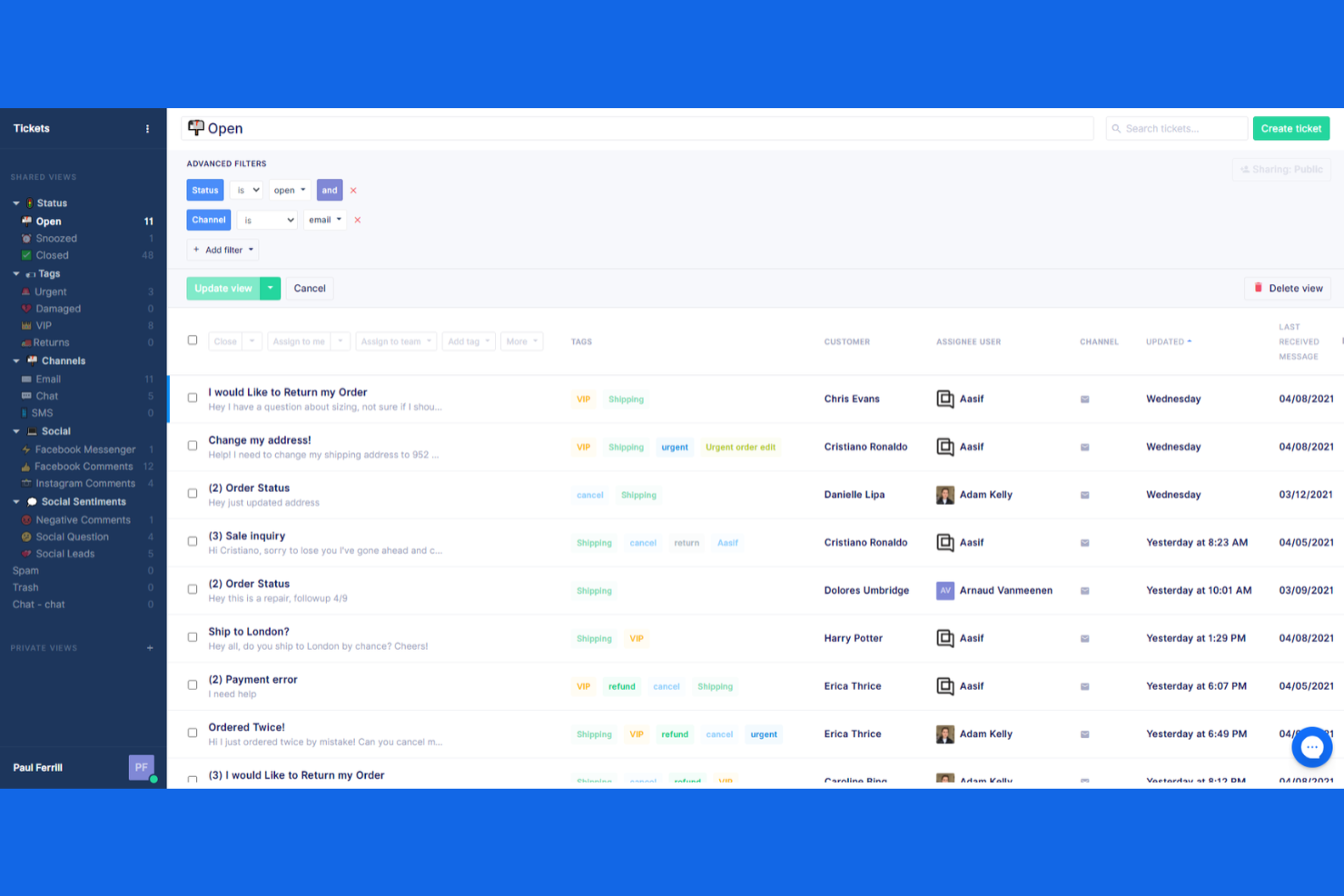
Ecommerce brands looking to automate and personalize their support workflows may want to consider Richpanel. This platform is designed for online stores that need to manage high volumes of customer inquiries across multiple channels. Unlike Help Scout, Richpanel offers self-service flows and deep ecommerce integrations that help teams resolve repetitive requests without agent involvement.
Why Richpanel Is a Good Help Scout Alternative
For ecommerce teams that want to automate repetitive support tasks, Richpanel offers specialized workflows that Help Scout doesn’t provide. I picked Richpanel because it lets you build self-service flows that handle common order-related questions, like tracking, returns, and cancellations, without agent intervention. The platform also connects directly to ecommerce platforms, so agents can view and manage order details right inside the helpdesk. If your business needs to reduce manual workload and speed up resolutions for online shoppers, Richpanel’s automation features are a strong fit.
Richpanel Key Features
Some other features in Richpanel that may interest ecommerce support teams include:
- Multi-Channel Inbox: Manage conversations from email, live chat, Facebook, Instagram, and WhatsApp in one place.
- Customer Timeline: View a chronological history of each customer’s interactions and orders.
- Agent Performance Analytics: Track agent response times, resolution rates, and customer satisfaction scores.
- Macros and Canned Responses: Create reusable replies for common questions to speed up agent workflows.
Richpanel Integrations
Integrations include Shopify, WooCommerce, Adobe Commerce, Amazon, Klaviyo, Smile.io, Recharge, HubSpot, Aircall, and AfterShip.
Pros and Cons
Pros:
- Clean and modern agent dashboard
- Reduces repetitive order inquiries
- Amazing self-service customer hubs
Cons:
- Fewer third-party app plugins
- Limited custom reporting features

Gorgias is purpose-built for ecommerce teams that run their stores on Shopify and want to centralize their customer support software. It’s especially useful for team members who need direct access to order data, refunds, and customer history without switching tabs. Unlike Help Scout, Gorgias connects deeply with Shopify, letting you resolve order-related questions and automate repetitive ecommerce tasks right from your helpdesk software.
Why Gorgias Is a Good Help Scout Alternative
If your business relies on Shopify, Gorgias offers a level of integration that Help Scout doesn’t match. I picked Gorgias because it lets support agents view, edit, and refund Shopify orders directly from the helpdesk, which streamlines ecommerce workflows with a gentle learning curve. The platform also uses ai features and automation to handle repetitive tasks like tagging tickets or sending order updates, freeing up your team for more complex issues. For Shopify store owners, Gorgias brings support and store management together in one place.
Gorgias Key Features
Some other features in Gorgias that may be useful for support teams include:
- Multi-Channel Ticket Management: Manage customer conversations from email, live chat, social media, and SMS in one unified ticketing system.
- Macros: Create and use pre-written responses to speed up replies to common questions.
- Customer Satisfaction Surveys: Collect feedback directly after support interactions to measure agent performance and overall customer experience.
- Custom Views: Organize tickets by tags, status, or channel to prioritize and segment your support workload.
Gorgias Integrations
Integrations include Shopify, Adobe Commerce, BigCommerce, WooCommerce, Facebook, Instagram, Aircall, Klaviyo, Postscript, and Recharge.
Pros and Cons
Pros:
- Excellent social media commenting
- Edit orders directly within chat
- View customer carts inside tickets
Cons:
- Terrible choice for SaaS or B2B
- Weak knowledge base builder tools

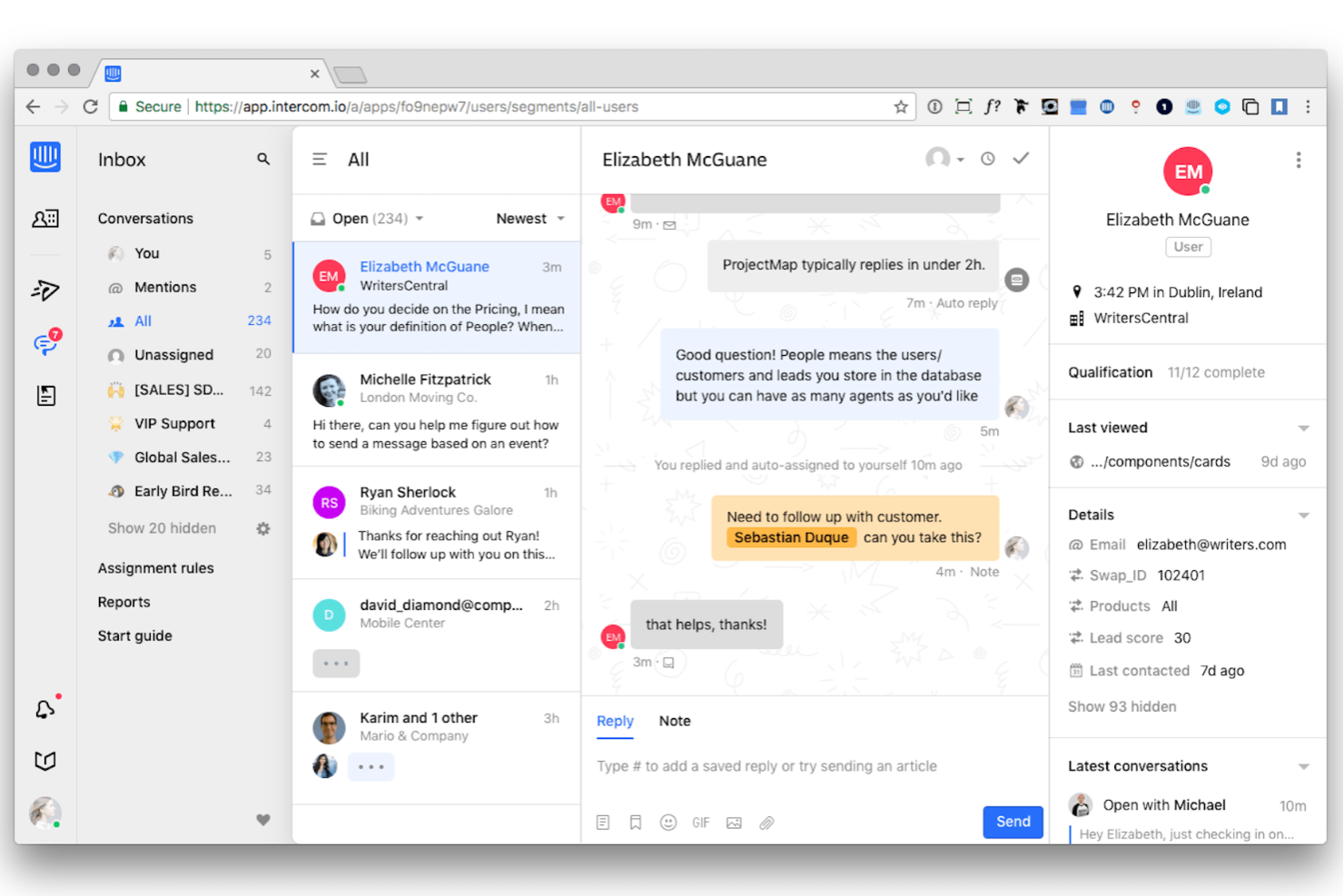
Intercom stands out for teams that want to automate and personalize customer conversations at scale. This platform is built for SaaS companies and digital businesses that need real-time chat, AI-powered bots, and proactive messaging to handle high volumes of support requests. Unlike Help Scout, Intercom focuses on conversational workflows and automation, making it a strong fit for businesses prioritizing instant, interactive support.
Why Intercom Is a Good Help Scout Alternative
For teams focused on automating customer conversations, Intercom offers a different approach than Help Scout. I picked Intercom because it combines live chat, AI-powered bots, and automated workflows to help you manage large volumes of support requests without sacrificing personalization. The platform’s proactive messaging tools let you reach out to users before they even submit a ticket, which is something Help Scout doesn’t emphasize. If your business needs to scale conversational support and automate repetitive interactions, Intercom is built for that purpose.
Intercom Key Features
Some other features in Intercom that may interest support teams include:
- Customizable Help Center: Build and manage a branded knowledge base for self-service support.
- Team Inbox: Route, assign, and collaborate on customer conversations in a shared workspace.
- Product Tours: Guide users through onboarding or new features with interactive walkthroughs.
- Outbound Email Campaigns: Send targeted messages and announcements directly from the platform.
Intercom Integrations
Integrations include Facebook, GitHub, Google Analytics, Google Calendar, HubSpot, Jira for Tickets, Mailchimp, Salesforce, Shopify, and Slack.
Pros and Cons
Pros:
- Great targeted onboarding campaigns
- Sleek and modern user interface
- Exceptional proactive messaging
Cons:
- Reporting lacks granular metrics
- Confusing and unpredictable pricing


If your support team relies heavily on phone-based communication, Nextiva brings advanced VoIP and unified communications into your customer service workflow. This platform is a strong fit for businesses that need integrated calling, messaging, and collaboration tools all in one place. Unlike Help Scout, Nextiva lets you manage calls, texts, and team chats alongside customer support tickets for a more connected support experience.
Why Nextiva Is a Good Help Scout Alternative
Unlike Help Scout, Nextiva is purpose-built for teams that need advanced VoIP capabilities at the core of their support operations. I picked Nextiva because it combines business phone service, SMS, and team chat in a single platform, making it easy to manage all customer conversations from one place. The call routing and auto-attendant features help ensure every caller reaches the right agent quickly. If your support workflow depends on voice communication, Nextiva offers a level of telephony integration that Help Scout doesn’t match.
Nextiva Key Features
Some other features in Nextiva that may interest support teams include:
- Call Recording: Record and store calls for quality assurance and training purposes.
- Voicemail to Email: Automatically send voicemail messages as audio files to your email inbox.
- Video Conferencing: Host video meetings directly from the platform for team or customer interactions.
- Contact Management: Organize and access customer contact details within the same interface as your communications tools.
Nextiva Integrations
Integrations include Zendesk, Salesforce, HubSpot, Microsoft Teams, Google Workspace, Rippling, ConnectWise, Zoho CRM, and NetSuite.
Pros and Cons
Pros:
- Very responsive customer service
- Built-in sales and service CRM
- Excellent automated call routing
Cons:
- Lacks deep eCommerce integrations
- Mobile app can sometimes be glitchy

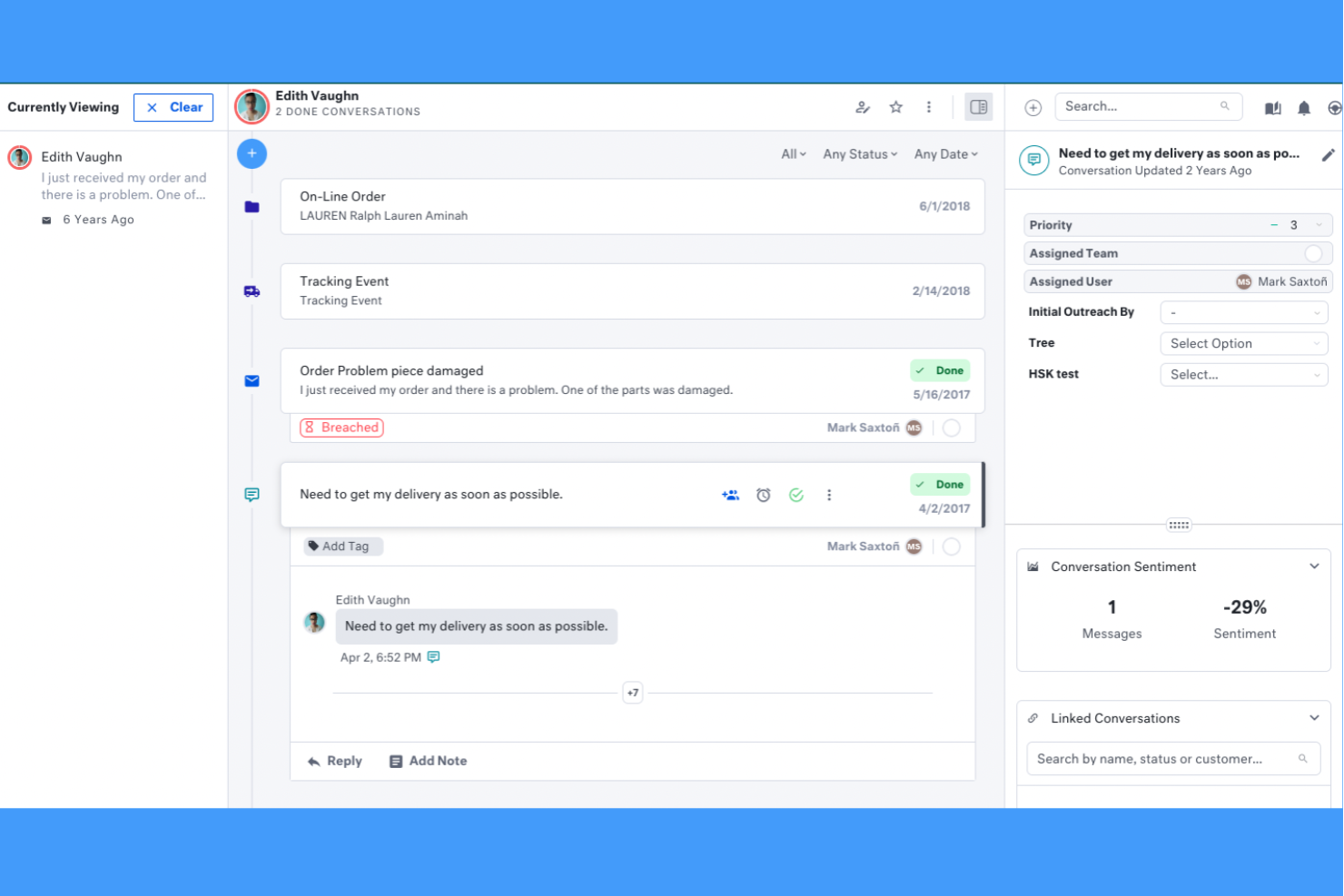
If your support team needs a complete view of every customer interaction, Kustomer is built for you. Retailers, ecommerce brands, and fast-growing businesses often choose Kustomer to unify conversations, orders, and activities into a single timeline for each customer. This approach helps teams resolve issues faster and personalize support in ways that most Help Scout alternatives can’t match.
Why Kustomer Is a Good Help Scout Alternative
Unlike most help desk platforms, Kustomer gives you a unified timeline that brings together every customer conversation, order, and activity in one place. I picked Kustomer as a Help Scout alternative because this timeline view helps support teams quickly understand context and history without digging through separate tickets. You can see chat, email, SMS, and even order details side by side for each customer. For teams that want to deliver highly personalized support and resolve issues faster, Kustomer’s unified approach offers a clear advantage over Help Scout.
Kustomer Key Features
Some other Kustomer features that may be useful for support teams include:
- AI-Powered Chatbots: Automate responses and handle common customer questions using built-in AI chatbots.
- Custom Workflows: Design and automate multi-step processes for ticket routing, approvals, and escalations.
- Omnichannel Messaging: Manage conversations across email, chat, SMS, WhatsApp, and social media from one platform.
- Knowledge Base Management: Create and organize help articles for both customers and agents to access during support interactions.
Kustomer Integrations
Integrations include Shopify, Adobe Commerce, Amazon Connect, Aircall, 8x8, Flip CX, Ada, Acuity Scheduling, Amazon Redshift, and Netomi.
Pros and Cons
Pros:
- Flexible proactive support tools
- Deep data integration across apps
- Powerful AI-driven ticket routing
Cons:
- Lacks a strong user community forum
- Requires technical admin resources
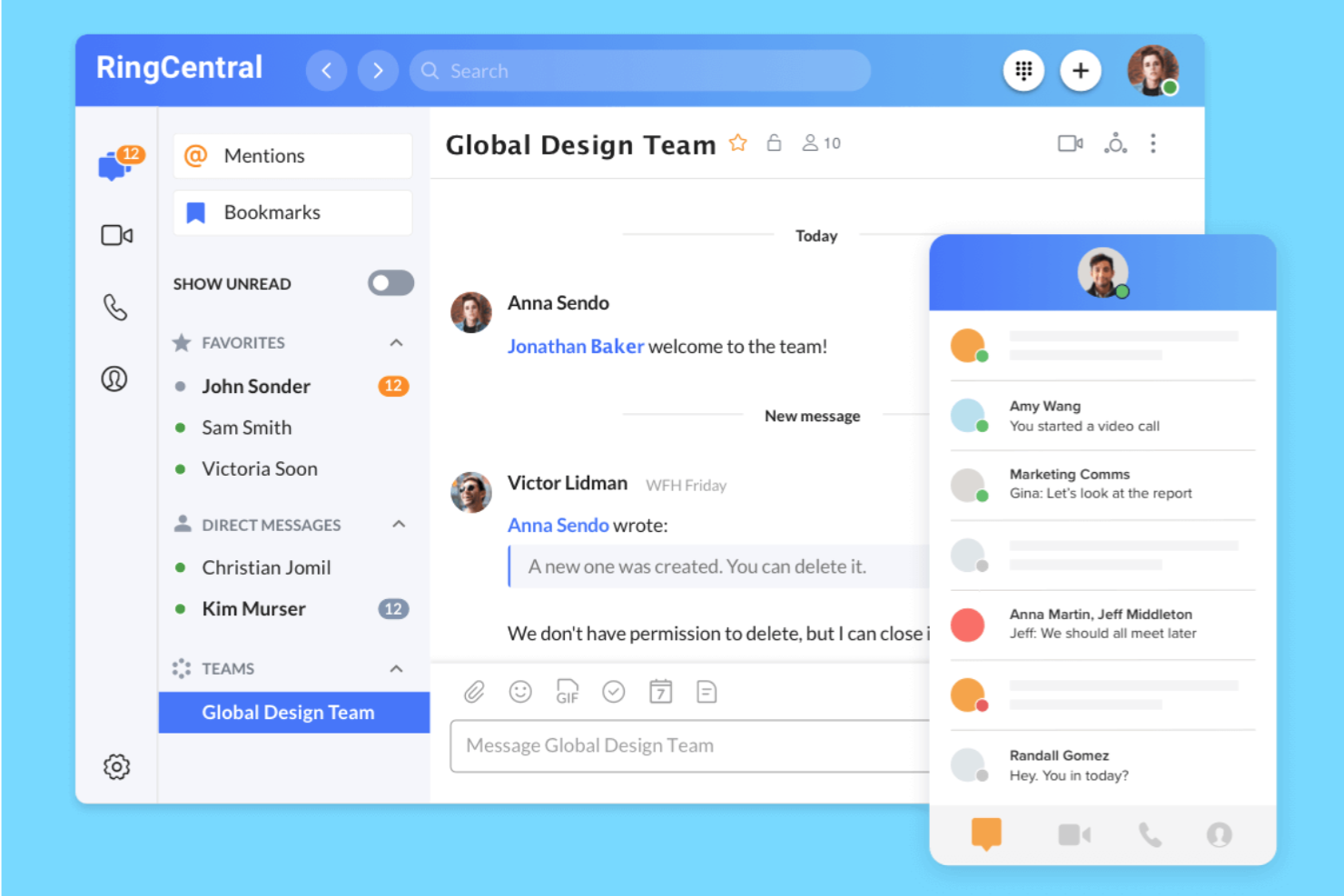
If your team needs to handle customer support across both voice and digital channels, RingCentral brings everything together in one platform. This solution is a strong fit for support desks, contact centers, and IT teams that want integrated calling, SMS, and messaging without juggling multiple tools. Unlike Help Scout, RingCentral combines phone, chat, and team messaging so you can manage all conversations from a single workspace.
Why RingCentral Is a Good Help Scout Alternative
Unlike Help Scout, RingCentral gives your team integrated voice and messaging tools in one unified platform. I picked RingCentral because it lets you handle phone calls, SMS, and team chat alongside customer messages, so you don’t have to switch between separate apps. You can route calls, set up IVR menus, and manage all digital conversations from a single dashboard. For teams that need to support customers by phone as well as online, RingCentral’s all-in-one approach is a strong fit.
RingCentral Key Features
Some other RingCentral features that may interest support and IT teams include:
- Call Recording: Record inbound and outbound calls for quality assurance and training.
- Team Video Meetings: Host HD video meetings with screen sharing and chat for internal collaboration.
- Voicemail Transcription: Automatically convert voicemails to text for quick review and follow-up.
- Mobile App: Access calls, messages, and meetings from iOS and Android devices.
RingCentral Integrations
Integrations include Microsoft Teams, Salesforce, Google Workspace, Zendesk, ServiceNow, Slack, HubSpot, Canvas, and Zoho CRM.
Pros and Cons
Pros:
- Strong compliance and data security
- Unified messaging and call routing
- Global PBX phone capabilities
Cons:
- Admin portal is overly complicated
- Slow implementation and onboarding

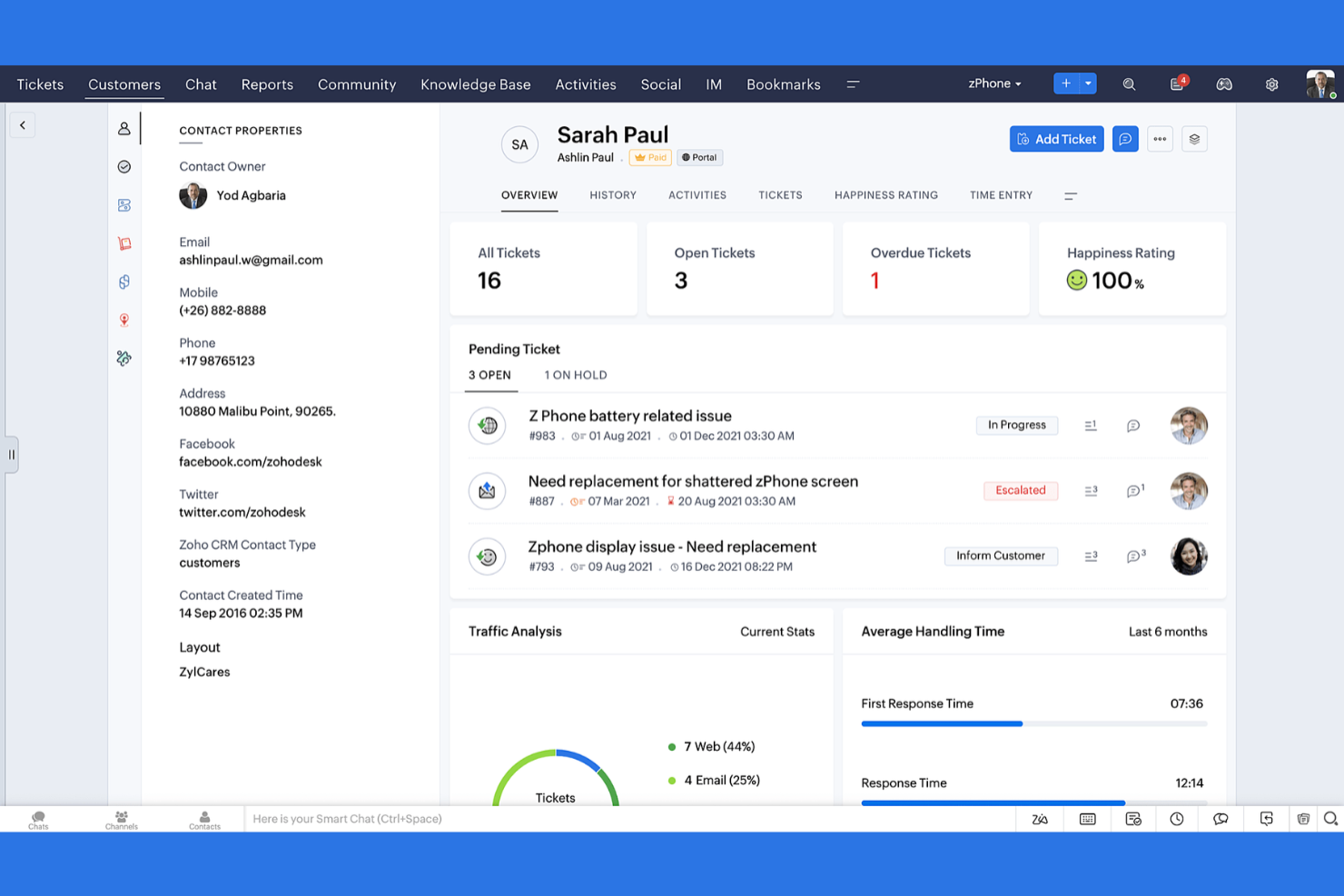
Teams that want to tailor every aspect of their ticketing process often turn to Zoho Desk. This platform is designed for businesses that need flexible workflows, custom fields, and granular automation to match unique support operations. Unlike Help Scout, Zoho Desk gives you deep control over ticket management, making it a strong choice for organizations with complex or evolving support needs.
Why Zoho Desk Is a Good Help Scout Alternative
If you need a help desk that adapts to your team’s unique processes, Zoho Desk is worth considering. I picked Zoho Desk because it lets you customize ticket layouts, automate multi-step workflows, and set up custom SLAs for different departments or products. The platform’s ability to create custom fields and rules means you can match your support system to your business’s exact requirements. For teams that find Help Scout too rigid, Zoho Desk offers the flexibility to build a ticket management process that truly fits.
Zoho Desk Key Features
Some other features in Zoho Desk that may interest support teams include:
- Multi-Channel Ticketing: Manage support requests from email, chat, social media, and web forms in one place.
- AI-Powered Zia Assistant: Use AI to suggest ticket responses, detect sentiment, and recommend knowledge base articles.
- Customer Self-Service Portal: Let customers track tickets and find answers through a branded portal.
- Time Tracking: Monitor how much time agents spend on each ticket for better resource planning.
Zoho Desk Integrations
Integrations include Zoho CRM, Zoho Assist, Zoho Analytics, Zoho Books, Zoho SalesIQ, Jira, Slack, Microsoft Teams, HubSpot, and Trello.
Pros and Cons
Pros:
- Zia AI assists with agent responses
- Strong multi-brand support tools
- Perfect sync with Zoho ecosystem
Cons:
- Customer support can be very slow
- Third-party app integrations lag

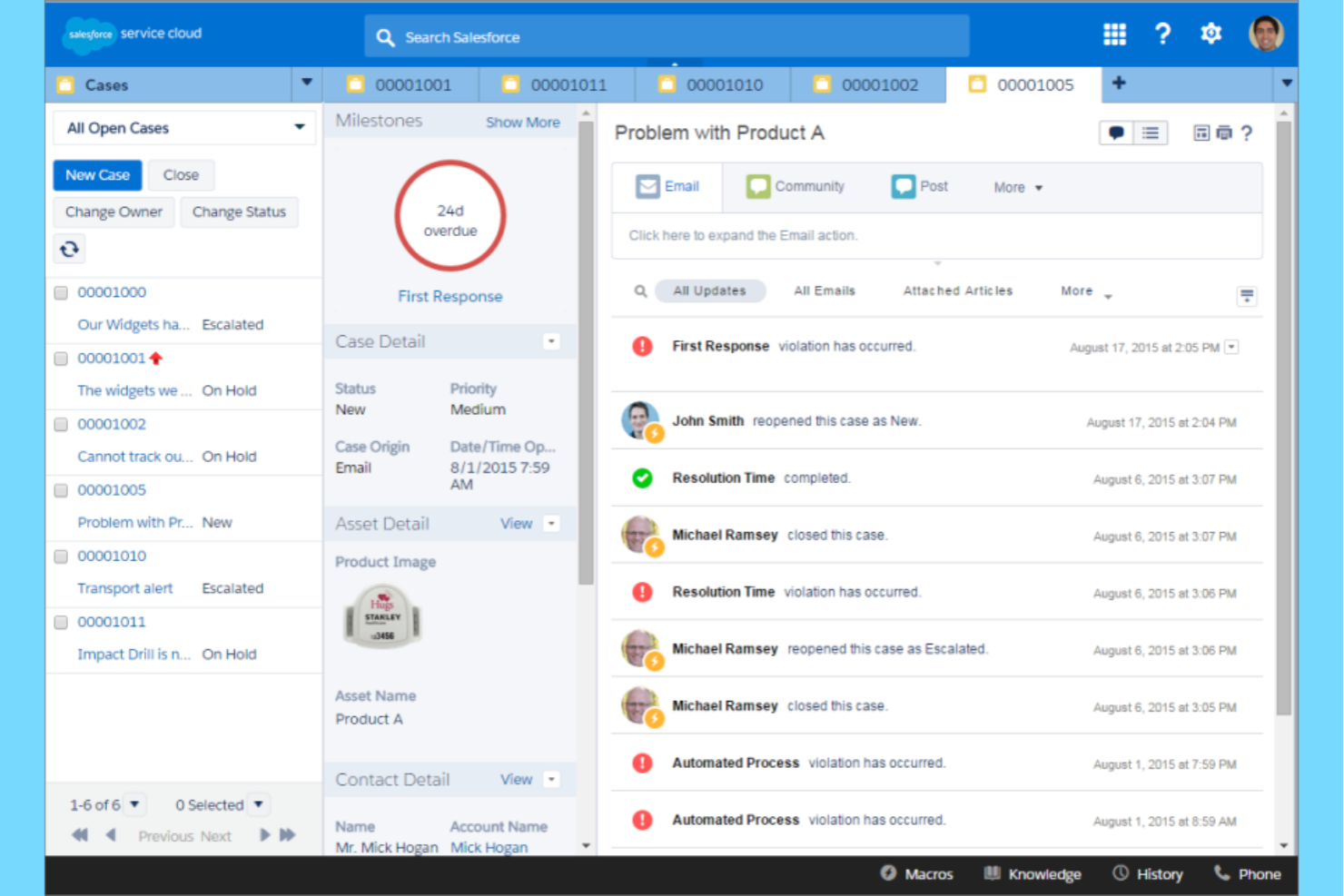
Salesforce Service Cloud is built for teams that need deep customer data and advanced workflow automation in their support operations. If your business relies on tight CRM integration to deliver personalized service, this platform connects every customer interaction to a unified profile. Unlike Help Scout, Salesforce Service Cloud lets you automate complex processes and pull in data from sales, marketing, and service all in one place.
Why Salesforce Service Cloud Is a Good Help Scout Alternative
For support teams that need more than just ticket management, Salesforce Service Cloud stands out with its advanced CRM integration. I picked this tool because it lets you link every customer interaction to a detailed, real-time profile, so agents always have the full context at hand. You can automate complex workflows, trigger actions based on customer data, and use AI-powered recommendations to resolve issues faster. If your business depends on personalized service and deep customer insights, Salesforce Service Cloud offers capabilities that go far beyond what Help Scout provides.
Salesforce Service Cloud Key Features
Some other Salesforce Service Cloud features that may interest support teams include:
- Omni-Channel Routing: Automatically direct cases, chats, and calls to the right agent based on skill and availability.
- Case Management: Track, prioritize, and resolve customer issues from a unified dashboard.
- Knowledge Base: Create and manage a searchable library of articles for both agents and customers.
- Service Analytics: Access real-time dashboards and reports to monitor team performance and customer trends.
Salesforce Service Cloud Integrations
Integrations include Slack, Amazon Connect, Genesys, NICE, Accenture, Deloitte, Cognizant, Tableau, MuleSoft, and DocuSign.
Pros and Cons
Pros:
- Powerful AI and Einstein chatbots
- Enterprise-grade security and scale
- Endlessly customizable platform
Cons:
- Very expensive licensing tiers
- User interface feels overwhelming

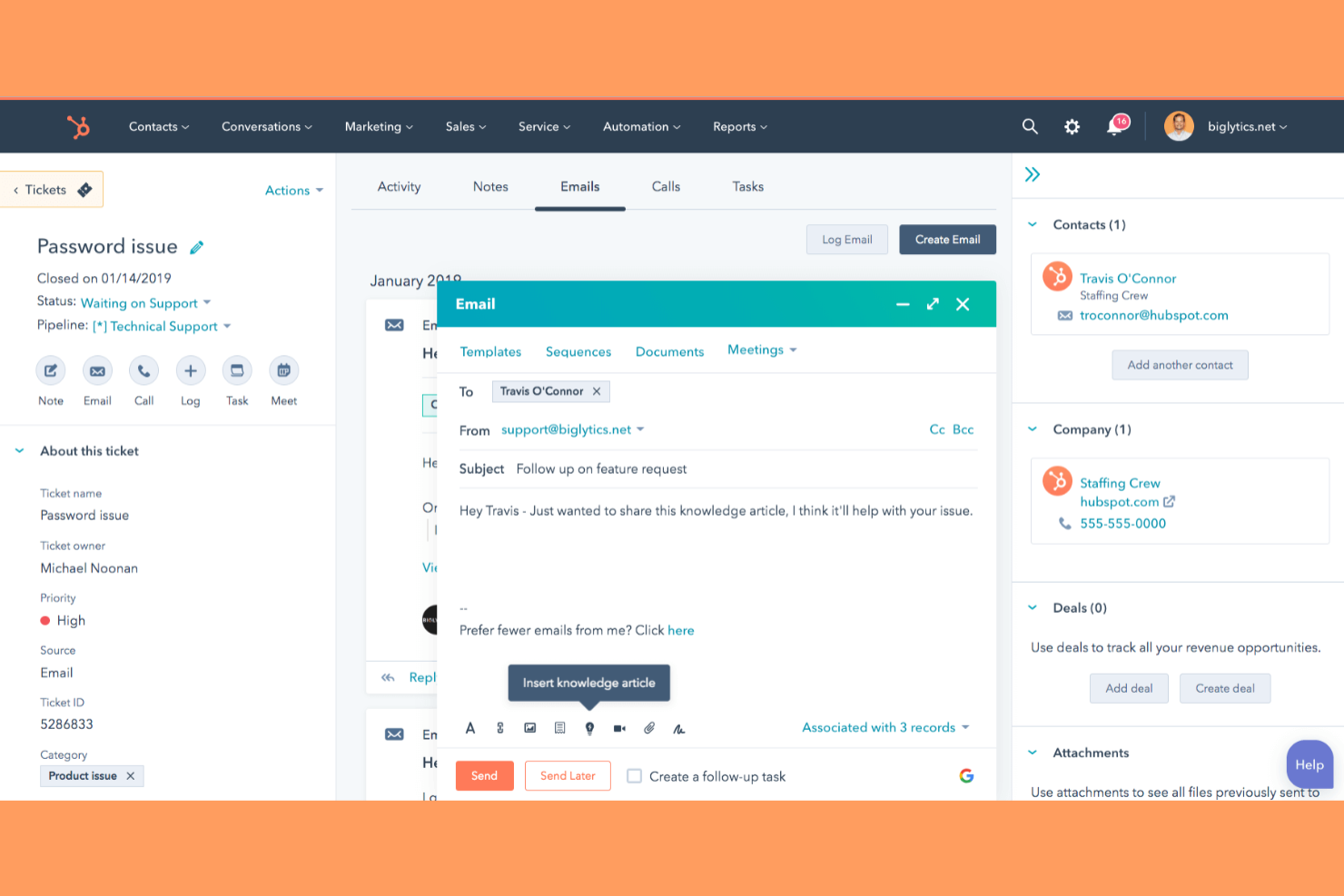
If you’re looking for a help desk that connects support, sales, and marketing in one place, HubSpot Service Hub is worth a look. This platform is built for businesses that want to unify customer data, automate workflows, and manage all customer interactions from a single dashboard. Unlike Help Scout, HubSpot Service Hub offers native marketing and CRM tools alongside its support features, making it a strong fit for teams that want an all-in-one solution.
Why HubSpot Service Hub Is a Good Help Scout Alternative
When you need a help desk that goes beyond support and brings marketing and sales into the same platform, HubSpot Service Hub stands out. I picked HubSpot Service Hub because it lets you manage tickets, automate customer journeys, and access CRM data all in one place. The platform’s shared inbox and knowledge base are tightly connected to marketing tools, so your team can deliver consistent messaging and track the full customer lifecycle. If your business wants to break down silos between support and other teams, HubSpot Service Hub offers a unified approach that Help Scout doesn’t match.
HubSpot Service Hub Key Features
Some other features in HubSpot Service Hub that may interest support and operations teams include:
- Customer Feedback Surveys: Collect and analyze customer satisfaction, NPS, and custom survey responses directly within the platform.
- Live Chat Widget: Add real-time chat to your website for instant customer support.
- SLAs and Ticket Routing: Set service level agreements and automatically assign tickets based on rules you define.
- Reporting Dashboard: Build custom reports to track ticket volume, response times, and team performance.
HubSpot Service Hub Integrations
Integrations include Gmail, Outlook, Salesforce, Slack, Zoom, Microsoft Teams, Google Calendar, WordPress, Facebook Messenger, and Shopify.
Pros and Cons
Pros:
- Clean and highly intuitive UI
- Great customer feedback surveys
- Easy to build knowledge bases
Cons:
- Can feel overly marketing-focused
- Limited custom ticket routing logic

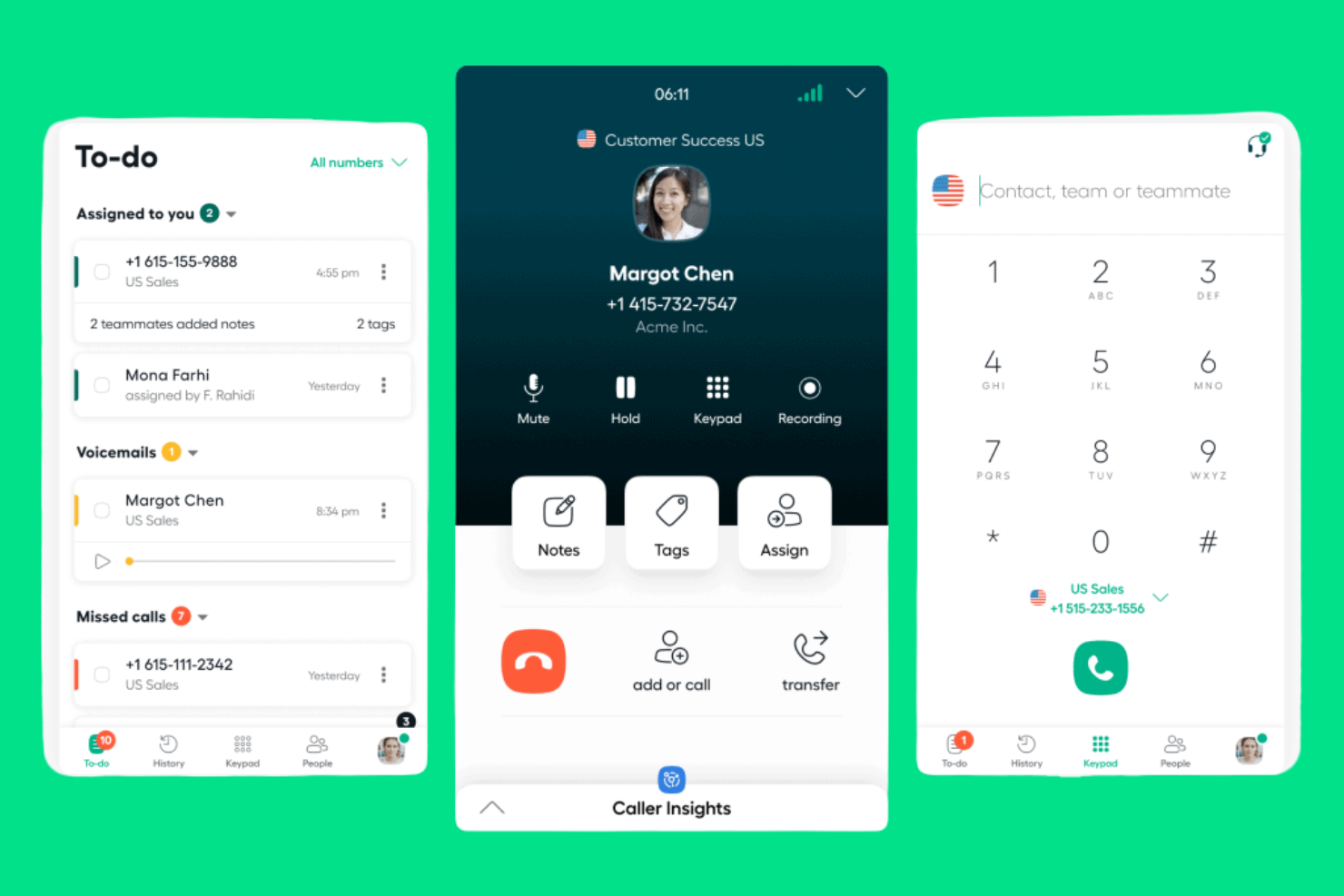
Aircall is designed for support teams that need advanced voice capabilities built into their helpdesk workflows. If your business relies on high call volumes or distributed phone support, Aircall offers cloud-based calling, call routing, and analytics that go beyond what Help Scout provides. It’s a strong fit for IT, sales, or customer service teams looking for a customer service platform to manage calls, voicemails, and SMS from anywhere.
Why Aircall Is a Good Help Scout Alternative
Unlike Help Scout, Aircall is purpose-built for small businesses and teams that need cloud-based call center features at the core of their support operations. I picked Aircall because it offers features like interactive voice response (IVR) menus and advanced call routing, which help you manage high call volumes and direct customers to the right agent quickly. The platform also provides real-time call monitoring and analytics, so you can track performance and coach your team as calls happen. For businesses where phone support is a priority, Aircall brings voice, SMS, and voicemail together in a single, cloud-based solution.
Aircall Key Features
Some other features in Aircall that may be useful for support teams include:
- Click-to-Dial: Place calls directly from your CRM or helpdesk with a single click.
- Shared Call Inbox: View and manage all missed calls and voicemails as a team.
- Warm Transfer: Speak with a teammate before transferring a live call to them.
- Call Tagging: Categorize calls with custom tags for easier tracking and reporting.
Aircall Integrations
Integrations include Salesforce, HubSpot, Intercom, Zendesk, Pipedrive, Microsoft Dynamics, Slack, Shopify, Freshdesk, and Zoho CRM.
Pros and Cons
Pros:
- Great mobile application for agents
- Live call coaching and monitoring
- Excellent call tagging and notes
Cons:
- Reporting dashboard is quite basic
- Lacks native email support features
Other Help Scout alternatives
Here are some additional Help Scout alternatives options that didn’t make it onto my shortlist, but are still worth checking out:


Related Reviews
Help Scout Alternatives Selection Criteria
When selecting the best Help Scout alternatives to include in this list, I considered common buyer needs and pain points related to Help Scout alternatives products, like supporting multiple communication channels and managing high ticket volumes efficiently. I also used the following framework to keep my evaluation structured and fair:
Core Functionality (25% of total score)
To be considered for inclusion in this list, each solution had to fulfill these common use cases:
- Manage customer support tickets
- Assign and track conversations
- Support multiple communication channels
- Store customer interaction history
- Enable internal team collaboration
Additional Standout Features (25% of total score)
To help further narrow down the competition, I also looked for unique features, such as:
- Built-in call center capabilities
- AI-powered ticket routing and AI agents
- Advanced reporting and analytics
- Customizable automation workflows
- Integrated knowledge base management
Usability (10% of total score)
To get a sense of the usability of each system, I considered the following:
- User-friendly, Simple and intuitive interface
- Logical navigation structure
- Minimal clicks to complete tasks
- Responsive design for all devices
- Clear labeling and helpful tooltips
Onboarding (10% of total score)
To evaluate the onboarding experience for each platform, I considered the following:
- Availability of training videos and tutorials
- Step-by-step product tours
- Pre-built templates for setup
- Access to onboarding webinars
- In-app chatbots for guidance
Customer Support (10% of total score)
To assess each software provider’s customer support services, I considered the following:
- 24/7 live chat or phone support
- Fast response times to inquiries
- Helpful and knowledgeable agents
- Access to a searchable help center
- Community forums for peer support
Value For Money (10% of total score)
To evaluate the value for money of each platform, I considered the following:
- Transparent and flexible pricing models and plans
- Features included at each price tier
- No hidden fees or surprise charges
- Discounts for annual billing or volume
- Free trial or demo availability
Customer Reviews (10% of total score)
To get a sense of overall customer satisfaction, I considered the following when reading customer reviews:
- Consistent positive feedback on reliability
- Praise for customer support quality
- Reports of feature usefulness and depth
- Comments on ease of adoption
- Noted areas for improvement or frustration
Why Look For A Help Scout Alternative?
While Help Scout is a good choice of Help Scout alternatives, there are a number of reasons why some users seek out alternative solutions. You might be looking for a Help Scout alternative because…
- You need built-in call center or telephony features
- Your team requires advanced automation or AI tools
- You want more granular reporting and analytics
- You support customers in regions where Help Scout is limited
- You need a solution that scales for large enterprise teams
- You want more customization for workflows and branding
If any of these sound like you, you’ve come to the right place. My list contains several Help Scout alternatives options that are better suited for teams facing these challenges with Help Scout and looking for alternative solutions.
Help Scout Key Features
Here are some of the key features of Help Scout, to help you contrast and compare what alternative solutions offer:
- Shared inbox for managing team email
- In-app live chat widget for websites
- Knowledge base creation and management
- Customer profiles with conversation history
- Automated workflows and rules
- Collision detection to prevent duplicate replies
- Reporting and analytics dashboards
- Customer satisfaction (CSAT) surveys
- Saved replies and response templates
- Integration with popular CRMs and productivity tools