
19 Free No-Code App Builder Platforms for 2026

Free No-Code App Builder Shortlist
Here’s my shortlist of free no-code app builder platforms:


A free no-code app builder is a software platform that lets you create apps without writing code, offering a free plan or trial so you can get started at no cost. If you’re searching for ways to build apps quickly—without a development background or a big budget—these tools help you launch prototypes, automate workflows, or deliver business solutions with minimal friction. This list will help you compare the top free no-code app builders for 2026, so you can find the right platform for your project’s needs, technical requirements, and future growth.
Why Trust Our Software Reviews
Best Free No-Code App Builder Summary
While all of the no-code app builders in my list have free offerings, they also have paid plans should you wish to upgrade. Here are the base costs for each of the tools that made it onto my shortlist:
| Tool | Best For | Trial Info | Price | ||
|---|---|---|---|---|---|
| 1 | Best for building client portals from Airtable | 30-day free trial + free plan available | From $49/month (billed biennially) | Website | |
| 2 | Best for internal tool development | Free plan + free demo available | From $15/user/month | Website | |
| 3 | Best for form-driven app creation | Free plan available | From $34/user/month (billed annually) | Website | |
| 4 | Best for advanced logic and database control | Free trial + free plan available | From $59/month (billed annually) | Website | |
| 5 | Best for rapid prototyping of mobile interfaces | Free plan available | From $36/month | Website | |
| 6 | Best for building apps from spreadsheets | Free trial + free plan available | From $199/month (billed annually) | Website | |
| 7 | Best for cross-platform mobile deployment | Free plan available | From $13/month | Website | |
| 8 | Best for integrating with REST APIs | Free plan available | From $13/month (billed annually) | Website | |
| 9 | Best for open-source extensibility | Free demo + free community edition available | From $800/month (lifetime use) | Website | |
| 10 | Best for self-hosted deployment options | 14-day free trial + free (open source) available | From $10/app creator/month + $2/app user/month (billed annually) | Website |
-

Site24x7
Visit WebsiteThis is an aggregated rating for this tool including ratings from Crozdesk users and ratings from other sites.4.6 -
Docker
Visit WebsiteThis is an aggregated rating for this tool including ratings from Crozdesk users and ratings from other sites.4.6 -
Pulumi
Visit WebsiteThis is an aggregated rating for this tool including ratings from Crozdesk users and ratings from other sites.4.8





Free No-Code App Builder Reviews
Below are my detailed summaries of the free no-code app builder platforms that made it onto my shortlist. My reviews offer a detailed look at the features, best use cases, and pricing of each platform to help you find the best one for you.

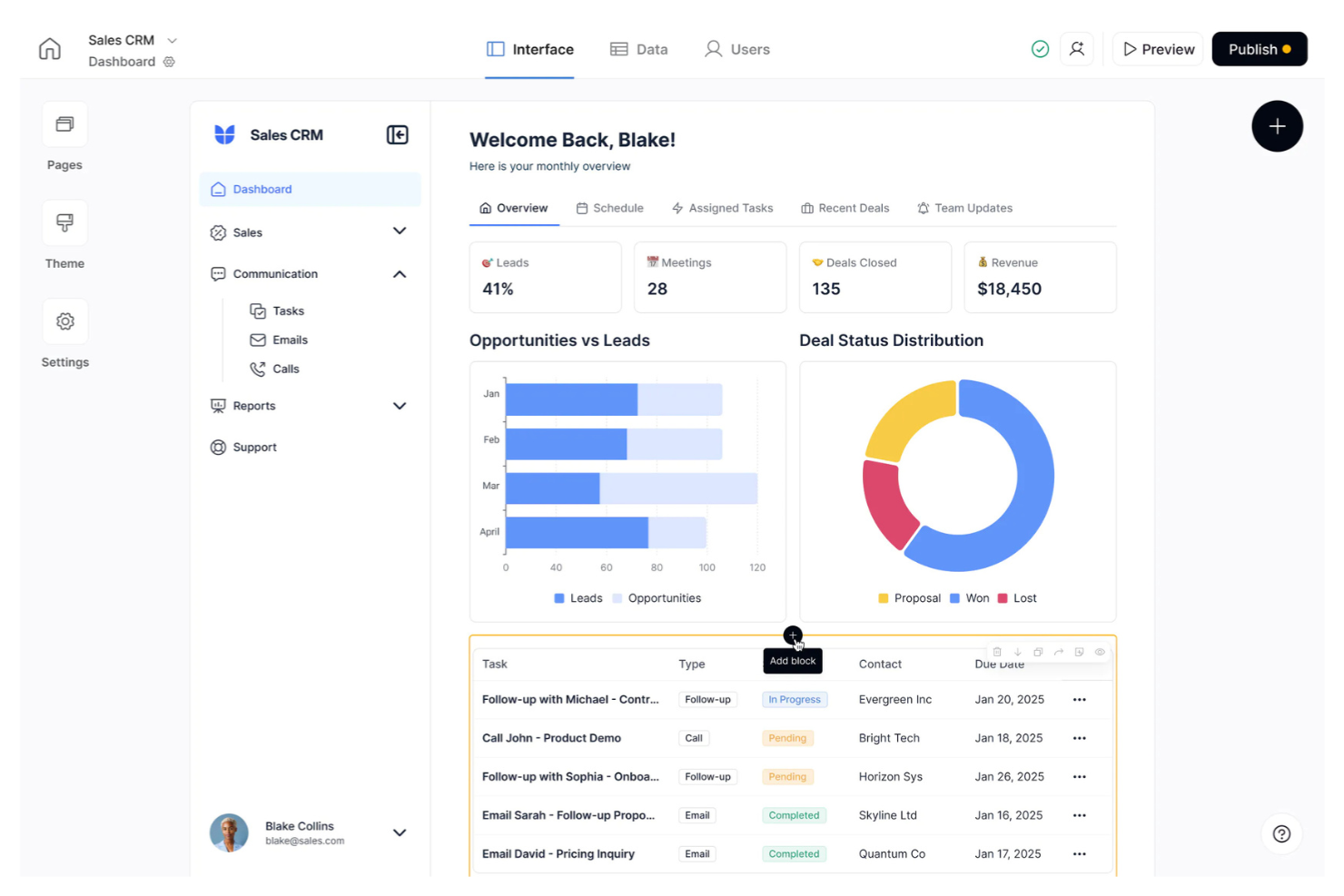
If you need to turn Airtable data into secure, interactive client portals, Softr is built for you. This no-code platform appeals to consultants, agencies, and service teams that want to share data-rich dashboards or portals with clients. Softr helps you create polished, branded web apps directly from Airtable without writing code or managing complex infrastructure.
Why I Picked Softr
What makes Softr a strong choice for a free no-code app builder is how directly it connects to Airtable and transforms your data into secure, client-facing portals. I picked Softr because it lets you build fully functional web apps—like client dashboards, project trackers, or resource libraries—using Airtable as the backend, without any coding. You can control user access, set up granular permissions, and customize the look and feel to match your brand. This focus on client portal creation from Airtable data is something I haven’t seen handled as smoothly in other no-code platforms.
Softr Key Features
Some other features in Softr that stand out for no-code app builders include:
- Pre-built templates: Choose from a library of ready-made templates for portals, directories, and internal tools to speed up app creation.
- Drag-and-drop page builder: Arrange blocks and components visually to design custom layouts without code.
- Custom domain support: Publish your app to a branded domain for a professional appearance.
- Built-in user authentication: Add sign-up, login, and user management features directly to your app.
Softr Integrations
Integrations are not publicly listed.
What's Free?
Softr offers a free-forever plan that lets you build up to 1 application with 5 internal app users and 200 Airtable records. The free plan includes Softr branding and limits some advanced features and integrations.
Pros and Cons
Pros:
- Launch fast with pre-built templates
- Drag-and-drop block layout system
- Built-in authentication for team portals
Cons:
- Branding/permissions require paid upgrade
- No built-in automation or scripting

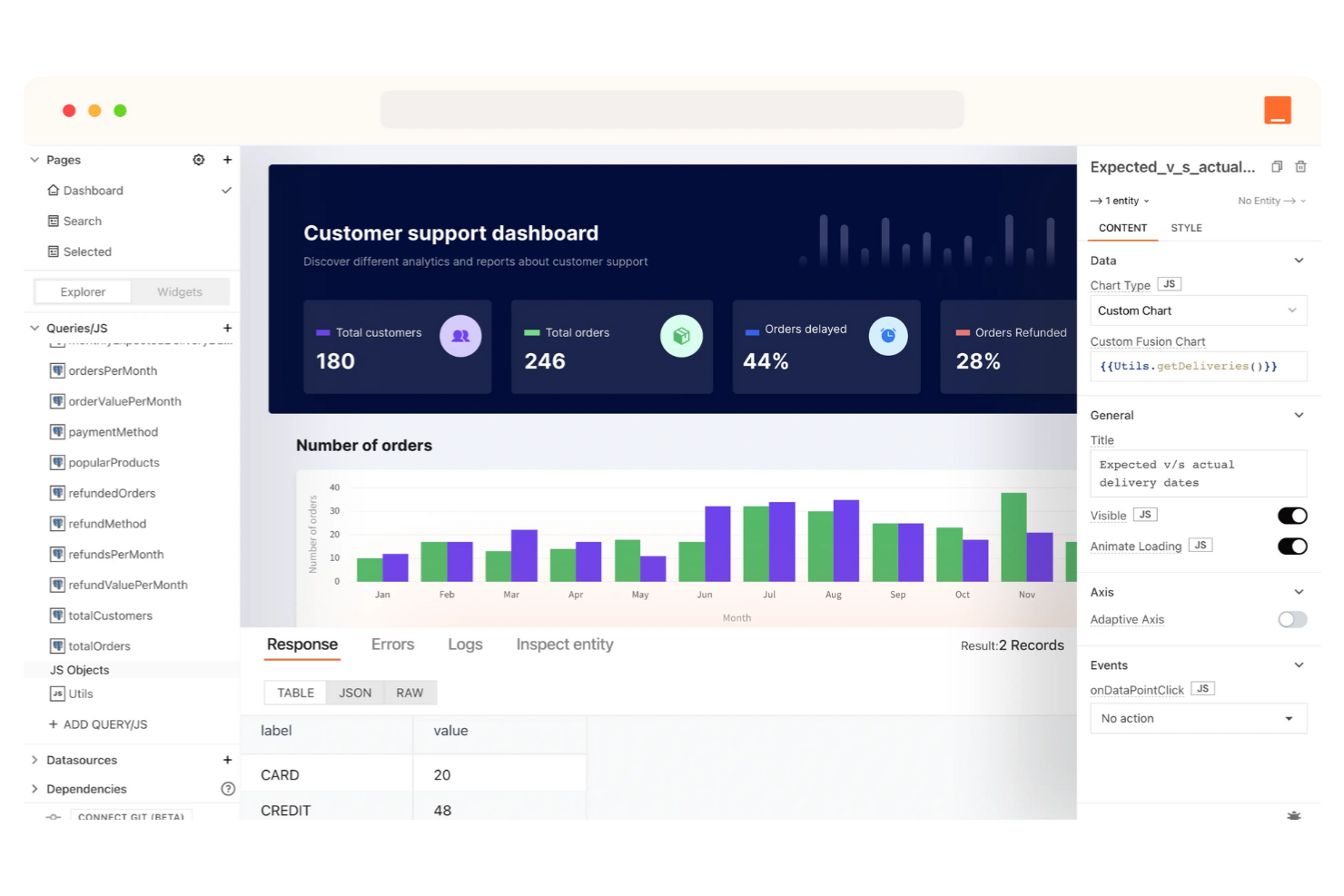
If you need to build internal tools without writing code, Appsmith is designed for you. This platform appeals to IT teams, operations leads, and developers who want to quickly connect data sources and create dashboards or admin panels. Appsmith stands out for its focus on internal tool development, making it easier to automate workflows and manage business processes securely.
Why I Picked Appsmith
What drew me to Appsmith for free no-code app building is its clear focus on internal tool development. Appsmith lets you visually assemble dashboards, admin panels, and workflow tools by connecting to databases and APIs without writing code. I appreciate how you can use built-in widgets and logic to create data-driven interfaces tailored for internal business needs. This makes Appsmith a strong choice if your priority is building secure, customizable tools for operations, support, or IT teams.
Appsmith Key Features
Some other features in Appsmith that support no-code app building include:
- Role-based access control: Set granular permissions for users and teams to manage who can view or edit specific tools.
- Version control: Track changes and roll back to previous versions of your apps directly within the platform.
- Custom JavaScript logic: Add custom logic and data transformations using JavaScript blocks without leaving the visual builder.
- Audit logs: Monitor user activity and changes across your internal tools for better security and compliance.
Appsmith Integrations
Integrations are not publicly listed.
What's Free?
Appsmith offers a free-forever plan with unlimited apps, unlimited users, and access to core features. Some advanced features like source control integration, audit logs, and priority support are only available on paid plans.
Pros and Cons
Pros:
- Git-based version control tools
- Visual builder supports custom JavaScript Includes
- Built-in widgets handle complex UI
Cons:
- Free SSO limited to Google
- Source control limited to few repos

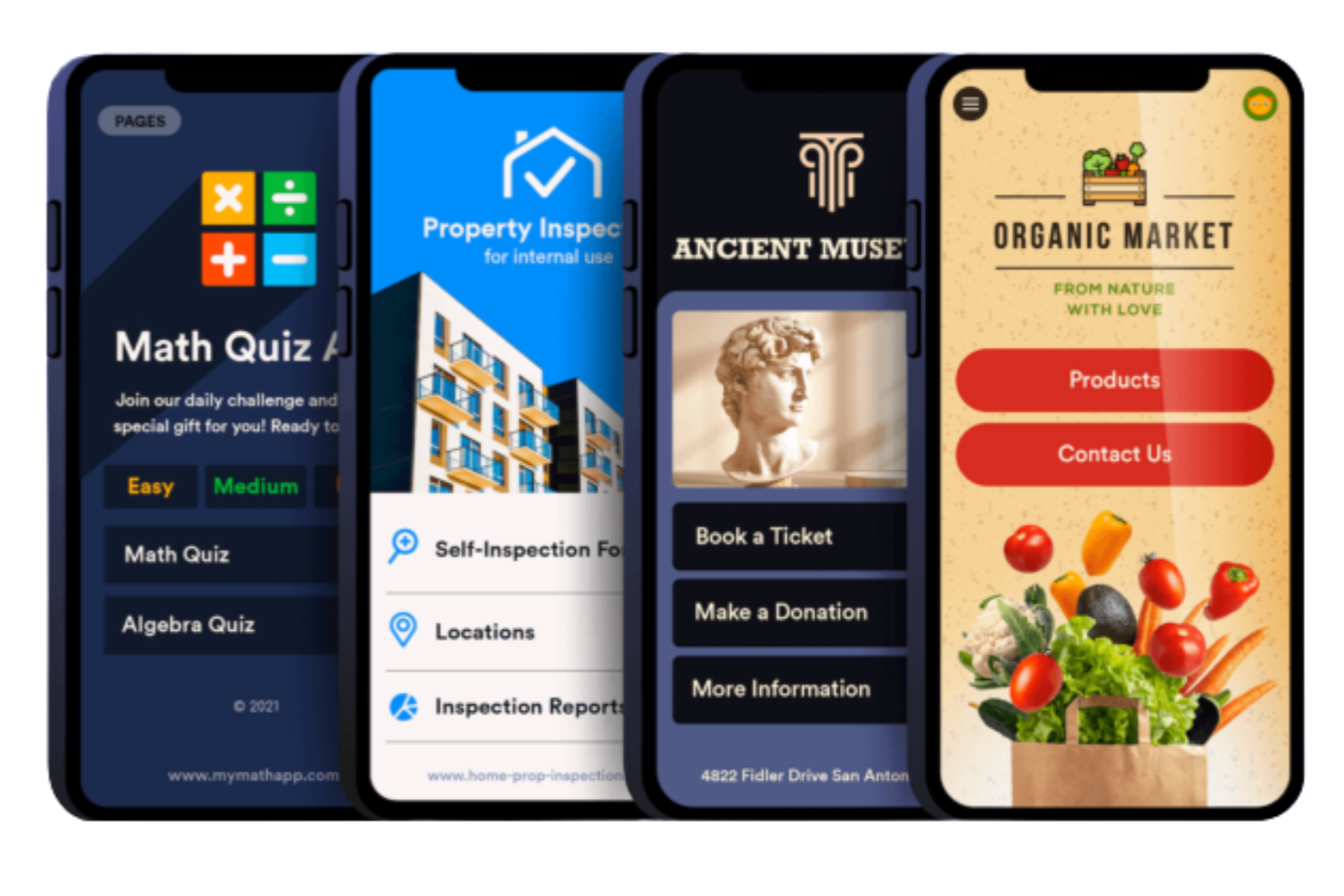
If you need to build apps centred around forms and data collection, Jotform Apps is designed for you. This tool is especially useful for HR teams, event organizers, and educators who want to create custom mobile apps without coding. Jotform Apps stands out by letting you combine multiple forms, widgets, and content pages into a single branded app for easy distribution and data management.
Why I Picked Jotform Apps
What makes Jotform Apps a strong choice for free no-code app building is its focus on form-driven app creation. I picked it because you can quickly assemble mobile apps by combining multiple forms, surveys, and data collection tools into a single branded experience. The platform lets you add widgets, images, and custom content pages, so you’re not limited to just forms—you can build a more complete app for onboarding, event management, or internal requests. This approach is especially useful if your workflows revolve around gathering, managing, and sharing information through forms.
Jotform Apps Key Features
Some other features in Jotform Apps that are useful for building no-code apps include:
- Drag-and-drop app builder: Arrange forms, widgets, and content blocks visually without coding.
- Custom branding tools: Add your logo, colors, and app icon for a branded experience.
- App sharing options: Distribute your app via link, QR code, or email to users.
- Submission management dashboard: View, filter, and export all form submissions from a centralized dashboard.
Jotform Apps Integrations
Integrations are not publicly listed.
What's Free?
Jotform Apps offers a free-forever plan that lets you build and share apps with up to five forms and 100 monthly submissions. Some advanced features, higher submission limits, and custom branding options require a paid plan.
Pros and Cons
Pros:
- Custom branding (logos, icons, colors)
- Drag-and-drop builder with zero coding
- Combine multiple forms into one app
Cons:
- Free plan limits forms/submissions
- Customization stays within form layouts

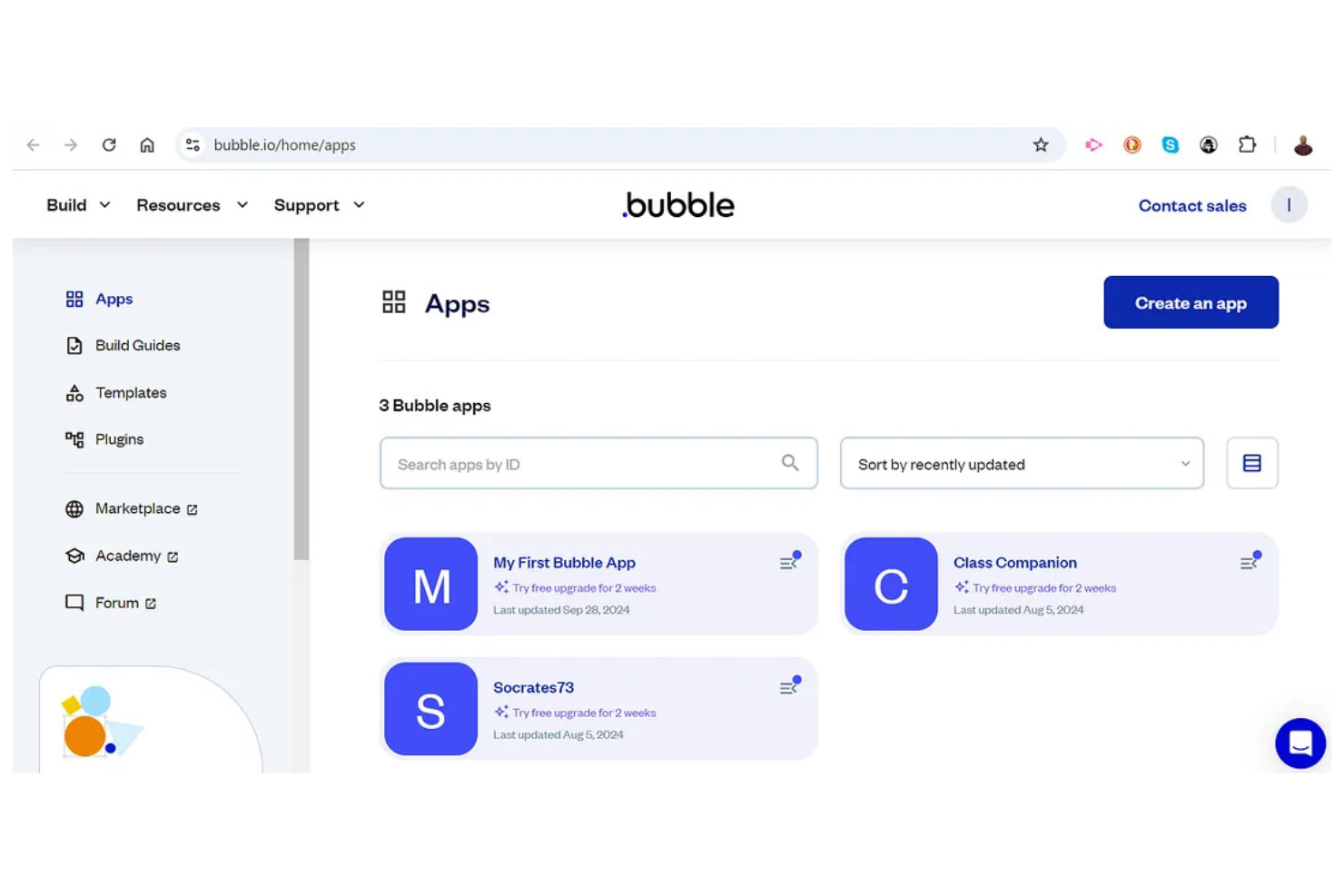
If you need a no-code app builder with advanced logic and database control, Bubble is worth a close look. This platform appeals to IT specialists, product teams, and startups that want to build complex web apps without writing code. Bubble stands out for its ability to handle custom workflows, dynamic data, and intricate user permissions, making it a strong fit for projects that go beyond basic forms or dashboards.
Why I Picked Bubble
What makes Bubble a strong choice for a free no-code app builder is its ability to support advanced logic and database control, which is rare among no-code platforms. I picked Bubble because it lets you design complex workflows and automate multi-step processes visually, without writing code. The built-in database editor allows you to create, relate, and manage structured data directly within your app, supporting everything from user profiles to transactional records. For anyone who needs to build apps that go beyond simple forms or lists, Bubble’s approach to logic and data management stands out.
Bubble Key Features
Some other features in Bubble help you build and manage apps without code:
- Responsive design editor: Adjust layouts and elements for different screen sizes directly within the visual editor.
- Reusable components: Create custom elements and modules that you can use across multiple pages or projects.
- Version control: Manage app changes with built-in versioning and rollback options for safer updates.
- User authentication: Add sign-up, login, and user management features without external plugins.
Bubble Integrations
Integrations are not publicly listed.
What's Free?
Bubble offers a free-forever plan that lets you build and launch apps with Bubble branding. The free plan limits custom domain use, API and plugin access, and advanced features, and apps may display Bubble ads.
Pros and Cons
Pros:
- Version control allows safe rollbacks
- Visual editor allows pixel-level control
- Built-in database manages structured data
Cons:
- No native mobile app export
- High volume causes performance lag

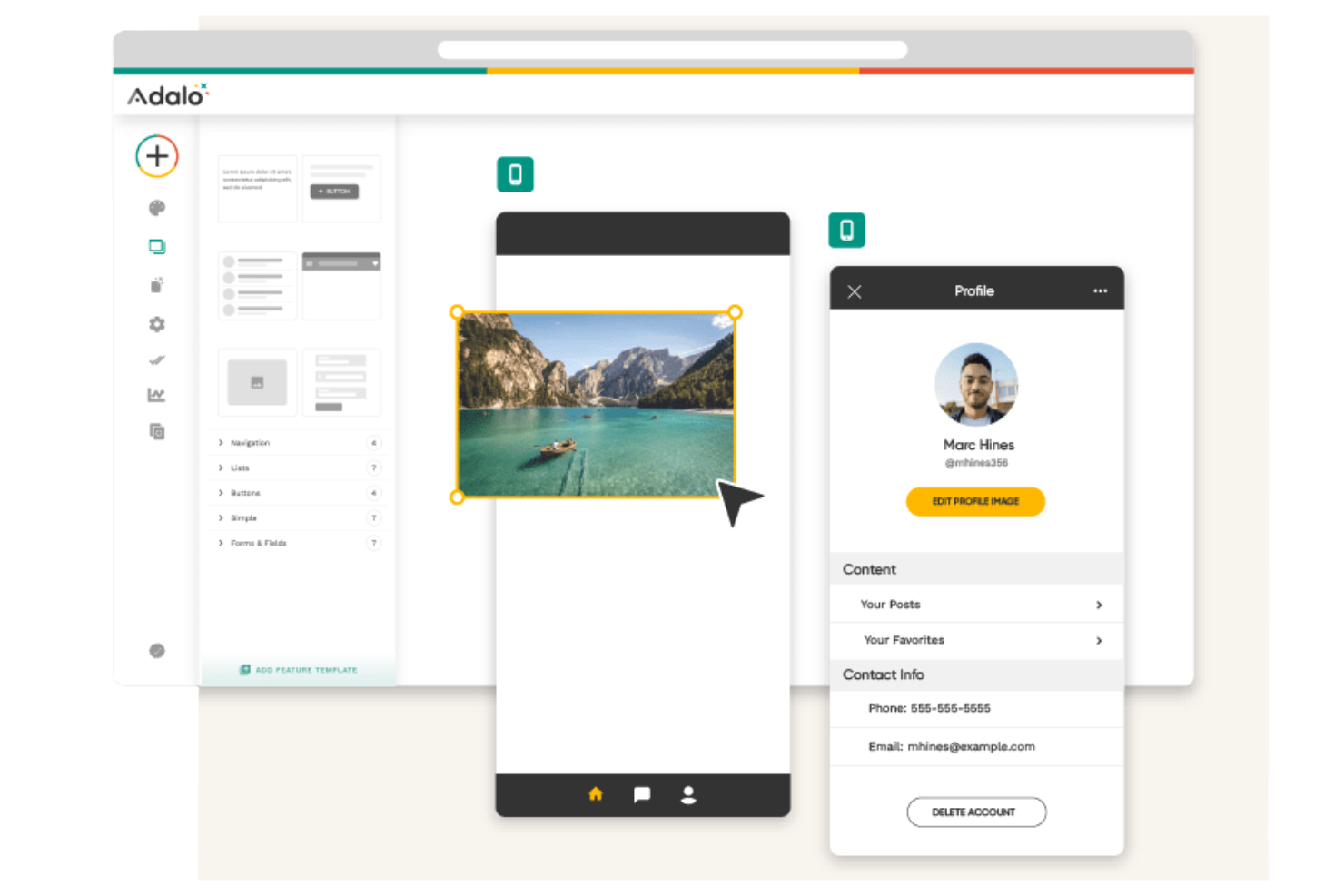
If you need to quickly turn your app ideas into interactive mobile prototypes, Adalo is designed for you. This platform stands out for designers, product teams, and startups who want to build and test mobile interfaces without coding. Adalo’s visual editor and component library help you move from concept to working prototype with minimal setup.
Why I Picked Adalo
Adalo’s focus on rapid prototyping of mobile interfaces makes it a strong choice for anyone looking to build and test app ideas without a lengthy setup. I picked Adalo because its drag-and-drop interface lets you assemble screens and navigation flows visually, making it a beginner-friendly mobile app builder for fast app development. The platform also includes a library of pre-built components—like forms, lists, and buttons—so you can create interactive prototypes that feel close to a finished product, and even launch a free app to validate your concept. For teams or individuals—especially beginners—who need to validate mobile app ideas before investing in full development, Adalo’s approach to prototyping stands out.
Adalo Key Features
Some other features in Adalo help you go beyond basic prototyping and support more advanced app-building needs:
- Database builder: Create and manage custom databases directly within your app to store user data, content, or app logic.
- Custom actions: Set up logic to trigger actions like sending emails, updating records, or integrating with external services.
- App publishing tools: Publish your finished app to the Apple App Store or Google Play directly from the platform.
- User authentication: Add login, signup, and password reset flows to your app with built-in authentication components.
Adalo Integrations
Integrations include Zapier and more.
What's Free?
Adalo offers a free-forever plan that lets you build and publish apps with Adalo branding. The free plan has restrictions on advanced features, integrations, and publishing options, and apps display Adalo’s logo.
Pros and Cons
Pros:
- Free plan includes user authentication
- Visual editor speeds screen assembly
- Marketplace offers reusable app element
Cons:
- Advanced logic is quite limited
- App code export is unavailable

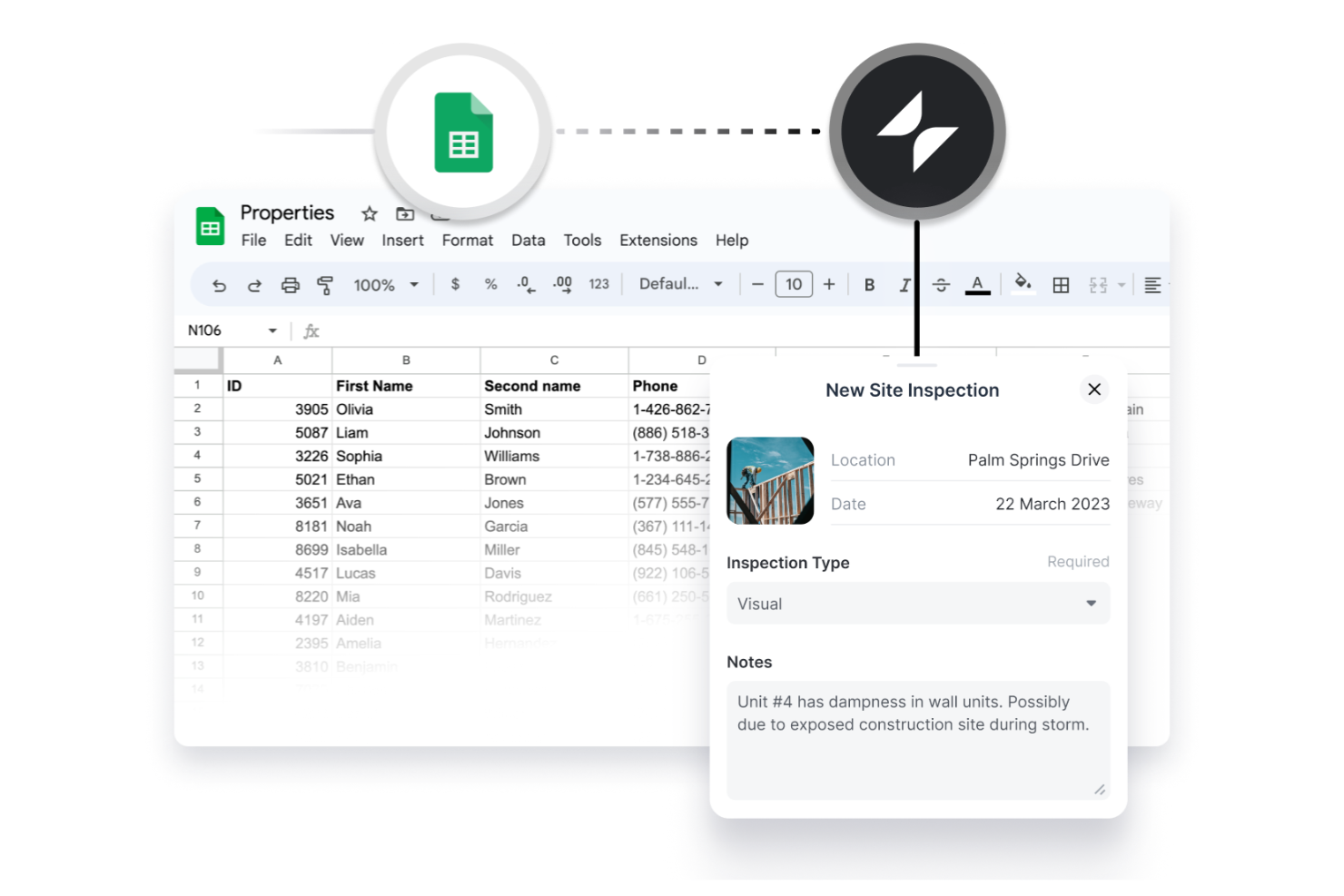
If you want to turn spreadsheets into interactive apps without coding, Glide is built for you. This platform is especially useful for operations teams, project managers, and small businesses that already organize data in Google Sheets or Excel. Glide helps you quickly create mobile or web apps that pull live data from your spreadsheets, making it easier to share, update, and manage information with your team or clients.
Why I Picked Glide
What sets Glide apart is how directly it connects your spreadsheets to fully functional apps, making it a strong choice for anyone who manages data in Google Sheets or Excel. I picked Glide because it automatically syncs app content with your spreadsheet, so updates happen in real time without extra steps. As one of the leading no-code tools, Glide also includes AI-powered features and built-in docs to help you structure and manage your data more effectively. The platform offers a range of pre-built templates and components designed specifically for data-driven apps, helping you turn raw data into powerful apps like interactive dashboards, directories, or workflow tools. For anyone looking to build apps that stay tightly linked to their existing spreadsheets, Glide’s approach is both practical and efficient.
Glide Key Features
Some other features in Glide help you go beyond basic spreadsheet syncing and support more advanced app-building needs:
- Role-based access controls: Set permissions for different users to control who can view or edit specific app data.
- Custom branding tools: Adjust colors, logos, and themes to match your organization’s identity.
- Action builder: Create custom workflows and automate tasks within your app using a visual logic editor.
- File storage integration: Allow users to upload and manage files directly within your app, with storage linked to your connected data source.
Glide Integrations
Integrations are not publicly listed.
What's Free?
Glide offers a free-forever plan that lets you build and publish apps with Glide branding. The free plan limits the number of published apps, restricts advanced features, and does not allow custom domains or private user access.
Pros and Cons
Pros:
- Visual builder handles custom logic
- Real-time updates between app/sheet
- Pre-built templates support quick starts
Cons:
- Advanced logic and automation limited
- Free plan displays Glide branding

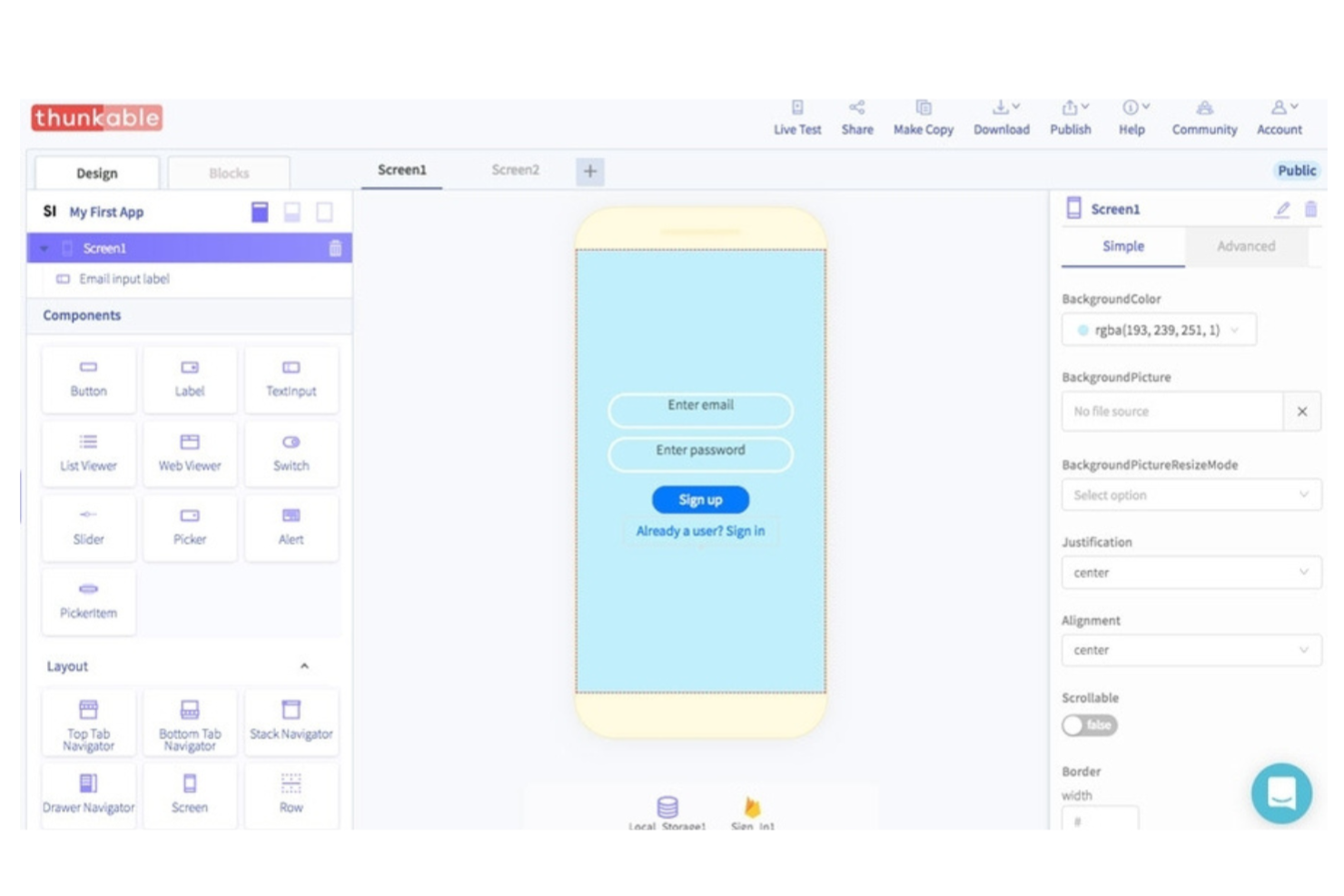
Thunkable is a no-code app builder designed for teams and individuals who want to create mobile apps for both iOS and Android from a single platform. It’s a strong fit for IT specialists, educators, and startups looking to deploy apps across multiple devices without managing separate codebases. Thunkable stands out for its cross-platform deployment and visual drag-and-drop interface, making mobile app creation accessible without traditional development skills.
Why I Picked Thunkable
What sets Thunkable apart from free no-code app building tools is its ability to publish apps to both iOS and Android from a single project. I picked Thunkable because it lets you design, test, and deploy cross-platform mobile apps without switching tools or rewriting logic for each operating system—making it ideal for building an MVP quickly. The platform’s visual drag-and-drop builder supports native mobile features like push notifications and device sensors, so you can create a fully working app that feels at home on any device. While there may be a slight learning curve for more advanced logic, Thunkable provides a practical path toward full-stack app development without traditional coding.
Thunkable Key Features
Some other features in Thunkable that support no-code app building include:
- Live testing environment: Preview app changes instantly on real devices using the Thunkable Live app.
- Component marketplace: Access a library of pre-built components for adding maps, media, forms, and more.
- Custom logic blocks: Build app logic visually with drag-and-drop blocks for conditions, loops, and data handling.
- Cloud data integration: Connect to external data sources and APIs directly from your app without writing code.
Thunkable Integrations
Integrations are not publicly listed.
What's Free?
Thunkable offers a free-forever plan that lets you build and publish apps with Thunkable branding. The free plan does not support custom domains, advanced components, or removal of Thunkable branding from your apps.
Pros and Cons
Pros:
- Marketplace adds advanced app features
- Live testing app allows previews
- Single project publishes to mobile
Cons:
- Offline functionality is very limited
- Custom domains require paid plans

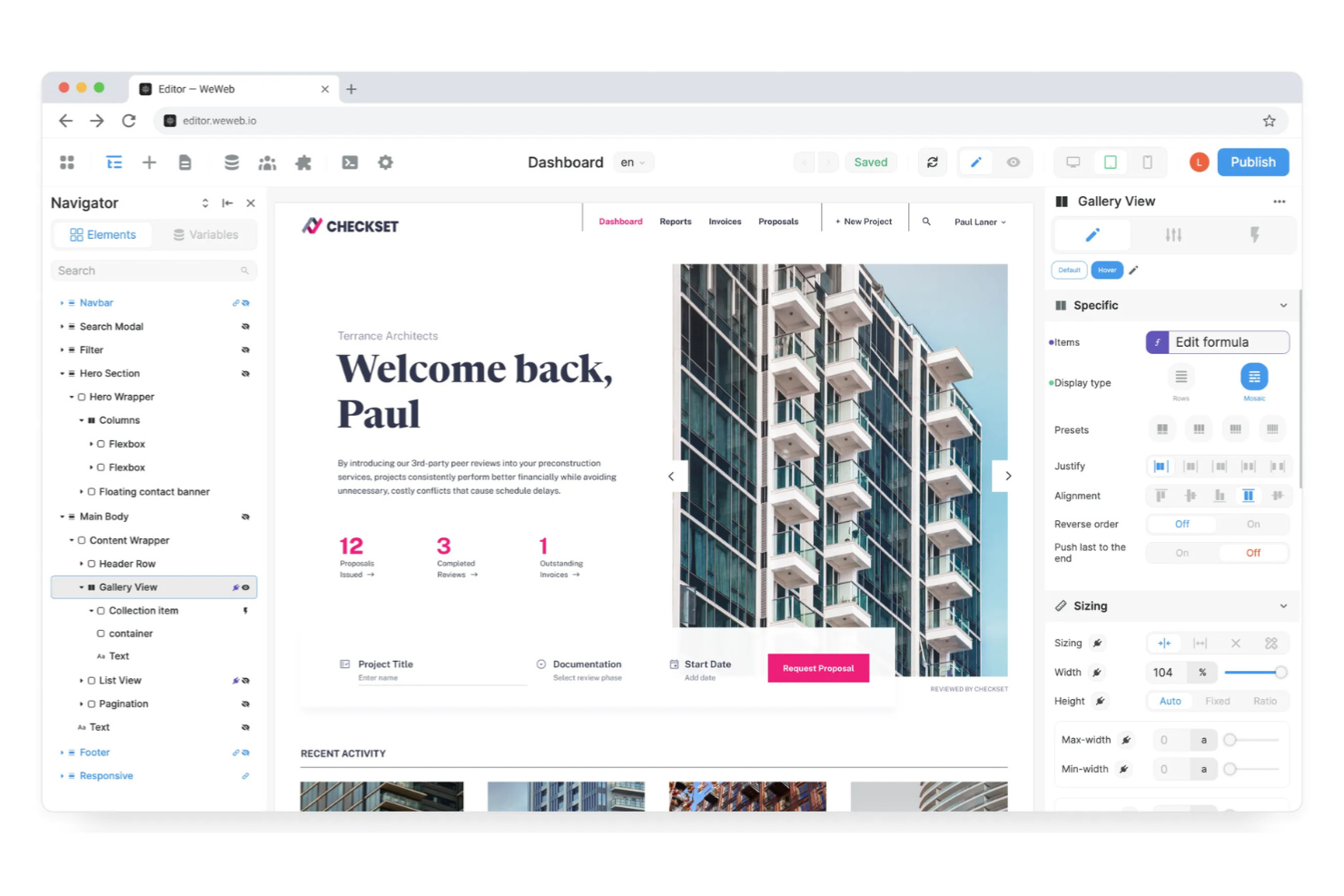
If you need a no-code app builder that connects directly to REST APIs, WeWeb is designed for you. This platform appeals to IT teams, SaaS startups, and technical professionals who want to build custom web apps that pull in live data from multiple sources. WeWeb helps you create dynamic, data-driven interfaces without writing front-end code or managing complex integrations.
Why I Picked WeWeb
What sets WeWeb apart for me is how directly it lets you connect to any REST API and use that data to build interactive web apps—without writing code. This is especially valuable if you need to pull in live data from multiple sources or want to create custom dashboards that update in real time. I picked WeWeb because it gives you granular control over how you fetch, display, and update external data, all through a visual interface. For IT teams and technical users who want to bridge backend systems with a no-code front end, WeWeb’s API-first approach is hard to match.
WeWeb Key Features
Some other features in WeWeb that stand out for no-code app builders include:
- Visual logic builder: Create conditional workflows and dynamic behaviors using a drag-and-drop interface.
- Custom component support: Add your own JavaScript or Vue.js components for advanced customization.
- Role-based access control: Manage permissions and restrict access to specific app sections for different user groups.
- Responsive design tools: Adjust layouts and components for optimal display on desktop, tablet, and mobile devices.
WeWeb Integrations
Integrations are not publicly listed.
What's Free?
WeWeb offers a free-forever plan that lets you build one project with up to two editors and includes WeWeb branding. The free plan restricts some advanced features, such as custom domains and higher user limits, which are only available on paid plans.
Pros and Cons
Pros:
- Supports custom JavaScript and Vue.js components
- Visual logic builder handles complex workflows
- Connects to any REST API for live data
Cons:
- Advanced documentation can be sparse
- Custom domains require a paid plan
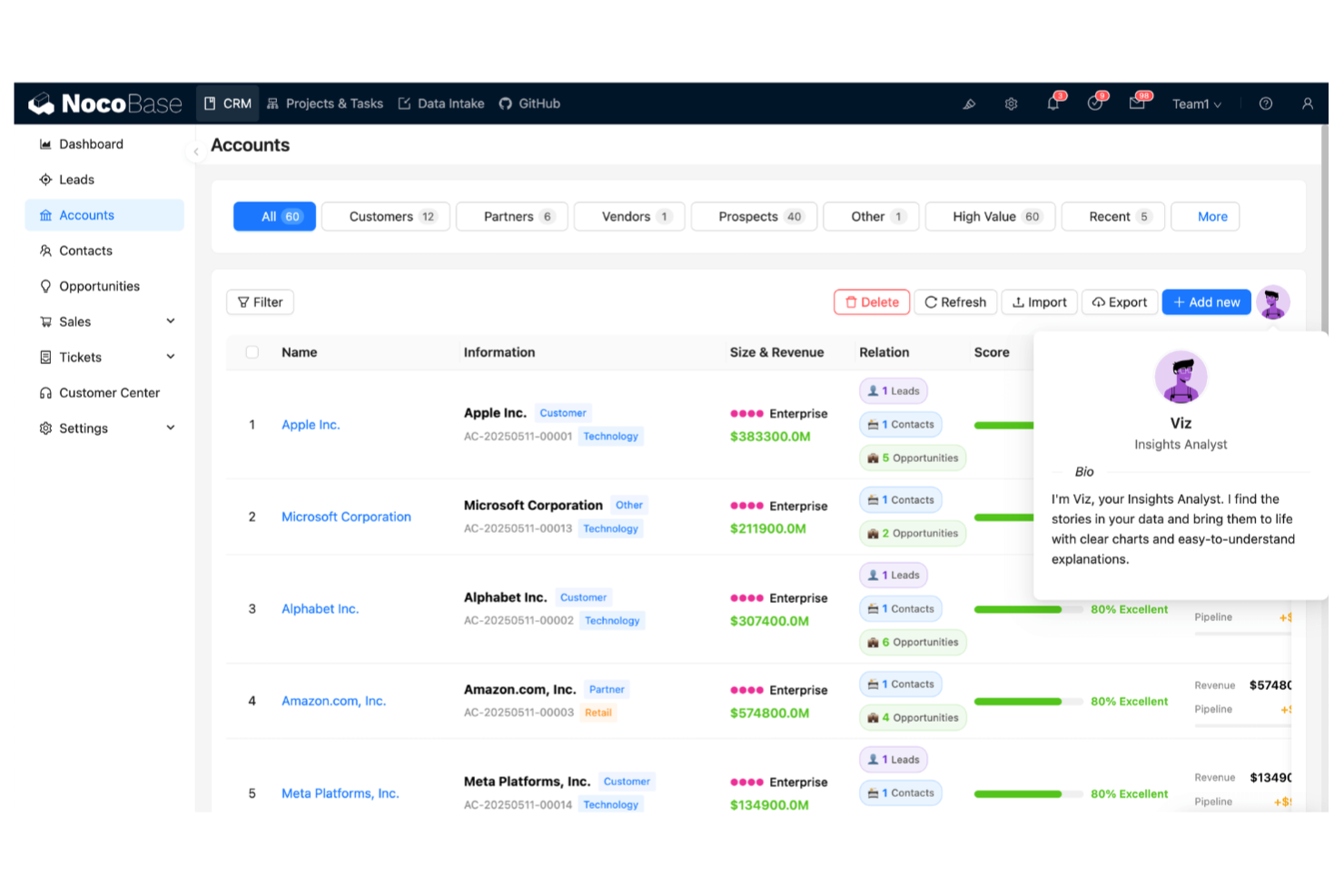
If you want a no-code app builder that’s fully open-source and highly customizable, NocoBase is worth a look. This platform appeals to IT teams, developers, and technical professionals who need to extend or modify their app builder to fit unique requirements. NocoBase helps you create custom workflows and data models while giving you full control over the codebase and extensibility.
Why I Picked NocoBase
What drew me to NocoBase is its open-source extensibility, which is rare among free no-code app builders. You can modify the source code, build custom plugins, and adapt the platform to fit complex or evolving requirements—something that’s especially valuable for IT teams and developers who want more than just out-of-the-box features. NocoBase’s plugin architecture lets you add or swap out functionality as your needs change, and its flexible data modeling supports building apps that go beyond simple CRUD operations. For anyone who wants to own and extend their app builder environment, NocoBase stands out as a strong choice.
NocoBase Key Features
Some other features in NocoBase that are useful for free no-code app building include:
- Visual schema designer: Design and manage data models using a drag-and-drop interface.
- Role and permission management: Set granular access controls for users and groups within your apps.
- Workflow automation: Build multi-step workflows with triggers and actions to automate processes.
- Multi-language support: Configure your app interface in multiple languages for global teams.
NocoBase Integrations
Integrations are not publicly listed.
What's Free?
NocoBase is fully open-source and free to use without time limits or user restrictions. You can self-host the platform and access all core features, but you’ll need to manage your own infrastructure and updates.
Pros and Cons
Pros:
- Provides granular role-based access control
- Converts existing SQL databases into a spreadsheet UI
- Open-source (AGPLv3) and supports full self-hosting
Cons:
- Updates require manual installation and testing
- UI design is less polished than commercial tools

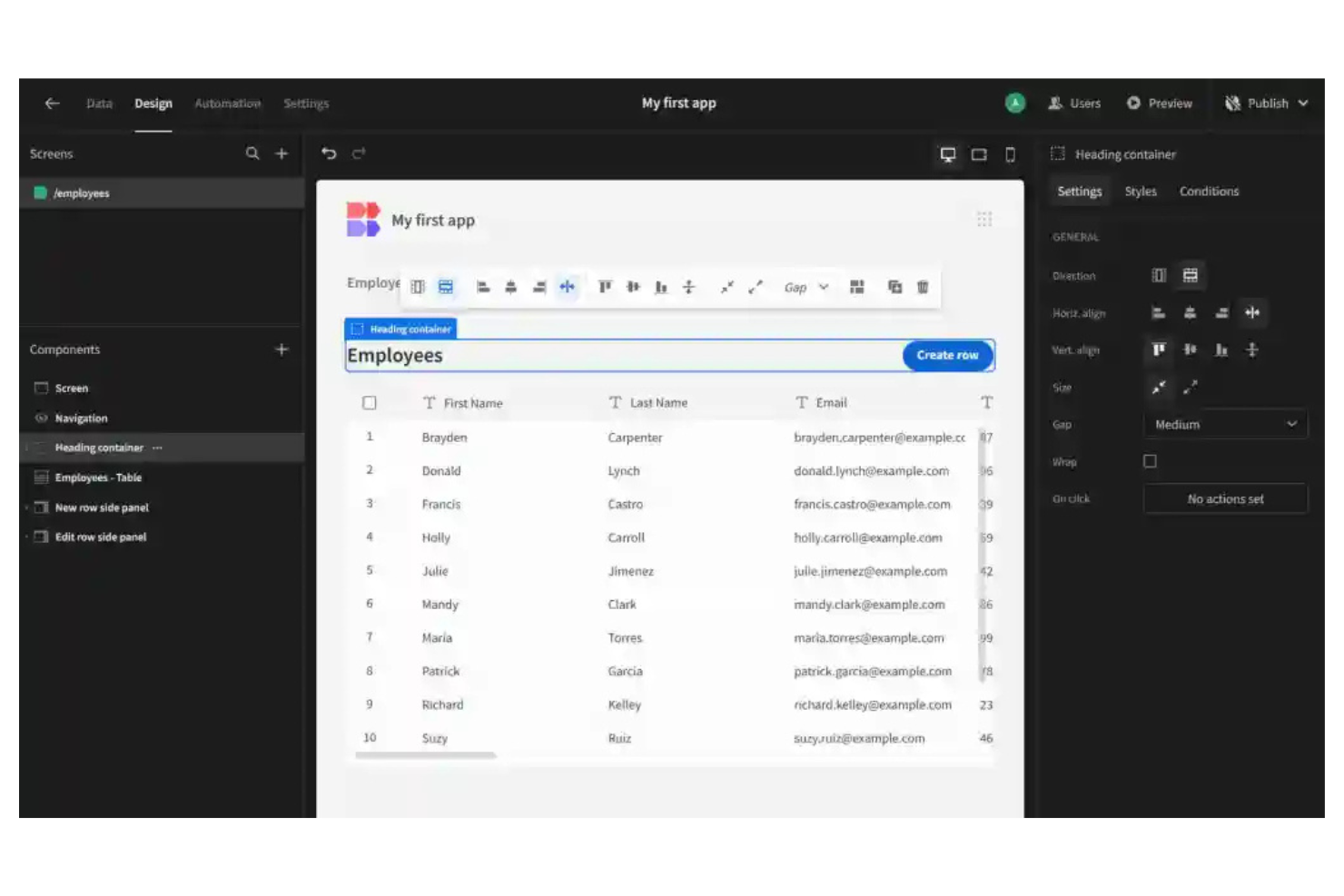
If you need a no-code app builder that supports self-hosted deployment, Budibase is worth a close look. This platform appeals to IT teams and organizations with strict data residency or compliance requirements. Budibase helps you create internal tools and business apps while keeping full control over your infrastructure and data.
Why I Picked Budibase
What sets Budibase apart for me as a free no-code app builder is its strong support for self-hosted deployment options. I see this as a key advantage for IT teams that need to keep sensitive data on-premises or within a private cloud. Budibase lets you deploy apps to your own infrastructure using Docker, Kubernetes, or even DigitalOcean, giving you full control over security and compliance. This flexibility is especially valuable for organizations in regulated industries or those with strict internal policies.
Budibase Key Features
In addition to its deployment flexibility, Budibase offers several features that support no-code app building:
- Drag-and-drop UI builder: Create interfaces using a visual editor with pre-built components for forms, tables, and charts.
- Data source connectors: Connect directly to databases like PostgreSQL, MySQL, MSSQL, REST APIs, and Google Sheets.
- Role-based access control: Assign permissions to users and groups to manage who can view or edit specific apps.
- Automated workflows: Set up triggers and actions to automate processes within your apps without writing code.
Budibase Integrations
Integrations are not publicly listed.
What's Free?
Budibase offers a free-forever Community Edition that supports unlimited apps and users for self-hosted deployments. Some advanced features like SSO, audit logs, and premium support are only available on paid plans.
Pros and Cons
Pros:
- Built-in workflows support custom automation
- Visual builder includes data binding
- Connects directly to PostgreSQL, MySQL, and MSSQL
Cons:
- RBAC and audit logs require payment
- Mobile support is basic and non-native
Other Free No-Code App Builder
Here are some additional free no-code app builder options that didn’t make it onto my shortlist, but are still worth checking out:
- Lovable
For designer-focused app customization
- FlutterFlow
For exporting clean Flutter code
- Figma
For collaborative UI prototyping
- Zapier
With automated workflow connections
- Firebase
With real-time backend infrastructure
- Knack
For database-driven web applications
- Superblocks
With enterprise-grade API integrations
- Draftbit
For building React Native mobile apps
- Flipabit
For multi-platform app deployment


Free No-Code App Builder Selection Criteria
When selecting the best free no-code app builder to include in this list, I considered common buyer needs and pain points like wanting to build apps without coding skills and needing a free plan that isn’t too limited. I also used the following framework to keep my evaluation structured and fair:
Core Functionality (25% of total score)
To be considered for inclusion in this list, each solution had to fulfill these common use cases:
- Build and publish basic web or mobile apps
- Drag and drop interface for app design
- Add and manage data collections or databases
- Set up user authentication and permissions
- Deploy updates to live apps
Additional Standout Features (25% of total score)
To help further narrow down the competition, I also looked for unique features, such as:
- Advanced design customization options
- Built-in workflow automation tools
- Real-time collaboration for teams
- Native integrations with popular third-party services
- Support for responsive or adaptive layouts
Usability (10% of total score)
To get a sense of the usability of each system, I considered the following:
- Intuitive navigation and clear interface layout
- Minimal clicks to complete common tasks
- Visual feedback for actions and errors
- Customizable workspace or dashboard
- Accessibility for users with different skill levels
Onboarding (10% of total score)
To evaluate the onboarding experience for each platform, I considered the following:
- Availability of step-by-step tutorials or product tours
- Access to pre-built templates for quick starts
- Training videos or live webinars for new users
- In-app chatbots or guided help features
- Clear documentation for setup and migration
Customer Support (10% of total score)
To assess each software provider’s customer support services, I considered the following:
- Multiple support channels like chat, email, or phone
- Fast response times to user inquiries
- Access to a searchable knowledge base
- Community forums or user groups
- Availability of dedicated onboarding or success managers
Value For Money (10% of total score)
To evaluate the value for money of each platform, I considered the following:
- Generous free plan limits for users and features
- Transparent upgrade paths and pricing tiers
- No hidden fees or surprise charges
- Access to core features without paywalls
- Fair comparison to similar tools in the market
Customer Reviews (10% of total score)
To get a sense of overall customer satisfaction, I considered the following when reading customer reviews:
- Positive feedback on app-building experience
- Reports of reliable platform performance
- Comments on the usefulness of free features
- User stories about support and onboarding
- Suggestions for improvement or missing features
How to Choose Free No-Code App Builder
It’s easy to get bogged down in long feature lists and complex pricing structures. To help you stay focused as you work through your unique software selection process, here’s a checklist of factors to keep in mind:
| Factor | What to Consider |
|---|---|
| Scalability | Will the platform support your app as user numbers or data needs grow? Check for user, record, or workflow limits on free plans. |
| Integrations | Does the builder connect natively to your existing tools and data sources? Look for direct integrations, not just API or Zapier workarounds. |
| Customizability | Can you control layouts, branding, and user experience to the degree your use case requires? Some tools restrict design or logic on free plans. |
| Ease of use | How quickly can your team build and iterate without coding? Test the interface with a real use case before committing. |
| Implementation and onboarding | What resources are available to help you get started? Look for templates, tutorials, and migration support, especially if you’re moving from another tool. |
| Cost | Are there hidden costs as you scale or add features? Review upgrade triggers, user limits, and any charges for publishing or exporting apps. |
| Security safeguards | Does the platform offer user authentication, data encryption, and access controls? Make sure these are available even on the free plan if you handle sensitive data. |
| Support availability | What support channels are open to free users? Some platforms limit chat or email support to paid plans, which can slow down troubleshooting. |
What Are Free No-Code App Builders?
Free no-code app builders are software platforms that let you create and launch web or mobile applications without writing code, using visual interfaces and drag-and-drop tools. These platforms offer a free plan or tier, allowing individuals or teams to build functional apps with core features at no cost, though some advanced capabilities may require payment.
Features of Free No-Code App Builder
Let’s go over the features commonly found in no-code app builder platforms, and which ones are usually included in free vs. paid plans.
Typically Free No-Code App Builder Features
- Drag-and-drop editor: Build app interfaces visually by moving elements onto a canvas, making it easy to design layouts without coding.
- Basic data management: Store, view, and edit simple data collections or tables within the app, supporting basic CRUD (create, read, update, delete) operations.
- Pre-built UI components: Access a library of standard elements like buttons, forms, and lists to quickly assemble app screens.
- App preview or testing: See how your app looks and works in real time before publishing, helping you catch issues early.
- Single-user access: Allow one user or creator to build and manage the app, suitable for individual projects or prototypes.
- Basic publishing options: Deploy your app to the web or as a simple mobile app, often with platform branding or limited customization.
- Template library: Start with ready-made app templates for common use cases, reducing setup time and effort.
- Basic user authentication: Add simple login and registration features to control access to your app.
Typically Paid No-Code App Builder Features
- Multi-user collaboration: Invite team members to co-build, review, and manage apps with role-based permissions and real-time editing.
- Advanced integrations: Connect directly to third-party services, databases, or APIs for richer app functionality and automation.
- Custom domain publishing: Launch your app on your own branded domain, removing platform branding and improving professionalism.
- Workflow automation: Set up complex logic, triggers, and automated actions to simplify processes within your app.
- Advanced security controls: Implement granular access permissions, audit logs, and compliance features for sensitive or regulated data.
- White-labeling: Remove all platform branding and customize the app’s appearance to match your organization’s identity.
- Expanded data storage: Increase limits on records, file uploads, or database size to support larger or more complex apps.
- Priority support: Access faster response times, dedicated support channels, or onboarding assistance for troubleshooting and guidance.
- Mobile app publishing: Export or publish fully native iOS and Android apps, often with app store submission support.
- Analytics and reporting: Track user activity, app performance, and key metrics with built-in dashboards and exportable reports.
Benefits of Free No-Code App Builder
Implementing a free no-code app builder provides several benefits for your team and your business. Here are a few you can look forward to:
- Lower development costs: Build and launch apps without hiring developers or purchasing expensive software licenses, thanks to free plans and visual editors.
- Faster prototyping: Quickly create and test app ideas using drag-and-drop tools, pre-built templates, and real-time previews.
- Accessible app creation: Empower team members without coding skills to design, build, and manage apps using intuitive interfaces and basic data management features.
- Reduced IT workload: Enable business users to solve workflow or data challenges independently, freeing up IT resources for more complex projects.
- Easy experimentation: Try out new workflows, features, or app concepts with minimal risk, since most free plans allow unlimited drafts or prototypes.
- Scalable entry point: Start with a free plan and upgrade only when you need advanced features, integrations, or higher usage limits.
- Improved collaboration: Share prototypes or early versions with stakeholders for feedback, using built-in sharing and basic user authentication features.
Costs and Pricing of No-Code App Builder
I realize you came to this article looking for the best no-code app builder options that are available for free. However, since free plans only offer limited features, there's a good chance you'll need to scale your plan up in the future.
The table below summarizes common plans, their average prices, and typical features included in no-code app builder platforms:
Plan Comparison Table for No-Code App Builder
| Plan Type | Average Price | Common Features |
|---|---|---|
| Free Plan | $0 | Basic drag-and-drop editor, limited data storage, single-user access, platform branding, and basic templates. |
| Personal Plan | $10-$25/user/month | Increased data limits, custom domains, more templates, email support, and basic integrations. |
| Business Plan | $30-$60/user/month | Multi-user collaboration, advanced integrations, workflow automation, custom branding, and analytics. |
| Enterprise Plan | $75-$200+/user/month | Advanced security, priority support, dedicated onboarding, compliance features, and custom SLAs. |
Free No-Code App Builder FAQs
Here are some answers to common questions about free no-code app builder:
Can I publish a real app using a free no-code app builder?
Yes, most free no-code app builders let you publish real web or mobile apps, though you may have platform branding or limited customization. Free plans often restrict advanced features, user limits, or custom domains, so review these details before launching a production app.
Are free no-code app builders secure enough for business use?
Free no-code app builders usually offer basic security like user authentication and encrypted connections, but advanced controls may require a paid plan. If you handle sensitive data or need compliance features, check what’s included in the free tier and consider upgrading if needed.
What are the main limitations of free no-code app builder plans?
Free plans often limit the number of users, data records, integrations, and customization options. You may also see platform branding on your app and have restricted access to support or advanced publishing features. Always review plan details to ensure they fit your project’s needs.
Can I migrate my app to another platform later?
Yes, you can usually export your data or rebuild your app on another platform, but the process may require manual work. Some no-code app builders offer export tools, while others may lock certain features or data behind paid plans, so check migration options before you start.
Do free no-code app builders support integrations with other tools?
Some free no-code app builders include basic integrations or allow connections through APIs or automation platforms like Zapier. However, direct integrations with popular business tools or advanced automation features are often reserved for paid plans.
What’s Next:
If you're in the process of researching a free no-code app builder, connect with a SoftwareSelect advisor for free recommendations.
You fill out a form and have a quick chat where they get into the specifics of your needs. Then you'll get a shortlist of software to review. They'll even support you through the entire buying process, including price negotiations.