
21 Best Enterprise Cybersecurity Tools Reviewed in 2026

Best Enterprise Cybersecurity Tools Shortlist
Here’s my shortlist of the best enterprise cybersecurity tools:


Keeping your organization's data safe is more important than ever, as cyber threats are constantly evolving, and you need tools that can keep up. That's where enterprise cybersecurity tools come in—they help protect your data and secure your network.
I've spent years testing and reviewing software, and I know what works and what doesn't. In this article, I'll share my top picks for enterprise cybersecurity tools. These solutions are designed to meet the needs of different industries and team sizes.
You can expect an unbiased, well-researched review of each tool, highlighting their strengths and weaknesses. Whether you're looking to secure sensitive information or improve threat detection, there's something here for your team.
Why Trust Our Software Reviews
Best Enterprise Cybersecurity Tools Summary
This comparison chart summarizes pricing details for my top enterprise cybersecurity tool selections to help you find the best one for your budget and business needs.
| Tool | Best For | Trial Info | Price | ||
|---|---|---|---|---|---|
| 1 | Best for password management | Free trial + demo available | From $3.33/month (billed annually) | Website | |
| 2 | Best for application control | 30-day free trial + free demo available | Pricing upon request | Website | |
| 3 | Best for threat intelligence | 15-day free trial + free demo available | From $59.99/device/year (billed annually) | Website | |
| 4 | Best for data management | Free demo available | Pricing upon request | Website | |
| 5 | Best for enterprise networks | 30-day free trial + free demo available | Pricing upon request | Website | |
| 6 | Best for antivirus protection | 30-day free trial | From $4.99/user/month (billed annually) | Website | |
| 7 | Best for managed security services | Free consultation available | Pricing upon request | Website | |
| 8 | Best for endpoint protection | Free trial available | Pricing upon request | Website | |
| 9 | Best for network security | Free demo + free trial available | Pricing upon request | Website | |
| 10 | Best for unified threat management | Free demo available | Pricing upon request | Website |

-

Freshservice
Visit WebsiteThis is an aggregated rating for this tool including ratings from Crozdesk users and ratings from other sites.4.6 -
Deel IT
Visit Website -
Rippling IT
Visit WebsiteThis is an aggregated rating for this tool including ratings from Crozdesk users and ratings from other sites.4.8




Best Enterprise Cybersecurity Tool Reviews
Below are my detailed summaries of the best enterprise cybersecurity tools that made it onto my shortlist. My reviews offer a detailed look at the key features, pros & cons, integrations, and ideal use cases of each tool to help you find the best one for you.

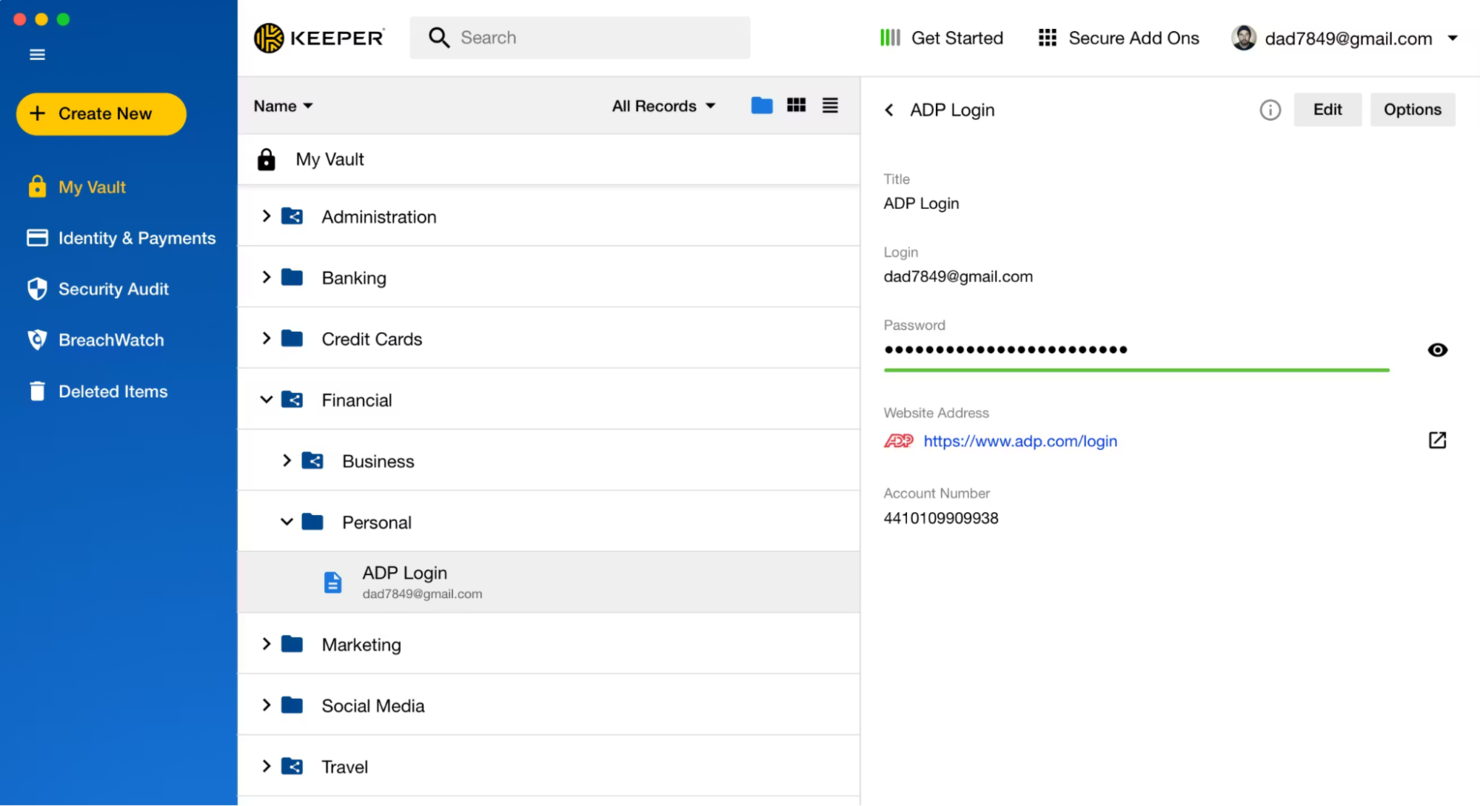
Keeper Security is a leading password management and privileged access management solution. It's designed for businesses of all sizes, focusing on secure password storage and access control.
Why I picked Keeper Security: Keeper Security is recognized for its strong compliance with security standards, including FedRAMP authorization. Its KeeperPAM platform delivers zero-trust security, end-to-end encryption, and advanced authentication to protect sensitive data. Designed for secure remote access, password management, and safeguarding laptops and mobile devices, it helps organizations reduce their attack surface. Remote browser isolation adds secure browsing, while cloud-based security controls and threat hunting support help address vulnerabilities and defend against cyberattacks.
Standout features & integrations:
Features include zero-trust security, end-to-end encryption, and secure remote access. Keeper Security also offers Remote Browser Isolation to ensure safe browsing for your team. Its products, like Endpoint Privilege Manager, provide extensive access control.
Integrations include Microsoft Azure, AWS, Google Workspace, Okta, OneLogin, and Duo SSL.
Pros and Cons
Pros:
- Zero-trust architecture
- Extensive access control
- Strong security compliance
Cons:
- Auto-logout interrupts workflow
- Complex initial setup

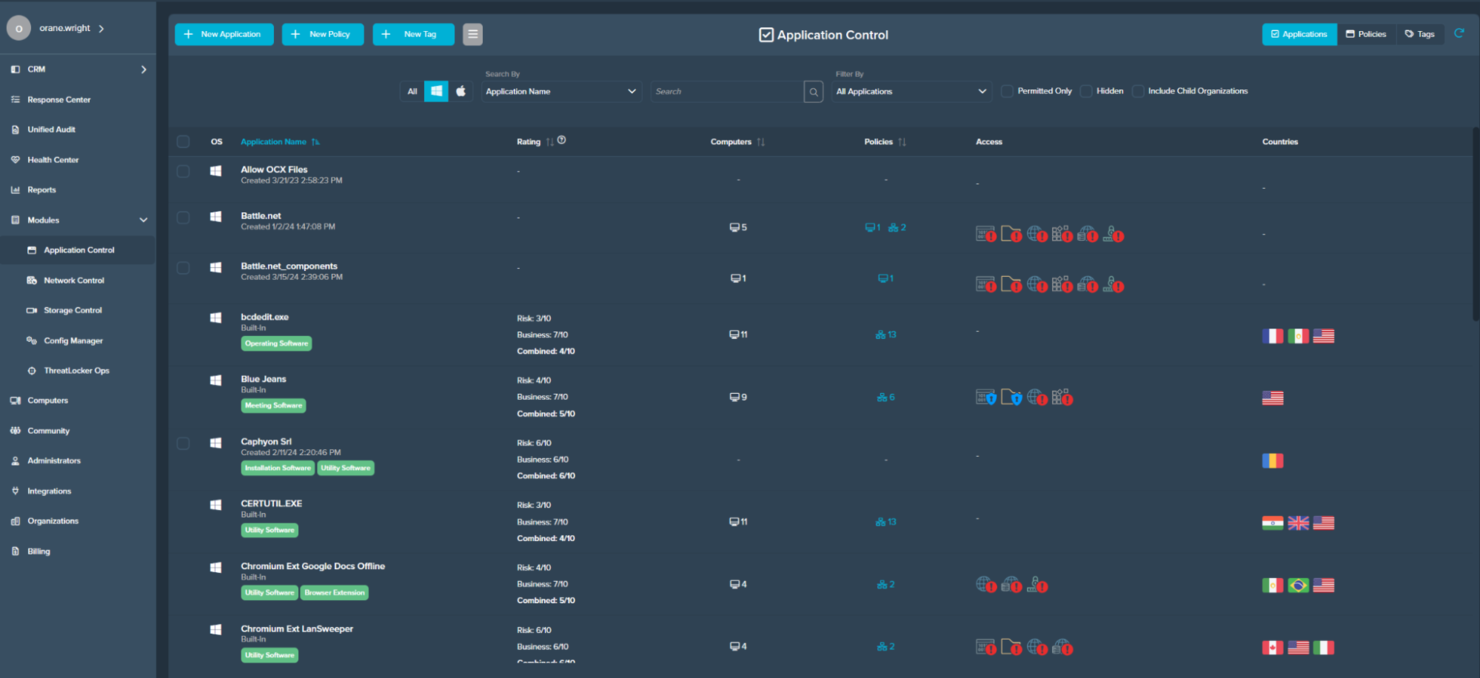
ThreatLocker is an advanced application control and endpoint security solution designed for businesses seeking to enhance their cybersecurity posture. It focuses on allowing only trusted applications to run, providing a critical layer of defense against malware and unauthorized software.
Why I picked ThreatLocker: Keeper ThreatLocker’s application control capabilities include ringfencing to manage how applications interact and prevent lateral movement and data exfiltration. Its ability to block unknown applications and maintain a whitelist of approved programs strengthens protection against hackers, zero-day attacks, and other security breaches. The platform also provides auditing and reporting tools to monitor application usage, identify potential vulnerabilities, and support remediation efforts.
Standout features & integrations:
Features include ringfencing, which limits interactions between applications to prevent threats. Its auditing and reporting capabilities offer detailed insights into application behavior. The software's whitelisting feature ensures only approved applications run on your systems.
Integrations are not publicly available.
Pros and Cons
Pros:
- Customizable security policies
- Detailed auditing and reporting
- Effective whitelisting capabilities
Cons:
- Occasionally blocks legitimate apps
- Potential for application disruptions

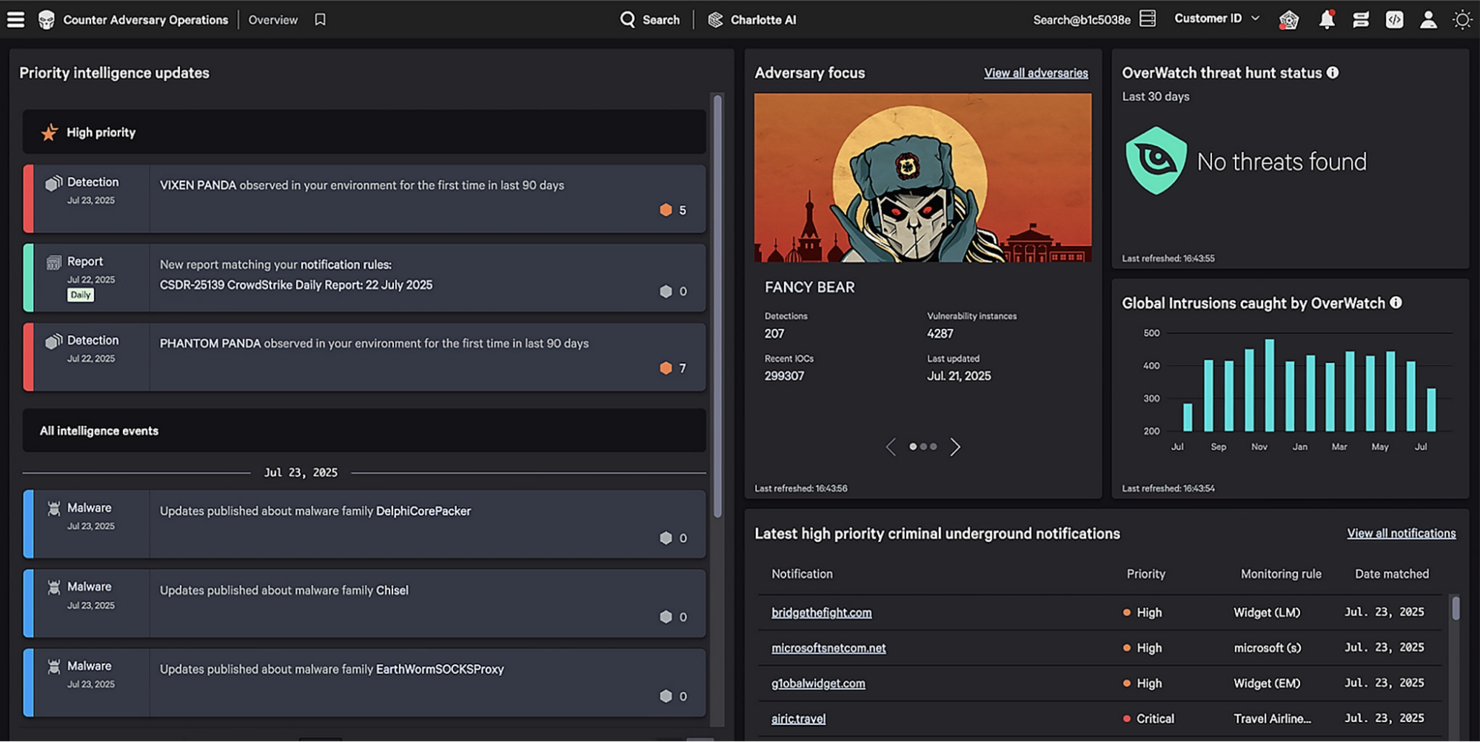
CrowdStrike is an endpoint protection solution tailored for organizations that prioritize advanced threat intelligence. It serves businesses seeking to detect and respond to cyber threats quickly and effectively.
Why I picked CrowdStrike: The Falcon Intelligence platform offers real-time threat intelligence, providing your team with actionable insights into potential threats. Its cloud-native architecture allows for rapid deployment and scalability. The tool's ability to automate threat analysis and response sets it apart from other solutions. Furthermore, the detailed threat reports and adversary tracking provide you with an in-depth view of the threat landscape.
Standout features & integrations:
Features include real-time threat detection, enabling teams to identify and respond to emerging threats quickly. Its automated threat analysis accelerates remediation, reducing the time needed to address security incidents.
Detailed threat reports offer insights into hacker tactics, potential vulnerabilities, and zero-day attacks, helping organizations strengthen their information security posture. Designed to monitor network traffic and protect endpoints across laptops, mobile devices, and cloud environments, the platform supports broader security operations and threat hunting initiatives.
Integrations include ServiceNow, AWS, Microsoft Azure, Google Cloud Platform, Palo Alto Networks, Zscaler, Okta, and SailPoint.
Pros and Cons
Pros:
- Detailed adversary tracking
- Cloud-native architecture
- Real-time threat intelligence
Cons:
- Limited offline protection coverage
- High false-positive volume

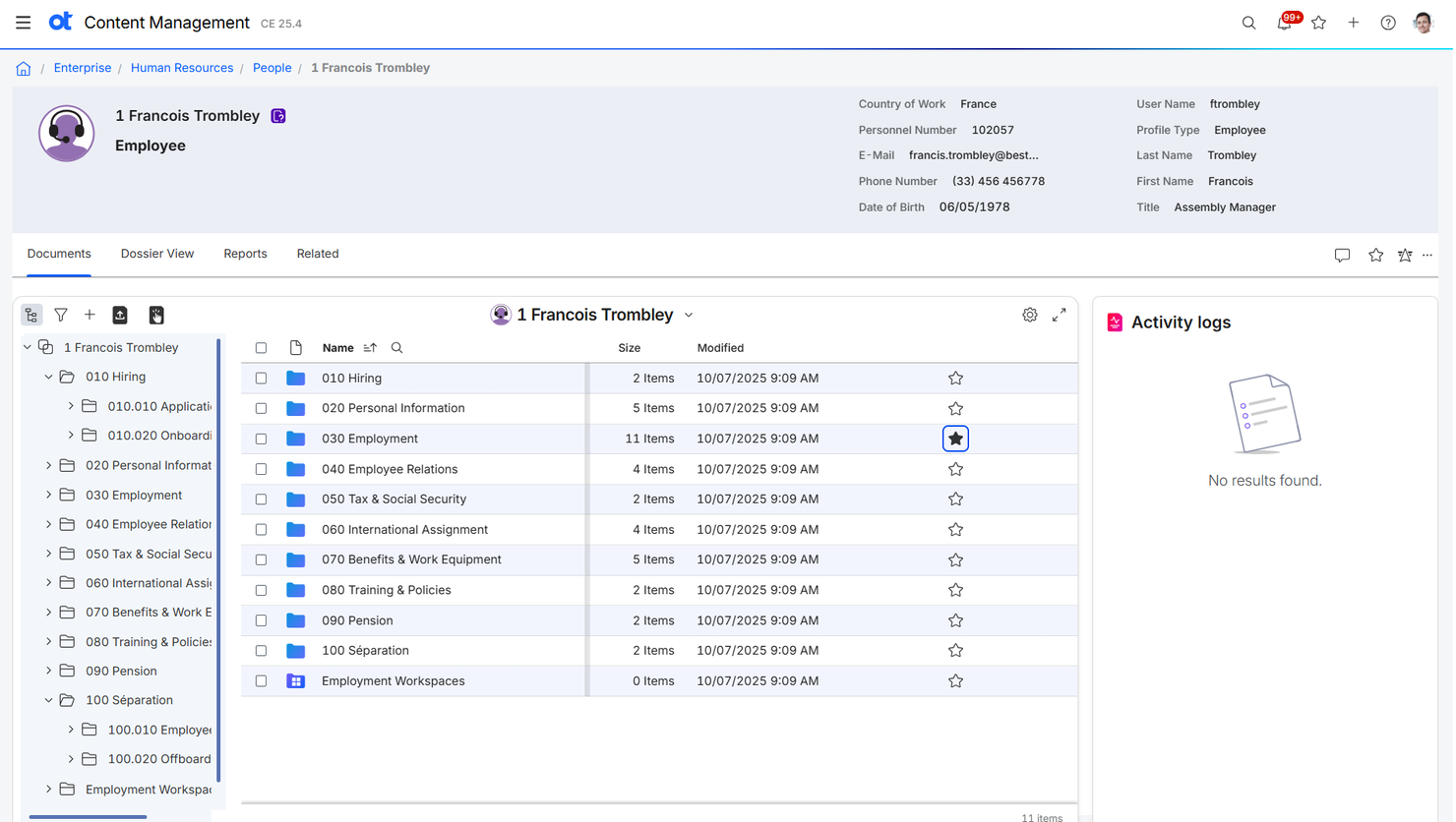
OpenText is a data management and enterprise information management platform designed for organizations that need to securely store, manage, and analyze large volumes of data. The platform supports information security best practices, helping protect sensitive data across cloud environments and on-premises systems. With features that support vulnerability scanning, threat monitoring, and secure access controls, OpenText helps maintain data integrity and reduce risk.
Why I picked OpenText: OpenText combines data management with enterprise content management, providing solutions for document management, archiving, and e-discovery. The platform supports information security and compliance, helping businesses in regulated industries protect sensitive data and meet governance standards. It also offers analytics and reporting tools to gain actionable insights from your data. By integrating with security platforms and service providers, OpenText helps organizations monitor and safeguard their content across cloud environments and on-premises systems.
Standout features & integrations:
Features include document management, which helps your team organize and retrieve documents easily. The platform's archiving capabilities ensure long-term data storage and compliance. E-discovery tools assist in legal processes by identifying and collecting relevant information.
Integrations include SAP, Microsoft 365, and Salesforce.
Pros and Cons
Pros:
- Supports regulated industries
- Effective document management
- Strong compliance and governance
Cons:
- System performance can lag
- Complex implementation process

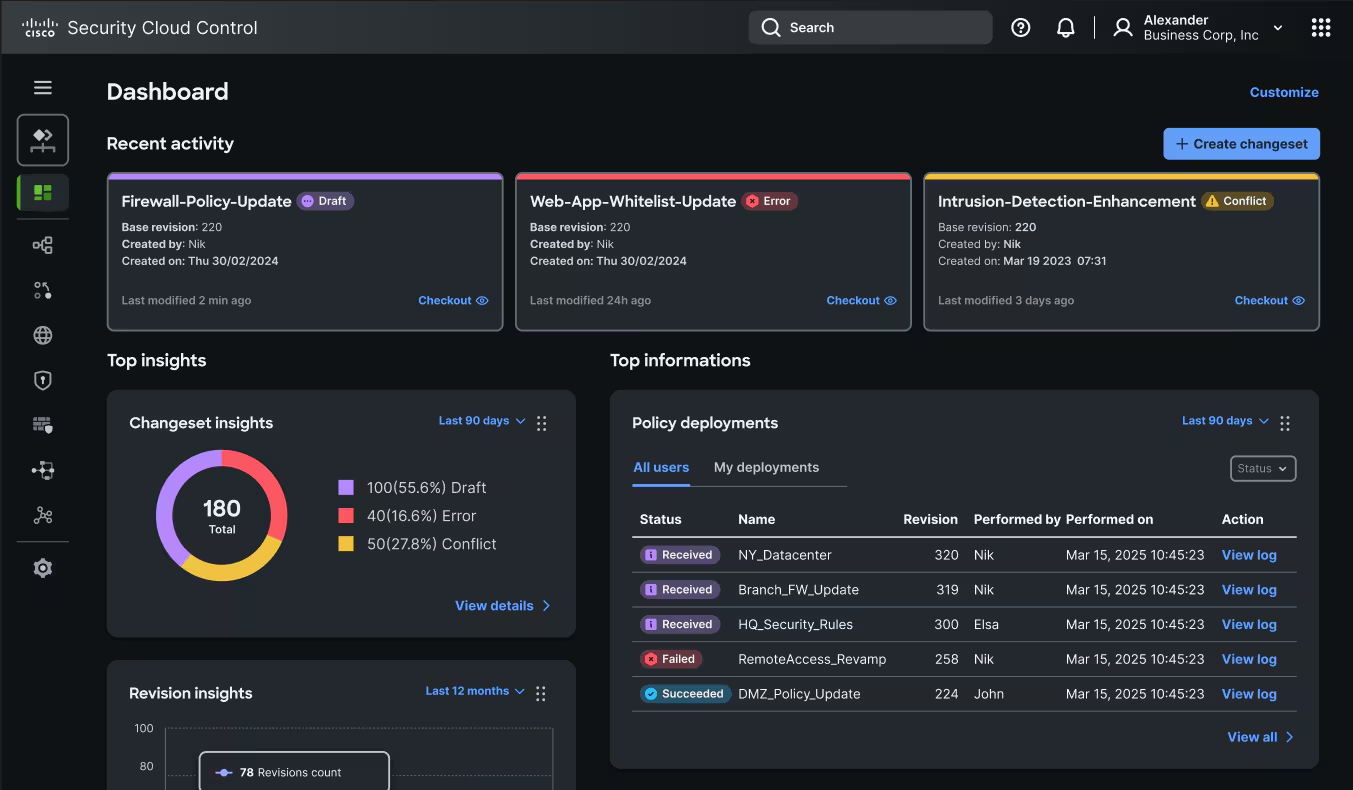
Cisco provides a range of cybersecurity solutions designed for large enterprises, focusing on network security. It helps organizations protect their infrastructure by offering threat detection, prevention, and response capabilities.
Why I picked Cisco: Its extensive suite of security tools is tailored for enterprise networks, providing end-to-end protection. Cisco's advanced threat detection and response features help identify and mitigate risks quickly. The platform's network security solutions are built to scale with your organization, ensuring consistent protection as your network grows. Additionally, Cisco's focus on integrating security across its product line enhances the overall security posture of your enterprise.
Standout features & integrations:
Features include advanced threat detection, which helps your team identify risks in real-time. The platform's response capabilities allow for quick mitigation of identified threats. Cisco's network security solutions are scalable, ensuring they grow with your organization.
Integrations include Amazon, Microsoft, Google Cloud, Splunk, and Okta.
Pros and Cons
Pros:
- Integrated security across products
- Quick response capabilities
- Scalable network security solutions
Cons:
- Reports lack real-time detail
- High resource consumption

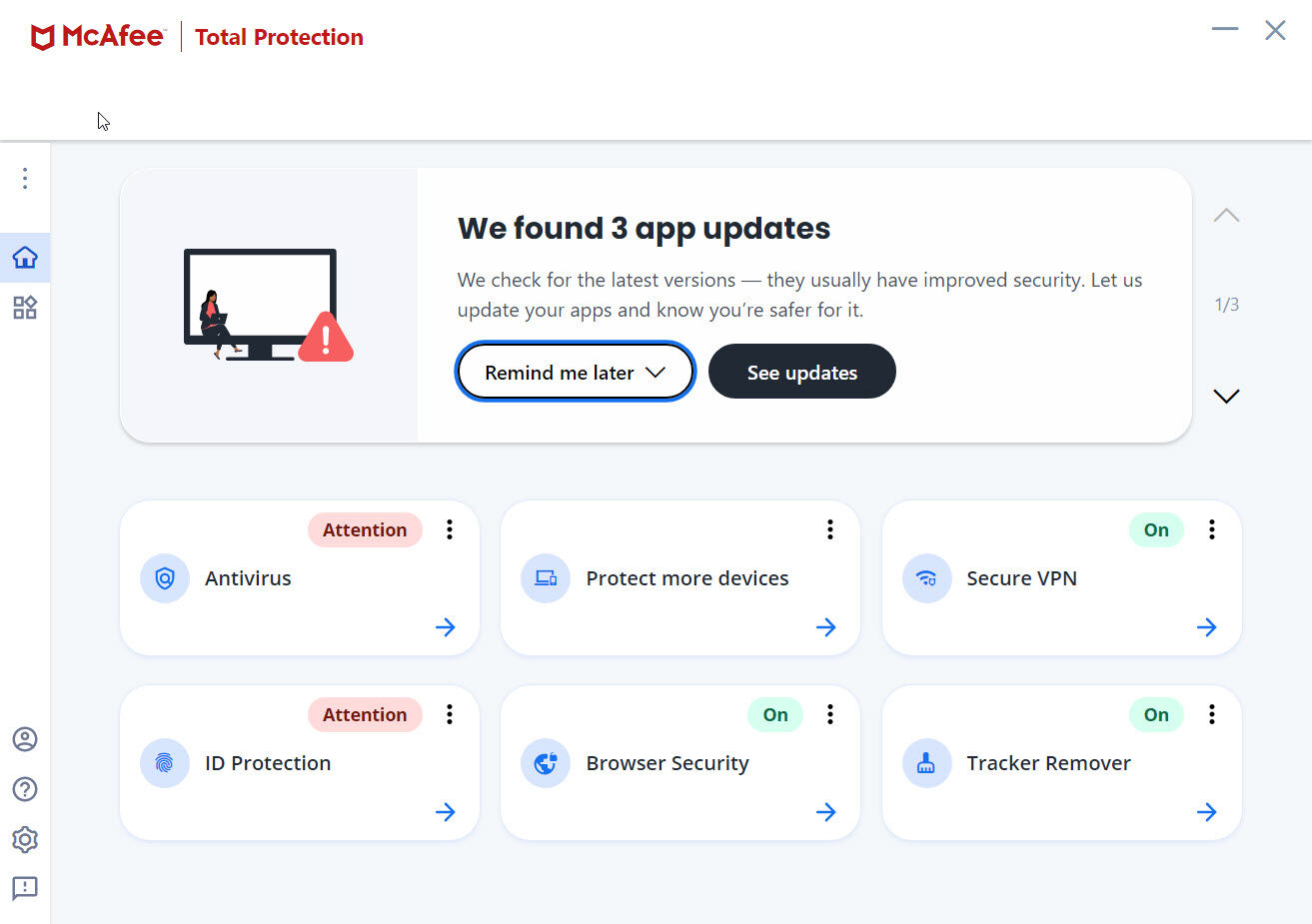
McAfee is a cybersecurity solution known for its antivirus and threat prevention capabilities. It's widely used by businesses of all sizes to protect against malware and other cyber threats.
Why I picked McAfee: Its antivirus protection is highly regarded, offering real-time scanning and automatic updates to keep your systems secure. The software includes a firewall to block unwanted traffic and prevent unauthorized access. It also provides web protection to guard against phishing and malicious websites. McAfee's focus on antivirus protection makes it suitable for companies looking for in-depth threat prevention.
Standout features & integrations:
Features include real-time scanning, which helps your team stay protected from the latest threats. The software's firewall adds an extra layer of security by blocking suspicious traffic. Web protection ensures safe browsing by identifying and blocking harmful websites.
Integrations are not publicly available.
Pros and Cons
Pros:
- Cross-platform compatibility
- Strong firewall capabilities
- Real-time threat detection
Cons:
- Limited macOS feature set
- Full scans run slowly

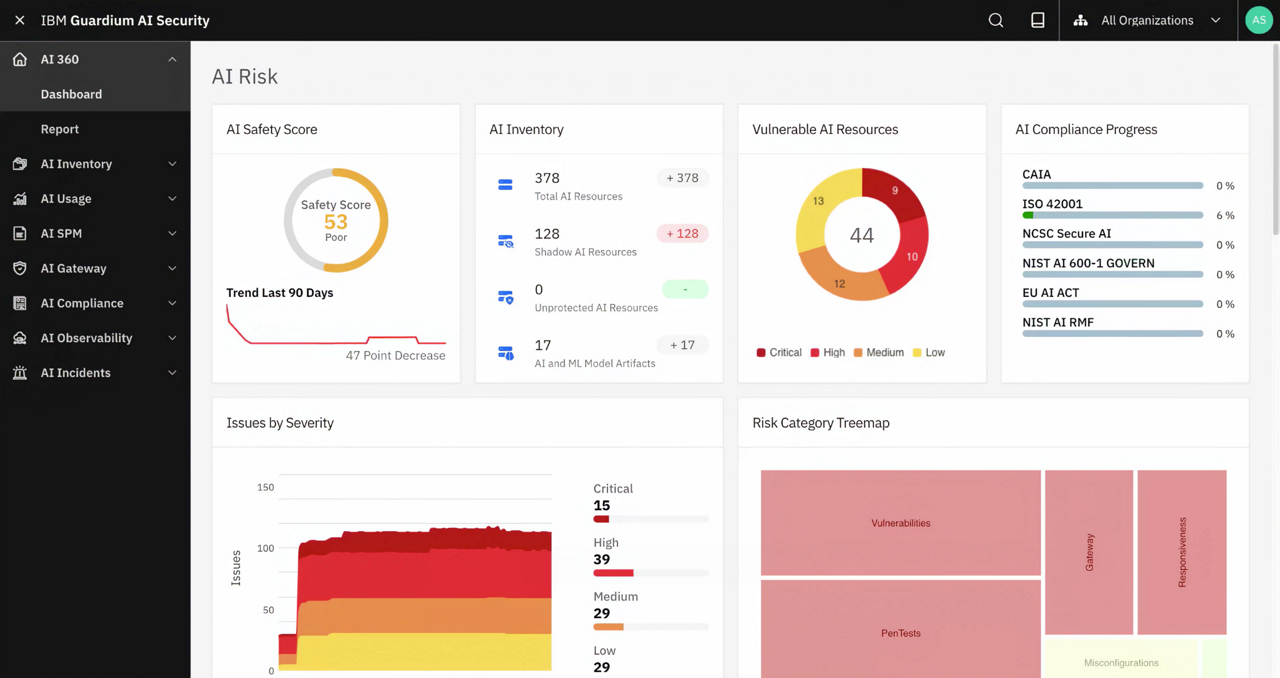
IBM offers managed security services designed for enterprises seeking good security management. It provides solutions for threat monitoring, detection, and response to help protect your organization's digital assets.
Why I picked IBM: The managed security services provide around-the-clock monitoring and incident response, ensuring your team is always protected. Its threat intelligence capabilities help identify potential risks before they impact your network. IBM's customizable security solutions cater to specific business needs, making it a good choice for enterprises.
Standout features & integrations:
Features include 24/7 threat monitoring, which provides continuous protection for your organization. The incident response capabilities ensure timely action against security breaches. IBM's threat intelligence offers insights into emerging threats, helping you stay ahead of potential risks.
Integrations include AWS, Microsoft, Adobe, Oracle, Salesforce, Palo Alto Networks, and SAP.
Pros and Cons
Pros:
- Integration with existing systems
- Strong incident response capabilities
- Continuous threat monitoring
Cons:
- Legacy-system support feels basic
- Limited custom policy configuration

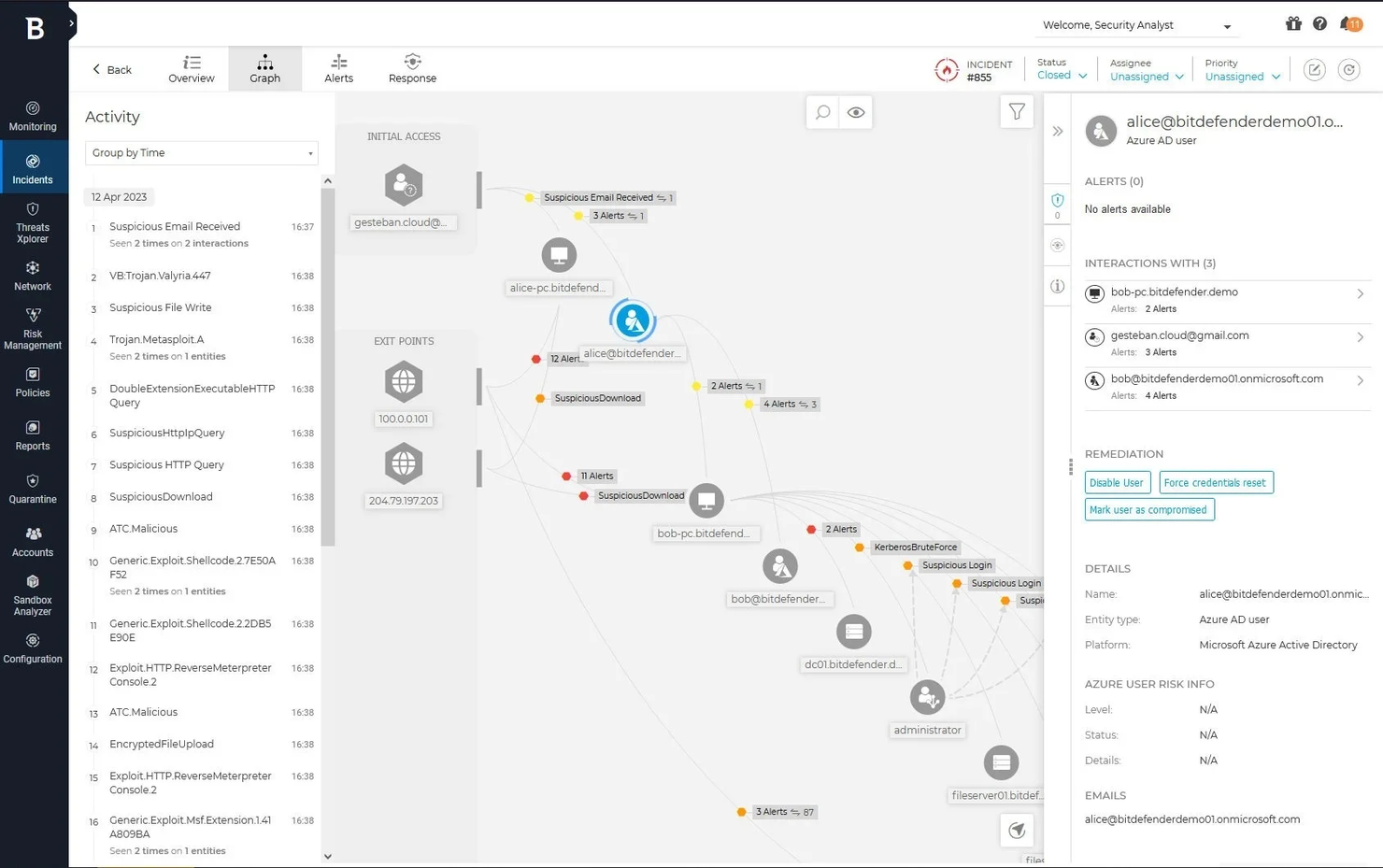
Bitdefender is an antivirus software geared towards endpoint protection for businesses of all sizes. It focuses on safeguarding devices against malware, ransomware, and other cyber threats, ensuring your systems remain secure.
Why I picked Bitdefender: Its endpoint protection capabilities are highly regarded, offering features like behavioral detection and prevention. The platform uses advanced threat intelligence to identify and block threats before they can impact your network. Bitdefender's GravityZone provides centralized management for your security operations. The ability to automate responses to threats makes it an ideal choice for businesses looking to enhance their cybersecurity measures.
Standout features & integrations:
Features include behavioral detection to help teams identify and block suspicious activity across endpoints. Its centralized management console enables consistent enforcement of security policies across all devices. The platform uses advanced threat intelligence to provide insights into potential threats, supporting the protection of email security, DNS traffic, and overall security systems.
Integrations include AWS, Microsoft, Splunk, and Okta.
Pros and Cons
Pros:
- Scalable for different business sizes
- Automated threat responses
- Advanced threat intelligence
Cons:
- Limited MAC/mobile features
- Limited customization options

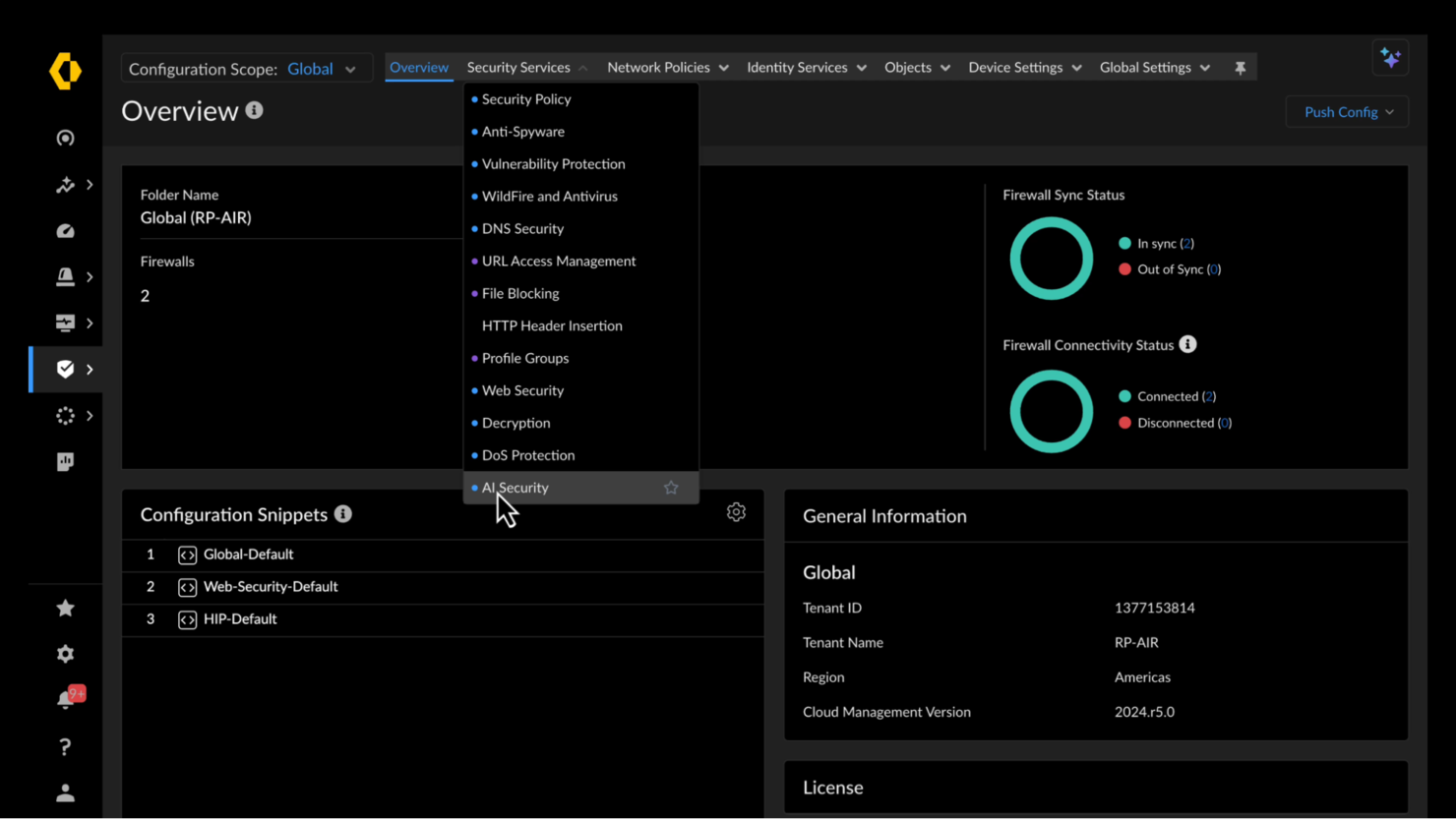
Palo Alto Networks is an AI-powered cybersecurity platform focused on network security for enterprises of all sizes. It provides advanced threat prevention and secure access to ensure your network is protected from cyber threats.
Why I picked Palo Alto Networks: Palo Alto Networks delivers next-generation firewall capabilities with deep packet inspection and advanced threat protection. Its intrusion detection and URL filtering features help teams monitor and secure network traffic across on-premises and cloud environments. The platform also includes cloud-delivered security services, VPN support, and integration with SOC operations, enabling organizations to protect critical systems, detect emerging threats, and maintain a strong cybersecurity posture.
Standout features & integrations:
Features include next-generation firewall capabilities that offer deep packet inspection to identify threats. The intrusion prevention system helps your team block known and unknown threats effectively. URL filtering provides an additional layer of security by blocking access to malicious sites.
Integrations include AWS, Microsoft, Google Cloud, VMware, Splunk, Cisco, IBM, ServiceNow, Okta, and SailPoint.
Pros and Cons
Pros:
- Deep packet inspection
- Centralized management system
- Advanced threat prevention
Cons:
- Requires ongoing management
- Complex configuration process

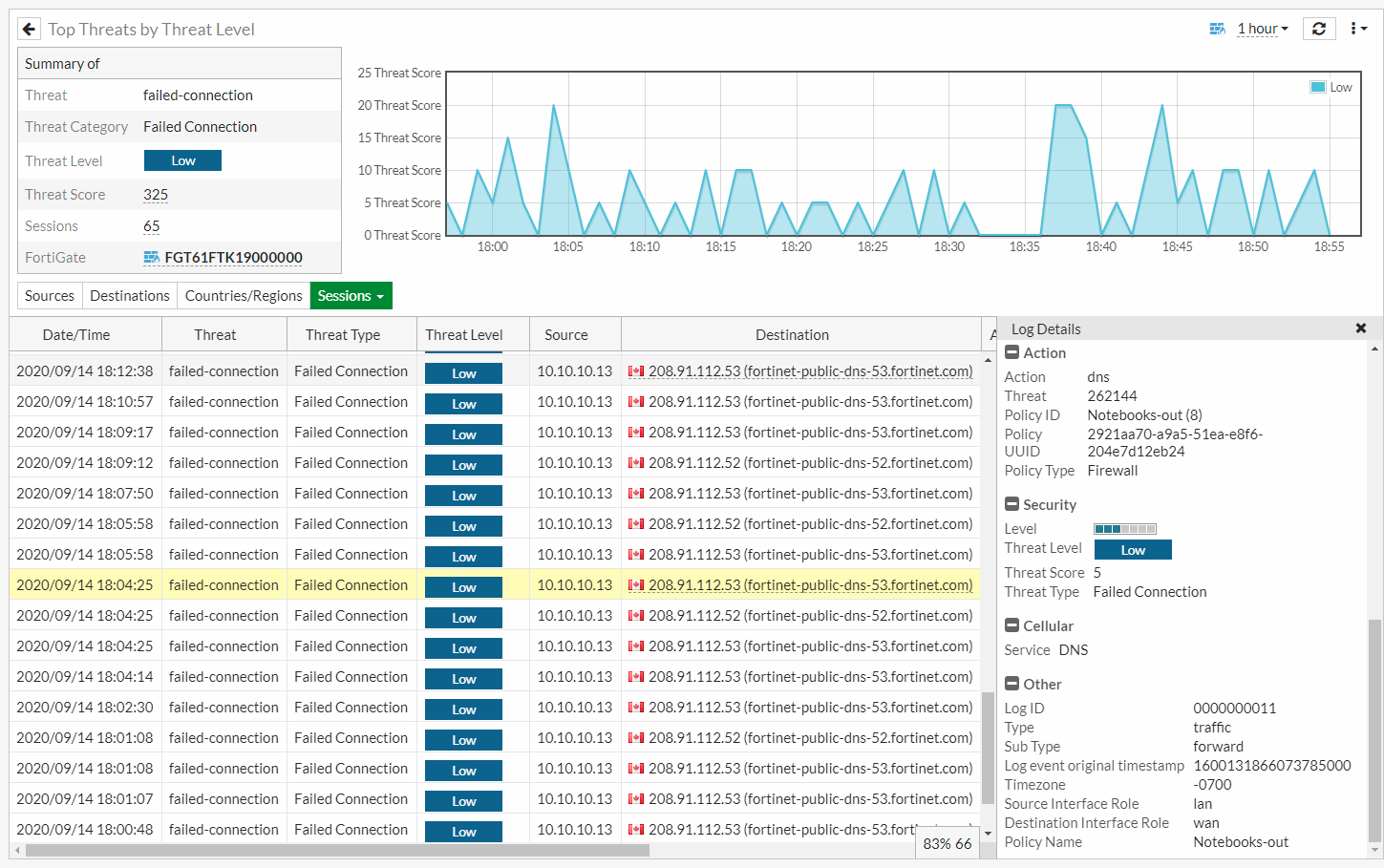
Fortinet is a cybersecurity solution focused on unified threat management for organizations of various sizes. It provides integrated security features that help protect your network, applications, and data from diverse cyber threats.
Why I picked Fortinet: The platform offers a unified threat management through its FortiGate firewalls, which combine multiple security functions into a single device. Features like intrusion prevention, web filtering, and application control enhance your network security. The Security Fabric architecture connects different security solutions, providing a comprehensive view of your security posture.
Standout features & integrations:
Features include advanced intrusion prevention systems that help block malicious activities. Web filtering capabilities ensure safe browsing by controlling access to harmful websites. Application control allows your team to manage applications and prevent unauthorized usage.
Integrations include AWS, Microsoft, Google Cloud, VMware, Cisco, Splunk, IBM, ServiceNow, and Okta.
Pros and Cons
Pros:
- Scalable Security Fabric architecture
- Advanced threat management
- Integrated security functions
Cons:
- SSL inspection reduces speed
- Slow advanced modules
Other Enterprise Cybersecurity Tools
Here are some additional enterprise cybersecurity tool options that didn’t make it onto my shortlist, but are still worth checking out:
- Tenable
For vulnerability management
- IPKeys
For utility sector security
- Knowbe4
For security awareness training
- SentinelOne
For autonomous threat response
- Sophos
For unified endpoint protection
- Splunk
For security analytics
- Trend Micro
For cloud security
- Xacta
For compliance management
- Absolute Security
For endpoint visibility
- Check Point Software Technologies
For AI-powered threat prevention
- Symantec (Broadcom)
For data loss prevention


Enterprise Cybersecurity Tool Selection Criteria
When selecting the best enterprise cybersecurity tools to include in this list, I considered common buyer needs and pain points like data protection and threat detection. I also used the following framework to keep my evaluation structured and fair:
Core Functionality (25% of total score)
To be considered for inclusion in this list, each solution had to fulfill these common use cases:
- Threat detection and prevention
- Data encryption
- Access control management
- Incident response
- Compliance reporting
Additional Standout Features (25% of total score)
To help further narrow down the competition, I also looked for unique features, such as:
- Advanced threat intelligence
- Automated incident response
- Real-time monitoring
- Customizable security policies
- Integration with IoT devices
Usability (10% of total score)
To get a sense of the usability of each system, I considered the following:
- Intuitive interface design
- Ease of navigation
- Customization options
- Learning curve
- User feedback mechanisms
Onboarding (10% of total score)
To evaluate the onboarding experience for each platform, I considered the following:
- Availability of training videos
- Interactive product tours
- Onboarding webinars
- Migration support
- Access to chatbots
Customer Support (10% of total score)
To assess each software provider’s customer support services, I considered the following:
- Availability of 24/7 support
- Response time to inquiries
- Access to a knowledge base
- Personalized support options
- Multichannel support availability
Value For Money (10% of total score)
To evaluate the value for money of each platform, I considered the following:
- Pricing transparency
- Competitive pricing
- Feature-to-cost ratio
- Flexible pricing plans
- Discounts for long-term contracts
Customer Reviews (10% of total score)
To get a sense of overall customer satisfaction, I considered the following when reading customer reviews:
- Overall satisfaction ratings
- Feedback on reliability
- Comments on feature effectiveness
- Insights on ease of use
- Reports on customer service quality
How to Choose Enterprise Cybersecurity Tools
It’s easy to get bogged down in long feature lists and complex pricing structures. To help you stay focused as you work through your unique software selection process, here’s a checklist of factors to keep in mind:
| Factor | What to Consider |
|---|---|
| Scalability | Can the tool grow with your business? Assess if it can handle increased data and users without losing performance. Look for tools that offer flexible scaling options. |
| Integrations | Does it integrate with your existing systems? Check compatibility with your current software stack to avoid costly workarounds. |
| Customizability | How much can you tailor the tool to fit your needs? Consider if you can adjust settings and features to match your workflows. |
| Ease of use | Is the tool user-friendly? Ensure your team can navigate and operate it without extensive training. Look for intuitive interfaces. |
| Implementation and onboarding | How long will it take to get up and running? Evaluate the time and resources needed to implement and train your team on the new tool. |
| Cost | Does the pricing fit your budget? Compare the cost with the value offered. Be aware of hidden fees or long-term commitments. |
| Security safeguards | Are there strong security measures in place? Verify if the tool has encryption, access controls, and regular security updates. |
| Compliance requirements | Does the tool meet industry regulations? Ensure it complies with standards like GDPR or HIPAA if applicable to your business. |
What Are Enterprise Cybersecurity Tools?
Enterprise cybersecurity tools are solutions designed to protect an organization's digital assets from cyber threats. IT professionals, security analysts, and network administrators typically use these tools to safeguard data and maintain secure operations.
Threat detection, data encryption, and access control features help with identifying vulnerabilities, securing sensitive information, and managing user access. Overall, these tools provide crucial protection for a company's digital environment, ensuring business continuity.
Features
When selecting enterprise cybersecurity tools, keep an eye out for the following key features:
- Threat detection: Identifies potential threats in real-time to prevent data breaches and unauthorized access.
- Data encryption: Protects sensitive information by converting it into a secure format that can only be read by authorized users.
- Access control: Manages who can access specific data and systems, ensuring that only authorized personnel have entry.
- Incident response: Provides tools and protocols for quick action and resolution when a security event occurs.
- Compliance reporting: Generates reports to demonstrate adherence to industry regulations and standards, reducing legal risks.
- Scalability: Allows the tool to grow with your organization, accommodating increased data and user demands without performance loss.
- Integration capabilities: Ensures compatibility with existing systems and software, facilitating a cohesive security strategy.
- Customizability: Lets you tailor settings and features to suit your specific business needs and workflows.
- User-friendly interface: Offers an intuitive design that simplifies navigation and operation, reducing the need for extensive training.
- Security safeguards: Includes measures like encryption and regular updates to protect against the latest threats and vulnerabilities.
Benefits
Implementing enterprise cybersecurity tools provides several benefits for your team and your business. Here are a few you can look forward to:
- Enhanced security: Protects your digital assets from threats and breaches with features like threat detection and data encryption.
- Regulatory compliance: Helps you meet industry standards and legal requirements through compliance reporting and audits.
- Operational efficiency: Streamlines security processes and reduces manual work with automated incident response and access control.
- Scalability: Supports business growth by adapting to increased data and user demands without compromising security.
- Informed decision-making: Provides insights from security analytics to help you make data-driven decisions about your security strategy.
- Improved user access management: Ensures only authorized personnel have access to sensitive information, reducing the risk of insider threats.
Costs and Pricing
Selecting enterprise cybersecurity tools requires an understanding of the various pricing models and plans available. Costs vary based on features, team size, add-ons, and more. The table below summarizes common plans, their average prices, and typical features included in enterprise cybersecurity tools solutions:
Plan Comparison Table for Enterprise Cybersecurity Tools
| Plan Type | Average Price | Common Features |
|---|---|---|
| Free Plan | $0 | Basic threat detection, limited data encryption, and basic access control. |
| Personal Plan | $5-$25/user/ month | Enhanced data encryption, basic compliance reporting, and personal device protection. |
| Business Plan | $30-$500/user/ month | Advanced threat detection, comprehensive compliance reporting, and centralized management. |
| Enterprise Plan | $80-$500+/user/ month | Full customization, priority support, and integration with existing IT infrastructure. |
Enterprise Cybersecurity Tools FAQs
Here are some answers to common questions about enterprise cybersecurity tools:
Can enterprise cybersecurity tools integrate with existing systems?
Most enterprise cybersecurity tools integrate well with existing systems, which is essential for maintaining a unified security strategy. When evaluating options, confirm that each tool supports your current infrastructure, including cloud services, on-premises systems, and third-party apps. Ask vendors about available APIs or connectors to ensure seamless integration. Prioritize tools that offer strong compatibility with the platforms you already use.
How often should cybersecurity tools be updated?
Cybersecurity tools should be updated regularly to protect against new threats, and vendors typically release patches to fix vulnerabilities and improve performance. Enable automatic updates when possible or schedule routine checks to stay current. Encourage your team to stay aware of any changes to the software and its features. Following vendor-recommended update practices helps maintain a secure, resilient IT environment.
Do I need a dedicated team to manage cybersecurity tools?
A dedicated security team isn’t required, but it can significantly strengthen your security posture. Smaller organizations may rely on existing IT staff, while larger ones often benefit from specialized personnel focused on monitoring and threat response. If resources are limited, consider managed security services or additional training for your current team. Ultimately, the right approach depends on your organization’s size, complexity, and risk profile.
What’s Next:
If you're in the process of researching enterprise cybersecurity tools, connect with a SoftwareSelect advisor for free recommendations.
You fill out a form and have a quick chat where they get into the specifics of your needs. Then you'll get a shortlist of software to review. They'll even support you through the entire buying process, including price negotiations.