
14 Best Agile Requirements Management Tools Reviewed in 2026

Best Agile Requirements Management Tools Shortlist
Here’s my shortlist of the best agile requirements management tools:


Working in an agile environment means things move fast, and keeping requirements in order can feel like a full-time job on its own. I've seen how quickly complex projects can get off track when teams don't have the right system to capture changes, track work, and keep everyone aligned.
In my experience reviewing software, I've found that selecting the right tool can make or break your project. That's why I aim to provide you with a balanced, well-researched review of the top agile requirements management tools available. You'll discover tools that cater to various project needs, from team collaboration to compliance requirements.
Stick around to find the perfect fit for your team and alleviate the common headaches of managing agile projects.
Why Trust Our Software Reviews
Best Agile Requirements Management Tools Summary
This comparison chart summarizes pricing details for my top agile requirements management tools selections to help you find the best one for your budget and business needs.
| Tool | Best For | Trial Info | Price | ||
|---|---|---|---|---|---|
| 1 | Best for Jira-linked requirements documentation | Free plan available | From $5.42/user/month | Website | |
| 2 | Best for regulated requirements reviews and audits | Free 30-day trial available + free demo available | Pricing upon request | Website | |
| 3 | Best for lightweight database-driven requirements | Free plan + free demo available | From $10/member/month (billed annually) | Website | |
| 4 | Best for strategic backlog prioritization | Free plan available | From $7/user/month | Website | |
| 5 | Best for linking requirements to test and defects | Free 30-day trial available | From $41.20/user/month (billed annually) | Website | |
| 6 | Best for AI-assisted requirements and testing | Free 30-day trial available | From $5/month (billed annually) | Website | |
| 7 | Best for model-based engineering traceability | Free demo available | Pricing upon request | Website | |
| 8 | Best for visual no-code agile workflows | Free trial available | From $9/user/month | Website | |
| 9 | Best for Git-based backlog and requirements | Free plan + free 30-day trial available | From $35/month (up to 30 users) | Website | |
| 10 | Best for Azure DevOps requirements traceability | Free 30 days trial available | Pricing upon request | Website |

-

Freshservice
Visit WebsiteThis is an aggregated rating for this tool including ratings from Crozdesk users and ratings from other sites.4.6 -
Deel IT
Visit Website -
Rippling IT
Visit WebsiteThis is an aggregated rating for this tool including ratings from Crozdesk users and ratings from other sites.4.8




Best Agile Requirements Management Tool Reviews
Below are my detailed summaries of the best agile requirements management tools that made it onto my shortlist. My reviews offer a detailed look at the key features, pros and cons, integrations, and ideal use cases of each tool to help you find the best one for you.

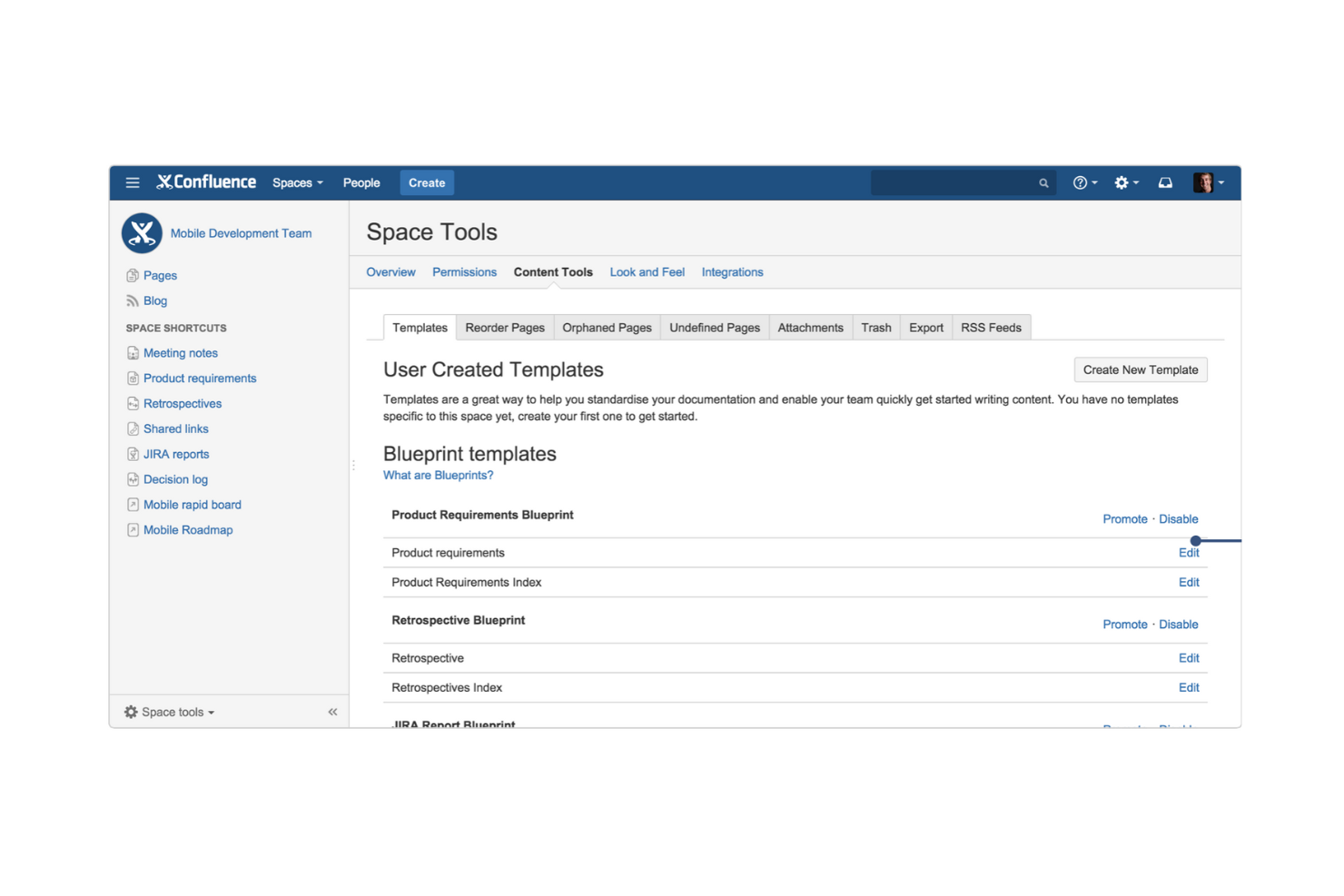
Confluence is a cloud-based workspace designed to help teams create, organize, and share content across projects and knowledge areas. It's used by teams that need to capture information, work together, and keep everyone on the same page, such as product development and marketing.
Why I picked Confluence: It creates a flexible space for documenting ideas, requirements, decisions, and shared knowledge, preventing information from getting scattered. You can work together on pages, add diagrams or whiteboards, build structured databases, and link everything to your task or issue trackers. You also receive templates, permissions, and audit logs to maintain organized and accountable content.
Standout Features and Integrations:
Features include real-time collaborative editing so your team can work on documents together at the same time, automated rule runs that reduce manual document work and help you keep content fresh, structured page trees, and databases to organize and reuse information across your projects.
Integrations include Jira, Trello, Slack, Microsoft Teams, Google Drive, Bitbucket, and more.
Pros and Cons
Pros:
- Real-time editing capabilities
- Customizable templates
- Strong documentation structure
Cons:
- Limited traceability
- Risk of content sprawl
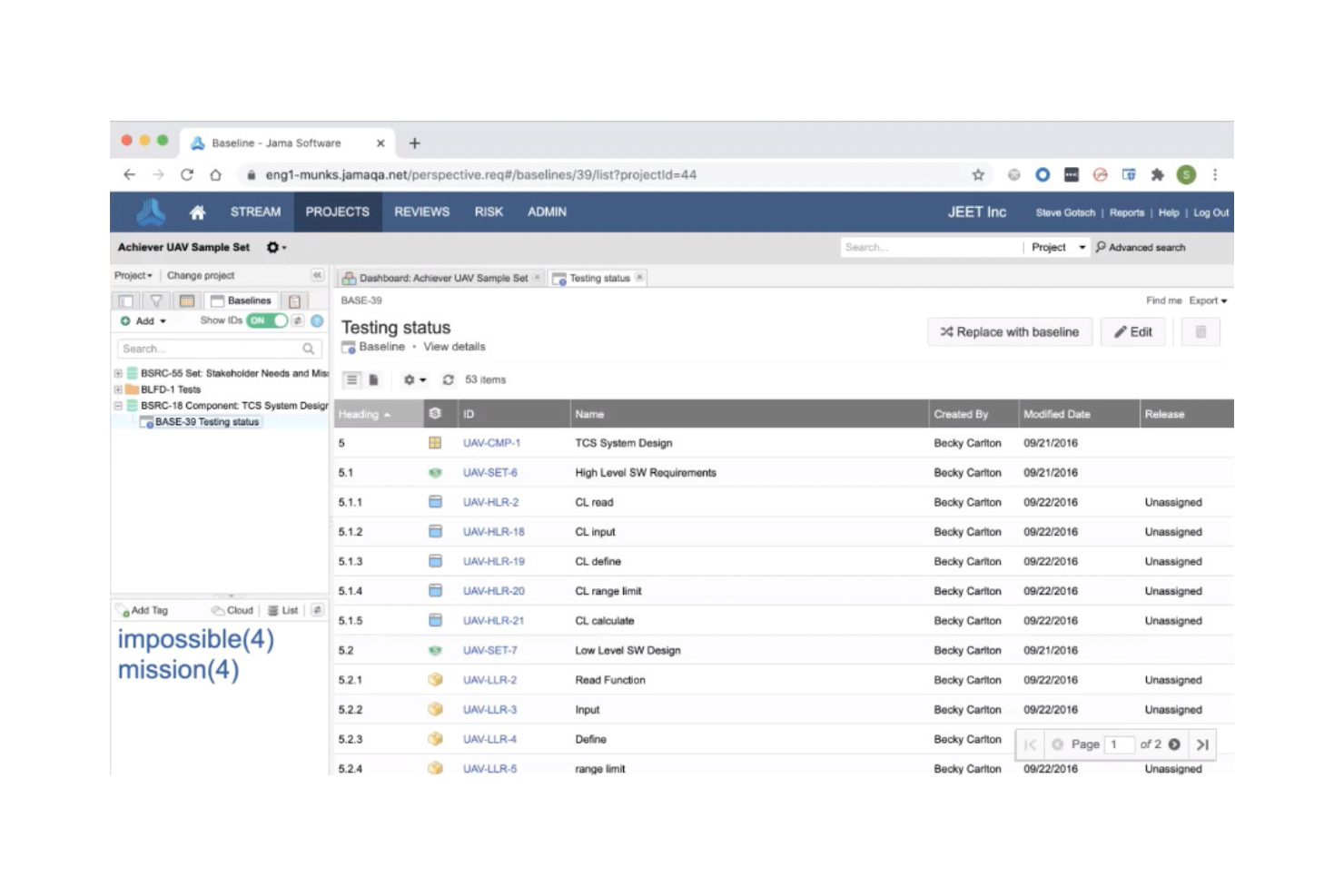
Jama Connect is a development platform that helps teams author, manage, trace, and verify requirements alongside test and risk data. Its ecosystem is built for organizations working on complex systems and products, supporting workflows across engineering, testing, and compliance.
Why I picked Jama Connect: It gives your team a clean view of how requirements, tests, and risks connect across the project. You get live traceability, risk-detection dashboards, and baselining tools to track changes and impact. It also offers templates built for regulated work, which helps when you're preparing for audits. If you're handling complex systems and need strong traceability with compliance support, it's a good fit.
Standout Features and Integrations:
Features include end-to-end traceability, impact analysis, and risk management. The tool also supports real-time collaboration and review with stakeholders. You'll find its compliance support for industry standards beneficial for regulated industries.
Integrations include Jira, Microsoft Excel, MATLAB, GitHub, Microsoft Word, Confluence, and more.
Pros and Cons
Pros:
- In-depth review workflow features
- REST API enables integrations and traceability
- Strong compliance support
Cons:
- Large projects can slow reporting and performance
- Can be resource-intensive

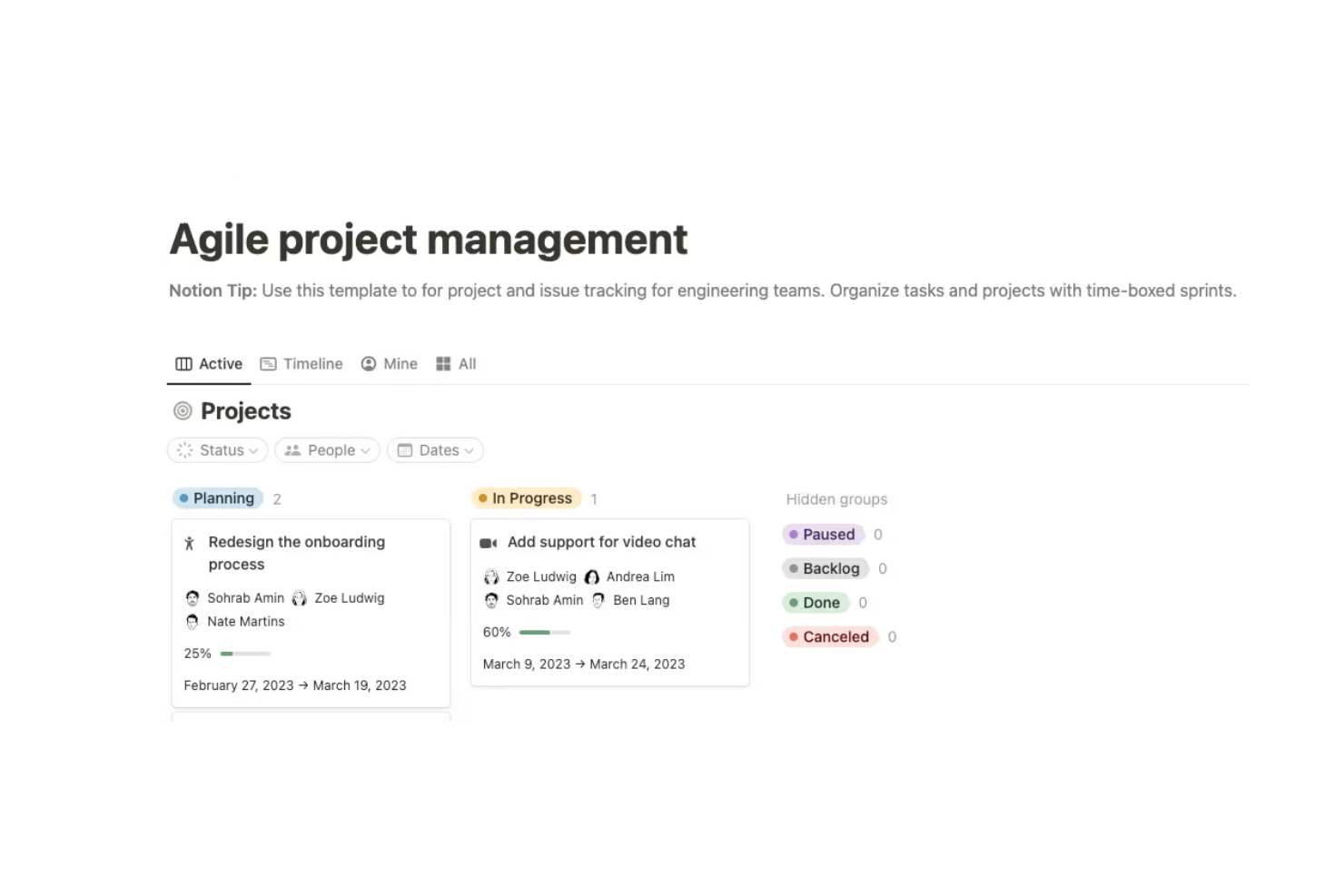
Notion is a workspace tool designed for teams to create, collaborate on, and organize content such as notes, tasks, and databases. It's used by project, product, and operations teams that need a shared place for documentation and flexible structures.
Why I picked Notion: It provides one space to capture requirements, ideas, decisions, and shared knowledge without jumping between tools. You can set up pages or databases for your backlog, switch between Kanban and table views, and link tasks or designs so everything stays connected. Templates and custom properties help you shape the workspace around how your team works.
Standout Features and Integrations:
Features include a drag-and-drop editor that simplifies organizing your content. The tool's database functionality supports complex data management and tracking. You'll also appreciate the real-time collaboration feature, which makes teamwork more efficient.
Integrations include Slack, Google Drive, Asana, GitHub, Zapier, and more.
Pros and Cons
Pros:
- Flexible templates
- Combine docs and tasks
- Lightweight requirements management
Cons:
- Limited advanced project management features
- No formal traceability
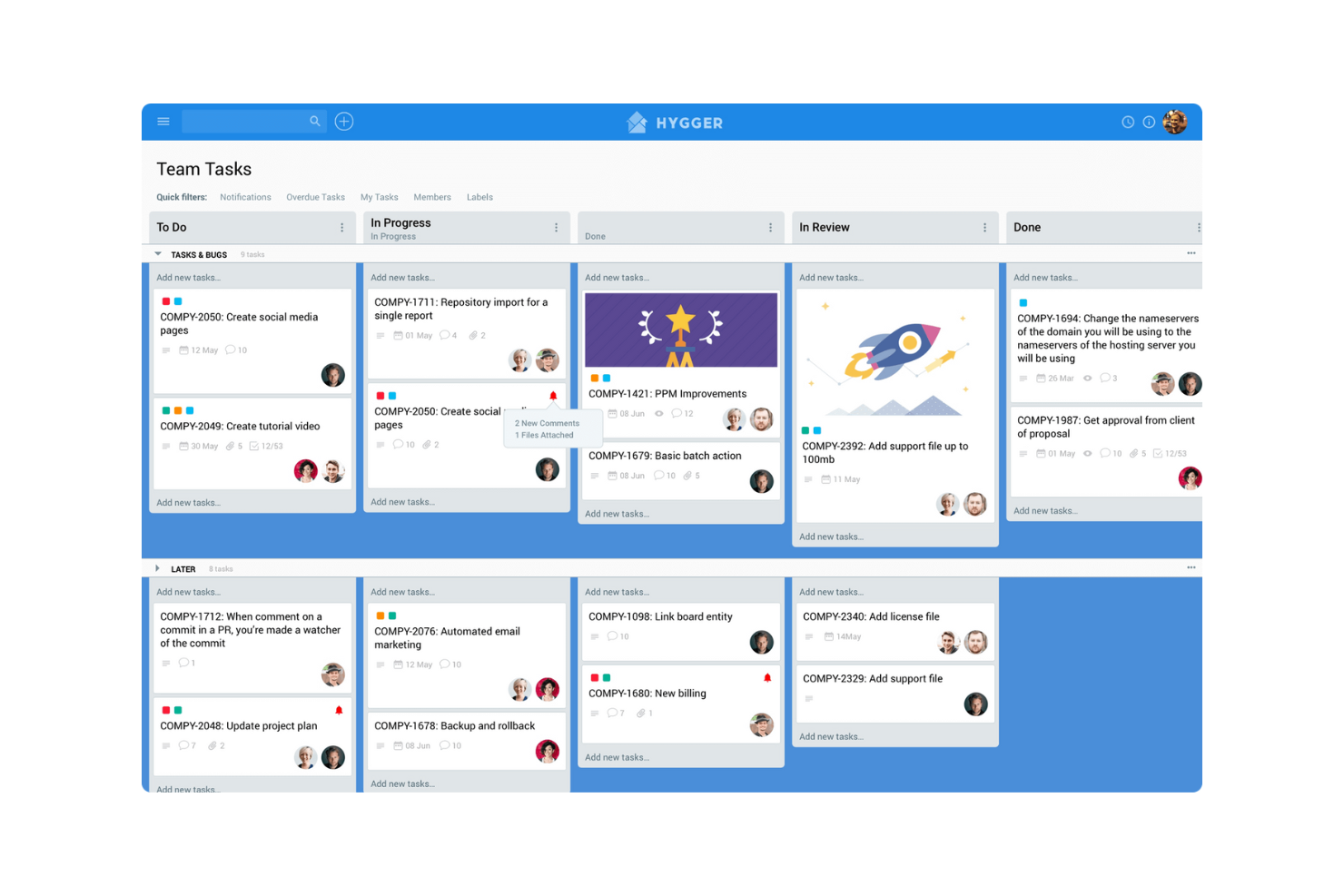
Hygger is a work-management platform that helps teams collect ideas, structure their backlog, and track the development process. It's suited for product, design, and engineering groups who want a clearer view into what to build next and how to get there.
Why I picked Hygger: You'll benefit from the way your team can score backlog items based on impact and effort instead of relying on urgency alone. You can organize work on Kanban boards, use RICE or ICE to rank features, and move chosen items into development boards so nothing slips through. It gives you linked items, status tracking, and several backlog views to keep planning and delivery aligned.
Standout Features and Integrations:
Features include the value/effort prioritization matrix, so your team can rank backlog items with clarity. You'll find custom prioritization criteria where you can define your own factors and weight them to match your context. The two-dimensional Kanban board with swimlanes and labels gives you a flexible view of backlog items across stages.
Integrations include Slack, GitHub, GitLab, Google Drive, Dropbox, Jira, and more.
Pros and Cons
Pros:
- Simple visual boards
- Kanban visualization
- Backlog prioritization frameworks
Cons:
- Limited test management
- Not a formal requirements management tool

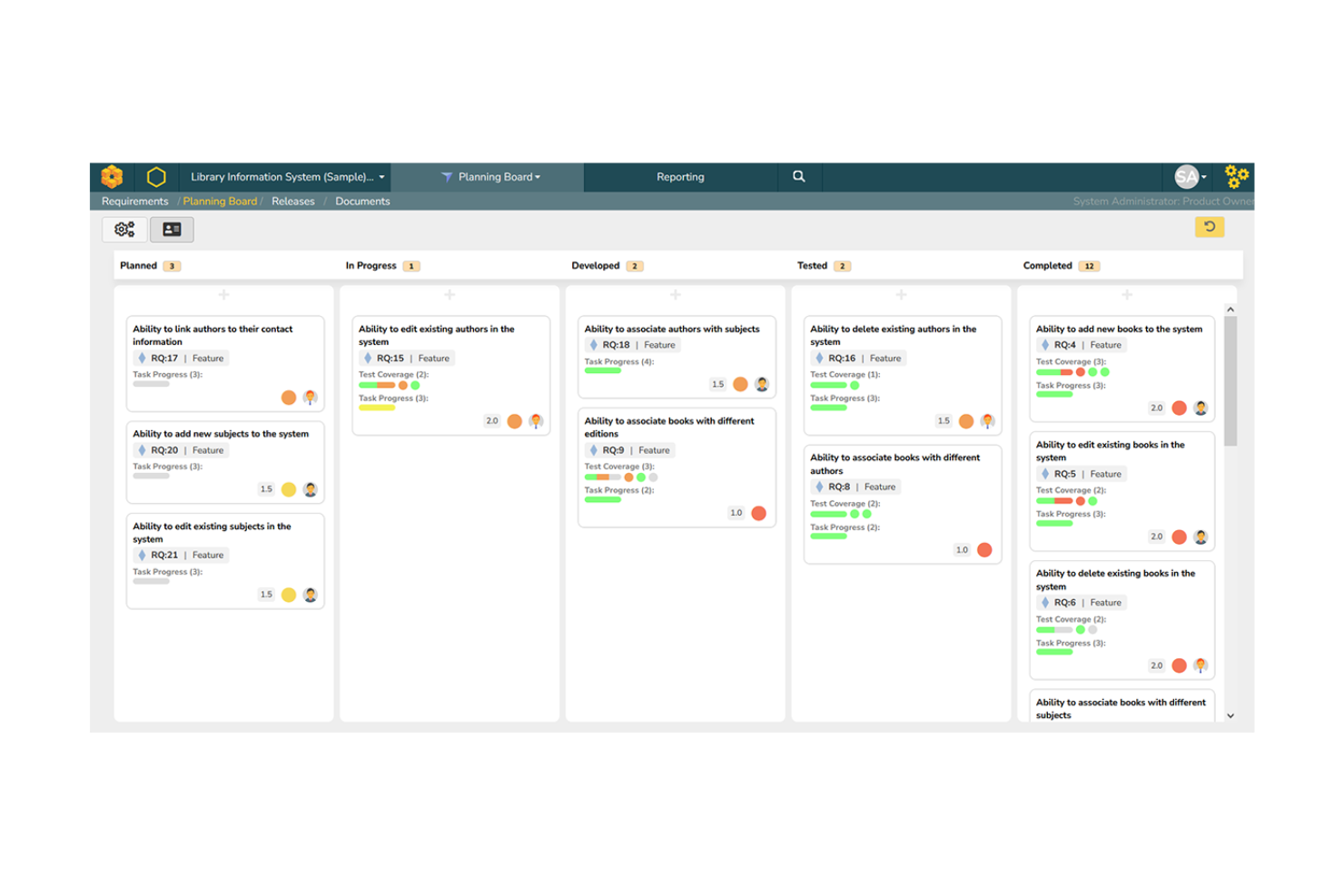
SpiraTeam is an application lifecycle management platform that helps teams manage requirements, test cases, tasks, bugs, and releases together. It's built for software development environments where requirements and quality are highly interconnected.
Why I picked SpiraTeam: It helps your team keep requirements, tests, and defects connected so you always see how work fits together. You can write user stories, link them to test cases and issues, and track progress across everything in one place. Its dashboards and traceability views show the full path from requirement to release. If you need tighter alignment between requirements and quality in an agile, waterfall, or hybrid setup, it fits well.
Standout Features and Integrations:
Features include a requirements tracing matrix that lets you see status from requirement to test and defect, built-in task and bug tracking so your team uses fewer disconnected tools, and release management charts that help you track deliverables and risk as you move toward iteration end.
Integrations include Jira, GitHub, Azure DevOps, Jenkins, GitLab, TestRail, Microsoft Teams, and more.
Pros and Cons
Pros:
- Detailed reporting capabilities
- Strong defect tracking
- All-in-one ALM suite
Cons:
- Requires training for new users
- Initial setup complexity
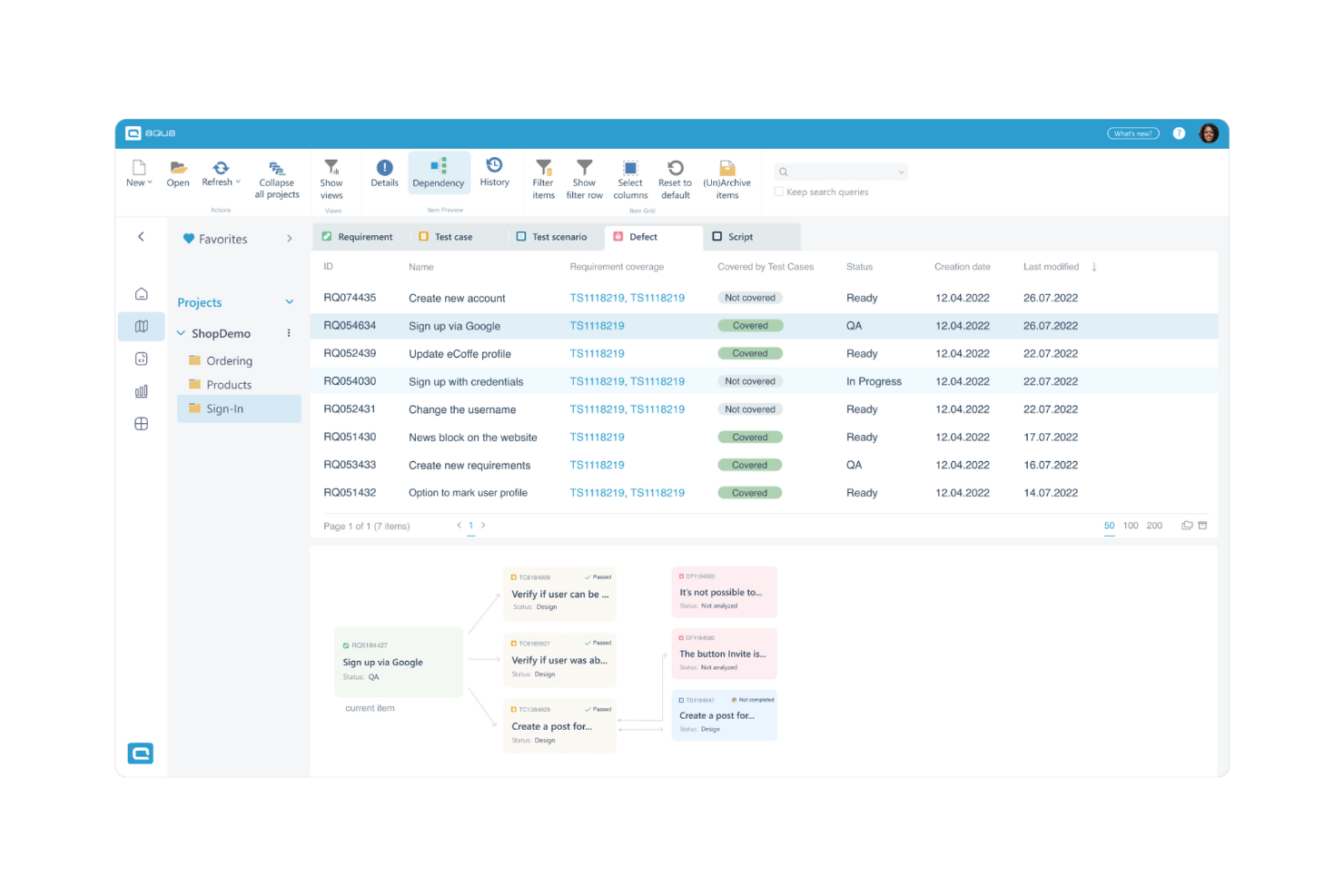
aqua is a cloud-based platform designed to manage requirements, tests, and defects together with AI assistance. It's used by quality assurance, product, and engineering teams that need to convert input such as notes or voice prompts into structured work items, coordinate test coverage, and handle change tracking.
Why I picked aqua: It offers faster creation of requirements and test assets without the usual manual work. You can turn text, voice, or visuals into structured requirements, link them to test cases automatically, and track coverage through dashboards. Custom fields, templates, and workflow setups help you shape the tool around how your team works.
Standout Features and Integrations:
Features include detailed test case management, which provides complete coverage of your testing scenarios. The tool's defect tracking helps you identify and resolve issues efficiently. You'll also find the reporting features valuable for gaining insights into testing progress and quality metrics.
Integrations include Jenkins, Jira, Azure DevOps, Ranorex, UFT, JMeter, and more.
Pros and Cons
Pros:
- Modern interface
- Requirements-test integration
- AI-assisted test generation
Cons:
- Learning curve for AI features
- Few community resources, tutorials, and third-party support
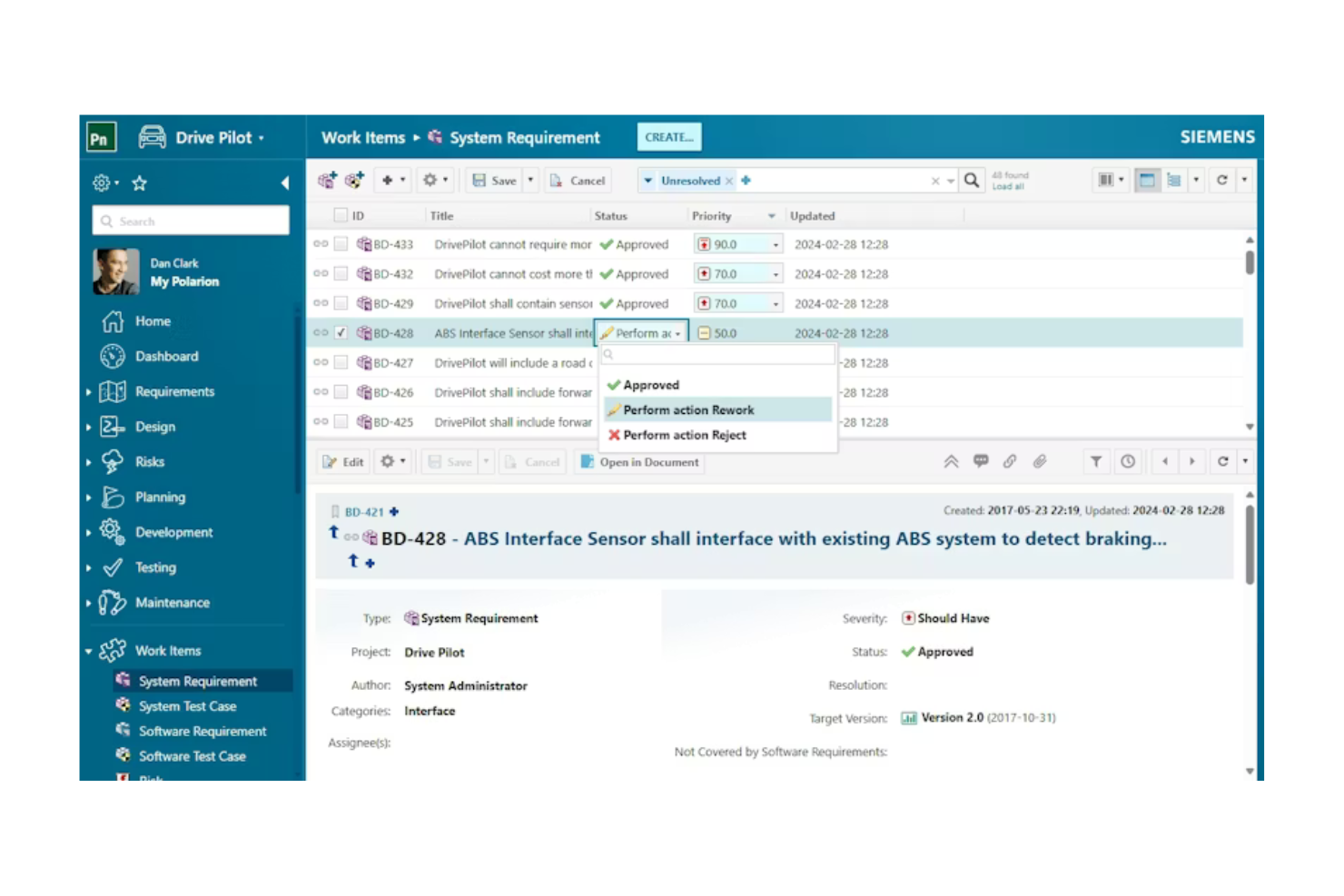
Polarion ALM is a browser-based platform designed to manage development from requirements through testing, change, and release. It serves engineering, quality assurance, and systems teams working in regulated or complex environments. The platform helps coordinate projects, control change, and support audit-readiness.
Why I picked Polarion ALM: Its on-premise deployment lets your team manage product requirements, tests, and releases in one place instead of switching between separate tools. You get LiveDocs for shared specifications, full traceability from requirement to code, and versioning tools that show past project states. It also supports workflows, electronic signatures, and branching when you're dealing with regulatory or audit demands. If you're handling complex work and need strong audit trails, it fits well.
Standout Features and Integrations:
Features include live collaboration via browser-based wikis and threaded discussions across roles, change and configuration management that records who changed what and when for audit readiness, and reuse and branching tools that let you share specifications across product variants while maintaining traceability.
Integrations include Azure DevOps Server, Jira, Git, Simulink, HP QC, ServiceNow, Teamcenter, Salesforce, and more.
Pros and Cons
Pros:
- Unified ALM platform
- ISO/ASPICE standard support
- End-to-end traceability
Cons:
- Limited agility for lightweight projects
- Limited LiveDocs collaboration
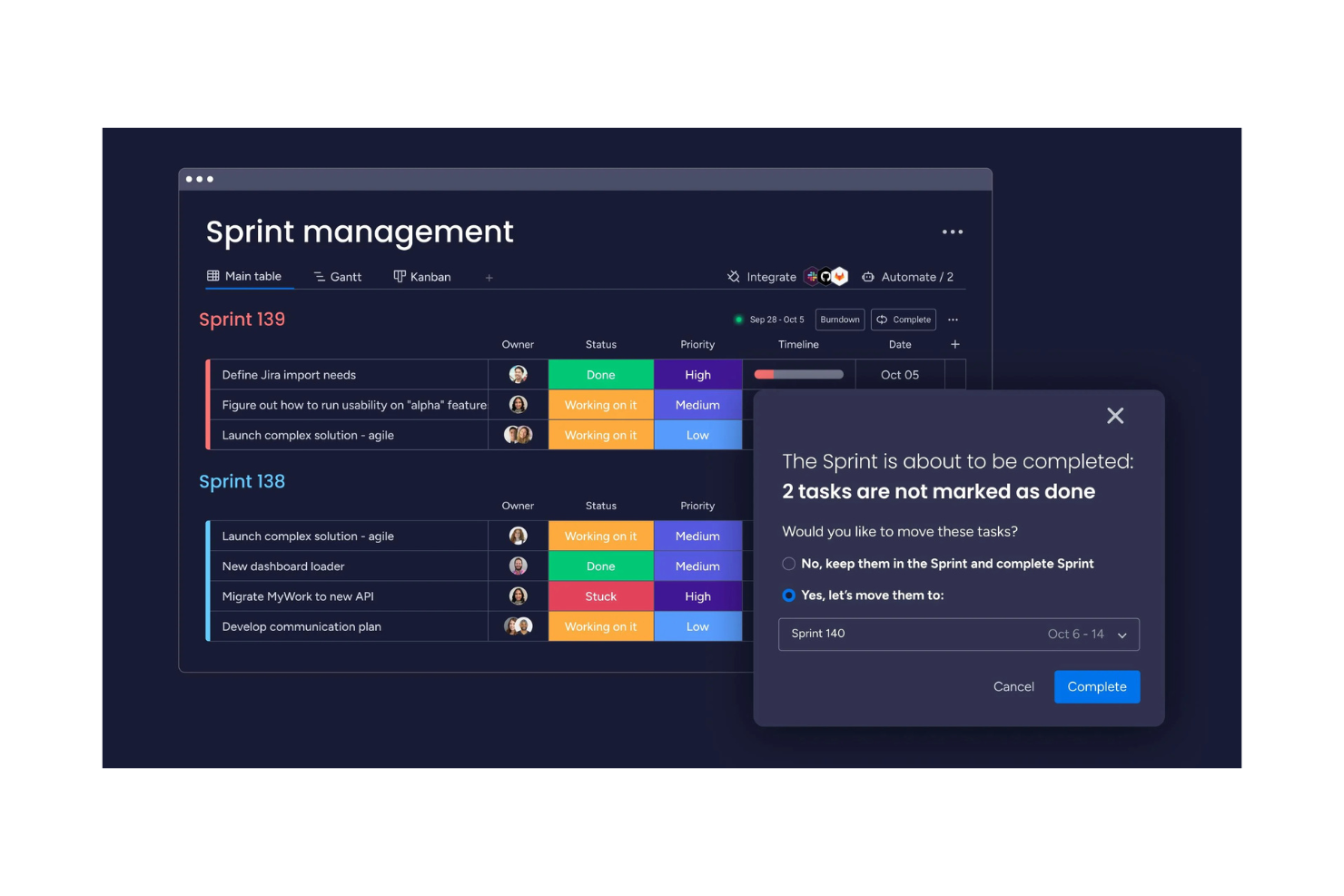
monday dev is a software platform built to help teams plan, track, and release work in a variety of formats. It's used by product, engineering, and operations teams that need to organize backlogs, manage sprints, and visualize tasks in one place.
Why I picked monday dev: It allows for the creation of tailored workflows, which is ideal for teams with specific project needs. You'll appreciate its visual project tracking, which makes it easy to monitor progress.
Standout Features and Integrations:
Features include visual project tracking that helps you monitor progress. The tool's collaboration features keep your team connected and informed throughout the project lifecycle. You'll find its flexibility in managing different project types beneficial for diverse team needs.
Integrations include Slack, GitHub, Google Drive, Microsoft Teams, Jira, Zoom, and more.
Pros and Cons
Pros:
- Simple agile setup
- Collaborative boards facilitate requirement validation
- Visual customizable workflows
Cons:
- Unintuitive Gantt view
- Automation and dependency gaps

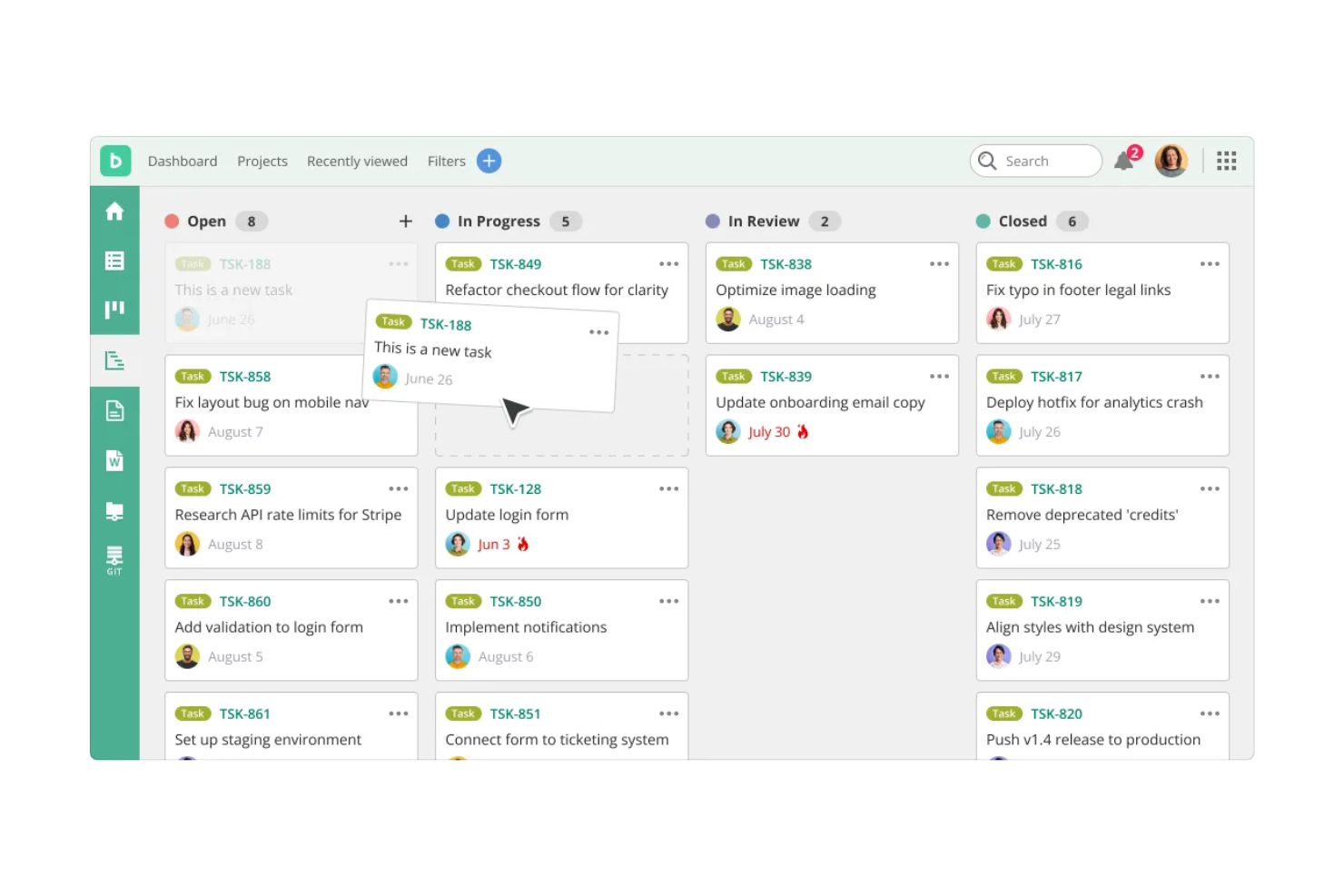
Backlog is a project management tool designed to help teams plan, track, and deliver their work by combining tasks, bugs, and features in one environment. It's used by product, development, and design teams that need to manage their backlog items, track issues, and visualize progress.
Why I picked Backlog: It provides one workspace where your team can handle tasks and requirements without bouncing between different tools. You can build backlog items, link them to issues or pull requests, and monitor progress through Gantt or Kanban views to keep work on track. It also includes custom workflows and issue types so you can shape the process around how your team operates.
Standout Features and Integrations:
Features include version control, which helps track changes and updates. The tool's task management capabilities allow your team to organize and prioritize effectively. You'll also find its collaboration tools useful for keeping everyone connected and informed.
Integrations include Jira, Redmine, Jenkins, Git, Slack, Google Drive, Dropbox, Microsoft Teams, and more.
Pros and Cons
Pros:
- All-in-one workspace
- User-friendly
- Git and backlog integration
Cons:
- Weak reporting & analytics
- Limited compliance feature

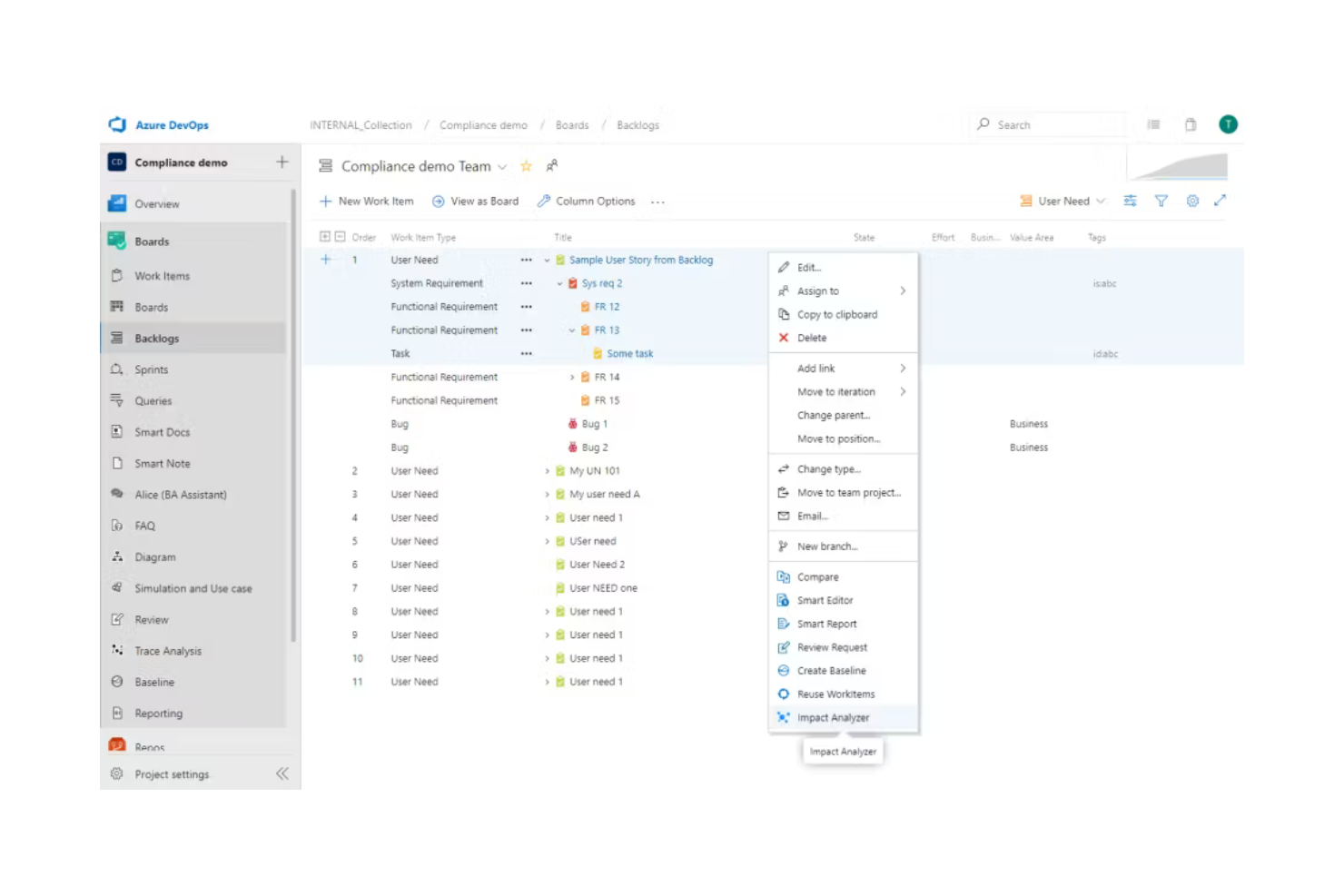
Modern Requirements is a requirements management software built to work inside Azure DevOps. It's designed for teams handling complex development work, including regulated industries, helping them author, manage, trace, and report on requirements. If you're working across development, testing, and release, it brings those processes into one environment.
Why I picked Modern Requirements: It keeps your team aligned because it works directly inside Azure DevOps, so you don't have to jump between tools. You can build living documents, trace requirements through testing and release work, and use versioning and baselines to track changes over time. Its AI assistant also helps you write and refine requirements faster. If you rely on Azure DevOps and need a strong traceability matrix, it fits naturally into your workflow.
Standout Features and Integrations:
Features include authoring tools that let you create requirements, use-case diagrams, and wireframes directly in your project; trace-analysis tools that help you map requirements to tests, documents, and code; and reporting tools that pull information from your work items and output audit-ready documents.
Integrations include Azure DevOps Server, Jira, ServiceNow, GitHub, GitLab, IBM DOORS, and more.
Pros and Cons
Pros:
- Formal DevOps workflow support
- Strong traceability and versioning
- Deep Azure integration
Cons:
- Limited non-Microsoft integrations
- Dependency on Azure DevOps
Other Agile Requirements Management Tools
Here are some additional agile requirements management tools options that didn’t make it onto my shortlist, but are still worth checking out:


Agile Requirements Management Tool Selection Criteria
When selecting the best agile requirements management tools to include in this list, I considered common buyer needs and pain points such as managing changing requirements and maintaining team collaboration. I also used the following framework to keep my evaluation structured and fair:
Core Functionality (25% of total score)
To be considered for inclusion in this list, each solution had to fulfill these common use cases:
- Manage requirements and user stories
- Track changes and version history
- Facilitate team collaboration
- Integrate with development tools
- Provide reporting and analytics
Additional Standout Features (25% of total score)
To help further narrow down the competition, I also looked for unique features, such as:
- Real-time collaboration capabilities
- Advanced security features
- Customizable workflows
- AI-driven insights
- Extensive compliance support
Usability (10% of total score)
To get a sense of the usability of each system, I considered the following:
- Intuitive interface design
- Easy navigation
- Minimal learning curve
- Customization options
- Responsive performance
Onboarding (10% of total score)
To evaluate the onboarding experience for each platform, I considered the following:
- Availability of training videos
- Interactive product tours
- Extensive documentation
- Access to chatbots and live support
- Availability of webinars and templates
Customer Support (10% of total score)
To assess each software provider's customer support services, I considered the following:
- Availability of 24/7 support
- Responsiveness to inquiries
- Access to knowledgeable representatives
- Availability of multiple support channels
- Quality of online resources
Value for Money (10% of total score)
To evaluate the value for money of each platform, I considered the following:
- Competitive pricing
- Availability of tiered plans
- Inclusion of essential features in base plans
- Transparency in pricing structure
- Additional costs for premium features
Customer Reviews (10% of total score)
To get a sense of overall customer satisfaction, I considered the following when reading customer reviews:
- Overall satisfaction ratings
- Commonly praised features
- Frequently mentioned drawbacks
- Feedback on customer support
- User recommendations
How To Choose an Agile Requirements Management Tool
It's easy to get bogged down in long feature lists and complex pricing structures. To help you stay focused as you work through your unique software selection process, here's a checklist of factors to keep in mind:
| Factor | What To Consider |
|---|---|
| Scalability | Will the tool grow with your team? Consider whether it can handle more users and projects as you expand. Look for examples of current customers with similar growth. |
| Integrations | Does it connect with your existing tools? Confirm it supports integrations with your current tech stack to avoid workflow disruptions. |
| Customizability | Can you tailor it to fit your processes? Check if the tool allows modifications to workflows and dashboards to match your team's needs. |
| Ease of Use | Is it intuitive for your team? Consider the learning curve and whether training is needed. Tools with a simple interface are often quicker to adopt. |
| Implementation and Onboarding | How long will it take to set up? Evaluate the time and resources needed for implementation. Look for tools with guided onboarding and support. |
| Cost | Can you afford it long-term? Compare pricing plans and check for hidden fees. Verify that the tool fits within your budget without sacrificing key features. |
| Security Safeguards | Are your data protected? Look for tools with strong security measures, such as encryption and regular audits, to safeguard sensitive information. |
| Compliance Requirements | Does it meet industry standards? Confirm the tool complies with regulations relevant to your field, such as GDPR or HIPAA, to avoid legal issues. |
What Are Agile Requirements Management Tools?
Agile requirements management tools are software solutions that help teams manage and adapt their project requirements throughout the development lifecycle. These tools are typically used by project managers, developers, and business analysts to make sure that projects align with business goals and user needs.
Features such as real-time collaboration, version control, and backlog management help teams stay organized and responsive to change. Overall, these tools provide the structure and flexibility needed to keep projects on track and aligned with user expectations.
Features
When selecting agile requirements management tools, keep an eye out for the following key features:
- Real-time collaboration: Allows multiple team members to work together simultaneously, keeping everyone aligned and informed.
- Version control: Tracks changes and maintains a history of requirements, so you can revert to previous versions if needed.
- Backlog management: Helps prioritize tasks and user stories, keeping the team focused on the most important work.
- Customizable workflows: Enable teams to tailor processes to match their specific needs and optimize efficiency.
- Reporting and analytics: Provide insights into project progress and performance, helping teams make informed decisions.
- Compliance support: Makes sure the tool meets industry standards and regulations, reducing the risk of legal issues.
- Security safeguards: Protect sensitive data with encryption and regular audits, keeping your information secure.
- Integration capabilities: Connect with existing tools in your tech stack, maintaining workflow continuity.
- Interactive onboarding: Offers guided setup and training resources, making it easier for teams to get started quickly.
- Task prioritization tools: Help teams focus on high-impact tasks by evaluating value versus effort.
Benefits
Implementing agile requirements management tools provides several benefits for your team and your business. Here are a few you can look forward to:
- Improved collaboration: Real-time collaboration features keep team members aligned and informed, reducing miscommunications.
- More adaptability: Version control and backlog management help teams quickly respond to changes and adjust priorities as needed.
- Better decision-making: Reporting and analytics provide insights into project progress, helping teams make informed choices.
- Increased security: Security safeguards protect sensitive data, giving you peace of mind about information safety.
- Regulatory compliance: Compliance support makes sure your projects meet industry standards, reducing the risk of legal issues.
- Efficient onboarding: Interactive onboarding resources make it easy for new users to get up to speed quickly, saving time and effort.
- Optimized task focus: Task prioritization tools help your team concentrate on high-impact tasks, maximizing productivity.
Costs and Pricing
Selecting agile requirements management tools requires an understanding of the various pricing models and plans available. Costs vary based on features, team size, add-ons, and more. The table below summarizes common plans, their average prices, and typical features included in agile requirements management tools solutions:
Plan Comparison Table for Agile Requirements Management Tools
| Plan Type | Average Price | Common Features |
|---|---|---|
| Free Plan | $0 | Basic task management, limited integrations, and community support. |
| Personal Plan | $5-$25/user/month | Task management, collaboration tools, basic reporting, and limited integrations. |
| Business Plan | $10-$150/user/month | Advanced reporting, full integrations, improved security features, and priority customer support. |
| Enterprise Plan | $14-$500/user/month | Customizable workflows, compliance support, a dedicated account manager, and advanced security options. |
Agile Requirements Management Tools FAQs
Here are some answers to common questions about agile requirements management tools:
What industries benefit most from agile requirements management tools?
Industries such as software development, automotive, aerospace, and health care benefit greatly from these tools. They help manage changing requirements and make sure that projects meet industry standards. For example, in software development, they facilitate collaboration and keep track of user stories and sprints. In regulated industries, they offer compliance support to meet necessary regulations.
Can agile requirements management tools integrate with existing software?
Yes, most agile requirements management tools offer integrations with popular software such as Jira, Slack, and GitHub. These integrations help maintain workflow continuity and improve team collaboration. Before choosing a tool, check if it supports the software your team already uses. This allows a smoother transition and maximizes the tool’s effectiveness in your existing tech stack.
How do agile requirements management tools support remote teams?
These tools support remote teams by providing real-time collaboration features and cloud-based access. Team members can work on projects simultaneously from different locations, keeping everyone on the same page. Look for tools that offer mobile access and integrations with communication platforms such as Zoom or Microsoft Teams to improve remote collaboration.
Do agile requirements management tools require technical expertise to set up?
No, not all tools require technical expertise to set up. Some offer intuitive interfaces and guided onboarding to help teams get started quickly. However, more complex tools might need some IT support for customization or integration with other systems. It’s essential to assess your team’s technical capabilities and choose a tool that matches their skill level to avoid unnecessary complications.
What's Next:
If you're in the process of researching agile requirements management tools, connect with a SoftwareSelect advisor for free recommendations.
You fill out a form and have a quick chat where they get into the specifics of your needs. Then you'll get a shortlist of software to review. They'll even support you through the entire buying process, including price negotiations.