

Le 10 migliori soluzioni di crittografia valutate nel 2026

Shortlist dei migliori software di crittografia


I migliori software di crittografia aiutano i team a proteggere i dati sensibili, prevenire accessi non autorizzati, ridurre l'esposizione durante le violazioni e mettere al sicuro le informazioni su dispositivi, applicazioni e ambienti cloud. Questi strumenti offrono alle organizzazioni soluzioni affidabili per proteggere i dati a riposo e in transito senza rallentare le operazioni quotidiane.
Spesso i team adottano soluzioni di crittografia quando la gestione manuale delle chiavi genera errori, le errate configurazioni lasciano i dati non protetti o i gap di sicurezza passano inosservati tra sistemi di archiviazione e endpoint. Questi problemi portano a mancata conformità, aumento del carico di lavoro per la risposta agli incidenti e minore fiducia nella movimentazione dei dati all'interno dell'organizzazione.
Con oltre 20 anni di esperienza nel settore come Chief Technology Officer, ho testato e recensito dozzine di software di crittografia in ambienti reali per valutarne prestazioni, integrazioni e impatto operativo. Questa guida mette in evidenza i migliori software di crittografia che aiutano a ridurre il rischio nell'organizzazione. Ogni recensione copre funzionalità, vantaggi e svantaggi e casi d'uso ideali, per aiutarti a scegliere lo strumento più adatto alle tue esigenze.
Perché fidarsi dei nostri consigli sui software
Il nostro team testa e recensisce software dal 2012. In quanto leader tecnologici noi stessi, sappiamo quanto sia difficile — e importante — scegliere il software giusto.
Per questa guida, abbiamo valutato gli strumenti attraverso test praticie ricerche indipendenti, assegnando un punteggio agli strumenti in base ai nostri criteri di selezione.
Le nostre recensioni riflettono il nostro giudizio editoriale umano, non un discorso di vendita.
Revisori esperti:
Riepilogo dei migliori software di crittografia
Questa tabella comparativa riassume i dettagli dei prezzi delle mie principali scelte di software di crittografia per aiutarti a trovare quella giusta per il tuo budget e le esigenze della tua azienda.
| Tool | Best For | Trial Info | Price | ||
|---|---|---|---|---|---|
| 1 | Ideale per la gestione sicura degli accessi e della conformità | Piano gratuito disponibile | A partire da $1.79/utente/mese | Website | |
| 2 | Ideale per la gestione delle password in team | Prova gratuita di 14 giorni | A partire da $2,39/utente/mese (fatturato annualmente) | Website | |
| 3 | Ideale per l'archiviazione sicura dei file | Prova gratuita + demo disponibili | I prezzi di Keeper Security partono da $2,91 per utente/mese, fatturati annualmente. | Website | |
| 4 | Ideale per la sicurezza degli endpoint aziendali | Prova gratuita di 30 giorni + demo gratuita disponibile | Da $338.50/anno | Website | |
| 5 | Ideale per la crittografia personale dei file | Piano gratuito disponibile | I prezzi di NordLocker partono da $3.99/utente/mese, fatturati annualmente. | Website | |
| 6 | Ideale per la crittografia dell'archiviazione cloud | Piano gratuito disponibile | Boxcryptor ha prezzi a partire da $3/utente/mese, fatturati annualmente. È disponibile una versione gratuita con funzionalità limitate per uso personale. | Website | |
| 7 | Ideale per la compressione di file open-source | Not available | 7-Zip è un software open-source ed è gratuito per gli utenti. | Website | |
| 8 | Ideale per la protezione dei dati aziendali | Prova gratuita di 30 giorni | Le informazioni sui prezzi di Sophos SafeGuard Encryption non sono disponibili direttamente sul loro sito web. Per dettagli sui costi, si consiglia di contattare direttamente Sophos. | Website | |
| 9 | Ideale per la crittografia delle email | Not available | GnuPG è completamente gratuito, in linea con i principi open-source. | Website | |
| 10 | Ideale per il blocco di cartelle e unità | Piano gratuito disponibile | Protezione dati versatile con capacità di nascondere, bloccare e crittografare. Opzioni di backup sicuro per file crittografati. Pagamento unico senza costi ricorrenti. | Website |
Recensioni dei migliori software di crittografia
Qui sotto trovi le mie sintesi dettagliate dei migliori software di crittografia che sono entrati nella mia shortlist. Le mie recensioni offrono uno sguardo approfondito alle funzionalità principali, ai pro e contro, alle integrazioni e ai casi d’uso ideali di ciascuno strumento per aiutarti a trovare quello giusto per te.

NordPass
Ideale per la gestione sicura degli accessi e della conformità
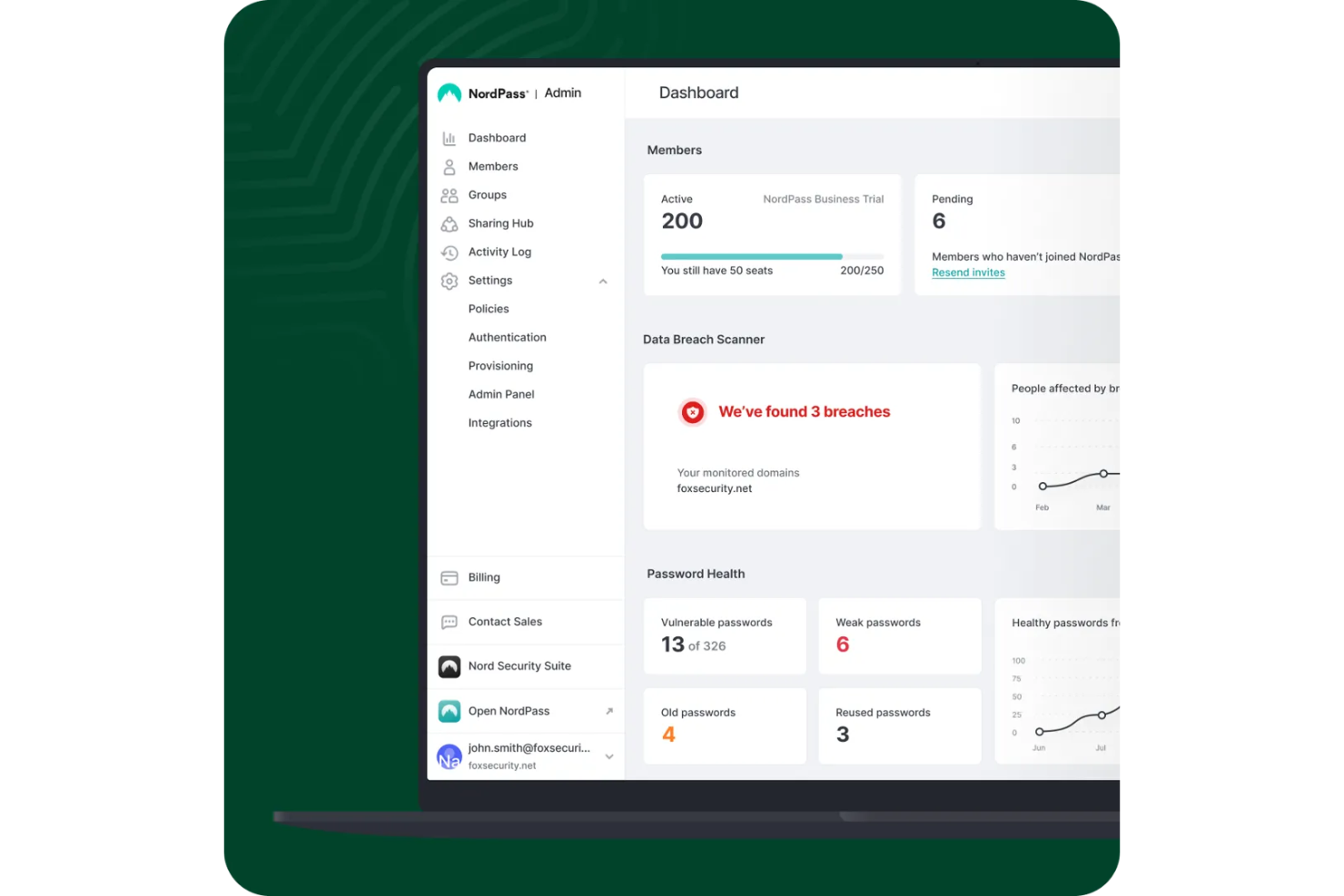
NordPass è un gestore di password aziendale progettato per migliorare la sicurezza digitale e semplificare la gestione degli accessi per le organizzazioni. Permette alle aziende di generare, archiviare e condividere password in modo sicuro, riducendo i problemi legati a password deboli o riutilizzate.
Perché ho scelto NordPass: Ho scelto NordPass perché cripta e conserva le password in modo sicuro, proteggendo i dati sensibili dell’azienda e applicando solide politiche di password a livello organizzativo. Le sue funzionalità avanzate di gestione degli accessi consentono di controllare i permessi, monitorare l’attività e gestire in modo efficiente le credenziali condivise senza compromettere la sicurezza.
Caratteristiche distintive e integrazioni:
Caratteristiche includono processi di onboarding e offboarding che semplificano l’accesso per i nuovi dipendenti e assicurano transizioni sicure quando qualcuno lascia l’azienda. NordPass supporta inoltre la conformità alle normative sulla cybersicurezza come ISO 27001 e SOC 2, aiutando l’organizzazione a soddisfare gli standard di settore. Offre inoltre una dashboard di sicurezza per monitorare la salute delle password e possibili violazioni dei dati, mantenendoti informato e pronto ad agire.
Integrazioni includono Entra ID, MS ADFS, Okta, Google Workspace, Vanta, Authopia, NordLayer, Splunk® e Microsoft Sentinel.
Pros and Cons
Pros:
- Utilizza una forte crittografia end-to-end
- Supporta l'integrazione e la sincronizzazione multi-dispositivo
- Offre monitoraggio della sicurezza in tempo reale tramite dashboard
Cons:
- Funzionalità limitate nella versione gratuita
- A volte si verifica una compilazione automatica più lenta

Ideale per la gestione delle password in team
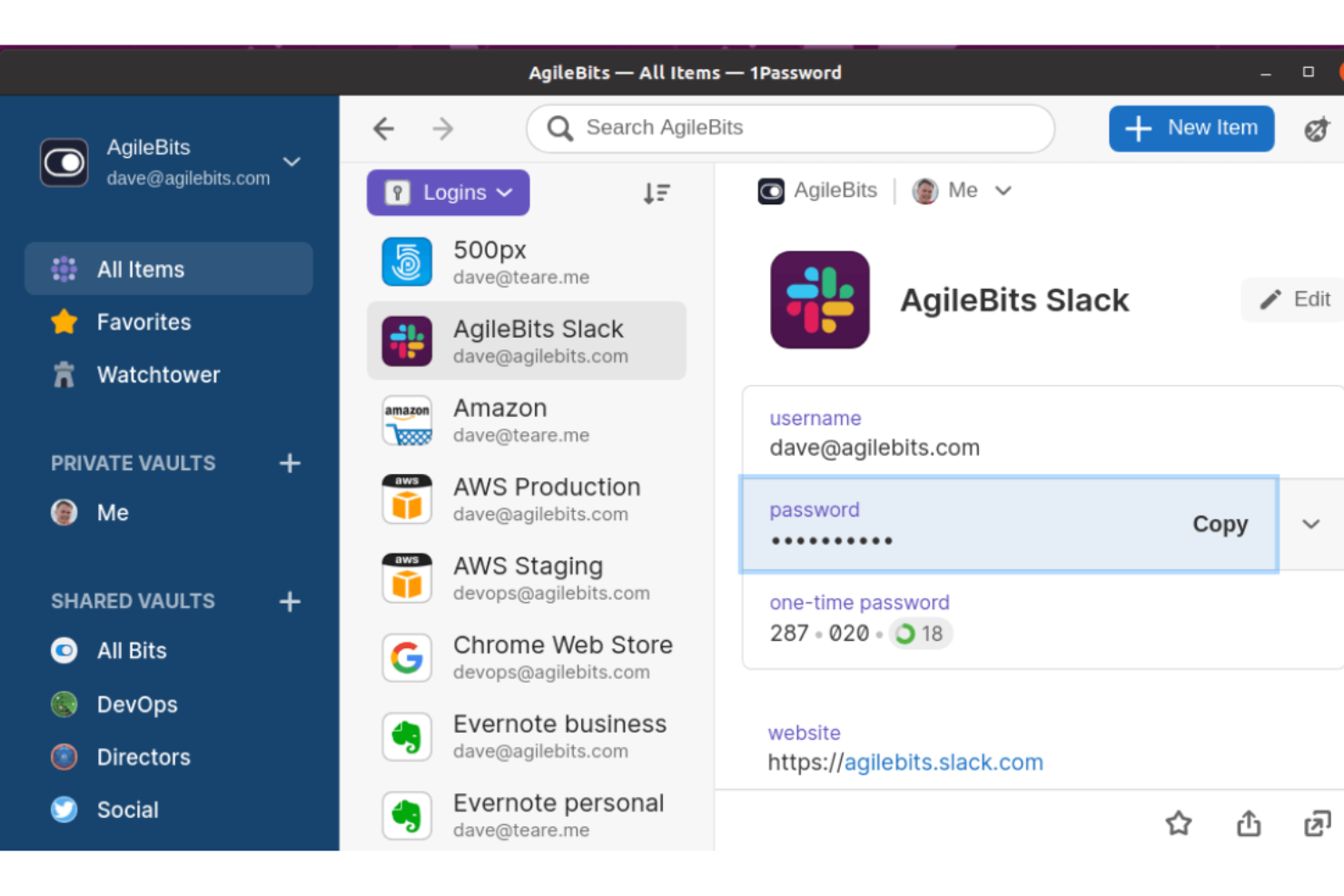
1Password è un gestore di password e un software di crittografia utilizzato principalmente dalle aziende per garantire l’accesso sicuro ad applicazioni e dispositivi. Supporta vari settori industriali concentrandosi sulla gestione sicura degli accessi, affermandosi come protagonista nella protezione delle informazioni sensibili.
Perché ho scelto 1Password: Si distingue per la sua Extended Access Management (XAM), che protegge tutte le applicazioni da qualsiasi dispositivo, rafforzando la sicurezza negli ambienti di lavoro ibridi. Questa funzionalità estende le capacità di single sign-on, riducendo le vulnerabilità. Scelto da oltre 165.000 organizzazioni, tra cui IBM e Salesforce, 1Password garantisce assistenza affidabile e un elevato ritorno sull’investimento. Il suo ruolo di Cybersecurity Partner esclusivo di Oracle Red Bull Racing sottolinea l’impegno verso la sicurezza dei dati.
Funzionalità e integrazioni principali:
Le funzionalità comprendono una cassaforte protetta per memorizzare informazioni sensibili, l’autenticazione a due fattori per maggiore sicurezza e la condivisione delle password per la collaborazione tra team. Gli amministratori possono gestire permessi e accessi, assicurandosi che solo gli utenti autorizzati possano accedere ai dati critici.
Le integrazioni comprendono Slack, Jira, GitHub, AWS, Dropbox, Google Workspace, Microsoft 365, Okta, Azure AD e Zoom.
Pros and Cons
Pros:
- Gestione avanzata degli accessi
- Affidato da grandi aziende
- Alto ritorno sull’investimento
Cons:
- Poche opzioni gratuite
- Configurazione complessa per principianti

Ideale per l'archiviazione sicura dei file
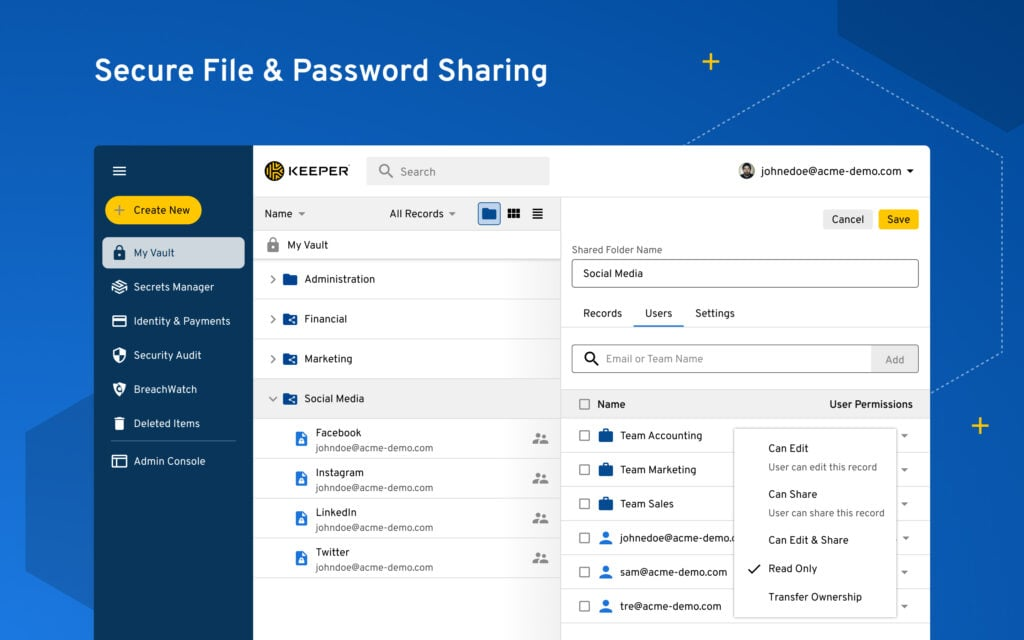
Keeper Security è un gestore di password e un software di crittografia progettato per aziende e privati per archiviare e gestire in modo sicuro password e file sensibili. I suoi principali utenti sono i team IT e le organizzazioni che desiderano potenziare la protezione dei dati e la gestione degli accessi.
Perché ho scelto Keeper Security: si distingue per l'archiviazione sicura dei file, offrendo un caveau digitale che cripta file e password, garantendo l'accesso solo agli utenti autorizzati. Puoi facilmente organizzare e condividere file all'interno del tuo team mantenendo rigorosi protocolli di sicurezza. Offre funzionalità avanzate di reportistica e auditing, permettendo di monitorare accessi e modifiche in tempo reale. Keeper Security include anche un'architettura a conoscenza zero, il che significa che solo tu puoi accedere ai dati criptati, aumentando la sicurezza complessiva.
Funzionalità principali e integrazioni:
Le funzionalità includono un'interfaccia intuitiva per una gestione facilitata delle password, compilazione automatica sicura per velocizzare l'accesso e un generatore integrato di password per rafforzarne la sicurezza. Puoi anche usufruire dell'accesso di emergenza, che permette agli utenti di fiducia di accedere al tuo caveau in situazioni critiche.
Le integrazioni includono Microsoft 365, Google Workspace, Active Directory, Azure AD, Okta, Duo Security, Slack, Jira, Salesforce e AWS.
Pros and Cons
Pros:
- Architettura a conoscenza zero
- Funzionalità di report avanzate
- Monitoraggio in tempo reale
Cons:
- Richiede aggiornamenti regolari
- Alcune funzionalità richiedono un acquisto separato

Ideale per la sicurezza degli endpoint aziendali

ESET PROTECT Complete è un software di sicurezza per endpoint progettato per le aziende al fine di proteggere la rete e i dispositivi. È pensato principalmente per i reparti IT che desiderano gestire e mettere in sicurezza in modo efficiente gli endpoint all'interno della propria organizzazione.
Perché ho scelto ESET PROTECT Complete: Si concentra sulla sicurezza degli endpoint aziendali, offrendo una protezione completa contro malware e altre minacce. Puoi beneficiare delle sue funzionalità avanzate di rilevamento delle minacce, assicurando la sicurezza della rete. Offre una gestione centralizzata, che consente di monitorare e controllare tutti gli endpoint da un'unica console. Inoltre, la funzione di cloud sandboxing fornisce un ulteriore livello di sicurezza analizzando i file sospetti in un ambiente protetto.
Funzionalità principali & integrazioni:
Le funzionalità comprendono la scansione in tempo reale di file ed email per individuare le minacce prima che possano causare danni. Il software offre anche registrazione dettagliata e reportistica, fornendo informazioni su eventi e tendenze di sicurezza. La funzione di controllo dei dispositivi aiuta a gestire e limitare l'utilizzo di dispositivi esterni, riducendo il rischio di violazioni dei dati.
Le integrazioni includono Microsoft Azure, VMware, Amazon AWS, Google Cloud, Microsoft Outlook, Microsoft Exchange, IBM Domino, Citrix, Splunk e ServiceNow.
Pros and Cons
Pros:
- Rilevamento avanzato delle minacce
- Console di gestione centralizzata
- Funzione di cloud sandboxing
Cons:
- Può risultare oneroso in termini di risorse
- Complesso per i nuovi amministratori

Ideale per la crittografia personale dei file
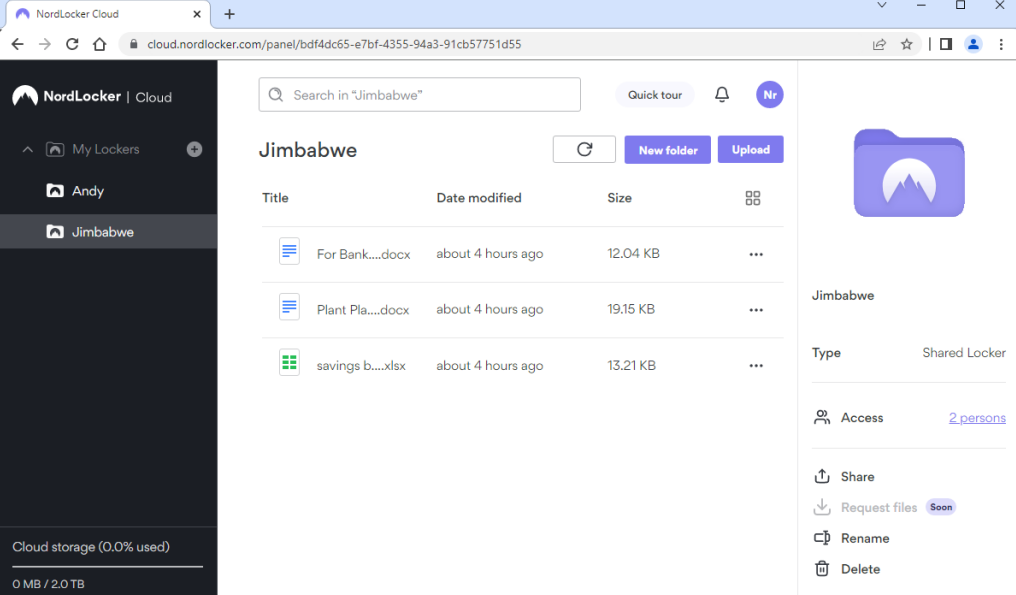
NordLocker è uno strumento di crittografia dei file progettato per individui e piccoli team che desiderano proteggere i propri file personali e aziendali. Si concentra sulla crittografia dei dati archiviati localmente o nel cloud, offrendo un ambiente sicuro per le informazioni sensibili.
Perché ho scelto NordLocker: Eccelle nella crittografia dei file personali, offrendo un'esperienza utente intuitiva grazie all'interfaccia drag-and-drop. Puoi crittografare i file sia sul tuo computer che nel cloud, garantendo la privacy su tutte le piattaforme. NordLocker utilizza la crittografia end-to-end, fornendoti la certezza che i tuoi dati restino privati. Grazie alla sua politica zero-knowledge, solo tu hai accesso alle chiavi di crittografia, mantenendo il pieno controllo delle tue informazioni.
Funzionalità principali e integrazioni:
Le funzionalità includono un'interfaccia drag-and-drop intuitiva che semplifica il processo di crittografia. Il software offre backup automatico nel cloud, assicurando che i tuoi file siano sempre protetti. NordLocker fornisce inoltre supporto multipiattaforma, permettendoti di accedere ai file crittografati da diversi dispositivi.
Le integrazioni comprendono Dropbox, Google Drive, OneDrive, iCloud e NordVPN.
Pros and Cons
Pros:
- Backup automatico nel cloud
- Interfaccia drag-and-drop facile da usare
- Crittografia end-to-end
Cons:
- Funzionalità avanzate limitate
- Può essere costoso per i piccoli team

Ideale per la crittografia dell'archiviazione cloud
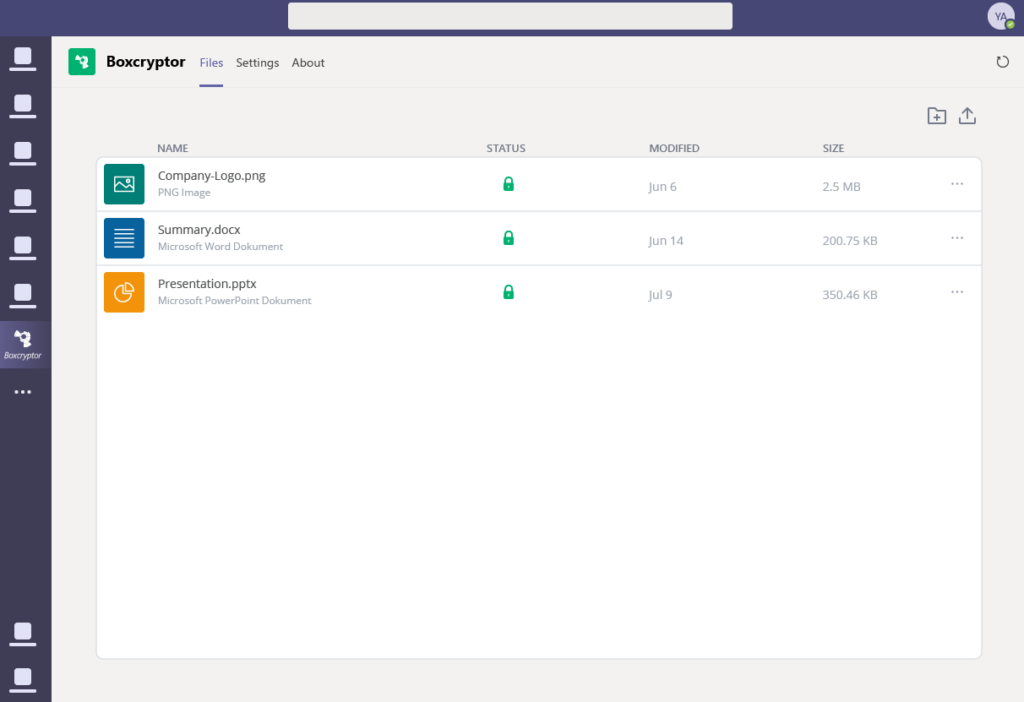
Boxcryptor è un software di crittografia progettato per individui e aziende che desiderano proteggere i file archiviati nei servizi cloud. Si rivolge principalmente a chi ha la necessità di mettere al sicuro i propri dati su più piattaforme cloud, concentrandosi sulla crittografia e sulla condivisione sicura dei file.
Perché ho scelto Boxcryptor: È specializzato nella crittografia dell'archiviazione cloud, offrendo crittografia end-to-end per oltre 30 servizi cloud. Puoi crittografare i file localmente prima di caricarli sul cloud, garantendo la privacy dei dati. Boxcryptor facilita la collaborazione, permettendoti di condividere file crittografati in modo sicuro con i membri del team. Il suo standard zero-knowledge assicura che solo tu abbia accesso alle tue chiavi di crittografia, mantenendo il pieno controllo sui tuoi dati.
Funzionalità e integrazioni di rilievo:
Le funzionalità includono il supporto per l'autenticazione a due fattori per aggiungere un ulteriore livello di sicurezza. Il software consente la condivisione di file crittografati, permettendo la collaborazione senza compromettere l'integrità dei dati. Inoltre, Boxcryptor offre supporto multipiattaforma, permettendo l'accesso ai file crittografati da diversi dispositivi.
Le integrazioni includono Dropbox, Google Drive, Microsoft OneDrive, Box, SharePoint, Amazon S3, WebDAV, iCloud, Egnyte e SugarSync.
Pros and Cons
Pros:
- Crittografia end-to-end
- Crittografia locale dei file
- Supporta numerosi servizi cloud
Cons:
- Necessita della compatibilità con un servizio cloud
- Potrebbe richiedere configurazione aggiuntiva

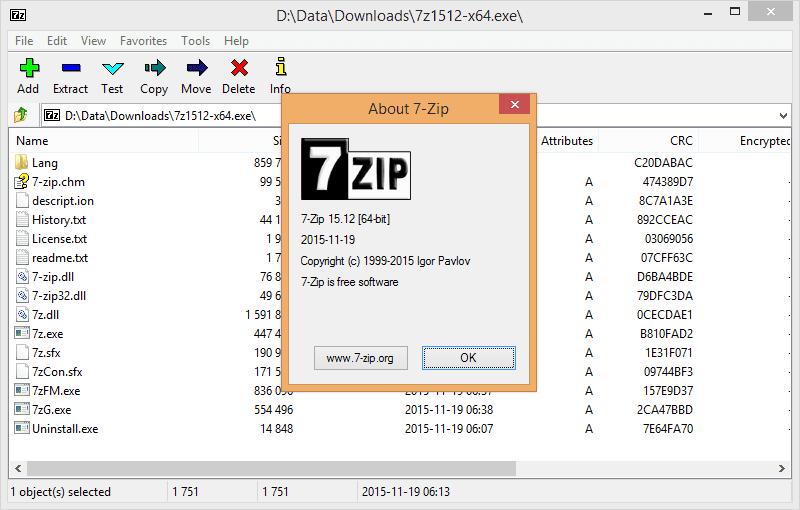
7-Zip è uno strumento di compressione ed encryptazione di file ampiamente utilizzato da privati e aziende per la gestione degli archivi di file. È ideale per chi cerca un modo efficiente per comprimere i file e criptare i dati, diventando uno strumento prezioso per l'archiviazione e la sicurezza.
Perché ho scelto 7-Zip: Offre una compressione di file open-source, garantendo un alto rapporto di compressione con il suo formato nativo 7z. Puoi comprimere i file per risparmiare spazio e criptarli utilizzando una forte crittografia AES-256 per una maggiore sicurezza. Il suo carattere open-source consente miglioramenti guidati dalla community, assicurandone l'affidabilità. Lo strumento supporta diversi formati di file, offrendo flessibilità nella gestione di vari tipi di dati.
Funzionalità principali & integrazioni:
Funzionalità includono un alto rapporto di compressione nel formato 7z, che aiuta a ridurre significativamente le dimensioni dei file. Il software supporta una solida crittografia AES-256, assicurando che i tuoi dati rimangano protetti. Offre inoltre un file manager per una navigazione e gestione facilitata dei file compressi.
Integrazioni includono Windows Shell, che consente un facile accesso tramite i menu contestuali del tasto destro.
Pros and Cons
Pros:
- Supporta diversi formati di file
- Alto rapporto di compressione
- Aggiornamenti supportati dalla community open-source
Cons:
- Interfaccia utente di base
- Richiede aggiornamenti manuali

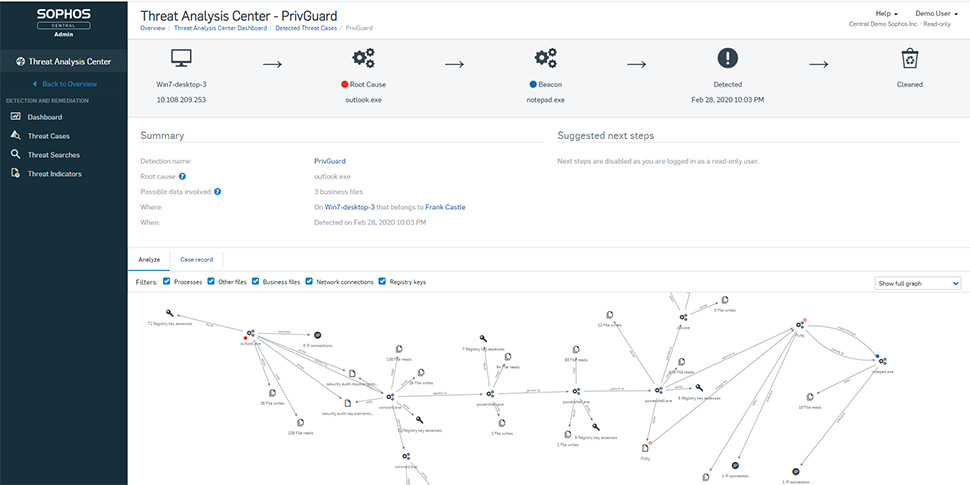
Sophos SafeGuard Encryption è una soluzione di protezione dei dati pensata per le aziende, progettata per mettere al sicuro informazioni sensibili su dispositivi e piattaforme diverse. È destinata a professionisti IT e aziende che puntano a mantenere la riservatezza dei dati e la conformità agli standard normativi.
Perché ho scelto Sophos SafeGuard Encryption: Si concentra sulla protezione dei dati aziendali, offrendo gestione e controllo centralizzati sui dati cifrati. Puoi cifrare automaticamente file e cartelle, assicurando che le informazioni sensibili siano sempre protette. Lo strumento offre la cifratura dell’intero disco, proteggendo i dati su laptop e desktop. Sophos SafeGuard si integra inoltre con gli ambienti IT esistenti, consentendo un’implementazione e una gestione senza soluzione di continuità.
Funzionalità principali & integrazioni:
Le funzionalità includono la prevenzione della perdita dei dati per proteggere contro la condivisione accidentale di informazioni sensibili. Il software offre cifratura basata su policy, permettendo di impostare regole per cifrare automaticamente i dati in base a criteri specifici. Inoltre, fornisce reportistica dettagliata e funzioni di audit, aiutandoti a monitorare e gestire le attività di cifratura.
Le integrazioni comprendono Microsoft Active Directory, Sophos Central, Windows BitLocker, Mac FileVault, SafeGuard Enterprise, SafeGuard LAN Crypt, SafeGuard Cloud Storage, SafeGuard Data Exchange e SafeGuard Enterprise Encryption.
Pros and Cons
Pros:
- Gestione e controllo centralizzati
- Cifratura automatica di file e cartelle
- Cifratura completa del disco
Cons:
- Richiede competenze tecniche per l’installazione
- Personalizzazione limitata

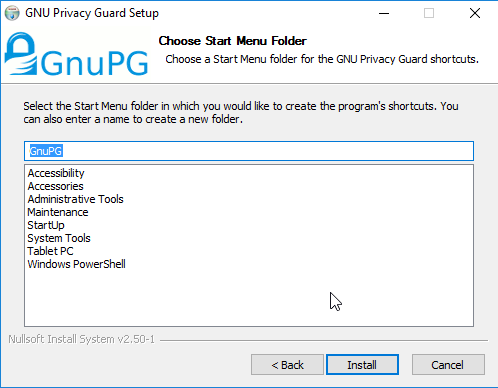
GnuPG (GNU Privacy Guard) è uno strumento di crittografia open-source utilizzato principalmente da individui e organizzazioni per proteggere comunicazioni e dati. Offre una crittografia robusta per email e file, rendendolo uno strumento essenziale per mantenere la privacy e la riservatezza.
Perché ho scelto GnuPG: È una soluzione di riferimento per la crittografia delle email, offrendo un forte supporto crittografico per comunicazioni sicure. Puoi criptare e firmare le tue email, garantendo che solo i destinatari previsti possano leggerle. GnuPG supporta una vasta gamma di algoritmi di crittografia, dandoti flessibilità nella protezione dei tuoi dati. La sua natura open-source consente trasparenza e miglioramenti guidati dalla comunità, assicurando affidabilità e fiducia.
Caratteristiche distintive e integrazioni:
Caratteristiche includono il supporto per molteplici algoritmi di crittografia, permettendoti di scegliere la soluzione più adatta alle tue esigenze di sicurezza. Il software fornisce un'interfaccia a riga di comando per utenti avanzati, consentendo automazione e scripting. GnuPG supporta inoltre la gestione delle chiavi, permettendo di generare, archiviare e gestire le chiavi di crittografia in modo sicuro.
Integrazioni includono Thunderbird, Enigmail, Outlook, Kleopatra, Gpg4win, Mailvelope, Evolution, KMail, Sequoia e Mutt.
Pros and Cons
Pros:
- Forte supporto crittografico
- Open-source e trasparente
- Supporta diversi algoritmi
Cons:
- Interfaccia grafica limitata
- Gestione manuale delle chiavi

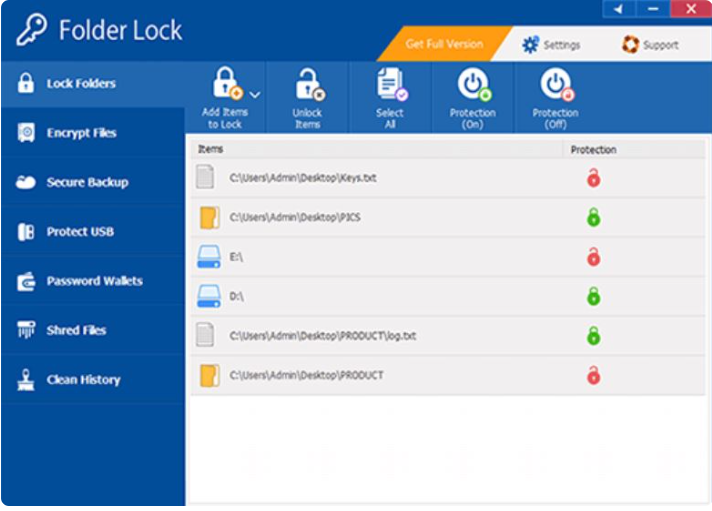
Folder Lock è un software di sicurezza progettato per proteggere file, cartelle e unità per privati e piccole imprese. Offre agli utenti strumenti per crittografare e mettere al sicuro dati sensibili, garantendo privacy e protezione contro accessi non autorizzati.
Perché ho scelto Folder Lock: Si distingue per la capacità di bloccare cartelle e unità, offrendo una gamma di opzioni di sicurezza come la crittografia dei file e la protezione tramite password. Puoi bloccare file e cartelle per mantenerli nascosti da utenti non autorizzati. Lo strumento permette anche di crittografare intere unità, assicurando una sicurezza totale dei dati. La funzione modalità stealth aumenta ulteriormente la privacy permettendo di nascondere il software stesso da occhi indiscreti.
Funzionalità principali & integrazioni:
Le funzionalità includono un'opzione di backup sicuro che consente di archiviare file crittografati nel cloud. Il software offre funzionalità di distruzione dei dati per eliminare in modo permanente file sensibili. Inoltre, Folder Lock fornisce una funzione portfolio per conservare informazioni personali in modo sicuro.
Le integrazioni includono Windows Explorer, consentendo una gestione facile di file e cartelle.
Pros and Cons
Pros:
- Crittografia completa delle unità
- Funzione modalità stealth
- Opzioni di backup sicuro
Cons:
- Limitato alla piattaforma Windows
- Interfaccia utente di base
Altri software di crittografia
Ecco alcune opzioni aggiuntive di software di crittografia che non sono entrate nella mia shortlist, ma che vale comunque la pena considerare:
- CryptoForge
Ideale per la crittografia sicura dei file
- DiskCryptor
Ideale per la crittografia open-source dell'intero disco
- Rohos Disk Encryption
Ideale per la creazione di volumi nascosti
- Secure IT
Ideale per la crittografia semplice dei file
- Kruptos 2 Professional
Ideale per la crittografia di file su Windows


Come Valuto il Software di Crittografia
Valuto gli strumenti di crittografia su due livelli: il requisito minimo imprescindibile che ogni fornitore deve soddisfare e i fattori differenzianti che determinano la compatibilità per i team che proteggono database, endpoint o carichi di lavoro cloud.
Funzionalità di Base (Requisiti Fondamentali per Questa Lista)
Quando scelgo gli strumenti per la mia lista, valuto ciascuno su una scala da 0 (non offre la funzionalità) a 5 (eccelle in quest'area) per ogni funzionalità principale elencata di seguito. Poi, calcolo il punteggio totale dello strumento in percentuale. Ogni strumento deve raggiungere un punteggio totale minimo del 65% per essere considerato per l'inclusione.
- Supporto agli Algoritmi di Crittografia: Verifico se ciascun strumento supporta cifrari moderni e standard di settore come AES-256, RSA ed ECC, invece di affidarsi a metodi obsoleti o proprietari.
- Gestione del Ciclo di Vita delle Chiavi: La generazione, rotazione e revoca sicura delle chiavi è importante, quindi cerco strumenti che si integrano con infrastrutture KMS o HSM piuttosto che affidarsi a gestioni manuali.
- Copertura dei Dati a Riposo e in Transito: Ogni prodotto dovrebbe cifrare i dati archiviati (database, file, dischi interi) e i dati che transitano attraverso le reti usando protocolli come TLS, non solo uno o l'altro.
- Controlli di Accesso ed Autenticazione: Valuto quanto ogni strumento regola in modo granulare l'accesso alla decifrazione, cercando RBAC, MFA e integrazioni con servizi directory come Active Directory o Okta.
- Conformità e Logging di Audit: Gli strumenti dovrebbero possedere le certificazioni rilevanti (FIPS 140-2, SOC 2) e generare log dettagliati che tracciano gli eventi di crittografia per audit e indagini sugli incidenti.
- Copertura di Piattaforme e Ambienti: Considero se la soluzione funziona su endpoint, servizi cloud, server e container invece di vincolarti a un solo sistema operativo o ambiente.
Una volta che ho una lista di strumenti che soddisfano i criteri, considero cosa distingue ciascuna piattaforma.
Fattori Differenzianti (Cosa Distingue i Fornitori)
Ecco come confronto i diversi fornitori:
Funzionalità Eccezionali
Il supporto BYOK è un importante elemento di differenziazione. I team che operano in ambienti multi-cloud hanno bisogno di mantenere il controllo delle proprie chiavi invece di affidarsi all'archivio chiavi del provider. Cerco anche un’architettura a conoscenza zero, dove il fornitore non può accedere ai tuoi dati in chiaro o alle chiavi. La crittografia a preservazione di formato è importante quando si cifrano campi strutturati come i numeri delle carte di pagamento in un database senza compromettere le applicazioni a valle. La preparazione post-quantistica è un aspetto che tengo sempre più in considerazione, poiché migrare verso nuovi standard crittografici in un secondo momento è molto più complesso rispetto a scegliere ora uno strumento che già supporta algoritmi resistenti ai computer quantistici.
Oltre le Funzionalità
La flessibilità di implementazione è una delle prime cose che valuto. Alcuni team necessitano di installazioni on-premise o in ambienti isolati, mentre altri operano esclusivamente in ambienti multi-cloud con Kubernetes. Controllo anche la presenza di SDK nativi e supporto API, poiché gli sviluppatori che integrano la crittografia nelle applicazioni hanno bisogno di librerie nel linguaggio del proprio stack. I modelli di licensing variano notevolmente nella categoria, dal conteggio per nodo a prezzi basati sul consumo, quindi considero anche come i costi crescano all’aumentare dei carichi di lavoro cifrati. Infine, l'impatto sulle performance è importante. Il supporto all'accelerazione hardware come AES-NI può fare una grande differenza in condizioni di alto throughput.
Come scegliere un software di crittografia
È facile perdersi tra lunghe liste di funzionalità e strutture di prezzo complesse. Per aiutarti a restare concentrato mentre valuti le tue opzioni, ecco una lista di fattori da tenere a mente:
| Fattore | Cosa Considerare |
| Scalabilità | Assicurati che il software possa crescere insieme alle tue esigenze. Considera i limiti di utenti e la capacità dei dati in vista di un'espansione futura. |
| Integrazioni | Cerca compatibilità con i tuoi strumenti esistenti, come l'archiviazione cloud, i client di posta elettronica e il software PKI. |
| Personalizzazione | Controlla se puoi personalizzare le impostazioni di crittografia per adattarle alle tue politiche e ai tuoi protocolli di sicurezza specifici. |
| Facilità d'Uso | Valuta l'interfaccia utente e la curva di apprendimento. Un design semplice può far risparmiare tempo e ridurre gli errori. |
| Budget | Allinea il prezzo al tuo piano finanziario. Considera i costi a lungo termine come aggiornamenti e funzionalità aggiuntive. |
| Misure di Sicurezza | Verifica la solidità della crittografia e la conformità alle normative sulla protezione dei dati. Dai priorità a protocolli di sicurezza robusti, come i servizi di crittografia email. |
| Supporto | Valuta la disponibilità dell'assistenza clienti. Scegli fornitori che offrano supporto 24/7 e diversi canali di contatto. |
| Feedback degli Utenti | Ricerca recensioni e testimonianze per valutare le prestazioni effettive e la soddisfazione degli utenti. |
Tendenze nel Software di Crittografia
Nella mia ricerca, ho consultato numerose novità di prodotto, comunicati stampa e registri di rilascio da diversi fornitori di software di crittografia e fornitori di software per la sicurezza delle email. Ecco alcune delle tendenze emergenti che sto monitorando:
- Crittografia resistente ai quanti: Con il progresso del calcolo quantistico, i fornitori di software di crittografia stanno sviluppando algoritmi in grado di resistere agli attacchi quantistici. Questa tendenza è fondamentale per rendere la sicurezza dei dati a prova di futuro. Alcuni fornitori stanno già testando questi algoritmi per garantire che il loro software rimanga sicuro.
- Crittografia Zero-Knowledge: Sempre più strumenti offrono la crittografia zero-knowledge, dove solo gli utenti hanno accesso ai propri dati. Questa tendenza garantisce la massima privacy e sicurezza, poiché neppure il fornitore di servizi può accedere alle informazioni protette. Sta diventando un punto chiave per gli utenti attenti alla privacy.
- Design Centrato sull'Utente: Gli strumenti di crittografia stanno evolvendo verso interfacce più intuitive che semplificano attività complesse di sicurezza. Questa tendenza rende la crittografia accessibile anche ai meno esperti, favorendo una diffusione più ampia. I fornitori si concentrano sulla riduzione della curva di apprendimento senza compromettere la sicurezza.
- Compatibilità Multipiattaforma: Si registra una crescente richiesta di soluzioni di crittografia funzionanti su diversi sistemi operativi e dispositivi. Questa tendenza assicura che gli utenti possano mantenere la sicurezza ovunque accedano ai loro dati. I fornitori stanno migliorando la compatibilità per soddisfare questa esigenza.
- Integrazione con la Blockchain: Alcuni fornitori stanno esplorando la tecnologia blockchain per aumentare l'integrità e la sicurezza dei dati. Questa tendenza sfrutta la natura decentralizzata della blockchain per garantire che i dati crittografati restino immodificabili, aggiungendo un ulteriore livello di affidabilità per gli utenti preoccupati delle violazioni dei dati.
Che Cos'è il Software di Crittografia?
Il software di crittografia protegge i dati trasformandoli in un codice illeggibile, accessibile solo a chi possiede la corretta chiave di decrittazione. Professionisti IT, esperti di sicurezza e aziende utilizzano questi strumenti per tutelare le informazioni sensibili e garantire la privacy.
Funzionalità come algoritmi di crittografia avanzati, compatibilità multipiattaforma e crittografia zero-knowledge aiutano a mantenere la sicurezza dei dati, la privacy degli utenti e l'accessibilità. Per le comunicazioni email, in particolare, software specializzati per la crittografia email offrono ulteriori livelli di protezione. In generale, questi strumenti forniscono una protezione essenziale contro accessi non autorizzati e violazioni dei dati.
Caratteristiche del Software di Crittografia
Quando selezioni un software di crittografia, presta attenzione alle seguenti caratteristiche chiave:
- Algoritmi di crittografia robusti: Proteggono i dati convertendoli in codice sicuro, garantendo l’accesso solo a utenti autorizzati.
- Crittografia a conoscenza zero: Garantisce che solo tu possa accedere ai tuoi dati, mantenendo la massima privacy.
- Compatibilità multipiattaforma: Ti permette di utilizzare il software su diversi dispositivi e sistemi operativi, migliorando l’accessibilità.
- Crittografia di file e cartelle: Protegge file e cartelle specifici, impedendo l’accesso non autorizzato a informazioni sensibili.
- Crittografia dell’intero disco: Protegge intere unità, assicurando che tutti i dati archiviati rimangano sicuri.
- Interfaccia intuitiva: Semplifica le attività di sicurezza complesse, rendendo il software accessibile a utenti di ogni livello tecnico.
- Gestione delle chiavi di crittografia: Fornisce strumenti per creare, archiviare e gestire in modo sicuro le chiavi di crittografia, essenziali per mantenere l’integrità dei dati.
- Integrazione cloud: Consente la crittografia sicura dei dati archiviati nel cloud, proteggendo le informazioni negli ambienti online.
- Distruzione sicura dei dati: Elimina in modo permanente i file sensibili, assicurando che non possano essere recuperati o consultati.
- Impostazioni di crittografia personalizzabili: Ti consente di adattare i protocolli di sicurezza alle tue esigenze specifiche, rafforzando la protezione dei dati.
Vantaggi del software di crittografia
L’adozione di un software di crittografia offre numerosi vantaggi per il tuo team e la tua azienda. Ecco alcuni benefici di cui potrai usufruire:
- Protezione dei dati: Mantiene le informazioni sensibili al sicuro da accessi non autorizzati grazie all’uso di algoritmi di crittografia avanzati.
- Conformità normativa: Aiuta a soddisfare le normative e gli standard di settore assicurando la privacy dei dati e la sicurezza.
- Tranquillità: Ti offre la certezza che i tuoi dati siano al sicuro, riducendo le preoccupazioni per possibili violazioni.
- Privacy avanzata: La crittografia a conoscenza zero garantisce che solo tu possa accedere ai tuoi dati, mantenendoli confidenziali.
- Flessibilità: La compatibilità multipiattaforma consente di proteggere i dati su diversi dispositivi e sistemi operativi.
- Efficienza sui costi: Previene costose violazioni dei dati mantenendo le informazioni sicure, con possibili risparmi sulle spese di gestione incidenti.
- Maggiore fiducia: Rafforza la fiducia di clienti e partner dimostrando l’impegno verso la sicurezza e la privacy dei dati.
Costi e prezzi del software di crittografia
La scelta di un software di crittografia richiede la comprensione dei diversi modelli e piani di prezzo disponibili. I costi variano in base alle funzionalità, alla dimensione del team, ai componenti aggiuntivi e altro ancora. La tabella seguente riepiloga i piani più comuni, i prezzi medi e le funzionalità tipiche incluse nelle soluzioni di crittografia:
Tabella comparativa dei piani per software di crittografia
| Tipologia di piano | Prezzo medio | Funzionalità comuni |
| Piano gratuito | $0 | Crittografia di base, spazio di archiviazione limitato e supporto dalla community. |
| Piano personale | $5-$25/user/month | Crittografia di file e cartelle, software VPN per browser, supporto multi-dispositivo e gestione base delle chiavi. |
| Piano business | $25-$50/user/month | Crittografia completa del disco, gestione avanzata delle chiavi e controllo amministrativo centralizzato. |
| Piano enterprise | $50-$100/user/month | Policy di crittografia personalizzabili, strumenti per la conformità e supporto dedicato. |
FAQ sul Software di Crittografia
Ecco alcune risposte alle domande più comuni sul software di crittografia:
Qual è la crittografia più difficile da violare?
La crittografia AES a 256 bit è considerata lo standard di crittografia più forte e sicuro disponibile oggi. È ampiamente utilizzata in varie applicazioni, tra cui banche e comunicazioni militari. Quando scegli un software di crittografia, assicurati che supporti AES 256 bit per proteggere efficacemente i tuoi dati.
Quali sono i tre diversi metodi di crittografia?
I tre metodi di crittografia più comuni sono la crittografia simmetrica, la crittografia asimmetrica e l’hashing. La crittografia simmetrica utilizza la stessa chiave per la crittografia e la decrittografia, mentre quella asimmetrica usa una coppia di chiavi. L’hashing converte i dati in una stringa di dimensione fissa, spesso usata per la verifica dei dati.
Il software di crittografia può influire sulle prestazioni del sistema?
Sì, il software di crittografia può influire sulle prestazioni del sistema, specialmente durante i processi di crittografia e decrittografia dei dati. Tuttavia, la maggior parte degli strumenti moderni è ottimizzata per ridurre al minimo questo impatto. È fondamentale scegliere un software che bilanci sicurezza e prestazioni per evitare di rallentare le operazioni.
Come scelgo il software di crittografia giusto per le mie esigenze?
Per scegliere il software di crittografia più adatto, considera fattori come scalabilità, capacità di integrazione e facilità d’uso. Valuta i requisiti di sicurezza specifici e il budget. Cerca software di sicurezza per database che offrano standard di crittografia solidi e funzionalità in linea con le necessità della tua azienda.
È necessario crittografare tutti i dati?
Non tutti i dati richiedono la crittografia, ma le informazioni sensibili come registri finanziari, dati personali e dati aziendali riservati dovrebbero essere crittografati. Dai priorità alla crittografia dei dati che, se compromessi, potrebbero causare danni significativi o problemi di conformità.
Cosa devo fare se dimentico la chiave di crittografia?
Se dimentichi la chiave di crittografia, potresti perdere l’accesso ai dati crittografati. Alcuni software offrono opzioni di recupero chiave o soluzioni di backup. Conserva sempre le chiavi in modo sicuro e valuta l’utilizzo di software di gestione delle password per tenerle traccia.
E adesso?
Potenzia la crescita SaaS e le tue competenze di leadership.
Iscriviti alla nostra newsletter per ricevere gli ultimi approfondimenti da CTO e aspiranti leader tecnologici.
Ti aiuteremo a scalare in modo più intelligente e guidare con maggior forza grazie a guide, risorse e strategie dei migliori esperti!