

Le 10 migliori piattaforme PaaS cloud da tenere d’occhio

10 Migliori PaaS Cloud Selezionati


Orientarsi nel panorama dei PaaS cloud può sembrare come decifrare una nuova lingua, ma ci sono passato anch’io. Alla base, una piattaforma PaaS, come il rinomato Google app engine, offre un ambiente in cui gli sviluppatori possono creare, distribuire e gestire applicazioni senza doversi confrontare con le complessità dell’infrastruttura cloud sottostante.
Questo significa evitare le difficoltà legate alle configurazioni on-premises, ai sistemi operativi come Windows o iOS, e persino a compiti complessi come il bilanciamento del carico. Le tue fatiche con i fornitori di servizi, passando tra cloud e on-premises, o nella gestione delle intricatezze dei middleware? Ecco cosa i PaaS sono progettati per alleviare.
Perché fidarsi dei nostri consigli sui software
Il nostro team testa e recensisce software dal 2012. In quanto leader tecnologici noi stessi, sappiamo quanto sia difficile — e importante — scegliere il software giusto.
Per questa guida, abbiamo valutato gli strumenti attraverso test praticie ricerche indipendenti, assegnando un punteggio agli strumenti in base ai nostri criteri di selezione.
Le nostre recensioni riflettono il nostro giudizio editoriale umano, non un discorso di vendita.
Riepilogo Migliori PaaS Cloud
| Tool | Best For | Trial Info | Price | ||
|---|---|---|---|---|---|
| 1 | Ideale per la progettazione di infrastrutture su misura | Non disponibile | Prezzi su richiesta | Website | |
| 2 | Ideale per distribuzioni di applicazioni semplici | Piano gratuito disponibile | Da $12/utente/mese | Website | |
| 3 | Ideale per ambienti favorevoli agli sviluppatori | Disponibile una versione gratuita | A partire da $7/utente/mese (questo è un prezzo indicativo, quello reale potrebbe variare) | Website | |
| 4 | Ideale per l'integrazione con Kubernetes | Prova gratuita disponibile | Da $50/utente/mese (fatturazione annuale) | Website | |
| 5 | Ideale per lo sviluppo rapido di app | Prova gratuita di 15 giorni + demo gratuita disponibile | A partire da $10/utente/mese (fatturato annualmente) + quota base di $20 al mese. | Website | |
| 6 | Ideale per infrastrutture di app scalabili | Not available | Da $7/utente/mese (questo è un prezzo indicativo, quello reale potrebbe variare) | Website | |
| 7 | Ideale per applicazioni native AWS | Fino a 6 mesi di prova gratuita | A partire da $7/utente/mese (questo è un prezzo indicativo poiché il prezzo effettivo potrebbe variare) | Website | |
| 8 | Ideale per ecosistemi Microsoft integrati | Piano gratuito disponibile | Da $7/utente/mese (questo è un prezzo indicativo in quanto il prezzo reale può variare) | Website | |
| 9 | Ideale per soluzioni database enterprise | Not available | Da $150/utente/mese (fatturazione annuale) | Website | |
| 10 | Ideale per la flessibilità del cloud ibrido | Not available | Da $7/utente/mese (questo è un prezzo indicativo in quanto il prezzo effettivo potrebbe variare) | Website |
Recensioni Migliori PaaS Cloud
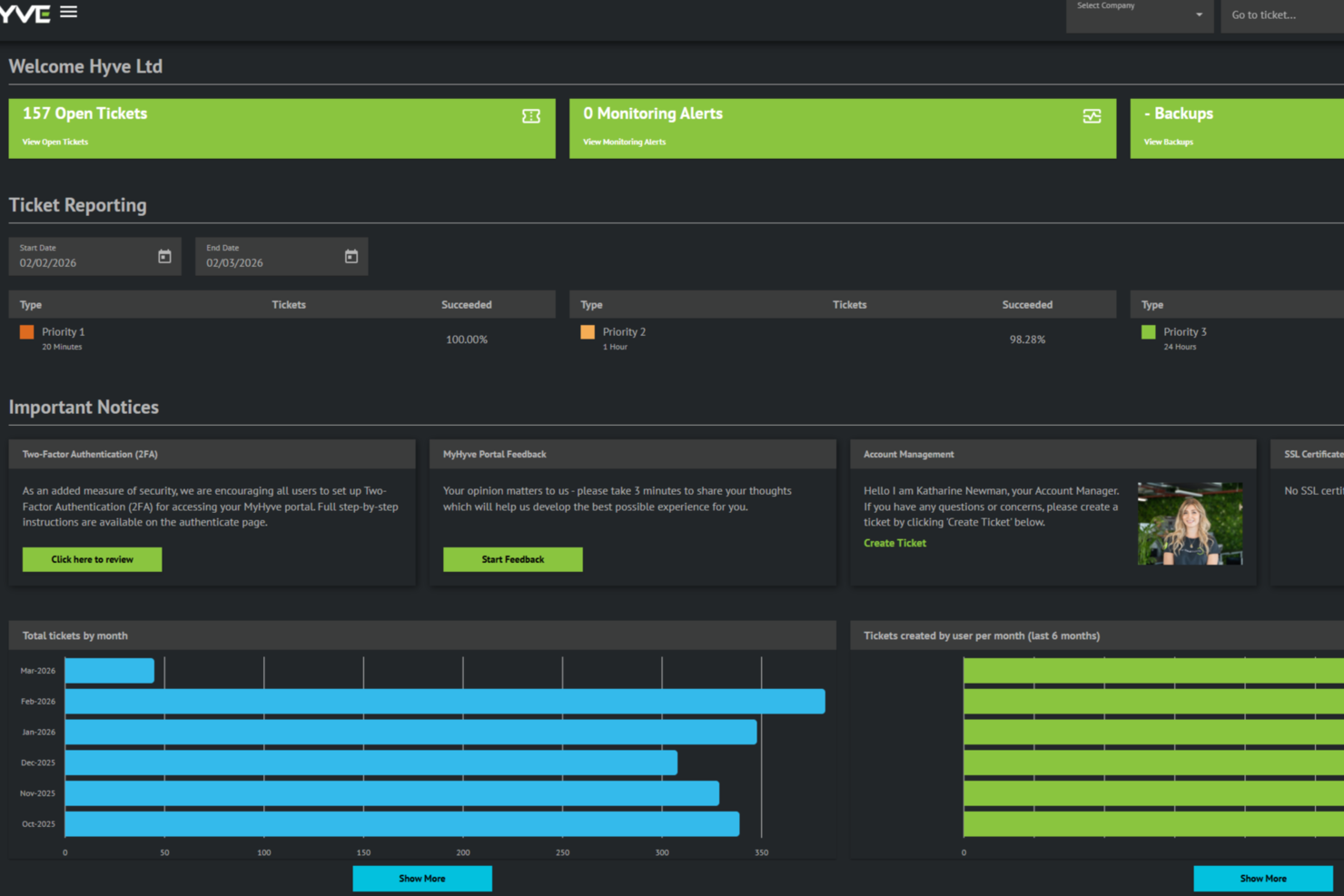
Hyve Managed Hosting è un provider cloud PaaS che offre infrastruttura cloud gestita, architetture personalizzate e supporto dedicato per aziende con esigenze di hosting complesse.
Per chi è ideale Hyve Managed Hosting?
I team IT di organizzazioni di medie e grandi dimensioni che necessitano di infrastrutture cloud su misura e soluzioni di hosting gestito.
Perché ho scelto Hyve Managed Hosting
Ho scelto Hyve Managed Hosting tra i migliori perché posso lavorare direttamente con il loro team per progettare un'infrastruttura cloud che si adatti esattamente alle mie esigenze. Il mio team può specificare topologie di rete personalizzate, configurazioni di storage e allocazioni di risorse su misura. Mi piace il fatto che Hyve supporti configurazioni cloud ibride e private, il che ci consente di realizzare soluzioni adattate ad ambienti complessi o regolamentati.
Caratteristiche principali di Hyve Managed Hosting
- Supporto tecnico 24/7: Accesso a un team di supporto dedicato per qualsiasi problema tecnico, 24 ore su 24.
- Sicurezza multilivello: Protezione DDoS integrata, firewall e scansioni regolari delle vulnerabilità per proteggere l'ambiente.
- Backup gestiti: Backup automatici giornalieri con politiche di conservazione flessibili incluse per il disaster recovery.
- Data center in tutto il mondo: Possibilità di implementare l'infrastruttura in diverse regioni per soddisfare i requisiti di latenza e conformità.
Integrazioni Hyve Managed Hosting
Hyve Managed Hosting elenca partnership tecnologiche con fornitori come VMware, Azure, AWS, Cisco, Juniper, HPE, Red Hat, Docker, Proxmox e Nutanix. Le integrazioni native non sono chiaramente documentate, ma è disponibile un'API per integrazioni personalizzate.
Pros and Cons
Pros:
- Supporto per la conformità ISO 27001 e PCI DSS
- Monitoraggio proattivo e risposta agli incidenti inclusi
- Opzioni di implementazione multi-cloud e cloud ibrido
Cons:
- Documentazione limitata sulle integrazioni native
- Meno funzionalità di automazione rispetto ai provider hyperscale

Ideale per distribuzioni di applicazioni semplici
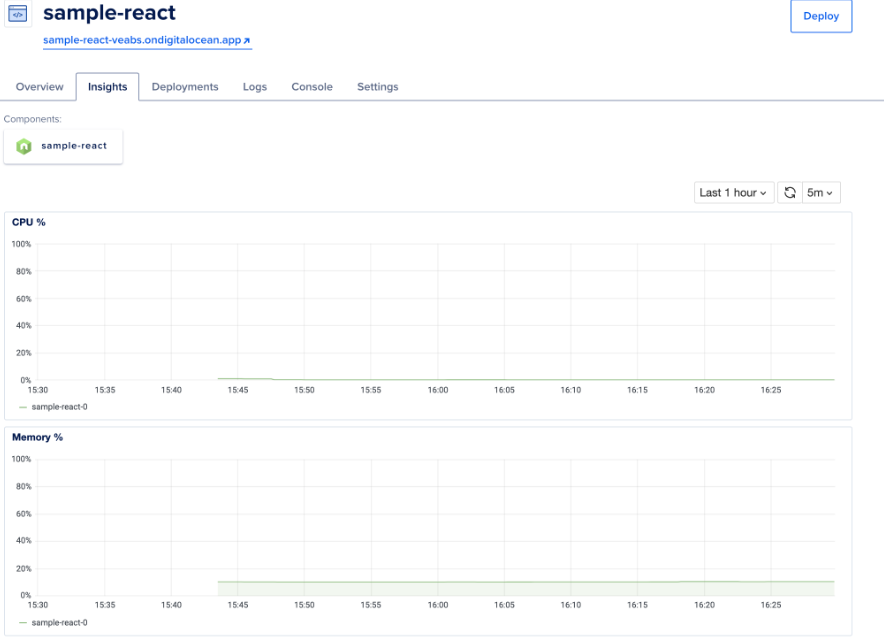
La DigitalOcean App Platform funge da piattaforma come servizio (PaaS) che consente agli sviluppatori di creare, distribuire e scalare applicazioni rapidamente. Con un forte focus sulla semplicità, la piattaforma si distingue soprattutto per chi desidera avviare le proprie applicazioni senza ostacoli.
Perché ho scelto DigitalOcean App Platform: Nel vasto panorama delle piattaforme di distribuzione, la DigitalOcean App Platform ha attirato la mia attenzione per il suo approccio diretto all'hosting di app. Dopo un attento confronto e valutazione, ho riconosciuto la sua interfaccia semplice e intuitiva come un elemento distintivo.
Ritengo sia ideale per distribuzioni di applicazioni semplici per la sua capacità innata di eliminare complessità e velocizzare il processo di deployment.
Funzionalità e integrazioni principali:
DigitalOcean App Platform offre scaling automatico, consentendo alle applicazioni di gestire carichi variabili senza interventi manuali. Supporta numerosi linguaggi di programmazione e framework, offrendo agli sviluppatori la flessibilità di lavorare nell'ambiente preferito. Inoltre, la pipeline CI/CD integrata semplifica il flusso di lavoro di sviluppo.
Pros and Cons
Pros:
- Scaling automatico che si adatta a carichi applicativi variabili
- Supporta un'ampia gamma di linguaggi di programmazione e framework
- CI/CD integrato che semplifica il processo di sviluppo
Cons:
- Potrebbe non essere adatto a esigenze più complesse o di livello enterprise
- Opzioni di configurazione avanzate limitate rispetto ad alcuni concorrenti
- Alcuni utenti potrebbero desiderare strumenti di analisi e monitoraggio più approfonditi
Heroku
Ideale per ambienti favorevoli agli sviluppatori
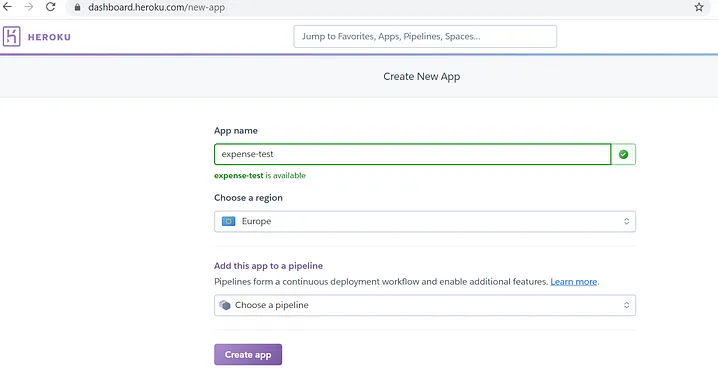
Heroku è una piattaforma cloud come servizio (PaaS) che aiuta gli sviluppatori a distribuire, gestire e scalare applicazioni. Il suo ambiente intuitivo è progettato su misura per offrire un'esperienza incentrata sullo sviluppatore, rendendolo una scelta privilegiata per chi dà priorità alla facilità d'uso e all'efficienza nei processi di sviluppo.
Perché ho scelto Heroku: Quando ho valutato le piattaforme, ho considerato i vantaggi di ciascuna in termini di esperienza per lo sviluppatore. Heroku si è distinto per l'impegno nello snellire il processo di distribuzione e nel ridurre al minimo le complicazioni amministrative. Ritengo che Heroku sia il migliore per creare ambienti favorevoli agli sviluppatori, perché astrae gran parte della gestione dell'infrastruttura, permettendo agli sviluppatori di concentrarsi esclusivamente sul proprio codice.
Caratteristiche principali e integrazioni:
Heroku si distingue per i suoi Dynos, container leggeri che eseguono le applicazioni, garantendo flessibilità e scalabilità. Inoltre, la piattaforma offre un ampio marketplace con numerosi plugin e servizi pensati per il potenziamento e il monitoraggio delle applicazioni.
In termini di integrazione, Heroku si collega facilmente con i principali database come PostgreSQL, MySQL e MongoDB. Supporta inoltre l'integrazione con popolari piattaforme di controllo versione, in particolare GitHub, semplificando i processi di integrazione e distribuzione continua.
Pros and Cons
Pros:
- Interfaccia intuitiva che riduce al minimo le complessità della distribuzione
- Ampio marketplace con una vasta gamma di componenti aggiuntivi e servizi
- Integrazioni dirette con i principali database e piattaforme di controllo versione
Cons:
- Possibili aumenti dei costi man mano che l'applicazione si espande
- Alcuni utenti potrebbero trovare l'astrazione troppo limitante in determinate situazioni
- Vincoli specifici della piattaforma potrebbero richiedere scelte architetturali dedicate

Ideale per l'integrazione con Kubernetes
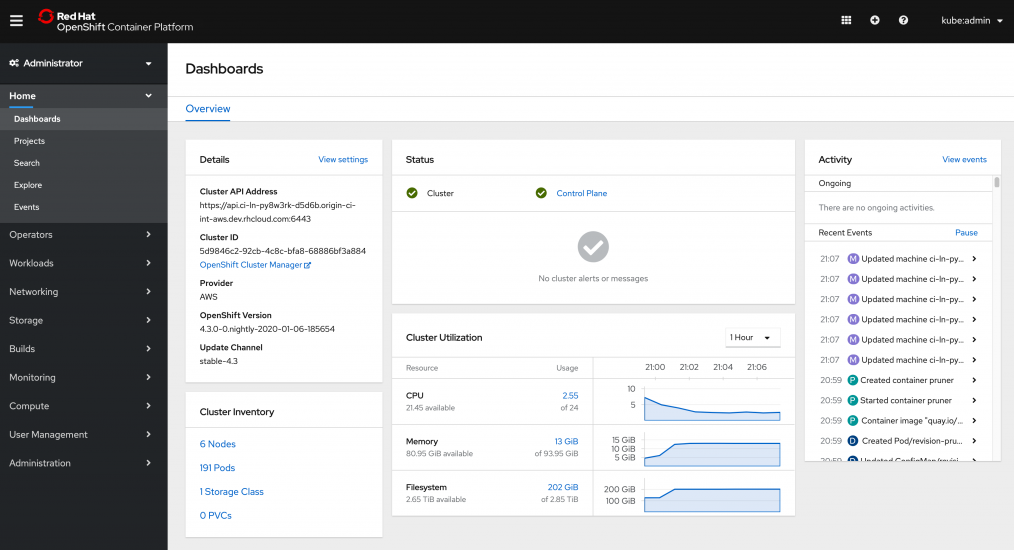
Red Hat OpenShift è una piattaforma Kubernetes aziendale completa che semplifica l'orchestrazione e la gestione dei container. Data la rapida adozione di Kubernetes nel mondo tecnologico, OpenShift si distingue come punto di riferimento per chi desidera integrare e distribuire applicazioni containerizzate senza sforzo.
Perché ho scelto Red Hat OpenShift: Nel mio processo di selezione, la stretta integrazione di Kubernetes in OpenShift si è rivelata decisiva. Avendolo confrontato con altre piattaforme, ho riscontrato che il supporto nativo a Kubernetes di OpenShift e il suo set aggiuntivo di strumenti lo rendono unico. Sono fermamente convinto che sia la scelta migliore per le aziende che danno priorità all'integrazione di Kubernetes nelle proprie operazioni.
Funzionalità e integrazioni principali:
La console e la CLI intuitive per gli sviluppatori di OpenShift offrono strumenti per sviluppare, distribuire e gestire applicazioni containerizzate. La piattaforma offre inoltre provisioning e scaling automatizzati dei servizi, ottimizzando l'utilizzo delle risorse. Le integrazioni con Jenkins, Git, Maven e altri strumenti permettono flussi di lavoro di integrazione e distribuzione continua.
Pros and Cons
Pros:
- Supporto nativo a Kubernetes
- Ampio set di strumenti per CI/CD rivolti agli sviluppatori
- Provisioning e scaling dei servizi automatizzati
Cons:
- Curva di apprendimento più ripida per gli utenti non familiari con Kubernetes
- Costi iniziali più elevati rispetto ad alcuni concorrenti
- Alcune configurazioni possono essere complesse per i principianti

Ideale per lo sviluppo rapido di app
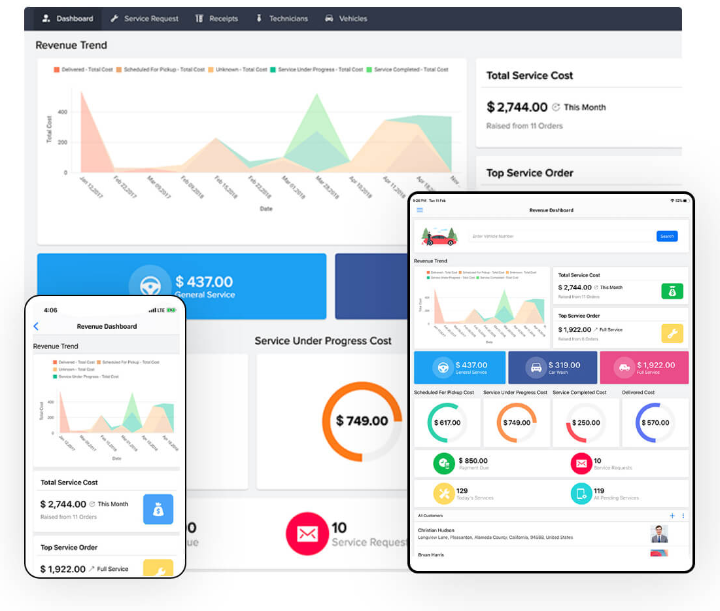
Zoho Creator offre una piattaforma che semplifica lo sviluppo di applicazioni grazie a strumenti drag-and-drop e a una suite di applicazioni predefinite. Questa flessibilità accelera il processo di sviluppo e consente un rapido rilascio di app personalizzate sulle specifiche esigenze aziendali.
Perché ho scelto Zoho Creator: Ho scelto Zoho Creator dopo aver confrontato le sue capacità con altri concorrenti. La sua interfaccia intuitiva e le funzionalità avanzate lo rendono uno dei migliori nel settore PaaS. Ho determinato che, per aziende o sviluppatori che desiderano lanciare rapidamente applicazioni funzionali, Zoho Creator è impareggiabile. Si distingue veramente come il migliore per lo sviluppo rapido di app.
Funzionalità e integrazioni principali:
Zoho Creator vanta un builder visuale che facilita la progettazione di app anche ai non sviluppatori. Con il supporto multilingue, abbatte le barriere e raggiunge un pubblico globale. Offre inoltre integrazioni con i principali prodotti della suite Zoho, ottimizzando i processi e aumentando la produttività complessiva.
Pros and Cons
Pros:
- Builder visuale intuitivo
- Supporto multilingue completo
- Forte integrazione con la suite Zoho
Cons:
- Potrebbe essere troppo complesso per i principianti assoluti
- Alcune funzionalità avanzate richiedono la conoscenza del linguaggio di scripting di Zoho
- Integrazione limitata con terze parti rispetto alla concorrenza

Ideale per infrastrutture di app scalabili
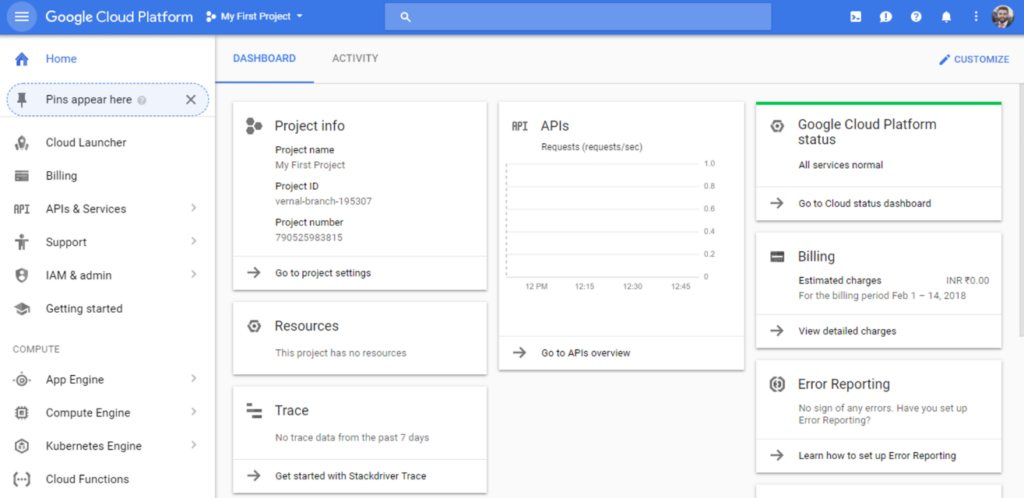
Google Cloud Platform (GCP) offre una suite di servizi cloud progettati per alimentare e supportare applicazioni, siti web e analisi dei dati. Grazie alle sue potenzialità, GCP si distingue come una soluzione affidabile per quelle aziende che cercano un'infrastruttura in grado di adattarsi e crescere in base alle esigenze delle proprie applicazioni.
Perché ho scelto Google Cloud Platform (GCP): Il processo di selezione mi ha portato a scegliere GCP principalmente per le sue opzioni di scalabilità avanzate. Rispetto ad altre piattaforme, GCP offre servizi unici che privilegiano la scalabilità, garantendo che le applicazioni rimangano flessibili a prescindere dal numero di utenti. Ho valutato GCP come il 'migliore per infrastrutture di app scalabili' in quanto risponde perfettamente alle esigenze di aziende che prevedono una crescita e una richiesta variabile.
Caratteristiche distintive e integrazioni:
Tra i numerosi servizi offerti da GCP, il suo Compute Engine propone macchine virtuali personalizzabili, che rappresentano la spina dorsale delle app scalabili. BigQuery, un'altra funzione di rilievo, consente analisi massive dei dati, fornendo insight in modo rapido.
Per quanto riguarda le integrazioni, GCP garantisce una connettività fluida con strumenti popolari come Kubernetes, TensorFlow e molti altri. Inoltre, l'integrazione Pub/Sub di GCP assicura funzionalità di messaggistica in tempo reale tra app e servizi, migliorando la reattività.
Pros and Cons
Pros:
- Opzioni di scalabilità dinamica per applicazioni di varie dimensioni
- Integrazione con i principali strumenti di elaborazione dati e machine learning
- Rete globale di data center che assicura una ridotta latenza
Cons:
- Curva di apprendimento più ripida per chi è alle prime armi con il cloud
- La struttura dettagliata dei costi può risultare complessa ai nuovi utenti
- Alcuni servizi possono risultare più costosi rispetto a offerte equivalenti su altre piattaforme
Ideale per applicazioni native AWS
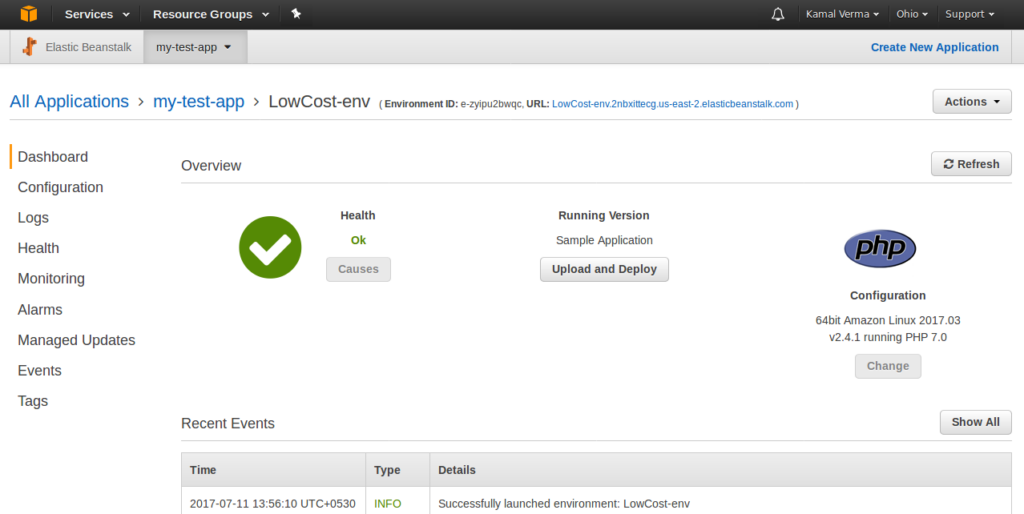
AWS Elastic Beanstalk è un servizio completamente gestito all'interno dell'ecosistema Amazon Web Services (AWS) che consente agli utenti di distribuire, monitorare e scalare applicazioni con facilità. Il suo principale punto di forza risiede nella profonda integrazione con altri servizi AWS, rendendolo una scelta ideale per le applicazioni radicate nella piattaforma AWS.
Perché ho scelto AWS Elastic Beanstalk: Nella selezione degli strumenti per questa lista, AWS Elastic Beanstalk ha attirato naturalmente la mia attenzione grazie al suo design strettamente integrato per le applicazioni AWS. Nel confronto tra varie piattaforme, si è distinto per le capacità di integrazione e automazione nell'ambiente AWS. L'ho giudicato il 'migliore per applicazioni native AWS' poiché offre processi semplificati per coloro che sono fortemente investiti nei servizi AWS.
Funzionalità e integrazioni principali:
AWS Elastic Beanstalk automatizza la configurazione dell'infrastruttura, liberando gli sviluppatori dalla gestione delle risorse sottostanti. Inoltre, offre il monitoraggio dello stato di salute, che fornisce informazioni sullo stato operativo dell'applicazione.
Per quanto riguarda le integrazioni, AWS Elastic Beanstalk si collega facilmente con Amazon RDS, Amazon S3 e AWS Lambda, tra gli altri. Queste integrazioni consentono ampie personalizzazioni e miglioramenti delle funzionalità interne dell'applicazione senza la difficoltà di configurazioni manuali.
Pros and Cons
Pros:
- Scaling automatico in base alle esigenze dell'applicazione
- Processo di distribuzione semplificato grazie a modelli preconfigurati
- Integrazione profonda con altri servizi AWS
Cons:
- Richiede familiarità con l'ecosistema AWS
- Le opzioni di configurazione possono essere travolgenti per i principianti
- Costi potenziali quando si utilizzano più servizi AWS insieme

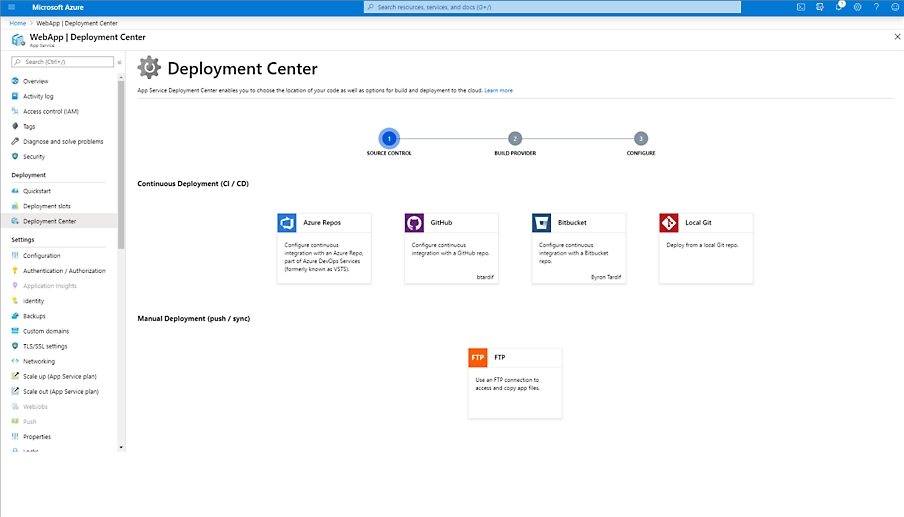
Azure App Service offre una soluzione completa per creare, distribuire e scalare facilmente app web e API. Sviluppata da Microsoft, questa piattaforma si integra perfettamente con altri strumenti Microsoft, ideale soprattutto per le aziende già inserite nell'ecosistema Microsoft.
Perché ho scelto Azure App Service: Durante il processo di selezione delle piattaforme, Azure App Service ha continuamente attirato la mia attenzione. La sua compatibilità con la vasta gamma di strumenti Microsoft la rende una scelta ovvia per le aziende che utilizzano servizi Microsoft. Ritengo che Azure App Service sia 'ideale per ecosistemi Microsoft integrati' perché offre un ambiente coeso, consentendo agli sviluppatori di sfruttare strumenti e servizi familiari della stessa famiglia tecnologica.
Funzionalità e integrazioni principali:
Azure App Service si distingue per il supporto a una varietà di linguaggi di programmazione, permettendo agli sviluppatori di utilizzare quello preferito. Inoltre, le capacità di auto-scalabilità della piattaforma garantiscono che le app web possano gestire carichi variabili senza interventi manuali.
Per quanto riguarda le integrazioni, Azure App Service si integra profondamente con altri servizi Azure come Azure Active Directory, Azure SQL Database e Cosmos DB. Inoltre, offre connettori per molti servizi non Microsoft, ampliando la sua utilità oltre l'ecosistema Microsoft.
Pros and Cons
Pros:
- Integrazione completa con i servizi Microsoft
- Supporta un'ampia gamma di linguaggi di programmazione
- Include l'auto-scalabilità per gestire i picchi di traffico
Cons:
- Potrebbe risultare complesso per chi è nuovo all'ecosistema Azure
- L'integrazione con strumenti non Microsoft può richiedere configurazioni aggiuntive
- I costi possono rapidamente accumularsi con l'utilizzo di più servizi Azure

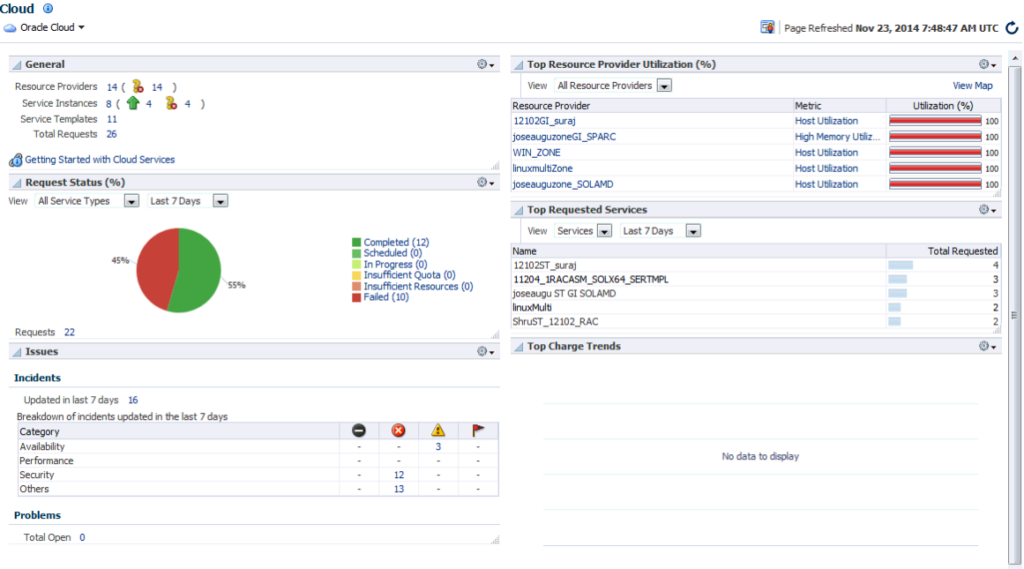
Oracle Cloud Platform si specializza nell'offrire una solida suite di servizi che coprono la gestione dei database, lo sviluppo di applicazioni e l'analisi aziendale. Con una solida tradizione nella tecnologia dei database, Oracle Cloud si presenta come un concorrente forte per le aziende che danno priorità a soluzioni di database affidabili e di alto livello in un contesto aziendale.
Perché ho scelto Oracle Cloud Platform: Valutando diverse piattaforme cloud, la competenza di Oracle nella tecnologia dei database è risultata innegabile. Confrontando la sua offerta con quella di altri provider, ho determinato che il vero vantaggio di Oracle Cloud Platform risiede nelle avanzate capacità di gestione dei database e nell'ampio set di strumenti rivolti al mondo enterprise.
Per le aziende che pongono l'accento sulle soluzioni database enterprise, ritengo che questa piattaforma offra una proposta superiore.
Caratteristiche principali e integrazioni:
Oracle Cloud Platform vanta database autonomi che utilizzano l'intelligenza artificiale per ottimizzare prestazioni, sicurezza e autoriparazione. La piattaforma offre anche una vasta gamma di strumenti per sviluppatori, tra cui Oracle APEX per lo sviluppo di applicazioni low-code. L'integrazione con vari sistemi aziendali come ERP, CRM e HCM garantisce flussi di lavoro efficienti per le imprese.
Pros and Cons
Pros:
- Avanzate funzionalità di database autonomo
- Strumenti per sviluppatori completi, inclusi quelli low-code
- Solide integrazioni con i sistemi aziendali
Cons:
- Può risultare complesso per principianti o piccole imprese
- Il prezzo può essere elevato per operazioni di piccole dimensioni
- Alcuni utenti potrebbero riscontrare una curva di apprendimento ripida con le funzionalità avanzate

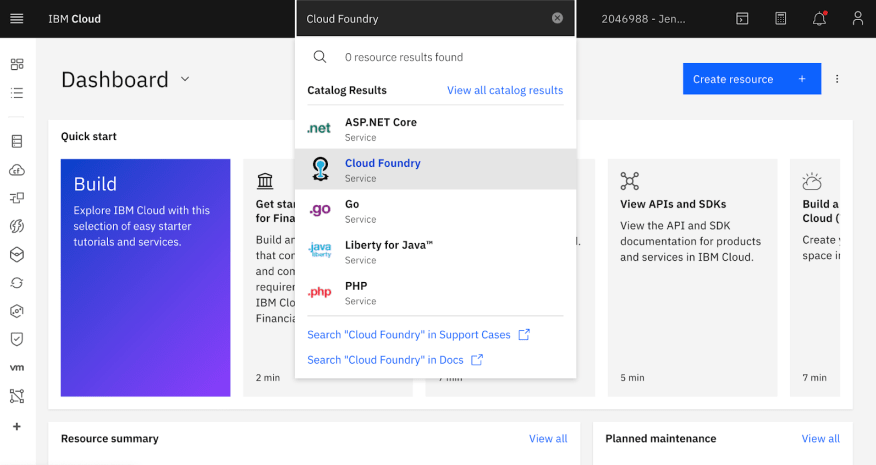
IBM Cloud Foundry è una potente piattaforma cloud platform as a service (PaaS) open-source progettata per facilitare il deploy, la gestione e la scalabilità delle applicazioni. Ciò che la distingue è la sua capacità nativa di supportare configurazioni cloud ibride, assicurando alle aziende sia l'agilità dei cloud pubblici che la sicurezza dei cloud privati.
Perché ho scelto IBM Cloud Foundry: Nel mio percorso di valutazione delle piattaforme adatte a esigenze specifiche, IBM Cloud Foundry si è distinta soprattutto per il supporto cloud ibrido integrato. Ero orientato verso piattaforme che potessero offrire funzionalità di cloud pubblico e privato senza creare complessità.
IBM Cloud Foundry è particolarmente 'la migliore per la flessibilità cloud ibrida', poiché unisce la scalabilità dei cloud pubblici con l'ambiente controllato dei cloud privati.
Caratteristiche uniche & integrazioni:
Una caratteristica saliente di IBM Cloud Foundry è il supporto semplice a molteplici linguaggi di programmazione e framework, rendendo il deploy delle applicazioni vario e pratico. Inoltre, la piattaforma è supportata dall'ampia esperienza tecnologica di IBM, inclusi i servizi Watson, IoT e analytics dei dati.
Per quanto riguarda le integrazioni, IBM Cloud Foundry si interfaccia senza difficoltà con gli altri servizi IBM, creando un ecosistema unificato. Inoltre, la piattaforma si collega con una serie di strumenti e sistemi di terze parti, garantendo adattabilità e ampia funzionalità.
Pros and Cons
Pros:
- Offre un ambiente solido che supporta diversi linguaggi e framework
- Supportato dalla vasta gamma di servizi complementari IBM
- Supporto nativo per configurazioni cloud ibride
Cons:
- Curva di apprendimento potenzialmente ripida per chi è nuovo nell'ecosistema IBM
- Il costo può diventare complesso vista la gamma di opzioni di servizio
- Alcune opzioni di personalizzazione possono richiedere conoscenze tecniche più approfondite
Altri PaaS Cloud
Qui sotto trovi una lista di altri cloud PaaS che ho selezionato ma che non sono entrati nella top 10. Vale la pena comunque dare un’occhiata.
- Teradata
Ideale per l’analisi dati su larga scala
- EngineYard
Ideale per progetti Ruby on Rails
- Aptible
Ideale per settori guidati dalla conformità


Come valuto i Cloud PaaS
Che tu stia distribuendo un'app Node.js o collegando un Postgres gestito, valuto gli strumenti Cloud PaaS in base ai requisiti di base e poi in base ai fattori differenzianti che rivelano la reale aderenza alle esigenze.
Funzionalità di base (Requisiti minimi per questa lista)
Quando seleziono gli strumenti per la mia lista, valuto ciascuno su una scala da 0 (non offre la funzionalità) a 5 (eccelle in quest'area) per ogni funzionalità principale elencata di seguito. Quindi, calcolo il punteggio totale dello strumento in percentuale. Ogni strumento deve raggiungere un punteggio totale minimo del 75% per essere preso in considerazione per l'inclusione.
- Ambienti di esecuzione gestiti: Verifico quali linguaggi e framework ogni piattaforma supporta nativamente—la distribuzione di un'app Python Django o di un servizio Java Spring Boot dovrebbe funzionare senza configurazioni manuali del sistema operativo.
- Distribuzione automatica & CI/CD: Ogni piattaforma dovrebbe permetterti di inviare codice e ottenere una build funzionante. Valuto se la distribuzione tramite Git-push, le opzioni di rollback e gli ambienti di anteprima sono disponibili nativamente.
- Auto-scaling & bilanciamento del carico: Quando il traffico aumenta—come durante un lancio di prodotto o una domanda stagionale—la piattaforma dovrebbe scalare le istanze e distribuire il carico automaticamente senza interventi manuali.
- Servizi backend gestiti: Controllo il catalogo di servizi aggiuntivi come PostgreSQL gestito, Redis o code di messaggi che puoi attivare e collegare a un'applicazione in pochi minuti.
- Hosting multi-ambiente & multi-regione: La distribuzione su ambienti di sviluppo, staging e produzione in più regioni è importante per i team con utenti distribuiti. Valuto come ogni piattaforma gestisce la promozione degli ambienti e la disponibilità regionale.
- Monitoraggio, logging & osservabilità: Cerco l'aggregazione dei log integrata, metriche delle prestazioni e sistemi di alerting, così che il tuo team possa diagnosticare un endpoint non funzionante o una perdita di memoria senza dover integrare strumenti esterni fin dal primo giorno.
Dopo aver individuato un elenco di strumenti che soddisfano questi criteri, considero cosa distingue ciascuna piattaforma.
Fattori differenzianti (Cosa distingue i fornitori)
Ecco come confronto e metto a confronto i diversi fornitori:
Funzionalità distintive
Il supporto alle funzioni serverless è un fattore di differenziazione importante. I team che gestiscono carichi di lavoro orientati agli eventi, come gestori di webhook o trasformazioni di dati pianificate, traggono vantaggio dal poter distribuire codice senza dover gestire istanze. Valuto anche il supporto per container e Kubernetes, visto che gli ingegneri delle piattaforme spesso devono eseguire microservizi dockerizzati insieme alle app tradizionali basate su buildpack. Le funzionalità del portale sviluppatori sono importanti per le organizzazioni più grandi—template self-service, percorsi d'oro e cataloghi di servizi facilitano l'onboarding dei nuovi ingegneri e la standardizzazione delle modalità di rilascio del codice su tutta la piattaforma.
Oltre le funzionalità
Il lock-in del fornitore è un aspetto che valuto con attenzione. Le piattaforme che supportano container OCI e buildpack open source rendono molto più semplice migrare i carichi di lavoro se le esigenze cambiano. Anche le certificazioni di conformità sono rilevanti—se il tuo team gestisce dati sensibili, verifico la presenza di supporto per SOC 2, ISO 27001 e HIPAA insieme a RBAC nativo e logging degli audit. La trasparenza dei prezzi è un altro fattore che valuto attentamente, in particolare se una piattaforma offre alert spesa e dashboard sull'uso così il tuo team può stimare i costi prima che arrivi una fattura a sorpresa dopo un picco di traffico.
Come Scegliere un Cloud PaaS
È facile perdersi tra lunghe liste di funzionalità e strutture di prezzo complesse. Per aiutarti a rimanere concentrato mentre affronti il tuo processo unico di selezione del software, ecco un elenco di fattori da tenere a mente:
| Fattore | Cosa Considerare |
|---|---|
| Scalabilità | Il servizio può crescere con la tua azienda? Cerca piattaforme che offrano opzioni di scalabilità flessibili senza forti aumenti di prezzo. Pensa alla crescita futura e ai picchi di utilizzo. |
| Integrazioni | È compatibile con i tuoi strumenti attuali? Verifica la compatibilità con il tuo stack tecnologico per evitare costi extra o processi manuali. |
| Personalizzazione | Puoi adattarlo alle tue esigenze? Valuta quanto puoi modificare impostazioni o funzionalità per adattarle ai tuoi flussi di lavoro senza bisogno del supporto di uno sviluppatore. |
| Facilità d'uso | La piattaforma è user-friendly? Considera la curva di apprendimento e se il tuo team può adattarsi rapidamente all’interfaccia e alle funzionalità. |
| Implementazione e onboarding | Quanto velocemente puoi iniziare? Valuta tempi e risorse necessari per la configurazione, compresi training e supporto disponibile durante la transizione. |
| Costo | È in linea con il tuo budget? Confronta i diversi modelli di prezzo e cerca costi nascosti. Valuta se il costo è proporzionato al valore che porta al tuo team. |
| Sicurezza | Quanto è sicura la piattaforma? Verifica che soddisfi le tue esigenze di protezione dei dati, con funzionalità come crittografia e aggiornamenti di sicurezza regolari. |
Che cos’è un Cloud PaaS?
Cloud PaaS è un’offerta di platform-as-a-service che permette agli sviluppatori di creare, distribuire e gestire applicazioni nel cloud. Questi strumenti vengono generalmente utilizzati da sviluppatori software e professionisti IT per semplificare il processo di sviluppo delle app e ridurre la gestione dell’infrastruttura.
Scalabilità automatica, capacità di integrazione e ambienti personalizzabili favoriscono uno sviluppo e una distribuzione efficienti. In generale, questi strumenti offrono un percorso più rapido ed efficiente per sviluppare e gestire applicazioni.
Funzionalità
Quando scegli un cloud PaaS, presta attenzione alle seguenti funzionalità chiave:
- Scalabilità automatizzata: Regola dinamicamente le risorse in base alla domanda, garantendo prestazioni ottimali ed efficienza nei costi.
- Capacità di integrazione: Si collega senza problemi con strumenti e sistemi esistenti, riducendo il lavoro manuale e aumentando la produttività.
- Ambienti personalizzabili: Consentono agli sviluppatori di adattare la piattaforma alle esigenze specifiche del progetto, aumentando la flessibilità e il controllo.
- Interfaccia intuitiva: Semplifica la navigazione e riduce la curva di apprendimento, aiutando i team ad adattarsi rapidamente alla piattaforma.
- Garanzie di sicurezza: Fornisce le principali misure di protezione dei dati come la crittografia e aggiornamenti regolari per mantenere le informazioni al sicuro.
- Analisi in tempo reale: Offre approfondimenti sulle prestazioni delle applicazioni, consentendo di prendere decisioni informate e apportare modifiche tempestive.
- Supporto multilingua: Supporta diversi linguaggi di programmazione, ampliando le possibilità per i vari progetti di sviluppo.
- Strumenti CI/CD integrati: Semplifica i processi di sviluppo e di distribuzione, migliorando l'efficienza e riducendo il time-to-market.
- Onboarding interattivo: Include tutorial e guide per facilitare un'adozione rapida e semplice della piattaforma.
Vantaggi
L'implementazione di un cloud PaaS offre numerosi vantaggi per il tuo team e la tua azienda. Eccone alcuni di cui potrai beneficiare:
- Sviluppo più rapido: Grazie agli strumenti CI/CD integrati e agli ambienti personalizzabili, il tuo team può sviluppare e distribuire applicazioni in tempi più brevi.
- Efficienza nei costi: La scalabilità automatizzata e la gestione delle risorse aiutano a pagare solo per ciò che si utilizza, ottimizzando le spese.
- Maggiore produttività: Le capacità di integrazione e un'interfaccia user-friendly riducono le attività manuali e semplificano i flussi di lavoro.
- Sicurezza avanzata: Le garanzie di sicurezza come la crittografia e gli aggiornamenti regolari proteggono i tuoi dati, offrendo tranquillità.
- Flessibilità: Il supporto multilingua e gli ambienti personalizzabili consentono al tuo team di affrontare una vasta gamma di progetti.
- Migliore capacità decisionale: Le analisi in tempo reale offrono informazioni preziose sulle prestazioni, facilitando la pianificazione strategica.
- Adozione semplice: L'onboarding interattivo con tutorial e guide consente al tuo team di acquisire rapidamente familiarità con la piattaforma.
Costi & Prezzi
La scelta di un cloud PaaS richiede una comprensione dei diversi modelli e piani tariffari disponibili. I costi variano in base alle funzionalità, alle dimensioni del team, agli add-on e altro ancora. La tabella seguente riassume i piani più comuni, i prezzi medi e le caratteristiche tipiche incluse nelle soluzioni cloud PaaS:
Tabella di confronto dei piani per Cloud PaaS
| Tipologia di piano | Prezzo medio | Funzionalità comuni |
|---|---|---|
| Piano gratuito | $0 | Distribuzione di base, spazio di archiviazione limitato e supporto della community. |
| Piano personale | $5-$25/user/month | Accesso per singolo utente, analisi di base e supporto via email. |
| Piano business | $50-$150/user/month | Collaborazione multiutente, sicurezza avanzata e possibilità di integrazione. |
| Piano enterprise | $200+/user/month | Soluzioni personalizzabili, supporto prioritario e analisi avanzate. |
Domande frequenti su Cloud PaaS
Ecco alcune risposte alle domande più comuni sul cloud PaaS:
Come funziona il PaaS nel cloud computing?
Il PaaS fornisce agli sviluppatori una piattaforma per creare, distribuire e gestire applicazioni. Semplifica lo sviluppo delle app gestendo la complessità dell’infrastruttura, permettendoti di concentrarti sull’innovazione. Questo modello riduce il tempo di codifica e ottimizza il processo di sviluppo.
Quali sono le problematiche del PaaS nel cloud computing?
La sicurezza è una delle principali preoccupazioni. Potresti incontrare difficoltà nel monitorare e mantenere la sicurezza in modo coerente tra le piattaforme. Considera i controlli di sicurezza offerti e valuta se soddisfano le tue esigenze. Valuta anche se il provider offre capacità di monitoraggio adeguate.
Quali sono i quattro tipi di PaaS?
Esistono PaaS Pubblico, Privato e Ibrido. Il PaaS pubblico è ospitato sul cloud del provider; è accessibile ma meno sicuro. Il PaaS privato offre maggiore controllo e sicurezza su infrastrutture private. Il PaaS ibrido combina elementi di entrambi, offrendo flessibilità.
Quali sono gli svantaggi dell'utilizzo del PaaS?
Gli svantaggi potenziali includono opzioni limitate per lo stack applicativo e il rischio di vendor lock-in. Potresti avere meno controllo sulle operazioni e sull’infrastruttura. La personalizzazione può essere limitata, quindi assicurati che la piattaforma sia adatta alle tue esigenze specifiche prima di sceglierla.
Il PaaS può supportare più linguaggi di programmazione?
Sì, molti fornitori PaaS offrono il supporto multi-linguaggio, ideale se il tuo team lavora con diversi linguaggi di programmazione. Questa flessibilità consente di rispondere alle diverse esigenze del progetto senza essere vincolati a un solo linguaggio o framework.
Cosa succede dopo:
Se stai cercando informazioni sul cloud PaaS, collegati gratuitamente a un consulente SoftwareSelect per ricevere raccomandazioni personalizzate.
Compila un modulo e fai una breve chiacchierata in cui ti verranno chiesti i dettagli delle tue esigenze. Riceverai poi una shortlist di software da valutare. Riceverai supporto per tutto il percorso di acquisto, anche durante le trattative sul prezzo.