
27 Meilleurs Outils de Développement Logiciel Passés en Revue pour 2026

10 Liste restreinte des meilleurs outils de développement logiciel
Here's my pick of the 10 best software from the 27 tools reviewed.


Avec autant d’outils de développement logiciel différents disponibles, il est difficile de déterminer lequel vous convient le mieux. Vous savez que vous souhaitez créer, tester, déboguer et maintenir vos applications logicielles, mais il vous faut trouver l’outil idéal. Je suis là pour vous ! Dans cet article, je vais vous faciliter le choix, en partageant mon expérience personnelle issue de l’utilisation de dizaines d’outils de développement logiciel avec différentes équipes et projets, ainsi que mes sélections des meilleurs outils de développement logiciel.
Que sont les outils de développement logiciel ?
Les outils de développement logiciel sont des applications et des plateformes qui aident à créer, tester, déboguer et maintenir des logiciels. Leur spectre est très vaste : environnements de développement intégrés (IDE), éditeurs de code, compilateurs, débogueurs, systèmes de contrôle de version et frameworks de tests. Ils prennent en charge diverses tâches du cycle de vie du développement logiciel, offrant des fonctionnalités adaptées à une programmation efficace et à la gestion de projets.
Les avantages liés à l’utilisation d’outils de développement logiciel incluent une augmentation de l’efficacité et de la productivité tout au long du processus de développement. Ils permettent d’améliorer la qualité du code, de réduire les erreurs et de faciliter la collaboration au sein des équipes de développement. Ces outils automatisent les tâches répétitives et offrent un cadre structuré pour gérer des projets logiciels complexes. Ils sont essentiels pour respecter les délais, faciliter la communication efficace et garantir que le logiciel réponde aux standards et fonctionnalités requis.
-

Site24x7
Visit WebsiteThis is an aggregated rating for this tool including ratings from Crozdesk users and ratings from other sites.4.6 -
Docker
Visit WebsiteThis is an aggregated rating for this tool including ratings from Crozdesk users and ratings from other sites.4.6 -
Pulumi
Visit WebsiteThis is an aggregated rating for this tool including ratings from Crozdesk users and ratings from other sites.4.8





Aperçus des 10 meilleurs outils de développement logiciel
Utilisez les synthèses de chaque outil ci-dessous pour comprendre en quoi chaque outil se démarque des autres outils de développement logiciel.

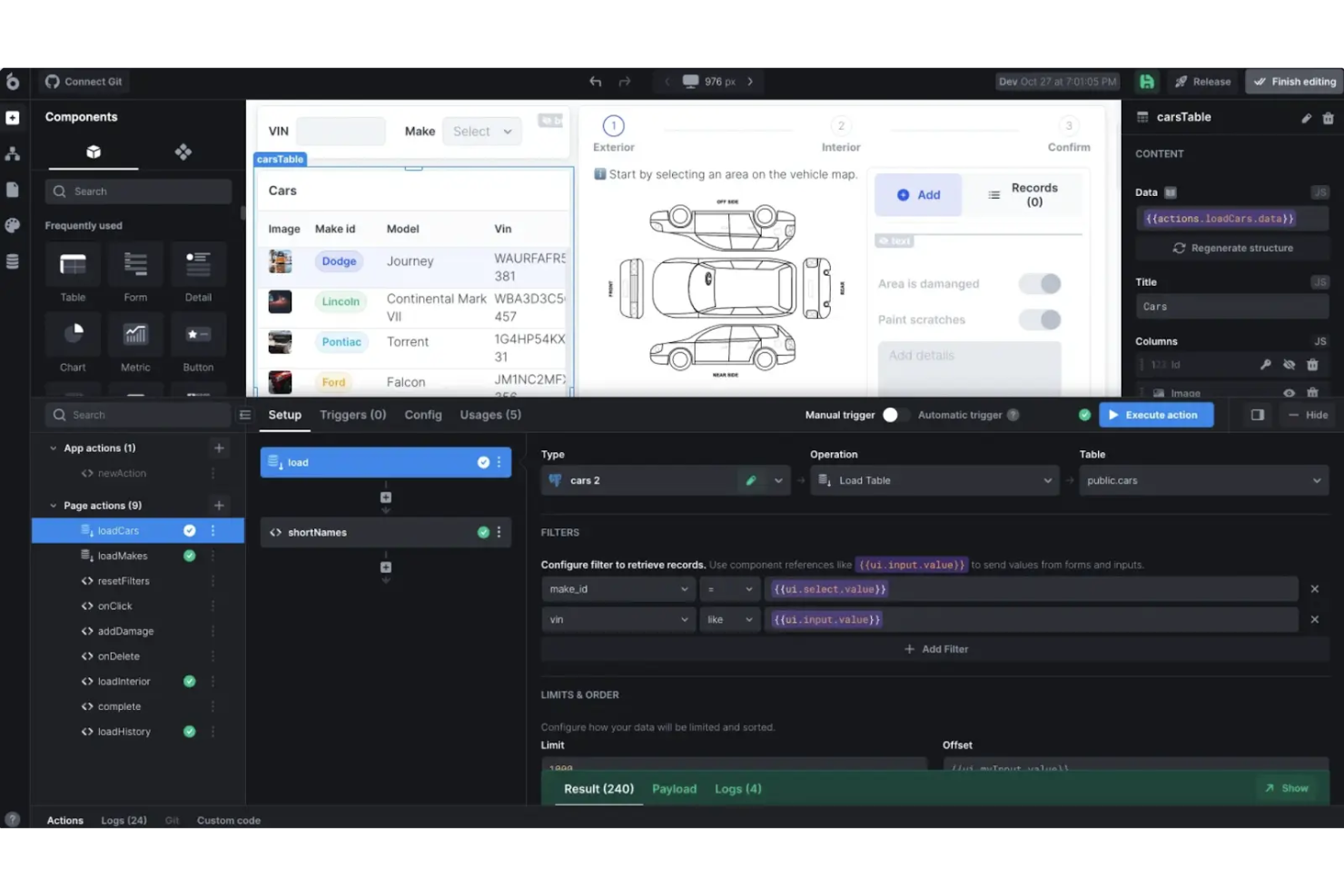
UI Bakery is a strong fit for teams that need a development tool combining low-code speed with deeper customization options. It works well for businesses of all sizes that want to build internal tools, dashboards, admin panels, and customer portals without relying fully on engineering resources. With its drag-and-drop UI builder and wide integration support, UI Bakery enables fast development while still allowing teams to tailor applications to their exact requirements—without sacrificing control or security.
Why I Picked UI Bakery
I picked UI Bakery for its unique ability to combine low-code development with advanced customization options. The platform's drag-and-drop UI builder simplifies the creation of complex applications, while its AI Development Agent offers intelligent component generation to speed up the process. Additionally, UI Bakery's support for over 45 databases and APIs ensures seamless data integration, making it an ideal choice for teams looking to build scalable and secure applications.
UI Bakery Key Features
In addition to customizable low-code development, UI Bakery offers:
- One-Click Deployment: This feature allows your team to deploy applications swiftly, reducing the time from development to launch.
- React Code Export: Gain full ownership and portability of your applications by exporting clean, readable React code.
- Role-Based Access Control: Ensure enterprise-grade security with customizable access permissions for different user roles.
- Multi-Factor Authentication: Enhance security measures to protect your applications and data from unauthorized access.
UI Bakery Integrations
Integrations include PostgreSQL, MySQL, MongoDB, Firebase, Airtable, REST API, GraphQL, Oracle, SAP, and Microsoft SQL Server. Additionally, an API is available for custom integrations.
Pros and Cons
Pros:
- Includes an AI builder for creating custom apps and components
- Enables quick prototyping with ready-made templates
- Features a library of over 80 UI components
Cons:
- Limited coding flexibility compared to full-code solutions
- Performance issues may arise with larger datasets
New Product Updates from UI Bakery

UI Bakery Adds File Uploads and Voice Prompts to AI Chat
UI Bakery introduces file attachments in AI Chat and a voice prompt microphone tool. These updates improve how users interact with the AI agent, making app building faster and more flexible. For more information, visit UI Bakery’s official site.
 .
.

Base44 is a no-code platform that empowers you to create fully functional applications just by describing your ideas. It’s designed to make app development accessible to everyone, regardless of coding experience.
Why I Picked Base44: I chose Base44 for its AI-driven approach, which lets you describe your app in natural language while the platform handles coding, hosting, and backend setup. This frees you to focus on your vision and launch quickly. Base44 also offers a range of ready-made templates—whether for productivity tools or customer portals—helping you save time at the start. Plus, it prioritizes data security and ownership, ensuring your work stays yours.
Base44 Standout Features and Integrations
Features include automatic backend setup, which takes the hassle out of configuring server environments, and built-in hosting, allowing you to deploy your app without needing a separate hosting service. The platform also offers a variety of templates to cater to different app types, making it easier to start projects that meet specific needs. These features collectively provide a comprehensive solution for developers looking to create applications quickly and securely.
Integrations include NetSuite, Salesforce, HubSpot, Slack, ChatGPT (OpenAI), Microsoft Dynamics CRM, Microsoft Teams, Zendesk, Jira Software Cloud, Google Sheets, Gmail, and WhatsApp Notifications.
Pros and Cons
Pros:
- Ideal for building MVPs, internal tools, and prototypes
- Full-stack AI generation
- Built-in hosting facilitates
Cons:
- Limited visual control and basic designs may not suit all users
- Integrated database may complicate future migrations and poses vendor lock-in risks
New Product Updates from Base44
Base44 Launches Mobile App Publishing
Base44 introduces mobile app publishing to Apple App Store and Google Play. This update enables users to turn their projects into fully published mobile apps with a streamlined process. For more information, visit Base44’s official site.
 .
.
GitHub
Best for automating build, test, and deployment workflow with secure CI/CD
GitHub is a Git repository hosting service that provides web-based coding and collaboration capabilities developers use to build, test, and deploy applications.
Why I picked GitHub: Trusted by millions of users across the globe, GitHub is an outstanding tool that is designed for collaboration. GitHub boosts productivity and offers features for high-quality software development. GitHub’s unlimited repositories, open source community, automation capabilities, and version control system increase developer velocity and help your team to work together efficiently.
GitHub’s built-in security features make the tool stand out. The platform enables you to secure your code in minutes and stay compliant with regulations. With GitHub Actions, you can automate your build, test, and deployment processes with super-secure CI/CD. It has an AI-powered solution, GitHub Copilot, that makes development 55% faster.
GitHub Standout Features and Integrations
Features include collaboration capabilities, built-in security, a complete dev environment, code scanning, workflow automation, unlimited repositories, and version control.
Integrations include Slack, GitKraken, Atom, Disbug, Jira, Azure Boards, Codetree, Nessus, and GitHub Scanner.
GitHub costs $3.67 per user/month and offers a free plan for individuals and organizations.
Pros and Cons
Pros:
- Large open-source community
- A wide range of integrations
- Reliable backup
- Good collaboration features
- Great documentation
Cons:
- Security risks
- The subscription fee can add up fast
- A steep learning curve

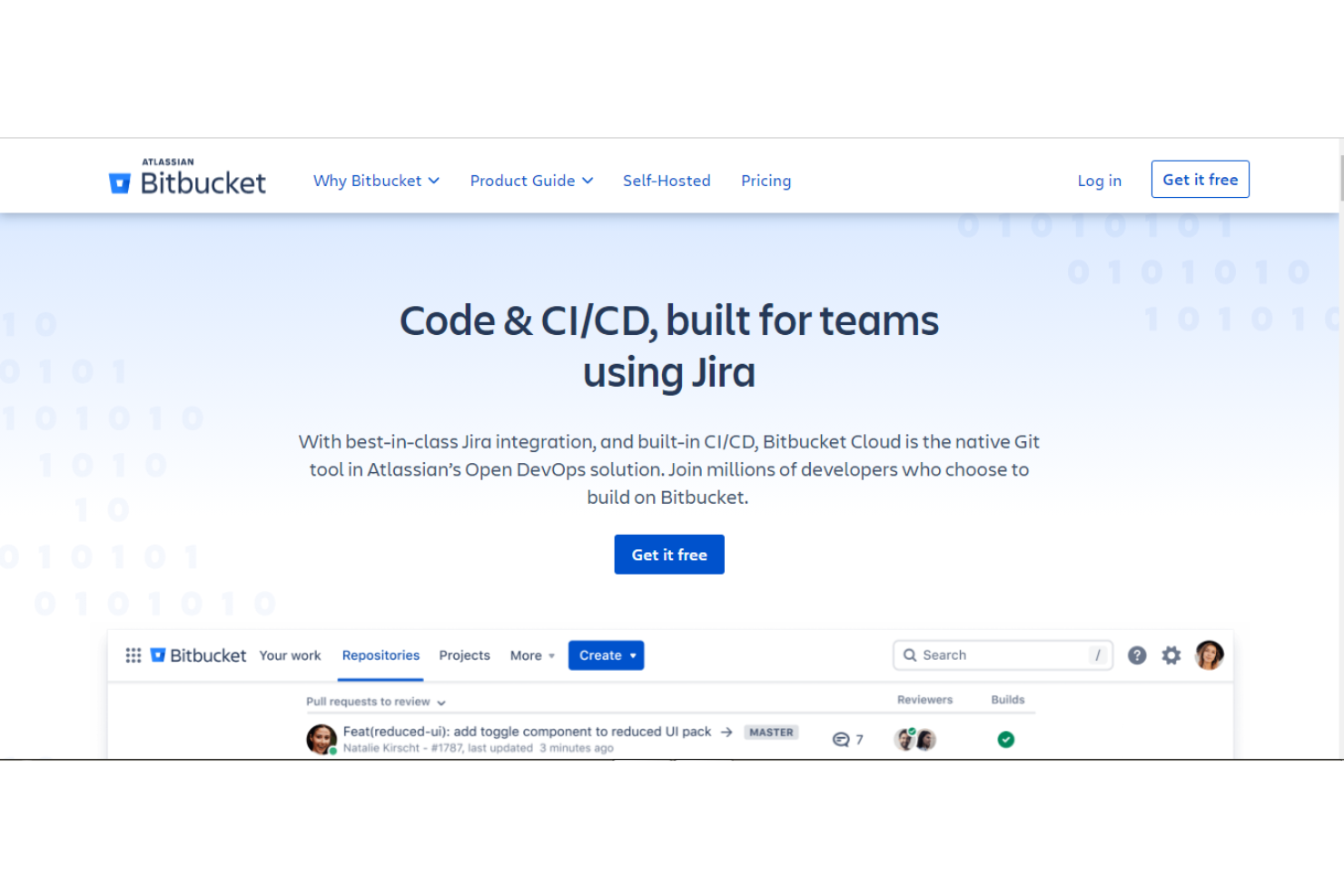
Bitbucket Cloud, optimized for developers using Jira, is the native Git tool in Atlassian’s Open DevOps solution that offers outstanding Jira integration and built-in CI/CD.
Why I picked Bitbucket: Millions of developers build on Bitbucket because of its outstanding capabilities, including ease of collaboration across multiple teams. This powerful Git solution enables you to seamlessly manage your Jira issues using the built-in Jira user interface. As a result, it helps minimize context-switching.
Bitbucket has code review features, which help you find and resolve issues before deploying your software. With the in-built CI/CD and Bitbucket Pipelines, you can increase developer velocity by automating workflows.
Bitbucket Standout Features and Integrations
Features include a built-in Jira interface, code review capabilities, automated deployments, automatic security scans, automated issue tracking, and collaboration capabilities.
Integrations include Jira, IronGit, Makerflow, Mergetastic, Fleep, Atlas Bot, Bucket Board, CircleCI, CloudCannon, and Code Dog.
Bitbucket costs $15/month for 1 - 5 users and offers a freemium plan.
Pros and Cons
Pros:
- Teams that integrate Jira release faster
- Flexible pricing
- Shipping of high-quality codes
- Ease of collaboration across multiple teams
Cons:
- The support platform needs to improve response time
- Users encounter configuration challenges sometimes
- Lacks some features that top alternatives have

Linx is a low-code development platform used by software teams to build and deploy APIs, automation, and other software solutions.
Why I picked Linx: Linx is a top no-code development environment that allows you to build software solutions without requiring code, frameworks, or infrastructure. The platform has built-in tools for the management and monitoring of what you create.
Linx enables you to develop complex applications with smart editors, pre-built templates, and familiar coding concepts. It integrates with any stack. So, you can increase development speed by importing resources from your databases.
Additionally, Linx has outstanding and easy debugging processes and a wide range of plugins. As a result, developers get rid of issues easily and accelerate development with pre-built components.
Linx Standout Features and Integrations
Features include a low-code editor, workflow automation, integrations, built-in management & monitoring, APIs & microservices, pre-built templates, and code debugging.
Integrations include Google Drive, Microsoft Excel, Gmail, GitHub, MySQL, Microsoft Azure, Xero, MongoDB, Adobe Analytics, and Amazon EC2.
Linx’s pricing starts from $49 per month with a free trial.
Pros and Cons
Pros:
- Works with any stack
- Smart editors
- Easy visual debugging
- Low-code IDE
Cons:
- Limited pre-built solutions
- The UI needs some improvements

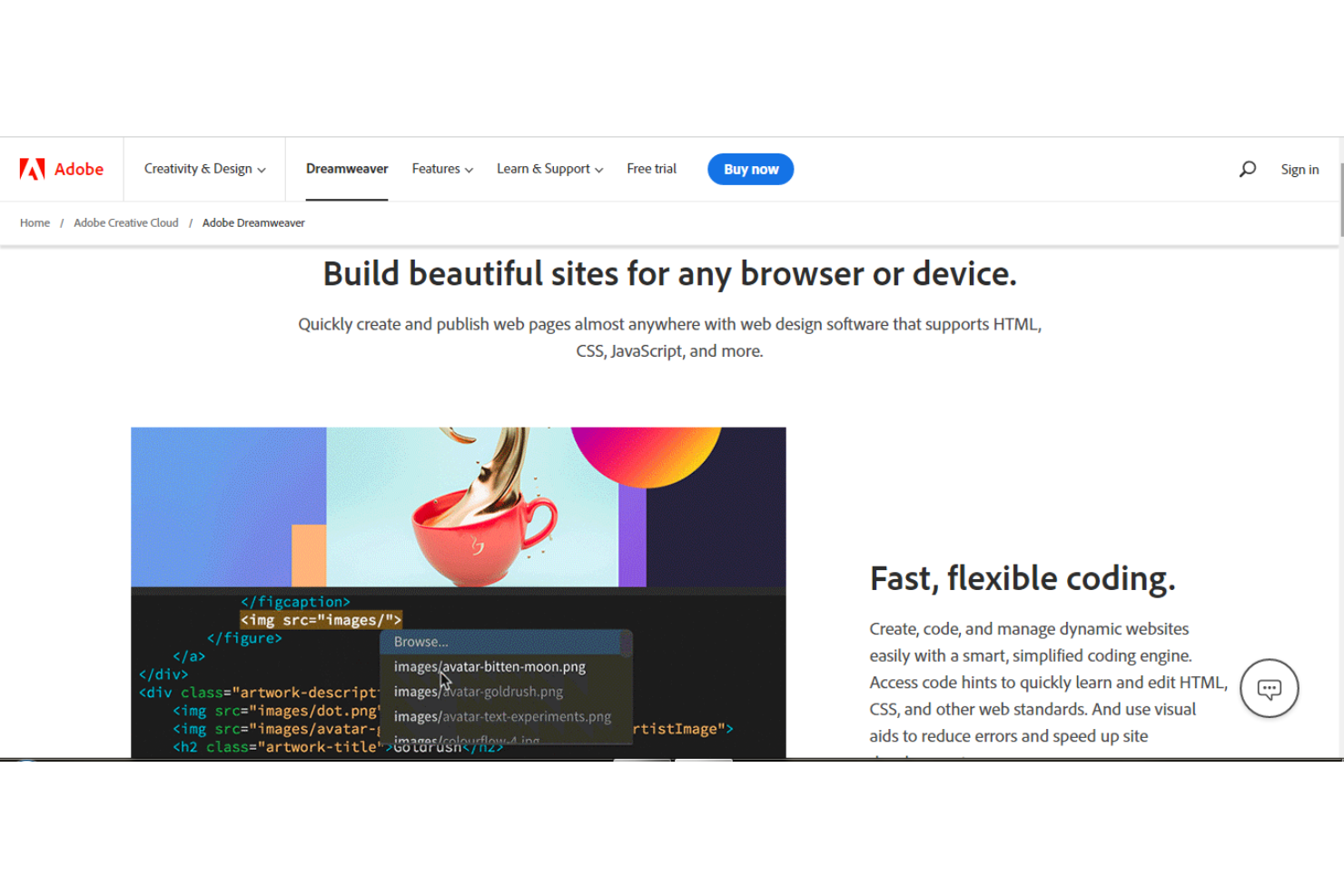
Dreamweaver, a product by Adobe, provides web design tools that enable developers to build websites for any browser or device.
Why I picked Dreamweaver: This software supports multiple languages (HTML, CSS, JavaScript, and more) and allows you to build web services for any browser or device. Dreamweaver has a good coding engine that enables fast and flexible coding of dynamic pages.
With the code hints feature and visual aids, you can significantly reduce errors and speed up the development process. There are customizable starter templates you can use to quickly build web pages, like e-commerce pages, HTML emails, About pages, and blogs.
Additionally, this tool is part of Creative Cloud. As a result, you can import resources from your Creative Cloud Libraries and Adobe Stock.
Dreamweaver Standout Features and Integrations
Features include multiple programming languages, flexible and speedy coding, a simplified coding engine, code debugging, customizable templates, multi-monitor support for Windows, integrations, and tutorials.
Integrations include Adobe Creative Cloud, Adobe Photoshop, Arlo for Training Providers, SalesCart, CSS, Diib, POS2Net, Adobe Comp, Adobe Stock, and OpenText xPression.
Dreamweaver’s pricing starts from $22.56 per month with a 30-day free trial of Adobe Stock.
Pros and Cons
Pros:
- Flexible pricing
- Easy debugging
- Code suggestions
- Seamless integrations
Cons:
- Some users have challenges with global styling
- You don’t get what you see always
- Learning the interface takes time

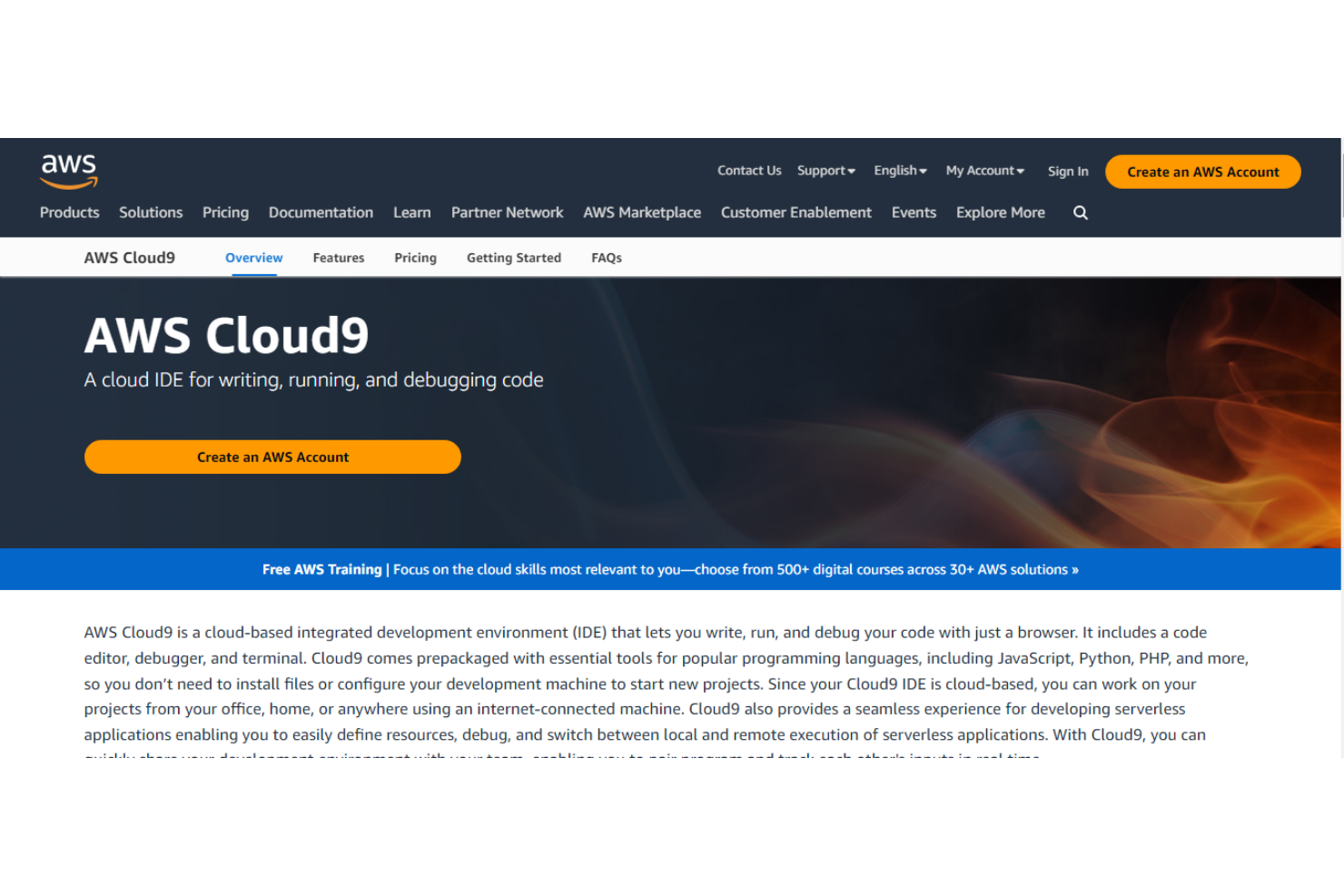
AWS Cloud9, a top integrated development environment (IDE), provides all the tools you need to write, run, and debug your code - using a browser.
Why I picked AWS Cloud9: It offers a complete dev environment, including a code editor, debugger, and terminal. Cloud9 supports popular coding languages, making it easy for users to start projects without the need to install files or run extra configurations.
AWS Cloud9 is cloud-based. There is no need to install a local IDE. This allows your team members to work from anywhere. Cloud9 enhances collaboration since your teams can work together in real-time. With a few clicks, team members can share the dev environment and stay in touch in real-time with a messaging feature.
You can speed up development with some time-saving features, such as code hinting, step-through debugging, and code completion.
AWS Cloud9 Standout Features and Integrations
Features include a code editor, debugger, support for multiple programming languages, and collaboration in real-time.
Integrations include DronaHQ, SaaS customer intelligence 360, NewGenEducationApp, Ataccama ONE, Privitar, VidPowr, TouchBase, AWS, Python, and CSS.
AWS Cloud9 offers customized pricing and allows users to get started for free.
Pros and Cons
Pros:
- Build applications with ease
- Autocomplete feature
- Code with browsers - like Google Chrome
Cons:
- Constant connection to the internet is required
- Documentation can be hard to understand

Codenvy
Best for providing a secure and zero-configuration cloud-native software development environment

Condenvy is a cloud-based application development software that helps developers to build solutions and collaborate on projects from anywhere - without installing software.
Why I picked Codenvy: It provides a complete, Kubernetes-native development environment, which includes a code editor, debugger, profiler, and building manager. Condenvy provides everything you need to build and ship high-quality applications.
Codenvy is a future-fit coding platform with an integrated set of tools for administering builds, source code repositories, deployments, and testing. It uses cloud technologies (Kubernetes and containers) to offer users consistent, super-secure, and zero-configuration software development space.
Codenvy Standout Features and Integrations
Features include one-click developer workspaces, near-instant onboarding, enterprise integration, and collaboration capabilities.
Integrations include GitHub, Jira, Microsoft Visual Studio, Microsoft Azure, and BitBucket.
Codenvy offers customized pricing upon request.
Pros and Cons
Pros:
- Easy to manage and monitor workspaces
- Team members can contribute code from remote locations
- Speedy software development
- Collaborative Kubernetes-native tool
Cons:
- Premium support is only available for the paid plan
- Developers complain of occasional lagging


Azure, built by MicroSoft, provides innovative software dev tools that help software engineers build future-ready, super-secure cloud solutions.
Why I picked Azure: Microsoft Azure offers a pay-as-you-go pricing model, enabling users to only pay for the resources they provision. This flexibility allows you to have better control of your budget.
Azure integrates with ChatGPT through Azure OpenAI Service. You can use ChatGPT to build smart apps that offer conversational features, like writing assistance, contextual chatbots, summarization capabilities, and coding assistance.
Additionally, Azure provides the latest AI models, helping you to build custom machine learning models. The AI models include complex speech, vision, decision-making, and language models.
Azure Standout Features and Integrations
Features include complete dev tools, AI models, ChatGPT integration, load testing, and a wide range of Azure solutions.
Integrations include AzurePing, Cloud Explorer for Visual Studio, Cloud Combine, SQL Database Migration Wizard, Azure Blob Studio, Microsoft Azure Storage Connected Service, Graphic Engine VSExtension, Docker, and Azure Grid.
Azure offers a pay-as-you-go pricing model and a free account.
Pros and Cons
Pros:
- High availability
- Flexible pricing
- Scalability
- Data security
Cons:
- Requires high-level management and maintenance
- Needs high-level tech expertise


Trusted by many, Visual Studio is a comprehensive development platform that offers a wide variety of tools for coding, debugging, and deploying applications.
Why I picked Visual Studio: It is one of the most complete IDEs with three major solutions: Visual Studio for Windows, Visual Studio for Mac, and Visual Studio Code. Visual Studio Code is a source code editor that is compatible with Windows, macOS, and Linux.
Visual Studio Code is ideal for JS & web developers and comes with an extensive range of extensions to support other languages and runtimes. Microsoft Visual Studio provides outstanding capabilities, such as compilers, code completion features, and graphical designers.
It is a very fast IDE that enables you to code faster on any platform/device. There are collaboration tools to enable your team members to work together in real-time. Best of all, you can identify and resolve issues before they happen.
Microsoft Visual Studio Standout Features and Integrations
Features include IDE for Windows, IDE for Mac, code completion tools, compilers, extensions, issue tracking, and graphical designers.
Integrations include Microsoft Teams, TeamSupport, Targetprocess, Time Doctor, Condenvy, Flock, LambdaTest, TMetric, ClicData, and BrowserStack.
Microsoft Visual Studio starts at $45 per month and offers some free tools to individuals.
Pros and Cons
Pros:
- Cross-platform tools
- High developer agility and productivity
- Real-time collaboration
- It’s easy to start and run a fresh project
- A comprehensive IDE
Cons:
- It lags sometimes
- Code compilation error alerts can be misleading sometimes
- Licensing is a bit expensive
Résumé des meilleurs outils de développement logiciel
| Tool | Best For | Trial Info | Price | ||
|---|---|---|---|---|---|
| 1 | Best for customizable low-code development | Free plan available | From $20/developer/month | Website | |
| 2 | Best for no-code app creation | Free plan available | From $160/month (billed annually) | Website | |
| 3 | Best for automating build, test, and deployment workflow with secure CI/CD | 30-day free trial available | From $4/user/month | Website | |
| 4 | Best git solution for developers using Jira | Free plan available | From $3.30/user/month | Website | |
| 5 | Best low-code software development environment | Free demo available | From $149/month | Website | |
| 6 | Best website design tool for developing and managing dynamic websites | 7 days free trial | From $20.49/month | Website | |
| 7 | Best cloud IDE for code debugging | Not available | Pricing upon request | Website | |
| 8 | Best for providing a secure and zero-configuration cloud-native software development environment | Not available | Customized price upon request | Website | |
| 9 | Best for providing the latest AI models and complete dev tools | Free | Offers a pay-as-you-go pricing model | Website | |
| 10 | Best IDE for .NET and C++ developers on Windows | Free 30-day trial available | From $45/user/month | Website |
Autres options
Voici quelques options supplémentaires qui ne figurent pas dans la sélection des meilleurs outils de développement logiciel :
- Codenvy
For providing a secure and zero-configuration cloud-native software development environment
- Azure
For providing the latest AI models and complete dev tools
- Microsoft Visual Studio
IDE for .NET and C++ developers on Windows
- Jira
Issue and project tracking tool for agile teams
- New Relic One
For data-driven monitoring and software performance optimization
- Apache NetBeans
Development environment and app framework for refactoring code
- App Builder
Dev environment for fast development of complete enterprise apps
- Visor
For Jira integration & custom views
- QA Wolf
For software testing with 24-hour expert monitoring
- monday dev
For managing software development workflows
- RabbitGUI
For in-app JSON message editing
- Creatio Studio
A no-code tool that uses workflow automation, integrations, and AI/ML models to help developers build applications with just a few clicks.
- GeneXus
Streamlines how developers build, maintain, and evolve software systems with deterministic code generators and AI-powered tools.
- DHTMLX
Helps developers to boost development speed with JavaScript UI libraries.
- Zoho Creator
A low-code application development tool that enables developers to design, build, and deploy business solutions.
- Bootstrap
Provides developers with a feature-rich front-end toolkit for developing fast, responsive websites and web apps.
- Quixy
Drag-and-drop no-code app development and business process management capabilities for users across industries.
- TestRail
Test case management, test planning, test execution, and reporting & analytics solutions for QA teams.
- Node.js
An open-source, cross-platform JavaScript runtime environment designed to enable software teams to build scalable network applications.
- UltraEdit
Highly configurable text editor designed for customers ranging from individual programmers and startups to large enterprises.


Comment j’ai sélectionné les meilleurs outils de développement logiciel
Peut-être vous demandez-vous comment j’ai choisi les meilleurs outils de développement logiciel pour cette liste. Pour établir ce top 27, j’ai évalué et comparé un large éventail d’outils de développement logiciel, des IDE Java aux outils de sécurité DevOps, tous bénéficiant d’excellents avis d’utilisateurs.
Après avoir dressé ma liste longue de choix principaux, je l’ai affinée en appliquant les critères de sélection détaillés ci-dessous afin d’évaluer chaque plateforme par rapport aux autres. Je me suis aussi appuyé sur mes années d’expérience en développement logiciel pour identifier les fonctionnalités réellement à forte valeur ajoutée.
Critères de sélection
Voici un résumé des principaux critères de sélection et d’évaluation que j’ai utilisés pour établir cette liste des meilleurs outils de développement logiciel dans cet article :
Interface utilisateur
Tous les outils de cette liste disposent d’une interface utilisateur réactive, simple et intuitive. Les interfaces sont bien conçues, ce qui les rend très faciles à prendre en main pour les nouveaux utilisateurs. Les boutons de navigation sont très réactifs et placés de façon stratégique pour une utilisation aisée. Par ailleurs, les interfaces sont esthétiques.
Facilité d’utilisation
Quelle que soit la puissance d’un outil, il ne sera pas très utile si les utilisateurs ont du mal à en maîtriser les fonctionnalités. J’ai sélectionné des outils de programmation qui ne sont ni trop sophistiqués ni trop techniques à utiliser.
Les communautés de développeurs ont besoin d’outils qui simplifient le codage et rendent le développement moins contraignant. Par conséquent, tous les outils retenus sont simples d’utilisation. Pas besoin de semaines de tutoriels pour démarrer : il est facile de comprendre leur fonctionnement et de commencer vos projets.
Intégrations logicielles
Le développement logiciel est un domaine vaste qui nécessite l'utilisation de nombreux outils et cadres. L'un des défis auxquels les développeurs sont confrontés est d'utiliser plusieurs outils simultanément. Passer d'un outil à l'autre, comme les logiciels de développement d'applications, est épuisant mentalement et prend du temps. La solution à ce problème réside dans l'intégration.
L'intégration d'autres outils à votre principal environnement de développement logiciel vous permet d'accéder à votre ensemble d'outils depuis une seule plateforme. Elle élimine la nécessité de passer d'un outil à un autre lors de la création de logiciels. Par conséquent, j'ai recherché des outils pouvant être intégrés à un large éventail de programmes et outils de développement comme un IDE Golang ou d'autres environnements.
Tarification
En ce qui concerne la tarification, trois facteurs importants ont été pris en compte : l'accessibilité, la flexibilité et la transparence. En parcourant ma liste des 10 meilleurs outils de développement logiciel, vous êtes sûr de trouver des outils adaptés à votre budget et à votre projet.
Questions Fréquemment Posées
Voici quelques questions populaires auxquelles nous répondons pour votre commodité !
Quelles sont les principales fonctionnalités des outils de développement logiciel ?
De quelles autres ressources de test ai-je besoin ?
Conclusion
Si vous souhaitez développer un logiciel performant et réussi, le choix de vos outils de développement joue un rôle crucial. L'outil choisi détermine en grande partie la qualité du logiciel, la rapidité de livraison et le coût du développement.
Optez pour un outil de développement logiciel qui possède toutes les fonctionnalités nécessaires à votre projet. Un bon outil offre un environnement de développement complet, des technologies pérennes, une compatibilité avec les IDE multiplateformes, des intégrations et bien plus encore. Cela dit, prenez le temps d'explorer attentivement les outils ci-dessus afin de trouver celui qui répond le mieux à vos besoins et à votre budget.
Une dernière chose, cliquez ici pour vous inscrire à la newsletter et obtenir les dernières informations des meilleurs experts du secteur QA.