

10 beste PaaS-Dienste im Jahr 2026

10 Die besten PaaS-Dienste – Übersicht


Plattformen als Dienst (PaaS) helfen Entwicklungsteams dabei, Anwendungen zu erstellen und bereitzustellen, ohne die zugrunde liegende Infrastruktur verwalten zu müssen.
Viele Teams greifen auf PaaS zurück, wenn sie zu viel Zeit mit der Servereinrichtung, der Skalierung oder Bereitstellungspipelines verbringen, anstatt Code zu schreiben. Die richtige Plattform kann Ihren Arbeitsablauf vereinfachen, Veröffentlichungen beschleunigen und Ihrem Team ermöglichen, sich auf das Produkt statt auf Konfigurationen zu konzentrieren.
Ich habe mit Engineering-Teams gearbeitet, die PaaS-Anbieter evaluiert haben, um alles von Prototypen in frühen Entwicklungsphasen bis hin zu schnell wachsenden Anwendungen zu unterstützen. Dieser Leitfaden basiert auf diesen Erfahrungen und konzentriert sich darauf, was eine Plattform in realen Entwicklungsumgebungen tatsächlich nützlich macht.
Warum Sie unseren Software-Empfehlungen vertrauen können
Unser Team testet und bewertet Software seit 2012. Als Tech-Führungskräfte wissen wir selbst, wie schwierig – und wichtig – es ist, die richtige Software auszuwählen.
Für diesen Leitfaden haben wir Tools mithilfe von praktischen Tests und unabhängiger Recherche bewertet und dabei unsere Bewertungskriterien angewendet.
Unsere Bewertungen spiegeln unser menschliches redaktionelles Urteilsvermögen wider, keine Verkaufsstrategie.
Expertenprüfer:
Zusammenfassung der besten PaaS-Dienste
| Service | Best For | Trial Info | Price | ||
|---|---|---|---|---|---|
| 1 | Am besten für Unternehmen, die Salesforce für CRM nutzen | Kostenlose Demo verfügbar | Ab $5/Monat + Pay-as-you-go Modell | Website | |
| 2 | Am besten geeignet für Kubernetes-Plattform | 30 Tage kostenloser Test | Ab $0.076/Stunde | Website | |
| 3 | Am besten für Unternehmensanwendungen geeignet | Kostenlose Testversion für immer verfügbar | Ab $54/Monat | Website | |
| 4 | Am besten für Windows-basierte Anwendungen | $200 Guthaben für die ersten 30 Tage nach Anmeldung | Bezahlen nach Verbrauch | Website | |
| 5 | Am besten geeignet zur Integration mit anderen Google Cloud-Diensten | 90 Tage, $300 kostenloses Guthaben als Testangebot | Ab $0,06 pro Stunde und Instanz | Website | |
| 6 | Am besten geeignet für die App-Bereitstellung auf AWS | 14-tägige kostenlose Testversion | Ab $50/Monat | Website | |
| 7 | Am besten geeignet, um mit verschiedenen Programmiersprachen zu arbeiten | Verschiedene Testoptionen verfügbar | Bezahlen Sie nur das, was Sie nutzen | Website | |
| 8 | Beste benutzerfreundliche Plattform für schnelle Bereitstellung | $200 Guthaben für eine 60-tägige kostenlose Testphase | Ab $4/1 vCPU/Monat | Website | |
| 9 | Am besten geeignet für Hochleistungsrechnen | 10+ immer kostenlose Services + $300 kostenlose Credits für einen 30-tägigen Testzeitraum | Ab $54/4 vCPUs/Monat | Website | |
| 10 | Am besten für Drupal-Anwendungen | Kostenlose Testversion hängt vom gewählten Produkt ab + kostenlose Demo und Einführungen verfügbar | Ab $148/Nutzer/Monat | Website |
Bewertungen der besten PaaS-Dienste
Hier ist meine Einschätzung der 10 besten PaaS-Dienste, basierend auf ihren herausragenden Funktionen, Vorteilen und Preisplänen.
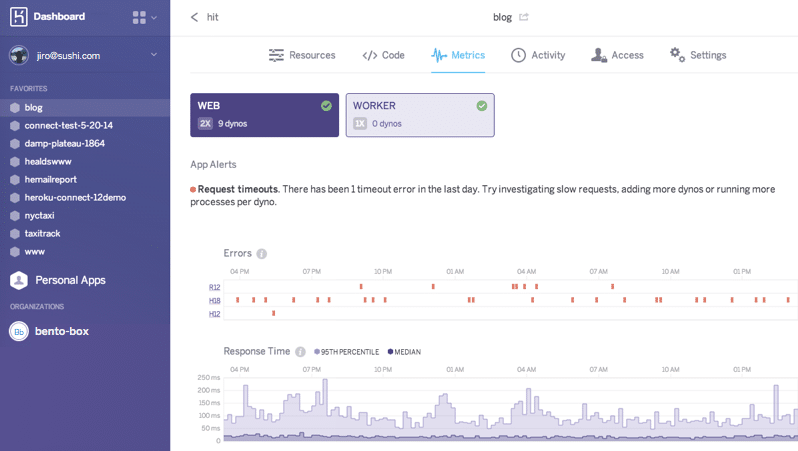
Heroku bietet vollständig verwaltete Datendienste, die Konfiguration, Orchestrierung, Failover, Lastverteilung und Sicherheit übernehmen.
Warum ich Heroku ausgewählt habe: Ich empfehle Heroku für Entwickler, die eine unkomplizierte Lösung zum Erstellen, Verwalten und Bereitstellen von Webanwendungen wünschen, insbesondere wenn sie Salesforce-Daten verwenden. Darüber hinaus können sie ihre Anwendungen skalieren, da sich Heroku an Infrastrukturanpassungen anpasst – die Skalierbarkeit reicht von einfachen Hobbyprojekten bis zu komplexen Unternehmensanwendungen.
Herausragende Funktionen und Integrationen von Heroku:
Funktionen, die ich hier empfehlen möchte, sind PostgreSQL als Service mit Verschlüsselung im Ruhezustand und Datenbank-Forking; Messung von App-Metriken wie Durchsatz, CPU-Auslastung und Antwortzeiten; Buildpacks, mit denen Sie Ihren Stack anpassen können; und „Dynos“, verwaltete Container, in denen Sie Ihre Apps kontinuierlich ausführen und überwachen können.
Integrationen umfassen über 200 Add-ons, darunter Rollbar zur Fehlerbehandlung, Logtail zur Protokollabfrage und CloudRail zur Integration von Application Programming Interfaces (APIs).
Pros and Cons
Pros:
- Granulare Zugriffskontrollen
- Reaktionsschnelle SLAs
- Kann Apps in verschiedenen Sprachen ausführen
Cons:
- Apps mit großen Datensätzen können auf Leistungsprobleme stoßen
- Mangel an Anpassungsmöglichkeiten

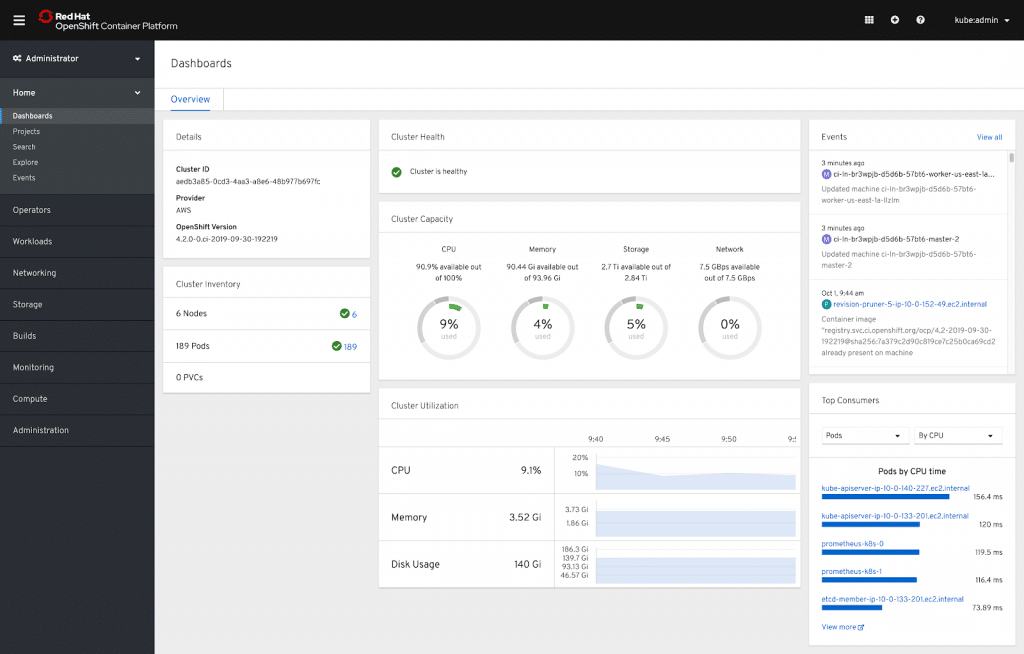
OpenShift ist Red Hats Cloud-Computing-PaaS-Lösung, die in mehreren Ausführungen erhältlich ist: OpenShift Container Platform bietet eine Kubernetes-Plattform für Kunden, die containerisierte Anwendungen bereitstellen möchten; OpenShift Dedicated ermöglicht schlüsselfertigen Zugang zu hochverfügbaren Clustern, die auf Amazon Web Services und Google Cloud gehostet werden; und Red Hat auf Microsoft Azure stellt eine Unternehmens-Kubernetes-Umgebung im Microsoft-Ökosystem bereit.
Warum ich OpenShift ausgewählt habe: Wenn Sie nach einer PaaS-Lösung suchen, die vollständig mit Kubernetes kompatibel ist, kann OpenShift eine gute Wahl sein. Während meiner Bewertung stellte ich fest, dass OpenShift durch die Nutzung der Kubernetes-Funktionen für Container-Orchestrierung, automatisches Skalieren und integrierte Registrierung zur Speicherung und Verwaltung von Container-Images Entwicklern das Erstellen und Bereitstellen containerisierter Anwendungen mit Kubernetes erleichtert.
Herausragende Eigenschaften und Integrationen von OpenShift:
Eigenschaften, aufgrund derer ich OpenShift empfehle, sind unter anderem integrierte Jenkins-Pipelines zur Automatisierung des Software-Lieferprozesses, ein schnelleres Feedback für Entwickler; Edge-Computing-Fähigkeiten, sodass Sie auch an entfernten Standorten Anwendungsdienste nutzen und Analysen in Echtzeit durchführen können; außerdem Laufzeitumgebungen und Bibliotheken, die Entwicklern helfen, Applikationen schnell auszuliefern.
Integrationen umfassen die native Integration von Red Hat, bei der Sie Daten und Anwendungen mit Lösungen wie APIcast, Istio Adapter, Camel K, AMQ Streams, AMQ Broker, Debezium und Service Registry verbinden können.
Pros and Cons
Pros:
- Einfache Benutzeroberfläche
- Erweiterte Sicherheit mit integriertem Scanner
- Bedrohungserkennung zur Laufzeit und Risikoanalyse
Cons:
- Komplizierte Einrichtung
- Kann für kleine Implementierungen teuer sein
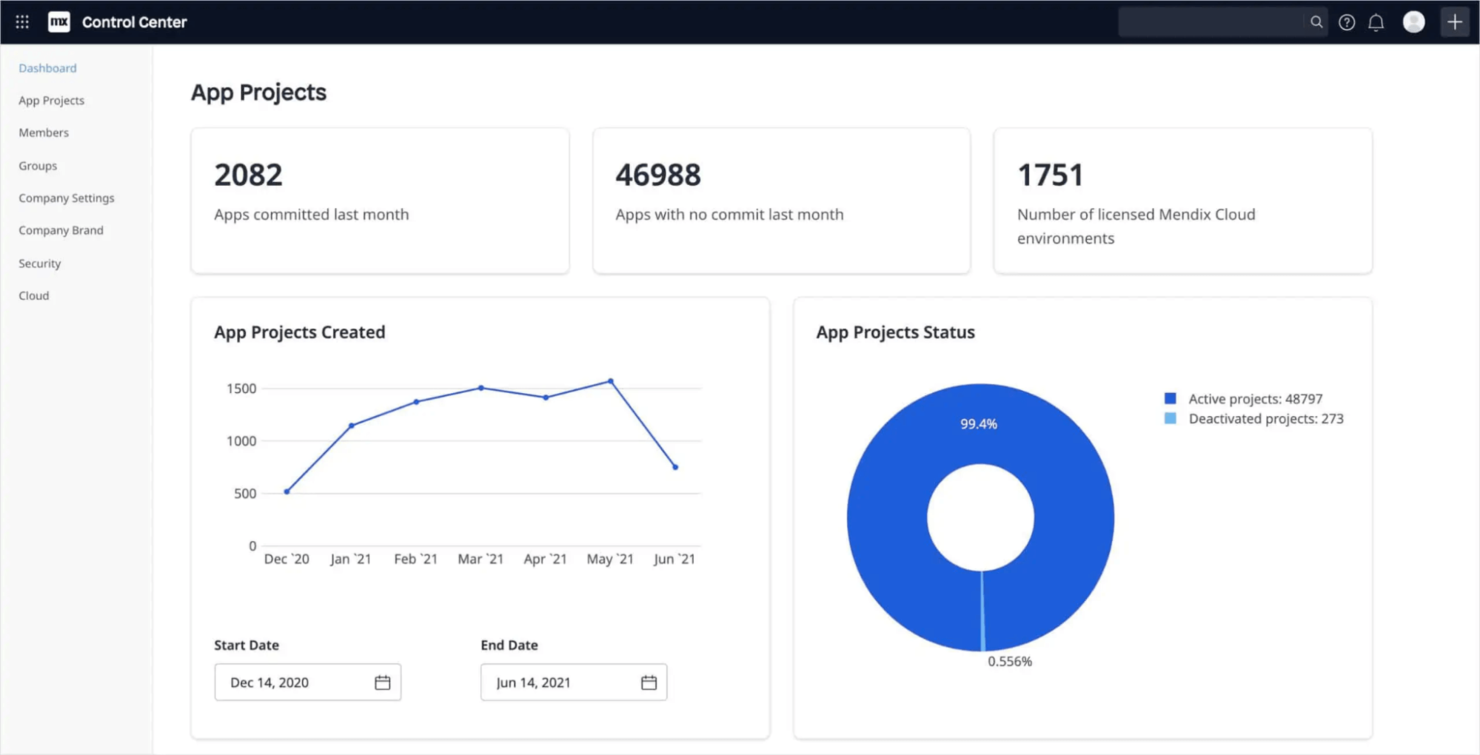
Mendix ist eine Low-Code-PaaS-Lösung, die besonders für Unternehmen geeignet ist. Sie bietet eine Vielzahl von Tools, die die Entwicklungsarbeit erleichtern, wie zum Beispiel Kollaborationstools, mit denen Entwickler in Echtzeit gemeinsam Apps erstellen können, sowie Rapid-Prototyping-Funktionen, mit denen Sie Anwendungen schneller veröffentlichen können.
Warum ich Mendix gewählt habe: Ein überzeugender Grund für die Auswahl von Mendix ist, dass Entwickler Komponenten per Drag & Drop auf ein visuelles Anwendungsmodell ziehen können, anstatt Code schreiben zu müssen, um Anwendungen zu erstellen und bereitzustellen. Außerdem bietet die Plattform eine responsive Design-Funktionalität, sodass Anwendungen, die in Mendix erstellt werden, automatisch für alle Gerätetypen optimiert werden.
Herausragende Funktionen und Integrationen von Mendix:
Funktionen, die ich hervorheben möchte, sind die vorgefertigten Machine-Learning-Modelle, die einfach in Anwendungen integriert werden können, benutzerdefinierte Widgets zur Erweiterung der Funktionalität von Mendix-Anwendungen sowie Offline-Fähigkeiten, mit denen Nutzer weiterarbeiten können, selbst wenn die Verbindung unterbrochen ist.
Integrationen für Mendix umfassen SAP und Salesforce (nativ) und bieten weitere Tools wie REST-Services, Webservices, Mappings, OData, Connector Kit und Data Hub, um Ihre Integrationen zu verwalten.
Pros and Cons
Pros:
- Daten-Governance und Compliance
- Integrierte Sicherheit
- Echtzeitüberwachung zur Erkennung und Behebung von Problemen
Cons:
- Stärkerer Dokumentations- und Community-Support erforderlich
- Das Styling von Seiten oder Formularen kann schwierig sein

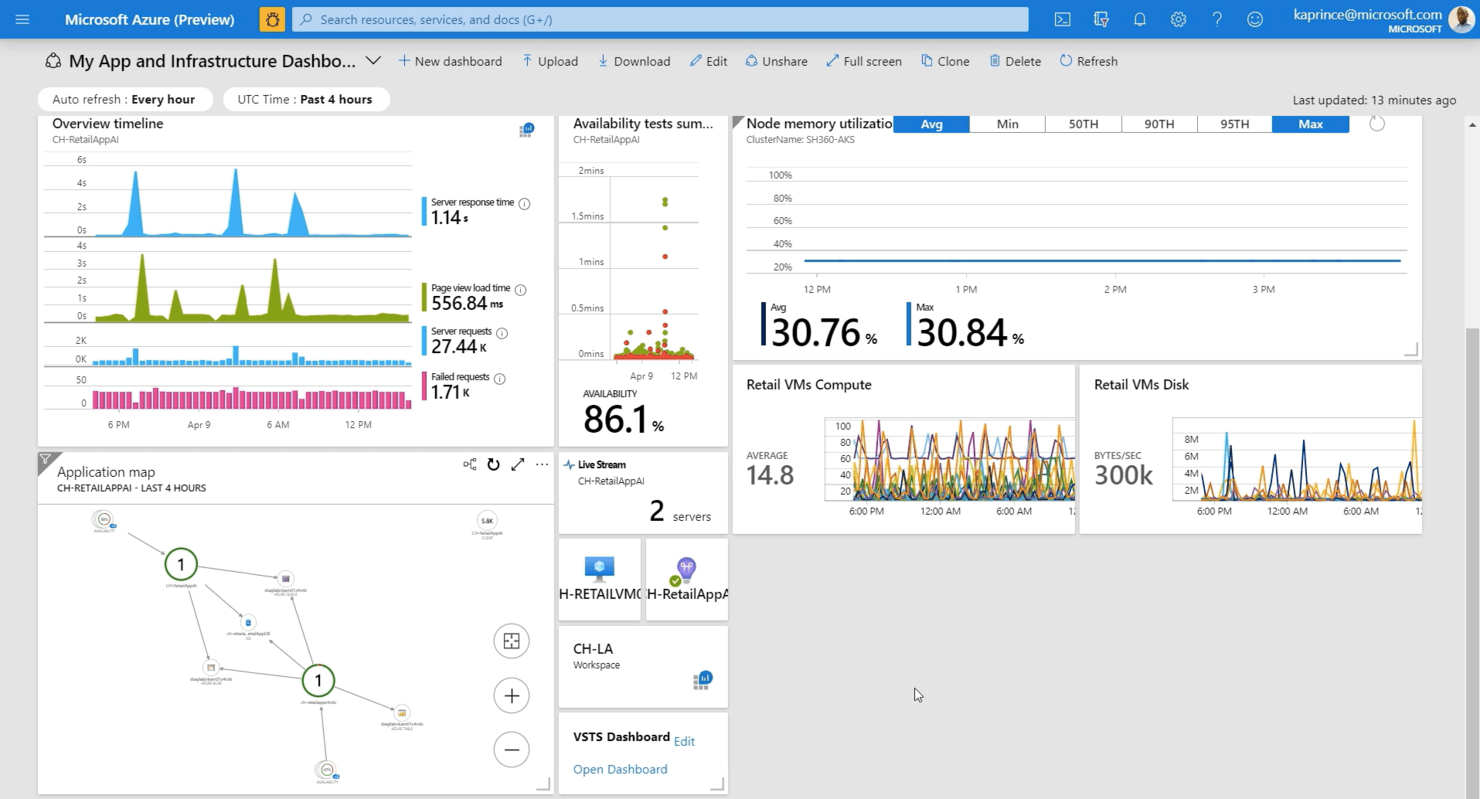
Microsoft Azure ist eine Cloud-Computing-Plattform, mit der Sie Anwendungen und Dienste über mehr als 200 Rechenzentren in über 60 Regionen erstellen, bereitstellen und verwalten können. Sie integriert sich nahtlos in alle Microsoft-Dienste, sodass Nutzer, die Microsoft-Anwendungen entwickeln, ihren gesamten Technologie-Stack an einem Ort verwalten können. Zudem habe ich festgestellt, dass Azure eine breite Palette an Cloud-Diensten anbietet, darunter Computing, Speicher, Netzwerk und Datenbanken.
Warum ich Microsoft Azure ausgewählt habe: Ich habe Azure ausgewählt, weil es Hybrid-, lokale, Multi-Cloud- und Edge-Funktionen bietet und Entwickler mit den von ihnen bevorzugten Open-Source-Frameworks und Programmiersprachen arbeiten können. Besonders beeindruckt mich, dass Azure so viele Servicebereiche abdeckt, darunter KI, maschinelles Lernen, Blockchain, DevOps, Internet der Dinge, Mixed Reality und Mobilgeräte.
Herausragende Funktionen und Integrationen von Microsoft Azure:
Funktionen die Azure aus meiner Sicht von anderen PaaS-Anbietern unterscheiden, sind Auto-Scaling, elastische Pools zur Anpassung von Ressourcen, das Bereitstellen von virtuellen Maschinen für Red Hat, Ubuntu und andere Linux-Distributionen sowie Single Sign-on und Multi-Faktor-Authentifizierung.
Integrationen umfassen Microsoft-Dienste wie Dynamics 365 und Power BI (nativ), Drittanbieterdienste wie GitHub sowie mehr als 600 sofort einsatzbereite Konnektoren und Workflows zur Anbindung an SaaS-Anwendungen.
Pros and Cons
Pros:
- Service-Level-Agreement (SLA) Verfügbarkeit
- Integrierte Unterstützung für Git
- Hilfsbereites technisches Supportteam
Cons:
- Teuer für kleine Unternehmen
- Veraltete technische Dokumentation

Am besten geeignet zur Integration mit anderen Google Cloud-Diensten
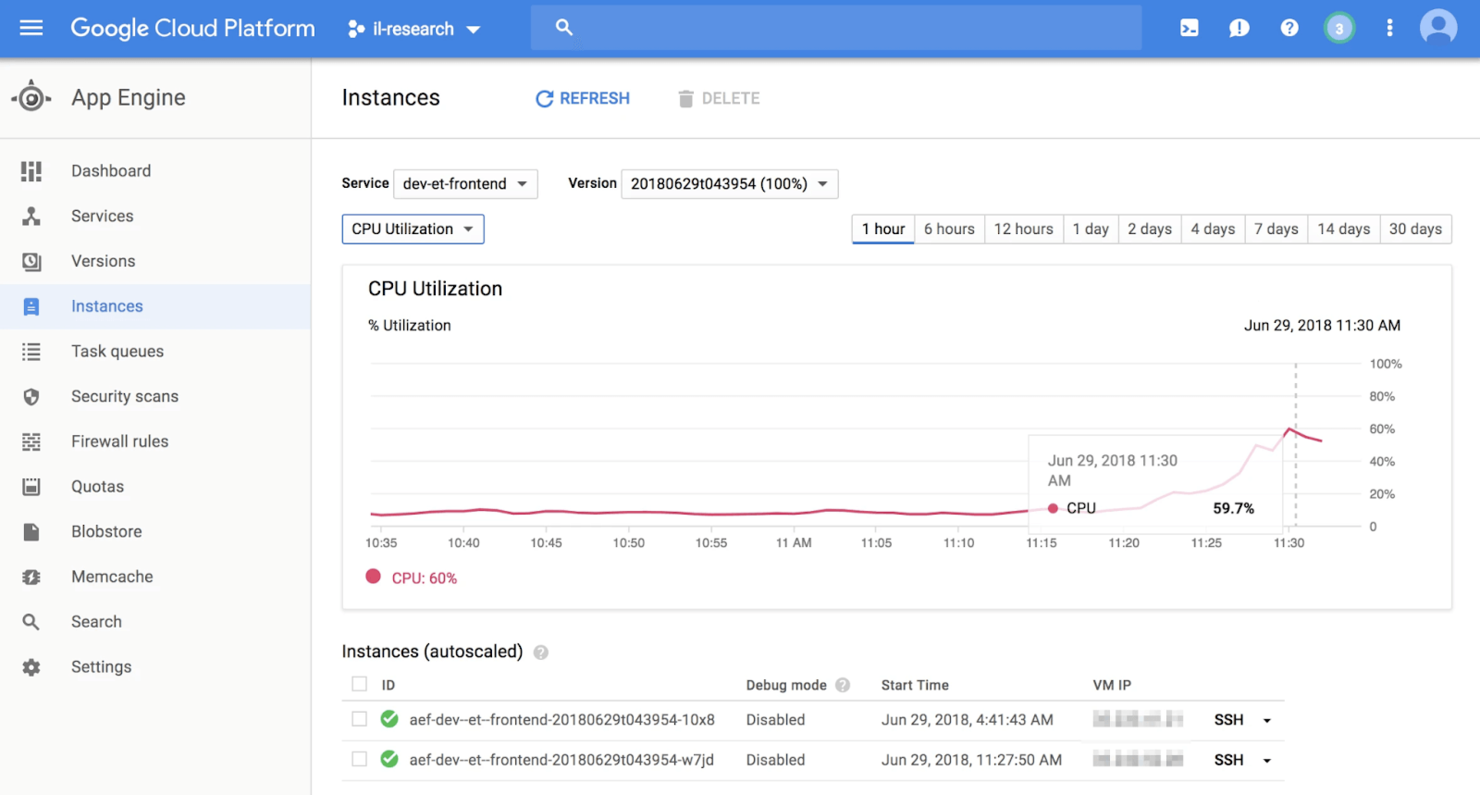
Google App Engine (GAE) ist eine Cloud-Computing-Technologie zum Erstellen und Hosten sicherer und skalierbarer Webanwendungen. Ich habe diese Lösung hoch bewertet, weil sie eine vollständig verwaltete serverlose Plattform bietet, auf der sich Entwicklungsteams auf das Schreiben ihres Codes konzentrieren können, ohne sich um die Verwaltung der zugrunde liegenden Infrastruktur kümmern zu müssen.
Warum ich Google App Engine ausgewählt habe: Mich hat GAE durch die einfache Integration mit Google-Diensten wie BigQuery und DataStore beeindruckt. Dies ermöglicht es Entwicklern, Dienste an einem zentralen Ort zu erstellen und zu verwalten, sofern sie bereits Google-Dienste nutzen.
Mir hat außerdem gefallen, dass GAE viele Programmiersprachen unterstützt, etwa Python, Ruby, C# und JavaScript. Darüber hinaus können Entwickler Frameworks und Bibliotheken über Docker-Container importieren, also eigenständige, leichte ausführbare Pakete mit Code, Bibliotheken und Systemtools, die einfach zwischen verschiedenen Umgebungen übertragen werden können. Auch erwähnenswert ist, dass der Service Software-Entwicklerkits (SDKs) zur Verfügung stellt, mit denen Apps vor der Veröffentlichung erstellt und getestet werden können.
Google App Engine – Besonderheiten und Integrationen:
Funktionen Meiner Meinung nach helfen Ihnen GAE-Funktionen, wenn Sie auf Google-basierte Integrationen Wert legen: Unterstützung für beliebte Sprachen wie Go, Python oder PHP, starke Anwendungssicherheit mit SSL/TLS-Zertifikaten für Ihre eigene Domain, Diagnosetools zur Überwachung von App-Gesundheit und -Leistung sowie Cloud Debugger und Fehlerberichterstattung, um Fehler zu erkennen und zu beheben.
Integrationen sind bereits für Google Cloud Platform-Dienste wie Cloud SQL, Cloud Storage und Cloud Datastore vorhanden und stehen nativ für beliebte Entwicklerplattformen wie Bitbucket und GitHub zur Verfügung.
Pros and Cons
Pros:
- Minimaler Aufwand für Serverwartung
- Instanzen können flexibel hinzugefügt oder entfernt werden
- Es können geplante Aufgaben und Task-Queues erstellt werden
Cons:
- Abhängigkeit von benutzerdefinierten Laufzeitumgebungen bei nicht unterstützten Sprachen
- Dokumentation und Tutorials sind unzureichend

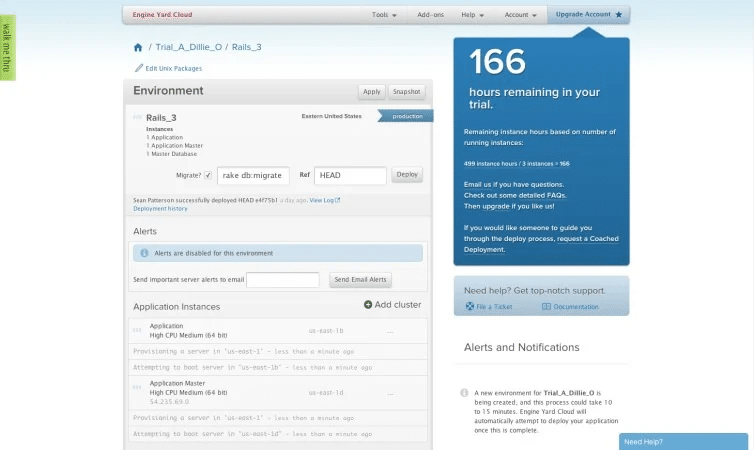
Da Engine Yard über ein Jahrzehnt Erfahrung mit AWS und Ruby verfügt, kann es die ideale Plattform für Unternehmen sein, die das volle Potenzial von AWS nutzen möchten, während sie gleichzeitig die Komplexität ihrer Infrastruktur minimieren. Es ist auch eine hervorragende Option für Firmen, die branchenspezifischen Vorschriften wie HIPAA, PCI DSS und SOC 2 entsprechen müssen, sowie für Teams, die Unterstützung für mehrere Cloud-Anbieter benötigen.
Warum ich Engine Yard ausgewählt habe: Ein maßgeblicher Grund, warum ich Engine Yard auf diese Liste gesetzt habe, ist, dass es maximale Sicherheit gewährleistet, indem jedem Kunden ein eigenes AWS-Konto und ein Satz von Virtual Private Clouds (VPCs) zur Verfügung gestellt werden, die sich in einem privaten, vollständig konfigurierten Kubernetes-Cluster befinden. Diese Einrichtung schützt alle Kundendaten, da potenzielle Sicherheitsrisiken durch öffentliche Internetverbindungen eliminiert werden.
Hervorzuhebende Funktionen und Integrationen von Engine Yard:
Funktionen die Engine Yard auszeichnen, sind automatisierte Benachrichtigungen über Anwendungsfehler oder Unregelmäßigkeiten sowie Unterstützung für Ruby, Java, Python, PHP und Java. Mir gefiel auch, dass keine Deployment-Hooks implementiert werden müssen – die Verwendung des GIT-Repository-Links reicht aus.
Integrationen sind nativ und umfassen Amazon VPC, New Relic zur Leistungsüberwachung, Github und PostgreSQL.
Pros and Cons
Pros:
- Einfache Bereitstellung
- 24/7 Support
- Multi-Cloud-Unterstützung
Cons:
- Begrenzte Anpassungsmöglichkeiten
- Individuelles Styling ist ohne CSS-Kenntnisse schwierig

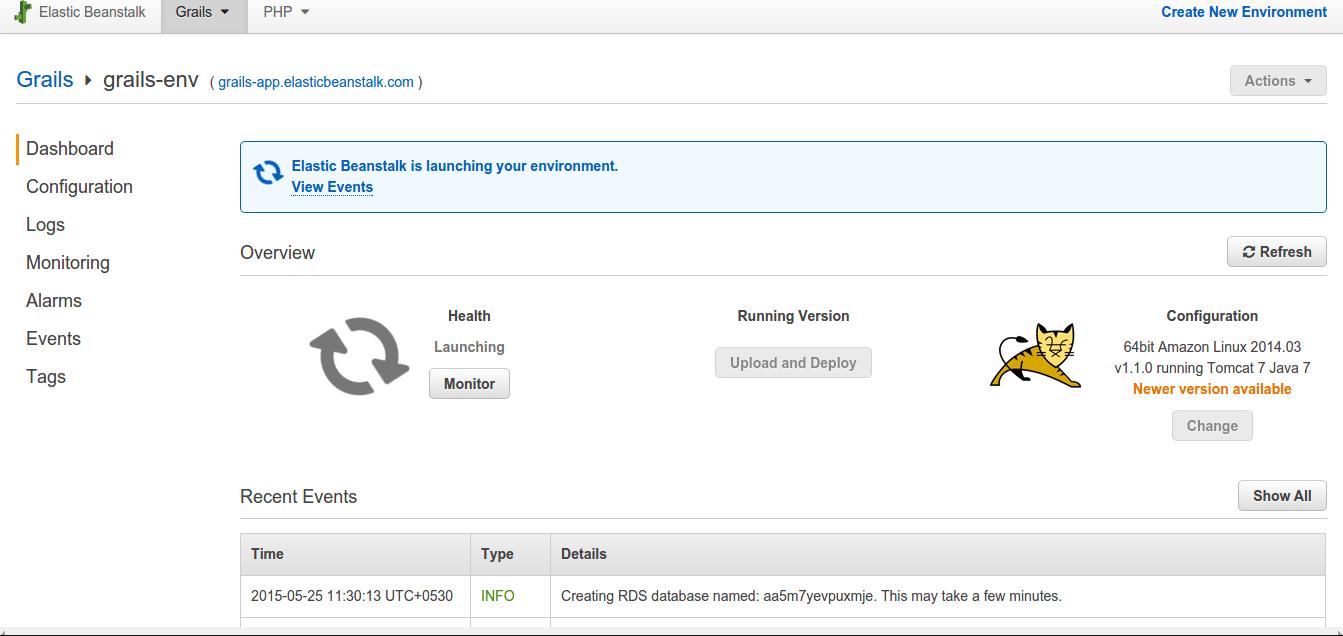
AWS Elastic Beanstalk ist Amazons PaaS-Serviceanbieter, der AWS-Dienste wie Amazon S3 und Amazon Elastic Cloud Compute (EC2) nutzt und sowohl Web- als auch Worker-Anwendungen unterstützt.
Warum ich AWS Elastic Beanstalk gewählt habe: Das Hauptmerkmal, das Elastic Beanstalk für mich auszeichnet, ist die Flexibilität. Das Bereitstellen und Skalieren von Webanwendungen fand ich dank der Unterstützung beliebter Server wie IIS, Apache und Nginx sowie der Möglichkeit, mit vielen Programmiersprachen wie Python, .NET, Java, PHP, Ruby und Go zu arbeiten, sehr einfach. Außerdem haben Sie die Freiheit, Ihren Code über verschiedene Optionen wie Visual Studio, die AWS Management Console und Eclipse bereitzustellen.
Hervorstechende Funktionen und Integrationen von AWS Elastic Beanstalk:
Zu den Funktionen die mir an Beanstalk gefallen, gehören automatisches Lastenausgleich, Kapazitätsbereitstellung, Gesundheitsüberwachung mit mehr als 40 Schlüsselkriterien sowie Leistungsmetriken für CPU-Auslastung und Latenz.
Integrationen sind vorgefertigt für alle Amazon-Dienste, wie Amazon RDS zur Verwaltung von relationalen Datenbanken, AmazonS3 für Speicherung und Backup, AWS VPC für isolierte Netzwerke und AWS Identity and Access Management zur Einrichtung von Zugriffskontrollen.
Pros and Cons
Pros:
- Intuitive Benutzeroberfläche
- Robuste Sicherheit mit Multi-Faktor-Authentifizierung und SSL/TLS
- ISO-, PCI-, SOC 1-, SOC 2- und SOC 3-Konformität
Cons:
- Dokumentation und Tutorials sind verstreut
- Anpassungen können schwierig sein

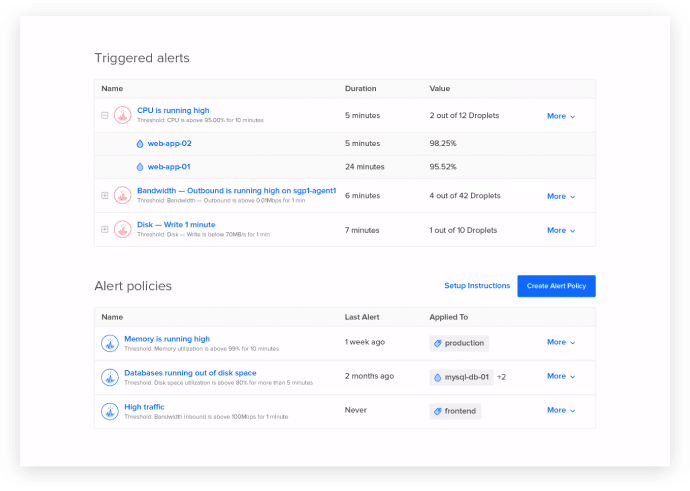
Mit DigitalOcean können Entwickler Anwendungs-Stacks bereitstellen, Code bereitstellen und die Performance ihrer Anwendungen überwachen. Die intuitive Benutzeroberfläche, die leistungsstarke API und die umfangreiche Dokumentation machen DigitalOcean zur ersten Wahl für Entwickler, die Anwendungen schnell veröffentlichen möchten.
Warum ich DigitalOcean gewählt habe: Ich habe sofort die Benutzerfreundlichkeit von DigitalOcean geschätzt, die durch eine großartige Benutzeroberfläche besticht. DigitalOcean ist auch für ein Feature namens 'Droplets' bekannt, bei denen es sich um Linux-basierte virtuelle Maschinen handelt, die sich in Sekundenschnelle einrichten lassen. Sie sind hoch skalierbar und bieten 99,99% SLAs und Verfügbarkeit. Im Kontrollpanel lassen sich zudem Alarme konfigurieren, sodass man stets weiß, wie die App funktioniert.
Herausragende Funktionen und Integrationen von DigitalOcean:
Funktionen, die aus meiner Sicht für Unternehmen nützlich sind, umfassen verwaltete Kubernetes-Cluster, die schnelle Installation von CMS-Tools, Unterstützung verschiedener serverseitiger Programmierframeworks, Sprachen und Datenbanken wie MySQL und Redis.
Integrationen sind nativ für die am häufigsten von DevOps-Teams verwendeten Tools wie Chef, Ansible, Puppet, Rancher, SaltStack und Slack verfügbar. Außerdem gibt es eine Zapier-Anbindung zu über 300+ Apps.
Pros and Cons
Pros:
- Leistungsstarke Sicherheitstools
- Virtuelle Netzwerkfunktionen
- Backups- und Snapshot-Funktionen
Cons:
- Langsame Reaktion des Kundensupports
- Begrenzte Regionen für Rechenzentren

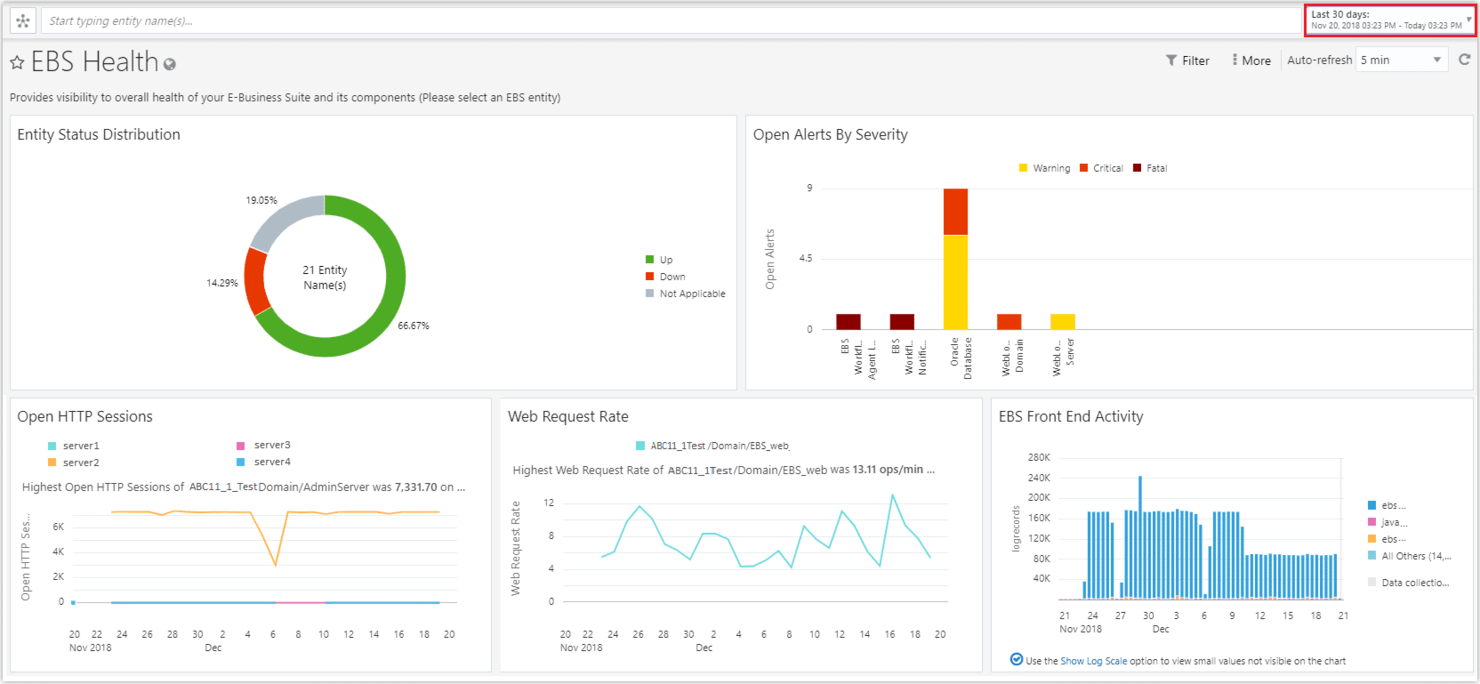
Oracle Cloud Infrastructure (OCI) bietet Cloud-Dienste, mit denen Sie unterschiedlichste Anwendungen und Dienste in einer Hochleistungsumgebung mit sicherer Speicherkapazität erstellen und betreiben können.
Warum ich Oracle Cloud Infrastructure gewählt habe: OCI hebt sich für mich hervor, weil es nicht nur die Standard-Cloud-Services wie Migration und Speicherung bereitstellt, sondern auch eine breite Palette von Funktionen wie Analytik, Datenbanken, Data Lakes, KI, Business Intelligence und auf FEDRAMP-Compliance ausgelegte Regierungslösungen anbietet. Zusätzlich sorgt es für eine hohe Datenverfügbarkeit, die Ausfälle und Ausfallzeiten reduziert.
Herausragende OCI-Funktionen und Integrationen:
Funktionen , die OCI aus meiner Sicht besonders machen, sind Bare-Metal- und virtuelle Maschinen-Computing, Schwachstellenprüfungen zur Analyse häufig auftretender Schwachstellen und Exponierungen (CVEs) sowie automatisierte CI/CD-Pipelines und Repository-Management-Prozesse zur Optimierung der Anwendungsentwicklung.
Integrationen sind nativ für die meisten gängigen Tools verfügbar, einschließlich Grafana für Metriken, Slack für Kommunikation, GitLab für Pipelines und Terraform zur Bereitstellung von Infrastruktur als Code.
Pros and Cons
Pros:
- Isolierte Netzwerkvirtualisierung für Self-Service
- Guter Kundensupport
- Einfacher Einstieg
Cons:
- Komplizierte Konfigurationen
- Teurer als andere Anbieter

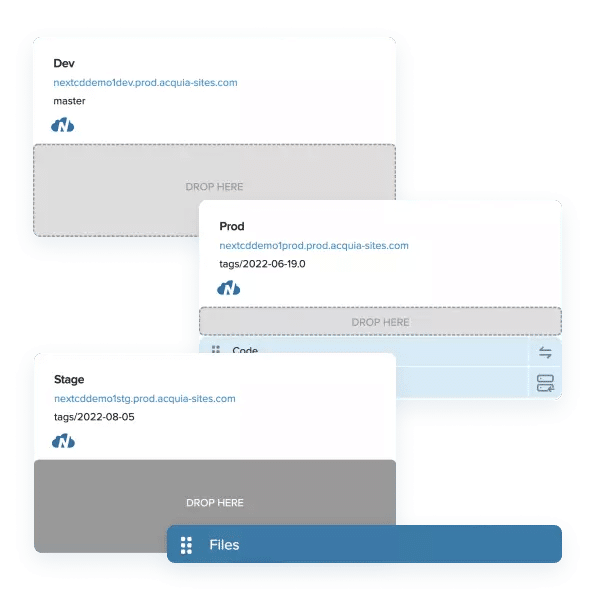
Acquia Cloud Platform bietet eine Reihe von Tools, die für das Drupal CMS optimiert sind. Dadurch wird es Entwicklern, Site-Buildern und Content-Editoren erleichtert, Drupal-Websites zu erstellen und zu verwalten.
Warum ich Acquia gewählt habe: Mir gefällt, dass die Acquia Cloud Platform eine umfassende Lösung für das Hosting von Webanwendungen ist, die Zuverlässigkeit, Skalierbarkeit, Sicherheit und Benutzererfahrung in den Vordergrund stellt – mit DevOps-Integration, Anwendungsüberwachung, Backups, Workflow-Management und Zugriffssteuerung für Websites.
Herausragende Acquia-Features und Integrationen:
Funktionen, die ich empfehle, sind das Content Delivery Network (CDN), mit dem Sie Benutzern in verschiedenen Regionen eine schnelle Inhaltsauslieferung ermöglichen können, sowie ein globaler Load Balancer, der den Datenverkehr über mehrere Regionen verteilt, um eine optimale Performance sicherzustellen. Zudem gibt es ein Site-Factory-Feature, mit dem Sie mehrere Websites für verschiedene Sprachen, Marken, Regionen oder Kampagnen verwalten können – dies vereinfacht die Arbeit für Drupal-Entwickler erheblich.
Integrationen umfassen viele native Optionen wie LiveRamp, Facebook, Salesforce, Zendesk, Shopify, SAP, MailChimp, Eventbrite, Adobe Analytics und Informatica sowie Plattform-APIs für individuelle Integrationen.
Pros and Cons
Pros:
- Disaster Recovery Services
- Fachkundige Unterstützung und Schulungsangebote speziell für Drupal
- PCI-, HIPAA- und SOC 1&2-konform
Cons:
- Struktur für mehrere Websites kann schwer zu verwalten sein
- Teurer im Vergleich zu anderen Lösungen mit ähnlichen Funktionen
Weitere PaaS-Dienste
Hier sind einige weitere Anbieter, die es nicht in die Liste der besten PaaS-Dienste geschafft haben. Wenn Sie jedoch noch einige weitere Tools in Betracht ziehen möchten, sehen Sie sich diese an.
- Heirloom Computing
Am besten für Unternehmen, die auf moderne Architekturen migrieren müssen
- Python Anywhere
Am besten geeignet für Unternehmen, die Websites mit Python-Code hosten möchten
- Scalingo
Am besten geeignet für die Bereitstellung von Entwicklungen aus GitLab- und GitHub-Bibliotheken


Weitere Bewertungen von DevOps-Tools
- Cloud-Entwicklungsplattformen
- IaaS-Anbieter
- Low-Code-Entwicklungsplattformen
- Plattformen für die Entwicklung mobiler Apps
Was sind PaaS-Dienste?
PaaS-Dienste sind Cloud-Plattformen, mit denen Entwickler Anwendungen erstellen, ausführen und verwalten können, ohne sich mit der Servereinrichtung oder Infrastruktur befassen zu müssen. Sie werden von Softwareentwicklern, DevOps-Teams und Produktentwicklern eingesetzt, die sich auf das Schreiben von Code und die schnellere Einführung von Funktionen konzentrieren möchten. Integrierte Tools für Bereitstellung, Skalierung und Überwachung helfen dabei, die Entwicklung zu beschleunigen, Änderungen des Datenverkehrs zu bewältigen und den manuellen Einrichtungsaufwand zu reduzieren. Diese Dienste bieten Teams eine einfachere Möglichkeit, Anwendungen zu erstellen und bereitzustellen, ohne bei der Verwaltung von Backend-Systemen stecken zu bleiben.
Auswahlkriterien für PaaS-Dienste
Hier ist eine kurze Zusammenfassung der wichtigsten Auswahl- und Bewertungskriterien, die ich zur Erstellung meiner Liste verwendet habe.
Grundlegende Funktionen
Bei PaaS-Diensten sind dies die grundlegenden Funktionen, die sie bieten sollten, um in meine Liste aufgenommen zu werden:
- Standardmäßige PaaS-Angebote wie schnelle Bereitstellung sowie Speicher- und Sicherungsmöglichkeiten
- Benutzerfreundlichkeit, damit Entwickler keine Zeit aufwenden müssen, sich einzuarbeiten
- Integrationsmöglichkeiten für beliebte bestehende Tools und Frameworks zur Verbesserung der Benutzerfreundlichkeit der Plattform
- Vorgefertigte Integrationen für eine kostengünstige und schnelle Entwicklung und Bereitstellung von Apps
Wichtige Funktionen
Die wichtigsten Funktionen, die ich für diese Liste bewertet habe, sind:
- Vollständig verwaltete serverlose Funktionen, sodass alle Arten manueller Arbeit und die Infrastrukturverwaltung vom PaaS-Anbieter übernommen werden
- Sicherheitsfunktionen wie die Multi-Faktor-Authentifizierung und die Einhaltung gängiger IT-Vorschriften
- Funktionen zum Lastenausgleich und zur Skalierbarkeit, sodass die PaaS-Plattform entsprechend Ihren Anforderungen erweitert werden kann und sichergestellt ist, dass beim Wachstum Ihrer Anwendung keine Engpässe entstehen und sie optimal funktioniert
Benutzerfreundlichkeit
PaaS-Dienste benötigen eine einfache und übersichtliche Benutzeroberfläche, damit sich Entwickler auf ihre Kernaufgabe, das Schreiben von Code, konzentrieren können. Deshalb habe ich besonders darauf geachtet, Lösungen auszuwählen, die eine intuitive Benutzeroberfläche bieten und außerdem mit einer hilfreichen Dokumentation auf ihrer Website ausgestattet sind.
Häufig gestellte Fragen
Haben Sie noch Fragen? Hier finden Sie Antworten auf einige der häufigsten Fragen.
Welche Vorteile bietet PaaS?
Was ist der Unterschied zwischen SaaS und PaaS?
Welche drei Arten von PaaS gibt es?
Wie geht es weiter?
Die Auswahl der besten PaaS-Lösung hängt von Faktoren wie dem Bereitstellungsmodell, der Sprachunterstützung, der Skalierbarkeit, der Preisgestaltung, der Integration, der Zuverlässigkeit und der Sicherheit ab. Unter Berücksichtigung dieser Kriterien können Sie eine fundierte Entscheidung treffen, die den Anforderungen und dem Budget Ihrer Organisation entspricht.
Für weitere wertvolle Einblicke und Ressourcen für CTOs und andere Führungskräfte im Technologiebereich können Sie sich für den Newsletter von The CTO Club anmelden.

