

Leitfaden zu den 10 besten E-Mail-Sicherheitsdiensten des Jahres 2026

10 Auswahlliste der besten E-Mail-Sicherheitsdienste


E-Mail ist einer der häufigsten Zugangspunkte für Cyberbedrohungen. Ohne die richtigen Sicherheitsmaßnahmen können Phishing-Versuche, Business-E-Mail-Kompromittierung (BEC) und Kontoübernahmen unbemerkt bleiben. Die Verwaltung dieser Risiken erfordert mehr als nur grundlegende Spamfilter – unabhängig davon, ob Sie mit lokalen, SaaS- oder hybriden Umgebungen arbeiten: Eine gut konfigurierte E-Mail-Sicherheitslösung ist unerlässlich, um vertrauliche Kommunikation zu schützen.
Im Laufe der Jahre habe ich verschiedene E-Mail-Sicherheitsdienste in unterschiedlichen Geschäftsumgebungen getestet und implementiert und dabei ihre Wirksamkeit beim Blockieren von Bedrohungen, bei der Integration in bestehende Infrastrukturen und bei der Minimierung von Störungen bewertet. In diesem Leitfaden stelle ich die besten verfügbaren Lösungen vor und hebe die wichtigsten Funktionen hervor, die beim Schutz der E-Mail-Systeme Ihres Unternehmens besonders relevant sind.
Was ist ein E-Mail-Sicherheitsdienst?
Ein E-Mail-Sicherheitsdienst umfasst eine Sammlung von Lösungen zum Schutz der E-Mail-Kommunikation – dem Kernstück der digitalen Korrespondenz – vor verschiedenen Bedrohungen wie Malware, Phishing und unbefugtem Zugriff.
Diese Dienste werden sowohl von Unternehmen als auch von Einzelpersonen genutzt und legen den Schwerpunkt auf die Vertraulichkeit und Authentizität von E-Mails. Ein zentraler Bestandteil, das E-Mail-Sicherheitsgateway, dient dazu, Cyberangriffe abzuwehren, unerwünschte Korrespondenz zu filtern und vertrauliche E-Mail-Daten zu schützen. Seine Hauptaufgabe besteht darin, spezifische Bedrohungen wie Business-E-Mail-Kompromittierung (BEC) und andere Gefahren zu bekämpfen.
Für Organisationen – von Großunternehmen bis hin zu Einzelpersonen, die Wert auf E-Mail-Sicherheit legen – liegen die Vorteile dieser Werkzeuge auf der Hand. Sie gewährleisten die Sicherheit und Integrität ihrer digitalen Kommunikation. Im Kern fungiert ein E-Mail-Sicherheitsdienst als Schutzbarriere, die böswillige Absichten abwehrt.
Warum Sie unseren Software-Empfehlungen vertrauen können
Unser Team testet und bewertet Software seit 2012. Als Tech-Führungskräfte wissen wir selbst, wie schwierig – und wichtig – es ist, die richtige Software auszuwählen.
Für diesen Leitfaden haben wir Tools mithilfe von praktischen Tests und unabhängiger Recherche bewertet und dabei unsere Bewertungskriterien angewendet.
Unsere Bewertungen spiegeln unser menschliches redaktionelles Urteilsvermögen wider, keine Verkaufsstrategie.
Übersicht der besten E-Mail-Sicherheitsdienste
| Service | Best For | Trial Info | Price | ||
|---|---|---|---|---|---|
| 1 | Am besten für Nutzer von Google und Microsoft 365 geeignet | Kostenlose Demo verfügbar | Ab $4/Nutzer/Monat (jährliche Abrechnung) | Website | |
| 2 | Am besten für schnelle DMARC-Durchsetzung | Not available | Ab $14/Nutzer/Monat (jährliche Abrechnung) | Website | |
| 3 | Am besten für detaillierte DMARC-Berichte und Echtzeitwarnungen | 15-tägige kostenlose Testphase + kostenlose Demo | Ab $8/Nutzer/Monat (jährlich abgerechnet) | Website | |
| 4 | Beste Wahl zur Abwehr von Zero-Day-Bedrohungen | Kostenlose Demo verfügbar | Ab $10/Nutzer/Monat (jährliche Abrechnung) | Website | |
| 5 | Am besten für fortschrittlichen Bedrohungsschutz | Kostenlose Demo verfügbar | Ab $15/Nutzer/Monat (jährliche Abrechnung) | Website | |
| 6 | Am besten für umfassende E-Mail-Archivierung | Not available | Ab $12/Nutzer/Monat (jährlich abgerechnet) | Website | |
| 7 | Am besten für eine Strategie der mehrschichtigen Verteidigung | Not available | Ab $15/Nutzer/Monat (jährliche Abrechnung) | Website | |
| 8 | Beste für virtuelle Patching-Funktion | Not available | Ab $10/Benutzer/Monat (jährliche Abrechnung) | Website | |
| 9 | Am besten geeignet für synchronisierte Sicherheitskommunikation | Not available | Ab $12/Benutzer/Monat (bei jährlicher Abrechnung) | Website | |
| 10 | Am besten für zentralisiertes Sicherheitsmanagement | Not available | Ab $14/Nutzer/Monat (jährlich abgerechnet) | Website |

Bewertungen der besten E-Mail-Sicherheitsdienste

Am besten für Nutzer von Google und Microsoft 365 geeignet
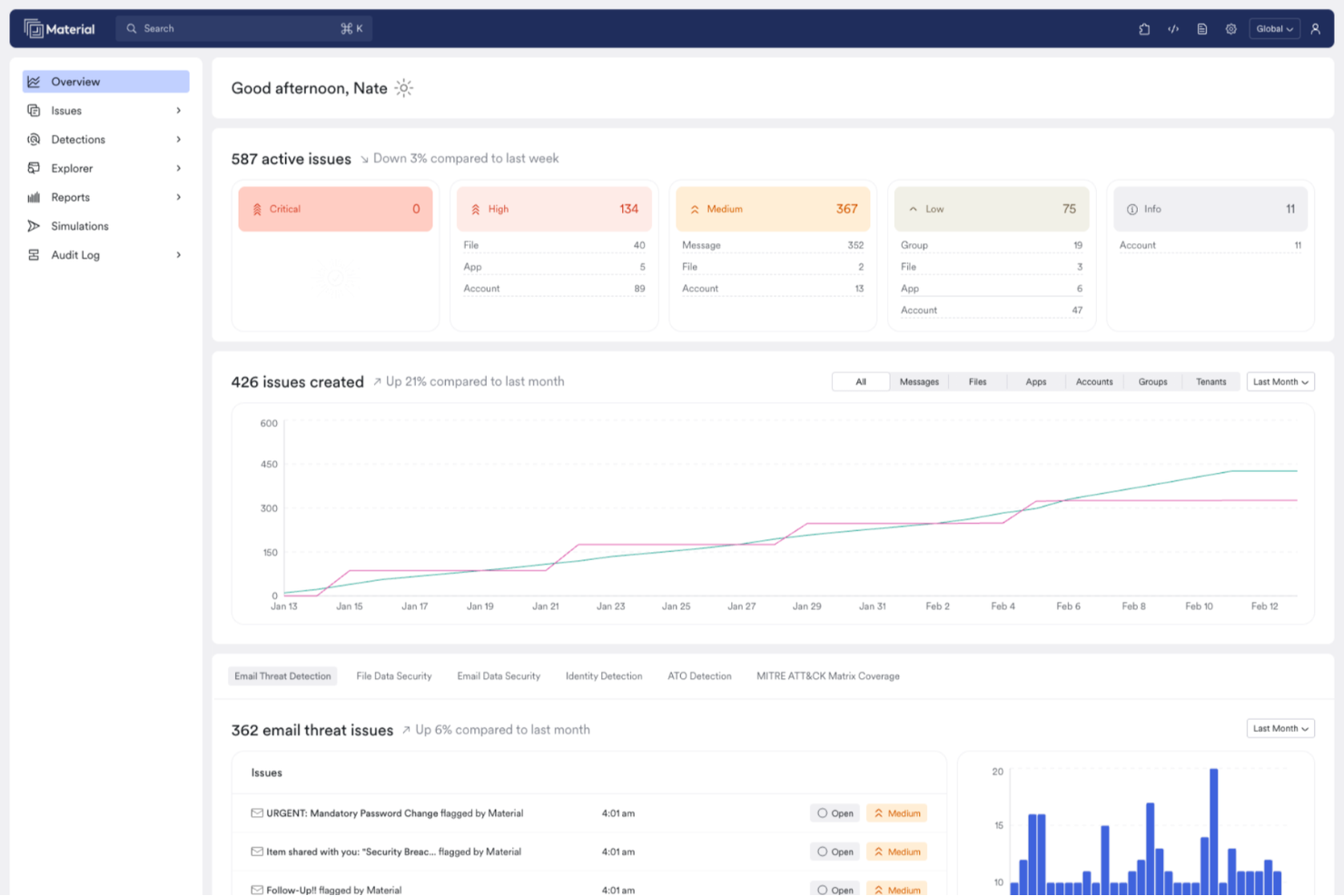
Material Security ist speziell für Organisationen konzipiert, die Google Workspace und Microsoft 365 nutzen, mit dem Schwerpunkt auf der Verbesserung von E-Mail-Sicherheitsdiensten. Es richtet sich an IT-Sicherheitsfachleute und Unternehmen, die sensible Daten vor fortschrittlichen Bedrohungen schützen möchten, die von den nativen Schutzmechanismen umgangen werden. Durch die Fähigkeit, die E-Mail-Sicherheit zu modernisieren und Phishing-Reaktionen zu automatisieren, adressiert diese Plattform den Bedarf an effizientem Sicherheitsmanagement in Cloud-Umgebungen.
Warum ich Material Security ausgewählt habe
Ich habe Material Security wegen seiner einzigartigen Fähigkeit ausgewählt, komplexe E-Mail-basierte Angriffe wie Business E-Mail Compromise und gezieltes Spear Phishing zu erkennen und zu beheben. Der KI-gestützte Agent der Plattform untersucht und löst von Benutzern gemeldete Bedrohungen automatisch, wodurch die Reaktionszeit Ihres Teams verbessert wird.
Zusätzlich ermöglichen die Echtzeit-Such- und Untersuchungstools eine effiziente Verwaltung von Vorfällen. Diese Funktionen machen es zur idealen Wahl für Organisationen, die nach einer robusten E-Mail-Sicherheitslösung suchen.
Wichtige Funktionen von Material Security
Neben den fortschrittlichen Funktionen zur Bedrohungserkennung bietet Material Security weitere Features:
- Phishing-Schutz: Schützt vor Phishing-Angriffen, indem fortschrittliche Algorithmen genutzt werden, um bösartige E-Mails zu erkennen und zu blockieren.
- Schutz vor Account-Übernahmen: Überwacht und verhindert unbefugten Zugriff auf Benutzerkonten, sodass sensible Daten sicher bleiben.
- E-Mail Data Loss Prevention (DLP): Unterstützt Sie dabei, kritische Informationen zu schützen, indem E-Mail-Datenübertragungen überwacht und kontrolliert werden.
- Tools zur Vorfalluntersuchung: Bietet umfassende Werkzeuge zur Analyse und Reaktion auf Sicherheitsvorfälle in Echtzeit.
Material Security Integrationen
Integrationen umfassen Google Workspace und Microsoft 365.
Pros and Cons
Pros:
- Ermöglicht sicheres Teilen von Dateien innerhalb der E-Mail-Kommunikation.
- Unterstützt erweiterten Bedrohungsschutz für E-Mail-Konten.
- Automatisiert Phishing-Reaktionen zur Verbesserung der Reaktionszeiten.
Cons:
- Begrenzte native Integrationen mit anderen Sicherheitstools.
- Abhängigkeit von Cloud-Infrastruktur kann zu Latenzproblemen führen.

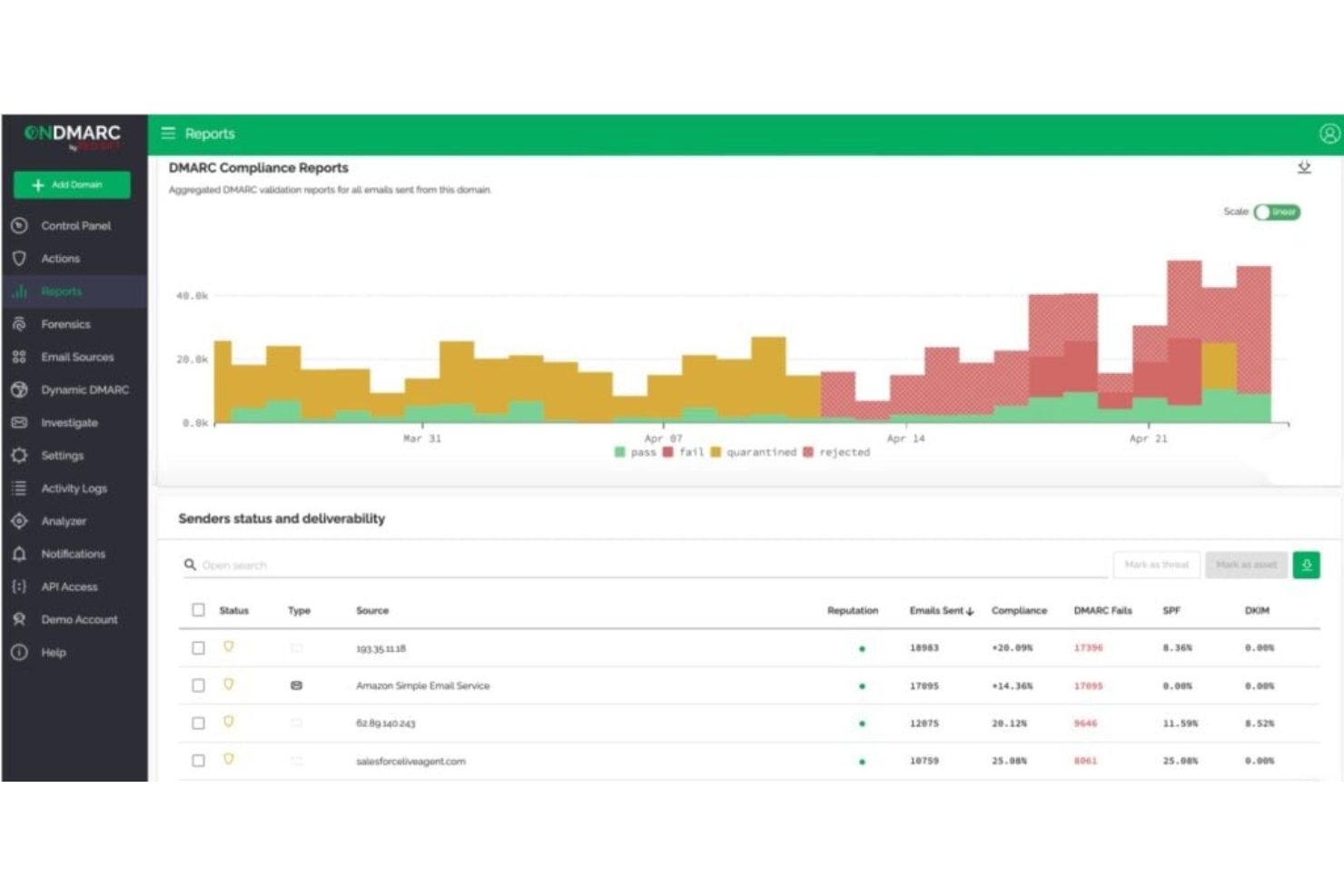
Red Sift OnDMARC ist eine cloudbasierte E-Mail-Sicherheitsplattform, die Organisationen dabei unterstützt, Authentifizierungsprotokolle wie DMARC, SPF und DKIM zu implementieren. Sie wurde entwickelt, um Spoofing, Phishing und Business Email Compromise (BEC) zu verhindern, indem sie die Konfiguration von Richtlinien vereinfacht und die Domain-Gesundheit proaktiv überwacht.
Warum ich Red Sift OnDMARC gewählt habe:
Ich habe mich für Red Sift OnDMARC entschieden, weil es die DMARC-Durchsetzung erheblich beschleunigen kann. Diese kurze Umsetzungszeit kann für Unternehmen, die häufig von Spoofing bedroht sind, einen echten Unterschied machen. Außerdem hat mir das DNS Guardian-Tool gefallen, das Fehlkonfigurationen und Schwachstellen wie inaktive Subdomains oder CNAME-Übernahmen aufdeckt – oft übersehene Schwachpunkte in der Domain-Sicherheit. Ein weiteres Highlight ist Dynamic SPF, das SPF-Einträge zusammenfasst, um die übliche Grenze von 10 Lookups zu umgehen. Damit eignet es sich besonders für Unternehmen mit komplexen oder großflächigen E-Mail-Infrastrukturen.
Herausragende Funktionen und Integrationen:
OnDMARC bietet Funktionen wie Radar, das hilft, Fehlausrichtungen in E-Mail-Einträgen zu erkennen und zu beheben, sowie Brand Trust, das nachahmende Domains identifiziert, um Markenimitation vorzubeugen. Außerdem gibt es ein gehostetes MTA-STS-Management zur Durchsetzung von TLS-Verschlüsselung und Unterstützung für BIMI und Verified Mark Certificates (VMC), um die Markenwahrnehmung im Posteingang zu verbessern. Zu den Integrationen gehören Microsoft Azure Active Directory, SAML SSO, Okta, Zoominfo sowie die eigene API von OnDMARC. Die Plattform wird unter anderem von bekannten Namen wie Domino’s, Capgemini und Save the Children verwendet.
Pros and Cons
Pros:
- Aktive Bedrohungsinformationen und Echtzeitüberwachung
- Leistungsstarke, cloudbasierte DMARC-Analyse
- Skalierbar für Unternehmen jeder Größe
Cons:
- Für Unternehmen ohne Cloud-Infrastruktur möglicherweise ungeeignet
- Erfordert fundierte Kenntnisse von Cloud-Plattformen

Am besten für detaillierte DMARC-Berichte und Echtzeitwarnungen
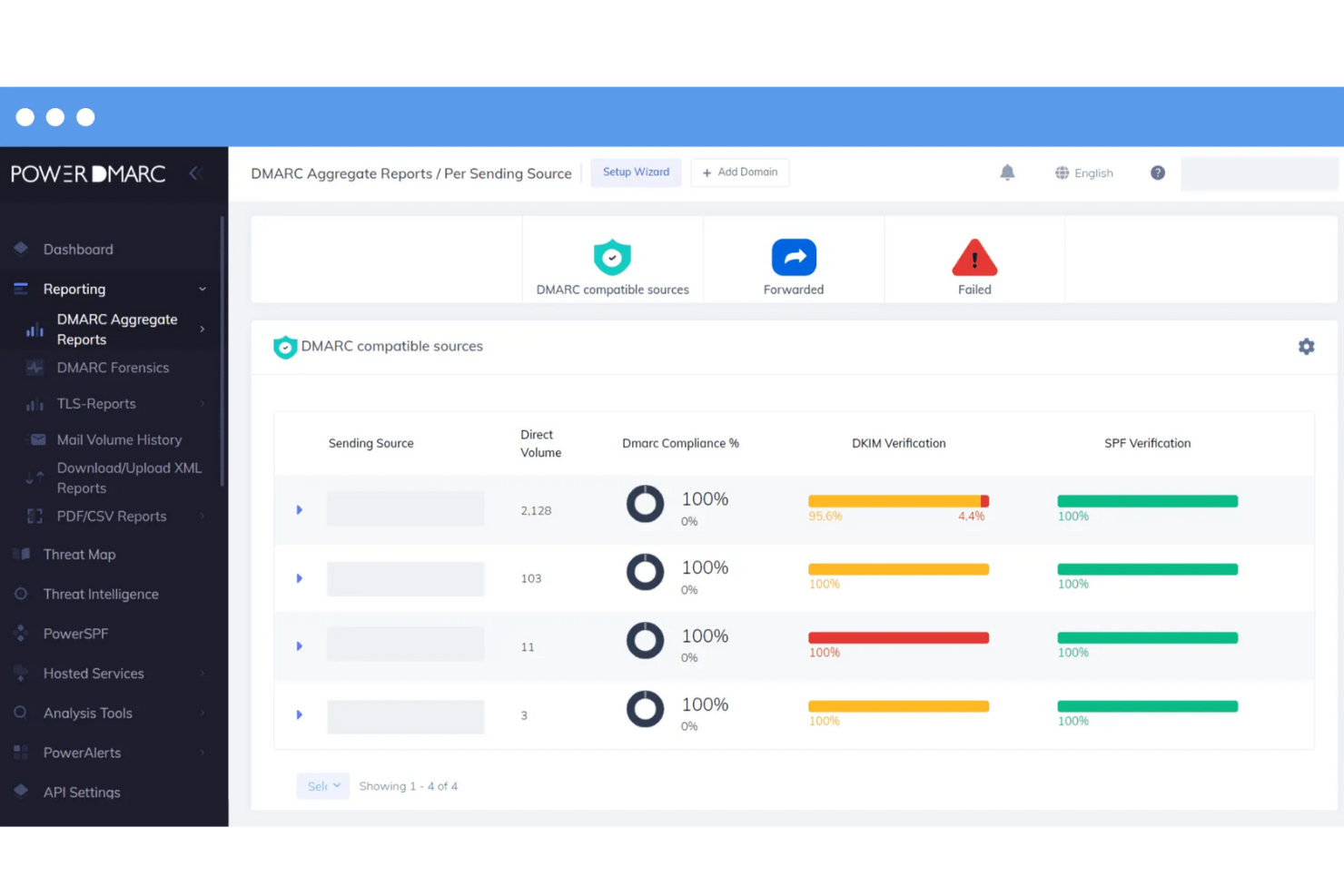
PowerDMARC ist eine umfassende E-Mail-Sicherheitsplattform, die entwickelt wurde, um Organisationen vor E-Mail-Spoofing, Phishing und Betrug zu schützen. Sie bietet eine Vielzahl von Funktionen, darunter DMARC (Domain-basierte Nachrichten-Authentifizierung, Berichterstattung & Durchsetzung) Berichte, Analysen und Überwachung, wodurch Benutzer ihre E-Mail-Authentifizierungsprotokolle effektiv überwachen und verwalten können.
Warum ich PowerDMARC ausgewählt habe:
Ich habe PowerDMARC wegen der detaillierten DMARC-Berichte gewählt, die Echtzeitwarnungen und Einblicke in Spoofing-Angriffe bieten. Dies wird durch eine leistungsstarke Bedrohungs-Intelligenz-Engine unterstützt, die Transparenz über bösartige Quellen verschafft und es Organisationen ermöglicht, proaktive Maßnahmen gegen potenzielle Bedrohungen zu ergreifen. Darüber hinaus bietet PowerDMARC forensische Berichte mit Verschlüsselung, sodass Benutzer auf RUF-Mail-Fehler-Forensik zugreifen können, während die Privatsphäre sensibler Informationen gewährleistet ist.
Hervorstechende Funktionen und Integrationen:
Weitere Funktionen von PowerDMARC umfassen gehosteten Sender Policy Framework (SPF), DomainKeys Identified Mail (DKIM), Markenindikatoren für Nachrichtenidentifizierung (BIMI) und Mail Transfer Agent Strict Transport Security (MTA-STS). Zusätzlich bietet die Plattform einen 24/7-Überwachungsdienst für ein proaktives Management der E-Mail-Sicherheit.
Pros and Cons
Pros:
- Starke Authentifizierungskontrollen für E-Mails
- Nutzt proprietäre KI und Bedrohungsinformationen für erhöhte Sicherheit
- Unterstützt verschiedene E-Mail-Sicherheitsprotokolle
Cons:
- Für optimale Einrichtung und Verwaltung des Tools sind möglicherweise technische Kenntnisse erforderlich
- Abhängigkeit von proprietärer Technologie kann Flexibilität und Anpassungsmöglichkeiten einschränken

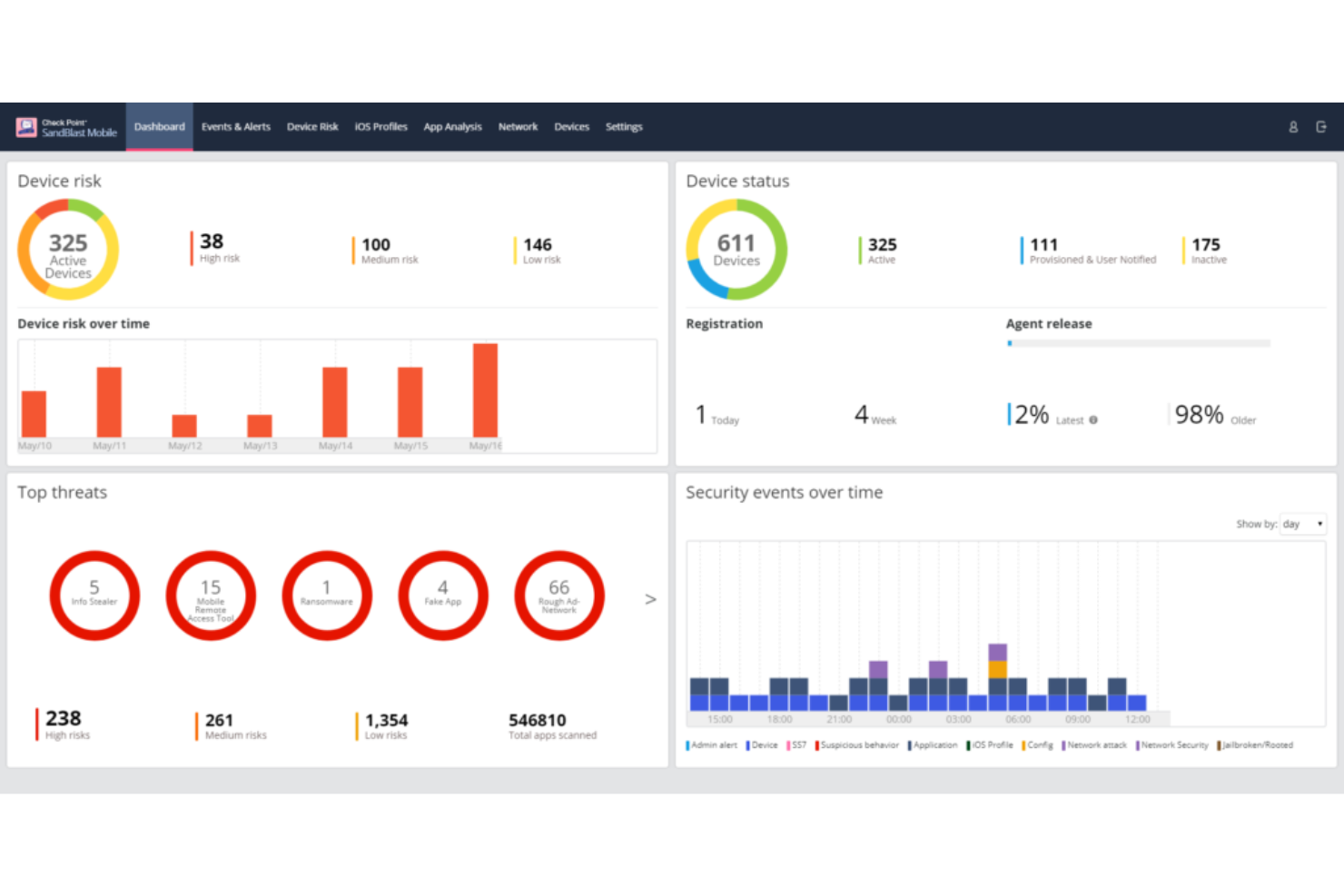
Check Point ist ein renommierter Anbieter von Sicherheitssoftware, der sich auf die Absicherung von Systemen gegen fortschrittliche Cyber-Bedrohungen spezialisiert hat. Besonders stark ist das Unternehmen bei der Abwehr von Zero-Day-Bedrohungen, die oft zu den unvorhersehbarsten und potenziell gefährlichsten Angriffen für Organisationen zählen.
Warum ich Check Point ausgewählt habe:
In meinem Auswahlprozess der leistungsfähigsten E-Mail-Sicherheitstools hat es Check Point wegen seiner herausragenden Zero-Day-Bedrohungsprävention auf die Liste geschafft. Das Unternehmen sticht durch seinen kontinuierlichen, forschungsorientierten Ansatz hervor, der gewährleistet, dass die Software aktuellen Bedrohungen stets einen Schritt voraus ist. Dieses Engagement für proaktive Verteidigung ist der Grund, warum ich Check Point als 'Beste Wahl zur Abwehr von Zero-Day-Bedrohungen' ansehe.
Hervorstechende Funktionen und Integrationen:
Die SandBlast-Technologie von Check Point, die Echtzeit-Erkennung und Reaktionen auf Zero-Day-Bedrohungen ermöglicht, ist eine der wichtigsten Funktionen. Das ThreatCloud-System der Software, ein kollaboratives Netzwerk zur Bekämpfung von Cyberkriminalität, kombiniert mehrere Erkennungs-Engines mit Echtzeit-Updates. Die Integrationen sind umfassend und stellen sicher, dass sich Check Point gut in viele Unternehmensumgebungen einfügt – insbesondere bei der Nutzung von Cloud-Plattformen wie AWS und Azure.
Pros and Cons
Pros:
- Hervorragende Zero-Day-Bedrohungserkennung mit SandBlast-Technologie
- Kollaboratives ThreatCloud-System mit kontinuierlicher Bedrohungsanalyse
- Umfassende Integrationen mit führenden Cloud-Plattformen
Cons:
- Könnte für kleinere Unternehmen mit begrenzten IT-Ressourcen zu komplex sein
- Einige Funktionen sind für Basisnutzer möglicherweise überflüssig
- Gelegentliche Fehlalarme, die manuell überprüft werden müssen

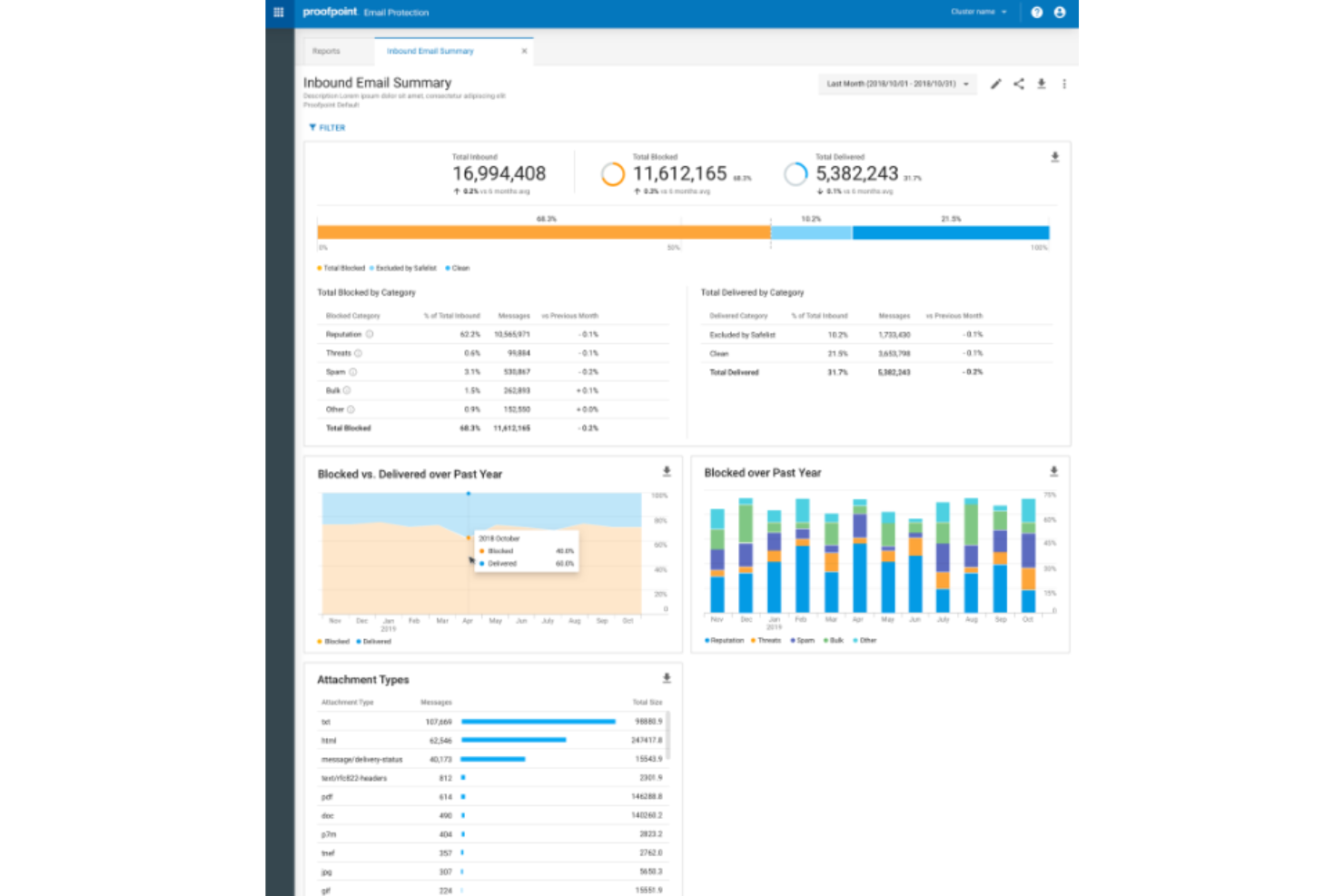
Proofpoint Email Protection ist ein äußerst wirksamer Schutzschild gegen E-Mail-Bedrohungen und gewährleistet, dass Ihre Kommunikation nicht kompromittiert wird. Die Fähigkeit, fortschrittliche Cyberbedrohungen, insbesondere ausgeklügelte Phishing- und Malware-Angriffe, abzuwehren, untermauert seine Position als bevorzugte Wahl für alle, die erstklassigen Schutz gegen die komplexesten E-Mail-basierten Risiken suchen.
Warum ich Proofpoint Email Protection gewählt habe:
Proofpoint Email Protection landete bei meiner Auswahl verschiedener E-Mail-Sicherheitslösungen stets ganz oben. Sein ausgezeichneter Ruf bei der Erkennung und Abwehr fortschrittlicher Bedrohungen verschaffte ihm einen deutlichen Vorsprung gegenüber anderen. Genau deshalb halte ich es für 'Am besten für fortschrittlichen Bedrohungsschutz', denn es bietet Nutzer:innen einen verlässlichen Schutz gegen ausgeklügelte E-Mail-basierte Angriffe.
Hervorstechende Funktionen und Integrationen:
Proofpoint bietet eine feingliedrige Richtliniensteuerung, die es Nutzer:innen ermöglicht, den Schutz passgenau an ihre jeweilige Umgebung anzupassen. Diese Anpassbarkeit, kombiniert mit dynamischer Reputationsanalyse und Echtzeit-Bedrohungsinformationen, macht es zu einer robusten Lösung für Unternehmen jeder Größe. Darüber hinaus lässt es sich mit anderen Unternehmenslösungen integrieren, was es IT-Teams erleichtert, die Sicherheitslage der Organisation zu verwalten und zu überwachen.
Pros and Cons
Pros:
- Feingranulare Richtlinien für gezielten Schutz
- Bedrohungsinformationen in Echtzeit
- Effiziente Erkennung und Neutralisierung fortschrittlicher Bedrohungen
Cons:
- Für Einsteiger etwas höhere Lernkurve
- Die Ersteinrichtung kann Expertenwissen erfordern
- Oberfläche könnte intuitiver sein

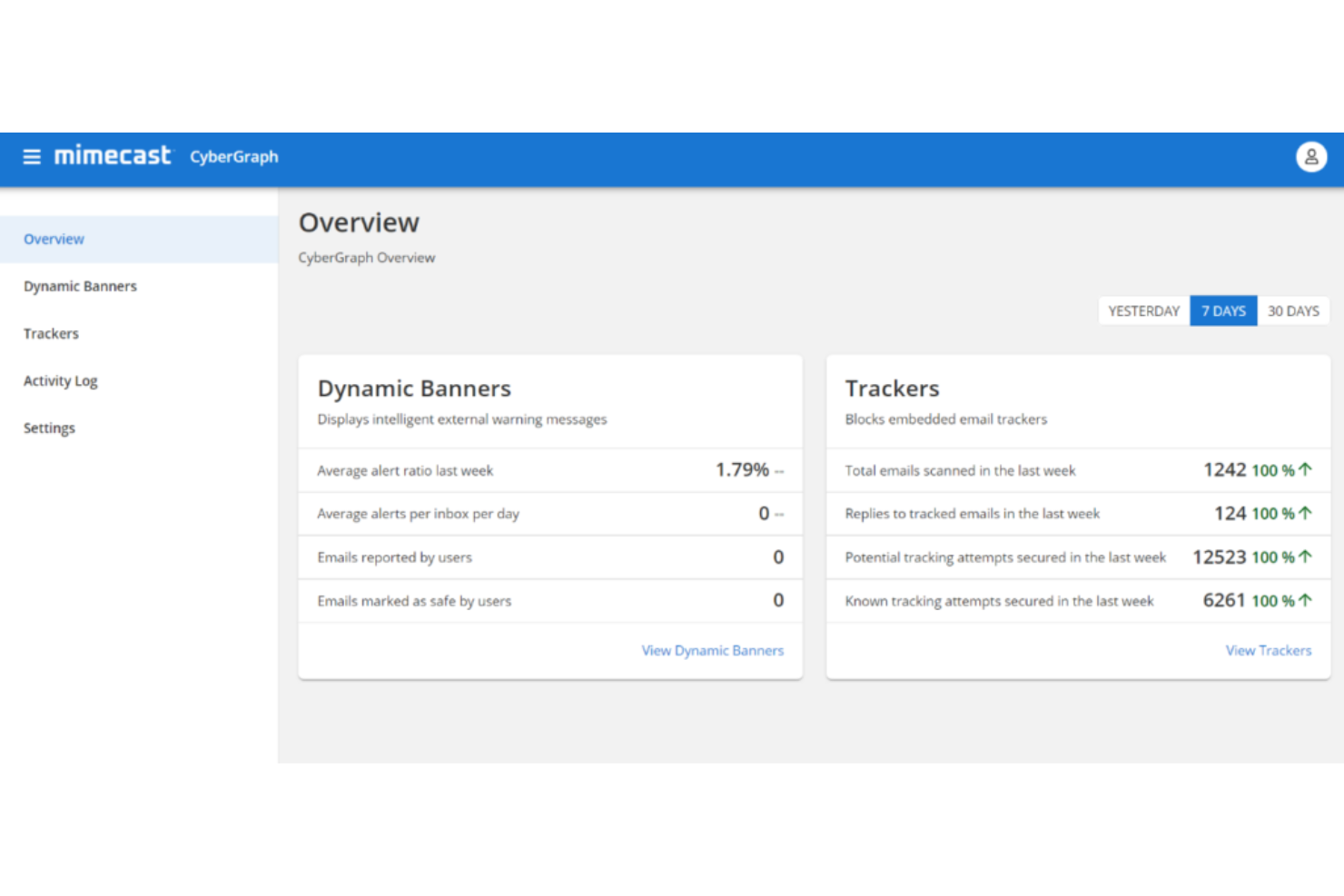
Mimecast Email Security ist bekannt für seine leistungsstarken E-Mail-Schutzfunktionen und gewährleistet, dass Nutzer vor einer Vielzahl digitaler Bedrohungen geschützt sind. Ein besonderes Merkmal von Mimecast ist seine umfassende Archivierungsfunktion, die es zu einem unschätzbaren Werkzeug für Organisationen macht, die umfangreiche E-Mail-Archivierungslösungen benötigen.
Warum ich Mimecast Email Security gewählt habe:
Bei der Auswahl der passenden Tools tauche ich oft tief in deren Spezialgebiete ein, und Mimecasts Engagement für Archivierung auf höchstem Niveau hat meine Aufmerksamkeit erregt. Unter den zahlreichen von mir bewerteten Diensten stach Mimecast besonders hervor, weil das Unternehmen größten Wert darauf legt, jede einzelne E-Mail mit höchster Sorgfalt zu bewahren. Dieses unvergleichliche Engagement für die Archivierung ist der Hauptgrund, warum ich überzeugt bin, dass es 'Am besten für umfassende E-Mail-Archivierung' ist.
Herausragende Funktionen und Integrationen:
Mimecast bietet eine mehrschichtige Sicherheit und sorgt dafür, dass jedes E-Mail-System – ob ein- oder ausgehend – überprüft und geschützt wird. Die Archivierungsfunktion beschränkt sich nicht allein auf die Speicherung, sondern bietet auch eine rasche Suchfunktion, sodass jede archivierte E-Mail schnell wiedergefunden werden kann. Zudem integriert sich Mimecast effizient mit einer Vielzahl von Unternehmenssystemen, insbesondere mit Plattformen wie Microsoft Office 365, was das Nutzererlebnis verbessert und für Kontinuität sorgt.
Pros and Cons
Pros:
- Mehrschichtige, detaillierte E-Mail-Sicherheit
- Schnelles Suchen und Wiederfinden in Archiven
- Integration mit wichtigen Plattformen wie Office 365
Cons:
- Benutzeroberfläche könnte benutzerfreundlicher sein
- Migrationsprozess kann für manche komplex sein
- Könnte für kleinere Unternehmen ohne Bedarf an umfangreicher E-Mail-Archivierung überdimensioniert sein

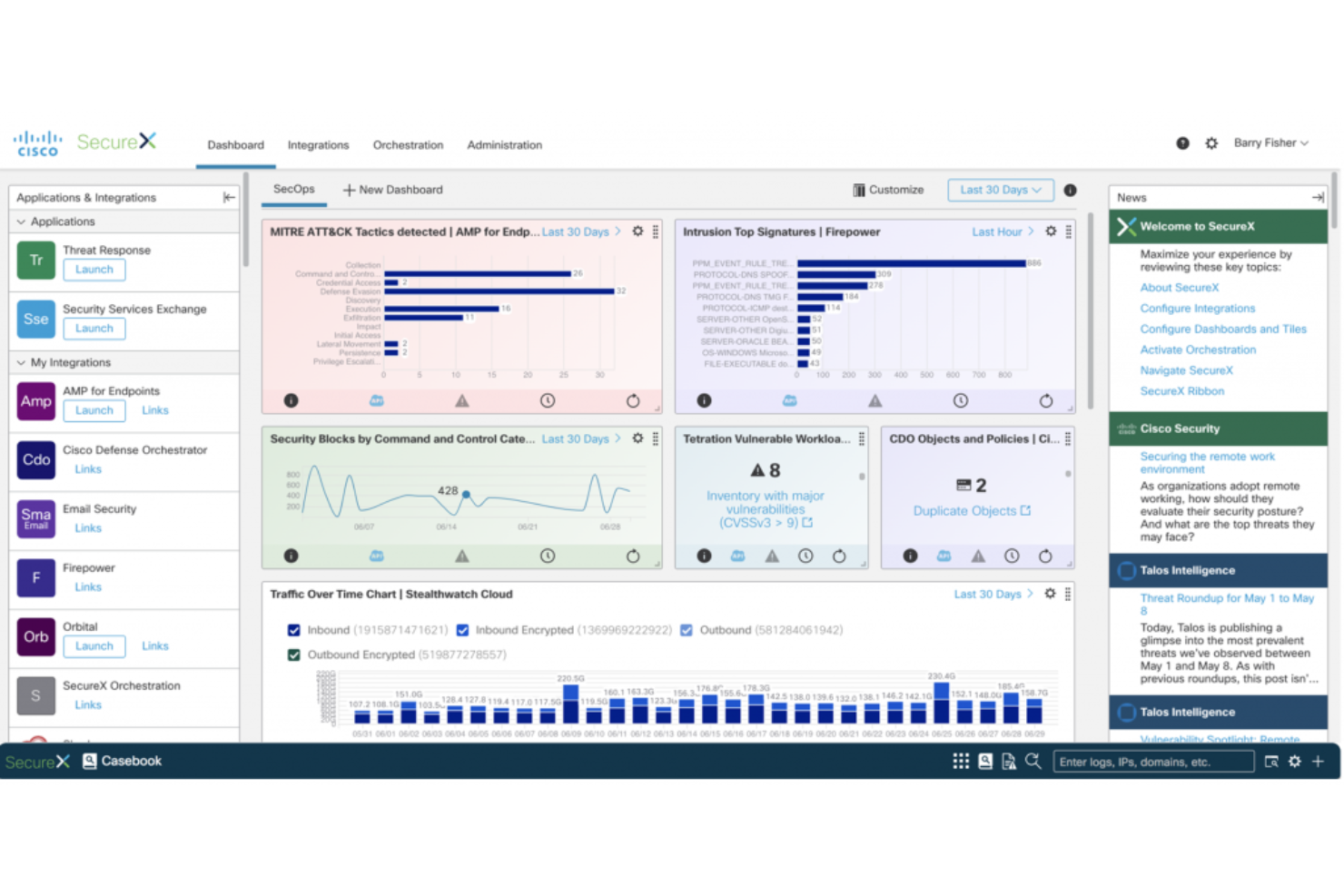
Cisco Email Security bietet robuste Schutzmechanismen gegen E-Mail-Bedrohungen und legt dabei besonderen Wert auf eine tiefgehende Verteidigung. Es geht nicht nur darum, schädliche Inhalte herauszufiltern, sondern auch um die strategischen Verteidigungsebenen, die in das System integriert wurden. So gelingt es, komplexe Bedrohungen durch einen mehrschichtigen Ansatz herausragend abzuwehren.
Warum ich Cisco Email Security ausgewählt habe:
In dem Meer von E-Mail-Sicherheitslösungen hat mich Ciscos Fokus auf einen gut strukturierten, mehrschichtigen Verteidigungsansatz besonders angesprochen. Bei meiner Analyse stellte ich fest, dass das Tool entwickelt wurde, um Bedrohungen auf mehreren Ebenen zu bekämpfen – nicht nur an der Oberfläche. Dieser tiefgehende, mehrschichtige Ansatz macht Cisco Email Security für mich klar zum 'Besten für eine Strategie der mehrschichtigen Verteidigung'.
Herausragende Funktionen und Integrationen:
Cisco überzeugt mit fortschrittlicher Bedrohungsintelligenz, die dafür sorgt, dass neue Gefahren frühzeitig erkannt und blockiert werden. Die Sandboxing-Funktion analysiert verdächtige Dateien gründlich in einer sicheren Umgebung und bietet so eine zusätzliche Sicherheitsschicht. Was die Integration betrifft, arbeitet Cisco harmonisch mit zahlreichen Unternehmenssystemen zusammen, sodass das Tool nahtlos in die IT-Landschaft eines jeden Unternehmens – besonders mit Systemen wie Microsoft Exchange – eingefügt werden kann.
Pros and Cons
Pros:
- Fortschrittliche Bedrohungsintelligenz zum Schutz vor neuen Risiken
- Umfassende Sandboxing-Funktion für verdächtige Dateien
- Starke Integrationsmöglichkeiten, insbesondere mit Unternehmenssystemen
Cons:
- Für eine optimale Einrichtung ist technisches Know-how erforderlich
- Kann für kleinere Unternehmen einschüchternd wirken
- Gelegentliche Fehlalarme möglich

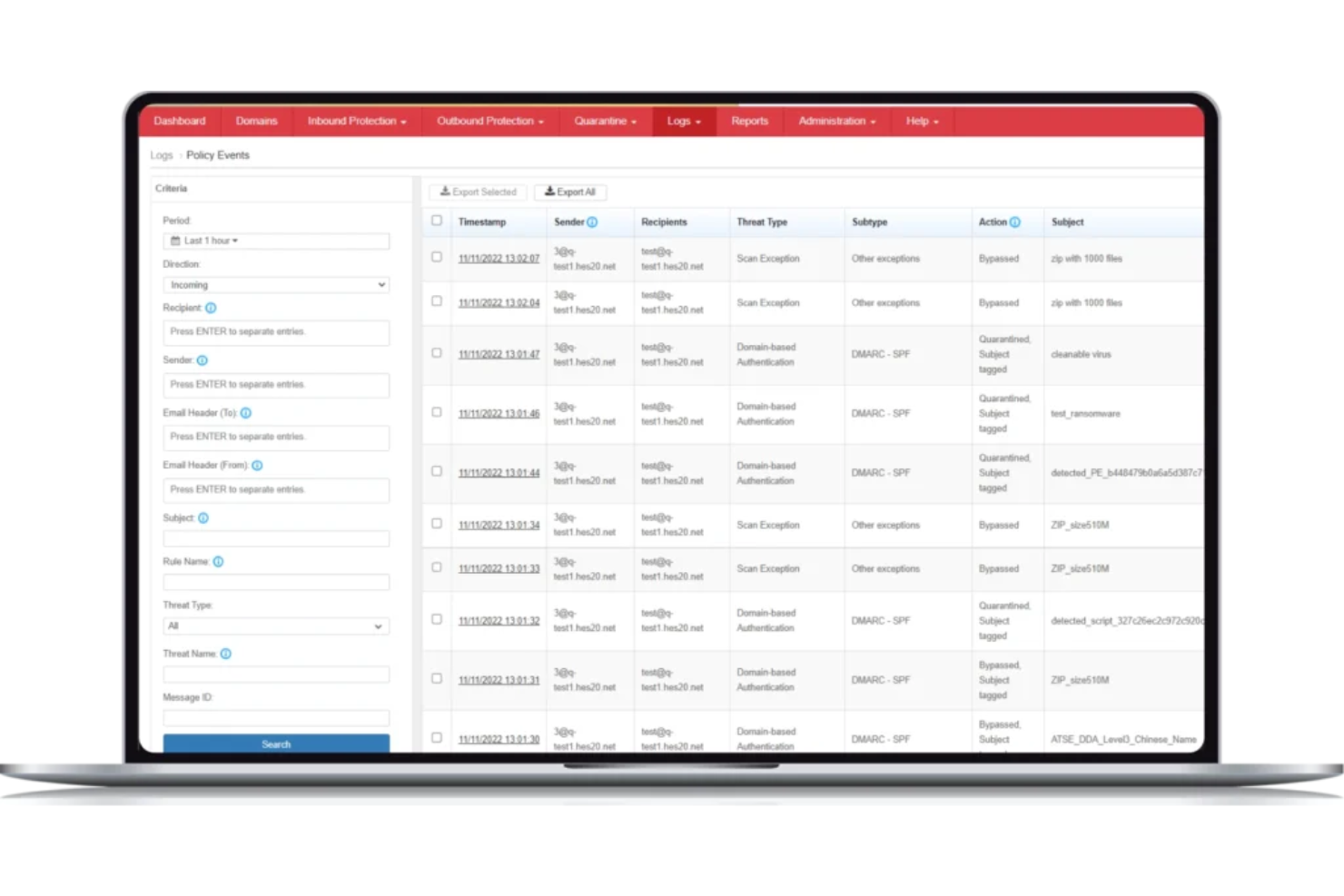
Trend Micro Email Security ist ein fortschrittliches E-Mail-Schutz-Tool, das Unternehmen vor einer Vielzahl von Online-Bedrohungen schützen soll. Das Engagement der Plattform für die Möglichkeit des virtuellen Patchings stellt sicher, dass Schwachstellen bereits behoben werden, bevor ein offizieller Patch verfügbar ist, und bietet Organisationen somit eine zusätzliche Verteidigungsebene.
Warum ich Trend Micro Email Security ausgewählt habe:
Im Auswahlprozess der E-Mail-Sicherheitslösungen fiel Trend Micro Email Security durch seinen einzigartigen Ansatz beim Schwachstellenmanagement besonders auf. Die Funktion des virtuellen Patchings erregte meine Aufmerksamkeit, da sie einen zeitnahen Schutz vor potenziellen Bedrohungen bietet und die Lücke schließt, bis offizielle Patches verfügbar sind. Diese proaktive Herangehensweise an die Sicherung potenzieller Schwachstellen ist der Grund, weshalb ich sie als 'Beste für virtuelle Patching-Funktion' bewertet habe.
Herausragende Funktionen und Integrationen:
Zu den Hauptmerkmalen von Trend Micro Email Security gehört fortschrittliche maschinelle Lerntechnologie, die hilft, ausgeklügelte Bedrohungen zu identifizieren und zu blockieren. Die Plattform bietet außerdem eine Sandbox-Malware-Analyse zur Erkennung von raffinierter Schadsoftware. Was die Integration betrifft, kann sie mit anderen Trend-Micro-Lösungen und weit verbreiteten Unternehmens-Tools verbunden werden, um ein durchgängiges Sicherheitssystem zu gewährleisten.
Pros and Cons
Pros:
- Fortschrittliches maschinelles Lernen für präzise Bedrohungserkennung
- Funktion für Sandbox-Malware-Analyse
- Nahtlose Integrationen mit Enterprise-Tools
Cons:
- Könnte für Nutzer ohne Cybersicherheitskenntnisse komplex sein
- Manche Nutzer wünschen sich eine größere Auswahl an Drittanbieter-Integrationen
- Erfordert regelmäßige Updates für optimale Leistung

Am besten geeignet für synchronisierte Sicherheitskommunikation
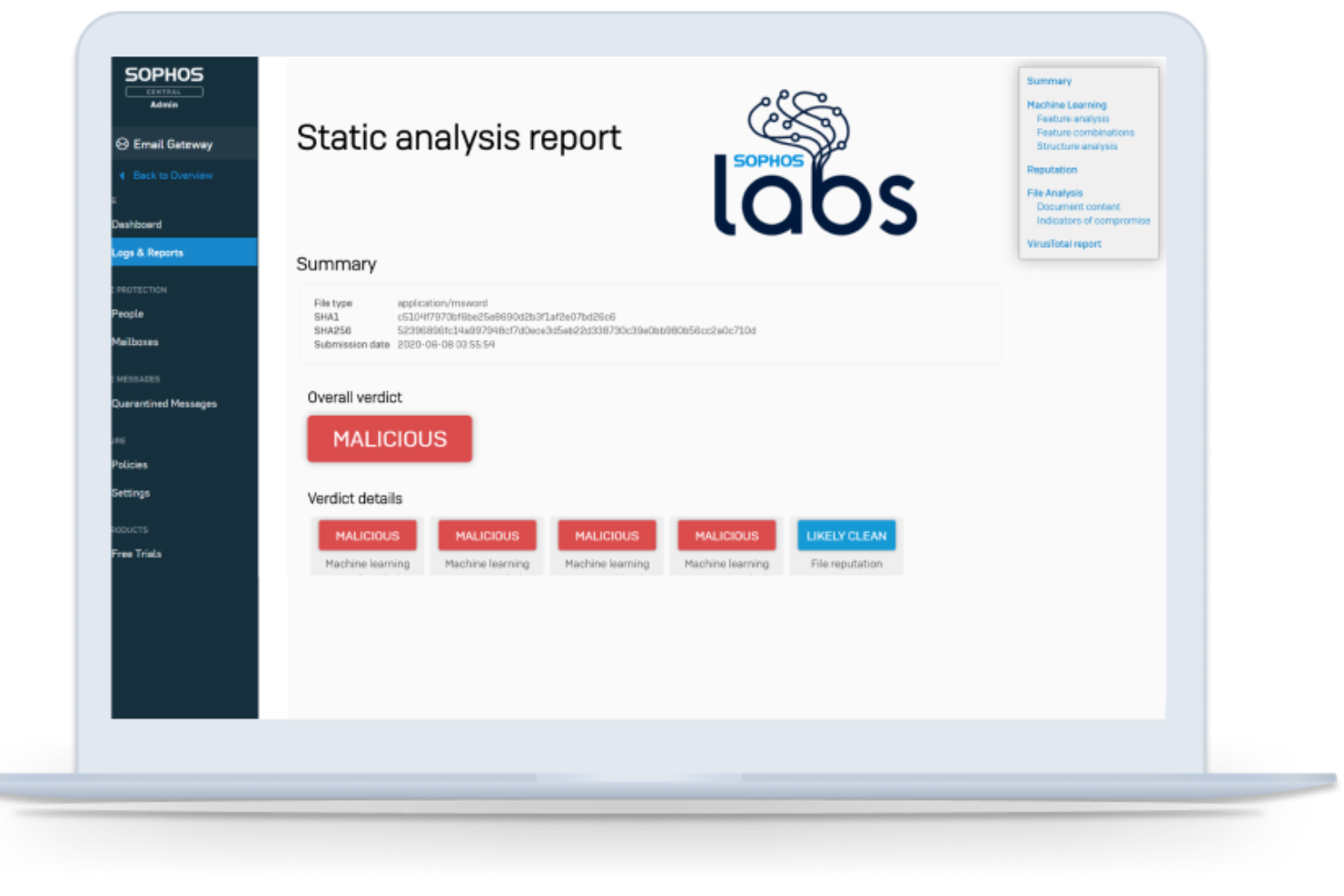
Sophos Email Security ist eine leistungsstarke Plattform zum Schutz von E-Mails, die entwickelt wurde, um verschiedene Cyberbedrohungen abzuwehren, die auf die E-Mail-Kommunikation abzielen. Eines ihrer Hauptmerkmale ist das Engagement für synchronisierte Sicherheitskommunikation, die einen ganzheitlichen und vernetzten Sicherheitsansatz über mehrere Bereiche einer Organisation hinweg gewährleistet.
Warum ich Sophos Email Security ausgewählt habe:
Bei der Auswahl der Tools für diese Liste fiel das Merkmal der synchronisierten Sicherheitskommunikation von Sophos Email Security besonders auf. Dieses Merkmal bietet einen deutlichen Vorteil, da es sicherstellt, dass alle Teile der Sicherheitsinfrastruktur einer Organisation effektiv miteinander kommunizieren, wodurch Bedrohungen kohärent erkannt und bekämpft werden können. Diese Fähigkeit veranlasste mich dazu, es als das „Beste für synchronisierte Sicherheitskommunikation“ zu bewerten.
Herausragende Funktionen und Integrationen:
Sophos Email Security verfügt über KI-gestützte E-Mail-Analyse, die eine proaktive Bedrohungserkennung ermöglicht. Es bietet außerdem Schutz vor Identitätsbetrug und reduziert das Risiko von Phishing-Angriffen per E-Mail. Die Plattform lässt sich in das umfassende Sophos-Ökosystem integrieren und ermöglicht so einen zusammenhängenden Datenaustausch und eine abgestimmte Reaktion auf Bedrohungen.
Pros and Cons
Pros:
- KI-gestützte Analyse für effiziente Bedrohungserkennung
- Identitätsbetrugsschutz vor Phishing-Angriffen
- Umfangreiche Integration mit anderen Sophos-Lösungen
Cons:
- Für Erstnutzer könnte eine gewisse Einarbeitung notwendig sein
- Einige Funktionen könnten für kleinere Unternehmen überwältigend sein
- Weniger Integrationen von Drittanbietern als bei Wettbewerbern

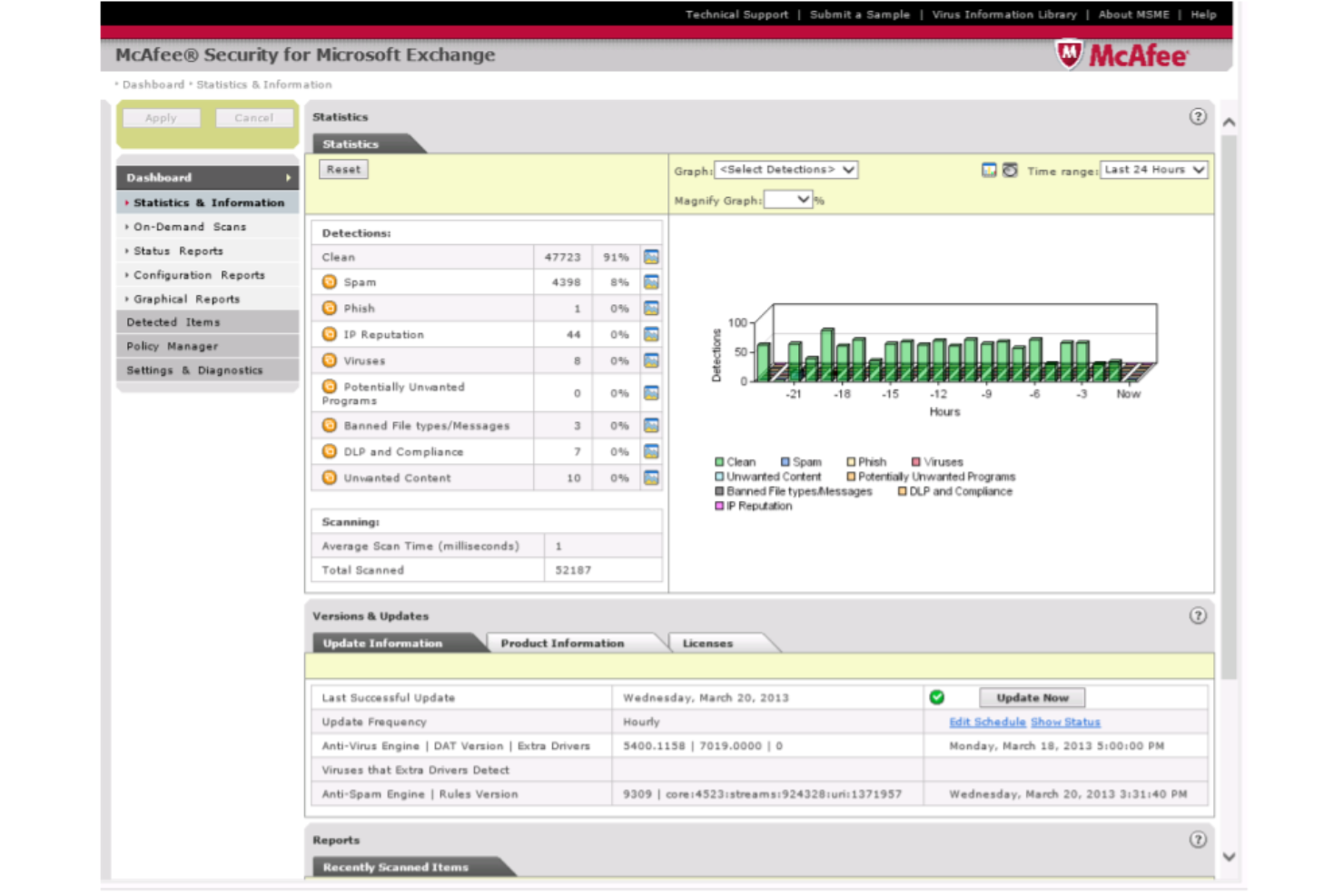
McAfee Email Security ist ein umfassendes E-Mail-Schutztool, das Unternehmen vor E-Mail-basierten Bedrohungen und Datenlecks schützt. Das herausragende Merkmal dieses Tools ist das zentrale Sicherheitsmanagement, das Bedrohungsinformationen bündelt und Reaktionen in der gesamten Sicherheitsinfrastruktur des Unternehmens koordiniert.
Warum ich McAfee Email Security ausgewählt habe:
Ich habe McAfee Email Security für diese Liste nach sorgfältigem Vergleich und Bewertung mehrerer E-Mail-Sicherheitslösungen ausgewählt. Das Bekenntnis zum zentralisierten Sicherheitsmanagement hat dieses Tool hervorgehoben. Dieses Feature stellt sicher, dass alle sicherheitsrelevanten Entscheidungen und Reaktionen von einer zentralen Stelle aus koordiniert werden, wodurch es Unternehmen erleichtert wird, eine einheitliche Sicherheitsstrategie zu verfolgen. Daher ist es unbestreitbar „Am besten für zentralisiertes Sicherheitsmanagement“.
Hervorstechende Funktionen und Integrationen:
Zu den wichtigsten Funktionen von McAfee Email Security zählt der fortschrittliche Bedrohungsschutz, der maschinelles Lernen einsetzt, um neu auftretende Bedrohungen zu erkennen und zu verhindern. Außerdem gibt es einen Schutz vor Datenverlust, um sensible Informationen vor unbeabsichtigtem Abfluss zu schützen. In puncto Integration arbeitet das Tool nahtlos mit anderen McAfee-Produkten zusammen, sodass eine einheitliche und starke Sicherheitsfront entsteht.
Pros and Cons
Pros:
- Fortschrittliches maschinelles Lernen zur Echtzeit-Bedrohungserkennung
- Effiziente Schutzfunktionen gegen Datenverlust
- Starke Integration mit anderen McAfee-Produkten
Cons:
- Könnte für Nutzer, die mit McAfee-Produkten nicht vertraut sind, komplex sein
- Einige Anpassungsoptionen könnten für fortgeschrittene Nutzer begrenzt erscheinen
- Mögliche Verzögerungen bei der Rückmeldung des Kundensupports
Weitere E-Mail-Sicherheitsdienste
- Avast Email Server Security
Am besten für server-spezifischen Schutz
- ESET Email Security
Am besten für Präzision bei der Malware-Erkennung
- Barracuda
E Lösung für integrierte Cloud-basierte Lösungen
- Forcepoint
Am besten für einen menschenzentrierten Sicherheitsansatz
- Trellix
E Lösung für adaptive Bedrohungsintelligenz


Auswahlkriterien für E-Mail-Sicherheitsdienste
Die Wahl der richtigen E-Mail-Sicherheitssoftware kann angesichts der Vielzahl verfügbarer Optionen eine Herausforderung sein. Im Laufe meiner Karriere habe ich Dutzende dieser Werkzeuge getestet und bewertet. Obwohl jedes seine eigenen Alleinstellungsmerkmale hat, erwiesen sich bestimmte Kriterien bei der Auswahl als besonders wichtig. Darauf habe ich geachtet:
Grundlegende Funktionen:
- Ein- und ausgehende Filterung: Die Möglichkeit, sowohl eingehende als auch ausgehende E-Mails zu filtern, um Bedrohungen zu verhindern und die Einhaltung von Vorschriften sicherzustellen.
- Erweiterter Bedrohungsschutz: Schutz vor komplexen Bedrohungen wie Ransomware, Phishing und Spear-Phishing.
- Verhinderung von Datenverlust: Sicherstellen, dass vertrauliche Informationen nicht unbeabsichtigt nach außen gelangen oder außerhalb der Organisation geteilt werden. Software zur E-Mail-Verschlüsselung ist häufig die beste Möglichkeit, vertrauliche Daten zu schützen.
Wichtige Funktionen:
- Echtzeit-Scans: Sofortige Überprüfung von E-Mails, um Bedrohungen zu erkennen, bevor sie den Empfänger erreichen.
- Intelligentes Lernen: Ein System, das sich an jede Bedrohung anpasst und daraus lernt, um seine Schutzfunktionen zu verbessern.
- Identitätsschutz: Funktionen zum Schutz vor Identitätsdiebstahl, wie etwa Anti-Phishing und die Verhinderung von Domain-Betrug. Dies kann mit DNS-Sicherheitsdiensten und anderen Tools erreicht werden.
- Mehrschichtige Abwehr: Verschiedene Sicherheitsebenen, die sicherstellen, dass Bedrohungen auf jeder Ebene erkannt und neutralisiert werden.
- Automatisierte Reaktion auf Vorfälle: Automatisierte Verfahren, die nach der Erkennung einer Bedrohung eingeleitet werden, um manuelle Eingriffe zu minimieren und die Reaktionszeit zu verkürzen.
Benutzerfreundlichkeit:
- Intuitives Dashboard: Eine zentrale Steuerzentrale, die einen klaren Überblick über erkannte Bedrohungen, unter Quarantäne gestellte Elemente und den Systemzustand bietet.
- Rollenbasierte Zugriffskontrolle: Ermöglicht es Organisationen, verschiedenen Benutzern oder Gruppen bestimmte Berechtigungen zuzuweisen, sodass nur autorisiertes Personal Änderungen an den Sicherheitseinstellungen vornehmen kann.
- Geführte Einrichtung: Aufgrund der kritischen Bedeutung der E-Mail-Sicherheit sollte die Software geführte Einrichtungsprozesse anbieten, damit alle Sicherheitsebenen von Anfang an korrekt konfiguriert sind.
- Hilfreicher Support: Zugang zu einem kompetenten Supportteam, das insbesondere in Krisensituationen schnell Unterstützung leisten kann. Es ist entscheidend, dass diese Art von E-Mail-Testtool von Experten unterstützt wird, die bei der Bewältigung komplexer Sicherheitsvorfälle helfen können.
- Umfassende Schulungsressourcen: Ob über Webinare, Dokumentationen oder Videoanleitungen – Benutzer sollten Ressourcen zur Verfügung haben, um alle Funktionen und bewährten Verfahren für Schulungen zur Sicherheitsbewusstseinsbildung zu verstehen.
Indem ich diese wesentlichen Kriterien eingrenzte, konnte ich die Vielzahl an Tools leichter durchsuchen und mich auf diejenigen konzentrieren, die den E-Mail-Sicherheitsanforderungen eines Unternehmens tatsächlich gerecht werden.
Die häufigsten Fragen zu E-Mail-Sicherheitsdiensten (FAQs)
Welche Vorteile bietet die Nutzung von E-Mail-Sicherheitsdiensten?
Die Vorteile der Nutzung von E-Mail-Sicherheitsdiensten sind zahlreich. Dazu gehören:
- Schutz vor Malware und Ransomware: DMARC-Software scannt Anhänge und Links in Echtzeit und stellt sicher, dass schädliche Inhalte erkannt und unter Quarantäne gestellt werden, bevor sie Schaden anrichten können.
- Reduzierung von Spam: Diese Tools verwenden fortschrittliche Algorithmen, um Spam herauszufiltern, Posteingänge übersichtlich zu halten und sicherzustellen, dass wichtige E-Mails nicht verloren gehen.
- Schutz vor Phishing und Betrug: Sie erkennen und blockieren Phishing-Versuche und gefälschte E-Mails, mit denen Benutzer möglicherweise dazu verleitet werden sollen, vertrauliche Informationen preiszugeben.
- Verhinderung von Datenverlust: Viele dieser Dienste können vertrauliche Informationen in E-Mails erkennen und die E-Mail entweder blockieren oder verschlüsseln, sodass sensible Daten innerhalb der Organisation bleiben.
- Einhaltung gesetzlicher Vorschriften: Für Branchen mit strengen Vorschriften zum Datenschutz und zur Kommunikation stellen E-Mail-Sicherheitsdienste sicher, dass Compliance-Standards eingehalten werden, wodurch das Risiko rechtlicher Konsequenzen reduziert wird.
Wie viel kosten E-Mail-Sicherheitsdienste normalerweise?
Die Preise für E-Mail-Sicherheitsdienste können je nach angebotenen Funktionen, Größe der Organisation und erforderlichem Schutzniveau stark variieren.
Welche Preismodelle sind für diese Tools üblich?
Es gibt mehrere Preismodelle, darunter:
- Pro Benutzer/Monat: Eine feste Gebühr für jeden Benutzer in der Organisation, die monatlich abgerechnet wird.
- Jahreslizenzen: Eine einmalige Gebühr, die die Nutzung für ein Jahr abdeckt. Einige Dienste bieten Rabatte für diese Art der Bindung an.
- Gestaffelte Preise: Wenn die Anforderungen der Organisation wachsen, etwa durch die Anzahl der Benutzer oder verarbeiteten E-Mails, wechselt sie in eine höhere Preisstufe mit zusätzlichen Funktionen.
Wie hoch ist die typische Preisspanne?
In der Regel können die Preise je nach Umfang und Leistungsbreite des Dienstes zwischen $1 und $50 pro Benutzer und Monat liegen.
Welche Softwareoptionen sind am günstigsten und am teuersten?
Obwohl die konkreten Preise variieren und sich im Laufe der Zeit ändern können, gehören Tools wie MailGuard und GreatHorn Email Security historisch gesehen zu den günstigeren Optionen. Lösungen für Unternehmen wie Agari Email Security liegen dagegen aufgrund ihres umfassenden Funktionsumfangs häufig in einer höheren Preisklasse.
Gibt es kostenlose Tools?
Ja, einige Tools bieten kostenlose Versionen oder Testversionen an. Diese verfügen jedoch meist über eingeschränkte Funktionen und eignen sich am besten für Einzelbenutzer oder kleine Unternehmen. Es ist immer sinnvoll, zunächst eine kostenlose Version oder Testversion zu nutzen, um die Wirksamkeit eines Tools zu beurteilen, bevor man sich für einen kostenpflichtigen Tarif entscheidet.
Weitere Bewertungen von E-Mail-Sicherheitssoftware
Zusammenfassung
In der sich schnell entwickelnden digitalen Landschaft bleibt der Schutz der E-Mail-Kommunikation für Unternehmen jeder Größe eine hohe Priorität. E-Mail-Sicherheitsdienste spielen eine entscheidende Rolle bei der Abwehr von Cyberbedrohungen und stellen sicher, dass vertrauliche Informationen einer Organisation geschützt und frei von schädlichen Absichten bleiben.
Die wichtigsten Erkenntnisse:
- Die Kernfunktionen sind entscheidend: Nicht alle E-Mail-Sicherheitsdienste sind gleich. Es ist wichtig, einen Dienst zu finden, der ein umfassendes, auf Ihre spezifischen Anforderungen zugeschnittenes Funktionspaket bietet, etwa zum Filtern bösartiger E-Mails, zum Schutz vor Lösegeldsoftware oder zum Erkennen von Phishing-Versuchen.
- Benutzerfreundlichkeit und Support berücksichtigen: Eine intuitive Benutzeroberfläche ist nicht nur ein Bonus, sondern eine Notwendigkeit. E-Mail-Sicherheit sollte den Schutz vereinfachen und nicht komplizierter machen. Außerdem kann ein reaktionsschneller Kundensupport einen wesentlichen Unterschied bewirken, insbesondere wenn sich Bedrohungen weiterentwickeln und ein zeitnahes Eingreifen entscheidend wird.
- Preismodelle unterscheiden sich: Auch wenn die Kosten nicht der einzige Faktor bei Ihrer Entscheidung sein sollten, kann das Verständnis des Preismodells – etwa pro Benutzer, pro Monat oder als Jahreslizenz – Ihre Wahl beeinflussen. Einige Dienste bieten einen Grundpreis mit zusätzlichen Funktionen gegen Aufpreis, während andere möglicherweise ein umfassenderes Paket zu einem Pauschalpreis bereitstellen. Stellen Sie sicher, dass Sie verstehen, wofür Sie bezahlen, und dass dies Ihren organisatorischen Anforderungen entspricht.
Was denken Sie?
Obwohl ich mich bemüht habe, eine umfassende Liste der besten E-Mail-Sicherheitsdienste bereitzustellen, ist die digitale Landschaft weitläufig, und möglicherweise gibt es E-Mail-Verschlüsselungsdienste und andere verborgene Schätze, die ich noch nicht entdeckt habe. Wenn Sie auf ein E-Mail-Sicherheitstool gestoßen sind, das Ihrer Meinung nach erwähnt werden sollte, oder herausragende Erfahrungen mit einem hier nicht aufgeführten Dienst gemacht haben, teilen Sie bitte Ihre Erkenntnisse. Ihre Empfehlungen können mir und der gesamten Community dabei helfen, fundiertere Entscheidungen zu treffen!
