PowerDMARC Review 2026: Pros, Cons, Key Features, and Pricing Details
PowerDMARC offers DMARC analysis, monitoring, and email authentication management, making it a strong choice for IT and security teams protecting business domains. Find out whether PowerDMARC is the right fit for your organization in my expert review.

We review tools independently, and commissions help fund our testing. See our transparency policy, our methodology, or suggest a tool.
Email authentication can quickly become difficult to manage as organizations add more domains, third-party senders, and authentication records. Without clear visibility into what is sending on your behalf, teams can struggle to identify spoofing risks, fix authentication failures, and know when it is safe to move toward DMARC enforcement.
PowerDMARC is a DMARC software platform designed for organizations that need better visibility and control over their email authentication, combining DMARC analysis, monitoring, and reporting with tools for SPF, DKIM, BIMI, MTA-STS, TLS-RPT, and hosted record management.
In this review, I’ll assess PowerDMARC’s features, pricing, strengths, and limitations to help you decide if it’s the right fit.
PowerDMARC Evaluation Summary
4.8/5
- From $8/month (billed annually)
- Free plan available
Why Trust Our Software Recommendations
6,700+
Reviews
20
Industry experts
16+
Evaluation factors
14
Years
Our team has been testing and reviewing software since 2012. As tech leaders ourselves, we know how difficult—and important—it is to choose the right software.
For this guide, we evaluated tools using hands-on testing and independent research, scoring tools using our selection criteria.
Our reviews reflect our human editorial judgment, not a sales pitch.
Expert reviewers:
- Paulo Gardini MiguelTech Director
 Tim FisherVP of AI
 Gabriel RosasTech Lead & Software Architect
 Christhian GruhnTech Lead & Platform Architect

PowerDMARC Overview
In my opinion, PowerDMARC stands out as a capable DMARC analysis, monitoring, and email authentication platform for IT and security teams managing multiple domains or more complex sending environments. Its hosted authentication services, detailed reporting, AI-assisted troubleshooting, and policy guidance give teams more control over moving from monitoring toward enforcement, while multi-tenant and role-based management make it especially useful for enterprises and MSPs. The platform is relatively easy to use despite its broad feature set, although some of its more advanced capabilities, including deeper analytics, MCP access, API access, and SIEM support, sit on higher-tier plans.
Pros
- AI-assisted analysis helps identify authentication issues, policy blockers, and unusual sending activity without requiring deep DMARC expertise.
- Hosted DMARC, PowerSPF, DKIM, BIMI, MTA-STS, and TLS-RPT reduce repeated DNS work and simplify authentication management.
- Multi-tenant controls, white labeling, domain grouping, and partner tools support MSPs and organizations managing large domain portfolios.
Cons
- The breadth of features can create a steeper learning curve for teams that only need basic DMARC reporting.
- Advanced capabilities such as MCP access, threat intelligence, reputation monitoring, API access, and SIEM support are limited to higher-tier plans.
- Teams that only need basic DMARC reporting may find the platform’s broader authentication and security feature set more than they need.
Is PowerDMARC Right For Your Needs?
Who Would be a Good Fit for PowerDMARC?
PowerDMARC is a good fit for organizations managing their own business domains that require comprehensive email authentication solutions beyond basic DMARC reporting. It is particularly suited for teams looking to monitor and manage email authentication services such as DMARC, SPF, DKIM, BIMI, MTA-STS, and TLS-RPT, or those wanting to move toward enforcement without a dedicated DMARC specialist. It is especially relevant for industries like financial services, insurance, government, healthcare, education, retail, technology, telecom, manufacturing, logistics, and MSP/MSSP environments.
- MSPs and MSSPsService providers can leverage the multi-tenant control panel, white labeling, tenant-level API, PSA integrations, and centralized domain management to manage authentication for multiple clients.
- Enterprises With Multiple DomainsLarge organizations can monitor authentication centrally, organize domains into groups, delegate access, and manage policies across complex domain portfolios.
- Financial Services and InsuranceBanks and insurers can use powerful reporting, access controls, audit logs, SIEM integrations, and PGP-protected reports to meet strict governance needs.
- Technology and SaaS CompaniesTech teams with multiple products or services can utilize hosted authentication protocols to maintain control as infrastructure changes.
- Retail and Ecommerce BrandsHigh-volume senders can track DMARC and sender reputation, gather threat intelligence, and distinguish legitimate sources from spoofing attempts.
- Teams Without Dedicated DMARC ExpertiseIT admins can use AI guidance, hosted services, and recommendations to troubleshoot and achieve enforcement without a DMARC specialist.
Who Would be a Bad Fit for PowerDMARC?
PowerDMARC is less suitable for organizations that do not own or control their domains/DNS, are seeking only basic DMARC reporting, require inbound email security instead of outbound authentication, or expect a fully hands-off solution without administrator involvement.
- Organizations Without Custom DomainsTeams using only provider-owned domains like Gmail or Outlook have no custom domain for DMARC to protect.
- Inbound Email Security BuyersPowerDMARC does not replace secure email gateways or inbound security tools such as spam filters, encryption, or DLP.
- Organizations Without DNS ControlTeams unable to make DNS changes or publish records will struggle to deploy PowerDMARC.
- Basic DMARC Reporting UsersTeams simply needing DMARC XML to readable report conversion may prefer a narrower tool.
- Hands-Off Enforcement TeamsWhile automation is strong, administrators must still approve key changes like moving to stricter policies.
- Businesses With No Email Security BudgetThe free tier is not for commercial use, so organizations with no budget for authentication are not a good fit.
Our Review Methodology
How We Test & Score Tools
We’ve spent years building, refining, and improving our software testing and scoring system. The rubric is designed to capture the nuances of software selection and what makes a tool effective, focusing on critical aspects of the decision-making process.
Below, you can see exactly how our testing and scoring works across seven criteria. It allows us to provide an unbiased evaluation of the software based on core functionality, standout features, ease of use, onboarding, customer support, integrations, customer reviews, and value for money.
Core Functionality (25% of final scoring)
The starting point of our evaluation is always the core functionality of the tool. Does it have the basic features and functions that a user would expect to see? Are any of those core features locked to higher-tiered pricing plans? At its core, we expect a tool to stand up against the baseline capabilities of its competitors.
Standout Features (25% of final scoring)
Next, we evaluate uncommon standout features that go above and beyond the core functionality typically found in tools of its kind. A high score reflects specialized or unique features that make the product faster, more efficient, or offer additional value to the user.
We also evaluate how easy it is to integrate with other tools typically found in the tech stack to expand the functionality and utility of the software. Tools offering plentiful native integrations, 3rd party connections, and API access to build custom integrations score best.
Ease of Use (10% of final scoring)
We consider how quick and easy it is to execute the tasks defined in the core functionality using the tool. High scoring software is well designed, intuitive to use, offers mobile apps, provides templates, and makes relatively complex tasks seem simple.
Onboarding (10% of final scoring)
We know how important rapid team adoption is for a new platform, so we evaluate how easy it is to learn and use a tool with minimal training. We evaluate how quickly a team member can get set up and start using the tool with no experience. High scoring solutions indicate little or no support is required.
Customer Support (10% of final scoring)
We review how quick and easy it is to get unstuck and find help by phone, live chat, or knowledge base. Tools and companies that provide real-time support score best, while chatbots score worst.
Customer Reviews (10% of final scoring)
Beyond our own testing and evaluation, we consider the net promoter score from current and past customers. We review their likelihood, given the option, to choose the tool again for the core functionality. A high scoring software reflects a high net promoter score from current or past customers.
Value for Money (10% of final scoring)
Lastly, in consideration of all the other criteria, we review the average price of entry level plans against the core features and consider the value of the other evaluation criteria. Software that delivers more, for less, will score higher.
Core Features
Hosted Email Authentication
PowerDMARC provides hosted management for DMARC, SPF, DKIM, BIMI, MTA-STS, and TLS-RPT, helping teams manage authentication policies without repeatedly editing DNS records. PowerSPF also helps address SPF's 10-DNS-lookup limit for organizations with complex sending environments.
Reporting and Analytics
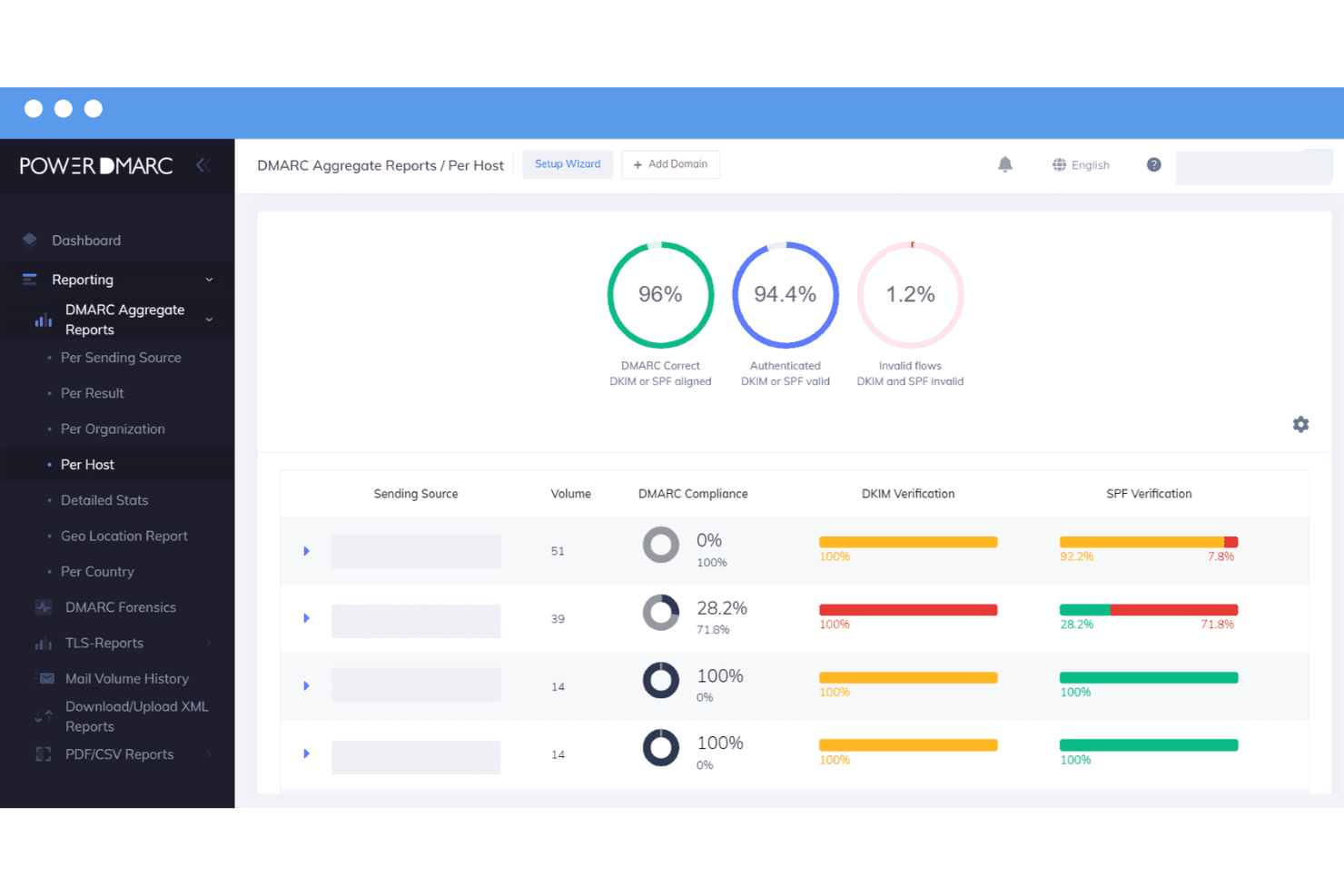
DMARC reporting turns aggregate and failure data into readable insights on sending sources and authentication results. PowerDMARC also provides dedicated SPF, DKIM, BIMI, and TLS-RPT reporting for deeper visibility across the authentication stack.
DMARC AI Agent
The in-dashboard AI Agent helps teams troubleshoot DMARC, SPF, and DKIM issues using plain-language questions. Higher-tier AI capabilities add Anomaly Detection and Smart Policy Advisor to flag unusual activity, identify enforcement blockers, and recommend next steps toward stricter DMARC policies.
MCP Server
PowerDMARC's MCP server connects live authentication data to compatible AI clients such as Claude and Cursor. Teams can query domain health, analyze reports, perform DNS and WHOIS lookups, generate records, and access supported account data from their existing AI workflows.
DNS Security and Reputation Monitoring
DNS Security Compliance checks domain and DNS configurations for security issues, while reputation monitoring tracks blocklists and sender reputation. Alerts and monitoring add visibility into changes and authentication problems that may require investigation.
API, Integrations, and Email Deliverability
APIs and integrations let teams connect PowerDMARC with existing security and operational workflows, while email deliverability tools help test authentication and inbox placement. The platform also includes developer tools for organizations that need to work with authentication data programmatically.
Standout Features
AI-Driven Threat Intelligence
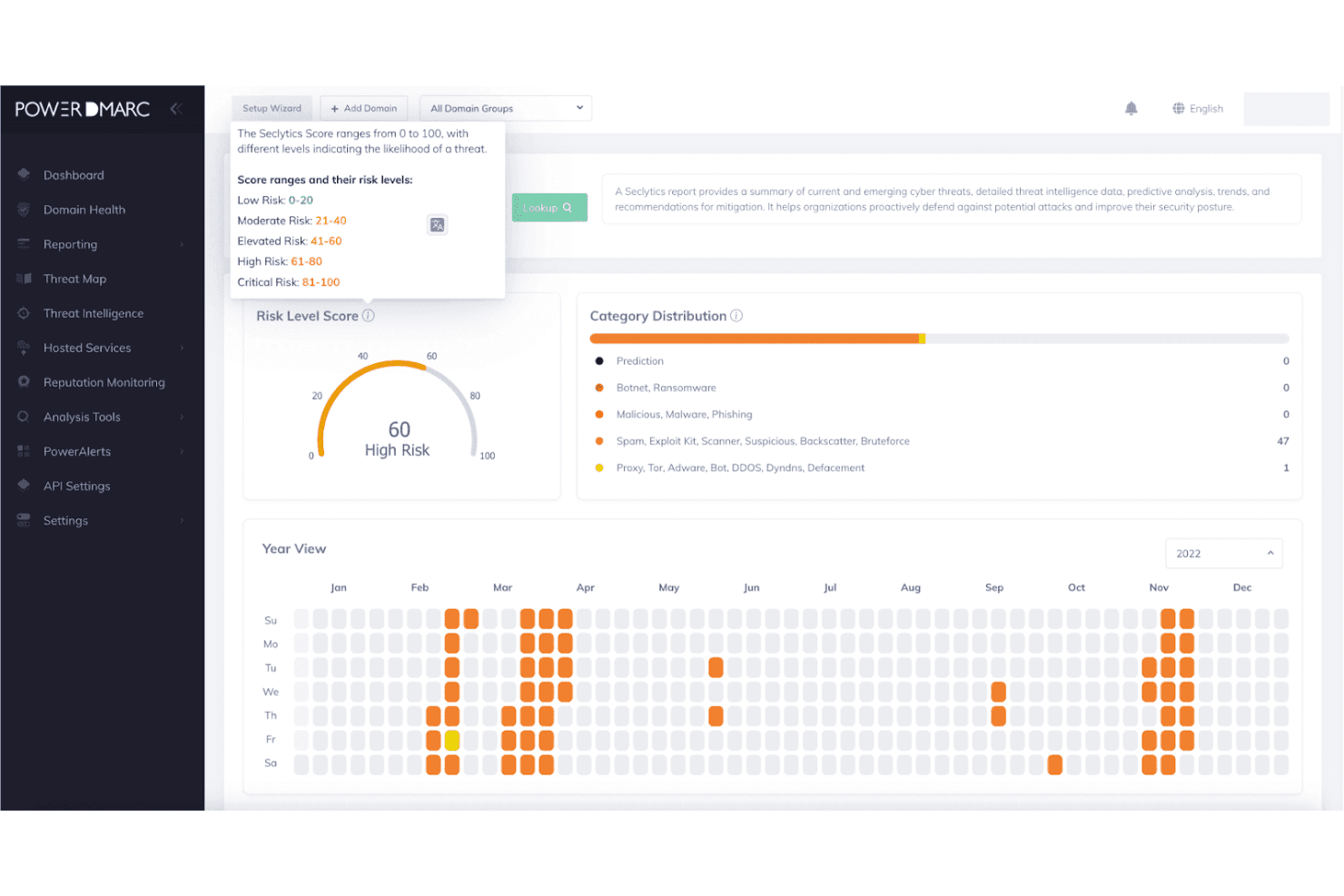
PowerDMARC analyzes sending sources to help identify spoofing, suspicious activity, and other domain-level threats. Risk analysis and threat visibility help security teams distinguish potentially malicious senders from legitimate sources that simply need authentication fixes.
MSP and MSSP Management
PowerDMARC provides multi-tenant management, white labeling, consolidated domain views, tenant-level APIs, and PSA integrations for service providers. MSPs and MSSPs can manage multiple client environments without maintaining separate PowerDMARC accounts for each organization.
Ease of Use
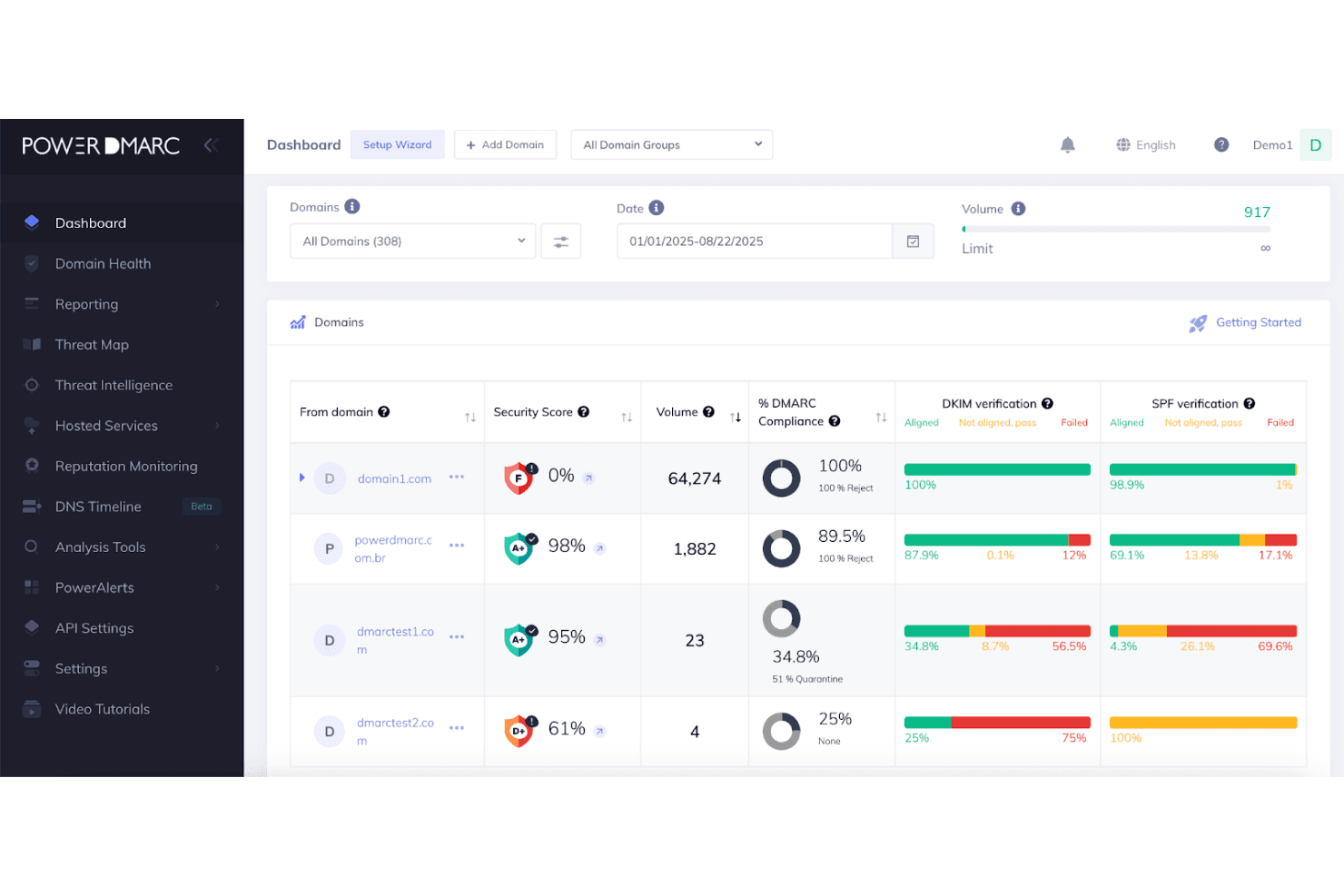
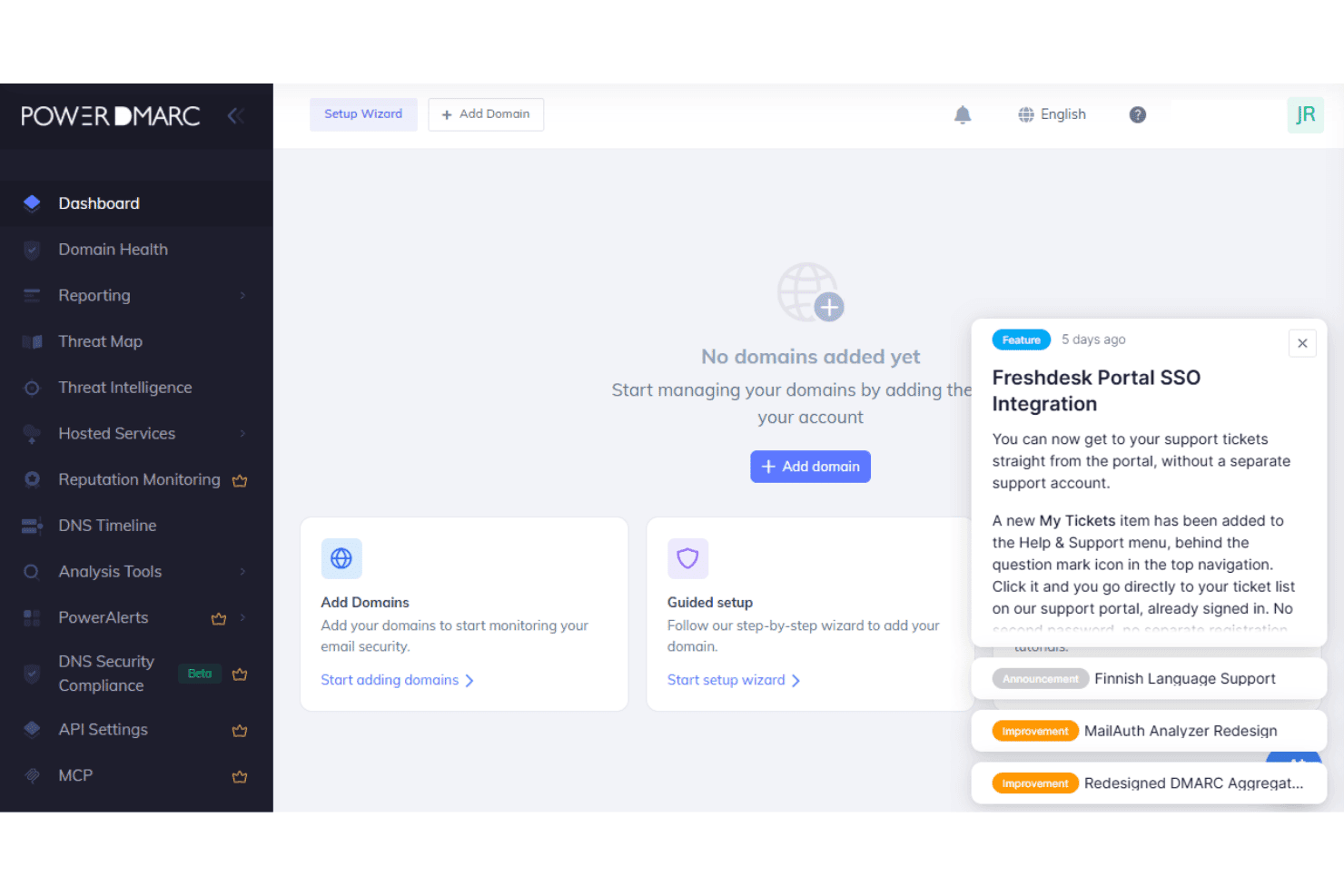
PowerDMARC is relatively easy to use, with a structured dashboard that keeps reports, alerts, and authentication issues organized. Inline recommendations help explain misconfigurations without forcing teams to interpret raw DMARC data, while hosted services reduce repeated DNS work. The AI Agent also makes troubleshooting more approachable by answering authentication questions in plain language. Multi-domain management and role-based access work well for larger teams, although the platform’s broad feature set may take some time to learn.
Onboarding
PowerDMARC offers both self-serve and guided onboarding, depending on how much help your team needs. Self-serve setup starts with a domain assessment that identifies security gaps and guides you through publishing DMARC records, with One-Click Auto DNS Publishing available for 40+ supported providers. Automatic subdomain detection, bulk domain uploads, and hosted records reduce manual setup, and there’s no historical data migration required when switching from another DMARC provider.
Initial setup can take minutes to hours, although reaching full enforcement may take weeks or longer depending on the complexity of your sending environment.
Customer Support
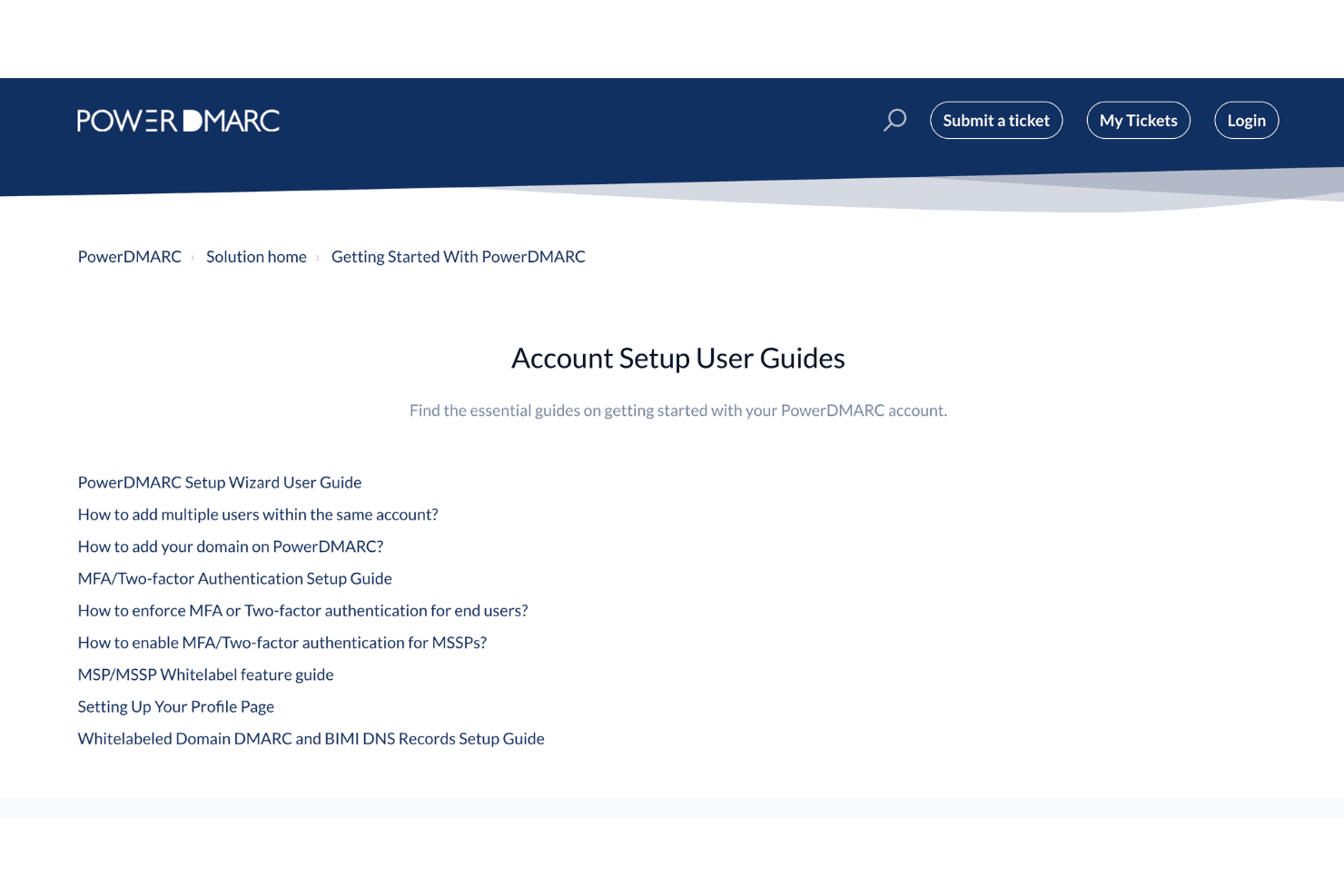
PowerDMARC offers 24/7 human support, a knowledge base, and ticket-based help for setup and troubleshooting. Higher-tier plans add dedicated account management and extended support options, while teams can also move from the in-dashboard AI Agent to human assistance for more complex authentication or DNS issues.
Integrations
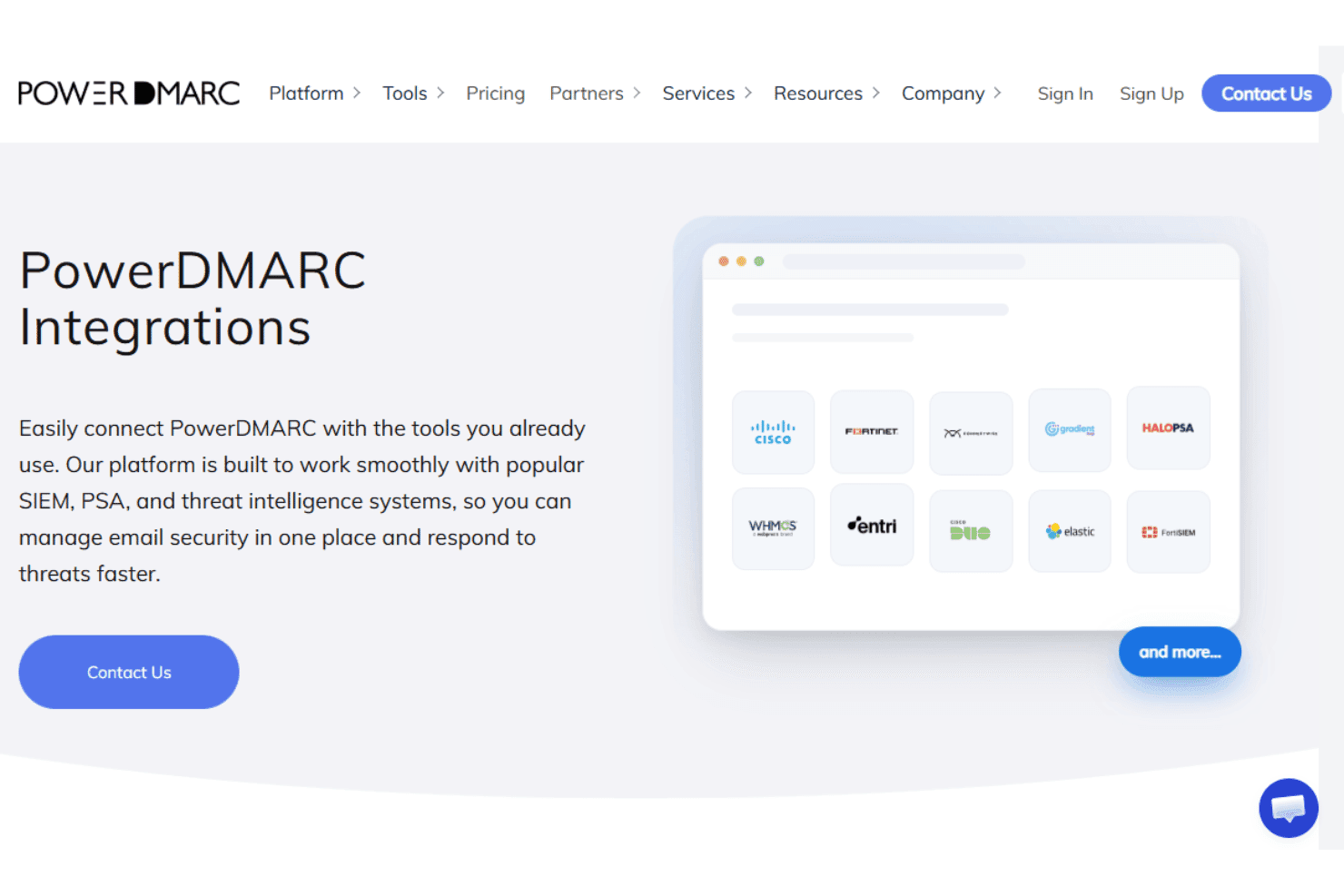
PowerDMARC integrates with Splunk, Microsoft Sentinel, Elastic, FortiSIEM, Cisco Threat Grid, Fortinet, ConnectWise, HaloPSA, Autotask PSA, AWS, Entri, and Duo Security, among others.
PowerDMARC also provides a REST API for custom integrations and supports connections with SIEM, PSA, marketplace, and threat intelligence tools.
Value for Money
PowerDMARC offers solid value for teams that need more than basic DMARC reporting, with hosted authentication, AI assistance, and multi-domain management available before the enterprise tier. The main tradeoff is that deeper analytics, API access, SIEM support, advanced AI capabilities, and reputation monitoring sit on higher plans, so costs can rise as security and integration requirements become more complex.
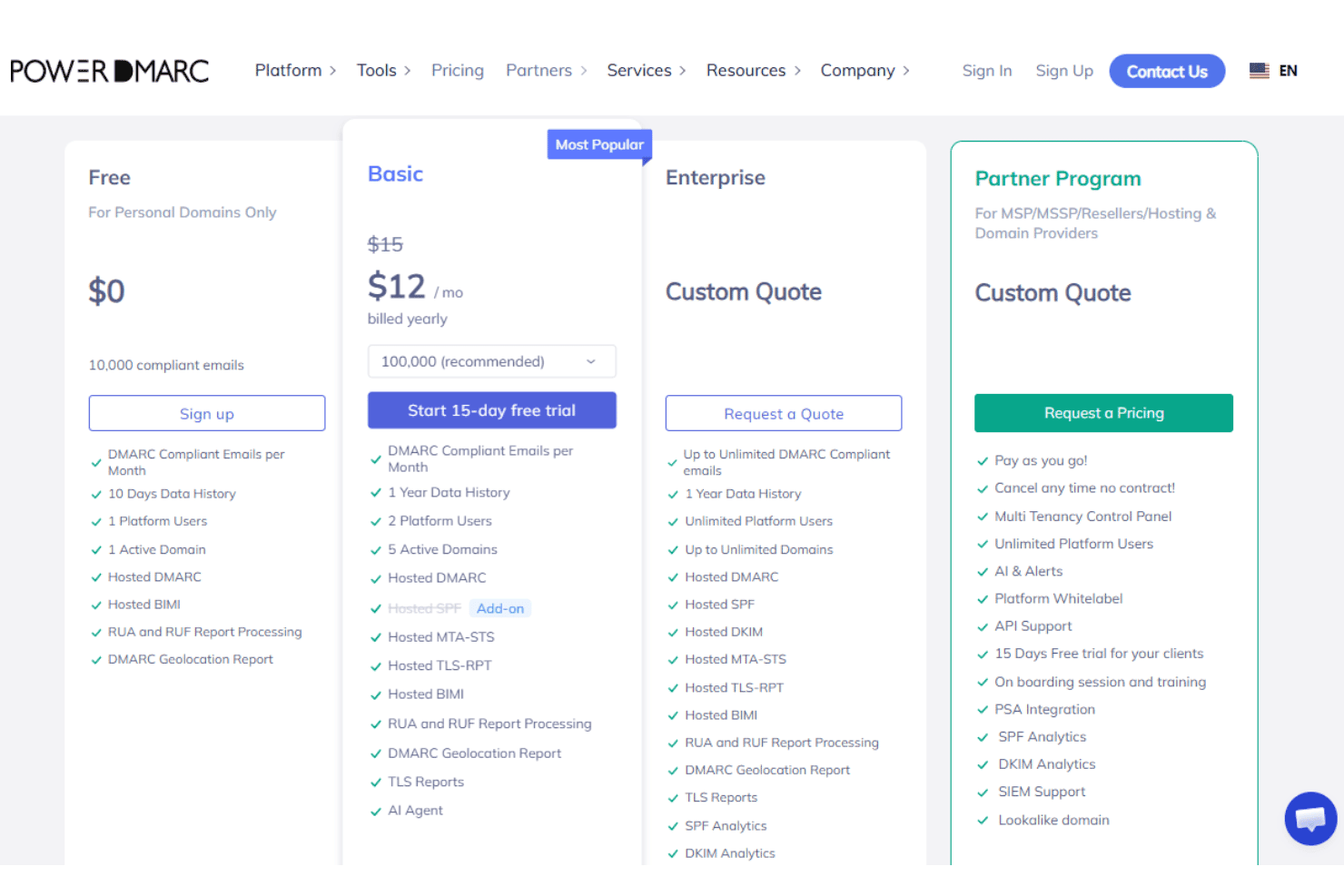
- Free: Supports one active domain plus unlimited inactive domains, 10,000 compliant emails, one user, and 10 days of data history. It also includes Hosted DMARC, Hosted BIMI, RUA and RUF processing, and geolocation reports.
- Basic: Adds multiple active domains, longer data history, Hosted MTA-STS and TLS-RPT, scheduled reporting, role-based access, and the AI Agent, with Hosted SPF available as an add-on.
- Enterprise: Adds Hosted SPF and DKIM, advanced SPF and DKIM analytics, reputation monitoring, alerts, third-party integrations, advanced AI advisors, MCP access, API access, SAML SSO, SCIM, audit logs, and SIEM support.
- API: Designed for organizations that need programmatic access to PowerDMARC capabilities and authentication data through its API.
- Partner Program: Built for MSPs, MSSPs, resellers, and hosting providers with multi-tenancy, white labeling, tenant-level API access, PSA integration, unlimited platform users, and partner onboarding and training.
PowerDMARC Specs
- 2-Factor Authentication: Yes
- Access Management: Yes
- Anti-Virus: No
- API: Yes
- Audit Management: Yes
- Audit Trail: Yes
- Batch Permissions & Access: No
- Compliance Tracking: Yes
- Dashboard: Yes
- Data Export: Yes
- Data Import: Yes
- DDoS Protection: No
- External Integrations: Yes
- File Sharing: No
- File Transfer: No
- Firewall: No
- Incident Management: Yes
- Malware Protection: No
- Multi-User: Yes
- Notifications: Yes
- Password & Access Management: Yes
- Policy Management: Yes
- Real-time Alerts: Yes
- Report & Compliance: Yes
- Risk Assessment: Yes
- Security Migration: No
- Threat Detection: Yes
- Workflow Management: No
PowerDMARC FAQs
PowerDMARC Company Overview & History
Founded in 2020 and headquartered in Middletown, Delaware, PowerDMARC is a computer and network security company focused on domain and email authentication. Its SaaS platform combines DMARC, SPF, DKIM, BIMI, MTA-STS, TLS-RPT, threat intelligence, and related domain security capabilities. PowerDMARC reports serving more than 10,000 organizations and 2,000 MSPs across 130+ countries, with a growing international presence.
PowerDMARC Major Milestones
- 2020: Founded in Middletown, Delaware.
- 2024: Named a G2 Summer Leader in DMARC software.
- 2024: Recognized as a G2 Winter Leader 2025 in December.
- 2025: Included in G2’s Top 100 Fastest Growing Software Companies.
- 2025: Achieved AWS Qualified Software status after completing the AWS Foundational Technical Review, validating the platform against AWS best practices for security, reliability, and operational excellence.
- 2026: Reported serving 10,000+ organizations, 2,000+ MSPs, and protecting more than 100,000 domains across 130+ countries.
- 2026: Reported five office locations across Plano, Yerevan, Dubai, Muscat, and Doha.
PowerDMARC Partner Spotlight

10 Ways PowerDMARC Delivers Enterprise-Grade DMARC Compliance and Domain Protection
Managing DMARC across dozens of domains should not take hours. See how PowerDMARC brings AI analysis, instant alerts, SSO, and SIEM integrations to enterprise teams.