

Atlassian Jira Review: Pros, Cons, Features & Pricing
Atlassian Jira excels in providing robust integration capabilities and customization options, making it ideal for agile teams needing tailored project management solutions.

We review tools independently, and commissions help fund our testing. See our transparency policy, our methodology, or suggest a tool.
Atlassian Jira is a project management software that helps teams plan, track, and manage agile software development projects. It’s best for software development teams in tech companies, IT departments, and agile-focused organizations, such as startups and large enterprises like Spotify and Airbnb. Jira’s value lies in its ability to adapt to your team’s workflow, offering transparency and collaboration that scales with your needs.
Jira Evaluation Summary
4.4/5
- From $8.48/user/month
- Free plan available
Why Trust Our Software Recommendations
6,700+
Reviews
20
Industry experts
16+
Evaluation factors
14
Years
Our team has been testing and reviewing software since 2012. As tech leaders ourselves, we know how difficult—and important—it is to choose the right software.
For this guide, we evaluated tools using hands-on testing and independent research, scoring tools using our selection criteria.
Our reviews reflect our human editorial judgment, not a sales pitch.
Expert reviewers:
- Paulo Gardini MiguelTech Director
 Tim FisherVP of AI
 Gabriel RosasTech Lead & Software Architect
 Christhian GruhnTech Lead & Platform Architect

Jira Overview
Jira excels in adaptability, making it ideal for teams needing custom workflows and detailed issue tracking.
Pros
- You can customize workflows to fit your team's needs.
- It offers powerful issue tracking for clear task management.
- You get detailed reporting to help track your project's progress.
Cons
- The interface can feel complex and overwhelming for new users.
- Your team might find the initial setup time-consuming.
- It requires a learning curve to fully leverage its capabilities.
Is Jira Right For Your Needs?
Who Would be a Good Fit for Jira?
Jira is perfect for software development teams and IT departments that need robust issue tracking and customizable workflows. Agile teams will appreciate its sprint planning and backlog management features. If your team thrives on detailed reporting and needs to manage complex projects with multiple tasks, Jira’s capabilities will suit you well. Companies like tech startups, large enterprises, and teams focused on continuous delivery will find it particularly useful for maintaining transparency and efficiency in their projects.
- Software Development TeamsJira excels in tracking issues and managing sprints, making it ideal for software developers.
- Agile TeamsYour team can use Jira’s tools for sprint planning and backlog prioritization to stay agile.
- IT DepartmentsIts customizable workflows and detailed issue tracking help manage IT projects effectively.
- Tech StartupsStartups benefit from Jira’s scalability and ability to adapt to growing project needs.
- Large EnterprisesJira supports complex project management with transparency and comprehensive reporting.
- Project ManagersUse Jira to oversee tasks, track progress, and manage resources efficiently.
Who Would be a Bad Fit for Jira?
Jira might not be the best choice for small teams or non-technical departments that don’t require detailed issue tracking or complex workflows. If your team values simplicity and quick setup over customization, Jira’s robust features could feel overwhelming. Creative agencies or marketing teams that focus on visual project management might find Jira’s interface too rigid and technical for their needs.
- Small TeamsYour team might find Jira’s setup too complex for simple project management needs.
- Non-Technical DepartmentsJira’s technical focus could make it challenging for teams not dealing with software development.
- Creative AgenciesThe interface isn’t tailored for visual project management, which your creative team might need.
- Marketing TeamsIf your focus is on campaign management, you might find Jira’s features overly technical.
- FreelancersYou might find Jira’s detailed tracking excessive for individual project management.
- Event PlannersJira’s capabilities aren’t designed for the dynamic and flexible needs of event planning.
Our Review Methodology
How We Test & Score Tools
We’ve spent years building, refining, and improving our software testing and scoring system. The rubric is designed to capture the nuances of software selection and what makes a tool effective, focusing on critical aspects of the decision-making process.
Below, you can see exactly how our testing and scoring works across seven criteria. It allows us to provide an unbiased evaluation of the software based on core functionality, standout features, ease of use, onboarding, customer support, integrations, customer reviews, and value for money.
Core Functionality (25% of final scoring)
The starting point of our evaluation is always the core functionality of the tool. Does it have the basic features and functions that a user would expect to see? Are any of those core features locked to higher-tiered pricing plans? At its core, we expect a tool to stand up against the baseline capabilities of its competitors.
Standout Features (25% of final scoring)
Next, we evaluate uncommon standout features that go above and beyond the core functionality typically found in tools of its kind. A high score reflects specialized or unique features that make the product faster, more efficient, or offer additional value to the user.
We also evaluate how easy it is to integrate with other tools typically found in the tech stack to expand the functionality and utility of the software. Tools offering plentiful native integrations, 3rd party connections, and API access to build custom integrations score best.
Ease of Use (10% of final scoring)
We consider how quick and easy it is to execute the tasks defined in the core functionality using the tool. High scoring software is well designed, intuitive to use, offers mobile apps, provides templates, and makes relatively complex tasks seem simple.
Onboarding (10% of final scoring)
We know how important rapid team adoption is for a new platform, so we evaluate how easy it is to learn and use a tool with minimal training. We evaluate how quickly a team member can get set up and start using the tool with no experience. High scoring solutions indicate little or no support is required.
Customer Support (10% of final scoring)
We review how quick and easy it is to get unstuck and find help by phone, live chat, or knowledge base. Tools and companies that provide real-time support score best, while chatbots score worst.
Customer Reviews (10% of final scoring)
Beyond our own testing and evaluation, we consider the net promoter score from current and past customers. We review their likelihood, given the option, to choose the tool again for the core functionality. A high scoring software reflects a high net promoter score from current or past customers.
Value for Money (10% of final scoring)
Lastly, in consideration of all the other criteria, we review the average price of entry level plans against the core features and consider the value of the other evaluation criteria. Software that delivers more, for less, will score higher.
Core Features
Task Tracking
You can easily assign, monitor, and update tasks to keep your team on track with project goals. This feature helps you maintain accountability and clarity in your workflows.
Agile Boards
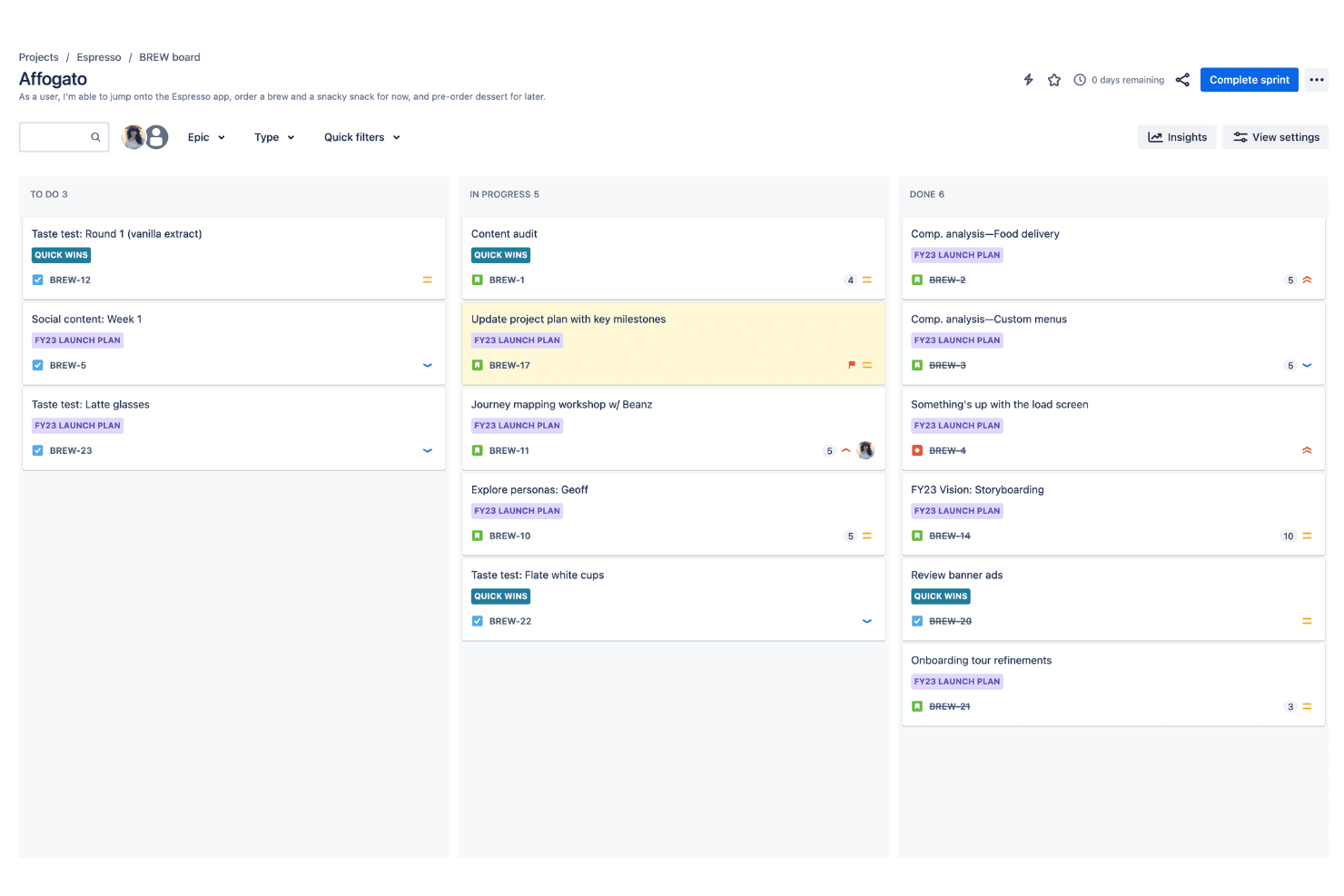
Use Scrum and Kanban boards to visualize your team's progress and manage tasks efficiently. These boards make it simple to adapt to changes and prioritize work.
Reporting
Generate comprehensive reports to analyze your team's performance and project status. This feature provides insights that guide decision-making and improve efficiency.
Custom Workflows
Customize workflows to fit your team's unique processes, ensuring flexibility and control. This allows you to create processes that align with your specific project needs.
Backlog Management
Manage your project backlog with ease, organizing tasks and prioritizing future work. This helps your team stay focused and aligned on project objectives.
Issue Tracking
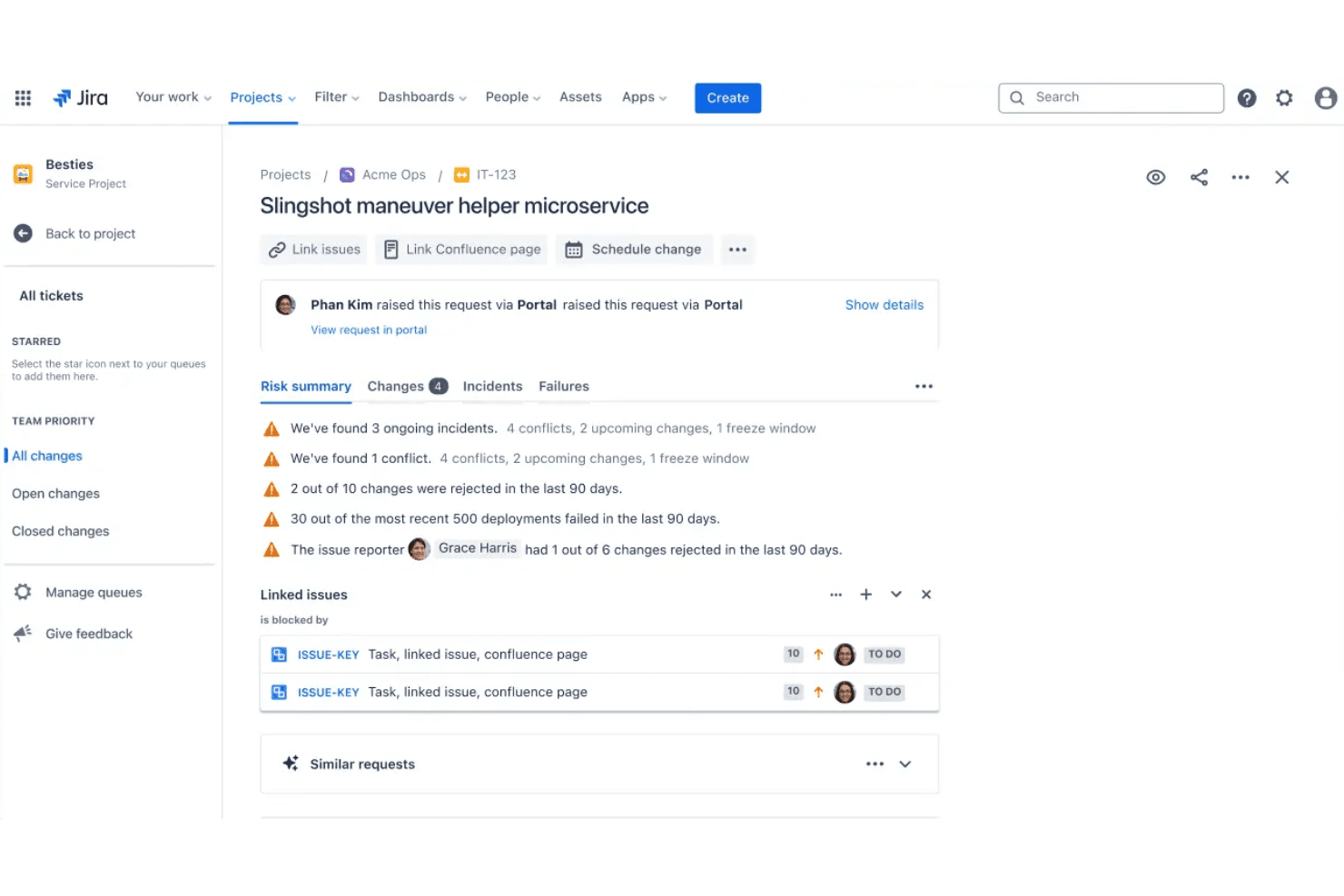
Track and resolve issues quickly to minimize disruptions in your project timeline. This feature ensures you address problems promptly and keep your project on schedule.

Ease of Use
Atlassian Jira can feel overwhelming at first due to its complex interface and extensive features. If your team isn't familiar with agile methodologies, the learning curve might slow you down. However, once you get the hang of it, Jira's customization options and agile boards can significantly enhance your project management. It requires time and patience to master, but the payoff in efficiency and control can be worth it for teams needing detailed project oversight.
Jira Specs
- API: Yes
- Calendar Management: Yes
- Collaboration Support: No
- Dashboards: Yes
- Data Export: Yes
- Data Import: Yes
- External Integrations: Yes
- File Sharing: Yes
- Gantt Charts: Yes
- Kanban Boards: Yes
- Mobile App: Yes
- Multi-User: Yes
- Notifications: Yes
- Prioritization: No
- Project Management: Yes
- Status Notifications: Yes
- Task Scheduling/Tracking: Yes
- Time Management: No
Alternatives to Jira


Jira FAQs
What's Next?
Level up your product strategy and marketing game. Subscribe to our newsletter for expert-backed tips, tools, and frameworks used by leading product teams. Get smarter insights in your inbox—no fluff, just what works.