


Zendesk vs. Intercom: In-Depth Comparison and Expert Reviews for 2026


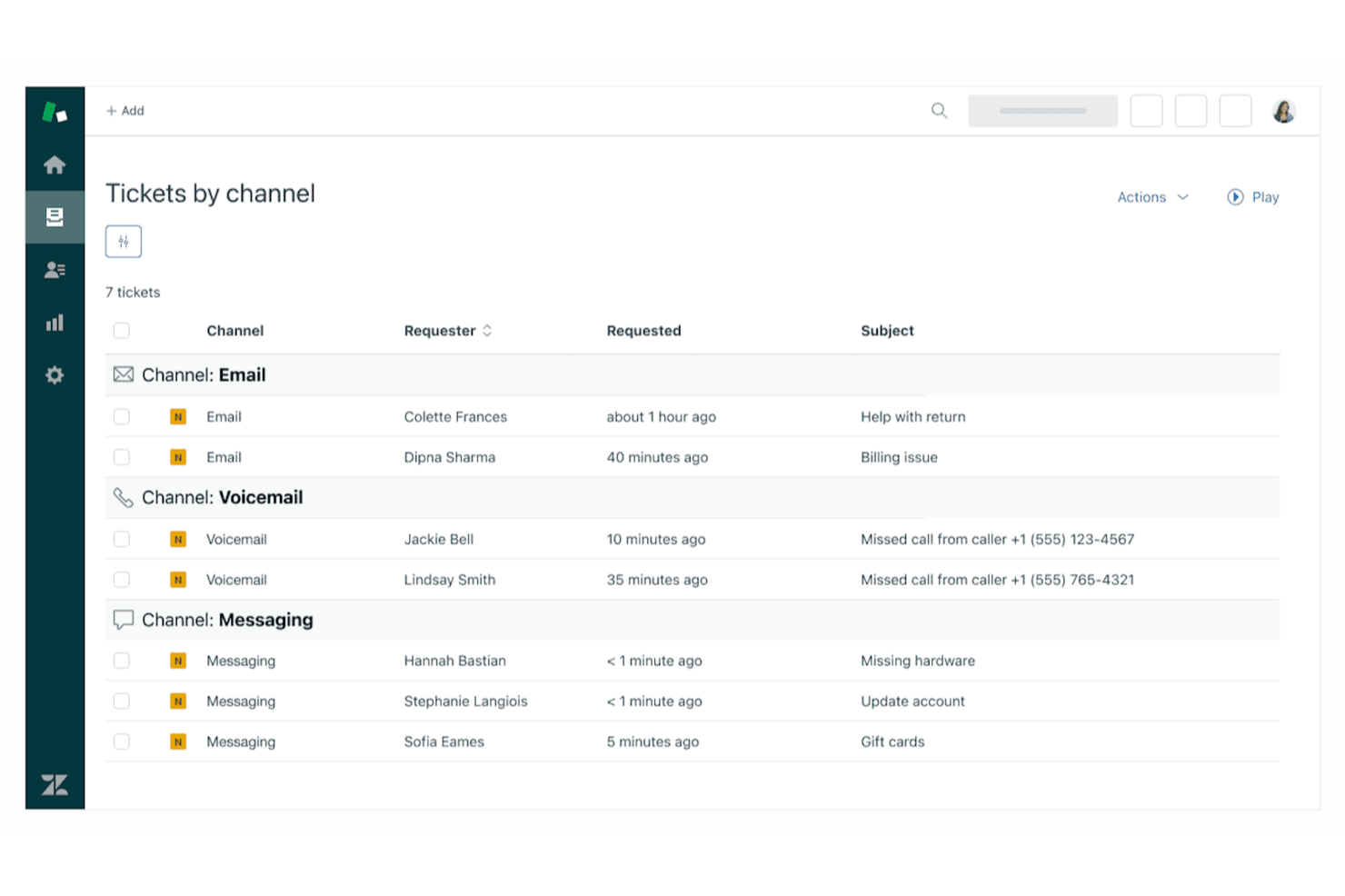
Choosing between Zendesk and Intercom means weighing Zendesk’s structured ticketing and workflow tools against Intercom’s conversational, customer-centric approach to help desk software. If you’re trying to decide which platform will keep your support team efficient and your users satisfied, you’re not alone—these two solutions dominate the help desk software conversation for a reason.
This article breaks down how each platform stacks up, so you can confidently match your support needs to the right tool.
Zendesk vs. Intercom: An Overview
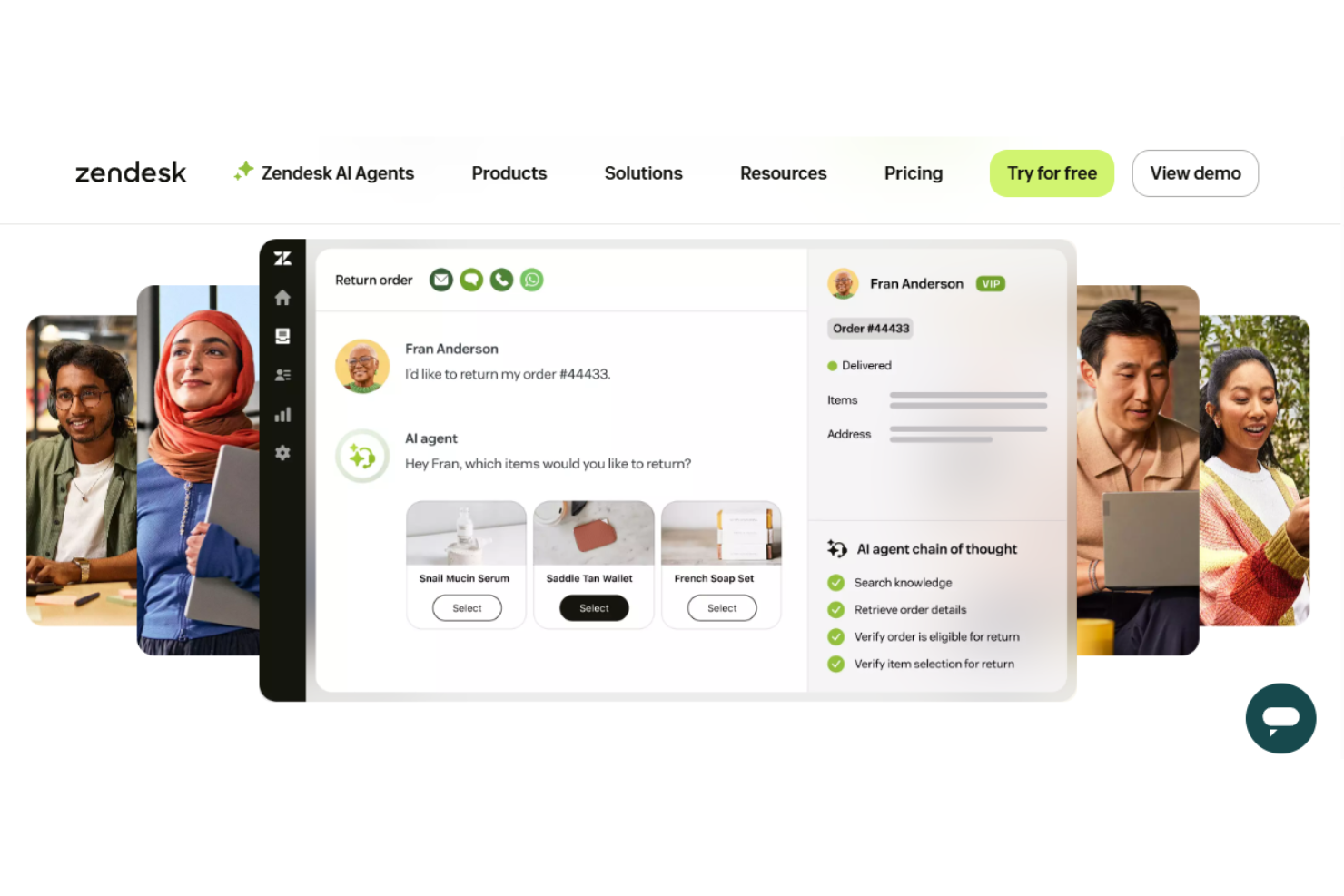
Zendesk

Intercom
Why Trust Our Software Reviews
Zendesk vs. Intercom Pricing Comparison
| Zendesk | Intercom | |
|---|---|---|
| Free Trial | Free trial + free demo available | Free 14-day trial + free demo available |
| Pricing | From $19/agent/month (billed annually) | From $29/user/month (billed annually) |
Zendesk vs. Intercom Pricing & Hidden Costs
Zendesk uses a tiered pricing model based on user seats and feature sets, with add-ons for advanced analytics, AI, and integrations that can increase your total cost. Intercom also offers tiered plans, but its pricing often depends on the number of active users or conversations, and certain automation or reporting features may require extra fees. Both platforms can introduce hidden costs if your team needs premium support, custom integrations, or higher usage limits.
To choose the right pricing model, map out your expected ticket volume, user roles, and must-have features before you commit. Look closely at each vendor’s pricing calculator, and ask about overage fees, integration costs, and support tiers.
Zendesk vs. Intercom Feature Comparison
| Zendesk | Intercom | |
|---|---|---|
| API | ||
| Batch Permissions & Access | ||
| Chat | ||
| Contact Management | ||
| Customer Management | ||
| Customer Service | ||
| Dashboard | ||
| Data Export | ||
| Data Import | ||
| Email Integration | ||
| Escalation Management | ||
| External Integrations | ||
| Instant Chat Integration | ||
| Knowledge Base | ||
| Lead Management | ||
| Lead Scoring | ||
| Multi-User | ||
| Notifications | ||
| Self-service Portal | ||
| Workflow Management |
Zendesk vs. Intercom Integrations
| Integration | Zendesk | Intercom |
| Salesforce | ✅ | ✅ |
| Slack | ✅ | ✅ |
| Shopify | ✅ | ✅ |
| HubSpot | ✅ | ✅ |
| Jira | ✅ | ✅ |
| Microsoft Teams | ✅ | ❌ |
| Mailchimp | ✅ | ✅ |
| WhatsApp Business | ✅ | ✅ |
| Marketo | ✅ | ✅ |
| Google Analytics | ✅ | ✅ |
| API | ✅ | ✅ |
| Zapier | ✅ | ✅ |
Zendesk and Intercom both let you connect to third-party tools (CRMs, messaging, analytics, ecommerce, etc.) and even integrate with each other so teams can share data like tickets and user info, but Zendesk’s integration ecosystem is much broader (with ~1,500+ apps in its Marketplace) compared with Intercom’s smaller library (around ~450 focused largely on messaging, marketing, and product tools).
Despite these differences, both have APIs and can be extended or connected via automation platforms like Zapier, so you can have more flexibility with your integrations.
Zendesk vs. Intercom Security, Compliance & Reliability
| Factor | Zendesk | Intercom |
|---|---|---|
| Data Encryption | Encrypts data in transit and at rest using TLS 1.2+ and AES-256. | Uses TLS for data in transit and AES-256 for data at rest. |
| Regulatory Compliance | SOC 2, ISO 27001, ISO 27701, ISO 27018, GDPR, CCPA, HIPAA (eligible plans), and FedRAMP LI-SaaS; broader enterprise compliance footprint. | SOC 2, ISO 27001, ISO 27701, ISO 27018, GDPR, CCPA, and HIPAA (eligible plans); strong core compliance but fewer government-level certifications. |
| Access Controls | Supports SSO, 2FA, and granular role-based permissions. | Offers SSO, 2FA, and flexible team permissions. |
| Uptime Guarantee | Publishes a 99.9% uptime SLA and real-time status updates. | Maintains a 99.9% uptime SLA with public status monitoring. |
Both Zendesk and Intercom offer strong security and compliance foundations (including SOC 2, ISO 27001, GDPR, and data encryption), so you can trust that your customer data is protected.
Zendesk generally has a broader compliance footprint and more enterprise-focused assurances (like FedRAMP and extensive global certifications), which may matter if you operate in a highly regulated or large-scale environment. Intercom covers the core standards most SaaS businesses need, making both secure choices — but Zendesk may provide added reassurance for more complex compliance requirements.
Zendesk vs. Intercom Ease of Use
| Factor | Zendesk | Intercom |
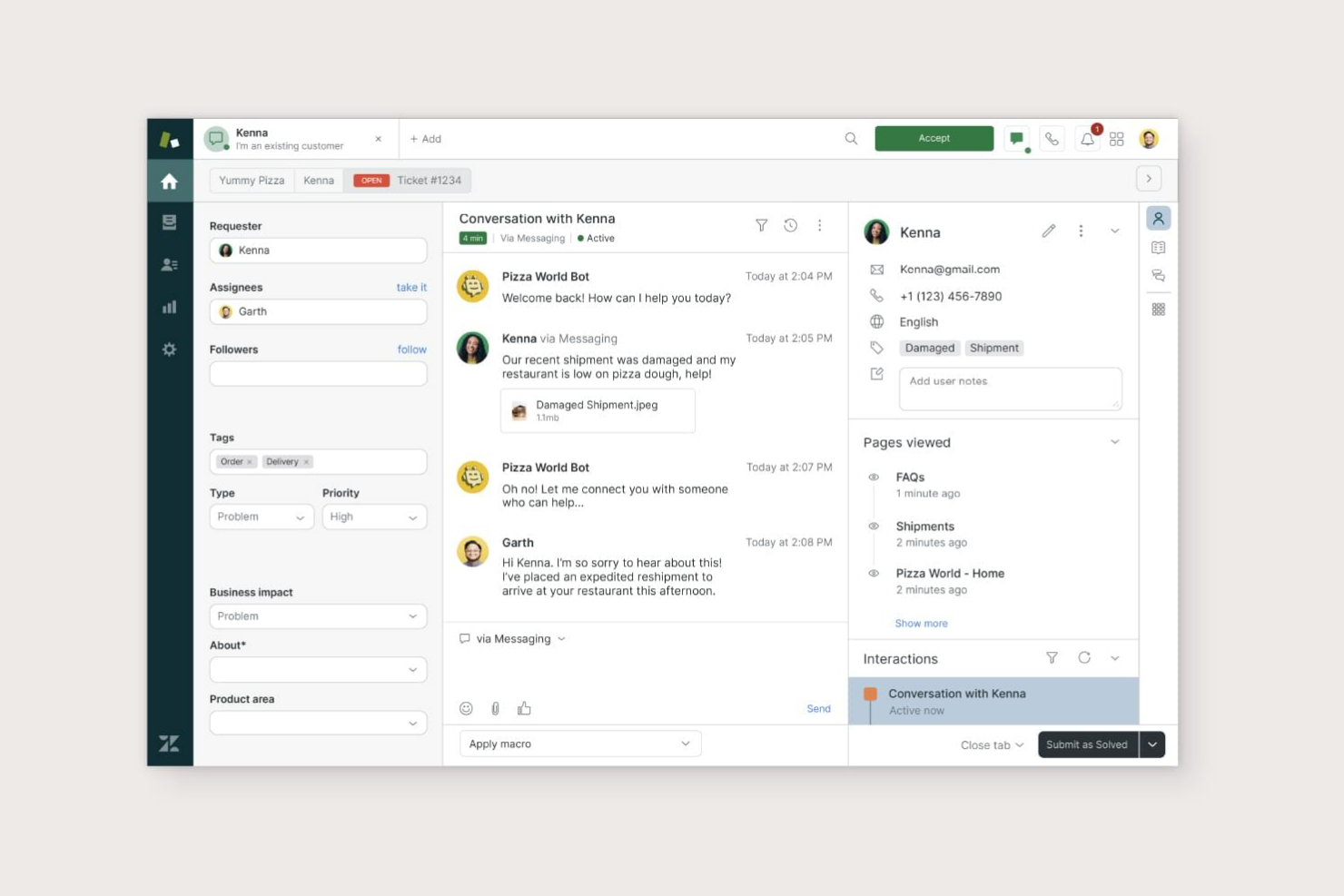
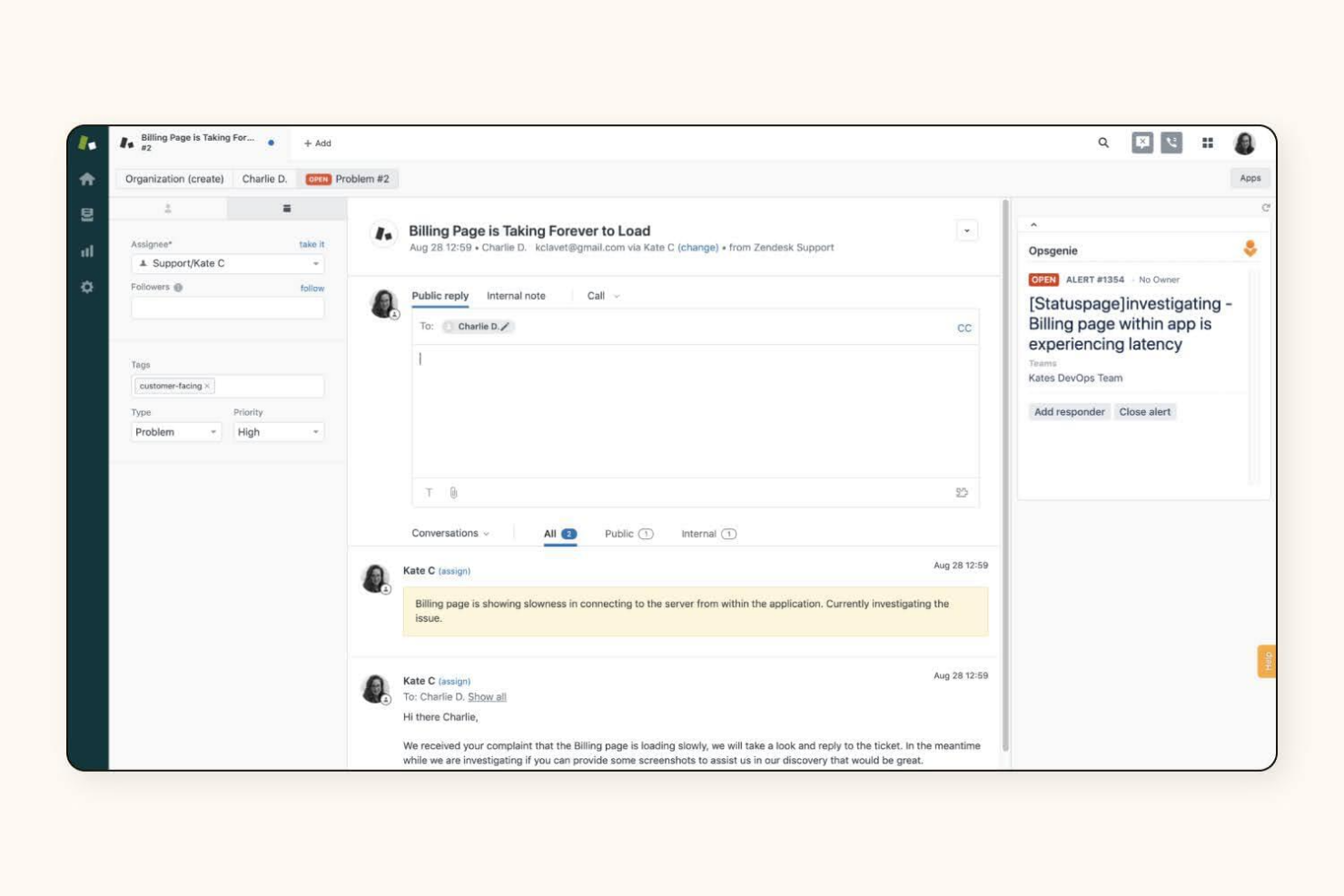
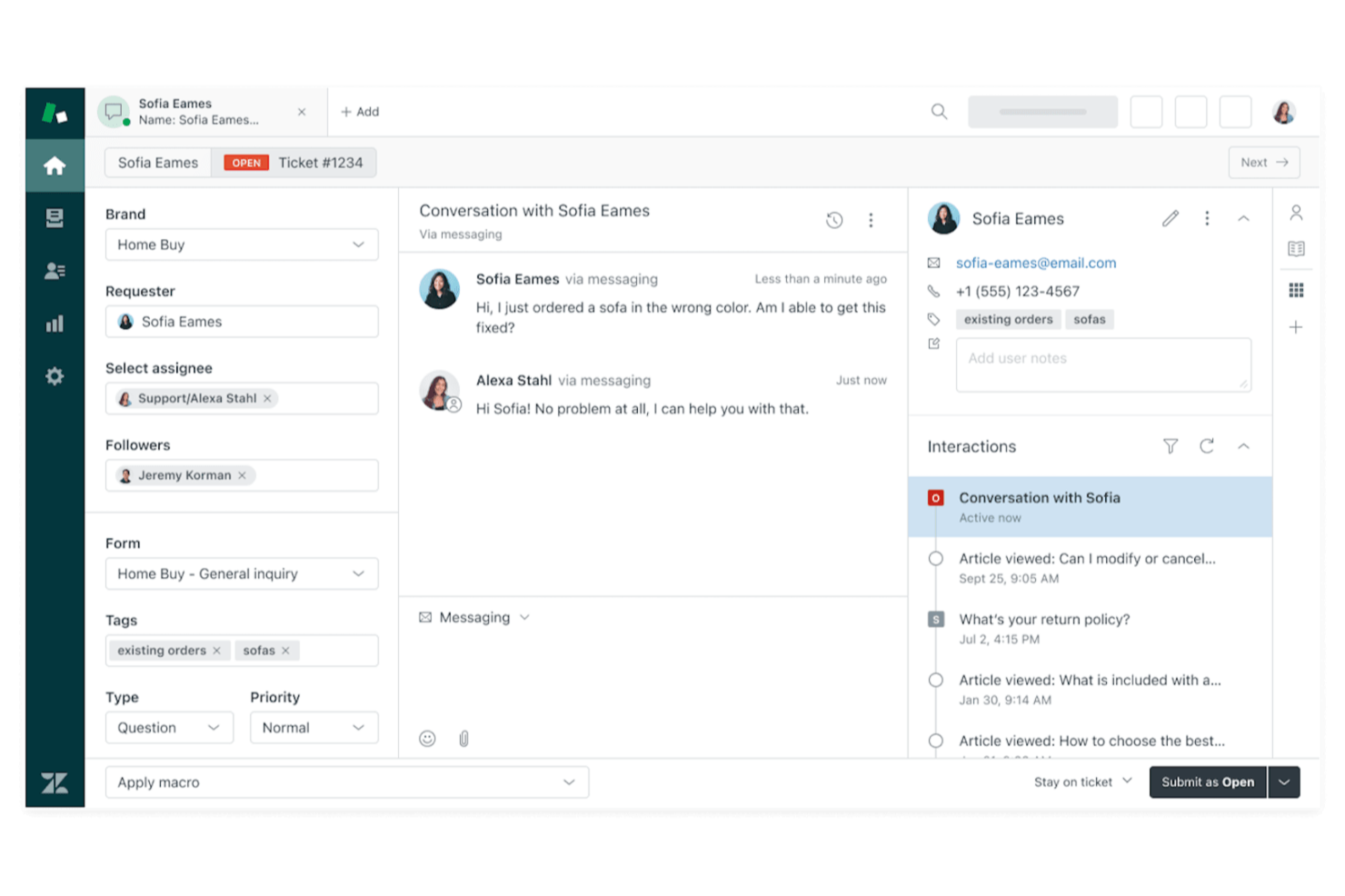
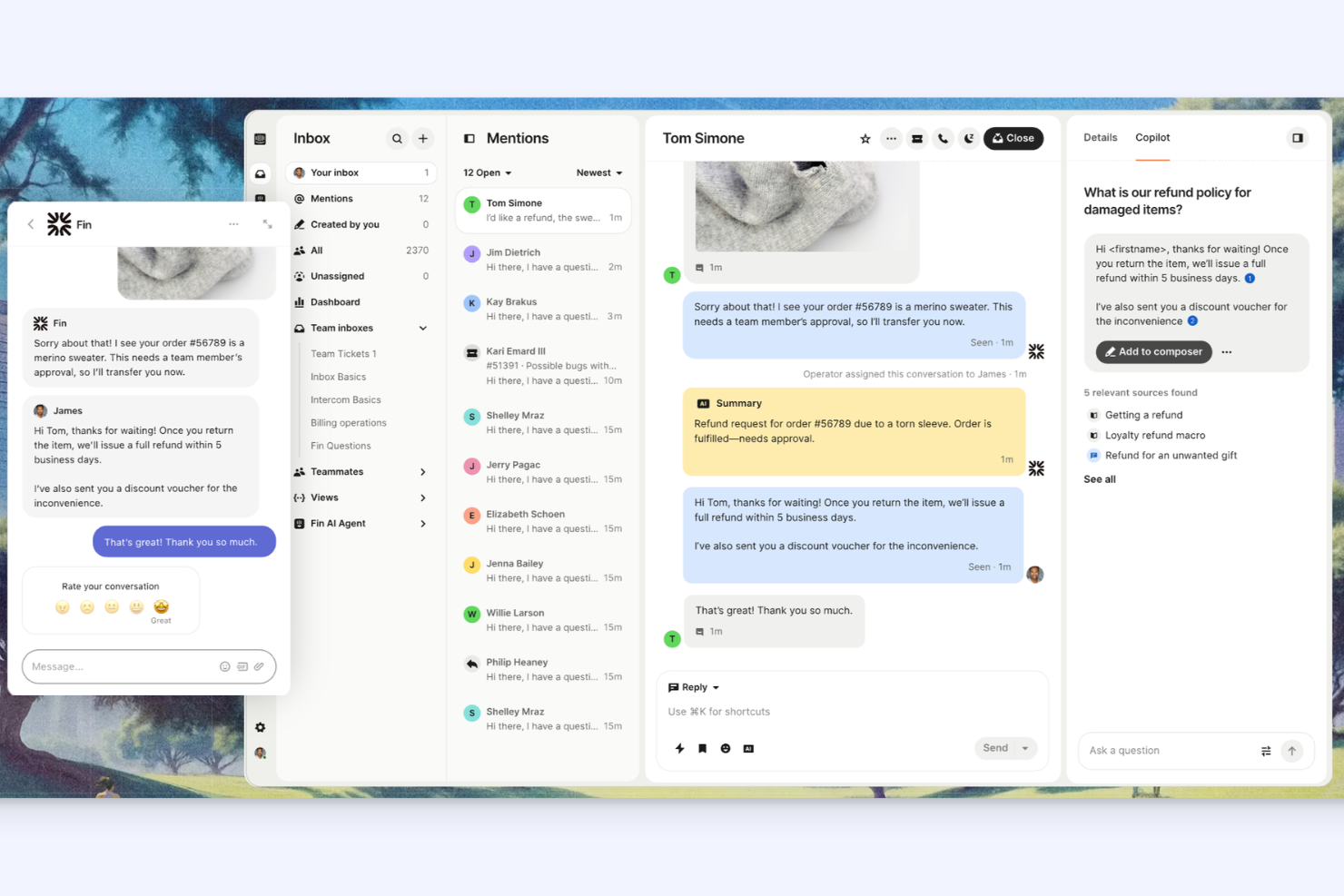
| User Interface | Features a traditional dashboard with customizable views and widgets. | Offers a modern, chat-focused interface that feels intuitive and clean. |
| Onboarding | Provides guided setup, in-app tours, and a detailed knowledge base. | Delivers interactive onboarding with tooltips and quick-start templates. |
| Workflow Setup | Allows granular workflow customization, but setup can be complex. | Streamlines workflow creation with visual builders and templates. |
| Day-to-Day Navigation | Can feel busy for new users, but power users appreciate the depth. | Prioritizes simplicity, making it easy to find and respond to messages. |
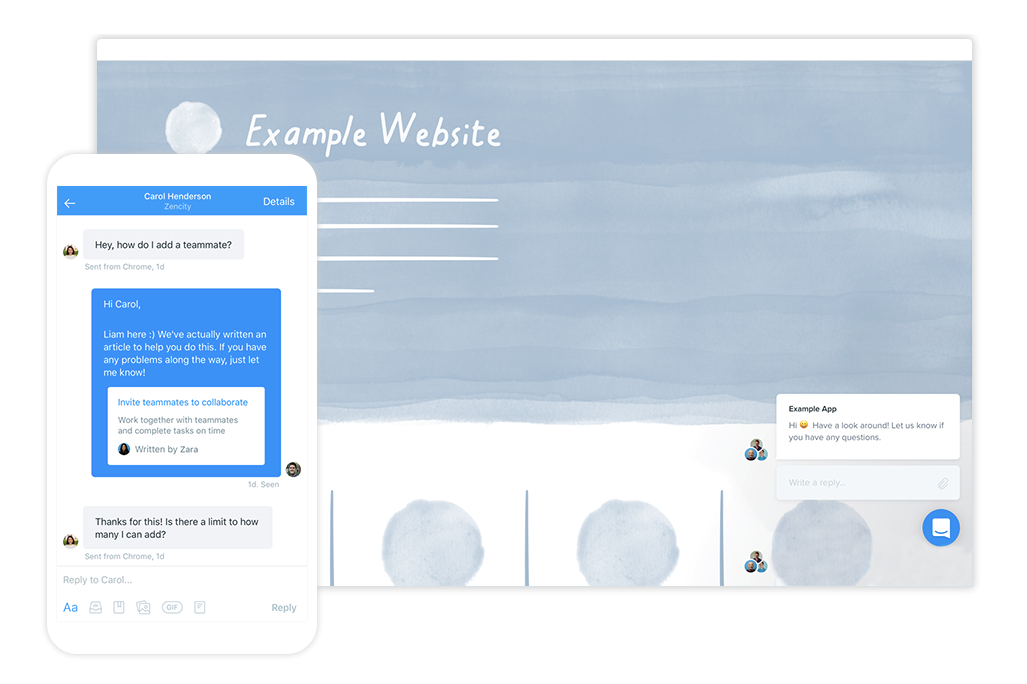
Intercom is generally easier for new users to pick up, while Zendesk’s interface rewards those who need advanced customization and control. Intercom’s chat-first design and visual workflow tools make it a favorite for teams who want to get started quickly without a steep learning curve.
Zendesk vs Intercom: Pros & Cons
Zendesk
- Zendesk provides excellent support, ensuring your issues are addressed promptly.
- It offers powerful reporting tools to help you track and improve performance.
- Your team can easily manage customer interactions with its intuitive interface.
- Some users report occasional delays in loading times.
- Customization options can feel limited for advanced users.
- You might find the initial setup process a bit complex.
Intercom
- Unified inbox for managing all customer conversations.
- Workflow automation reduces manual ticket handling.
- Real-time chat and messaging across multiple channels.
- Support response times can be inconsistent.
- Limited ticket categorization and escalation options.
- Pricing increases quickly with advanced features.
Best Use Cases for Zendesk and Intercom
Zendesk
- Large Enterprises Zendesk scales well for companies with high customer support volumes and complex workflows.
- E-commerce The platform integrates with online stores and provides tools for managing high volumes of customer inquiries.
- SaaS Companies Zendesk's features align well with subscription-based businesses needing to manage ongoing customer relationships.
- IT Departments The software offers IT service management capabilities suitable for handling internal tech support requests.
- Multichannel Support Zendesk excels in unifying customer interactions across various channels like email, chat, and social media.
- Global Teams The platform supports multiple languages and time zones, making it suitable for international customer service operations.
Intercom
- SaaS Startups Intercom’s automation and chat tools support high user volumes and rapid scaling.
- Ecommerce Teams Real-time messaging and proactive outreach help resolve customer issues quickly.
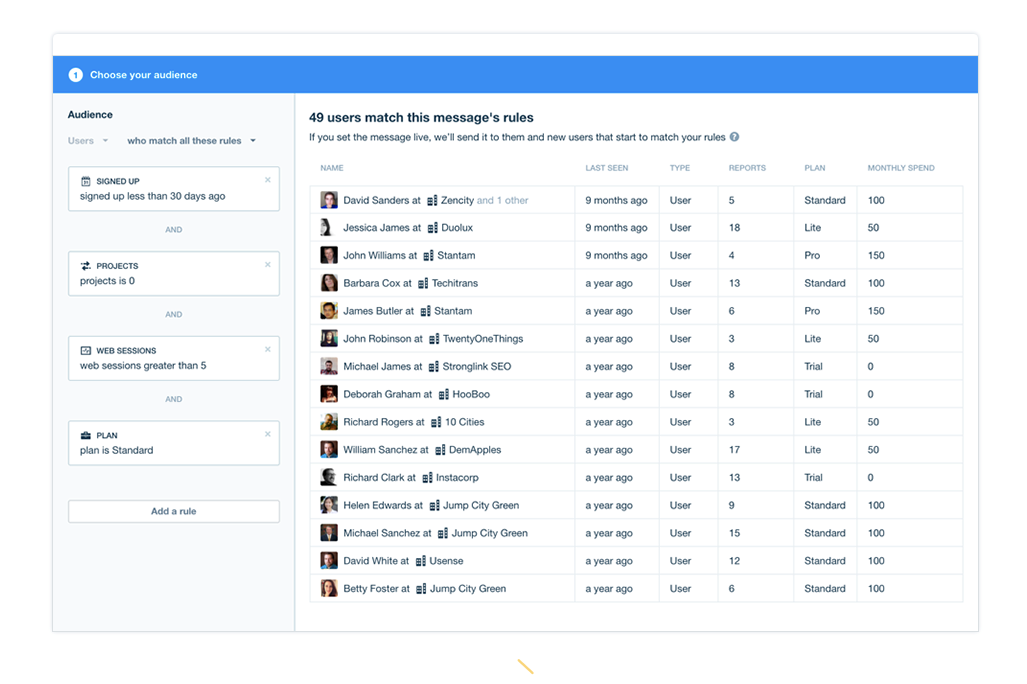
- Customer Success Unified inbox and user data visibility improve personalized support.
- Product Management In-app messaging and feedback collection streamline user communication.
- IT Support Desks Automation and chatbots reduce repetitive ticket handling for IT teams.
- Remote-First Companies Centralized, digital-first support fits distributed teams and global users.
Who Should Zendesk and Who Should Use Intercom?
Zendesk is a strong fit for larger support teams, regulated industries, and organizations that need advanced ticketing, deep customization, and strict compliance. Intercom is best for fast-moving startups, SaaS companies, and customer-centric teams that prioritize real-time chat, automation, and a modern user experience. If your business needs structured workflows and robust reporting, Zendesk is the safer bet; if you want to engage users with conversational support and quick setup, Intercom is the way to go.
Differences Between Zendesk and Intercom
| Zendesk | Intercom | |
|---|---|---|
| Automation | Offers rule-based automations and macros for workflows. | Provides visual bots and automated messaging for engagement. |
| Integrations | Larger marketplace with ~1800+ apps. | Smaller catalog (~450 integrations). |
| Pricing Model | Charges per agent and feature tier, with add-ons. | Charges based on active users or conversations, plus add-ons. |
| Ticket Management | Uses structured ticketing with queues and SLAs. | Focuses on chat-based conversations, not traditional tickets. |
| User Interface | Traditional dashboard with customizable panels. | Modern, chat-first interface with minimal clutter. |
| Read Zendesk ReviewOpens new window | Read Intercom ReviewOpens new window |
Similarities Between Zendesk and Intercom
| API Access | Both offer robust APIs for custom integrations and automation, supporting advanced workflows and data syncs. |
|---|---|
| Helpdesk | Both platforms provide structured systems for managing, tracking, and resolving customer support inquiries across teams. |
| Knowledge Base | Both platforms provide structured systems for managing, tracking, and resolving customer support inquiries across teams. |
| Multi-Channel Support | Both let you manage email, chat, and social media messages in one place; Zendesk uses unified inboxes, while Intercom blends channels into chat. |
| Reporting & Analytics | Each platform includes dashboards and reporting tools to track team performance, customer satisfaction, and support trends. |
| Read Zendesk ReviewOpens new window Read Intercom ReviewOpens new window | |