

TestMu AI Review: Pros, Cons, Features, and Pricing Explained


If you’re managing QA today, you’re likely dealing with slow test creation, flaky results, and too many tools stitched together across your pipeline. That’s exactly the gap TestMu AI is trying to solve.
Rather than acting as a traditional end-to-end testing tool, TestMu AI is an AI-native quality engineering platform designed to help you plan, create, run, and analyze tests within a single system. Whether you’re validating web apps, mobile experiences, or even AI agents, it unifies automation, real-device testing, and AI-powered insights so you can move faster without compromising on quality.
In this review, I’ll walk you through TestMu AI’s core capabilities, where it stands out, its tradeoffs, and whether it fits your team’s QA and DevOps workflows.
TestMu AI Evaluation Summary
- From $15/user/month (billed annually)
- Free plan available + free demo
Why Trust Our Software Reviews
We’ve been testing and reviewing software since 2023. As tech leaders ourselves, we know how critical and difficult it is to make the right decision when selecting software.
We invest in deep research to help our audience make better software purchasing decisions. We’ve tested more than 2,000 tools for different tech use cases and written over 1,000 comprehensive software reviews. Learn how we stay transparent & our software review methodology.
TestMu AI Overview
TestMu AI brings together multiple layers of the testing lifecycle into a single platform, including AI-driven test creation (via KaneAI), centralized test management, high-speed orchestration with HyperExecute, and a testing cloud that spans 3000+ browser environments and 10,000+ real devices. It also adds AI-native capabilities like root cause analysis, flaky test detection, and agent-to-agent testing for validating modern AI systems.
What makes it stand out is how tightly these pieces are integrated. Instead of juggling separate tools for writing, running, and analyzing tests, I like that TestMu AI connects everything into one workflow, helping reduce tool sprawl and improve feedback loops across QA, DevOps, and engineering teams.
pros
-
AI-native platform with autonomous test creation, execution, and analysis (KaneAI + Test Intelligence).
-
Extensive test coverage across 3000+ browser and OS combinations and 10,000+ real devices.
-
A unified platform that combines test creation, management, execution, and insights, which reduces tool sprawl.
cons
-
Advanced features and enterprise capabilities may require onboarding support or technical guidance.
-
Pricing can increase significantly as teams scale usage across multiple modules.
-
Despite deep AI capabilities, it’s not ideal for hands-off teams as it still requires some engineering involvement.
Is TestMu AI Right For Your Needs?
Who Would be a Good Fit for TestMu AI?
Overall, I think TestMu AI is a strong choice for teams that need scalable, AI-native testing across web, mobile, APIs, and modern AI-powered applications while consolidating test creation, execution, and analysis into a single platform. With its real-device cloud, broad cross-browser coverage, and intelligent orchestration, it’s especially well-suited for engineering-driven teams running frequent releases, complex test suites, and CI/CD workflows that require faster feedback, deeper visibility into test performance, and more autonomous QA workflows.
-
Product Managers
KaneAI enables product managers and non-technical stakeholders to create tests with natural language, contribute to coverage, validate user journeys, and collaborate more effectively with QA and engineering teams.
-
Mobile App Testing Teams
The real device cloud enables thorough validation across a wide range of devices, OS versions, and real-world usage conditions that emulators can’t fully replicate.
-
Global Teams Requiring Localization Testing
Broad browser, device, and geolocation coverage makes it easier to validate user experiences across multiple devices, regions, languages, and environments.
-
AI Product Teams (LLMs, Chatbots, Voice Agents)
Agent-to-agent testing enables teams to evaluate hallucination, bias, and response quality, making it a strong fit for organizations building and deploying AI-driven applications.
-
Enterprises Standardizing QA Tooling
Helps enterprises consolidate testing tools into a single platform while scaling automation across teams. Its AI-native test creation, execution, and analysis improve reliability, enhance visibility, governance, and collaboration, and reduce maintenance for QA engineers.
-
DevOps & Platform Engineering Teams
TestMu AI integrates directly into CI/CD pipelines and supports large-scale orchestration, making it ideal for teams embedding testing into infrastructure and release workflows.
Who Would be a Bad Fit for TestMu AI?
TestMu AI may not be the best fit for teams looking for a simple, lightweight testing tool or those with minimal automation needs. Its broad platform (spanning AI-native test creation, orchestration, and analytics) can introduce unnecessary complexity for teams looking for a single-purpose tool. Additionally, if you require purely on-premise deployments or operate primarily in hardware-focused environments, you may find the platform less aligned with your needs.
-
Teams with Minimal Testing Needs
If you only need basic manual testing or low-volume automation, TestMu AI’s full platform may be more than necessary.
-
On-Premise Only Organizations
While TestMu AI offers enterprise deployment options such as private environments and secure execution layers, not all modules are designed for full on-premise use. Some core AI-driven capabilities remain cloud-native, making it less suitable for fully isolated, air-gapped deployments.
-
Hardware or Manufacturing-Focused Teams
TestMu AI is designed for digital applications and may not suit teams focused on embedded systems or physical hardware validation.
-
Teams Looking for a Lightweight, Single-Purpose Tool
If you only need a simple tool for one type of testing (like basic manual testing or a single automation framework), TestMu AI’s all-in-one functionality may feel more complex than necessary.
-
Teams Without Established QA or DevOps Processes
Since the platform integrates deeply with CI/CD and engineering workflows, teams without structured QA practices may struggle to fully leverage its capabilities.
-
Organizations Expecting Fully Hands-Off Automation
AI accelerates testing workflows, but it doesn’t replace the need for engineering oversight, test strategy, or quality ownership.
Our Review Methodology
How We Test & Score Tools
We’ve spent years building, refining, and improving our software testing and scoring system. The rubric is designed to capture the nuances of software selection and what makes a tool effective, focusing on critical aspects of the decision-making process.
Below, you can see exactly how our testing and scoring works across seven criteria. It allows us to provide an unbiased evaluation of the software based on core functionality, standout features, ease of use, onboarding, customer support, integrations, customer reviews, and value for money.
Core Functionality (25% of final scoring)
The starting point of our evaluation is always the core functionality of the tool. Does it have the basic features and functions that a user would expect to see? Are any of those core features locked to higher-tiered pricing plans? At its core, we expect a tool to stand up against the baseline capabilities of its competitors.
Standout Features (25% of final scoring)
Next, we evaluate uncommon standout features that go above and beyond the core functionality typically found in tools of its kind. A high score reflects specialized or unique features that make the product faster, more efficient, or offer additional value to the user.
We also evaluate how easy it is to integrate with other tools typically found in the tech stack to expand the functionality and utility of the software. Tools offering plentiful native integrations, 3rd party connections, and API access to build custom integrations score best.
Ease of Use (10% of final scoring)
We consider how quick and easy it is to execute the tasks defined in the core functionality using the tool. High scoring software is well designed, intuitive to use, offers mobile apps, provides templates, and makes relatively complex tasks seem simple.
Onboarding (10% of final scoring)
We know how important rapid team adoption is for a new platform, so we evaluate how easy it is to learn and use a tool with minimal training. We evaluate how quickly a team member can get set up and start using the tool with no experience. High scoring solutions indicate little or no support is required.
Customer Support (10% of final scoring)
We review how quick and easy it is to get unstuck and find help by phone, live chat, or knowledge base. Tools and companies that provide real-time support score best, while chatbots score worst.
Customer Reviews (10% of final scoring)
Beyond our own testing and evaluation, we consider the net promoter score from current and past customers. We review their likelihood, given the option, to choose the tool again for the core functionality. A high scoring software reflects a high net promoter score from current or past customers.
Value for Money (10% of final scoring)
Lastly, in consideration of all the other criteria, we review the average price of entry level plans against the core features and consider the value of the other evaluation criteria. Software that delivers more, for less, will score higher.
Core Features
AI Test Creation (KaneAI)
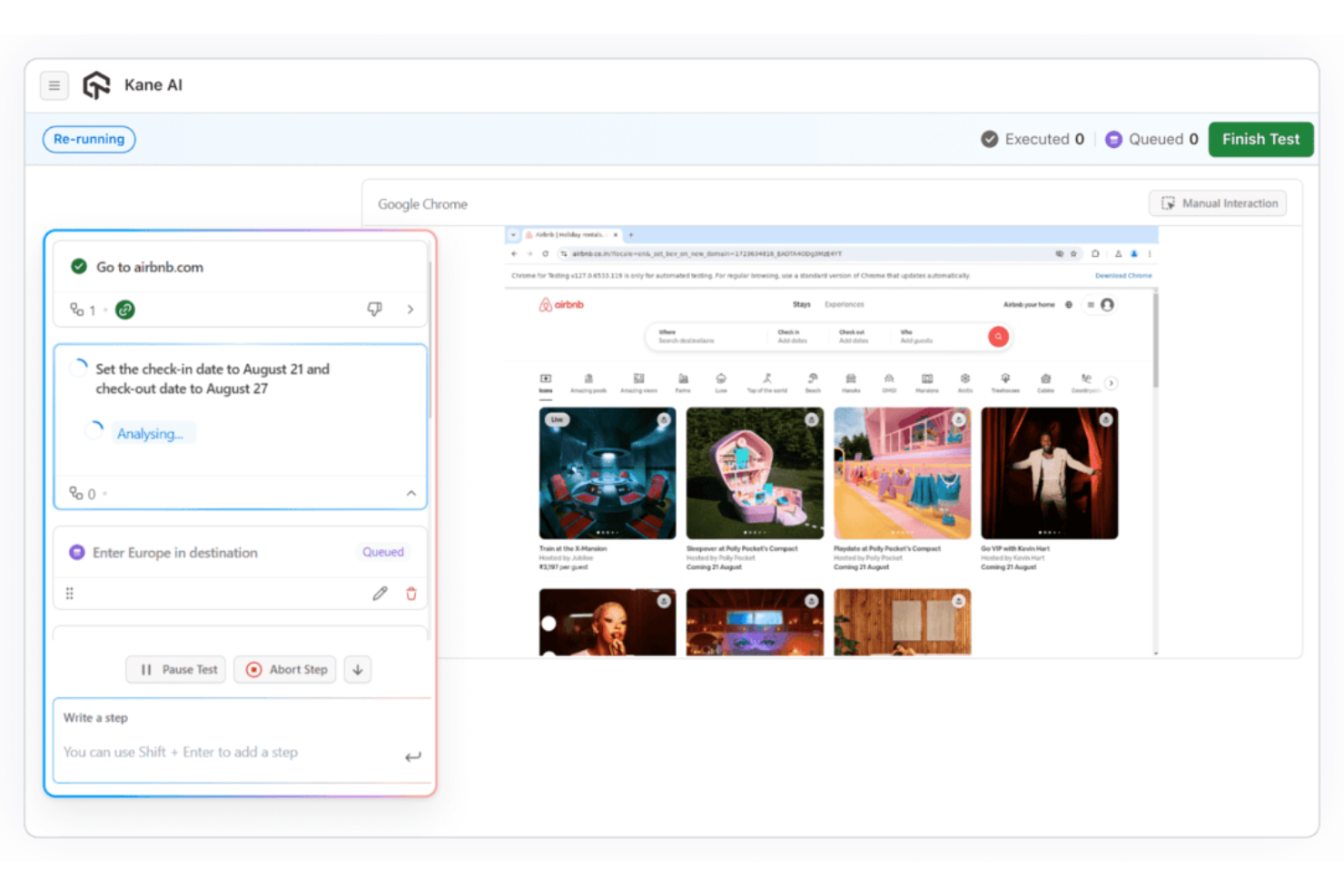
Generate, execute, and evolve test cases using natural language inputs and existing artifacts like Jira tickets or documentation. This reduces manual scripting and accelerates test development.
Automation Cloud (Web & Mobile Testing)
Run automated tests across web and mobile applications using frameworks like Selenium, Playwright, Cypress, and Appium on scalable cloud infrastructure.
Real Device Cloud
Run manual and automated tests on 10,000+ iOS and Android mobile devices, ensuring accurate results across real-world hardware, OS versions, and environments.
HyperExecute (Orchestration & Execution)
Execute tests at scale with AI-driven orchestration infrastructure, featuring intelligent auto-splitting, smart dependency resolution, parallel execution, fail-fast mechanisms, and real-time observability to accelerate feedback cycles.
Test Manager (Centralized Test Management)
Create, organize, and track manual and automated test cases in one system, with version control, reporting, and two-way Jira sync for full traceability.
SmartUI (Visual Testing)
Detect meaningful UI regressions across different browsers, devices, and applications while filtering out visual noise, with built-in root cause analysis for faster debugging.
Test Intelligence (AI Analytics & Insights)
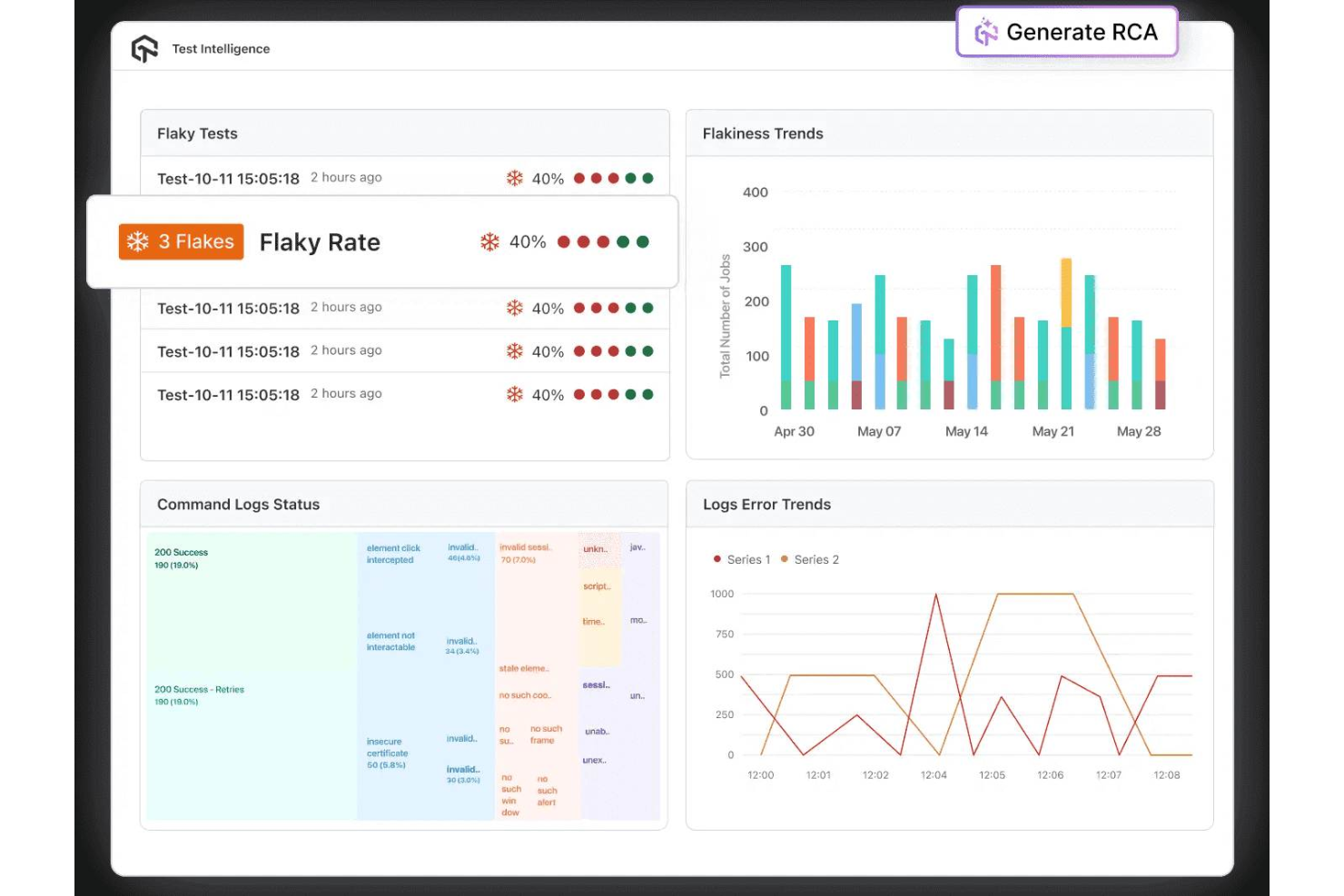
Automatically analyze test results to detect flaky tests, classify failures, and generate AI-driven root cause insights, helping teams resolve issues faster.
Accessibility Testing
Validate applications against accessibility standards like WCAG and ADA, helping ensure inclusive and compliant user experiences.
API & Performance Testing
Test APIs at the interface level and run performance tests with scalable infrastructure and multi-region load distribution.
Standout Features
Agent-to-Agent Testing
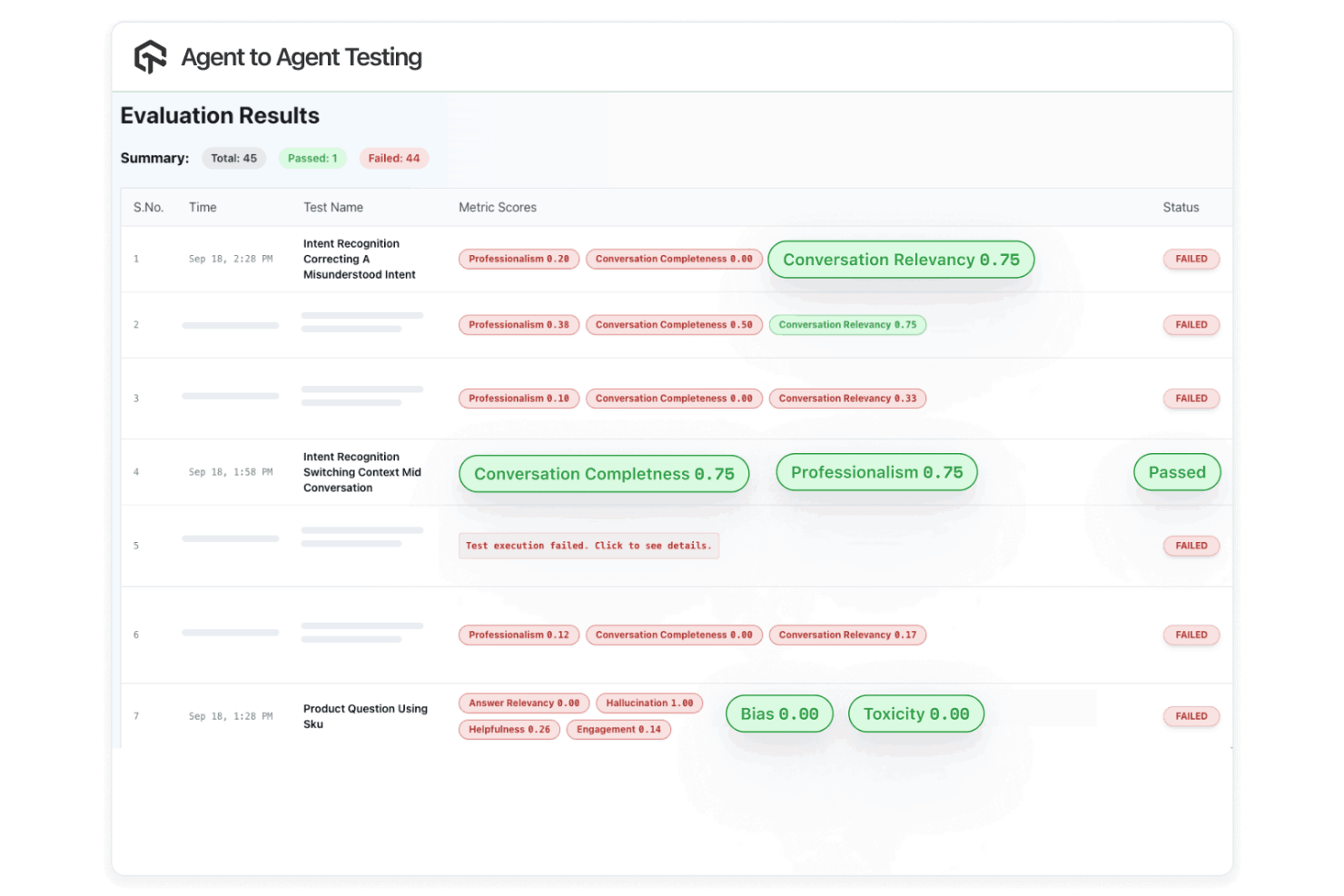
TestMu AI enables autonomous AI agents to evaluate other AI systems—such as chatbots and voice assistants—for hallucination, bias, toxicity, and accuracy. This is a forward-looking capability rarely found in traditional testing platforms.
Unified AI-Native Testing Platform
Unlike tools that handle only one part of the testing lifecycle, TestMu AI connects test creation, management, execution, and analysis into a single system—reducing tool sprawl and improving end-to-end QA workflows.
AI Root Cause Analysis Across the Stack
TestMu AI goes beyond surfacing failures. It explains them. Its AI-driven root cause analysis pinpoints why tests fail across functional, visual, and performance layers, reducing manual debugging effort.
Ease of Use
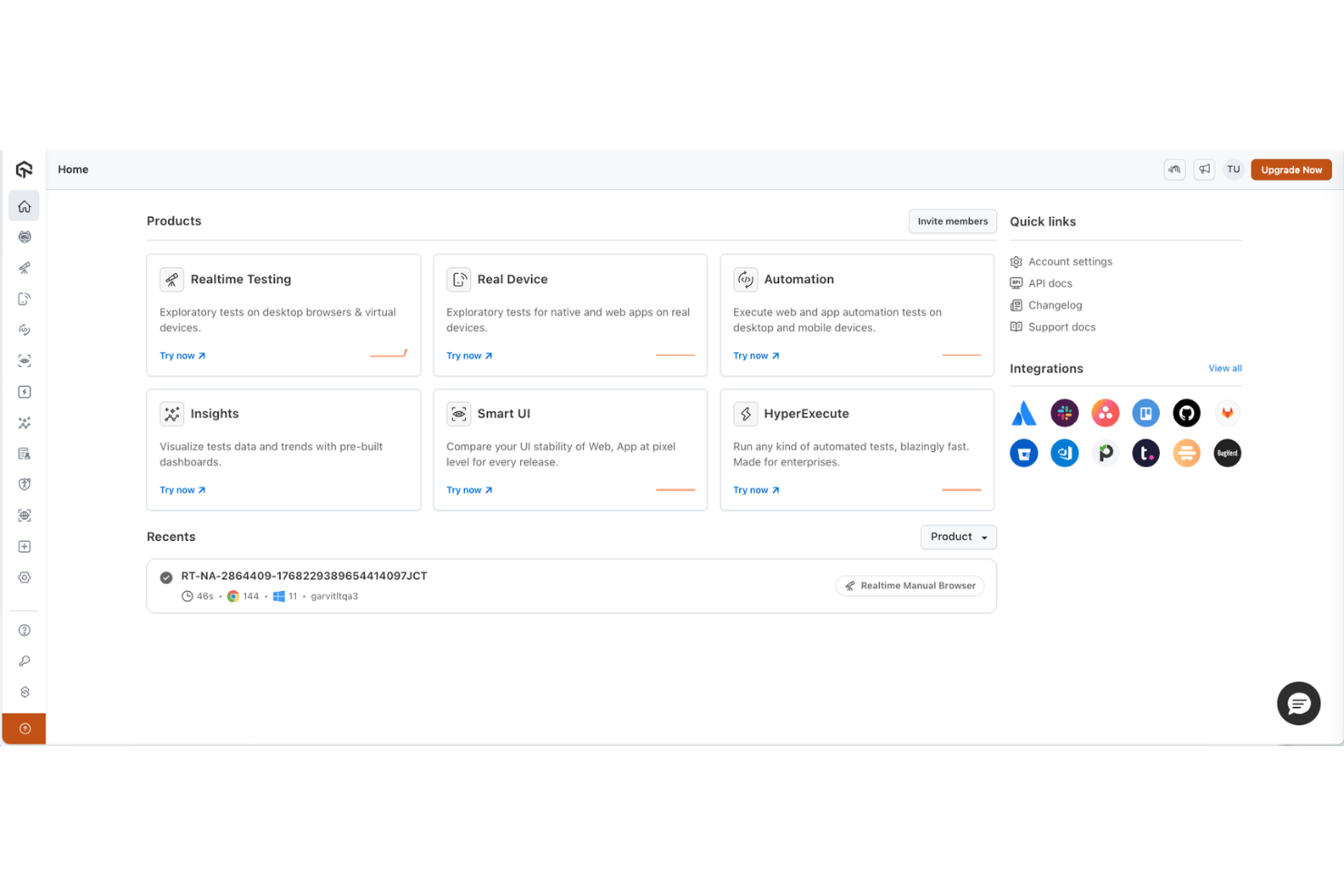
TestMu AI is relatively approachable for a platform of its scope, combining a clean interface with guided onboarding and natural language test creation through KaneAI, allowing teams to get started quickly with basic testing across browsers, devices, and environments.
While its AI-native features reduce manual effort and the centralized dashboard makes it easy to monitor results and troubleshoot issues, fully leveraging advanced capabilities like orchestration and CI/CD integration may require some technical familiarity.
Onboarding
TestMu AI offers a flexible onboarding experience that combines self-serve setup with guided support for more complex implementations. Smaller teams can get started quickly using documentation, walkthroughs, and sandbox environments, often running initial tests within hours.
For mid-market and enterprise customers, TestMu AI provides dedicated onboarding support, including solutions engineers who assist with CI/CD integration, environment configuration, and initial test execution. While the platform is relatively quick to adopt for basic use cases, full rollout across teams and workflows can take a few weeks, depending on complexity.

Customer Support
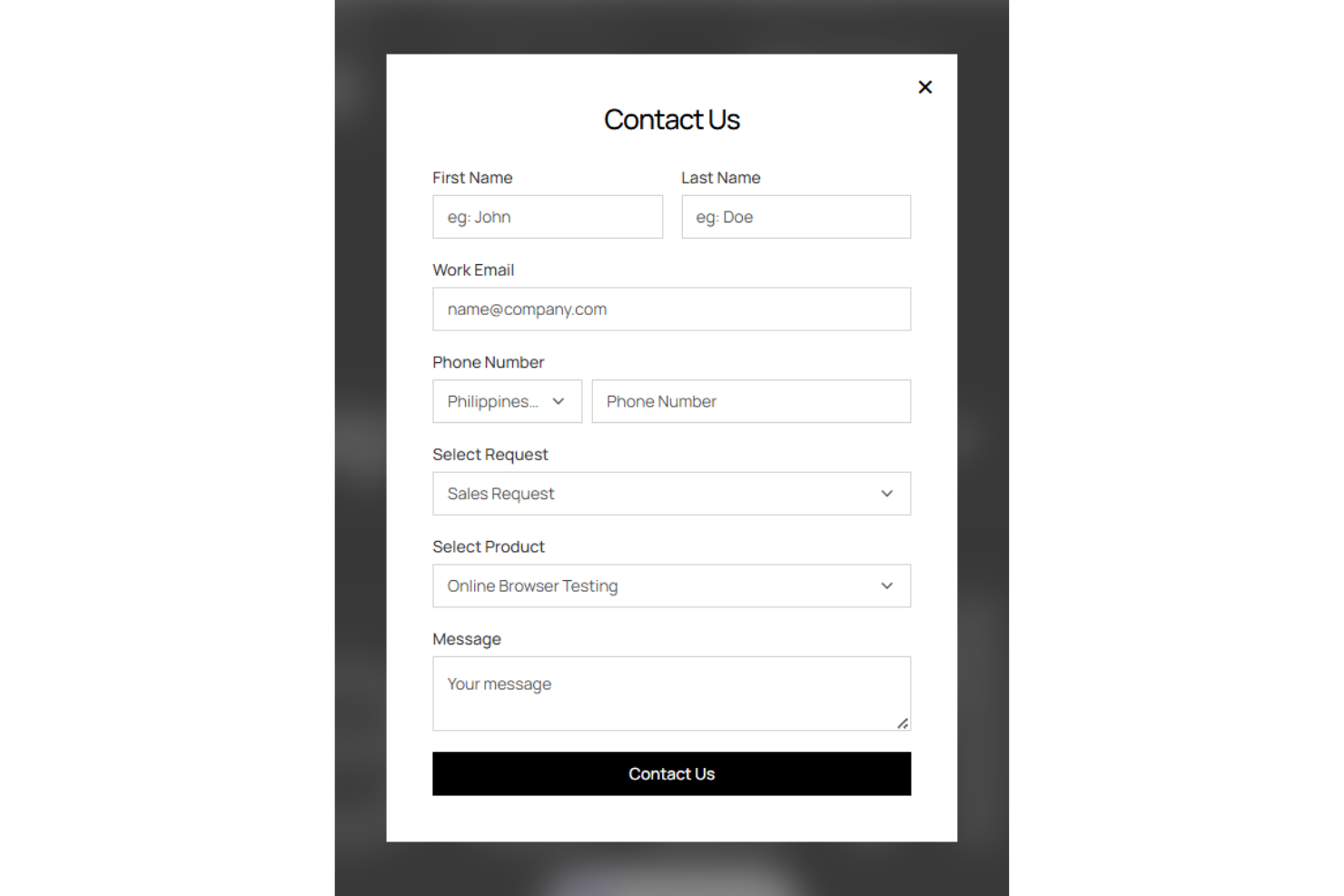
TestMu AI provides multiple support channels, including live chat, email, and a comprehensive knowledge base for self-serve troubleshooting, along with tiered support options for enterprise customers such as dedicated solutions engineers and customer success managers. It also maintains an active community of over 100,000 testers and developers, with forums, events, certifications, and learning resources that help users troubleshoot issues, share knowledge, and stay up to date.
Integrations
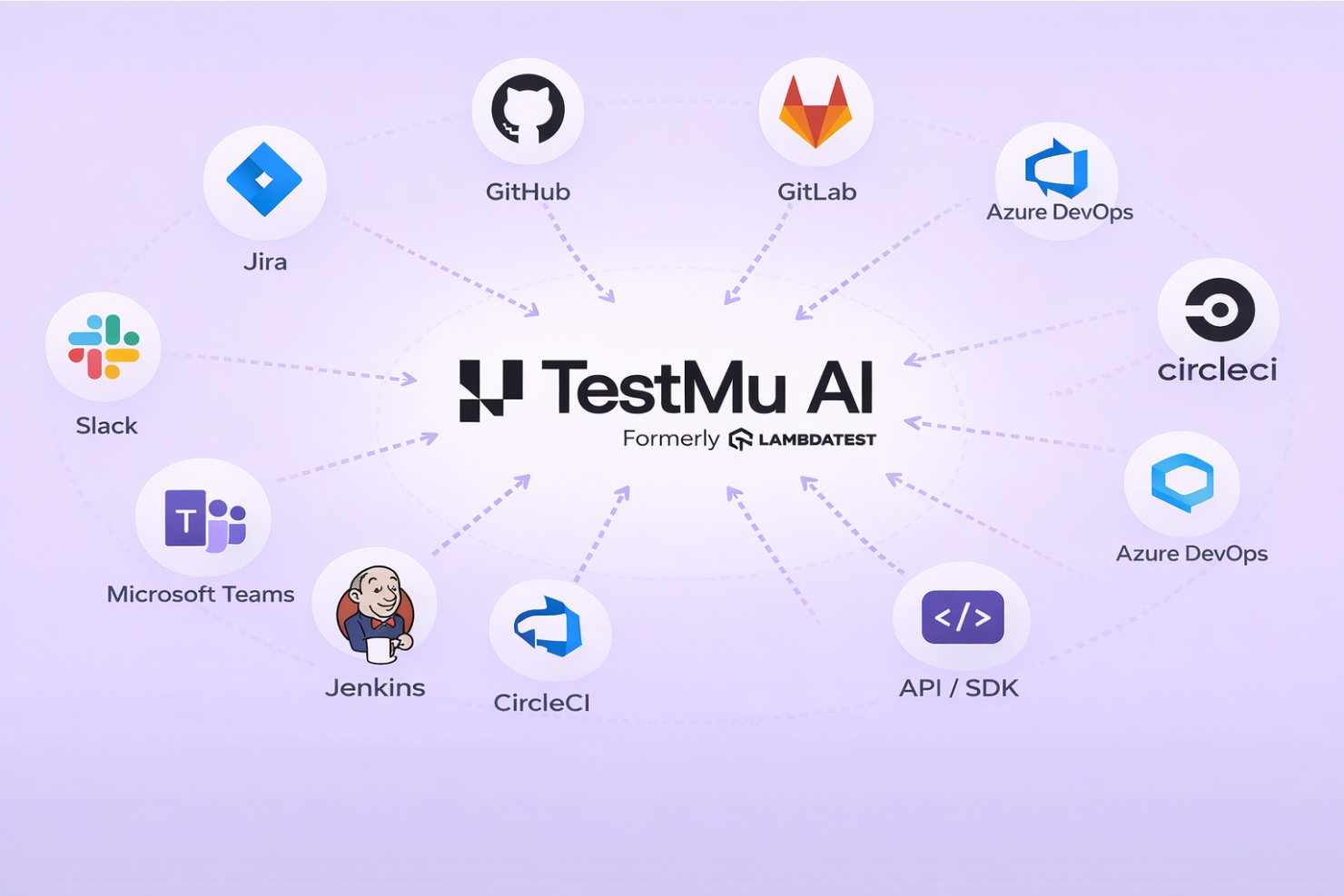
TestMu AI offers a broad integration ecosystem, connecting with tools like Jira, GitHub, GitLab, Azure DevOps, Jenkins, CircleCI, and communication platforms such as Slack and Microsoft Teams. It also provides extensive API support across its platform, enabling teams to build custom workflows and integrate testing seamlessly into existing CI/CD and development pipelines.
Value for Money
TestMu AI offers strong value for teams that fully leverage its modular platform, but pricing can vary significantly depending on which components you use. Instead of a single bundled plan, features like live testing, HyperExecute, and KaneAI are priced as separate modules, allowing teams to scale usage based on their needs. Core modules include:
- Live Testing (browser + manual testing)
- Automation Cloud (web + mobile automation)
- HyperExecute (test orchestration & execution)
- SmartUI (visual testing)
- KaneAI (AI test creation agent)
- Test Manager (test case management)
Each module is broken into tiers, such as:
- Free: Limited access to select modules with usage caps.
- Core Plans: Entry-level pricing for individual modules.
- Advanced Modules: Higher-cost features like real devices, orchestration, and AI agents.
- Enterprise: Custom pricing with advanced security, private environments, and dedicated support.
There is a free tier and relatively low entry pricing for basic live testing, but costs increase as you add real devices, higher parallel test execution, or AI-driven capabilities like KaneAI. Overall, it’s a strong investment for teams adopting multiple modules, though teams with limited budgets may find the pricing adds up quickly.

TestMu AI Specs
- A/B Testing
- API
- Automated Testing
- Browser Compatibility Testing
- Bug Tracking
- Calendar Management
- CI/CD Integration
- Dashboard
- Data Export
- Data Import
- Data Visualization
- Developer Tools
- External Integrations
- History/Version Control
- Manual Testing
- Multi-User
- Notifications
- Performance Testing
- Regression Testing
- Scheduling
- Status Notifications
- Third-Party Plugins/Add-Ons
TestMu AI FAQs
How does TestMu AI handle test flakiness and maintenance?
Can I run tests on both web and mobile applications with TestMu AI?
What programming languages and frameworks does TestMu AI support?
How does TestMu AI ensure data security and compliance?
Is it possible to integrate TestMu AI with CI/CD pipelines?
How does TestMu AI support collaboration among distributed teams?
What kind of reporting and analytics does TestMu AI provide?
What support and training resources are available for new users?
TestMu AI Company Overview & History
TestMu AI, formerly known as LambdaTest, is a global provider of AI-native end-to-end software testing solutions. Founded in 2017 and headquartered in San Francisco, the company is trusted by over 2 million users across 10,000+ enterprises in 132 countries, with notable clients including Dashlane, Lereta, Dunelm, Trepp, and Transavia. TestMu AI is recognized for its innovation in AI-driven testing, strong customer experience, and enterprise-grade security and compliance standards.
TestMu AI Major Milestones
- 2017: LambdaTest is founded.
- 2018–2019: Early traction phase: Rapid adoption among developers worldwide, reaching tens of thousands of users and validating product-market fit in cloud-based testing.
- 2022: Begins deeper investment in AI-driven testing and intelligent orchestration, signaling a shift toward more autonomous quality engineering.
- 2024: Launches KaneAI, an AI-native test agent for automated test creation and execution.
- 2024: Surpasses 2+ million users and over 1.2 billion tests executed globally, with customers across 130+ countries.
- 2024: Raises $38M in funding, bringing total funding to over $100M and accelerating enterprise growth.
- 2026: LambdaTest rebrands as TestMu AI, launching an AI-agentic quality engineering platform focused on autonomous, end-to-end testing.