

Roboflow vs. Labelbox: Comparison & Expert Reviews for 2026


Building AI models is hard enough, and choosing between machine learning tools shouldn’t slow you down. If you’re trying to scale data labeling, improve annotation quality, manage complex datasets, or control costs, you’ve likely come across Roboflow and Labelbox. But figuring out which platform actually fits your workflow can feel overwhelming. Do you need end-to-end computer vision support or a robust enterprise-grade data labeling system? Are you optimizing for speed, governance, collaboration, or deployment?
In this article, I’ll break down Roboflow vs. Labelbox to help you make a confident decision. I’ll compare their core features, pricing structures, ideal use cases, and overall pros and cons, so you can determine which of these tools best aligns with your team’s goals, technical requirements, and budget.
Roboflow vs. Labelbox: An Overview
Roboflow
Labelbox
Why Trust Our Software Reviews
Roboflow vs. Labelbox Pricing Comparison
| Roboflow | Labelbox | |
|---|---|---|
| Free Trial | Free plan available | Free trial available |
| Pricing | From $79/month (for 3 users, billed annually) | Pricing upon request |
Roboflow vs. Labelbox Pricing & Hidden Costs
Roboflow uses tiered pricing based on usage, dataset size, and advanced features, with costs increasing as training, storage, and inference grow. Labelbox, on the other hand, combines software subscriptions with optional data services, with pricing tied to users, annotation volume, and access to advanced labeling and evaluation tools. Extra costs for both may come from large-scale usage, storage, or premium support.
Roboflow vs. Labelbox Feature Comparison
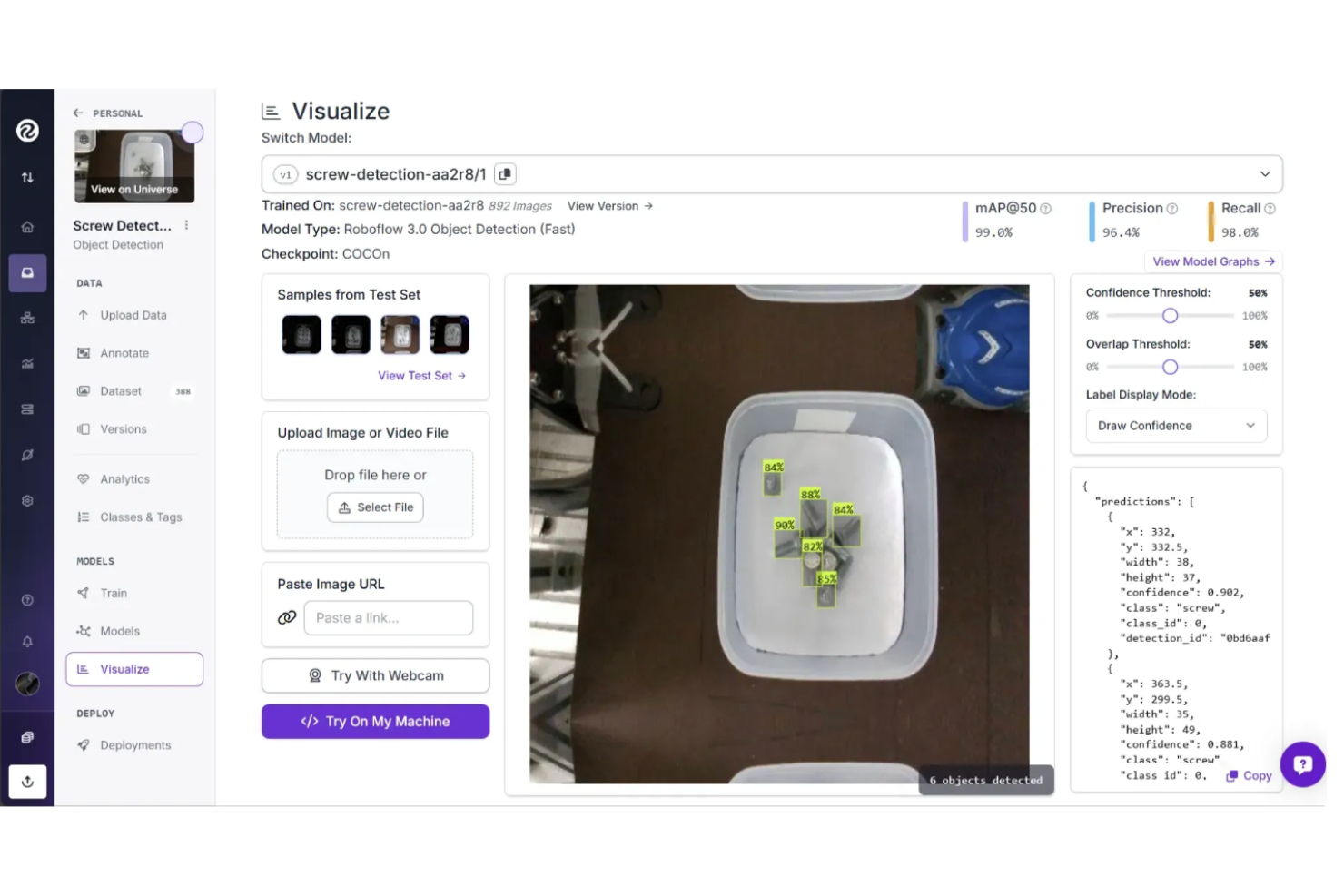
Roboflow offers a comprehensive set of features for building and deploying computer vision models, including dataset management, AI-assisted annotation, model training, and flexible deployment across cloud, edge, or on-premises environments. It supports the full workflow from data preparation to production and is designed for ease of use while still supporting enterprise-scale computer vision deployments.
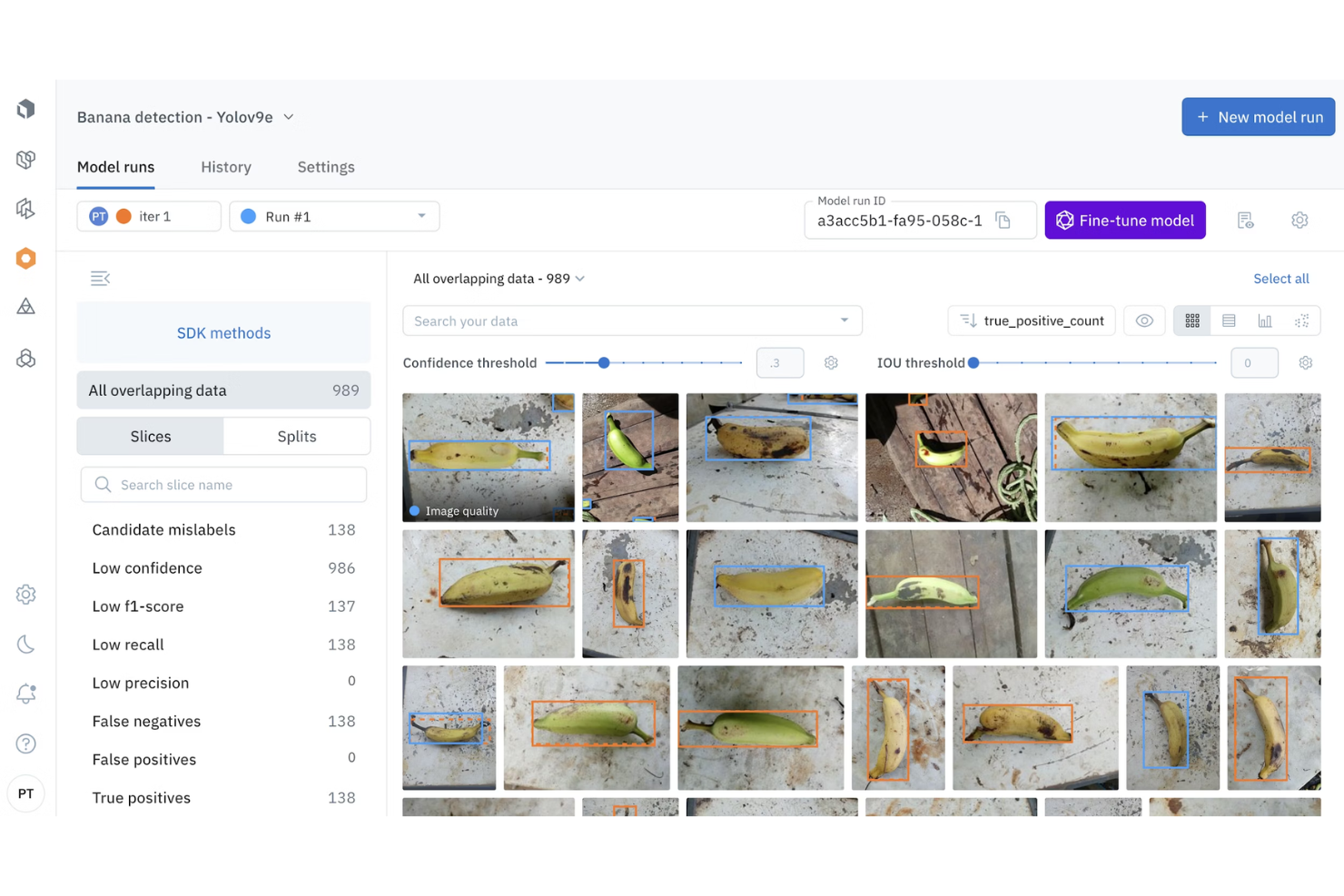
Labelbox is built for teams that prioritize high-quality training data and structured annotation workflows. It provides tools for RL data generation, model evaluations, robotics-focused data workflows, off-the-shelf datasets, and access to an expert labeling network. These capabilities help teams manage large-scale data operations, maintain annotation quality, and support more complex machine learning pipelines.
| Roboflow | Labelbox | |
|---|---|---|
| A/B Testing | ||
| API | ||
| Analytics | ||
| Big Data | ||
| Cloud Deployment | ||
| Dashboard | ||
| Data Export | ||
| Data Import | ||
| Data Mining | ||
| Data Visualization | ||
| External Integrations | ||
| Local Deployment | ||
| Multi-User | ||
| Optimized Search Processing | ||
| SAP Integration | ||
| Sentiment Analysis |
Roboflow vs. Labelbox Integrations
| Integration | Roboflow | Labelbox |
|---|---|---|
| AWS S3 | ✅ | ✅ |
| Google Cloud Storage | ✅ | ✅ |
| Microsoft Azure | ✅ | ✅ |
| TensorFlow* | ✅ | ✅ |
| PyTorch* | ✅ | ✅ |
| Databricks | ❌ | ✅ |
| Snowflake | ❌ | ✅ |
| Slack | ✅ | ❌ |
| GitHub | ✅ | ✅ |
| Zapier | ✅ | ✅ |
| API | ✅ | ✅ |
*Framework = supported for dataset/model export or ML pipeline compatibility, not a native platform integration.
Both Roboflow and Labelbox integrate with major cloud storage providers and support machine learning frameworks such as TensorFlow and PyTorch through dataset export and pipeline compatibility. Roboflow emphasizes developer and workflow tools within an end-to-end ML environment that can support both small teams and enterprise computer vision pipelines, while Labelbox prioritizes integration with enterprise data platforms.
Roboflow vs. Labelbox Security, Compliance & Reliability
| Factor | Roboflow | Labelbox |
|---|---|---|
| Data Privacy | Provides workspace and project-level access controls for managing dataset visibility and collaboration. | Offers granular user permissions and enterprise governance controls for managing data access. |
| Regulatory Compliance | Maintains SOC 2 Type II compliance and offers HIPAA-aligned infrastructure with BAA under agreement. | Maintains SOC 2 and ISO 27001 certifications and supports GDPR-aligned data protection practices. |
| Encryption | Encrypts data in transit and at rest, with SSL transport rated A+ by Qualys. | Encrypts data in transit (TLS 1.2+) and at rest using enterprise-grade security protocols. |
| Uptime & Reliability | Publishes uptime status and may provide SLAs for enterprise customers. | Offers high-availability infrastructure with enterprise support and incident management. |
| Audit Logging | Tracks dataset changes and user activity for collaboration and traceability. | Provides detailed audit logs and activity tracking for governance and compliance. |
Both Roboflow and Labelbox provide core security features, including encryption in transit and at rest, as well as access controls to manage data and user permissions. Roboflow offers practical security and reliability for model development and production computer vision systems, including deployments used in enterprise environments. Labelbox emphasizes enterprise governance with detailed audit logging, granular permissions, and established compliance certifications.
Roboflow vs. Labelbox Ease of Use
| Factor | Roboflow | Labelbox |
|---|---|---|
| User Interface | Features a clean, intuitive dashboard with drag-and-drop dataset tools. | Offers a modern, customizable workspace with annotation shortcuts. |
| Onboarding | Provides guided tutorials and sample projects for quick ramp-up. | Includes interactive walkthroughs and in-app tips for new users. |
| Setup Process | Allows fast project setup with prebuilt templates and import options. | Supports flexible project configuration with detailed workflow settings. |
| Documentation | Maintains a searchable help center and active community forum. | Delivers comprehensive docs and responsive in-app support chat. |
| Support | Offers email support, ticketing, in-app chat, and community Q&A for troubleshooting. | Provides live chat and enterprise support during standard business hours. |
Roboflow is easier for quick project starts and straightforward workflows, while Labelbox is positioned toward complex annotation projects that require deeper customization and structured review. Roboflow stands out for its intuitive interface and fast onboarding, and Labelbox is known for its flexible workspace and strong support, with both platforms offering responsive customer assistance.
Roboflow vs Labelbox: Pros & Cons
Roboflow
- Offers open source tools and public datasets for experimentation.
- Supports deployment to edge devices, cloud, or on-premises.
- AI-assisted annotation speeds up labeling large datasets.
- Performance and latency vary by deployment method.
- Limited low-level customization compared to fully custom ML pipelines.
- Costs can scale quickly with high-volume training and inference.
Labelbox
- Provides responsive customer support for enterprise users.
- Offers strong workflow management for large teams.
- Supports complex annotation types for diverse data needs.
- Occasional platform slowdowns with very large datasets.
- Pricing can be high for small-scale projects.
- Lacks advanced automation for repetitive labeling tasks.
Best Use Cases for Roboflow and Labelbox
Roboflow
- Manufacturing Deploy vision AI to automate quality inspections, detect defects, track inventory, and improve efficiency across modern manufacturing operations.
- Industrial Manufacturing Use vision AI to monitor equipment performance, prevent downtime, automate inspections, and optimize complex industrial production environments at scale.
- Healthcare & Medicine Apply vision AI to analyze medical imagery, monitor patients, automate workflows, and improve diagnostic accuracy and healthcare outcomes.
- Automotive Enhance automotive manufacturing with vision AI that detects defects, monitors assembly lines, optimizes processes, and prevents costly production downtime.
- Aerospace & Defense Use vision AI to inspect components, verify assembly accuracy, monitor safety compliance, and ensure quality across aerospace manufacturing operations.
- Consumer Goods Protect product quality and brand trust using vision AI to inspect packaging, verify labels, detect defects, and optimize production.
Labelbox
- Research Institutions Flexible annotation tools support diverse academic computer vision projects.
- Retail Computer Vision Teams can annotate product images at scale for inventory and checkout systems.
- Agriculture Analytics Labelbox handles geospatial and satellite imagery annotation for crop monitoring.
- Enterprise Data Science Workflow management features enable large teams to coordinate labeling projects.
- Healthcare AI Its audit trails and data privacy controls help meet regulatory requirements.
- Autonomous Vehicles Labelbox supports complex image and video annotation for training perception models.
Who Should Use Roboflow, and Who Should Use Labelbox?
If you want a platform that helps you move from raw images to deployed computer vision models with minimal setup, Roboflow is likely the better fit. It’s well-suited for enterprise teams building practical vision applications, such as detection, monitoring, or automation, because it combines dataset management, AI-assisted annotation, model training, and flexible deployment in one environment. This makes it appealing if you prefer an approachable, end-to-end workflow without managing complex machine learning infrastructure.
If your priority is building high-quality training data at scale with deeper control over annotation, evaluation, and human-in-the-loop workflows, Labelbox may suit you better. It’s commonly used by AI labs, enterprise teams, and research-focused organizations that need structured labeling pipelines, advanced review processes, and expert data services to support complex models, including multimodal, reinforcement learning, and large-scale AI systems.
Differences Between Roboflow and Labelbox
| Roboflow | Labelbox | |
|---|---|---|
| Dataset Management | Centralizes image storage, dataset versioning, preprocessing, and augmentation. | Emphasizes structured labeling pipelines and quality control over preprocessing. |
| Deployment Options | Provides built-in model training, evaluation, and deployment across cloud, edge, and on-prem environments. | Primarily focuses on data labeling and evaluation, typically integrating with external platforms for model training and deployment. |
| Integrations | Integrates developer and deployment tools within an end-to-end ML workflow. | Prioritizes compatibility with enterprise data and ML platforms like Databricks. |
| Pricing Model | Usage-based tiers with a free plan for smaller projects. | Subscription and service-based pricing tied to users, volume, and enterprise needs. |
| Use Cases | Designed for end-to-end computer vision workflows from dataset preparation to production deployment. | Designed for large-scale data labeling, including computer vision, text, audio, and multimodal workflows, plus model evaluation and human-in-the-loop training for complex AI systems. |
| Visit RoboflowOpens new window | Read Labelbox ReviewOpens new window |
Similarities Between Roboflow and Labelbox
| API Availability | Each platform provides a robust API and SDKs that enable automation, custom integrations, and workflow orchestration. |
|---|---|
| Annotation Capabilities | Both offer image annotation tools, including support for bounding boxes, segmentation, and classification tasks for creating training datasets. |
| Cloud Storage | Both integrate with major cloud storage providers, such as Amazon S3, Google Cloud Storage, and Azure, to manage and access datasets. |
| Exports | Both allow users to export labeled datasets for use with frameworks like TensorFlow and PyTorch. |
| User Permissions | Each provides role-based access controls to manage collaboration, data security, and workspace permissions. |
| Visit RoboflowOpens new window Read Labelbox ReviewOpens new window | |