

Roboflow Review 2026: Key Features, Pros, Cons, and Pricing


Struggling to manage complex image datasets and deploy AI models efficiently? Roboflow is a computer vision platform that simplifies visual intelligence for video, images, and real-time streams.
In this review, you’ll find an in-depth look at Roboflow’s features, pros and cons, best and worst use cases, pricing, and how it stacks up against other options.
Roboflow Evaluation Summary
- From $79/month (for 3 users, billed annually)
- Free plan available
Why Trust Our Software Reviews
Roboflow Overview
Roboflow gives teams a clear way to label, train, and deploy computer vision models on a single platform, making it easier to develop vision applications. It focuses on usability and fast setup, so teams can move from dataset to deployment without heavy machine learning infrastructure. Overall, it’s well-suited for developers who want an accessible end-to-end vision workflow and rapid prototyping.
pros
-
Offers open source tools and public datasets for experimentation.
-
Supports deployment to edge devices, cloud, or on-premises.
-
AI-assisted annotation speeds up labeling large datasets.
cons
-
Performance and latency vary by deployment method.
-
Limited low-level customization compared to fully custom ML pipelines.
-
Costs can scale quickly with high-volume training and inference.
Is Roboflow Right For Your Needs?
Who Would be a Good Fit for Roboflow?
Roboflow is ideal for teams that need to build, annotate, and deploy computer vision models quickly without heavy infrastructure or deep ML expertise. Its platform supports rapid prototyping, collaborative annotation, and flexible deployment options across various industries.
-
Manufacturing
Deploy vision AI to automate quality inspections, detect defects, track inventory, and improve efficiency across modern manufacturing operations.
-
Industrial Manufacturing
Use vision AI to monitor equipment performance, prevent downtime, automate inspections, and optimize complex industrial production environments at scale.
-
Healthcare & Medicine
Apply vision AI to analyze medical imagery, monitor patients, automate workflows, and improve diagnostic accuracy and healthcare outcomes.
-
Automotive
Enhance automotive manufacturing with vision AI that detects defects, monitors assembly lines, optimizes processes, and prevents costly production downtime.
-
Aerospace & Defense
Use vision AI to inspect components, verify assembly accuracy, monitor safety compliance, and ensure quality across aerospace manufacturing operations.
-
Consumer Goods
Protect product quality and brand trust using vision AI to inspect packaging, verify labels, detect defects, and optimize production.
Who Would be a Bad Fit for Roboflow?
Roboflow may not suit organizations with highly specialized or non-vision-centric needs, strict data privacy mandates, or those requiring deep integration with complex enterprise systems.
-
Backend-Only SaaS Providers
Backend SaaS platforms without a visual data component will not benefit from Roboflow’s computer vision features.
-
Business Intelligence & Analytics Platforms
BI tools focused on data analytics and reporting do not align with Roboflow’s focus on image annotation and model deployment.
-
Cloud Infrastructure & Network Operations
Organizations managing cloud services or network infrastructure need platforms tailored to those domains rather than image-based AI.
-
Low-Budget Hobbyists Scaling Private Projects
Individual builders or small teams with limited budgets who need large-scale private datasets, frequent retraining, or high-volume inference may encounter cost and usage constraints compared to lightweight open-source alternatives.
-
Audio & Voice Technology Providers
Teams working primarily with voice or audio data require specialized tools beyond Roboflow’s computer vision capabilities.
-
Non-Technical Business Plug-and-Play Users
Departments that need instant image tagging without dataset preparation, annotation workflows, or model iteration may prefer pre-trained APIs (e.g., turnkey vision services) rather than managing datasets and training pipelines.
Our Review Methodology
How We Test & Score Tools
We’ve spent years building, refining, and improving our software testing and scoring system. The rubric is designed to capture the nuances of software selection and what makes a tool effective, focusing on critical aspects of the decision-making process.
Below, you can see exactly how our testing and scoring works across seven criteria. It allows us to provide an unbiased evaluation of the software based on core functionality, standout features, ease of use, onboarding, customer support, integrations, customer reviews, and value for money.
Core Functionality (25% of final scoring)
The starting point of our evaluation is always the core functionality of the tool. Does it have the basic features and functions that a user would expect to see? Are any of those core features locked to higher-tiered pricing plans? At its core, we expect a tool to stand up against the baseline capabilities of its competitors.
Standout Features (25% of final scoring)
Next, we evaluate uncommon standout features that go above and beyond the core functionality typically found in tools of its kind. A high score reflects specialized or unique features that make the product faster, more efficient, or offer additional value to the user.
We also evaluate how easy it is to integrate with other tools typically found in the tech stack to expand the functionality and utility of the software. Tools offering plentiful native integrations, 3rd party connections, and API access to build custom integrations score best.
Ease of Use (10% of final scoring)
We consider how quick and easy it is to execute the tasks defined in the core functionality using the tool. High scoring software is well designed, intuitive to use, offers mobile apps, provides templates, and makes relatively complex tasks seem simple.
Onboarding (10% of final scoring)
We know how important rapid team adoption is for a new platform, so we evaluate how easy it is to learn and use a tool with minimal training. We evaluate how quickly a team member can get set up and start using the tool with no experience. High scoring solutions indicate little or no support is required.
Customer Support (10% of final scoring)
We review how quick and easy it is to get unstuck and find help by phone, live chat, or knowledge base. Tools and companies that provide real-time support score best, while chatbots score worst.
Customer Reviews (10% of final scoring)
Beyond our own testing and evaluation, we consider the net promoter score from current and past customers. We review their likelihood, given the option, to choose the tool again for the core functionality. A high scoring software reflects a high net promoter score from current or past customers.
Value for Money (10% of final scoring)
Lastly, in consideration of all the other criteria, we review the average price of entry level plans against the core features and consider the value of the other evaluation criteria. Software that delivers more, for less, will score higher.
Core Features
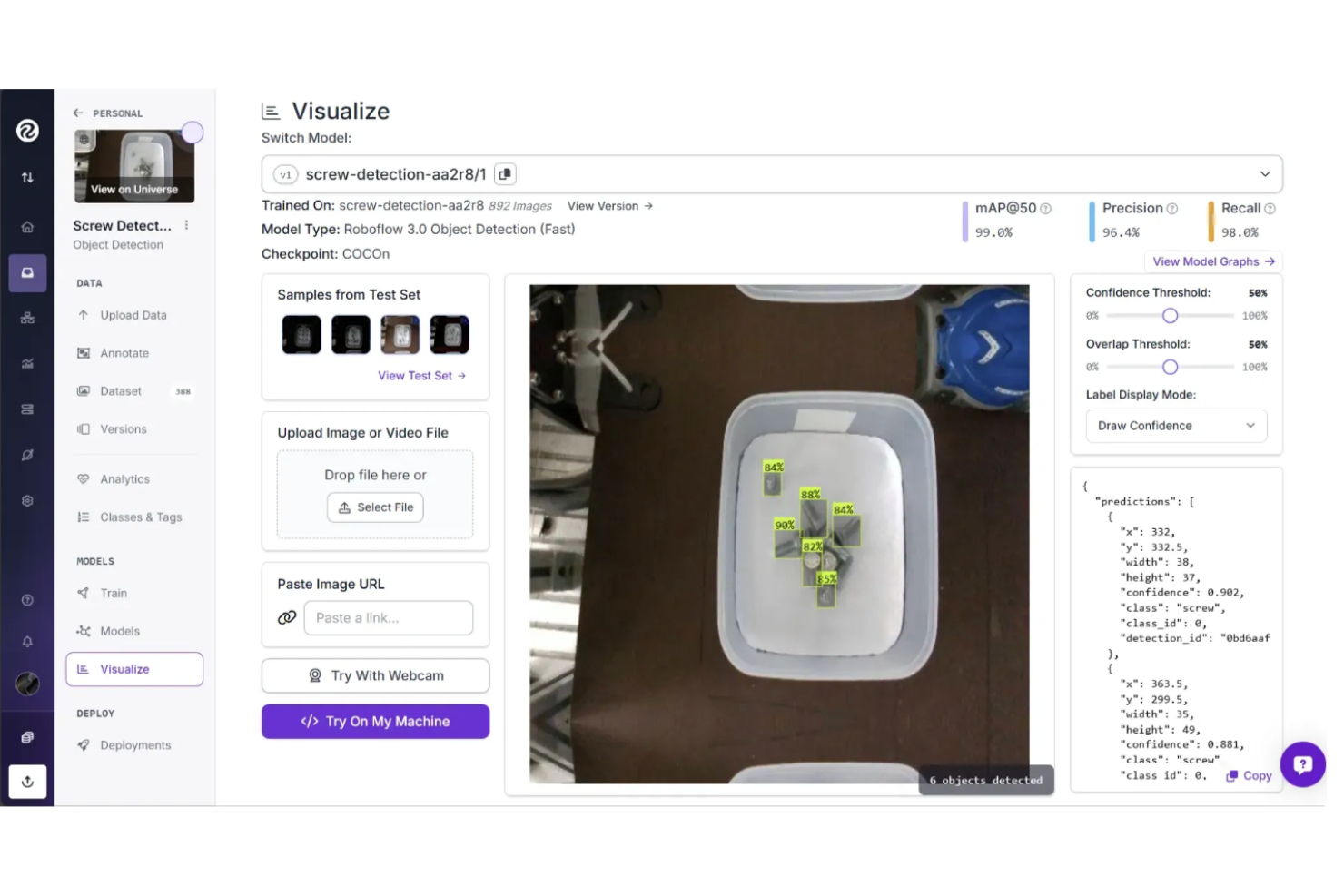
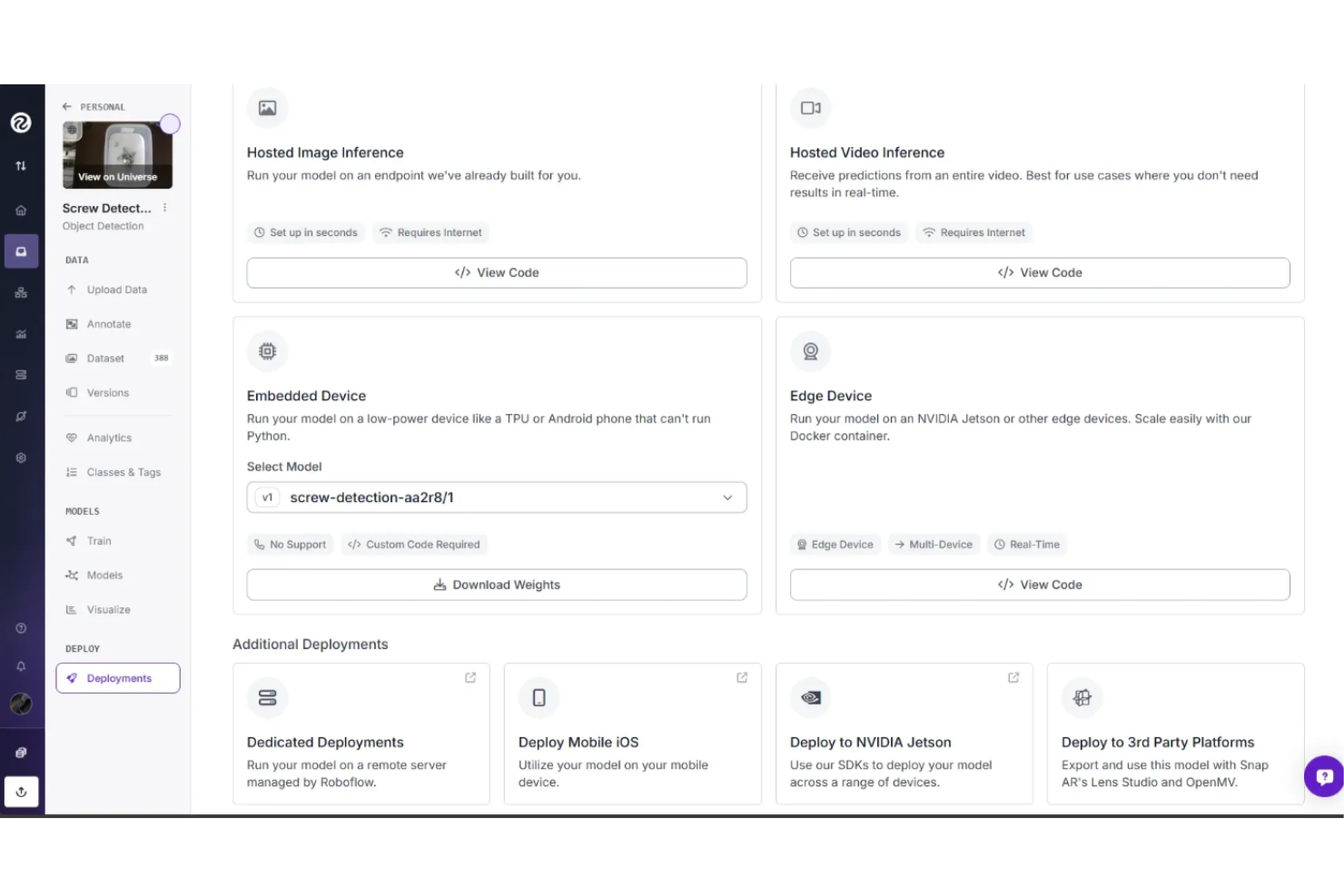
Vision AI Deployment
Deploy trained models seamlessly to cloud, edge devices, or on-premises environments with robust APIs and SDKs for easy integration.
Integrated Workflow Builder
Design and automate end-to-end computer vision workflows within the platform, streamlining data preparation, model training, and deployment.
Model Training
Train custom computer vision models with automated hyperparameter tuning, supporting object detection, classification, and segmentation tasks.
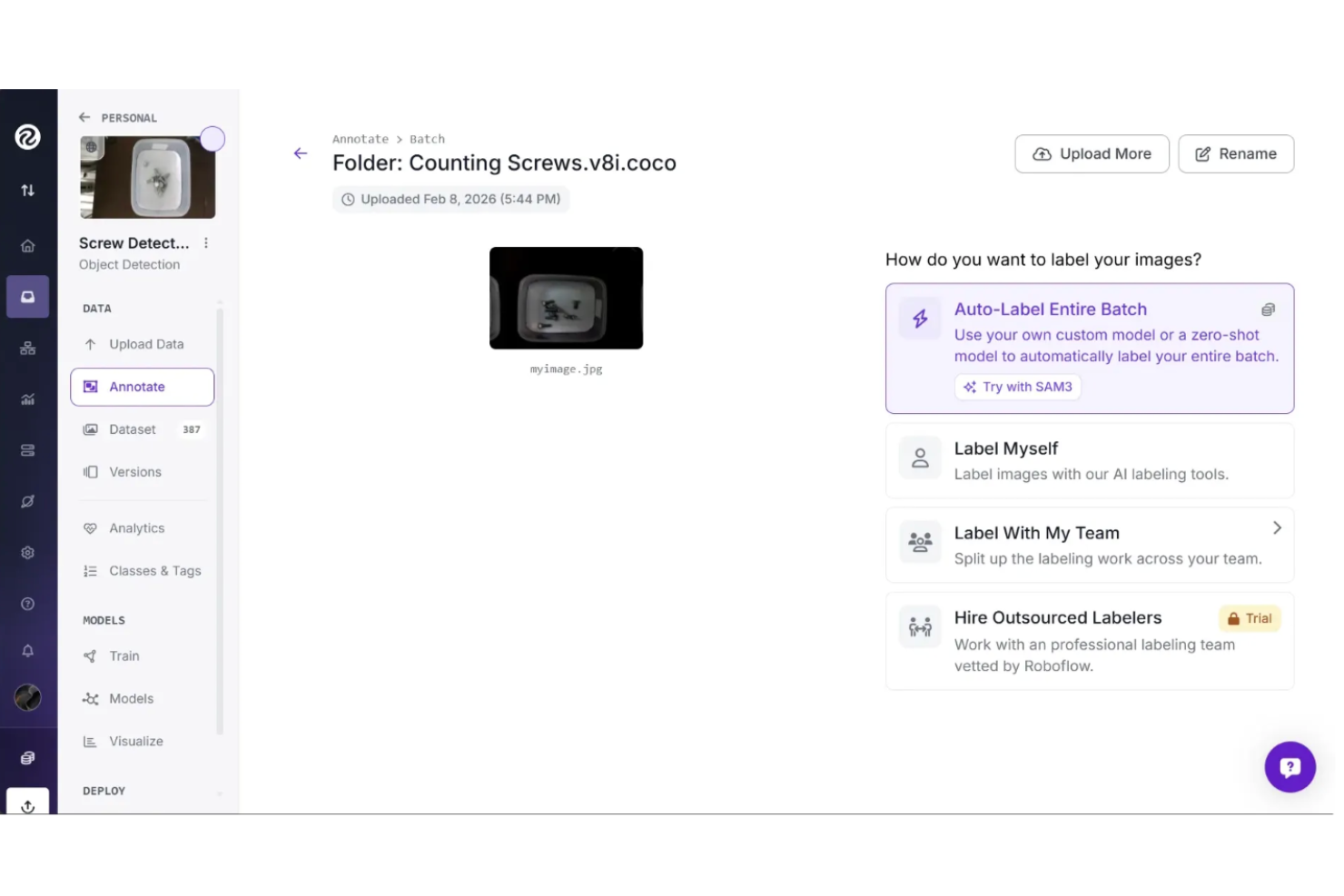
AI-Assisted Annotation
Label images efficiently using browser-based tools enhanced with AI assistance, accelerating annotation for large datasets.
Dataset Management
Upload, organize, and version image datasets in a centralized workspace, enabling collaboration and change tracking.
Managed Compute
Access managed compute to deploy workflows via serverless, batch, or dedicated infrastructure.
Standout Features
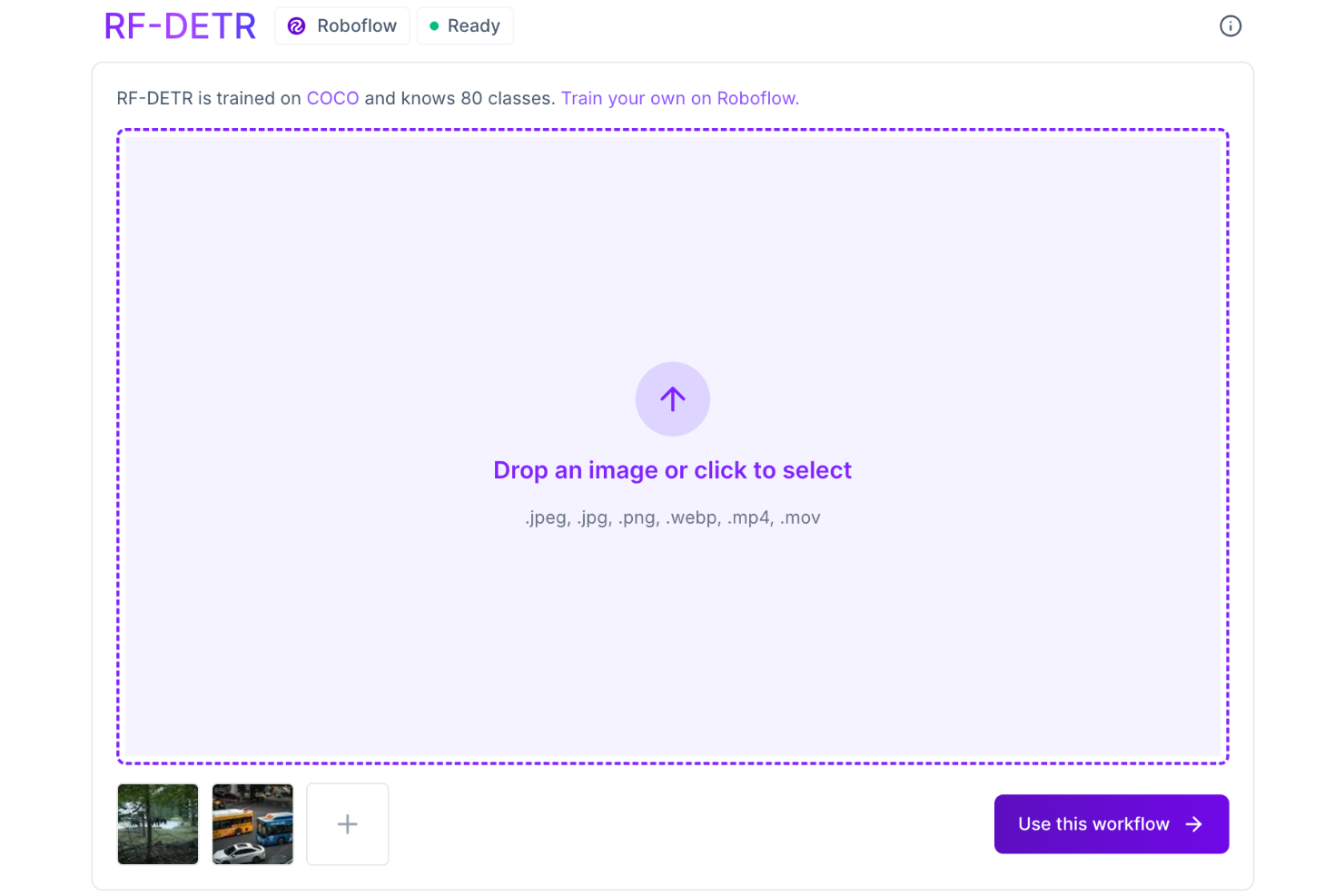
Roboflow Detection Transformer (RF-DETR)
RF-DETR is a transformer-based object detection model developed by Roboflow, designed to deliver faster and more accurate image detection while integrating smoothly with Roboflow’s tools for easy training and deployment.
Serverless Video Streaming API
Use AI for live video to analyze real-time streams, detect and track objects, and support applications like security, automation, and interactive media without managing infrastructure.
Ease of Use
Roboflow is generally regarded as more user-friendly than traditional computer vision workflows. Its structured process—from dataset upload and annotation to training and deployment—helps simplify model development. The platform includes drag-and-drop workflow building, built-in annotation tools, and documentation that can reduce onboarding friction for teams. While advanced users may look for more granular customization, many teams use Roboflow for rapid prototyping and deploying computer vision applications.
Onboarding
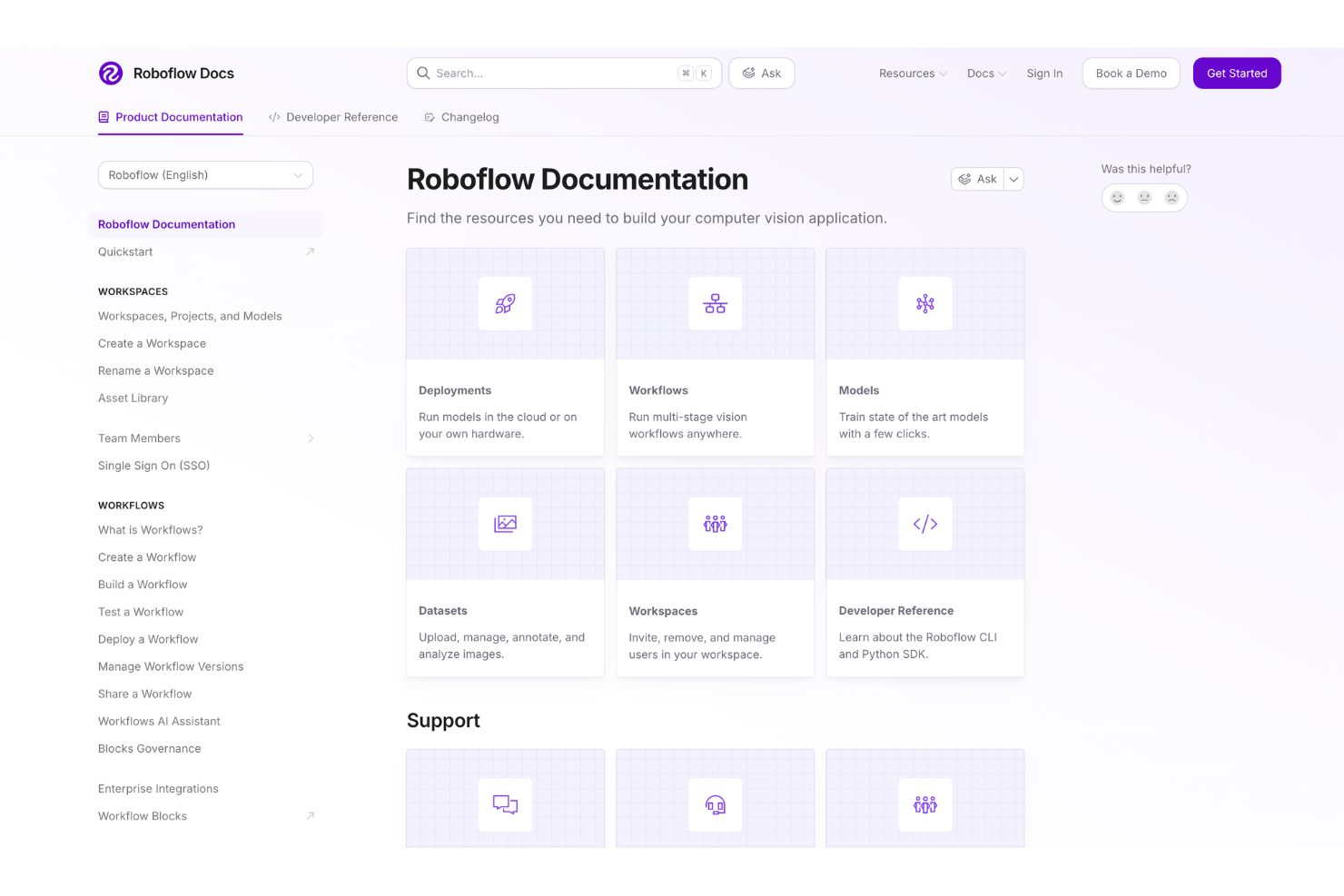
Roboflow’s onboarding process is fast and straightforward, with most users able to upload data and start annotating within minutes. The platform offers step-by-step tutorials, extensive documentation, and an active community forum that helps new users quickly resolve issues. Clear in-app prompts guide users through each stage. This focus on accessible resources and hands-on guidance shortens the learning curve and accelerates time-to-value.
Additionally, an onboarding call is available for enterprise plans to provide personalized assistance and ensure a smooth start.
Customer Support
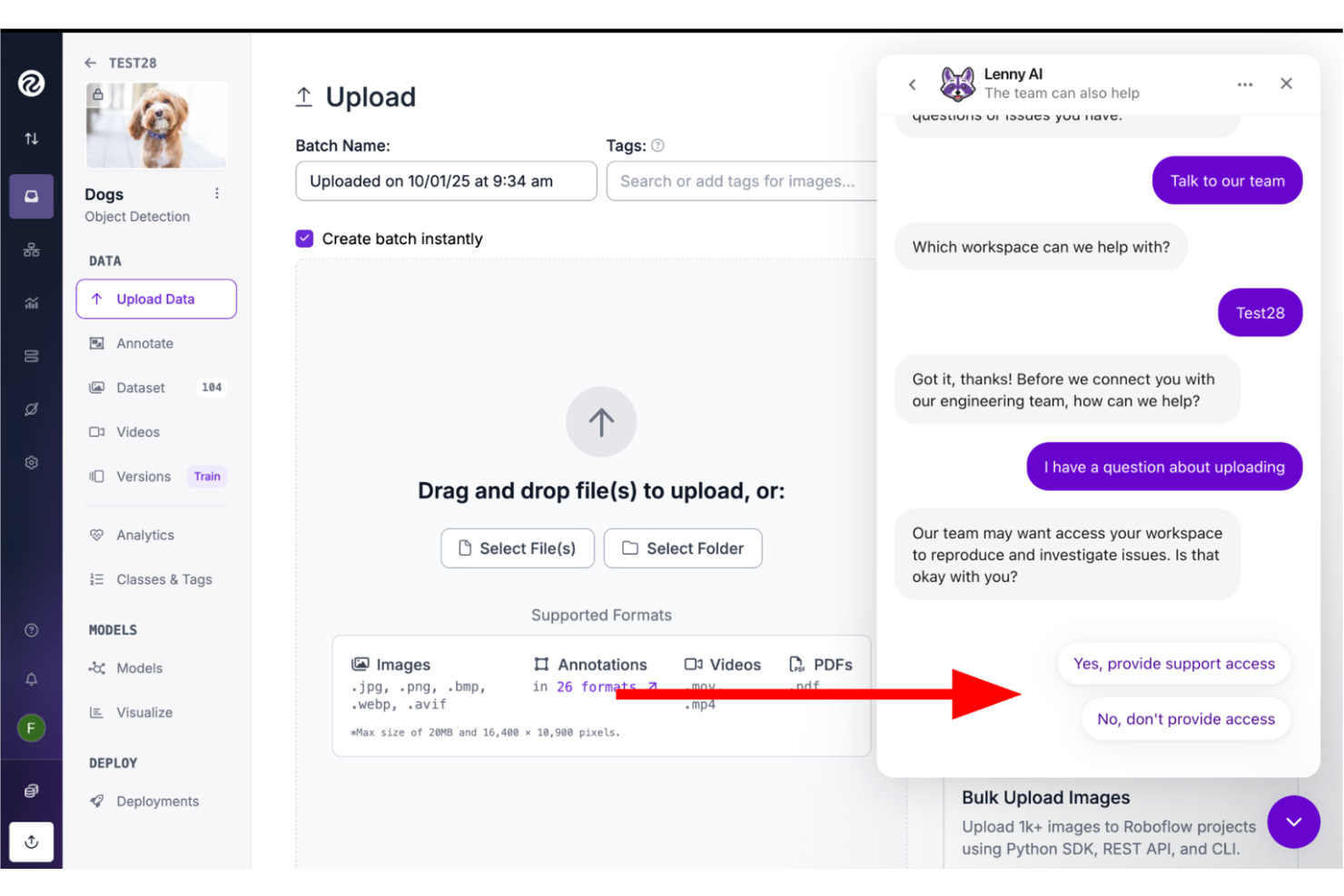
Roboflow earns positive feedback for its responsive, knowledgeable support team, with users often noting a quick turnaround on technical questions and issues. All users can contact support through in-app chat, email, and tickets, while Enterprise plans include priority and dedicated support. Users can also seek help through the community forum and Ask AI, which pulls answers from documentation and past discussions.
Integrations
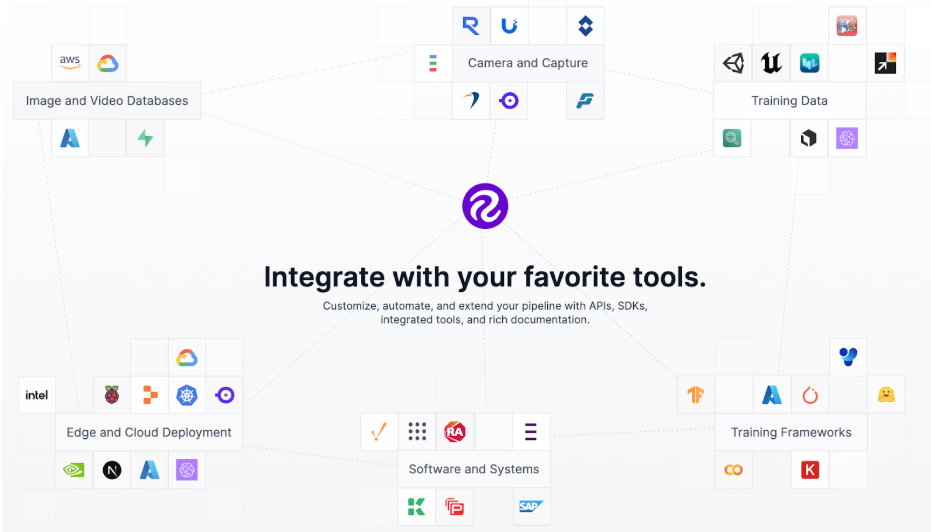
Roboflow supports dataset imports from tools like LabelBox and CVAT, integrates with major cloud platforms including Google Cloud, AWS, and Azure, and allows model export to frameworks such as YOLO, TensorFlow, and PyTorch.
Roboflow also offers a robust API and supports connections with third-party integration tools for custom workflows.
Value for Money
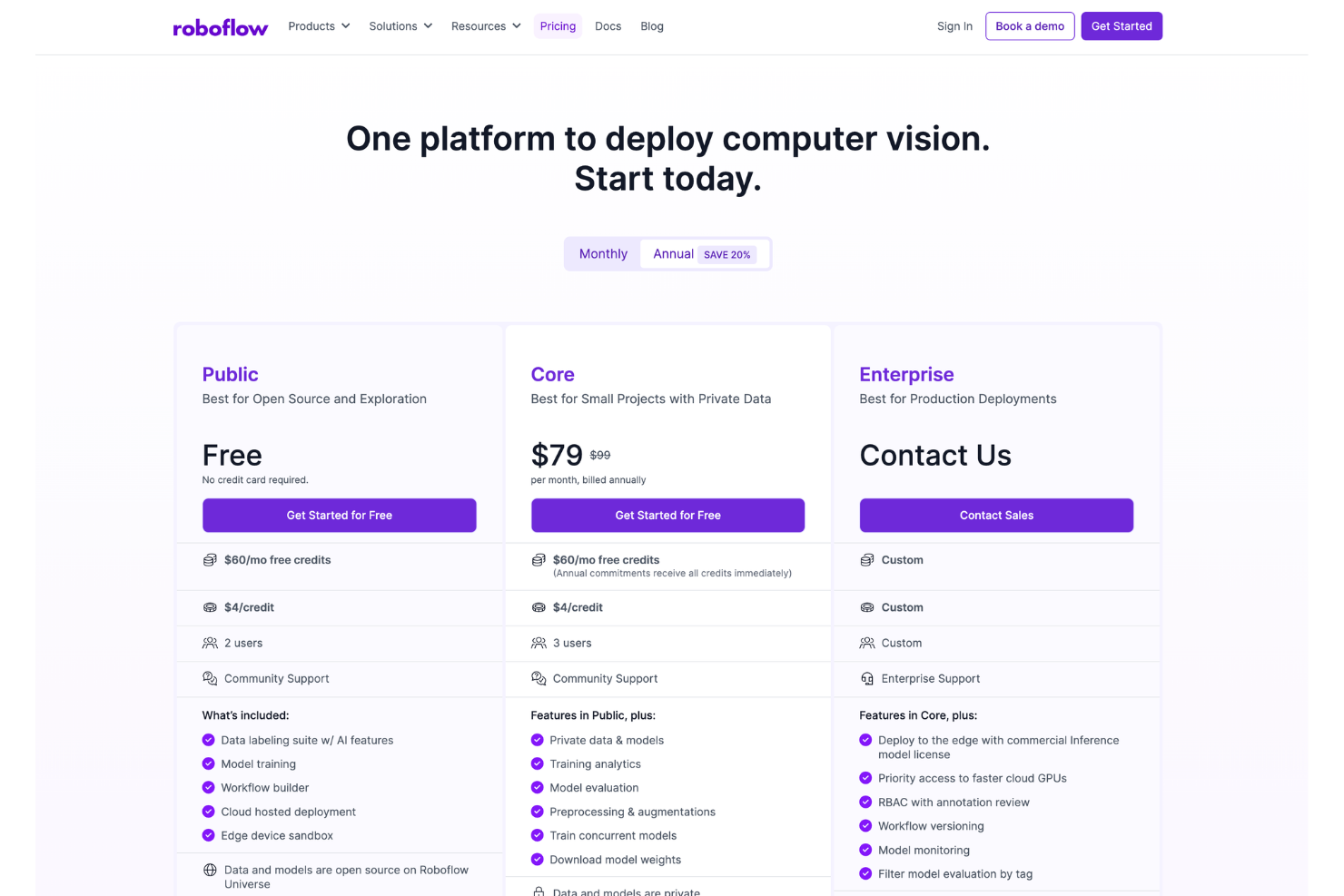
Roboflow pricing provides accessible computer vision tools for teams from open-source enthusiasts to enterprise users, with a free tier for exploration and flexible paid plans that scale with project complexity and privacy needs. Users benefit from transparent features tailored to dataset size, collaboration, and deployment options, with most finding the investment worthwhile, though some note higher costs at scale.
- Free (Public): Includes data labeling with AI features, model training, workflow builder, cloud-hosted deployment, edge device sandbox, and open source data and models on Roboflow Universe. It supports 2 users with community support and includes free credits and pay-per-use credits.
- Core: Includes all Free features plus private data and models, training analytics, model evaluation, preprocessing and augmentations, concurrent model training, and the ability to download model weights. It supports 3 users with community support and includes free credits and pay-per-use credits.
- Enterprise: Includes all Core features plus commercial inference model license for edge deployment, priority access to faster cloud GPUs, role-based access control with annotation review, workflow versioning, model monitoring, and filtered model evaluation by tag. It offers custom user seats, enterprise support, and pricing.
- Available Add-Ons: Additional user seats, manufacturing inference, enterprise networking (including MQTT/OPC/PLC triggers and industrial camera frame-grabbers), deployment manager, operational insights, data labeling services, enterprise access control and data governance, custom contracting and billing, and professional services.
Roboflow Specs
- A/B Testing
- Analytics
- API
- Big Data
- Cloud Deployment
- Dashboard
- Data Export
- Data Import
- Data Mining
- Data Visualization
- External Integrations
- Local Deployment
- Multi-User
- Optimized Search Processing
- SAP Integration
- Sentiment Analysis
Roboflow FAQs
Can I use Roboflow for both object detection and image classification tasks?
How does Roboflow handle large datasets and scaling?
What deployment options are available?
How does Roboflow support data security and compliance?
Can I collaborate with my team on Roboflow projects?
Does Roboflow provide pre-trained models or public datasets?
Can I automate data annotation in Roboflow?
Roboflow Company Overview & History
Roboflow is a computer visionand machine learning software company headquartered in Des Moines, Iowa. The platform is used by over one million developers and thousands of organizations across industries such as manufacturing, logistics, and technology. Roboflow is known for its developer-focused tools, open source contributions, and active community. The company operates independently and has built a reputation for continuous product development and partnerships within the computer vision ecosystem.
Roboflow Major Milestones
- 2019: Founded by Joseph Nelson and Brad Dwyer in Des Moines, Iowa.
- 2020: Roboflow platform became publicly available, expanding access to computer vision tools for developers.
- 2021: Raised Series A funding and experienced significant user growth.
- 2022: Reported serving over one million developers and thousands of organizations.
- 2023: Achieved SOC 2 Type II certification and expanded enterprise security capabilities.
- 2024: Continued expanding partnerships, including participation in the AWS Partner Network.
What's Next?
Boost your SaaS growth and leadership skills. Subscribe to our newsletter for the latest insights from CTOs and aspiring tech leaders. We'll help you scale smarter and lead stronger with guides, resources, and strategies from top experts!