


ManageEngine vs. ServiceNow: Comparison and Expert Reviews for 2026

We review tools independently, and commissions help fund our testing. See our transparency policy, our methodology, or suggest a tool.
Choosing between ManageEngine ServiceDesk Plus and ServiceNow means weighing hands-on control and affordability against deep customization and enterprise-scale automation—two very different takes on enterprise IT service management software.
If you’re struggling to decide which platform will help your team deliver reliable, efficient IT services without adding complexity or cost, you’re not alone. ManageEngine stands out for its approachable interface and budget-friendly packages, while ServiceNow offers a powerhouse of integrations and workflow automation for organizations with complex, evolving needs.
This article breaks down the strengths, weaknesses, and real-world fit of each solution, so you can confidently choose the right path for your business.
ManageEngine ServiceDesk Plus

4.2/5
- Free trial + free demo available
- Pricing upon request
ServiceNow
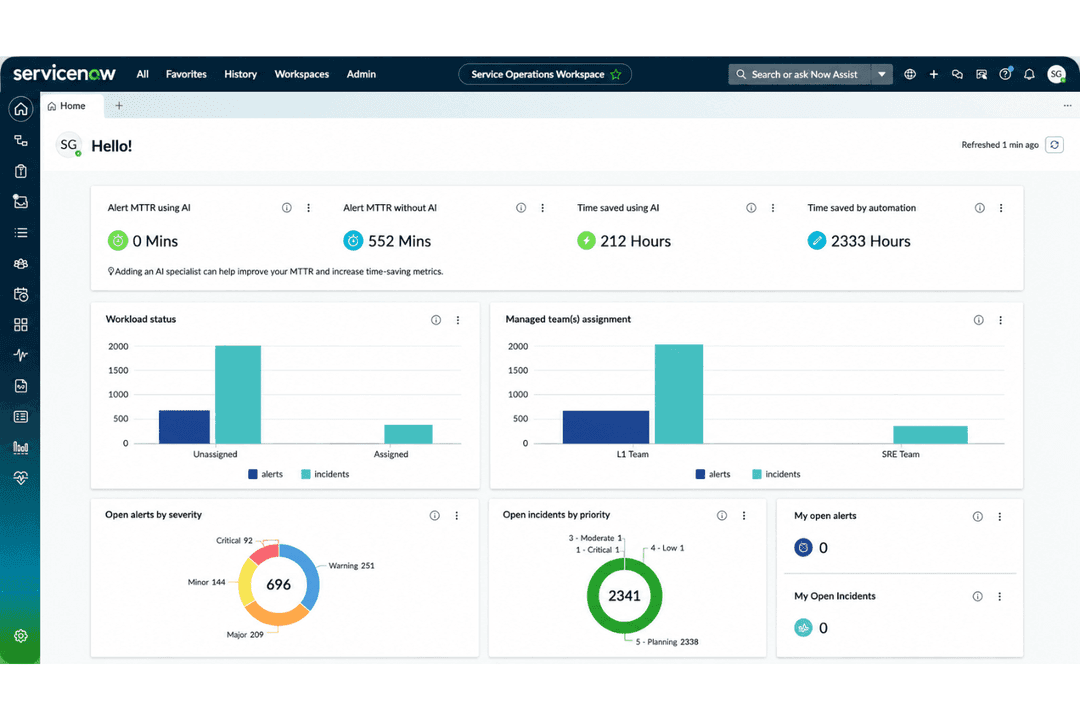
4.4/5
- Free demo available
- Pricing upon request
Why Trust Our Software Recommendations
6,700+
Reviews
20
Industry experts
16+
Evaluation factors
14
Years
Our team has been testing and reviewing software since 2012. As tech leaders ourselves, we know how difficult—and important—it is to choose the right software.
For this guide, we evaluated tools using hands-on testing and independent research, scoring tools using our selection criteria.
Our reviews reflect our human editorial judgment, not a sales pitch.
Expert reviewers:
- Paulo Gardini MiguelTech Director
 Tim FisherVP of AI
 Gabriel RosasTech Lead & Software Architect
 Christhian GruhnTech Lead & Platform Architect

| ManageEngine ServiceDesk Plus | ServiceNow | |
|---|---|---|
| Free Trial | Free trial + free demo available | Free demo available |
| Pricing | Pricing upon request | Pricing upon request |
ManageEngine vs. ServiceNow Pricing & Hidden Costs
ManageEngine uses a modular pricing model, letting you pay only for the features and modules you need. This approach can help you control costs, but add-ons and scaling up users or services may increase your total spend over time. ServiceNow uses enterprise subscription licensing that varies by products, workflows, and user types. While this can simplify procurement for large organizations, it often comes with higher upfront costs and potential extra charges for advanced modules, integrations, or premium support.
Both ManageEngine and ServiceNow overlap heavily as IT service management (ITSM) platforms, offering core features like incident and ticket management, service request handling, change and problem management, and self-service portals. They also share capabilities such as asset management, configuration management (CMDB) functionality, and workflow automation to streamline IT help desk operations and enforce ITIL best practices.
Where they diverge is in depth and positioning. ServiceNow stands out with enterprise-grade scalability, advanced AI-driven automation, and a unified platform that connects IT with HR and operations across large organizations. ManageEngine, by contrast, differentiates itself with affordability, faster deployment, and tightly integrated, out-of-the-box ITSM plus asset tracking features that are easier for mid-sized teams to adopt without heavy customization.
| ManageEngine ServiceDesk Plus | ServiceNow | |
|---|---|---|
| Analytics | Yes | Yes |
| API | Yes | Yes |
| Chat | Yes | Yes |
| CRM Integration | Yes | Yes |
| Customer Management | Yes | Yes |
| Data Export | No | Yes |
| Data Import | No | Yes |
| External Integrations | Yes | Yes |
| Knowledge Base | Yes | Yes |
| Multi-User | No | Yes |
| Notifications | Yes | Yes |
| Integration | ManageEngine | ServiceNow |
| Microsoft 365 | ✅ | ✅ |
| Slack | ✅ | ✅ |
| Jira | ✅ | ✅ |
| Salesforce | ❌ | ✅ |
| Google Workspace | ✅ | ✅ |
| Okta | ✅ | ✅ |
| Zoom | ✅ | ✅ |
| Freshdesk | ❌ | ✅ |
| SAP | ✅ | ✅ |
| API | ✅ | ✅ |
| Zapier | ✅ | ✅ |
Both platforms integrate with common tools like Microsoft 365, Slack, Jira, and Zoom, ensuring they fit into modern IT environments. However, ServiceNow leads in enterprise-grade integrations, offering deeper, more standardized connections with systems like Salesforce. ManageEngine supports many of the same tools, but often through APIs, marketplace add-ons, or middleware like Zapier, making it more flexible but sometimes less seamless for complex, large-scale environments.
| Factor | ManageEngine | ServiceNow |
| Data Encryption | Uses AES-256 encryption for data at rest and SSL/TLS for data in transit. | Provides end-to-end encryption, including field-level encryption options. |
| Regulatory Compliance | Offers GDPR-ready features and supports HIPAA, but coverage varies by module. | Maintains broad compliance (GDPR, HIPAA, FedRAMP, SOC 2) across all services. |
| Access Controls | Role-based access controls and audit logs for user activity tracking. | Granular access policies, SSO, MFA, and detailed audit trails. |
| Uptime & Redundancy | Delivers high availability with regular backups and failover support. | Guarantees 99.99% uptime SLAs and global redundancy across data centers. |
| Incident Response | Built-in alerting and incident management workflows for rapid response. | Advanced incident response automation and integrated security operations. |
ServiceNow leads in security and compliance with broader certifications and more advanced access controls, while ManageEngine covers the essentials well for most organizations. ManageEngine’s straightforward controls and encryption are easy to manage, but ServiceNow’s reliability, compliance coverage, and automation stand out for highly regulated or large-scale environments.
| Factor | ManageEngine | ServiceNow |
| User Interface | Clean, straightforward interface with clear navigation and minimal clutter. | Highly customizable UI, but can feel overwhelming due to feature density. |
| Onboarding | Quick setup with guided tours and helpful documentation for new users. | Requires more time and training to onboard, especially for advanced features. |
| Customization | Offers basic customization options that are easy to configure. | Deep customization and workflow design, but setup is more complex. |
| Support | Responsive support team and active user community for troubleshooting. | Extensive support resources, including a knowledge base and premium support tiers. |
| Learning Curve | Low learning curve for most IT teams, even with limited experience. | Steeper learning curve, especially for non-technical users or admins. |
ManageEngine is easier to pick up and use day-to-day, while ServiceNow’s flexibility comes with a steeper learning curve. ManageEngine’s approachable design and fast onboarding make it ideal for teams seeking simplicity, while ServiceNow shines for organizations that need deep customization and are willing to invest in training.
ManageEngine ServiceDesk Plus
- Provides strong automation for ticket routing and workflows
- Includes built-in asset management and CMDB features
- Offers ITIL-aligned modules for incident and change management
- Occasional delays in customer support response times
- Some UI elements feel dated and inconsistent across modules
- Advanced reporting requires manual setup and customization
ServiceNow
- Built-in policy management automates complex governance processes
- Detailed audit trails support regulatory and compliance needs
- Centralized dashboard provides clear visibility into AI workflows
- Advanced governance features require significant setup and training
- Pricing is not transparent for most AI-specific modules
- Custom automation can strain IT resources during deployment
ManageEngine ServiceDesk Plus
- Enterprises (500+ Employees)Handles high ticket volumes and complex workflows with modular scalability.
- Government AgenciesDelivers strong reporting and role-based access for regulatory requirements.
- IT DepartmentsAutomates ticketing, change management, and asset lifecycle processes.
- Healthcare ProvidersOffers HIPAA-ready features and granular incident tracking.
- Higher EducationSupports multi-campus environments with asset management and service catalogs.
- Financial ServicesMeets strict compliance needs with audit trails and access controls.
ServiceNow
- Financial ServicesServiceNow’s deep audit trails and policy automation help meet strict regulatory requirements for banking and insurance operations.
- Healthcare OrganizationsCentralized governance and compliance workflows support HIPAA needs and ensure patient data protection.
- Global EnterprisesServiceNow scales well for globally distributed teams needing unified oversight and secure model management.
- Government AgenciesBuilt-in controls and policy management align with complex government information technology standards and public sector risk controls.
- IT DepartmentsIntegrated governance in ITSM workflows makes ServiceNow a natural fit for teams already using incident and change management.
- Data Science LeadersCentralized model tracking and risk scoring make software development teams and AI leaders more efficient at cross-team collaboration and regulatory reporting.
Who Should Use ManageEngine, and Who Should Use ServiceNow?
ManageEngine is best suited for small to mid-sized businesses or IT teams that need a cost-effective, easy-to-deploy ITSM solution. It works well for organizations that want strong out-of-the-box functionality—like ticketing, asset management, and automation—without heavy customization or long implementation cycles. Teams with limited budgets or resources will benefit most from its simplicity and faster time to value.
ServiceNow is designed for large enterprises that require a highly scalable, customizable platform to manage complex workflows across multiple departments. It’s ideal for organizations looking to unify IT service management with other functions, like HR service delivery and operations on a single system with advanced automation and AI capabilities. Companies with the resources to invest in implementation and ongoing optimization will get the most value from its depth and flexibility.
| ManageEngine ServiceDesk Plus | ServiceNow | |
|---|---|---|
| AI Capabilities | ManageEngine ServiceDesk Plus Basic AI features (e.g., suggestions, automation). | ServiceNow Advanced AI (Now Intelligence) for predictive insights and automation. |
| Automation | ManageEngine ServiceDesk Plus Simple automation for ticketing and asset management. | ServiceNow Advanced automation across IT, HR, and business operation lifecycles. |
| Customization | ManageEngine ServiceDesk Plus Basic customization for forms and workflows. | ServiceNow Deep workflow and UI customization for complex processes. |
| Target Market | ManageEngine ServiceDesk Plus SMBs and mid-sized IT teams. | ServiceNow Large enterprises and global organizations. |
| User Interface | ManageEngine ServiceDesk Plus Clean, user-friendly, and easy to navigate. | ServiceNow Highly configurable but can be overwhelming for new users. |
| Cloud & On-Prem Options | Each offers flexible deployment options, including cloud-based solutions and (in some cases) on-premise setups. |
|---|---|
| Customer Portal | Each offers a customizable self-service portal for end users to submit tickets, track requests, and access knowledge bases. |
| ITIL Process Support | Both platforms support ITIL best practices for incident, problem, and change management, with templates and workflows tailored for ITSM. |
| Mobile Access | ManageEngine and ServiceNow both offer mobile apps, enabling technicians and users to manage requests and approvals on the go. |
| Reporting & Analytics | Both provide built-in dashboards and reporting tools to monitor service performance and identify trends, though ServiceNow’s are more advanced. |
| Ticketing System | Both platforms provide centralized ticketing systems to manage incidents, service requests, and user issues efficiently. |