


Jira Service Management vs. ServiceNow: Comparison & Expert Reviews for 2026

We review tools independently, and commissions help fund our testing. See our transparency policy, our methodology, or suggest a tool.
If you’re weighing Jira Service Management (JSM) against ServiceNow, you’re likely searching for a better way to handle tickets, automate workflows, and keep your team running smoothly. Choosing the right IT service management (ITSM) software can feel overwhelming with so many features, pricing models, and integration options to consider. You want a solution that fits your processes, scales with your business, and keeps security airtight.
In this article, you’ll get a clear comparison of Jira Service Management and ServiceNow—including pros and cons, use cases, pricing, security, and usability. I’ll help you cut through the noise so you can make a confident, informed decision for your team.
Jira Service Management


4/5
- Free plan + 14-day free trial available
- From $25/user/month
ServiceNow
4.4/5
- Free demo available
- Pricing upon request
Why Trust Our Software Recommendations
6,700+
Reviews
20
Industry experts
16+
Evaluation factors
14
Years
Our team has been testing and reviewing software since 2012. As tech leaders ourselves, we know how difficult—and important—it is to choose the right software.
For this guide, we evaluated tools using hands-on testing and independent research, scoring tools using our selection criteria.
Our reviews reflect our human editorial judgment, not a sales pitch.
Expert reviewers:
- Paulo Gardini MiguelTech Director
 Tim FisherVP of AI
 Gabriel RosasTech Lead & Software Architect
 Christhian GruhnTech Lead & Platform Architect

| Jira Service Management | ServiceNow | |
|---|---|---|
| Free Trial | Free plan + 14-day free trial available | Free demo available |
| Pricing | From $25/user/month | Pricing upon request |
Jira Service Management vs. ServiceNow Pricing & Hidden Costs
Jira Service Management uses a tiered subscription model based on user count and feature access, making it easy to start small and scale up. ServiceNow, on the other hand, typically offers custom enterprise pricing tailored to your organization’s size and requirements, which can make costs less transparent. Both tools may introduce extra charges for premium features, integrations, or advanced support, so it’s important to look beyond the base subscription.
To choose the right pricing model, map out your current and future needs—including user numbers, must-have features, and integration requirements. Ask vendors for a detailed breakdown of all potential costs, including add-ons and support. This approach helps you avoid surprises and ensures you’re comparing true total costs, not just headline prices.
Jira Service Management and ServiceNow share a common foundation as full ITSM platforms, with overlapping capabilities like incident, problem, request, and change management, along with asset tracking functionality, SLAs, automation, and reporting.
Both also provide service desks, self-service portals, knowledge bases, and workflow automation to help teams standardize support and improve service delivery across IT operations. Where they differ is in their approach and specialization. Jira Service Management stands out for its tight integration with the Atlassian ecosystem and strong DevOps alignment, enabling faster deployment and seamless collaboration between development and IT teams.
ServiceNow, on the other hand, differentiates itself with a deeply scalable enterprise platform, featuring a powerful CMDB for configuration management, AI-driven automation, and the ability to extend service management across multiple departments like HR and finance.
| Jira Service Management | ServiceNow | |
|---|---|---|
| 2-Factor Authentication | Yes | Yes |
| Analytics | Yes | Yes |
| Anti-Virus | No | Yes |
| API | Yes | Yes |
| Batch Permissions & Access | Yes | Yes |
| Bug Tracking | Yes | Yes |
| Call Integration | Yes | Yes |
| Chat | Yes | Yes |
| Contact Management | Yes | Yes |
| CRM Integration | Yes | Yes |
| Customer Management | Yes | Yes |
| Data Export | Yes | Yes |
| Data Import | Yes | Yes |
| Email Integration | Yes | Yes |
| Escalation Management | Yes | Yes |
| External Integrations | Yes | Yes |
| Incident Management | Yes | Yes |
| Instant Chat Integration | Yes | Yes |
| Knowledge Base | Yes | Yes |
| Malware Protection | No | Yes |
| Multi-User | Yes | Yes |
| Notifications | Yes | Yes |
| Organization Management | Yes | Yes |
| Password & Access Management | Yes | Yes |
| Project Management | Yes | Yes |
| Real-time Alerts | Yes | Yes |
| SAP Integration | Yes | Yes |
| Self-service Portal | Yes | Yes |
| Social Media Integration | Yes | Yes |
| Support Forum | Yes | Yes |
| Ticket Management | Yes | Yes |
| Workflow Management | Yes | Yes |
| Integration | Jira Service Management | ServiceNow |
| Slack | ✅ | ✅ |
| Microsoft Teams | ✅ | ✅ |
| Confluence | ✅ | ❌ |
| Salesforce | ✅ | ✅ |
| Google Workspace | ✅ | ✅ |
| Azure DevOps | ✅ | ✅ |
| Zoom | ✅ | ✅ |
| SAP | ❌ | ✅ |
| Workday | ❌ | ✅ |
| GitHub | ✅ | ✅ |
| API | ✅ | ✅ |
| Zapier | ✅ | ✅ |
Jira Service Management and ServiceNow both cover the most-used integrations, but ServiceNow offers broader enterprise connections. Jira Service Management takes advantage of the Atlassian marketplace, where you can access deep native Atlassian integrations. Both platforms support API and Zapier, so you can connect to almost any tool your team relies on.
| Factor | Jira Service Management | ServiceNow |
| Data Encryption | Encrypts data in transit (TLS 1.2+) and at rest using AES-256 standards. | Encrypts data in transit and at rest, with optional customer-controlled encryption keys. |
| Regulatory Compliance | Supports GDPR, SOC 2, ISO/IEC 27001, 27018, 27701, and offers FedRAMP Moderate (for Atlassian Cloud Enterprise). | Offers extensive certifications including GDPR, HIPAA, FedRAMP (High), SOC, and multiple ISO standards. |
| Access Controls | Role-based access control (RBAC), SSO (SAML/OAuth), and integration with identity providers. | Highly granular RBAC, SSO, MFA, and advanced identity governance for large enterprises. |
| Uptime & Reliability | 99.9% uptime SLA with transparent public status reporting and incident history. | Typically ~99.8% uptime SLA, backed by global infrastructure and strong disaster recovery capabilities. |
ServiceNow leads in enterprise-grade compliance and governance depth, particularly for highly regulated industries that require certifications like FedRAMP High and HIPAA.
Its advanced access controls and encryption options make it well-suited for complex, large-scale environments. Jira Service Management, however, delivers strong, modern security standards with greater transparency and simplicity, making it especially appealing for teams that want reliable protection without the overhead of heavy enterprise infrastructure.
| Factor | Jira Service Management | ServiceNow |
| User Interface | Clean, modern interface with intuitive navigation, especially for teams familiar with Atlassian tools. May still come with a learning curve. | Feature-rich interface that can feel complex and less intuitive, but highly configurable. |
| Onboarding | Guided setup, templates, and documentation to streamline onboarding for small to mid-sized teams. | Requires more structured onboarding, often involving implementation partners for enterprise deployments. |
| Customization | No-code/low-code customization for workflows, forms, and automations. | Deep low-code/no-code and pro-code customization via the Now Platform, often requiring admin or developer support. |
| Customer Support | Tiered support (Standard/Premium/Enterprise), strong documentation, and an active community. | Enterprise-grade 24/7 support, with dedicated account management options and extensive documentation. |
Both platforms may come with learning curves to various degrees, but Jira Service Management offers an easier adoption in general, with a more user-friendly interface and faster onboarding—especially for teams already familiar with Atlassian products.
Its no-code customization makes it accessible without heavy technical resources. ServiceNow, while more complex, offers significantly deeper customization and scalability, making it better suited for large organizations that can invest in dedicated admins or implementation support.
Jira Service Management
- Highly customizable workflows, automations, forms, and service processes.
- Deep integration with the Atlassian ecosystem and development tools.
- Strong incident management, on-call scheduling, and alerting capabilities.
- Steeper learning curve for administrators and new users.
- Configuration and ongoing administration can become time-consuming.
- Best experience often depends on broader Atlassian adoption.
ServiceNow
- Built-in policy management automates complex governance processes
- Detailed audit trails support regulatory and compliance needs
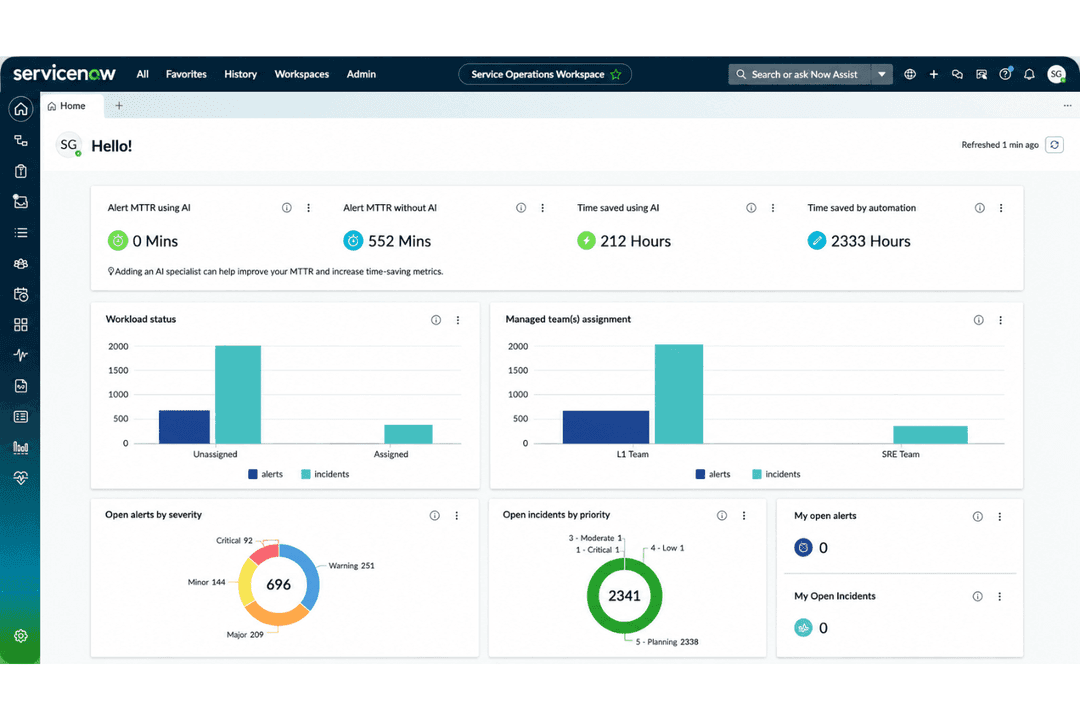
- Centralized dashboard provides clear visibility into AI workflows
- Advanced governance features require significant setup and training
- Pricing is not transparent for most AI-specific modules
- Custom automation can strain IT resources during deployment
Jira Service Management
- Large EnterprisesIt provides the scalability and comprehensive tools needed for managing extensive service operations.
- Atlassian Ecosystem UsersIf you're already using tools like Jira Software, Confluence, or Bitbucket, it integrates seamlessly into your existing workflows.
- On-Premise or Data Center EnvironmentsSupports organizations that require on-premise or self-managed deployments for compliance or infrastructure control.
- DevOps and Engineering TeamsNative connections to Jira Software, Bitbucket, and development workflows help bridge IT operations and software delivery.
- Highly Customizable Workflow Needs (JQL Users)Ideal for teams that need granular control and are comfortable using JQL and advanced configurations to tailor the platform.
- IT DepartmentsYour IT team can leverage its robust incident management features to resolve issues swiftly.
ServiceNow
- Financial ServicesServiceNow’s deep audit trails and policy automation help meet strict regulatory requirements for banking and insurance operations.
- Healthcare OrganizationsCentralized governance and compliance workflows support HIPAA needs and ensure patient data protection.
- Global EnterprisesServiceNow scales well for globally distributed teams needing unified oversight and secure model management.
- Government AgenciesBuilt-in controls and policy management align with complex government information technology standards and public sector risk controls.
- IT DepartmentsIntegrated governance in ITSM workflows makes ServiceNow a natural fit for teams already using incident and change management.
- Data Science LeadersCentralized model tracking and risk scoring make software development teams and AI leaders more efficient at cross-team collaboration and regulatory reporting.
Who Should Use Jira Service Management, and Who Should Use ServiceNow?
Jira Service Management is best suited for small to mid-sized teams, especially those already using Atlassian products like Jira Software or Confluence. It works well for organizations that want fast setup, intuitive workflows, and strong alignment with their software development processes without needing heavy IT overhead. Teams that prioritize agility, collaboration, and ease of use will get the most value from it.
ServiceNow is better suited for large enterprises with complex IT environments and strict compliance requirements. It’s ideal for organizations that have specific needs, like deep customization, advanced automation, and the ability to manage service lifecycles across multiple departments, like IT, HR, and operations. Companies with dedicated IT teams and resources to support implementation will benefit most from its full capabilities.
| Jira Service Management | ServiceNow | |
|---|---|---|
| Automation | Jira Service Management Built-in automation rules for common ITSM tasks, easy to configure. | ServiceNow Advanced automation engine supports complex, cross-departmental workflows. |
| CMDB Capabilities | Jira Service Management Basic asset management and configuration tracking with integrations for deeper needs. | ServiceNow Robust, native CMDB with advanced dependency mapping and service modeling. |
| Deployment & Implementation | Jira Service Management More simple to deploy with out-of-the-box templates and minimal setup. | ServiceNow Longer implementation cycles that often require consultants or partners. |
| Integration Focus | Jira Service Management Deep integration with Atlassian products and popular SaaS tools. | ServiceNow Broad enterprise integrations, including ERP and HR systems. |
| Pricing Model | Jira Service Management Transparent, tiered subscription based on user count and features. | ServiceNow Custom enterprise pricing tailored to your organization's requirements. |
| API Access | Both offer APIs for custom integrations, enabling teams to connect with other business-critical systems. |
|---|---|
| Incident Management | Both offer robust incident tracking, prioritization, and resolution workflows to keep IT operations smooth. |
| Reporting & Analytics | Each tool includes dashboards and analytics for monitoring performance, trends, and team productivity. |
| Self-Service Portal | Each provides a customizable self-service portal for users to submit requests and find knowledge articles. |
| Service Desk | Both provide full-featured service desk capabilities for managing requests, incidents, and user communications in a centralized system. |
| SLA Management | Both platforms support SLA tracking, automated escalations, and reporting to ensure service commitments. |