

iCloud Review: Pros, Cons, Features, and Pricing
iCloud excels in seamless integration with Apple devices, making it ideal for Apple users seeking simple, reliable cloud storage.

We review tools independently, and commissions help fund our testing. See our transparency policy, our methodology, or suggest a tool.
iCloud is a cloud storage software built for Apple's ecosystem. It's a natural fit when your team runs iPhones, iPads, and Macs and needs storage that integrates natively with each device. I'd choose it over Google Drive when OS-level sync—device backups, iCloud Drive, and Photos—matters more than cross-platform reach.
iCloud Evaluation Summary
0/5
- From $0.99/50 GB
- Free plan available
Why Trust Our Software Recommendations
6,700+
Reviews
20
Industry experts
16+
Evaluation factors
14
Years
Our team has been testing and reviewing software since 2012. As tech leaders ourselves, we know how difficult—and important—it is to choose the right software.
For this guide, we evaluated tools using hands-on testing and independent research, scoring tools using our selection criteria.
Our reviews reflect our human editorial judgment, not a sales pitch.
Expert reviewers:
- Paulo Gardini MiguelTech Director
 Tim FisherVP of AI
 Gabriel RosasTech Lead & Software Architect
 Christhian GruhnTech Lead & Platform Architect

iCloud Overview
In my opinion, iCloud is a solid choice for teams already using Apple products. It excels in ease of use and smooth integration with Apple devices, making it ideal for freelancers and marketing teams. However, its customer support slightly underperforms compared to competitors like Google Drive, Dropbox, and Microsoft OneDrive. For those seeking a straightforward cloud storage service, iCloud offers reliable functionality and decent value for your money. If your team prioritizes simplicity and works within the Apple ecosystem, it's worth considering.
Pros
- It syncs effortlessly across all Apple devices.
- Your team can easily share files within the Apple ecosystem.
- It provides a simple and intuitive interface.
Cons
- It offers limited storage space compared to some competitors.
- Your team might find it challenging to collaborate with non-Apple users.
- It relies heavily on a stable internet connection for functionality.
Is iCloud Right For Your Needs?
Who Would be a Good Fit for iCloud?
iCloud is ideal for individuals, remote teams, and groups that use Apple devices due to its unified integration with iOS and macOS hardware. If your work involves frequent collaboration and file sharing within the Apple ecosystem, iCloud's intuitive interface and reliable syncing capabilities will enhance your productivity. It's especially beneficial for small businesses that need simplicity and consistency in their cloud storage needs.
- Creative AgenciesiCloud's seamless Apple integration and file versioning make it perfect for creative teams working on design projects.
- Small BusinessesYour team can benefit from its easy file syncing and sharing across Apple devices, which helps to reduce your reliance on shared hard drives and USB storage.
- Education DepartmentsSchools using Apple products will find iCloud's simplicity and accessibility valuable for students and staff.
- Marketing TeamsIt allows easy collaboration on campaigns with its straightforward interface and file sharing capabilities.
- FreelancersIf you use Apple devices, iCloud provides a simple way to manage and access your work files.
- Remote TeamsiCloud ensures your team can access and sync files effortlessly, provided everyone uses Apple devices.
Who Would be a Bad Fit for iCloud?
iCloud isn't ideal for teams that rely on non-Apple devices or need extensive cross-platform compatibility. Businesses that require collaboration with users on Windows or Android systems might face hurdles due to iCloud's limited integration outside the Apple ecosystem. Large enterprises needing advanced data management or customization options may find iCloud lacking in flexibility and control.
- Large EnterprisesiCloud's limited customization and control may not meet your complex data management needs.
- Cross-Platform TeamsYour team will struggle if you need to collaborate across non-Apple devices.
- Tech StartupsIf you're developing software, iCloud's lack of advanced features could present an obstacle.
- Manufacturing FirmsYour team's diverse technology stack might not align with iCloud's Apple-centric approach.
- Finance DepartmentsiCloud's lack of advanced compliance controls could be a concern for handling sensitive data.
- Government AgenciesYou may find iCloud's limited compliance and security features insufficient for regulatory requirements.
Our Review Methodology
How We Test & Score Tools
We’ve spent years building, refining, and improving our software testing and scoring system. The rubric is designed to capture the nuances of software selection and what makes a tool effective, focusing on critical aspects of the decision-making process.
Below, you can see exactly how our testing and scoring works across seven criteria. It allows us to provide an unbiased evaluation of the software based on core functionality, standout features, ease of use, onboarding, customer support, integrations, customer reviews, and value for money.
Core Functionality (25% of final scoring)
The starting point of our evaluation is always the core functionality of the tool. Does it have the basic features and functions that a user would expect to see? Are any of those core features locked to higher-tiered pricing plans? At its core, we expect a tool to stand up against the baseline capabilities of its competitors.
Standout Features (25% of final scoring)
Next, we evaluate uncommon standout features that go above and beyond the core functionality typically found in tools of its kind. A high score reflects specialized or unique features that make the product faster, more efficient, or offer additional value to the user.
We also evaluate how easy it is to integrate with other tools typically found in the tech stack to expand the functionality and utility of the software. Tools offering plentiful native integrations, 3rd party connections, and API access to build custom integrations score best.
Ease of Use (10% of final scoring)
We consider how quick and easy it is to execute the tasks defined in the core functionality using the tool. High scoring software is well designed, intuitive to use, offers mobile apps, provides templates, and makes relatively complex tasks seem simple.
Onboarding (10% of final scoring)
We know how important rapid team adoption is for a new platform, so we evaluate how easy it is to learn and use a tool with minimal training. We evaluate how quickly a team member can get set up and start using the tool with no experience. High scoring solutions indicate little or no support is required.
Customer Support (10% of final scoring)
We review how quick and easy it is to get unstuck and find help by phone, live chat, or knowledge base. Tools and companies that provide real-time support score best, while chatbots score worst.
Customer Reviews (10% of final scoring)
Beyond our own testing and evaluation, we consider the net promoter score from current and past customers. We review their likelihood, given the option, to choose the tool again for the core functionality. A high scoring software reflects a high net promoter score from current or past customers.
Value for Money (10% of final scoring)
Lastly, in consideration of all the other criteria, we review the average price of entry level plans against the core features and consider the value of the other evaluation criteria. Software that delivers more, for less, will score higher.
Core Features
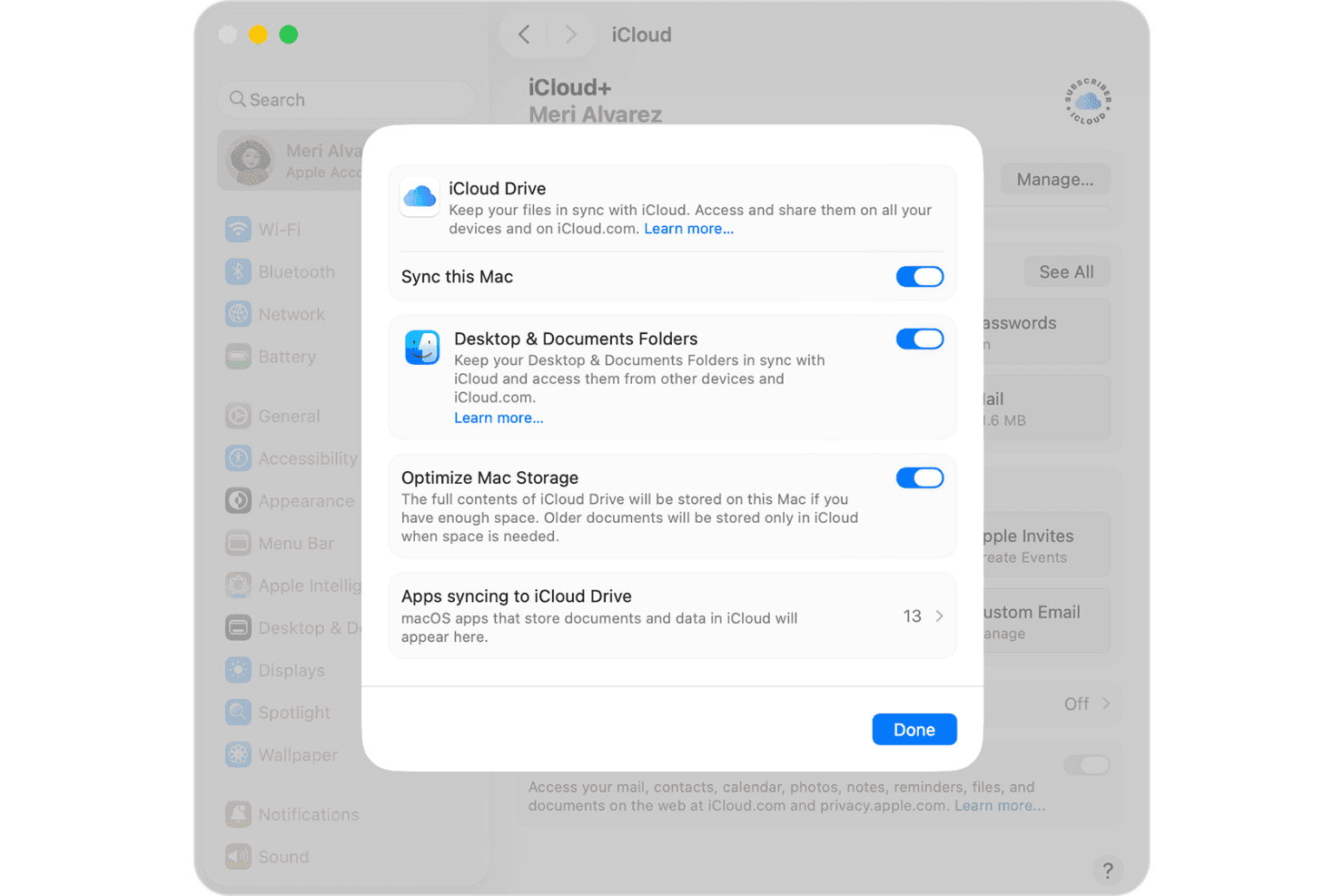
File Synchronization: iCloud syncs your files automatically across all your Apple devices, so you can access the most recent version of your work from anywhere.
File Sharing: You can easily share documents and media with your team, simplifying collaboration within the Apple ecosystem. It also supports permissions to control who can view or edit files.
Backup: iCloud provides automatic backups for your Apple devices, protecting your data in case of loss or damage and giving you peace of mind knowing your information is safe.
Storage Management: iCloud helps you manage your storage efficiently by analyzing your data usage and suggesting optimizations so you can make the most out of your allocated space.
Photo Library: Your iCloud photos and videos are safe and easy to find on any Apple device when they're stored and organized in the photo library, including footage from HomeKit Secure Video.
Document Editing: With iCloud, you can edit documents directly through Apple's native apps, such as Pages and Numbers. The software streamlines your workflow by allowing real-time updates and collaboration.
Standout Features
Find My: This iCloud tool lets you locate lost Apple mobile devices, providing an extra layer of security, which helps to minimize disruptions in your work.
Family Sharing: iCloud lets you share purchases, subscriptions, and storage with family members through its cost-effective iCloud+ subscriptions. You and your team or family can stay connected and organized.
Ease of Use
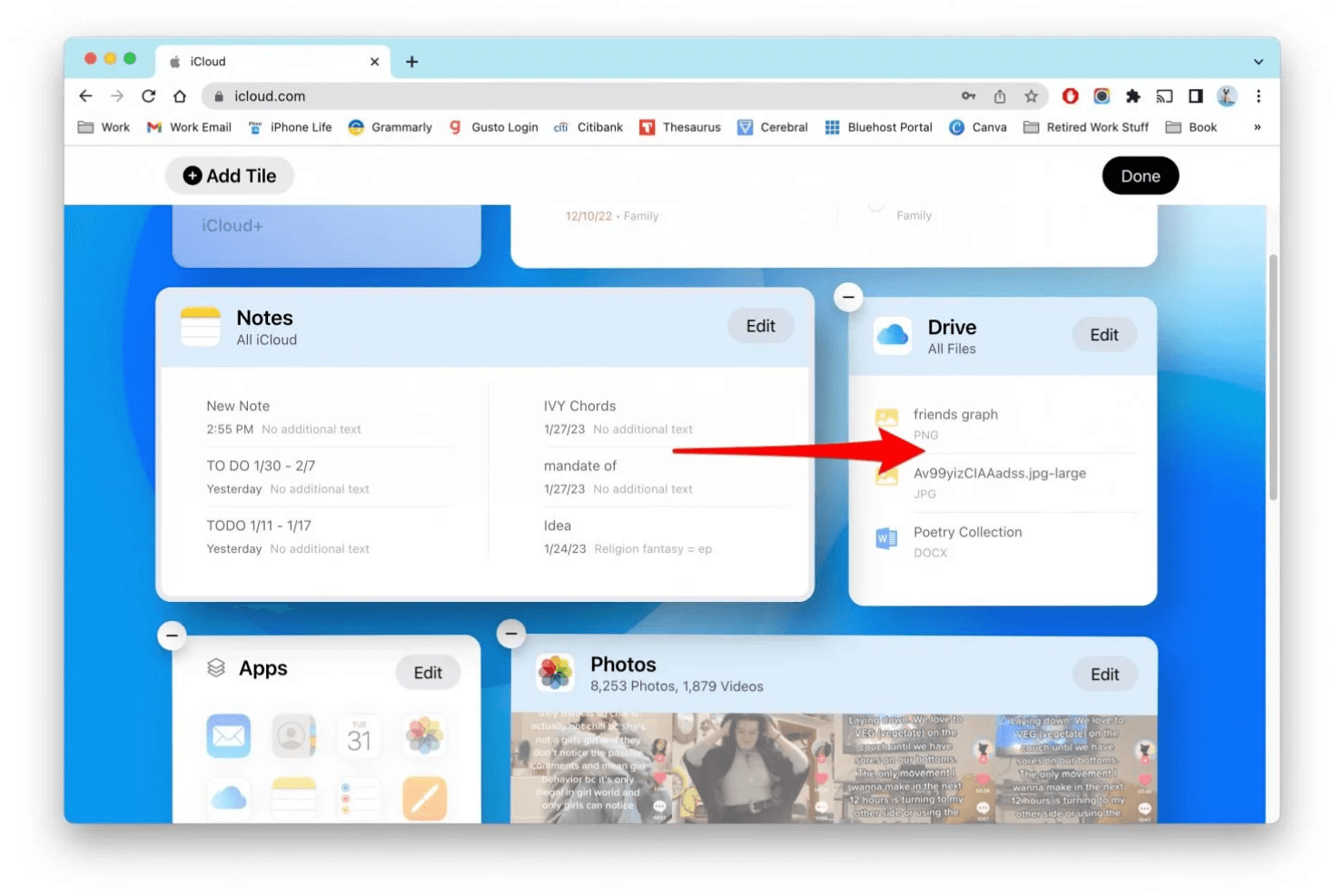
iCloud is very easy to use, especially if you're familiar with Apple devices and already signed in with an Apple ID. Its intuitive design and straightforward navigation make it easy for your team to store, sync, and share files without a learning curve. Its integration with native Apple apps simplifies your workflow, allowing uninterrupted document editing and sharing. Additionally, automatic syncing and backup functionalities keep your data current and safe with minimal effort. If you're looking for a simple and easy way to manage files, Apple iCloud is a good choice.
Onboarding
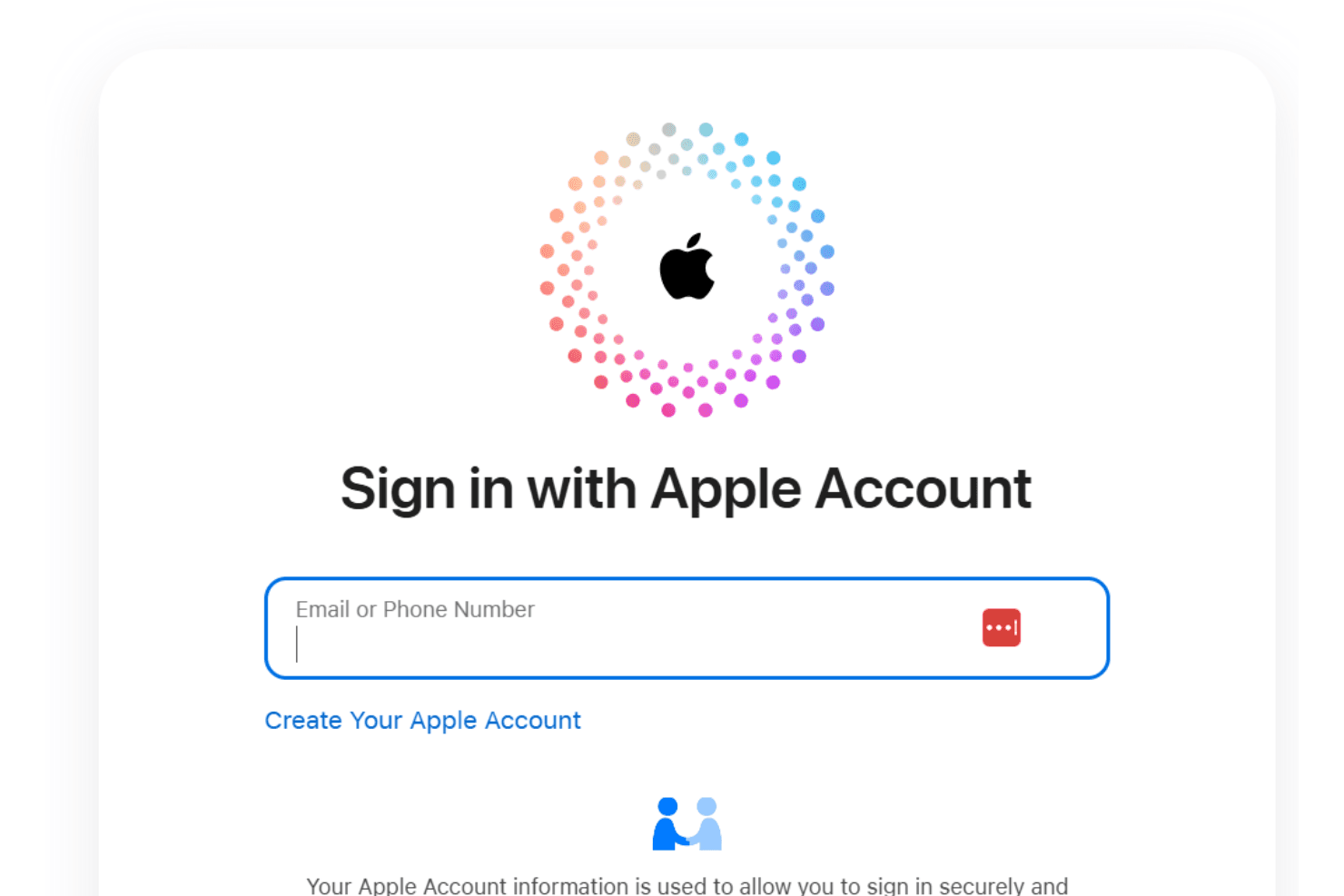
iCloud offers a straightforward onboarding experience, especially for individuals with Apple accounts. However, businesses may need to rely on additional Apple tools to manage multiple devices. The process is intuitive, and Apple's support resources, including online guides and tutorials, aid in getting you set up quickly and syncing files with minimal fuss. Users appreciate the simplicity and quick time to value, as iCloud integrates seamlessly into existing workflows. If you're familiar with Apple products, you'll find the transition smooth and hassle-free.
Customer Support
iCloud's customer support is adequate but has room for improvement. While you can access online resources and tutorials, reviewers comment they often find direct support channels limited. The response time can be slow, which might frustrate your team if urgent issues arise. However, for straightforward problems, the available guides and community forums can be helpful. If you rely heavily on timely support, you might find the experience lacking compared to more responsive services.
Integrations
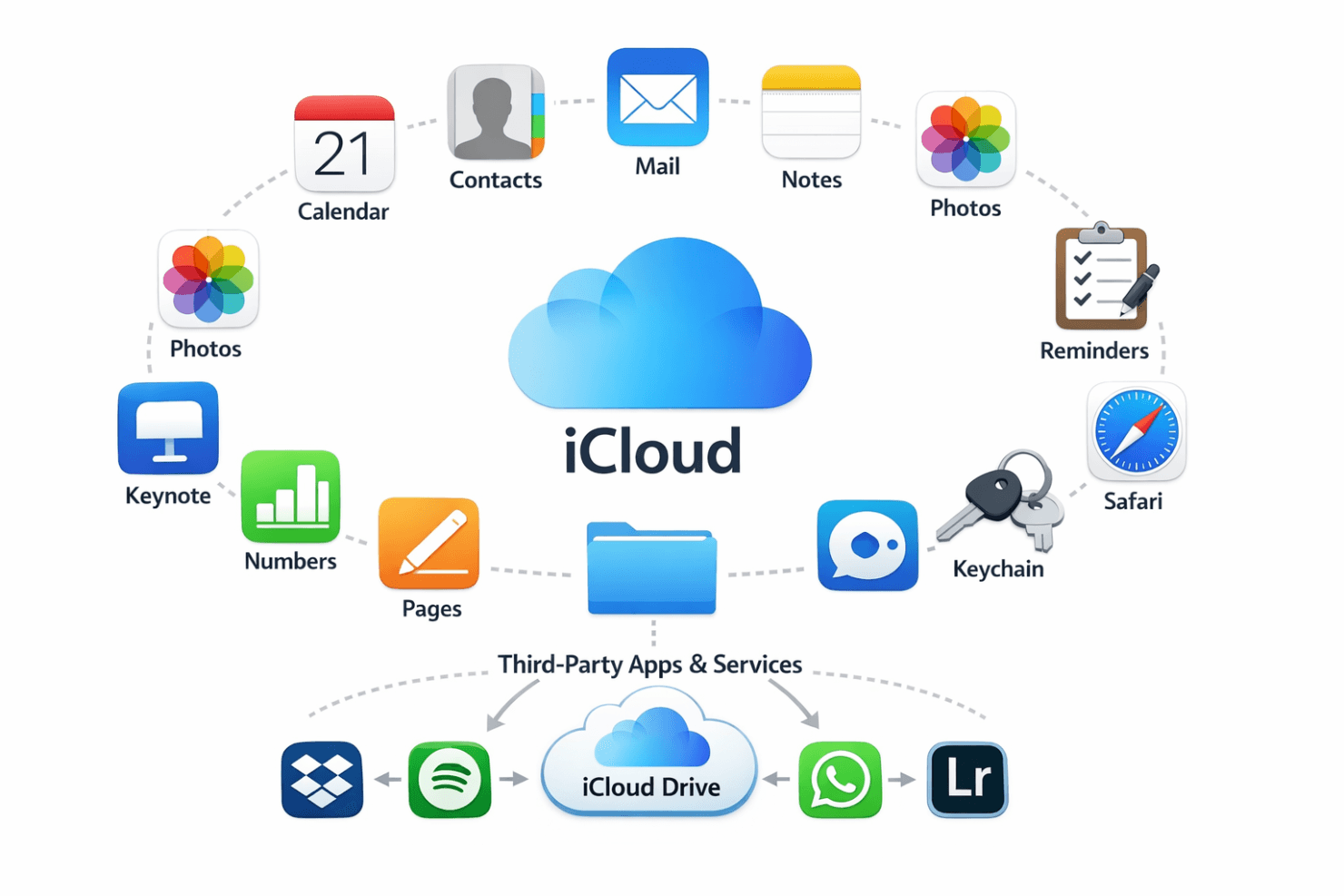
iCloud integrates with Apple Calendar, Contacts, Mail, Notes, Photos, Reminders, Safari, Keychain, Keynote, Numbers, Pages, and the Files app.
The software does not have a public API for third-party developers, but it supports integration with some third-party apps and services that can access iCloud Drive.
Value for Money
iCloud offers reasonable value for money, especially for users already invested in the Apple ecosystem. Its numerous iCloud+ pricing tiers offer a variety of storage levels along with the smooth integration and ease of use Apple customers are familiar with. A free plan with limited storage is also available.
- iCloud Plan: No cost; 5GB of free storage.
- iCloud+ 50GB Plan: $0.99/month; provides more storage for personal use.
- iCloud+ 200GB Plan: $2.99/month; suitable for families and small teams.
- iCloud+ 2TB Plan: $9.99/month; offers ample storage for large teams or extensive data needs.
- iCloud+ 6TB Plan: $29.99/month; good for heavy Apple users and digital creators.
- iCloud+ 12TB Plan: $59.99/month; suitable for professional content creators and advanced users who need large amounts of storage.
.png&w=3840&q=75)
iCloud Specs
- 2-Factor Authentication: Yes
- Access Management: Yes
- Anti-Virus: No
- API: Yes
- Audit Trail: No
- Bug Tracking: No
- Calendar Management: Yes
- Customer Management: No
- Dashboard: No
- Data Export: Yes
- Data Import: Yes
- Data Visualization: No
- Email Integration: Yes
- External Integrations: Yes
- File Sharing: Yes
- File Transfer: Yes
- Firewall: No
- Google Apps Integration: No
- Inventory Tracking: No
- Malware Protection: No
- Multi-User: Yes
- Network Device Performance Monitoring: No
- Network Traffic Monitoring: No
- Network Visualization: No
- Notifications: Yes
- Project Management: No
- Remote Access: Yes
- Risk Assessment: No
- SAP Integration: No
- Scheduling: Yes
- Software Integration: Yes
- Third-Party Plugins/Add-Ons: No
- Ticket Management: No
iCloud FAQs
iCloud Company Overview & History
Launched on October 12, 2011, iCloud is Apple's cloud service. Apple Inc., headquartered in Cupertino, California, owns iCloud and is known for its innovative products, including the iPhone, iPad, and Mac. Apple's commitment to privacy and security is well-regarded, and iCloud plays a significant role in its ecosystem. Notable companies and individuals rely on iCloud for seamless data synchronization across Apple devices.
iCloud Major Milestones
2011: Launch of iCloud as a replacement for MobileMe.
2013: iCloud reaches 320 million users.
2021: Launch of iCloud+ with new privacy features.