
ConnectWise PSA Review 2026: Pros, Cons, Features, and Pricing
ConnectWise PSA stands out for its robust automation and integration, making it ideal for MSPs seeking scalable remote support, but its complexity may challenge smaller teams.

We review tools independently, and commissions help fund our testing. See our transparency policy, our methodology, or suggest a tool.
ConnectWise PSA is a remote support software built for managed service providers that need to handle ticketing, contract management, billing, and remote support operations in one platform. I'd consider it over Autotask PSA if your team is already invested in the ConnectWise ecosystem—particularly if you're running ConnectWise RMM or ConnectWise Automate—since the native integrations between those tools give you tighter visibility across service delivery than you'd get piecing together a Datto-based stack.
ConnectWise PSA Evaluation Summary

3.9/5
- Pricing upon request
- Free demo available
Why Trust Our Software Recommendations
6,700+
Reviews
20
Industry experts
16+
Evaluation factors
14
Years
Our team has been testing and reviewing software since 2012. As tech leaders ourselves, we know how difficult—and important—it is to choose the right software.
For this guide, we evaluated tools using hands-on testing and independent research, scoring tools using our selection criteria.
Our reviews reflect our human editorial judgment, not a sales pitch.
Expert reviewers:
- Paulo Gardini MiguelTech Director
 Tim FisherVP of AI
 Gabriel RosasTech Lead & Software Architect
 Christhian GruhnTech Lead & Platform Architect

ConnectWise PSA Overview
ConnectWise PSA offers deep automation, strong reporting, and broad integration options, making it a top choice for MSPs and IT teams managing complex client environments. Its pricing is competitive for feature-rich deployments, though the interface and onboarding can feel overwhelming for smaller teams or those new to PSA tools.
Compared to others, this tool excels in workflow customization and ticket management but can lag in user-friendliness and initial setup speed. If you’re judging remote support software for scalability, advanced integrations, and centralized control, ConnectWise PSA is well-suited for mature IT operations or growing MSPs.
Pros
- ConnectWise PSA offers excellent customer support, ensuring your team gets quick and effective assistance.
- It enhances operational efficiency by integrating project management and billing seamlessly.
- The platform is particularly beneficial for IT service providers needing streamlined workflow management.
Cons
- Some users find the onboarding process lengthy and challenging for new team members.
- The user interface can be complex, requiring time to learn and adapt.
- Occasional system updates may cause temporary disruptions in your workflow.
Is ConnectWise PSA Right For Your Needs?
Who Would be a Good Fit for ConnectWise PSA?
ConnectWise PSA is ideal for IT service providers, managed service providers, and tech support teams who need strong project management and billing integration. If your team handles complex workflows and requires seamless client communication, you’ll benefit from its robust features. The platform’s ability to streamline operations makes it a good choice for businesses focused on improving service delivery and operational efficiency.
- IT Service ProvidersConnectWise PSA supports tech teams with features that streamline workflow and improve client communication.
- Managed Service ProvidersMSPs benefit from its integrated project management and billing capabilities to enhance service efficiency.
- Tech Support TeamsConnectWise PSA helps your team manage requests and track client interactions effectively.
- Small to Medium EnterprisesSMEs can leverage the platform’s tools to optimize operations and focus on growth.
- Project ManagersThe platform aids in managing multiple projects with its comprehensive project management features.
- Customer Service DepartmentsTeams can enhance customer satisfaction through efficient ticket management and communication tools.
Who Would be a Bad Fit for ConnectWise PSA?
ConnectWise PSA might not suit freelancers or very small businesses with straightforward workflows, as its robust features could be overwhelming and unnecessary. If your team doesn’t require complex project management or integrated billing, you may find the platform’s capabilities excessive. Additionally, those who prefer simple, intuitive interfaces might struggle with its complexity and steep learning curve.
- FreelancersThe platform’s extensive features may be excessive for individuals managing simple projects.
- Small StartupsEarly-stage companies with minimal processes might find the platform more complex than needed.
- Retail BusinessesRetailers generally don’t need the IT-focused tools that ConnectWise PSA offers.
- Non-Technical TeamsNon-technical departments may struggle with the platform’s complexity and learning requirements.
- Creative AgenciesAgencies focusing on creativity rather than technical services might not utilize its full potential.
- Simple Service ProvidersBusinesses offering straightforward services might find the comprehensive features unnecessary.
Our Review Methodology
How We Test & Score Tools
We’ve spent years building, refining, and improving our software testing and scoring system. The rubric is designed to capture the nuances of software selection and what makes a tool effective, focusing on critical aspects of the decision-making process.
Below, you can see exactly how our testing and scoring works across seven criteria. It allows us to provide an unbiased evaluation of the software based on core functionality, standout features, ease of use, onboarding, customer support, integrations, customer reviews, and value for money.
Core Functionality (25% of final scoring)
The starting point of our evaluation is always the core functionality of the tool. Does it have the basic features and functions that a user would expect to see? Are any of those core features locked to higher-tiered pricing plans? At its core, we expect a tool to stand up against the baseline capabilities of its competitors.
Standout Features (25% of final scoring)
Next, we evaluate uncommon standout features that go above and beyond the core functionality typically found in tools of its kind. A high score reflects specialized or unique features that make the product faster, more efficient, or offer additional value to the user.
We also evaluate how easy it is to integrate with other tools typically found in the tech stack to expand the functionality and utility of the software. Tools offering plentiful native integrations, 3rd party connections, and API access to build custom integrations score best.
Ease of Use (10% of final scoring)
We consider how quick and easy it is to execute the tasks defined in the core functionality using the tool. High scoring software is well designed, intuitive to use, offers mobile apps, provides templates, and makes relatively complex tasks seem simple.
Onboarding (10% of final scoring)
We know how important rapid team adoption is for a new platform, so we evaluate how easy it is to learn and use a tool with minimal training. We evaluate how quickly a team member can get set up and start using the tool with no experience. High scoring solutions indicate little or no support is required.
Customer Support (10% of final scoring)
We review how quick and easy it is to get unstuck and find help by phone, live chat, or knowledge base. Tools and companies that provide real-time support score best, while chatbots score worst.
Customer Reviews (10% of final scoring)
Beyond our own testing and evaluation, we consider the net promoter score from current and past customers. We review their likelihood, given the option, to choose the tool again for the core functionality. A high scoring software reflects a high net promoter score from current or past customers.
Value for Money (10% of final scoring)
Lastly, in consideration of all the other criteria, we review the average price of entry level plans against the core features and consider the value of the other evaluation criteria. Software that delivers more, for less, will score higher.
Core Features
Advanced Ticket Management
Centralizes all support requests and automates ticket routing for faster resolution. Users can track, prioritize, and escalate tickets based on SLAs.
Automated Billing and Invoicing
Automatically generates invoices from tracked time and services delivered. Reduces manual billing errors and speeds up payment cycles.
Time Tracking
Tracks billable and non-billable hours by client, project, or task. Enables accurate client billing and internal resource allocation.
Project Management
Monitors project milestones, deadlines, and deliverables in one place. Supports multi-phase projects with real-time progress tracking.
Reporting and Analytics
Provides customizable dashboards and detailed reports on service performance. Helps identify trends, bottlenecks, and areas for improvement.
Service Desk Automation
Automates repetitive support tasks and ticket triage using AI-driven workflows. Improves help desk responsiveness and customer satisfaction.

Standout Features
Contract Management
ConnectWise PSA lets you create, track, and manage client contracts directly within the platform. This feature ensures accurate service delivery and billing by automatically applying contract terms to tickets and projects.
Knowledge Base Integration
The built-in knowledge base allows teams to store, organize, and share troubleshooting guides and FAQs. Support agents can quickly access and link relevant articles to tickets, speeding up issue resolution and improving consistency.
Ease of Use
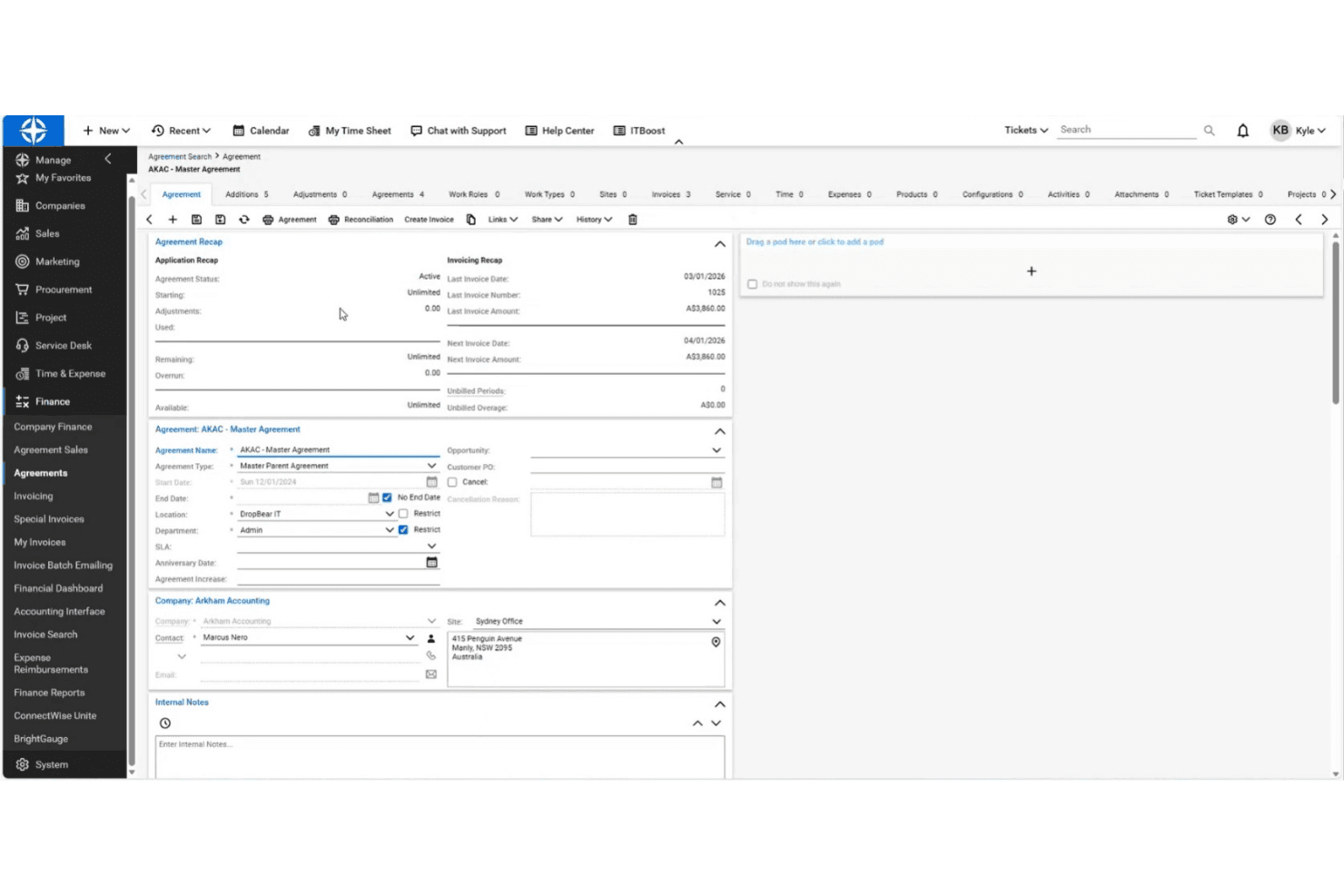
ConnectWise PSA’s interface is dense and can feel overwhelming, especially for new users or smaller teams. Many users report that navigating menus and configuring workflows requires significant time and training. However, once set up, its automation and centralized controls offer efficiency for complex environments. The platform’s depth is valuable for experienced IT teams, but those seeking quick onboarding or a simple layout may find it less approachable than other remote support software options.

Onboarding
Onboarding with ConnectWise PSA is often described as lengthy and complex, with users noting a steep initial setup and configuration process. The platform provides extensive documentation, webinars, and a dedicated support portal, but many teams still require hands-on training to reach full productivity. While the available resources are thorough, the time to value can be slower than expected, especially for organizations without prior PSA experience or dedicated IT staff.
Customer Support
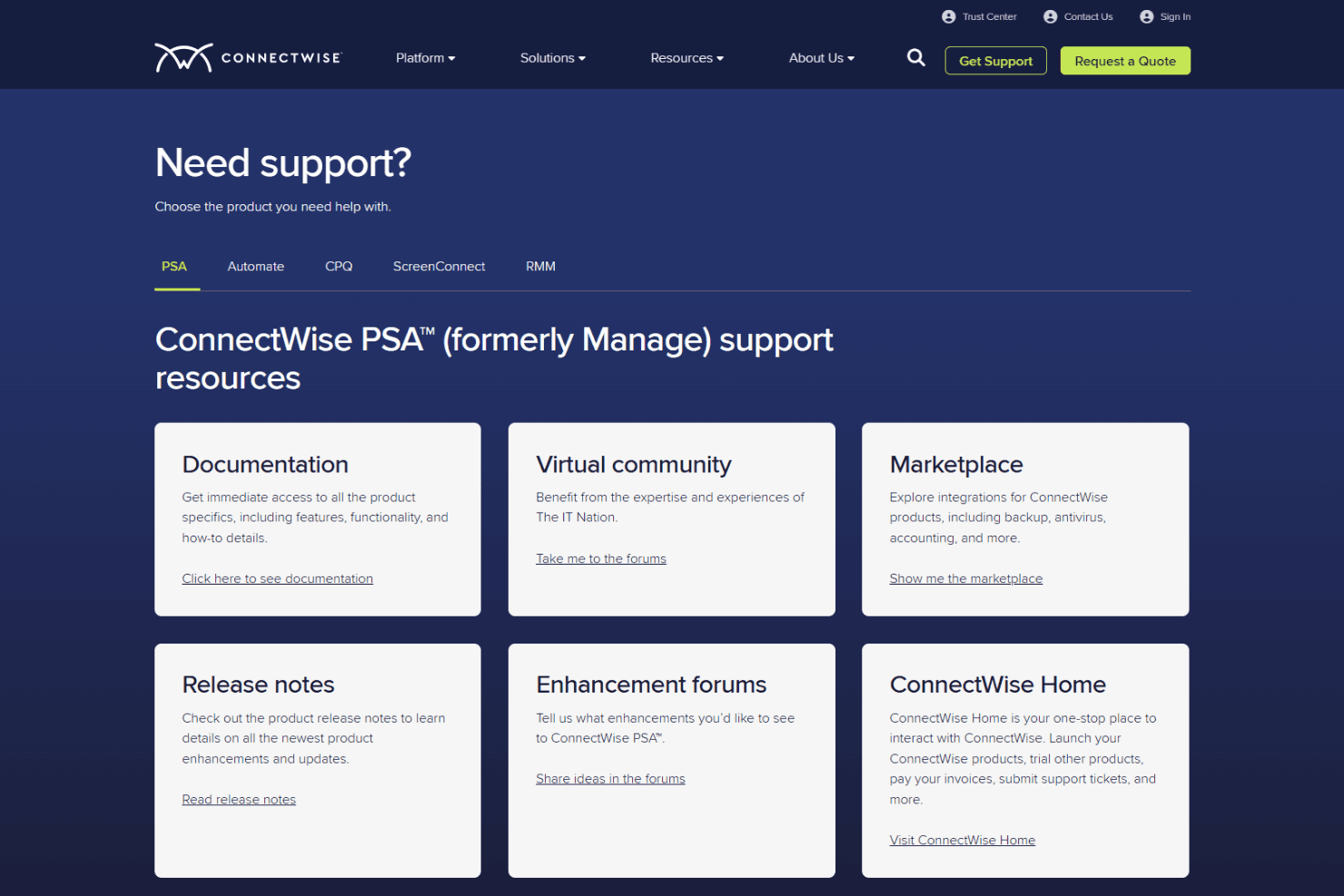
Customer support for ConnectWise PSA receives mixed feedback, with some users praising knowledgeable agents while others report slow response times and unresolved tickets. Support is available through phone, email, and an online portal, but the quality and speed can vary depending on the issue’s complexity. The community forums and knowledge base offer helpful self-service options, yet many users feel that urgent problems sometimes require persistent follow-up to achieve resolution.
Integrations
ConnectWise PSA integrates with Datto RMM, Bitdefender, Acronis Cyber Protect Cloud, AlertOps, ESET Security, ControlCase, HYAS, Lumu, MConnect for Sage Intacct, and ThreatDown (Malwarebytes), among others.
ConnectWise PSA also offers a full-featured API and supports connections with a wide range of third-party integration tools.

Value for Money
ConnectWise PSA is often seen as a significant investment, with users noting that its pricing reflects the platform’s depth and advanced features. While the cost can be high, especially for smaller teams, many find that the automation, reporting, and contract management capabilities justify the expense for larger or more complex IT operations.
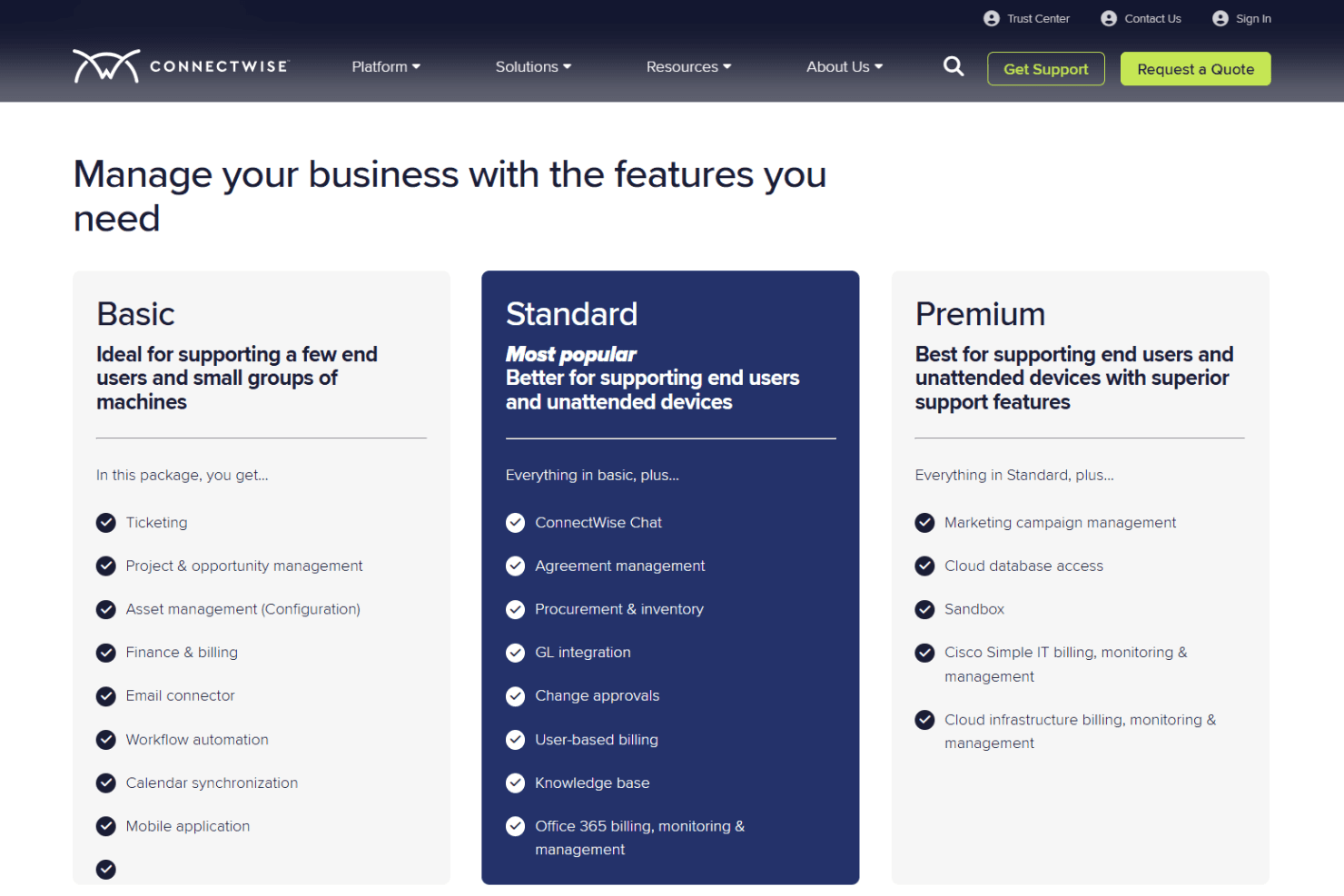
- Basic: Core ticketing, project & opportunity management, asset tracking, billing, and workflow automation.
- Standard: Adds ConnectWise Chat, agreement management, procurement & inventory, GL integration, approvals, and knowledge base.
- Premium: Adds marketing campaign management, cloud database access, sandbox, and advanced billing and monitoring tools.
ConnectWise PSA Specs
- Analytics: Yes
- API: Yes
- Call Integration: Yes
- Chat: Yes
- Contact Management: Yes
- CRM Integration: Yes
- Customer Management: Yes
- Dashboard: Yes
- Data Export: Yes
- Data Import: Yes
- Data Visualization: Yes
- Email Integration: Yes
- External Integrations: Yes
- Instant Chat Integration: Yes
- Knowledge Base: Yes
- Lead Management: Yes
- Lead Scoring: No
- Multi-User: Yes
- Notifications: Yes
- Real-time Alerts: Yes
- Scheduling: Yes
- Self-service Portal: Yes
- Social Media Integration: No
- Support Forum: No
- Ticket Management: Yes
- Workflow Management: Yes
ConnectWise PSA FAQs
ConnectWise PSA Company Overview & History
ConnectWise PSA is part of ConnectWise, a leading IT services platform headquartered in Tampa, Florida. The company employs between 1,000 and 5,000 people across 12 locations and serves managed service providers, IT departments, and technology solution providers worldwide. ConnectWise owns and develops several products, including RMM, ScreenConnect Remote Access, and cybersecurity solutions, and recently acquired the AI company zofiQ. Notable clients include Relentless Solutions, K2 Technologies, and Citon Computer Corp., and the company reported revenue of $590.3 million.
ConnectWise PSA Major Milestones
- 1982: ConnectWise was founded in Tampa, Florida.
- 2004: Initial release of ConnectWise PSA.
- 2019: Acquired by Thoma Bravo for $1.5 billion.
- 2026: Acquired zofiQ, an AI automation company, to enhance service desk operations.