

10 Zscaler Alternatives for 2026

Zscaler Alternatives Shortlist


A strong Zscaler alternative delivers secure, scalable cloud access, advanced threat protection, and flexible policy controls that fit complex IT environments. If you’re searching for Zscaler competitors, you’re likely weighing options that can match or exceed Zscaler’s cloud security capabilities—whether for better integration, more granular management, or support for hybrid and legacy systems. This list will help you quickly compare leading vendors, understand their unique strengths, and identify which solution aligns best with your organization’s security priorities and infrastructure needs.
What Is Zscaler?
Zscaler is a cybersecurity and cloud security platform that provides secure internet and application access for users, regardless of location or device. Built on a cloud platform architecture, it uses a zero-trust approach to inspect traffic, block threats, and enforce data security policies in real time. Zscaler is widely used by organizations to protect remote, hybrid, and distributed workforces while improving overall user experience and reducing reliance on traditional network security appliances.
Zscaler Alternatives Summary
| Tool | Best For | Trial Info | Price | ||
|---|---|---|---|---|---|
| 1 | Best for rapid deployment at global scale | Free plan + free demo available | From $20/month (billed annually) | Website | |
| 2 | Best for secure remote access to legacy apps | Not available | Pricing upon request | Website | |
| 3 | Best for granular policy management | Free demo available | Pricing upon request | Website | |
| 4 | Best for unified security and SD-WAN | Free demo available | Pricing upon request | Website | |
| 5 | Best with integrated threat intelligence | Free demo + free trial available | Pricing upon request | Website | |
| 6 | Best for behavior-based risk analytics | Not available | Pricing upon request | Website | |
| 7 | Best for real-time data protection in cloud apps | Free demo available | Pricing upon request | Website | |
| 8 | Best for global private backbone connectivity | Free demo available | Pricing upon request | Website | |
| 9 | Best with native zero trust architecture | 30-day free trial available | From $13.60/user/month (billed annually) | Website | |
| 10 | Best for hybrid network environments | 30-day free trial + free demo available | Pricing upon request | Website |
Why Trust Our Software Reviews
We’ve been testing and reviewing software since 2023. As tech leaders ourselves, we know how critical and difficult it is to make the right decision when selecting software.
We invest in deep research to help our audience make better software purchasing decisions. We’ve tested more than 2,000 tools for different tech use cases and written over 1,000 comprehensive software reviews. Learn how we stay transparent & our software review methodology.
-

Freshservice
Visit WebsiteThis is an aggregated rating for this tool including ratings from Crozdesk users and ratings from other sites.4.6 -
Deel IT
Visit WebsiteThis is an aggregated rating for this tool including ratings from Crozdesk users and ratings from other sites.4.9 -
Heimdal
Visit Website




Zscaler Alternatives Reviews
Below are my detailed summaries of the best Zscaler alternatives that made it onto my shortlist. My reviews offer a detailed look at the features, capabilities, and best use cases of each platform to help you find the best one for your organization.

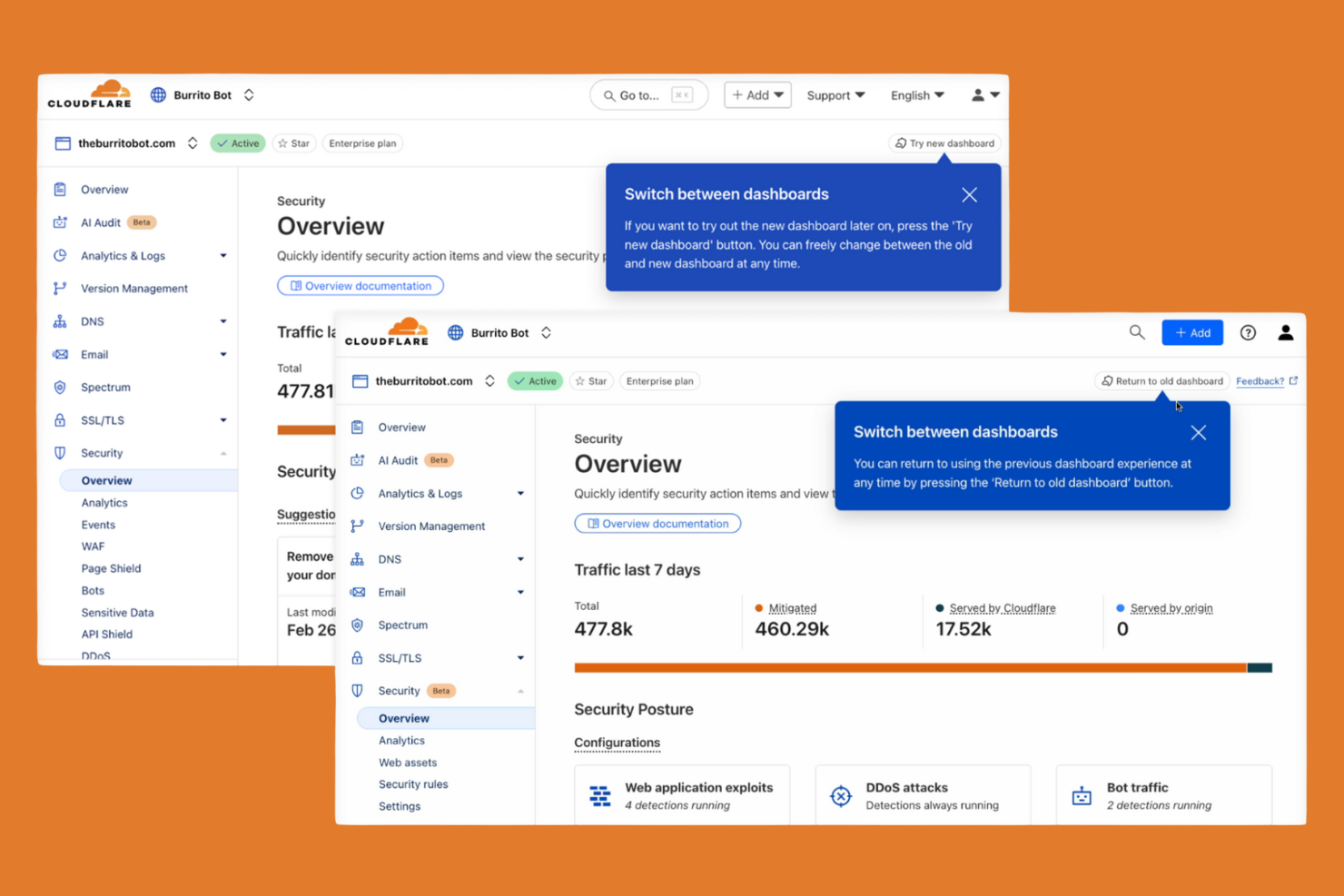
Cloudflare Zero Trust is built for organizations that need to secure users and applications across a distributed, global workforce. IT teams looking for rapid deployment and instant scalability will appreciate Cloudflare’s globally distributed network and one-click onboarding. Unlike Zscaler, Cloudflare lets you roll out zero-trust policies and secure remote access in minutes, even for large, multi-region environments.
Why Cloudflare Is a Good Zscaler Alternative
When you need to deploy cloud security at a global scale without delay, Cloudflare Zero Trust is a strong choice. I picked Cloudflare because its network spans hundreds of cities worldwide, letting you enforce zero-trust policies close to every user and application. The platform’s one-click onboarding and instant policy propagation mean you can secure remote access and web traffic for thousands of users in minutes. This rapid deployment capability makes Cloudflare especially appealing for organizations with distributed teams or urgent rollout needs.
Cloudflare Key Features
Some other features that caught my attention include:
- DNS Filtering: Blocks access to malicious domains and enforces safe browsing policies at the DNS layer.
- Cloud Access Security Broker (CASB): Monitors and controls data movement across SaaS applications for compliance and visibility.
- Device Posture Checks: Evaluates device health and security status before granting access to applications.
- API Shield: Protects APIs from abuse and unauthorized access using schema validation and mutual TLS.
Cloudflare Integrations
Integrations include CrowdStrike, Google Cloud, Microsoft, Okta, Ping Identity, SentinelOne, VMware, ServiceNow, Splunk, and IBM Security.
Pros and Cons
Pros:
- Built-in DNS filtering for threat blocking
- One-click onboarding for rapid policy rollout
- Global network enables low-latency access
Cons:
- No built-in remote browser isolation
- Some features require Cloudflare Gateway deployment

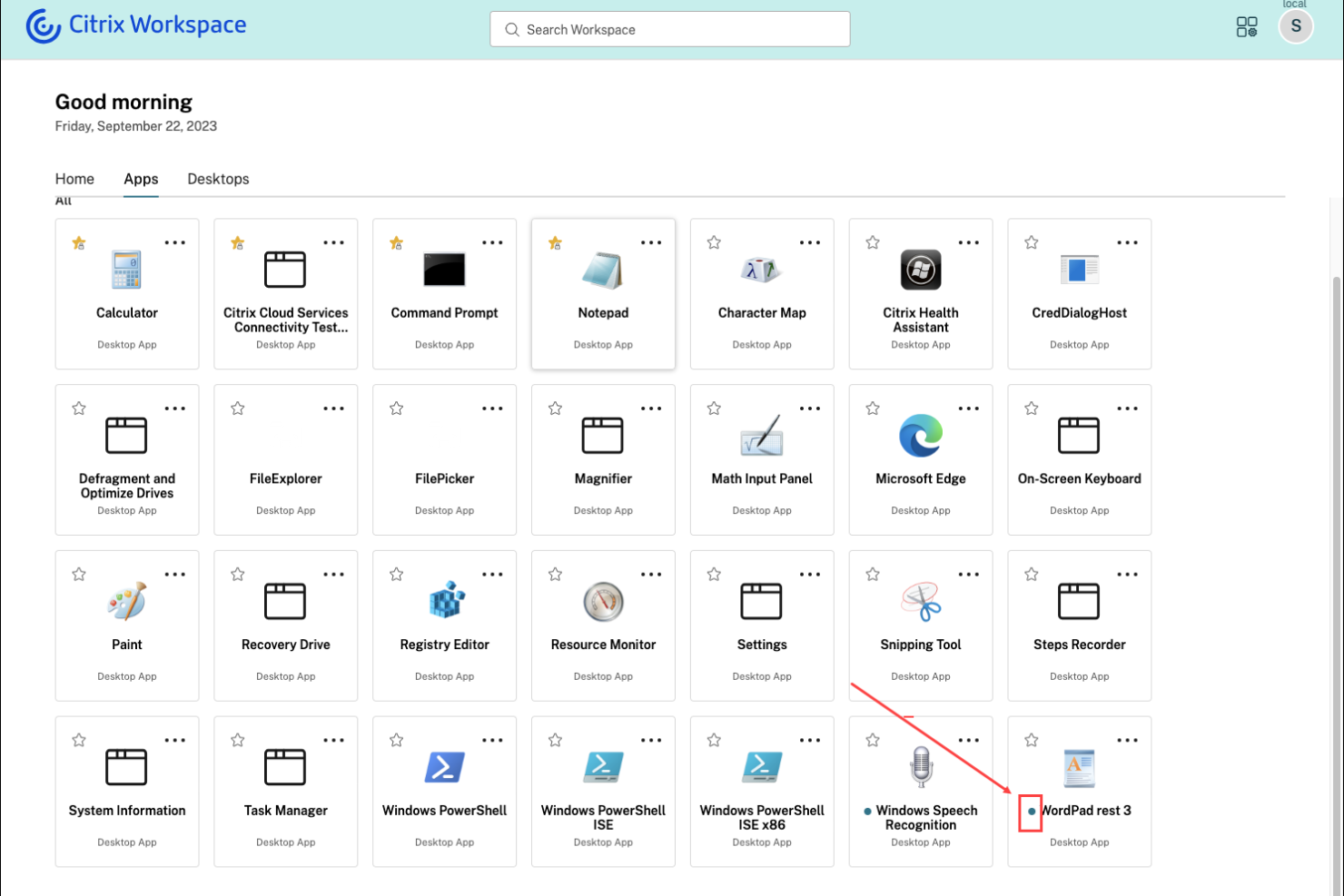
Citrix Secure Private Access is designed for organizations that need to deliver secure remote access to legacy and on-premises applications. This solution is especially useful for IT teams in industries with critical legacy systems that aren’t easily migrated to the cloud. Citrix stands apart by enabling zero-trust access to these older applications without requiring a VPN, helping you modernize security while supporting existing infrastructure.
Why Citrix Is a Good Zscaler Alternative
For organizations that rely on legacy or on-premises applications, Citrix Secure Private Access offers a unique approach to secure remote connectivity. I picked Citrix because it enables zero-trust access to older apps without forcing a full migration to the cloud or requiring a traditional VPN. The platform supports adaptive authentication and granular policy controls, letting you manage access based on user context and risk. This makes Citrix a strong Zscaler alternative for businesses that need to protect legacy systems while modernizing their security posture.
Citrix Key Features
Some other features in Citrix Secure Private Access that may interest you include:
- Browser isolation: Runs web sessions in a secure, isolated environment to prevent threats from reaching endpoints.
- Single sign-on (SSO): Allows users to access multiple applications with one set of credentials.
- Session recording: Captures user activity within applications for auditing and compliance.
- Device posture checks: Evaluates endpoint security status before granting access to applications.
Citrix Integrations
Integrations include Cisco Duo, Ping, Entra ID, Okta, Microsoft Active Directory, Google Identity, SAML 2.0 IdP, NetScaler Gateway, Citrix StoreFront, and CrowdStrike.
Pros and Cons
Pros:
- Enables device posture checks before access
- Integrates with major identity providers
- Offers browser isolation for web threats
Cons:
- Complex deployment for hybrid environments
- Some features need separate Citrix licenses

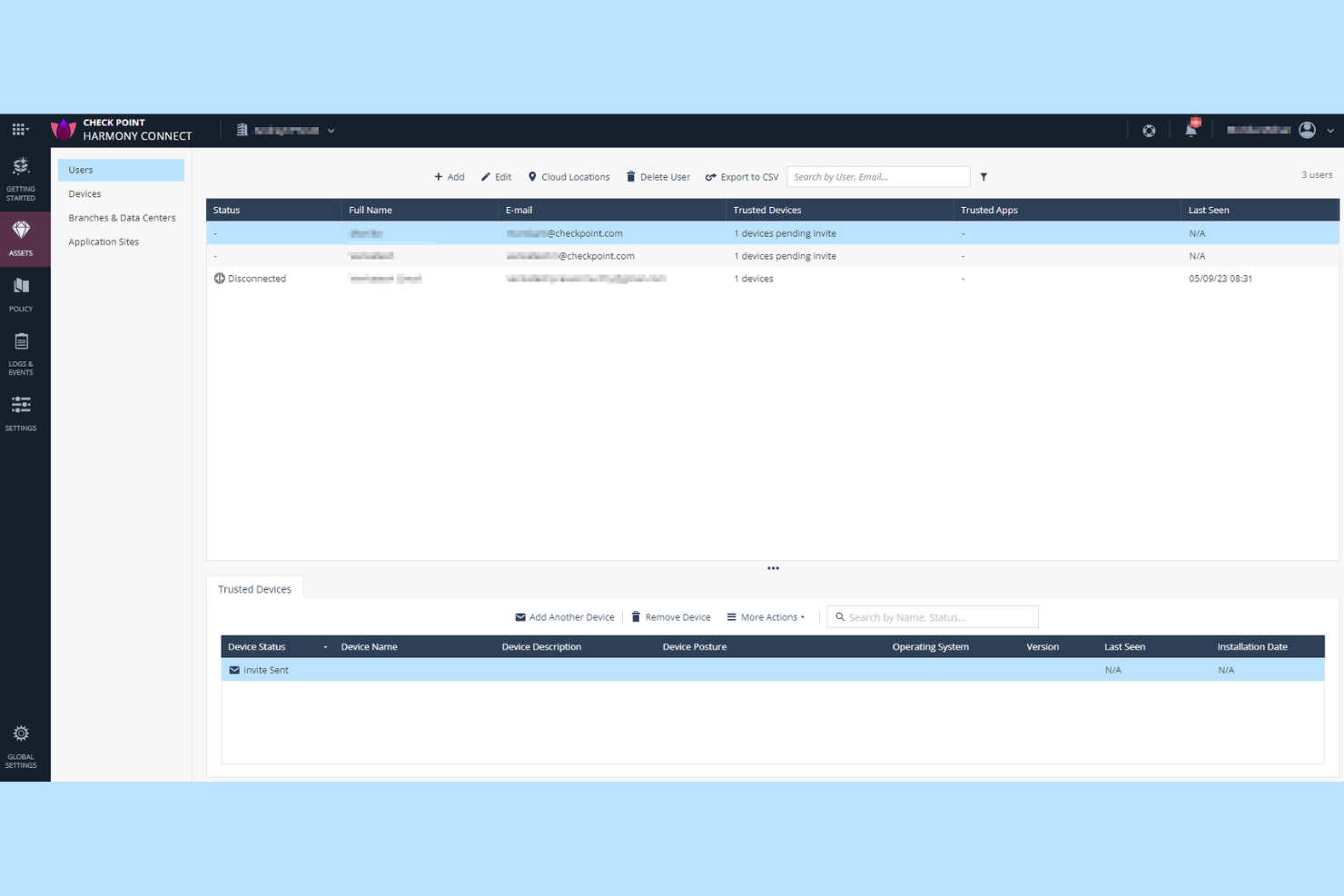
Check Point Harmony SASE is designed for organizations that need precise, customizable security controls across users, devices, and applications. Security teams in regulated industries or those with complex access requirements will find its granular policy management especially useful. Unlike Zscaler, Check Point gives you detailed rule creation and enforcement options for every layer of your network.
Why Check Point Is a Good Zscaler Alternative
For teams that need more control over security policies, Check Point Harmony SASE stands out with its granular policy management capabilities. I picked Check Point because it lets you define detailed access rules based on user identity, device posture, application, and even specific data types. The platform’s unified policy engine allows you to enforce consistent security across remote users, branch offices, and cloud resources. This level of customization makes Check Point a strong alternative for organizations with complex compliance or segmentation needs.
Check Point Key Features
In addition to its granular policy controls, I also found these features worth noting:
- Cloud-based Threat Emulation: Analyzes files in a virtual sandbox to detect and block zero-day threats before they reach users.
- Remote Browser Isolation: Opens web content in a secure, isolated environment to prevent malicious code from reaching endpoints.
- Integrated Data Loss Prevention: Monitors and controls sensitive data movement across cloud and web applications.
- Unified Security Dashboard: Provides a single interface for monitoring, managing, and responding to security events across your environment.
Check Point Integrations
Integrations include Splunk Cloud, Microsoft Sentinel, Amazon S3, and ConnectWise PSA.
Pros and Cons
Pros:
- Advanced threat emulation for file analysis
- Built-in remote browser isolation feature
- Granular policy creation for user and device
Cons:
- Mobile device support is less comprehensive
- Reporting features lack real-time customization

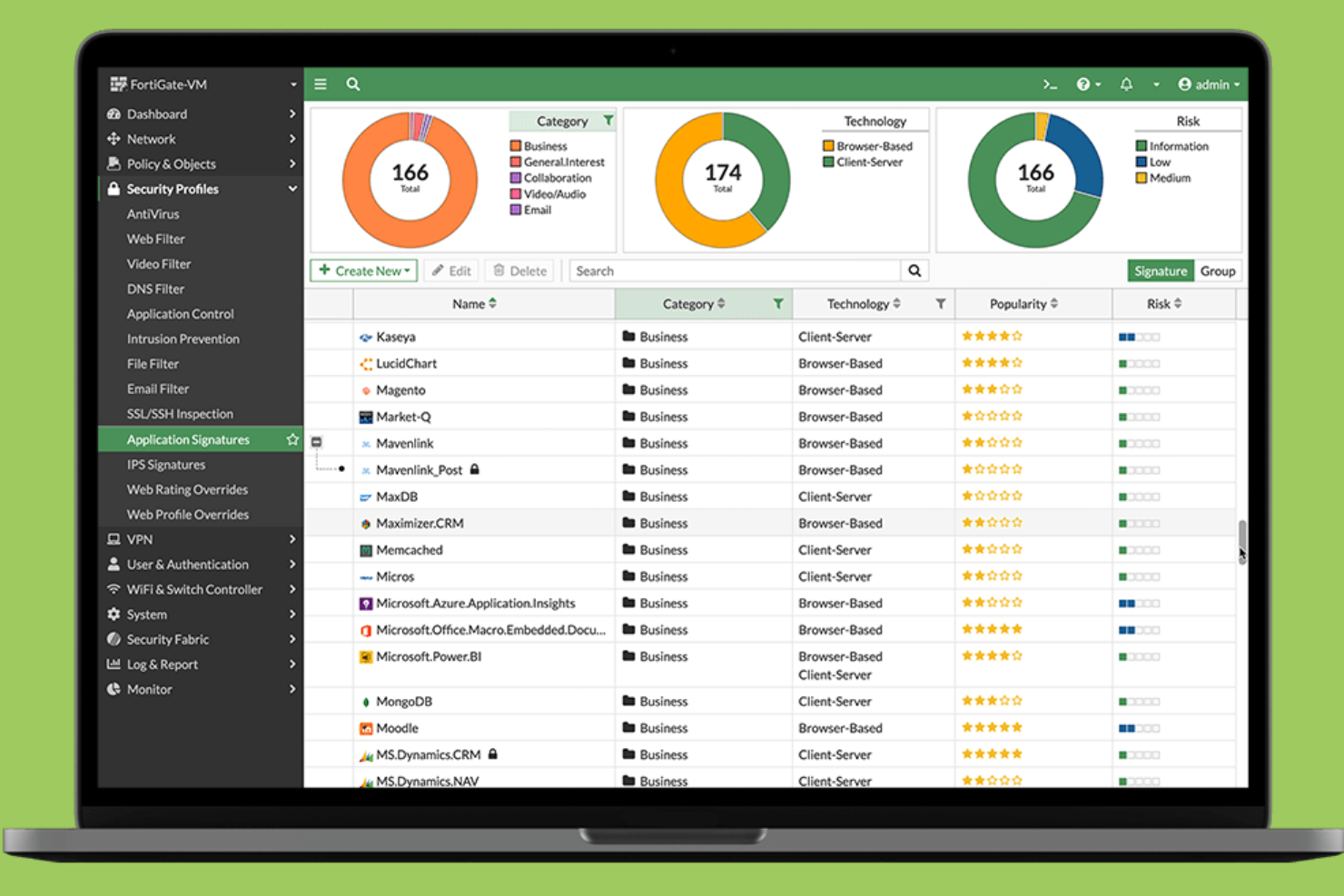
Fortinet brings together security and SD-WAN in a single platform, making it a strong fit for organizations that want unified control over both network connectivity and protection. IT leaders managing distributed offices or remote workforces often choose Fortinet to simplify operations and reduce the need for multiple vendors. Its integrated approach helps you enforce consistent security policies and optimize application performance across all locations.
Why Fortinet Is a Good Zscaler Alternative
For organizations that want both security and SD-WAN in one solution, Fortinet offers a unified approach that’s hard to match. I like how Fortinet combines next-generation firewall capabilities with integrated SD-WAN, letting you manage network traffic and security policies from a single console. Its centralized management helps you enforce consistent protection and optimize connectivity across branch offices and remote users. This makes Fortinet a strong choice if you’re looking to reduce complexity and avoid juggling multiple vendors for network and security needs.
Fortinet Key Features
Some other features in Fortinet that may interest you include:
- Zero trust network access (ZTNA): Provides secure, identity-based access to applications regardless of user location.
- Cloud-delivered secure web gateway: Inspects and filters web traffic to block threats and enforce usage policies.
- Integrated sandboxing: Analyzes suspicious files in a secure environment to detect unknown malware.
- Automated threat intelligence sharing: Updates security policies in real time using global threat data from FortiGuard Labs.
Fortinet Integrations
Native integrations are not currently listed.
Pros and Cons
Pros:
- Supports zero-trust network access policies
- Provides granular application visibility and control
- Combines SD-WAN and security in one platform
Cons:
- Advanced features may need separate licenses
- Requires Fortinet hardware for some features

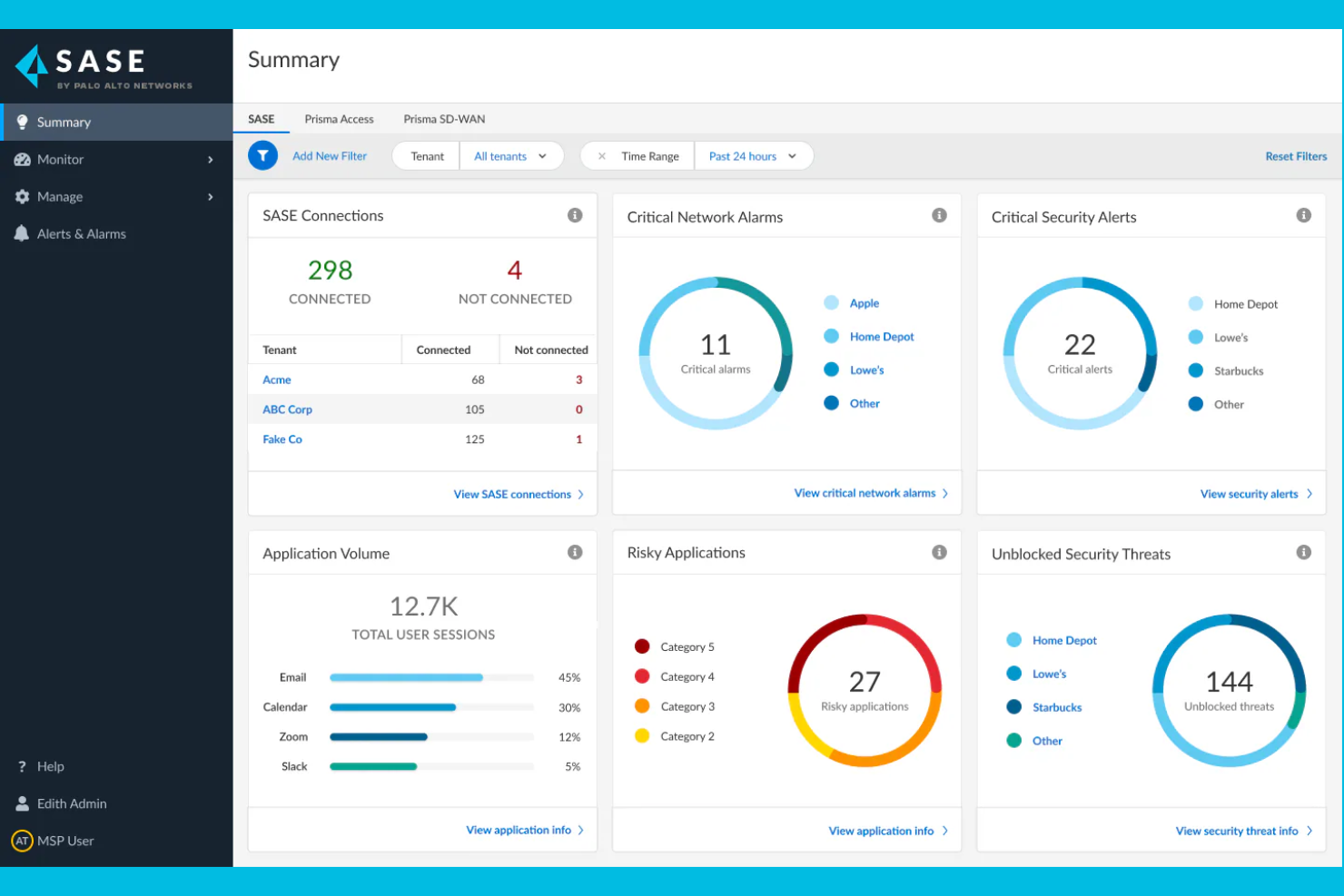
If your organization needs cloud security with built-in threat intelligence, Palo Alto Networks offers a unified SASE platform that combines network and security functions. IT and security teams in highly regulated industries often turn to Palo Alto Networks for its real-time threat detection and automated response capabilities. The platform also uses automation and advanced analytics to identify and mitigate cyber threats, including ransomware. With its broad portfolio of cloud security solutions, Palo Alto Networks helps organizations address evolving risks across cloud, network, and remote environments.
Why Palo Alto Networks Is a Good Zscaler Alternative
Palo Alto Networks is a strong Zscaler alternative if you want integrated threat intelligence as part of your cloud security stack. I like that the platform combines real-time threat detection with automated policy enforcement, helping you respond quickly to emerging risks. Its use of machine learning and global threat data enables proactive identification of advanced threats across cloud and network environments. This approach is especially useful for organizations that need to stay ahead of sophisticated cyberattacks and regulatory demands.
Palo Alto Networks Key Features
Some other features in Palo Alto Networks that may interest you include:
- Cloud Access Security Broker (CASB): Monitors and controls access to cloud applications and enforces security policies.
- Zero Trust Network Access (ZTNA): Provides secure, identity-based access to applications regardless of user location.
- Secure Web Gateway: Filters and inspects web traffic to block malicious sites and enforce compliance.
- SD-WAN Integration: Optimizes network performance and reliability for distributed sites and remote users.
Palo Alto Networks Integrations
Integrations include Microsoft 365, Google Workspace, AWS, Salesforce, ServiceNow, Okta, Splunk, Zoom, Box, and Slack.
Pros and Cons
Pros:
- Automated response to detected threats
- Granular user and application visibility
- Integrated threat intelligence from Unit 42
Cons:
- Support response times can be inconsistent
- Licensing structure is complex to navigate

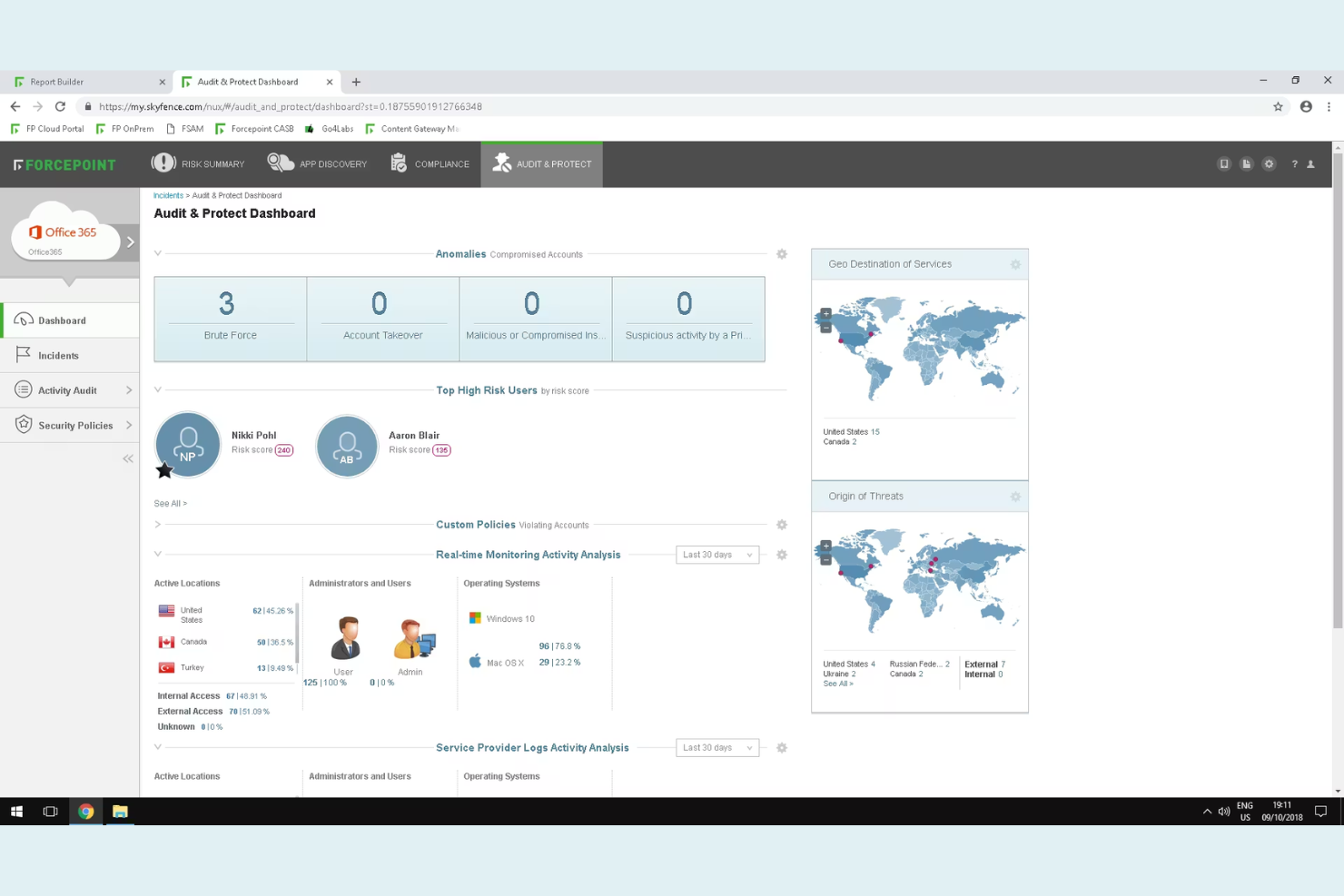
Forcepoint Secure Private Access is designed for organizations that need to monitor and respond to risky user behavior in real time. Security teams in regulated industries or those managing sensitive data will find its behavior-based analytics especially useful for detecting insider threats and compromised accounts. Unlike Zscaler, Forcepoint emphasizes adaptive access controls that adjust automatically based on user risk profiles.
Why Forcepoint Is a Good Zscaler Alternative
For organizations that need to go beyond static access controls, Forcepoint stands out with its behavior-based risk analytics. I picked Forcepoint because it continuously monitors user actions and adapts access policies in real time based on detected risk. Features like dynamic risk scoring and automated policy enforcement help security teams quickly respond to insider threats or compromised accounts. This approach gives you more granular control over access decisions compared to traditional cloud security providers like Zscaler.
Forcepoint Key Features
Some other features worth noting include:
- Granular Application Segmentation: Restricts user access to specific applications rather than entire networks.
- Multi-Factor Authentication Integration: Supports integration with leading MFA providers for added login security.
- Cloud-Based Secure Web Gateway: Filters and inspects web traffic to block threats and enforce policies.
- Remote Browser Isolation: Runs web sessions in a secure, isolated environment to prevent malware from reaching endpoints.
Forcepoint Integrations
Integrations include Cisco Duo, Ping Identity, Microsoft Entra ID, Okta, Google Identity, Active Directory, SAML 2.0 IdP, CrowdStrike, Intune, and Citrix StoreFront.
Pros and Cons
Pros:
- Supports multiple identity providers natively
- Remote browser isolation for web threats
- Real-time risk scoring for adaptive access
Cons:
- No built-in CASB functionality
- Limited visibility into encrypted traffic

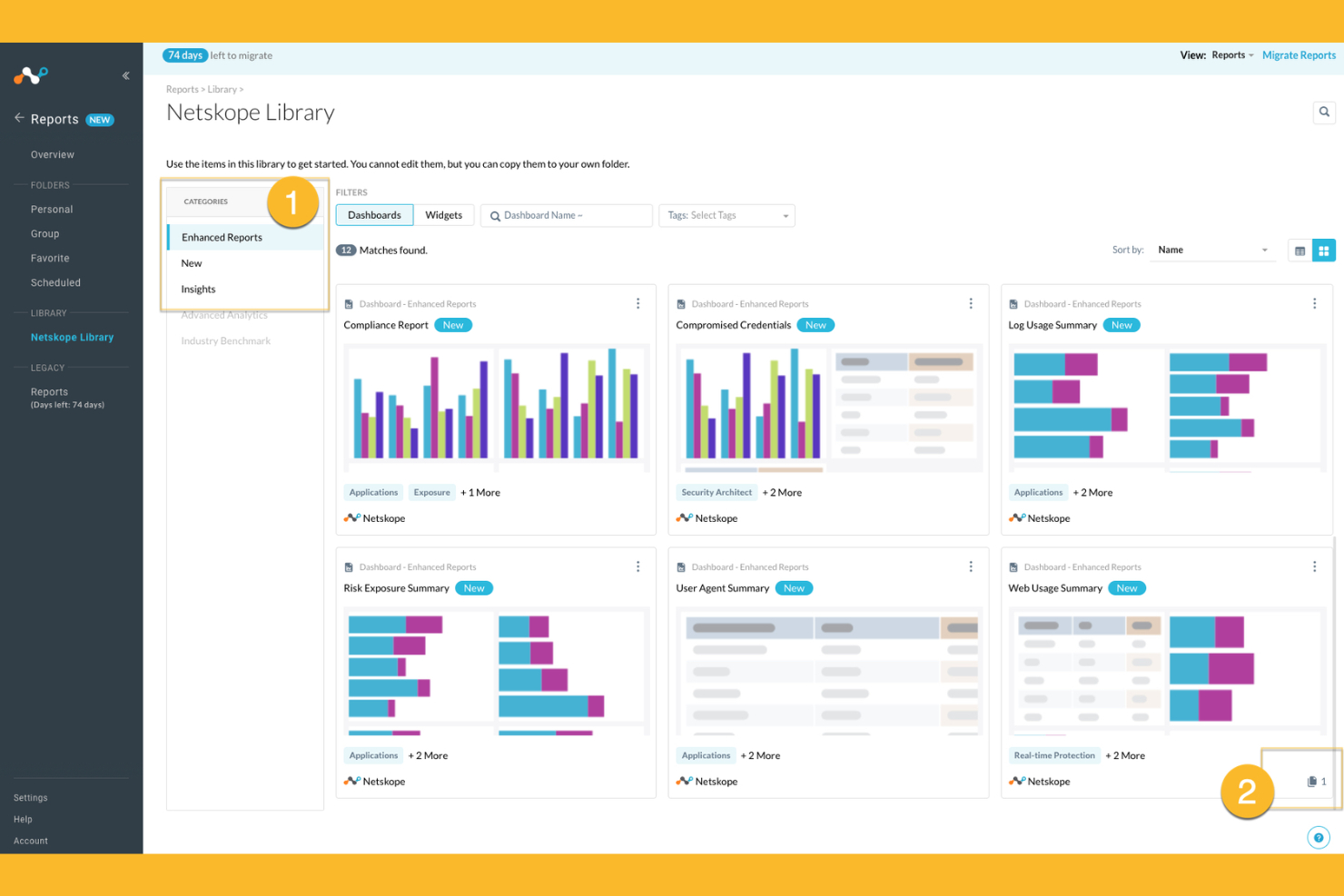
Netskope offers cloud-native security designed for organizations that need deep visibility and control over cloud app usage. Security teams in industries with strict data protection requirements often choose Netskope for its real-time data loss prevention and advanced threat protection. If you’re looking to secure sensitive information across SaaS, IaaS, and web traffic, Netskope stands out for its granular policy enforcement and analytics.
Why Netskope Is a Good Zscaler Alternative
Netskope stands out for its real-time data protection in cloud apps, making it a strong choice if you need to secure sensitive information as it moves through SaaS and web environments. I picked Netskope because its cloud-native architecture inspects traffic in-line, allowing for immediate detection and blocking of risky activities. The platform’s advanced data loss prevention and contextual access controls help you enforce granular security policies across cloud services. These capabilities are especially valuable for organizations with strict compliance or data privacy requirements.
Netskope Key Features
Some other features in Netskope that may interest you include:
- Cloud Firewall: Inspects and controls outbound traffic to prevent unauthorized access and data exfiltration.
- User and Entity Behavior Analytics (UEBA): Monitors user activity to detect anomalies and potential insider threats.
- Remote Browser Isolation: Opens risky web content in a secure, isolated environment to prevent malware infections.
- API Security: Scans and protects API traffic to block threats and enforce security policies across cloud services.
Netskope Integrations
Integrations include Microsoft 365, Google Workspace, AWS, Salesforce, ServiceNow, Box, Slack, Zoom, Okta, CrowdStrike, Splunk, and more.
Pros and Cons
Pros:
- Strong visibility into shadow IT activity
- Inline traffic inspection with minimal latency
- Granular policy controls for SaaS and web
Cons:
- Occasional false positives in threat detection
- Reporting dashboards can be slow to load
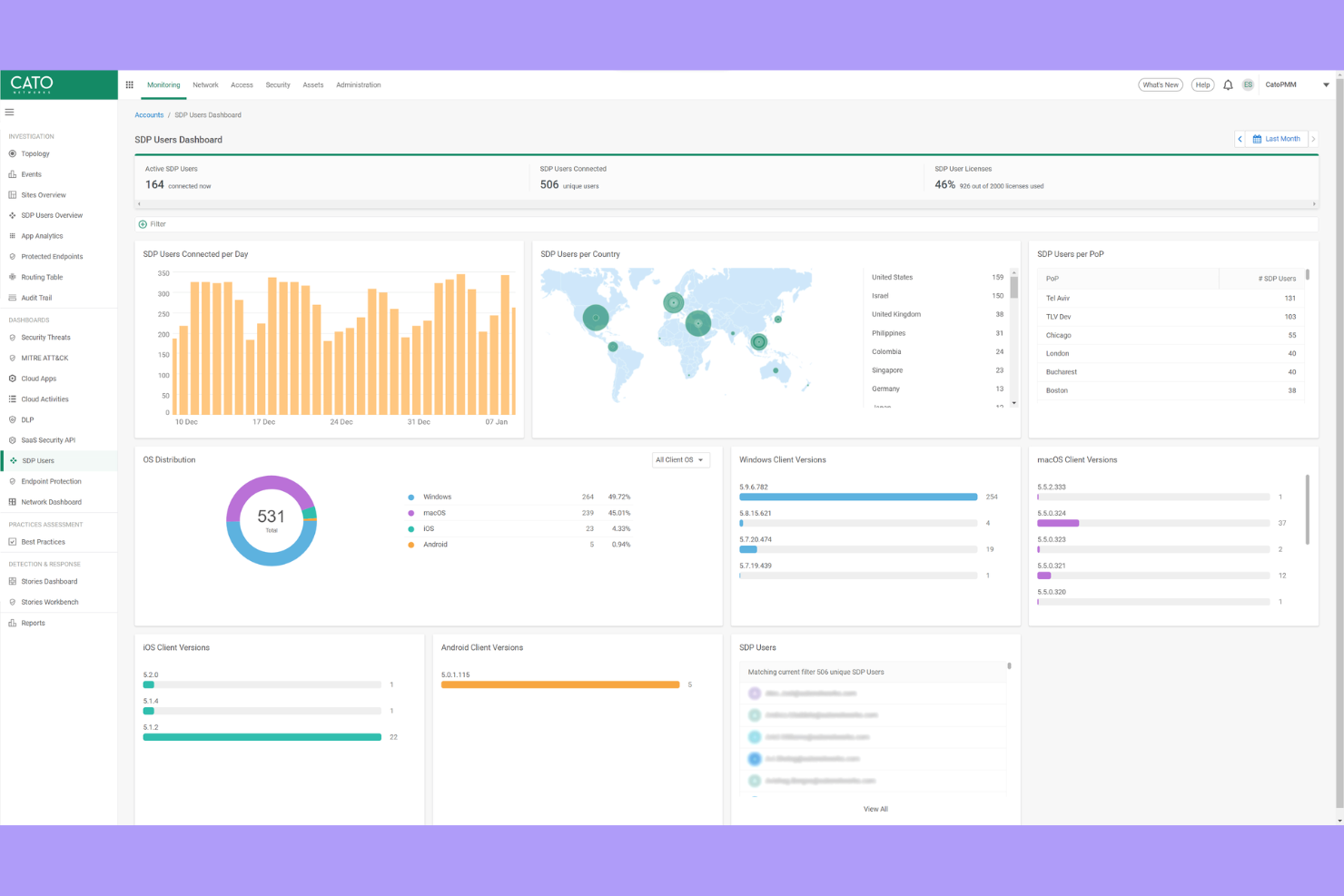
If your organization needs secure, high-performance connectivity across global locations, Cato Networks offers a private backbone that bypasses the public internet. This platform is well-suited for IT teams managing multinational networks who want to reduce latency and improve reliability for users worldwide. Cato Networks stands out by delivering integrated security and networking over its own global infrastructure, not just through cloud-based security layers.
Why Cato Networks Is a Good Zscaler Alternative
Unlike most cloud security providers, Cato Networks operates its own global private backbone, which means your traffic avoids the unpredictability of the public internet. I picked Cato Networks for teams that need consistent, low-latency connectivity between international offices and remote users. The platform combines this backbone with built-in security features like a next-generation firewall, secure web gateway, and zero-trust network access. With seamless integration across networking and security functions, this approach gives you both reliable performance and unified protection, making it a strong alternative to Zscaler for global organizations.
Cato Networks Key Features
Some other features in Cato Networks that may interest you include:
- Cloud-based management console: Lets you configure, monitor, and troubleshoot your network from a single interface.
- WAN optimization: Reduces bandwidth consumption and accelerates application performance across sites.
- Mobile client support: Extends secure access to remote and mobile users without additional hardware.
- Automated threat detection and response: Continuously monitors network traffic and responds to threats in real time.
Cato Networks Integrations
Native integrations are not currently listed.
Pros and Cons
Pros:
- Automated threat detection with real-time response
- Mobile client supports secure remote access
- Private backbone reduces latency for global sites
Cons:
- Advanced analytics features are still maturing
- Requires Cato edge devices for connectivity
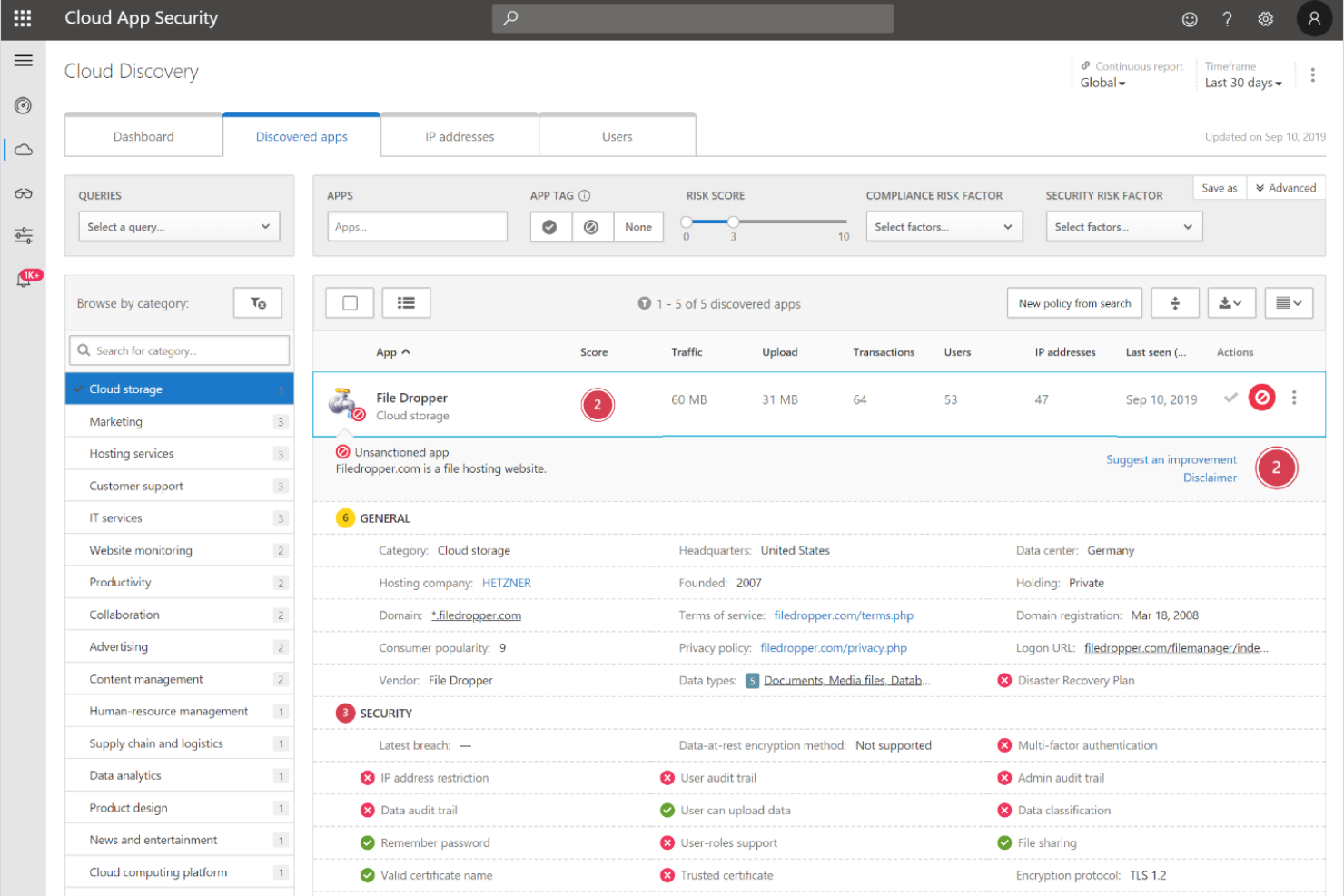
Microsoft Security’s Zero Trust platform is built for organizations that want security deeply integrated across their cloud, endpoint, and identity environments. This solution is especially relevant for IT teams already invested in Microsoft 365, Azure, or Windows ecosystems and looking to enforce granular, adaptive access controls. What sets Microsoft Security apart from Zscaler and others is its native zero-trust architecture that unifies identity, device, and application security under a single framework.
Why Microsoft Security Is a Good Zscaler Alternative
Unlike many cloud security providers, Microsoft Security’s Zero Trust platform is built directly into its cloud, identity, and endpoint services. I picked Microsoft Security for teams that want a native zero-trust architecture, since it lets you enforce conditional access, continuous risk assessment, and automated threat response across your entire Microsoft environment. Features like unified policy management and real-time device compliance checks help you secure access at every layer. This makes Microsoft Security a strong Zscaler alternative for organizations that want to consolidate security controls within a single, integrated ecosystem.
Microsoft Security Key Features
Some other features in Microsoft Security’s Zero Trust platform that may interest you include:
- Defender for Cloud Apps: Monitors and controls user activity across cloud applications for better visibility and threat detection.
- Privileged Identity Management: Manages, monitors, and controls access to critical resources with just-in-time and just-enough-access policies.
- Information Protection: Classifies and encrypts sensitive data across emails, documents, and cloud storage.
- Endpoint Detection and Response: Provides advanced threat detection and investigation tools for managed devices.
Microsoft Security Integrations
Integrations include Microsoft Entra, Microsoft Intune, Microsoft Defender for Endpoint, Microsoft Sentinel, Microsoft Purview, and more.
Pros and Cons
Pros:
- Built-in identity protection and risk assessment
- Native zero-trust controls for all endpoints
- Deep integration with Microsoft 365 services
Cons:
- Policy changes may impact legacy on-prem systems
- Limited visibility into non-Microsoft cloud apps
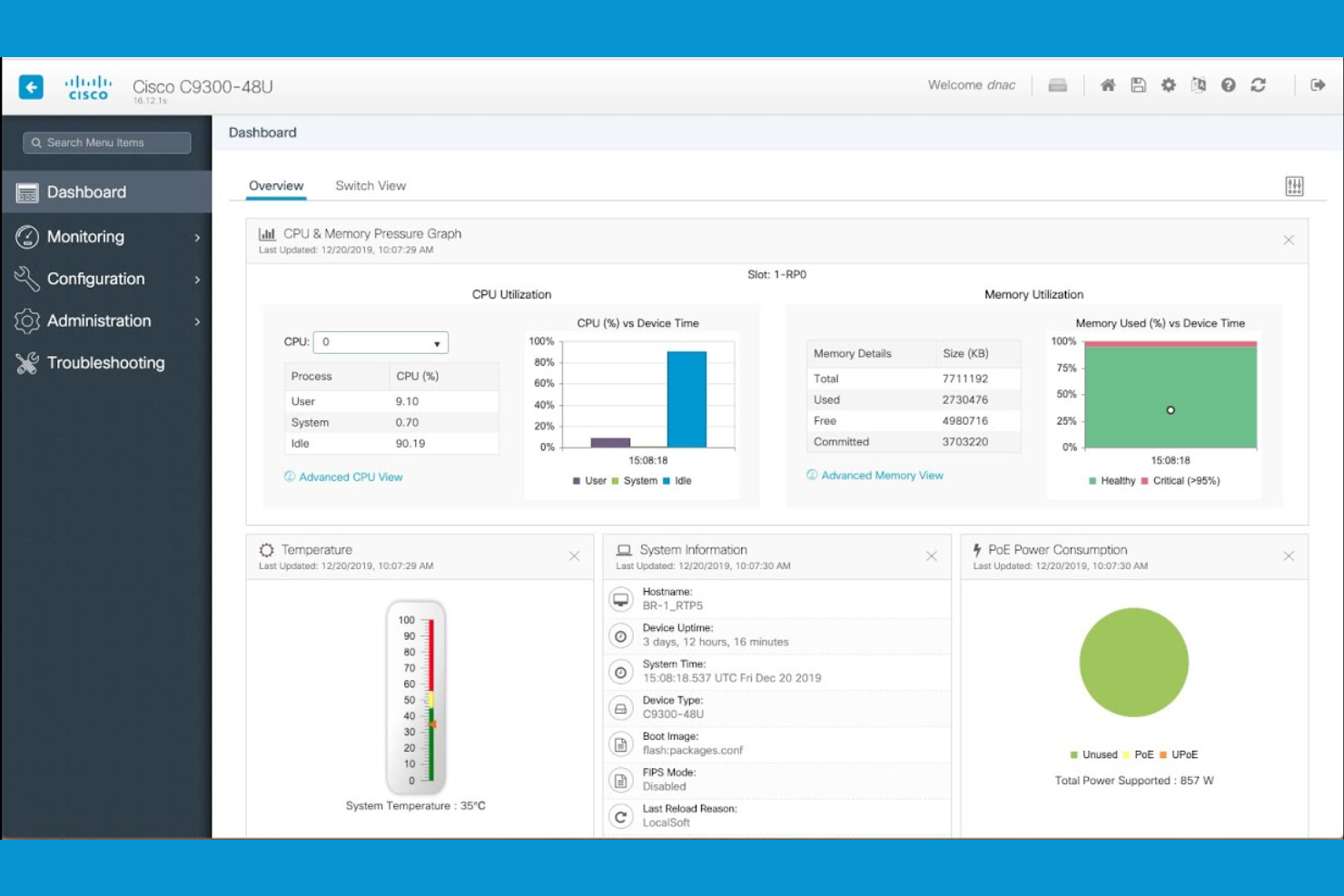
For organizations managing both on-premises and cloud infrastructure, Cisco Security delivers cybersecurity solutions designed for hybrid network environments. IT teams in large enterprises and distributed businesses often choose Cisco Security for its ability to unify policy enforcement, routing, and threat protection across complex, mixed environments. Its architecture also supports secure access service edge (SASE) capabilities, helping you secure users, devices, and workloads wherever they operate without forcing a full migration to the cloud.
Why Cisco Security Is a Good Zscaler Alternative
If your business needs to secure both on-premises and cloud resources, Cisco Security stands out for its hybrid network capabilities. I appreciate how Cisco Security’s portfolio supports unified policy management and threat detection across physical, virtual, and cloud environments. Features like adaptive security appliances and cloud-delivered firewall services help you maintain consistent protection as your network evolves. This makes Cisco Security a strong choice for organizations that aren’t ready to move everything to the cloud but still want advanced, centralized security.
Cisco Security Key Features
Some other features in Cisco Security that may interest you include:
- DNS-layer security: Blocks malicious domains and prevents phishing attacks at the DNS level.
- Cloud access security broker (CASB): Monitors and controls access to cloud applications and enforces security policies.
- Endpoint detection and response (EDR): Detects, investigates, and responds to threats on endpoints across your network.
- Email security gateway: Filters inbound and outbound email to block spam, malware, and targeted phishing attempts.
Cisco Security Integrations
Native integrations are not currently listed.
Pros and Cons
Pros:
- Includes built-in email security gateway
- Integrates with Cisco hardware appliances
- Offers granular network segmentation controls
Cons:
- Some updates require manual intervention
- Requires multiple products for full coverage
Other Zscaler Competitors
Here are some additional Zscaler competitors’ options that didn’t make it onto my shortlist, but are still worth checking out:
- CrowdStrike
With AI-driven threat detection
- Kaspersky Next
For SMB-focused security solutions
- F5
For advanced web application firewall controls


Zscaler Alternatives Selection Criteria
When selecting the best Zscaler alternatives to include in this list, I considered common buyer needs and pain points related to cloud security provider products, like managing secure remote access and detecting advanced threats. I also used the following framework to keep my evaluation structured and fair:
Core Functionality (25% of total score)
To be considered for inclusion in this list, each solution had to fulfill these common use cases:
- Secure remote access to cloud applications
- Threat detection and prevention
- User authentication and identity management
- Policy-based access controls
- Real-time activity monitoring
Additional Standout Features (25% of total score)
To help further narrow down the competition, I also looked for unique features, such as:
- Behavior-based risk analytics
- Remote browser isolation
- Automated policy adaptation
- Integration with multiple identity providers
- Application-level segmentation
Usability (10% of total score)
To get a sense of the usability of each system, I considered the following:
- Clear and intuitive dashboard design
- Logical navigation between modules
- Minimal steps to configure core features
- Accessibility of documentation within the platform
- Customizable alerts and notifications
Onboarding (10% of total score)
To evaluate the onboarding experience for each platform, I considered the following:
- Availability of step-by-step setup guides
- Access to training videos and webinars
- Interactive product tours for new users
- Pre-built policy templates for quick deployment
- Responsive onboarding support team
Customer Support (10% of total score)
To assess each software provider’s customer support services, I considered the following:
- 24/7 support availability
- Multiple support channels including chat and phone
- Access to a knowledge base or help center
- Fast response times to critical issues
- Availability of dedicated account managers
Value For Money (10% of total score)
To evaluate the value for money of each platform, I considered the following:
- Transparent pricing structure
- Flexible subscription options
- Features included at each pricing tier
- Cost compared to similar solutions
- Discounts for annual or multi-year contracts
Customer Reviews (10% of total score)
To get a sense of overall customer satisfaction, I considered the following when reading customer reviews:
- Consistency of positive feedback
- Frequency of reported technical issues
- Quality of support experiences
- Ease of deployment and management
- Satisfaction with security outcomes
Why Look For a Zscaler Alternative?
While Zscaler is a good choice of cloud security provider, there are a number of reasons why some users seek out alternative solutions. You might be looking for a Zscaler alternative because…
- You need more granular behavior-based risk analytics
- Your organization requires on-premises or hybrid deployment options
- You want deeper integration with specific identity providers
- You need more flexible policy customization
- Your team operates in regions with limited Zscaler data centers
- You require advanced reporting and audit capabilities
If any of these sound like you, you’ve come to the right place. My list contains several cloud security provider options that are better suited for teams facing these challenges with Zscaler and looking for alternative solutions.
Zscaler Key Features
Here are some of the key features of Zscaler, to help you contrast and compare what alternative solutions offer:
- Zero trust network access: Enforces least-privilege access to applications by verifying users and devices before granting entry, reducing the risk of lateral movement within your environment.
- Cloud-based secure web gateway: Inspects and filters all web traffic in real time, blocking malicious sites, phishing attempts, and inappropriate content before it reaches users.
- Inline threat prevention: Detects and blocks malware, ransomware, and advanced threats at the network edge, using signature-based and behavioral analysis.
- SSL/TLS inspection: Decrypts and inspects encrypted traffic to identify hidden threats without compromising user privacy or performance.
- Data loss prevention: Monitors and controls sensitive data movement across cloud and web channels, helping organizations comply with data protection regulations.
- Application segmentation: Limits user access to only the applications they need, reducing attack surfaces and preventing unauthorized access.
- Identity provider integration: Connects with leading identity platforms to enforce single sign-on and multi-factor authentication for secure user verification.
- Centralized policy management: Allows administrators to define, update, and enforce security policies from a single cloud-based console.
- Comprehensive reporting and analytics: Provides detailed visibility into user activity, threats, and policy violations through customizable dashboards and reports.
- Global cloud infrastructure: Delivers consistent security and fast user experiences worldwide, leveraging a distributed network of data centers.
What’s Next:
If you're in the process of researching Zscaler competitors, connect with a SoftwareSelect advisor for free recommendations.
You fill out a form and have a quick chat where they get into the specifics of your needs. Then you'll get a shortlist of software to review. They'll even support you through the entire buying process, including price negotiations.