
10 Zoho Alternatives Picked for 2026

Zoho Alternative Shortlist
Here’s my shortlist of Zoho alternatives:


A strong Zoho alternative offers integrated cloud tools for collaboration, workflow automation, CRM, and project management—without locking you into a single vendor’s ecosystem. If you’re searching for options beyond Zoho’s cloud software suite, you’re likely balancing the need for flexibility, scalability, and features that fit your team’s unique processes.
This list will help you compare leading alternatives, so you can choose a platform that matches your requirements for collaboration, automation, and business growth—whether you’re replacing Zoho entirely or just looking to fill specific gaps.
What Is Zoho?
Zoho is a cloud-based software suite that provides tools for CRM, project management, collaboration, finance, and business automation. Businesses use Zoho to centralize workflows, manage customer relationships, and perform daily operations.
Its modular approach lets teams choose from a wide range of integrated apps, making it popular with organizations that want an all-in-one platform for managing core business functions in the cloud.
Best Zoho Alternatives Summary
This comparison chart summarizes pricing details for my top Zoho alternative selections to help you find the best one for your budget and business needs.
| Tool | Best For | Trial Info | Price | ||
|---|---|---|---|---|---|
| 1 | Best for native Microsoft integration | Free plan + free trial available | From $8/user/month (billed annually) | Website | |
| 2 | Best for small business tools | Free plan available | From $20/seat/month (billed annually) | Website | |
| 3 | Best for integrated team collaboration tools | Free plan available | From $12/user/month (billed annually) | Website | |
| 4 | Best for multichannel customer engagement | Free plan + free trial available | From $9/agent/month (billed annually) | Website | |
| 5 | Best for real-time document collaboration | 14-day free trial available | From $7/user/month (billed annually) | Website | |
| 6 | Best for visual sales pipeline tracking | 14-day free trial available | From $14/user/month (billed annually) | Website | |
| 7 | Best for customizable workflow automation | Free plan available | From $7/user/month (billed annually) | Website | |
| 8 | Best for scalable support ticketing | Free trial + free demo available | From $19/user/month (billed annually) | Website | |
| 9 | Best for built-in communication and CRM | 15-day free trial + free demo available | From $49/organization/month (billed annually) | Website | |
| 10 | Best for project and billing management | 14-day free trial + free demo available | From €18.90/user/month (billed annually) | Website |
Why Trust Our Software Reviews



Zoho Alternatives Reviews
Below are my detailed summaries of the best Zoho alternatives that made it onto my shortlist. My reviews offer a detailed look at the features, integrations, and best use cases of each platform to help you find the best one for you.
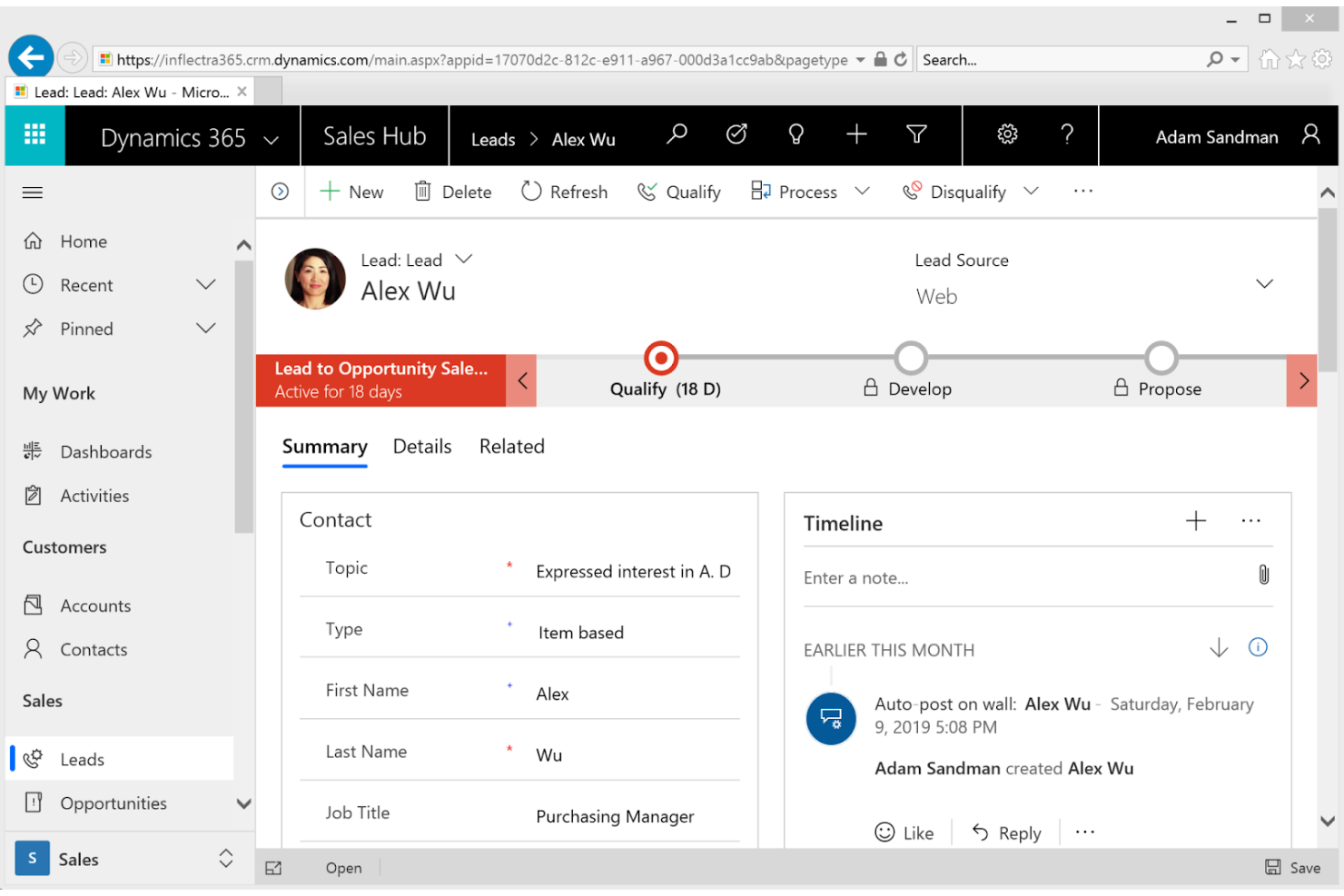
Microsoft Dynamics 365 is built for large organizations that need deep integration between business operations and resource planning. The platform connects ERP, CRM, and analytics in one environment, supporting enterprises with complex workflows and compliance requirements. Unlike Zoho, Microsoft Dynamics 365 unifies finance, supply chain, and customer data across global operations.
Why Microsoft Dynamics 365 Is a Good Zoho Alternative
When you need a cloud suite that brings together enterprise resource planning and business management, Microsoft Dynamics 365 is a strong choice. I picked Dynamics 365 because it offers unified modules for finance, supply chain, and operations, all tightly integrated with CRM and analytics.
The platform’s real-time data sharing and workflow automation help large organizations manage complex processes across departments and locations. If your business requires advanced ERP capabilities alongside customer management, Dynamics 365 delivers a level of integration that Zoho doesn’t match.
Microsoft Dynamics 365 Key Features
Some other Microsoft Dynamics 365 features help organizations manage and connect their business functions more effectively:
- AI-Driven Insights: Access predictive analytics and recommendations powered by built-in artificial intelligence.
- Customer Service Hub: Centralize case management, knowledge bases, and omnichannel support tools.
- Field Service Management: Schedule, dispatch, and track field technicians and resources in real time.
- AppSource Marketplace: Extend functionality with industry-specific apps and add-ons from Microsoft’s marketplace.
Microsoft Dynamics 365 Integrations
Integrations include Domo, GitHub, GitLab, Google Sheets, HubSpot, and more.
Pros and Cons
Pros:
- Extensive compliance and security certifications
- Scalable for multi-entity businesses
- Deep integration with the Microsoft ecosystem
Cons:
- High licensing costs for core modules
- Limited native integrations outside Microsoft products

HubSpot is a CRM platform designed to help businesses grow better. Its main user base includes small to medium-sized businesses looking to enhance marketing, sales, and customer service functions.
Why HubSpot is a Good Zoho Alternative
HubSpot provides small business tools that focus on ease of use and integration across marketing, sales, and service. With features like email marketing, lead management, and customer support, you can manage all customer interactions in one place. The platform's intuitive interface and analytics help you make informed decisions and drive growth. These capabilities make it an excellent choice for small teams seeking a unified solution as a Zoho CRM alternative.
HubSpot Key Features
Some other features in HubSpot help teams manage customer relationships and business operations more efficiently:
- Live Chat and Chatbot Builder: Set up real-time chat and automated responses on your website to engage visitors and capture leads.
- Knowledge Base Management: Create and organize self-service articles for customers and internal teams.
- Custom Reporting Dashboards: Build dashboards that visualize sales, marketing, and service data in one place.
- Social Media Management Tools: Schedule, publish, and monitor posts across multiple social channels from within the platform.
HubSpot Integrations
Integrations include Salesforce, Gmail, Outlook, Slack, Zoom, Mailchimp, Shopify, Microsoft Teams, WordPress, and more.
Pros and Cons
Pros:
- Advanced email marketing automation workflows
- Built-in chatbot and live chat tools
- Unified CRM for marketing and sales data
Cons:
- Contact and email limits on lower plans
- No built-in project management module


Lark brings together chat, video meetings, cloud docs, and calendar in a single workspace, making it a strong fit for teams that want tightly integrated collaboration tools. If your business relies on real-time communication and document sharing, Lark’s unified approach can help reduce context switching. Unlike Zoho, Lark emphasizes easy in-app collaboration, which is especially useful for distributed or fast-moving teams.
Why Lark Is a Good Zoho Alternative
Lark stands out for its integrated team collaboration tools, which go beyond what most cloud software suites offer. I picked Lark because it combines chat, video conferencing, and collaborative documents in one unified interface, so teams don’t have to juggle multiple apps. Its built-in calendar and cloud storage make it easy to coordinate schedules and share files without leaving the platform.
For businesses that prioritize real-time teamwork and communication, Lark’s all-in-one approach offers a clear advantage over Zoho’s more modular structure.
Lark Key Features
Some other features in Lark make it a versatile choice for teams looking for a cloud software suite:
- Approval Workflows: Set up custom approval processes for leave requests, expenses, and other business operations directly within the platform.
- Task Management: Assign, track, and manage tasks with built-in tools that keep projects organized and visible to the whole team.
- Admin Console: Manage user permissions, security settings, and organizational policies from a centralized admin dashboard.
- Third-Party App Integrations: Connect Lark with popular business apps to extend its functionality and fit your existing workflows.
Lark Integrations
Integrations include Google Drive, Dropbox, Jira, GitHub, Asana, Salesforce, Zoom, Slack, Trello, and more.
Pros and Cons
Pros:
- Mobile app supports full feature access
- Built-in video meetings with screen sharing
- Real-time document collaboration in chat threads
Cons:
- Fewer third-party integrations than Zoho
- Limited CRM and sales management features

Freshworks is designed for customer support and sales teams that want to unify conversations across channels. The suite enables businesses to manage email, chat, phone, and social messaging from a single platform. Unlike Zoho, Freshworks combines multichannel engagement tools with built-in AI for ticketing, automation, and customer insights.
Why Freshworks Is a Good Zoho Alternative
For teams that need to manage customer conversations across multiple channels, Freshworks offers a unified approach that sets it apart from Zoho. I picked Freshworks because it lets you handle email campaigns, chat, phone, and social media messages from a single dashboard, reducing the need to switch between tools. The platform also includes AI-powered ticketing and workflow automation, which helps teams prioritize and resolve issues faster. If your business relies on multichannel engagement, Freshworks brings these capabilities together in one place.
Freshworks Key Features
Some other features in Freshworks help teams manage customer relationships and internal processes more efficiently:
- Custom Ticket Fields: Add fields to tickets to capture specific information relevant to your workflows.
- Knowledge Base: Build and maintain a searchable library of help articles for customers and agents.
- Service Level Agreement (SLA) Management: Set and track response and resolution times for different ticket types.
- Marketplace Apps: Extend functionality with a wide range of pre-built integrations and add-ons from the Freshworks Marketplace.
Freshworks Integrations
Integrations include Slack, Microsoft Teams, Google Calendar, Jira, Shopify, Twilio, GitHub, and more.
Pros and Cons
Pros:
- SLA management with automated escalation rules
- Built-in knowledge base for self-service
- AI-powered ticket assignment
Cons:
- Phone channel requires additional setup and fees
- CRM and ITSM modules sold separately

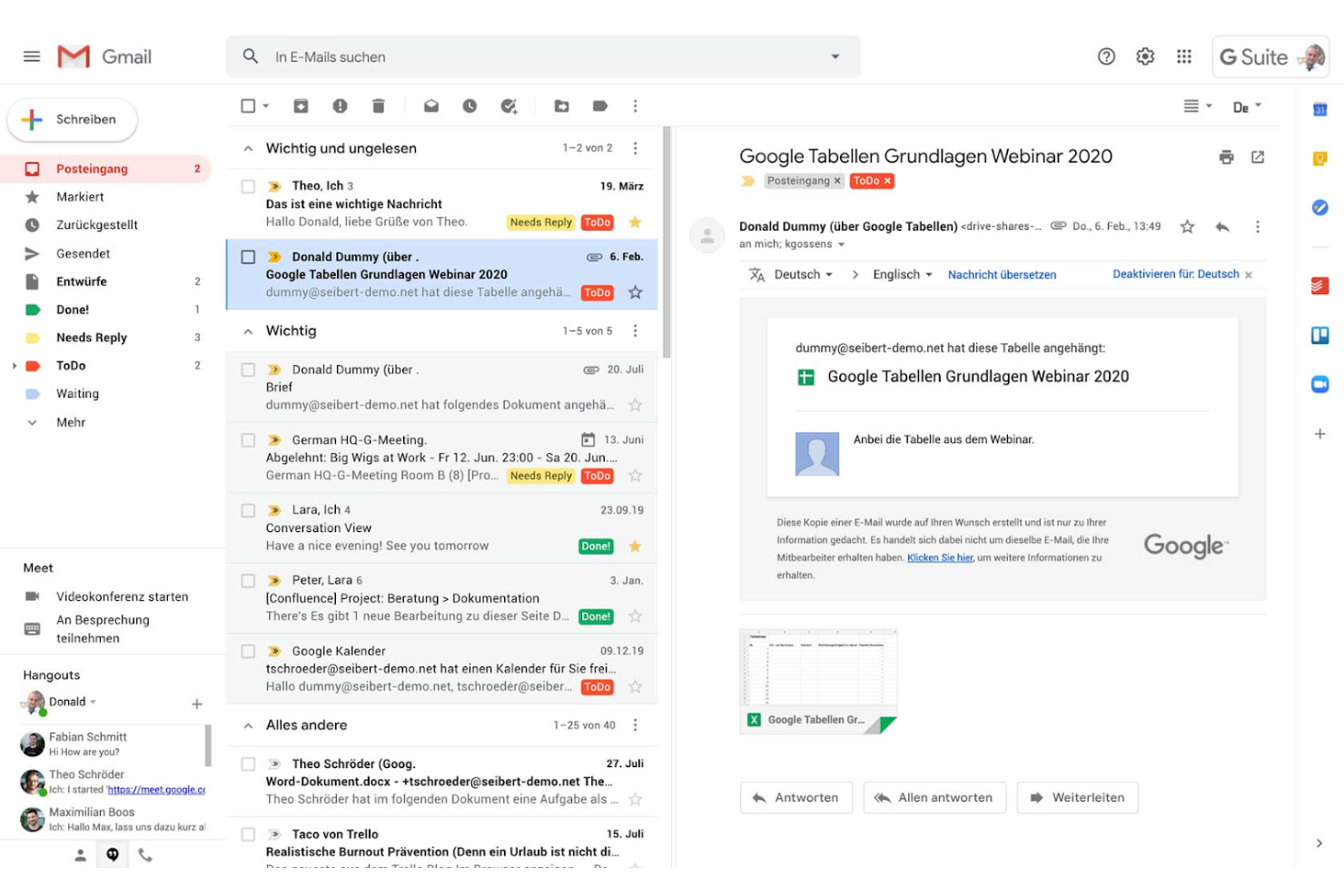
Google Workspace is designed for teams that need to collaborate on documents in real time. The suite supports shared editing, instant feedback, and cloud-based file access across devices. Unlike Zoho, Google Workspace centers its experience on live co-authoring in Docs, Sheets, and Slides, helping distributed teams work together on fast-moving projects.
Why Google Workspace Is a Good Zoho Alternative
For teams that need to work together on documents at the same time, Google Workspace stands out as a strong Zoho alternative. I picked Google Workspace because its Docs, Sheets, and Slides allow multiple users to edit, comment, and suggest changes in real time without version conflicts.
The platform’s autosave and cloud-based file management mean everyone always has access to the latest updates, no matter where they are. If your organization values live collaboration and instant feedback, Google Workspace delivers a document experience that’s hard to match.
Google Workspace Key Features
Some other Google Workspace features help organizations manage communication and productivity across teams:
- Gmail Integration: Manage business email with custom domains and advanced spam filtering.
- Google Meet Video Conferencing: Host secure video meetings with screen sharing and recording options.
- Shared Calendars: Coordinate schedules and set up meetings with integrated calendar tools.
- Admin Console: Control user access, security settings, and device management from a centralized dashboard.
Google Workspace Integrations
Integrations include Miro, PagerDuty, Tableau, Figma, Atlassian, and more.
Pros and Cons
Pros:
- Integrated video meetings with Google Meet
- Autosave ensures no document version loss
- Real-time co-authoring in Docs and Sheets
Cons:
- Storage limits can require frequent upgrades
- Offline editing requires advanced setup


Pipedrive is designed for teams that want a clear, visual way to manage sales pipelines. It helps sales-focused organizations track deals, activities, and progress using drag-and-drop boards. Unlike Zoho and other suites, Pipedrive centers its workflow around pipeline visibility and deal movement, making it easier to identify bottlenecks and prioritize follow-ups.
Why Pipedrive Is a Good Zoho Alternative
For teams that want a highly visual approach to sales management, Pipedrive offers a unique advantage. I picked Pipedrive because its drag-and-drop pipeline boards let you move deals through stages with a single click, making sales progress easy to track at a glance.
The customizable pipeline views and activity reminders help sales teams focus on the right deals and tasks each day. If your business values pipeline visibility and hands-on deal tracking, Pipedrive delivers a focused alternative to Zoho’s broader suite.
Pipedrive Key Features
Some other features in Pipedrive help teams manage sales activities and data more efficiently:
- Email Integration: Sync your email accounts to send, receive, and track messages directly within Pipedrive.
- Sales Reporting: Generate detailed reports on deals, activities, and team performance.
- Lead Capture Forms: Create web forms to capture leads and automatically add them to your pipeline.
- Mobile App: Access pipelines, contacts, and activities from iOS and Android devices.
Pipedrive Integrations
Integrations include Slack, QuickBooks, Trello, Zoom, Gmail, Microsoft Teams, PandaDoc, and more.
Pros and Cons
Pros:
- Customizable fields for sales data capture
- Email sync with tracking and templates
- Built-in activity reminders for follow-ups
Cons:
- No native inventory management features
- Basic reporting customization options

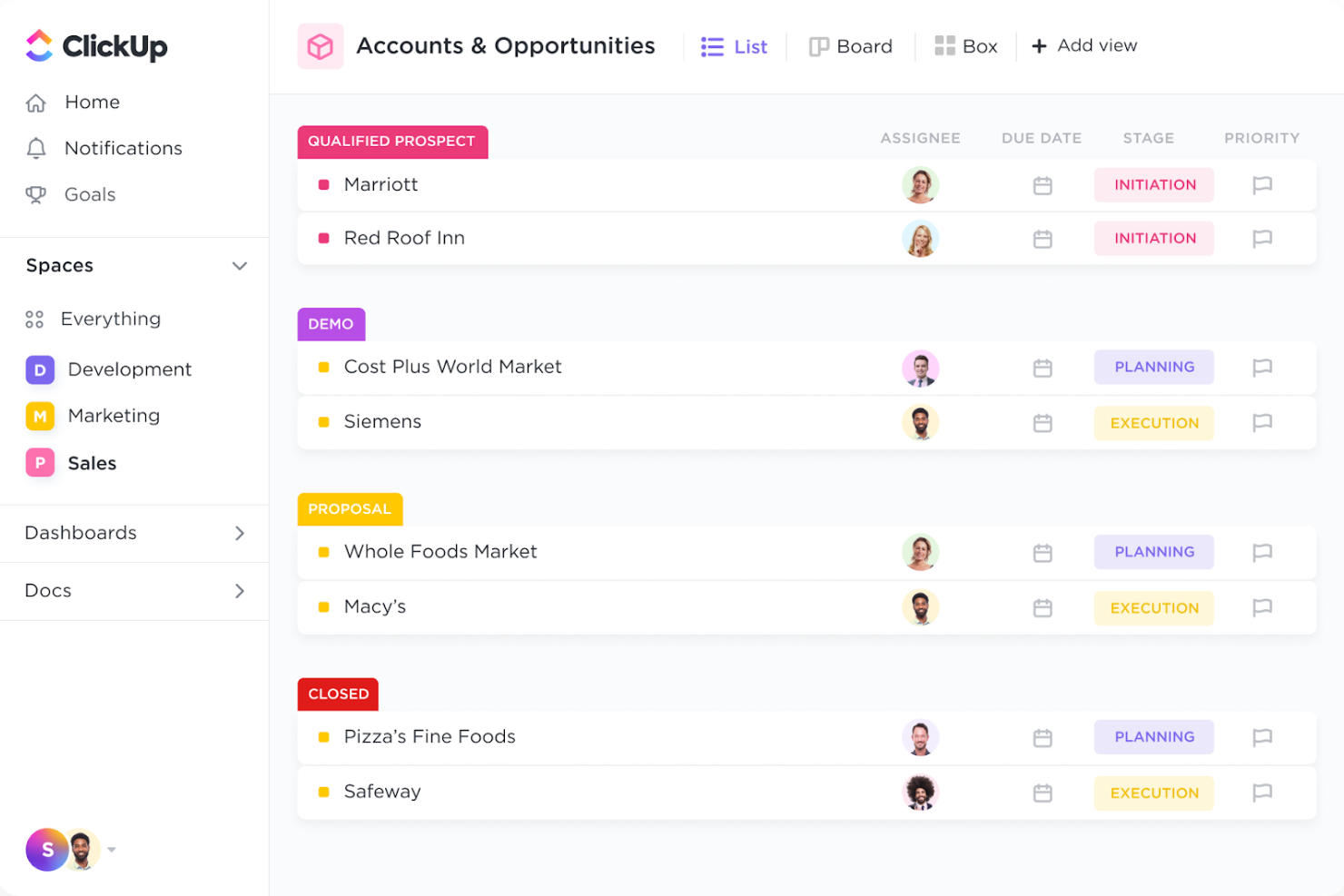
ClickUp is a cloud platform designed for teams that need workflows tailored to unique processes. It supports IT teams, project managers, and operations leads in building customized task flows with automation. Unlike Zoho, ClickUp enables complex, multi-step process automation without relying on separate tools or add-ons.
Why ClickUp Is a Good Zoho Alternative
For teams that want to build workflows tailored to their exact needs, ClickUp offers a level of customization that’s hard to match. I picked ClickUp because its automation engine lets you create custom triggers, actions, and conditions across tasks, projects, and even notifications.
You can design multi-step automations that handle repetitive tasks, approvals, or status changes without manual intervention. This flexibility makes ClickUp a strong alternative to Zoho for businesses that need more control over how their processes run inside a cloud software suite.
ClickUp Key Features
Some other features in ClickUp make it a flexible choice for teams managing complex projects:
- Multiple Project Views: Switch between list, board, Gantt, calendar, and timeline views to visualize work in the way that fits your team.
- Docs and Wikis: Create, edit, and share documents and internal knowledge bases directly within the platform.
- Goal Tracking: Set, track, and update progress on team or individual goals with built-in goal management tools.
- Time Tracking: Log time spent on tasks using native time tracking features for better project accountability.
ClickUp Integrations
Integrations include Slack, GitHub, GitLab, HubSpot, Everhour, Toggl, Google Drive, Outlook, Figma, and more.
Pros and Cons
Pros:
- Built-in time tracking for tasks and projects
- Multiple project views, including Gantt and timeline
- Custom automation builder for multi-step workflows
Cons:
- Some integrations require higher-tier plans
- Limited accounting and invoicing capabilities

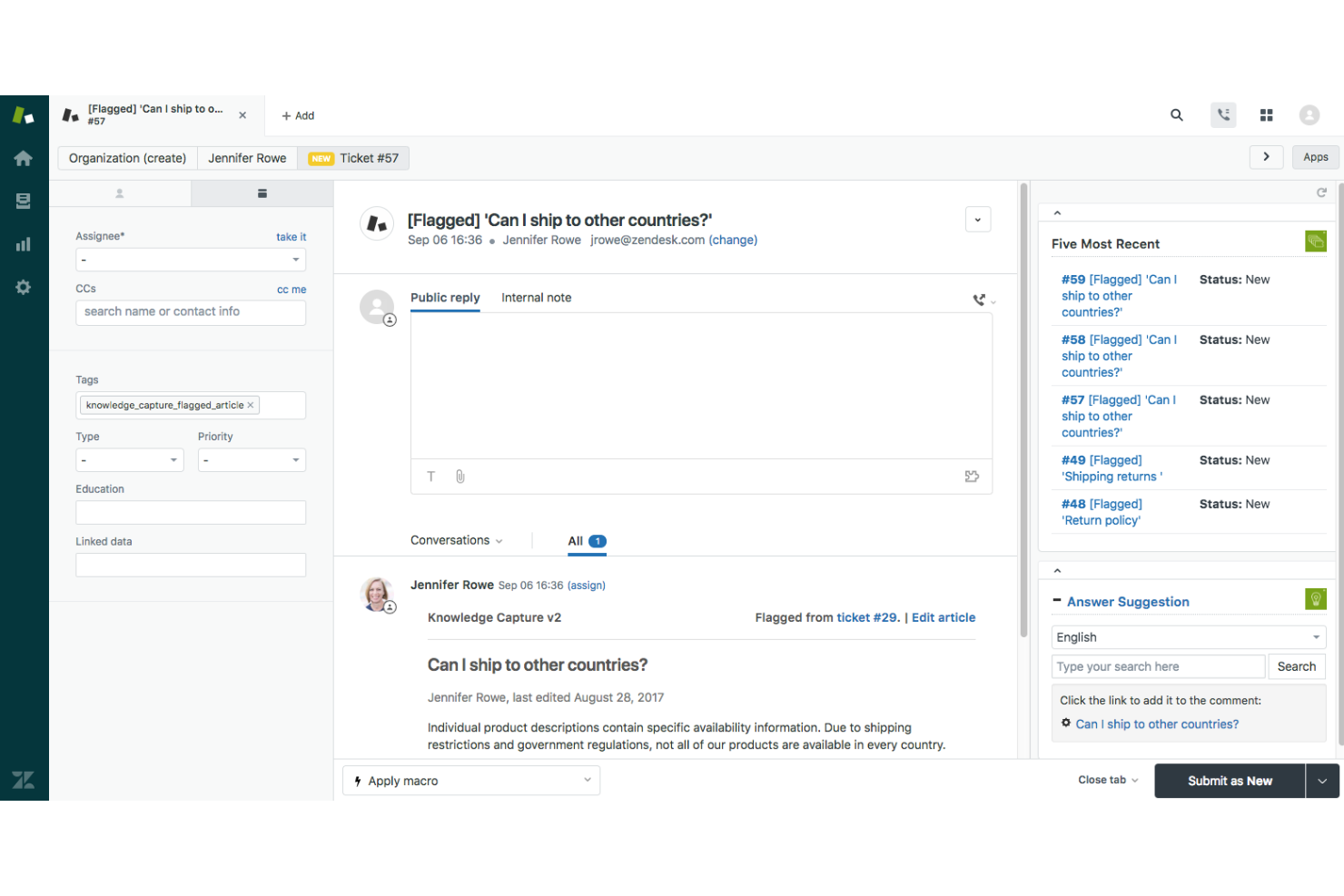
Zendesk is built for support teams that need to manage high ticket volumes with a scalable ticketing system. It helps organizations centralize requests from multiple channels and automate complex workflows. Unlike Zoho, Zendesk focuses on advanced features, like ticket routing, granular permissions, and detailed analytics, suited for large or fast-growing businesses.
Why Zendesk Is a Good Zoho Alternative
If your business needs a support platform that can handle rapid growth and complex ticketing, Zendesk is worth considering. I picked Zendesk because it offers advanced ticket management features like automated routing, custom ticket fields, and detailed workflow triggers. The platform also supports granular agent permissions, so you can control access and responsibilities as your team scales. For organizations prioritizing scalable support ticketing, Zendesk delivers the structure and flexibility that Zoho may not match.
Zendesk Key Features
Some other Zendesk features help teams manage support operations and customer interactions more efficiently:
- Self-Service Portal: Give customers access to a branded help center for submitting tickets and finding answers.
- Live Chat Widget: Add real-time chat support to your website or app for instant customer communication.
- CSAT and NPS Surveys: Collect customer satisfaction and Net Promoter Score feedback directly within the platform.
- Zendesk Marketplace: Access a wide range of pre-built integrations and apps to extend platform functionality.
Zendesk Integrations
Integrations include Jira, Salesforce, Slack, GitHub, Asana, Shopify, Mailchimp, Trello, Google Workspace, and more.
Pros and Cons
Pros:
- Granular agent roles and permission controls
- Omnichannel support across email, chat, and voice
- Advanced ticket routing with custom triggers
Cons:
- Bulk ticket updates can be slow
- Requires a separate add-on for knowledge base

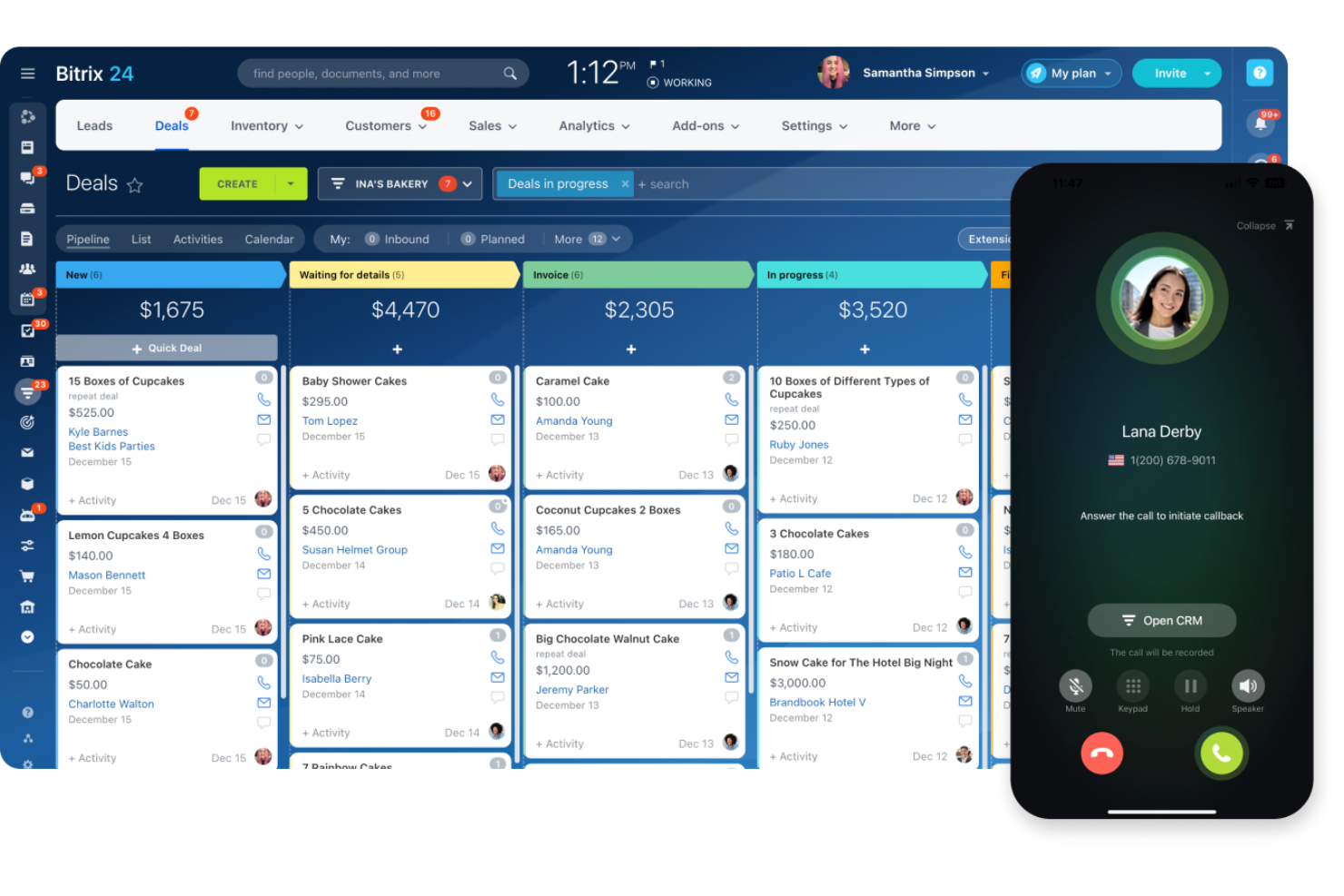
Bitrix24 is a unified workspace designed for teams that want built-in communication and CRM solutions in one platform. It combines chat, video calls, and sales pipeline management, helping organizations manage work without switching between apps. Unlike Zoho, Bitrix24 emphasizes real-time collaboration and internal communication alongside customer management.
Why Bitrix24 Is a Good Zoho Alternative
For businesses that want communication and CRM in one platform, Bitrix24 offers a unique approach. I picked Bitrix24 because it combines team chat, video conferencing, and a full-featured CRM software in a single workspace.
The platform also includes shared calendars and document management, so teams can collaborate and manage customer relationships without switching tools. If you’re looking for a cloud software suite that prioritizes both internal and external communication, Bitrix24 stands out from Zoho’s more modular approach.
Bitrix24 Key Features
Some other Bitrix24 features help teams manage daily operations and customer interactions more efficiently:
- Task and Project Management: Assign, track, and organize tasks with Gantt charts and Kanban boards.
- Telephony Integration: Make and receive calls directly from the platform with call recording and logging.
- HR Management Tools: Manage employee records, time off requests, and company announcements in one place.
- Website Builder: Create and manage websites or landing pages with built-in forms and live chat widgets.
Bitrix24 Integrations
Integrations include Gmail, Google Calendar, Google Drive, OneDrive, Dropbox, Box, Xero, and more.
Pros and Cons
Pros:
- Social intranet for internal team collaboration
- Unlimited users on the free plan
- Built-in telephony for direct customer calls
Cons:
- Interface can feel cluttered with many modules
- Occasional delays in customer support response

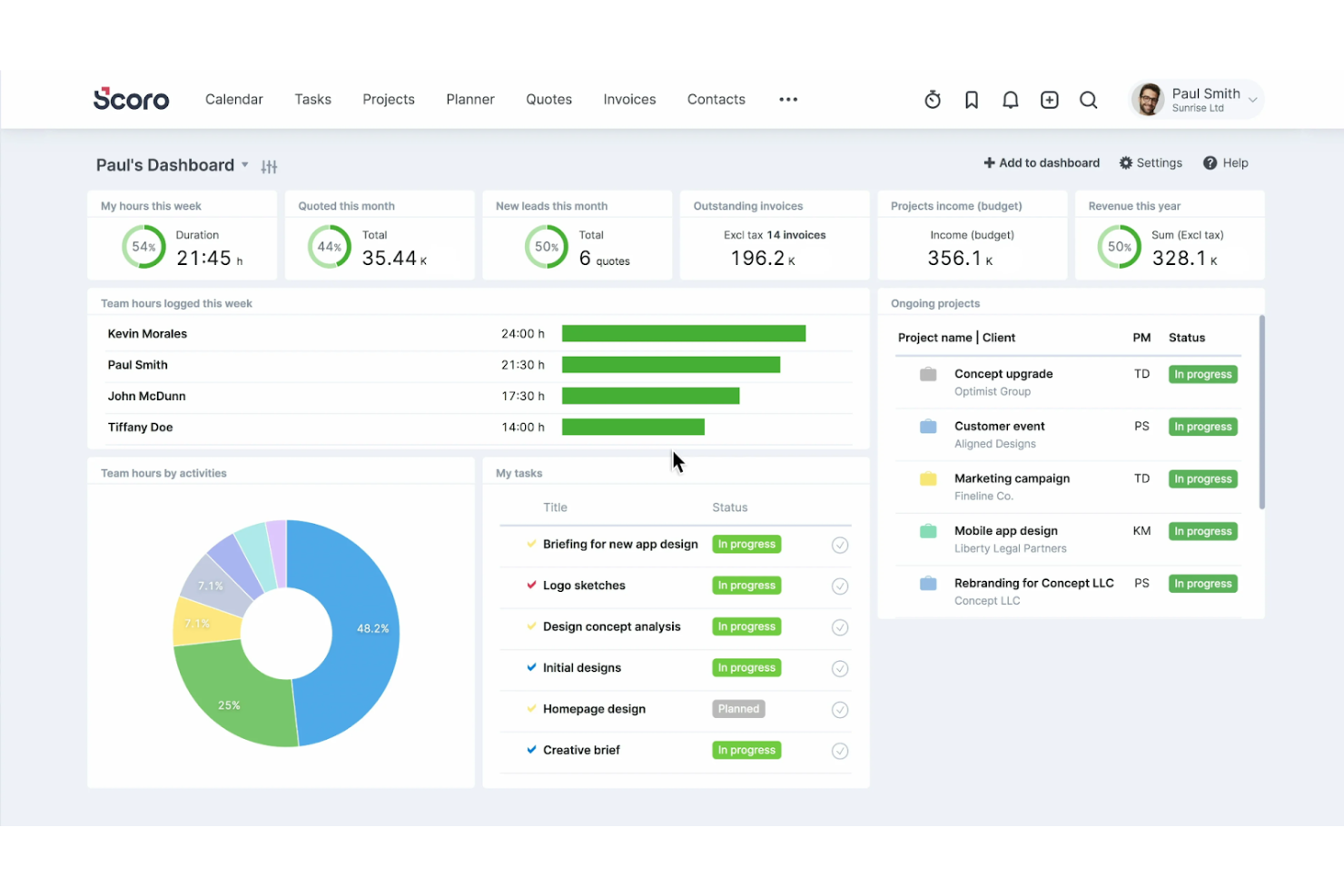
Scoro brings project management and billing together in one cloud platform, making it a strong fit for service-based businesses and consultancies. If you need to track projects, manage resources, and handle invoicing without switching between multiple tools, Scoro offers a unified approach. Unlike Zoho, Scoro’s billing features are tightly integrated with project workflows, so you can connect time, tasks, and revenue in a single system.
Why Scoro Is a Good Zoho Alternative
When project delivery and billing need to work hand in hand, Scoro stands out as a focused solution. I picked Scoro because it links project timelines, resource allocation, and invoicing in one platform, so you can manage client work from kickoff to payment without data silos.
Its time tracking and quoting tools connect directly to billing, making it easier to turn tracked hours and completed tasks into accurate invoices. For teams that want a cloud software suite with built-in billing tied to project management, Scoro offers a level of integration that Zoho doesn’t match.
Scoro Key Features
Some other features in Scoro help teams manage work and business operations more efficiently:
- Customizable Dashboards: Build dashboards that display real-time project, financial, and team data in one place.
- Task Dependencies: Set up task relationships to manage project timelines and avoid bottlenecks.
- Calendar and Scheduling Tools: Coordinate meetings, deadlines, and resource bookings with integrated calendar features.
- Quote and Proposal Builder: Create, send, and track professional quotes and proposals directly from the platform.
Scoro Integrations
Integrations include Google Calendar, Microsoft Exchange, Xero, QuickBooks, Sage Intacct, Stripe, Jira, and more.
Pros and Cons
Pros:
- Native billing and invoicing tied to projects
- Real-time dashboards for project and finance data
- Built-in quoting and proposal generation tools
Cons:
- No built-in help desk or ticketing system
- Limited marketing automation features
Other Zoho Alternatives
Here are some additional Zoho alternative options that didn’t make it onto my shortlist, but are still worth checking out:
- Salesforce
For advanced CRM capabilities
- monday.com
For flexible work management boards
- Copper
For native Google Workspace integration
- Insightly
For relationship linking in CRM
- Nifty
For milestone-driven project planning
- ProofHub
For unified project discussions
- OnePageCRM
For action-focused sales pipelines
- Teamwork.com
For client-facing project collaboration
- Wrike
For advanced task dependency tracking
- EngageBay
For all-in-one marketing and CRM
- Nutshell
For simple sales automations
- AgileCRM
For telephony and call automation


Zoho Alternatives Selection Criteria
When selecting the best Zoho alternatives to include in this list, I considered common buyer needs and pain points related to cloud software suite products, like managing real-time collaboration and centralizing business communications. I also used the following framework to keep my evaluation structured and fair:
Core Functionality (25% of total score)
To be considered for inclusion in this list, each solution had to fulfill these common use cases:
- Create and edit documents and spreadsheets
- Share files and folders with teams
- Manage team calendars and scheduling
- Communicate via chat or video meetings
- Control user access and permissions
Additional Standout Features (25% of total score)
To help further narrow down the competition, I also looked for unique features, such as:
- Real-time multi-user document editing
- Built-in workflow automation tools
- Advanced admin and security controls
- Integration with third-party business apps
- AI-powered search and suggestions
Usability (10% of total score)
To get a sense of the usability of each system, I considered the following:
- Simple and user-friendly interface
- Minimal clicks to complete common tasks
- Clear navigation and menu structure
- Responsive design across devices
- Customizable dashboards or layouts
Onboarding (10% of total score)
To evaluate the onboarding experience for each platform, I considered the following:
- Step-by-step product tours or walkthroughs
- Availability of training videos and webinars
- Pre-built templates for common workflows
- In-app chatbots or help widgets
- Easy data import and migration tools
Customer Support (10% of total score)
To assess each software provider’s customer support services, I considered the following:
- 24/7 live chat or phone support
- Online knowledge base
- Fast response times to support tickets
- Access to community forums or user groups
- Availability of dedicated account managers
Value For Money (10% of total score)
To evaluate the value for money of each platform, I considered the following:
- Transparent and flexible pricing plans
- Features included at each pricing tier
- Discounts for annual billing or nonprofits
- No hidden fees or surprise charges
- Free trial or free plan availability
Customer Reviews (10% of total score)
To get a sense of overall customer satisfaction, I considered the following when reading customer reviews:
- Consistent positive feedback on reliability
- Reports of helpful and responsive support
- User comments on feature completeness
- Feedback on ease of adoption and training
- Noted limitations or frustrations with the tool
Why Look For a Zoho Alternative?
While Zoho is a good choice of cloud software suite, there are a number of reasons why some users seek out alternative solutions. You might be looking for a Zoho alternative because…
- You need stronger real-time document collaboration
- Your team relies on integrations Zoho doesn’t support
- You want more advanced admin or security controls
- You require better offline access to files
- Your business operates in regions with limited Zoho support
If any of these sound like you, you’ve come to the right place. My list contains several cloud software suite options that are better suited for teams facing these challenges with Zoho and looking for alternative solutions.
Zoho Key Features
Here are some of the key features of Zoho, to help you contrast and compare what alternative solutions offer:
- Centralized document and spreadsheet editing
- Integrated business email with Zoho Mail
- Team chat and video conferencing with Zoho Cliq and Zoho Meeting
- Shared calendars and scheduling tools
- Built-in Zoho CRM and sales management modules
- Workflow automation across apps
- Customizable dashboards and reporting
- Role-based access controls for users
- Mobile apps for on-the-go access
- Integration with third-party business tools
What’s Next:
If you're in the process of researching a Zoho alternative, connect with a SoftwareSelect advisor for free recommendations.
You fill out a form and have a quick chat where they get into the specifics of your needs. Then you'll get a shortlist of software to review. They'll even support you through the entire buying process, including price negotiations.