
14 Best Zapier Alternatives for 2026

Best Zapier Alternative Shortlist
Here’s my shortlist of the top Zapier alternatives:


A strong Zapier alternative offers reliable workflow automation, broad integration options, and flexible customization to fit your team’s unique processes. If you’re searching for a replacement because of pricing, integration limits, or the need for more control, you’re not alone—many IT specialists want tools that better match their infrastructure and automation goals. This list will help you compare the top Zapier alternatives, so you can find a platform that aligns with your technical requirements, supports your business systems, and keeps your workflows running smoothly.
What Is Zapier?
Zapier is one of the most widely used workflow automation tools, designed to connect apps and services so you can automate repetitive tasks without writing code. As a no-code platform, it allows beginners, small businesses, and non-technical teams to create automated workflows called “Zaps” that trigger actions across tools like email, cloud storage, e-commerce platforms, and project management systems.
Zapier is popular for its ease of use and user-friendly interface, making it accessible to teams that want automation without relying on developers. It also offers low-code options, including support for custom logic and JavaScript steps, giving more technical users flexibility when building custom workflows. For many organizations, it provides a cost-effective way to integrate cloud-based systems and reduce manual work without building custom integrations from scratch.
Best Zapier Alternatives Summary
This comparison chart summarizes pricing details for my top Zapier alternative selections to help you find the best one for your budget and business needs.
| Tool | Best For | Trial Info | Price | ||
|---|---|---|---|---|---|
| 1 | Best for one-click automation setup | Free plan + 14-day free trial available | From $19.99/month (billed annually) | Website | |
| 2 | Best for enterprise-grade integrations | Free demo available | Pricing upon request | Website | |
| 3 | Best with self-hosting flexibility | Free plan available | From $20/month (billed annually) | Website | |
| 4 | Best for visual workflow building | Free demo available | From $9/10,000 credits/month | Website | |
| 5 | Best for connecting smart devices | Free plan available | From $2.99/month (billed annually) | Website | |
| 6 | Best for unlimited workflows | Free plan available | From $14/month (billed annually) | Website | |
| 7 | Best with Microsoft 365 ecosystem | 30-day free trial available | From $15/user/month (billed annually) | Website | |
| 8 | Best for complex API connectivity | Not available | Pricing upon request | Website | |
| 9 | Best for open-source customization | Free plan available | Free to use | Website | |
| 10 | Best for Zoho app integrations | 15-day free trial available | From $25/month (billed annually) | Website |
Why Trust Our Software Reviews
-

Site24x7
Visit WebsiteThis is an aggregated rating for this tool including ratings from Crozdesk users and ratings from other sites.4.6 -
Docker
Visit WebsiteThis is an aggregated rating for this tool including ratings from Crozdesk users and ratings from other sites.4.6 -
Pulumi
Visit WebsiteThis is an aggregated rating for this tool including ratings from Crozdesk users and ratings from other sites.4.8





Best Zapier Alternatives
Below are my detailed summaries of the Zapier alternatives that made it onto my shortlist. My reviews offer a detailed look at the features, integrations, and best use cases of each platform to help you find the best one for your team.

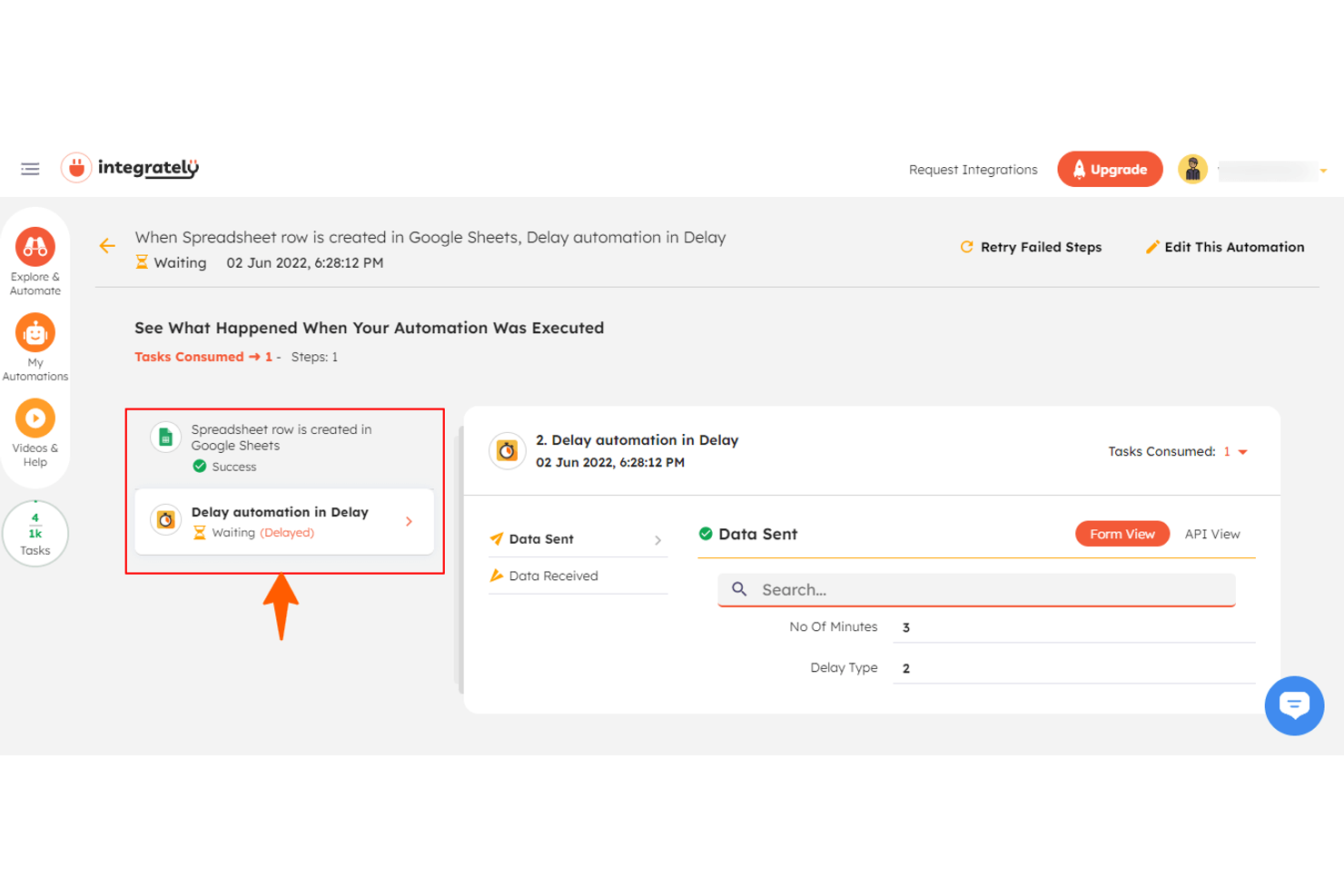
Integrately is built for teams that want to launch automations with minimal setup or technical effort. If you’re an IT specialist or operations lead looking to automate routine tasks fast, Integrately’s one-click automation library can help you get started in seconds. Unlike other platforms, it offers thousands of ready-made automation templates that require no manual configuration.
Why Integrately Is a Good Zapier Alternative
For anyone who wants to automate workflows without building them from scratch, Integrately offers a unique approach. I picked Integrately because its one-click automation setup lets you activate prebuilt workflows instantly, saving time on manual configuration. The platform’s automation library includes thousands of ready-to-use templates for common business processes. This makes it especially appealing if you want to deploy automations quickly and with minimal technical input.
Integrately Key Features
Some other features that stood out to me include:
- Multi-Step Automation: Build workflows that connect several apps and actions in a single automation.
- Conditional Logic: Set up rules to trigger different actions based on specific data or events.
- Error Handling and Replays: Automatically detect failed automations and retry them without manual intervention.
- Activity History: Review detailed logs of all automation runs for monitoring and troubleshooting.
Integrately Integrations
Integrations include Salesforce, Google Sheets, Trello, HubSpot, Mailchimp, Slack, Gmail, ClickUp, Shopify, and Asana.
Pros and Cons
Pros:
- Lower entry pricing than many competitors
- Large library of ready-made workflows
- One-click automation templates reduce setup time
Cons:
- Integration catalog smaller than Zapier or Make
- Limited advanced scripting or developer-level customization

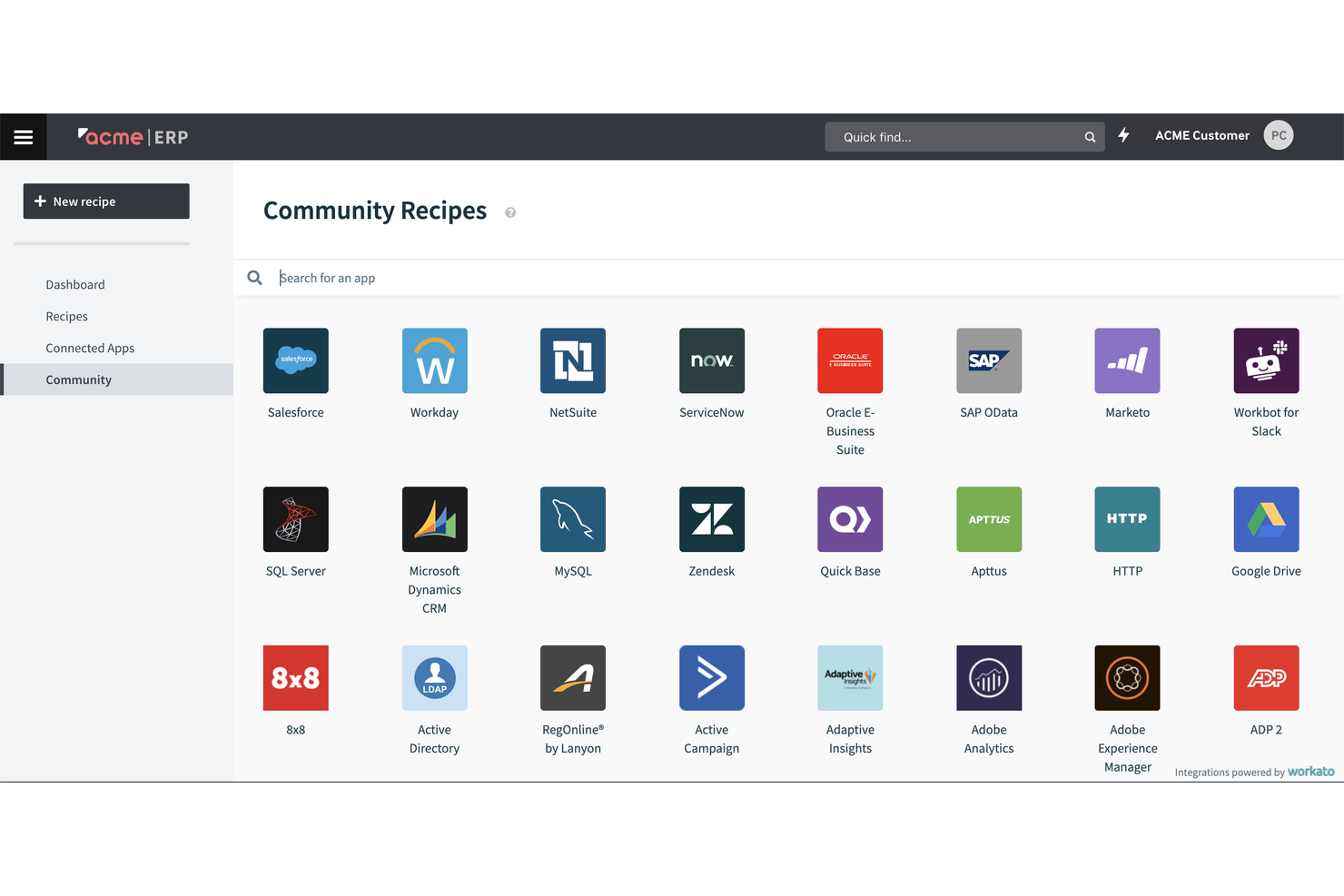
For organizations that need secure, large-scale automation across complex systems, Workato is built with enterprise needs in mind. This platform appeals to IT teams and operations leaders who manage integrations between cloud, on-premises, and legacy applications. Workato stands out for its advanced governance, security controls, and support for highly customized, enterprise-grade workflows.
Why Workato Is a Good Zapier Alternative
When you need automation that meets strict enterprise requirements, Workato is purpose-built for that level of complexity. I picked Workato because it offers advanced governance features, including granular access controls and detailed audit logs, which are essential for regulated industries. The platform also supports hybrid integrations, connecting both cloud and on-premises systems in a single workflow. This makes Workato a strong choice for IT teams managing sensitive data and large-scale, mission-critical processes.
Workato Key Features
Some other features that make Workato appealing include:
- Recipe Lifecycle Management: Manage, version, and deploy automation recipes across development, testing, and production environments.
- AI-Powered Automation: Use built-in AI features to automate data extraction, classification, and decision-making tasks.
- Pre-Built Connectors: Access a large library of connectors for popular enterprise applications and databases.
- Embedded Integration Platform: Offer integration and automation capabilities directly within your own product or service.
Workato Integrations
Integrations include Salesforce, Slack, NetSuite, ServiceNow, Workday, Google Drive, Zendesk, Jira, Snowflake, and Marketo.
Pros and Cons
Pros:
- Recipe lifecycle management for structured deployment
- Hybrid integration for cloud and on-premises systems
- Enterprise-grade security and governance controls
Cons:
- Requires technical resources for implementation
- Pricing is quote-based and typically high-cost
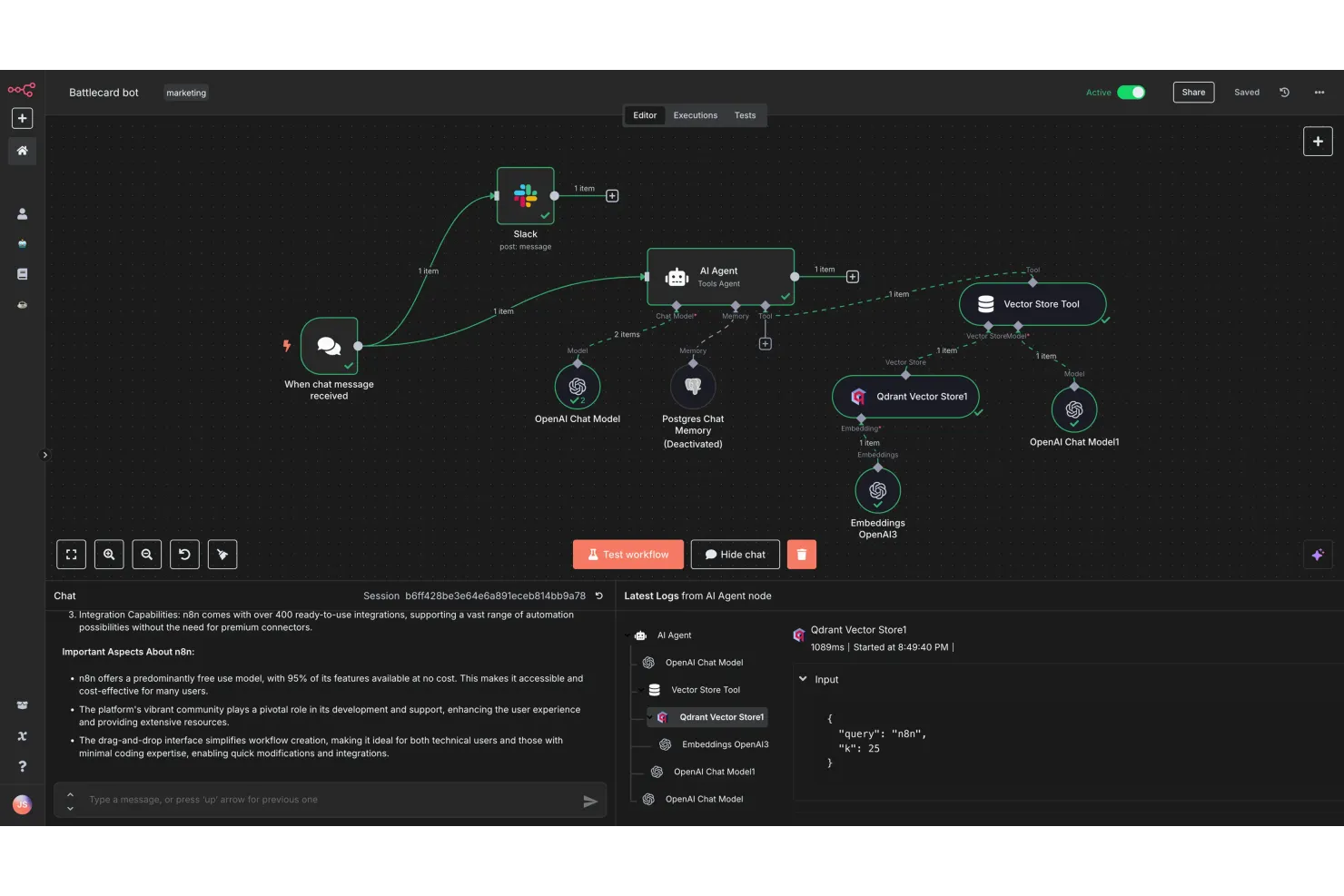
If you need full control over your automation environment, n8n offers a flexible, self-hosted workflow automation platform. IT teams and privacy-focused organizations can deploy n8n on their own infrastructure to meet strict security or compliance requirements. Its open-source model and customization options make it a strong choice for businesses that want to tailor automations beyond what Zapier and most cloud-based tools allow.
Why n8n Is a Good Zapier Alternative
Unlike most workflow automation platforms, n8n gives you the option to self-host, which is a major advantage for teams with strict data privacy or compliance needs. I picked n8n because it lets you run automations entirely within your own infrastructure, so you control where your data lives and how it’s processed. The platform’s open-source nature also means you can customize workflows and even extend its functionality with your own code. If you want flexibility and ownership that cloud-based tools like Zapier can’t provide, n8n is a strong fit.
n8n Key Features
Some other features in n8n can help your team automate and orchestrate complex workflows:
- Built-In Version Control: Track changes and roll back to previous workflow versions directly within the platform.
- Credential Management: Store and manage sensitive API keys and credentials securely for all your integrations.
- Custom Node Creation: Build and add your own custom nodes to extend automation capabilities.
- Execution Logs: Access detailed logs for every workflow run to support troubleshooting and auditing.
n8n Integrations
Integrations include Google Sheets, Telegram, MySQL, Slack, Discord, Postgres, Notion, Gmail, Airtable, and Google Drive.
Pros and Cons
Pros:
- Custom node creation allows unique integrations
- Open-source architecture enables deep customization
- Self-hosting option supports strict data privacy and compliance needs
Cons:
- Smaller native integration library than Zapier
- Initial setup and server maintenance require technical expertise

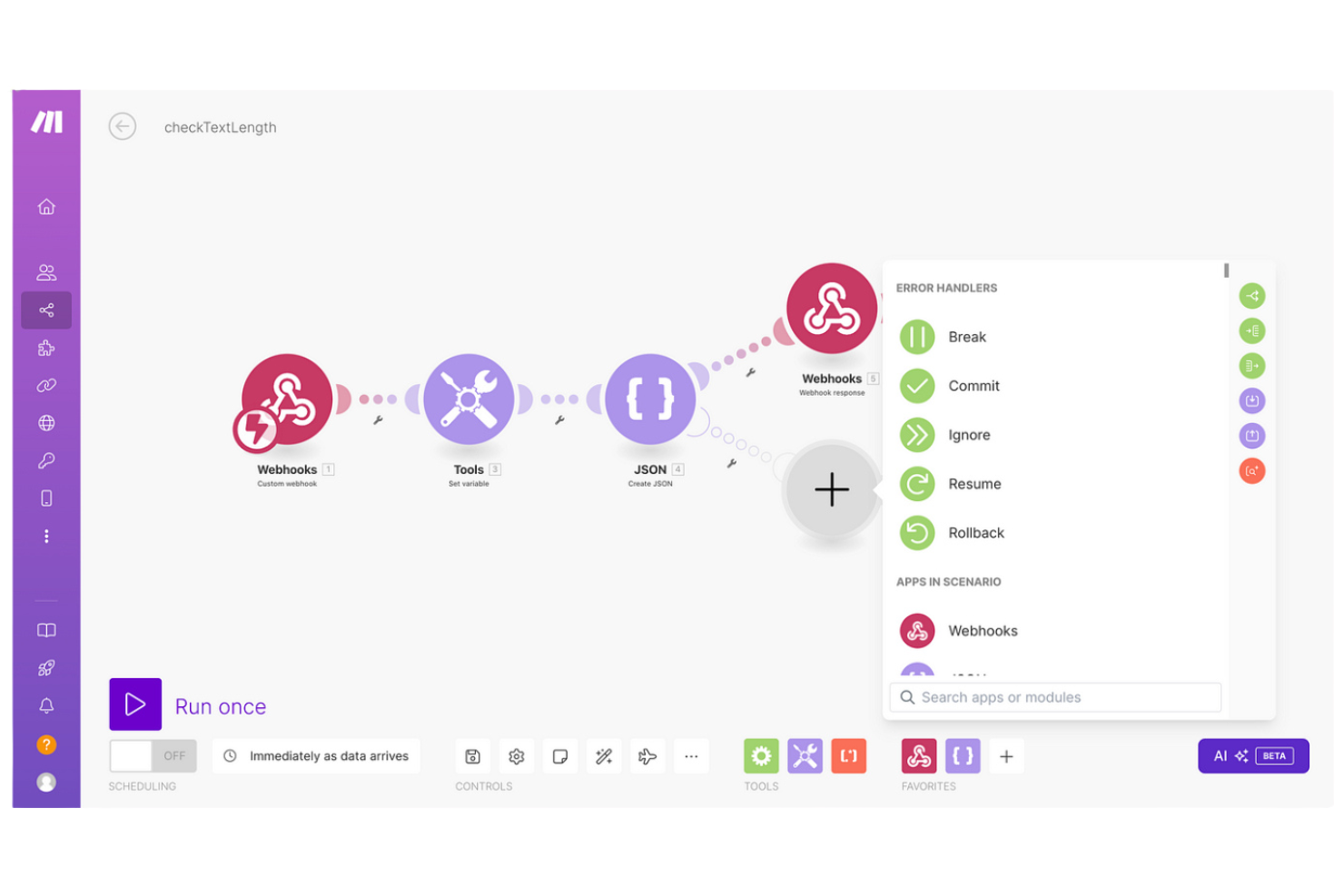
Make (formerly Integromat) offers a visual approach to workflow automation that stands out for teams who want to design complex processes without writing code. IT specialists and operations teams who need to map out multi-step automations will appreciate its drag-and-drop interface and real-time scenario editing. If you’re looking for more control over workflow logic and a clear way to visualize integrations, Make is a strong alternative to Zapier.
Why Make Is a Good Zapier Alternative
What sets Make apart is its visual workflow builder, which gives you a clear, interactive way to design and manage automations. I picked Make for teams that need to map out complex, multi-step processes and want to see every step in real time. The platform’s drag-and-drop scenario editor and live execution monitoring make it easy to troubleshoot and refine workflows as you build them. If you value transparency and control over your automation logic, Make offers a level of visual clarity that Zapier doesn’t match.
Make Key Features
Some other features in Make can help your team automate and manage workflows at scale:
- HTTP Module: Connect to any web service or API using custom HTTP requests for advanced integrations.
- Data Manipulation Tools: Transform, filter, and aggregate data within your workflows using built-in functions.
- Scheduling and Triggers: Set up time-based or event-based triggers to run automations exactly when you need them.
- Error Handling Controls: Configure custom error handling steps to manage exceptions and keep workflows running smoothly.
Make Integrations
Integrations include OpenAI, ChatGPT, Google Gemini AI, Perplexity AI, Anthropic Claude, Deepseek, Eleven Labs, Make AI Agents, Relevance, and GPT Maker.
Pros and Cons
Pros:
- HTTP and webhook modules support custom API integrations
- Advanced conditional branching and data transformation tools
- Visual workflow builder provides clear visibility into complex automation logic
Cons:
- Complex workflows require more setup and testing time
- Fewer native app integrations than Zapier

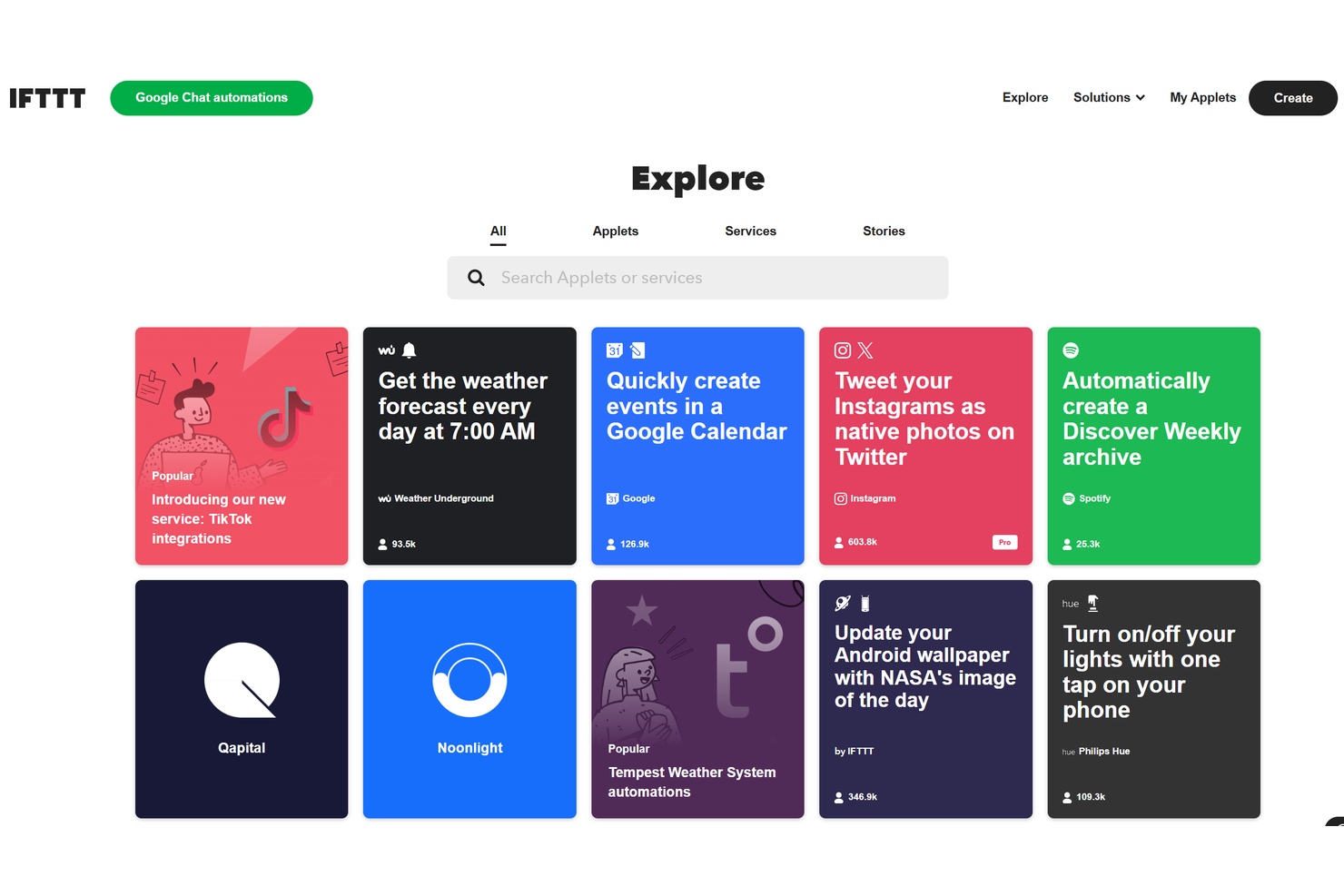
For teams looking to automate tasks across smart home and IoT devices, IFTTT offers a unique edge. The platform is especially useful for IT specialists and facilities managers who need to connect consumer devices, sensors, and web services without custom coding. Unlike Zapier, IFTTT specializes in bridging the gap between digital workflows and physical devices, making it a go-to for automating smart environments.
Why IFTTT Is a Good Zapier Alternative
If you need to automate workflows that include smart home or IoT devices, IFTTT stands out as a strong choice. I picked IFTTT because it offers direct connections to a wide range of consumer devices, including lights, thermostats, and security systems. The platform’s applets let you trigger device actions based on web events, sensor data, or even voice commands. For anyone looking to bridge digital workflows with physical devices, IFTTT delivers capabilities that most workflow automation platforms don’t match.
IFTTT Key Features
Some other features in IFTTT can help you automate and manage digital workflows:
- Multi-Step Applets: Chain together multiple actions and triggers within a single automation.
- Webhooks Integration: Connect custom services or devices using web requests and responses.
- Location-Based Triggers: Start automations based on a user’s physical location or movement.
- Scheduled Applets: Run automations at specific times or on recurring schedules.
IFTTT Integrations
Integrations include Google Assistant, Philips Hue, Spotify, Notion, Discord, Reddit, Instagram, Google Calendar, iRobot, and Sonos.
Pros and Cons
Pros:
- Simple setup for lightweight personal or small-scale automation
- Location-based and sensor-based triggers
- Strong smart home and IoT device integrations
Cons:
- Fewer business-focused app integrations
- Limited multi-step and conditional logic

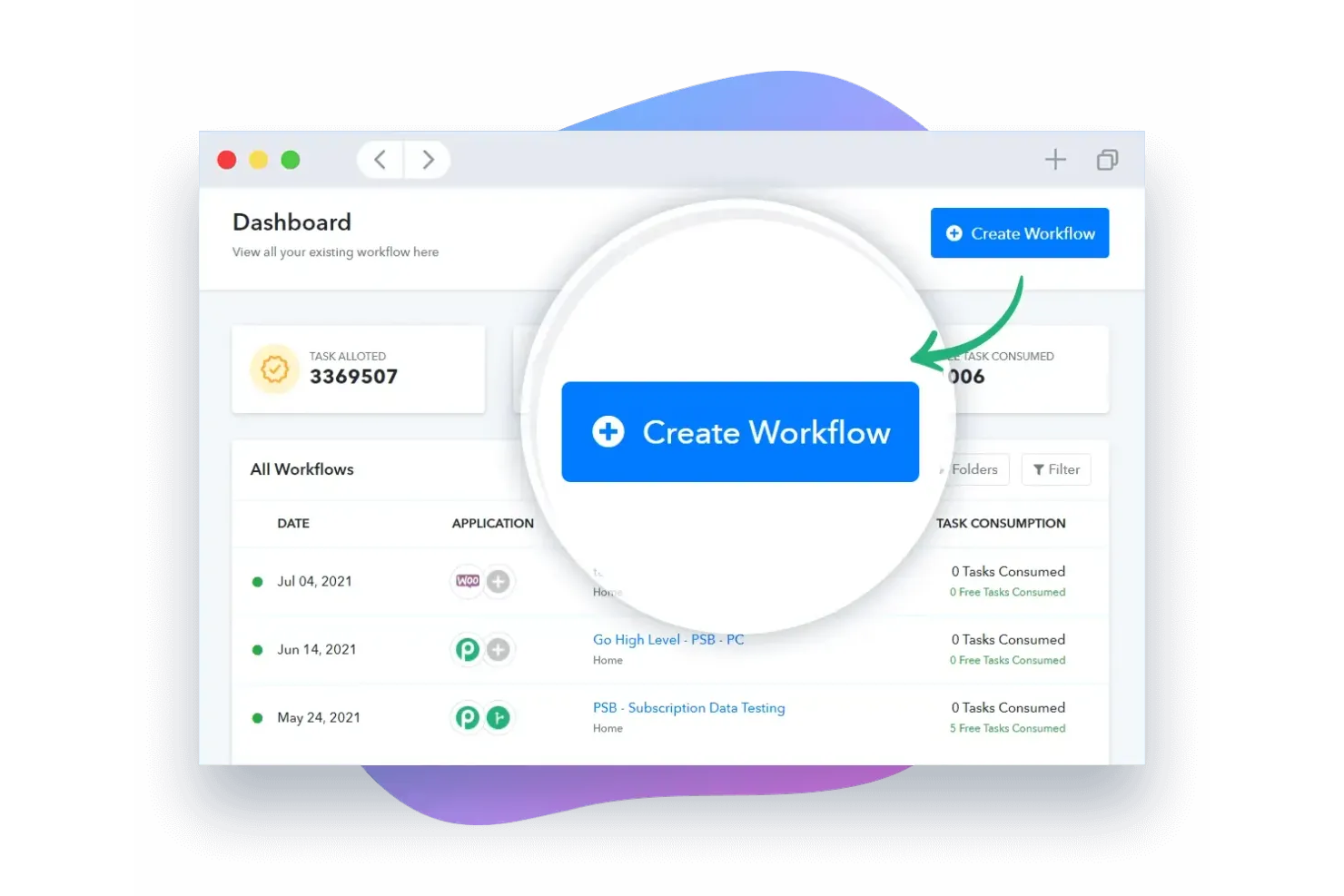
If you need to automate a high volume of workflows without worrying about usage caps, Pabbly Connect is worth a look. This platform is designed for IT teams, agencies, and businesses that want unlimited automation tasks at a predictable cost. Unlike most competitors, Pabbly Connect doesn’t restrict the number of workflows you can run, making it a strong fit for heavy automation needs.
Why Pabbly Connect Is a Good Zapier Alternative
What sets Pabbly Connect apart is its commitment to unlimited workflows, which is rare among workflow automation platforms. I picked Pabbly Connect because you can create and run as many automations as you need without hitting task or workflow limits. The platform supports complex, multi-step workflows and lets you schedule automations to run at specific intervals. This makes it a strong choice for teams that want to automate large-scale processes without worrying about usage restrictions.
Pabbly Connect Key Features
Some other features that stood out to me include:
- Data Formatter: Transform and format data between steps within your workflows.
- Instant Webhooks: Trigger automations in real time using webhook events from connected apps.
- Path Router: Set up conditional paths to branch workflows based on specific criteria.
- Email Parser: Extract data from incoming emails to use as triggers or actions in automations.
Pabbly Connect Integrations
Integrations include Google Sheets, Gmail, Slack, Trello, Zoom, WooCommerce, Shopify, Salesforce, HubSpot, and Asana.
Pros and Cons
Pros:
- Built-in data formatter and email parser tools
- Predictable pricing with one-time payment options
- Unlimited workflows on paid plans
Cons:
- Smaller integration ecosystem than Zapier
- Interface feels less modern than its competitors

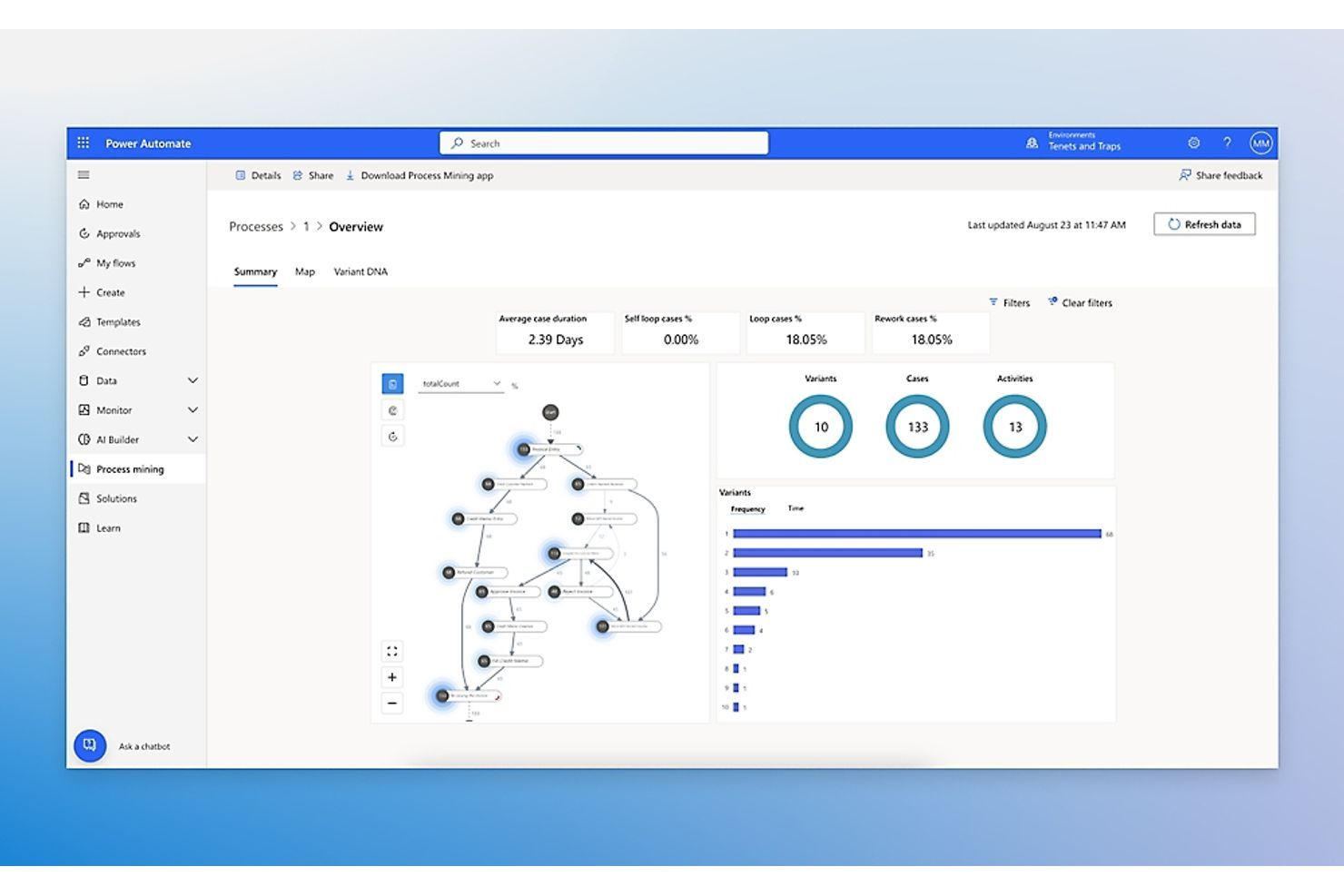
For organizations already invested in Microsoft 365, Microsoft Power Automate offers automation that fits right into your existing environment. This platform is especially useful for IT teams and business users who want to connect Microsoft apps, automate document workflows, and manage approvals without leaving familiar tools. Power Automate stands out for its deep integration with Microsoft services and its ability to automate tasks across the entire Microsoft ecosystem.
Why Microsoft Power Automate Is a Good Zapier Alternative
If your business relies on Microsoft 365, Power Automate is built to work seamlessly within that ecosystem. I picked Power Automate because it lets you automate tasks directly in Outlook, SharePoint, Teams, and other Microsoft apps without extra connectors. The platform supports advanced workflow logic, including multi-step approvals and conditional branching, all managed from within your Microsoft environment. This makes it a strong Zapier alternative for organizations that want automation tightly integrated with their Microsoft tools.
Microsoft Power Automate Key Features
Some other features that make Power Automate useful include:
- AI Builder Integration: Add AI-driven actions like form processing and sentiment analysis to workflows.
- Robotic Process Automation (RPA): Automate legacy applications and manual tasks with desktop flows.
- Pre-Built Connectors Library: Choose from hundreds of connectors for both Microsoft and non-Microsoft services.
- Mobile App Access: Monitor, manage, and trigger flows directly from your mobile device.
Microsoft Power Automate Integrations
Integrations include SharePoint, Outlook, Microsoft Teams, OneDrive, Excel, Dynamics 365, Power BI, SQL Server, Salesforce, and Twitter.
Pros and Cons
Pros:
- Supports both cloud and on-premises data sources
- Includes robotic process automation for desktop workflows
- Deep integration with the Microsoft 365 ecosystem
Cons:
- Less flexible for non-Microsoft integrations
- Licensing structure can be complex

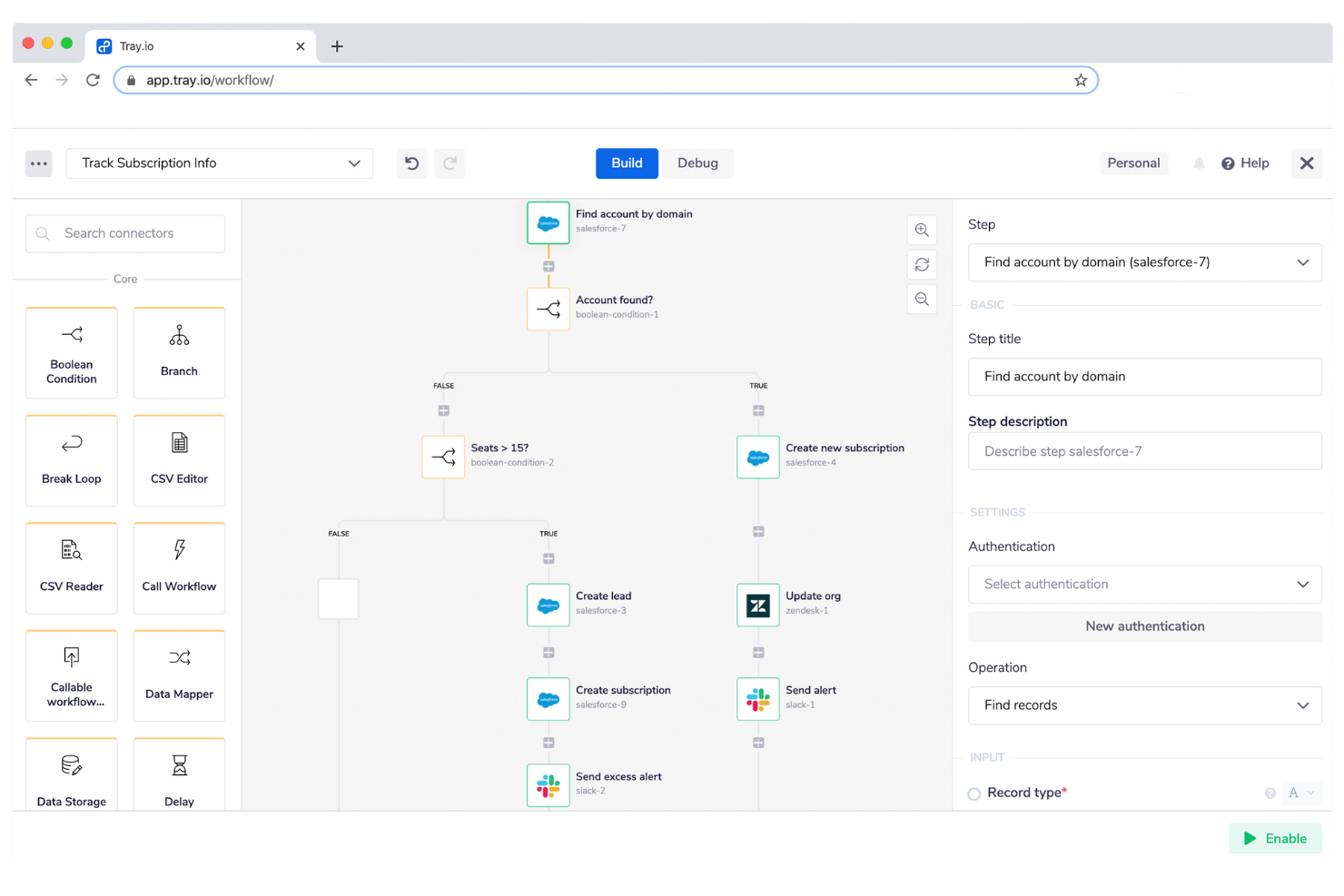
If your team needs to automate workflows that rely on deep API integrations, Tray.io is designed for that level of technical complexity. This platform is a strong fit for IT specialists, developers, and operations teams who need to connect custom or less-common applications. Tray.io stands out for its flexible API connectivity, advanced data handling, and support for building highly tailored automations.
Why Tray.io Is a Good Zapier Alternative
For teams that need to automate processes involving complex or custom APIs, Tray.io offers a level of flexibility that’s hard to match. I picked Tray.io because it lets you design workflows with advanced logic, custom scripting, and detailed data transformations. The platform’s visual workflow builder supports branching, looping, and error handling for intricate automation scenarios. This makes Tray.io a strong choice for IT and development teams who need more than just basic app-to-app connections.
Tray.io Key Features
Some other features that make Tray.io appealing include:
- Reusable Workflow Templates: Access a library of pre-built templates for common automation scenarios.
- Real-Time Monitoring Dashboard: Track workflow executions and view detailed logs in real time.
- Role-Based Access Controls: Assign permissions and manage user access at a granular level.
- Bulk Data Processing: Handle large data sets and batch operations within automated workflows.
Tray.io Integrations
Integrations include Salesforce, Workday, ServiceNow, Slack, Jira, Zendesk, HubSpot, NetSuite, Google Sheets, and Microsoft Teams.
Pros and Cons
Pros:
- Handles bulk data processing at scale
- Supports complex branching, looping, and error handling
- Advanced API connectivity for custom and legacy systems
Cons:
- Documentation can be inconsistent for less common connectors
- Initial setup often requires developer-level technical skills

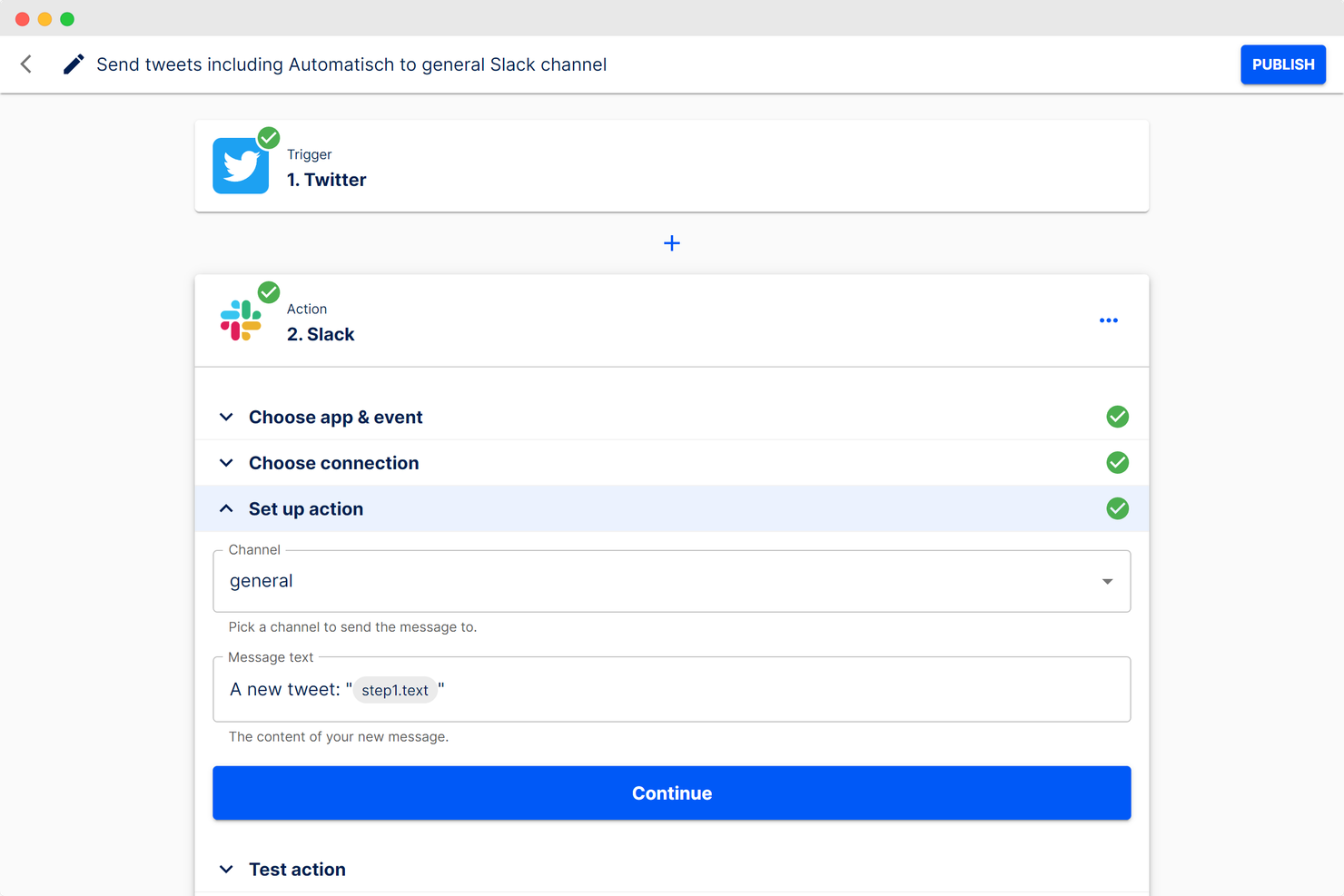
If you want full control over your automation platform, Automatisch gives you open-source flexibility. This tool is a strong fit for IT teams and developers who need to self-host, customize, or extend workflow automation beyond what closed platforms allow. Automatisch stands out by letting you modify integrations, build custom connectors, and run automations on your own infrastructure.
Why Automatisch Is a Good Zapier Alternative
For teams that need deep customization and control, Automatisch offers an open-source approach that’s hard to find in most workflow automation platforms. I picked Automatisch because you can self-host the platform, modify its source code, and create your own integrations or triggers. This flexibility is especially valuable for IT specialists who want to tailor automations to unique infrastructure or compliance needs. If you’re looking for a Zapier alternative that you can truly make your own, Automatisch delivers on open-source customization.
Automatisch Key Features
Some other features in Automatisch can help you build and manage automations:
- Visual Workflow Editor: Design and organize automation flows using a drag-and-drop interface.
- Built-In Scheduler: Set up time-based triggers for recurring or delayed tasks.
- Multi-Step Workflows: Combine several actions and conditions within a single automation.
- REST API Support: Connect external applications and services using standard API calls.
Automatisch Integrations
Integrations include Airtable, Discord, GitHub, Google Calendar, Notion, Slack, Trello, Twilio, Typeform, and PostgreSQL.
Pros and Cons
Pros:
- No per-task usage pricing restrictions
- Custom integration development using Node.js
- Fully open-source with unlimited self-hosted workflows
Cons:
- Limited enterprise-grade authentication and support
- Requires technical setup and infrastructure management
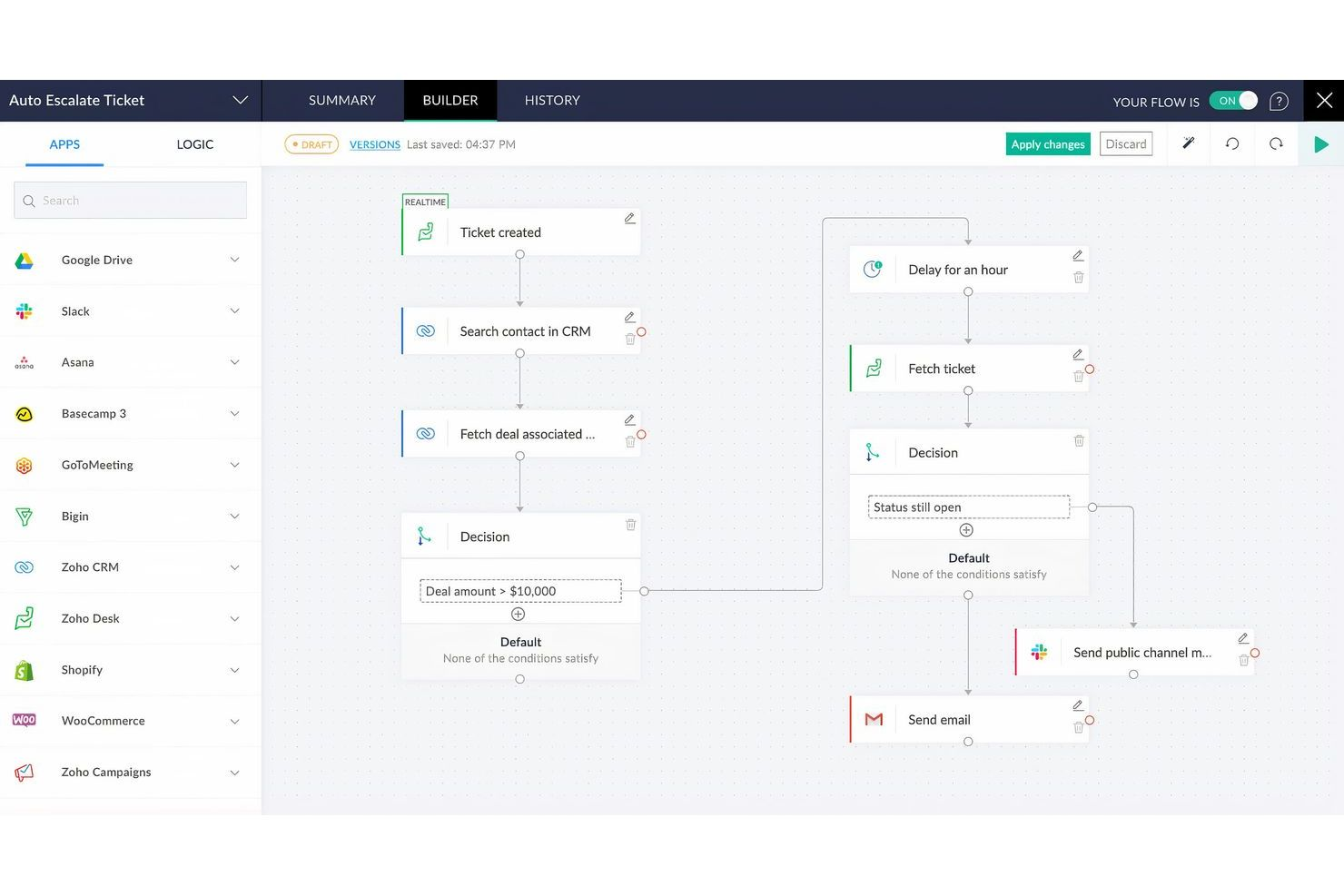
If your business relies on Zoho apps, Zoho Flow is designed to connect and automate them with minimal friction. This platform is especially useful for IT teams and operations managers who want to unify Zoho tools with other cloud services. Zoho Flow stands out by offering deep, native integrations across the Zoho ecosystem, making it easier to automate processes that span multiple Zoho applications.
Why Zoho Flow Is a Good Zapier Alternative
When you need automation that works especially well with Zoho apps, Zoho Flow is a natural fit. I picked Zoho Flow because it offers prebuilt workflows and triggers that are tailored for Zoho CRM, Zoho Books, Zoho Projects, and other Zoho products. The platform also supports advanced logic, like branching and custom functions, so you can automate complex business processes across your Zoho environment. If your team depends on Zoho’s suite, Zoho Flow gives you automation options that are more deeply integrated than what you’ll find with most other platforms.
Zoho Flow Key Features
In addition to its deep Zoho integrations, I also found these features worth noting:
- Drag-and-Drop Flow Builder: Create and organize automation workflows visually without writing code.
- Webhook Support: Trigger flows from external applications using webhooks for real-time automation.
- Version History: Track changes and restore previous versions of your workflows as needed.
- Collaboration Tools: Share flows and manage permissions for team-based workflow management.
Zoho Flow Integrations
Integrations include Zoho CRM, Zoho Creator, Zoho Desk, Zoho Projects, Gmail, Google Calendar, Slack, Trello, Asana, and QuickBooks.
Pros and Cons
Pros:
- Built-in version history for workflow management
- Visual builder with branching logic and custom functions
- Deep native integrations across Zoho applications
Cons:
- Limited documentation for troubleshooting complex automation issues
- Fewer third-party integrations than Zapier or Make
Other Zapier Alternatives
Here are some additional Zapier alternative options that didn’t make it onto my shortlist, but are still worth checking out:
- Whalesync
For real-time two-way database sync
- HubSpot Operations Hub
For integrated data quality tools
- NocoBase
For building custom internal tools
- Outfunnel
For syncing marketing and CRM data


Zapier Alternatives Selection Criteria
When selecting the best Zapier alternatives to include in this list, I considered common buyer needs and pain points related to workflow automation platform products, like integrating with existing business systems and automating repetitive manual tasks. I also used the following framework to keep my evaluation structured and fair:
Core Functionality (25% of total score)
To be considered for inclusion in this list, each solution had to fulfill these common use cases:
- Automate repetitive tasks across multiple apps
- Trigger workflows based on specific events or conditions
- Connect cloud and on-premises applications
- Schedule and run multi-step workflows
- Monitor and log workflow activity
Additional Standout Features (25% of total score)
To help further narrow down the competition, I also looked for unique features, such as:
- Built-in AI or machine learning capabilities
- Robotic process automation for desktop apps
- Real-time two-way data sync
- Custom scripting or code support
- Advanced workflow visualization tools
Usability (10% of total score)
To get a sense of the usability of each system, I considered the following:
- Simple and intuitive workflow builder
- Clear navigation and labeling of features
- Minimal clicks to create and edit workflows
- Responsive and modern interface design
- Accessible documentation within the platform
Onboarding (10% of total score)
To evaluate the onboarding experience for each platform, I considered the following:
- Availability of step-by-step product tours
- Access to training videos and webinars
- Pre-built workflow templates for common use cases
- In-app chatbots or guided help
- Easy data import and migration tools
Customer Support (10% of total score)
To assess each software provider’s customer support services, I considered the following:
- Multiple support channels including chat and email
- Fast response times for technical issues
- Access to a searchable knowledge base
- Availability of community forums or user groups
- Proactive communication about outages or updates
Value For Money (10% of total score)
To evaluate the value for money of each platform, I considered the following:
- Transparent and predictable pricing structure
- Flexible plans for different business sizes
- Features included at each pricing tier
- No hidden fees or surprise charges
- Free trial or free plan availability
Customer Reviews (10% of total score)
To get a sense of overall customer satisfaction, I considered the following when reading customer reviews:
- Consistent positive feedback on reliability
- Reports of helpful and knowledgeable support
- User comments on integration quality
- Feedback on workflow performance and speed
- Insights into real-world use cases and limitations
Why Look For a Zapier Alternative?
While Zapier is a strong choice among workflow automation tools, there are several reasons why some teams explore alternatives. You might be looking for a Zapier alternative because…
- You need deeper integration with Microsoft, Google, or other ecosystems
- You want more advanced features or more granular conditional branching
- You require on-premises, hybrid, or enterprise-level deployment options
- You need a more scalable solution for high-volume or complex automations
- You have specific needs around pricing transparency or long-term cost control
- You’re facing a steep learning curve as workflows grow more complex
If any of these sound familiar, you’re in the right place. The tools in this list include platforms designed for scalable automation, advanced features, and custom workflows that better align with specialized technical, compliance, or enterprise requirements.
Zapier Key Features
Here are some of the key features of Zapier, to help you contrast and compare what alternative solutions offer:
- Multi-step workflows for automating complex processes
- Conditional logic to create branching paths in automations
- Scheduled triggers for running workflows at set times
- Extensive library of pre-built app integrations
- Webhooks for custom event-based automation
- Built-in error handling and task history tracking
- Shared folders and permissions for team collaboration
- Customizable notifications for workflow activity
- Formatter tools for data transformation within workflows
- Integration with both cloud and some on-premises apps
What’s Next:
If you're in the process of researching Zapier alternatives, connect with a SoftwareSelect advisor for free recommendations.
You fill out a form and have a quick chat where they get into the specifics of your needs. Then you'll get a shortlist of software to review. They'll even support you through the entire buying process, including price negotiations.